EN9410e En9410 L9c Service Manual
User Manual: EN9410e
Open the PDF directly: View PDF  .
.
Page Count: 48

L9CMonitor
L9C service manual Page1 of 48
- Techview Confidential -
Service Manual for the Envision EN9410
Feb, 18th, 2005 Revision: 1A
Issued By:
Checked By:
_____________________________________________________________________________
____
The release of this document is under control by the company. Any extra
copy of this document must be written permission by the product manager.

L9CMonitor
L9C service manual Page2 of 48
- Techview Confidential -
_____________________________________________________________________________
____
- Quanta Confidential –
History Page
Reversion Date Remark
1A 2/18/2005 1ST Released.

L9CMonitor
L9C service manual Page3 of 48
- Techview Confidential -
Content
Chapter Page
A. WARNING 4
B. SAFETY PRECAUTIONS 5
1. DIMENSIONS 6
2. GENERAL INFORMATION 8
3. SPECIFICATIONS 9
4. THEORY OF OPERATION 20
5. CONTROL LOCATION 23
6. NECESSARY EQUIPMENT LIST 32
7. BLOCK DIAGRAM 33
8. CONDUCTOR VIEW 35
9. SCHEMATIC DIAGRAM 38
10. EXPLODED VIEW 45
11. TROUBLE SHOOTING HINTS 46
12. REPLACEMENT PARTS LIST 48
13. AUTO BALANCE 48

L9CMonitor
L9C service manual Page4 of 48
- Techview Confidential -
WARNING
This service information is designed for experienced repair technicians only and is
not designed for use by the general public
It does not contain warnings or cautions to advise non-technical individuals of
potential dangers in attempting to service a product.
Products powered by electricity should be serviced or repaired only by
experienced professional technicians.
Any attempt to service or repair the product or products dealt within this service
information by anyone else could result in serious injury or death.
L9CMonitor
L9C service manual Page5 of 48
- Techview Confidential -
SAFETY PRECAUTIONS
1. CAUTION:
No modification of any circuit should be attempted. Service work should only be performed after you are
thorough familiar with all of the following safety checks and servicing guide lines.
2. SAFETY CHECK
Care should be taken while servicing this LCD display. Because the high voltage is used in the inverter
circuit. These voltages are exposed in such areas as the associated transformer circuits.
3. POWER SUPPLY REQUIREMENTS
The external power converter for this display utilizes AC and DC cords. AC cord is detachable,
But DC cord is permanently attached. Any attempt to replace another adapter could result in serious
problem on the display.
4. LEAKAGE CURRENT HOT CHECK
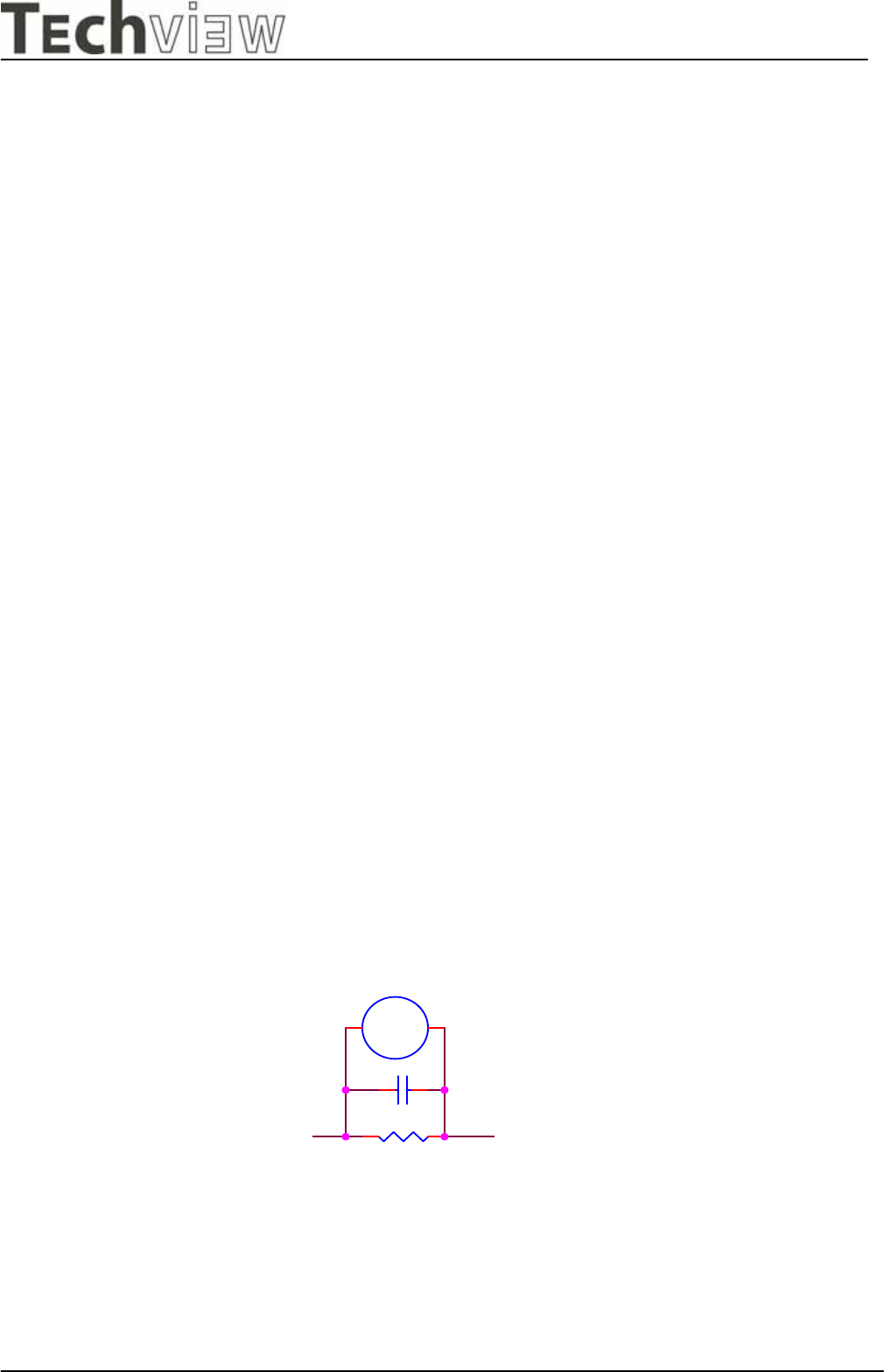
4-1 Plug the AC cord directly into the AC outlet. Do not use an isolation transformer during this check.
4-2 Connect a 1500 ohm, 10 watt resistor, paralleled by a 0.15uF capacitor between each metallic part
and a good earth ground.
4-3 Use an AC voltmeter with 1000 ohm / volt or more sensitivity and measure the AC voltage across the
combination 1500 ohm resistor and 0.15uF capacitor.
4-4 Move the resistor connection to each exposed metallic part and measure the voltage.
4-5 Reverse the polarity of the AC plug in the AC outlet and repeat the above measurement.
4-6 Voltage measured must not exceed 1.5 volt RMS, from any exposed metallic part to the ground. A
leakage current tester may be used in the above hot check, in which case any circuit measured must not
exceed 1 milliamp. In the case of a measurement exceeding the 1 milliamp value, a rework is required to
eliminate the chance of a shock hazard.
To Metal Parts
V
AC VOLTMETER
1500 10W
0.15u
.
Earth Ground
L9CMonitor
L9C service manual Page6 of 48
- Techview Confidential -
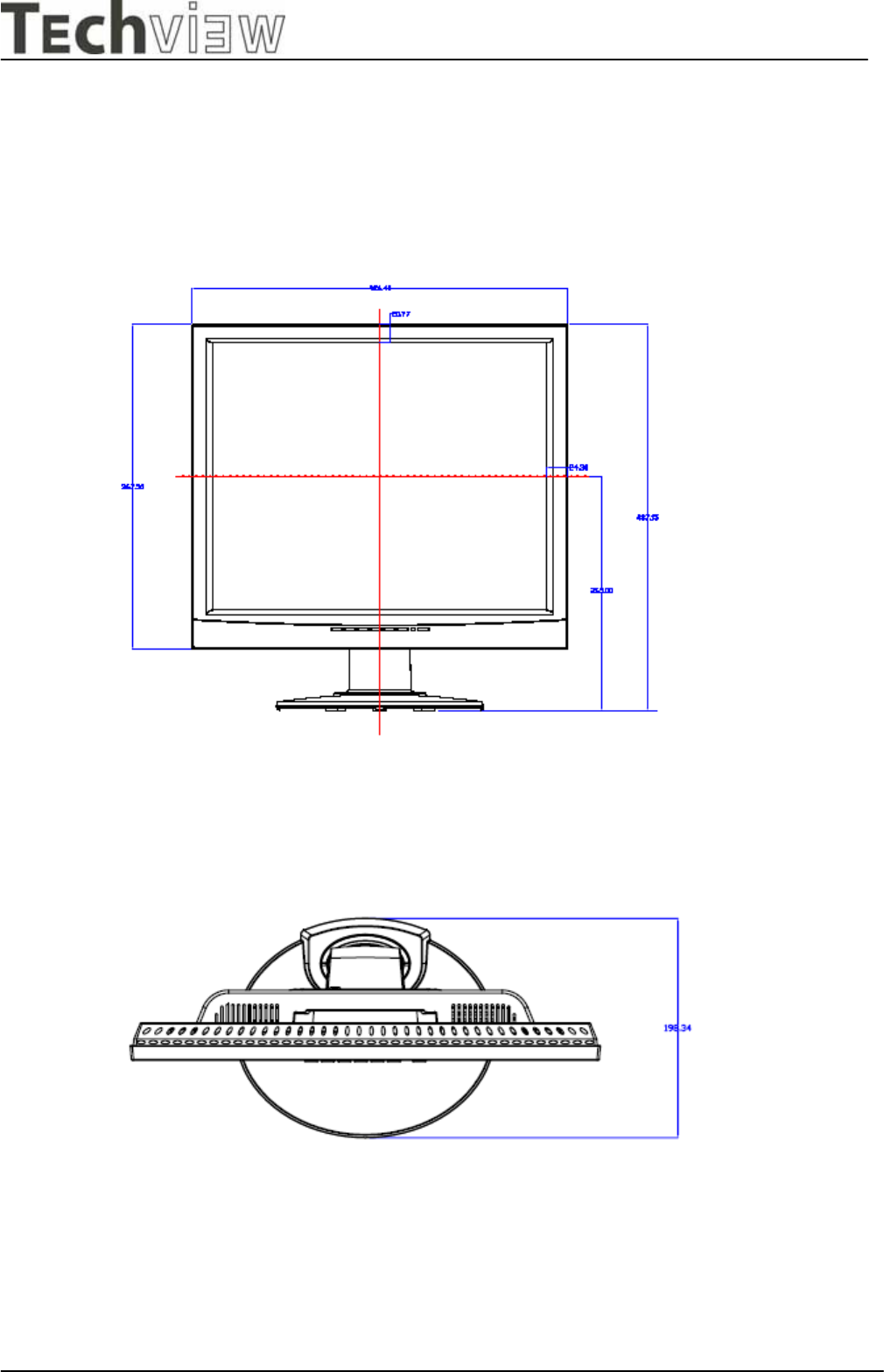
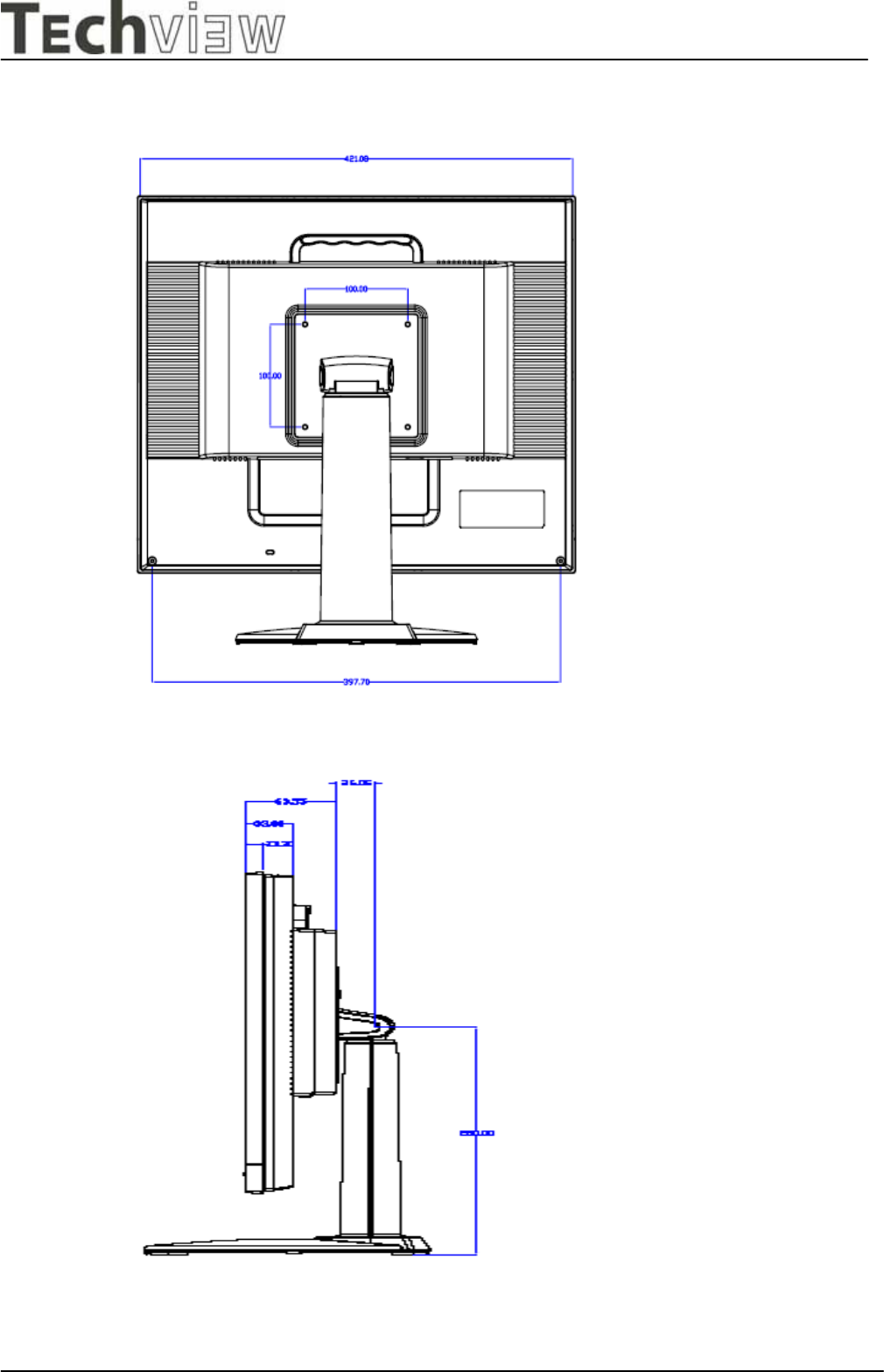
1. DIMENSIONS (Unit:mm)
1.1 Front View (ID1)
1.2 Top View
L9CMonitor
L9C service manual Page7 of 48
- Techview Confidential -
1.3 Rear View
1.4 Side View

L9CMonitor
L9C service manual Page8 of 48
- Techview Confidential -
2. GENERAL INFORMATION
2.1. OUTLINE
This monitor is 19" multi-scan color LCD display with the following features OSD (on screen display)
control allows easy user adjustment . Power saving function, which helps saving energy, is also one of
the highlights of this model.
2.2. FEATURES
2.2.1 Power Saving
Built in Power Saving function based on VESA-DMPS standard. Power energy shall be saved
by controlling the circuit in accordance with power save signal from computer.
2.2.2 OSD (on screen display) function
OSD ( 3 Languages ) function is excellent and new man-machine interface.
Anyone is able to set up the picture as the like through OSD menu.
2.2.3 Self Test function
Self Testing picture comes out by pushing any key in the case of no-connection with computer
or power saving operation. This function shows if monitor is alive or not and can be used for self
aging test.
2.2.4 Ergonomic design
Low emission design to meet MPR II and TCO
2.2.5 Multi scan with digital technology
8 bit micro controller controls the circuit operation to meet with wide range signal of
Fh=31~83 kHz and Fv= 56~75 Hz. So VGA720x400, VGA640x480, SVGA800x600,XGA 1024x768,
SXGA 1280x1024 .
2.2.6 Factory preset
The product has 32 memory mode in total ,15 modes are preset and 17 modes are user
definable.
2.2.7 Fine dot pitch
LCD panel with a fine dot pitch (Horizontal: 0.294 mm / Vertical: 0.294mm)
2.2.8 Superior display performance
High contrast: 500: 1(Typical)
High brightness: 250 cd / m2 (Typical)
Wide view angle: 140/ 130degrees (H/V)
2.2.9 Special function
VESA DDC2B (Display Data Channel) Compatible
L9CMonitor
L9C service manual Page9 of 48
- Techview Confidential -
3. SPECIFICATION
3.1. Outline
3.1.1 Front Indication: POWER SW, LED (Green/Amber), UP, Down, LEFT, RIGHT, Set/Auto and
MENU key are located on the front panel.
3.1.2 Video signal cable connector, and DC inlet are located on the backside cabinet.
3.1.3 OSD menu includes the following function. CONTRAST, BRIGHTNESS, H.POSITION,
V.POSITION
COLOR-TEMPERATURE, CLOCK, PHASE, LANGUAGE, VOLUME, POWER-ON-RECALL
3.1.4 CONTRAST and BRIGHTNESS can be directly controlled with UP / Down key.
3.1.5 VOLUME can be controlled with LEFT / RIGHT key.
3.2. MECHANICAL SPECIFICATIONS
3.2.1 Dimension Height: 437mm
Width: 426mm
Depth: 198mm
3.2.2 Net Weight: 5.0 kg
3.2.3 Maximum Viewable Area: Diagonal 482.6mm(19")
3.3. PANEL SPECIFICATIONS
Part No. CL
A
A190EA03
Driver bit of
p
anel 8bit + ditherin
g
Contrast ratio 500:1
Bri
g
htness 250 cd/ m2
Pixel
p
itch 0.294 mm
Res
p
onse time T
yp
ical 16 ms
View an
g
le 70/70/70/60de
g
ree
Color coordinate x=0.313
,y
=0.329
L9CMonitor
L9C service manual Page10 of 48
- Techview Confidential -
3.4. CONNECTORS
3.4.1 AC inlet : CEE22 typed connector
3.4.2 Attached video signal cable connector x 1
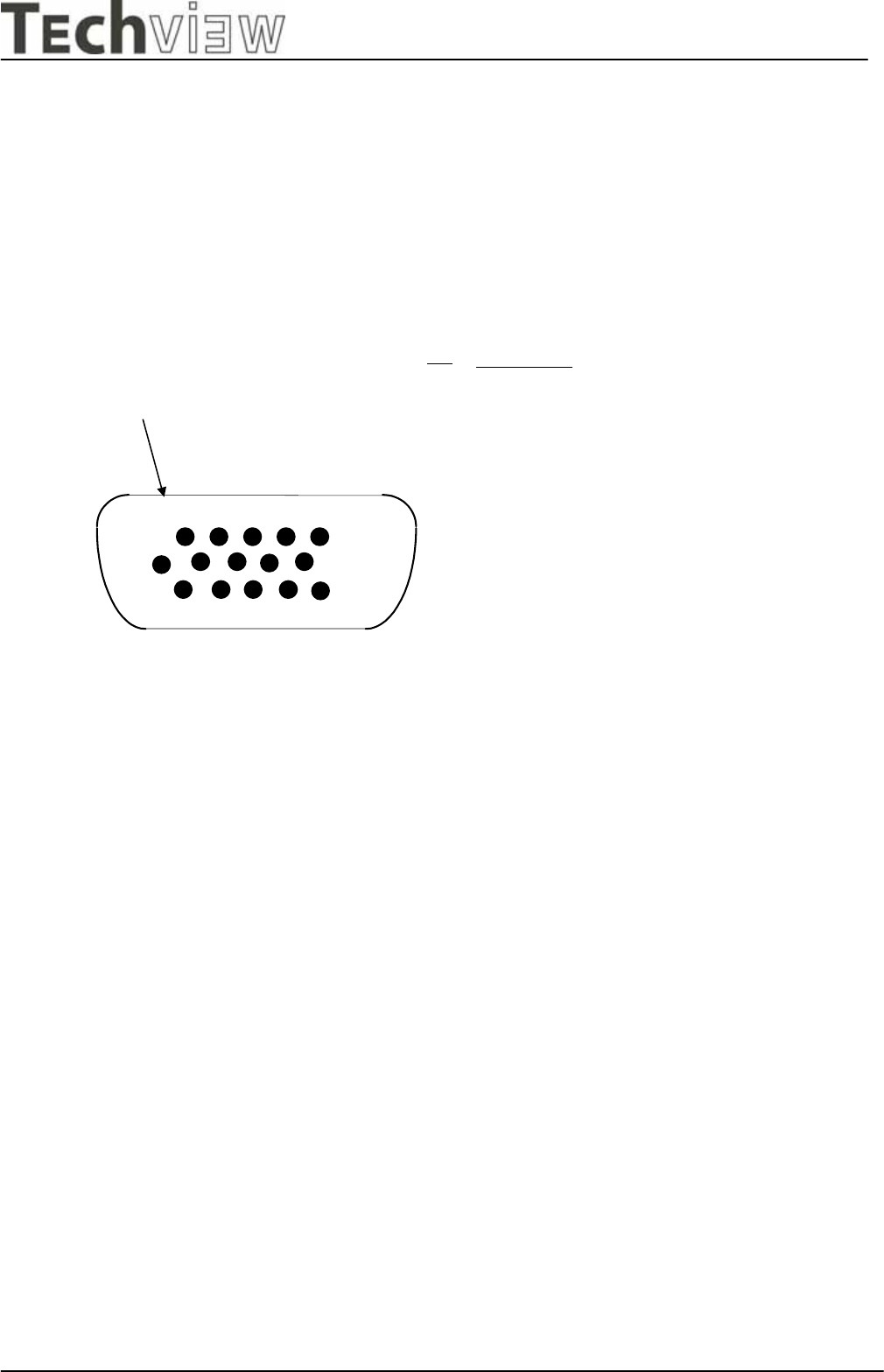
Figure 3.4
Si
g
nal cable in
p
ut connector.
Shell
1 2 3 4 5
10
12
11
6
13 14 15
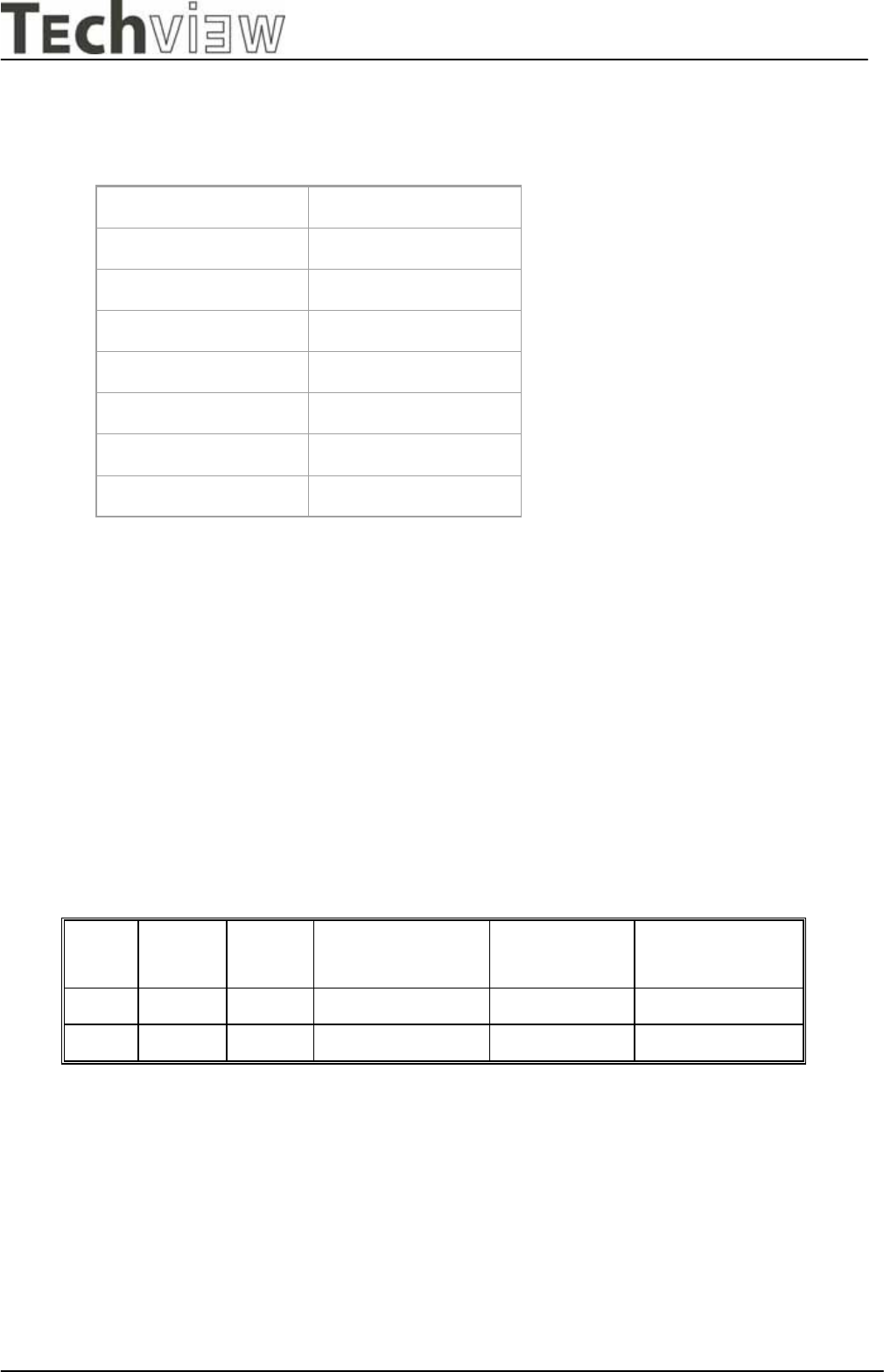
Pin
1
2
3
4
5
6
7
8
9
10
11
12
13
14
15
Si
g
nal Name
Blue video
Green video
Red video
Vs
y
nc
(
VCLK
)
Ground
Hs
y
nc
Ground
N
/C
Blue return
Green return
Red
g
round
Ground
Ground
SDA
(
serial data
)
SCL
(
serial clock
)
L9CMonitor
L9C service manual Page11 of 48
- Techview Confidential -
3.5. ELECTRICAL SPECIFICATIONS
3.5.1 Standard conditions
3.5.2 POWER
3.5.2.1 Power supply
AC-DC adapter
Input voltage 100-240V
Input current Max. 0.8Arms
Frequency range 47 - 63 Hz
Inrush current Shall be less than the ratings of critical components
(Including fuse, rectifiers and surge limiting device)
for all conditions of line in voltage.
Maximum power consumption: 50 Watts
3.5.2.2 Power Management
MODE H-SYNC V-SYNC COLOR OF
POWER LED
POWER
CONSUMPTION
RECOVERY TIME
On Active Active Green < 50 Watts -
Off Inactive Inactive Amber < 1 Watts < 5 seconds
At first power on w/o signal LED will be green blinking + message on screen.
Display area (HxV) 378.3*303mm
Video signal level 0.7 Vpp
Contrast Max.
Brightness Max.
Ambient Temperature 25 +/- 5 C degrees
Input voltage Universal power
Warming up time At least 30
Display mode 1280 x 1024

L9CMonitor
L9C service manual Page12 of 48
- Techview Confidential -
3.5.3 Signal level and input impedance
3.5.3.1 Video Signal level
This LCD display is adjusted at the factory using 0,7 Vp-p Video signal.
3.5.3.2 Sync Signal level
H/V Separate: TTL level
3.5.3.3 Input impedance
Video input: 75 ohms +/- 1%
Sync input: > 1 k ohms
3.5.4 Display Area
Display area:
378.3*303mm
L9CMonitor
L9C service manual Page13 of 48
- Techview Confidential -
3.5.5 Preset Timings
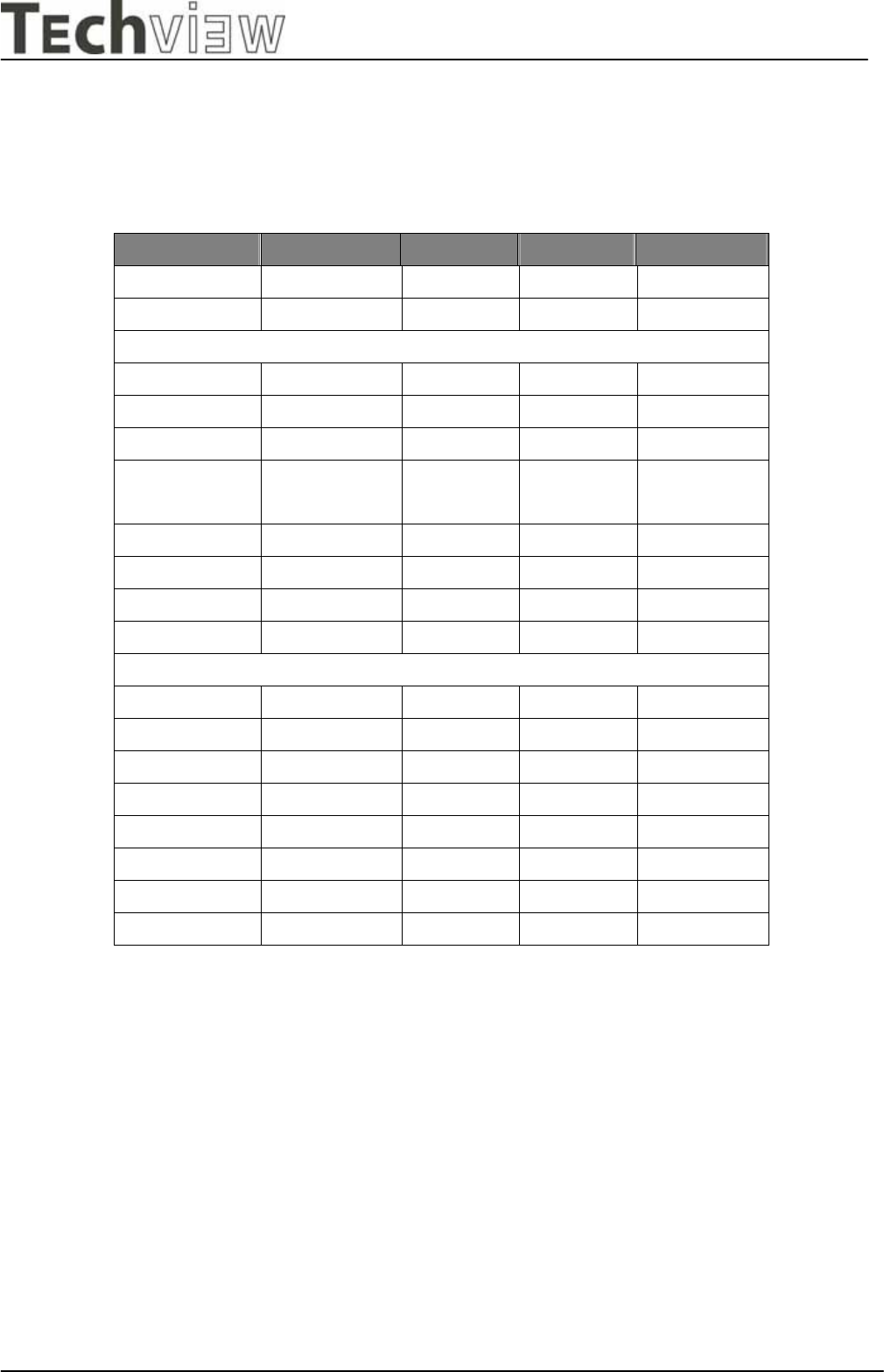
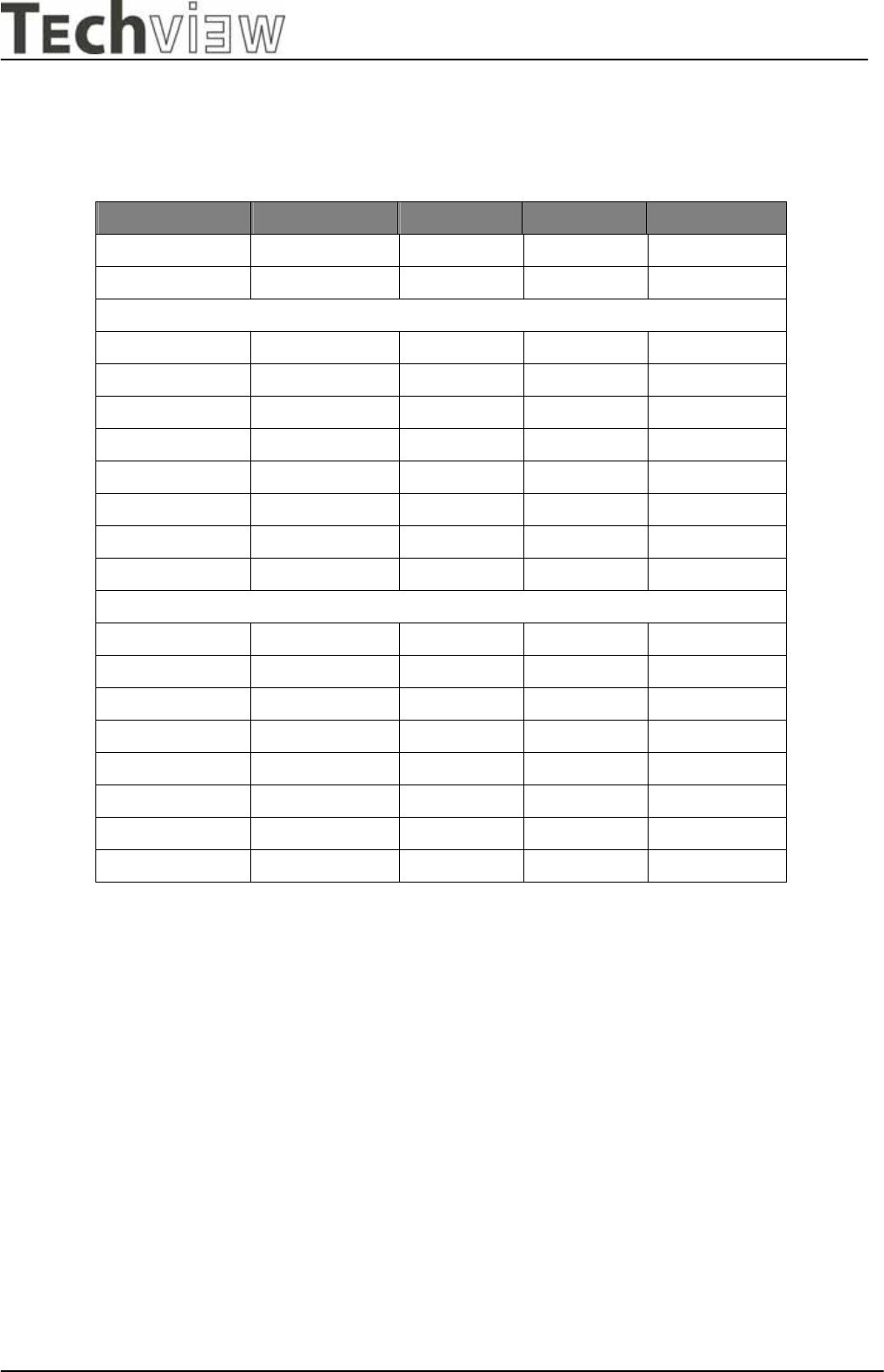
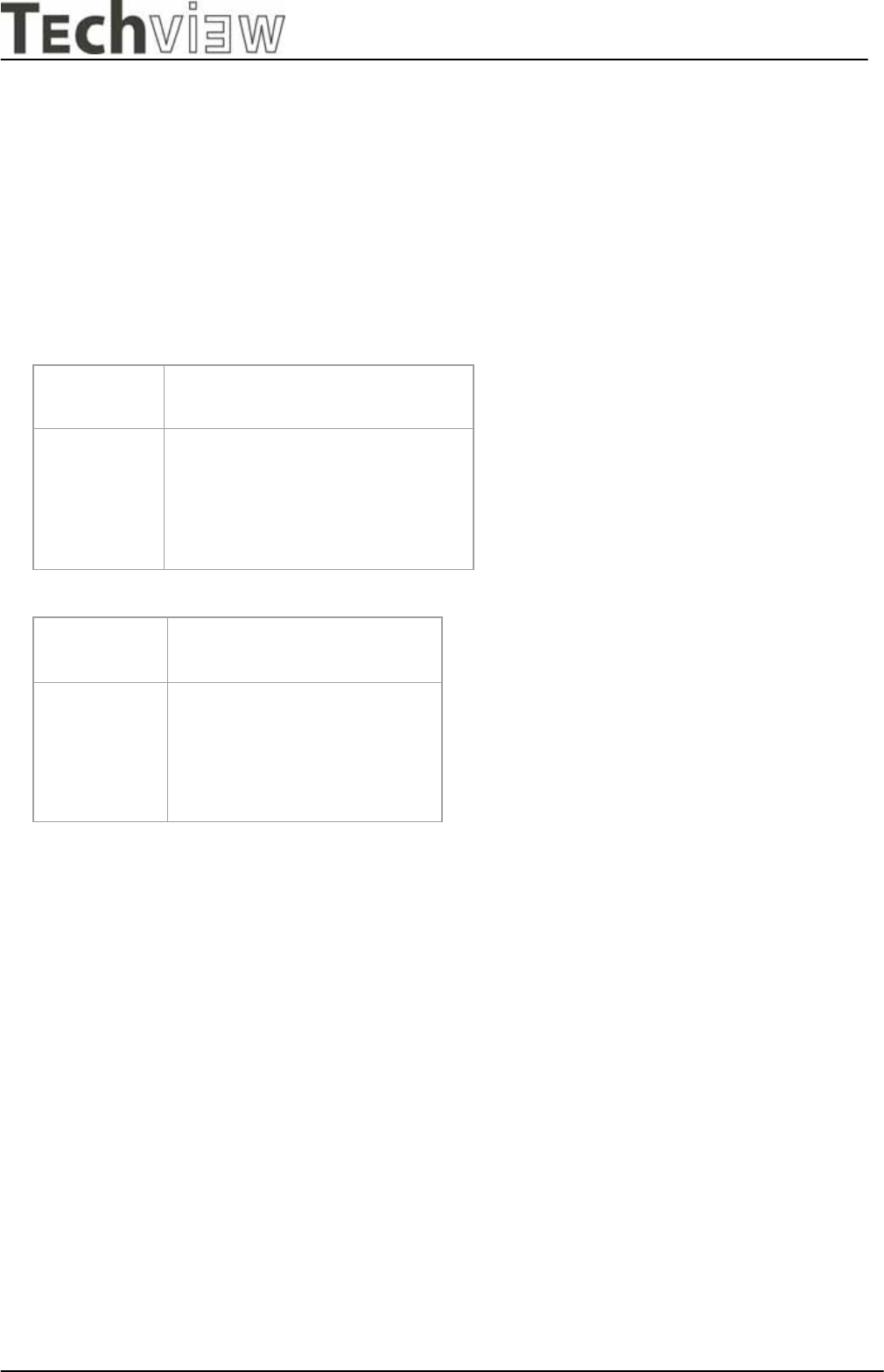
The product has 32 memory modes in total. 15 modes are preset and 17 modes
are user definable.
1 2 3 4 5
Format 640x350@70Hz 720x400@70Hz 640X480@6
0Hz
640x480@7
2Hz
640x480@7
5Hz
Pixel Clock(MHz) 25.176 28.320 25.175 31.500 31.500
Horizontal
Sync Polarity P N N N N
Frequency(KHz) 31.470 31.467 31.469 37.861 37.500
Total Time(pixels) 800 900 800 832 840
Display Time(pixels) 640 720 640 640 640
Sync Width(pixels) 96 108 96 40 64
Back Porch(pixels) 48 54 40 120 120
Front Porch(pixels) 16 18 8 16 16
Blank time(pixels) 160 180 144 176 200
Vertical
Sync Polarity N P N N N
Frequency(Hz) 70.089 70.082 59.940 72.809 75.00
Total Time(lines) 449 449 525 520 500
Display Time(lines) 350 400 480 480 480
Sync Width(lines) 2 2 2 3 3
Back Porch(lines) 60 35 25 20 16
Front Porch(lines) 37 12 2 1 1
Blank time(lines) 99 49 29 24 20
L9CMonitor
L9C service manual Page14 of 48
- Techview Confidential -
6 7 8 9
Format 800x600@56Hz 800x600@60Hz 800x600@72Hz 800x600@75Hz
Pixel Clock(MHz) 36.000 40.000 50.000 49.500
Horizontal
Sync Polarity P P P P
Frequency(KHz) 35.156 37.879 48.077 46.875
Total Time(pixels) 1024 1056 1040 1056
Display Time(pixels) 800 800 800 800
72 128 120 80
Back Porch(pixels) 128 88 64 160
Front Porch(pixels) 24 40 56 16
Blank time(pixels) 224 256 240 256
Vertical
Sync Polarity P P P P
Frequency(Hz) 56.250 60.317 72.188 75.000
Total Time(lines) 625 628 666 625
Display Time(lines) 600 600 600 600
Sync Width(lines) 2 4 6 3
Back Porch(lines) 22 23 23 21
Front Porch(lines) 1 1 37 1
Blank time(lines) 25 28 66 25
L9CMonitor
L9C service manual Page15 of 48
- Techview Confidential -
10 11 12 13
Format 1024x768@60Hz 1024X768@70Hz 1024X768@72Hz 1024X768@75Hz
Pixel Clock(MHz) 65.00 75.000 78.000 78.750
Horizontal
Sync Polarity N N N P
Frequency(KHz) 48.363 56.476 58.036 60.023
Total Time(pixels) 1344 1328 1344 1312
Display Time(pixels) 1024 1024 1024
1024
Sync Width(pixels) 136 136 132 96
Back Porch(pixels) 160 144 164 176
Front Porch(pixels) 24 24 24 16
Blank time(pixels) 320 304 320 288
Vertical
Sync Polarity N N N P
Frequency(Hz) 60.004 70.069 71.916 75.029
Total Time(lines) 806 806 807 800
Display Time(lines) 768 768 768 768
Sync Width(lines) 6 6 6 3
Back Porch(lines) 29 29 30 28
Front Porch(lines) 3 3 3 1
Blank time(lines) 38 38 39 32
L9CMonitor
L9C service manual Page16 of 48
- Techview Confidential -
14 15 NA NA
Format 1280x1024@60Hz 1280x1024@75Hz
Pixel Clock(MHz) 108.000 135.000
Horizontal
Sync Polarity P P
Frequency(KHz) 63.981 79.976
Total Time(pixels) 1688 1688
Display Time(pixels) 1280 1280
Sync Width(pixels) 112 144
Back Porch(pixels) 248 248
Front Porch(pixels) 48 16
Blank time(pixels) 408 408
Vertical
Sync Polarity P P
Frequency(Hz) 60.020 75.025
Total Time(lines) 1066 1066
Display Time(lines) 1024 1024
Sync Width(lines) 3 3
Back Porch(lines) 38 38
Front Porch(lines) 1 1
Blank time(lines) 42 42
A : H-Total O : V-Total
B : H- Sync width P : V- Sync width
C : H- Back porch Q :.V- Back porch
D : H- Video width R : V- Video width
E : H- Front porch S :.V- Front porch
L9CMonitor
L9C service manual Page17 of 48
- Techview Confidential -
3.5.6 General performance
3.5.6.1 Maximum pixel clock
135 MHz
3.5.6.2 Maximum luminance
Test conditions: 100% all white pattern, brightness set to Maximum
typical: 250 cd/m2
min : 200cd/m2
3.5.6.3 Brightness variation
3.5.6.4 Contrast ratio (CR)
3.6. ENVIRONMENTS
The environmental conditions are in accordance to IEC 721
Operating:
Temperature: 0°C - +40° C
Humidity: 20% - 80% non–condensing
Height: 3658 m
Air pressure: 700 - 1060 mbar
Storage (unpacked)
Temperature: -20°C - +60° C
Humidity: 8% - 95% non–condensing
Height: 12193 m
Air pressure: 700 - 1060 mbar
Value CR= B / A
Conditions Contrast : Maximum
Brightness : max
B: Full white pattern
A: Full black pattern
Value 75 % Variation (C / A x 100)
Conditions Display image: Full white
Brightness : Maximum
Contrast : Maximum
A: Luminance at center position

L9CMonitor
L9C service manual Page18 of 48
- Techview Confidential -
Transport (packed)
Temperature: -20°C - +60° C
Humidity: 8% - 95% non–condensing
Height: 12000 m

L9CMonitor
L9C service manual Page19 of 48
- Techview Confidential -
3.7. REGULATORY STANDARDS
3.7.1 Safety standards
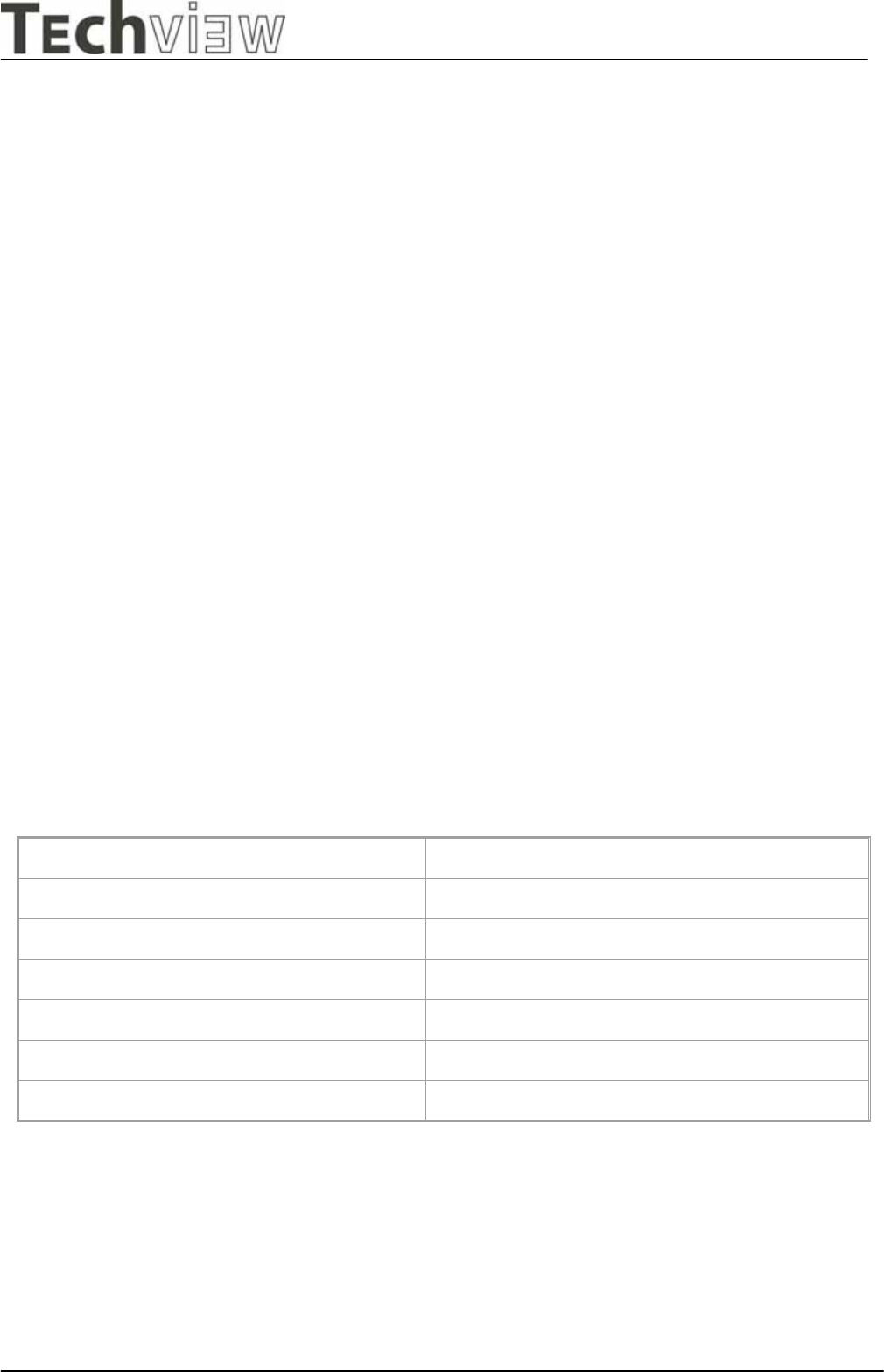
This monitor applies to various safety & EMI standards May refer to the logo label
3.7.2 EMC standards
FCC part 15,subpart B , class-B (EMV) CE marking
3.8. OTHERS
UL, cUL,
3.9. P0WER CORD
Northern Hemisphere Version: UL / CSA approved power cord.
European: VDE approved power cord.
3.10. SIGNAL CABLE
Signal cable with Mini D-Sub 15P connectors. Length: 1.8 meter.
3.11. RELIABILITY
> 30000hrs (demonstrated MTBF)
L9CMonitor
L9C service manual Page20 of 48
- Techview Confidential -
4. THEORY OF OPERATION
This section describes the function of the LCD monitor per functional block.
L9EA monitor includes MB Board (including audio board function inside), power board and button board.
4.1 MB BOARD
The MB board is a two-layer, single-landed design with ground and ground planes provided.
The VGA cable is a signal cable that contains video signal, sync signal and DDC signal from PC VGA
adapter This system board consists of 3 functional areas : flat panel controller, Micro controller and
audio controller.
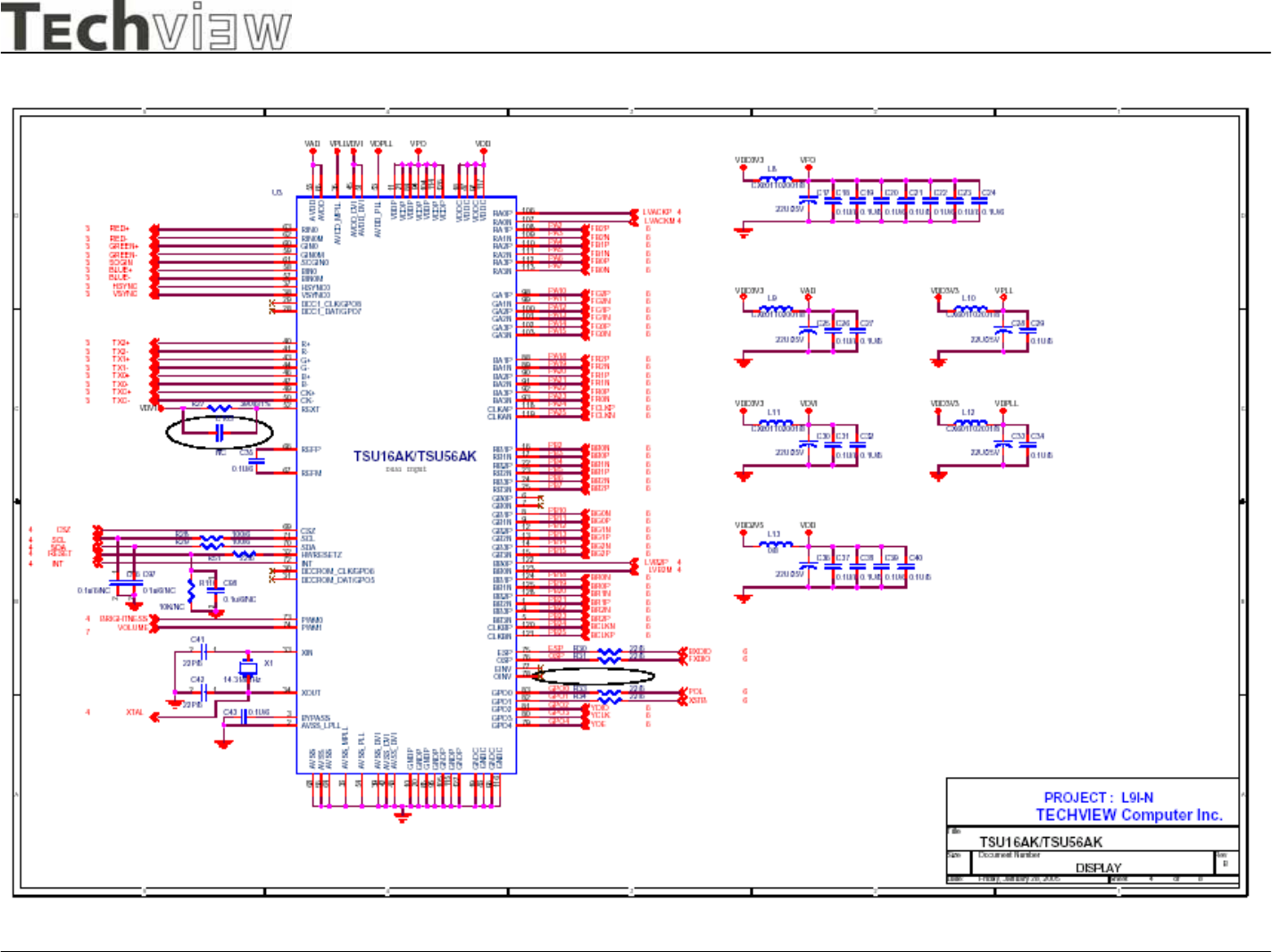
4.1.1 Flat panel controller… Mstar TSU16AK (U3)
The heart of the system board is Mstar TSU16AK. The TSU16AK is a graphics processing IC for
LCD monitor. It provides some control functions required for LCD panel. On-chip functions include a
high-speed triple-ADC , PLL, high sacling engine and OSD controller.
a) Clock Generation :
Crystal Input Clock (XTALI and XTAL). This is the input pair to an internal crystal oscillator and
corresponding logic. A 14.318 MHz crystal is recommended.
b) Hardware Reset ( Pin 32 )
Hardware Reset signal is generated by MTV312 (U5/Pin 26).It assert a reset signal at least 1 ms.
c) Analog to Digital Converter
The TSU16AK chip has three ADC's (analog-to-digital converters), one for each color (red,
green and blue) . The analog RGB signals are connected to TSU16AK as described below
Pin Name Pin Numbe
r
Red + 63
Red - 62
Green + 60
Green - 59
Blue + 58
Blue - 57
L9CMonitor
L9C service manual Page21 of 48
- Techview Confidential -
d) OSD :
The TSU16AK has a fully programmable, high-quality OSD controller. The on-chip
Static RAM (256 different fonts at size of 12X18) stores the cell map and the cell
definitions.
e) Inverter Brightness control (PWM0) (Pin 73)
The TSU16AK has one PWM output PWM0(Pin73) to control Inverter Brightness
Range.
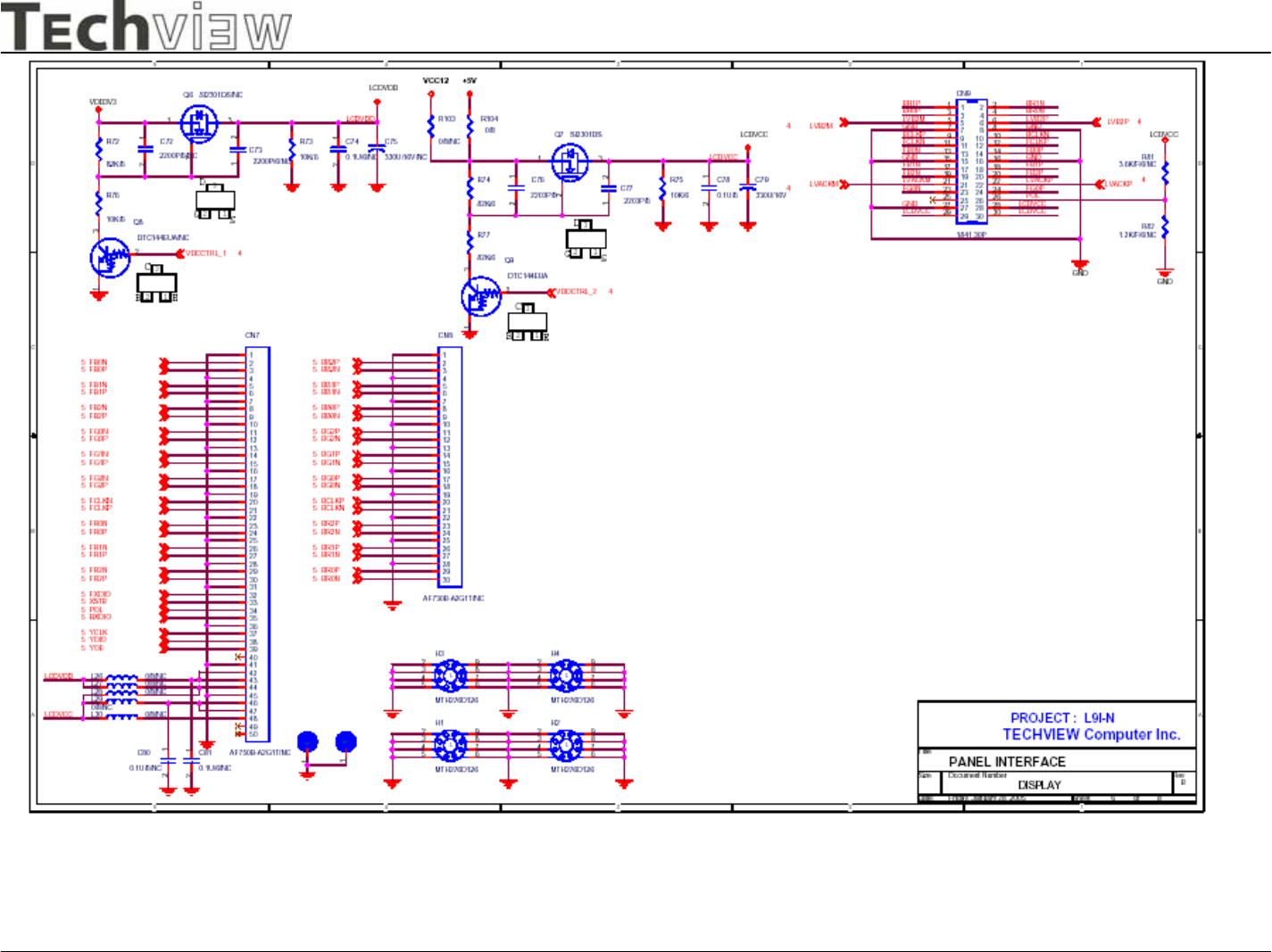
f) Panel LVDS interface (Pin 102~103, Pin106~113, Pin118~125, Pin128, Pin1)
The TSU16AK driver interface is highly programmable. It supports LVDS port for
panel.
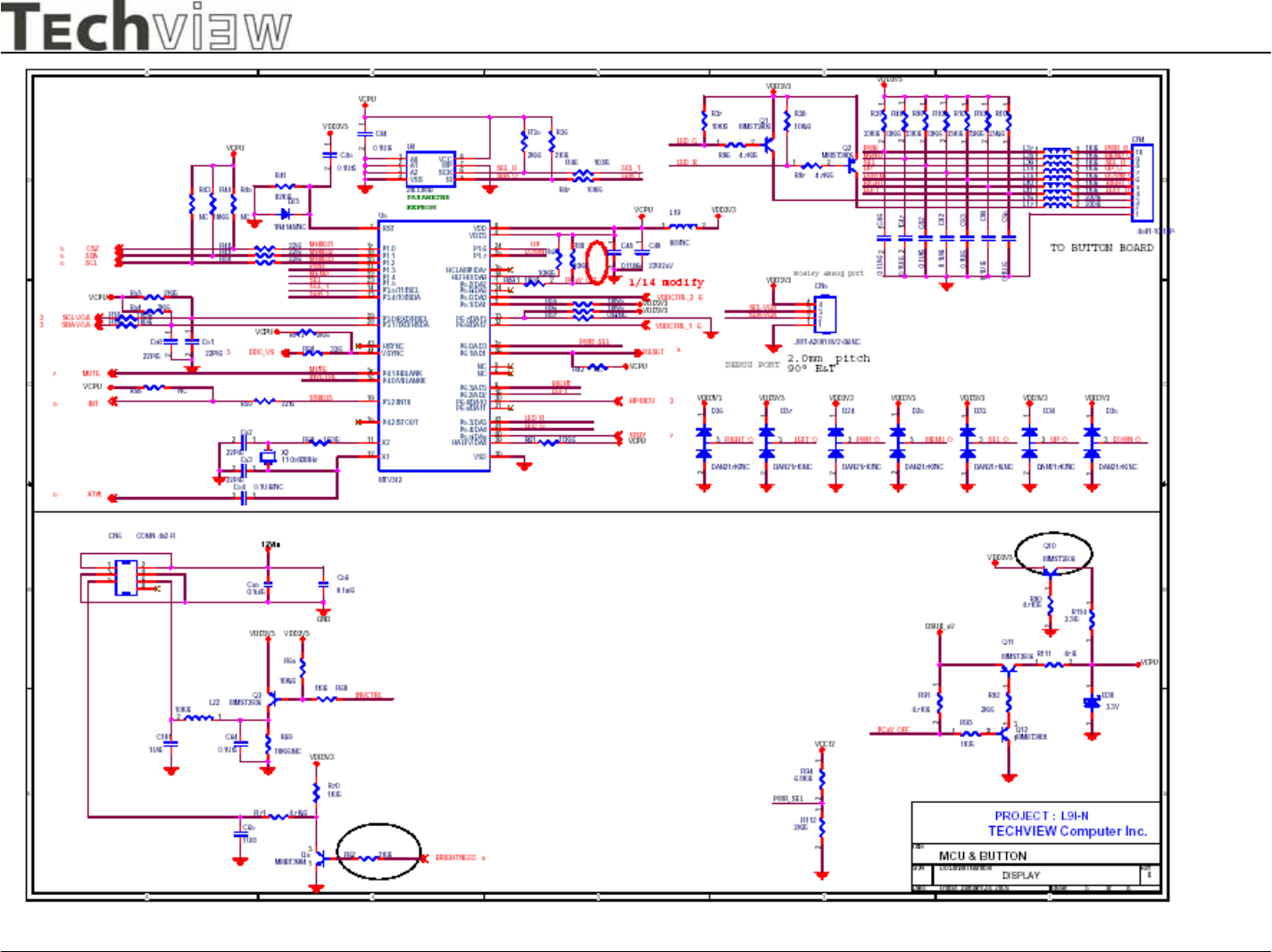
4.1.2 Micro controller……MTV312 (U5)
The MYSON MTV312 microcontroller serves as the system microcontroller.That is , it programs the
TSU16AK and manages other devices in the system such as the keypad, the backlight, LED and
audio
general purpose input/output pins.
Pin number Pin name Pin function
23 P1.5 Key-Sel/Auto
22 P1.4 Key-Menu
16 P6.2 Key-Left
21 P1.3 Key-Power on/off
41 P5.4 LED-Green
9 P6.3 Key-Right
25 P1.7 Key-Down
24 P1.6 Key-Up
29 P3.0/RXD/HSCL SCL-VGA/RxD(Debug)
28 P3.1/TXD/HSDA SDA-VGA/Txd(Debug)
19 P3.2/INT0 INT
18 P1.1 SDA(Debug)
20 P1.2 SCL(Debug)
26 P6.1/AD1 RESET
42 P5.3 LED-Orange
37 P4.1 Audio-Mute
40 P5.5 Audio-Stby-Power
36 P4.0 Inverter On/Off
3 P5.0 Panel power On/Off
L9CMonitor
L9C service manual Page22 of 48
- Techview Confidential -
4.2 Power Module
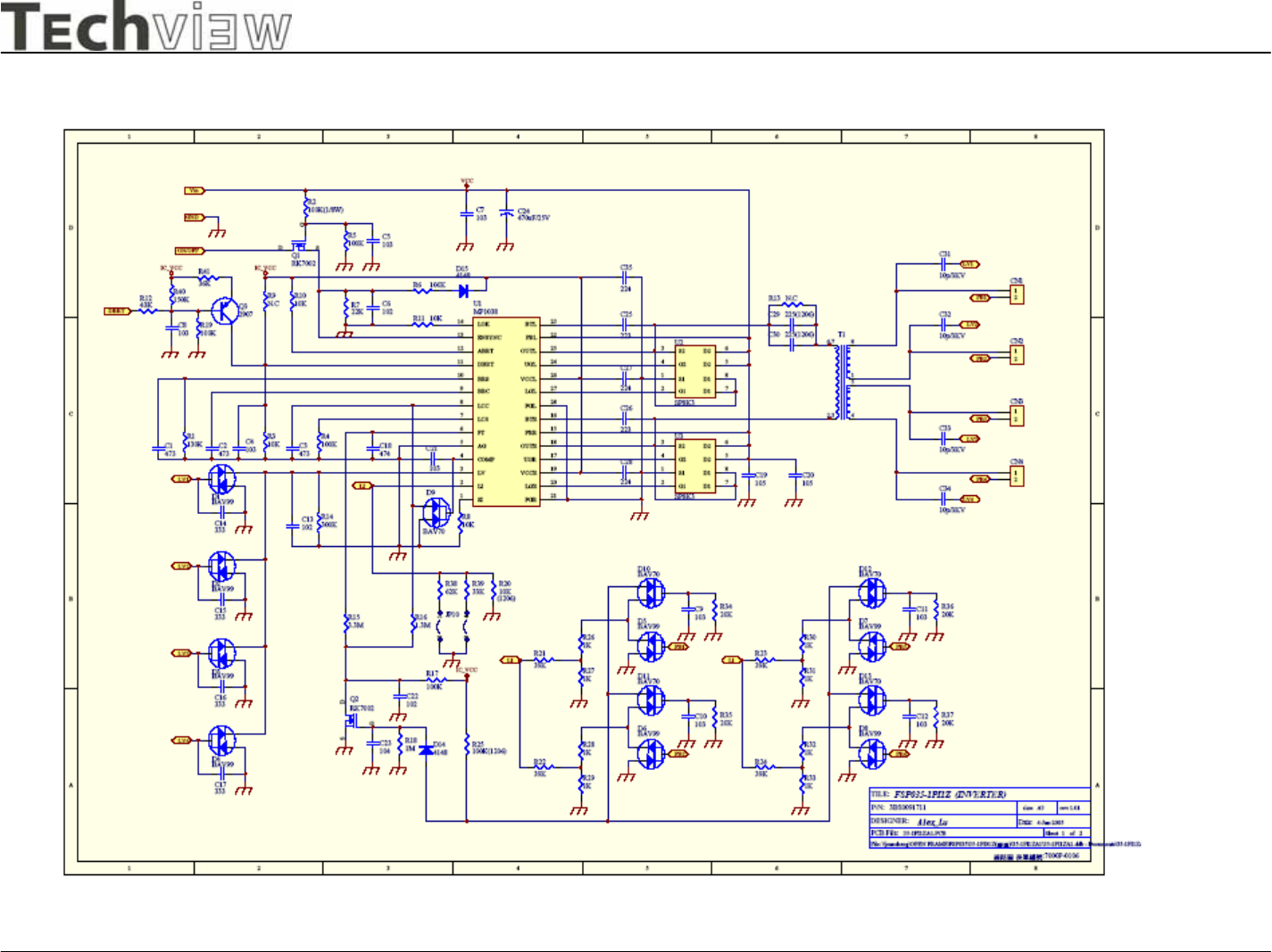
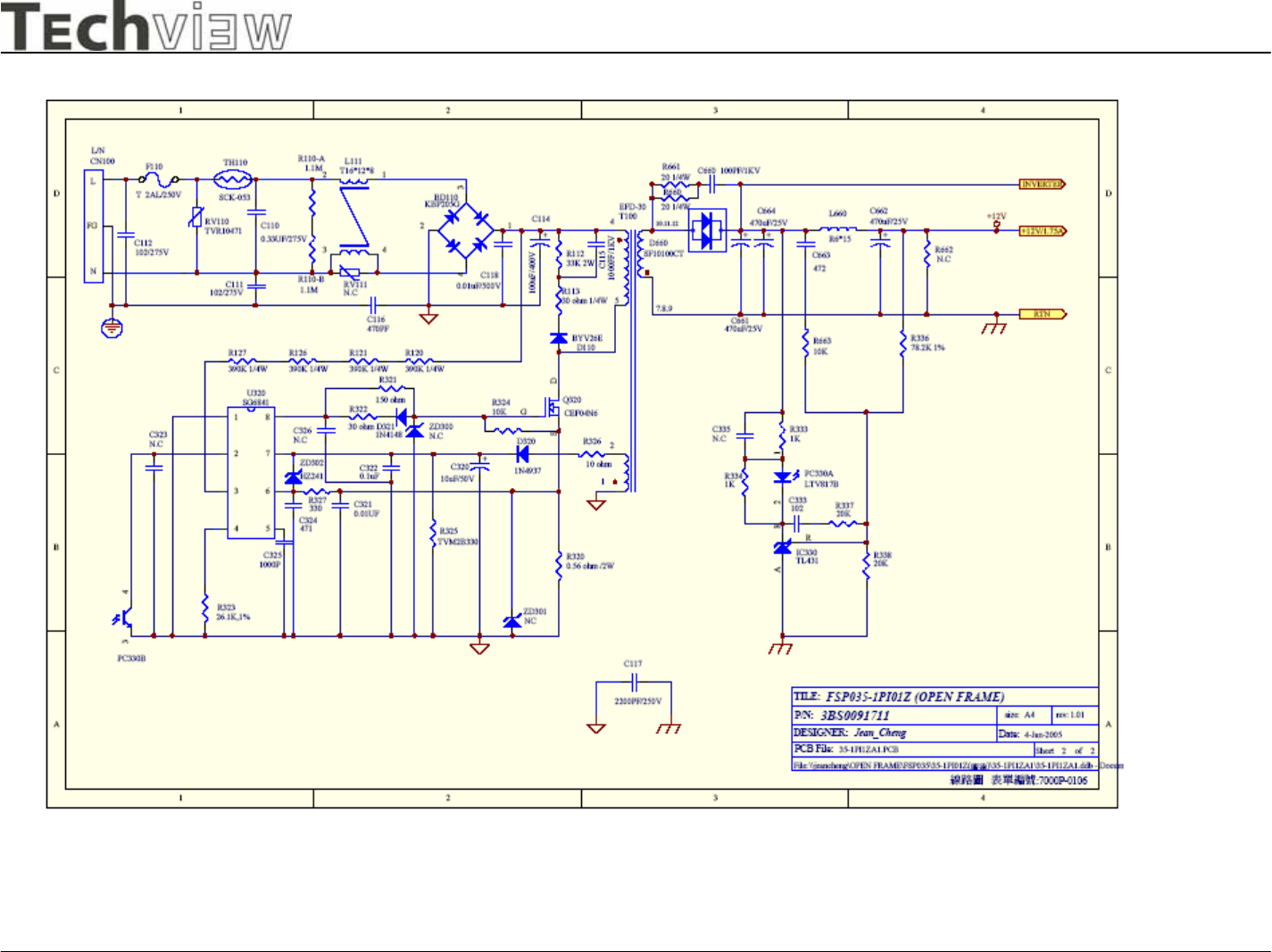
The power module includes an Inverter and Power regulator. The electrical specification
described as following:
4.2.1 Power Characteristics.
Input Rated Input Voltage 90~240 Vac,50/60Hz
Operation Input Voltage Range 90~264 Vac,47~63Hz
Max Input AC Current < 1.2A
Efficiency 12Vdc load 3.5A
Brightness Voltage from 0.3~3Vdc
ON/OFF Voltage : High(3.3Vdc)/Low(0Vdc)
Brightness Voltage(Vadj) 0.3Vdc(Max) ~ 3Vdc(Min)
On/Off Voltage High(3.3Vdc)/Low(0Vdc)
Output Static Output Characteristics 12V/3.5A Output : 11.4Vdc ~ 12.6Vdc
4.2.2 Inverter output characteristics.
Rated Output Kick-off Voltage 1500 ~ 2000 Vrms
Rated output Voltage 720Vrms
Rated Output Frequency 40 ~ 60 Khz
Rated Output Current per tube 7mArms
4.2.4 Power module of connector definition ;
CN110 ; Pin 1 & 2 ----> Vdc Output ( 12V +/- 5%)
Pin 3 & 4 ---------> GND
Pin 5 ---------> Brightness Control Voltage
Pin 6 ---------> On /Off ( "High" set Lamp on )
CN1 ~ CN4 ; Pin 1 ---------> HV ( High Voltage for CCFL )
Pin 2 ---------> Return ( Low Voltage for CCFL )
L9C Monitor
L9C service manual Page 23of 48
-Techview Confidential -
5 CONTROL LOCATION
1 OSD Menu Trigger OSD Main Menu / Clear OSD
2 UP 1. Select OSD Main Menu Item
2. Trigger Brightness/Contrast Menu.
3 DOWN 1. Select OSD Main Menu Item
2. Trigger Brightness/Contrast Menu.
4 POWER Switch Power ON/OFF
5 LEFT 1. Decrease Menu Item value
2. Trigger Volume Menu.
6 RIGHT 1. Increase Menu Item value
2. Trigger Volume Menu.
7 SELECT/ AUTO 1. Switch OSD Main Menu focus status.
2. Perform Auto configuration.
Button Define
L9C Monitor
L9C service manual Page 24of 48
-Techview Confidential -
Color Status Description
Green Normal status
Amber Enter Sleep Mode status or use “Power + Auto” key
enter factory mode
LED Status
L9C Monitor
L9C service manual Page 25of 48
-Techview Confidential -
OSD Main Menu
Brightness/Contrast Menu
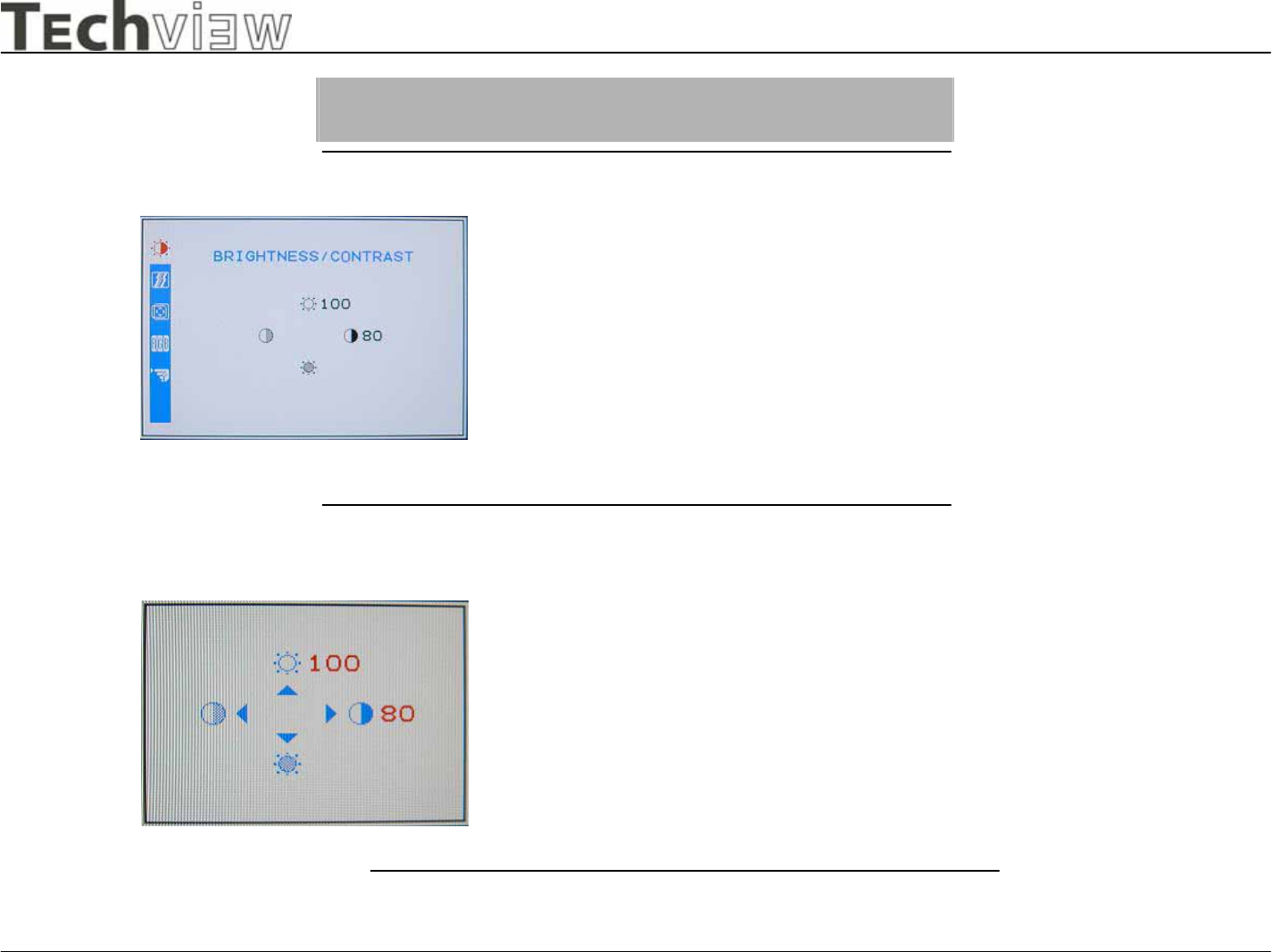
Dialog Overview
When user press the Menu key under none
OSD status will trigger this menu appear fo
r
detail parameters adjust. This menu will
display about 20 seconds if no one press
other key, otherwise will refresh display
time length.
When user press the Up or Down keys
under none OSD status will trigger this
menu appear for Brightness and
Contrast adjust. This menu will display
about 20 seconds.
L9C Monitor
L9C service manual Page 26of 48
-Techview Confidential -
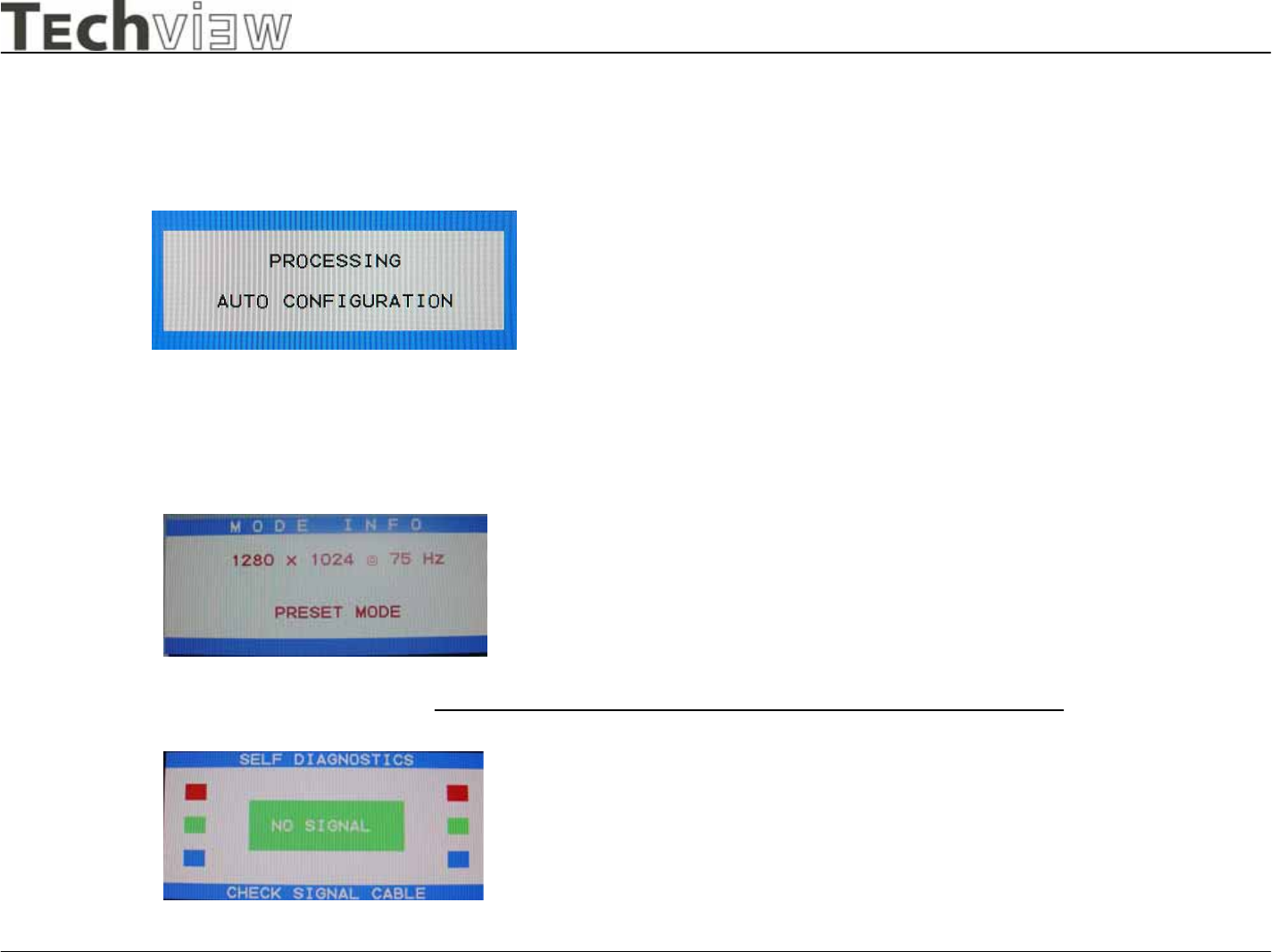
Auto Configuration
Mode Information
No Signal
When user press the select/Auto key
under none OSD status will trigger this
dialog appear and perform Auto
Configuration procedure.
When Display timing changed this dialog
will appear about 3 seconds. And this
feature only enable when “Information”
indicate On in OSD’s other page of main
menu.
When user does not support the video signal
from the cable this dialog will appear about
10 seconds. And then enter the Sleep mode.
One special case was in factory mode, the
display time length will become 5 seconds fo
r
testing the power consumer.
L9C Monitor
L9C service manual Page 27of 48
-Techview Confidential -
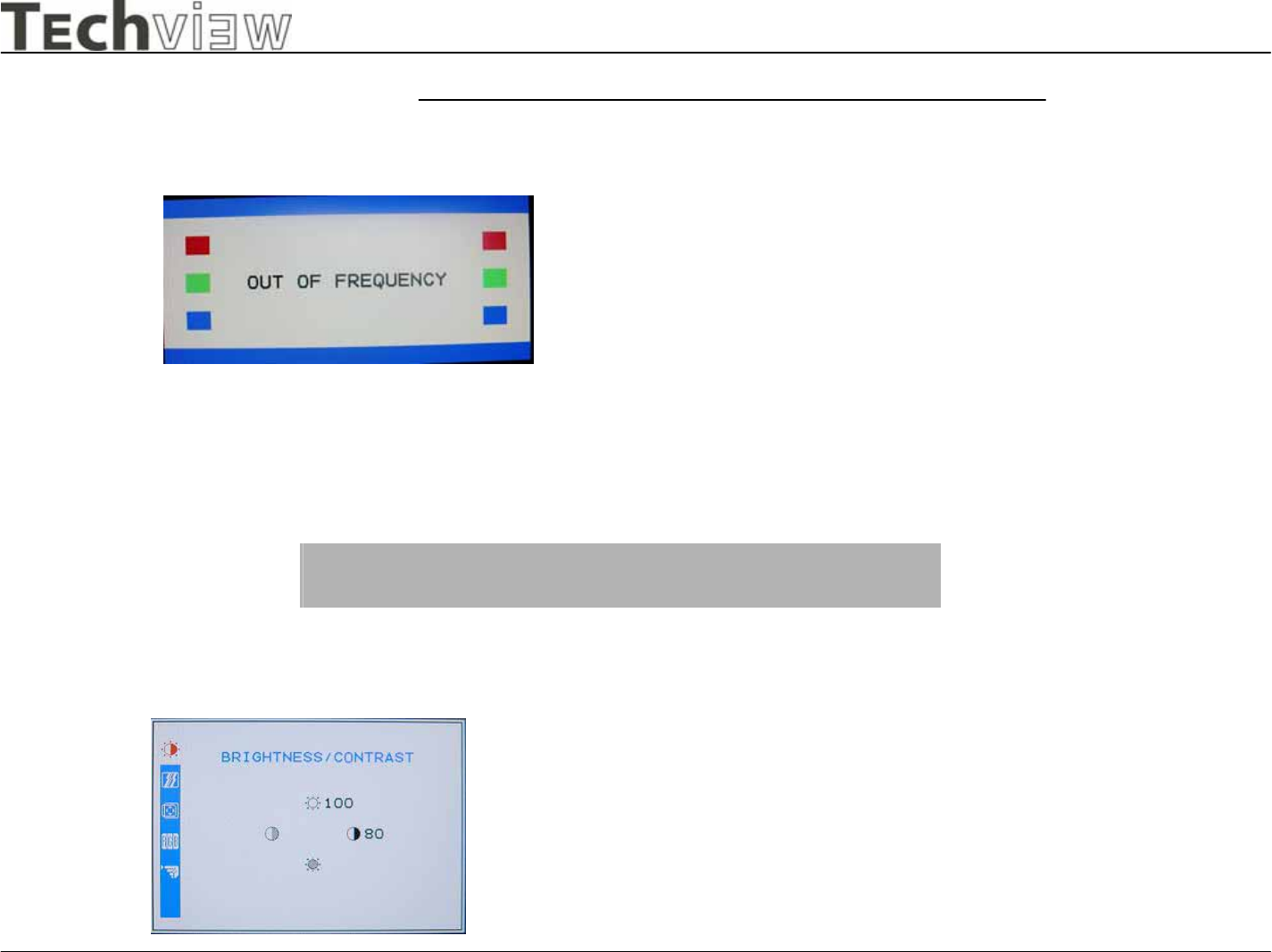
Out Of Range
Brightness & Contrast Adjustment
OSD Main Menu
When user input the video signal out of spec
this dialog will appear about 10 seconds. And
then enter the Sleep mode.
Brightness (Up&Down):
Adjust the brightness of the display.
Contrast (Left&Right):
Adjust the difference between the light
and dark areas.
L9C Monitor
L9C service manual Page 28of 48
-Techview Confidential -
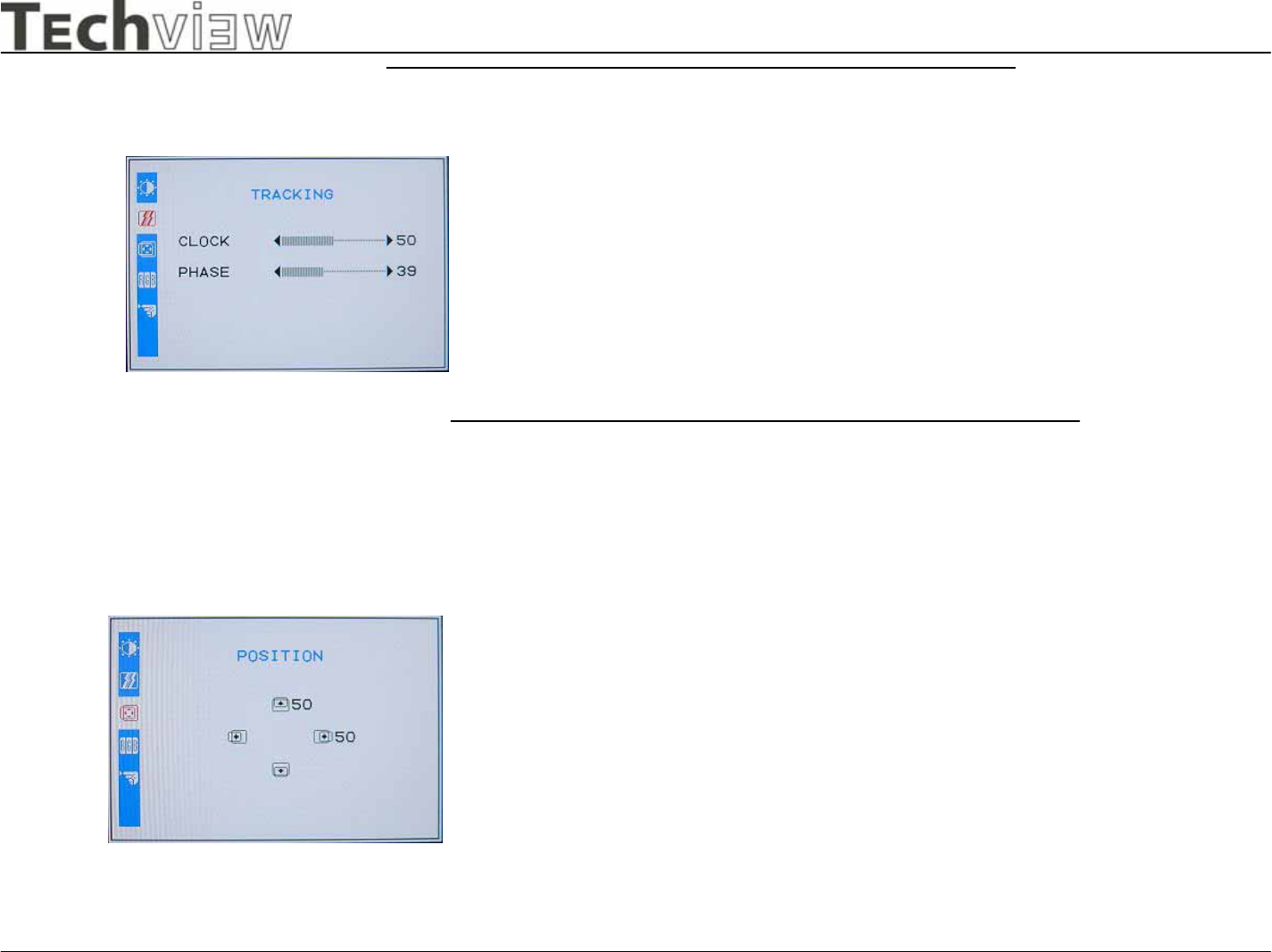
Tracking Adjustment
Position Adjustment
CLOCK:
Adjust to minimize any vertical bars or stripes
visible on the screen background. The horizontal
screen size will also change.
PHASE:
Adjust to remove any horizontal distortion, and
clear or sharpen the image of characters.
V-Position:
Adjust the vertical position of the picture.
H-Position:
Adjust the horizontal position of the picture.
L9C Monitor
L9C service manual Page 29of 48
-Techview Confidential -
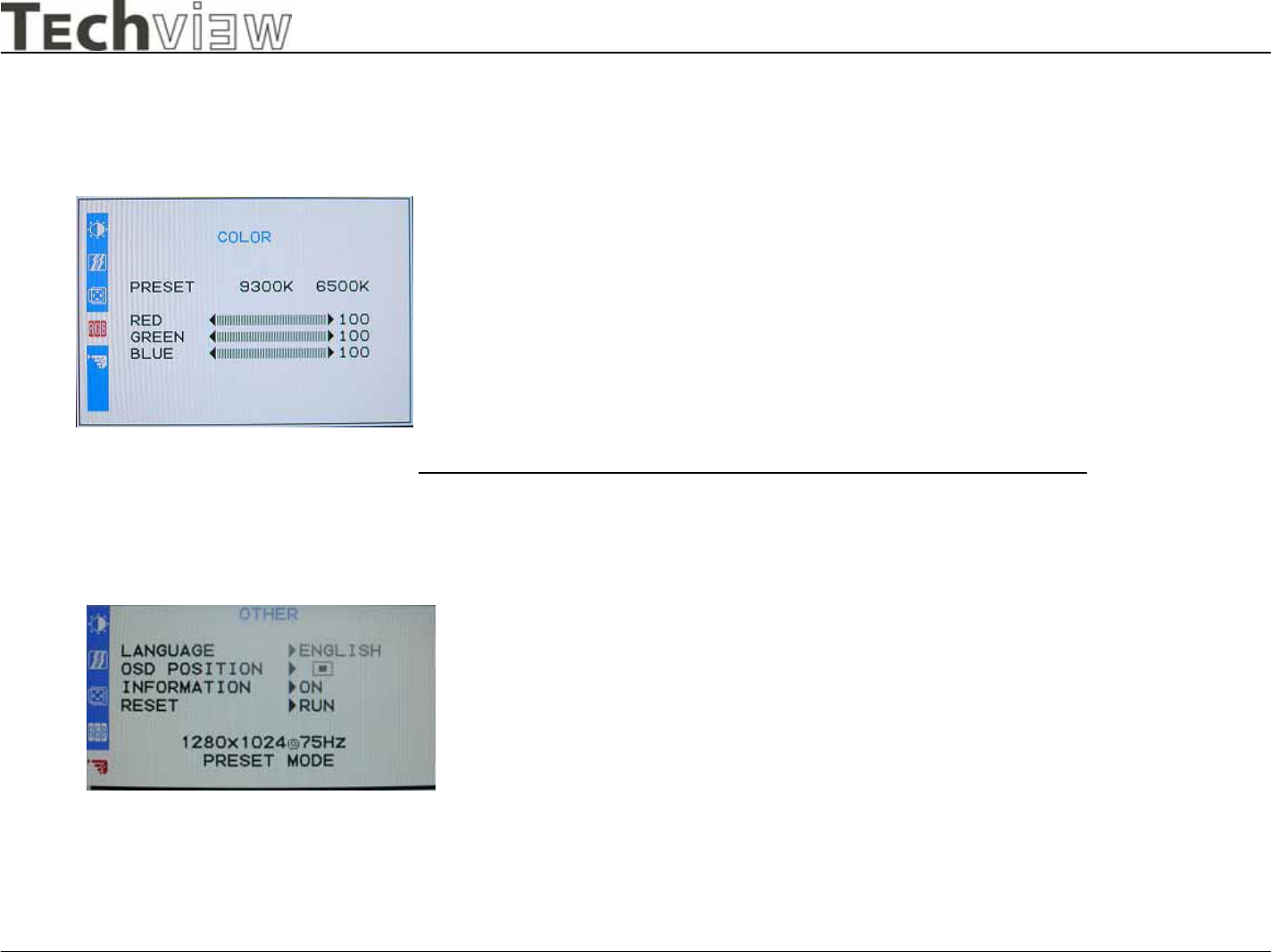
Color Adjustment
Other
LANGUAGE:
Multi- Language selection
OSD POSITION:
Adjust the OSD window position on the screen.
INFORMATION:
Display Information Dialog or not when input timing
changed.
RESET: Recall to factory settings.
There are four items for color
adjustment:
9300K: Bluish white
6500K: Reddish white
User defined:
Red, Green, Blue. Adjust to set your
own color level.
L9C Monitor
L9C service manual Page 30of 48
-Techview Confidential -
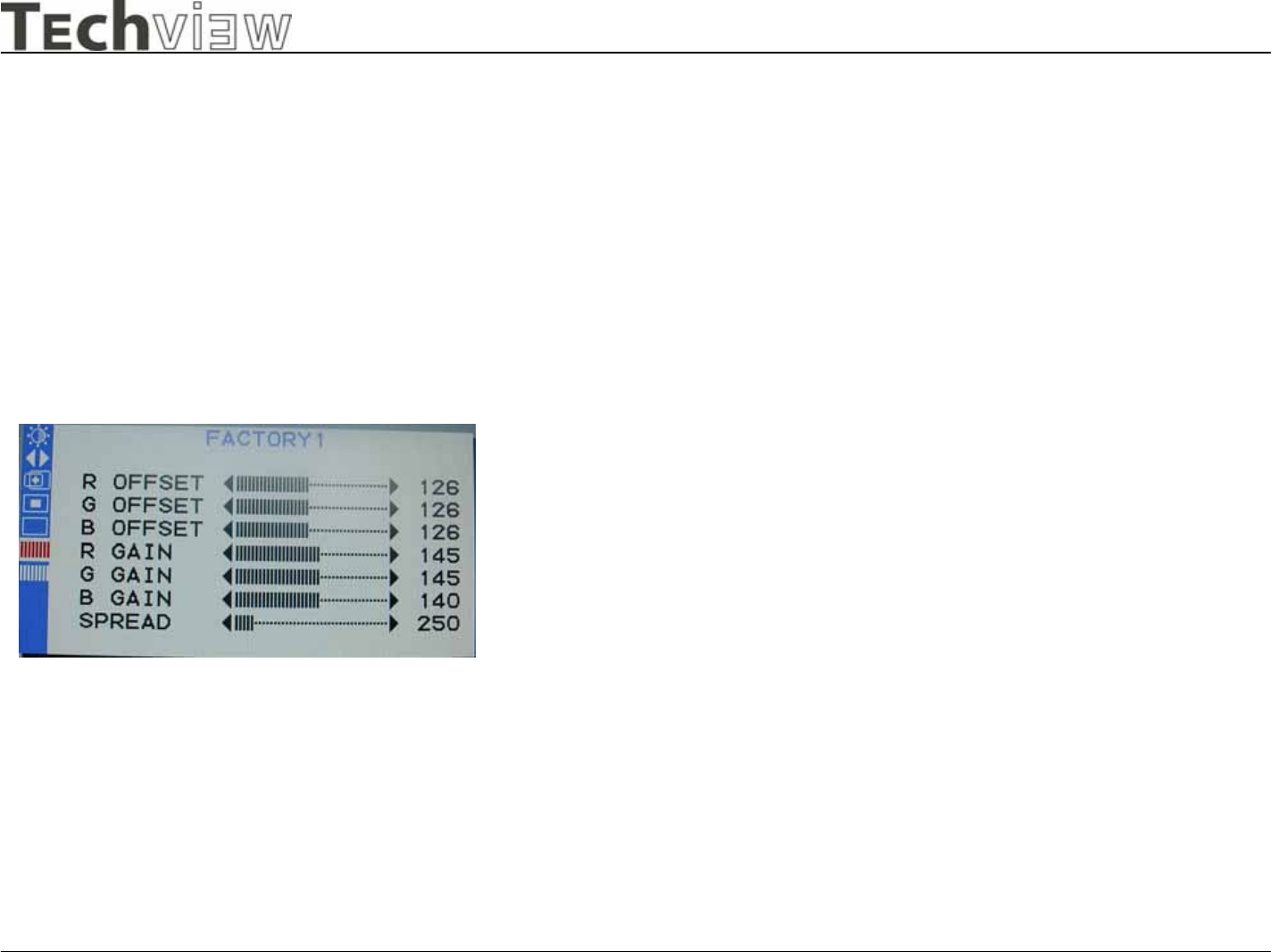
Factory1 Adjustment
This page only visible in factory mode
R,G,B OFFSET :
Adjust current RGB cut off level
R,G,B GAIN :
Adjust current RGB Driver value.
SSPLL and SSMOD :
Adjust chip set internal frequency spread effect for EMI
testing.
L9C Monitor
L9C service manual Page 31of 48
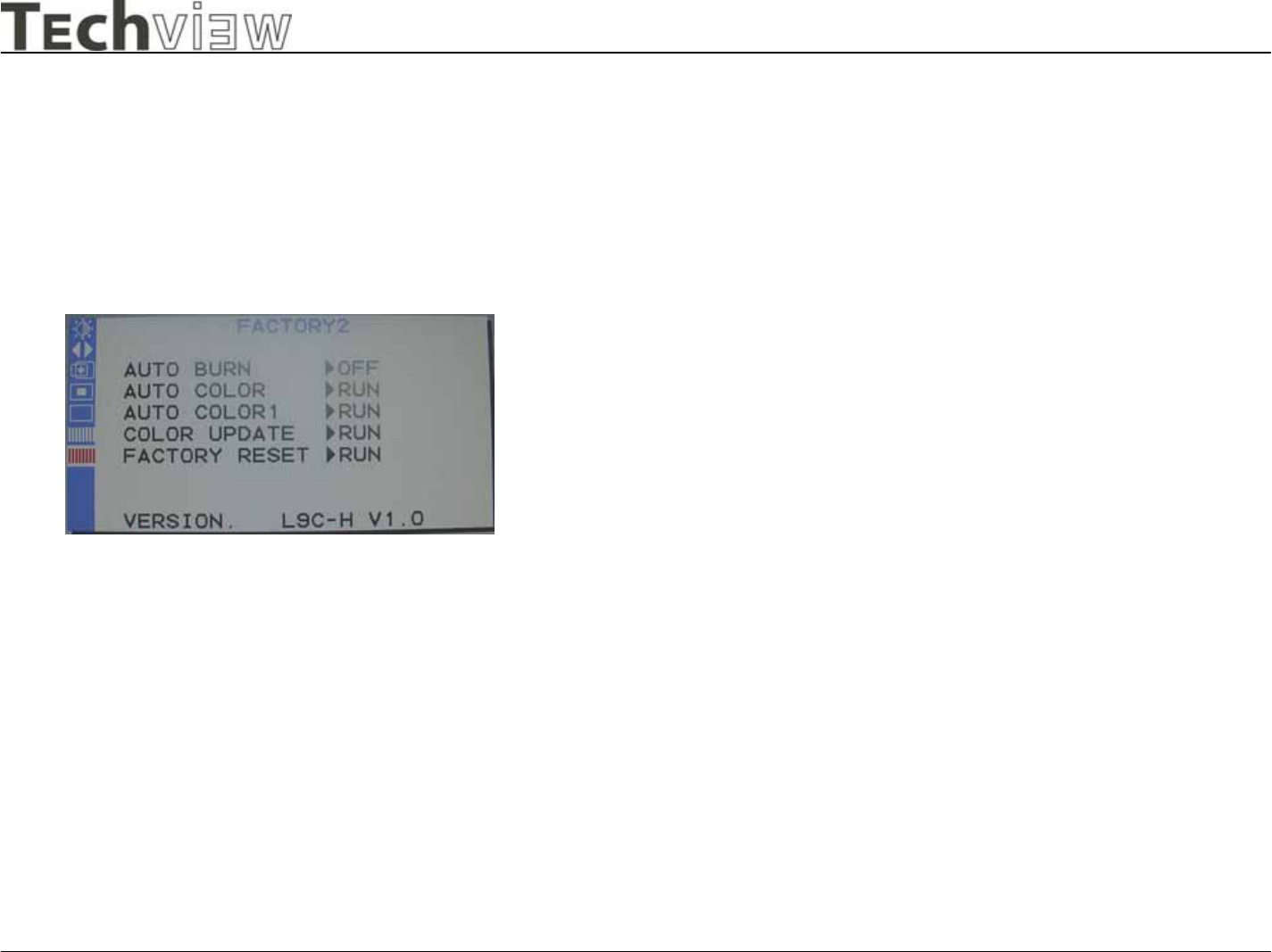
-Techview Confidential -
Factory2 Adjustment
This page only visible in factory mode
AUTO BURN :
Use the chip set internal pattern for hot running monitor
panel and inverter.
AUTO COLOR :
Perform Auto Balance measurement .
AUTO COLOR 1 :
Perform Auto Balance measurement by chip set internal
signal. And reference these values to initial all other
color temperature detail parameters.
COLOR UPDATE :
Force presently R,G,B offset and gain parameters
update to currently temperature memory address.
FACTORY RESET :
Recall to factory setting and power off immediately.
VERSION :
Display F/W version.
L9C Monitor
L9C service manual Page 32of 48
-Techview Confidential -
6. NECESSARY EQUIPMENT LIST
Item
1 Personal Computer with Windows 98/95
2 Luminance Meter Minolta CA 110
3 Video Generator : Chroma 2000,2135,2250 or equivalent
4 Color Analyzer : Minolta CA110 , Chroma or equivalent
5 Watt / Power Meter
6 10 Times Magnifier
7 Ruler /Template
8 Thickness gauge
L9C Monitor
L9C service manual Page 33of 48
-Techview Confidential -
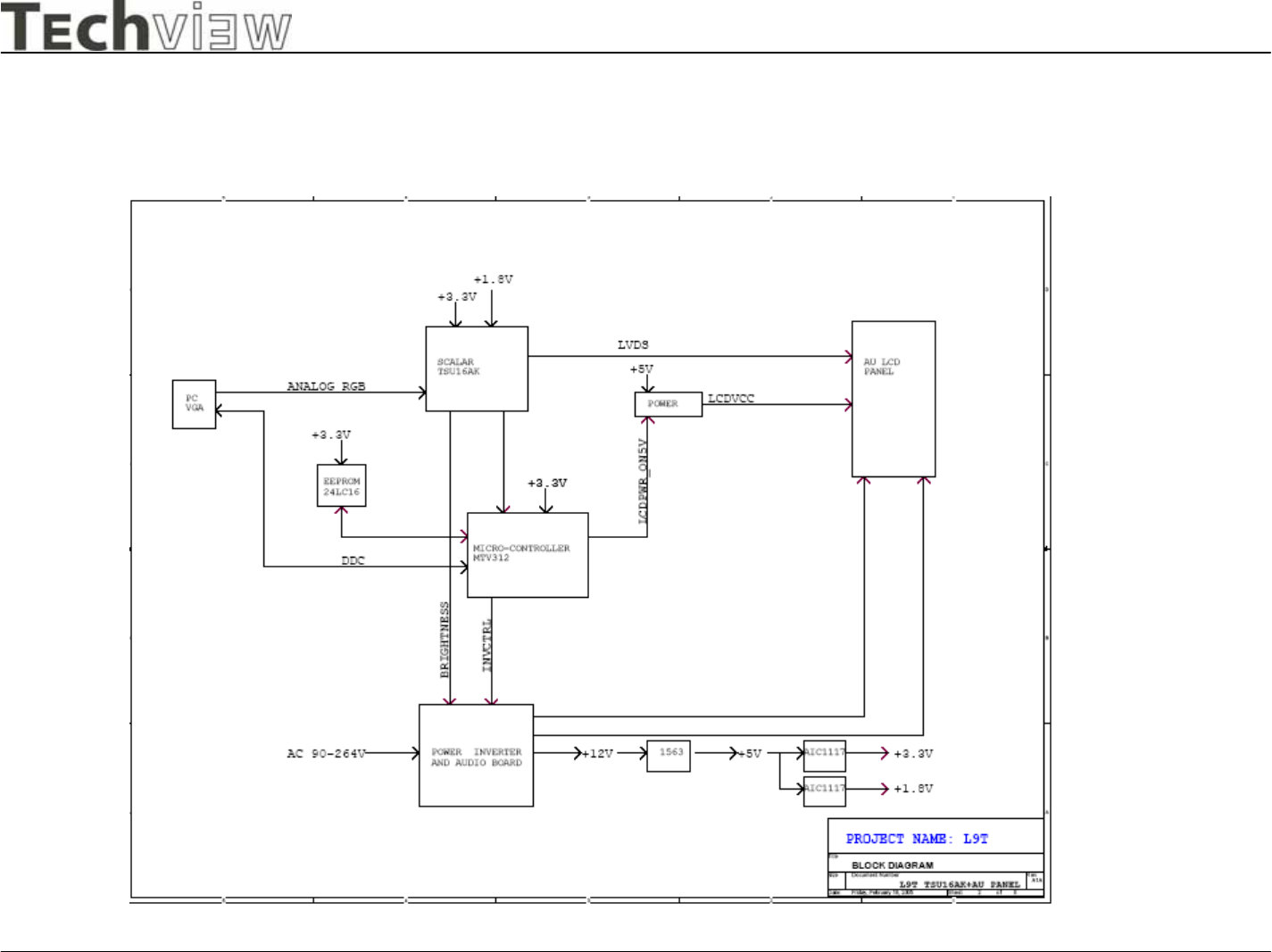
7. BLOCK DIAGRAM
7.1 Power module
Power Module
To Panel lamp Inverte
r
Outpu
t
Voltage
Outpu
t
12V/3.25A
AC Input
90 ~ 264V
L9C Monitor
L9C service manual Page 34of 48
-Techview Confidential -
7.2 Main Board
L9C Monitor
L9C service manual Page 35of 48
-Techview Confidential -
8. CONDUCTOR VIEW
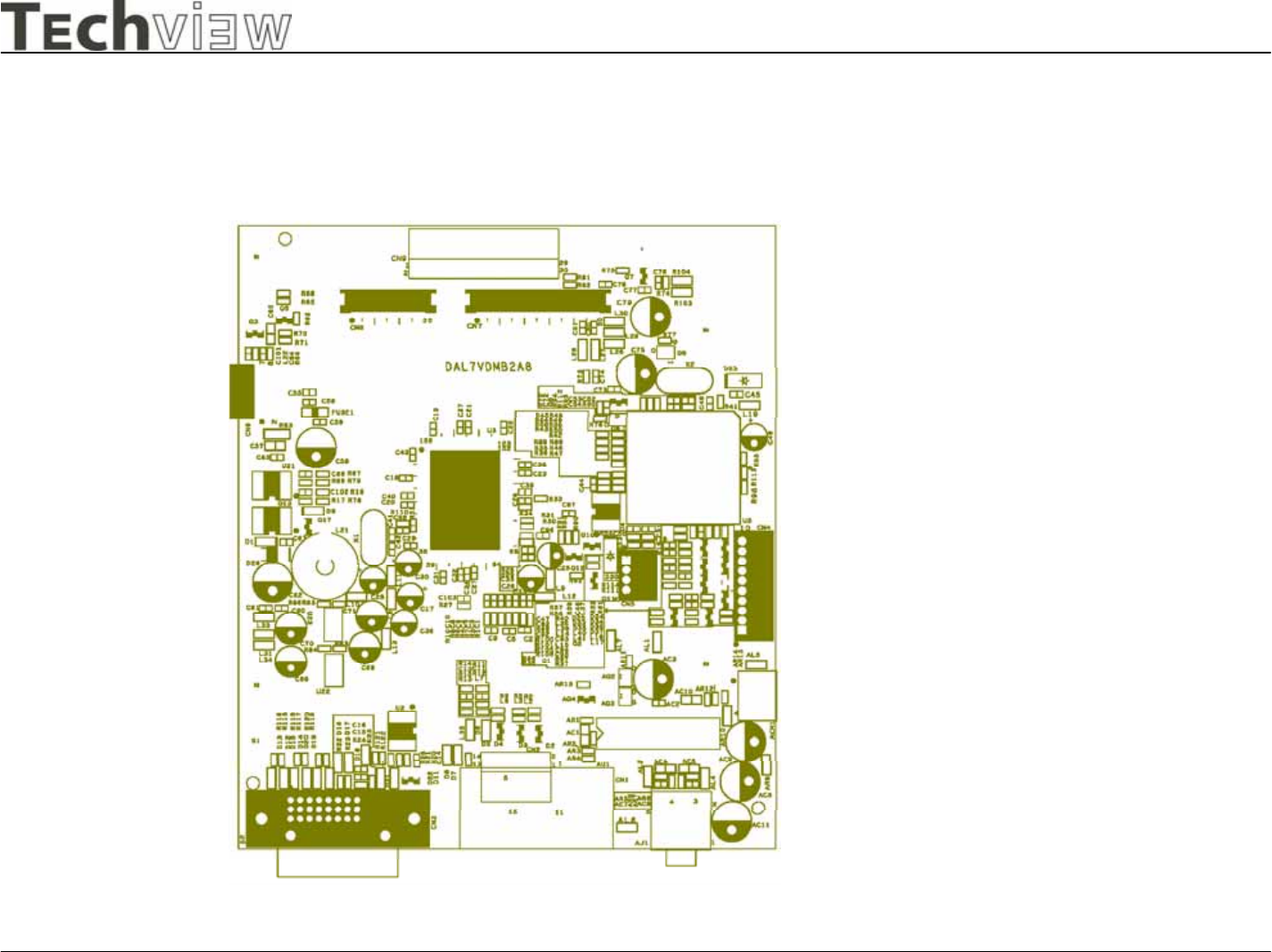
Main Board Silkscreen
L9C Monitor
L9C service manual Page 36of 48
-Techview Confidential -
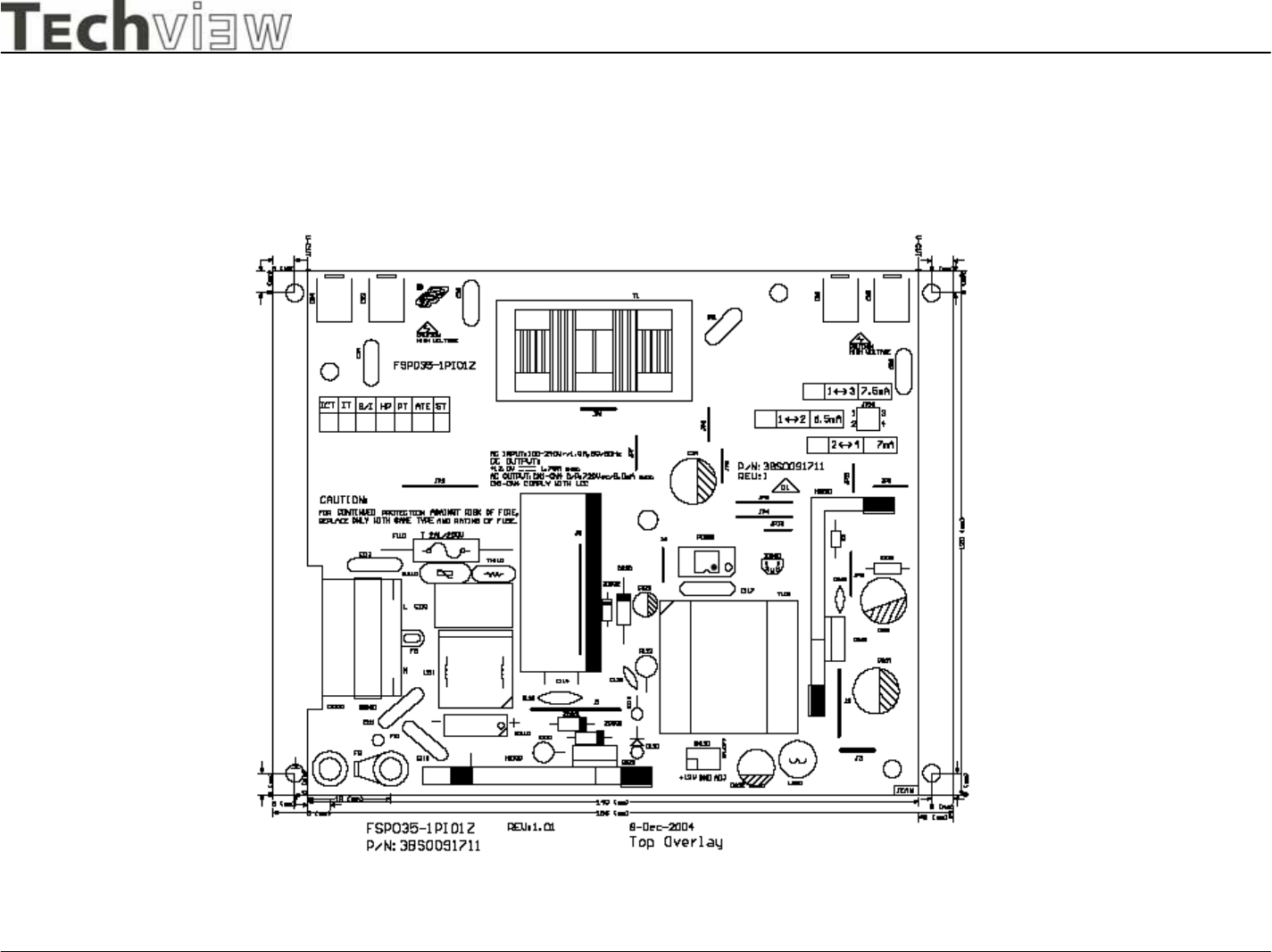
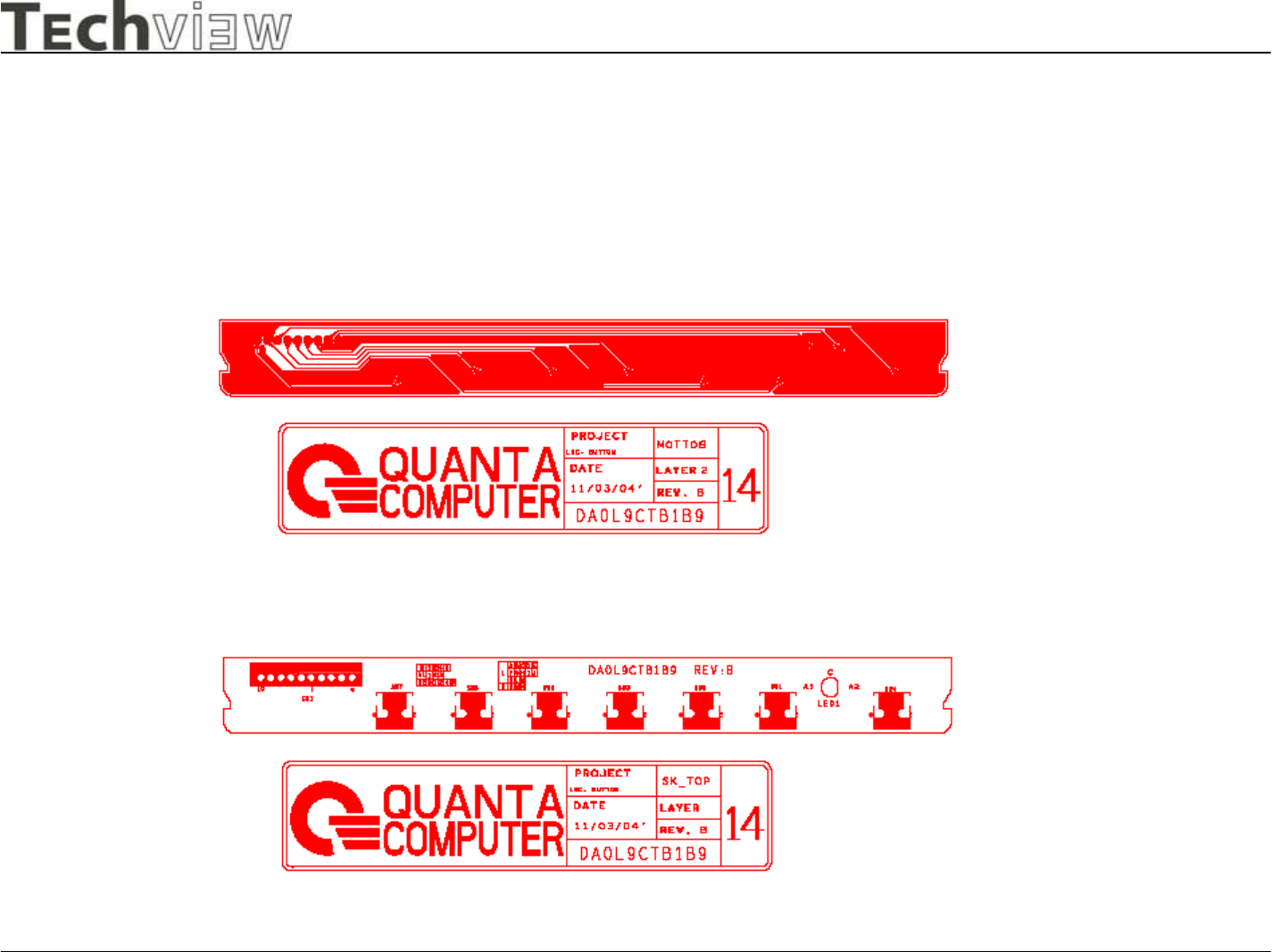
Power Board Silkscreen
L9C Monitor
L9C service manual Page 37of 48
-Techview Confidential -
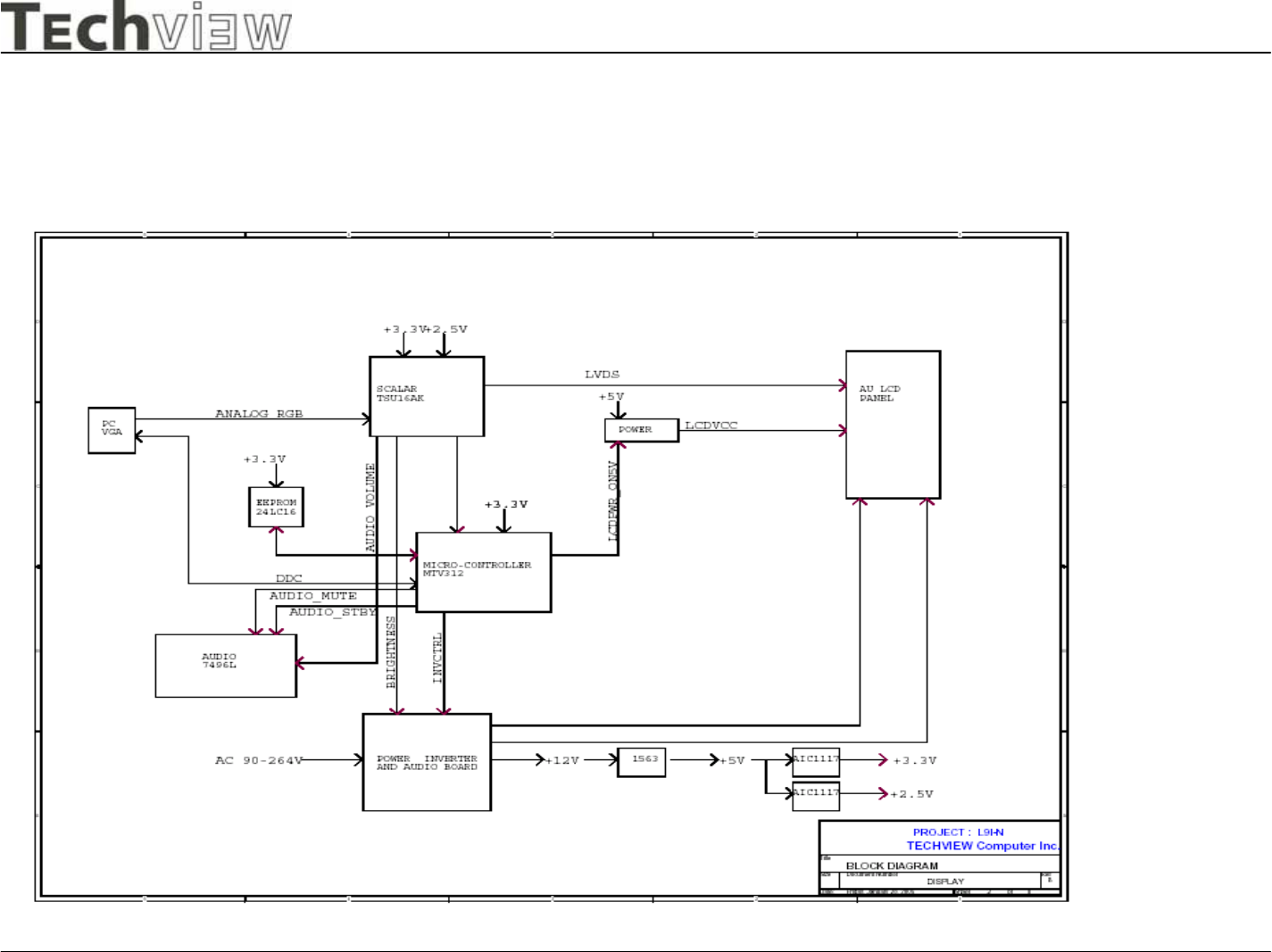
Button Board Silkscreen
L9C Monitor
L9C service manual Page 38of 48
-Techview Confidential -
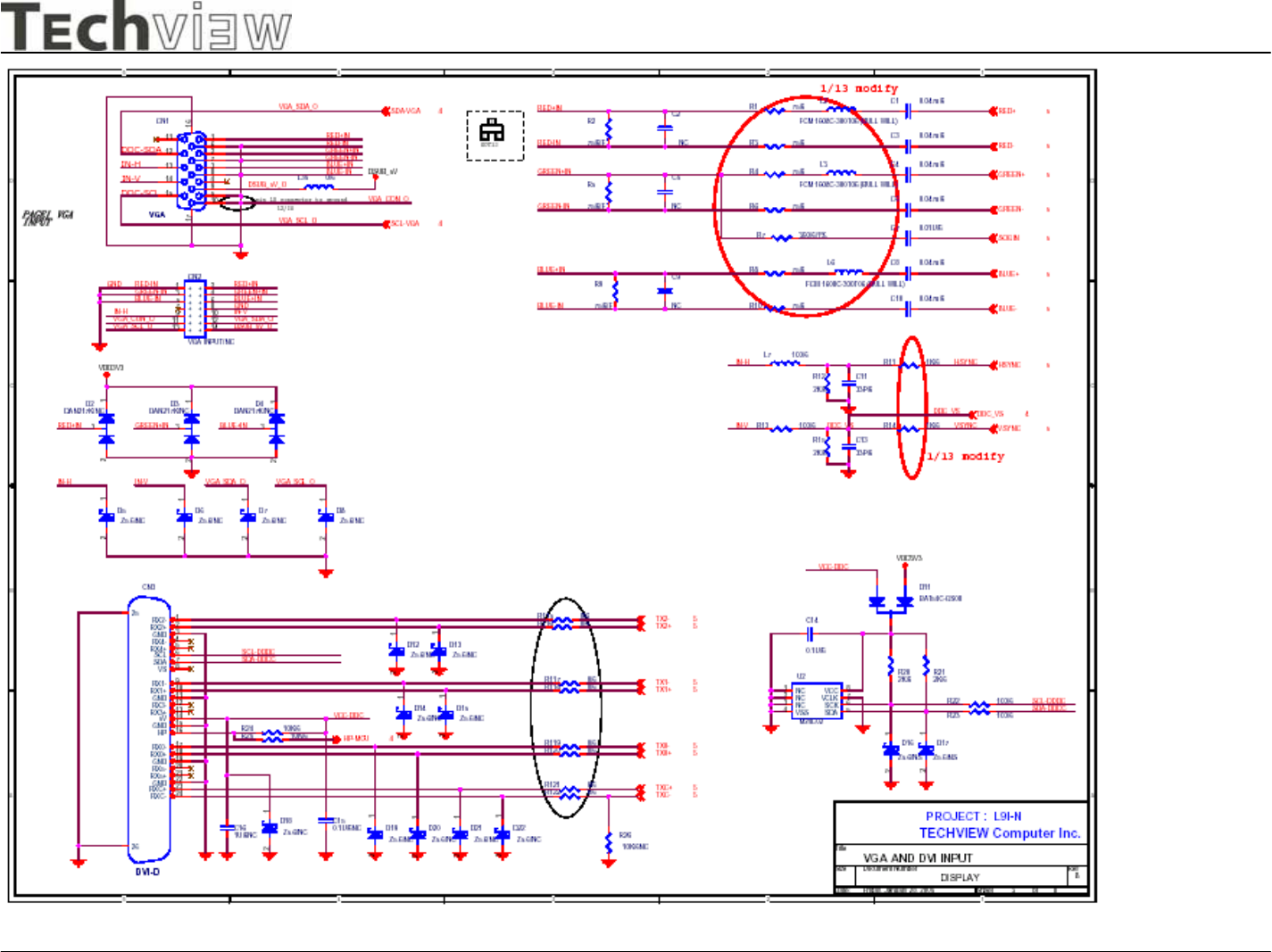
9. SCHEMATIC DIAGRAM Main Board
L9C Monitor
L9C service manual Page 39of 48
-Techview Confidential -
L9C Monitor
L9C service manual Page 40of 48
-Techview Confidential -
L9C Monitor
L9C service manual Page 41of 48
-Techview Confidential -
L9C Monitor
L9C service manual Page 42of 48
-Techview Confidential -
L9C Monitor
L9C service manual Page 43of 48
-Techview Confidential -
Power Board Circuit
L9C Monitor
L9C service manual Page 44of 48
-Techview Confidential -
L9C Monitor
L9C service manual Page 45of 48
-Techview Confidential -
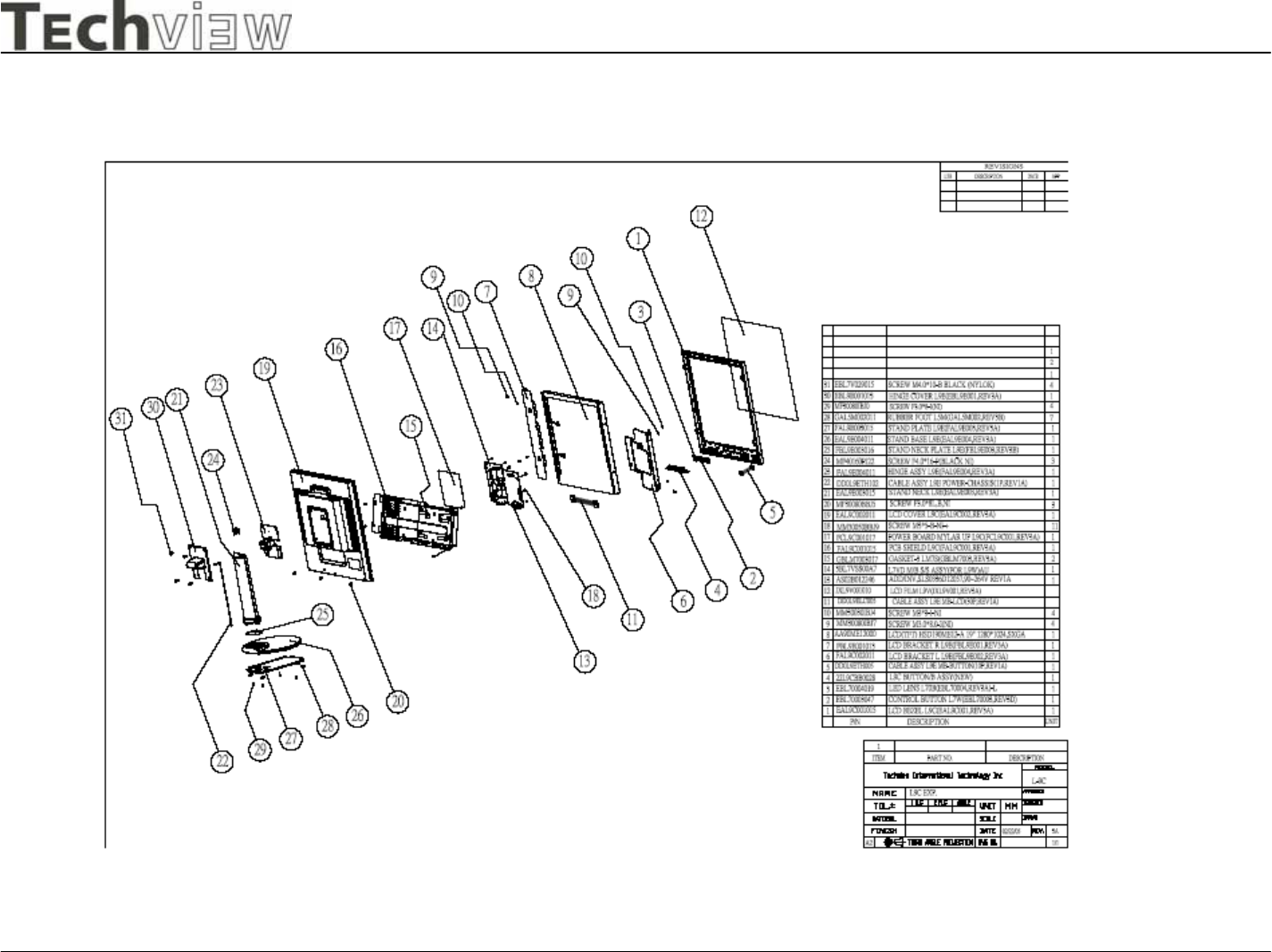
10.EXPLODED VIEW
L9C Monitor
L9C service manual Page 46of 48
-Techview Confidential -
NO
OK
NO
OK
NO
Y
ES
NO
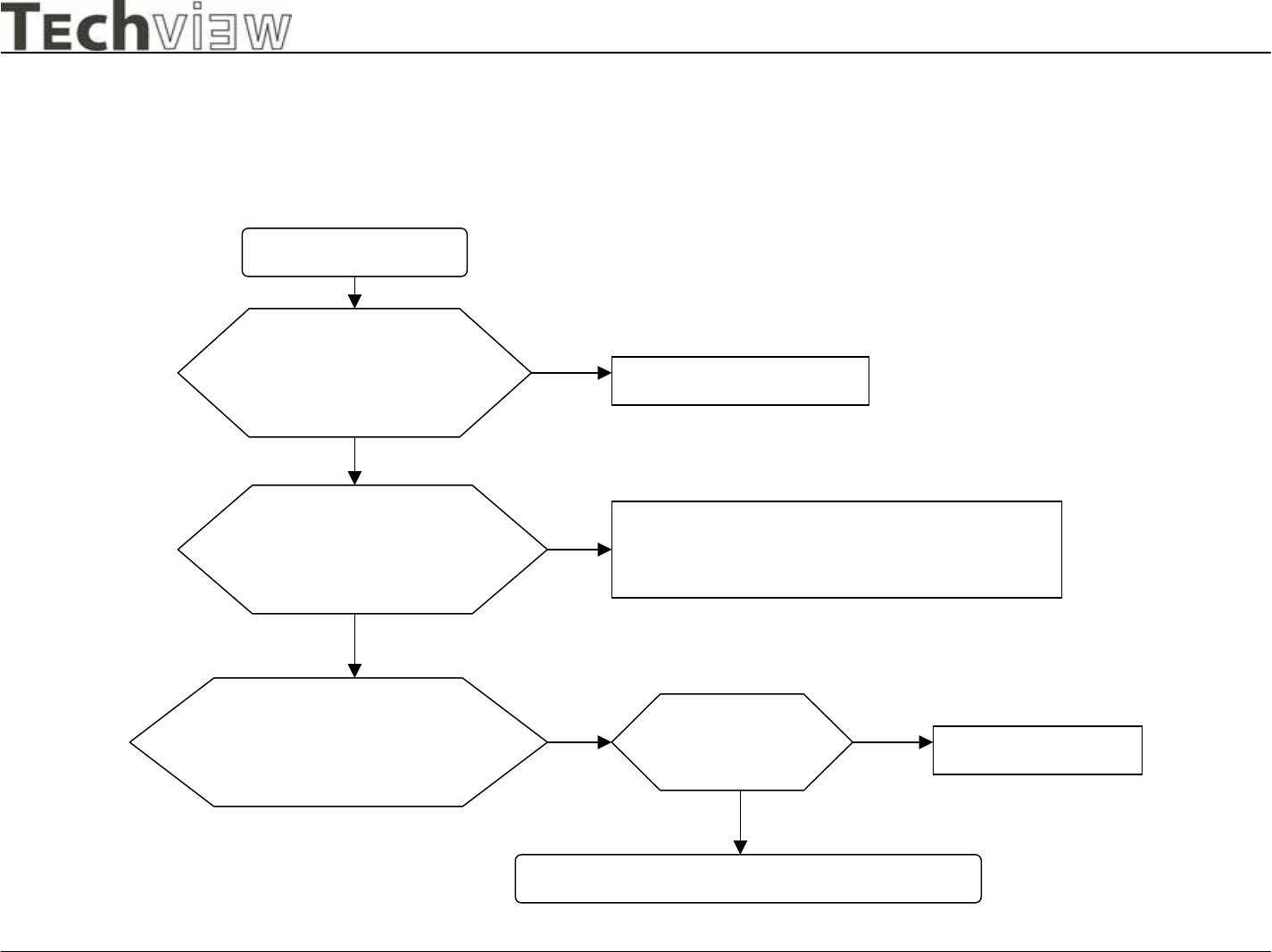
11 TROUBLE SHOOTING HINTS
1.No power
No Power
Change Power Board
Check Power Module
Output CN110
Pin 1,2 = 12V?
Check Scalar Module
Output CN6
Pin 1,2 = 12V?
Change Cable
From(Power module)CN110 to (Scalar/B)CN6
Check Power Button
From Scalar/B(CN4)
to Button/B(CN1)
Check Cable
Open? Change Cable
Change Switch or Button Board
L9C Monitor
L9C service manual Page 47of 48
-Techview Confidential -
OK
NO
NO
OK
NO
OK
NO
OK
NO
NO
OK
OK
OK
NO
NO
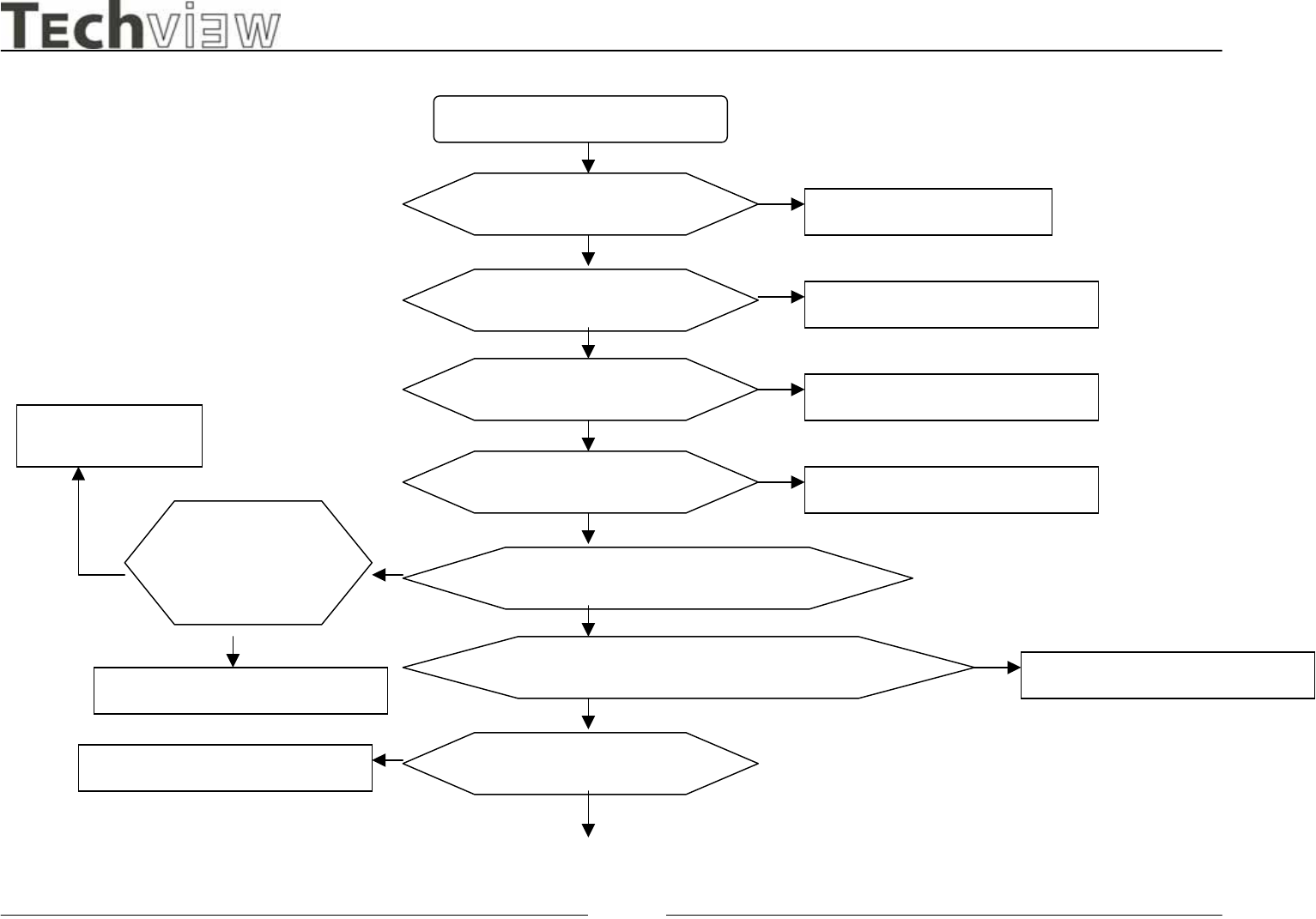
2.No Characters , Missing one color
No Characters or Missing one
Check CN6 12V Output Change Power Board
Check L33 , 5V Output Check or Change U21,Q13,Q17
Check L34 , 2.5V output Check or Change U22
Check L31 , 3.3V output Check or Change U23
Check CN9 to Panel Signal Output
Check Inverter
From Power
board OK?
Change Power Board
Check X’Tal 11.059Mhz and 14.318Mhz Change X1 or X2
Check H,V SYNC?
Check or Change Cable or Panel
Change VGA Cable
L9C Monitor
L9C service manual Page 48of 48
-Techview Confidential -
12. REPLACEMENT PARTS LIST( See appendix)
13.Auto White Balance Procedure
1 Connect signal to monitor. The display signal need contain real black and full white.
2 Press "Auto" button(don't release) when power ON(LED display Amber).
3 Press OSD select FACTORY 2, Auto Color, RUN(For AD converter calibration on R, G and B gain, offset).
4 Select Color Update, RUN.
5
Press OSD select COLOR into 6500 and check by color analysis (If adjustment Press OSD select FACTORY 1 for
Adjust the R, G, B gain. Please make color update when finished adjustment on 6500)
6
Press OSD select COLOR into 9300 and check by color analysis (If adjustment Press OSD select FACTORY 1 for
Adjust the R, G, B gain. Please make color update when finished adjustment on 9300)
Please make sure that Brightness set 100, Contrast set 80 when adjust(factory default).
*
The adjustment result needs to be checked by Color Analysis like CA110, the input signal 0.7V
and full white pattern while on check.
