Guide Licence Renewal
guide-licence-renewal
guide-licence-renewal
guide-licence-renewal
User Manual:
Open the PDF directly: View PDF  .
.
Page Count: 8
1
Step-by-Step Guide for Renewal of
Certificate of Registration and Hotel-keeper’s Licence
The licence expires on 31 December annually and the licence renewal exercise starts from
October each year. Hotels can only submit the licence renewal application from 1 October to
30 November. HLB will send the notice of renewal to hotels in early October and hotels are
required to submit the renewal applications and make payment online through LicenceOne.
S/N
Step
Screenshot
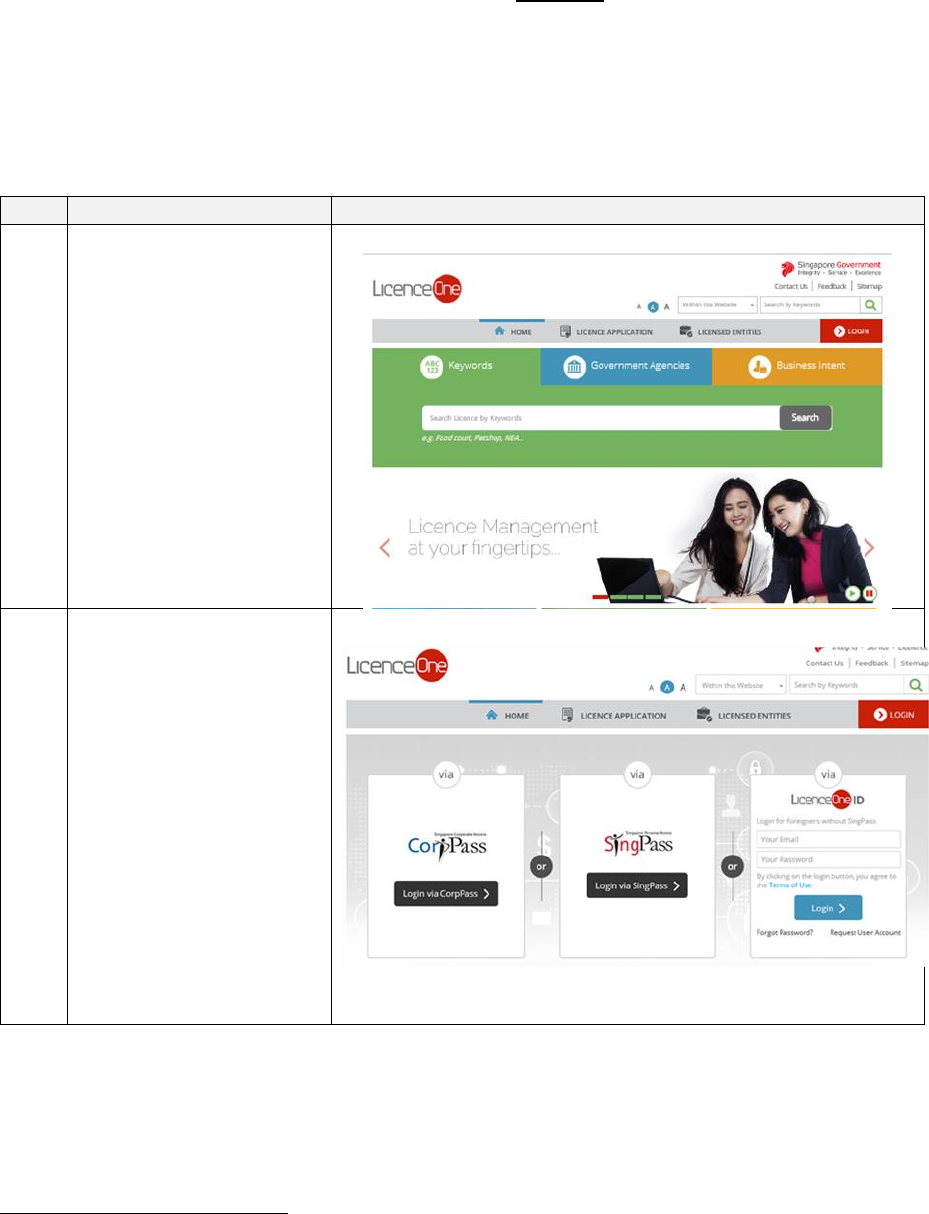
1
Go to LicenceOne
website
https://licence1.business.
gov.sg and click on
“Login”
2
Log in to LicenceOne
For user with valid
SingPass ID and
password: Login via
SingPass
For company who has
activated CorpPass1 in
LicenceOne: Login via
CorpPass
For foreigner user:
Login via LicenceOne
ID
1
Singapore Corporate Access (or CorpPass) is the new digital identity business users will need to conduct
Government-to-Businesses (G2B) transactions. Business users will now have the option of using CorpPass as a
login mechanism to access LicenceOne, when transacting with the government online. For information on the
registration & set up CorpPass for your business entity, please visit www.corppass.gov.sg. For information on
how to activate CorpPass in LicenceOne, please visit
https://licence1.business.gov.sg/web/frontier/help/corppass-in-licenceone. Once CorpPass is activated,
authorised CorpPass user can only use CorpPass to access LicenceOne.
2
S/N
Step
Screenshot
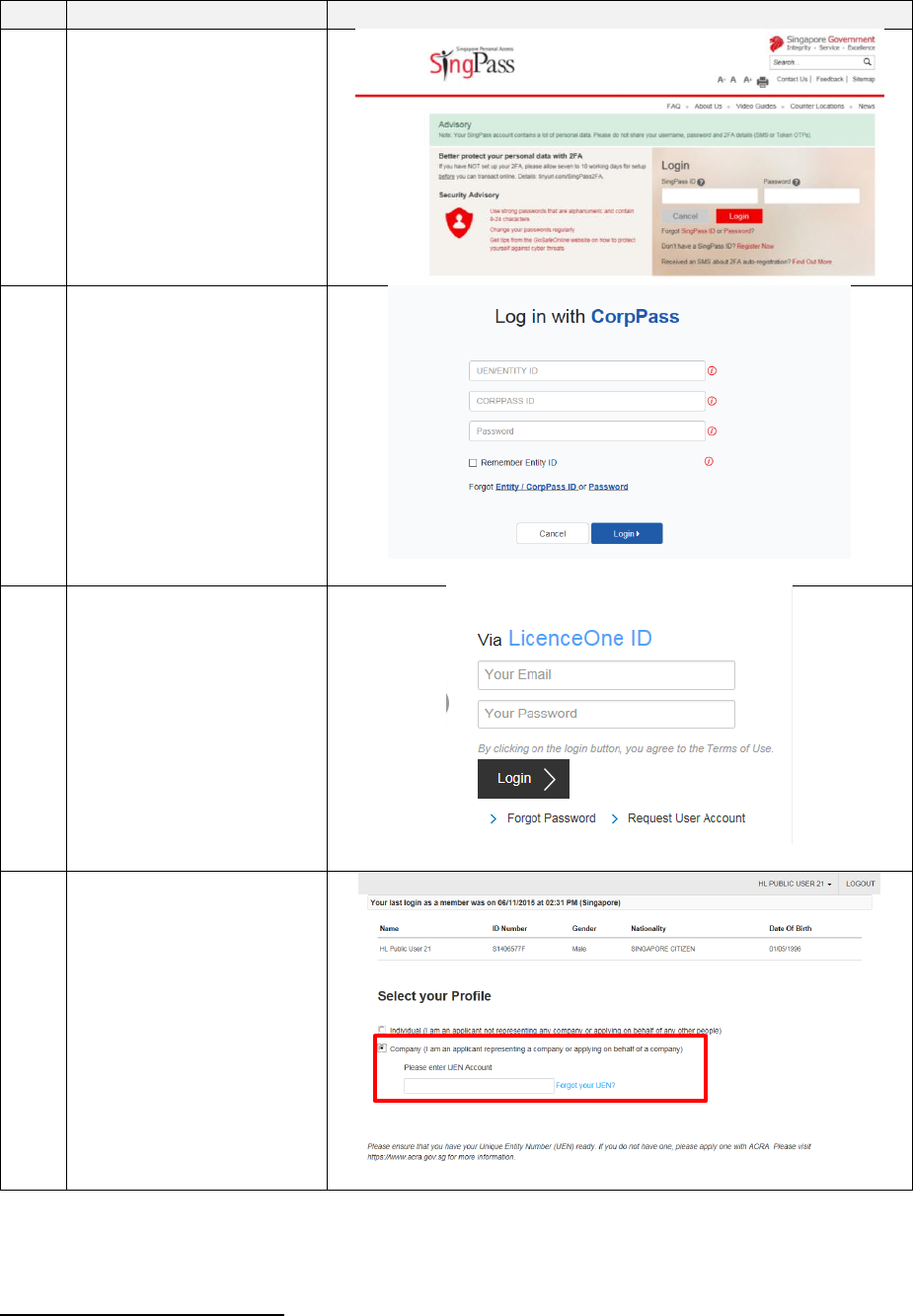
2a
For user with valid
SingPass ID and
password: Log in to
LicenceOne via
SingPass
2b
For company who has
activated CorpPass in
LicenceOne
2c
For foreigner user: Log
in to LicenceOne using
the email and password
that you have registered
with LicenceOne.
3
[Only applicable for
those who login using
SingPass or LicenceOne
ID.]
Select “Company”2 and
enter the company’s
Unique Entity Number
(UEN)3
2
Only the existing Hotel-keeper or Company Director of the entity can amend the details of the licence.
3
UEN is a multi-agency initiative aiming to develop one number that enables entitles' convenient interactions
with government agencies
3
S/N
Step
Screenshot
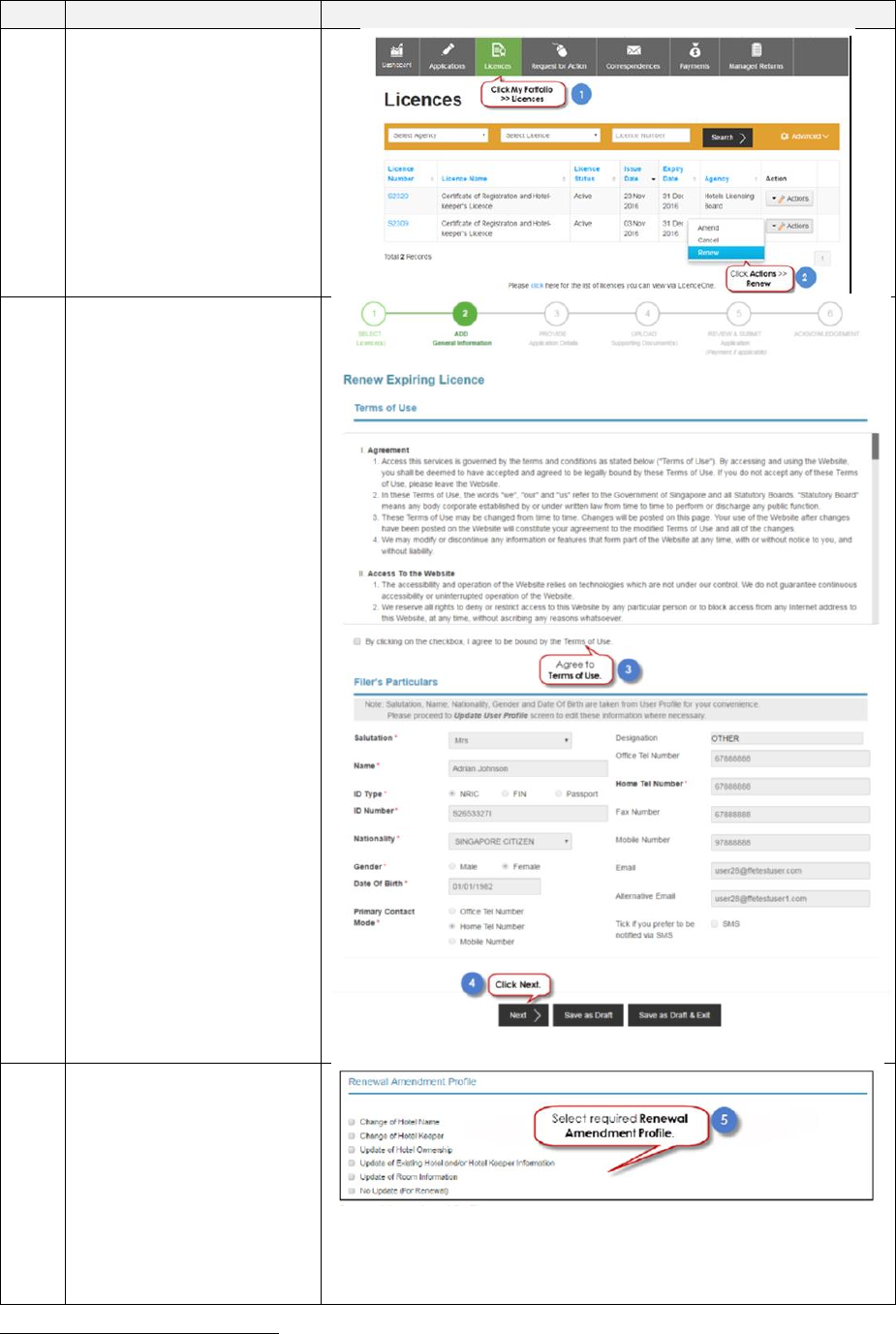
4
Click on “My Portfolio
> licence”
Enter the Licence
Number and Click on
“Search’
Click on “Action >
Renew”
5
Select the checkbox to
agree to the Terms of
Use
Click on “Next”
6
You may amend the
existing licence
information by selecting
the relevant amendment
profile.4
If there is no update to
the existing licence
information, please
4
Please note that the any amendment made will only be reflected in the licence for the next year.
4
S/N
Step
Screenshot
select “No Update (For
Renewal)”.
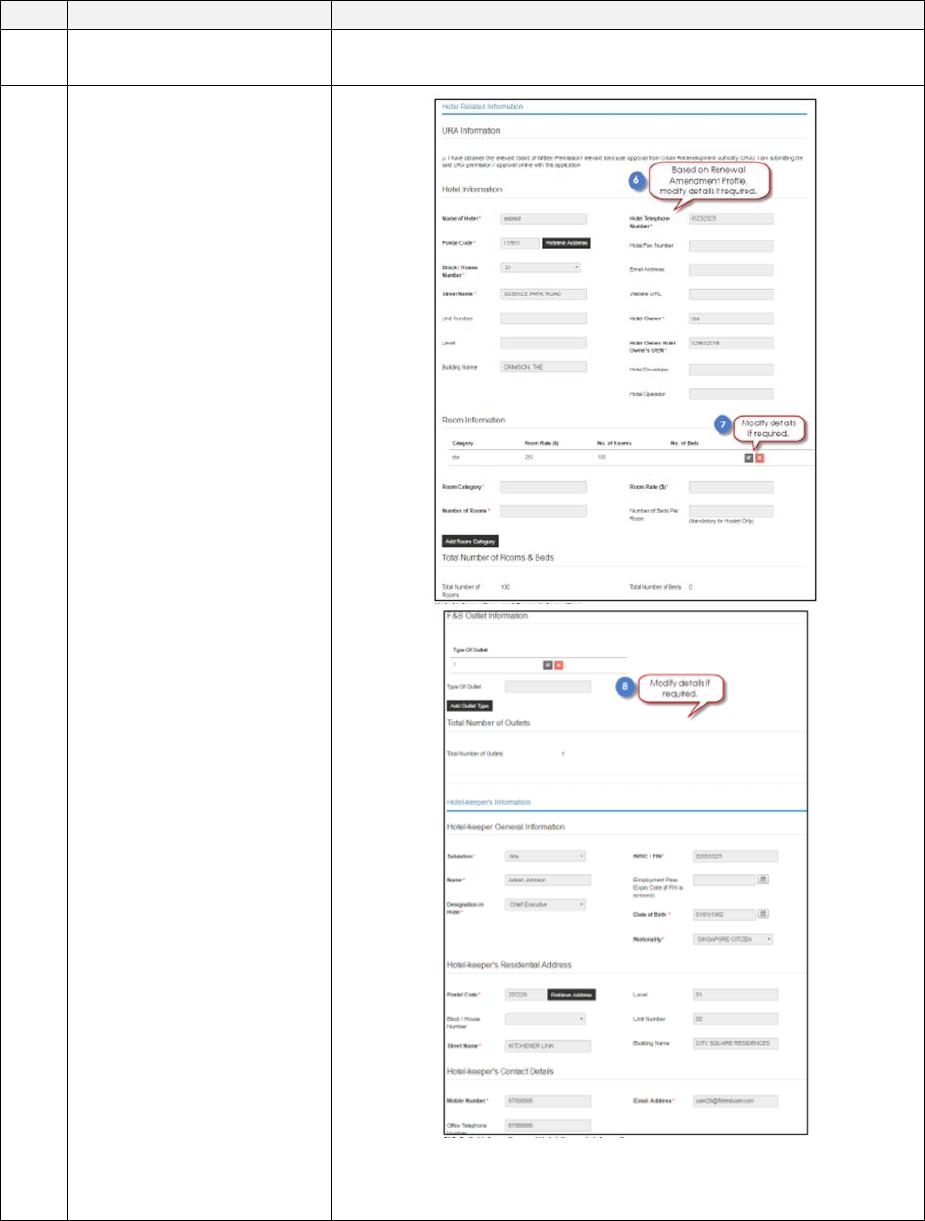
8
If an “Amendment
Profile” is selected in the
earlier screen, the
relevant fields will be
opened up for updating.
If you selected “No
Update (For Renewal)”,
you may skip this step.
5
S/N
Step
Screenshot
9
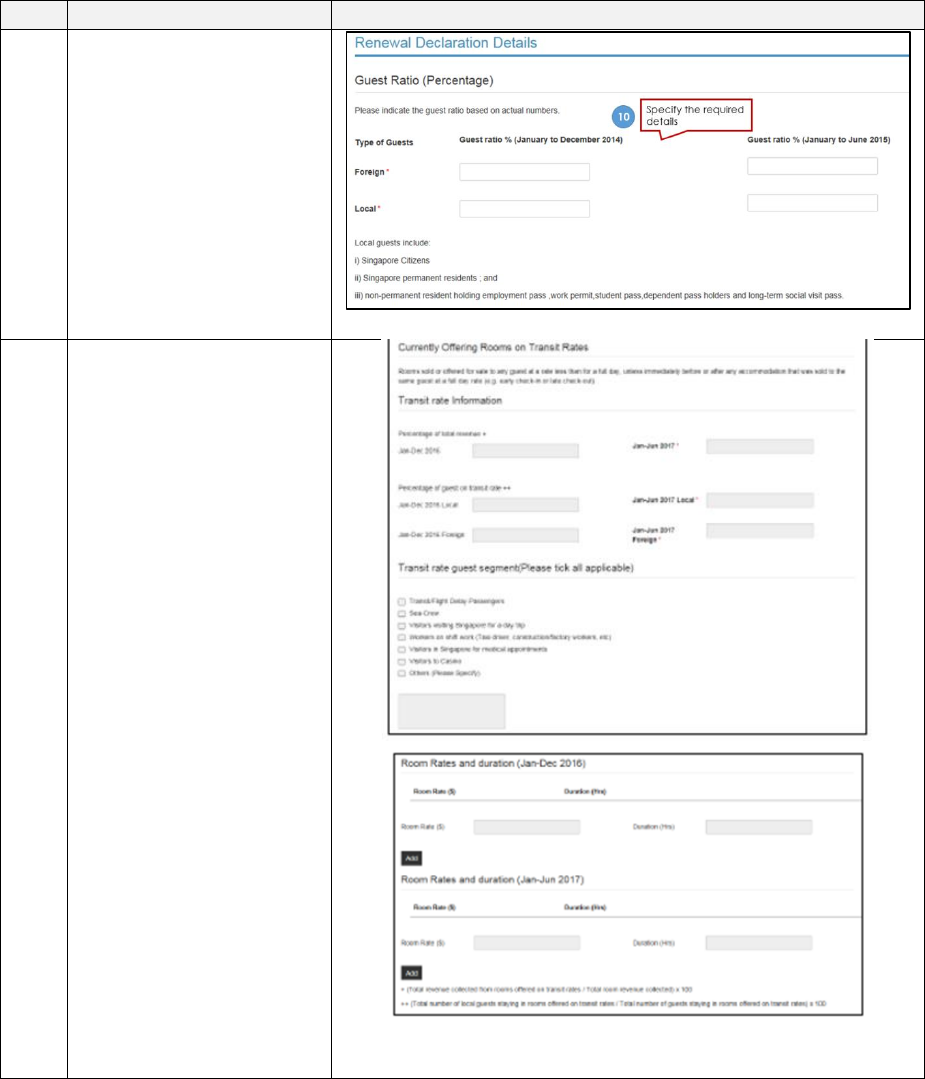
Complete the Guest
Ratio (Percentage) field
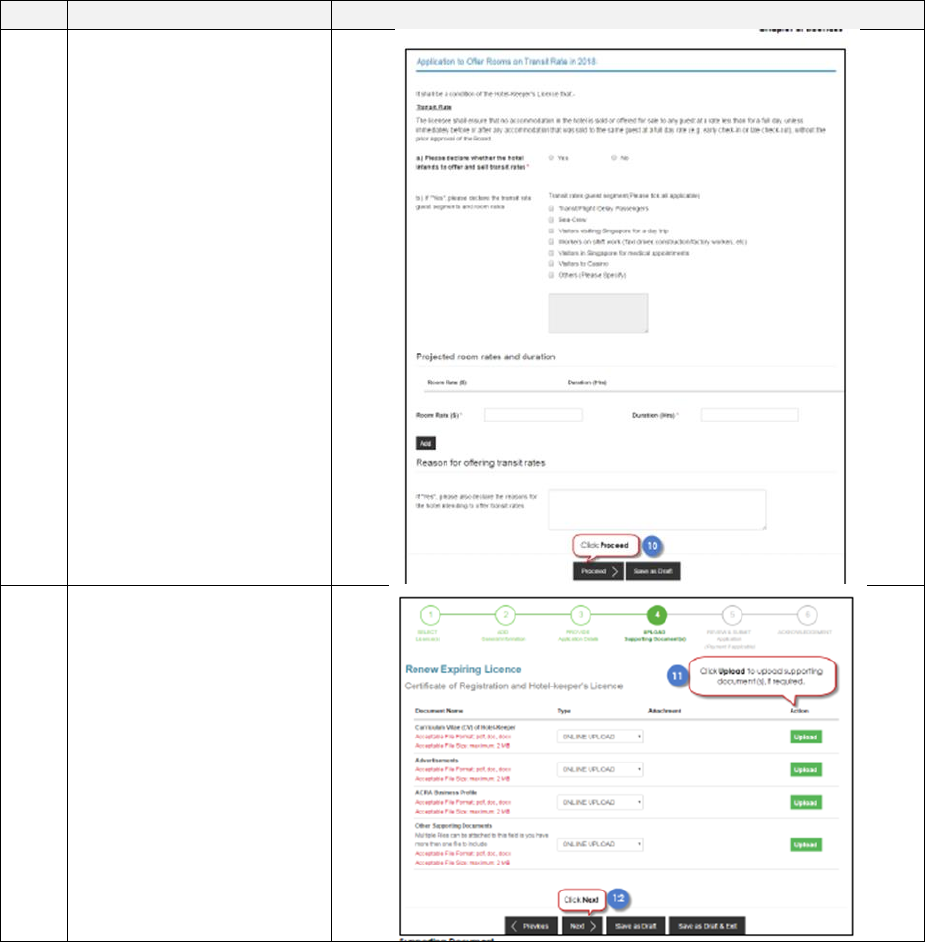
10
If the hotel is currently
offering rooms on transit
rate, complete the
section on “Transit rate
Information”.
If the hotel is currently
not offering transit rates,
this section will be
greyed out.
6
S/N
Step
Screenshot
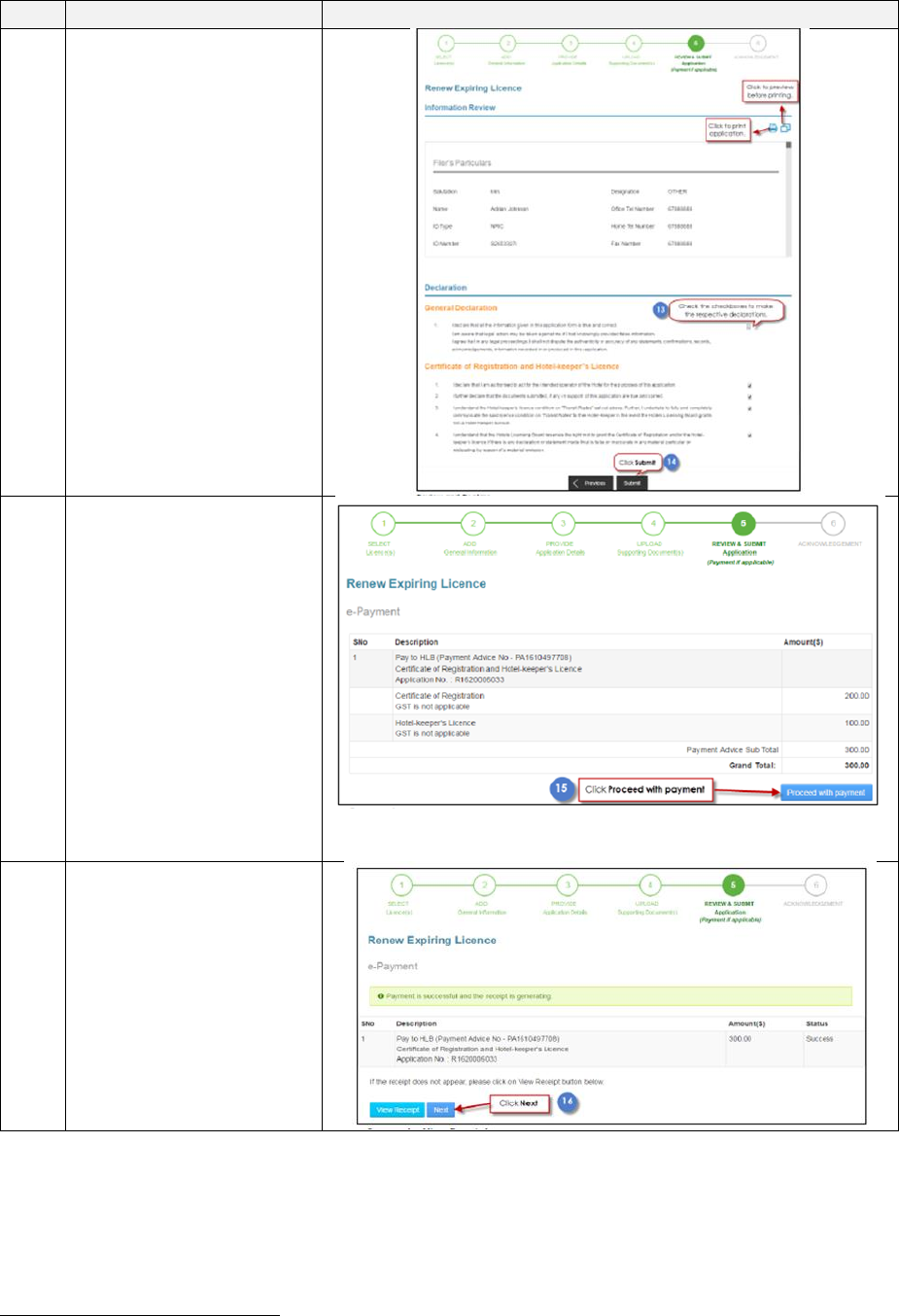
11
Select if the hotel has
the intention to offer
rooms on transit rate for
the next licence period
If you select “Yes”, you
are required to select the
guest segment and
specify the project room
rates and duration.
Click on “Proceed” once
the section has been
completed
12
Upload the supporting
documents (if any) and
Click “Next”
7
S/N
Step
Screenshot
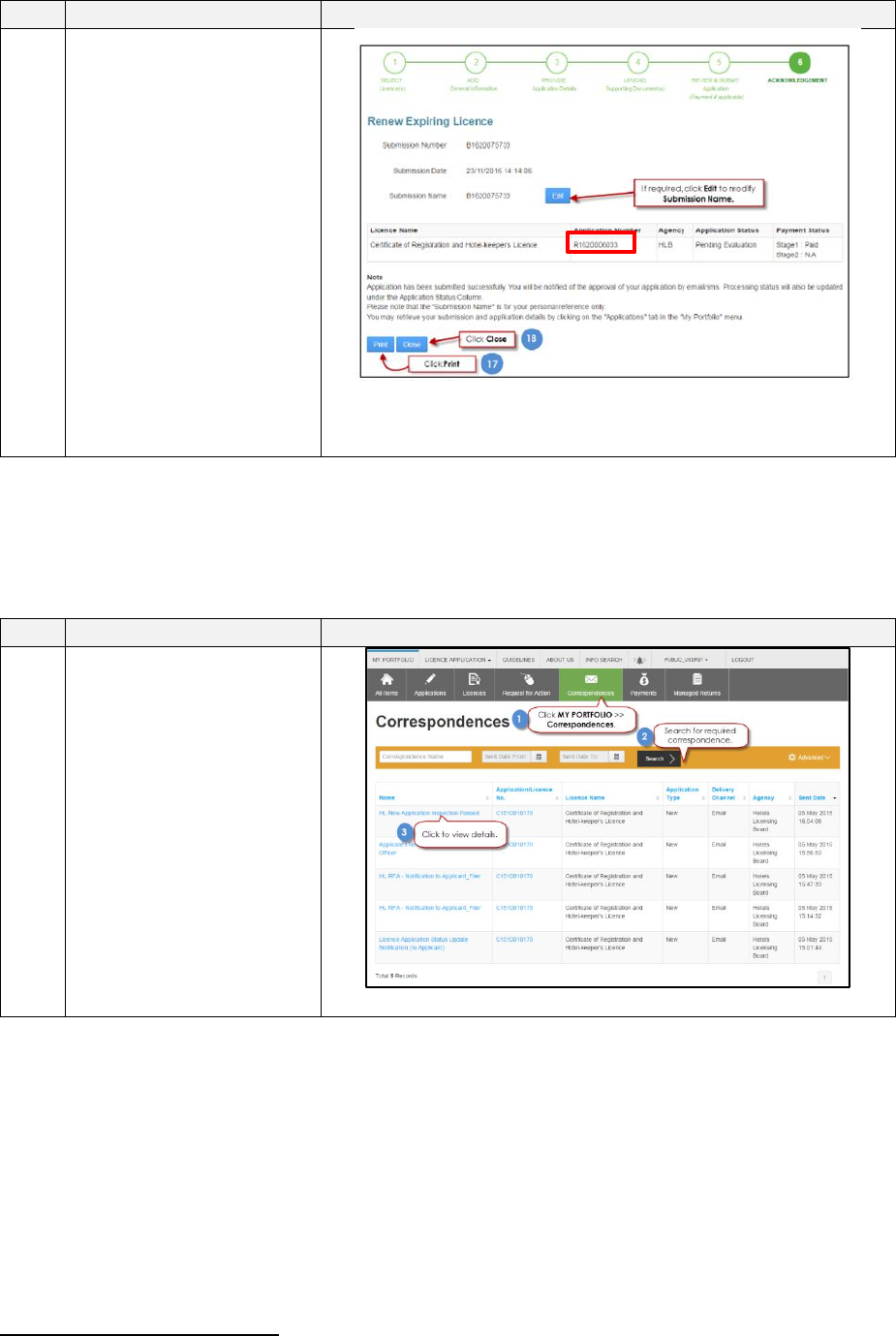
13
You may preview and
print the application
form at this screen
Tick the check box
under “General
Declaration” and
“Certificate of
Registration and Hotel-
keeper’s Licence and
Click on “Submit”.
14
You will be directed to
the payment page to
make payment5.
15
Once the payment is
successful, a receipt will
be generated.
To view a copy of the
receipt, click on “View
Receipt”. Otherwise,
click “Next”
5
The e-Payment process is handled via the PayPal payment gateway. For more details on e-Payment
requirements, please refer to https://www.paypal.com.
8
S/N
Step
Screenshot
16
The system will provide
you with an
acknowledgement page
and an application
number which starts
with “R” (do take note
of this application
number as it will be your
reference number for
any enquiries pertaining
to this application) once
the payment is
successful. You may
choose to print or close
the acknowledgement
page
The Secretariat may request for additional information or supporting documents (if any) via
the “Request for Action”
6
feature. Upon receiving all the required documents and clarification
(if any), the Secretariat will process the application.
S/N
Step
Screenshot
17
Once the application has
been reviewed, the
hotel-keeper and filer
will receive an email on
the status of the renewal
application. A copy of
the correspondence can
also be found under the
“Correspondence” tab in
LicenceOne.
6
Please refer to the step-by-step guide on “Request for Action”
