Preclass Instructions Arduino Windows
User Manual:
Open the PDF directly: View PDF  .
.
Page Count: 16

Arduino Pre-class
Preparations
Joe Wilkes, PhD
Copyright 2019 Joseph E. Wilkes 1
Introduction
•This material will guide the student through the downloading and
installation of the Arduino Development Environment
•It is in three versions:
•Windows
•Mac
•Linux
•You only need to do the version for the Operating System on your laptop
•If you need additional help see
•https://www.arduino.cc/en/Guide/HomePage
•Scroll down to the "Install the Arduino Desktop IDE" section
•Also come to the first class early
•Please see important notes on the next two pages!
Copyright 2019 Joseph E. Wilkes 2
Big Caveat!
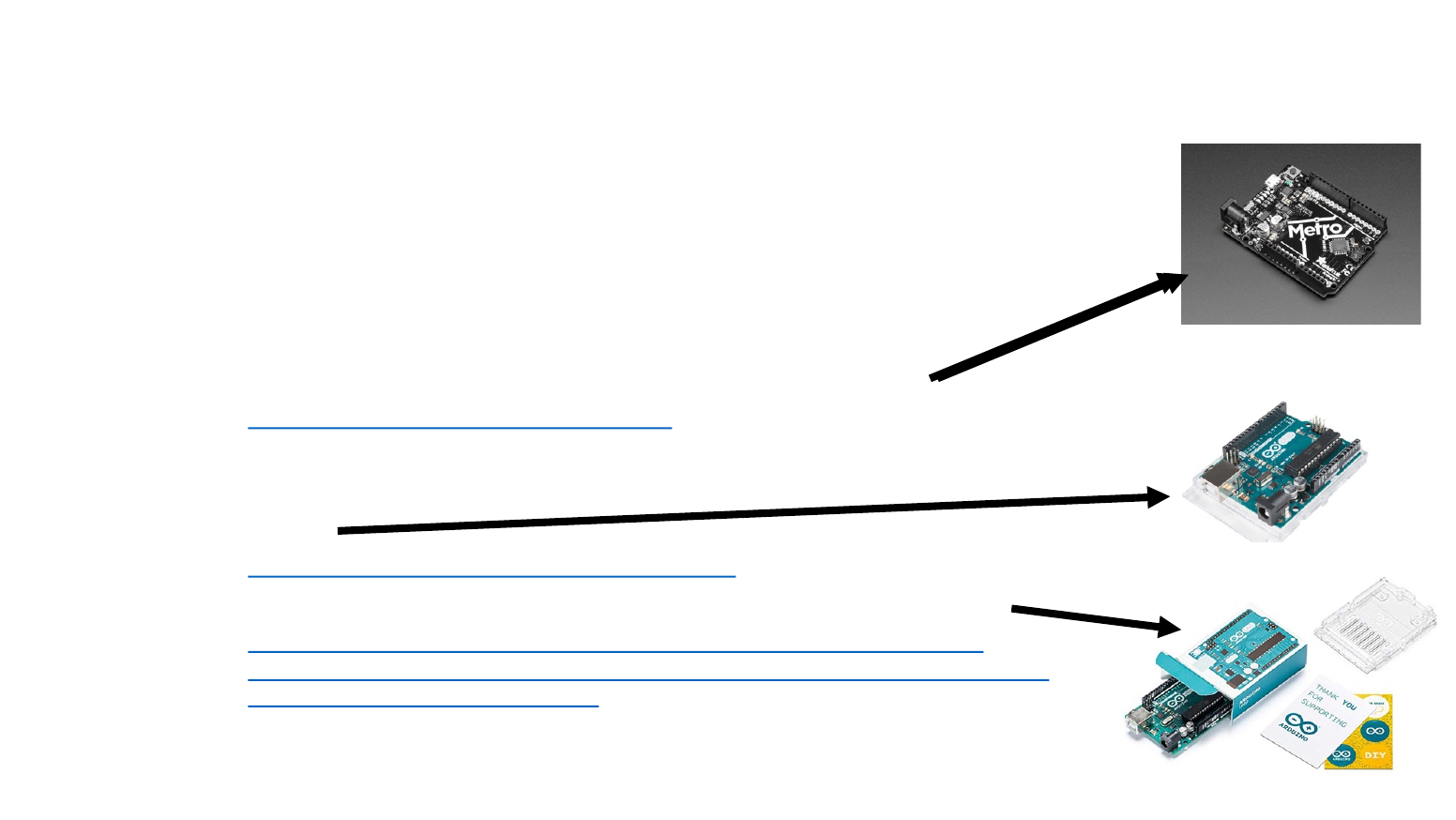
•Not all boards that are sold under the Arduino name are the same.
•Many of the Chinese clones use a different USB chip.
•Finding the drivers can be difficult
•It is suggested the you order your Arduino from
•Adafruit (their version is licensed and called the metro)
•https://www.adafruit.com/product/50
•See note about downloading driver for board
•Sparkfun
•https://www.sparkfun.com/products/11021
•Amazon (look for sold by Arduino and fulfilled by Amazon)
•https://www.amazon.com/Arduino-A000066-ARDUINO-UNO-
R3/dp/B008GRTSV6/ref=sr_1_3?ie=UTF8&qid=1542548200&sr=8-
3&keywords=arduino+uno+r3
Copyright 2019 Joseph E. Wilkes 3
Additional Information
•If you do not have a genuine Arduino
•In other words you bought a Chinese clone by mistake
•All is not lost
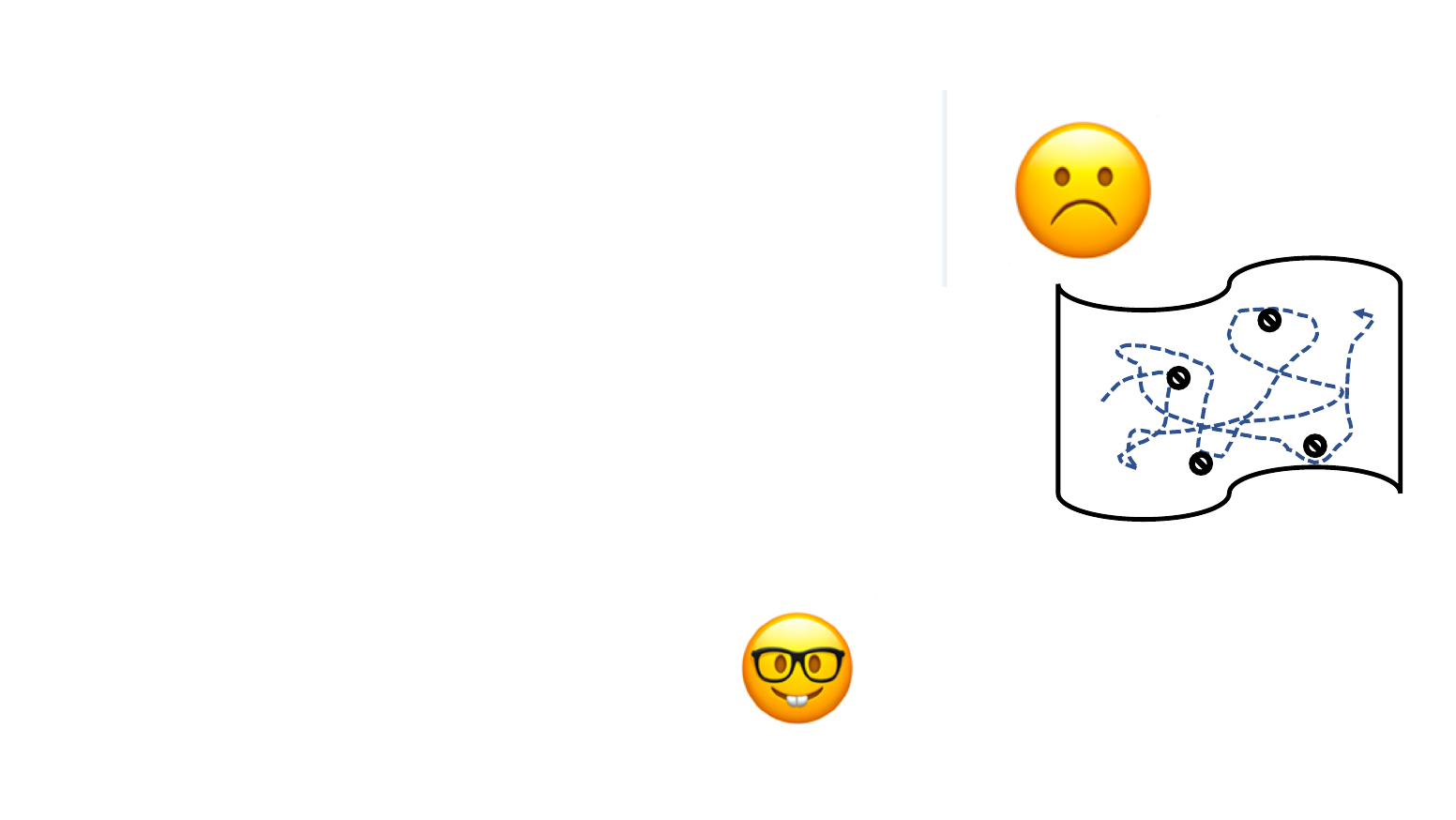
•You may have to go into treasure hunt mode
•To find the driver for your board
•Hint: If you find the driver on a website in Mandarin
•Click on the big button to download the driver
•Mac users need to google for directions on using an earlier driver
•If you can't find it,
please come to first class early and
someone can probably help you
Copyright 2019 Joseph E. Wilkes 4
x

Windows Installation
Pages ( 5 -16)
Copyright 2019 Joseph E. Wilkes 5
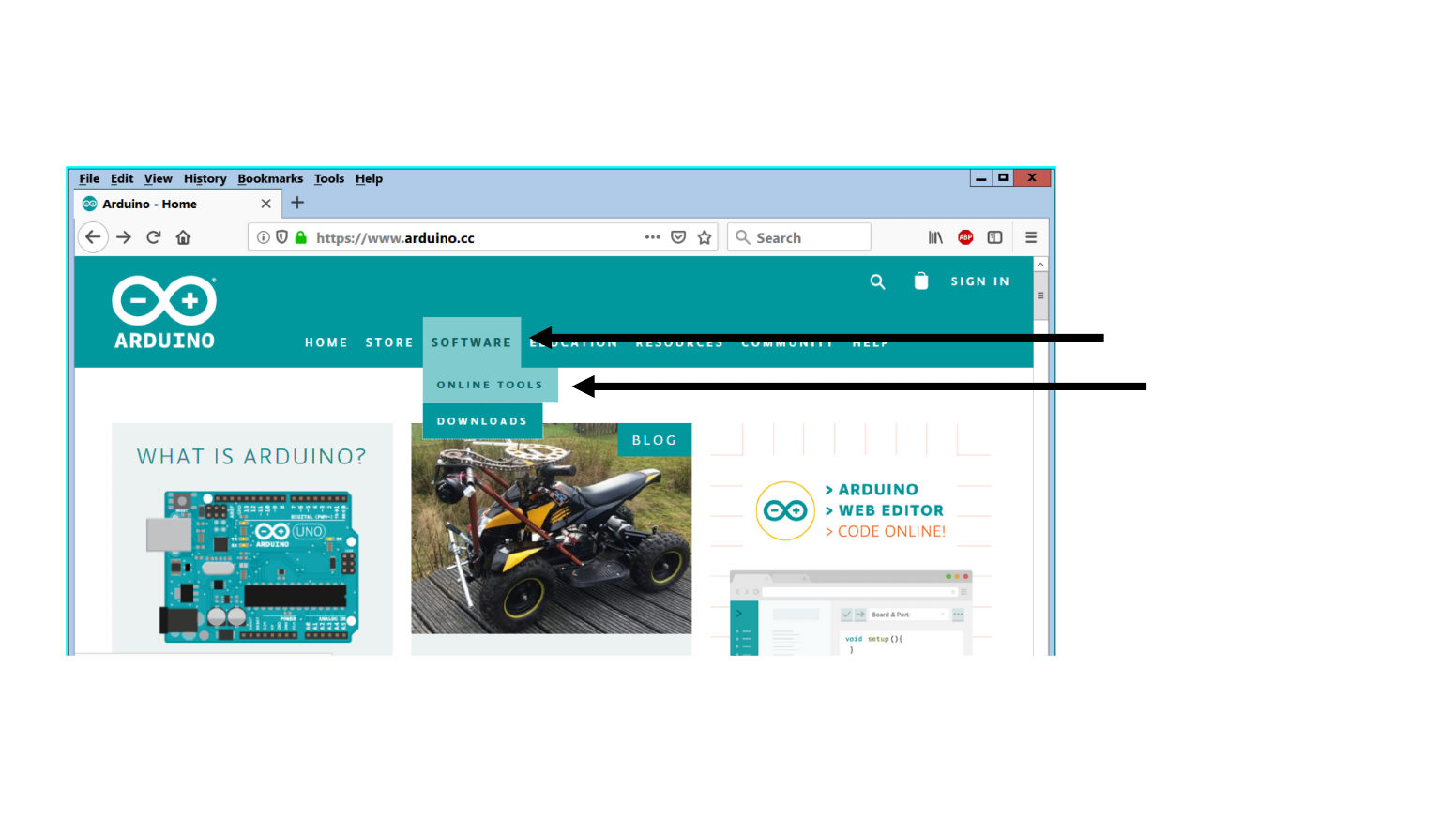
Download the Software - 2
Copyright 2019 Joseph E. Wilkes 7
Touch mouse point here
click here
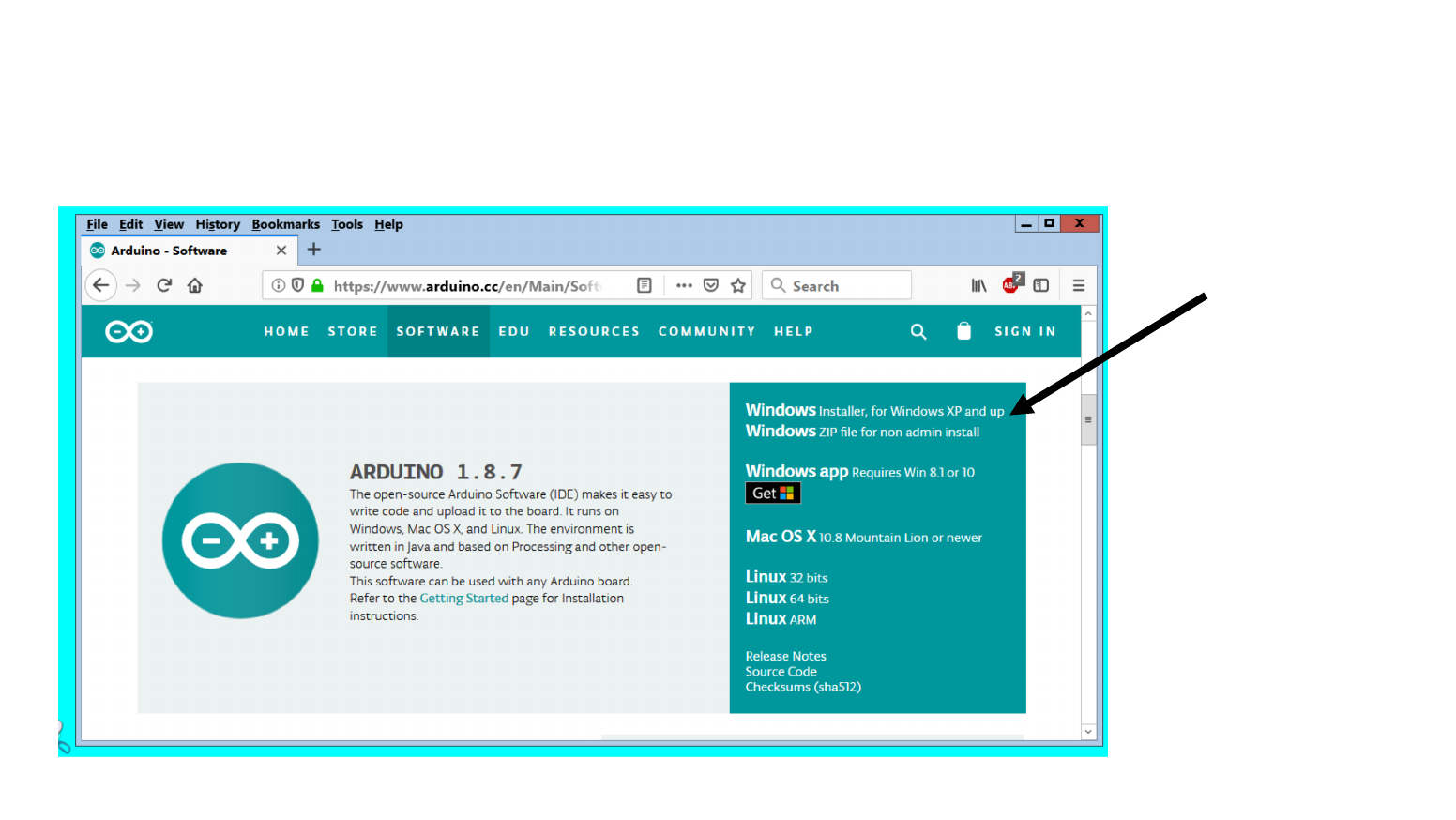
Download the Software - 3
Copyright 2019 Joseph E. Wilkes 8
Click here
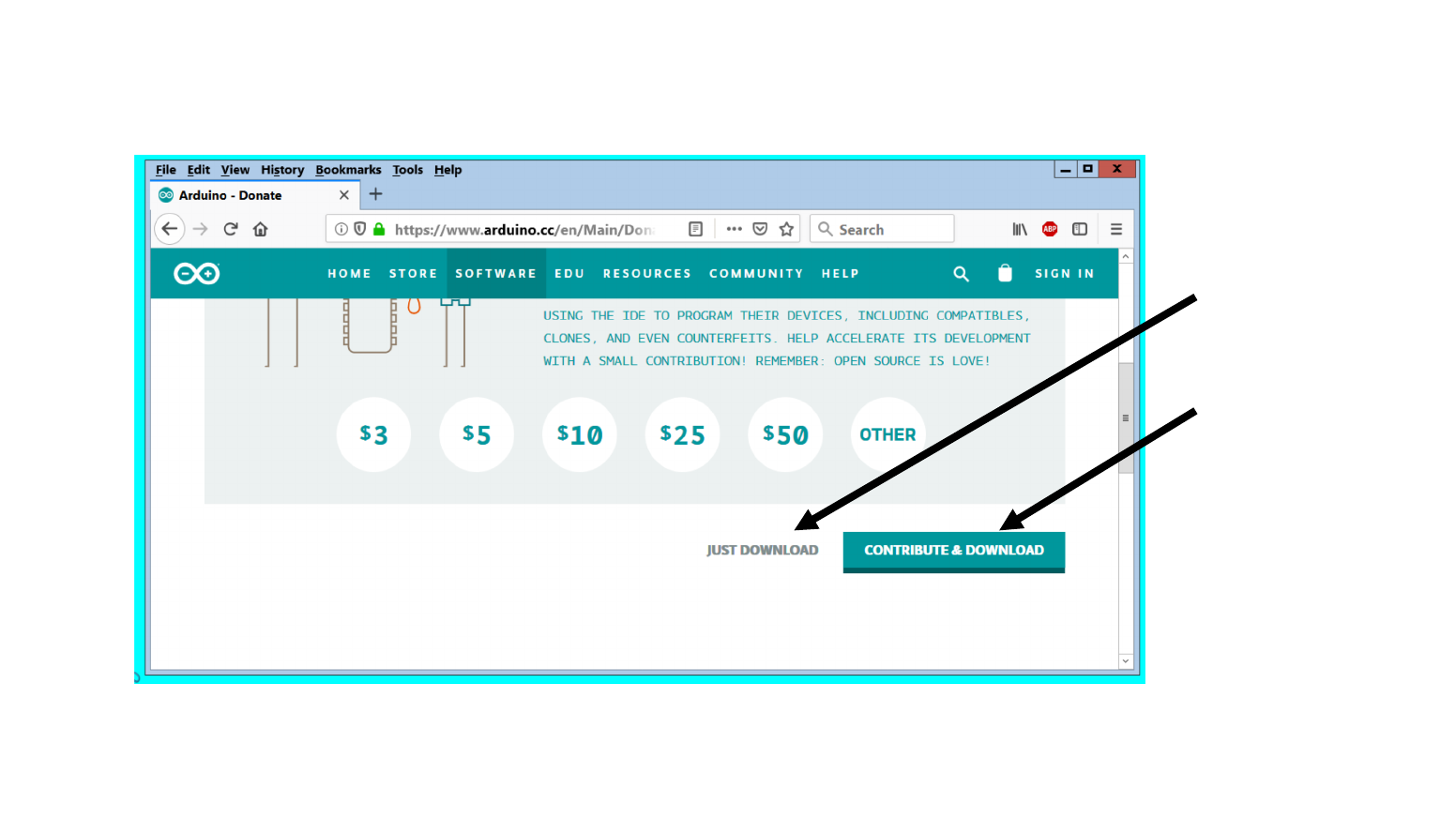
Download the Software - 4
Copyright 2019 Joseph E. Wilkes 9
Click here
Or Click here
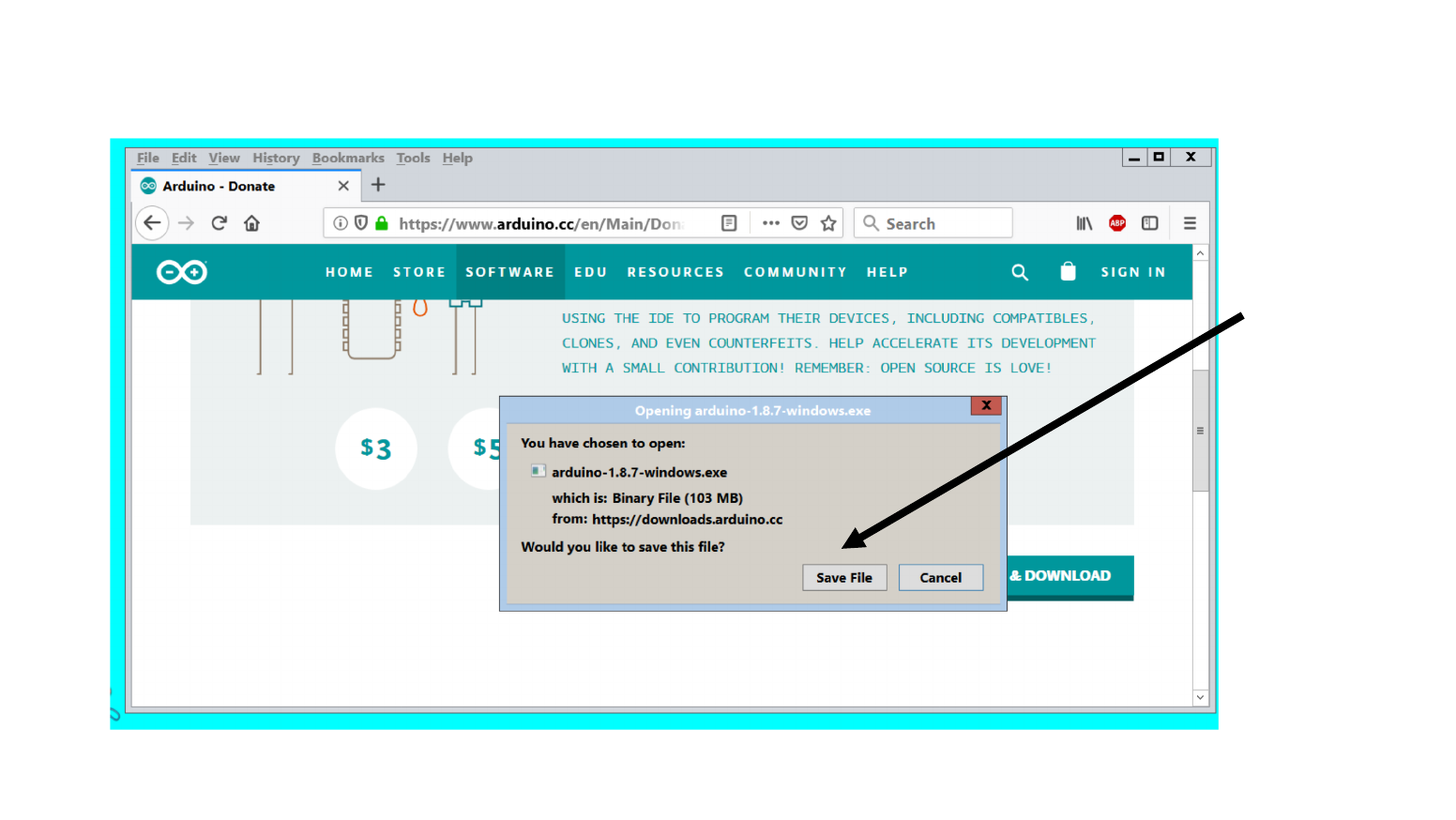
Download the Software - 5
Copyright 2019 Joseph E. Wilkes 10
Click here
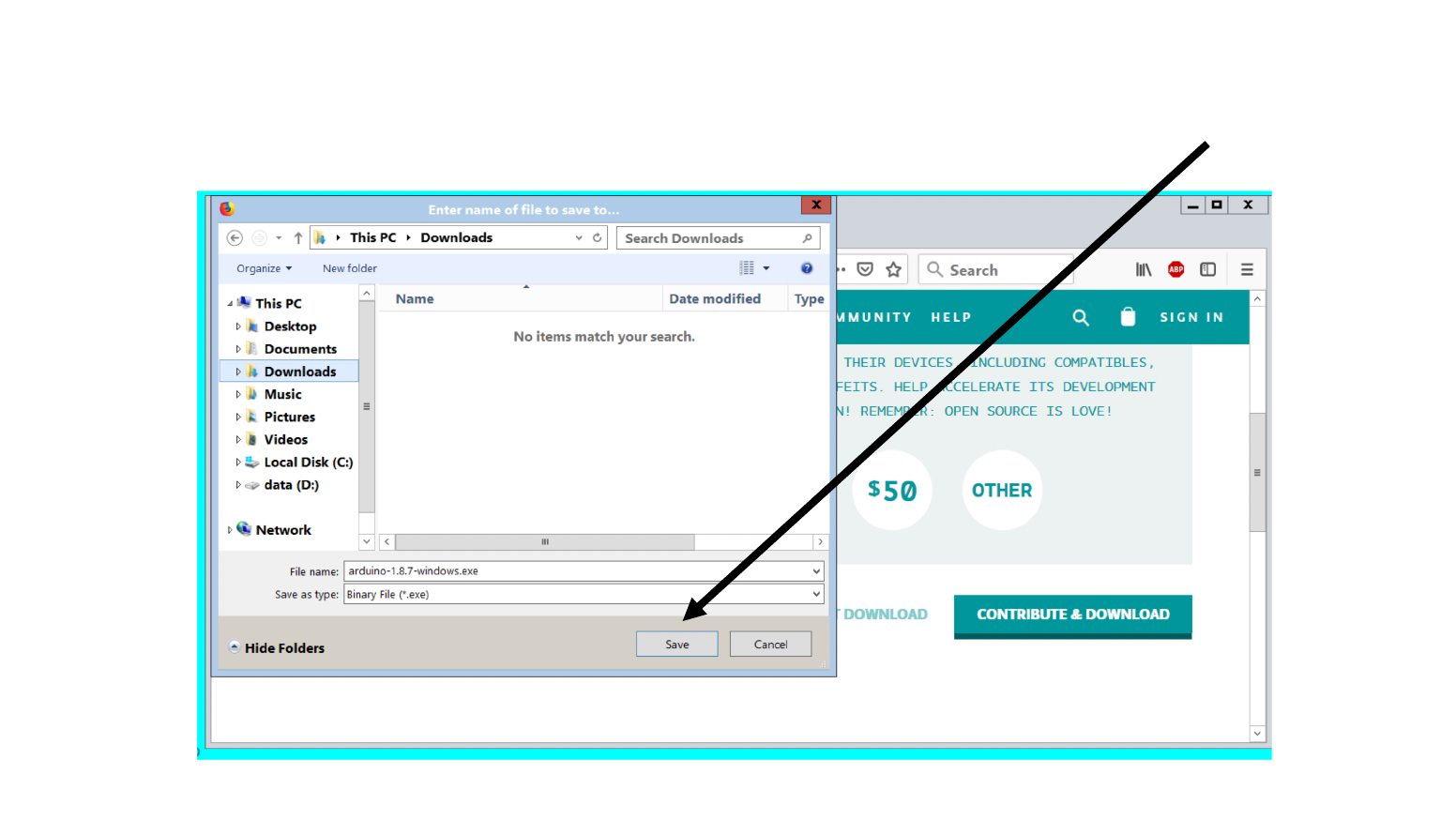
Download the Software - 6
Copyright 2019 Joseph E. Wilkes 11
Click here
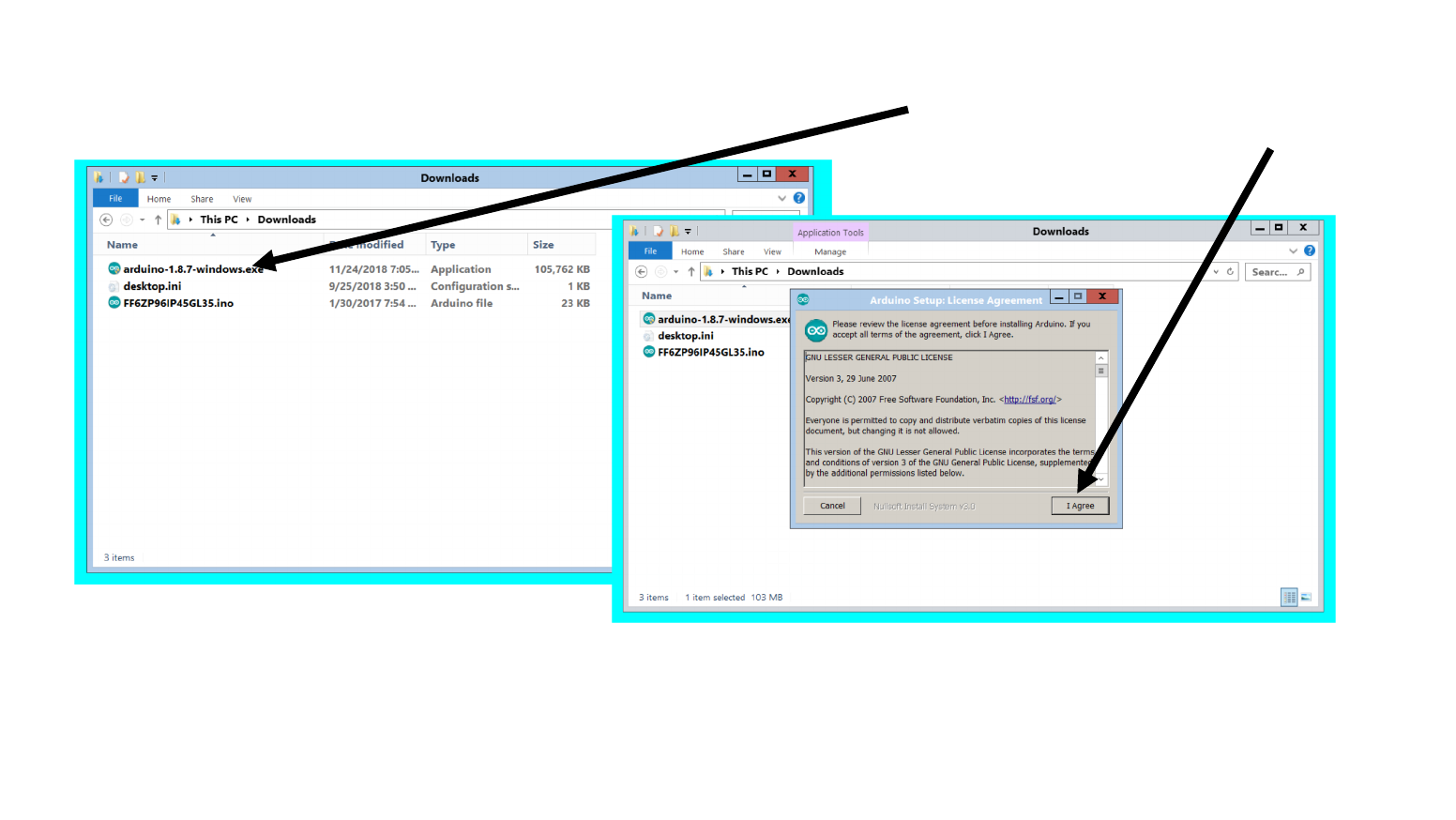
Install the Software - 1
Copyright 2019 Joseph E. Wilkes 12
Click here
Double Click here
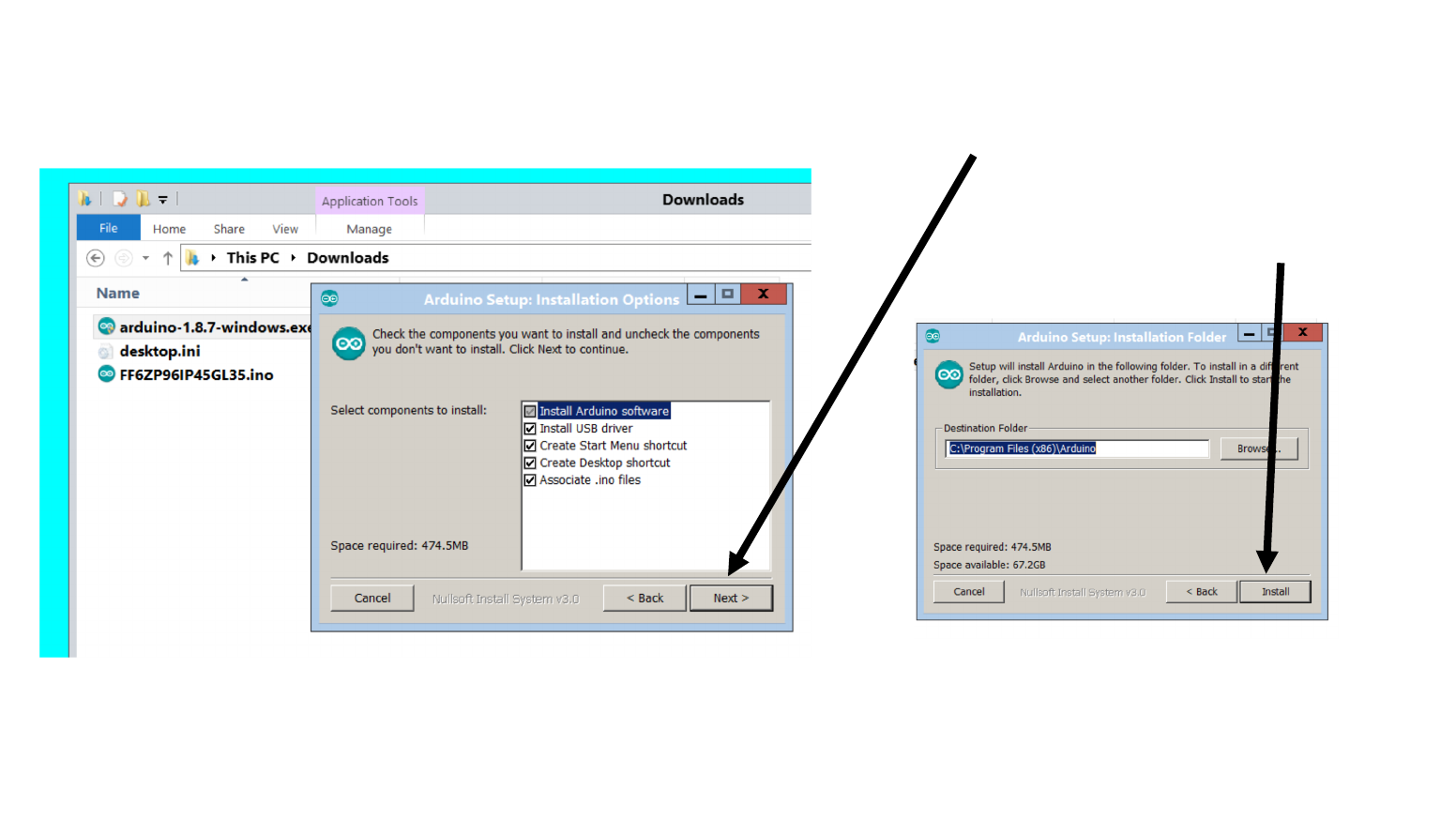
Install the Software - 2
Copyright 2019 Joseph E. Wilkes 13
Click here
Click here
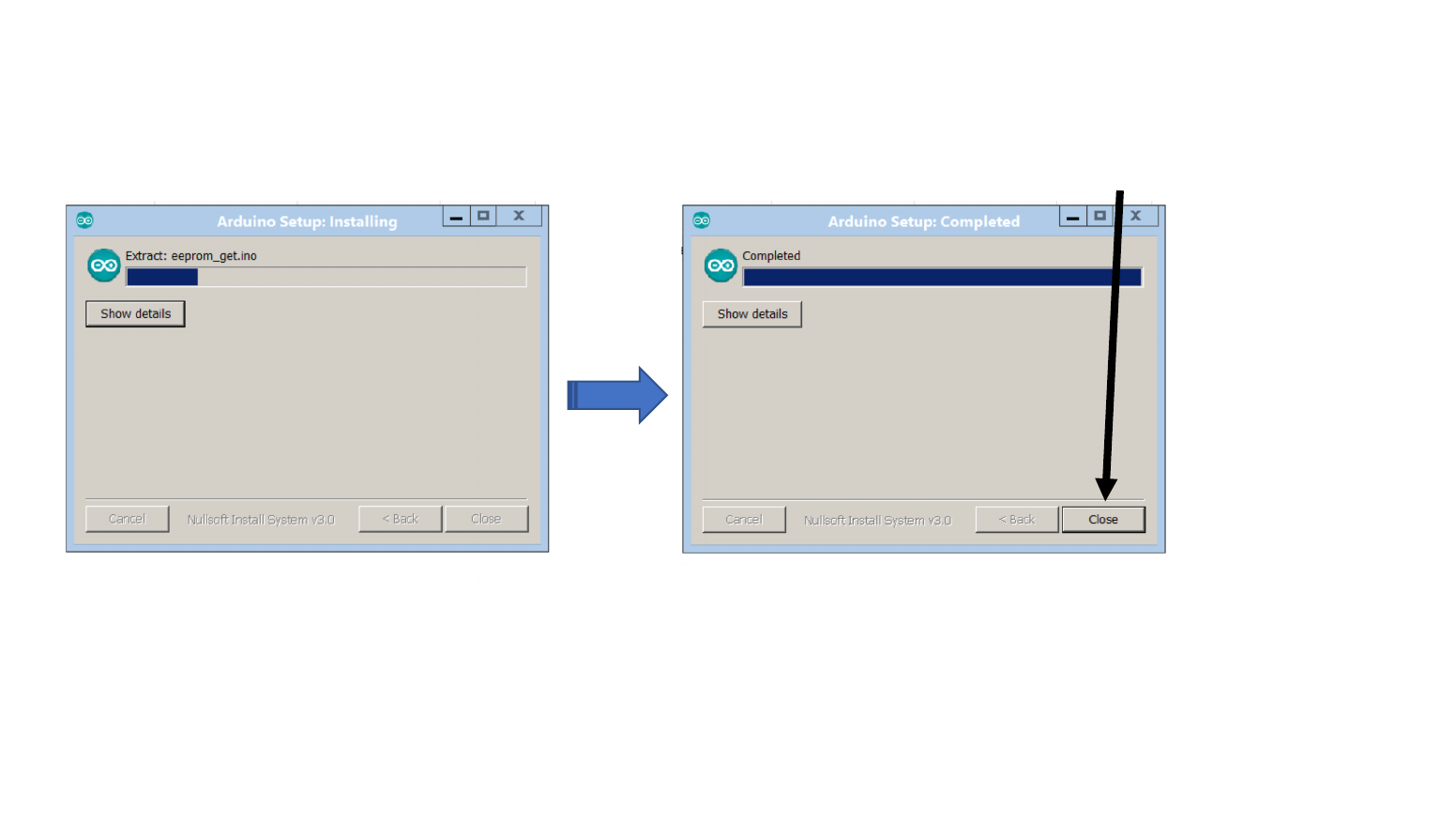
Install the Software - 3
Copyright 2019 Joseph E. Wilkes 14
Click here

Arduino Development Environment is Installed
•In class:
•We will show how to connect Arduino to laptop
•We will show how to establish connection to Arduino
•We will show the most simple program
Copyright 2019 Joseph E. Wilkes 15

Stop!
You are now done
Other pages are for Other Operating Systems
Copyright 2019 Joseph E. Wilkes 16
