Intel ® VPro™ Technology Module For Microsoft Windows PowerShell* Remote Management 4 Support Vpro Powershell Manual
User Manual: Remote Management Module 4
Open the PDF directly: View PDF  .
.
Page Count: 46
- Intel ® vPro™ Technology Module for Microsoft* Windows PowerShell*
- Legal Disclaimer
- Legal Disclaimer
- Slide Number 4
- Agenda
- Introduction
- Ways to Implement an Intel® AMT Application
- Microsoft* Windows PowerShell*
- Why use Microsoft* Windows PowerShell*?
- Using Windows PowerShell*
- MS-DOS to Windows PowerShell*
- Windows PowerShell* Prerequisites
- Setting up the Environment
- Intel® vPro™ Technology Module for Microsoft Windows PowerShell*
- Windows PowerShell* and Intel® vPro™ Technology: Direct Access to Intel® AMT enables an IT Department to Fix Problems on the Fly
- Intel® vPro™ Technology Module for Microsoft* Windows PowerShell*
- Module Versions
- Prerequisites
- Setup the Environment
- Information Cmdlets (command-let)
- Secure Intel® AMT Credential in Storage
- Windows PowerShell* Drive
- Power Packages
- Piping Capability
- One-to-One / One-to-Many IDER
- Intel ® Fast Call for Help interface
- GUI Editor Tool
- Intel® vPro™ Technology Module for Microsoft* Windows PowerShell* GUI Editor Tool
- Introduction
- Download and install package
- Windows PowerShell * invoke-AMTGUI Editor
- Controls - Label
- Controls - Image
- Controls – Generic Button
- Controls – Intel vPro Button
- Controls – Output Window
- Controls – Credential Input Box
- Controls – Computer Name Input Box
- Controls – Intel vPro Command List Box
- Controls – Variable Input Box
- Example IT Tier 1 GUI
- How to load a GUI XML file
- Intel® vPro™ Technology Module for Microsoft* Windows PowerShell*
- Q&A
- Backup
- Links
1
1
Intel ® vPro™ Technology
Module for
Microsoft* Windows PowerShell*

2
Legal Disclaimer
•INFORMATION IN THIS DOCUMENT IS PROVIDED IN CONNECTION WITH INTEL® PRODUCTS. NO LICENSE, EXPRESS OR IMPLIED,
BY ESTOPPEL OR OTHERWISE, TO ANY INTELLECTUAL PROPERTY RIGHTS IS GRANTED BY THIS DOCUMENT. EXCEPT AS
PROVIDED IN INTEL’S TERMS AND CONDITIONS OF SALE FOR SUCH PRODUCTS, INTEL ASSUMES NO LIABILITY WHATSOEVER,
AND INTEL DISCLAIMS ANY EXPRESS OR IMPLIED WARRANTY, RELATING TO SALE AND/OR USE OF INTEL® PRODUCTS
INCLUDING LIABILITY OR WARRANTIES RELATING TO FITNESS FOR A PARTICULAR PURPOSE, MERCHANTABILITY, OR
INFRINGEMENT OF ANY PATENT, COPYRIGHT OR OTHER INTELLECTUAL PROPERTY RIGHT. INTEL PRODUCTS ARE NOT
INTENDED FOR USE IN MEDICAL, LIFE SAVING, OR LIFE SUSTAINING APPLICATIONS.
•Intel may make changes to specifications and product descriptions at any time, without notice.
•All products, dates, and figures specified are preliminary based on current expectations, and are subject to change without
notice.
•Intel, processors, chipsets, and desktop boards may contain design defects or errors known as errata, which may cause the
product to deviate from published specifications. Current characterized errata are available on request.
•Any code names featured are used internally within Intel to identify products that are in development and not yet publicly
announced for release. Customers, licensees and other third parties are not authorized by Intel to use code names in
advertising, promotion or marketing of any product or services and any such use of Intel's internal code names is at the sole
risk of the user.
•Intel product plans in this presentation do not constitute Intel plan of record product roadmaps. Please contact your Intel
representative to obtain Intel’s current plan of record product roadmaps.
•Software and workloads used in performance tests may have been optimized for performance only on Intel
microprocessors. Performance tests, such as SYSmark and MobileMark, are measured using specific computer systems,
components, software, operations and functions. Any change to any of those factors may cause the results to vary. You
should consult other information and performance tests to assist you in fully evaluating your contemplated purchases,
including the performance of that product when combined with other products. For more information go to
http://www.intel.com/performance
•Intel, Intel Inside, the Intel logo, Centrino, Centrino Inside, Intel Core, Intel Atom and Pentium are trademarks of Intel
Corporation in the United States and other countries.
•Material in this presentation is intended as product positioning and
not
approved end user messaging.
•This document contains information on products in the design phase of development.
*Other names and brands may be claimed as the property of others.
Copyright © 2012 Intel Corporation, All Rights Reserved

3
Legal Disclaimer
•Security features enabled by Intel® AMT require an enabled chipset, network hardware and software and a corporate network
connection. Intel AMT may not be available or certain capabilities may be limited over a host OS-based VPN or when
connecting wirelessly, on battery power, sleeping, hibernating or powered off. Setup requires configuration and may require
scripting with the management console or further integration into existing security frameworks, and modifications or
implementation of new business processes. For more information, see http://www.intel.com/technology/manage/iamt.
•No system can provide absolute security under all conditions. Requires an enabled chipset, BIOS, firmware and software and a
subscription with a capable Service Provider. Consult your system manufacturer and Service Provider for availability and
functionality. Intel assumes no liability for lost or stolen data and/or systems or any other damages resulting thereof. For
more information, visit http://www.intel.com/go/anti-theft
•Intel® Turbo Boost Technology requires a PC with a processor with Intel Turbo Boost Technology capability. Intel Turbo Boost
Technology performance varies depending on hardware, software and overall system configuration. Check with your PC
manufacturer on whether your system delivers Intel Turbo Boost Technology. For more information, see
http://www.intel.com/technology/turboboost
•(Built-in Visuals) Available on the 2nd gen Intel® Core™ processor family. Includes Intel® HD Graphics, Intel® Quick Sync Video,
Intel® Clear Video HD Technology, Intel® InTru™ 3D Technology, and Intel® Advanced Vector Extensions. Also optionally includes
Intel® Wireless Display depending on whether enabled on a given system or not. Whether you will receive the benefits of built-
in visuals depends upon the particular design of the PC you choose. Consult your PC manufacturer whether built-in visuals are
enabled on your system. Learn more about built-in visuals at http://www.intel.com/technology/visualtechnology/index.htm.
•Intel® Insider™ is a hardware-based content protection mechanism. Requires a 2nd generation Intel® Core™ processor-based PC
with built-in visuals enabled, an Internet connection, and content purchase or rental from qualified providers. Consult your PC
manufacturer. For more information, visit www.intel.com/go/intelinsider.

4
4
Intel® vPro™ Technology
Module for Microsoft* Windows PowerShell*:
Direct Access to Intel® AMT enables the
Ability to Fix Problems on the Fly

5
Agenda
•Introduction
•Using Windows PowerShell*
•Intel® vPro™ Technology Module for
Microsoft* Windows PowerShell*
•GUI Editor Tool
•Next Steps

6
6
Intel® vPro™ Technology Module for
Microsoft Windows PowerShell*
Introduction

7
Ways to Implement an Intel® AMT
Application
•Intel AMT SDK
The Intel AMT SDK provides the necessary APIs
and libraries to use Intel AMT features. Intel
expects effective and collaborative participation
from ISVs.
•Intel AMT High Level API (HLAPI)
The HLAPI provides an easier to use interface for
developing applications that work with systems
equipped with Intel AMT.
•Intel vPro Technology Module for
Microsoft* Windows PowerShell*
Provides IT Professionals an easy, scriptable
mechanism to interact with Intel AMT.
Ease of Use
8
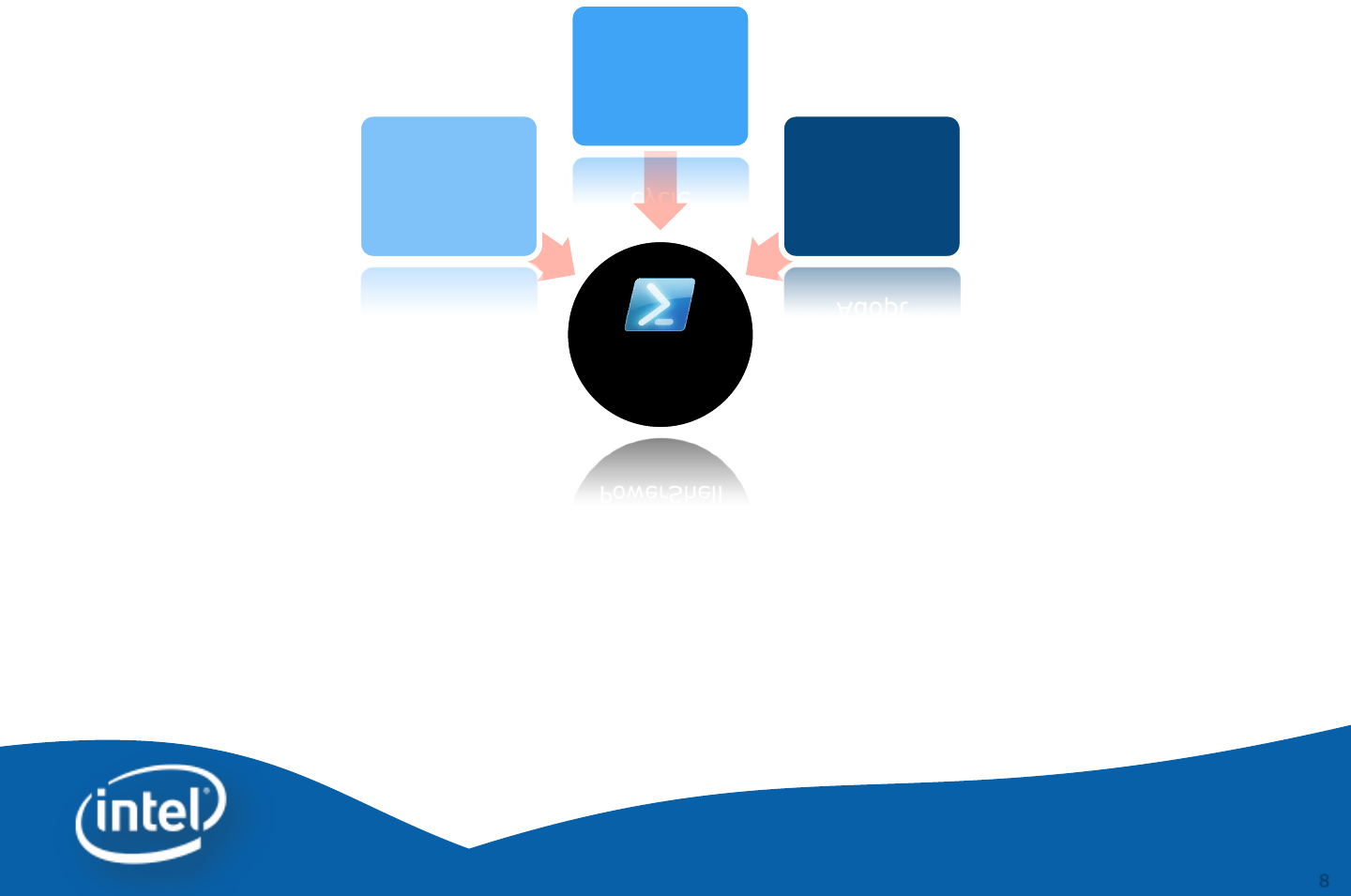
Microsoft* Windows PowerShell*
•Microsoft’s implementation of Windows PowerShell* allows IT professionals to
achieve greater control and productivity
•Standard / Simple / Flexible for an IT Professionals
•Adapts many different type systems and data formats to a common user
experience
•Provides IT Shops the tools to solve day to day real world opportunities
PowerShell
Standard
Environment
Fast
Development
cycle
Easy
to
Adopt
9
9
Why use Microsoft*
Windows PowerShell*?
Simple
Free

10
10
Intel® vPro™ Technology Module for
Microsoft* Windows PowerShell*
Using Windows PowerShell*
11
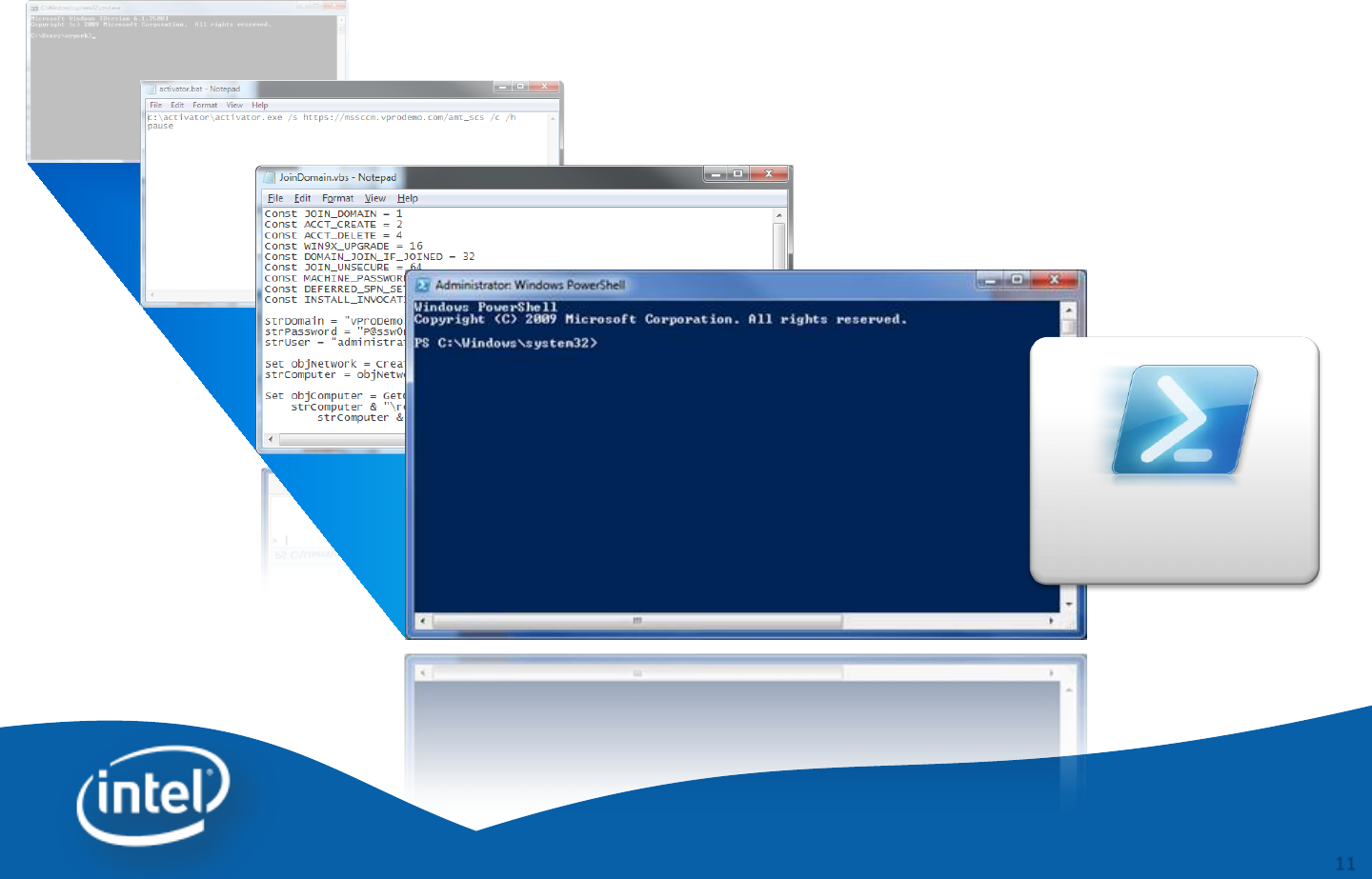
MS-DOS
Batch Files
VBScripts
MS-DOS to Windows PowerShell*
Windows
PowerShell*

12
Windows PowerShell*
Prerequisites
•Windows PowerShell* is natively included
-Windows 7
-Windows Server 2008 R2
•It is released for
-Windows XP with Service Pack 3
- Windows Server 2003 with Service Pack 2
- Windows Vista with Service Pack 1
-Windows Server 2008
•Windows Management Framework Core package
download link
http://support.microsoft.com/kb/968930

13
Setting up the Environment
a) Download the Intel vPro Technology Module for Windows
PowerShell* from http://intel.com/go/powershell and install the
package.
b) Start -> All Programs -> Accessories -> Windows PowerShell
c) Run Set-ExecutionPolicy remotesigned
-Need to install PowerShell *version 2.0 before the
Intel vPro Technology PowerShell module can be installed.

14
14
Intel® vPro™ Technology Module
for Microsoft Windows PowerShell*
Intel® vPro™ Technology Module for
Microsoft Windows PowerShell*
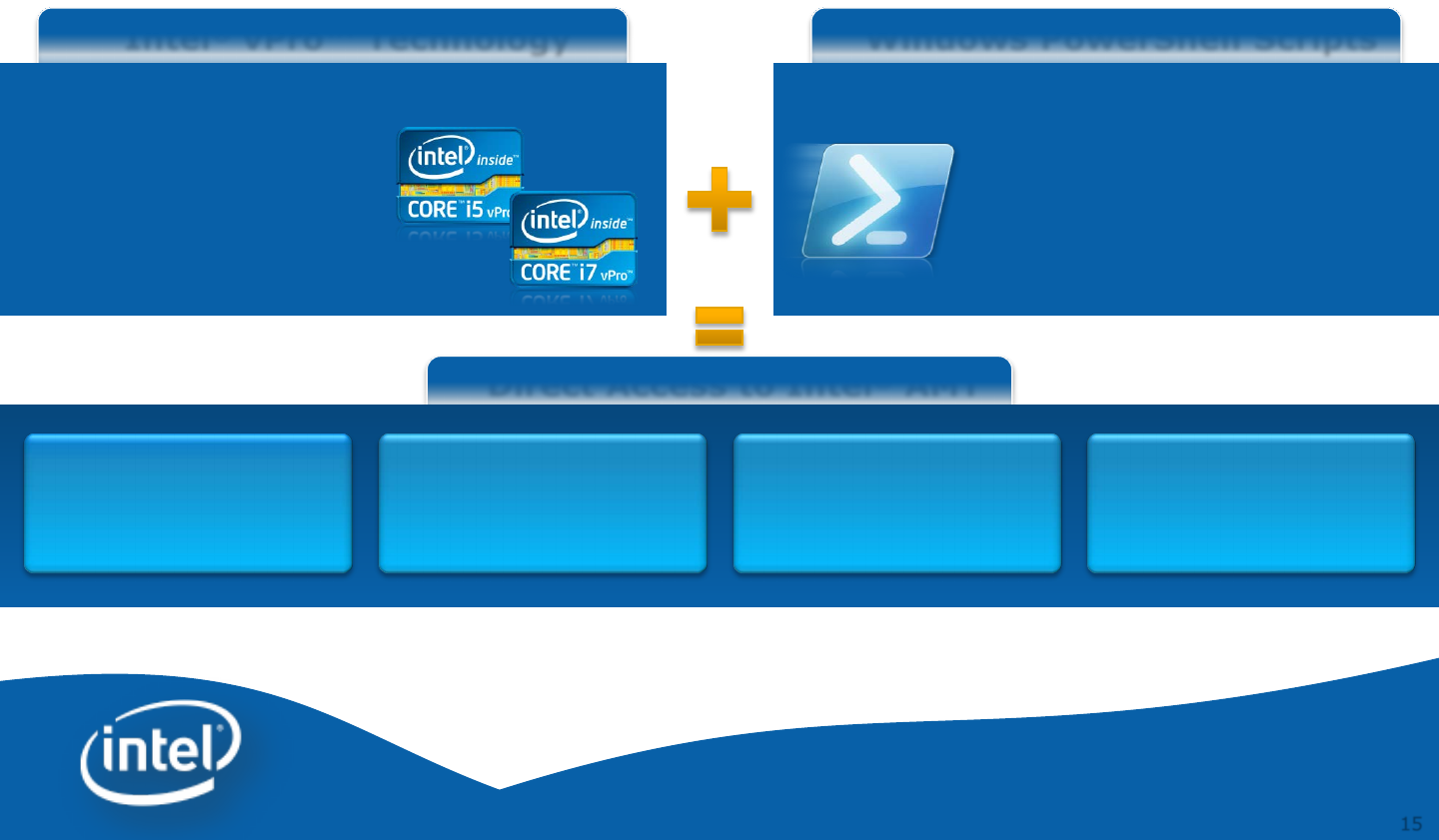
15
Direct Access to Intel® AMT
Windows PowerShell Scripts
Windows PowerShell* and Intel® vPro™
Technology: Direct Access to Intel® AMT enables
an IT Department to Fix Problems on the Fly
Lower TCO, Reduce Desk Side Visits,
and Improve End-user Productivity
Intel® vPro™ Technology
•Remote power management
(turn on and off)
•IDE-redirection
•Serial over LAN
•KVM
•Intel ® AMT configuration
parameters dynamically set
•Integrate into existing tools
•Enables easy automation
•Can access the alarm clock
•Enable features not available
in an existing management
console
Automate Power
Control on Demand
with Automatic
Boot Up
Can Wake Up System
at Given Time w/o
Any Network
Connection Before
IT Shop Can Solve
Problems with No
Wait Time
Can “On the Fly”
Adjust/Change Intel
AMT Parameters

16
Intel® vPro™ Technology Module for
Microsoft* Windows PowerShell*
•What is it?
Provides programming resources and scripts in a standard package
that can be deployed and used by Windows PowerShell*
All the programming resource are built in the entirely in the .NET
framework and all scripts are standard Windows PowerShell .ps1 text)
files
Exposes a late-binding CIM client for accessing Intel® AMT over the
WS-MAN protocol
Exposes HECI driver to Windows PowerShell* scripts
Provides Intel® AMT drive abstraction for treating AMT firmware
settings as a virtual file system that can be enumerated and copied
both locally and remotely
Provides scriptable certificate enrollment and Kerberos integration
services for enterprise setup and configuration
Scripts for invoking Intel® AMT use cases
17
Module Versions
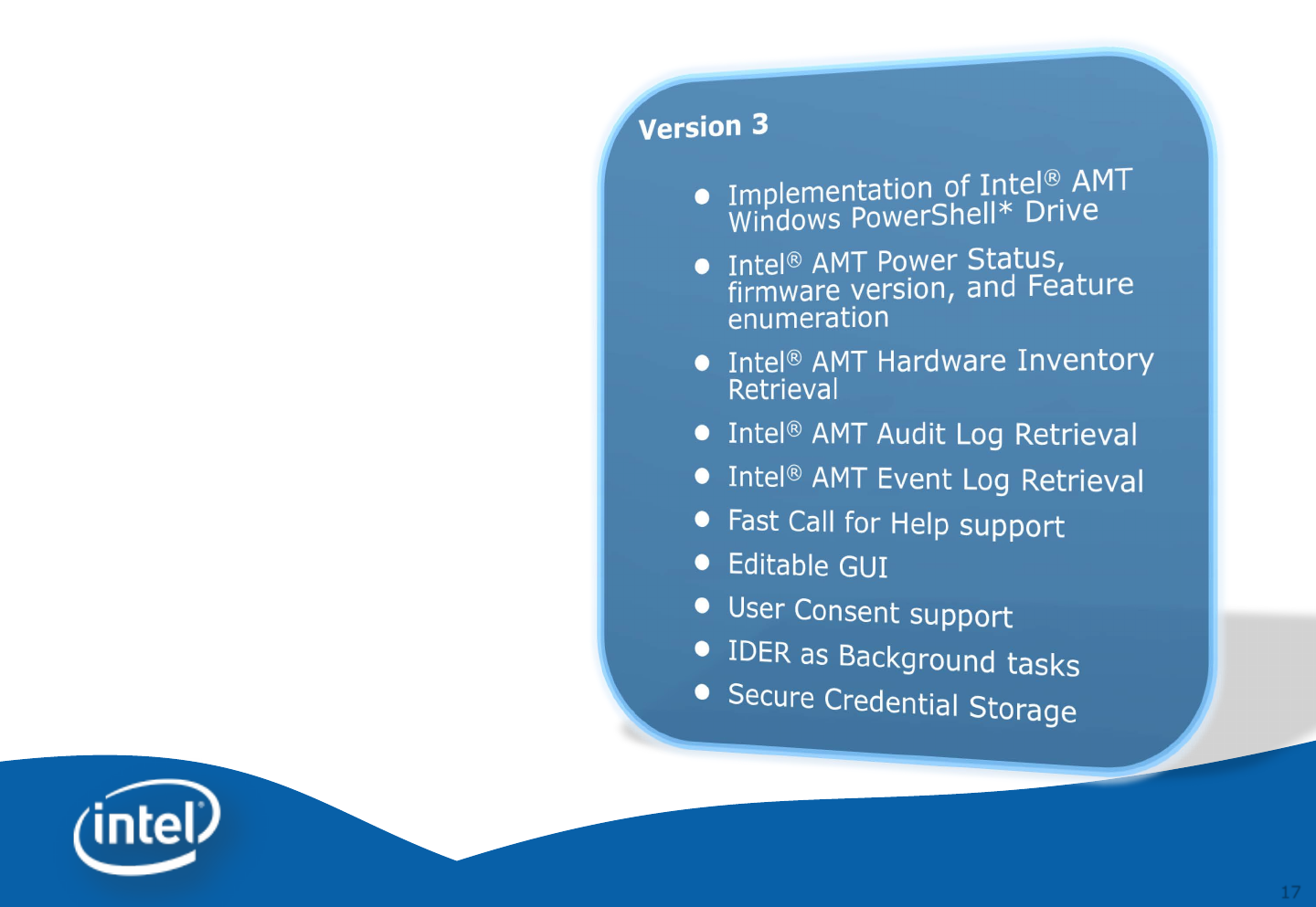
•Version 1
–Core CIM client feature complete
–Module Installer
–Features:
–Power Control (Power On, Off,
Restart)
–Force Boot (Local Hard drive, CD-
ROM, PXE)
–Alarm Clock Configuration
–System Defense
–3PDS (Reading, Writing and
Clearing)
•Version 2
–Extended Features
–Force Boot IDER Support
–Serial over LAN
–Light Weight GUI built completely with
Windows PowerShell
–Treat 3PDS, HW Inventory, Audit and
Event Logs as file system
–Local or remote manipulation of Intel®
AMT Configuration

18
Prerequisites
•Any PC with Microsoft
Windows XP * or later with
–Microsoft .NET Framework 3.5
–Windows PowerShell * 2.0
installed
–Intel® vPro™ Technology Module
for Windows PowerShell*
installed
–Windows Remote Management
(WinRM)
•Intel® vPro™ based PC with
Microsoft Windows XP * or later
with
–Microsoft .NET Framework 3.5
–Windows PowerShell* 2.0
installed
–Intel® vPro™ Technology Module
for Windows PowerShell* (Only
needed if running locally)
–Windows Remote Management
•Intel® Active Management
Technology (Intel® AMT) 3.0 or
higher
•Intel® Management Engine is
provisioned
IT Console
Client PC
Install the module on Client PC only when you want to run it locally

19
Setup the Environment
Import the Module
PS C:\> Import-Module IntelvPro
•%UserProfile%\My Documents\WindowsPowerShell\profile.ps1
This profile applies only to the current user, but affects all shells.
Profile.ps1
Import-Module IntelvPro

20
Information Cmdlets (command-
let)
•Get FW version
PS C:\> Get-AMTFirmwareVersion 192.168.1.2 –username admin –
password P@ssw0rd
•Get Power State
PS C:\> Get-AMTPowerState 192.168.1.2 –username admin –
password P@ssw0rd
•Get Event Log
PS C:\> Get-AMTEventLog 192.168.1.2 –username admin –password
P@ssw0rd
•Get Hardware Asset
PS C:\> Get-AMTHardwareAsset 192.168.1.2 –username admin –
password P@ssw0rd

21
Secure Intel® AMT Credential in
Storage
•This secure storage lets us put the Intel® AMT credentials
safely into Windows PowerShell* to be retrieved later when
running the Cmdlets.
PS C:\> $cred = Get-Credential
PS C:\> Write-AmtCredential -Username
$cred.UserName -Password $cred.Password
•Now you can read Intel AMT credential on different PS session
by using “–credential $cred” instead of the long parameter “-
username” and “-password”
PS C:\> import-module intelvPro
PS C:\> Read-AmtCredential
PS C:\> Get-AMTFirmwareVersion –computername
192.168.1.2 -Credential $cred
You may utilize profile.ps1 to read predefined credentials.

22
Windows PowerShell* Drive
•Windows PowerShell* has ability to map Intel® AMT system
as a Windows PowerShell* drive
PS C:\> Get-PSDrive
•Map PS drive to client system
–Map Intel® AMT system as a PS drive
PS C:\> new-psdrive -name amt -psprovider AmtSystem –
root "\" -computername 192.168.1.2 -credential $cred
–Retrieve Intel® AMT logs
PS C:\> Get-Content amt:\logs\EventLog
–Enable KVM
PS C:\> cd amt:\config\kvm
PS C:\> Set-Item AccessPointEnabled –Value True
PS C:\> Set-Item RFBPassword –Value P@ssw0rd
PS C:\> Set-Item UseStandardPort –Value True
PS C:\> Set-Item ConsentRequired –Value True
23
•List Power Policy Schemes
PS C:\> cd amt:\config\etc\PowerPolicy\Schemes
PS C:\> ls
Name Value Type
---- ----- ----
Desktop: ON in S0 12834f94-10fb-dc4f-968e-1e232b0c9065 System.Guid
Desktop: ON in S0, ME Wake in S3 46732273-dc23-2f43-a98a-13d37982d855 System.Guid
•Change power package
PS C:\> Cd amt:\config\etc\PowerPolicy\
PS C:\> Set-Item .\ActiveScheme –value 12834f94-10fb-
dc4f-968e-1e232b0c9065
PS C:\> Set-Item .\ActiveScheme –value 46732273-dc23-
2f43-a98a-13d37982d855
Power Packages
6.x/7.0
Desktop Desktop: ON in S0 {12834F94-10FB-DC4F-968E-1E232B0C9065}
Desktop: ON in S0; ME Wake in S3, S4-S5 {46732273-DC23-2F43-A98A-13D37982D855}
6.x/7.0
Mobile Mobile: ON in S0 {11973976-560B-4350-88709812F391B560}
Mobile: ON in S0; ME Wake in S3/AC, S4-S5/AC {EE0D8030-C009-4378-AF287868A2DBBE3A}
- You may use either PS C:\> ls or PS C:\> dir to check
available items in a directory.

24
Piping Capability
•Remote Power Control
PS C:\> Invoke-AMTPowerManagement 192.168.1.2 –username
admin –password P@ssw0rd -operation reset
•Windows PowerShell * piping capability allows performing
operations on a large number of Intel® AMT systems at once
PS C:\> type Computers.txt
192.168.1.2
192.168.1.3
PS C:\> Get-Content computers.txt | invoke-
amtpowermanagement -operation poweron -Credential $cred

25
One-to-One / One-to-Many IDER
•Perform Intel® AMT IDER and reboot to remote CD/DVD
image
PS C:\> Start-AMTIDER 192.168.1.2 –iderpath:c:\psmdemo\boot.iso –
operation:reset –credential:$cred
PS C:\> Get-AMTIDER
PS C:\> Stop-AMTIDER
•Perform Intel® AMT IDER on multiple client PCs
PS C:\> type Computers.txt
192.168.1.2
192.168.1.3
PS C:\> Get-Content computers.txt | Start-AMTIDER
-iderpath:c:\dos_gold.iso –operation:reset -credential:$cred
PS C:\> Get-AMTIDER
PS C:\> Stop-AMTIDER PS C:\> Get-AMTIDER | Stop-AMTIDER
26
Intel ® Fast Call for Help interface

27
27
GUI Editor Tool
Intel® vPro™ Technology Module for
Microsoft* Windows PowerShell*
28
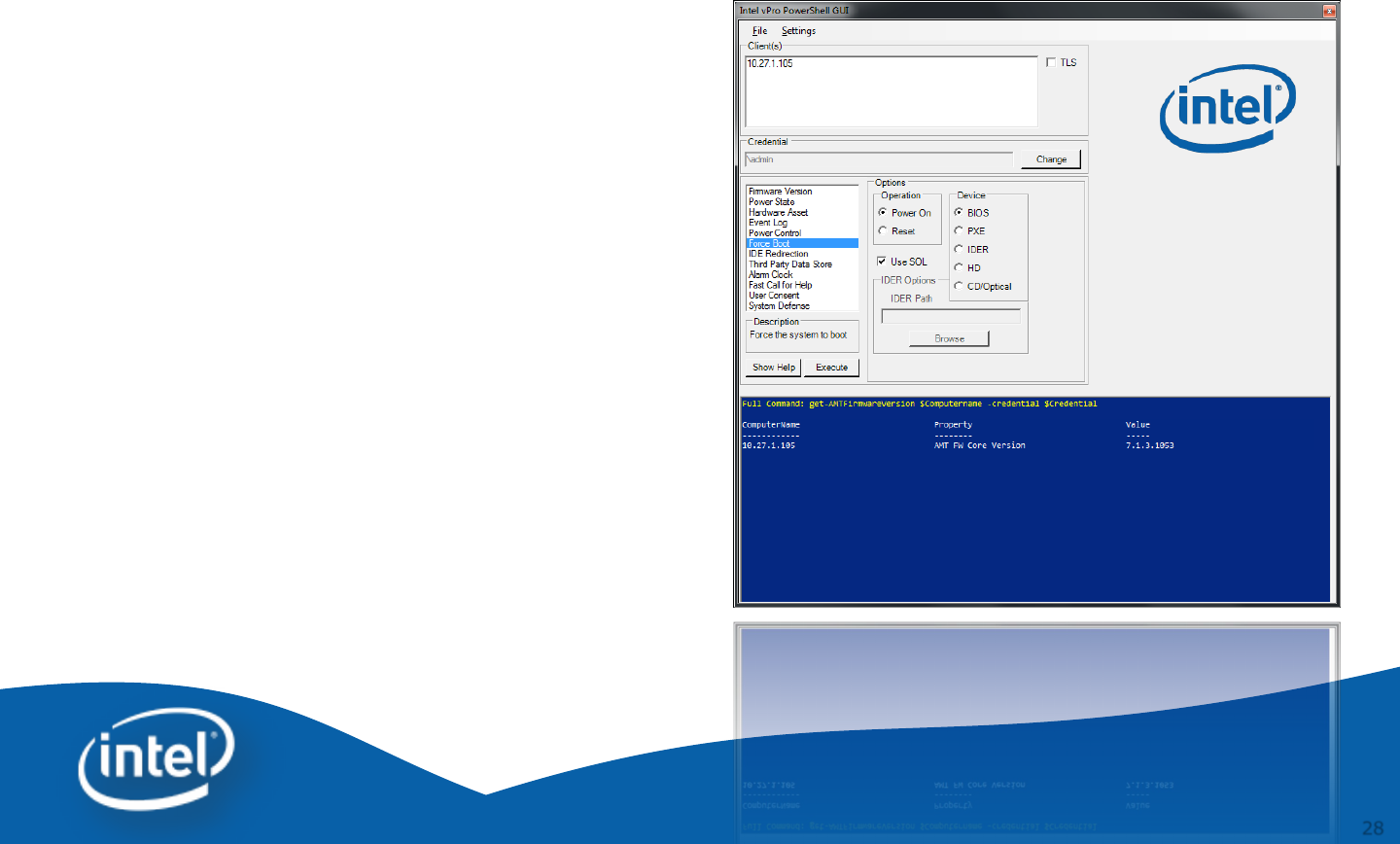
Intel® vPro™ Technology Module for Microsoft*
Windows PowerShell* GUI Editor Tool
•Provides GUI with easy access to the
Intel® vPro Technology scripts
•Easily extensible to call any
executable, script or cmdlet
•The appearance and behaviour can be
greatly customized with the invoke-
AMTGUI Editor tool
•Supports digest, Kerberos, non-TLS
and TLS modes
•Supports Intel vPro Technology
clients with Intel® AMT firmware 3.2
or later

29
Introduction
•The Intel® vPro™ Technology Module for Microsoft*
Windows PowerShell * GUI Editor Tool enables an IT
practitioner to design and customize the GUI that is
displayed by the invoke-AMTGUI script from the
Intel® vPro™ Technology Module for Microsoft
Windows PowerShell *
•The invoke-AMTGUI Editor Tool creates an XML
configuration file which the invoke-AMTGUI cmdlet
interprets and displays

30
Download and install package
a) Download the Intel® vPro™ Technology Module
for Microsoft Windows Powershell GUI Editor Tool
from http://www.intel.com/go/powershell
b) Start -> All Programs -> Intel PowerShell invoke-
AMTGUI Editor
31
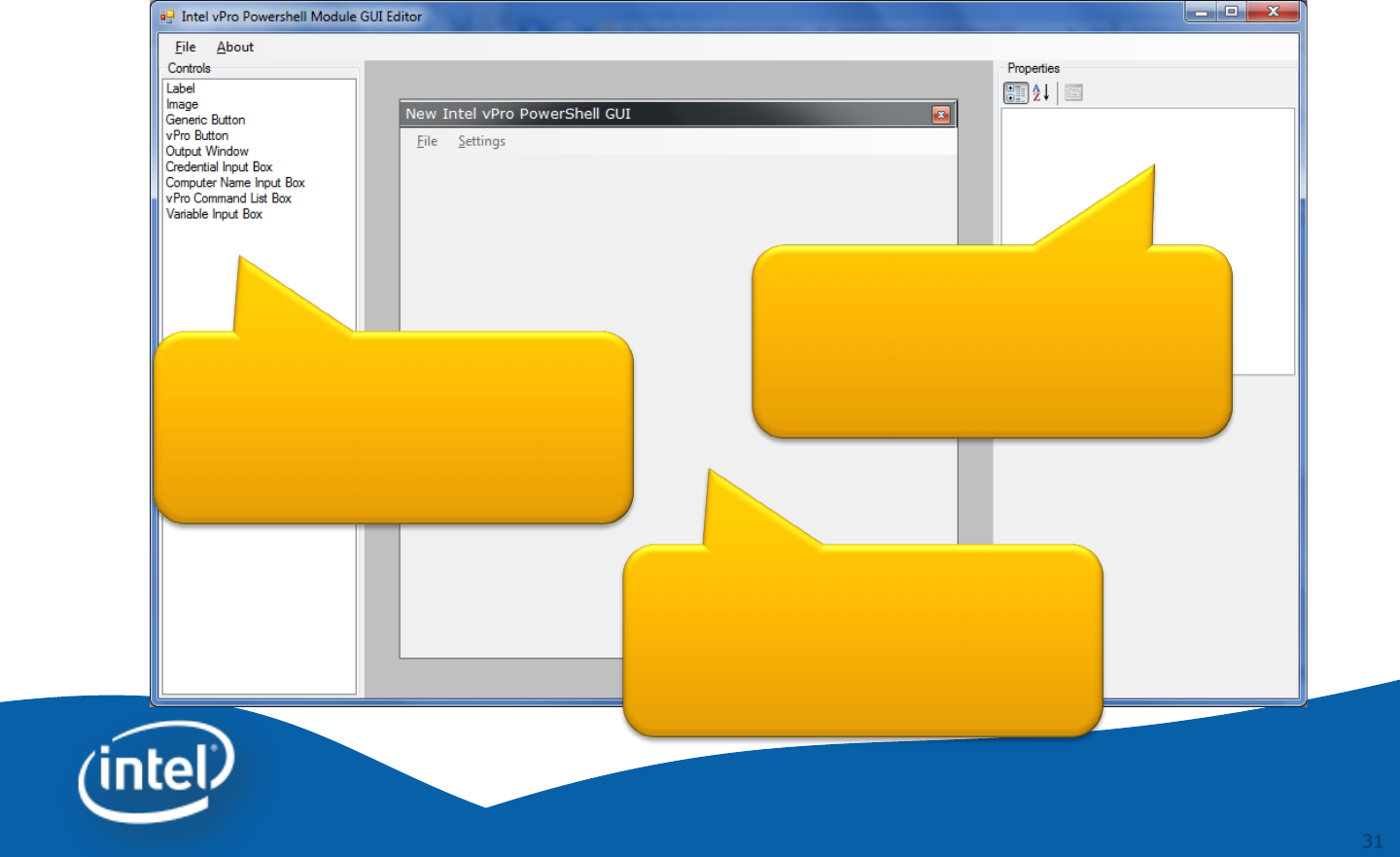
Windows PowerShell * invoke-
AMTGUI Editor
Controls
GUI
Properties
To launch AMT GUI Editor, please click on Start -> All Programs
-> Intel PowerShell invoke-AMTGUI Editor -> PowerShell invoke-AMTGUI Editor
32
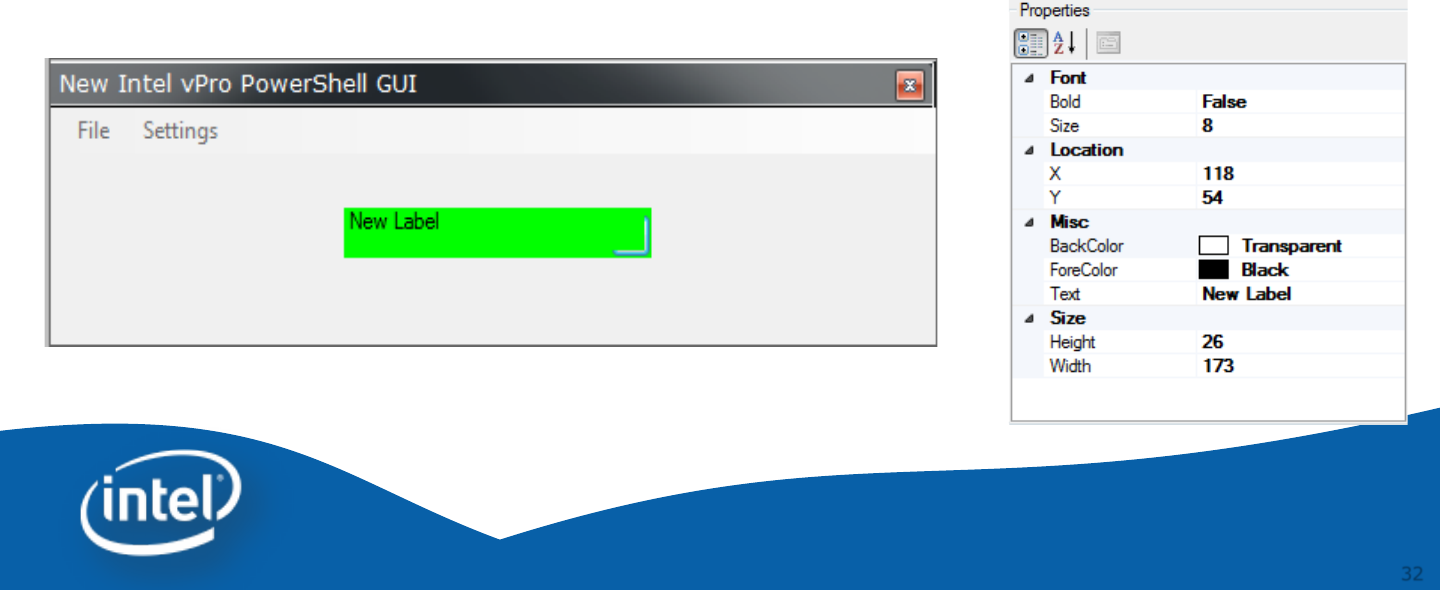
Controls - Label
Use the label control to place a text label on the GUI.
The text, font, and color can be edited. One usage of
the label is to display information or simple
commands to the user.
33
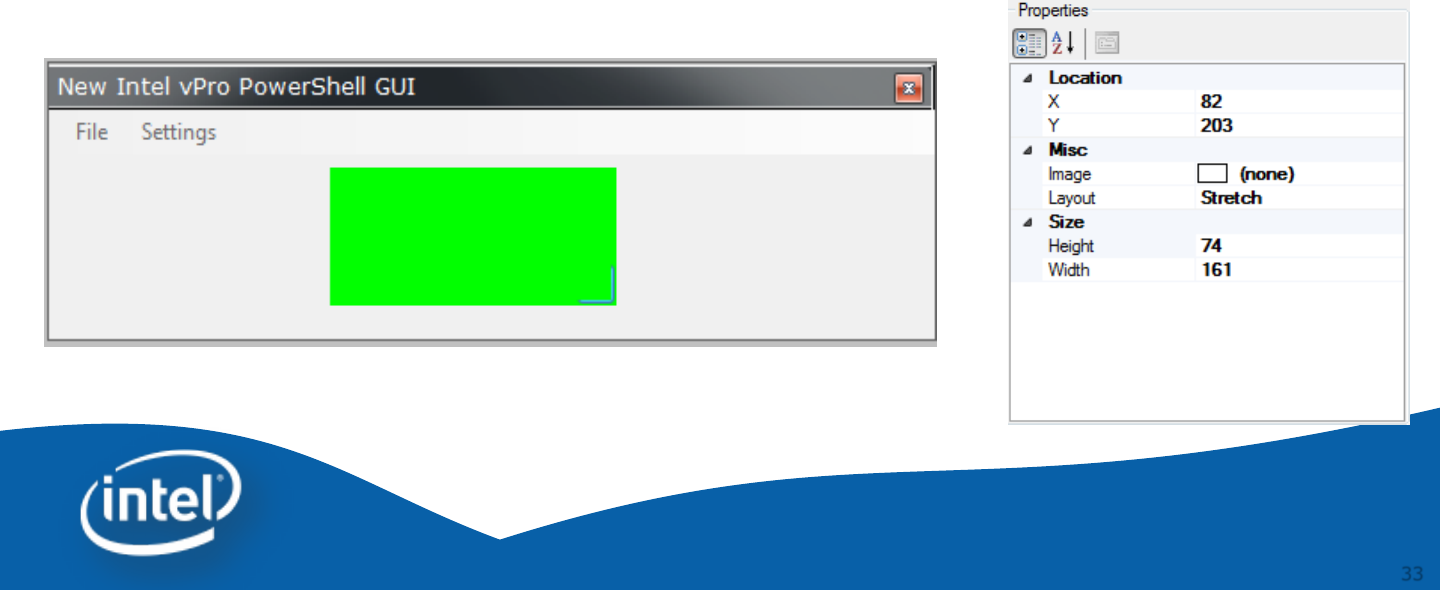
Controls - Image
Use the image control to place an image on the GUI.
Select an image by clicking on “Image” under
properties. The layout property is used to determine
how the image is displayed. Images are directly
embedded into the XML file so there is no need to
distribute them.
34
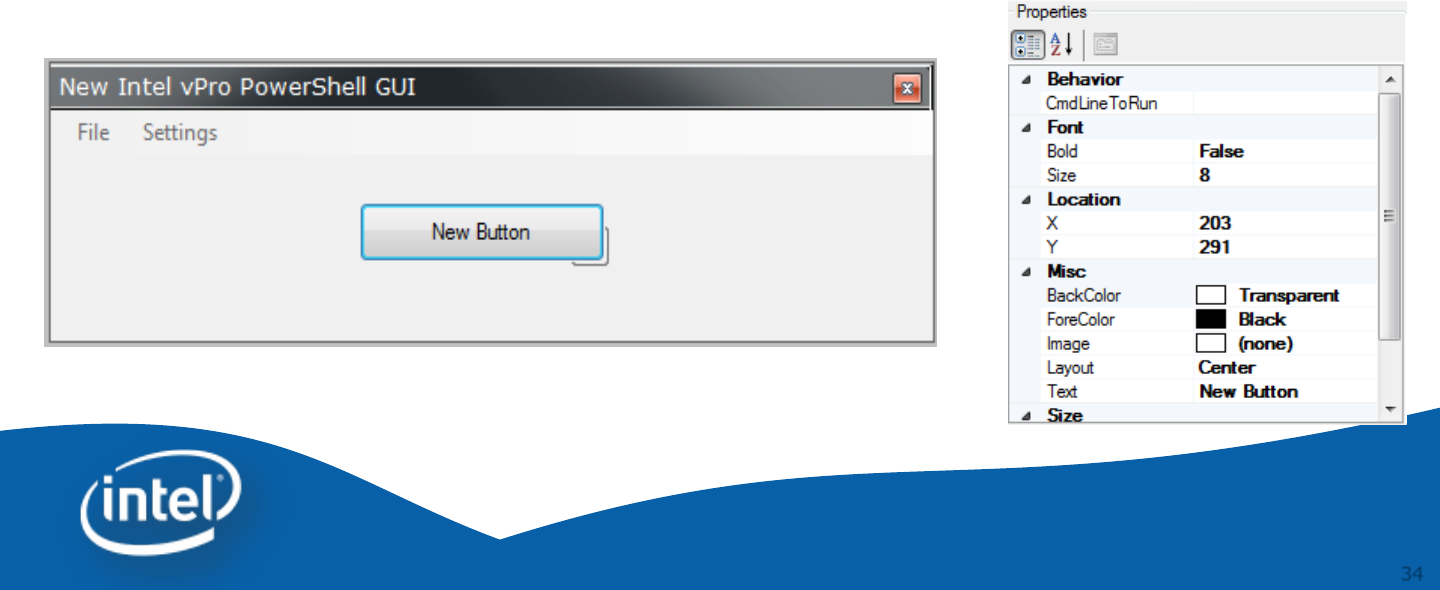
Controls – Generic Button
The generic button control can call any script or
executable. Set the CmdLineToRun property to the
script, cmdlet or executable to run. Change the text
of the button by using the Text property. The color
can be edited and an image can be added.
35
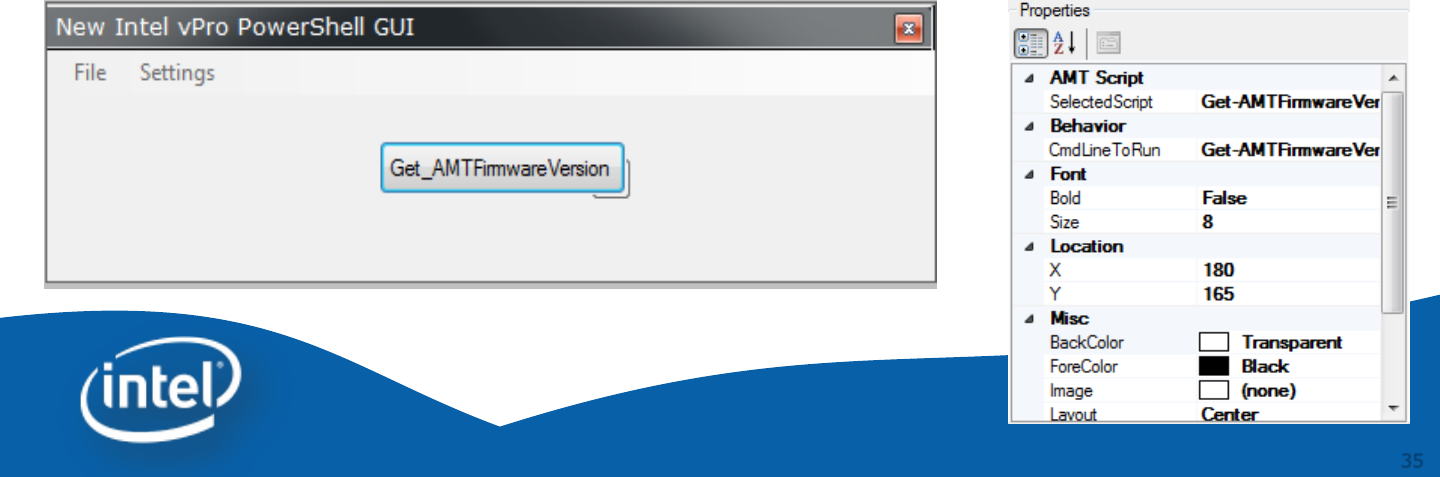
Controls – Intel vPro Button
The Intel vPro button control allows the easy use of
the Intel® vPro™ Technology scripts in the Intel®
vPro™ Technology Module for Microsoft Windows
PowerShell*. Choose the script the button runs
through the SelectedScript property. If a script has
parameters they are displayed below the Properties
window. This allows for the customization of the
script. These parameters are hardcoded into the
button and are used when the user presses the
button.
36
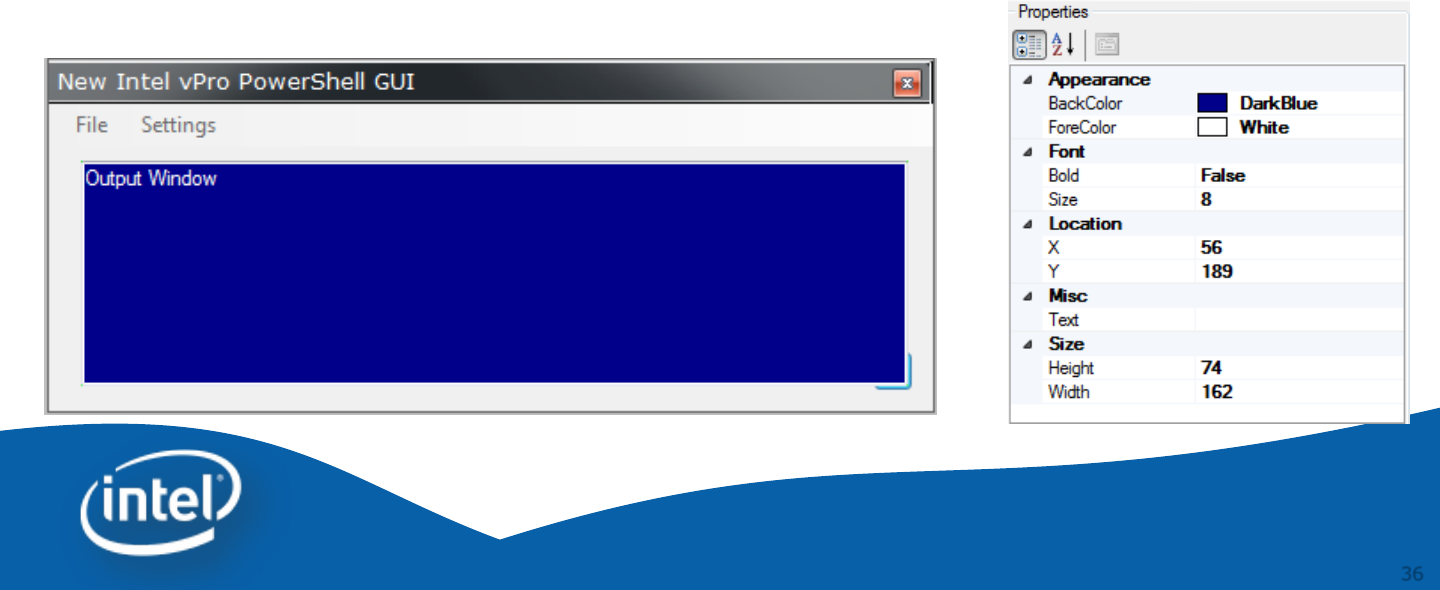
Controls – Output Window
The output window control displays the output from
scripts and applications run from the GUI.
37
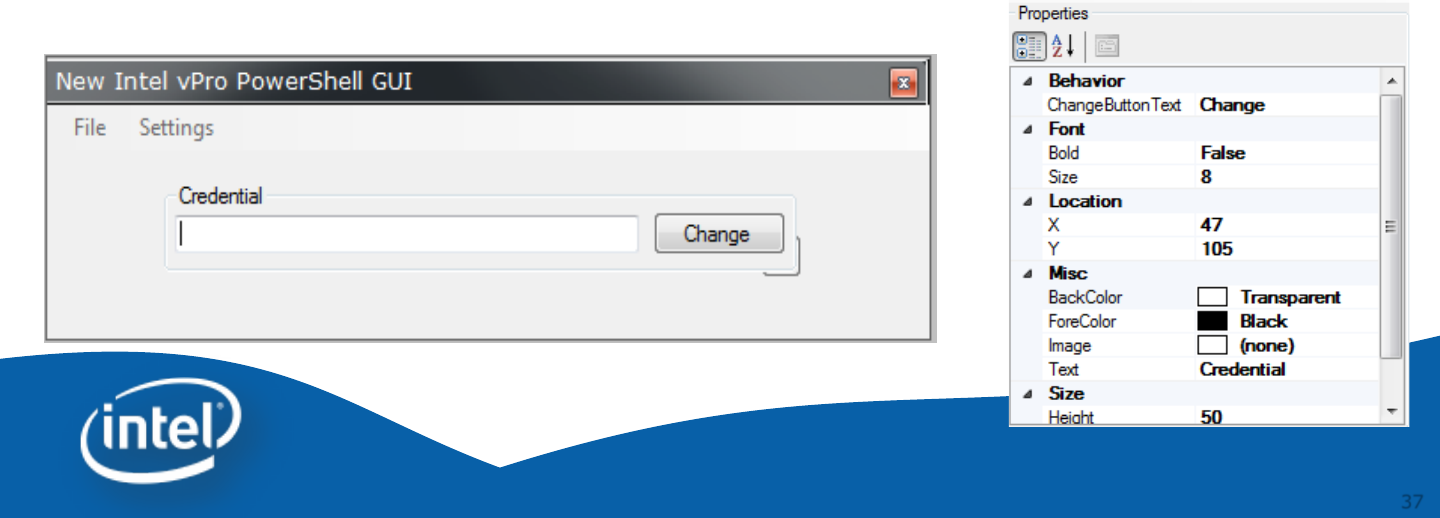
Controls – Credential Input Box
There is a built in variable $credential that is passed
to all built in Intel® vPro™ Technology scripts. If a
credential input box is added then the user can edit
the credential variable at runtime. It is not necessary
to add this control since the credentials can be
passed into the invoke-AMTGUI script when it is run.
Any script can use the $credential variable.
38
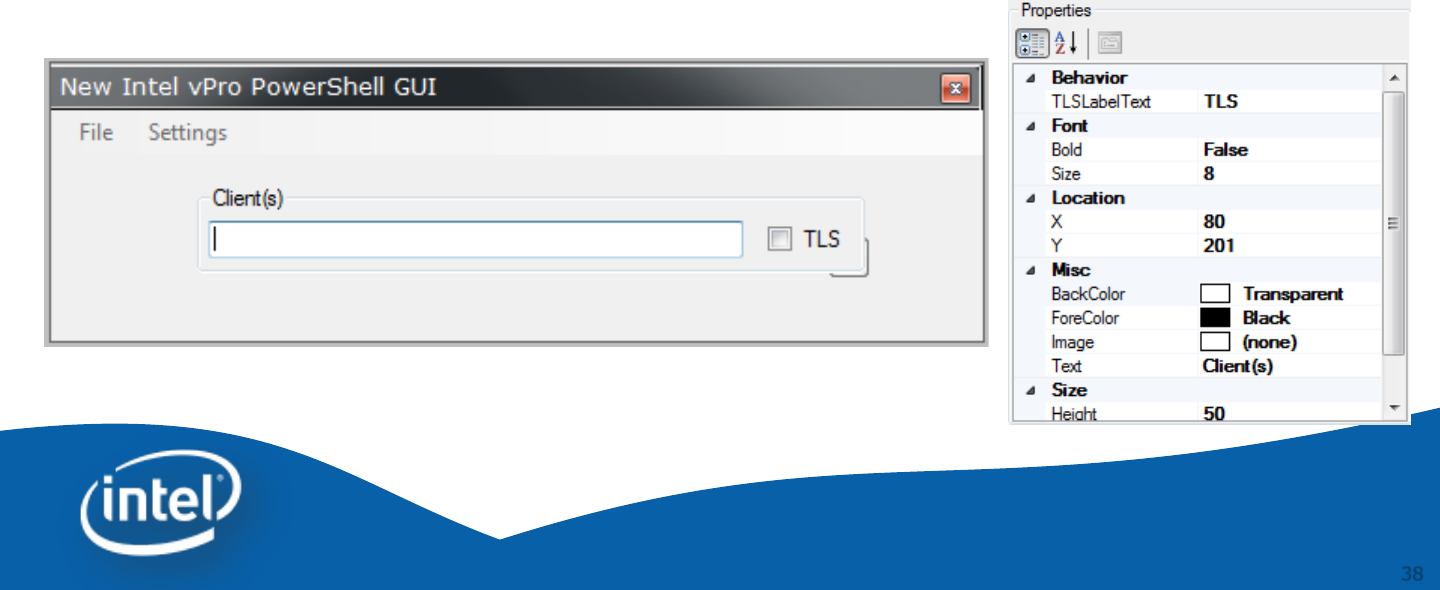
Controls – Computer Name Input
Box
Adding the computer name input box to the GUI
allows the user to enter in hostnames. Any hosts in
this box are automatically used by the Intel® vPro™
Technology scripts. The computer names are stored
in the variable $computerName that is available to
any script.
39
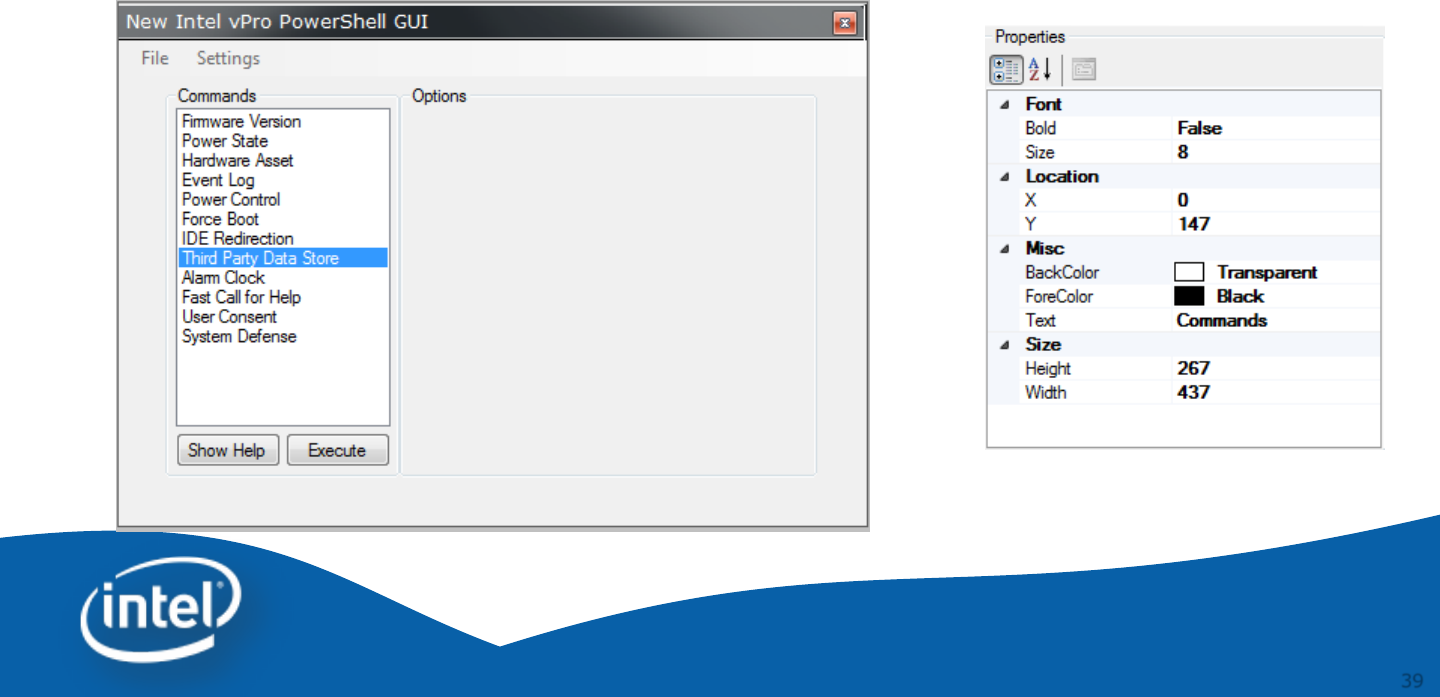
Controls – Intel vPro Command List Box
The Intel vPro Command List Box control contains all
the Intel® vPro™ Technology scripts. The contents of
this control are not editable. Use this control to give
the user access to all the Intel® vPro™ Technology
scripts and their settings.
40
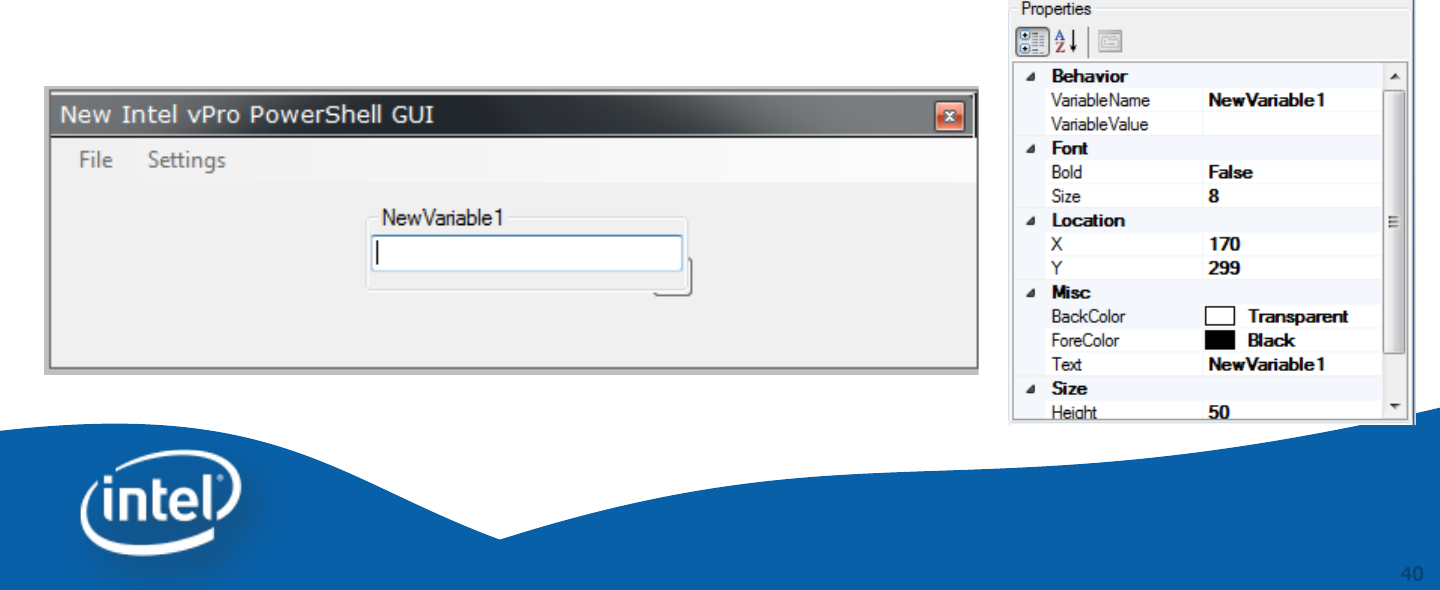
Controls – Variable Input Box
If you have a custom variable that you would like to
allow the user to edit it can be exposed using the
variable input box.
41
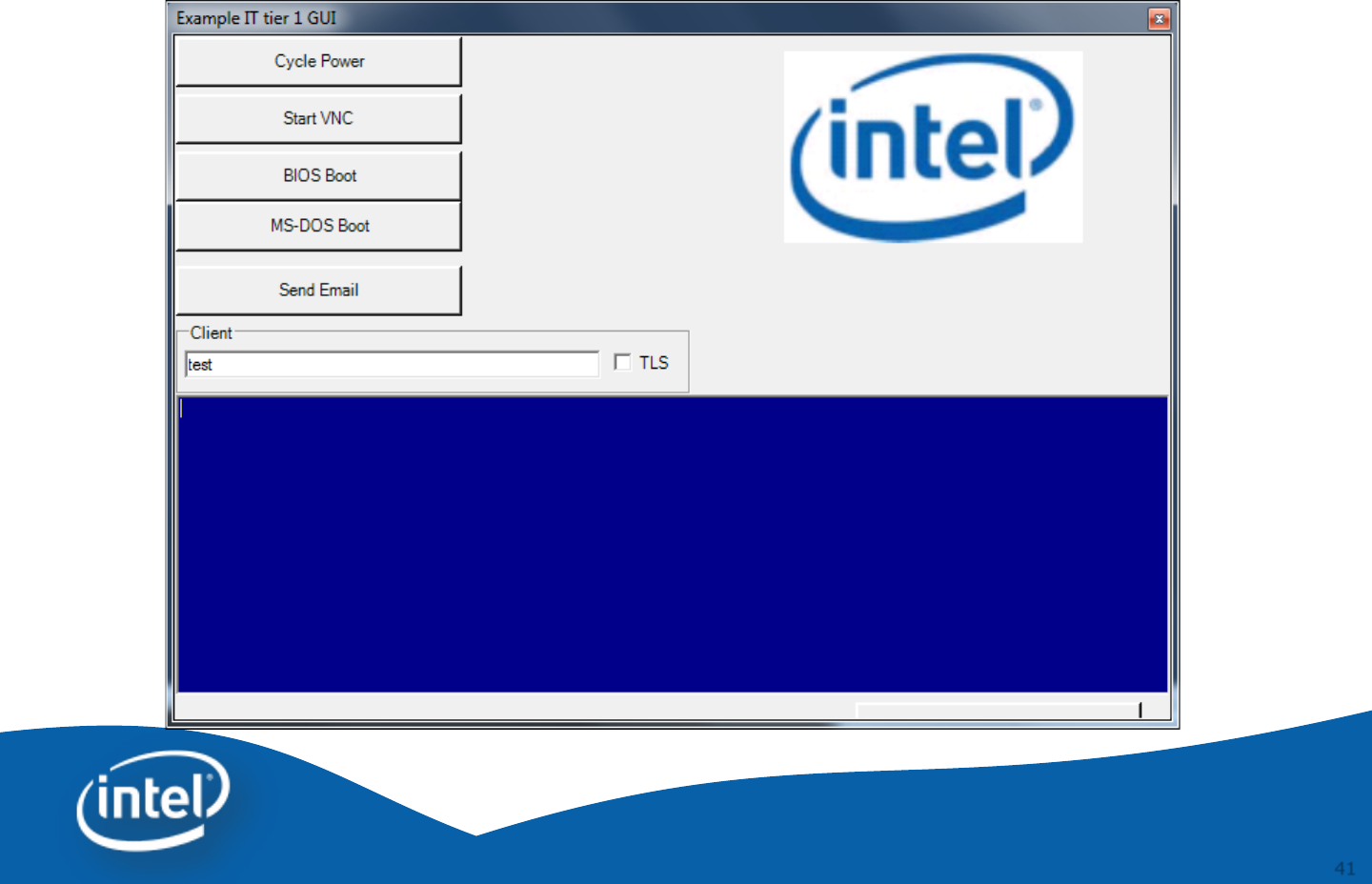
Example IT Tier 1 GUI

42
How to load a GUI XML file
Import-Module IntelvPro
Invoke-AMTGUI –xmlConfig fileName.xml

43
Intel® vPro™ Technology Module
for Microsoft* Windows PowerShell*

44
44
Q&A
Intel® vPro™ Technology Module for
Microsoft* Windows PowerShell*

45
45
Backup
Intel® vPro™ Technology Module for
Microsoft *Windows PowerShell*

46
Links
•Intel® vPro™ Technology module for
Microsoft* Windows PowerShell* and GUI
Editor
–http://www.intel.com/go/powershell
•Intel PowerShell Blogs
–http://communities.intel.com/people/cdpiper?view=overview
•PowerShell – Microsoft Script Center
–http://technet.microsoft.com/en-us/scriptcenter/bb410849
