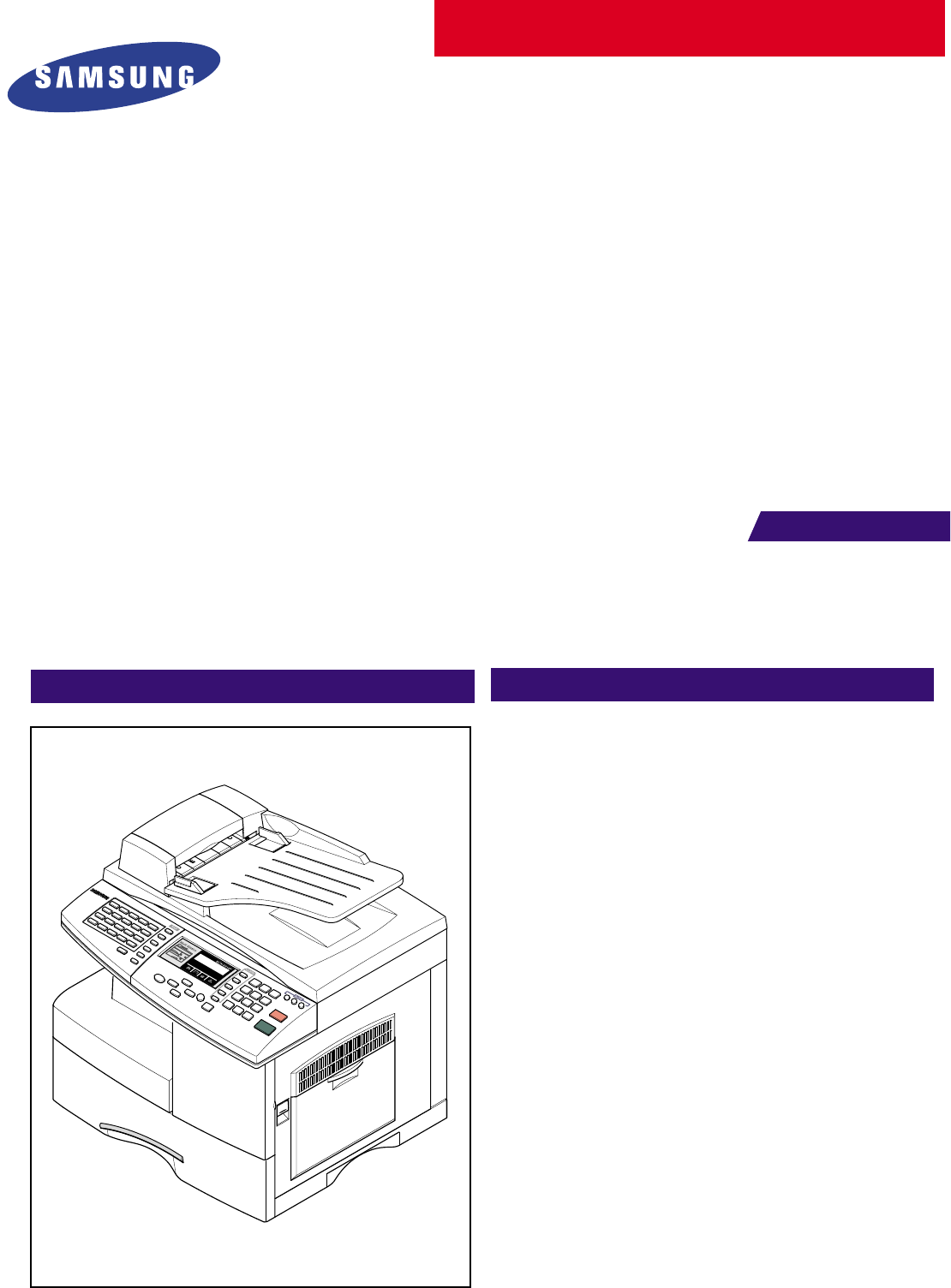
Samsung SCX 5115, 5315F Service Manual. Www.s Manuals.com. Manual
User Manual: Multi-functional printer Samsung SCX-5115 - Service manuals and Schematics, Disassembly / Assembly. Free.
Open the PDF directly: View PDF  .
.
Page Count: 189 [warning: Documents this large are best viewed by clicking the View PDF Link!]

ELECTRONICS
This service manual is also provided on the web,
the ITSELF system Samsung Electronics Co., Ltd.
“http://itself.sec.samsung.co.kr”
© Samsung Electronics Co.,Ltd. JULY 2003
Printed in Korea.
VERSION NO. : 1.00 CODE : JC-0086A
This Service Manual is a property of Samsung Electronics
Co.,Ltd. Any unauthorized use of Manual can be punished
under applicable International and/or domestic law.
2003. 07
Precautions
Samsung Electronics 1-1
1. Precautions
Follow these safety, ESD, and servicing precautions to prevent personal injury and equipment damage.
1-1 Safety Precautions
1. Be sure that all built-in protective devices are in
place. Replace any missing protective shields.
2. Make sure there are no cabinet openings
through which people-particularly children- might
insert fingers or objects and contact dangerous
voltages.
3. When re-installing chassis and assemblies be
sure to replace all protective devices including
control knobs and compartment covers.
4. Design Alteration Warning:Never alter or add to
the mechanical or electrical design of this equip-
ment, such as auxiliary connectors, etc. Such
alterations and modifications will void the manu-
facturer’s warranty.
5. Components, parts, and wiring that appear to
have overheated or are otherwise damaged
should be replaced with parts which meet the
original specifications. Always determine the
cause of damage or overheating, and correct any
potential hazards.
6. Observe the original lead routing, especially near
sharp edges, AC, and high voltage power sup-
plies. Always inspect for pinched, out-of-place,
or frayed wiring. Do not change the spacing
between components and the printed circuit
board.
7. Product Safety Notice:Some electrical and
mechanical parts have special safety-related
characteristics which might not be obvious from
visual inspection. These safety features and the
protection they provide could be lost if a replace-
ment component differs from the original. This
holds true, even though the replacement may be
rated for higher voltage, wattage, etc.
8. Components critical for safety are indicated in
the parts list with symbols .
Use only replacement components that have the
same ratings, especially for flame resistance and
dielectric specifications. A replacement part that
does not have the same safety characteristics as
the original may create shock, fire, or other
safety hazards.
1-2 Precautions on Disassembly and Reassembly
Take great care when replacing parts. Before remov-
ing a part take careful note of its orientation and any
wiring routing. Ensure that all parts removed are cor-
rectly replaced in their original positions and all wir-
ing is routed as it was originally manufactured.
Changing wiring routes can cause electrical interfer-
ence or degradation in set performance.
Please do the following before disassembling for a
repair or replacement of parts.
1. Remove the paper cassette and toner cartridge.
Take great care to ensure that the developer
drum surface is not scratched or damaged by
exposure to light.
2. Turn the power switch off.
3. Take out the power plug and disconnect the printer
cable from the printer.
4. Use only the same type of part as originally fitted
when replacing parts.
5. Take care when dismantling plastic components
and covers. Ensure covers are not damaged. Do
not force plastic components apart they may
break.
6. Be careful that small parts such as screws do not
get lost inside the printer.
7. When disassembling take note of the placement of
small parts. Ensure all small parts are properly
reassembled.
8. If is is necessary to turn the printer upside down
protect the LSU window with clean paper so that
no loose toner particles contaminate the glass.
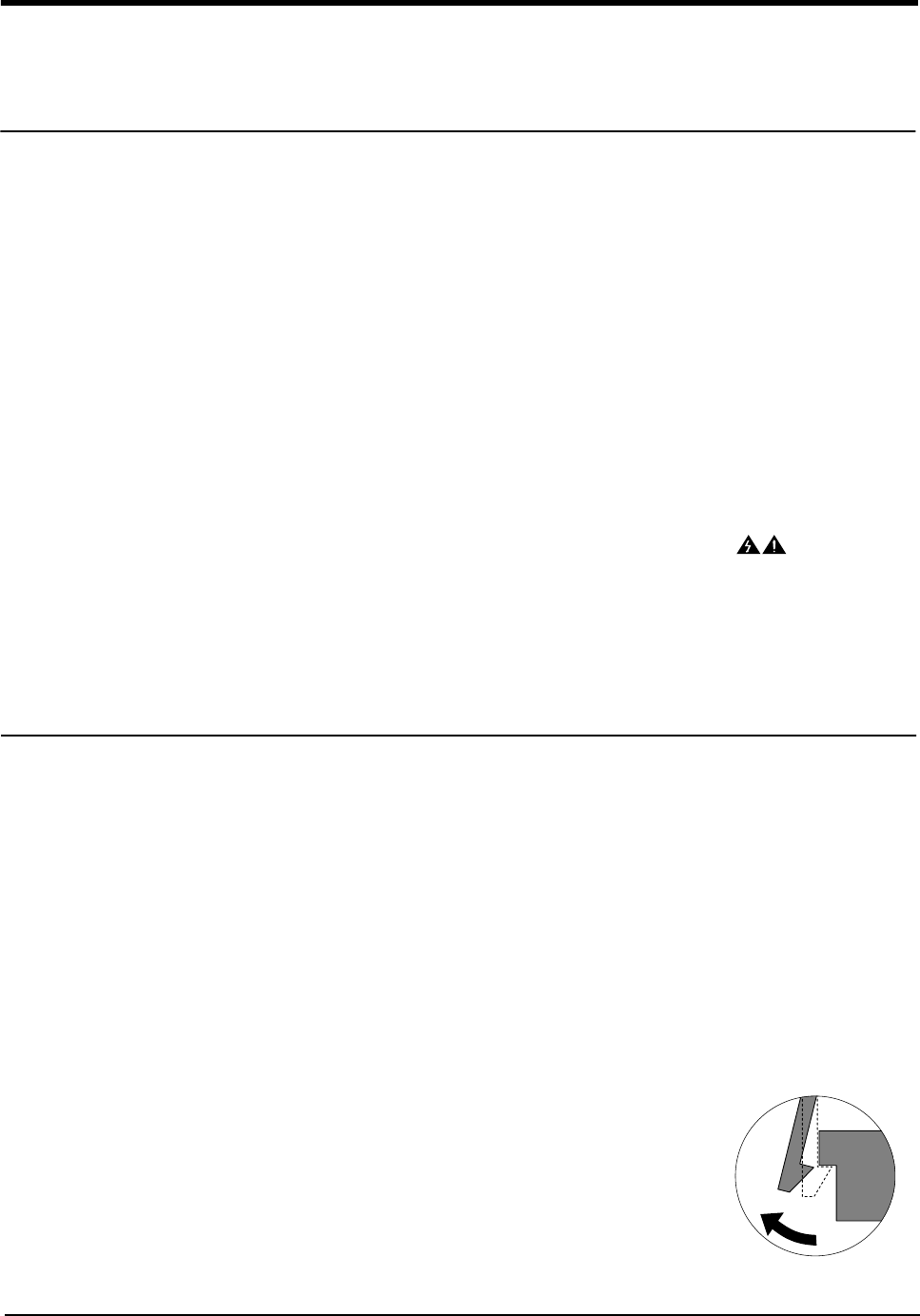
Releasing Plastic Latches
Many of parts are held in
place with plastic latches.
The latches break easily :
release them carefully.
To remove such parts,
press the hook end of the
latch away from the part to
which it is latched.

Precautions
Samsung Electronics1-2
1-3 ESD Precautions
1. Certain semiconductor devices can be easily
damaged by static electricity. Such components
are commonly called “Electrostatically Sensitive
(ES) Devices”, or ESDs. Examples of typical
ESDs are: integrated circuits, some field effect
transistors, and semiconductor “chip” compo-
nents.
The techniques outlined below should be fol-
lowed to help reduce the incidence of component
damage caused by static electricity.
CAUTION
: Be sure no power is applied to the chassis
or circuit, and observe all other safety pre-
cautions.
2. Immediately before handling a semiconductor
component or semiconductor-equipped assem-
bly, drain off any electrostatic charge on your
body by touching a known earth ground. Alterna-
tively, employ a commercially available wrist
strap device, which should be removed for your
personal safety reasons prior to applying power
to the unit under test.
3. After removing an electrical assembly equipped
with ESDs, place the assembly on a conductive
surface, such as aluminum or copper foil, or con-
ductive foam, to prevent electrostatic charge
buildup in the vicinity of the assembly.
4. Use only a grounded tip soldering iron to solder
or desolder ESDs.
Use only an “anti-static” solder removal device.
Some solder removal devices not classified as
“anti-static” can generate electrical charges suffi-
cient to damage ESDs.
5. Do not use Freon-propelled chemicals. When
sprayed, these can generate electrical charges
sufficient to damage ESDs.
6. Do not remove a replacement ESD from its pro-
tective packaging until immediately before install-
ing it. Most replacement ESDs are packaged
with all leads shorted together by conductive
foam, aluminum foil, or a comparable conductive
material.
7. Immediately before removing the protective
shorting material from the leads of a replace-
ment ESD, touch the protective material to the
chassis or circuit assembly into which the device
will be installed.
8. Maintain continuous electrical contact between
the ESD and the assembly into which it will be
installed, until completely plugged or soldered
into the circuit.
9. Minimize bodily motions when handling unpack-
aged replacement ESDs. Normal motions, such
as the brushing together of clothing fabric and
lifting one’s foot from a carpeted floor, can gener-
ate static electricity sufficient to damage an ESD.
1-4 Super Capacitor or Lithium Battery Precautions
1. Exercise caution when replacing a super capaci-
tor or Lithium battery. There could be a danger of
explosion and subsequent operator injury and/or
equipment damage if incorrectly installed.
2. Be sure to replace the battery with the same or
equivalent type recommended by the manufac-
turer.
3. Super capacitor or Lithium batteries contain toxic
substances and should not be opened, crushed,
or burned for disposal.
4. Dispose of used batteries according to the manu-
facturer’s instructions.
Precautions
Samsung Electronics 1-3
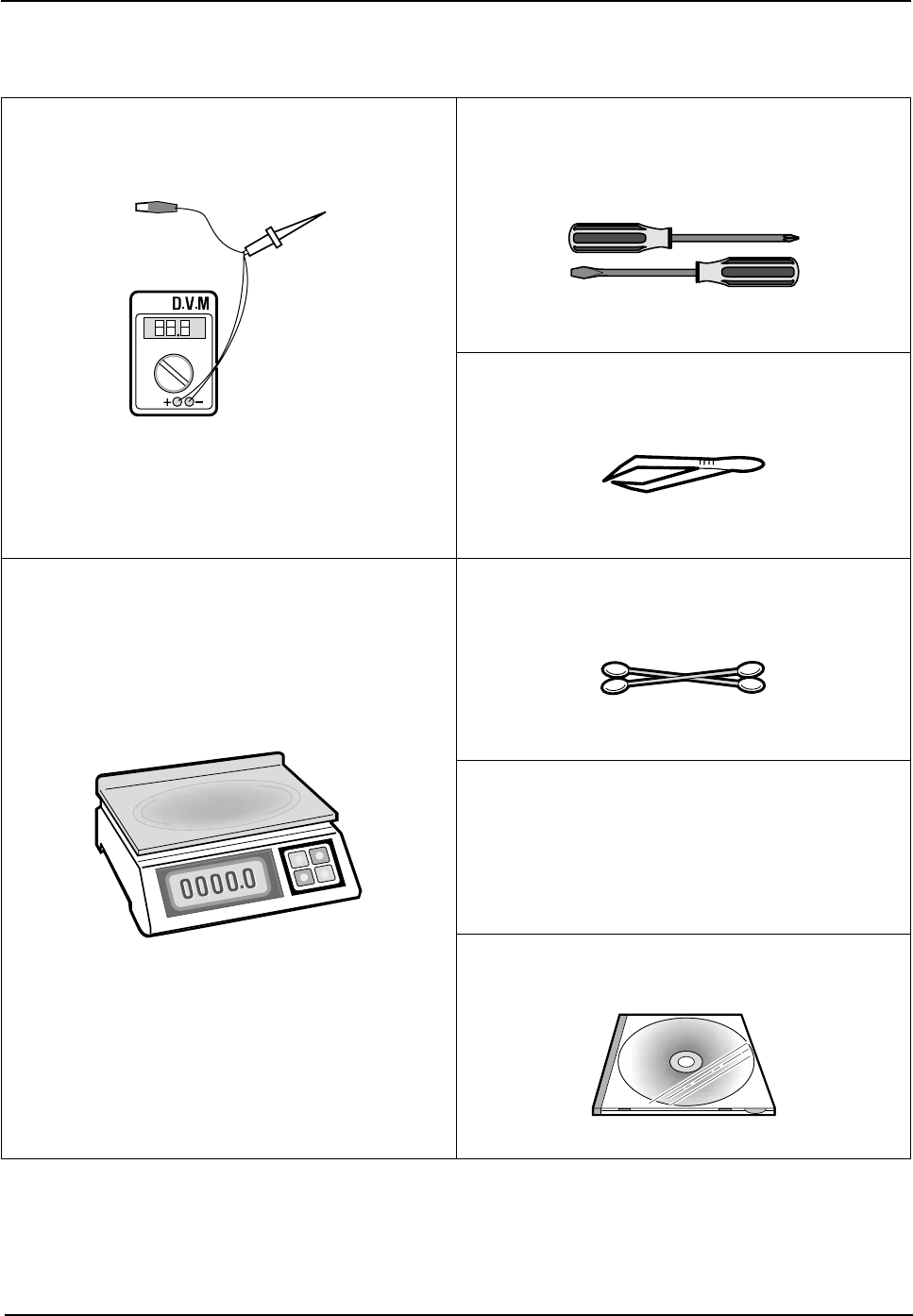
1-5 Tools for Troubleshooting
The following tools are recommended for safe and smooth troubleshooting described in this service manual.
1
DVM(Digital Volt Meter)
Standard : Indicates more than 3 digits.
3
Driver
Standard : "-" type, "+" type (M3 long, M3 short, M2
long, M2 short).
4
Tweezers
Standard : For general home use, small type.
2
Electronic Scales
Standard : Equipment to check the weight of consum-
ables(toner cartridge) supplied by Samsung
Electronics. (The scales should measure in
grams.)
5
Cotton Swab
Standard : For general home use, for medical service.
6
Cleaning Equipments
Standard : An IPA(Isopropyl Alcohol)dry wipe tissue or
a gentle neutral detergent and lint-free
cloth.
7
Software (Driver) installation CD ROM
Specification
Samsung Electronics 2-1
2. Specification
Specifications are correct at the time of printing. Product specifications are subject to change without notice.
See below for product specifications.
2-1 General Specifications
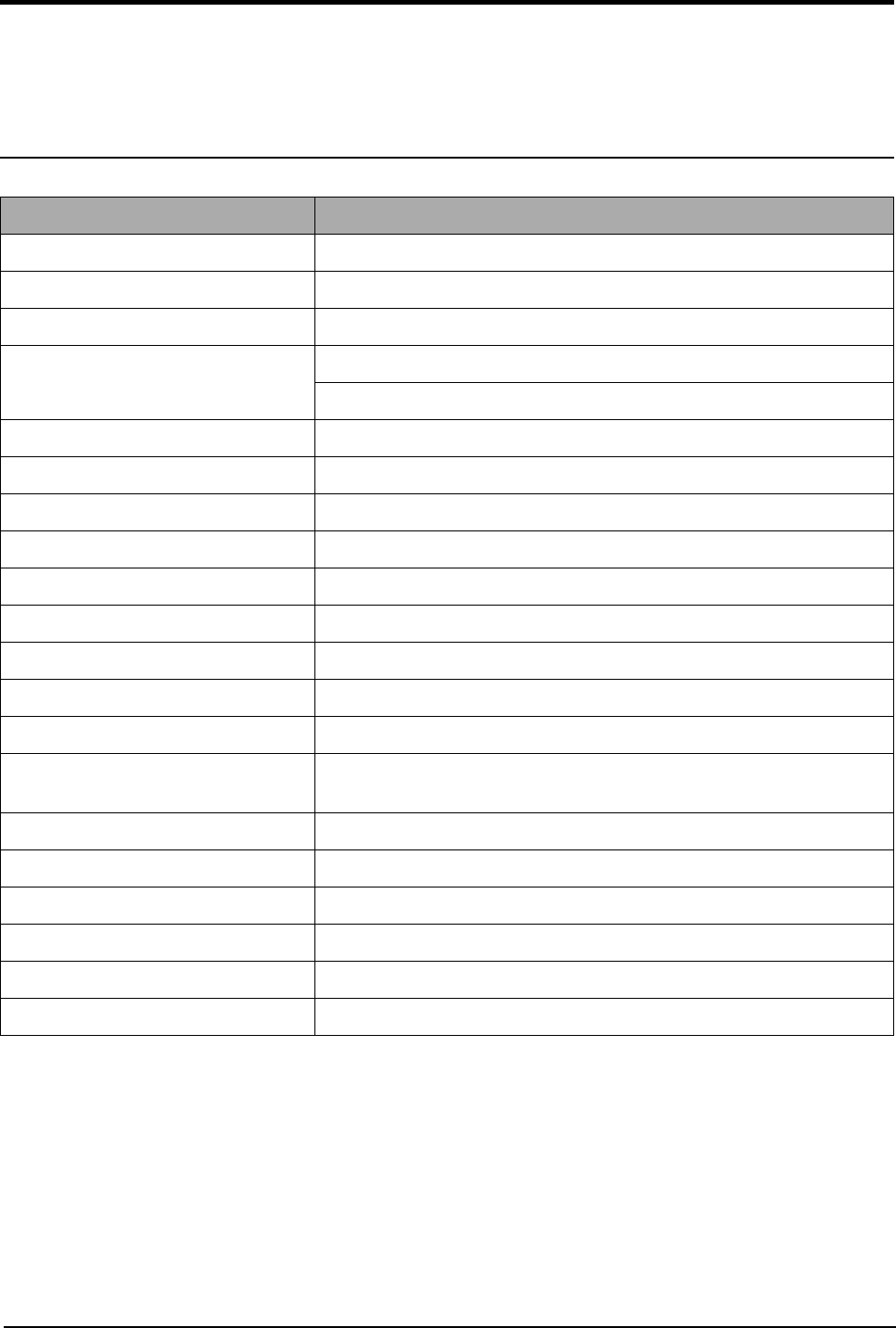
Item Description
Type of Unit Desktop
Operation System Win95/98/ME/ NT /2000/XP
Duplex Printing Yes(Default)
Interface IEEE1284(ECP)
USB(without HUB mode)
CPU 120 MHz(ARM946ES)
Emulation PCL6
Warming up Time 41 Sec (Stand-By), 25˚C
Absolute Storage Condition Temperature : -20°C ~ 40°C, Humidity : 10% RH ~ 95% RH
Operating Condition Temperature : 10˚C ~ 32˚C, Humidity : 20% RH ~ 80 % RH
Recommended Operating Condition Temperature : 16°C ~ 30°C, Humidity : 30% RH ~ 70% RH
Dimension(W X D X H) 560 X 433 X 459 mm
Weight About 22.5 Kg(with CRU)
Acoustic Noise Less than 56/50 dB(Copy/Printing mode)
Power Rating AC 100VAC ~ 127VAC, 50/60Hz ± 3Hz
AC 220VAC ~ 240VAC , 50/60Hz ± 3Hz
Power Consumption Avg. 350Wh (110V), 320Wh (220V)
Power Save Consumption Avg. 30Wh
Recommended System Requirement Pentium IV 1.2 Ghz, 128 MB RAM, 220MB(Hard Disk)
Minimum System Requirement Pentium II 400Mhz, 64 MB RAM, 120MB(Hard Disk)
LCD 16 characters X 2 lines
Memory 4 Mbyte for flash Memory , 16 Mbyte for SDRAM
Specification
Samsung Electronics2-2
2-2 Printer Specifications
2-3 Facsimile Specification(SCX-5315F Only)
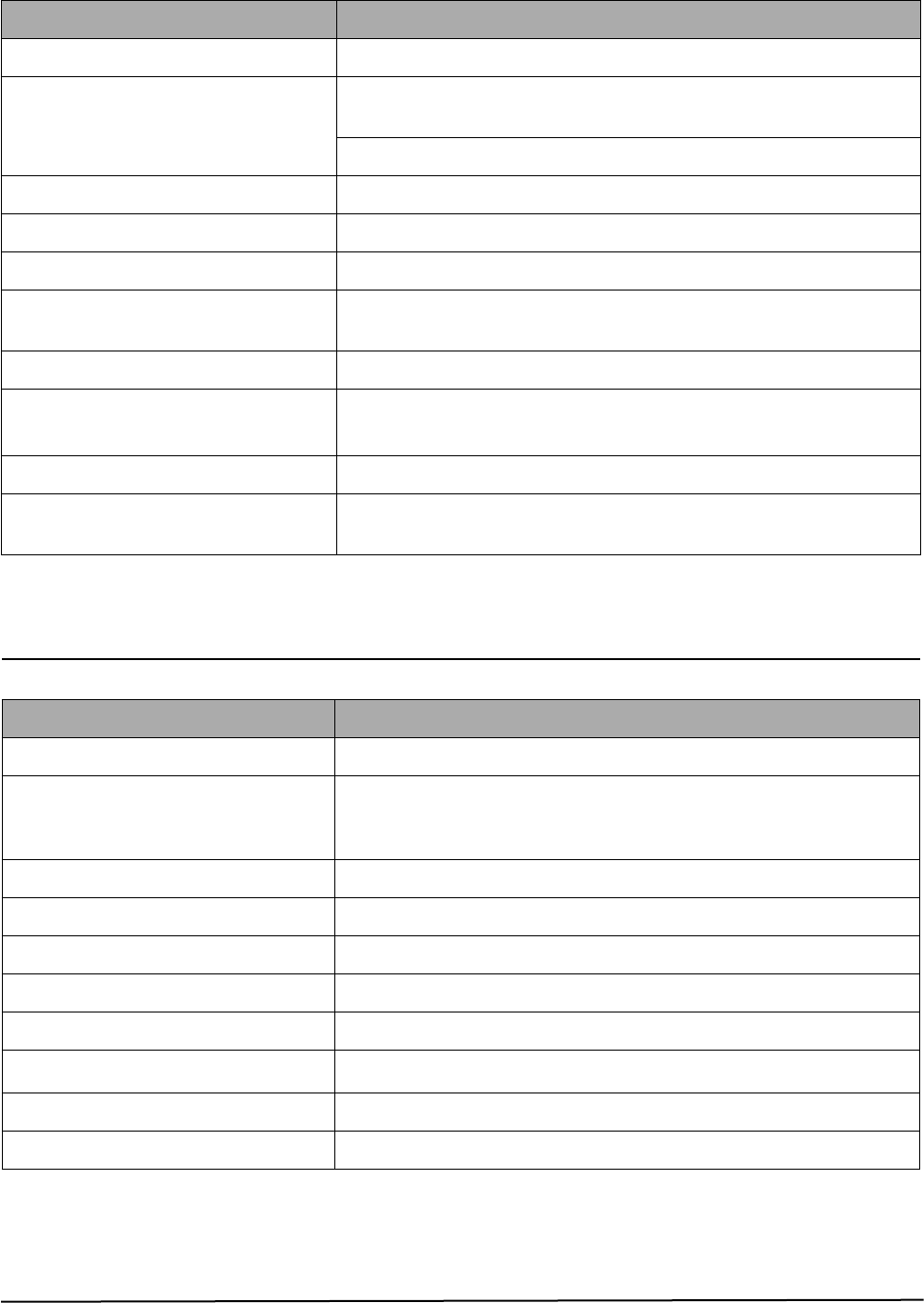
Item Description
Printing Method Laser Scanning Unit + Electro Photography
Speed Single Side : 15 PPM
(A4 Size, 5% Character Pattern), Letter : 16 PPM
Duplex : 9 IPM(Images/Min) (A4 Size, 5% Character Pattern)
Source of Light LSU(Laser Scanning Unit)
Duplex Printing Yes(Default)
Resolution(Horizontal X Vertical) True 600 X600 DPI , 1200 DPI Class
Feed Method Cassette Type , By Pass Tray,
ADF(Automatic Document Feeder)
Feed Direction FISO(Front-In Side-Out)
Paper Capacity(Input) Cassette : 550 Sheets
By Pass Tray : 100 Sheets(based on 75g/m
2
≥
, 20lb)
Paper Capacity(Output) Face Down : 250 Sheets
Effective Print Width 208mm for Letter/Legal
202mm for All
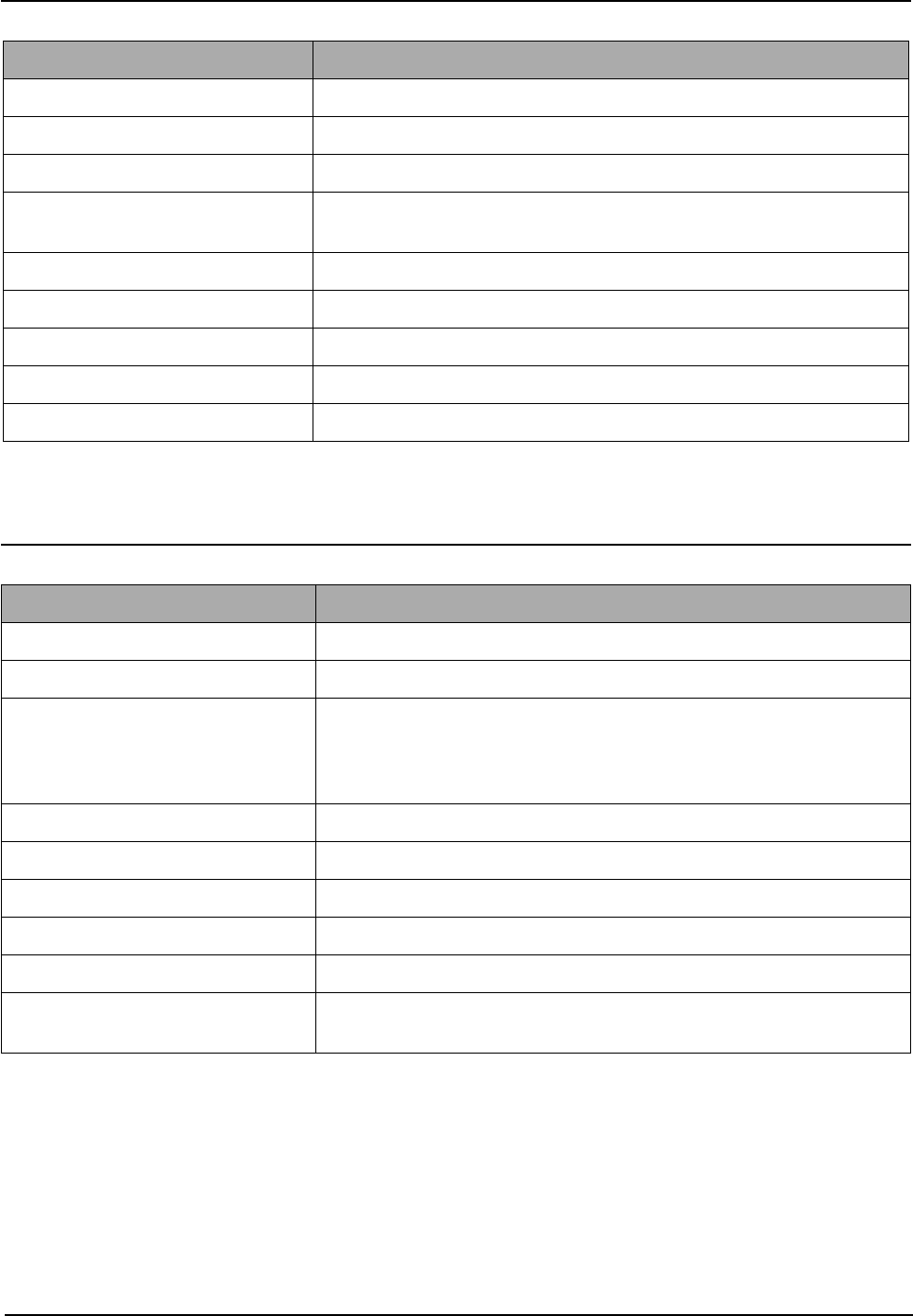
Item Description
Standard Recommendation ITU-T Group3(ITU : International Telecommunications Union)
Application Circuit PSTN or behind PABX
(PSTN : Public Switched Telephone Network.
PABX : Private Automatic Branch Exchange)
Data coding(Compression) MH/MR/MMR/JPEG(Transmission)
Modem speed 33600/28800/21600/19200/14400/12000/9600/7200/4800/2400 bps
Transmission Speed Approximately 3 sec(33,600 bps)
Effective Scanning Width 8.2 inches(208 mm)
Halftone 256 Levels
Paper Capacity(Input) ADF(Automatic Document Feeder) : 30Sheets(75g/m
2
≥
)
FAX Mode Standard /Fine/Super Fine/Halftone
Memory 4MB
Specification
Samsung Electronics 2-3
2-4 Scanner Specification
2-5 Copy Specification
NOTE :
(1) Speed claims based on the test chart : A4 size.
SDMP : Single Document Multiple Printout
MDSP : Multiple Document Single Printout
Item Description
Type Flatbed(with ADF)
Speed Mono : 1.25 msec/line, Color : 2.5 msec/line
Device Color CCD(Charge Coupled Device) Module
Interface IEEE1284(ECP Support)
USB(without HUB Mode)
Compatibility TWAIN Standard , WIA
Optical Resolution(H X V) 600 X 600 dpi
Interpolation Resolution Max. 4800 dpi
Halftone 256 Levels
Effective Scan width 8.2 inches(208 mm)
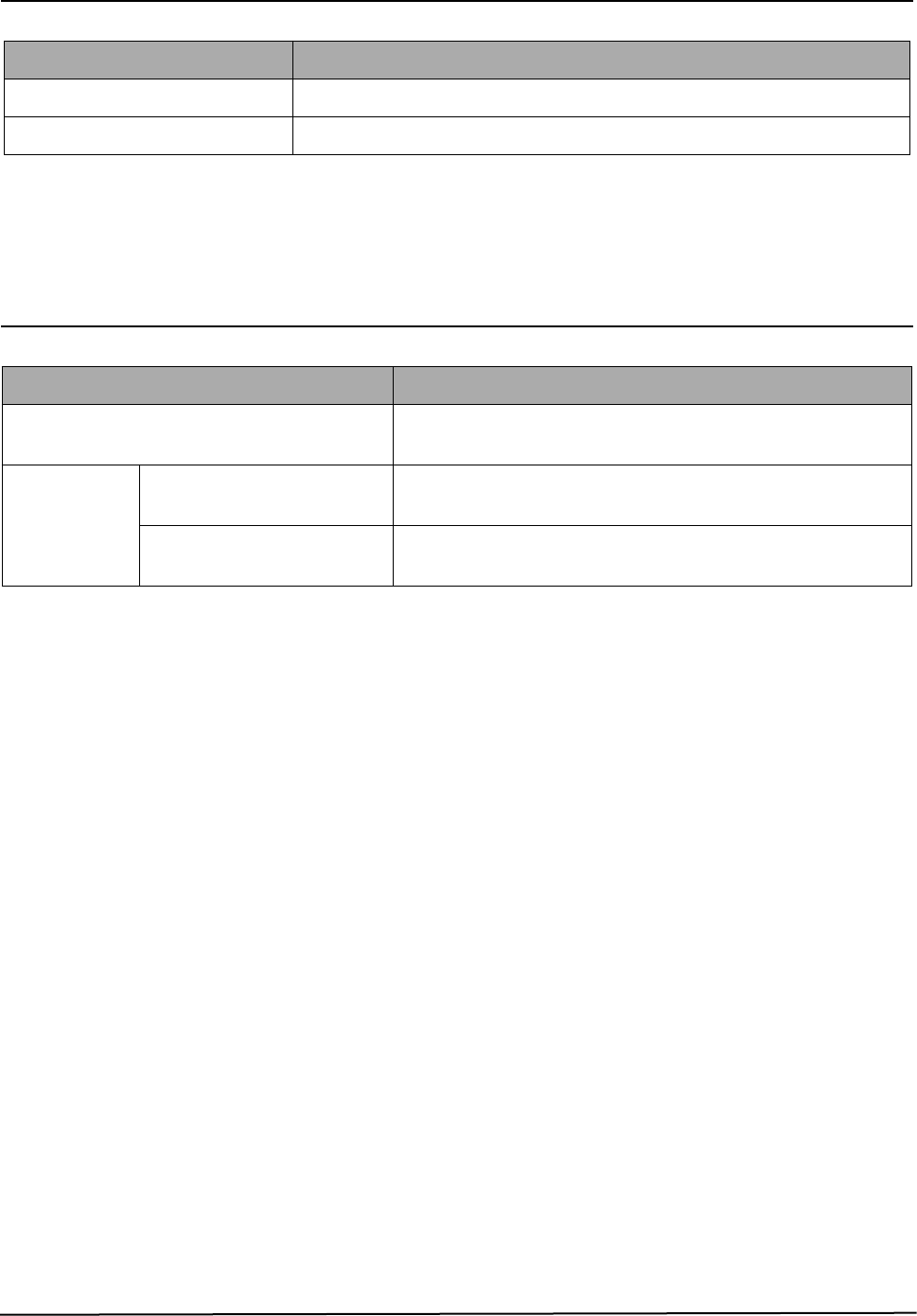
Item Description
Mode B/W
Quality Text/Photo/Mixed
Mono Copy Speed
(1)
Platen(SDMP) : 15 cpm
ADF (SDMP) : 15 cpm
ADF (MDSP) : Text/mixed : Approx. 8 cpm
: Photo : Approx. 3 cpm
Optical Resolution (H x V) 600 X 600 dpi
Multi Copy 999 pages
Maximum Original Size Legal
Maximum Page Size Legal
Paper Type Selection Plain , Legal , Cardstock , Transparency
Zoom Range Platen : 25 ~ 400%(1% Step)
ADF : 25~100 %(1% Step)
Specification
Samsung Electronics2-4
2-6 Telephone Specification(SCX-5315F Only)
2-7 Consumables
Item Description
Speed Dial 80EA
Tone/Pulse Tone only user modeTone/Pulse selectable in tech mode.
Item Description
Type Separate type
(Toner Cartridge / Drum Cartridge)
Life Toner Cartridge 6,000 sheets
( 5% coverage pattern, simplex normal mode )
Drum Cartridge 15,000 sheets
(simplex normal mode )
Disassembly and Reassembly
Samsung Electronics 3-1
3. Disassembly and Reassembly
3-1 General Precautions on Disassembly
When you disassemble and reassemble components, you must use extreme caution.
The close proximity of cables to moving parts makes proper routing a must. If components are removed, any
cables disturbed by the procedure must be restored as close as possible to their original positions. Before
removing any component from the machine, note the cable routing that will be affected.
Whenever servicing the machine, you must carry out the following :
1. Check to verify that documents are not stored in memory.
2. Unplug the power cord.
3. Use a flat and clean surface.
4. Replace only with authorized components.
5. Take care when removing plastic component-do not force.
6. Make sure all components are in their proper position.
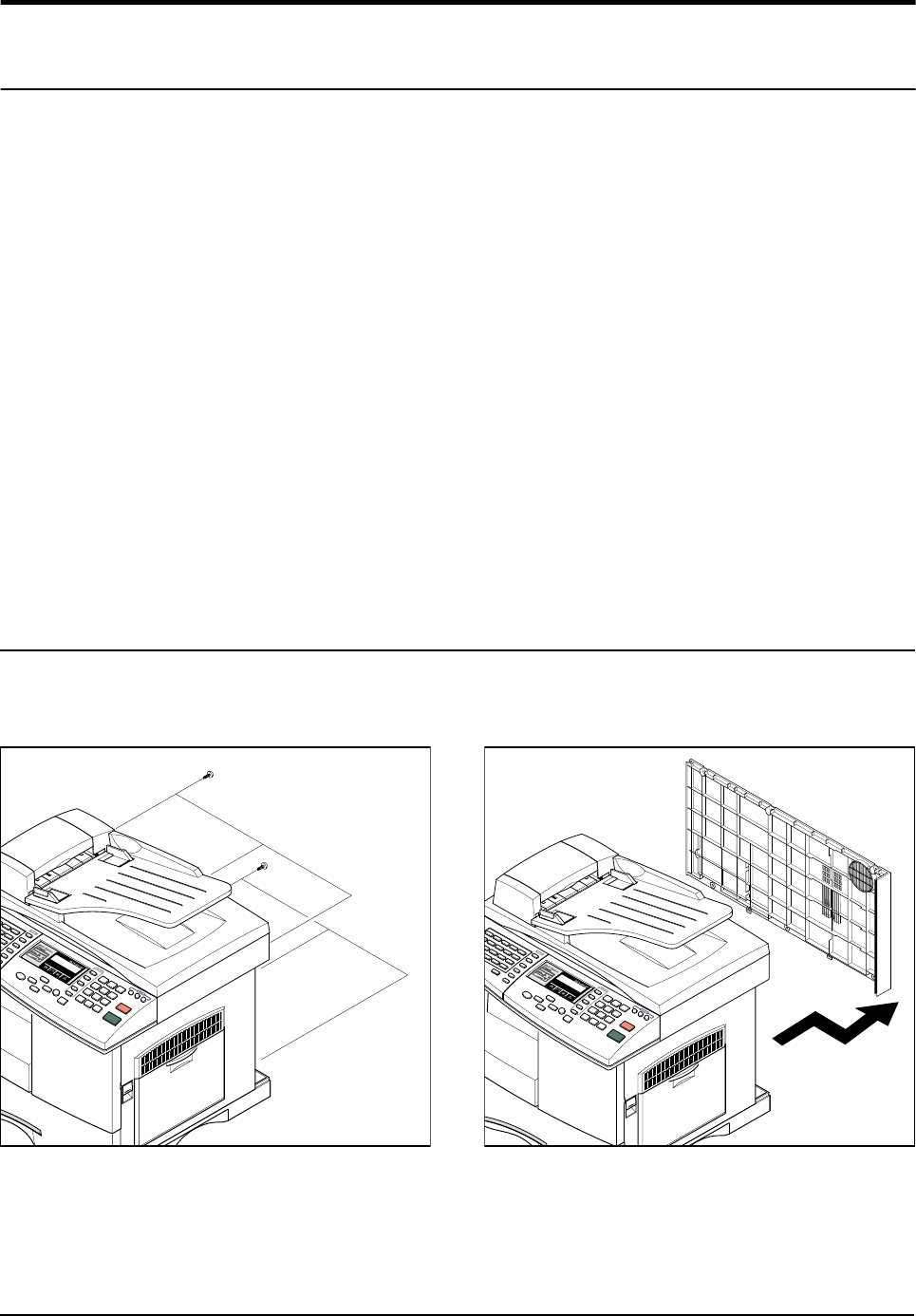
3-2 Rear Cover
1. Remove the six screws securing the Rear Cover.
2. Separate the rear cover from the base frame
and Scanner Ass'y.
Disassembly and Reassembly
3-2 Samsung Electronics
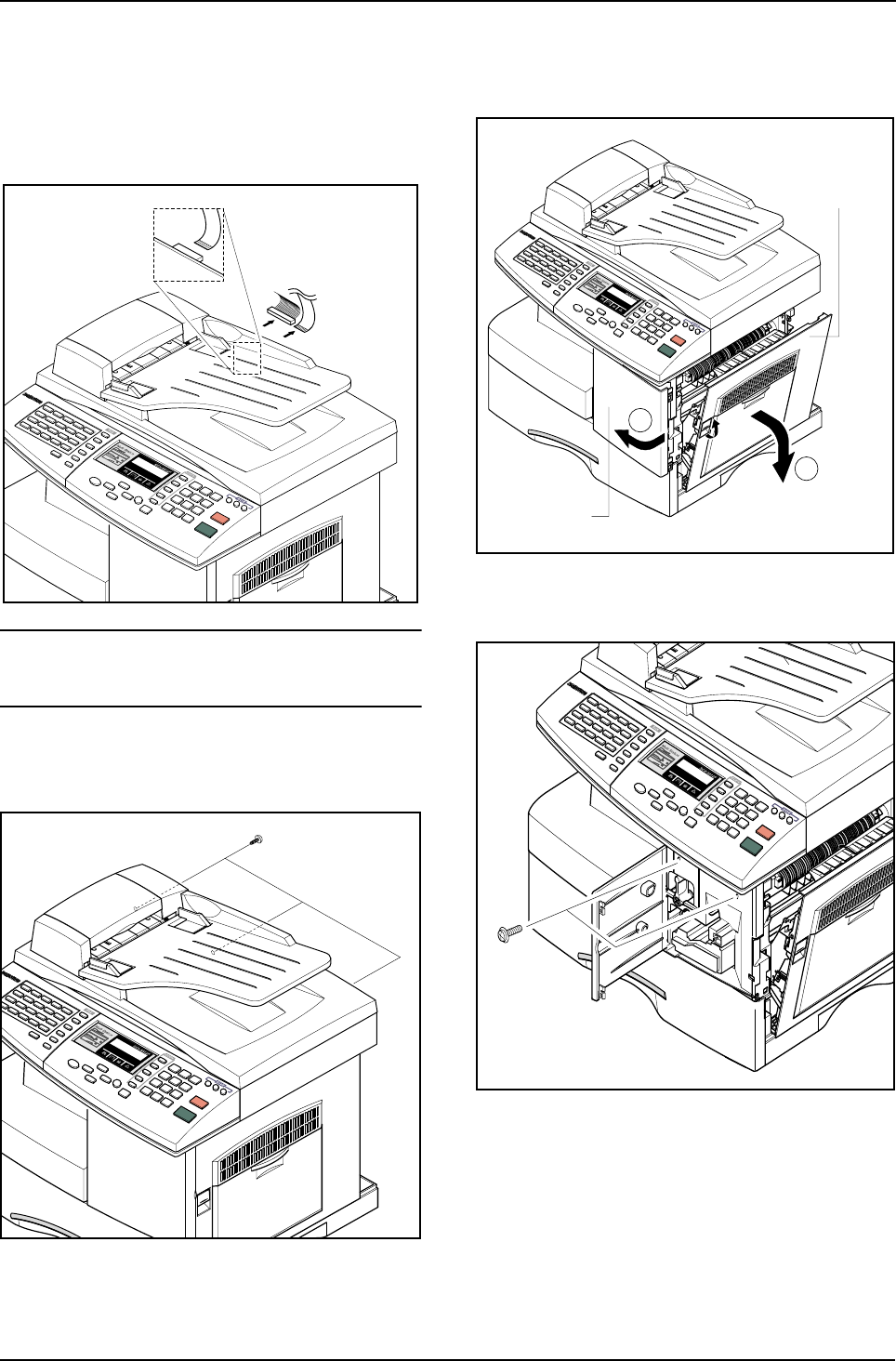
3-3 Scanner Ass'y
1. Before you remove the Scanner Ass'y, you
should remove:
- Rear Cover (see page 3-1)
2. Take out the Shield Main Upper.Unplug the one
connector and CCD cable.
Notice :
To avoid damage to the CCD cable connector ensure that
you pull the cable out carefully. Pull in line with the con-
nector not at an angle.
3. Remove the three screws, as shown below.
4. Open the Side Cover assembly first to open the
Front cover. In the other words, close the front
cover first to assembly it.
5. Remove two screws.
Side Cover Ass’y
Front Cover
1
2
Disassembly and Reassembly
Samsung Electronics 3-3
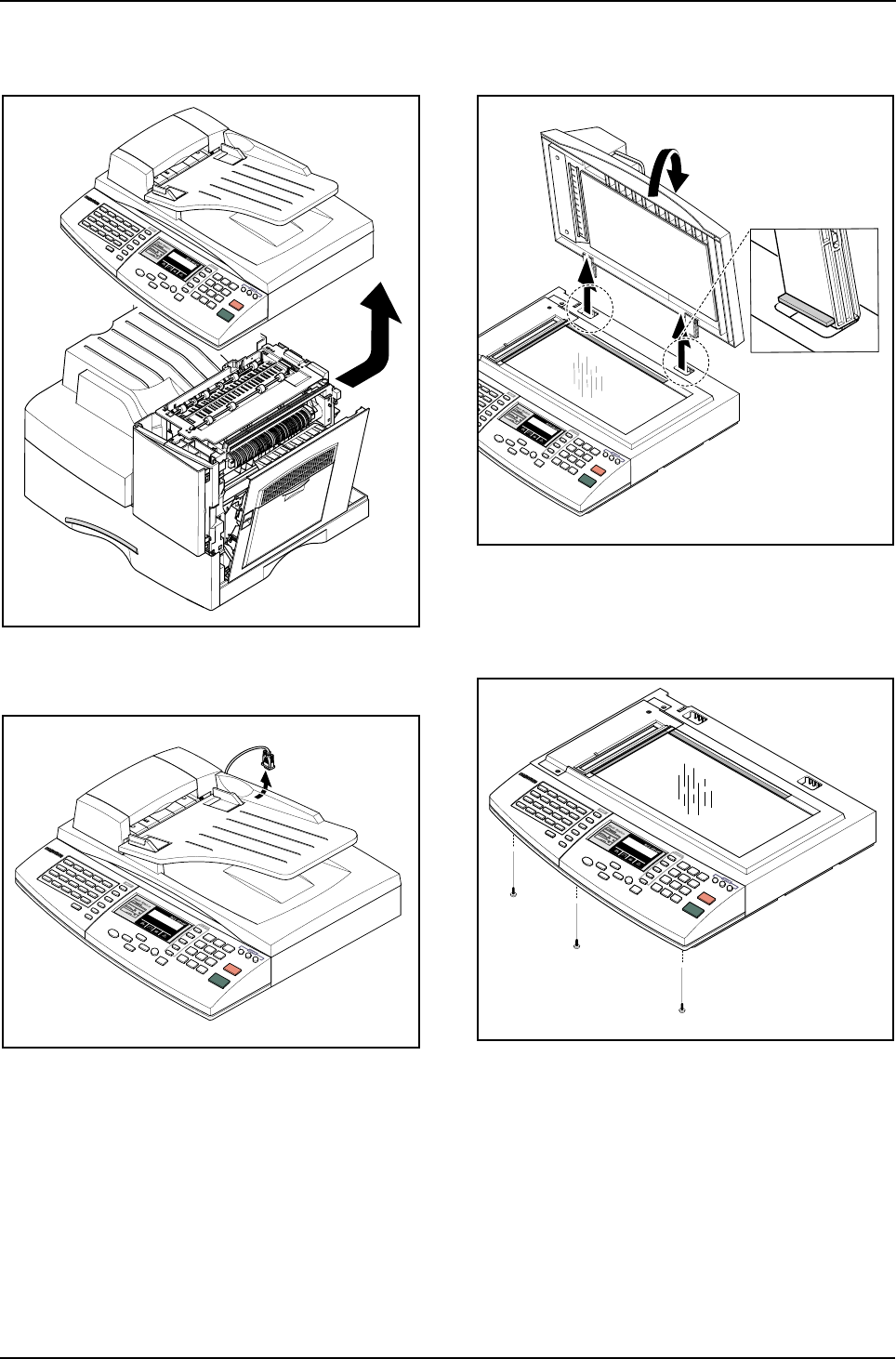
6. Pull up the Scanner Ass'y in the direction of
arrow.
7. Remove the connector from the Platen Ass'y.
8. Open the ADF Ass’y in the direction of arrow.
Pull the ADF Ass'y upward and remove it.
9. Remove the three screws securing the Platen
Ass'y.
Disassembly and Reassembly
3-4 Samsung Electronics
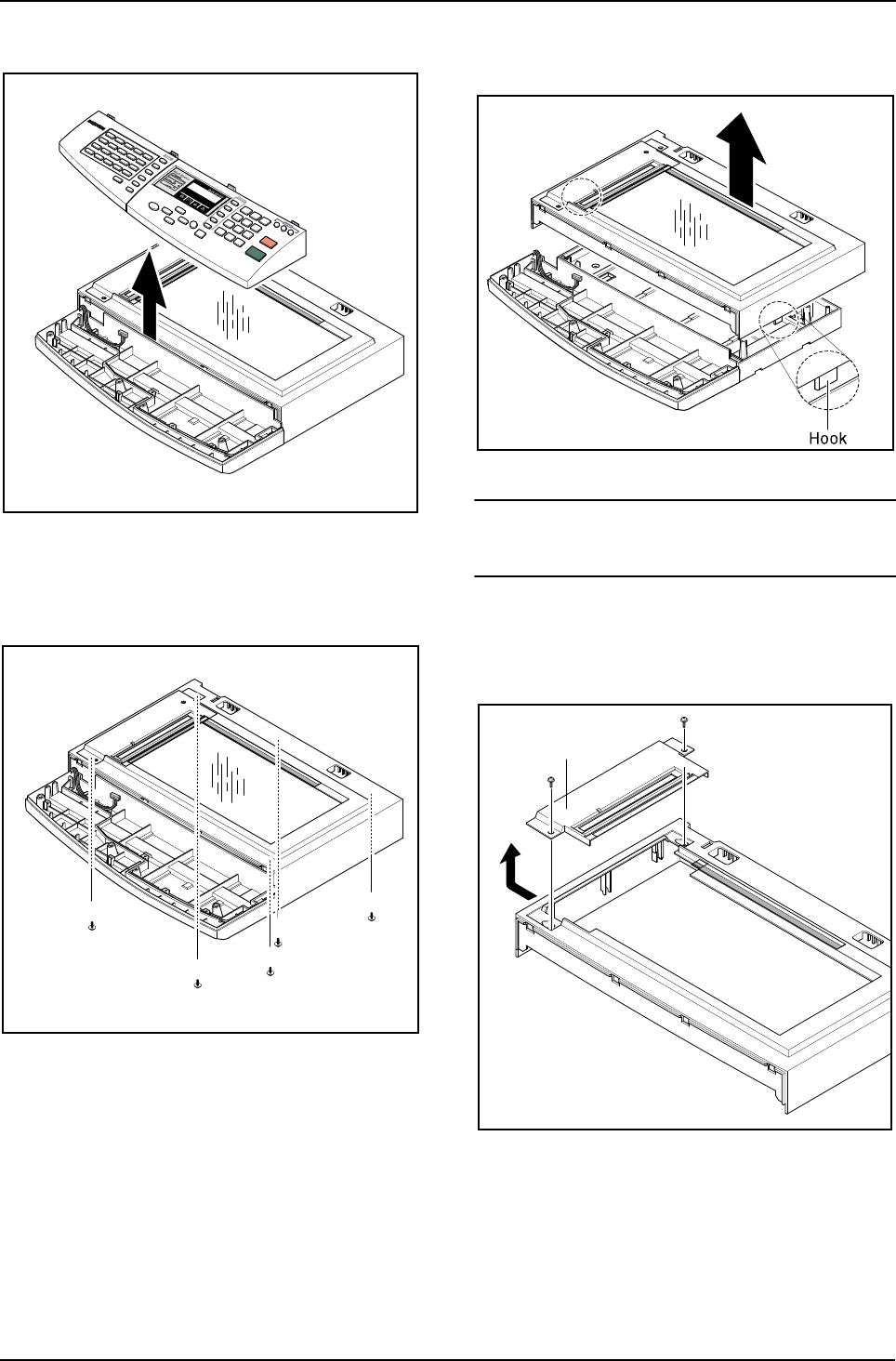
10. Pull the OPE Ass'y and unplug the one connector.
11. Remove the five screws securing the Platen Ass'y.
12. Unlatch the Scan Upper Ass'y securing the
glass and remove it.
Notice :
When dismantling the Scan Assy ensure your work area
is clean. Dirt or dust on the scan head can lead to a deg-
radation in scanned image quality.
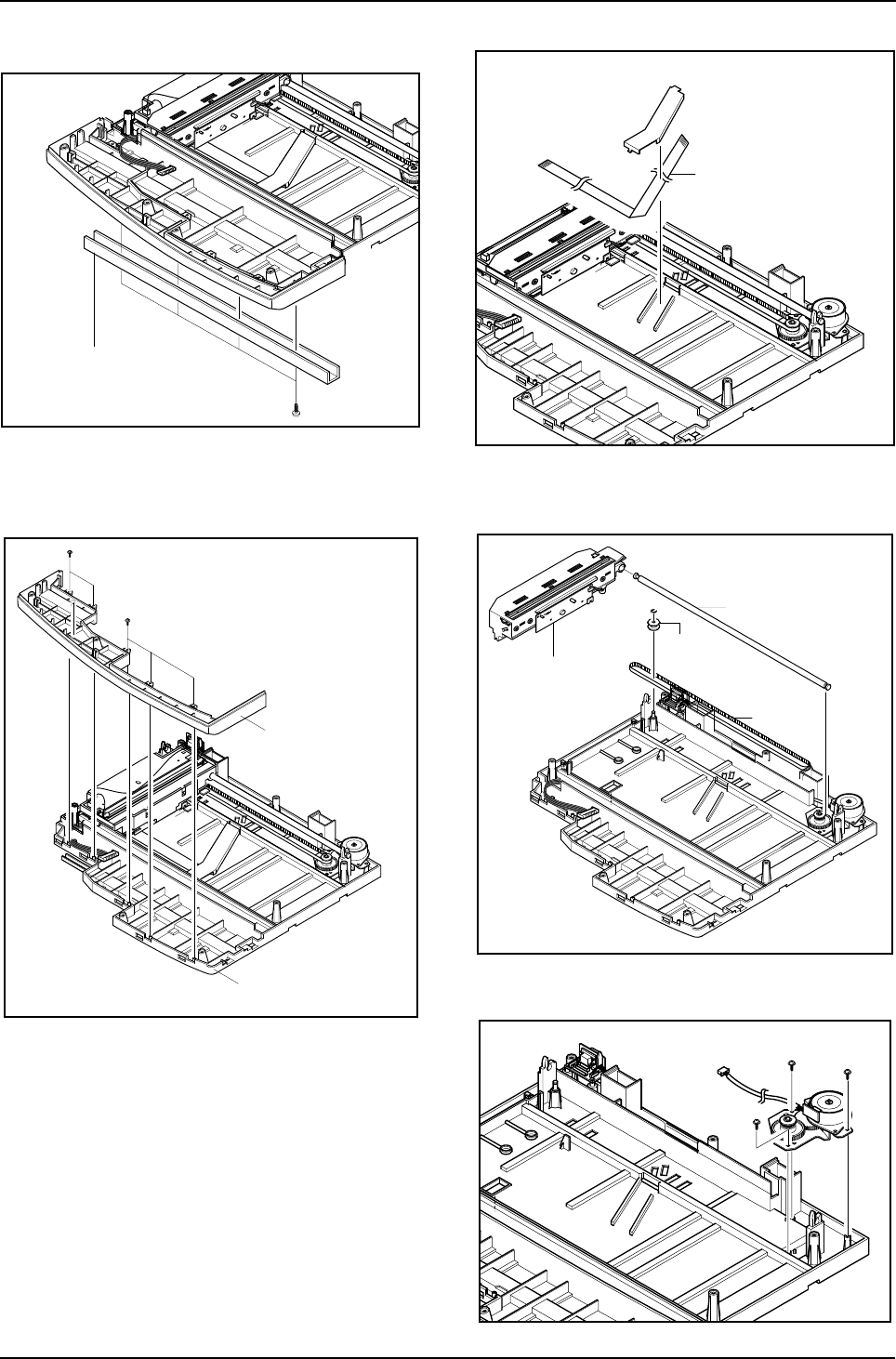
13. Remove the two scews and pull the Dummy
Upper Ass’y.
Dummy Upper Ass’y
Disassembly and Reassembly
Samsung Electronics 3-5
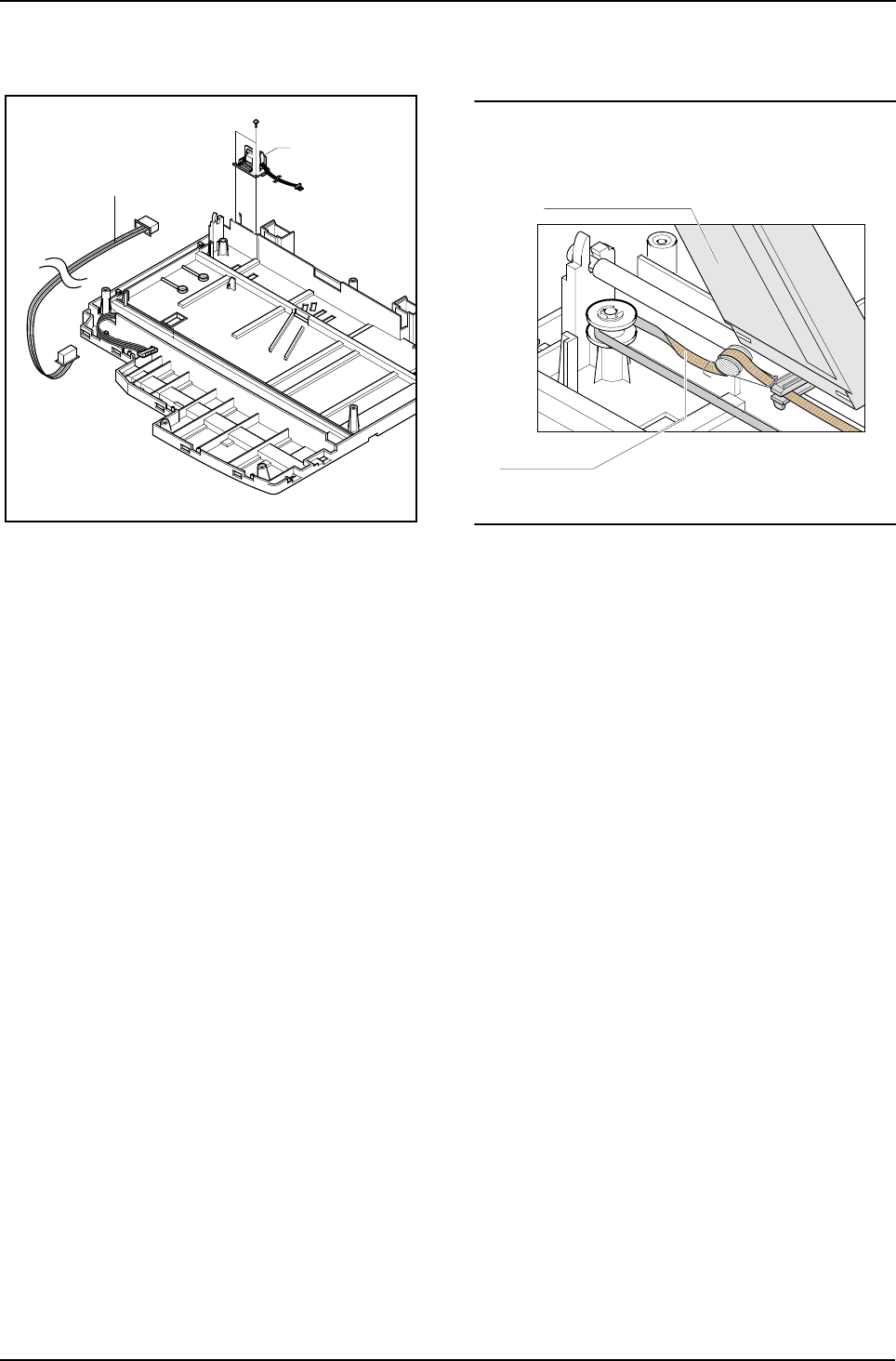
14. Remove the four screws and Channel Base
Frame.
15. Remove the five screws and Dummy Scan-
Lower.
16. Remove the CCD cable.
17. Pull up the Shaft CCD and take out the Scanner
Module.
18. Remove three screws and take out the Motor
Bracket.
Channel Base Frame
Cover Scan Lower
Cover Dummy Lower
CCD Cable
Scanner Module
Shaft CCD
Belt
Pully
Disassembly and Reassembly
3-6 Samsung Electronics
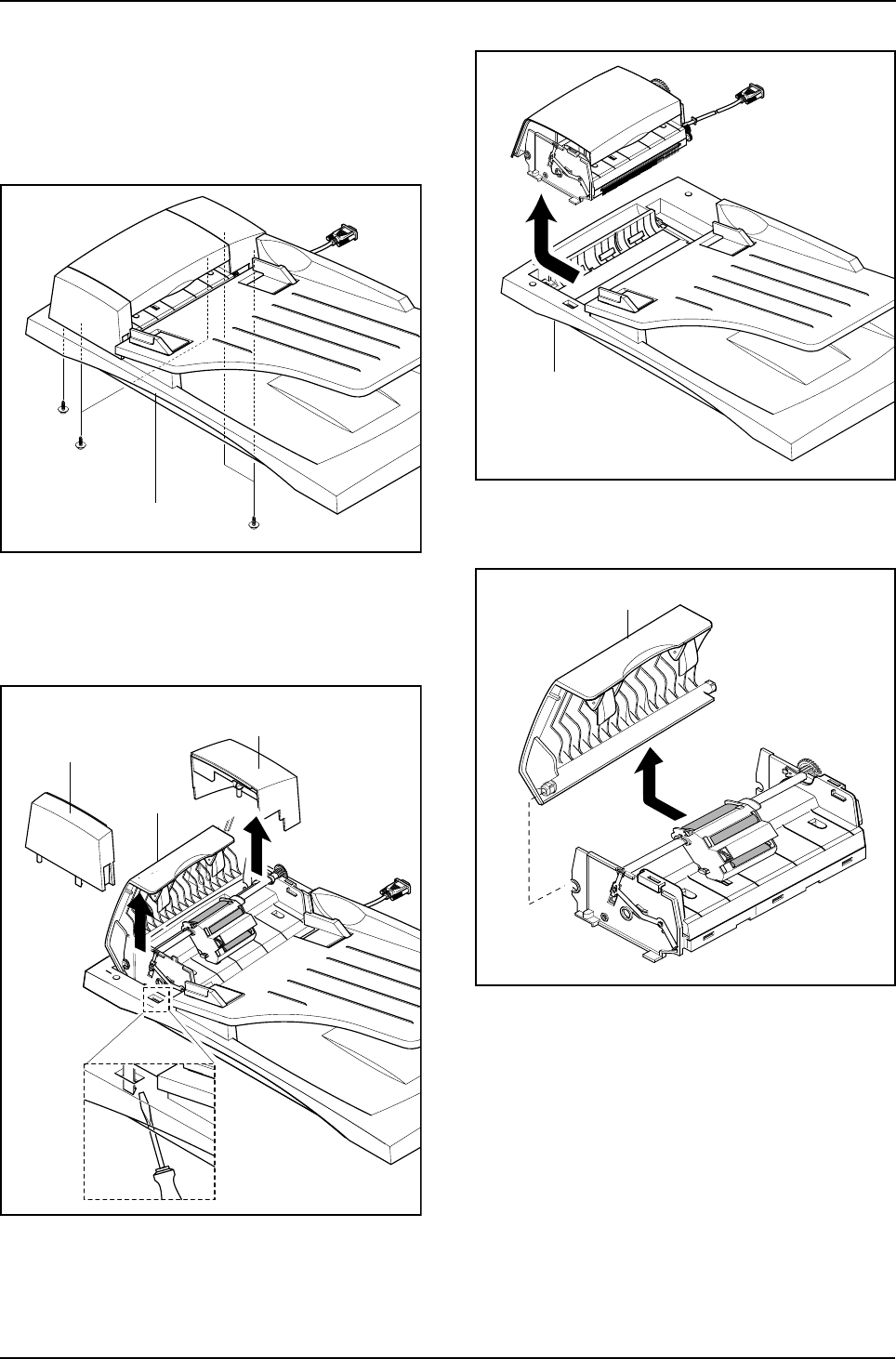
19. Remove the OPE Harness from the Platen
PBA. Remove two screws and take out the
Platen PBA.
Notice :
Take special care when reassembling the CCD Module
onto the Platen Ass'y. The CCD Module is located just to
the right side the Belt Tension Spring as shown below.
Platen PBA
OPE Harness
Scanner Module
Belt Tension Spring
Disassembly and Reassembly
Samsung Electronics 3-7
3-4 ADF Ass'y
1. Before you remove the ADF Ass'y, you should
remove:
- Rear Cover (see page 3-1)
- Scanner Ass'y (see page 3-2)
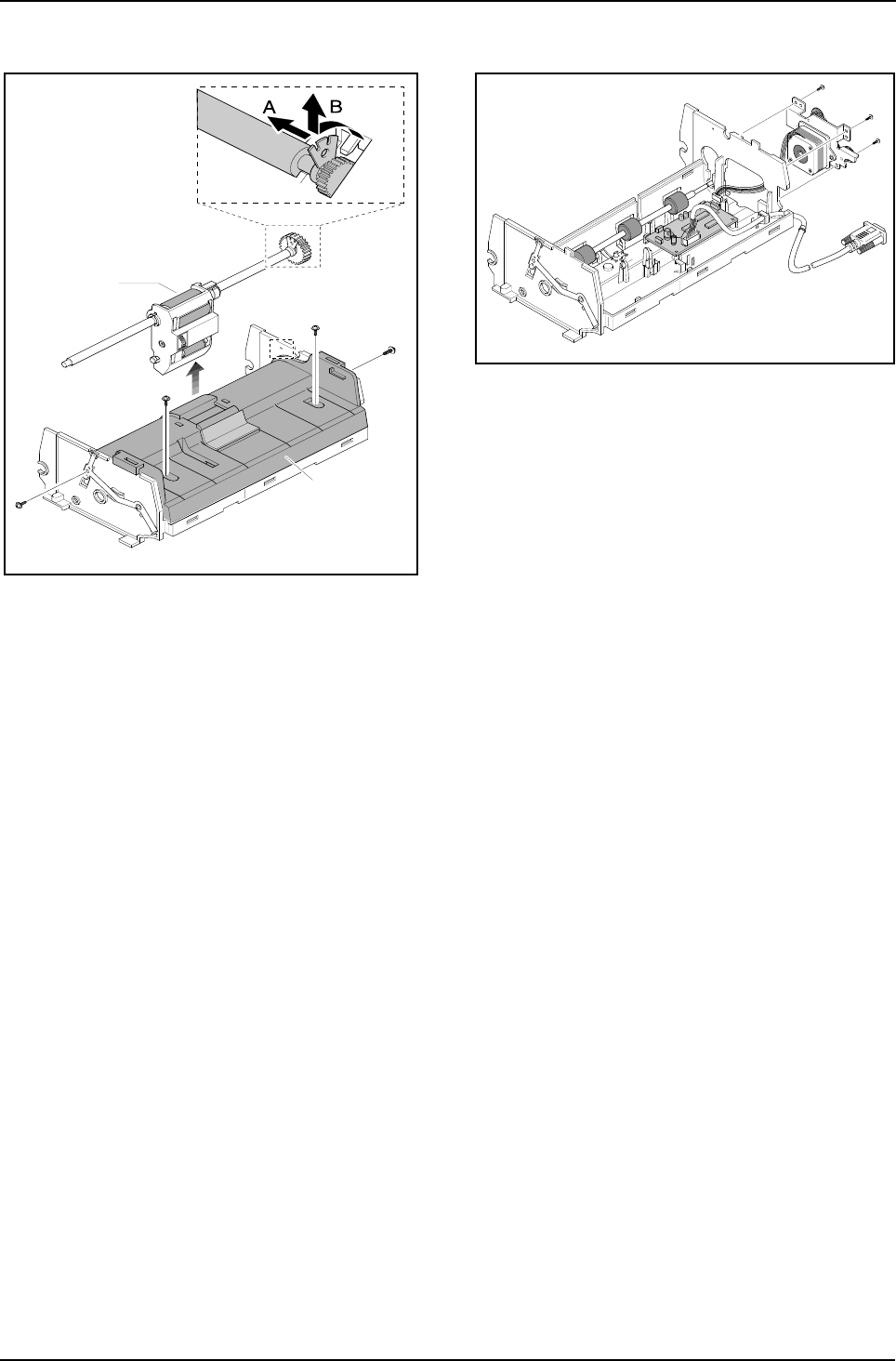
2. Remove the five screws from the Platen Cover.
3. Open the Cover. Remove Cover Side R. Unlatch
the Side Cover L by pushing the catch hooked to
the Platen Cover using a sharp tool and remove
Side Cover L.
4. Pull the ADF Ass'y upward and remove it.
5. Tack out he Open Cover.
Platen Cover Ass’y
Side Cover L
Cover Open
Side Cover R
Platen Cover Ass’y
Open Cover
Disassembly and Reassembly
3-8 Samsung Electronics
6. Take out the Pick-up Ass’y.
Remove the four screws and the ADF Upper. 7. Remove three screws and take out the ADF
Motor ass'y.
Pick-up Ass’y
ADF Upper
Disassembly and Reassembly
Samsung Electronics 3-9
3-5 OPE Ass'y
1. Before you remove the OPE Ass'y, you should
remove:
- Rear Cover (see page 3-1)
- Scanner Ass'y (see page 3-2)
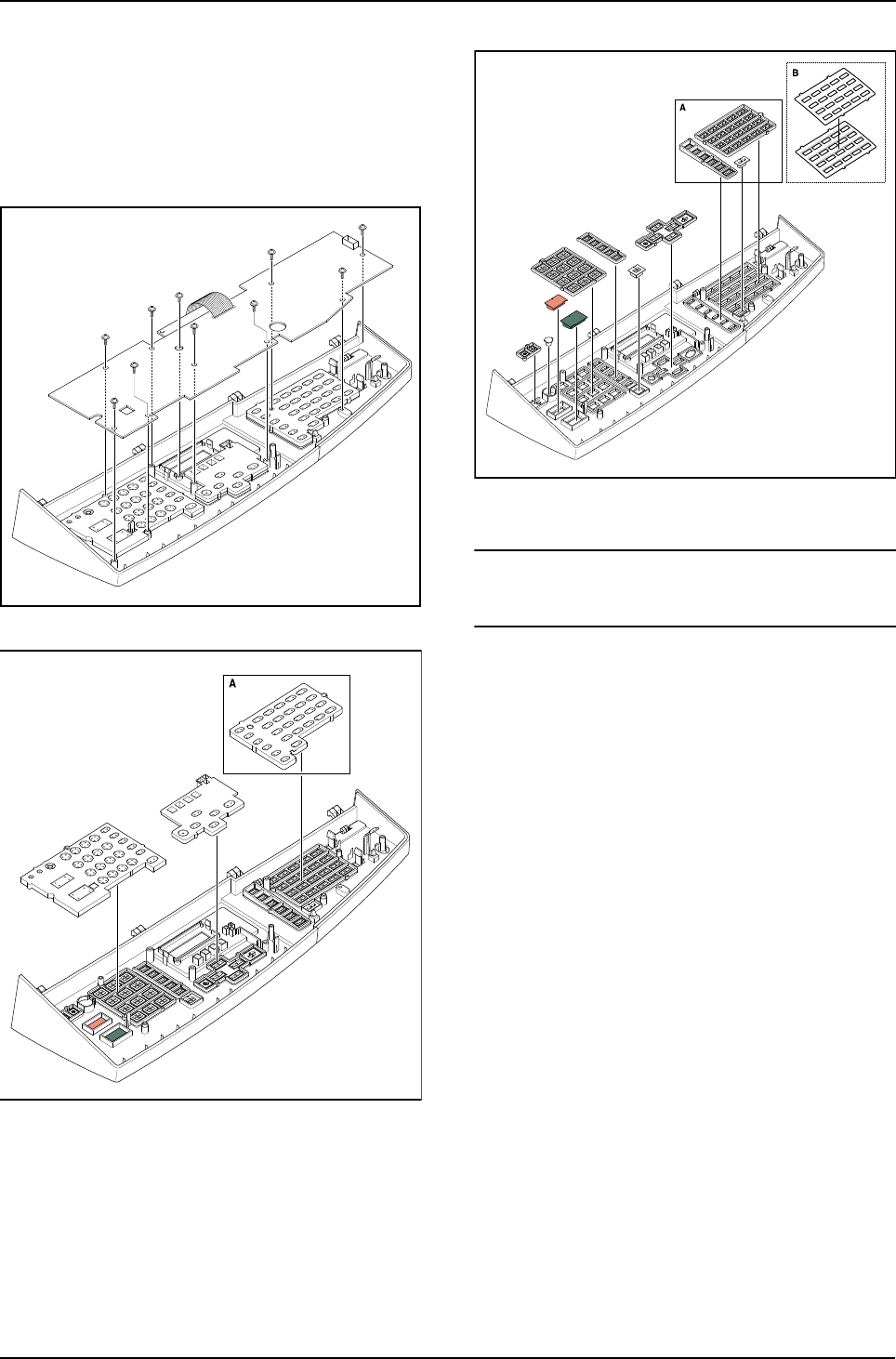
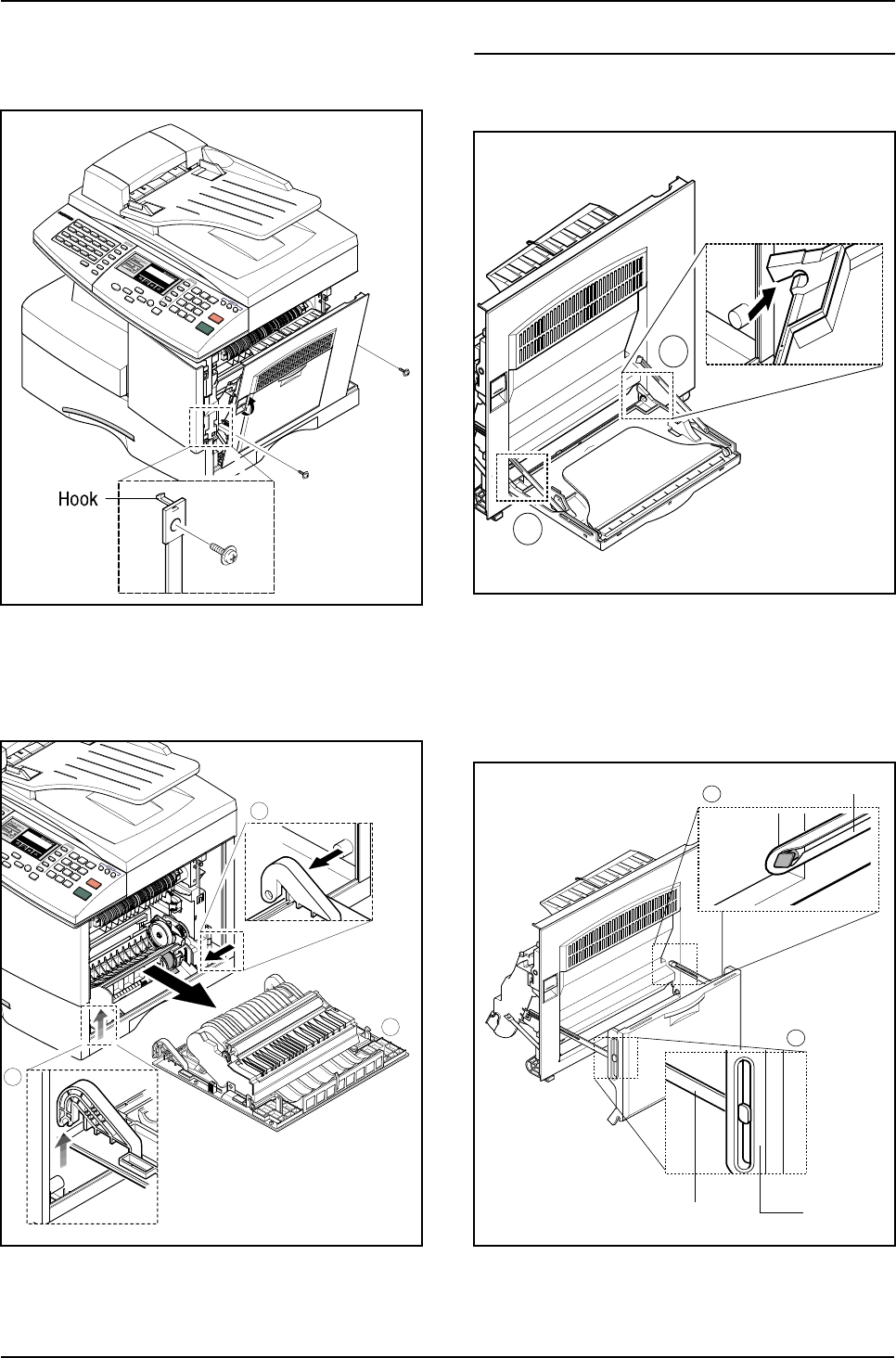
2. Remove ten screws securing the OPE PBA and
the LCD Module from the OPE Cover.
3. Remove the contact rubbers from the unit.
4. Remove the key pad from the unit.
Caution
The above information is for the SCX-5315F model.
For the SCX-5115 model, the OPE Ass’y is slightly differ-
ent, prats maked “a” are not fitted.
Disassembly and Reassembly
3-10 Samsung Electronics
3-6 Side Cover Ass'y
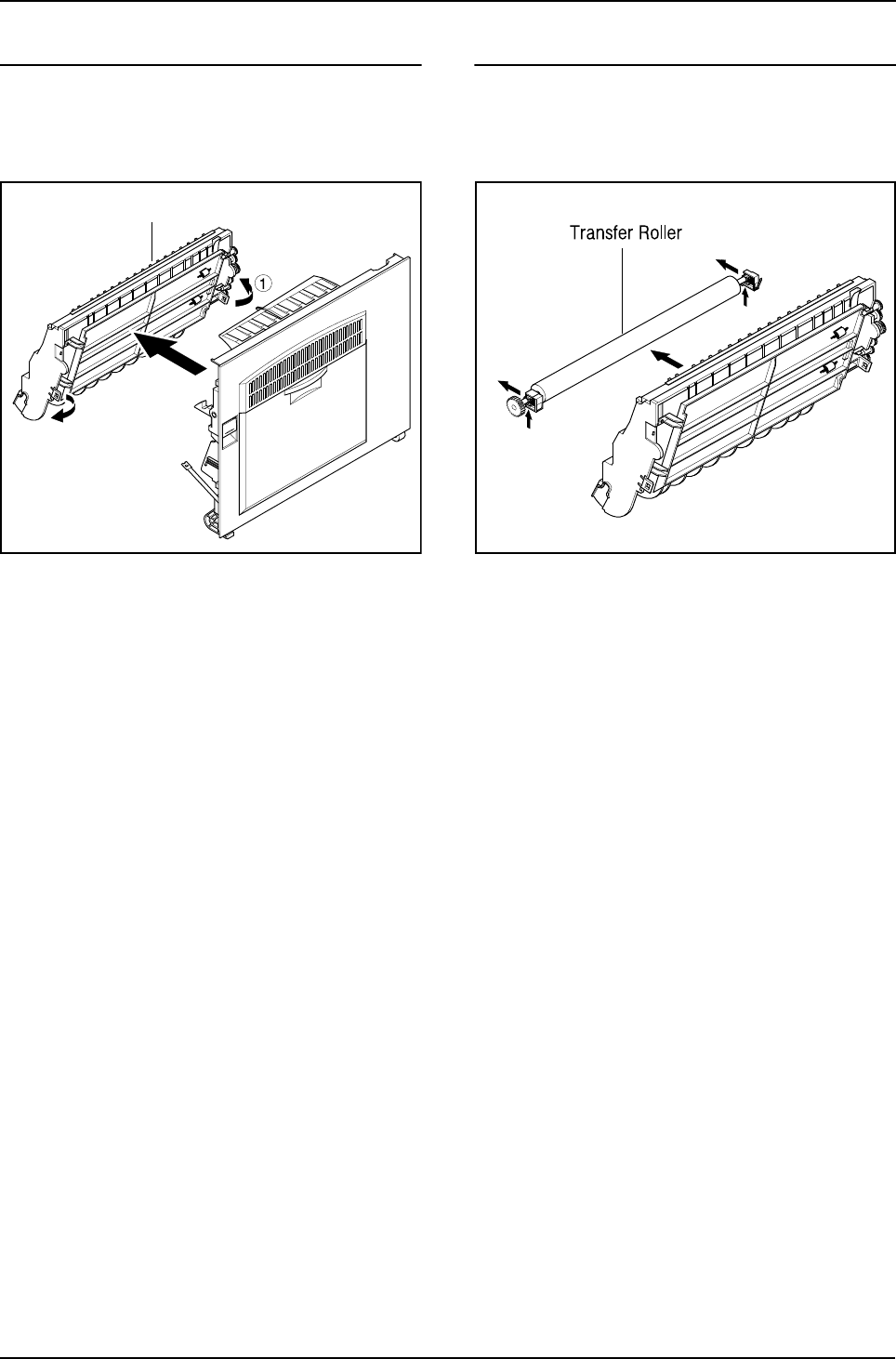
1. Remove the two screws to release the Stop-
per(Main Frame side) securing the Side Cover
to the Main Frame.
2. Completely open the Side Cover door. The left
hand hinge (1) should be lifted to free it. Then
push the whole door assembly to the left to free
the right hand hinge (2).
* MP-Tray
1. To dismantle the MP tray release the lower
hinges (1).
2. As shown in (1) below align the door supports in
a horizontal position. This will allow the Tray-
Case to be removed from the Tray Links. To
remove the Tray-Links adjust the position of the
Tray Link to a 45?angle to align the slot in the
Tray Link Tray-Case
MP Tray
1
2
1
1
1
2
3
Disassembly and Reassembly
Samsung Electronics 3-11
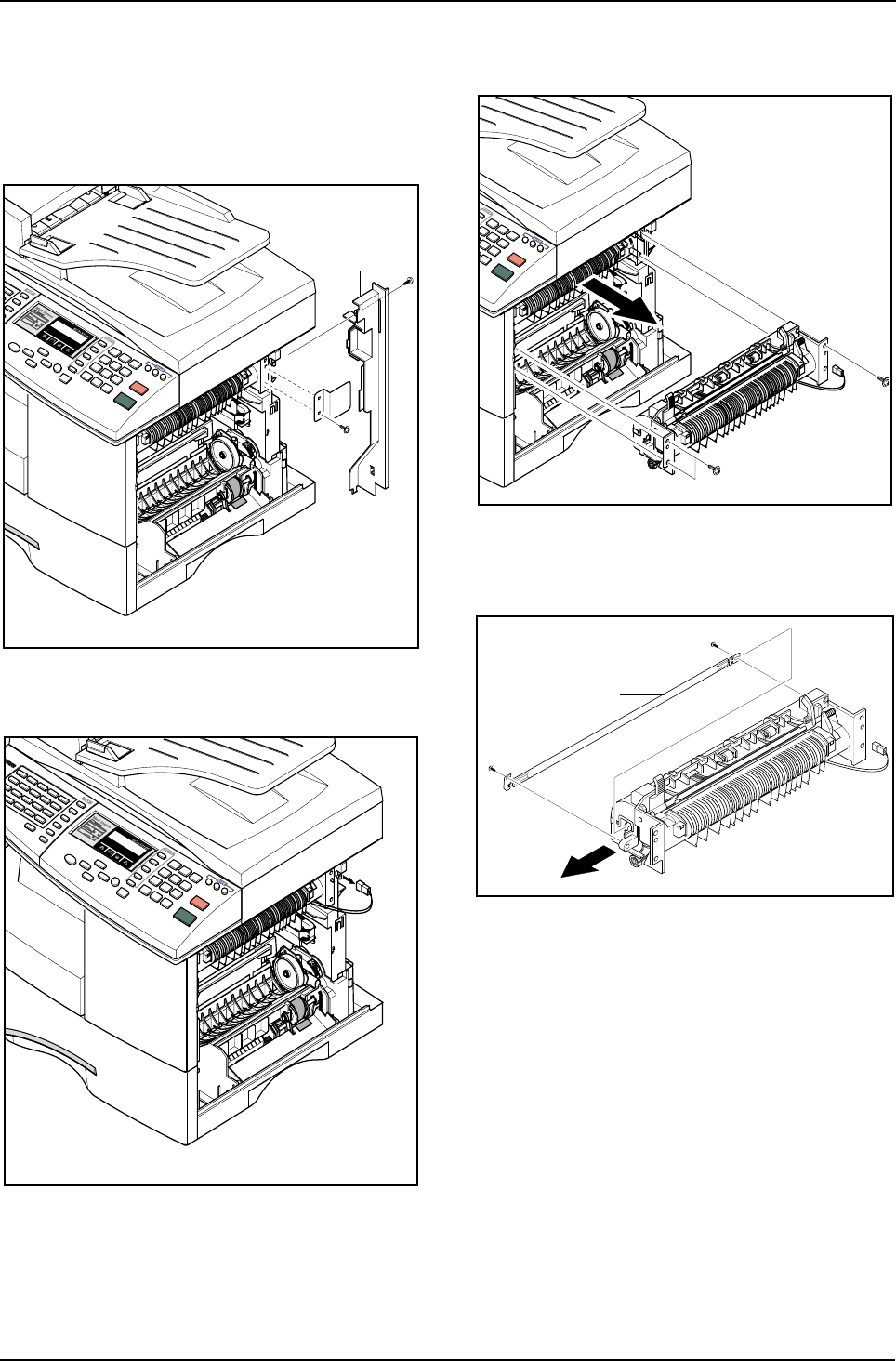
* Duplex Ass’y
1. To remove the Duplex Ass'y from the Side Door
Ass' locate the plastic clips, 2 on each side, and
release them.
Duplex Ass’y
* Transfer Roller Ass’y
1. Take out the Transfer Roller, as shown below.
Disassembly and Reassembly
3-12 Samsung Electronics
3-7 Fuser Ass'y
1. Before you remove the Fuser Ass'y, you should
ensure power is off and remove :
- Rear Cover Ass'y (see page 3-1)
- Side Cover Ass'y (see page 3-9)
2. Remove the two screws and take out the Con-
nector Cover and the Cover Bracket.
3. Unplug the one connector.
4. Remove the three screws and take out the Fuser
Ass'y.
5. Remove the four screws and take out the Ther-
mostat.
Cover Bracket
Halogen Lamp
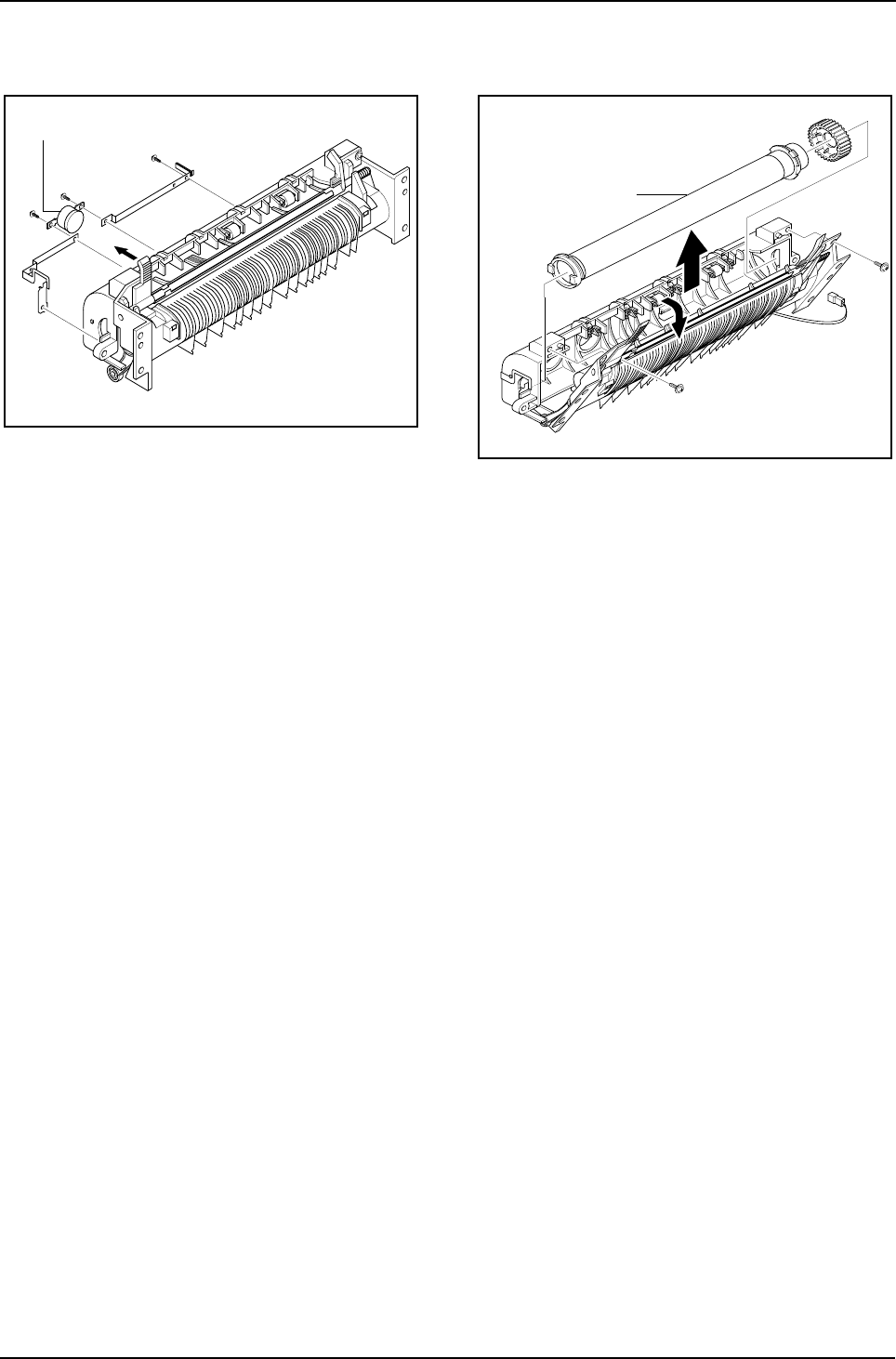
Disassembly and Reassembly
Samsung Electronics 3-13
6. Remove the two screws and take out the Halo-
gen Lamp. 7. Remove 2 screws and hinge open the Lower
Fuser Ass'y, remove the Heat Roller Ass'y from
the Upper Fuser Ass'y.
Thermostat
Heat Roller
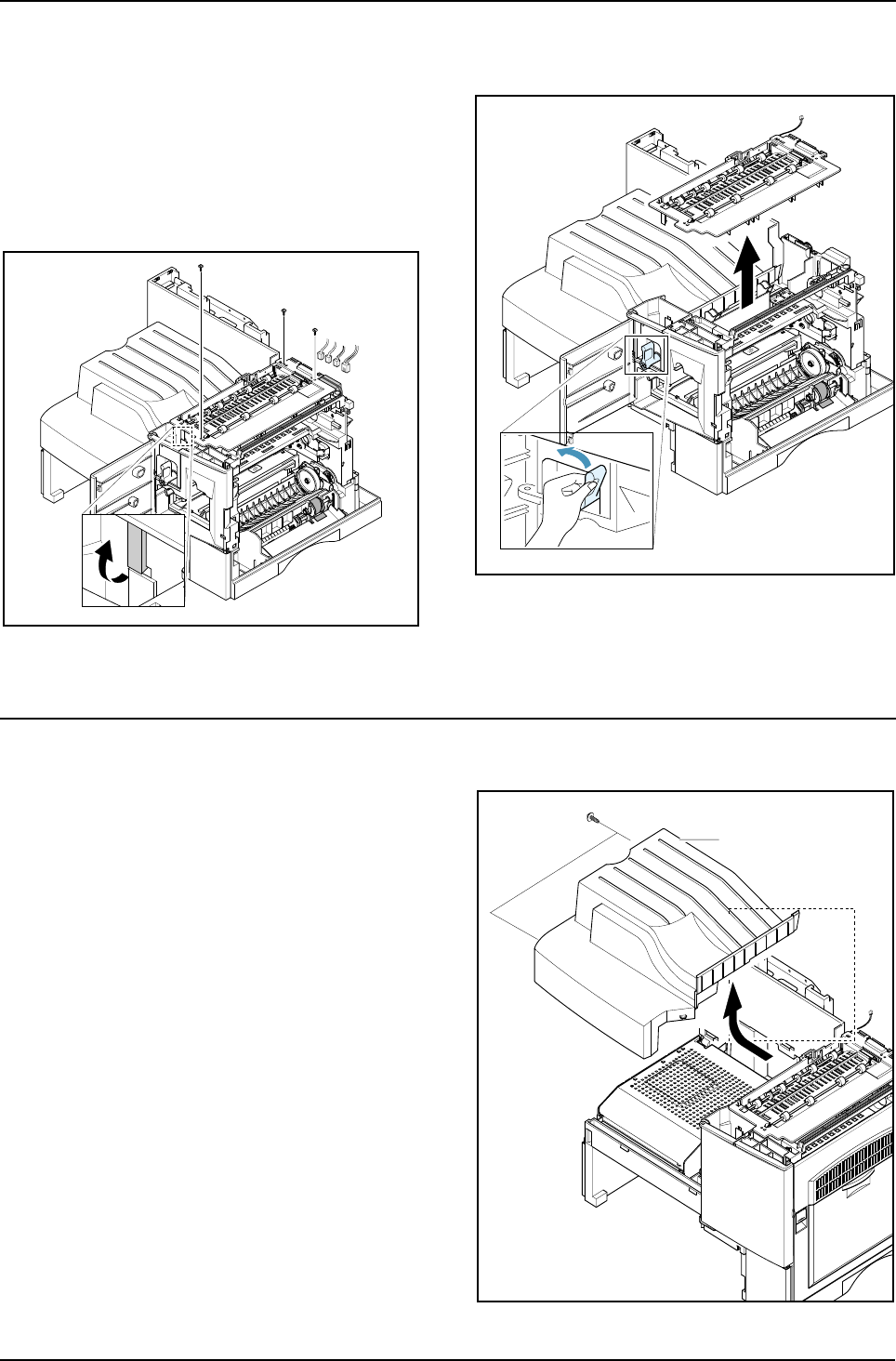
Disassembly and Reassembly
3-14 Samsung Electronics
3-8 Exit Ass'y
1. Before you remove Exit Ass'y, you should
remove:
- Rear Cover (see page 3-1)
- Scanner Ass'y (see page 3-2)
2. Remove four screws, and then untie the harness
from the Exit Upper. Unplug four connectors and
unlatch the Dummy Base Frame, as shown
below.
3. Move the Exit Roller Release Lever to the upright
position as shown in the diagram below and lift
the exit ass'y to remove it.
3-9 Cover Paper Exit Ass'y
1. Before you remove the Cover Paper Exit Ass'y,
you should remove:
- Rear Cover (see page 3-1)
- Scanner Ass'y (see page3-2)
2. Remove two screws and Cover Paper Exit Ass'y,
as shown below.
Cover Paper Exit Ass’y
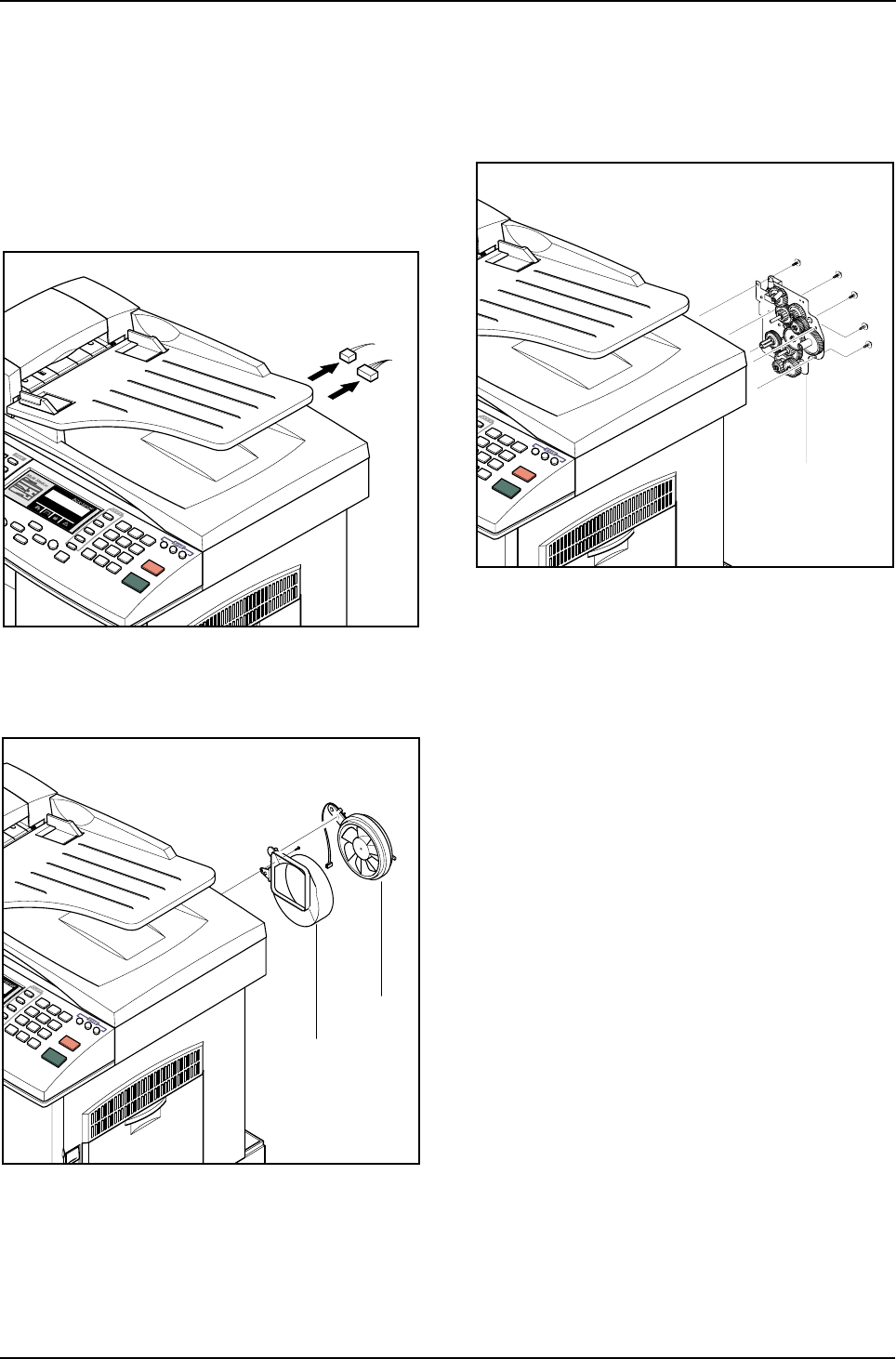
Disassembly and Reassembly
Samsung Electronics 3-15
3-10 Drive Ass'y
1. Before you remove the Drive Ass'y, you should
remove:
- Rear Cover (see page 3-1)
- Shield Main Upper (see page 3-2)
2. Unplug the two connectors.
(Main Motor:9pin, Duplex Solenoid : 2pin)
3. Remove the one screw and take out the Fan and
Dust Fan.
4. Remove the five screws and take out the Drive
Ass'y.
Fan
Dust Fan
Drive Ass’y
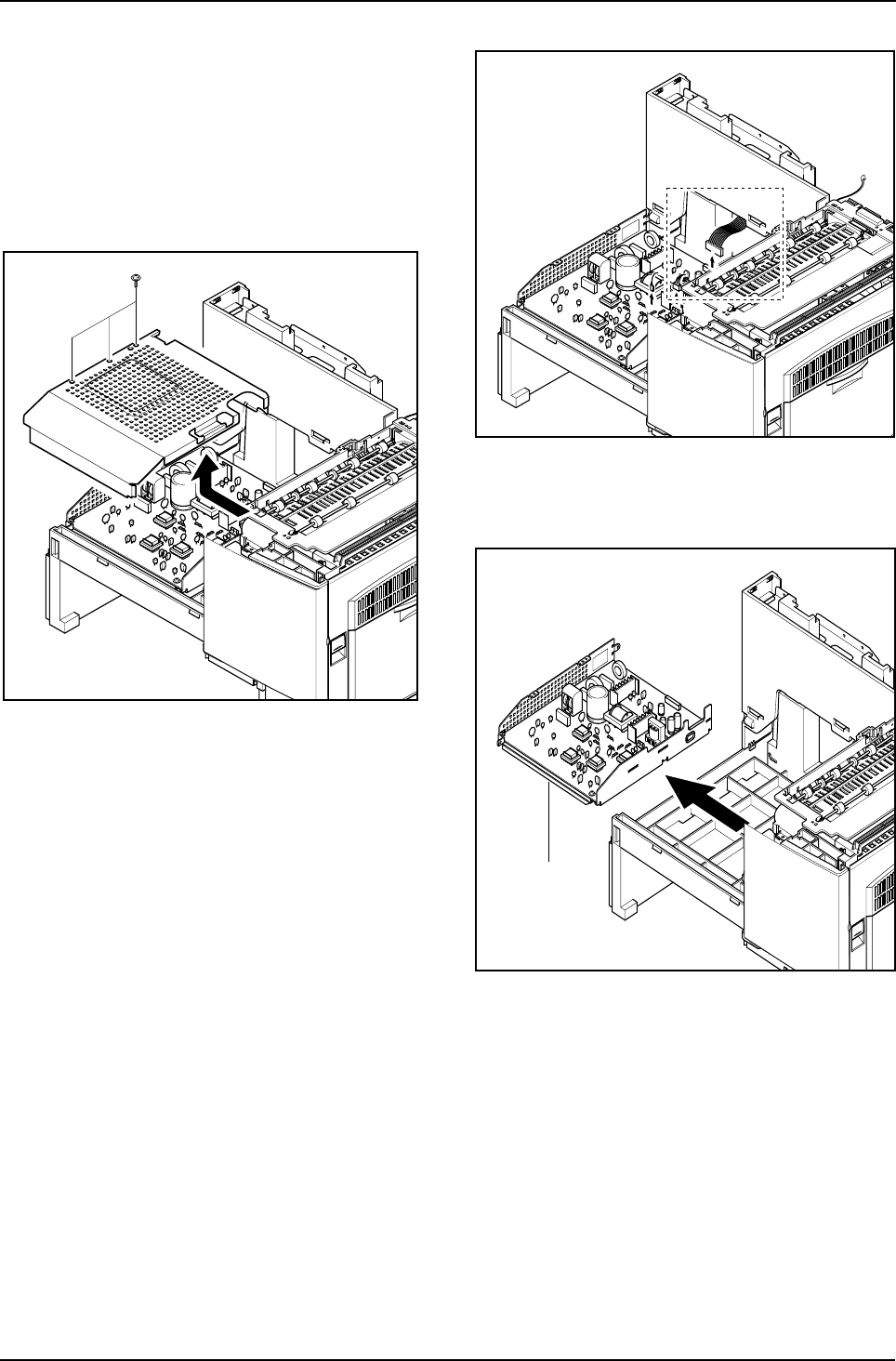
Disassembly and Reassembly
3-16 Samsung Electronics
3-11 SMPS
1. Before you remove the LSU, you should remove:
- Rear Cover (see page 3-1)
- Scanner Ass'y (see page 3-2)
- Cover Paper Exit Ass’y(see page 3-12)
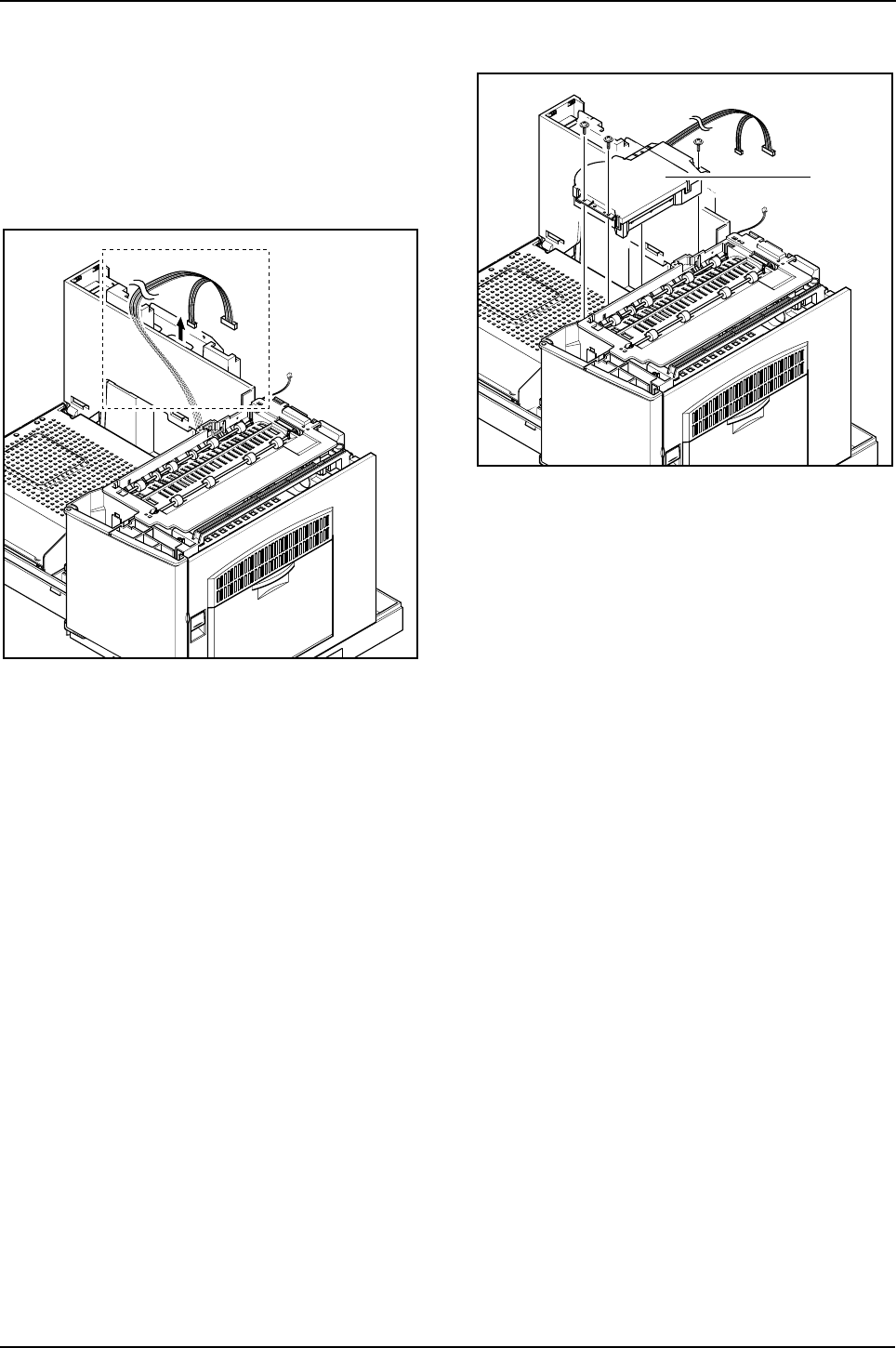
2. Remove three screws and take out the Shield
SMPS Upper.
3. Unplug the all connectors.
4. Remove the SMPS, as shown below.
SMPS
Disassembly and Reassembly
Samsung Electronics 3-17
3-12 LSU (Laser Scaning Unit)
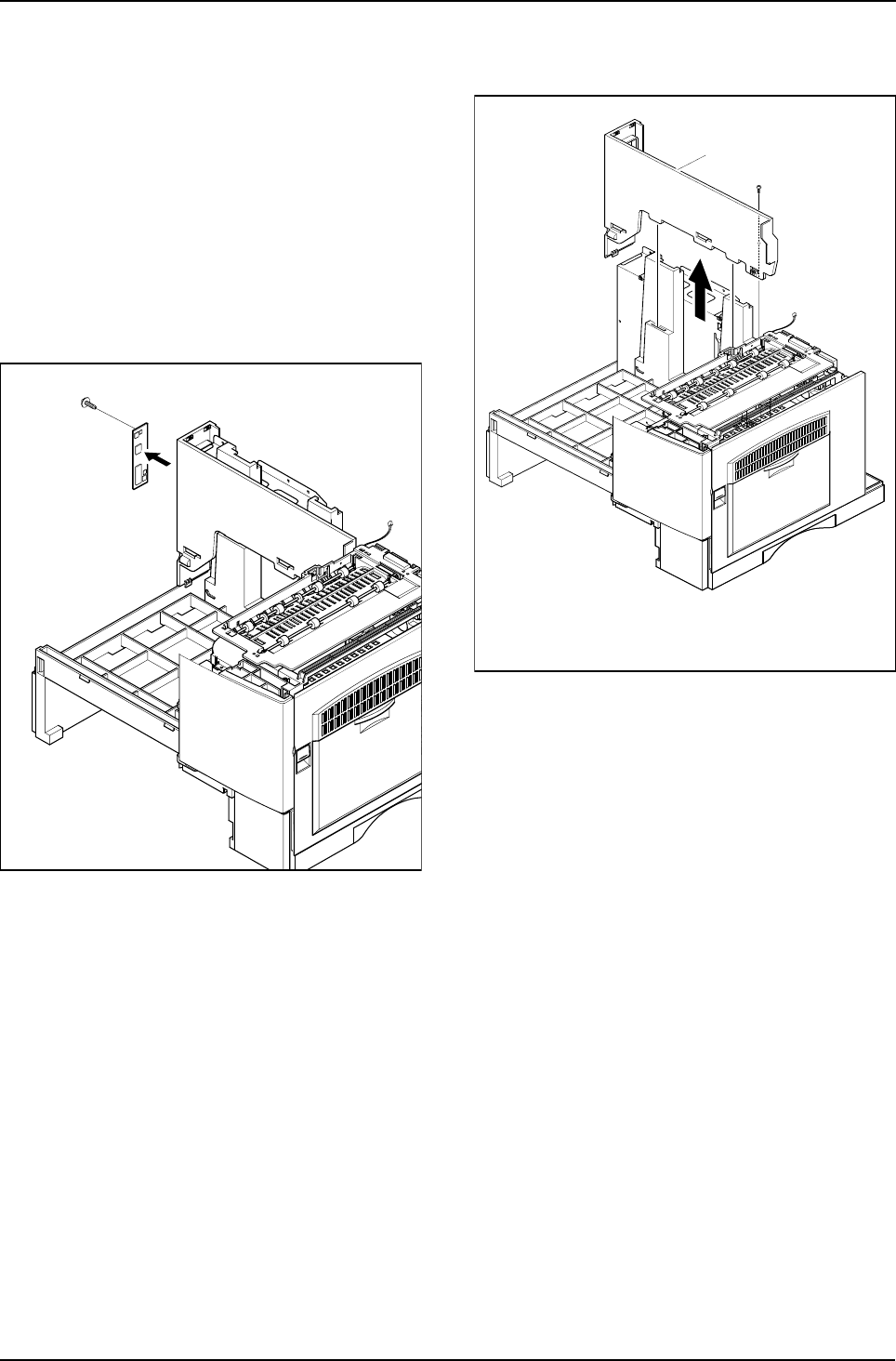
1. Before you remove the LSU, you should remove:
- Rear Cover (see page 3-1)
- Scanner Ass'y (see page 3-2)
- Cover Paper Exit Ass’y (see page 3-12)
2. Unplug the two connectors.
3. Remove the three screws and take out the LSU.
LSU
Disassembly and Reassembly
3-18 Samsung Electronics
3-13 Cover Exit Rear
1. Before you remove the Cover Exit Rear, you
should remove:
- Rear Cover (see page 3-1)
- Scanner Ass'y (see page 3-2)
- Exit Ass'y (see page 3-12)
- Cover Paper Exit Ass’y(see page 3-12)
- SMPS (see page 3-14)
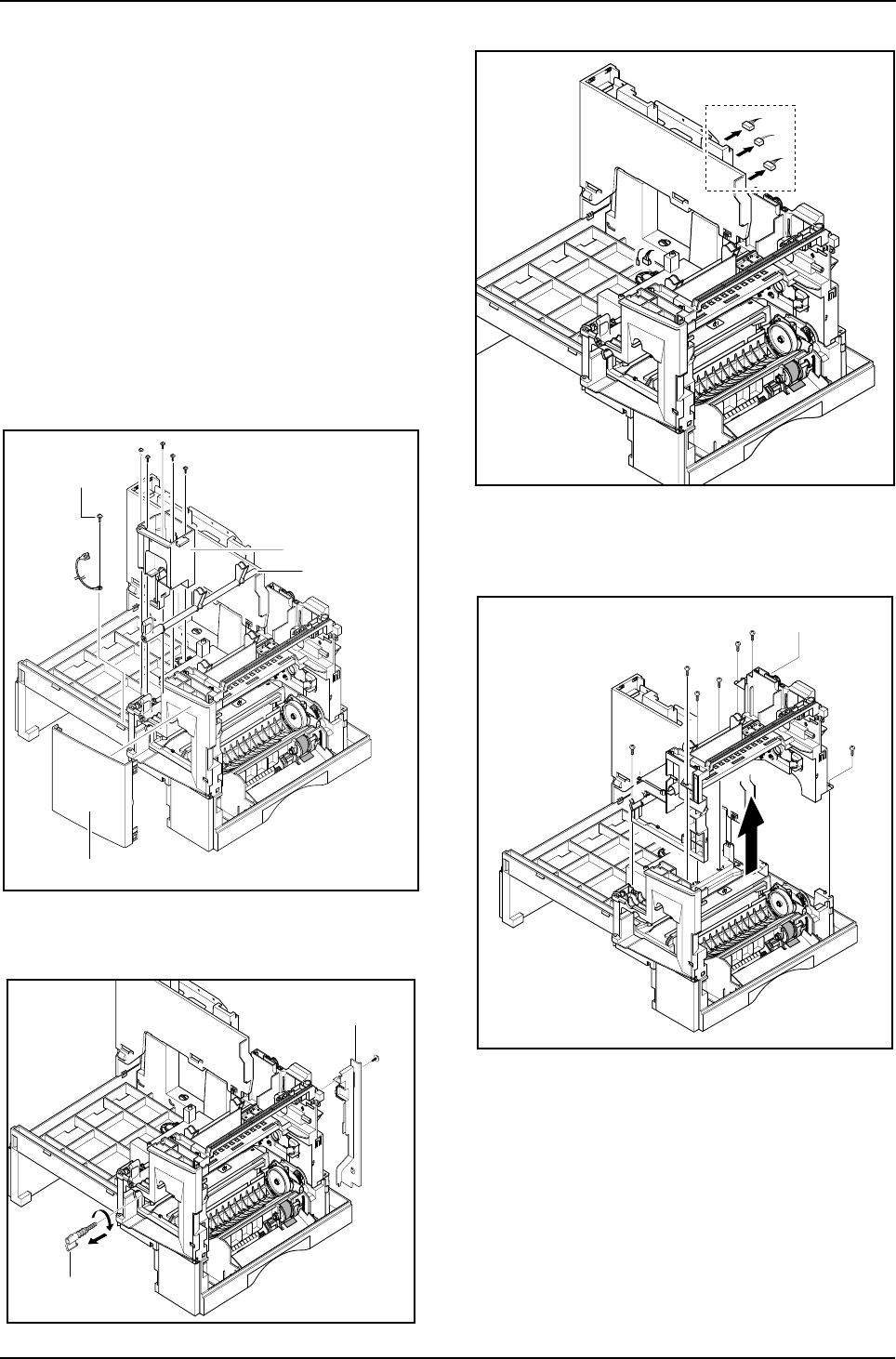
2. Remove the one screw and take out the Panel
Connect MPF.
3. Remove the one screw and Cover Exit Rear, as
shown below.
Cover Exit Rear
Disassembly and Reassembly
Samsung Electronics 3-19
3-14 Main Frame Ass'y
1. Before you remove the LSU, you should remove:
- Rear Cover (see page 3-1)
- Scanner Ass'y (see page 3-2)
- Side Cover Ass'y (see page 3-9)
- Fuser (see page 3-11)
- Exit Ass'y (see page 3-12)
- Cover Paper Exit Ass’y(see page 3-12)
- SMPS (see page 3-14)
- LSU (see page 3-15)
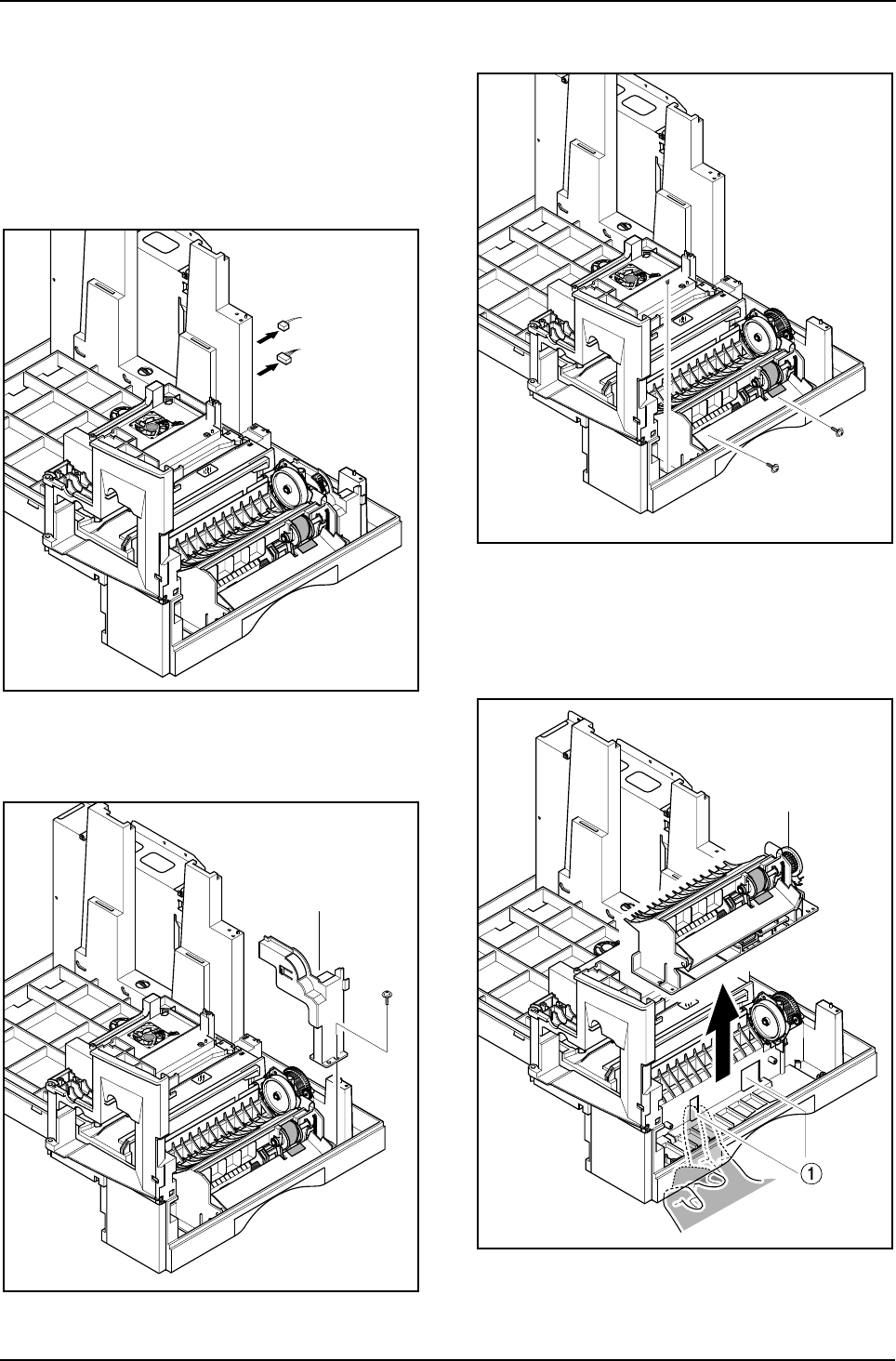
2. Remove the OPC Ground Screw (see diagram).
Take care when re-assembling as if the thread is
stripped the OPC ground may become intermit-
tent causing print faults. Then remove the rest of
the five screws to dissassemble the Dummy
Base Frame, the Cover Front and the Exit Roller
release cam.
3. Remove the Deve Lock Lever, and then remove
the one screw and the Cover Motor Bracket.
4. Unplug the all connectors.
5. Remove the seven screws and take out the
Main Frame Ass'y.
Dummy Base Frame
OPC Ground Screw
Cam Jam Remove
Front Cover
Lock Deve
Cover Motor Bracket
Main Frame Ass’y
Disassembly and Reassembly
3-20 Samsung Electronics
3-15 MP Ass'y
1. Before you remove the MP Ass’y, you should
remove:
- Rear Cover (see page 3-1)
- Shield Main Upper (see page 3-2)
- Side Cover Ass'y (see page 3-9)
2. Unplug the two connectors.
3. Remove the one screw and take out the Dummy
Cover.
4. Remove the three screws.
5. Release the SMPS fit. Pull the MP Ass'y upward
and remove it.
Dummy Cover
MP Ass’y
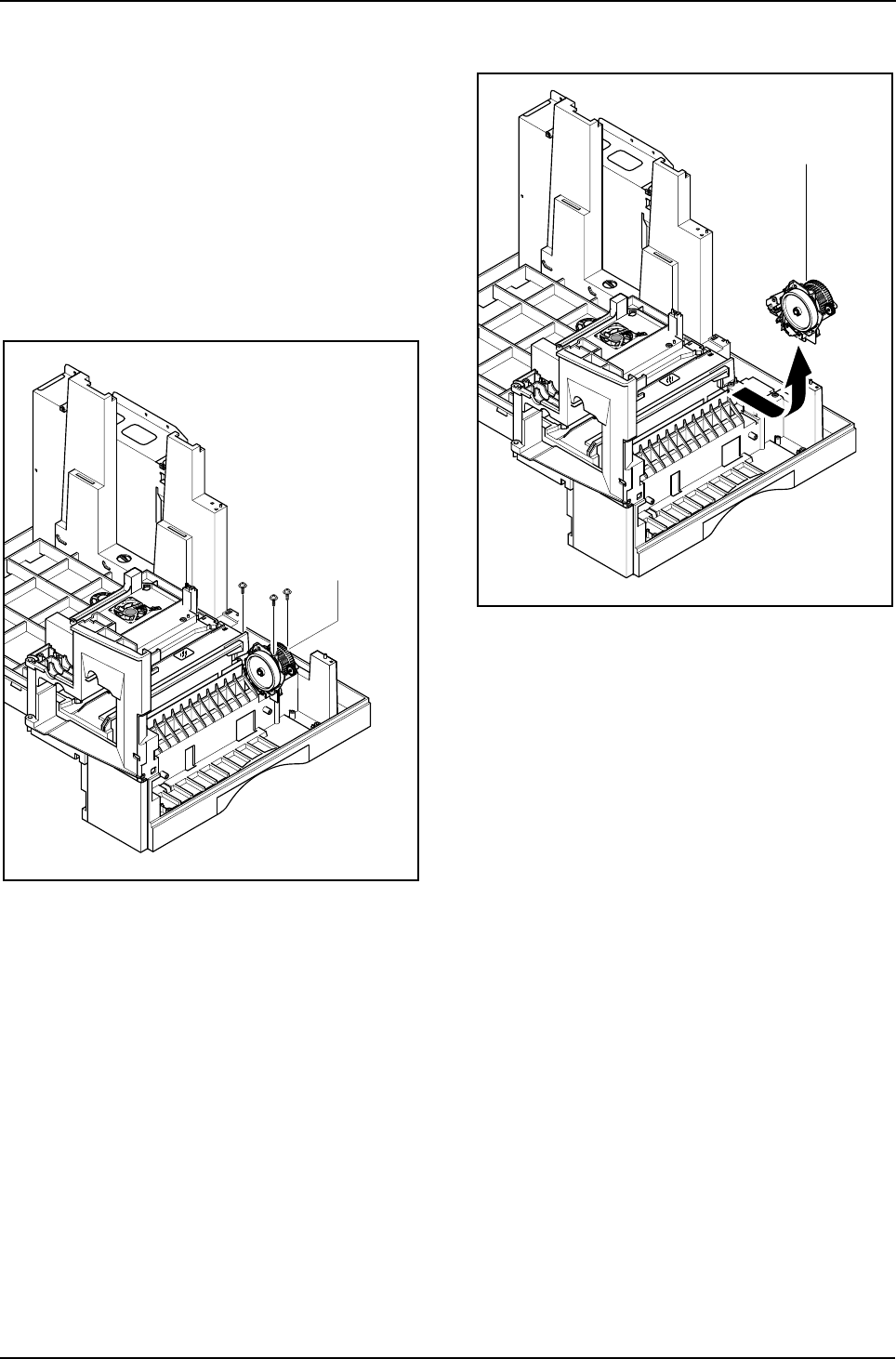
Disassembly and Reassembly
Samsung Electronics 3-21
3-16 Feed Ass'y
1. Before you remove the Feed Ass’y, you should
remove:
- Rear Cover (see page 3-1)
- Scanner Ass'y (see page 3-2)
- Side Cover Ass'y (see page 3-9)
- Exit Ass'y (see page 3-12)
- Cover Paper Exit Ass’y(see page 3-12)
- LSU (see page 3-15)
- Main Frame Ass’y (see page 3-17)
2. Remove the three screws.
3. Pull the Feed Ass'y upward and remove it.
Feed Ass’y
Feed Ass’y
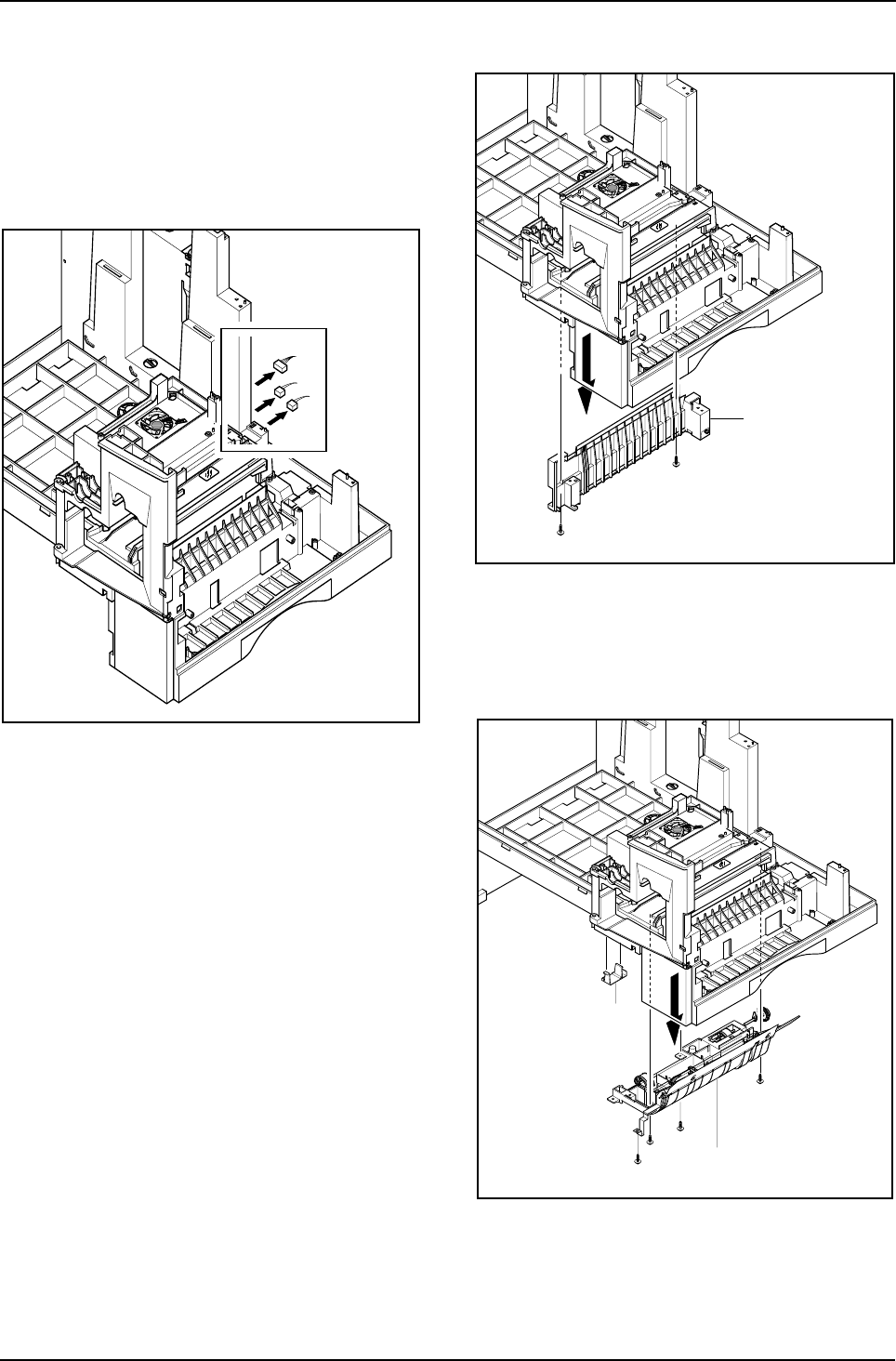
Disassembly and Reassembly
3-22 Samsung Electronics
3-17 Pick Up Ass'y
1. Before you remove the Pick Up Ass’y, you should
remove:
- Rear Cover (see page 3-1)
- Shield Main Upper (see page 3-2)
- Drive Ass'y (see page 3-13)
2. Unplug the three connectors.
3. Remove the two screws and take out the Cas-
sette Rail.
4. Remove the four screws and take out the Pick Up
Ass'y, as shown below.
Cassette Rail
Pick-up Ass’y
Guide Paper Out
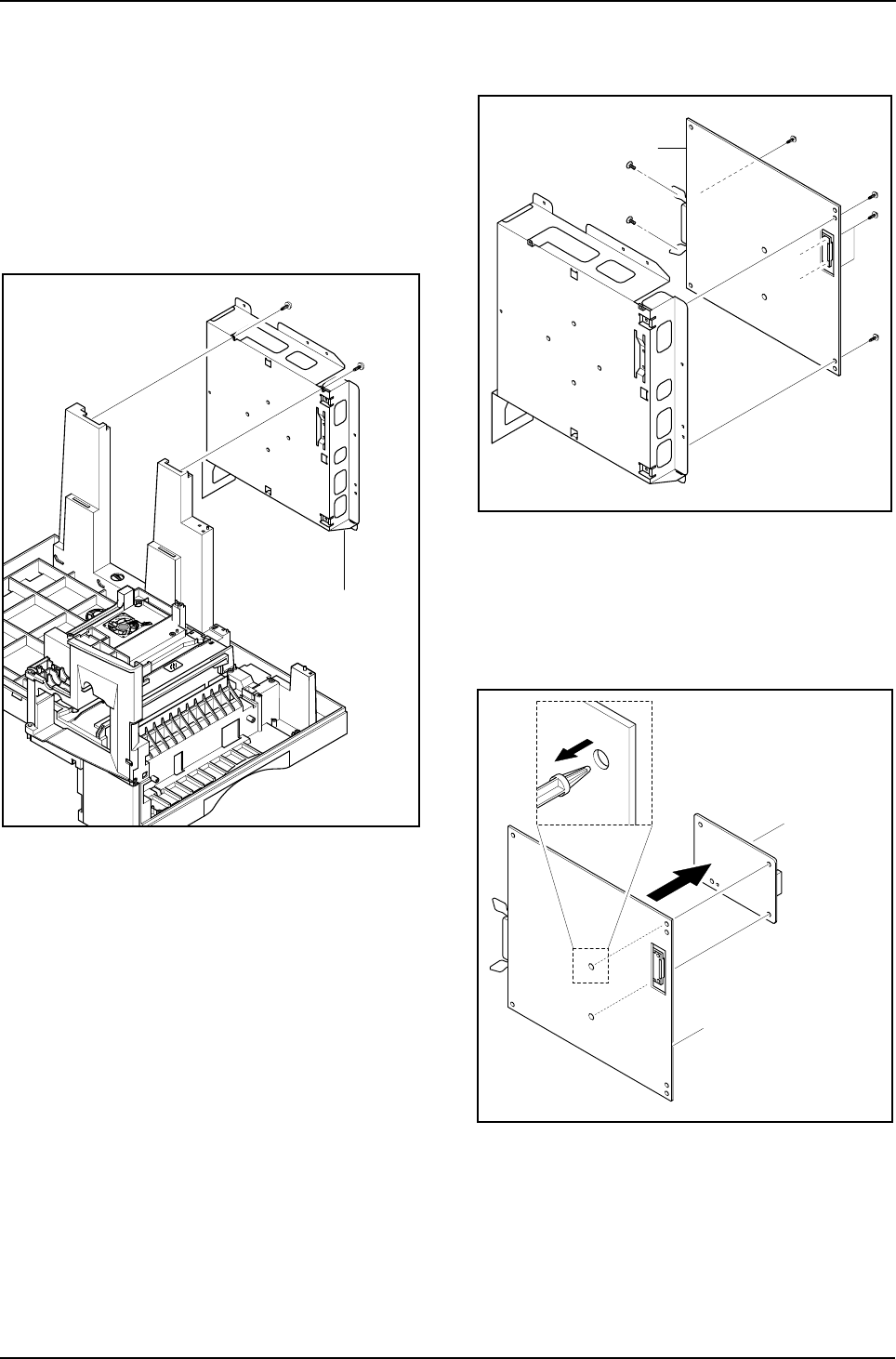
Disassembly and Reassembly
Samsung Electronics 3-23
3-18 Main PBA
1. Before you remove the Main PBA, you should
remove:
- Rear Cover (see page 3-1)
- Side Cover Ass'y (see page 3-9)
- Cover Paper Exit Ass’y(see page 3-12)
- SMPS (see page 3-14)
2. Remove the two screws and take out the Shield
Main Lower.
3. Remove the five screws and take out the main
PBA from the Shield Main Lower.
4. Remove the one screw and unlatch the LIU PBA
securing the main PBA and remove it.
Shield Main Lower
Main PBA
LIU PBA
(Only SCX-5315F)
Main PBA
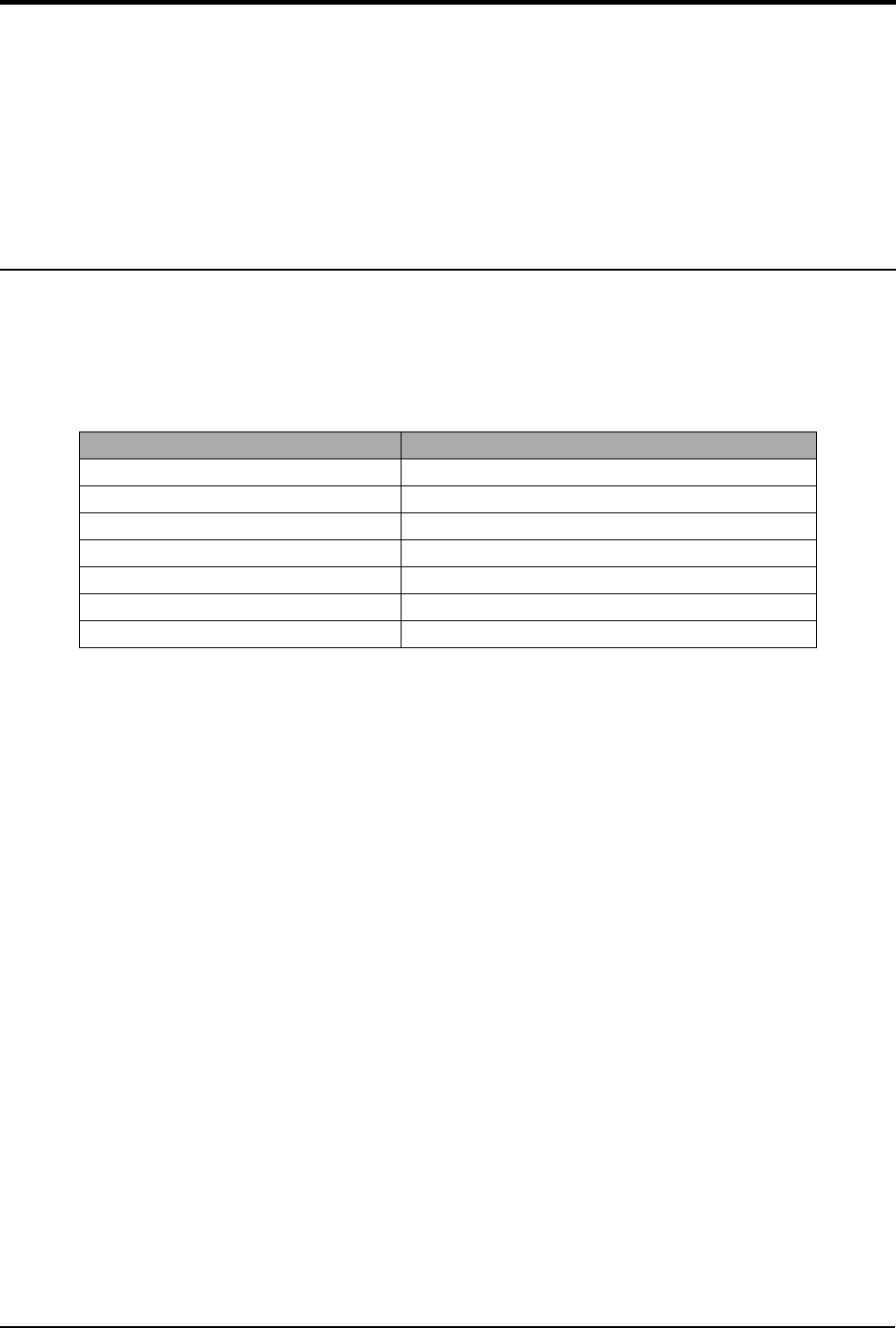
Troubleshooting
Samsung Electronics 4-1
4. Maintenance & Troubleshooting
This chapter covers product maintenance, problem diagnosis and troubleshooting. It includes instructions for
diagnosing and resolving print quality problems.
This service manual covers both the SCX5315F and SCX5115 models. SCX5115 has printer, copier and
scanner functions. The SCX5315F has all of the features of the SCX5115 and in addition has Fax capabilities.
The manual contents are primarily written for the SCX5315F, where there are differences between the two
models this is highlighted.
4-1 Preventative Maintenance
The cycle period outlined below is a general guideline for maintenance.
The example list is for an average usage of 50 transmitted and received documents per day.
Environmental conditions and actual use will vary these factors.
The cycle period given below is for reference only.
COMPONENT REPLACEMENT CYCLE
ADF Rubber 20,000 Pages
ADF Roller 50,000 Pages
Pick-up Roller 75,000 Pages
Transfer Roller 75,000 Pages
Fuser 75,000 Pages
Toner Cartridge 6,000 Pages
Drum Cartridge 15,000 Pages

Troubleshooting
4-2 Samsung Electronics
4-2 Error Messages
Error Message Description Solution
RETRY REDIAL? The machine is waiting for the programmed inter-
val to automatically redial. You can press START to immediately
redial, or STOP to cancel the redial
operation.
COMM. ERROR A problem with FAX communications has
occurred. Try again.
DOCUMENT JAM Loaded document has Jammed in the scanner
document feeder Clear the document Jam.
DOOR OPEN The side cover is not securely latched The side door and front door must be
closed in the correct order. Open both
doors. Close the front door first then
close the side door.
GROUP NOT AVAILABLE You have tried to select a group location where
only a single location number can be used, such
as when adding locations for a multi-dial opera-
tion.
Try again, check location for group.
LINE ERROR Your unit cannot connect with the remote
machine, or has lost contact because of a prob-
lem on the phone line.
Usually caused by a telephone line
problem. Try again. If failure persists,
wait an hour or so for the line to clear
then try again
LOAD DOCUMENT You have attempted to set up a sending opera-
tion with no document loaded. Load a document and try again.
MEMORY FULL The memory has become full. Either delete unnecessary documents, or
retransmit after more memory becomes
available, or split the transmission into
more than one operation.
NO ANSWER The remote machine was not answered after all
the redial attempts. Try again.
Make sure the remote machine is OK.
NO. NOT ASSIGNED The speed dial location you tried to use has no
number assigned to it. Dial the number manually with the key-
pad, or assign the number.
NO PAPER
[ADD PAPER] There is no paper in the paper cassette. Printing
stops until paper is loaded. Re-load the paper cassette.
OVERHEAT The printer part has overheated. Your unit will automatically return to the
standby mode when it cools down to nor-
mal operating temperature. If failure per-
sists, call service.
PAPER JAM 0
OPEN/CLOSE DOOR Recording paper has jammed in paper feeding
area.
Recording paper is jammed in pick-up unit
Press STOP and clear the jam.
PAPER JAM 1/2
OPEN/CLOSE DOOR Recording paper has jammed inside the unit.
Recording paper has jammed in paper exit unit. Clear the jam.
TONER LOW Toner cartridge is almost empty, or toner particles
in the cartridge are unevenly distributed in the car-
tridge
Remove the toner cartridge and gently
rock it from side to side.
Try again. If problem persists replace the
cartridge.
TONER EMPTY Toner cartridge is now empty Replace the Toner Cartridge.
Troubleshooting
Samsung Electronics 4-3
DRUM WARNING A warning that the OPC drum has almost reached
the end of its life (14,000 Sides) You have 1000 pages of print life left in
the OPC Drum. Continue to use, order
a new OPC drum.
REPLACE DRUM OPC drum is now life-expired
(15,000 sides) Replace the OPC Drum Cartridge.
NO CARTRIDGE When the machine detects that the toner cartridge
has not been installed. Install the Cartridge.
BYPASS JAM Paper feed problem from the BYPASS (Manual
feed) Tray. Open the side Cover and clear the jam.
DUPLEX JAM Paper feed problem in the duplex return path Release Output Feed lever and check
output area clear. Also open side door
and check duplex unit is clear.
LINE BUSY The remote FAX didn’t answer Try again.
OPEN HEAT EROR No power to the Fuser lamp Check thermostat, thermistor, fuser lamp
and fuser connector and associated wir-
ing. Also check the ‘Fuser On’ signal
from main PWA to Power Supply. Check
cable from Main PWA to Power Supply
Heating Error During operation, Temperature does not go up Check thermister contact point &
Heating Lamp.
Scanner Locked Scanner head does not move. Check transit lock, check scanner cables
are connected, check scanner home
sensor, scanner motor or drive belt.
Error Message Description Solution
Troubleshooting
4-4 Samsung Electronics
4-3 User Mode
The table below shows the settings and functions available in the User Mode. These are described in the user
Guide. The table is given here to indicate possible settings that the user may have changed.
4-3-1 SCX-5315F
✳❑n❄❏❊on✳❑n❄❏❊on
✳❑n❄❏❊on✳❑n❄❏❊on ✶❏❆m✶❏❆m
✶❏❆m✶❏❆m✰on❏❆n❏✰on❏❆n❏
✰on❏❆n❏✰on❏❆n❏
SYSTEM DATA CASSETTE PAPER LETTER / A4 / LEGAL
BYPASS PAPER LETTER / A4 / LEGAL
MESSAGE CONF. ON / OFF / ERROR
AUTO JOURNAL ON / OFF
RECEIVE CODE 0-9
POWER SAVE ON / OFF
ECM MODE ON / OFF
RX REDUCTION ON / OFF
DISCARD SIZE 0-30mm
REDIAL INTERVAL 1-15
REDIALS 1-13
ANSWER ON RING 1-7
SEND FROM MEMORY ON / OFF
LOCAL ID ON / OFF
CLOCK MODE 12 / 24 HOUR
SYSTEM ID FAX / ID
DATE & TIME
SYSTEM SETUP PREFIX DIAL NO.
SECURE RECEIVE
RINGER VOLUME LOW / HIGH (10 STEPS)
ALARM SOUND ON / OFF
KEY SOUND ON / OFF
SPEAKER CONTROL COM / ON /OFF
SELECT LANGUAGE ENG/GER/FRE/ITA/SPA/POR/DUT
USB MODE FAST / SLOW
FAX DUPLEX OFF / LONG EDGE / SHORT EDGE
IMAGE QUALITY NORMAL / TEXT / IMAGE
SCAN SLEEP MODE HOME SET
MEMORY CLEAR SYSTEM ID
SYSTEM DATA
PHONE BOOK / MEMORY
TX-RX JOURNAL
DELAY TX
MEMORY TX
PRIORITY TX
POLLING
ADD/CANCEL ADD / CANCEL
GROUP DIAL
Troubleshooting
Samsung Electronics 4-5
4-3-2 SCX-5115
4-4 Tech Mode
4-4-1 How to Enter Service Mode
In service mode (tech) mode, the technician can check the machine and perform various tests to isolate the
cause of a malfunction.
To enter the Tech mode, press
MENU, #, 1, 9, 3, 4
in sequence, and the LCD briefly displays ‘T’ or ‘TECH’,
the machine has entered service (tech) mode.
While in Tech mode, the machine still performs all normal operations.
To return to normal user mode, press
MENU, #, 1, 9, 3, 4
in sequence again, or turn the power off, then on
by unplugging and plugging the power cord.
Options changed while in service mode remain in effect until they are changed again or until you clear the
machine’s memory.
MAINTENANCE CLEAN DRUM
NEW DRUM
NOTIFY TONER LOW ON / OFF
TX CONFIRM
SCHEDULE JOB
PHONE BOOK
SYSTEM LIST
TX JOURNAL
RX JOURNAL
HELP LIST HELP LIST
✳❑n❄❏❊on✳❑n❄❏❊on
✳❑n❄❏❊on✳❑n❄❏❊on ✶❏❆m✶❏❆m
✶❏❆m✶❏❆m✰on❏❆n❏✰on❏❆n❏
✰on❏❆n❏✰on❏❆n❏
SYSTEM DATA CASSETTE PAPER LETTER / A4 / LEGAL
BYPASS PAPER LETTER / A4 / LEGAL
POWER SAVE ON / OFF
SELECT LANGUAGE ENG/GER/FRE/ITA/SPA/POR/DUT
USB MODE FAST / SLOW
HELP LIST HELP LIST PRINTOUT
MAINTENANCE CLEAN DRUM
NEW DRUM
REPORTS SYSTEM DATA
HELP LIST HELP LIST
✳❑n❄❏❊on✳❑n❄❏❊on
✳❑n❄❏❊on✳❑n❄❏❊on ✶❏❆m✶❏❆m
✶❏❆m✶❏❆m✰on❏❆n❏✰on❏❆n❏
✰on❏❆n❏✰on❏❆n❏
Troubleshooting
4-6 Samsung Electronics
4-4-2 Setting-up System in Tech Mode
4-4-2-1 SCX-5315F(SETUP : #, 1, 9, 3, 4)
✳❑n❄❏❊on✳❑n❄❏❊on
✳❑n❄❏❊on✳❑n❄❏❊on ✶❏❆m✶❏❆m
✶❏❆m✶❏❆m✰on❏❆n❏✰on❏❆n❏
✰on❏❆n❏✰on❏❆n❏
SYSTEM DATA DIAL MODE TONE / PULSE
MODEM SPEED
ERROR RATE 5% /10%
SET TX LEVEL 09-15
SILENCE TIME 12 / NU / OFF
SYSTEM ID The same as User Mode
DATE & TIME The same as User Mode
SYSTEM SETUP The same as User Mode
MEMORY CLEAR CLEAR ALL MEMORY
DELAY TX The same as User Mode
MEMORY TX The same as User Mode
PRIORITY TX The same as User Mode
POLLING The same as User Mode
ADD/CANCEL The same as User Mode
GROUP DIAL The same as User Mode
MAINTENANCE CLEAN DRUM
NEW DRUM
NOTIFY TONER LOW ON / OFF
SWITCH TEST
MODEM TEST
SRAM TEST
DRAM TEST
ROM TEST FLASH / ENGINE
PATTERN TEST PATTERN1-7, QAPATTERN1-4, ALL"1-7 , ALL"
CLEAR COUNT PASSWORD
(1934)
CRU PRINTS COUNT
FLT SCAN COUNT
ADF SCAN COUNT
USED DRUM COUNT
USED TONER COUNT
TOTAL PAGE COUNT
ANSWER ON CNG 1-4
ADJUST SHADING
FLASH UPGRADE LOCAL
REMOTE : USER PROGRAM ,
EMULATION ,BOOT PROGRAM
PROGRAM DIAL
TX CONFIRM The same as User Mode
SCHEDULE JOB The same as User Mode
PHONE BOOK The same as User Mode
SYSTEM LIST USER MODE
TX JOURNAL The same as User Mode
RX JOURNAL The same as User Mode
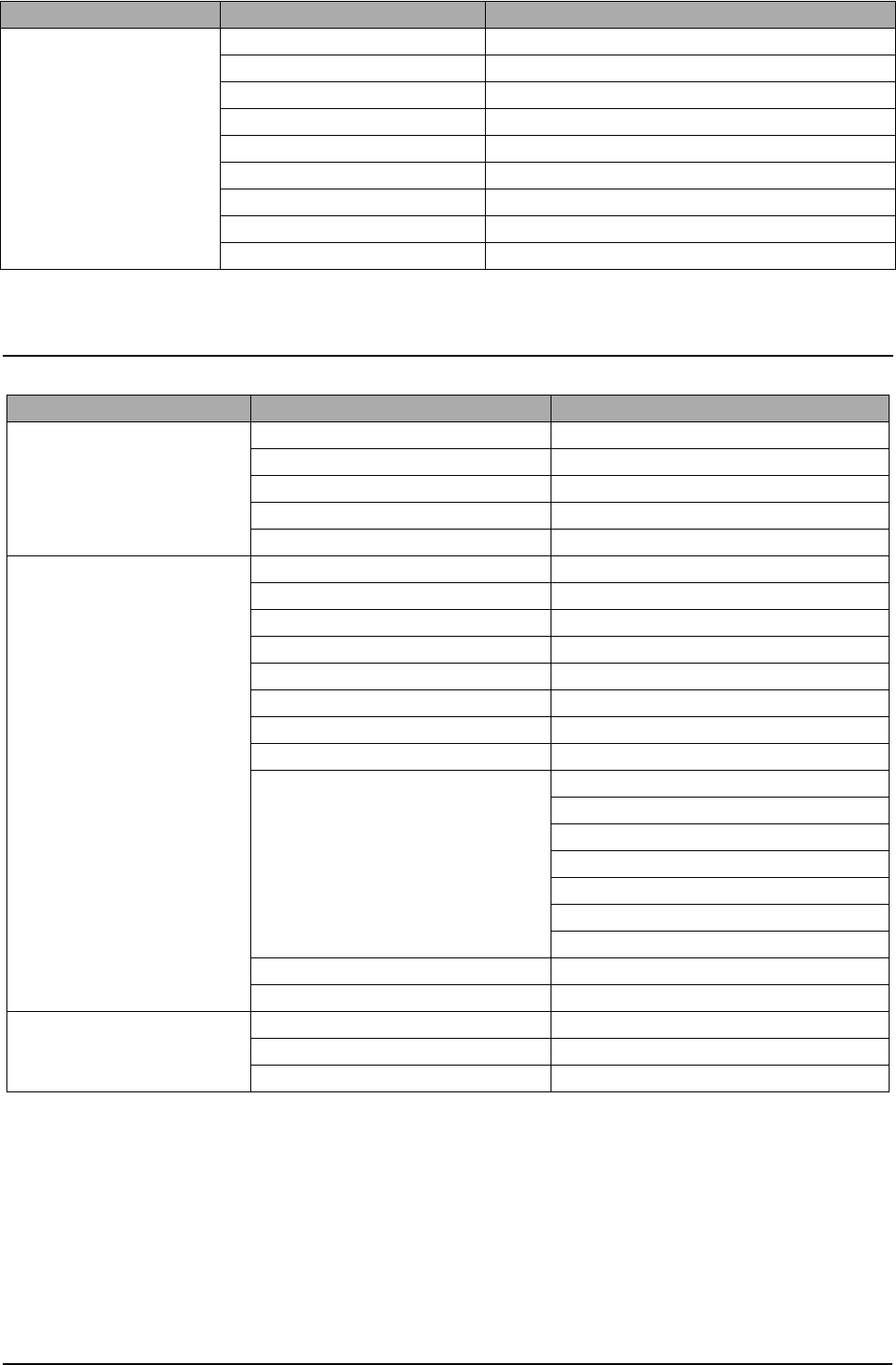
Troubleshooting
Samsung Electronics 4-7
4-4-2-2 SCX-5115(SETUP : #, 1, 9, 3, 4)
REPORTS MSG. CONFIRM
SCHEDULE JOB
PHONE BOOK
SYSTEM DATA
TRANSMISSION
RECEPTION
HELP LIST
PROTOCOL
ERROR CODE
✳❑n❄❏❊on✳❑n❄❏❊on
✳❑n❄❏❊on✳❑n❄❏❊on ✶❏❆m✶❏❆m
✶❏❆m✶❏❆m✰on❏❆n❏✰on❏❆n❏
✰on❏❆n❏✰on❏❆n❏
SYSTEM DATA CASSETTE PAPER LETTER / A4 / LEGAL
BYPASS PAPER LETTER / A4 / LEGAL
POWER SAVE ON / OFF
SELECT LANGUAGE ENG/GER/FRE/ITA/SPA/POR/DUT
USB MODE FAST / SLOW
MAINTENANCE CLEAN DRUM
MODEM TEST
NEW DRUM
SWITCH TEST
SRAM TEST
DRAM TEST
ROM TEST FLASH / ENGINE
PATTERN TEST PATTERN1-7, QAPATTERN1-4 , ALL
CLEAR COUNT PASSWORD
CRU PRINTS COUNT
FLT SCAN COUNT
ADF SCAN COUNT
USED DRUM COUNT
USED TONER COUNT
TOTAL PAGE COUNT
ADJUST SHADING
FLASH UPGRADE
REPORTS SYSTEM DATA
HELP LIST HELP LIST
ERROR CODE
✳❑n❄❏❊on✳❑n❄❏❊on
✳❑n❄❏❊on✳❑n❄❏❊on ✶❏❆m✶❏❆m
✶❏❆m✶❏❆m✰on❏❆n❏✰on❏❆n❏
✰on❏❆n❏✰on❏❆n❏

Troubleshooting
4-8 Samsung Electronics
4-4-3 SYSTEM DATA
DIALING MODE
Select the dialing mode according to the user's line status.
TONE: Electrical type of dial
PULSE: Mechanical type of dial
SILENCE TIME
In ANS/FAX mode, after a call is picked up by the answering machine, the machine monitors the line. If a
period of silence is detected on the line at any time, the call will be treated as a fax message and the machine
begins receiving.
Silence detection time is selectable between limited (about 12 seconds) and unlimited time.
When '12 sec' is selected, the machine switches to receiving mode as soon as it detects a period of silence.
When 'unlimited'is selected, the machine waits until the answering operation is concluded even though a
period of silence is detected. After the answering operation is concluded, the machine switches to receiving
mode.
SEND FAX LEVEL
You can set the level of the transmission signal. Typically, the Tx level should be under -12 dBm.
Caution: The Send Fax Level is set at the best condition in the shipment from factory. Never change
settings arbitrarily.
ERROR RATE
Tou can set the Error Rate between 5% and 10%. During operation the set monitors the rror rate.
When the rror rate approaches the preset value the machine automatically steps down the baude to 2400bps
to ensure that the selected error rate is not exceeded.
MODEM SPEED
You can set the maximum modem speed. It is better left set 33.6Kbps (the default setting ).
During call setup the baud rate is automatically adjusted to suite the slowest device. Only adjust this where
the local line conditions are extremely poor.
4-4-4 MEMORY CLEAR
CLEAR ALL MEMORY
This function resets the system to its original factory settings. All settings entered in User Mode and Tech
Mode are reset. This includes any User Phone Book entries, jobs stored in memory or received documents
that have not been printed. If possible use the Control Panel software to download customer settings and
phone book settings before carrying out a full reset.
When diagnosing or testing a faulty unit this function is often useful. Be aware that all error reports are also
cleared.
< Method >
1. Select the [MEMORY CLEAR] in TECH MODE.
2. Push the ENTER button.
3. Select your country.
4. Push the ENTER button and all memory will be cleared.
NOTICE : Always perform a memory clear after replacing the main board or updating the firmware. Oth-
erwise, the system may not operate properly.
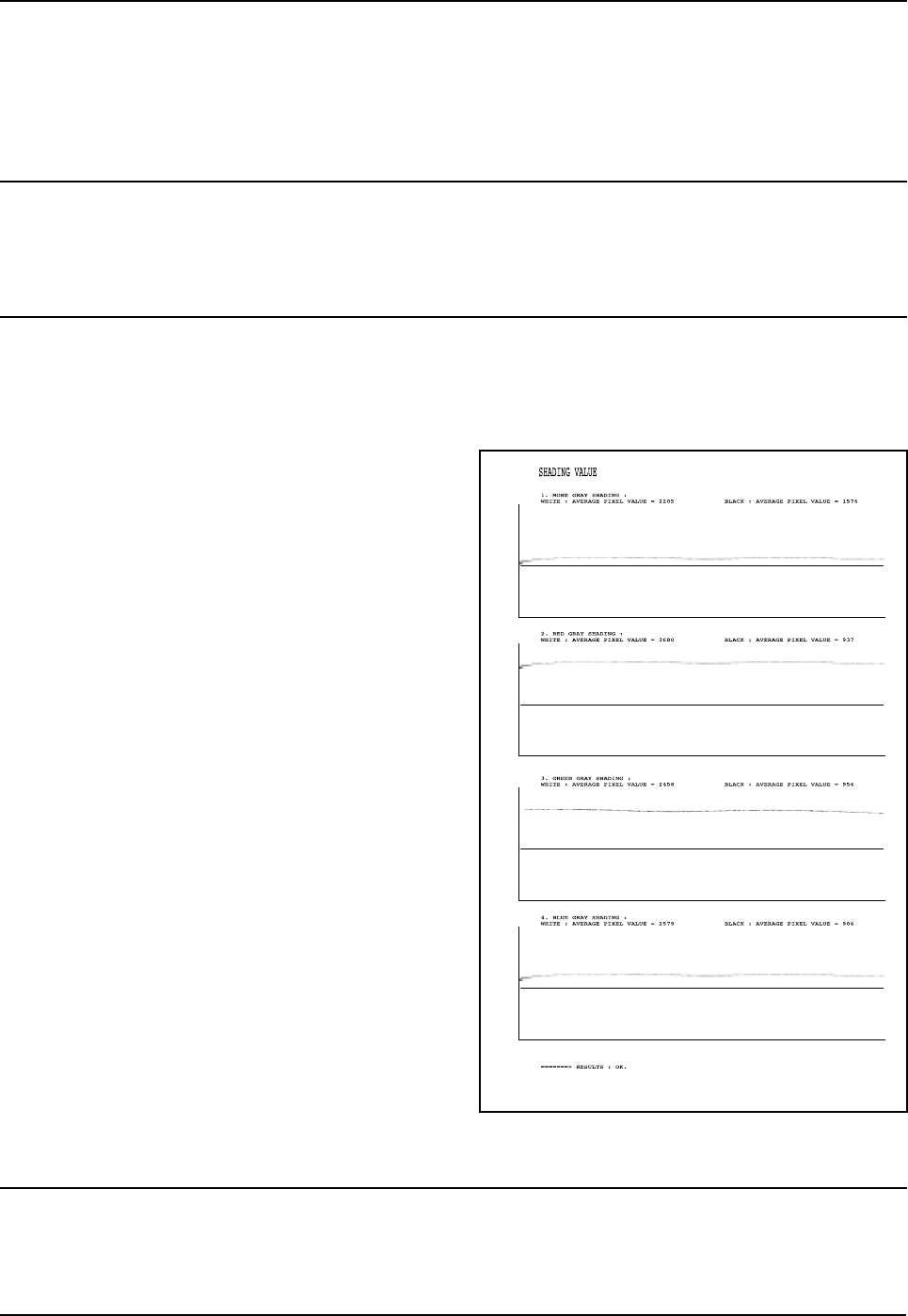
Troubleshooting
Samsung Electronics 4-9
4-4-5 MAINTENANCE
CLEAN DRUM
Use this feature to remove toner particles remaining in the OPC drum unit.
Use this feature when print quality falls or when marks or specks appear on the printout.
You should perform this feature several times until a clean printout appears.
The machine automatically pulls in a sheet of paper and prints out. Excess toner particles on the OPC drum
surface are fixed to the paper.
FLASH UPGRADE
This function is used to update the system Firmware. There are 2 methods Local and Remote.
More information can be found in the firmware upgrade section.
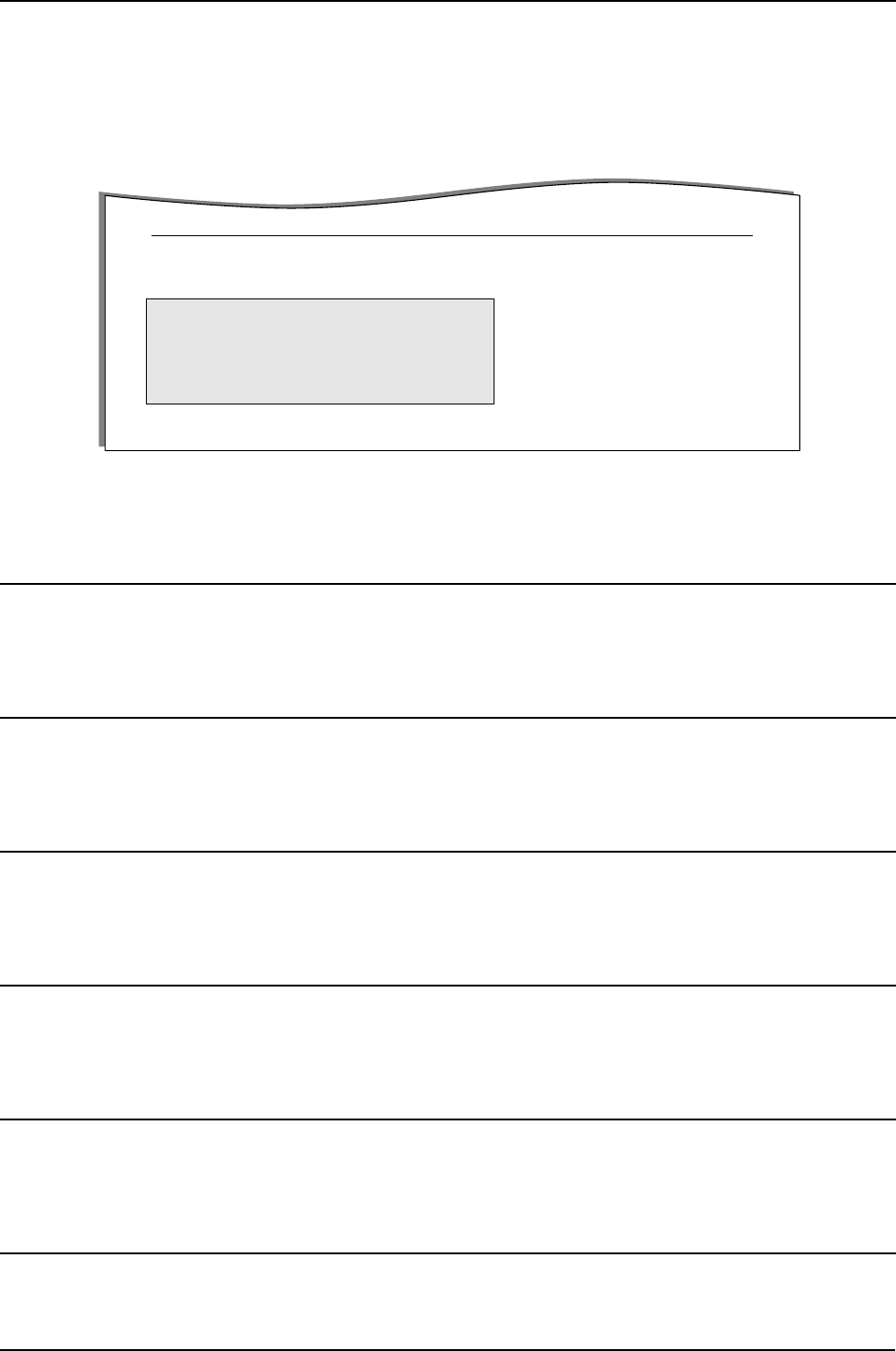
ADJUST SHADING
This option is used to test and check the functionality of the CCD (Charge Coupled Device). Use this when
poor quality scanning or copying is reported.
< Method >
1. Select the [ADJUST SHADING] in TECH MODE.
2. Push the SET UP button. The unit scans
a “white image” using the ‘white bar’
3. After the scan, CCD SHADING PROFILE similar to that
shown will be printed out.
4. If the printed image is different to the image, if the lines
are significantly lower or higher, or if there are high or low
spots in the chart then the CCD is defective.
NOTICE : When you test the CCD, make
sure that the cover is closed.”
ANSWER ON CNG
The function is to control the CNG TONE recognition times for entering receiving mode from the AUTO MODE
or ANS/FAX MODE.
Troubleshooting
4-10 Samsung Electronics
CLEAR COUNT
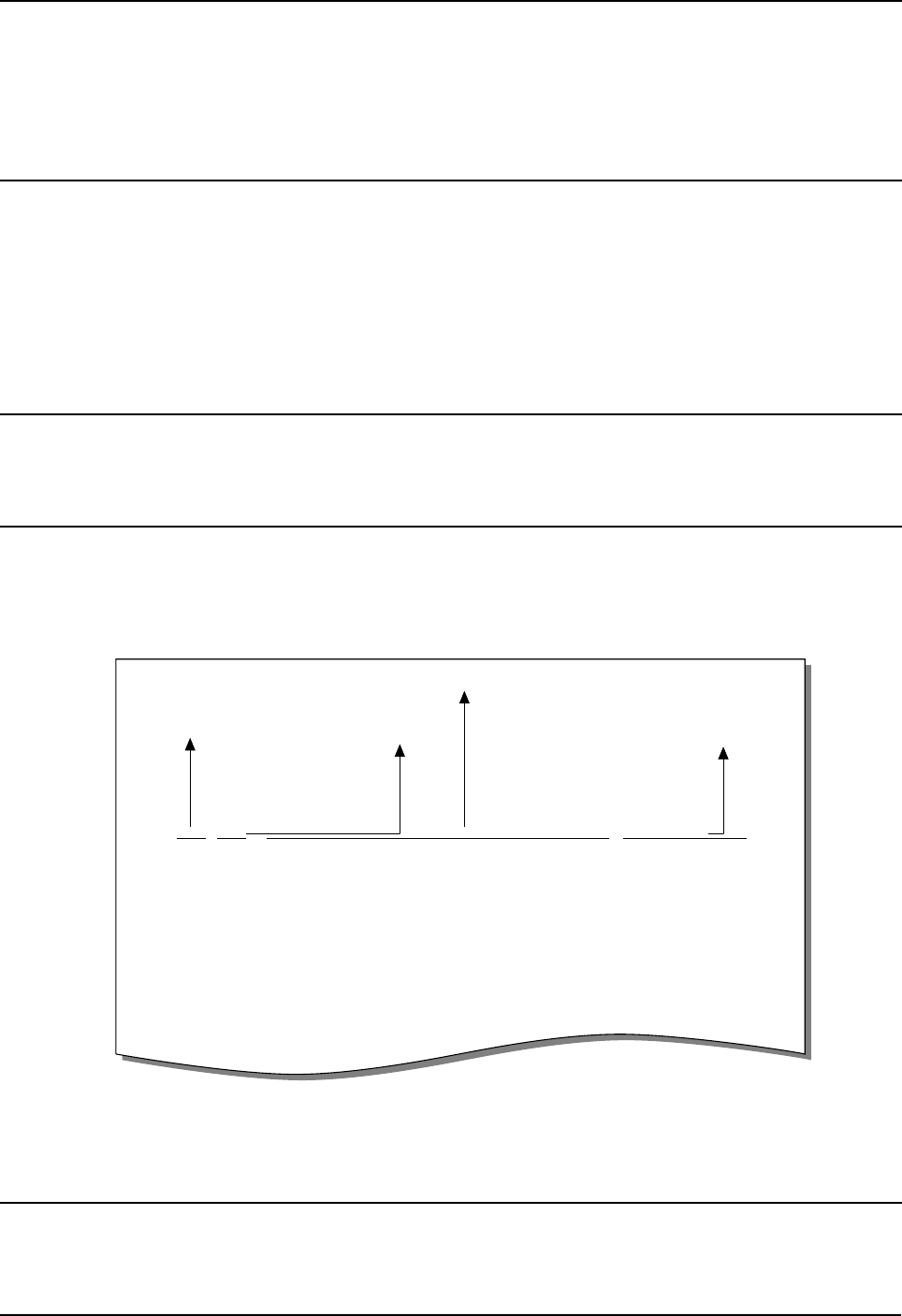
This function erases the counters stored in system memory. These are shown in the highlighted area in the
Sytem data List shown below (printed in TECH MODE)
Note the Current Drum Page Count cannot be erased. This is cleared using the NEW DRUM function (USER
MODE
⇒
MAINTENANCE
⇒
NEW DRUM)”
PATTERN TEST
Using this pattern printout, you can check if the printer mechanism is functioning properly.
It is used in the production process and is not intended for Service use.”
ROM TEST
Use this feature to test the machine'S ROM. The result and the software version appear in the LCD display.
• FLASH VER : 1.00 V • ENGINE VER :1.00V
DRAM TEST
Use this feature to test the machine's DRAM. The result appears in the LCD display.
If all memory is working normally, the LCD shows << O K >>
SRAM TEST
Use this feature to test the machine's SRAM. The result appears in the LCD display.
If all memory is working normally, the LCD shows << O K >>
MODEM TEST
Use this feature to hear various transmission signals to the telephone line from the modem and to check the
modem. If no transmission signal sound is heard the modem may be faulty.”
SWITCH TEST
Use this feature to test all keys on the operation control panel. The result is displayed on the LCD window
each time you press a key.
PCL5e 1.48 07-19-2001
FIRMWARE VERSION : 1.00
ENGINE VERSION : 1.00
TOTAL PAGE COUNTS : 123
REPLACED TONER COUNTS : 1
EMULATION VERSION : PCL6 2.32 07-11-2001
CRU PRINTS : 123
REPLACED DRUM COUNTS : 1
PLATEN SCAN PAGE COUNTS : 23
ADF SCAN PAGE COUNTS : 10
CURRENT DRUM COUNTS : 112
< SYSTEM DATA LIST >
Troubleshooting
Samsung Electronics 4-11
NOTIFY TONER LOW
With this feature enabled, when the toner becomes low, the toner low information will be sent to a specified
contact point, for example, the service company. After you access this menu, select ON, and when the LCD-
prompts, enter the name and the number of the contact point, the customer's fax number, the model name,
and the serial number.”
PROGRAM DIAL
This is a special feature which allows the TECH USER to set parameters for a specific dialed location (which
must be in the one touch or speed dial phone books). Parameters can be set to override the normal; default
settings to enable the machine to cope with calls to destinations with known line problems”
4-4-6 REPORT/HELP
MSG. CONFIRM
It shows the result of the last send operation.
PROTOCOL LIST
This list shows the sequence of the CCITT group 3 T.30 protocol during the most recent sending or receiving
operation. Use this list to check for send and receive errors. If a communication error occurs while the
machine is in TECH mode, the protocol list will print automatically.
HELP
It shows a brief description on the machine's basic functions and commands.
Use it as a quick reference guide
S NSF 61005820003380140200001302090018010000
S/R FCF FIF DATA! ASCII
S CSI 2020202020202020202020202O20202020202020
S CSI 202020202020202020202022O202020220202020
R TSI 2020202020202020202020202O20202020202020
S DIS 00000000 01110111 00010111 00100010
S DIS 00000000 01110111 00010111 00100010
R DCS 00000000 01100001 00010101 00000000
R TSI 2020202020202020202020202O20202020202020
R DCS 00000000 01100001 00010101 00000000
S CFR
R MPS
S MCF
S DCN
S FTT
S NSF 61005020003380140200001302090018010000
PROTOCOL DUMP LIST NOV-20-2001
Sending/Receiving Name of signal
(Facsimile Control Field)
Facsimile Information Field
data described in hexdecmal code
FIF data described
in ASCII code

Troubleshooting
4-12 Samsung Electronics
RECEPTION
This journal shows information relating to document reception, the time and dates of up to 40 of the most
recent documents received are stored.
TRANSMISSION
This journal shows information relating to document transmission, the time and dates of up to 40 of the most
recent documents transmitted are stored.
SYSTEM DATA
This list provides a list of the user system data settings and tech mode settings.
PHONEBOOK
It lists all telephone numbers that have been stored in the machine.
SCHEDULE JOB
This list shows information relating to the documents currently stored for delayed transmission. It provides the
operation number, starting time, type of operation, etc.
ERROR CODE
This list shows a list of errors that have occurred since the last memory clear.
4-4-7 Firmware Upgrade
This function is used to update the machines Firmwar, there are two Upgrade methods - local and remote.
4-4-7-1 Local Machine
RCP(Remote Control Panel) mode
This method is used with the machine connected using either a Parallel Port or USB Port to a PC and uses
the RCP (Remote Control Panel) software to upgrade the Firmware.
< Method >
How to Update Firmware using RCP
1. Connect PC and Printer with Parallel Cable or USB Cable.
2. Execute RCP and select Firmware Update. Current Firmware version and Emulation Version are displayed
on Current version window.
3. The Firmware file must be stored on the PC, in a path close to the root of C:, ie C:\TEMP. Search for the
firmware file to use to update the machine by using the Browse Icon.
4. Click the Update icon, the firmware file is transmitted to the Printer automatically and the printer is initialized
when the update is finished.
5. Click the Refresh icon and check that the version number displayed matches the new firmware just loaded.”

Troubleshooting
Samsung Electronics 4-13
DOS Command mode
This method is just for Parallel Port. Connect to PC with Parallel cable and enter DOS Command to upgrade
the Firmware.
< Method >
a). You will need the following files:- down.bat, down_com.bin, fprt.exe, and “Rom File”: this is the firmware file to be loaded
into the printer. Save the files in the same folder, close to the root of C;, e.g. C\TEMP
b). At a DOS prompt, input one of the commands shown below and press the enter key. The file will then be sent automatically to
the printer.
c) There are two commands use the correct one depending on the printer status.
* when the printer is in the user mode and is in the normal ready condition: down "rom file"
* When the product is been placed in the upgrade mode (TECH MODE → MAINTENANCE → FLASH UPGRADE → LOCAL)
fprt "rom file"
d) Do not turn off the power while the upgrade is in process.”
4-4-7-2 Remote FAX
This function uses one fax machine already loaded with the latest firmware to upgrade one or more other
remote machines of the same type using the telephone network.
< Method >
1. Operate a fax with the latest firmware to prepare it to send the upgrade. (TECH MODE MAINTENANCE
FLASH UPGRADE REMOTE)
2. Input the telephone number of the fax machine to be upgraded. (Several faxes can be upgrade at the same
time. In this case, enter the telephone number for each machine.)
3. Then press the enter button, this will send the firmware file by calling to the each of the selected fax
machines in turn. (Around 10~15 minutes is needed to send the file to each machine.)
< Caution >
1. The sending and receiving fax machines must be the same model.
2. A sending fax must be set up as ECM mode, and the receiving machine memory must be set up as 100%.
If not the upgrade will fail.”
4-4-8 Identify Sale Date(Only SCX-5315F)
This function confirms the date that the consumer first uses the product. The date stored is the date of the first
scan or first print whichever operation the user carries out first.
This information is retained even after a memory delete (Clear All Memory).
< Method >
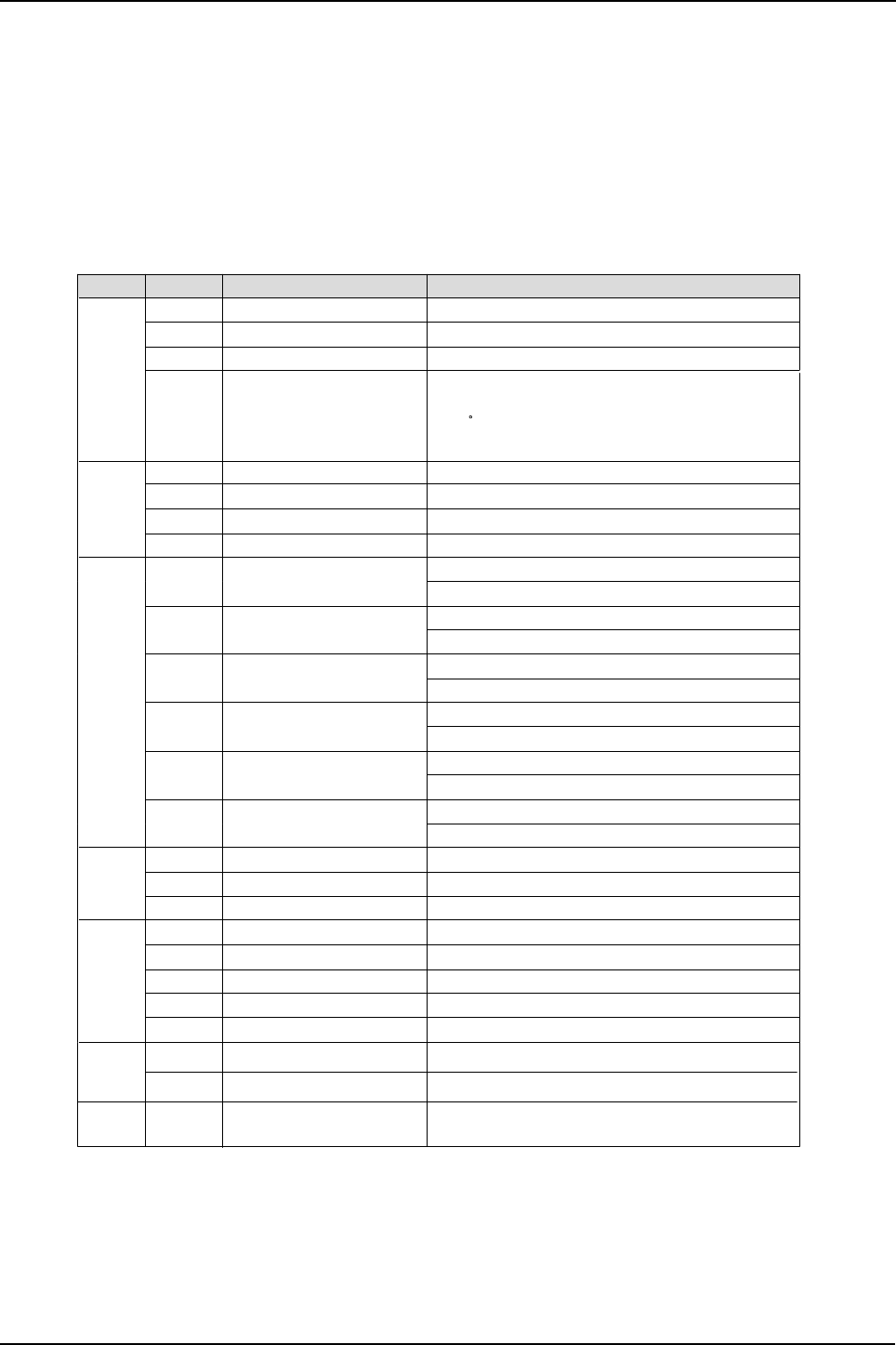
Press MENU, #, 1, 9, 3, # in sequence. The Firmware version is displayed on the LCD.
Press 1( in the number keypad) : The LCD display shows "Updated date"
Press 2( in the number keypad) : The LCD display shows "Product first use date"
Troubleshooting
4-14 Samsung Electronics
4-5 ENGINE TEST MODE
The Engine Tests Mode provides useful test functions for checking the status of the print engine.
It can test many of the separate sections of the print engine and displays the result of the test on the LCD.
These tests are classified in 6 groups (0~5), and the functions of these tests are shown below.
4-5-1 To enter the Engine Test Mode
Press MENU, #, 1, 9, 3, 1 in sequence, and the LCD briefly displays ‘Engine Test Mode’, the machine has
entered service (tech) mode.
4-5-2 Diagnostic
4-5-3 ENGINE PRINT
When the function is enabled a group of parameters are printed at the bottom of each page which define the
print engine condition. It is a manufacturing test feature not intended for service use.
This setting remains enabled even when you exit from Engine Mode. Remember to turn it off.
No. Sub No. Engine test
0 1 Motor Test 1: On, 2: Off
2PTL Test 1: On, 2: Off
3Fan Test 1: On, 2: Off
4Fuser Test 1
If its temperature is lower than the Standby
(160 C), the fuser is on, but if it is higher than
the Standby, the fuser is off.
: On, 2: Off
1 1 LSU Motor Test 1: On, 2: Off
2LSU Hsync Test 1: On, 2: Off
3LD On Test 1: On, 2: Off
4LSU Operation 1: On, 2: Off
2 1 Feed Sensor Test Sensor On : FEED SENSOR ON Display
Sensor Off : FEED SENSOR OFF Display
2Exit Sensor Test Sensor On : EXIT SENSOR ON Display
Sensor Off : EXIT SENSOR OFF Display
3Cover Sensor Test Sensor On : COVER SENSOR ON Display
Sensor Off : COVER SENSOR OFF Display
4 1’st Empty Test Sensor On : 1’st PAPER Empty Display
Sensor Off : 1’st PAPER No Empty Display
5MP Empty Sensor Test
Sensor Test
Sensor On : MP PAPER Empty Display
Sensor Off : MP PAPER No Empty Display
6BIN FULL Sensor On : BIN FULL SEN ON Display
Sensor Off : BIN FULL SEN OFF Display
3 1 1’st CAST Solenoid Test 1: On, 2: Off
2MP Solenoid Test 1: On, 2: Off
3Duplex Solenoid Test 1: On, 2: Off
4 1 MHV Test 1: On, 2: Off (-1450v)
2DevBias Test 1: On, 2: Off (-450v)
3THV EN/NEG Test 1: On, 2: Off
4THV Test 1: On, 2: Off (1300v)
5THV Trigger Test 1: On, 2: Off
5 1 CRU Error Check
1: Check, 2: Next
1: Check, 2: Next
6 1 All Function Test For SMD Test, Push up key : Next function
All Function : No.0~4
2New OPC Check
Remark
Troubleshooting
Samsung Electronics 4-15
4-6 Troubleshooting
4-6-1 Scanner
4-6-1-1 COPY
PROBLEM ITEMS TO BE CHECKED. HOW TO SOLVE
White copy • Ensure the Scanner cover is closed. • Room lighting can penetrate thin paper
causing quality problems
• Check shading profile • Carry out the “Adjust Shading” procedure
in Tech mode
Black copy • Check the CCD problem in Main PBA. • Check the CCD harness contact.
• Check shading profile. • Remake shading profile in the tech mode.
Defective image quality • Check shading profile. • Carry out the “Adjust Shading” procedure
in Tech mode
• Check the original is laying flat on the scan-
ner glass. • A gap above 0.5mm can cause a blurred
image.
• Check printing quality. • See “Print” troubleshooting.
Abnormal noise • Check the Scanner drive mechanism. • Check scanner carriage, motor, gearbox,
belt and belt tension spring
• Check the Motor Driver chip on the driver
PBA. • If any driver is defective, replace it. - U2-4,
11, 18, 25 signals swing between OV and
24V when operating.

Troubleshooting
4-16 Samsung Electronics
4-6-1-2 PC-Scan
PROBLEM ITEMS TO BE CHECKED. HOW TO SOLVE
Scanning Error • Check the printer cable is correctly
installed. • Use standard IEEE1284 cable.
• Check that the TWAIN driver is installed. • Remove any other scanner driver.
• Reboot after reinstallation of the TWAIN
driver.
• Check the printer port (Parallel) BIOS set-
tings. • Check the parallel-port-related items in the
CMOS Setup. As a printer port, ensure
ECP is selected.
• Check harness contact. • Check CN12 contact in Main PBA
• Check the IEEE1284 signal levels. • If any signal level is defective, replace
driver PBA.
- U33-26, 27, 28, 43, 44, 45, 46, 47 on Main
PBA are 0.8V to 2.4V TTL signal.
• Otherwise, replace Main PBA.
• Check the USB signal level. • If USB signal level is defective, replace
Main PBA.
Defective image
Quality • Check shading profile. • Remake shading profile in the tech mode.
• Check the gap between original and scan-
ner glass. • The gap above 0.5mm can cause a
blurred image.
Abnormal noise • Check the Scanner Motor and any
mechanical disturbance. • Check the right position of the Scanner
Motor, and check the any mechanical dis-
turbance in the CCD carriaging part.
• Check the motor driver in Driver PBA. • If any driver is defective, replace it.
- U2-4, 11, 18, 25 = 0V to 24V swing signal
when operating.

Troubleshooting
Samsung Electronics 4-17
4-6-2 FAX(only SCX-5315F)
4-6-2-1 FAX/TELEPHONE Precautions
PROBLEM ITEMS TO BE CHECKED. HOW TO SOLVE
TEL LINE CANNOT BE
ENGAGED
(NO DIAL TONE)
• When you press “ OHD” key:
a) Check line cord connection.
b) Check MAIN LIU harness, and CN1
(LIU PBA).
c )Check relay operation of LIU PBA :
Is the control signal of CN18(main) low?
a) insert it correctly into the connection
jack called “line”.
b) Replace defective parts.
c) Replace main PBA IF the control signal
of CN18(main) is high.
Replace LIU PBA if high but phone line
cannot be connected.
Cannot MF dial • Check CN18 (main PBA), MAIN-LIU
harness, and CN1 (LIU PBA) • Replace defective parts.
MF dial is possible but
not DP dial. • Check DP control signal of CN18-11 of
MAIN PBA and the circuit around R15. U6
and Q2 of Liu PBA.
• Replace LIU PBA.
Defective fax transmis-
sion • Check CN18 (main PBA), MAIN LIU
harness, and CN1(LIU PBA).
• Is the external phone hooked off?
• Check ‘hook off’ : Refer to ‘TEL LINE
CANNOT BE ENGAGED’ above.
• Check transmission path : Check output of
CN20-3.4 and T2-4(LIU PBA).
• Check reception path : Check output CN1-
1 (LIU PBA) and input of CN18-1
(main PBA).
• Replace defective parts.
• Replace LIU PBA if low.
• Refer to ‘TEL LINE CANNOT BE
ENGAGED’ above.
• Replace main PBA, if abnormal.
• Replace LIU PBA if CN1-1(LIU PBA) is not
confirmed.
Replace main PBA if CN20-1(MAIN PBA)
is not confirmed.
Defective automatic fax
reception • Is the ring checked?
Check ring pattern at CN1-9 (LIU PBA).
• Refer to ‘Defective Transmission.’
• Replace LIU PBA if it cannot be checked.
• Refer to ‘Defective Transmission’.
Troubleshooting
4-18 Samsung Electronics
4-6-3 Print Quality
Error Status Check Solution
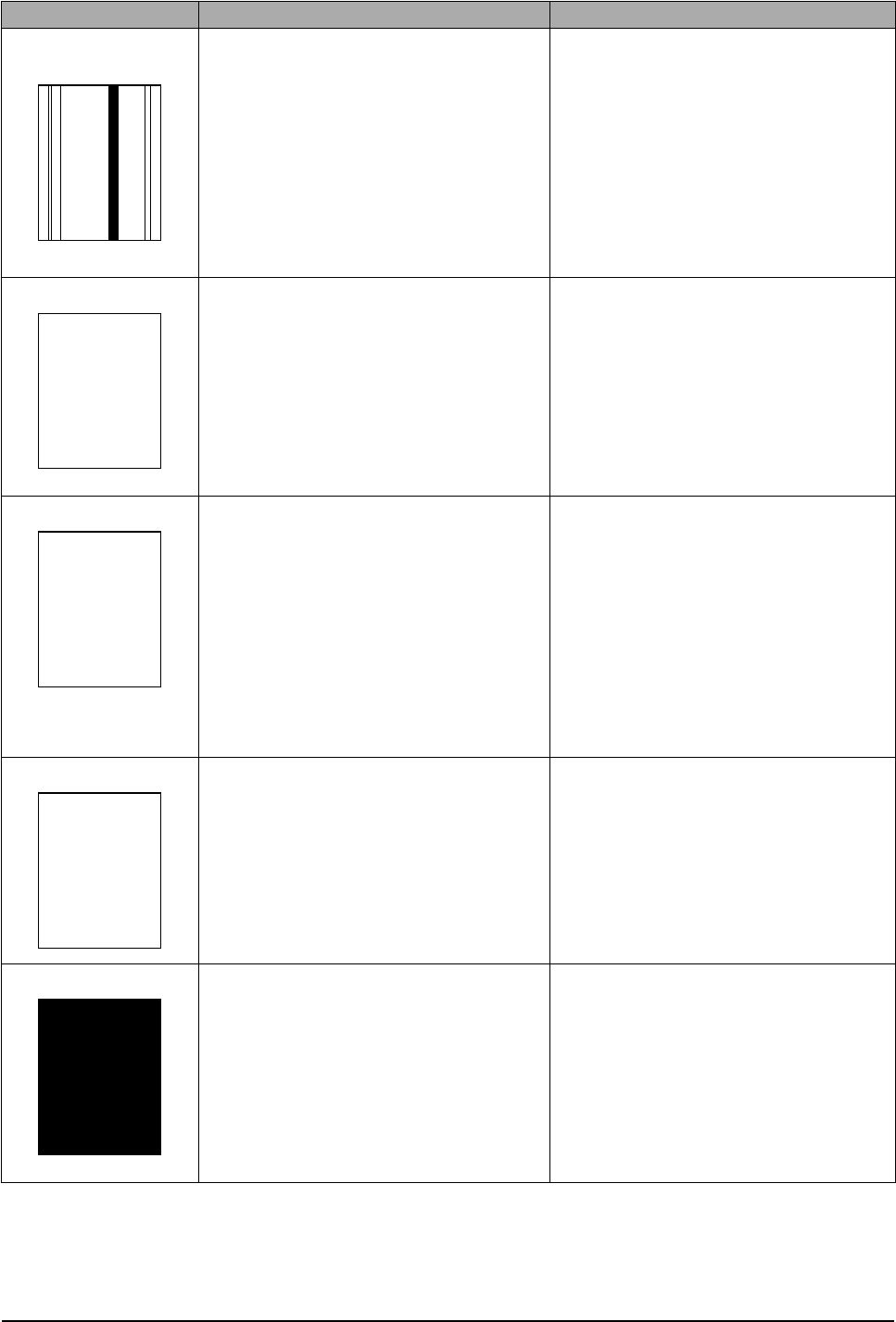
Vertical black line and
band 1. Faulty Toner cartridge
2. LSU
3. Bad cleaning blade of drum cartridge.
1. Change Toner cartridge
2. Replace LSU
3. Chang Drum cartridge.
Vertical white line 1. LSU window contamination
2. Toner cartridge 1. Clean LSU window
2. If not LSU, change Toner cartridge.
No image 1. OPC is properly grounded?
2. LSU running well?
3. Bias voltage is correct?
4. Toner low?
5. Is there video data from Main PBA
1. Measure the resistance between frame
ground and the OPC ground spring
attached to the frame. Confirm good
ground. If faulty check ground path
through the frame . Also check OPC
Ground Screw – see page 3-18
2.Adjust LSU or replace it
3. Normal Dev bias = -440V
4. Shake toner cartridge and print. If an
image appears toner is empty
5. Print engine test pattern , replace Main
PBA
Light image 1. LSU light power normal?
2. Enough toner?
3. High charger voltage?
4. Lower bias voltage
5. Contamination of high voltage contact.
6. Transfer voltage and roller.
1. Checking LSU light power is difficult. Com-
pare with new one and check.
2. Check toner and developer counter
3~4. Change the HVPS Board.
5. Stray toner can increase contact resis-
tance and cause a bad contact. Clean
contaminated area.
Dark image 1. LSU light power normal?
2. Bias voltage output is high?
3. Video data is always supplied?
4. Bad C/R voltage contact.
1. Checking LSU light power is difficult. Com-
pare with new one and check.
2. Normal Dev bias = -350V
3. Check Video Data signal(CN2). Replace
main PBA board.
4. Replace Drum Cartridge or check where
is bad point of machine.
Digital Printer
Digital Printer
Digital Printer
Digital Printer
Digital Printer
Digital Printer
Digital Printer
Digital Printer
Digital Printer
Digital Printer
Digital Printer
Digital Printer
Digital Printer
Digital Printer
Digital Printer
Digital Printer
Digital Printer
Digital Printer
Digital Printer
Digital Printer
Digital Printer
Digital Printer

Troubleshooting
Samsung Electronics 4-19
Background 1. High voltage output is normal?
2. C/R of Toner cartridge is contaminated? 1. Change the HVPS Board.
2. Print a number of “Cleaning” sheets – if
problem persists change the cartridge..
Ghost 1. High voltage output.
2. Pre-Transfer Lamp.
3. Bad high voltage contact.
1. Change the HVPS Board.
2. Check PTL lamp comes on –replace if
necessary
3. Clean the inside machine or replace toner
cartridge.
Stains on back of
paper 1. Contamination of transfer roller.
2. Toner debris in paper path
3. Pressure roller contamination
1. Clean the transfer roller with vacuum
cleaner.
2. Clean the paper path with a cloth or air
duster.
3. Remove fuser and replace it.
Poor Fusing 1. Paper quality and finish?
2. Check fusing temperature.
3. The machine was kept at a low tempera-
ture for a long time?
1. Should use recommended paper.
2. Check engine controller board. If you do
not have a thermometer, measure the
thermistor voltage to CPU, If 2.3V±5%
when printing is correct therwise disas-
semble fthe user and check the thermistor
contacts and thermistor.
3. Re-check after allowing the machine to
come up to room temperature.
Partial blank image
(not periodic) 1. Toner is low?
2. The toner cartridge is out of position? 1. Replace Toner cartridge.
2. Checkand adjust.
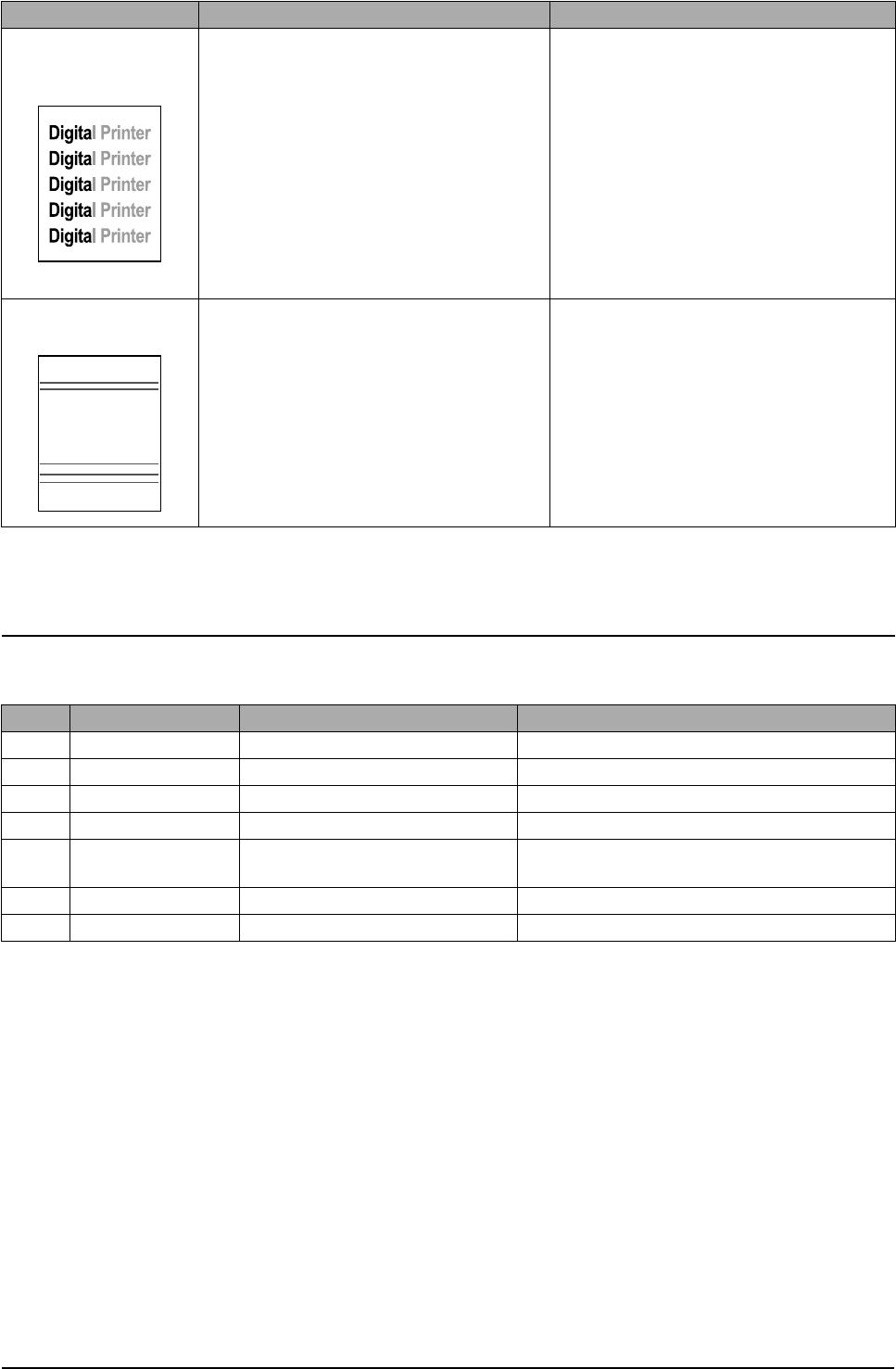
Partial blank image
(periodic) 1. repatative white or black marks at regular
intervals. Measure the spacing of the marks and com-
pare the spacing to those given in the table
below.
• Spacing 1 and 2 – Replace the OPC
• Spacing 3 and 4 – replace the toner car
tridge
• Spacing 5 – replace the transfer roller
• Spacing 6 and 7 – replace the Fuser.
Error Status Check Solution
Digital Printer
Digital Printer
Digital Printer
Digital Printer
Digital Printer
Digital Printer
Digital Printer
Digital Printer
Digital Printer
Digital Printer
Digital Printer
Troubleshooting
4-20 Samsung Electronics
Abnormal Image Printing and Defective Roller
If abnormal image prints periodically, check the parts shown below.
Different image den-
sity
(left and right)
1. Uneven pressure between Charge roller
and OPC Drum
2. Uneven pressure between Dev roller and
OPC drum
3. Transfer roller’s pressure force uneven at
each side
1. Change OPC cartridge
2. Change toner and / or OPC Drum
3. Check left and right transfer roller springs
Horizontal lines or
bands 1. Bad contact on high voltage terminal
2. Contamination of charge roller
3. Contamination of heat roller 4. Malfunction
of LSU
1. Clean each contact and check continuity
2. Print several “cleaning sheets” – replace
OPC drum if problem persists.
3. Replace fuser unit
4. Check Main PBA., LSU harness and LSU
NO Roller Abnormal image period Kind of abnormal image
1 OPC Drum 94.3 mm White spot. Black spot
2 Charge Roller 37.7 mm White spot. Black spot
3 Supply Roller 35.8 mm Horizontal dark band
4 Develope Roller 44.8 mm Horizontal dark band
5 Transfer Roller 56.6 mm Contamination on reverse side of paper / trans-
fer fault
6 Heat Roller 82.5 mm Black spot, White spot
7 Pressure Roller 78.5 mm Contamination on reverse side of paper
Error Status Check Solution
Digital Printer
Digital Printer
Digital Printer
Digital Printer
Digital Printer
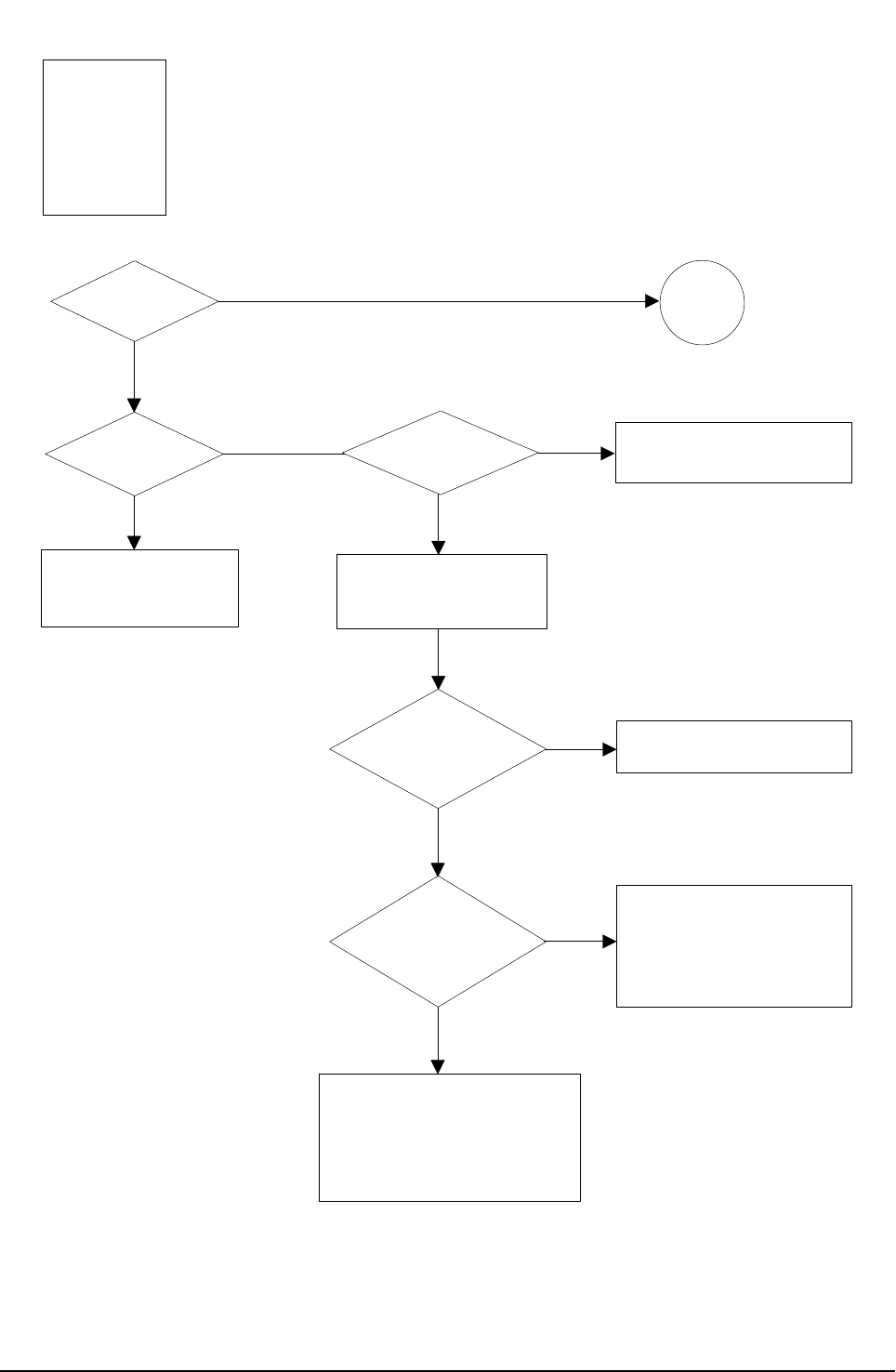
Troubleshooting
Samsung Electronics 4-21
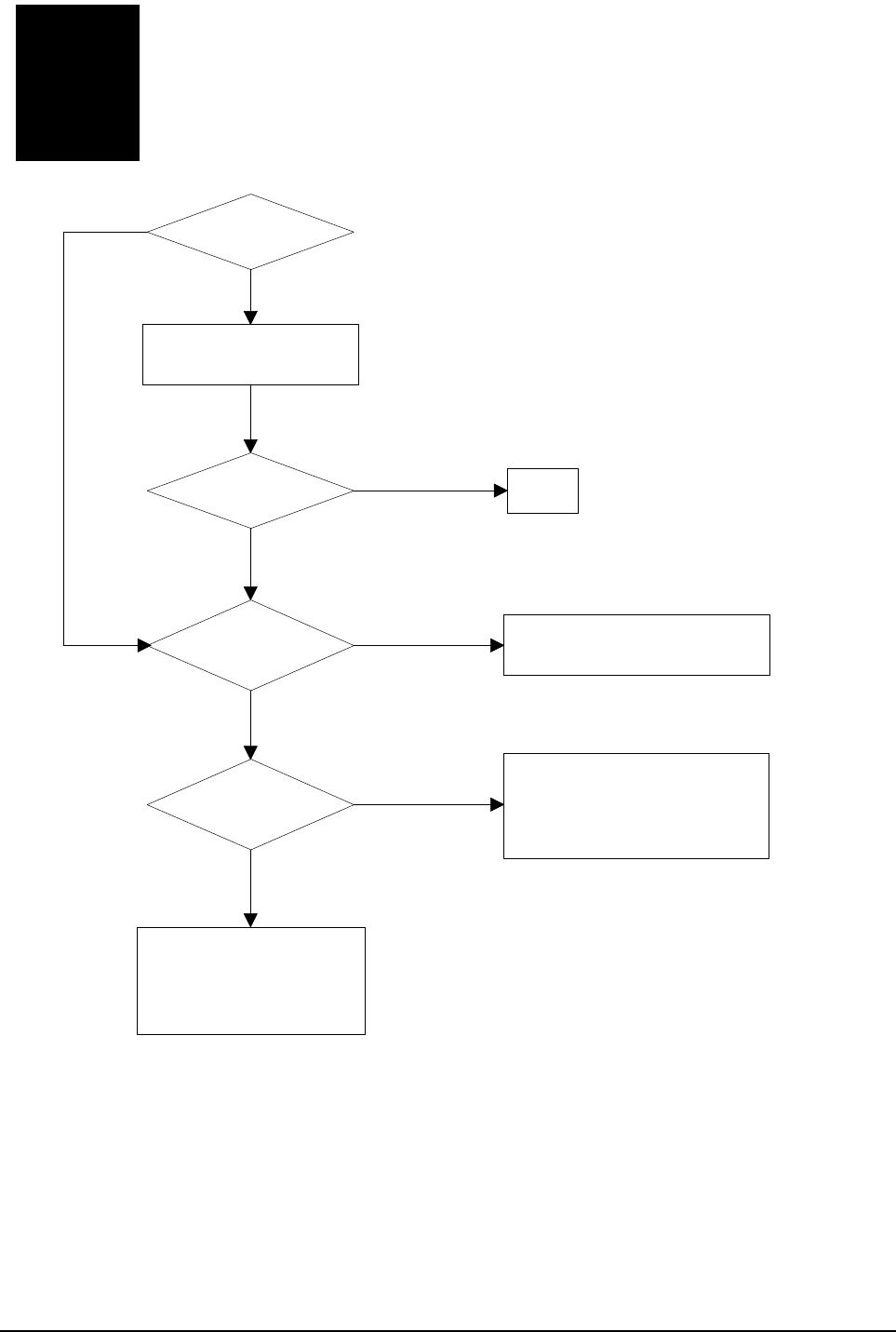
Check connection to
computer or replace
controller
Take out the cartridge
and prepare the tester
for electronic connection
Repair or replace the GND
terminal
Check the path between
Main board
and HVPS. Repair or replace
the defective component
or board
The mirror in LSU might be
misplaced so the light path to the
OPC deviates ->Repair or replace
LSU or remove any defective
matters in the machine
Self test
pattern prints?
No image?
Self testing
is possible ?
Is the OPC
terminal of machine
is well-connected
to Frame?
Does the
video data line to
LSU transit to High/Low
when printing?
Retest after replacing the
connector or controller board
A on
next page
NO
NO NO
NO
NO
YES
YES YES
YES
YES
No Image
Digital Printer
Digital Printer
Digital Printer
Digital Printer
Digital Printer
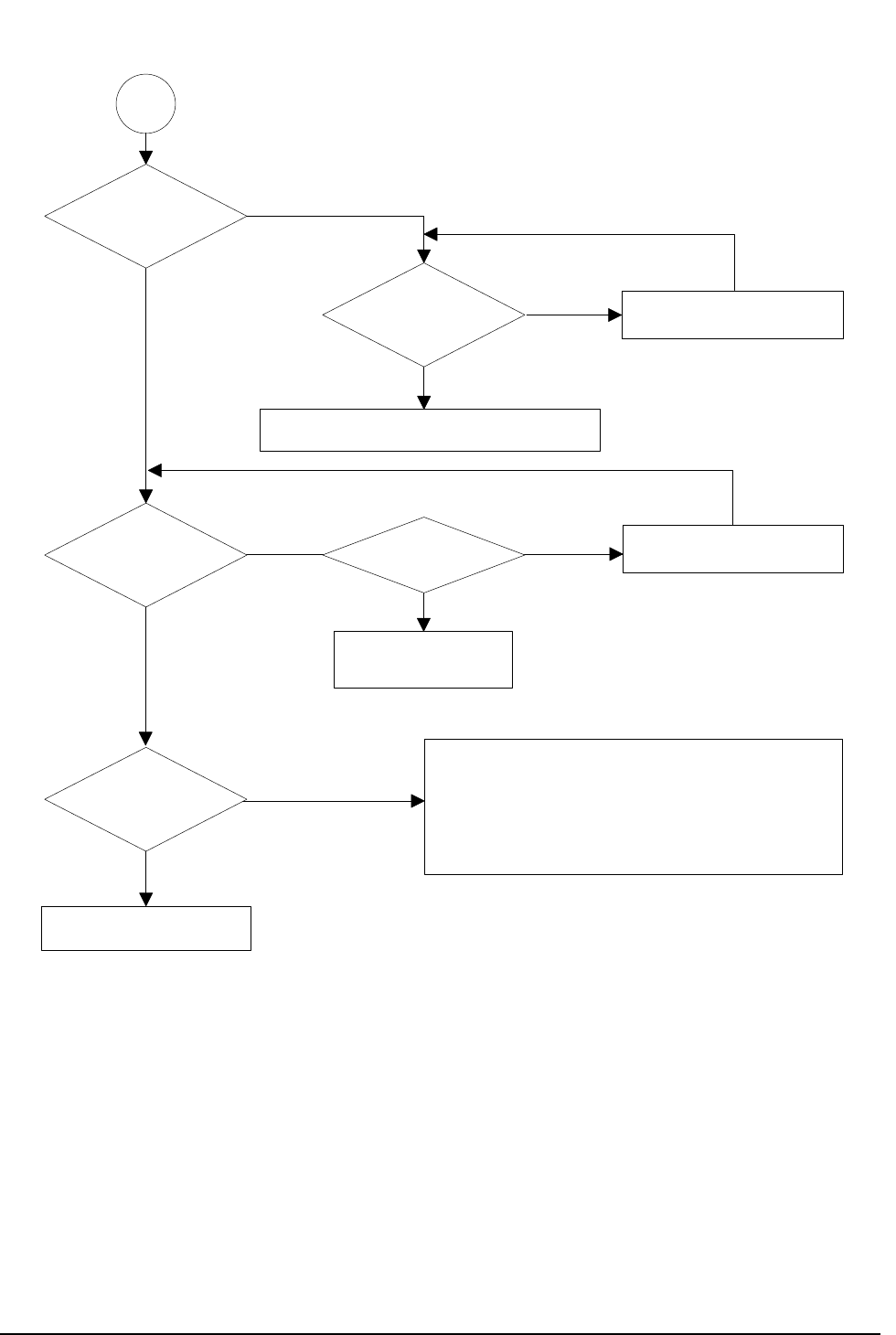
Troubleshooting
4-22 Samsung Electronics
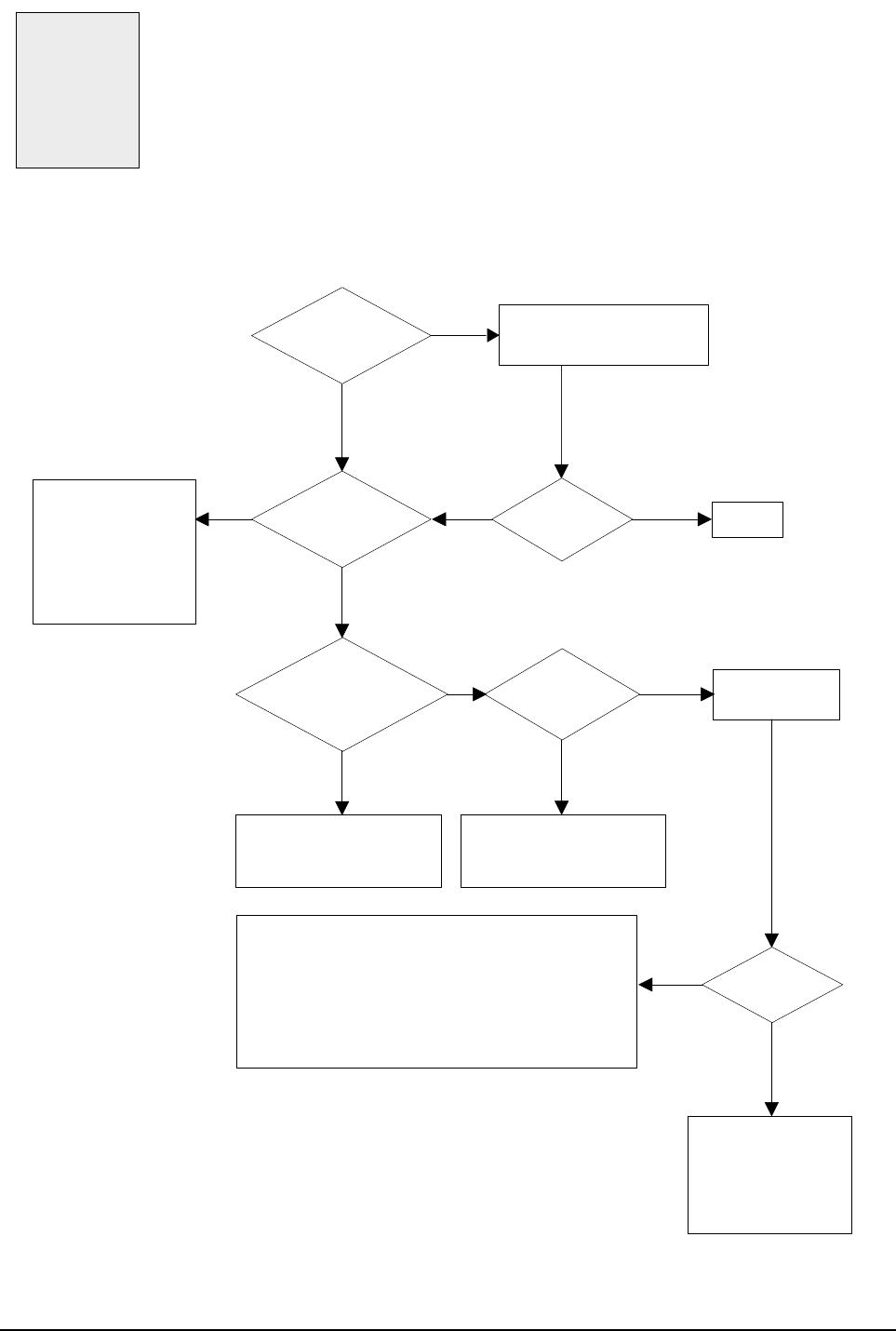
Transfer roller might be out of its location
-> Locate the roller into its place
This could occurs when he power of LSU is low or
the density is low due to the obstacles on the window
-> Replace LSU or clean the window
A
Transfer
voltage OK? (on the
transfer roller
shaft)
Are the
connection terminal
and connection
correct?
Repair or replace terminal
Replace HVPS or repair defective component
Is the connection
terminal OK?
Replace HVPS or repair
defective component
Repair or replace terminal
Developing
(-440V) and supplying
(-590V) voltage
are OK?
Does the
counter indicate over
the toner's guaranty
life
Replace the toner cartridge
NO
NO
NO NO
NO
YES
YES
YES
YES
YES
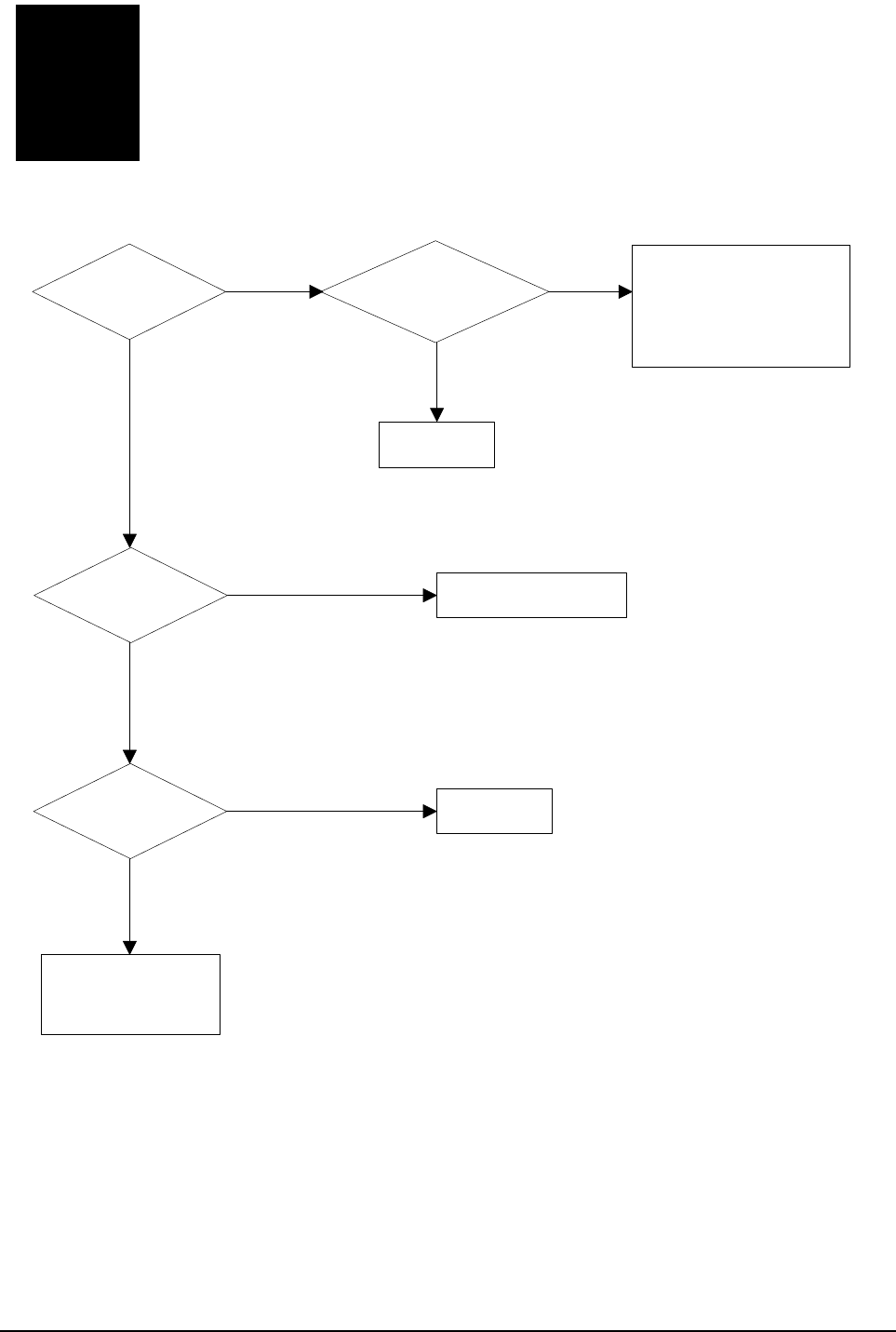
Troubleshooting
Samsung Electronics 4-23
All black in
printing area?
Is charge
voltage supplied
from HVPS?
Is the
Hsync/ signal received
in LSU?
Charge part's contact
is bad -> Repair or
replace Drum cartridge
Does the
video data line to LSU
transit to High/Low when
printing?
Replace LSU
Check the path among video
controller, engine board,
HVPS, LSU for the shortage
or open -> Repair or replace
the boards
Repair or replace HVPS
Replace LSU
NO
NO
NO
NO
YES
YES
YES
YES
All Black
Digital Printer
Digital Printer
Digital Printer
Digital Printer
Digital Printer
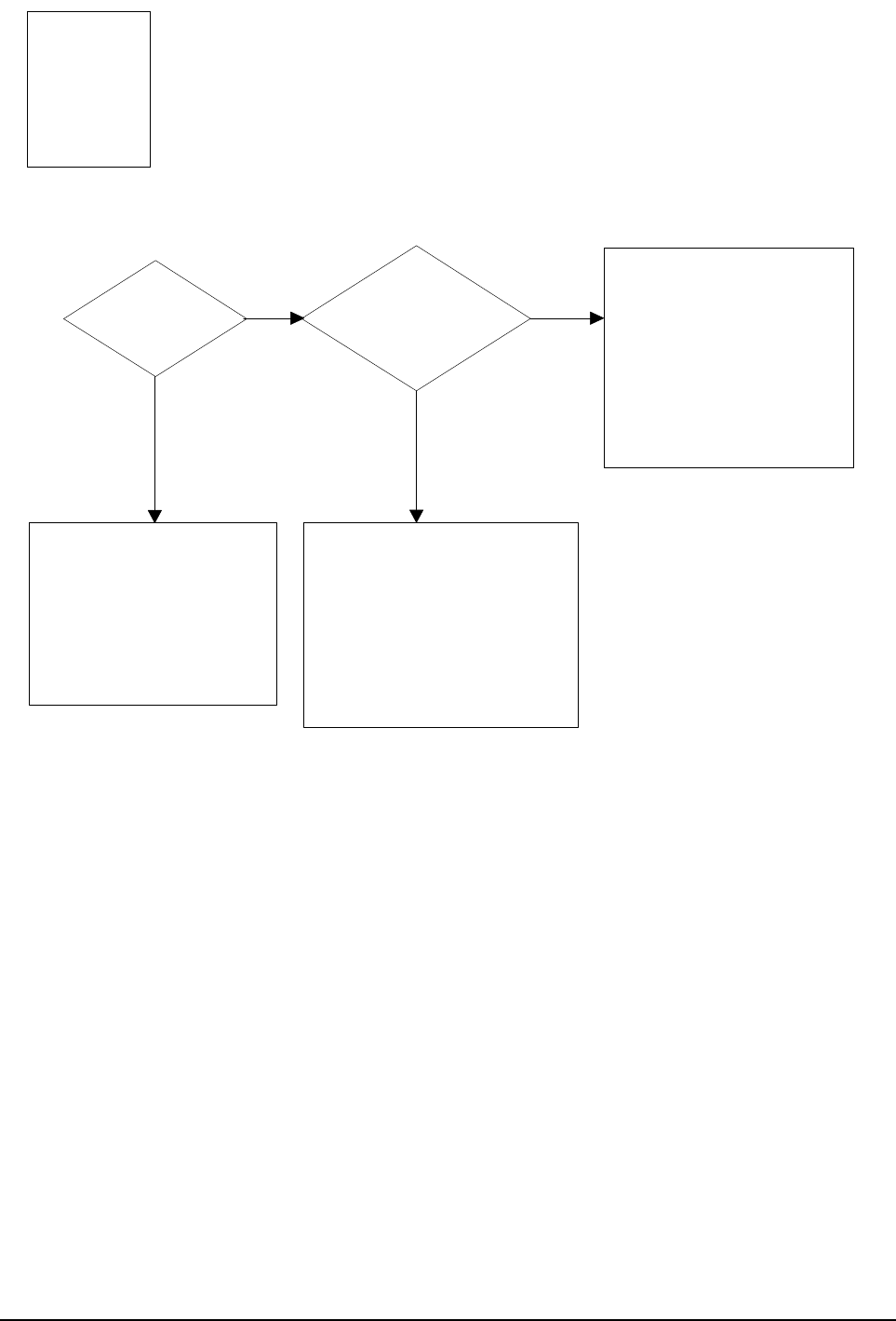
Troubleshooting
4-24 Samsung Electronics
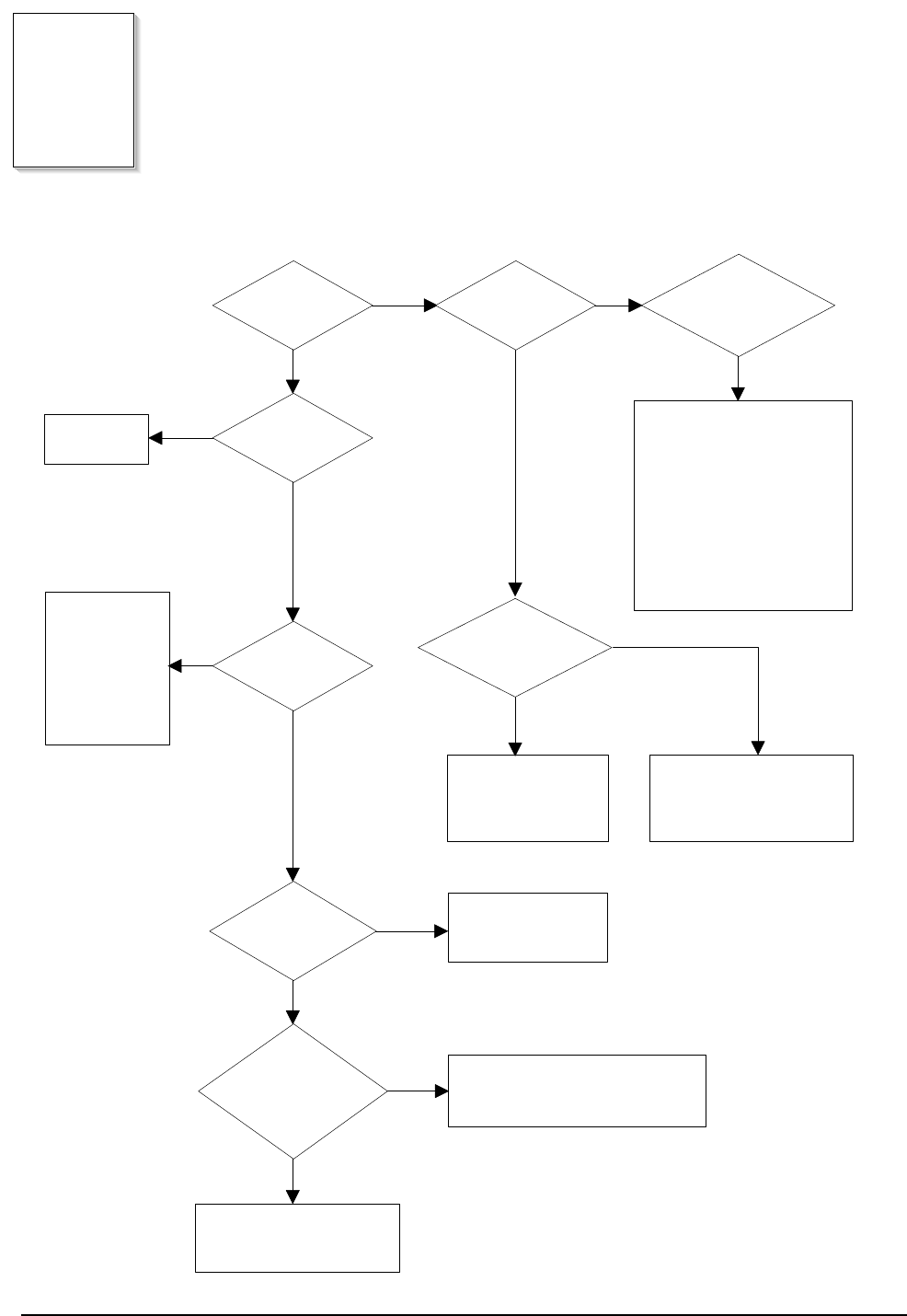
White line
missing definitely?
Dirt of dust stuck onto the
window of internal lens of LSU
-> Clean it or replace LSU
Preventive obstacles through
the path between OPC of
developer and LSU prevent the
path -> Remove the obstacles
Check if the
printout is still has the
same problem even right after
passed through the
transfer roller
Toner material might be stuck to
blade in the developer inside and it
prevents toner supply -> Replace
the developer
Check both if the toner cartridge's
counter is over its guaranty and
amount of the toner material
-> Replace the toner cartridge
The ribs in fuser or toner on the
roller may invoke the image
problem -> Replace the fuser
cover or the defective part
The image is originally black or the
black part is far close to the top
-> Use the pattern which has the
image below bigger than 10mm
from the top
NO NO
YES YES
Vertical White Line (Band)
Digital Printer
Digital Printer
Digital Printer
Digital Printer
Digital Printer
Troubleshooting
Samsung Electronics 4-25
Dark selected
via RCP?
Change to
Normal and test
Works cor
with -300V of Bias
voltage?
Works
correctly after
replaced LSU?
Repair or replace the defective
component
The power of LSU is set
high or internal problem
-> Replace LSU or adjust
volume
Same at Normal? END
NO
NO
NO
Toner over supply due to the
adjustment fault of metering
blade in developer
-> Replace developer
NO
YES
YES
YES
YES
Dark Image
Digital Printer
Digital Printer
Digital Printer
Digital Printer
Digital Printer
Troubleshooting
4-26 Samsung Electronics
Recommended
paper used?
Transfer,
charge and developing
voltage are OK?
Operating/
storage atmosphere is
too high temperature
/humidity?
Solve the problem under
the recommended condition
(10-32 degree Centigrade)
Dirt or
dust around the
charge roller?
Clean the charge roller
or replace step-up device
/terminal after check
Work OK?
Internal blade or
supplying part of the
developer is defective
-> Replace the toner
cartridge
Check Terminals or contacts and 'Guide-Deve Spring'
are misplaced
-> Repair or replace transfer roller etc.
Check if the LED of PTL in front of the transfer roller
is on when it presses the top cover switch on purpose
-> If not, replace PTL
Print 20 to 30 pages using
the recommended paper
Same problem
occurs?
- Adjust voltage or
replace HVPS
- Repair or replace
after
checking the
terminals' contacts
END
Replace the
toner cartridge
NO
NO
NO NO
NO
NO
YES
YES
YES
YES YES
YES
Background
Digital Printer
Digital Printer
Digital Printer
Digital Printer
Digital Printer
Troubleshooting
Samsung Electronics 4-27
YES
Is it regular
interval of 95mm?
PTL lamp
works OK?
Transfer
voltage is set to
standard?
Is it regular
interval of 45mm?
Is it regular
interval of 58mm?
(as transfer roller
interval)
Developing
/supplying voltage
normal? (-300V/
-500V)
Check HVPS
contacts and
HVPS's self-
output
-> If failed,
repair/replace
HVPS
Replace PTL
assembly
Irregularity of NIP
between rollers in
developer
-> Replace developer
- Repair or replace HVPS
- Check and Repair or
replace the terminal
contacts
A specific part of the transfer
roller has ruined or its
resistance value is changed
-> Replace transfer roller
Transfer roller cannot force
regularly due to the gears
eccentricity of transfer roller
-> Replace the defective
component
Bias voltage
is OK? (-300V)
Operating/storage
temperature is too low or
not recommended
paper used?
Adjust the Bias
voltage or replace
HVPS
There may be a problem in toner
layer control in toner cartridge
-> Replace the developer
Use the machine with
recommended paper and
at condition
NO
NO
NO
NO
NO
NO
NO
YES YES
YES
YES
YES
YES
YES
Ghost
Digital Printer
Digital Printer
Digital Printer
Digital Printer
Digital Printer
Digital Printer
Troubleshooting
4-28 Samsung Electronics
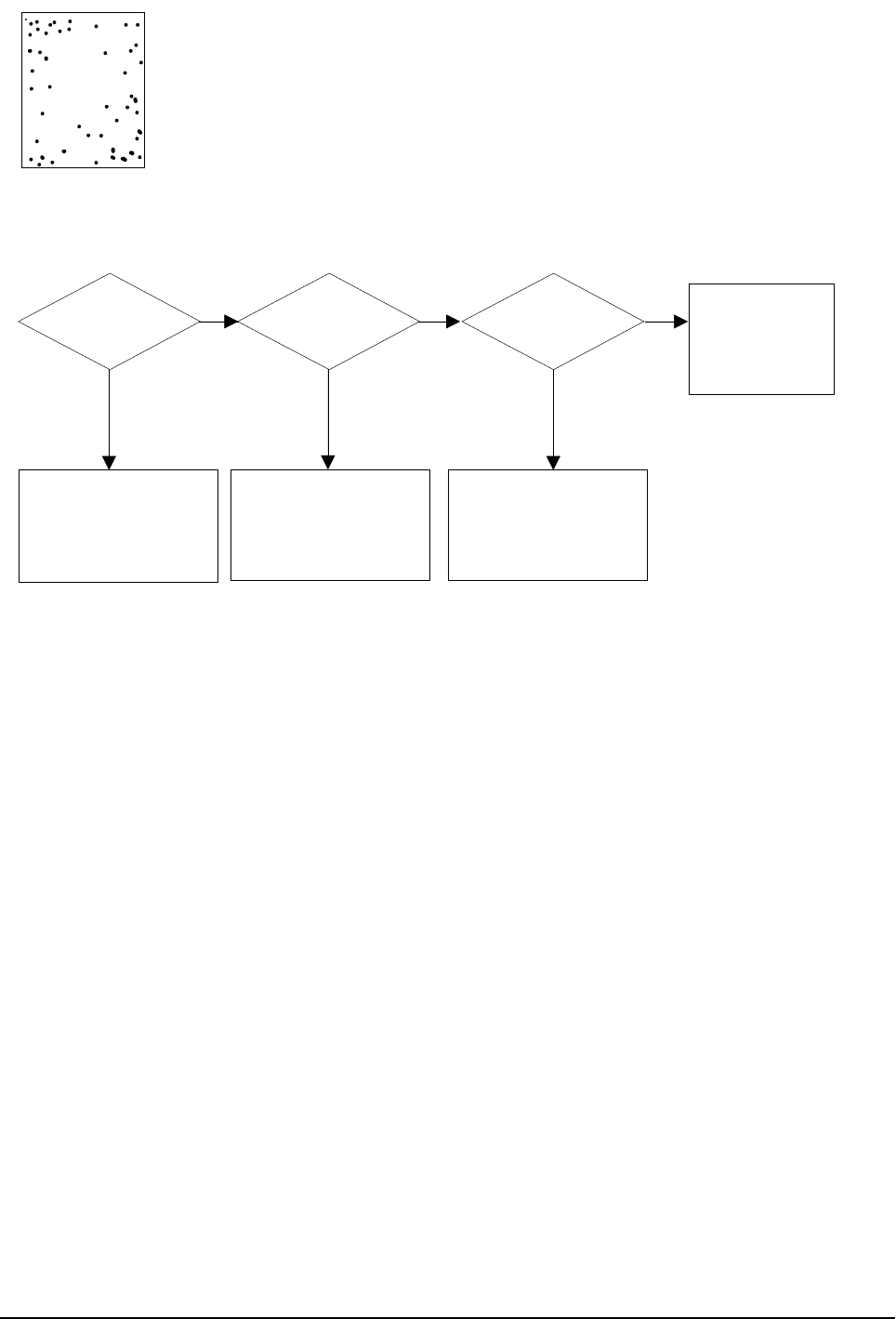
Black Spot
Is it regular
interval of 38mm?
The problem occured
since the obstacles
stuck to charge roller
-> Clean the Charge Roller
and then reprint.
When taking
out the cartridge,
toner leaks?
Toner leaks and much
toner material dropped
onto the paper ->
Replace the developer
Bad image
removes by
scratching?
Check toner is stuck onto
the P/R or H/R in fuser
-> Clean it or replace
The problem
randomly occurred
due to the toner
fallen -> Clean the
machine
NO NO NO
YES YES YES
Digital Printer
Digital Printer
Digital Printer
Digital Printer
Digital Printer
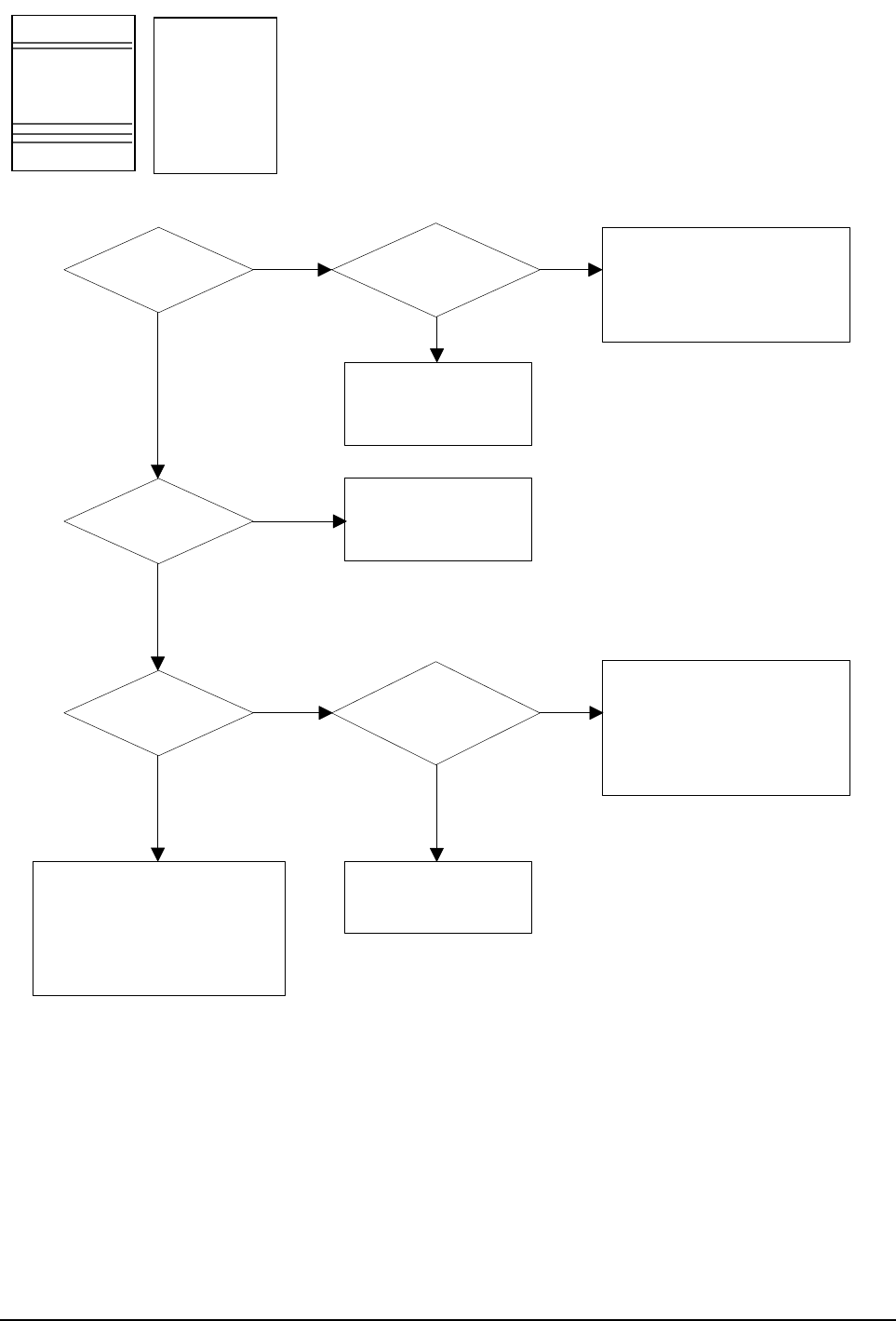
Troubleshooting
Samsung Electronics 4-29
NO
Black band?
The black
band has regular
interval?
Black band
is far about 95mm from
white band?
Problem of internal
contacts in OPC
-> Replace developer
The OPC is damaged under the
direct sunlight for around 5
minutes -> If the same problem
persists in 10 hours, replace
the developer
This occurs when no
Hsync/ at LSU
-> Replace LSU
94mm interval?
Heat roller is ruined
-> Replace the roller
The OPC is damaged due to
the irregular transfer voltage
of HVPS
-> Repair/replace HVPS
-> If the same problem persists,
replace the developer
Does it appear
at every 83mm at
specific place?
Problems of terminal contact,
transfer voltage supplying,
and transfer roller's due to the
charge roller is ruined (38mm)
-> Repair/replace HVPS,
developer
NO
NO NO
NO
YES
YES
YES
YES
Horizontal Band
Digital Printer
Digital Printer
Digital Printer
Digital Printer
Digital Printer
Digital Printer
Digital Printer
Digital Printer
Digital Printer
Digital Printer
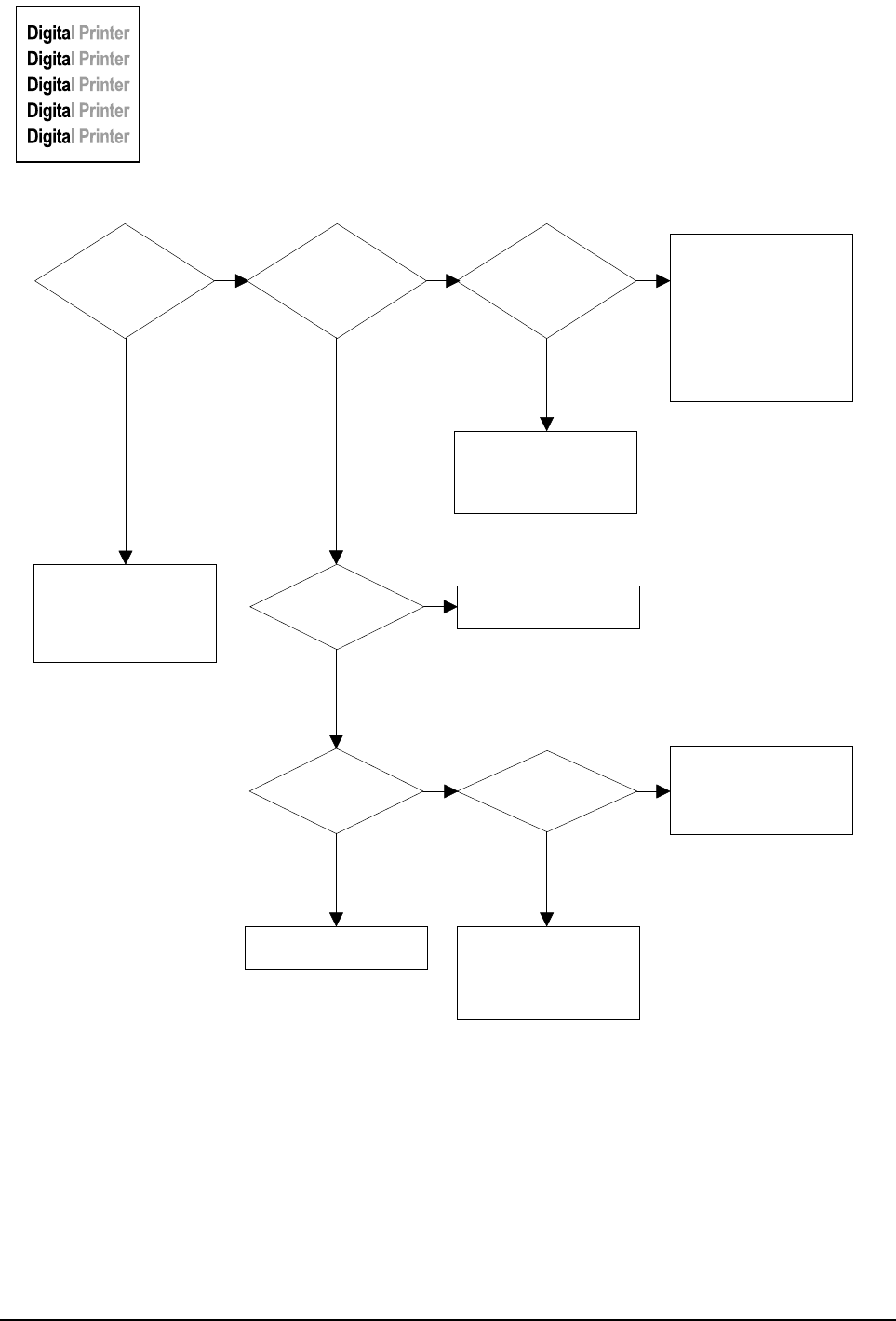
Troubleshooting
4-30 Samsung Electronics
OK after
taking out and
rocking the toner
cartridge?
It is over the guaranty
life of toner cartridge
(Check the counter
and replace it)
When gray
pattern printing,
irregular density
persists?
PTL lamp
works OK?
Any obstacles
on the PTL lamp?
transfer/
charge/developing
voltage drops while
printing?
Defective agitator in
the toner supplying part
of developer
->Replace the developer
Check if the 'guide deve
spring' works OK and
repair/repalce
Check high voltage
output and repair/
replace terminals, HVPS
Replace lamp
Clean the window of PTL
Bad images
around the no image
area?
Irregularity of toner
supply from developer
-> Replace developer
Light distortion due to
the mirror ruined or
LSU's diffused reflection
-> Replace LSU
NO NO NO
NO
NO NO
YES YES YES
YES
YES
YES
Irregular Density
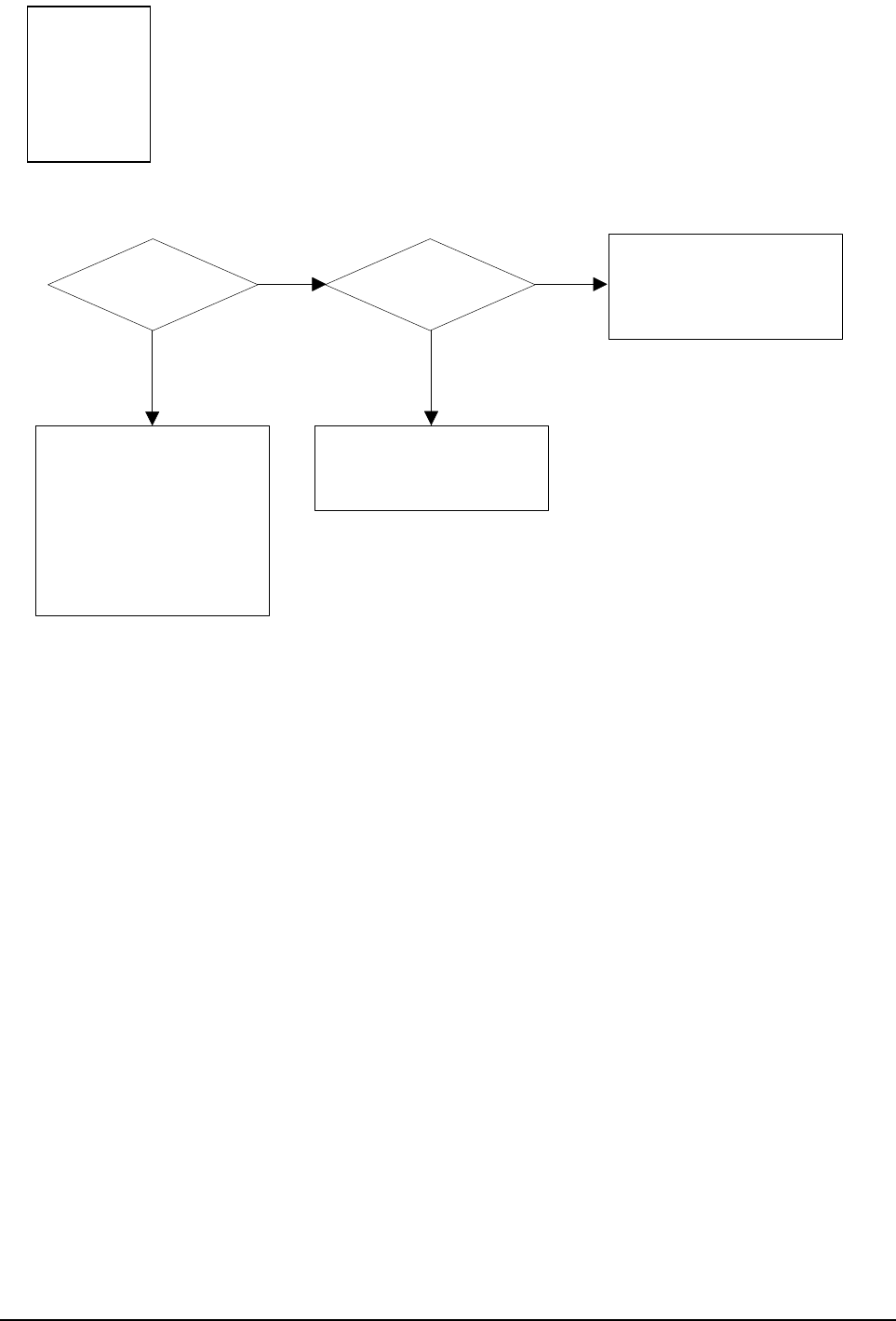
Troubleshooting
Samsung Electronics 4-31
Is it regular
interval of 95mm?
Obstacles stuck on OPC's
surface
-> Clean the OPC and
machine or replace
developer
When putting in/out the
developer, scratch is made
-> Replace the developer
Transfer
voltage is normal?
D/R in developing unit has
the defect
-> Replace the developer
Too high voltage supplied
due to the setting error of
transfer voltage
-> Adjust/replace HVPS
NO NO
YES YES
White Spot
Digital Printer
Digital Printer
Digital Printer
Digital Printer
Digital Printer
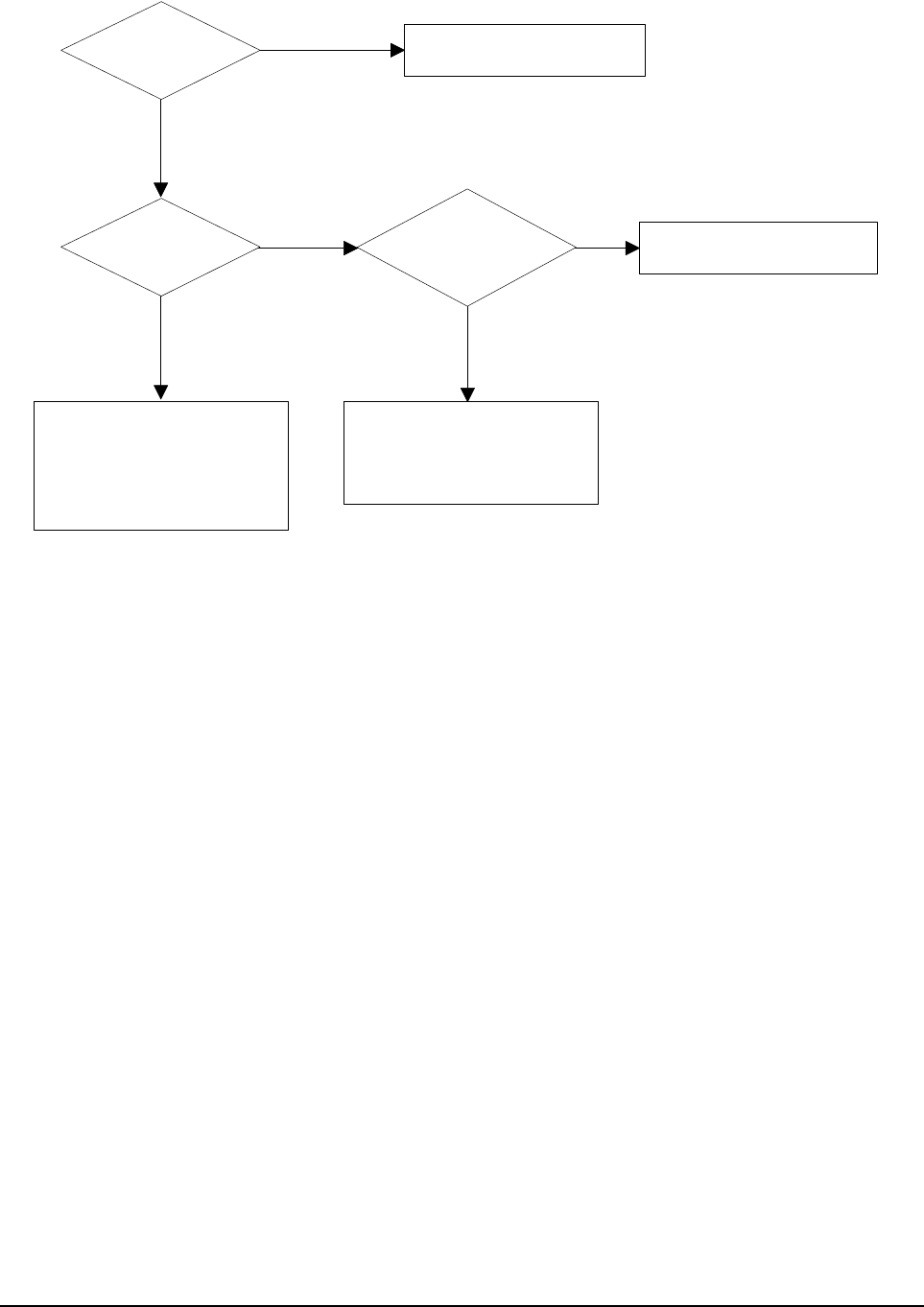
Troubleshooting
4-32 Samsung Electronics
Recommended
OHP film used?
Inserted over
than 10 films into
the MPF?
When multi-page OHP printng,
less than 10 films are
guranteed. (Reduce the
number of films and re-insert
after paper check LED if off)
Use the recommended film
When OHP
printing, does the fan
temporarily stops
and revolves?
Use the recommended film
Other parts are touching the
fan and prevents it from
revolution
-> Check and repair
NO
NO NO
YES
YES YES
Trembling at the End When OHP Printing
Troubleshooting
Samsung Electronics 4-33
After printing
completed, any error
related fuser?
Both ends
of thermostat
open?
Replace thermostat
and re-test
Replace the control
component on Main
PBA
Check any contact
problem in thermistor
and repair
The machine
placed under the
severe low tempera
ture for a long
time?
Place the machine
at normal
temperature and
re-test
While printing,
the voltage of pin 60
of U36 (CPU) on Main
PBA is 2.1V
- 2.6V?
Thermistor's
contact is OK?
Open the top
cover. When black
printing, is the fuser NIP
width is 3.0-
3.5mm?
The paper used is too
thick or contains too
much cotton in it
-> Re-test with the
recommended paper
Check if the hardness of
P/R, and spring force is OK?
(hardness: 24 degree,
spring's force: 3 Kg)
Re-assemble
thermistor
NO
NO
NO NO
NO
NO
YES
YES
YES
YES YES YES
Poor Fusing Grade

Troubleshooting
4-34 Samsung Electronics
4-6-4 Malfunction
Error Status Check Solution
No power 1. Check power is supplying
2. Check fuse F1 open
1. If supplying power differs from machine’s power rat-
ing, replace the machine.
2. Replace it.
Fuser Error 1. Thermostat open
2. AC wire open
3. Thermistor wire open
4. Main PBA
1. Detach AC connector and measure the resistane
between pin 1 and 2. If it is megohm, thermostat is
open, Replace it.
2. Check bad connector contact or wire is cut.
3. Check thermistor wire and its connection.
4. Replace Main PBA
Cover open 1. When close Side cover, check the lever is
pressed
2. Micro switch’s contact
3. CPU and related circuit
1. Open Side cover and press the lever with pen. If
Controller detects cover close, there is some mechan-
ical trouble in Side cover and lever’s assembly. If not
so there is electrical problem.
Jam 0 Check where Jam 0 happens
1. Paper is not picked up
2. Paper is located in feed sensor
3. Happened when inserting specific papers such
as envelope into the MPF (Multipurpose Paper
Feeder)?
4. Happened when inserting specific papers such
as envelope into the Manual Feeder?
5. Is the Stacker Extender is folded out?
6. Does not the Guide Adjust distort the papers
1. Check whether solenoid is working or not by using
Engine test mode
2. Check feed sensor malfunction.
3. Re-try inserting a fewer papers.
•fan the papers and align
•take out the loaded papers and insert
them reverse direction
4. Take out the loaded papers and insert them reverse
direction
•inserted papers as recommended for
Manual Feeding?
•When loading, tap the papers until paper detect
sensor senses loading
5. When using long papers, use the Stacker Extender
6. Adjust Guide to fit the paper width
Jam 1 Paper is stopped in just after of fuser unit. 1. It is mostly resulted from double feeding. Check
paper is well stocked in feeder.
2. Check feed actuator position and actuator’s operat-
ing. There may be stiff movind or double reflection. If
not so, check the operation of feed sensor by Engine
test mode.
3. Check exit lever operation. Remore jam and check
actuator moving by hand. If actuator is too stiff, paper
is wrapped around the heat roller. Remove obstacles
or replace.
Jam 2 Check where Jam 2 happens
1. Paper is curled and cannot exit.
2. Paper is curled in the exit cover?.
1. Remove paper using pinset or some tool and watch if
separate claws have any troble. Clean around fuser.
2. Check locking works wells. Watch whether the ribs of
exit cover hace any burr or resisitive edge. If they do,
remove obstacles or replace.

Troubleshooting
Samsung Electronics 4-35
Error Status Check Solution
Jam 2 at
face-down
tray
1. Then paper is not drawn in because of the
stack of papers in the Out tray.
2. Does it curl while coming out?
1. Load recommended quantity of papers
2. Open the Cover Front and check whether roller or
spring, which are related to paper out, is not out of posi-
tion. If so, re-locate or replace.
Clutch error
1. Check the spring of solenoid
2. Check the armature assembly/cushion
3. Electrical check
1. Check whether the spring is expanded or not.
2. Check armature is well installed. It may be unstable
assemble.
3. Remove the Main PBA.
High volt-
age error
1. Check the terminal output voltage
2. Check HVPS
1. Remove the Toner cartridge and open the cover and
press cover open switch lever and measure the voltage
with high voltage probe and sending printing data. If the
voltage is normal, change the toner cartridge.
2. Disassemble the left side cover, and check HV of the sol-
der side of HVPS and change it.
Feeding
obstacles
Does the Plate-knockup prevent the paper
loading? MPF :
Turn the power off and on. Open and close the Side cover
to return to the original state.
Cassette :
Adjust Guide to fit the paper width.
Skew Is the Guide adjust set to the paper
width?
Fit the paper width using the Guide adjust.
Stacking
1. Took out the Stacker extender to support long
papers?
2. Stacked too many papers more than Stacker
can hold?
1. Use extender as per the paper length.
2. The Face-up stacker normally can hold 100 pages when
using 75g/m2, however, stacking capacity can be lowered
depending on the type of papers.
Engine
Error
Check CBF Harness_CN7.
(Main PBA to LSU) Refer to troubleshooring “ENGINE ERROR”.
Document
Jam
Document is not picked up(in ADF). 1. Check document is well stocked in ADF.
2. Check whether document was been fastened together
by staple or clip.
3. Load recommended quantity of papers.
Document is stopped after it has fed into the
ADF. 1. Check whether the Reg. sensor is working or not.
2. Check whether the Feed Roller is working or not.
Does it curl while coming out? 1. Check the Open Cover whether there are bosses.
2. Check the ADF ass'y is well assemble.
Troubleshooting
4-36 Samsung Electronics
Plug in the
power cord?
The power
voltage supplying is
the same as
rating?
The fan
revolves when
powered on?
LEDs blink
once when
powered on?
Shortage on
the OPE panel
board?
Repair/replace the
board
Check the voltage first and plug
the power cord
Supply the power as the rating
Connections
on board are OK?
Re-connect firmly
and re-test
The connection
error between
controller board
and panel board
or malfunction
of boards.
-> Replace the
boards
Fuse of SMPS
if open?
Shortage
between 5V and
GND, or between
24V and
GND?
Replace the fuse
Toner cartridge
is in the set?
Detect failure due to the
board which detects side
cover open or switch error
-> Replace the board or switch
Put in the
cartridge
Remove the shortage
or replace the board
NO
NO
NO
NO
NO
NO
NO NO
NO
YES
YES
YES YES
YES
YES YES
YES
YES
No Power (LCD NO display LED Off)
Troubleshooting
Samsung Electronics 4-37
Less than 10W?
AC is being supplied?
The voltage
of pin #60 of U36
(CPU) on the Main PBA
is about 2.65V when
printing?
END
Thermostat is open due to the heat etc.
-> Replace the thermostat
The voltage of pin #6 of U5
on the Main PBA is about
3.2V?
If not check the
CN4 on the power board.
Measure the resistance
at the both ends of AC
Line with covers open
Remove the covers
Re-assemble the top
cover and close it
Thermistor, connecting point or engine
board defect -> Repair/replace the
component/board
NO
NO
NO
YES
YES
YES
Fuser Error
Troubleshooting
4-38 Samsung Electronics
Sounds the
solenoid on when starts
print?
Does the
paper move?
Does the
paper move more than
100mm?
The Main PBA board defected
-> Replace boards
The solenoid defected
-> Replace it
The pick-up unit is
assembled wrong
-> Re-assemble or replace
the unit
Feeder
sensor is assembled
reverse?
Switch them
The sensor and
Main PBA defected
-> Repair/replace
Too many
papers in the
feeder?
Paper guides
fit the paper width?
Paper end curled? Does the
extender pulled out?
<Recommendation>
Use the MPF for the thick
paper such as envelope
and cardstock
Reduce the amount
and re-test
Take out the paper
and re-insert
Use the recommended
and quality paper
Pull out the
extender
NO
NO
NO
NO
NO
NO NO
YES
YES
YES
YES
YES
YES
YES YES
Paper Jam (Mis-Feeding)
Troubleshooting
Samsung Electronics 4-39
Paper
stopped before
the OPC?
Check the LSU and
if it has the defect
replace it
Paper
stopped before
the fuser?
Severe skew
when feeding?
Adjust the paper guides to fit the
paper width
The force of springs pressing the
developer is weak
-> Check guide-DEVE
The paper
came out through
between fuser and
developer?
Too thin
or sensitive paper to
static electricity?
Use the recommended
paper
Check guide transfer
is grounded Check
the shutter prevents
feeding
Check the input path
to the fuser (such as
mis-assembly)
The
actuator of
paper exit sensor
works OK?
Check the actuator exists and its
operation and around the Main PBA
-> Replace
Is the paper
rolled around the
presseure
roller?
Remove the fuser, remove
the paper and replace the
pressure roller, if necessary
Feeds
multiple pages?
Remove any factors
Check the roller
and ribs of fuser
are in place, and
remove burrs, if
any
-> Remove the
factors of jam
NO NO NO
NO
NO NO
NO
NO
YES YES YES
YES
YES YES
YES
YES
Paper Jam(Jam 1)
Troubleshooting
4-40 Samsung Electronics
Check
CBF Harness-CN7
(Main B'D to
LSU)
Check
Main B'D CN7-9,
P_MOTOR Signal
( )
Check
Main B'D CN7-8,
LREADY Signal
( )
END
Try again to connector or
Replace connector
Replace Main PBA
Replace LSU
Replace Main PBA
Replace LSU
NO
NO
NO
NO
NO
YES
YES
YES
YES
YES
Check
Main B'D CN7-4,
LDON Signal
( )
Check
Main B'D CN7-1,
HSYNC Signal
( )
Engine Error

Troubleshooting
Samsung Electronics 4-41
4-6-5 Toner Cartridge and Drum Cartridge Service
It is not guaranteed for the default caused by using other toner and Drum Cartridge cartridge other than the
cartridge supplied by the Samsung Electronic or caused by non-licensed refill production.
Precautions on Safe-keeping of the Drum Cartridge
Excessive exposure to direct light more than a few minutes may cause damage to the cartridge.
Service for the Life of Toner Cartridge
If the printed image is light due to the life of the toner, you can temporarily improve the print quality by redis-
tributing the toner(Shake the toner cartridge), however, you should replace the toner cartridge to solve the
problem thoroughly.
Service for Judgement of Inferior Expendables and the Standard of Guarantee
Please refer to User's Manual or Instructions on Fax/Printer Expendables SVC for the judgement of inferior
expendables and the standard of guarantee besides this service manual.

Troubleshooting
4-42 Samsung Electronics
4-6-5-1 Signs and Measures at Poor toner cartridge
Fault Signs Cause & Check Solution
Light image and
partially blank
image
(The life is ended.)
• The printed image is
light or unclean and
untidy.
• Some part of the
image is not
printed.
• Periodically a noise
as "tick tick" occurs.
1. If the image is light or unclean
and untidy printed image - Shake
the developer and then recheck.
(1)NG: Check the weight of the
developer
(2)OK: Lack of toner, so the life is
nearly closed.
2. Some part of image is not printed
- Shake the developer and then
recheck.
(1)NG: Check the weight of the
developer and clean the
LSU window with a cotton
swab, then recheck.
(2)OK: Lack of toner, so the life is
nearly closed.
3. Periodically a noise as "tick tick"
occurs - Measure the cycle and
the weight of the developer.
4. White vertical stripes on the
whole screen or partly :
Check the weight of the developer.
1. All of 1, 2, 3 above-
If it become better by shaking, replace
with a new developer after 50-100
sheets in the closing state of the life
span.
2. In case of 2-
If it becomes better after cleaning the
LSU window, then the developer is nor-
mal.
(Because of foreign substance on the
LSU window, the image has not been
printed partly.)
3. In case of 3-
If the cycle of noise is about 2 seconds,
the toner inside the developer has been
nearly exhausted.( Purchase and replace
with a new developer after using about
200 sheets at the point of occurrence)
4. In case of 3-
This is a phenomenon caused by lack of
toner, so replace with a new developer.
Toner Contamina-
tion • Toner is fallen on the
papers periodically.
• Contaminated with
toner on prints
partly or over the
whole surface.
1. Toner is fallen on the paper peri-
odically.
(1)Check the cycle of the falling of
the toner.
(2)Check the appearance of both
ends of the developer OPC
drum.
2.The center of the printed matter is
contaminated with toner.
(1)Check whether foreign sub-
stances or toner are stuck to the
terminal (contact point) of the
developer.
(2)Check whether the state of the
terminal assembly is normal.
1. If both ends of the OPC drum are con-
taminated with toner:
Check the life of the developer.
2. Check whether it could be recycled.
Digital Printer
Digital Printer
Digital Printer
Digital Printer
Digital Printer

Troubleshooting
Samsung Electronics 4-43
White Black spot • Light or dark black
dots on the image
occur periodically.
• White spots occur in
the image periodi-
cally.
1. If light or dark periodical black
dots occur, this is because the
developer rollers are contami-
nated with foreign substance or
paper particles.
(1)37.7mm interval :
Charged roller
(2)94.3mm interval :
OPC cycle
2. If white spots occur in a black
image at intervals of 94.3 mm, or
black spots occur elsewhere, the
OPC drum is damaged or foreign
substance is stuck to the surface.
3. If a black and white or graphic
image is partially broken at irregu-
lar intervals, the transfer roller's
life has been expired or the trans-
fer voltage is abnormal.
1. In case of 1 above -
Run OPC Cleaning Mode Print 4-5 times
repeatedly to remove. Especially check
foreign substance on the OPC surface,
then remove them with a clean gauze
moistened with IPA(Isopropyl Alcohol) not
to damage OPC if necessary.
Caution : Never use usual alcohol.
2. In case of 2
If they are not disappeared by running
OPC Cleaning Mode Print 4-5 times.
: at intervals of 94.3mm -
Replace the OPC Drum.
: at intervals of 37.7mm -
Remove foreign substance, Clean the
Charged Roller
: Broken image -
Replace the developer according to
carelessness.
3. In case of 3 - Exchange the transfer
roller because the life of the transfer roller
in use has been expired. (Check the
transfer voltage and readjust if different.)
Recycled product • Poor appearance of
the developer.
• Unclean and rough
printouts.
• Bad background in
the image.
1. Poor appearance of the devel-
oper.
(1)Check the damage to label and
whether different materials are
used.
(2)Check the appearance of parts
of the developer, such as frame,
hopper.
2. Unclean and rough printouts.
(1)Check whether foreign sub-
stance or toner are stuck to the
terminal (contact point) of the
developer.
(2)Check whether the state of the
terminal assembly is normal.
1. In case of 1 -
(1)If there is an evidence of disassembling
the developer.
(2)If materials other than normal parts of
the developer are added or substituted.
2. In case of 2 - If there are any abnormals
in connection with the situation of 1.
(1)It occurs when the developer is recy-
cled over 2 times.
(2)If toner nearly being expired are col-
lected to use, it is judged as the recycled
developer.
Fault Signs Cause & Check Solution
Digital Printer
Digital Printer
Digital Printer
Digital Printer
Digital Printer

Troubleshooting
4-44 Samsung Electronics
Ghost & Image
Contamination • The printed image is
too light or dark, or
partially contami-
nated black.
• Totally contaminat-
edblack.
(Black image
printed out)
1. The printed image is too light or
dark, or partially contaminated
black.
(1)Check whether foreign sub
stance or toner are stuck to the
terminal(point of contact) of
the developer.
(2)Check whether the terminal
assembly is normal.
2. Totally contaminated black.
(Black image printed out)
(1)Check whether foreign sub
stances are stuck to the termi-
nal(point of contact) of the
developer and the state of
assembly.
(Especially check the charged
roller terminal.)
1. All of 1, 2, 3 above
(1)Remove toner and foreign substances
adhered to the contact point of the
developer.
(2)The contact point of the unit facing that
of the developer also must be cleaned.
(3)If the terminal assembly is unsafe:
• Fully stick the terminal to or reassemble
it after disassembling.
• Disassemble the side plate and push
the terminal to be stuck, then reassem-
ble it.
2. In case of 2
It is a phenomenon when the OPC drum
of the developer is not electrically
charged. Clean the terminals of the
charged roller, then recheck it.
Fault Signs Cause & Check Solution

Troubleshooting
Samsung Electronics 4-45
4-6-6 The cause and solutions of bad environment of the software
4-6-6-1 The printer is not working (1)
4-6-6-2 The printer is not working (2)
Check and Cause Solution
1. Check if the PC and the printer is properly connected and
the toner cartridge installed.
2. Printing is nor working in the Windows.
3. Check if the printer cable is directly connected to peripheral
devices
1. Replace the printer cable. If the problems not solved even
after the cable replaced, check the amount of the remaining
tone.
2. Check if the connection between PC and printer port is
proper. If you use windows, check if the printer driver in the
controller is set up. If the printer driver is properly set up,
check in which program the printing is not working. The best
way to find out is to open the memo pad to check the func-
tion of printing. If it is not working in a certain program, adjust
the setup the program requires. Sometimes, the printout is
normal within the Windows basic programs, but it's not work-
ing in a particular program. In such case, install the new
driver again. If not working in the Windows basic program,
Check the setup of the port of CMOS is on ECP. And check
the address of IRQ 7 and 378
3. If the scanner needs to be connected to the printer, first the
remove the scanner from the PC to see if the printer is prop-
erly working alone.
Check and Cause Solution
1. Secure more space of the hard disk.
2. Printing error occurs even if there is enough space in the
hard disk.
3. Check the parallel-port-related items in the CMOS Setup.
4. Reboot the system to print.
1. Not working with the message 'insufficient printer memory'
means hard disk space problem rather than the RAM prob-
lem. In this case, provide more space for the hard disk.
Secure more space using the disk utilities program.
2. The connection of the cable and printer port is not proper.
Check if the connection is properly done and if the parallel
port in CMOS is rightly set up.
3. As a printer port, Select ECP or SPP among SPP(Normal),
ECP, and EPP modes(increase printing speed) SPP normal
mode support 8-bit data transfer, while ECP Mode transfer
the 12-bit data.
4. If the regular font is not printing, the cable or the printer
driver may be defective.
Turn the PC and printer off, and reboot the system to print
again. If not solved, double-click the printer in my computer
If the regular fonts are not printed this time again. the cable
must be defective so replace the cable with new one.
• Description : After receiving the printing order, no response at all or the low speed of printing occurs
due to wrong setup of the environment rather than malfunction of the printer itself.
• Description :
While Power turned on, the printer is not working in the printing mode.

Troubleshooting
4-46 Samsung Electronics
4-6-6-3 Abnormal Printing
4-6-6-4 SPOOL Error
Check and Cause Solution
1. Set up the parallel port in the CMOS SETUP.
2. Printer Driver Error.
3. Error message from insufficient memory.
(The printing job sometimes stops or due to insufficient vir-
tual memory, but it actually comes from the insufficient space
of the hard disk.)
1. Select SPP(Normal) or ECP LPT Port the among ECP,
EPP or SPP in the CMOS Setup.
2. Check the printer in My Computer.(to see if the printer driver
is compatible to the present driver or delete the old driver, if
defective and reinstall the new driver)
3. Delete the unnecessary files to secure enough space of the
hard disk and start printing job again.
Check and Cause Solution
1. Insufficient space of the hard disk in the directory assigned
for the basic spool.
2. If the previous printing error not solved.
3. When expected to collide with other program.
4. When an application program or the printer driver is dam-
aged.
5. When some files related to OS are damaged or virus
infected.
6. Memory is less than suggested one.
1. Delete the unnecessary files to provide more space to start
printing job.
2. If there are some files with the extension name of ****.jnl,
Delete them and Reboot the Windows to restart printing job.
3. Shut down all other programs except the current one, if pos-
sible.
4. Delete the printer driver completely and reinstall it.
5 After rebooting the computer, check for viruses, restore the
damaged files and reinstall the program to do the printing
job.
6. Add up enough memory to the PC.
• Description : The printing is not working properly even when the cable has no problem.
(even after the cable is replaced) If the printer won't work at all or the strange fonts are
repeated, the printer driver may be defective or wrong setup in the CMOS Setup.
• Description : To spool which stands for "simultaneous peripheral operations online" a computer doc-
ument or task list (or "job") is to read it in and store it, usually on a hard disk or larger
storage medium so that it can be printed or otherwise processed at a more convenient
time (for example, when a printer is finished printing its current document).
How to delete the data in the spool manager.
In the spool manager, the installed drivers and the list of the documents waiting to be printed are shown.
Select the document to be deleted and check the delete menu.
If you intend to delete the current document being printed, the data being transferred to the printer will be put
out and then the document is removed. Before choosing the document, the menu is still inactive.
Or put the document out of the list and repeat the routine as in the above or finish the spool manager.
Exploded Views and Parts List
Samsung Electronics i
Appendix information
The following list shows different materials by model.
The material codes mentioned in themanual are subject to change without prior notice.
For the latest exact information, see ITSELF SYSTEM.
(http://itself.sec.samsung.co.kr)
•SCX-5315F/XAA
DESCRIPTION SEC.CODE
ELA HOU-SCANNER JC96-02717A
ELA HOU-PLATEN(SEC) JC96-02748A
ELA HOU-OPE(SEC) JC96-02749A
PMO-COVER OPE(C) JC72-00796A
WINDOW-LCD(4IN1) JC64-00071A
PMO-COVER DUMMY OPE(M) JC72-00858A
PCT-ONETOUCH PAPER
JC72-00872A
PBA SUB-LIU JC92-01355A
•SCX-5315F/XEG
DESCRIPTION SEC.CODE
ELA HOU-SCANNER JC96-02717B
ELA HOU-PLATEN(GER) JC96-02748D
ELA HOU-OPE(GER) JC96-02749D
PMO-COVER OPE JC72-00796C
WINDOW-LCD(GER 4IN1) JC64-00071C
PMO-COVER DUMMY OPE(M) JC72-00858C
PCT-ONETOUCH PAPER
JC72-00872C
PBA SUB-LIU JC92-01355E
•SCX-5315F/XEU
DESCRIPTION SEC.CODE
ELA HOU-SCANNER JC96-02717A
ELA HOU-PLATEN(SEC) JC96-02748A
ELA HOU-OPE(SEC) JC96-02749A
PMO-COVER OPE(C) JC72-00796A
WINDOW-LCD(4IN1) JC64-00071A
PMO-COVER DUMMY OPE(M) JC72-00858A
PCT-ONETOUCH PAPER
JC72-00872A
PBA SUB-LIU JC92-01355G
•SCX-5315F/XIL
DESCRIPTION SEC.CODE
ELA HOU-SCANNER JC96-02717C
ELA HOU-PLATEN JC96-02748B
ELA HOU-OPE JC96-02749B
PMO-COVER OPE JC72-00796G
WINDOW-LCD(4IN1) JC64-00071E
PMO-COVER DUMMY OPE(M) JC72-00858E
PCT-ONETOUCH PAPER
JC72-00872E
PBA SUB-LIU JC92-01355A
•SCX-5115/XAA
DESCRIPTION SEC.CODE
ELA HOU-SCANNER JC96-02718A
ELA HOU-PLATEN ASS’Y JC96-02752A
ELA HOU-OPE COVER(SEC) JC96-02753A
PMO-OPE COVER JC72-00944A
PCT-LCD WINDOW(3 IN 1) JC64-00071B
•SCX-5115/XEU
DESCRIPTION SEC.CODE
ELA HOU-SCANNER JC96-02718A
ELA HOU-PLATEN ASS’Y JC96-02752A
ELA HOU-OPE COVER(SEC) JC96-02753A
PMO-OPE COVER JC72-00944A
PCT-LCD WINDOW(3 IN 1) JC64-00071B
•SCX-5115/XEG
DESCRIPTION SEC.CODE
ELA HOU-SCANNER JC96-02718C
ELA HOU-PLATEN ASS’Y JC96-02752B
ELA HOU-OPE COVER(SEC) JC96-02753B
PMO-OPE COVER JC72-00944G
PCT-LCD WINDOW(3 IN 1) JC64-00071G
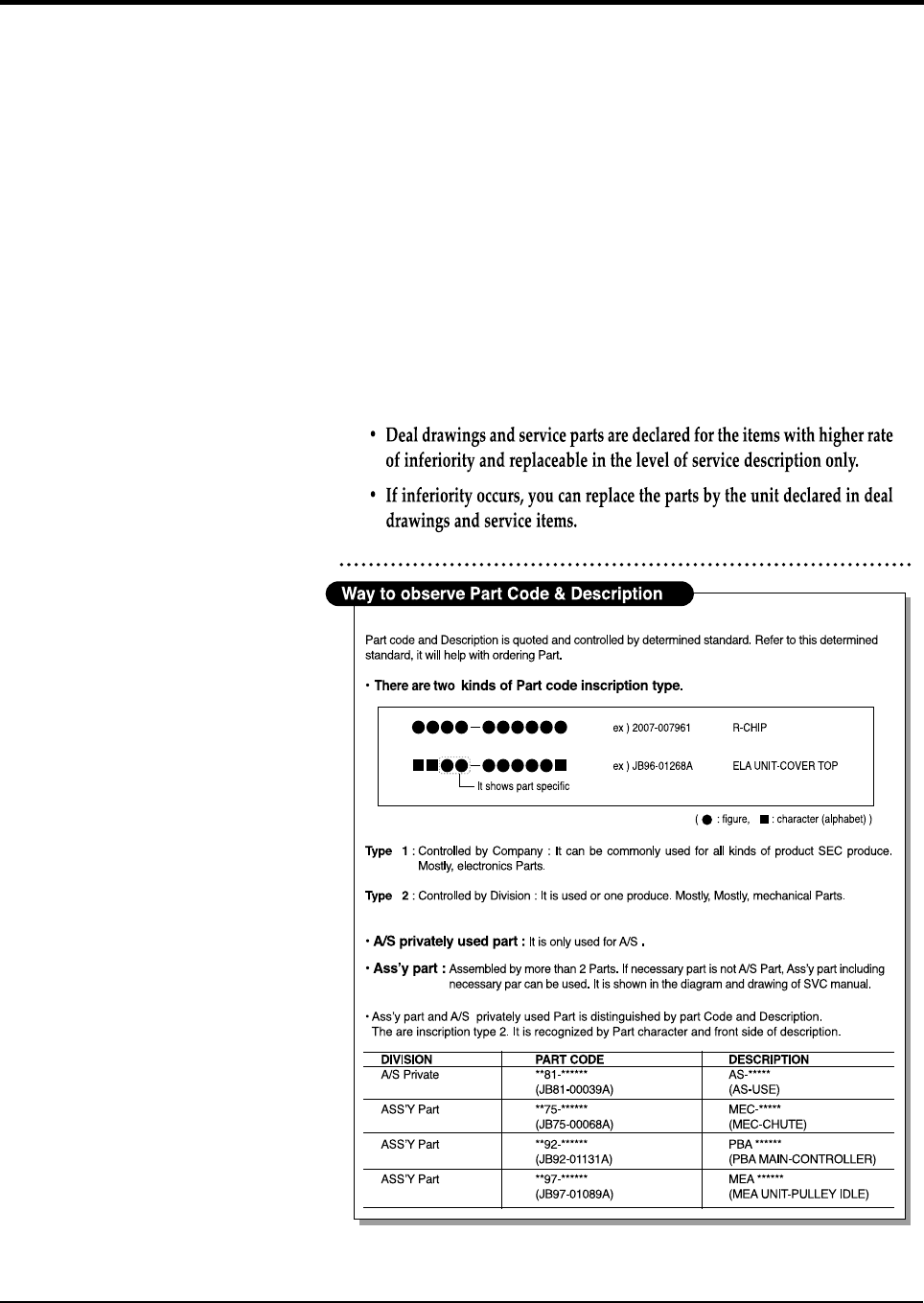
Exploded Views and Parts List
Samsung Electronics 5-1
5. Exploded View & Parts List
5-1. Main Exploded View & Parts List....................................... page(5-2)
5-2. Platen Ass’y Exploded View & Parts List
.................... page(5-5)
5-3. ADF ASS’Y Exploded View & Parts List
......................
page(5-9)
5-4. Side Cover Ass’y Exploded View & Parts List
...........
page(5-12)
5-5. Cassette Ass’y Exploded View & Parts List
...............
page(5-14)
5-6. Exit Ass’y Exploded View & Parts List................................ page(5-16)
5-7. Feeder Ass’y Exploded View & Parts List
..................
page(5-18)
5-8. MP Ass’y Exploded View & Parts List
.........................
page(5-20)
5-9. Base Frame Exploded View & Parts List
....................
page(5-22)
5-10.Pick-up Ass’y Exploded View & Parts List
................
page(5-24)
5-11. Drive Ass’y Exploded View & Parts List........................... page(5-26)
5-12. Main Frame Ass’y Exploded View & Parts List................. page(5-28)
5-13. FuserAss’y Exploded View & Parts List........................... page(5-30)
5-14. Screw.......................... page(5-32)
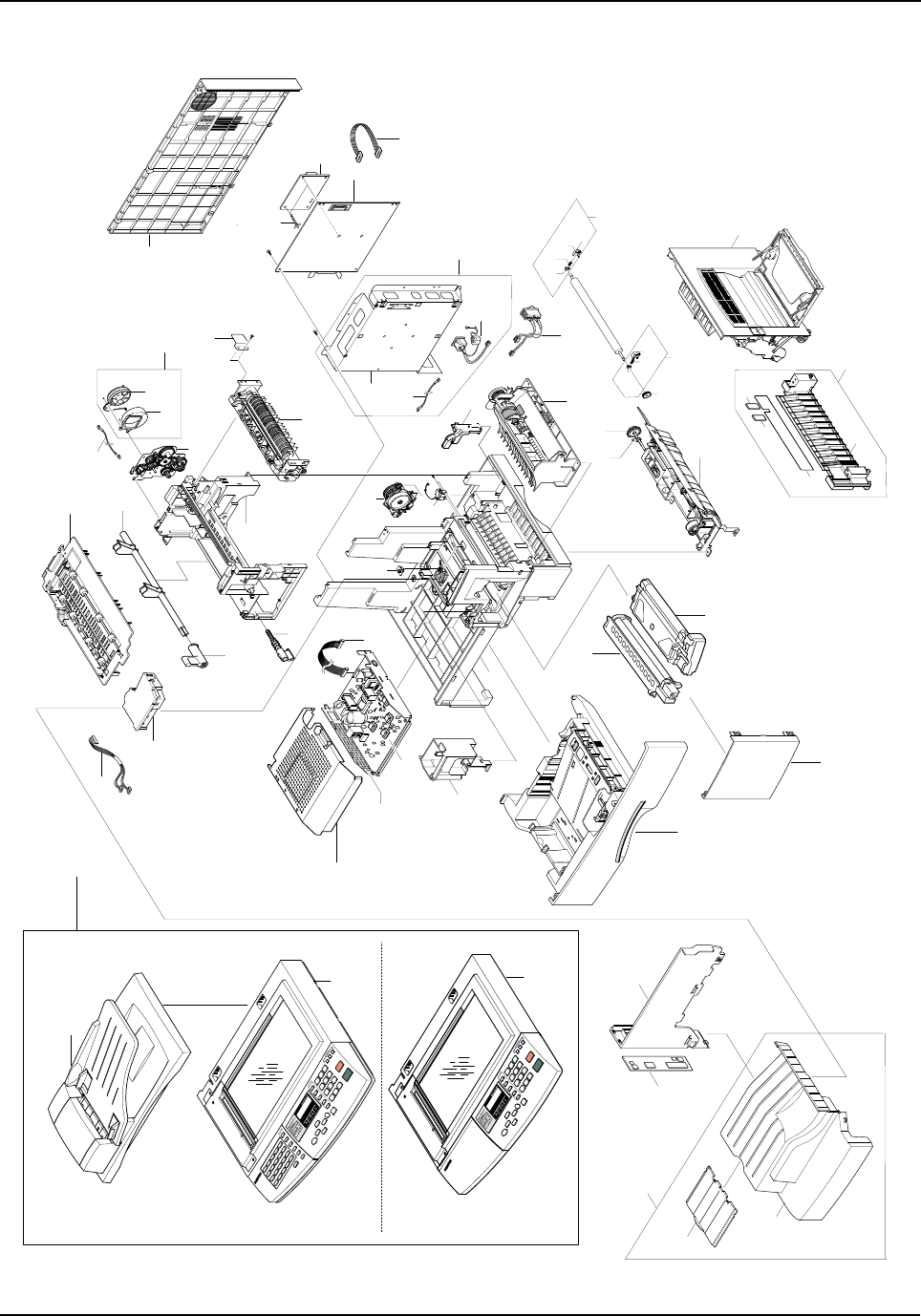
Exploded Views and Parts List
5-2 Samsung Electronics
5-1. Main Exploded View & Parts List
9
38
37
1-2
(SCX-5315F)
1-2
(SCX-5115)
1-1 1
49
48 40
41
41-1
41-4
41-2
41-3
40-2
40-140-3
10
26-1
26-3
26-3
26-2
26
20
25
28
2
2-1
2-2
3
4
7
8
11
12
13
43
6
35
5
34
16
15
45
46
44
17
21-2
21-1
21
37
14
33
19
36(* SCX-5315F Only)
23
29-2
29-1
27(* SCX-5315F Only)
24
30
29-3
42
47
29
39
18
Exploded Views and Parts List
Samsung Electronics 5-3
Main Parts List
NO DESCRIPTION SEC CODE Q’TY SA REMARK
1 ELA HOU-SCANNER
Refer to Info.
1 O SCX-5115
ELA HOU-SCANNER
Refer to Info.
1 O SCX-5315F
1-1 ELA HOU-ADF JC96-02750A 1 O
1-2
ELA HOU-PLATEN
Refer to Info.
1 O SCX-5115
ELA HOU-PLATEN
Refer to Info.
1 O SCX-5315F
2 MEA UNIT-COVER PA EXIT ASS’Y JC97-01556B 1 O
2-1 PMO-TRAY EXTENTION MP NE JC72-00354B 1 O
2-2 PMO-COVER PAPER EXIT JC72-00786B 1 O
3 MEA UNIT-CASSETTE(KOR) JC97-01736A 1 O
4 MEA UNIT-COVER FRONT ASS’Y JC97-01572B 1 O
5 UNIT-LSU,600DPI,15 JC59-00014B 1 O
6 ELA ETC-SHIELD SMPS LOWER JC96-02422A 1 O CHINA ONLY
ELA ETC-SHIELD SMPS LOWER JC96-02310B 1 O 110V
ELA ETC-SHIELD SMPS LOWER JC96-02317A 1 O 220V
7 ELA-OPC UNIT 15K D * 1 X
8 ELA-TONER UNIT 6K D * 1 X
9 ELA HOU-PICK UP JC96-02715B 1 O
10 ELA HOU-SIDE COVER JC96-02183B 1 O
11 ELA HOU-MP ASS’Y JC96-02182A 1 O
12 ELA HOU-BASE FRAME JC96-02818A 1 O
13 MEC-FEED ASS’Y JC75-00143B 1 O
14 ELA HOU-FUSER JC96-02814A 1 O 110V
ELA HOU-FUSER JC96-02815A 1 O 220V
15 ELA HOU-FRAME MAIN ASS’Y JC96-02184A 1 O
16 MEA UNIT-EXIT ASS’Y JC97-01643A 1 O
17 ELA HOU-DRIVE(15PPM) JC96-02741A 1 O
18 PMO-COVER REAR JC72-00788A 1 O
19 PBA MAIN-MAIN JC92-01480A 1 O SCX-5115
19 PBA MAIN-MAIN JC92-01479A 1 O SCX-5315F
20 COVER-M-PANNEL MFP JC63-00215B 1 O SCX-5115
20 COVER-M-PANNEL MFP JC63-00215A 1 O SCX-5315F
21 ELA HOU-DUCT FAN JC96-02311A 1 O
21-1 FAN-DC JC31-00012A 1 O
21-2 PMO-DUCT FAN JC72-00807A 1 O
23 CBF HARNESS-SWITCH GRAY JC39-00055B 1 O
24 SOLENOID-PICK UP JC33-00007A 1 O
O : Service available X : Service not available
Exploded Views and Parts List
5-4 Samsung Electronics
Main Parts List (Cont.)
NO DESCRIPTION SEC CODE Q’TY SA REMARK
25 PMO-COVER EXIT REAR JC72-00790A 1 O
26 MEA UNIT-GUIDE CST PA ASS’Y JC97-01575A 1 O
26-1 PPR-SHEET/GUIDE PAPER * 1 X
26-2 PMO-GUIDE CASSETTE RAIL * 1 X
26-3 SHEET-FEED * 2 X
27 PBA SUB-LIU
Refer to Info.
1O
28 PMO-DUMMY BASE FRAME JC72-00789A 1 O
29 ELA HOU-SHIELD MAIN LOWER JC96-02835A 1 O
29-1 SHIELD-P-MAIN LOWER * 1 X
29-2 CBF HARNESS-INLET(KOREA) * 1 X
29-3 CBF HARNESS-LIU GND JB39-00103A 1 O
30 PMO-COVER FEED AY JC72-00801A 1 O
31 PMO-COVER BRKT MOTER JC72-00834A 1 O
32 PMO-GUIDE PAPER OUT JC72-00835A 1 O
33 SHEET-CONNECTOR JC63-00072A 1 O
34 CBF HARNESS-LSU JC39-00163A 1 O
35 CBF HARNESS-POWER+HVPS JC39-00162A 1 O
36 CBF HARNESS-LIU JB39-00104A 1 O Only SCX-5315F
37 PMO-BEARING SHAFT JC72-41191A 1 O
38 GEAR-PICK_UP JC66-00335A 1 O
39 IPR-SHIELD SMPS UPPER JC70-00248A 1 O
40 MEA UNIT-HOLD GEAR ASS’Y JC97-01573A 1 O
40-1 SPRING ETC-TR_R * 1 X
40-2 PMO-BUSH JC72-40228A 1 O
40-3 PMO-HOLDER GEAR TR * 1 X
41 MEA UNIT-HOLD GND ASS’Y JC97-01574A 1 O
41-1 SPRING ETC-PLATE TR * 1 X
41-2 SPRING ETC-TR_L * 1 X
41-3 PMO-BUSH JC72-40228A 1 O
41-4 PMO-HOLDER GND TR * 1 X
42 SUPPORTER 6103-001048 2 O
43 PMO-WINDOW SENSOR DEVE JC72-00792A 1 O
44 PMO-CAM JAM REMOVE JC72-00799A 1 O
45 PMO-LOCKER DEVE JC72-00805A 1 O
46 PMO-LEVER JAM REMOVE JC72-00804A 1 O
47 IPR-SHIELD SMPS LOWER JC70-00247A 1 O
48 GEAR-TRANSFER JC66-40947A 1 O
49 MEC-TRANSFER ROLLER JC75-00148A 1 O
O : Service available X : Service not available
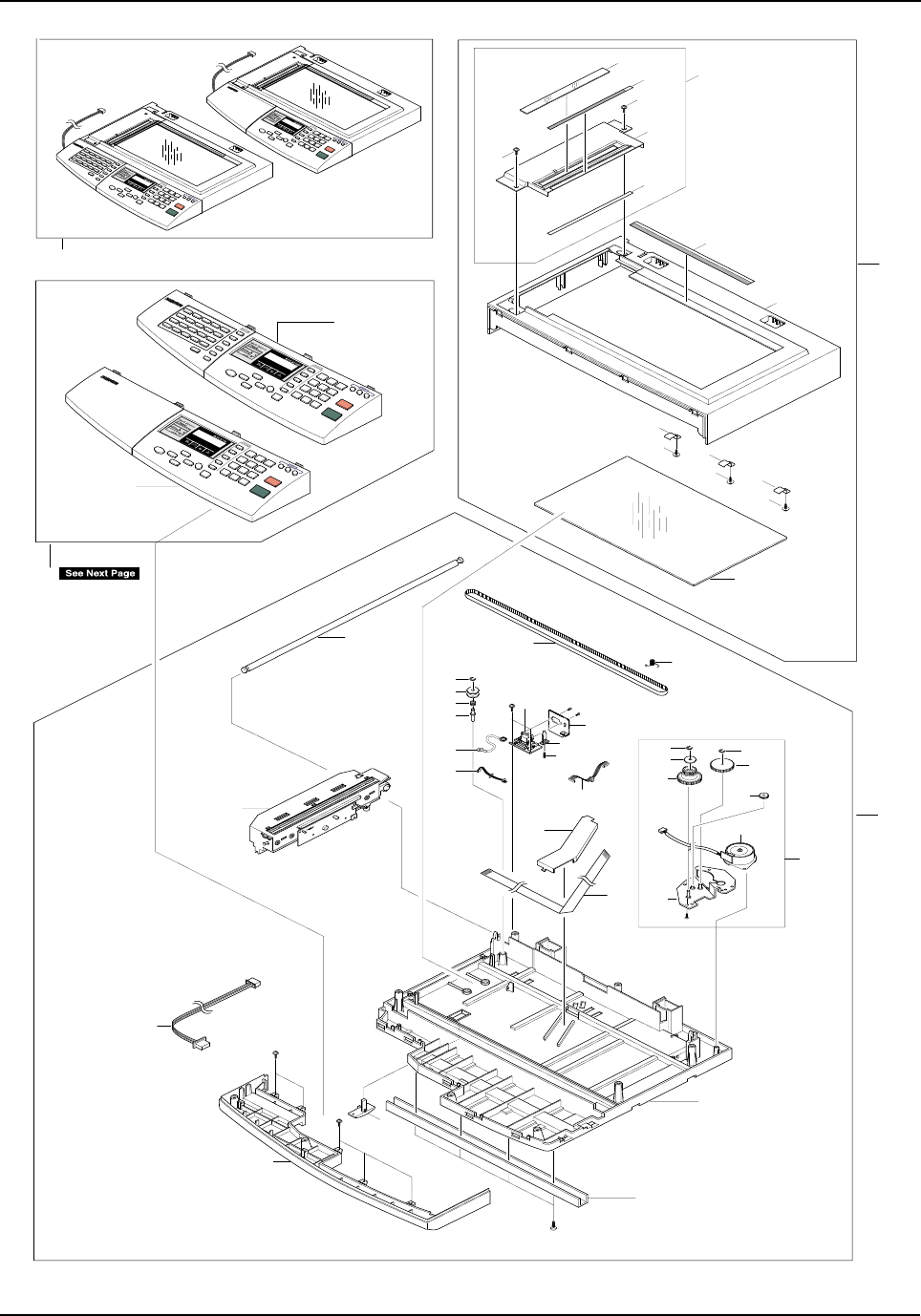
Exploded Views and Parts List
Samsung Electronics 5-5
5-2. Platen Ass’y Exploded View & Parts List
1-1-1 1-1
1-1-2
1-1-4
S1
S1
1-1-3
1-2
1-3
1-5
1-4
S2
S2
S2
1-4
1-4
2-17
2-2
2-21
2-22
2-1
2-9
2-11
2-10
2-12
2-16
2-13
2-5
2-4
2-18
2-19
2-14
2-15
2-20
2-6
2
1
2-7-4
2-7-4
2-7-5
2-7-7
2-7
2-7-3
2-7-1
2-23
2-7-6
2-7-2
2-8
2-3
3
0
SCX-5315F
SCX-5315F
SCX-5115
SCX-5115
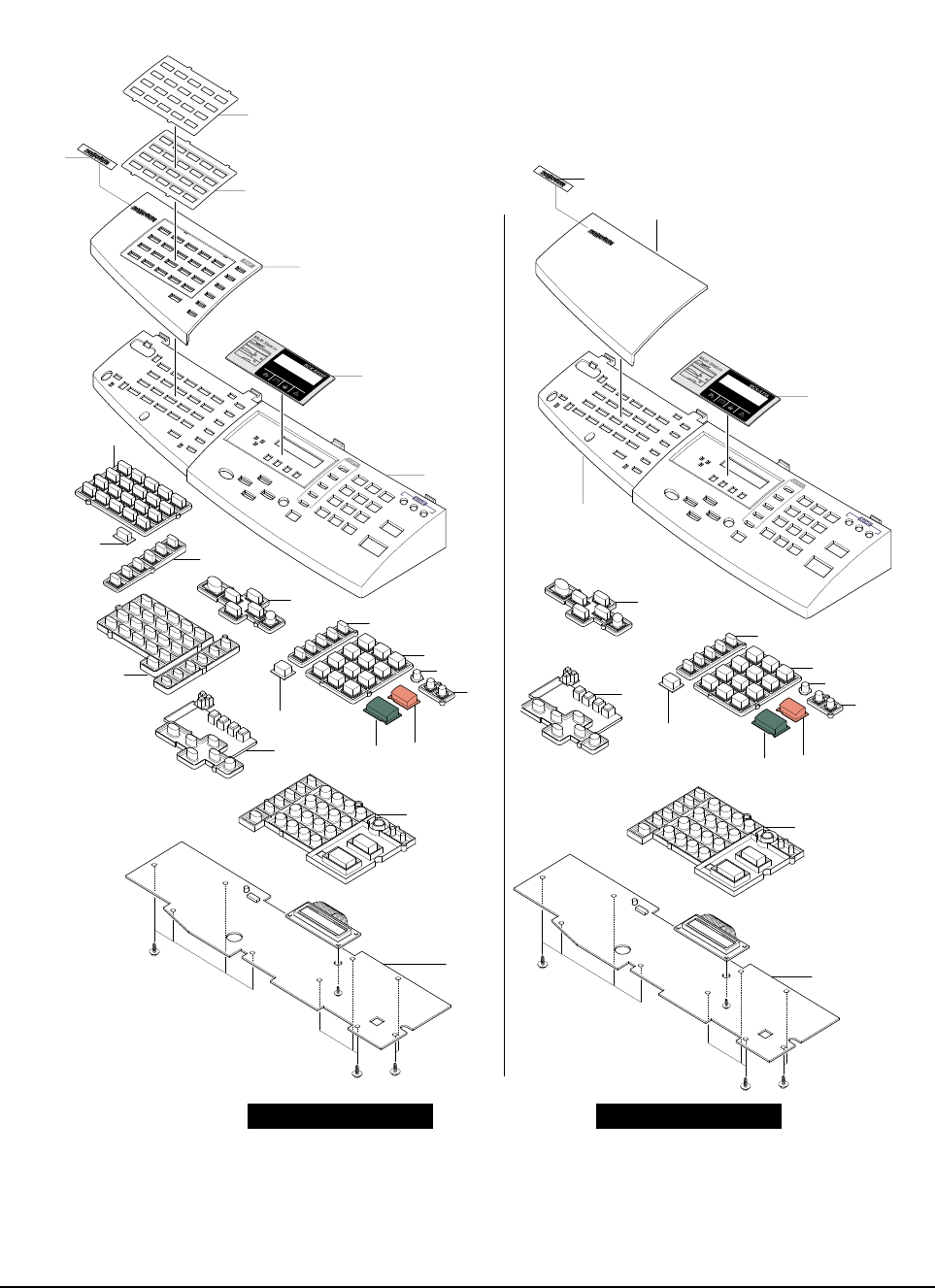
Exploded Views and Parts List
5-6 Samsung Electronics
3-1
3-2
3-3
3-4
3-21
3-5
3-6
3-7 3-8
3-9
3-10
3-11
3-12
3-13
3-14
3-15
3-16
3-17 3-18
3-19
3-20
3-1
3-2
3-3
3-4
3-12
3-5
3-6
3-11
3-7
3-8
3-10 3-9
3-13
3-14
SCX-5115SCX-5315F
3-15
S6
S6 S6
S9
S6
S6
S6
S9
Exploded Views and Parts List
Samsung Electronics 5-7
Platen Ass’y Parts List
NO DESCRIPTION SEC CODE Q’TY SA REMARK
0 ELA HOU-PLATEN
Refer to Info.
1 O SCX-5315F
ELA HOU-PLATEN
Refer to Info.
1 O SCX-5115
1 ELA HOU-SCAN UPPER JC81-01688A 1 O
1-1 AS-DUMMY UPPER AS (FRV) JC81-00426A 1 O
1-1-1 MCT-GLASS ADF * 1 X
1-1-2 LABEL(R)-REGISTRATION EDGE(L) * 1 X
1-1-3 PMO-DUMMY UPPER * 1 X
1-1-4 SHEET-DUMMY UPPER * 1 X
1-2 PPR-REGISTRATION EDGE(F) JC72-00809A 1 O
1-3 PMO-COVER SCAN UPPER JC72-00758A 1 O
1-4 IPR-HOLDER GLASS * 3 X
1-5 MCT-GLASS SCANNER(LEGAL) JC74-00018A 1 O
2 ELA HOU-SCAN LOWER JC96-02706B 1 O
2-1 BELT-TIMING GEAR 6602-001090 1 O
2-2 SPRING ETC-BELT JB61-00059A 1 O
2-3 CBF HARNESS-OPE JC39-00167A 1 O
2-4 CBF HARNESS-MAIN-ENGINE JC39-00030A 1 O
2-5 CBF HARNESS-DRIVER GND * 1 X
2-6 PBA SUB-D_SUB JC92-01381A 1 O
2-7 ELA HOU-SCAN MOTOR JC96-02751A 1 O
2-7-1 MOTOR STEP-SCAN JB31-00011A 1 O
2-7-2 BRACKET-MOTOR PLATEN * 1 X
2-7-3 GEAR-TIMING JC66-00531A 1 O
2-7-4 RING-E 6044-000125 3 O
2-7-5 GEAR-REDUCTION73/37 JC66-00530A 1 O
2-7-6 PMO-HOLDER BELT JB72-00764A 1 O
2-7-7 GEAR IDLE JB66-00083A 1 O
2-8 COVER-M-CCD CABLE JC63-00158A 1 O
2-9 COVER-SCAN LOWER(UMAX) JC63-00157A 1 O
2-10 IPR-CHANNEL BASE FRAME JC70-00239A 2 O
2-11 HOLDER-M-CCD(UMAX) JC61-00703A 1 O
2-12 PMO-COVER DUMMY LOWER(C) JC72-00794A 1 O
2-13 ICT-INSERT SHAFT * 1 X
2-14 PMO-PULLEY JB72-00763A 1 O
2-15 PMO-HOLDER BELT JB72-00764A 1 O
2-16 RING-E 6044-000125 1 O
2-17 SHAFT-CCD(UMAX) JC66-00532A 1 O
2-18 PMO-LEVER SENSOR JC72-00755A 1 O
2-19 IPR-BRK SCAN BD JC70-00228A 1 O
2-20 SPRING ETC-EXIT * 1 X
2-21 ELA HOU-CCD MODULE JC96-02759A 1 O
2-22 CBF SIGNAL-CCD FFC JC39-00236A 1 O
2-23 CBF HARNESS-SCAN MOTOR JB39-00077A 1 O
3 ELA HOU-OPE See Next Page
O : Service available X : Service not available
Exploded Views and Parts List
5-8 Samsung Electronics
SCX-5315F (OPE)
SCX-5115 (OPE)
NO DESCRIPTION SEC CODE Q’TY SA REMARK
3 ELA HOU-OPE
Refer to Info.
1 O SCX-5315F
3-1 PMO-OPE COVER
Refer to Info.
1O
3-2 WINDOW-LCD (4IN1)
Refer to Info.
1O
3-3 PMO-COVER DUMMY OPE(M)
Refer to Info.
1O
3-4 PCT-ONETOUCH PAPER
Refer to Info.
1O
3-5 PCT-ONETOUCH CARD JC72-00871A 1 O
3-6 PMO-KEY ONETOUCH JC72-00860A 1 O
3-7 PMO-KEY SHIFT JC72-00861A 1 O
3-8 PMO-KEY FAX JC72-00862A 1 O
3-9 RMO-RUBBER ONETOUCH JC73-00104A 1 O
3-10 PMO-KEY SCROLL JC72-00866A 1 O
3-11 RMO-RUBBER SCROLL JC73-00106A 1 O
3-12 PMO-KEY COPY JC72-00863A 1 O
3-13 PMO-KEY TEL JC72-00865A 1 O
3-14 PMO-KEY OHD JC72-00864A 1 O
3-15 PMO-KEY SAVE(T) JC72-00923A 1 O
3-16 PMO-KEY SAVE JC72-00867A 1 O
3-17 PMO-KEY START JC72-00868A 1 O
3-18 PMO-KEY STOP JC72-00869A 1 O
3-19 RMO-RUBBER TEL JC73-00105A 1 O
3-20 PBA SUB-OPE(KOR) JC81-00779A 1 O
3-21 NPR-BADGE(45) * 1 X
NO DESCRIPTION SEC CODE Q’TY SA REMARK
3 ELA HOU-OPE(SEC)
Refer to Info.
1 O SCX-5115
3-1 PMO-OPE COVER
Refer to Info.
1O
3-2 WINDOW-LCD(3IN1)
Refer to Info.
1O
3-3 PMO-COVER DUMMY OPE(C) JC72-00859A 1 O
3-4 PMO-KEY SCROLL JC72-00866A 1 O
3-5 PMO-KEY COPY JC72-00863A 1 O
3-6 PMO-KEY TEL JC72-00865A 1 O
3-7 PMO-KEY SAVE(T) JC72-00923A 1 O
3-8 PMO-KEY SAVE JC72-00867A 1 O
3-9 PMO-KEY STOP JC72-00869A 1 O
3-10 PMO-KEY START JC72-00868A 1 O
3-11 PMO-KEY OHD JC72-00864B 1 O
3-12 RMO-RUBBER SCROLL JC73-00106A 1 O
3-13 RMO-RUBBER TEL JC73-00105A 1 O
3-14 PBA SUB-OPE(KOR) JC81-00779A 1 O
3-15 NPR-BADGE(45) * 1 X
O : Service available X : Service not available
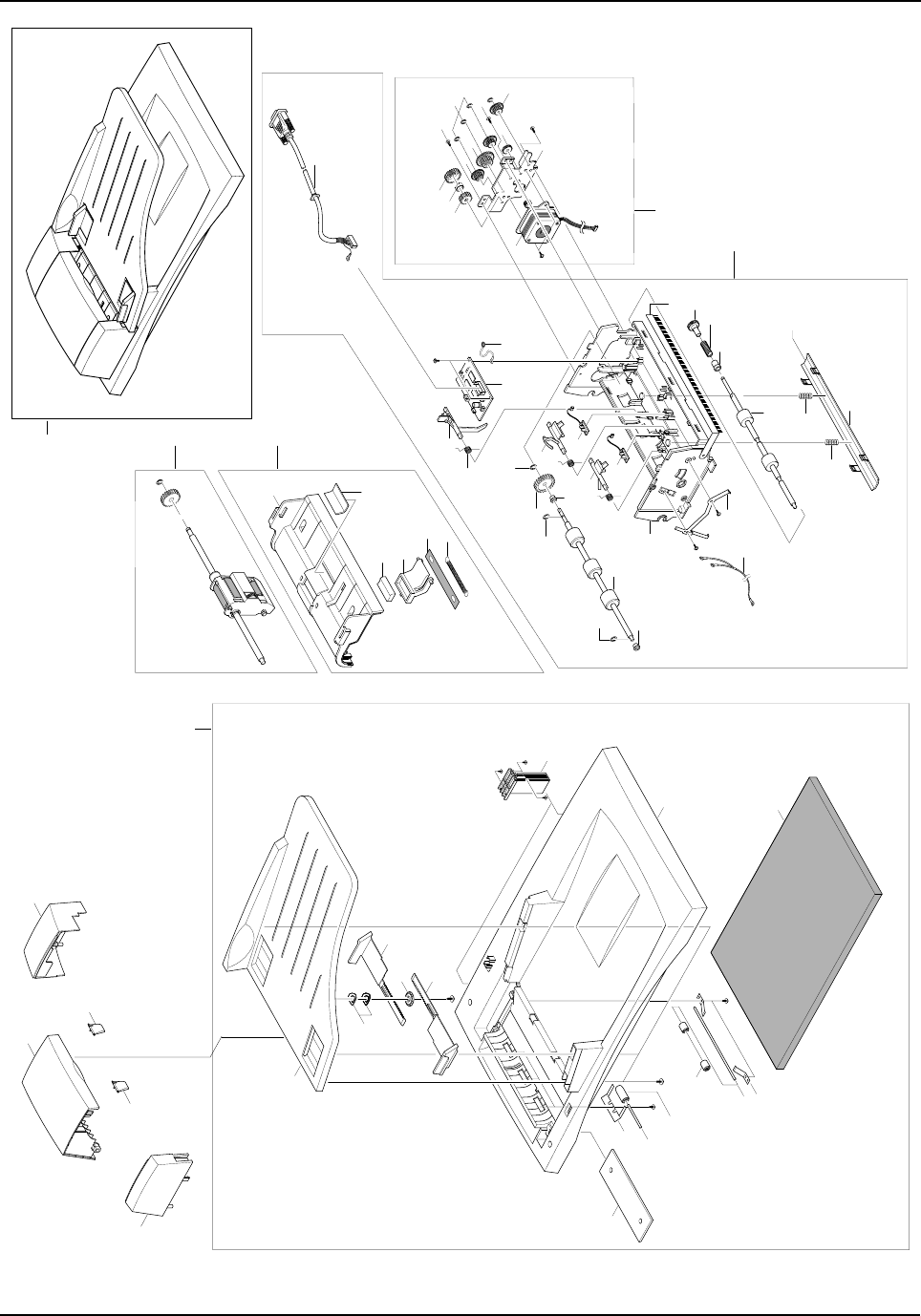
Exploded Views and Parts List
Samsung Electronics 5-9
5-3. ADF ASS’Y Exploded View & Parts List
4-54-11
4-7
4
4-6
3-9
3-10 3-11
3-12
3-16
5
2
2-1
2-2
2-6
2-3
2-4
2-5
3-1
3-2
3-22
3-2
3-2
3
3-4
3-4
3-5
3-3
4-2
S1
S1
4-1
4-9
4-3
4-4
4-8
3-14
3-13
3-7
3-8
3-18
3-19
3-6
3-15
3-17
1
3-21
3-24
3-20
3-23
0
1-1
1-2
1-4
1-6
1-3
1-5
1-10
1-11
1-4
1-15
1-13
1-9
1-8
7
1-12
7
6
6
8
9
3-13
Exploded Views and Parts List
5-10 Samsung Electronics
ADF Ass’y Parts List
NO DESCRIPTION SEC CODE Q’TY SA REMARK
0 ELA HOU-ADF JC96-02750A 1 O
1 MEA UNIT-PLATEN COVER JC97-01722A 1 O
1-1 PMO-TX STACKER JC72-00745A 1 O
1-2 IPR-WASHER SPRING CU JF70-10616A 2 O
1-3 PMO-DOC GUIDE L JC72-00839B 1 O
1-4 PMO-DOC GUIDE R JC72-00838B 1 O
1-5 PMO-GEAR PINION JF72-41354A 1 O
1-6 MEA UNIT-HINGE JC97-01731A 2 O
1-7 RPR-ROLLER EXIT IDLE JC73-00091A 2 O
1-8 IPR-SHAFT EXIT JC70-00242A 1 O
1-9 NPR-SPRING PINCH DRIVE JB71-00038A 2 O
1-10 PMO-COVER PLATEN JC72-00738A 1 O
1-11 PPR-SPONG SHEET JC72-00751A 1 O
1-12 SHEET ABS-SHEET PLATEN(PET) JC72-00750B 1 O
1-13 IPR-SPRING PINCH JC70-00260A 3 O
1-14 ICT-SHAFT PINCH * 3 X
1-15 PMO-ROLL PINCH JG72-40663A 3 O
2 MEA UNIT-ADF UPPER ASS’Y JC97-01581A 1 O
2-1 PMO-COVER ADF UPPER JC72-00736A 1 O
2-2 RMO-ADF RUBBER JB73-00052A 1 O
2-3 PMO-HOLDER ADF JB72-00825A 1 O
2-4 RPR-SPONGE ADF * 1 X
2-5 SPRING ETC-COIL ADF JC61-00040A 1 O
2-6 SHEET-ADF JC63-00079A 1 O
3 ELA HOU-ADF LOWER ASS’Y JC81-00434A 1 O
3-1 SPRING ETC-TORSION DOC (CC2-F) JB61-00076A 3 O
3-2 RING-C * 4 X
3-3 GEAR-ADF 38 JB66-00103A 1 O
3-4 PMO-BUSH JB72-00819A 2 O
3-5 MEC-ROLLER DRIVER JC75-00149A 1 O
3-6 PMO-COVER ADF LOWER JC72-00735A 1 O
3-7 PMO-ACTUATOR SENSOR DOC JB72-00837A 1 O
3-8 PMO-ACTUATOR SENSOR REGI JC72-00747A 1 O
3-9 MEC-ROLLER EXIT JC75-00150A 1 O
3-10 PMO-BUSHING HOLDER JG72-40732A 1 O
3-11 SPRING ETC-CLUTCH JC61-00062A 1 O
3-12 GEAR-EXIT 23 JC66-00323A 1 O
3-13 SPRING ETC-WHITE BAR JC61-00548A 1 O
3-14 IPR-BRKT WHITE BAR JC70-00225A 1 O
3-15 PPR-WHITE BAR SHEET JC72-00752A 1 O
O : Service available X : Service not available
Exploded Views and Parts List
Samsung Electronics 5-11
ADF Ass’y Parts List(Cont.)
NO DESCRIPTION SEC CODE Q’TY SA REMARK
3-16 TAPE ETC-ANTI BRUSH * 1 X
3-17 PBA SUB-ADF JC81-00437A 1 O
3-18 PBA SUB-ADF POS SEN JC92-01365A 1 O
3-19 PBA SUB-ADF DET SEN JC92-01366A 1 O
3-20 CBF HARNESS-ADF ROLLER GND JC39-00187A 1 O
3-21 CBF HARNESS-DRIVER GND JB39-00065A 1 O
3-22 PMO-ACTUATOR SENSOR SCAN * 1 X
3-23 NPR-SPRING GND JC71-00031A 1 O
3-24 CBF D SUB CABLE-ADF_MAIN CABLE JC39-00190A 1 O
4 ELA HOU-ADF MOTOR ASS’Y JC81-00435A 1 O
4-1 GEAR-CLUTCH 29 * 1 X
4-2 IPR-BRKT ADF MOTOR * 1 X
4-3 PMO-WHITE CLUTCH SUB 29 * 1 X
4-4 GEAR-CLUTCH 39 * 1 X
4-5 GEAR-IDLE20/33 * 2 X
4-6 RING-C * 7 X
4-7 GEAR-IDLE17/35 * 2 X
4-8 GEAR-IDLE25 * 1 X
4-9 MOTOR STEP-ADF JC31-00017A 1 O
4-10 GEAR-JAM REMOVE * 1 X
4-11 GEAR-REDUCTION 45/19 * 1 X
5 MEA UNIT-PICKUP ASS’Y JC97-01582A 1 O
6 PMO-GUIDE PAPER JB72-00843A 2 O
7 PMO-COVER OPEN JC72-00737A 1 O
8 PMO-COVER SIDE L JC72-00739A 1 O
9 PMO-COVER SIDE R JC72-00740A 1 O
O : Service available X : Service not available
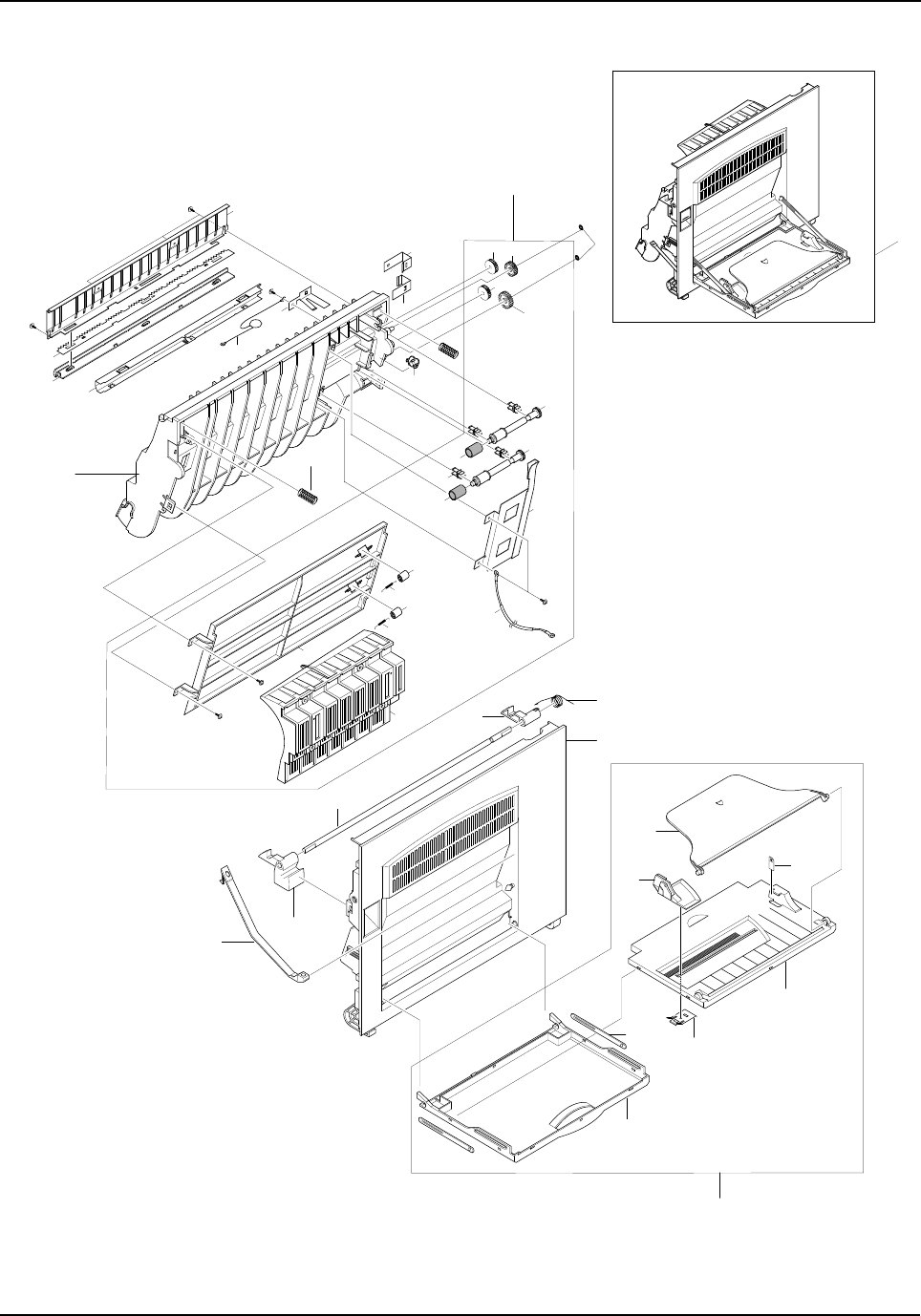
Exploded Views and Parts List
5-12 Samsung Electronics
5-4. Side Cover Ass’y Exploded View & Parts List
10-7
7
20
6
12
10-6
10-1
8
10-2
10-3
10-4
10-5
10
0
5
S6
S6
S5
2
4
3
16
13
11
15
14
18
1-5
1-8
1-8
1-6
S6
1-10
1-2
1-10
1-11
1-9
1-9
1-3
1-3
1-7
S6
S6 1-1
11-4
1-4 1-4
17
1
9
19
Exploded Views and Parts List
Samsung Electronics 5-13
Side Cover Ass’y Parts List
NO DESCRIPTION SEC CODE Q’TY SA REMARK
0 ELA HOU-SIDE COVER JC96-02183B 1 O
1 MEA UNIT-DUPLEX ASS’Y*1X
1-1 PMO-GUIDE DP SIDE JC72-00806A 1 O
1-2 CBF HARNESS-SCAN GND * 1 X
1-3 SPRING ETC-FUSER EXIT JC61-70976A 2 O
1-4 GEAR-DUP IDLER 17 JC66-00341A 3 O
1-5 GEAR-MP/DUP DRV JC66-00346A 1 O
1-6 IPR-BRKT G DUP JC70-00233A 1 O
1-7 PMO-GP LOWER DP JC72-00732A 1 O
1-8 PMO-SHAFT DUP DRIVER JC72-00764A 2 O
1-9 PMO-ROLLER_EXIT * 2 X
1-10 RPR-RUBBER EXIT JC73-10203A 2 O
1-11 PMO-BUSHING TX(B4) JG72-40744A 1 O
2 IPR-PLATE SAW JC70-10232A 1 O
3 PMO-FEED FRAME JC72-00731A 1 O
4 PMO-HOLDER SAW JC72-41213A 1 O
5 IPR-BRACKET GUIDE A JC70-00229A 1 O
6 PMO-LOCKER SIDE R JC72-00763A 1 O
7 PMO-LOCKER OPEN JC72-00762B 1 O
8 SPRING ETC-LOCKER TORSION JC61-00479A 1 O
9 SPRING ETC-FEED JC61-00478A 2 O
10 MEA UNIT-TRAY * 1 X
10-1 PMO-TRAY CASE,MP JC72-00776A 1 O
10-2 PMO-TRAY EXT,MP JC72-00778A 1 O
10-3 PMO-SIDE GUIDE MP JC72-00547G 1 O
10-4 PMO-TRAY COVER,MP JC72-00777A 1 O
10-5 IPR-GUIDE LATCH JB70-10906A 1 O
10-6 PMO-TRAY LINK,MP JC72-00857A 1 O
10-7 LABEL(R)-HEIGHT,MP JC68-00697A 1 O
11 CBF HARNESS-OPE GND JC39-00036A 1 O
12 PMO-TIE STOPPER JC72-00766A 2 O
13 IPR-BRKT GROUND B JC70-00230A 1 O
14 IPR-BRKT GROUND TR JC70-00231A 1 O
15 IPR-BRKT GROUND A JC70-00232A 1 O
16 IPR-BRACKET GUIDE B JC70-00234A 1 O
17 PMO-BUSHING FEED JC72-00730A 1 O
18 RING-CS 6044-000001 2 O
19 PMO-SIDE COVER JC72-00765A 1 O
20 ICT-SHAFT LOCKER JC70-00266A 1 O
O : Service available X : Service not available
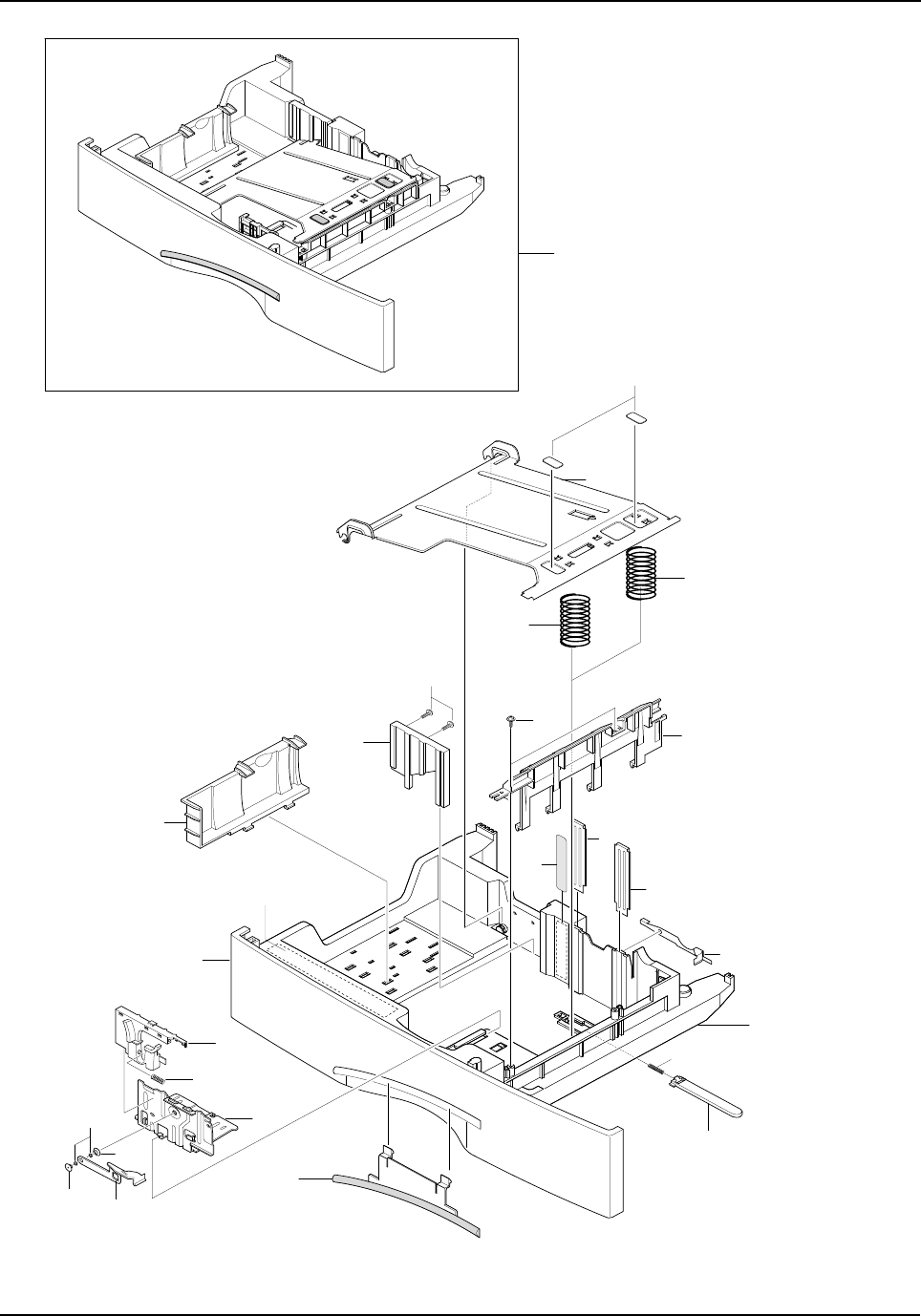
Exploded Views and Parts List
5-14 Samsung Electronics
5-5. Cassette Ass’y Exploded View & Parts List
0
3
11
14
13
7
S6
S6
8
16
1
6
10
23
12
5
15 2
22
2
9
21
17
19
20
19
18
Exploded Views and Parts List
Samsung Electronics 5-15
Cassette Ass’y Parts List
NO DESCRIPTION SEC CODE Q’TY SA REMARK
0 MEC-CASSETTE PLUS ASS’Y JC97-01736A 1 O
1 IPR-FINGER JC70-00220A 1 O
2 PLATE GUIDE PAPER JC61-00831A 2 O
3 IPR-PLATE K/UP JC70-00221A 1 O
5 PMO-COVER CASSETTE JC72-00795A 1 O
6 PMO-FRAME CASSETTE * 1 X
7 GUIDE FRONT CST PLUS * 1 X
8 PMO-GUIDE REAR JC72-00717A 1 O
9 GUIDE SIDE CST * 1 X
10 PMO-LOCKER PLATE JC72-41210A 1 O
11 PAD-CST PLUS * 2 X
12 SPRING-LOCKER PLATE JG61-70531A 1 O
13 SPRING CS RE * 1 X
14 SPRING CS FR * 1 X
15 LABEL(R)-INSTRUCTION CST PLUS * 1 X
16 LABEL(R)-HEIGHT CST * 1 X
17 GUIDE SIDE HANDLE * 1 X
18 IPR FINGER LEFT JC70-00325A 1 O
19 PMO-BUSHING FINGER, F JC61-00653A 2 O
20 WASHER PLAIN * 2 X
21 SPRING WHITE BAR JC61-00548A 1 O
22 GUIDE SUB WALL JC61-00840A 1 O
23 PMO-IMPACT CASSETTE JC72-00877A 1 O
O : Service available X : Service not available
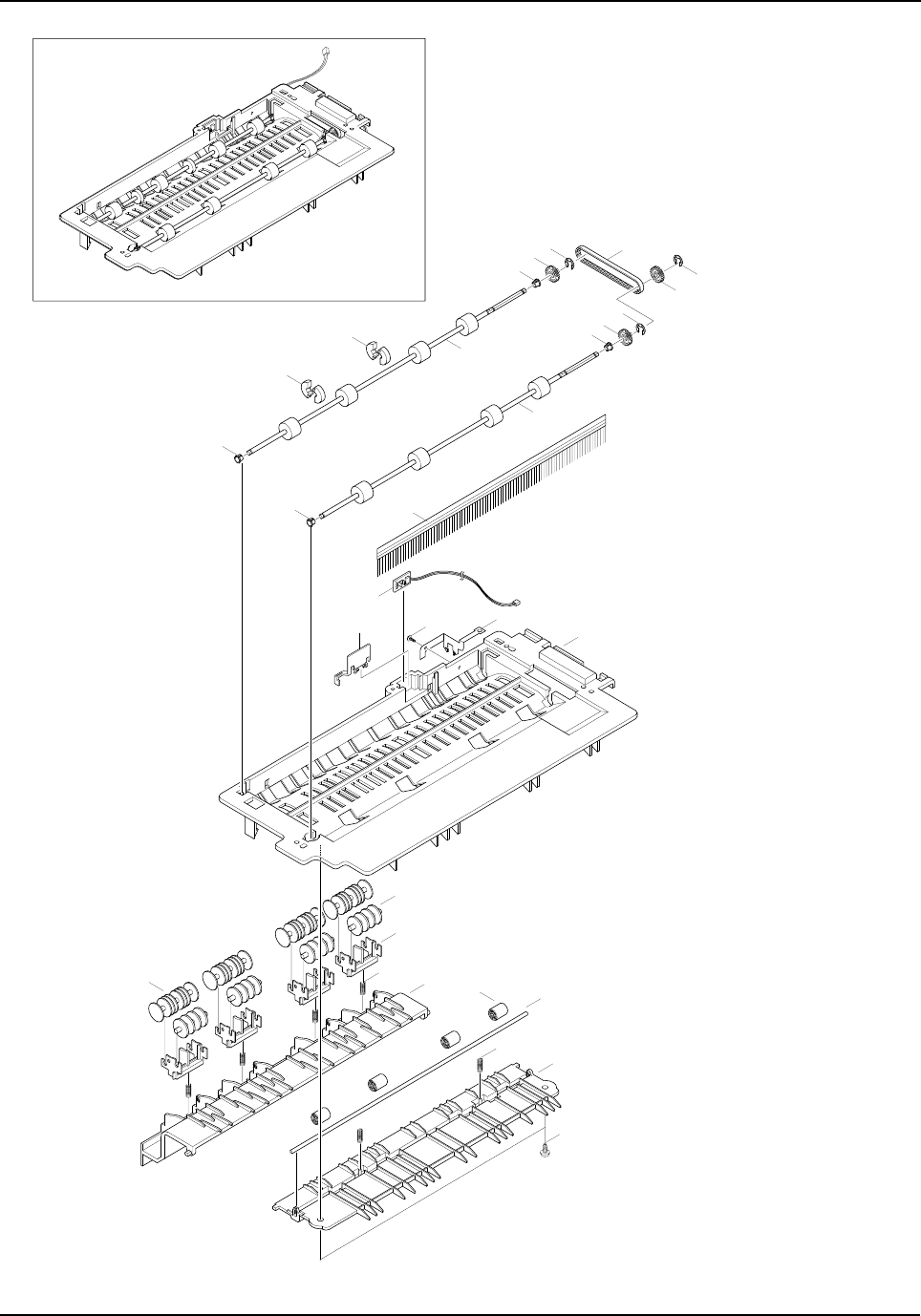
Exploded Views and Parts List
5-16 Samsung Electronics
5-6. Exit Ass’y Exploded View & Parts List
7
8
5
5
10
S6
20
22
4
6
6
10
10
4
9
21
21
21
11 1
16
17
15
18 313
19
12
14 2
S6
Exploded Views and Parts List
Samsung Electronics 5-17
Exit Ass’y Parts List
NO DESCRIPTION SEC CODE Q’TY SA REMARK
0 MEA UNIT-EXIT ASS’Y JC97-01643A 1 O
1 PMO-GUIDE-EXIT UPPER JC72-00708A 1 O
2 PMO-GUIDE-EXIT LOWER JC72-00710A 1 O
3 PMO-GUIDE-JAM REMOVE * 1 X
4 MEC-ROLLER EXIT DRV JC75-00127A 2 O
5 PMO-ROLLER DECURL JC72-00833A 4 O
6 PMO-PULLEY DUPLEX JC72-40980A 2 O
7 BELT-TIMING GEAR 6602-001084 1 O
8 GEAR-DUPLEX JC66-40912A 1 O
9 PMO-BEARING LARGE DP JC72-00885A 3 O
10 PMO-BEARING LARGE DP JC72-40978A 1 O
11 IPR-GROUND-EXIT * 1 X
12 ICT-SHAFT-EXIT LOWER ID * 1 X
13 PMO-ROLLER_EXIT * 4 X
14 SPRING ETC-EXIT ROLL FD * 2 X
15 HOLDER-EXIT(MC) * 4 X
16 PMO-ROLLER FD F JC72-41007A 4 O
17 PMO-ROLLER FD R JC72-41008A 4 O
18 SPRING ETC-EXIT LOWER IDLE * 4 X
19 MEC-BRUSH ANTISTATIC JC75-00095A 1 O
20 PBA SUB-BIN_FULL_SEN. JC92-01400A 1 O
21 RING-C * 3 X
22 PMO-LEVER-STACKING JC72-00709A 1 O
O : Service available X : Service not available
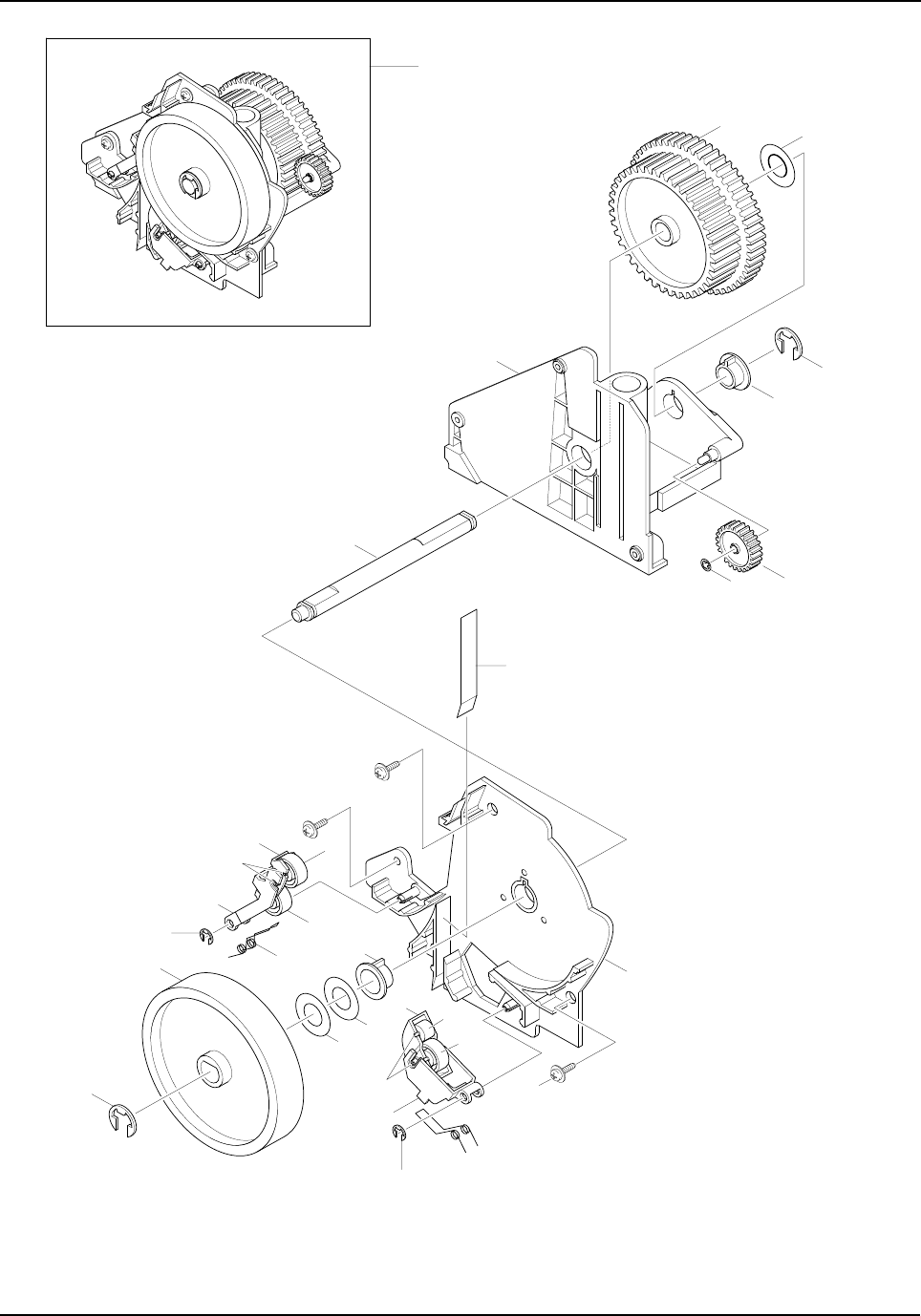
Exploded Views and Parts List
5-18 Samsung Electronics
5-7. Feeder Ass’y Exploded View & Parts List
217
6
5
3
7
1
0
4
20
8
S6
11 12
S6
S6
12
13
17 17
5
19
19
15 18
12
14
21
6
9
21
10
Exploded Views and Parts List
Samsung Electronics 5-19
Feeder Ass’y Parts List
NO DESCRIPTION SEC CODE Q’TY SA REMARK
0 MEA-FEED ASS’Y JC75-00143B 1 O
1 PMO-FRAME FEED * 1 X
2 GEAR-FEED JC66-00332A 1 O
3 GEAR-MP/DUP DRV * 1 X
4 ICT-SHAFT FEED * 1 X
5 BEARING-PICKUP * 2 X
6 RING-E * 2 X
7 RING-CS * 1 X
8 PMO-BRKT FEED * 1 X
9 PMO-ROLLER FEED JC72-00727A 1 O
10 PMO-HOLDER PINCH C * 1 X
11 PMO-HOLDER PINCH SUB * 1 X
12 PMO-ROLLER FEED L JC72-40261A 3 O
13 SPRING-FEED CAST * 1 X
14 PMO-HOLDER PINCH M * 1 X
15 PMO-SUB HOLDER FEED * 1 X
16 SPRING-FEED MP * 1 X
17 WASHER-PLAIN * 3 X
18 PMO-ROLLER FEED S * 1 X
19 IPR-SHAFT FEED IDLER * 4 X
20 SHEET FEEDER * 1 X
21 E-RING * 2 X Ø3
O : Service available X : Service not available
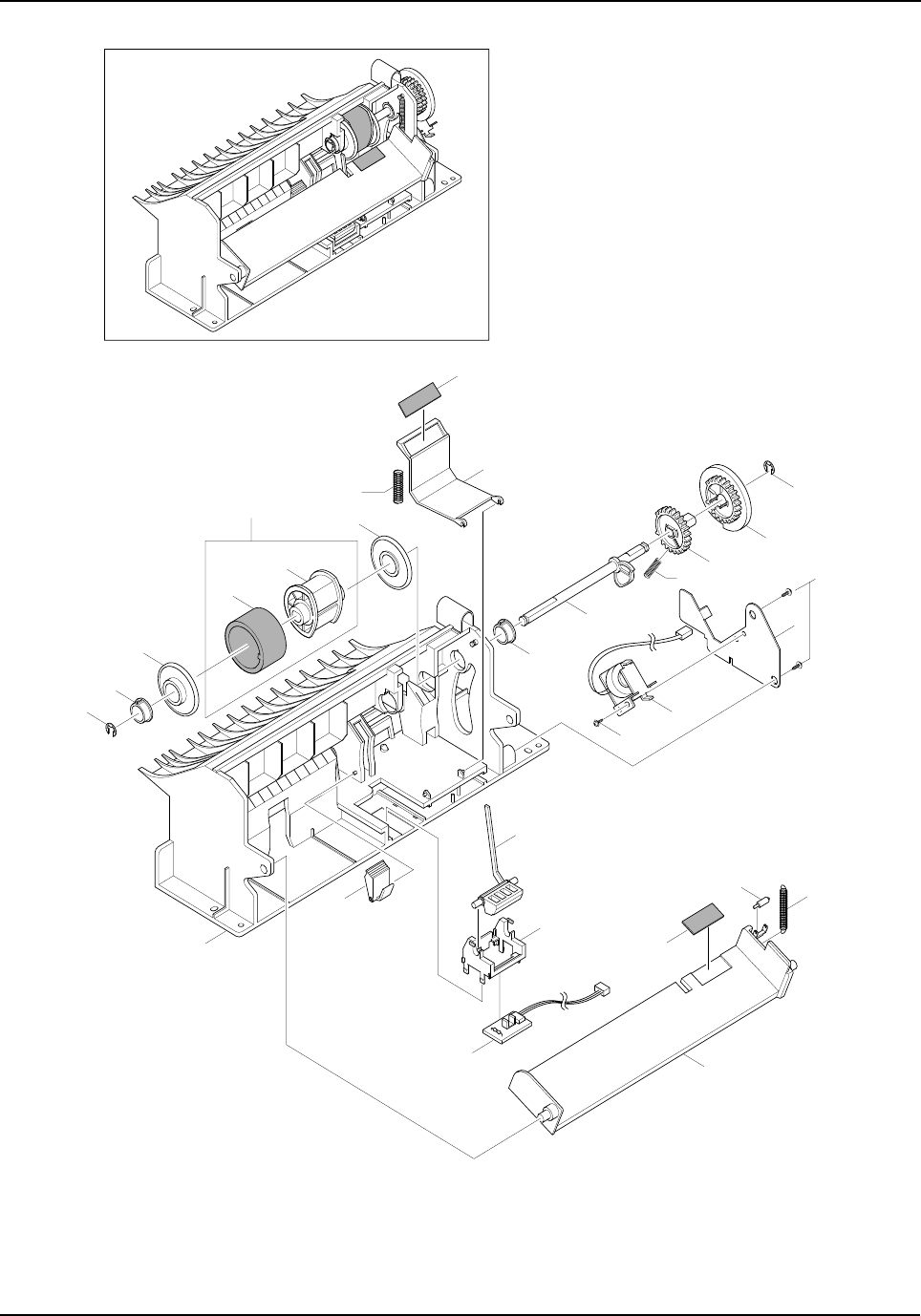
Exploded Views and Parts List
5-20 Samsung Electronics
5-8. MP Ass’y Exploded View & Parts List
18
1
21
22
16
6
20
20
2
3
2
14
510 9
3
S5
8
4
S9
12
17
24
13
23
11 7
19
15
Exploded Views and Parts List
Samsung Electronics 5-21
MP Ass’y Parts List
NO DESCRIPTION SEC CODE Q’TY SA REMARK
0 ELA HOU-MP ASS’Y JC96-02182A 1 O
1 A/S-PICK UP, MP AS(FRU) JC81-00427A 1 O
2 PMO-BUSHING PICKUP,MP JC72-41364A 2 O
3 RING-E 6044-000125 2 O
4 SOLENOIDE,MP JC33-00006A 1 O
5 SPRING-CAM MP JC61-00003A 1 O
6 SPRING-PICK UP,MP * 1 X
7 SPRING-KNOCKUP,MP JC61-00483A 1 O
8 IPR-BRACKET SOLENOIDE * 1 X
9 PMO-HOLDER CAM MPF * 1 X
10 PMO-GEAR P/U MPF * 1 X
11 PMO-ROLLER CAM.MP * 1 X
12 PMO-ACTUATOR,MP JC72-00767A 1 O
13 PMO-ADJUSTER,MP JC72-00768A 1 O
14 PMO-CAM PICK UP,MP JC72-00769A 1 O
15 PMO-FRAME,MP JC72-00770A 1 O
16 PMO-HOLDER PAD,MP JC72-00771A 1 O
17 PMO-HOLDER SENSOR,MP JC72-00772A 1 O
18 PMO-HOUSING PICK UP,MP * 1 X
19 PMO-PLATE KNOCK UP,MP * 1 X
20 PMO-IDLE PICK UP,MP JC72-41027A 2 O
21 RPR-RUBBER PICK UP,MP * 1 X
22 RPR-RCT-PAD-PICKUP,MP JC73-00090A 1 O
23 RPR-PAD KNOCK UP,MP JC73-10906A 1 O
24 PBA SUB-MP SEN JC92-01362A 1 O
O : Service available X : Service not available
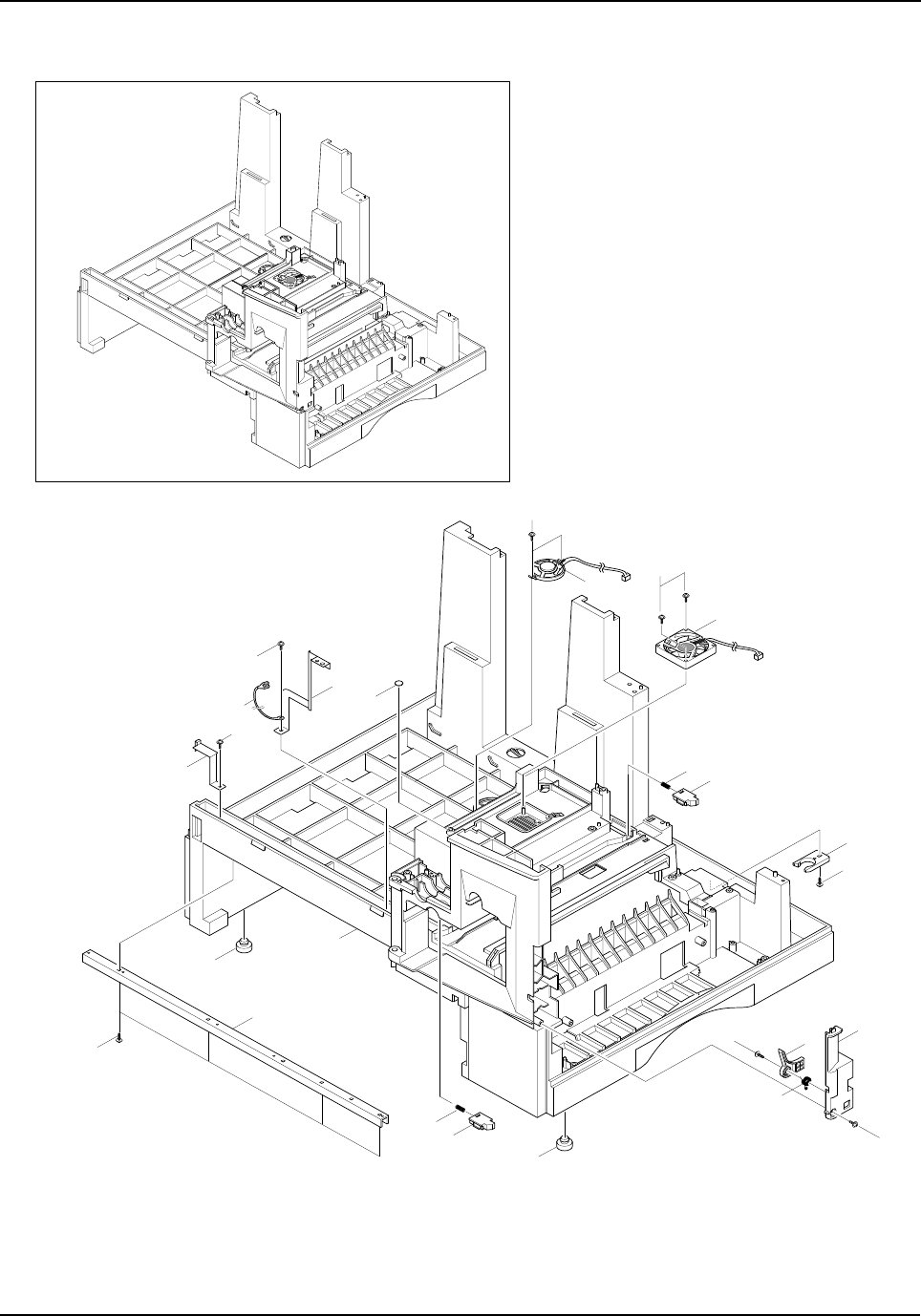
Exploded Views and Parts List
5-22 Samsung Electronics
5-9. Base Frame Exploded View & Parts List
1811
1
20
14
15
17
11
6
1
4
12 13
1
1
5
510
7
3
1
819
2
9
16
Exploded Views and Parts List
Samsung Electronics 5-23
Base Frame Parts List
NO DESCRIPTION SEC CODE Q’TY SA REMARK
0 ELA HOU-BASE FRAME JC96-02818A 1 O SCX-5315F
ELA HOU-BASE FRAME JC96-02818B 1 O SCX-5115
1 SCREW-TAPTITE * 5 X
2 SCREW-TAPTITE * 2 X
3 SCREW-TAPTITE * 4 X
4 SPRING ETC-TORSION * 1 X
5 FOOT-ML80 JC61-40001A 2 O
6 CAM-CATCH * 1 X
7 IPR-CHANNEL BASE FRAME * 1 X
8 IPR-GROUND PLATE A(OPC) JC70-00240A 1 O
9 IPR-GROUND PLATE B(BASE) JC70-00241A 1 O
10 PMO-BASE FRAME JC72-00779A 1 O
11 PMO-BRACKET PUSH DEVE * 2 X
12 PMO-BRACKET SIDE OPEN JC72-00781A 1 O
13 PMO-COVER FRONT DUMMY JC72-00785A 1 O
14 ELA M/M-AUD SPEAKER JC96-01607A 1 O
15 SPRING ETC-DEVE REAR * 1 X
16 CBF HARNESS-OPC GND * 1 X
17 FAN-DC(LSU) JC31-00026A 1 O
18 SPRING ETC-DEVE FRONT * 1 X
19 SHEET-BASE FRAME * 2 X
20 SCREW-TAPPING * 2 X
O : Service available X : Service not available
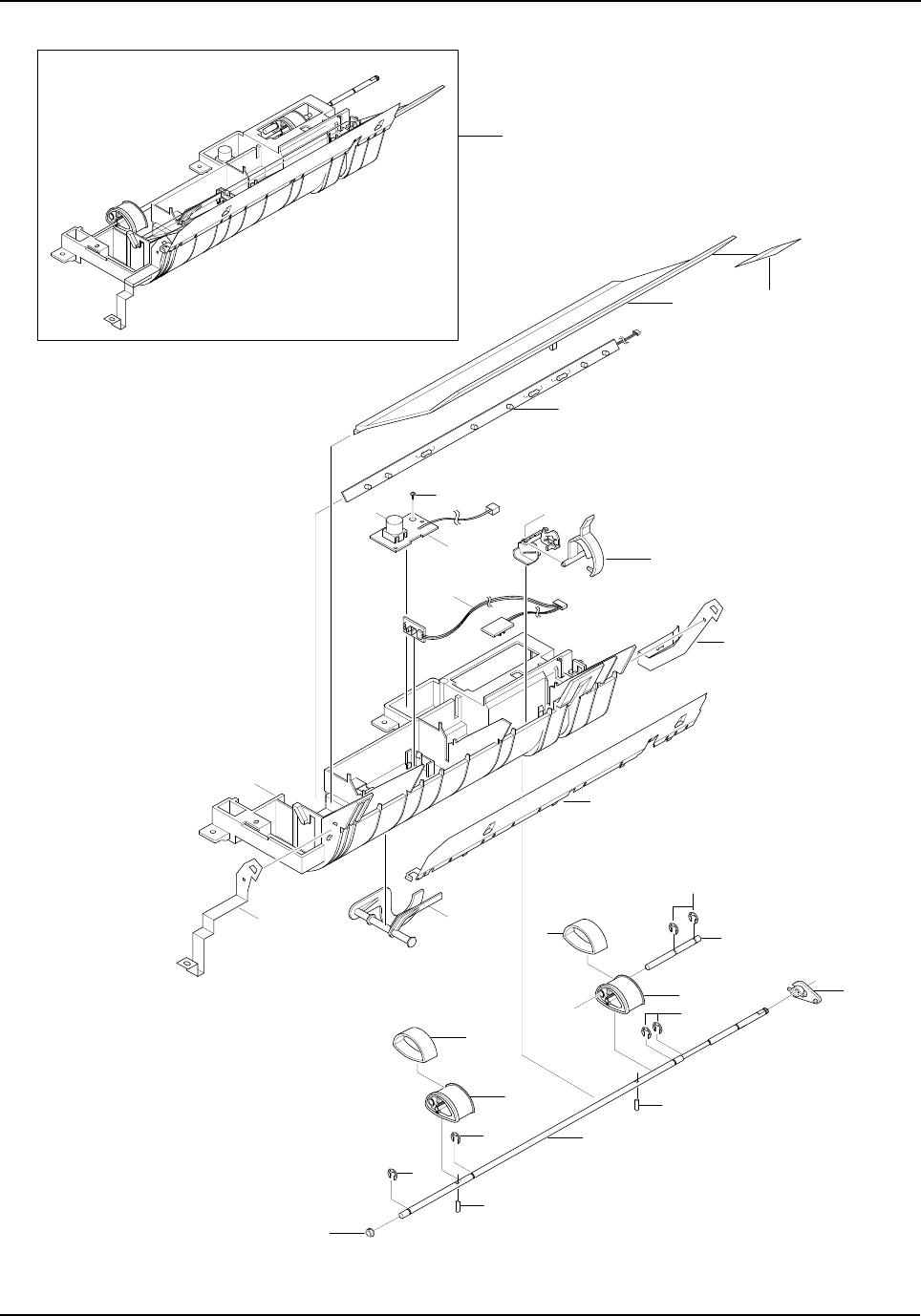
Exploded Views and Parts List
5-24 Samsung Electronics
5-10.Pick-up Ass’y Exploded View & Parts List
6
11 20
5
S
10
4
2
12
9
7
3
1
8
0
13
24
22
22
14
23
15
18
17
16 21
19
22
19
Exploded Views and Parts List
Samsung Electronics 5-25
Pick-up Ass’y Parts List
NO DESCRIPTION SEC CODE Q’TY SA REMARK
0 ELA HOU-PICKUP PLUS ASS’Y JC96-02715B 1 O
1 IPR-GND FEED * 1 X
2 IPR-GND INPUT JC70-00235A 1 O
3 IPR-GUIDE INPUT JC70-00222A 1 O
4 PMO-ACTUATOR NO PAPER * 1 X
5 PBA SUB-TONER_TX JC92-01359A 1 O
6 PBA SUB-PTL JC92-01361A 1 O
7 PMO-FEED SENSOR * 1 X
8 PMO-GUIDE PAPER JC72-00722A 1 O
9 PMO-HOLDER SENSOR FEED * 1 X
10 PMO-LENS TONER SENSOR * 1 X
11 PMO-PTL PATH * 1 X
12 PBA SUB-FEED+P.EMP SEN. JC92-01363A 1 O
13 PMO-BUSHING_P/U,MP JC72-41364A 1 O
14 HOUSING-PICKUP LARGE * 1 X
15 HOUSING-PICKUP SMALL * 1 X
16 RPR RUBBER PICKUP * 1 X
17 RUBBER PICKUP SMALL JC73-00163A 1 O
18 SHAFT-PICKUP CST * 1 X
19 SHAFT PIN ADF * 1 X
20 SHEET-PTL PATH * 1 X
21 SHAFT-SUB-PICKUP * 1 X
22 RING-E ID4 6044-000125 4 O
23 RING-E ID5 6044-000231 2 O
24 PMO-BEARING SHAFT JC72-41191A 1 O
S SCREW-TAPTITE * 1 X
O : Service available X : Service not available
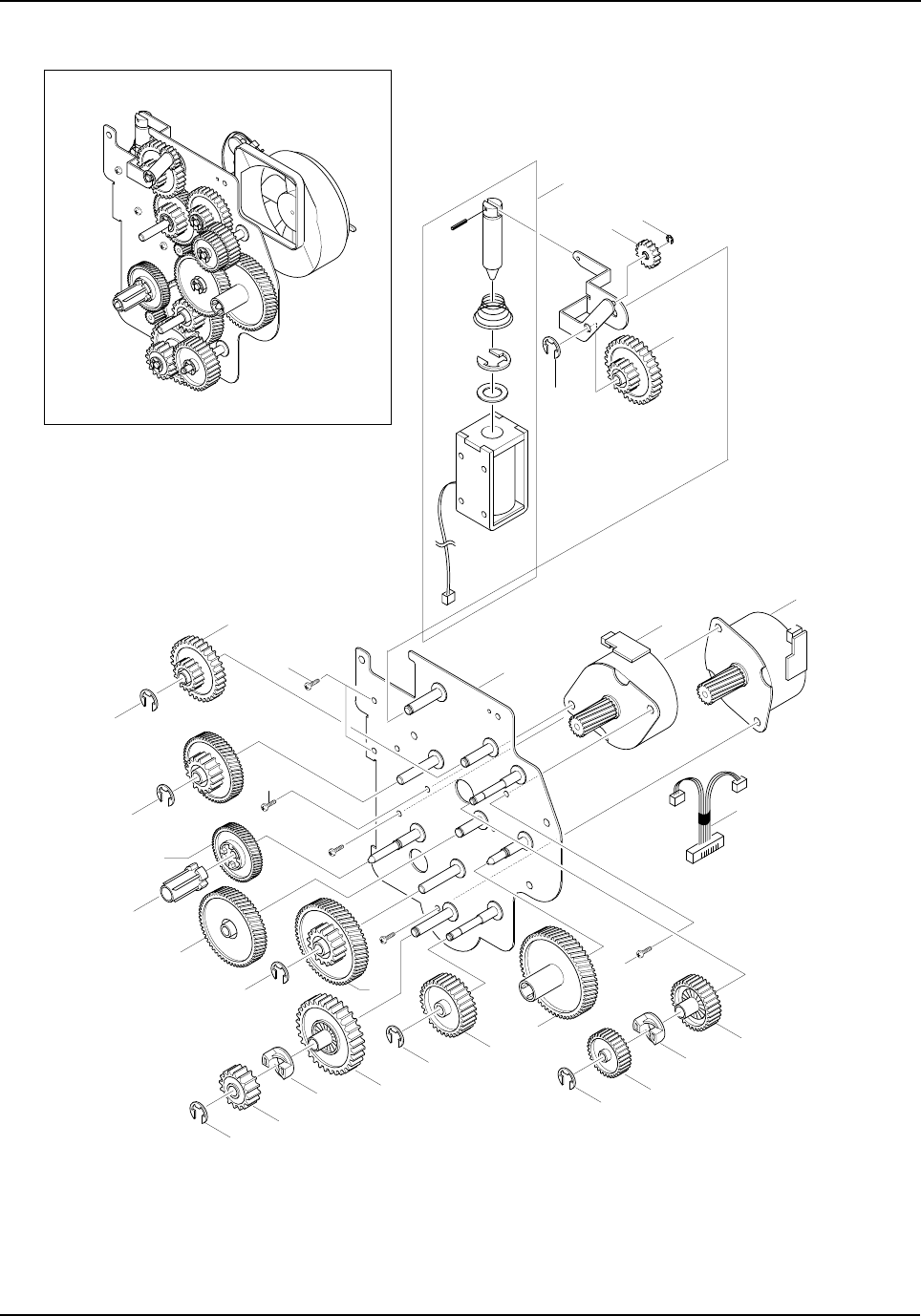
Exploded Views and Parts List
5-26 Samsung Electronics
5-11. Drive Ass’y Exploded View & Parts List
S10 1
2
24
10
23
23
11
S1
S10
S10
12
13
14
23 15
23
18
17
16
23
19
20
23 21
17
22
S10
5
84
9
23
3
Exploded Views and Parts List
Samsung Electronics 5-27
Drive Ass’y Parts List
NO DESCRIPTION SEC CODE Q’TY SA REMARK
0 ELA HOU-DRIVE(15PPM) JC96-02741A 1 O
1 IPR-BRKT MOTOR * 1 X
2 MOTOR STEP-MAIN JC31-00020B 2 O M49SP-2K
3 CBF HARNESS-MOTOR JC39-00165A 1 O
4 RING-C 6044-000159 1 O
5 SOLENOID-DUPLEX JC33-00008A 1 O
6 SPRING ETC-SOLENOID DP * 1 X
7 IPR-LINK SOLENOID * 1 X
8 GEAR-EXIT/U,ID JC66-40211B 1 O
9 GEAR-SWING DRV * 1 X
10 GEAR-35/19 * 1 X
11 GEAR-71/23 * 1 X
12 GEAR-DEVE DRV * 1 X
13 PMO-DEV/COUPLING * 1 X
14 GEAR-RDCN,OPC * 1 X
15 GEAR-86/23 * 1 X
16 GEAR-RDCN FEED OUTER * 1 X
17 GEAR-HUB CLUTCH * 2 X
18 GEAR-RDCN FEED INNER * 1 X
19 GEAR-FEED DRV * 1 X
20 GEAR-OPC DRV * 1 X
21 GEAR-GEAR FUSER DRV OUTER * 1 X
22 GEAR-FUSER DRV INNER * 1 X
23 RING-E 6044-000231 7 O
24 MOTOR STEP-MAIN JC31-00028B 1 O M4PSP-2NK
O : Service available X : Service not available
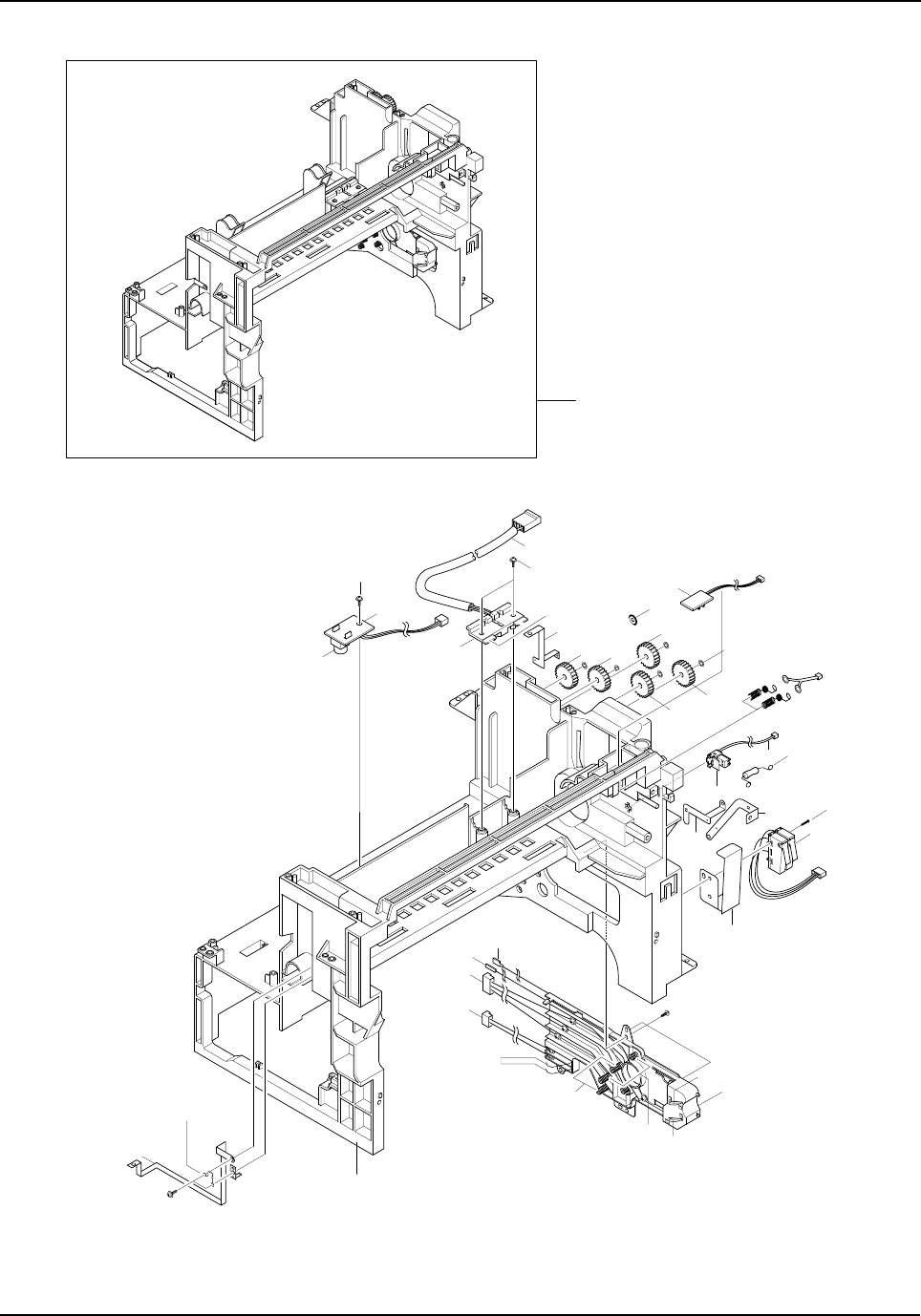
Exploded Views and Parts List
5-28 Samsung Electronics
5-12. Main Frame Ass’y Exploded View & Parts List
31
32
12
23
S5
15
S5
21
411
10 9
8
6
7
3
2
5
S5
1
4
17
20
S4
18
16
26
19
S5
0
27
28
13
24 24
33
22
25 25
24
29.30
Exploded Views and Parts List
Samsung Electronics 5-29
Main Frame Ass’y Parts List
NO DESCRIPTION SEC CODE Q’TY SA REMARK
0 ELA HOU-FRAME MAIN ASS’Y JC96-02184A 1 O
1 PMO-HOUSING TERMINAL JC72-00802A 1 O
2 IPR-TERMINAL BLADE * 2 X
3 IPR-TERMINAL SUPPLY * 2 X
4 IPR-TERMINAL TR JC70-00271A 1 O
5 IPR-TERMINAL GND JC70-00272A 1 O
6 IPR-TERMINAL DEVE KEY * 2 X
7 CBF-HARNESS-DEV-ID * 1 X
8 CBF-HARNESS-BLADE+SUPPLY+DEV * 5 X
9 CBF-HARNESS-THV WIRE * 1 X
10 CBF-HARNESS-MHV WIRE * 1 X
11 PMO-FRAME MAIN JC72-00800A 1 O
12 PMO-LENS TONER SENSOR JC72-00803A 2 O
13 IPR-GND EXIT * 1 X
14 IPR-GND OPC * 1 X
15 IPR-GND OPC BASE * 1 X
16 IPR-GND FUSER * 1 X
17 IPR-GUARD C/O S/W * 1 X
18 IPR-GND TERMINAL * 1 X
19 CBF HARNESS-AC WIRE * 1 X
20 AS-SWITCH MICRO(FRU) JC81-00438A 1 O
21 CBF-HARNESS-EARTH(TX MOTOR) * 1 X
22 PBA SUB-EXIT SENSOR JC92-01364A 1 O
23 PBA SUB-TONER_RX JC92-01360A 1 O
24 GEAR-EXIT/U,ID JC66-40211B 3 O
25 GEAR-EXIT,IDLE(Z17) JC66-40964A 2 O
26 CBF-HARNESS THERMISTOR_JOINT JC39-00164A 1 O
27 PMO-HOUSING TERMINAL JC72-41010A 1 O
28 IPR-TERMINAL FU JC70-10961A 2 O
29 PMO-CAP CONNECTOR L JC72-00463A 1 O
30 PMO-CAP CONNECTOR U JC72-00465A 1 O
31 ELA HOU-MOTOR GND * 1 X
32 SPRING-CLUTCH JB61-70922A 2 O
33 RING-CS 6044-000001 5 O
O : Service available X : Service not available
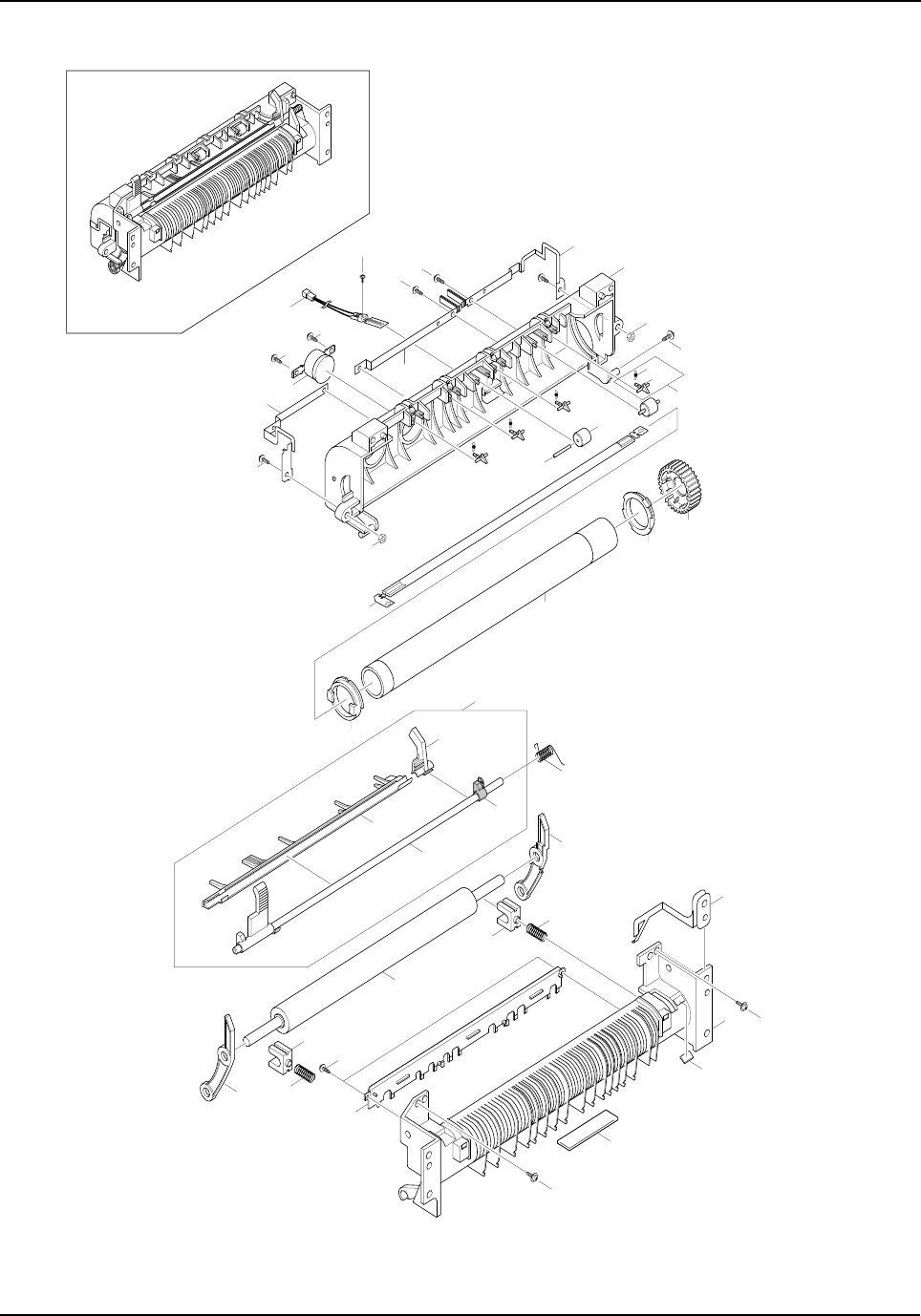
Exploded Views and Parts List
5-30 Samsung Electronics
5-13. FuserAss’y Exploded View & Parts List
24
23
23-1
23-4
23-2
18
19
16
17
17
22
15
25
26
S6
S5
21
16
20
S5
S5
13
11
S12
28
S5 S5
S5
10
9
1
28
6
7
8
6-1
6-2
14
5
4
2
323-3
S1
S1
10
12
Exploded Views and Parts List
Samsung Electronics 5-31
Fuser Ass’y Parts List
NO DESCRIPTION SEC CODE Q’TY SA REMARK
0 ELA HOU-FUSER JC96-02814A 1 O 110V
ELA HOU-FUSER JC96-02815A 1 O 220V
1 PMO-UPPER FUSER JC72-00812A 1 O
2 ROLLER-HEAT * 1 X
3 PMO-BEARING H/R-F JC72-00814A 1 O
4 BEARING-H/R L JC66-10902A 1 O
5 GEAR-FUSER JC66-40913B 1 O 110V
GEAR-FUSER JC66-00669A 1 O
6 MEA UNIT-CLAW ASS’Y JC97-01587A 4 O
6-1 SPRING ETC-SAPERATION JC61-70909A 1 O
6-2 PMO-GUIDE CLAW * 1 X
7 PEX-ROLLER EXIT F_UP JC72-20901A 2 O
8 IPR-PIN ROLLER EXIT * 2 X
9 NPR-ELECTRODE GEAR JC71-00029A 1 O
10 NPR-ELECTRODE M JC71-00030A 1 O
11 NPR-ELECTRODE F JC71-00028A 1 O
12 THERMOSTAT 4712-000001 1 O
13 THERMISTOR JC14-00001A 1 O
14 LAMP-HALOGEN 4713-001170 1 O 110V
14 LAMP-HALOGEN 4713-001171 1 O 220V
15 PMO-LOWER FUSER JC72-00820A 1 O
16 SPRING ETC-PR(7300) JC61-00056A 2 O
17 BEARING-PRESSURE/R JC66-10901A 2 O
18 ROLLER-PRESSURE * 1 X
19 PMO-LEVER JAM R JC72-01262A 1 O
20 PMO-LEVER JAM F JC72-01259A 1 O
21 PMO-GUIDE INPUT JC72-00817A 1 O
22 IPR-GROUND FU JC70-00259A 1 O
23 MEA UNIT-ACTUATOR ASS’Y JC97-01611A 1 O
23-1 PMO-ACTUATOR EXIT JC72-00810A 1 O
23-2 PMO-GUIDE DUPLEX JC72-00816A 1 O
23-3 PMO-ARM ACTUATOR JC72-00811A 1 O
23-4 GUIDE-REMOVE * 1 X
24 SPRING ETC-ACTUATOR6G JC61-00485A 1 O
25 LABEL(R)-CAU_HOT_FU * 1 X
26 LABEL(R)-HV FUSER * 1 X
27 LABEL FUSER M+ * 1 X
28 NUT-HEXAON * 2 X
O : Service available X : Service not available
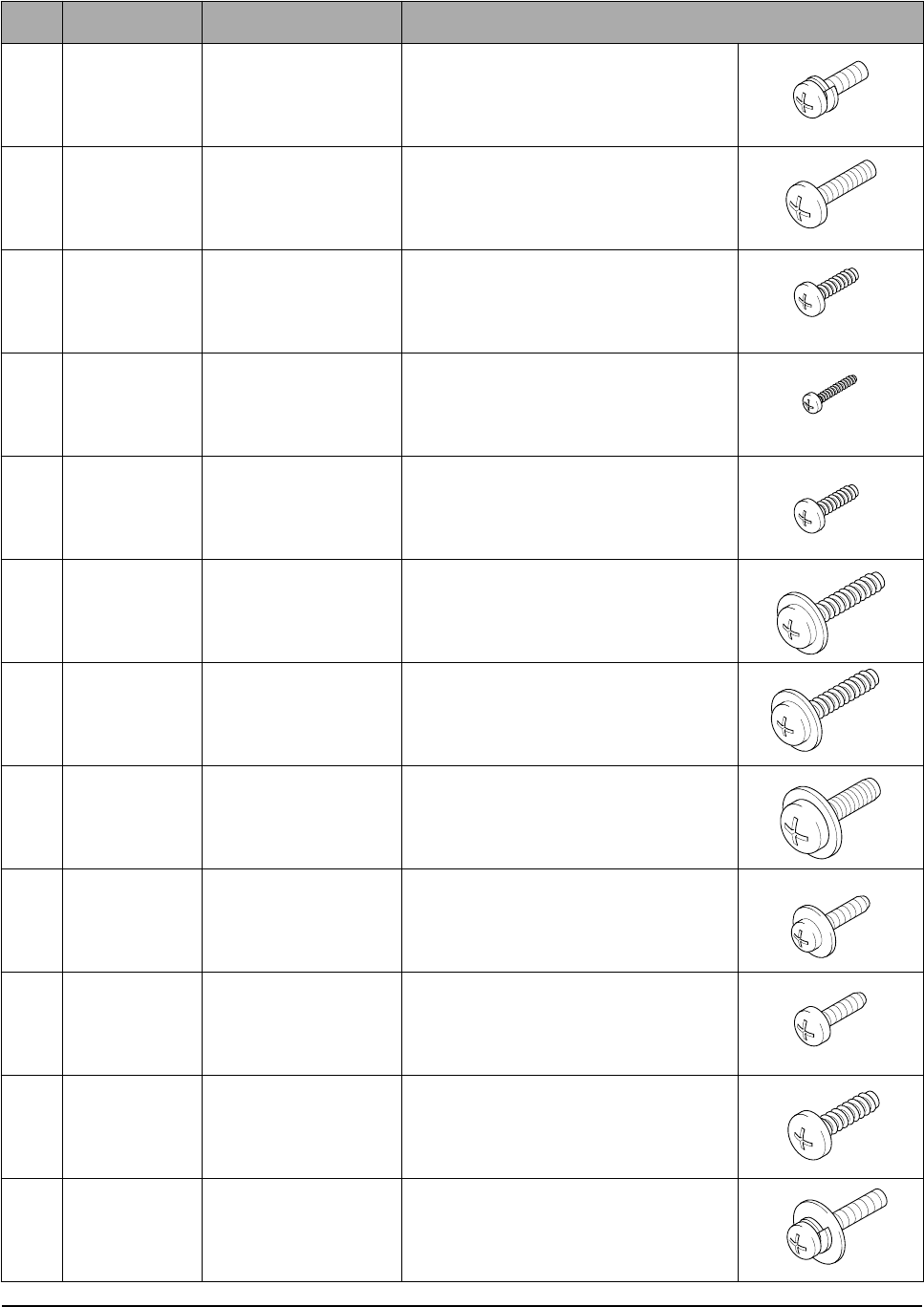
Exploded Views and Parts List
5-32 Samsung Electronics
5-14. Screw
NO SEC CODE DESCRIPTION SPEC.
S1 6006-000127 SCREW-ASS’Y
MACH WS,PH,+,M3,L6,ZPC(YEL),MSWR15
S2 6001-000568 SCREW-MACHINE PH,+,M3,L8,NI PLT,SM20C,-
S3 6002-000175 SCREW-TAPPING PWH,+,2,M3,L8,ZPC(YEL),SM20C
S4 6002-000351 SCREW-TAPPING PH,+,2,M2,L8,ZPC(YEL),SM20C
S5 6003-000119 SCREW-TAPTITE BH,+,B,M3,L8,CBLACK,SWRCH18A
S6 6003-000196 SCREW-TAPTITE PWH,+,B,M3,L10,NI PLT,SWRCH18A
S7 6003-000198 SCREW-TAPTITE PWH,+,B,M3,L12,ZPC(YEL),SWRCH1
S8 6003-000221 SCREW-TAPTITE PWH,+,S,M4,L8,ZPC(YEL),SWRCH18
S9 6003-000266 SCREW-TAPTITE PWH,+,S,M3,L6,ZPC(YEL),SWRCH18
S10 6003-000269 SCREW-TAPTITE BH,+,S,M3,L6,ZPC(YEL),SWRCH18A
S11 6003-001256 SCREW-TAPTITE BH,+,B,M4,L10,NI PLT,SWRCH18A
S12 6006-001031 SCREW-ASS’Y
MACH WSP,PH,+,M3,ZPC(YEL),SM10C
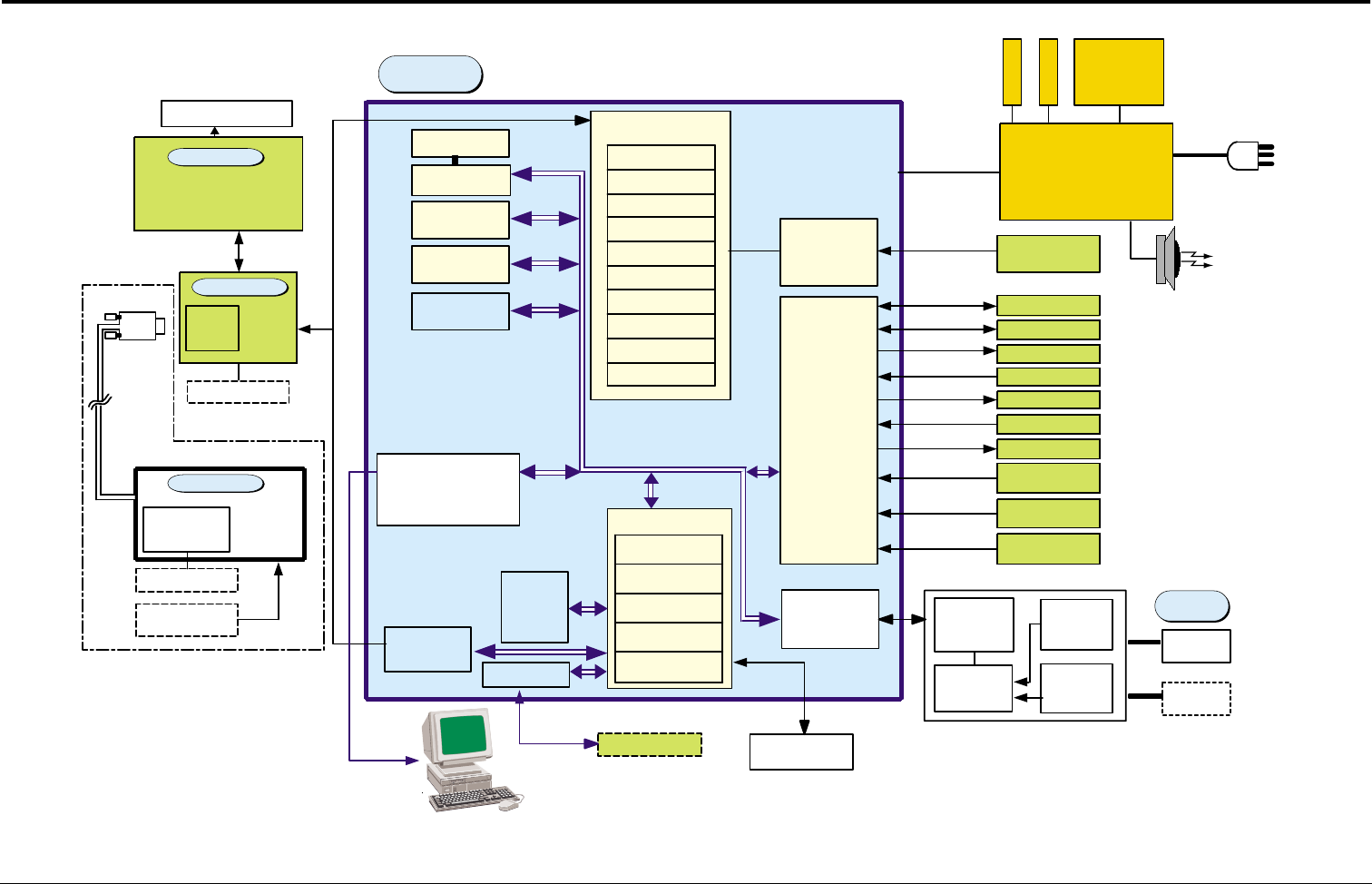
Block Diagrams
Samsung Electronics 6-1
6. Block Diagrams
MODEM
33.6Kbps
SPGPm
ARM946ES
CACHE(16K*2)
SDRAMC
ROMC
DMAC
PVC
GEU/HCT/gCODEC
I/O I/F
Engine Control
IEEE1284/USB2.0 Extended
GPIO
74LCX245
74HCT273
FAST
SRAM
(28Kbit)
MOTOR
DRIVER AFE
SRAM
Backup logic
Flash,Kernel
(1MB) X 2EA
SDRAM,1 6MB
MOTOR
DRIVER
A3977SLR
MOTOR 1
MOTOR 2
SMPS / HVPS
+5V/+24V/+12V/+24Vs/Fuser
M
H
V
DEV
SUPPLY
BLADE
T
H
V
8P
FAN
TONER_TX
TONER_RX
PTL
SOLENOID
PICK_UP,DUPLEX,M P
PAPER SENSOR
FEED+P.EMP,EXIT,MP
COVER OPEN S/W
+24V / +5V
LSU
11P
THERMISTOR
2P
3P
DEV_ID
3P
3P
4P
2P
2P x 3EA
4P
3P x 2EA
6P x 1EA
CENTRONICS CABLE
USB CABLE
CCD MODULE
24P
24P
24P
14P
5P
FLAT MOTOR
MOTOR
DRIVER
ADF MOTOR
PAPER SENSOR
POS,DET 3Px2EA
15P D-SUB
Option
CIP4
Image Processer
AFE I/F
I/O PORT
Motor CNTR
DMAC
NETWORK KIT
NETWORK
I/F(NetONE)
Font ROM
Option
MICOM
- LCD Drive
- Key Scan
LCD 16x2line
External
Auditron
Option
Network I/F
D-SUB
CONN.
MO DEM &
EXT_PHONE
SEPER ATING
PA RT
EXTER NAL
PHONE
INTE RFACE
PAR T
600/ /600
Tx:Rx
TRANSFORMER
LINE
INT ERFACE
MAIN
OPE
PLATEN
ADF
LIU
EXTERNAL
PHONE
LINE1
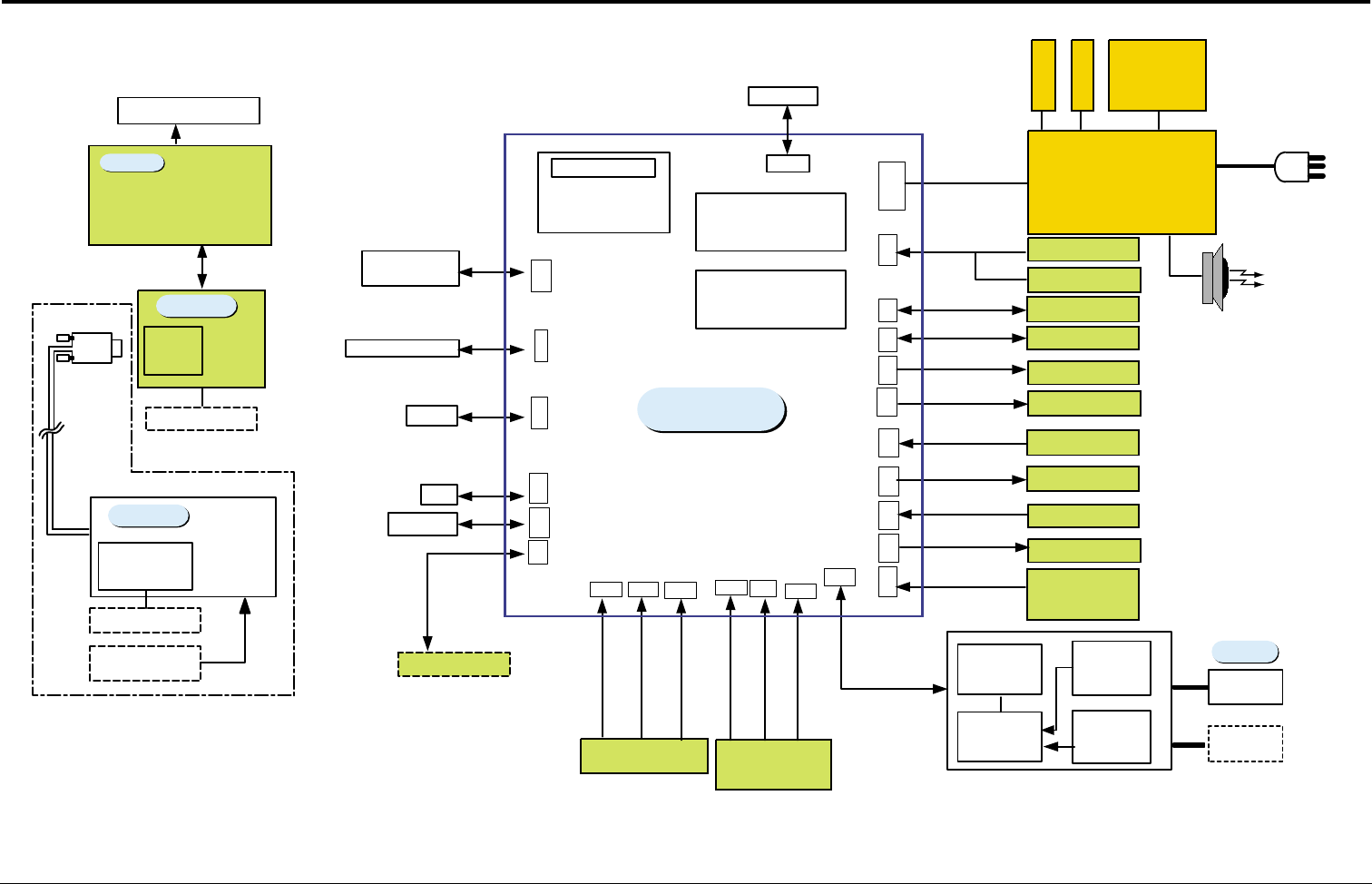
Connection Diagrams
Samsung Electronics 7-1
7. Connection Diagrams
Flash DIMM
PS3 (2MB)
CN29 (100P)
SDRAM DIMM
16/32MB
CN28 (100P)
DEV MOTOR
SMPS / HVPS
+5V/+24V/ +12V/ +24Vs /Fuser
M
H
V
DE V
SUPPLY
BLADE
T
H
V
FAN1
TONER_TX
TONER_RX
PTL
SOLENO ID
PICK_UP,DUPLEX,MP PAPER
SENSOR
FEED+P.EMP,EXIT,MP
COVER OPEN
S/W
+24 V / + 5V
LSU
11P
THERMISTOR
2P
3P
DEV_ID
3P
3P
4P
2P
4P
CCD MODULE
24P
24P
24P
14P
FLAT MOTOR
5P
15P D -SUB
Option
MOTOR
DRIVER
3P x 2EA
MICOM
- LCD Drive
- Key Scan
LCD 20x2line
OPE
D-SUB
CONN.
MODEM
EXT_PHONE
SEPRATING
PART
EXTERNAL
PHONE
INTERFACE
PART
EXTERNAL
PHONE
600/ / 600
Tx: Rx
TRANSFORMER
LINE
INT ERFACE
LINE1
FAN1
3P
FEED MOTOR
8P
CN27CN17
CN5CN8CN19
CN9
CN6
CN2CN14CN24
CN26
CN 18
USB CABLE
CN 13 CN 22
CN 25 CN 2 3CN 1
CN 20
Network CARD
CN10
80P
OU T BIN F ULL
OPC
HYPER
CN26CN16
CN12CN11CN3
CN7
36 P
4P
4P
2P
4P
2P 2P
6P
2P
3P 3P
CN4
SCAN
MAIN PBA
CENTRONICS
CABLE
LIU
Platen
ADF
DADF MOTOR
PAPER SENSOR
POS,DET
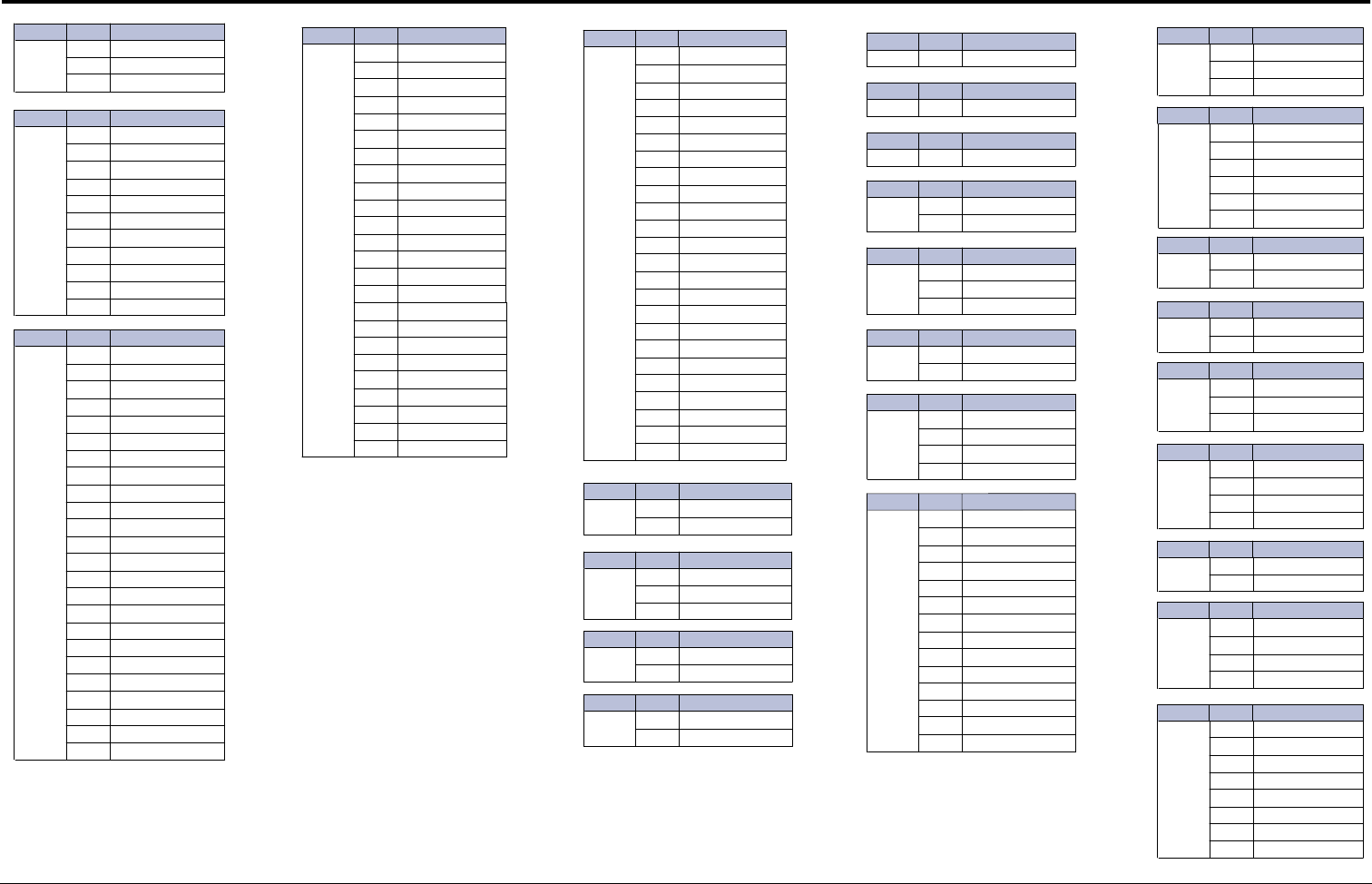
Connection Diagrams
7-2 Samsung Electronics
CON No. Pin No. Description
CN1
EXIT
15VCC
2EXIT SENSOR
3GND
CON No. Pin No.
CON No. Pin No.
CON No. Pin No.
CON No. Pin No.
CON No. Pin No.
CON No. Pin No.
CON No. Pin No.
CON No. Pin No.
CON No. Pin No.
CON No. Pin No.
CON No. Pin No.
CON No. Pin No.
CON No. Pin No.
CON No. Pin No.
CON No. Pin No.
CON No. Pin No.
CON No. Pin No.
CON No. Pin No.
CON No. Pin No.
CON No. Pin No.
CON No. Pin No.
CON No. Pin No.
CON No. Pin No.
CON No. Pin No.
CON No. Pin No.
CN2
LSU
1HSYNC*
25VS
3GND
4LD_ON*
5VDO*
6NC
7LSU_CLK
8LREADY*
9PMOTOR
10 GND
11 24VS1
CN3
CCD
MODULE
1GND
2CCD_VOB
3GND
4CCD_VOR
5GND
6CCD_VOG
7GND
8GND
9CCD_PI_TG1
10 CCD_PI_TG1
11 CCD_PI_TG1
12 GND
13 CCD_PI_RS
14 CCD_PI2
15 CCD_PI1
16 GND
17 GND
18 CCD_PI_CP
19 5V
20 GND
21 CCD_HOME
22 24V
23 INV_POWER
24 GND
CN4
SCAN
1GND
224V
35V
4GND
5ADF_PHA
6GND
7SCAN_ADF_IA(1)
8SCAN_ADF_IA(0)
9SCAN_ADF_IB(0)
10 ADF_PHB
11 MODULE_DETECT
12 SCAN_ADF_IB(1)
13 ADF_P_POS
14 ADF_P_DET
15 NC
16 ADF_P_REGI
17 OPE_RXD
18 OPE_RST
19 OPE_TXD
20 FLAT_COVER
21 TM_A
22 TM_NA
23 TM_B
24 TM_NB
CN5
PWR/
HVPS
1GND
25V
3GND
45V
5GND
65V
7GND
812V
9GND
10 24V
11 GND
12 24V
13 GND
14 24V
15 THV_PWM
16 +24VS1
17 THV_EN
18 +24VS1
19 THVREAD
20 FUSER_ON
21 MHV_PWM
22 SPK+
23 DEV_PWM
24 SPK-
CN6
THE RMISTER
1THERM
2THERM
CN7
OUT_B IN_FULL
15V
2OUTBIN_FULL*
3GND
CN8
FAN
124V
2FAN
CN9
FAN
124V
2FAN
CN10 80P NPC
CN11 6P USB PORT
CN12 36P PARALLEL PORT
CN13
DUPLEX_SOL
124V
2DUPLEX_SOL
CN14
DEV_ID
1DEV_ID
2GND
3GND
CN16
OPC
1NEW_OPC
2GND
CN17
TONER_
RX
1NC
2TONER_RX
3GND
4NC
CN18
LIU
1MODEM_RX
2GND
3MODEM_TXA1
4MODEM_TXA2
512V
6REMOTE
7CML1
8HOOK2*
9RING_DET*
10 5V
11 DP
12 GND
13 RECALL
14 E_DP*
CN19
TONER_
TX
15V
2TONER_TX
3NC
CN20
FEED/
PEMPTY
15V
2FEED*
3GND
45V
5PEMPTY
6GND
CN21
PTL
15V
2PTL
CN22
MP_SOL
124V
2MP_SOL
CN23
MP_EMP
TY
15V
2MP_EMPTY
3GND
CN24
COVER
S/W
15V
25VS
324V
424VS
CN25
PICK_UP_SOL
124V
2MAIN_SOL
CN26
HYPER
I/F
15V
2HYPER_TXD
3HYPER_RXD
4GND
CN27
FUSER,
FEED
MOTOR
1FEED MOTOR B
2FEED MOTOR A
3FEED MOTOR B*
4FEED MOTOR A*
5FUSER MOTOR A
6FUSER MOTOR B
7FUSER MOTOR B*
8FUSER MOTOR A*
Description
Description
Description Description
Description
Description
Description
Description
Description
Description
Description
Description
Description
Description
Description
Description
Description
Description
Description
Description
Description
Description
Description
Description
Description

Connection Diagrams
Samsung Electronics 7-3
Memo

Repair Manual
Repair Manual
1. Block Diagram
2. Connection Diagram
3. Circuit Description
4. Schematic Diagrams
CONTENTS
Digital Laser MFP
SCX-5315F/SCX-5115

Samsung Electronics Digital Printing
CS Group
Copyright (c) 2003. 07
This manual is made and
described centering around
circuit diagram
and circuit description needed
in the repair center
in the form of appendix.
- This Service Manual is a property of Samsung Electronics Co.,Ltd.
Any unauthorized use of Manual can be punished under applicable
International and/or domestic law. -
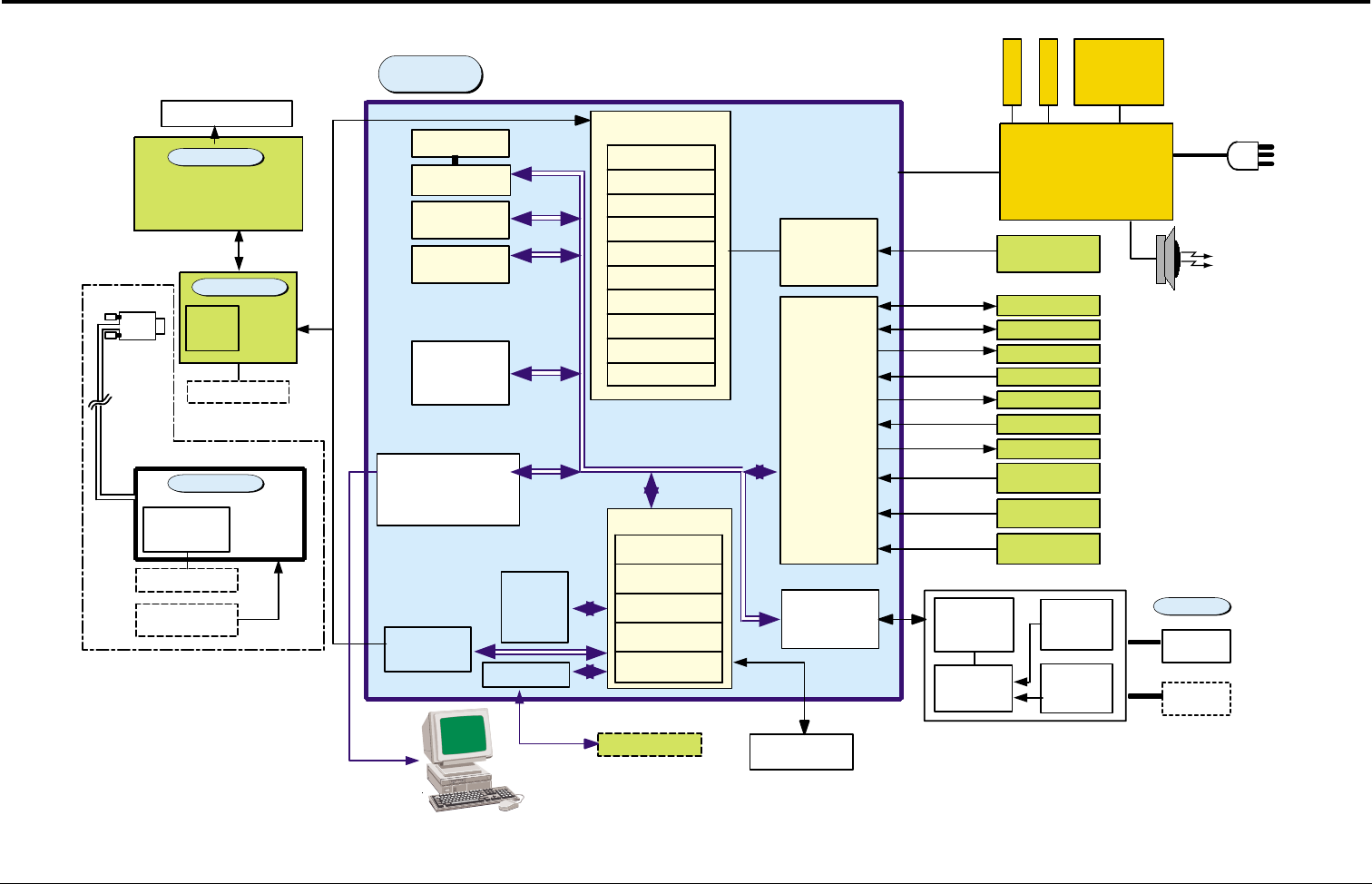
Block Diagrams
Samsung Electronics 1-1
1. Block Diagrams
MODEM
33.6Kbps
SPGPm
ARM946ES
CACHE(16K*2)
SDRAMC
ROMC
DMAC
PVC
GEU/HCT/gCODEC
I/O I/F
Engine Control
IEEE1284/USB2.0 Extended
GPIO
74LCX245
74HCT273
FAST
SRAM
(1Mbit)
MOTOR
DRIVER AFE
SDRAM
DIMM
16MB
SRAM
Backup logic
Flash,Kernel
(1MB) X 2EA
SDRAM,1 6MB
MOTOR
DRIVER
A3977SLR
MOTOR 1
MOTOR 2
SMPS / HVPS
+5V/+24V/+12V/+24Vs/Fuser
M
H
V
DEV
SUPPLY
BLADE
T
H
V
8P
FAN
TONER_TX
TONER_RX
PTL
SOLENOID
PICK_UP,DUPLEX,M P
PAPER SENSOR
FEED+P.EMP,EXIT,MP
COVER OPEN S/W
+24V / +5V
LSU
11P
THERMISTOR
2P
3P
DEV_ID
3P
3P
4P
2P
2P x 3EA
4P
3P x 2EA
6P x 1EA
CENTRONICS CABLE
US B C ABL E
CCD MODULE
24P
24P
22P
14P
5P
FLAT MOTOR
MOTOR
DRIVER
ADF MOTOR
PAPER SENSOR
POS,DET 3Px2EA
15P D-SUB
Option
CIP4
Image Processer
AFE I/F
I/O PORT
Motor CNTR
DMAC
Option
NETWORK KIT
NETWORK
I/F(NetONE)
Option
MICOM
- LCD Drive
- Key Scan
LCD 16x2line
External
Auditron
Option
Network I/F
D-SUB
CONN.
MO DEM &
EXT_PHONE
SEPER ATING
PA RT
EXTER NAL
PHONE
INTE RFACE
PAR T
600/ /600
Tx:Rx
TRANSFORMER
LINE
INT ERFACE
MAIN
OPE
PLATEN
ADF
LIU
EXTERNAL
PHONE
LI NE1
- This Document can not be used without Samsung's authorization -
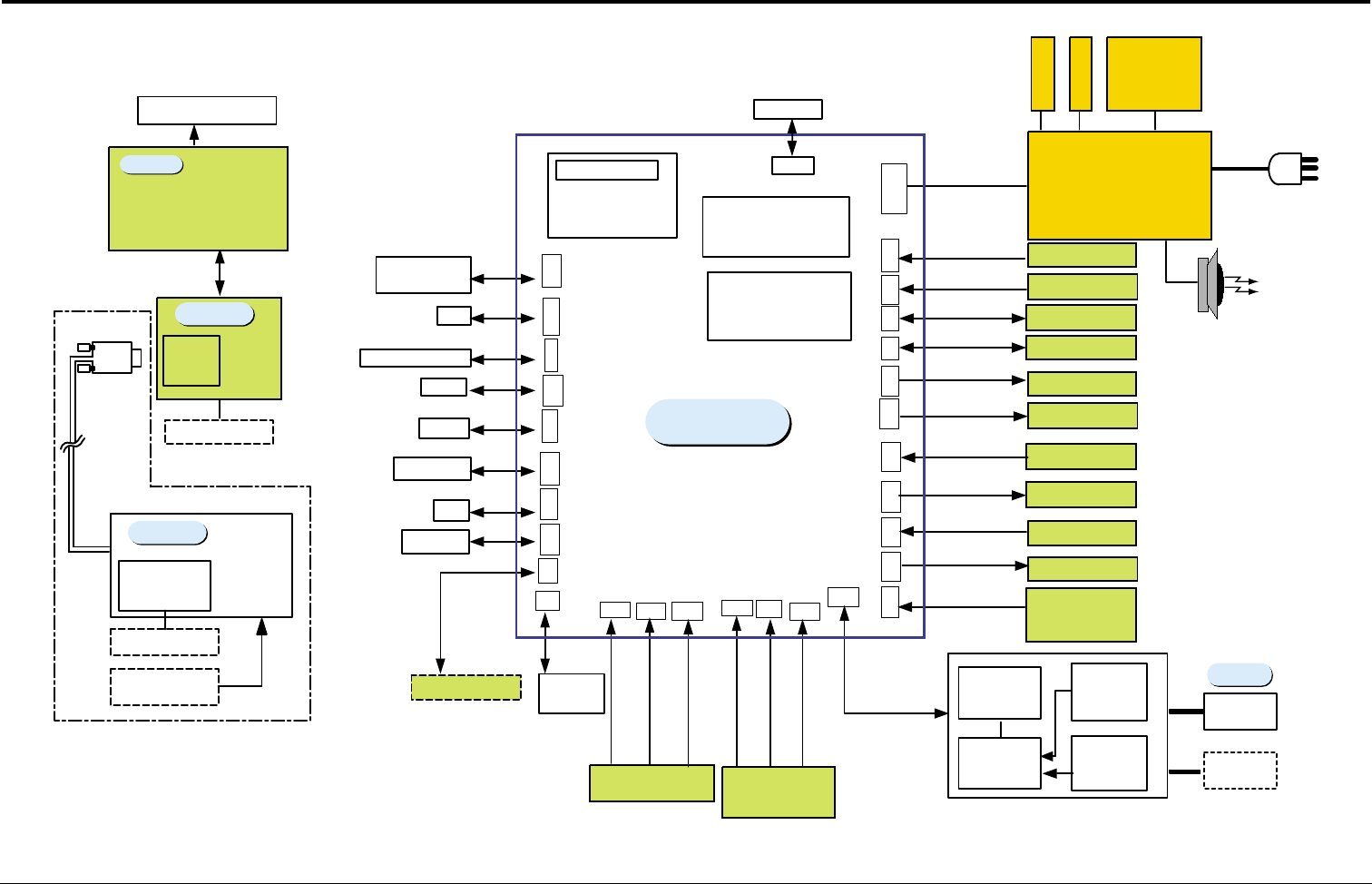
Connection Diagrams
Samsung Electronics 2-1
2. Connection Diagrams
SDRAM DIMM
16MB
CN15(100P)
Fl ash DIMM
PS3 (2MB)
CN15(100P) DEV MOTOR
SMPS / HVPS
+5V/ +24V/ +12V/ +24Vs / Fuser
M
H
V
DE V
SUPP LY
BL A DE
T
H
V
8P
FAN1
TONER_T X
TONER_RX
PTL
SO LE NO ID
PICK_UP,DUPLEX,MP
PAPER
SENSOR
FEED+ P.EMP,EXIT,MP
COVER OPEN
S/W
+24 V / + 5V
LSU
11P
THERMISTOR
2P
3P
DEV_ID
3P
3P
4P
2P
4P
CCD MODULE
24P
22P
14P
FLAT MOTOR
5P
15P D -SUB
Option
MOTOR
DRIVER
3P x 2EA
MI COM
- LCD Drive
- Key Scan
LCD 20x2line
OPE
External
Auditron
D-SUB
CONN.
MODEM
EXT_PHONE
SEPRATING
PART
EXTERNAL
PHONE
INTERFACE
PART
EXTERNAL
PHONE
600/ / 600
Tx: Rx
TRANSFORMER
LINE
INT ERFACE
LI NE1
10 P
FAN1
3P
FEED MOTOR
10P
CN14CN33CN21
CN6
CN10CN23
CN11
CN7
CN4CN18CN29
CN26
CN 2 2
USB CABLE
CN 2 7 CN 3 0
CN 2 0 CN 2 4CN 3
CN 1 CN 2 8
Network CARD
CN8
OU T BI N F UL L
PCNT
DEV CN T
OPC
HYPER
SCF
CN31CN25CN19CN17
CN16CN13CN5
CN12CN19
36 P
8P
4P
2P
4P
4P
2P
4P
2P 2P
6P
2P
3P 3P
CN 2
SCAN
MAIN PBA
CENTRONICS
CABLE
LIU
Plat en
ADF
DADF MOTOR
PAPER SENSOR
POS,DET
- This Document can not be used without Samsung's authorization -
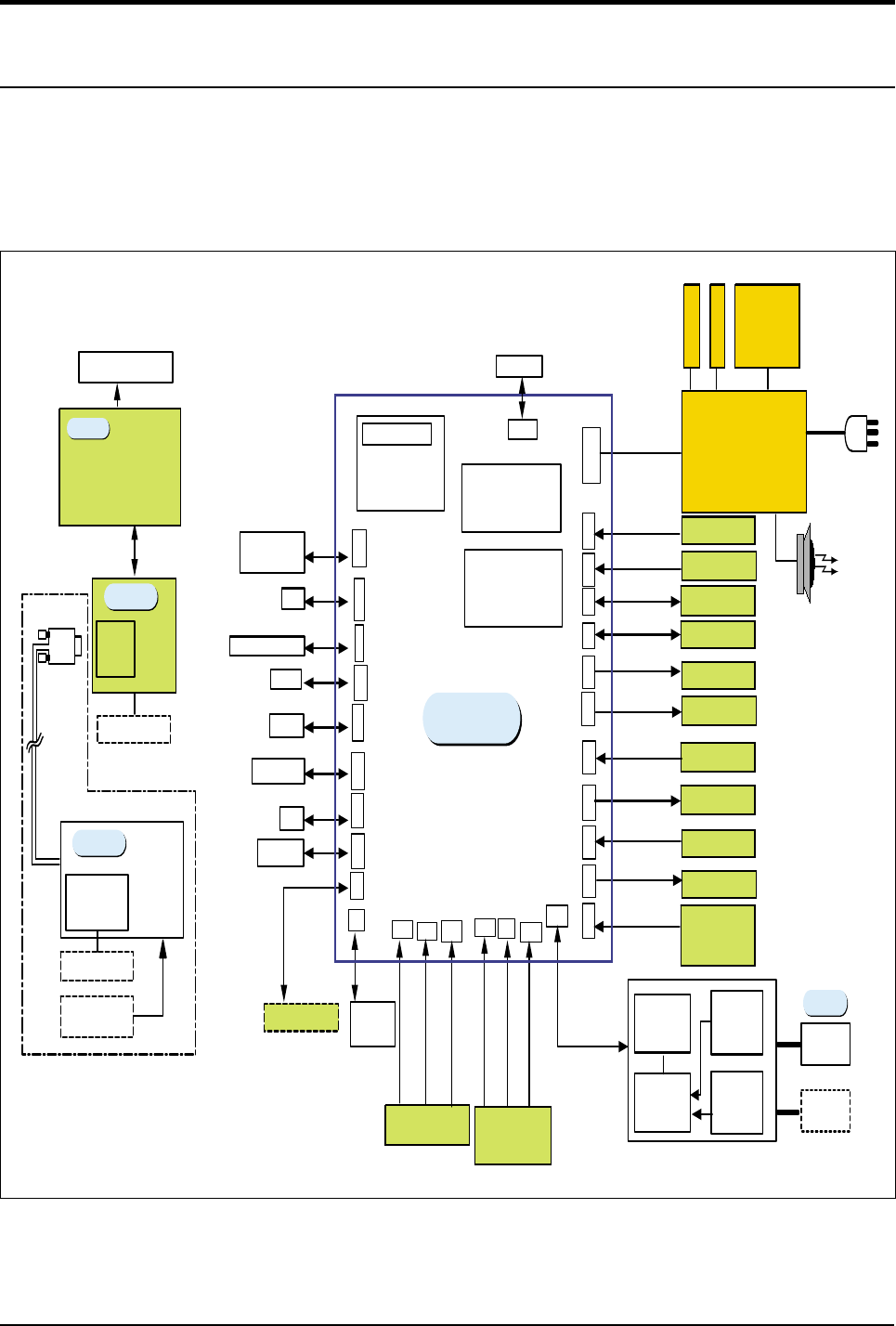
Circuit Description
Samsung Electronics
3-1
3. Circuit Description
3-1 Main PBA
3-1-1 Summary
The main circuit that consists of CPU, MFP controller (built-in 32bit RISC processor core: ARM946ES) includ-
ing various I/O device drivers, system memory, scanner, printer, motor driver, PC I/F, and FAX transceiver con-
trols the whole system. The entire structure of the main circuit is as follows :
SDRAM DIMM
16MB
CN15(100P)
Fl ash DIMM
PS3
(2MB)
CN15(100P) DEV MOTOR
SMPS / HVPS
+5V/ +24V/ +12V/ +24Vs / Fuser
M
H
V
DE V
SUPP LY
BL A DE
T
H
V
8P
FAN1
TONER_T X
TONER_RX
PTL
SO LE NO ID
PICK_UP,DUPLEX,MP
PAPER
SENSOR
FEED+ P.EMP,EXIT,MP
COVER OPEN
S/W
+24 V / + 5V
LSU
11P
THERMISTOR
2P
3P
DEV_ID
3P
3P
4P
2P
4P
CCD MODULE
24P
22P
14P
FLAT MOTOR
5P
15P D -SUB
Option
MOTOR
DRIVER
3P x 2EA
MI COM
- LCD Drive
- Key S can
LCD 20x2line
OPE
External
Aud itron
D-SUB
CONN.
MODEM
EXT_PHONE
SEPRATING
PART
EXTERNAL
PHONE
INTERFACE
PART
EXTERNAL
PHONE
600/ / 600
Tx: Rx
TRANSFORMER
LINE
INT ERFACE
LI NE1
10 P
FAN1
3P
FEED MOTOR
10P
CN14CN33CN21
CN6
CN10CN23
CN11
CN7
CN4CN18CN29
CN26
CN 2 2
USB CABLE
CN 2 7 CN 3 0
CN 2 0 CN 2 4CN 3
CN 1 CN 2 8
Network CARD
CN8
OU T BI N F UL L
PCNT
DEV CN T
OPC
HYPER
SCF
CN31CN25CN19CN17
CN16CN13CN5
CN12CN19
36 P
8P
4P
2P
4P
4P
2P
4P
2P 2P
6P
2P
3P 3P
CN 2
SCAN
MAIN PBA
CENTRONICS
CABLE
LIU
Plat en
ADF
DADF MOTOR
PAPER SENSOR
POS,DET
<Block Diagram>
- This Document can not be used without Samsung's authorization -
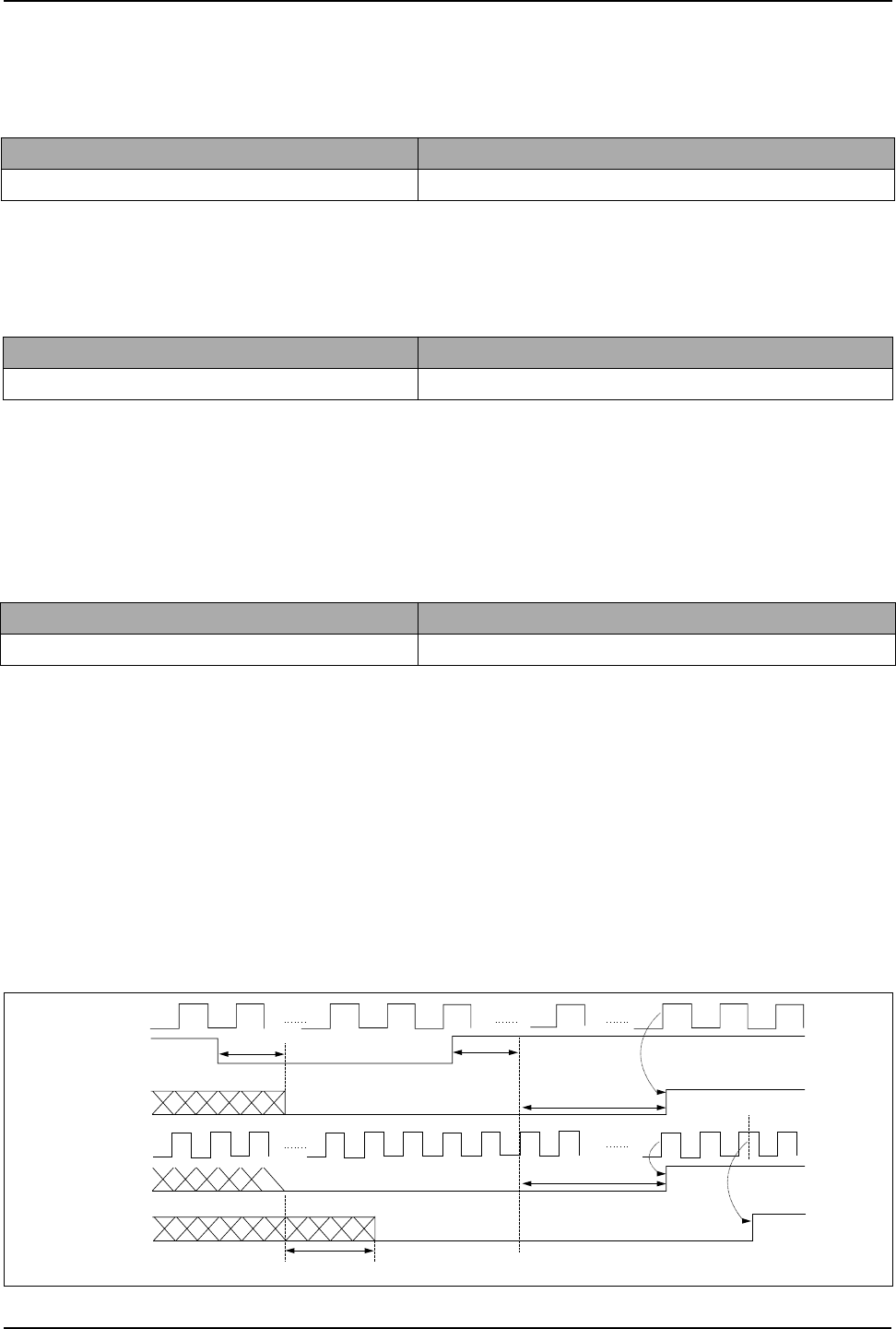
Circuit Description
3-2
Samsung Electronics
3-2 Circuit Operation
3-2-1 Clock
1) System Clock
• ARM946ES RISC PROCESSOR: drives PLL internally uses 120MHz and external Bus uses 60 MHz.
2) Video Clock
• Fvd =((PAPER 1SCAN LINE sending time * SCAN effective late /1SCAN LINE DOT #)*4
=(600dpi*600dpi*58.208mm/s*216mm*4)/(25.4mm*25.4mm*76.1%)=28.697MHz
•PAPER 1SCAN LINE sending time=SCAN LINE interval/DOCUMENT SPEED (58.208mm/S)
•1SCAN LINE DOT #=MAZ SCAN distance(216mm)*DOT# per 1mm
3)USB Clock
3-2-2 POWER ON/OFF RESET
1) Signal Operation
Input Signal +3.3V Power Line (VCC)
Output Signal ARM946ES nRESET and 29LU16ø
• POWER ON/OFF DETECT VCC RISING/FALLING 4.5°
≠
4.6V
RESET TIME (Td) 1.48~1.52ms
• Td=(Ct*V sensing)/I charge (...Ct=33µF, Is=100µA)
2) TIMING CHART
Device Oscillator
Frequency 12MHz
Device Oscillator
Frequency 57.0167MHz
Device Oscillator
Frequency 48MHz
20 MCLK
MCLK
nRESET
nPWRGD
HICLK
reRESETn
RESETn
20 MCLK 5.461 ms
(65535 MCLK)
5.461 ms
(65535 MCLK)
CLK falling
15 HCLK
- This Document can not be used without Samsung's authorization -

Circuit Description
Samsung Electronics
3-3
3-2-3 RISC MICROPROCESSOR
1) RISC MICROCESSOR PIN & INTERFACE(SPGPm)
Ball No Pin No Pin Name I/O Description PAD
B1 1 SD15 I/O SDRAM Bus Data[15] BD8TARP_TC
C2 2 VSS_PLL1 - VSS for Core PLL -
D2 3 VDD_PLL1 - VDD for Core PLL (1.8V) -
D3 4 DATA0 / GPI1 I/O ROM Bus Data[0] / GPI[1] BD8TRP_FT
E4 5 MCLK I Core PLL Clock Input (12MHz) TLCHT_TC
C1 6 DATA6 / GPI7 I/O ROM Bus Data[6] / GPI[7] BD8TRP_FT
D1 7 DATA1 / GPI2 I/O ROM Bus Data[1] / GPI[2] BD8TRP_FT
E3 8 DATA5 / GPI6 I/O ROM Bus Data[5] / GPI[6] BD8TRP_FT
E2 9 VDD_RING_OSC - VDD for Ring Oscillator (1.8V) -
E1 10 DATA3 / GPI4 I/O ROM Bus Data[3] / GPI[4] BD8TRP_FT
F3 11 DATA9 / GPI10 I/O ROM Bus Data[9] / GPI[10] BD8TRP_FT
G4 12 GND - GROUND_RING -
F2 13 DATA8 / GPI9 I/O ROM Bus Data[8] / GPI[9] BD8TRP_FT
F1 14 DATA7 / GPI8 I/O ROM Bus Data[7] / GPI[8] BD8TRP_FT
G3 15 DATA12 / GPI13 I/O ROM Bus Data[12] / GPI[13] BD8TRP_FT
G2 16 DATA11 / GPI12 I/O ROM Bus Data[11] / GPI[12] BD8TRP_FT
G1 17 DATA10 / GPI11 I/O ROM Bus Data[10] / GPI[11] BD8TRP_FT
H3 18 DATA4 / GPI5 I/O ROM Bus Data[4] / GPI[5] BD8TRP_FT
H2 19 DATA15 / GPI16 I/O ROM Bus Data[15] / GPI[16] BD8TRP_FT
H1 20 DATA14 / GPI15 I/O ROM Bus Data[14] / GPI[15] BD8TRP_FT
J4 21 VDD_CORE - VDD for CORE (1.8V) -
J3 22 DATA19 I/O ROM Bus Data[19] BD8TRP_FT
J2 23 DATA18 I/O ROM Bus Data[18] BD8TRP_FT
J1 24 DATA17 I/O ROM Bus Data[17] BD8TRP_FT
K2 25 DATA16 I/O ROM Bus Data[16] BD8TRP_FT
K3 26 DATA22 I/O ROM Bus Data[22] BD8TRP_FT
K1 27 DATA13 / GPI14 I/O ROM Bus Data[14] / GPI[14] BD8TRP_FT
L1 28 DATA20 I/O ROM Bus Data[20] BD8TRP_FT
L2 29 DATA21 I/O ROM Bus Data[21] BD8TRP_FT
L3 30 DATA25 I/O ROM Bus Data[25] BD8TRP_FT
L4 31 DATA26 I/O ROM Bus Data[26] BD8TRP_FT
M1 32 DATA23 I/O ROM Bus Data[23] BD8TRP_FT
M2 33 DATA24 I/O ROM Bus Data[24] BD8TRP_FT
M3 34 DATA29 I/O ROM Bus Data[29] BD8TRP_FT
M4 35 DATA30 I/O ROM Bus Data[30] BD8TRP_FT
N1 36 DATA27 I/O ROM Bus Data[27] BD8TRP_FT
N2 37 DATA28 I/O ROM Bus Data[28] BD8TRP_FT
N3 38 VDD_ARM - VDD for ARM -
P1 39 DATA31 I/O ROM Bus Data[31] BD8TRP_FT
P2 40 DATA2 / GPI3 I/O ROM Bus Data[2] / GPI[3] BD8TRP_FT
R1 41 VDD_CORE - VDD for CORE (1.8V) -
P3 42 nROMCS2 O ROM Bank2 Select_n B4TR_TC
- This Document can not be used without Samsung's authorization -
Circuit Description
3-4
Samsung Electronics
R2 43 nRD O ROM Bus Read_n B4TR_TC
T1 44 nROMCS0 O ROM Bank0 Select_n B4TR_TC
P4 45 nROMCS3 / nIOCS3 /
GPO1 O ROM Bank3 Select_n / IO Bank3
Select_n / GPO[1] B4TR_TC
R3 46 nWR O ROM Bus Write_n B4TR_TC
T2 47 nROMCS1 O ROM Bank1 Select_n B4TR_TC
U1 48 ADDR12 O ROM Bus Addr[12] B8TR_TC
T3 49 ADDR10 O ROM Bus Addr[10] B8TR_TC
U2 50 ADDR13 O ROM Bus Addr[13] B8TR_TC
V1 51 ADDR15 O ROM Bus Addr[15] B8TR_TC
T4 52 ADDR11 O ROM Bus Addr[11] B8TR_TC
U3 53 ADDR14 O ROM Bus Addr[14] B8TR_TC
V2 54 ADDR16 O ROM Bus Addr[16] B8TR_TC
W1 55 ADDR19 I/O ROM Bus Addr[19] BD8TRP_TC
V3 56 ADDR17 I/O ROM Bus Addr[17] BD8TRP_TC
W2 57 ADDR20 I/O ROM Bus Addr[20] BD8TRP_TC
Y1 58 nIOCS0 O IO Bank0 Select_n B4TR_TC
W3 59 ADDR21 I/O ROM Bus Addr[21] BD8TRP_TC
Y2 60 nIOCS1 O IO Bank1 Select_n B4TR_TC
W4 61 ADDR22 I/O ROM Bus Addr[22] BD8TRP_TC
V4 62 ADDR18 I/O ROM Bus Addr[18] BD8TRP_TC
U5 63 ADDR7 O ROM Bus Addr[7] B8TR_TC
Y3 64 VDD_CORE O VDD for CORE (1.8V) -
Y4 65 nIOCS2 / nDACK0 /
GPO2 O IO Bank2 Select_n / DMA IO Bank0
ACK_n / GPO[2] B4TR_TC
V5 66 ADDR1 O ROM Bus Addr[1] B8TR_TC
W5 67 ADDR8 O ROM Bus Addr[8] B8TR_TC
Y5 68 ADDR9 O ROM Bus Addr[9] B8TR_TC
V6 69 ADDR4 O ROM Bus Addr[4] B8TR_TC
U7 70 ADDR6 O ROM Bus Addr[6] B8TR_TC
W6 71 ADDR2 O ROM Bus Addr[2] B8TR_TC
Y6 72 ADDR3 O ROM Bus Addr[3] B8TR_TC
V7 73 ADDR5 O ROM Bus Addr[5] B8TR_TC
W7 74 VDD_ARM - VDD for ARM Hard Macro(1.8V) -
Y7 75 VDD_CORE - VDD for CORE (1.8V) -
V8 76 EINT0 / TnRST I Ext. Interrupt0 / TAP Controller
Reset_n SCHMITT_FT
W8 77 EINT1 / TCK I Ext. Interrupt1 / TAP Controller
Clock SCHMITT_FT
Y8 78 EINT2 / nRXD2 / TMS I Ext. Interrupt2 / UART RX DATA[2] /
TAP Controller Mode Select SCHMITT_FT
U9 79 EINT3 / nTXD2 / GPO9 I/O Ext. Interrupt3 / UART TX Data[2] /
GPO[9] BD4STRP_FT
V9 80 nRxD0 I UART RX Data[0] SCHMITT_FT
W9 81 nRxD1 / GPI17 / TDI I UART RX Data[1] / GPI[17] / TAP
Controller Data In SCHMITT_FT
Y9 82 nTxD0 O UART TX Data[0] B4TR_TC
W10 83 TESTMODE I TESTMODE (Nomal : 0) SCHMITT_TC
Ball No Pin No Pin Name I/O Description PAD
- This Document can not be used without Samsung's authorization -
Circuit Description
Samsung Electronics
3-5
V10 84 nTxD1 / GPO10 / TDO O UART Tx Data[1] / GPO[10] / Tap
Controller Data Out B4TR_TC
Y10 85 TESTSE I TESTSE (Normal : 0) SCHMITT_TC
Y11 86 VDD_CORE - VDD for CORE (1.8V) -
W11 87 RXERR / GPI25 I MAC RX Error / GPI[25] SCHMITT_TC
V11 88 GND - GROUND_RING -
U11 89 RX_DV / GPI20 O MAC RX Data Valid / GPI[20] SCHMITT_TC
Y12 90 RXD0 / GPI21 O MAC RX Data[0] / GPI[21] SCHMITT_TC
W12 91 nLFPHB1 / nPRINT O Motor Out B_n / Print Start_n B4TR_TC
V12 92 nLFPHB0 / nCMSG O Motor Out B / Command
Message_n B4TR_TC
U12 93 nLFPHA0 / CCLK O Motor Out A / Communication Clock B4TR_TC
Y13 94 RXD1 / GPI22 I MAC RX Data[1] / GPI[22] SCHMITT_TC
W13 95 VDO O Video Data Out B8TR_TC
V13 96 SPD / nDREQ3 I/O DIMM Detect / DMA REQ[3]_n BD4SRTP_TC
Y14 97 nWAIT1 / CRS I Wait_n / MAC Carrier Sensor SCHMITT_TC
W14 98 COL / EINT4 I MAC Collision Detect / Ext.
Interrupt4 SCHMITT_TC
Y15 99 TX_EN O MAC TX Enable B4TR_TC
V14 100 MDIO I/O MAC Management Data Inout BD4STRUQP_TC
W15 101 TXD3 / GPO14 O MAC TX Data[3] / GPO[14] B4TR_TC
Y16 102 TXD2 / GPO13 O MAC TX Data[2] / GPO[13] B4TR_TC
U14 103 MDC / GPO15 O MAC Management Data Clock /
GPO[15] B4TR_TC
V15 104 TXCLK / GPI18 I MAC TX Clock(25MHz) / GPI[18] SCHMITT_TC
W16 105 TXD1 / GPO12 O MAC TX Data[1] / GPO[12] B4TR_TC
Y17 106 PD4 I/O Parallel Port Data[4] BD4STRP_FT
V16 107 TXD0 / nIOCS3 O MAC TX Data[0] / IO Bank3
Select_n B4TR_TC
W17 108 RXD3 / GPI24 I MAC RX Data[3] / GPI[24] SCHMITT_TC
Y18 109 PD2 I/O Parallel Port Data[2] BD4STRP_FT
U16 110 PD6 I/O Parallel Port Data[6] BD4STRP_FT
V17 111 RXD2 I MAC RX Data[2] / GPI[23] SCHMITT_TC
W18 112 PWMOUT2 O PWM Output[2] B4TR_TC
Y19 113 VCLK I Video Reference Clock TLCHT_TC
V18 114 RXCLK / GPI19 I MAC RX Clock(25MHz) / GPI[19] SCHMITT_TC
W19 115 PD1 I/O Parallel Port Data[1] BD4STRP_FT
Y20 116 nINIT I Parallel Port Initialization_n SCHMITT_FT
W20 117 VSS_ADC - VSS for ADC -
V19 118 ATEST_OUT O ADC Test Output ANA_TC
U19 119 AIN2 I ADC Channel2 Input ANA_TC
U18 120 AIN1 I ADC Channel1 Input ANA_TC
T17 121 AIN0 I ADC Channel0 Input ANA_TC
V20 122 VDD_ADC - Analog power for ADC (3.3V) -
U20 123 VDD_CORE - VDD for CORE (1.8V) -
T18 124 GND - GROUND_RING -
T19 125 VDD_CORE - VDD for CORE (1.8V) -
Ball No Pin No Pin Name I/O Description PAD
- This Document can not be used without Samsung's authorization -

Circuit Description
3-6
Samsung Electronics
T20 126 VDD_CORE - VDD for CORE (1.8V) -
R18 127 VBUS I USB Detect SCHMITT_FT
P17 128 nLREADY / nEBSY I LSU Ready_n / Engine Busy_n SCHMITT_FT
R19 129 nSELECTIN I Parallel Port Select Input_n SCHMITT_FT
R20 130 LSUCLK / nCBSY /
GPO11 O LSU Clock / Command Busy_n /
GPO[11] B4TR_TC
P18 131 PD7 I/O Parallel Port Data[7] BD4STRP_FT
P19 132 PWMOUT1 O PWM Output[1] B4TR_TC
P20 133 PWMOUT0 O PWM Output[0] B4TR_TC
N18 134 nEMSG / nDACK3 /
PWMOUT3 I/O Engine Message_n / DMA
ACK[3]_n / PWM Output[3] BD4STRP_FT
N19 135 nFSYNC / nLFPHA1 I/O Frame Sync_n / Motor Out A_n BD4STRP_FT
N20 136 nHSYNC I Line Sync_n SCHMITT_FT
M17 137 nSTROBE I Parallel Port Data Strobe_n SCHMITT_FT
M18 138 PD5 I/O Parallel Port Data[5] BD4STRP_FT
M19 139 nWAIT0 / PDE I/O Wait_n / Parallel Port Data Enable BD4STRP_TC
M20 140 nIOCS5 / nSCS4 /
GPO3 / TONEOUT O DRAM Bank4 / IO Bank5 Select_n /
GPO[3] / Tone Pulse Out BD8TARP_TC
L19 141 PD3 I/O Parallel Port Data[3] BD4STRP_FT
L18 142 nFAULT O Parallel Port Fault_n B4TR_TC
L20 143 nDREQ0 / GPI0 /
ADDR23 I/O DMA REQ[0]_n / GPI[0] / ADDR[23] BD4STRP_TC
K20 144 nRESET I External Reset_n Input SCHMITT_TC
K19 145 PERROR O Parallel Port Paper Error B4TR_TC
K18 146 nAUTOFD I Parallel Port Auto Feed_n SCHMITT_FT
K17 147 nDACK2 / DQM7 /
GPO5 O DMA ACK[2]_n / DQM[7] / GPO[5] BD8TARP_TC
J20 148 nDREQ2 / DQM6 /
GPO6 I/O DMA REQ[2]_n / DQM[6] / GPO[6] BD8TARP_TC
J19 149 nDREQ1 / DQM4 /
GPO8 I/O DMA REQ[1]_n / DQM[4] / GPO[8] BD8TARP_TC
J18 150 VDD_CORE - VDD for CORE (1.8V) -
J17 151 nSCS0 O SDRAM Bank0 Select_n BD8TARP_TC
H20 152 nSCS2 O SDRAM Bank2 Select_n BD8TARP_TC
H19 153 nCAS O SDRAM Column Address Select_n BD8TARP_TC
H18 154 nSCS1 O SDRAM Bank1 Select_n BD8TARP_TC
G20 155 nIOCS4 / nSCS3 /
GPO4 O IO Bank4 / SDRAM Bank3 Select_n
/ GPO[4] BD8TARP_TC
G19 156 BUSY O Parallel Port Busy B4TR_TC
F20 157 PD0 I/O Parallel Port Data[0] BD4STRP_FT
G18 158 SLCT_OUT O Parallel Port Selection Out B4TR_TC
F19 159 nACK O Parallel Port Acknowledge_n B4TR_TC
E20 160 nDACK1 / DQM5 /
GPO7 O DMA ACK[1]_n / DQM[5] / GPO[7] BD8TARP_TC
G17 161 nRSTOUT / CLKOUT /
GPO0 O Internal Reset_n Out / Internal Sys-
tem Clock Out / GPO[0] B8TR_TC
F18 162 SA7 O SDRAM Bus Addr[7] BD8TARP_TC
E19 163 SA9 O SDRAM Bus Addr[9] BD8TARP_TC
Ball No Pin No Pin Name I/O Description PAD
- This Document can not be used without Samsung's authorization -
Circuit Description
Samsung Electronics
3-7
D20 164 VDD_USB - VDD for USB Hard Macro (1.8V) -
E18 165 SA10 O SDRAM Bus Addr[10] BD8TARP_TC
D19 166 SA12 O SDRAM Bus Addr[120 BD8TARP_TC
C20 167 BA0 O SDRAM Bus Bank Select Addr[0] BD8TARP_TC
E17 168 nRAS O SDRAM Row Address Select_n BD8TARP_TC
D18 169 DQM2 O SDRAM Bus DQM[2] BD8TARP_TC
C19 170 DQM1 O SDRAM Bus DQM[1] BD8TARP_TC
B20 171 BA1 O SDRAM Bus Bank Select Addr[1] BD8TARP_TC
C18 172 DQM0 O SDRAM Bus DQM[0] BD8TARP_TC
B19 173 DQM3 O SDRAM Bus DQM[3] BD8TARP_TC
A20 174 RREF I/O USB PHY Register Reference ANA_FT
A19 175 VSSL - VSS for Deserialisation Flip flops -
B18 176 VDDL - VDD for Deserialisation Flip flops
(1.8V) -
B17 177 VSSB - VSS for buffers -
C17 178 DMNS I/O USB2 DATA- ANA_FT
D16 179 DPLS I/O USB2 DATA+ ANA_FT
A18 180 VDD3_USB - VDD for USB1.1 FS compliance
(3.3V) -
A17 181 VSSC - VSS for DLL and Xor tree -
C16 182 VDDC - VDD for DLL and Xor tree (1.8V) -
B16 183 VDDB - VDD for buffers (1.8V) -
A16 184 VDD_USB - VDD for USB Hard Macro (1.8V) -
C15 185 UCLK I USB PLL Input Clock (12MHz) TLCHT_TC
D14 186 VSS_PLL2 - VSS for USB PLL -
B15 187 VDD_PLL2 - VSS for USB PLL (1.8V) -
A15 188 SA11 O SDRAM Bus Addr[11] BD8TARP_TC
C14 189 SA6 O SDRAM Bus Addr[6] BD8TARP_TC
B14 190 SA5 O SDRAM Bus Addr[5] BD8TARP_TC
A14 191 SA8 O SDRAM Bus Addr[8] BD8TARP_TC
C13 192 SA3 O SDRAM Bus Addr[3] BD8TARP_TC
B13 193 SA2 O SDRAM Bus Addr[2] BD8TARP_TC
A13 194 SA4 O SDRAM Bus Addr[4] BD8TARP_TC
D12 195 SA0 O SDRAM Bus Addr[0] BD8TARP_TC
C12 196 SA1 O SDRAM Bus Addr[1] BD8TARP_TC
B12 197 CKE O SDRAM Clock Enable BD8TARP_TC
A12 198 nWE O SDRAM Write Enable_n BD8TARP_TC
B11 199 SD30 I/O SDRAM Bus Data[30] BD8TARP_TC
C11 200 SD31 I/O SDRAM Bus Data[31] BD8TARP_TC
A11 201 SD29 I/O SDRAM Bus Data[29] BD8TARP_TC
A10 202 SD25 I/O SDRAM Bus Data[25] BD8TARP_TC
B10 203 SD26 I/O SDRAM Bus Data[26] BD8TARP_TC
C10 204 SD27 I/O SDRAM Bus Data[27] BD8TARP_TC
D10 205 SD28 I/O SDRAM Bus Data[28] BD8TARP_TC
A9 206 SD21 I/O SDRAM Bus Data[21] BD8TARP_TC
B9 207 SD22 I/O SDRAM Bus Data[22] BD8TARP_TC
Ball No Pin No Pin Name I/O Description PAD
- This Document can not be used without Samsung's authorization -
Circuit Description
3-8
Samsung Electronics
C9 208 SD23 I/O SDRAM Bus Data[23] BD8TARP_TC
D9 209 SD24 I/O SDRAM Bus Data[24] BD8TARP_TC
A8 210 SD18 I/O SDRAM Bus Data[18] BD8TARP_TC
B8 211 SDCLK0 O SDRAM Clock Output0 BD8TARP_TC
C8 212 SD20 I/O SDRAM Bus Data[20] BD8TARP_TC
A7 213 SD14 I/O SDRAM Bus Data[14] BD8TARP_TC
B7 214 SD19 I/O SDRAM Bus Data[19] BD8TARP_TC
A6 215 SD11 I/O SDRAM Bus Data[11] BD8TARP_TC
C7 216 SD16 I/O SDRAM Bus Data[16] BD8TARP_TC
B6 217 SDCLK1 O SDRAM Clock Output1 BD8TARP_TC
A5 218 SD12 I/O SDRAM Bus Data[12] BD8TARP_TC
D7 219 SD17 I/O SDRAM Bus Data[17] BD8TARP_TC
C6 220 SD13 I/O SDRAM Bus Data[13] BD8TARP_TC
B5 221 SD8 I/O SDRAM Bus Data[8] BD8TARP_TC
A4 222 SD5 I/O SDRAM Bus Data[5] BD8TARP_TC
C5 223 SD9 I/O SDRAM Bus Data[9] BD8TARP_TC
B4 224 SD6 I/O SDRAM Bus Data[6] BD8TARP_TC
A3 225 SD3 I/O SDRAM Bus Data[3] BD8TARP_TC
D5 226 SD10 I/O SDRAM Bus Data[10] BD8TARP_TC
C4 227 SD7 I/O SDRAM Bus Data[7] BD8TARP_TC
B3 228 SD4 I/O SDRAM Bus Data[4] BD8TARP_TC
B2 229 SD1 I/O SDRAM Bus Data[1] BD8TARP_TC
A2 230 SD0 I/O SDRAM Bus Data[0] BD8TARP_TC
C3 231 SD2 I/O SDRAM Bus Data[2] BD8TARP_TC
Ball No Pin No Pin Name I/O Description PAD
- This Document can not be used without Samsung's authorization -

Circuit Description
Samsung Electronics
3-9
2) RISC MICROCESSOR PIN & INTERFACE(CIP4)
No Pin Name I/O Description Pad Type Current drive
1 GND2 P Vss Supply vss2i -
2 NTEST I Nand Tree Test Mode Selection pticd -
3 TM I Global Test Mode Selection pticd -
4 TEST1 I Test Mode Selection 1 pticd -
5 GND17 P Vss Supply vss3op -
6 TEST2 I Test Mode Selection 2 pticd -
7 XDACK1 I DMA Acknowledge Signal 1 ptis -
8 XDREQ1 O DMA Request Signal 1 phob4 4mA
9 VDD1 P Vdd Supply vdd2i -
10 XDACK2 I DMA Acknowledge Signal 2 ptis -
11 XDREQ2 O DMA Request Signal 2 phob4 4mA
12 XDACK3 I DMA Acknowledge Signal 3 ptis -
13 XDREQ3 O DMA Request Signal 3 phob4 4mA
14 nRESET I Global Reset ptis -
15 CLK_OUT O PLL Clock Out phob12 12mA
16 GND3 P Vss Supply vss2i -
17 XP I Clock Oscillation Input phsoscm26 10~40MHz
18 XPOUT O Clock Oscillation Output phsoscm26 10~40MHz
19 GNDD16 P Vss Supply vss2t_abb -
20 FILTER* O PLL Filter Pump Out poar50_abb -
21 GND1 P Vss Supply vbb_abb -
22 VDDA9,VDDD9 P Vdd Supply vdd2t_abb -
23 GND24,GND33 P Vss Supply vss3t_abb -
24 RTC_XO O RTC Clock Oscillation Output poar50_abb -
25 RTC_XI I RTC Clock Oscillation Input piar50_abb -
26 VDD8,VDD18 P Vdd Supply vdd3t_abb -
27 IRQ O Interrupt Request Signal phob4 4mA
28 nCS I CIP4 Chip Select ptis -
29 GND4 P Vss Supply vss2i -
30 nRD I CIP4 CPU Read Control ptis -
31 nWR I CIP4 CPU Write Control ptis -
32 BA1 I Bank Address Bus [1] ptis -
33 BA0 I Bank Address Bus [0] ptis -
34 GND19 P Vss Supply vss3op -
35 A5 I CPU Address Bus [5] ptis -
36 A4 I CPU Address Bus [4] ptis -
37 A3 I CPU Address Bus [3] ptis -
38 VDD2 P Vdd Supply vdd2i -
39 A2 I CPU Address Bus [2] ptis -
40 A1 I CPU Address Bus [1] ptis -
41 A0 I CPU Address Bus [0] ptis -
42 GND5 P Vss Supply vss2i -
43 D31 B CPU Data Bus [31] phbst8 8mA
- This Document can not be used without Samsung's authorization -

Circuit Description
3-10
Samsung Electronics
44 D30 B CPU Data Bus [30] phbst8 8mA
45 D29 B CPU Data Bus [29] phbst8 8mA
46 D28 B CPU Data Bus [28] phbst8 8mA
47 GND20 P Vss Supply vss3op -
48 D27 B CPU Data Bus [27] phbst8 8mA
49 D26 B CPU Data Bus [26] phbst8 8mA
50 D25 B CPU Data Bus [25] phbst8 8mA
51 VDD11 P Vdd Supply vdd3op -
52 D24 B CPU Data Bus [24] phbst8 8mA
53 D23 B CPU Data Bus [23] phbst8 8mA
54 D22 B CPU Data Bus [22] phbst8 8mA
55 D21 B CPU Data Bus [21] phbst8 8mA
56 GND6 P Vss Supply vss2i -
57 D20 B CPU Data Bus [20] phbst8 8mA
58 D19 B CPU Data Bus [19] phbst8 8mA
59 D18 B CPU Data Bus [18] phbst8 8mA
60 GND21 P Vss Supply vss3op -
61 D17 B CPU Data Bus [17] phbst8 8mA
62 D16 B CPU Data Bus [16] phbst8 8mA
63 D15 B CPU Data Bus [15] phbst8 8mA
64 D14 B CPU Data Bus [14] phbst8 8mA
65 VDD3 P Vdd Supply vdd2i -
66 D13 B CPU Data Bus [13] phbst8 8mA
67 D12 B CPU Data Bus [12] phbst8 8mA
68 D11 B CPU Data Bus [11] phbst8 8mA
69 GND7 P Vss Supply vss2i -
70 D10 B CPU Data Bus [10] phbst8 8mA
71 D9 B CPU Data Bus [9] phbst8 8mA
72 D8 B CPU Data Bus [8] phbst8 8mA
73 D7 B CPU Data Bus [7] phbst8 8mA
74 GND22 P Vss Supply vss3op -
75 D6 B CPU Data Bus [6] phbst8 8mA
76 D5 B CPU Data Bus [5] phbst8 8mA
77 D4 B CPU Data Bus [4] phbst8 8mA
78 VDD12 P Vdd Supply vdd3op -
79 D3 B CPU Data Bus [3] phbst8 8mA
80 D2 B CPU Data Bus [2] phbst8 8mA
81 D1 B CPU Data Bus [1] phbst8 8mA
82 D0 B CPU Data Bus [0] phbst8 8mA
83 GND8 P Vss Supply vss2i -
84 TX_EN1 O Motor Control Tx Enable 1 phob4 4mA
85 TX_EN2 O Motor Control Tx Enable 2 phob4 4mA
86 TX_A O Motor Control Tx Channel A phob4 4mA
87 TX_B O Motor Control Tx Channel B phob4 4mA
88 GND23 P Vss Supply vss3op -
No Pin Name I/O Description Pad Type Current drive
- This Document can not be used without Samsung's authorization -

Circuit Description
Samsung Electronics
3-11
89 nTX_A O Motor Control Tx Channel A phob4 4mA
90 nTX_B O Motor Control Tx Channel A phob4 4mA
91 MOTOR_POL I Motor Polarity ptis 4mA
92 VDD4 P Vdd Supply vdd2i -
93 PItg1 O CIS/CCD PItg1 Signal phob8 8mA
94 PI1 O CIS/CCD PI1 Signal phob8 8mA
95 PI2 O CIS/CCD PI2 Signal phob8 8mA
96 GND9 P Vss Supply vss2i -
97 PIrs O CIS/CCD PIrs Signal phob8 8mA
98 PIcp O CIS/CCD PIsh Signal phob8 8mA
99 ADC_CLK O AFE ADC Clock phob8 8mA
100 VDD13 P Vdd Supply vdd3op -
101 CDS2_CLK O AFE CDS2 Clock phob8 8mA
102 SCLK1 O AFE SIO Sync. Clock phob8 8mA
103 SLOAD1 O AFE SIO Read/Write Control Signal phob8 8mA
104 VDD10 P Vdd Supply vdd3op -
105 SDO1 O AFE SIO Serial Output 1 phob8 8mA
106 SDIO1 B AFE SIO Serial Inout/Output 1 phbst8 8mA
107 SDIO2 B AFE SIO Serial Inout/Output 2 phbst8 8mA
108 GND10 P Vss Supply vss2i -
109 AFE_D9 I A/D Converted Data Bus [9] ptis -
110 AFE_D8 I A/D Converted Data Bus [8] ptis -
111 AFE_D7 I A/D Converted Data Bus [7] ptis -
112 AFE_D6 I A/D Converted Data Bus [6] ptis -
113 VDD5 P Vdd Supply vdd2i -
114 AFE_D5 I A/D Converted Data Bus [5] ptis -
115 AFE_D4 I A/D Converted Data Bus [4] ptis -
116 AFE_D3 I A/D Converted Data Bus [3] ptis -
117 GND25 P Vss Supply vss3op -
118 AFE_D2 I A/D Converted Data Bus [2] ptis -
119 AFE_D1 I A/D Converted Data Bus [1] ptis -
120 AFE_D0 I A/D Converted Data Bus [0] ptis -
121 GND11 P Vss Supply vss2i -
122 SRAM_A15 O SRAM Address Bus [15] phob8 8mA
123 SRAM_A14 O SRAM Address Bus [14] phob8 8mA
124 SRAM_A13 O SRAM Address Bus [13] phob8 8mA
125 SRAM_A12 O SRAM Address Bus [12] phob8 8mA
126 VDD14 P Vdd Supply vdd3op -
127 SRAM_A11 O SRAM Address Bus [11] phob8 8mA
128 SRAM_A10 O SRAM Address Bus [10] phob8 8mA
129 SRAM_A9 O SRAM Address Bus [9] phob8 8mA
130 GND26 P Vss Supply vss3op -
131 SRAM_A8 O SRAM Address Bus [9] phob8 8mA
132 SRAM_A7 O SRAM Address Bus [9] phob8 8mA
133 SRAM_A6 O SRAM Address Bus [9] phob8 8mA
No Pin Name I/O Description Pad Type Current drive
- This Document can not be used without Samsung's authorization -

Circuit Description
3-12
Samsung Electronics
134 SRAM_A5 O SRAM Address Bus [9] phob8 8mA
135 GND12 P Vss Supply vss2i -
136 SRAM_A4 O SRAM Address Bus [9] phob8 8mA
137 SRAM_A3 O SRAM Address Bus [9] phob8 8mA
138 SRAM_A2 O SRAM Address Bus [9] phob8 8mA
139 SRAM_A1 O SRAM Address Bus [9] phob8 8mA
140 VDD6 P Vdd Supply vdd2i -
141 SRAM_A0 O SRAM Address Bus [9] phob8 8mA
142 SRAM_nWR O SRAM Write Enable Signal phob8 8mA
143 SRAM_D15 B SRAM Data Bus [15] phbst8 8mA
144 SRAM_D14 B SRAM Data Bus [14] phbst8 8mA
145 GND27 P Vss Supply vss3op -
146 SRAM_D13 B SRAM Data Bus [13] phbst8 8mA
147 SRAM_D12 B SRAM Data Bus [12] phbst8 8mA
148 SRAM_D11 B SRAM Data Bus [11] phbst8 8mA
149 GND13 P Vss Supply vss2i -
150 SRAM_D10 B SRAM Data Bus [10] phbst8 8mA
151 SRAM_D9 B SRAM Data Bus [9] phbst8 8mA
152 SRAM_D8 B SRAM Data Bus [8] phbst8 8mA
153 SRAM_D7 B SRAM Data Bus [7] phbst8 8mA
154 VDD15 P Vdd Supply vdd3op -
155 SRAM_D6 B SRAM Data Bus [6] phbst8 8mA
156 SRAM_D5 B SRAM Data Bus [5] phbst8 8mA
157 SRAM_D4 B SRAM Data Bus [4] phbst8 8mA
158 GND28 P Vss Supply vss3op -
159 SRAM_D3 B SRAM Data Bus [3] phbst8 8mA
160 SRAM_D2 B SRAM Data Bus [2] phbst8 8mA
161 SRAM_D1 B SRAM Data Bus [1] phbst8 8mA
162 SRAM_D0 B SRAM Data Bus [0] phbst8 8mA
163 GND14 P Vss Supply vss2i -
164 GPO7/PItg2 O General Purpose Output [7] phob8 8mA
165 GPO6/RLED O General Purpose Output [6] phob8 8mA
166 GPO5/GLED O General Purpose Output [5] phob8 8mA
167 GPO4/BLED O General Purpose Output [4] phob8 8mA
168 VDD7 P Vdd Supply vdd2i -
169 GPO3/PItg3 O General Purpose Output [3] phob8 8mA
170 GPO2/PIsh O General Purpose Output [2] phob8 8mA
171 GPO1/
LEVEL_SHIFT O General Purpose Output [1] phob8 8mA
172 GPO0 O General Purpose Output [0] phob8 8mA
173 GND29 P Vss Supply vss3op 8mA
174 GPIO2B/AFE_D11 B General Purpose Input/Output 2 [11] phbst8 8mA
175 GPIO2A/AFE_D10 B General Purpose Input/Output 2 [10] phbst8 -
176 GPIO29/AFE_D9 B General Purpose Input/Output 2 [9] phbst8 8mA
177 GND30 P Vss Supply vss3op 8mA
178 GPIO28/AFE_D8 B General Purpose Input/Output 2 [8] phbst8 8mA
No Pin Name I/O Description Pad Type Current drive
- This Document can not be used without Samsung's authorization -
Circuit Description
Samsung Electronics
3-13
179 GPIO27/AFE_D7 B General Purpose Input/Output 2 [7] phbst8 8mA
180 GPIO26/AFE_D6 B General Purpose Input/Output 2 [6] phbst8 -
181 GPIO25/AFE_D5 B General Purpose Input/Output 2 [5] phbst8 8mA
182 VDD16 P Vdd Supply vdd3op 8mA
183 GPIO24/AFE_D4 B General Purpose Input/Output 2 [4] phbst8 8mA
184 GPIO23/AFE_D3 B General Purpose Input/Output 2 [3] phbst8 8mA
185 GPIO22/AFE_D2 B General Purpose Input/Output 2 [2] phbst8 8mA
186 GND15 P Vss Supply vss2i 8mA
187 GPIO21/AFE_D1 B General Purpose Input/Output 2 [1] phbst8 8mA
188 GPIO20/AFE_D0 B General Purpose Input/Output 2 [0] phbst8 8mA
189 GPIO1F/
SRAM_D15 B General Purpose Input/Output 1 [15] phbst8 8mA
190 GPIO1E/
SRAM_D14 B General Purpose Input/Output 1 [14] phbst8 -
191 GND31 P Vss Supply vss3op 8mA
192 GPIO1D/
SRAM_D13 B General Purpose Input/Output 1 [13] phbst8 8mA
193 GPIO1C/
SRAM_D12 B General Purpose Input/Output 1 [12] phbst8 -
194 GPIO1B/
SRAM_D11 B General Purpose Input/Output 1 [11] phbst8 4mA
195 GPIO1A/
SRAM_D10 B General Purpose Input/Output 1 [10] phbst8 -
196 VDD17 P Vdd Supply vdd3op
197 GPIO19/SRAM_D9 B General Purpose Input/Output 1 [9] phbst8
198 GPIO18/SRAM_D8 B General Purpose Input/Output 1 [8] phbst8
199 GPIO17/SRAM_D7 B General Purpose Input/Output 1 [7] phbst8
200 GND32 P Vss Supply vss3op
201 GPIO16/SRAM_D6 B General Purpose Input/Output 1 [6] phbst8 -
202 GPIO15/SRAM_D5 B General Purpose Input/Output 1 [5 phbst8 -
203 GPIO14/SRAM_D4 B General Purpose Input/Output 1 [4] phbst8 -
204 GPIO13/SRAM_D3 B General Purpose Input/Output 1 [3] phbst8 -
205 GND18 P Vss Supply vss3op -
206 GPIO12/SRAM_D2 B General Purpose Input/Output 1 [2] phbst8 -
207 GPIO11/SRAM_D1 B General Purpose Input/Output 1 [1] phbst8 -
208 GPIO10/SRAM_D0 B General Purpose Input/Output 1 [0] phbst8 -
No Pin Name I/O Description Pad Type Current drive
- This Document can not be used without Samsung's authorization -
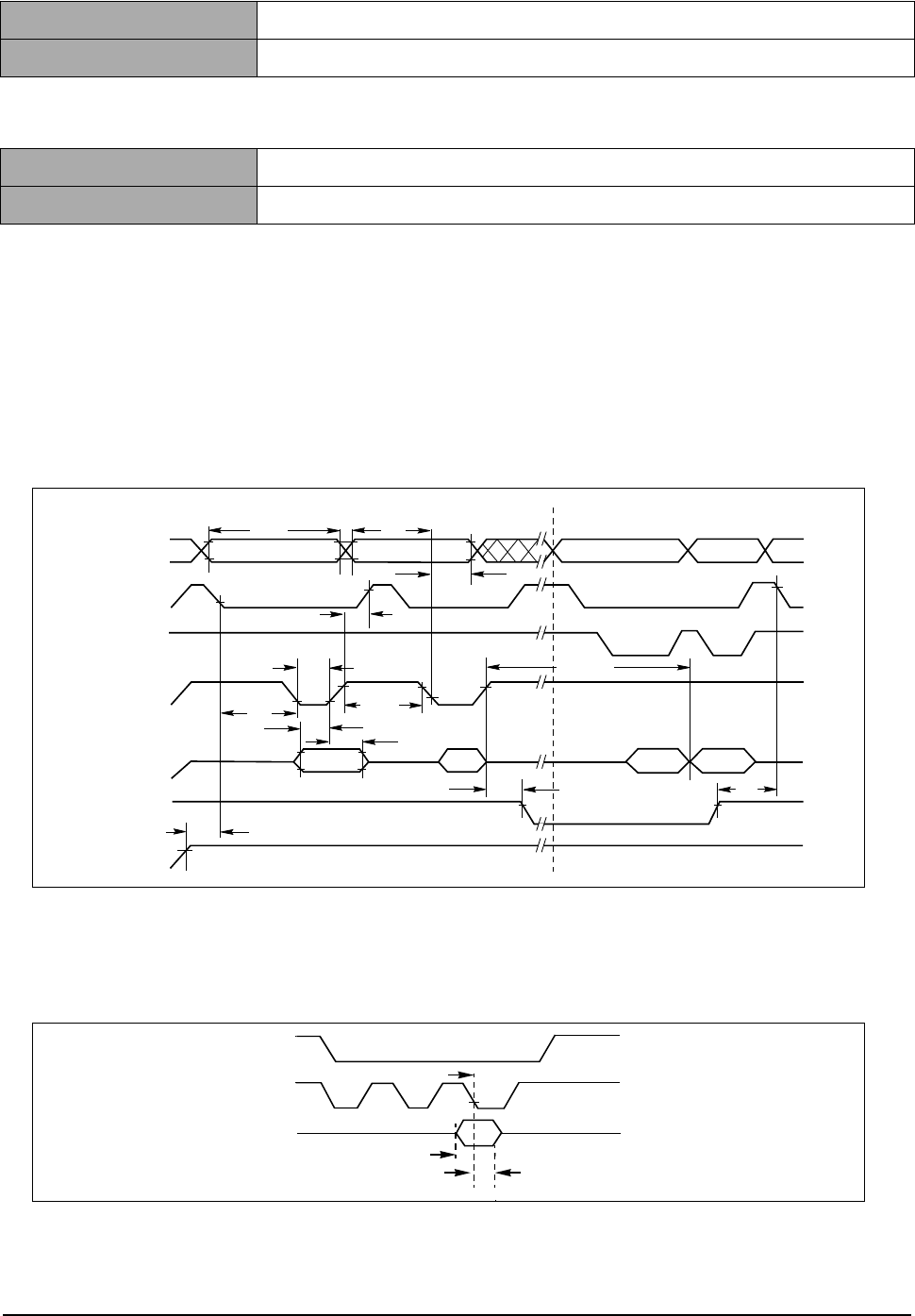
Circuit Description
3-14
Samsung Electronics
3-2-4 PROGRAM ROM (FLASH MEMORY) CONTROL
1) DEVICE
2) PROGRAMMING
3) OPERATING PRINCIPLE
When the RCSO(ROM CHIP SELECT)signal is activated from the CPU after the POWER is ON, it acti-
vates RD SIGNAL and reads the DATA(HIGH/LOW) stored in the FLASH MEMORY to control the overall sys-
tem. The FLASH MEMORY may also write. When turning the power on, press and hold the key(power
switch) for 2 - 3 seconds, then the LED will scroll and the PROGRAM DOWNLOAD MODE will be activated.
In this mode, you can download the program through the parallel port.
AC CHARACTERISTICS
TYPE No.
AM29LV160DB
CAPACITY
4 MBYTE (1MB * 16BITS * 2)
BEFORE ASS’Y
EPROM PROGRAMMER or PROGRAMMING at the factory
AFTER ASS’Y
DOWNLOAD from PC
Notes:
1. PA = program address, PD = program data, D
OUT
is the true data at the program address.
2. Illustration shows device in word mode.
Figure 17. Program Operation Timings
Note: Refer to the Erase/Program Operations table for t
AS
and t
AH
specifications.
Figure 16. BYTE# Timings for Write Operations
OE#
WE#
CE#
V
CC
Data
Addresses
t
DS
t
AH
t
DH
t
WP
PD
t
WHWH1
t
WC
t
AS
t
WPH
t
VCS
555h PA PA
Read Status Data (last two cycles)
A0h
t
CS
Status D
OUT
Program Command Sequence (last two cycles)
RY/BY#
t
RB
t
BUSY
t
CH
PA
CE#
WE#
BYTE
The falling edge of the last WE# signal
t
HOLD
(t
AH
)
t
SET
(t
AS
)
- This Document can not be used without Samsung's authorization -

Circuit Description
Samsung Electronics
3-15
3-2-5 DRAM CONTROL
1) DEVICE
2) OPERATING PRINCIPLE
DRAM can either read or write. The data can be stored in the DRAM only when the power is on. It stores
data white the CPU processes data. The address to read and write the data is specified by RAS SIGNAL
and CAS SIGNAL. DRAMWE*SIGNAL is activated when writing data and DRAMOE*SIGNAL, when read-
ing. You can expand up to 64MBYTE of DRAM in this system.
TYPE NO.
K4S
CAPACITY
16MBYTES (1M * 16BITS * 4Bank * 2)
Start Address ~ End Address Contents
0x00000000 ~ 0x00FFFFFF ROM Bank0
0x01000000 ~ 0x01FFFFFF ROM Bank1
0x02000000 ~ 0x02FFFFFF ROM Bank2
0x03000000 ~ 0x03FFFFFF ROM Bank3
0x04000000 ~ 0x0FFFFFFF Unused
0x10000000 ~ 0x1FFFFFFF Special Function Registers
0x20000000 ~ 0x20FFFFFF I/O Bank0
0x21000000 ~ 0x21FFFFFF I/O Bank1
0x22000000 ~ 0x22FFFFFF I/O Bank2
0x23000000 ~ 0x23FFFFFF I/O Bank3
0x24000000 ~ 0x24FFFFFF I/O Bank4
0x25000000 ~ 0x25FFFFFF I/O Bank5
0x26000000 ~ 0x26FFFFFF DMA I/O Bank0
0x27000000 ~ 0x27FFFFFF DMA I/O Bank1
0x28000000 ~ 0x28FFFFFF DMA I/O Bank2
0x29800000 ~ 0x29FFFFFF DMA I/O Bank3
0x2A000000 ~ 0x2FFFFFFF Unused
0x30000000 ~ 0x30FFFFFF RSH SRAM
0x31000000 ~ 0x31FFFFFF HPVC SRAM
0x32000000 ~ 0x32FFFFFF MOTOR SRAM
0x33000000 ~ 0x37FFFFFF Unused
0x38000000 ~ 0x38FFFFFF USB CSR & FIFO
0x39000000 ~ 0x390003FF USB PLUG DETECT
0x38000500 ~ 0x3FFFFFFF Unused
0x40000000 ~ 0x4FFFFFFF SDRAM array0 (bank 0)
0x50000000 ~ 0x5FFFFFFF SDRAM array1 (bank 1)
0x60000000 ~ 0x6FFFFFFF SDRAM array2 (bank 2)
0x70000000 ~ 0x7FFFFFFF SDRAM array3 (bank 3)
0x80000000 ~ 0xBFFFFFFF SDRAM array0~4 (Mirror)
0xC0000000 ~ 0xC00007FF MAC
0xC0000800 ~ 0xC0FFFFFF Unused
- This Document can not be used without Samsung's authorization -
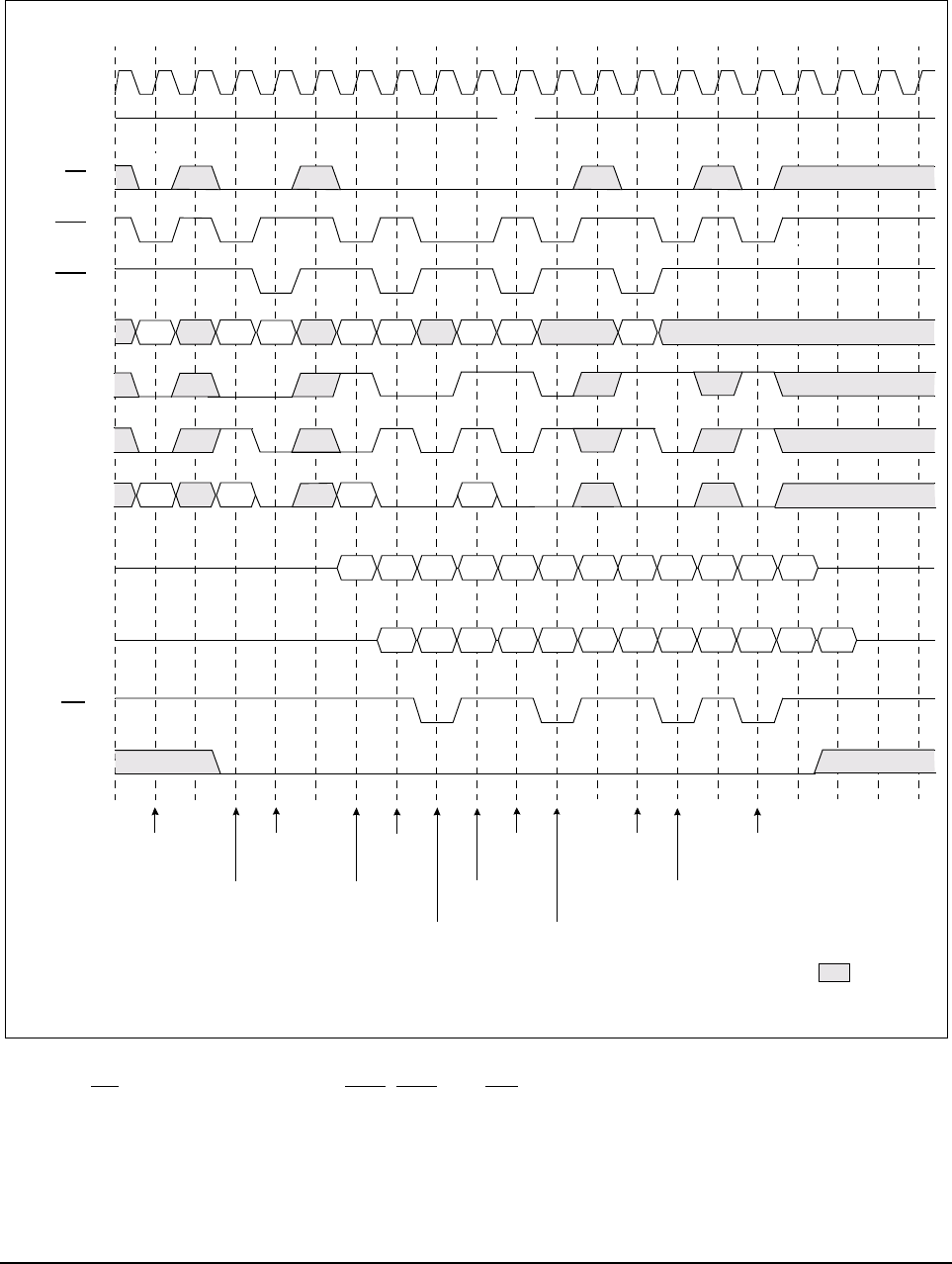
Circuit Description
3-16
Samsung Electronics
3-2-5-1 SDRAM read timing
Basically the Extended Data Out DRAM is similar to Fast Page Mode DRAM. For FPM, the data are valid only
when the nCAS is active while reading the internal data, however, it has a latch that the data will be
continuously outputted even after the nCAS is inactivated.
While configuring the software, you must set the timing register of SFR considering the clock speed and the
DRAM spec.
* Note : 1. CS can be don’t cared when RAS, CAS and WE are hih at the clock high going dege.
2. To interrupt a burst read by row precharge, both the read and the precharge banks must be the
same.
0 1 2 3 4 5 6 7 8 9 10 11 12 13 14 15 16 17 18 19
HIGH
Row Active
(A-Bank)
Read
(A-Bank)
Read
(C-Bank)
Precharge
(B-Bank)
Read
(D-Bank)
: Don’t care
Row Active
(B-Bank)
*Note 2
*Note 1
Row Acive
(C-Bank)
Read
(B-Bank)
Precharge
(A-Bank)
(D-Bank)
Precharge
(C-Bank)
Precharge
(D-Bank)
BA
0
BA
1
A
10
/AP
CL=2
CL=3
DQ
ADDR
CAS
RAS
CS
CKE
CLOCK
WE
DQM
QAa0 QAa1 QAa2 QBb0 QBb1 QBb2 QCc0 QCc1 QCc2 QDd0 QDd1 QDd2
QAa0 QAa1 QAa2 QBb0 QBb1 QBb2 QCc0 QCc1 QCc2 QDd0 QDd1 QDd2
RAa RBb RCc RDd
RAa RBb CAa RCc CBb RDd CCc CDd
- This Document can not be used without Samsung's authorization -
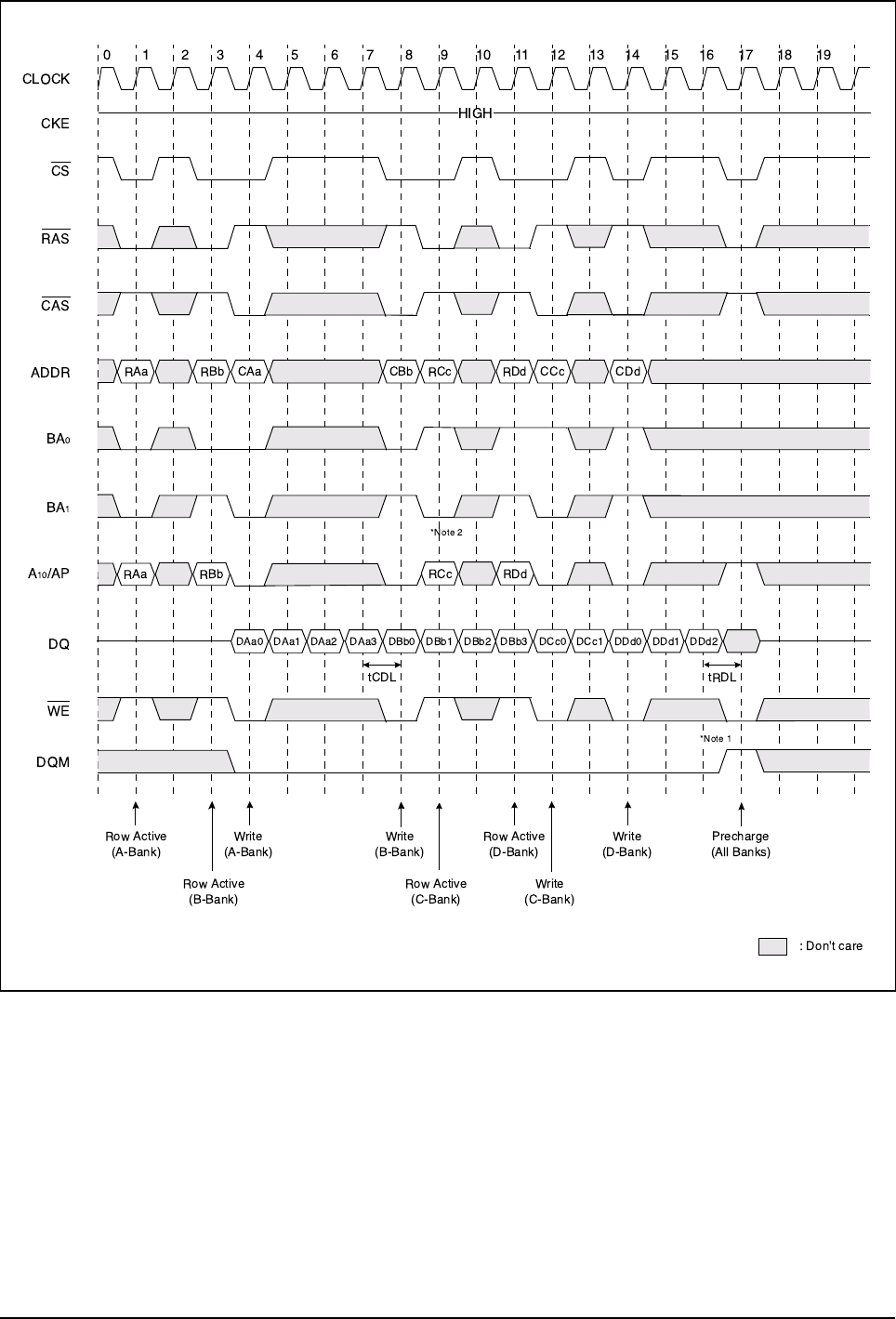
Circuit Description
Samsung Electronics
3-17
3-2-5-2 SDRAM write timing
*Note : 1. To interrupt burst write by Row precharge, DQM should be asserted to mask invalid input data.
2. To interrupt burst wrige by Row precharge, both the write and the prechargebanks must be the
same.
- This Document can not be used without Samsung's authorization -
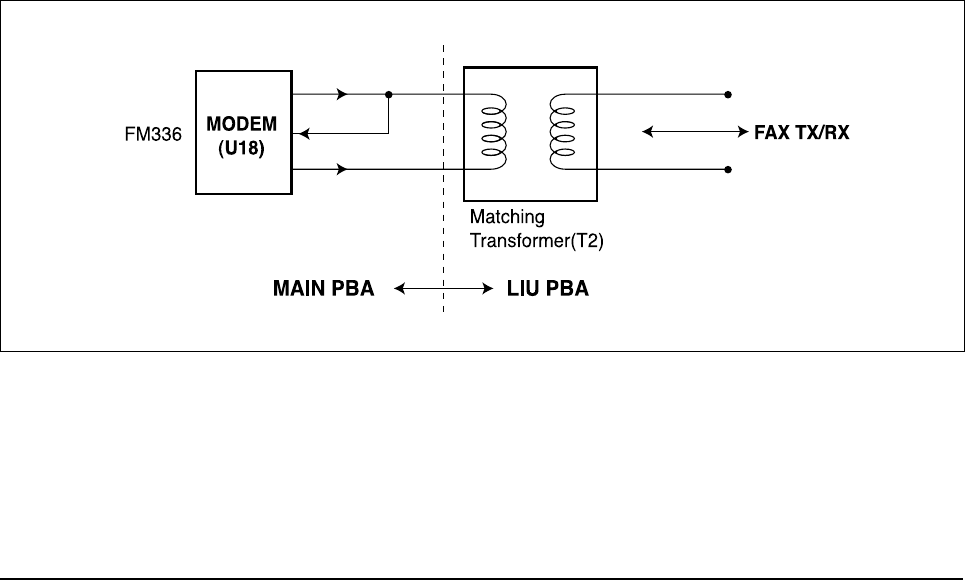
Circuit Description
3-18
Samsung Electronics
3-2-6 FS781 (FREQUENCY ATTENUATOR)
This system used FS741 for the main clock for EMI SUPPRESSION.
It spreads the source clock in a consistent bandwidth to disperse the energy gathered in order to attenuate
the energy.
The capacitor value of the loop filter(PIN 4) is set depending on the source clock used or the spread band-
width. Refer to FS781 Spec. for detail.
3-2-7 USB (Universal Serial Bus)
NS’s USBN9602 is used as the interface IC and 48MHz clock is used.
When the data is received through the USB port, EIRQ1 SIGNAL is activated to send interrupt to CPU,
then it directly sends the data to DRAM by IOCS4*&DRAMA(11) SIGNAL through DRAMD (24;31).
3-2-8 SRAM : 1MByte SRAM K6F1008U2C
It stores a variety of option data.
3-2-9 FAX Transceiver
3-2-9-1. GENERAL
This circuit processes transmission signals of modem and between LIU and modem.
3-2-9-2. modem (u44)
FM336 is a single ship fax modem. It has functions of DTMF detection and DTMF signal production as well as
functioins of modem. TX A1, 2 is transmission output port and RX IN is received data input port. / POR signal
controlled by MFP controller (U3:ARM946ES) can initialize modem (/M_RST) without turning off the system.
D0-D7 are 8-bit data buses. RS0-RS4 signals to select the register in modem chips. /RS and /WR signals con-
trol READ and WRITE respectively. /IRQ is a signal for modem interrupt.
Transmission speed of FM336 is supported up to 33.6k.
The modem is connected to LINE through transformer directly.
< FAX TRANSCEIVER >
- This Document can not be used without Samsung's authorization -
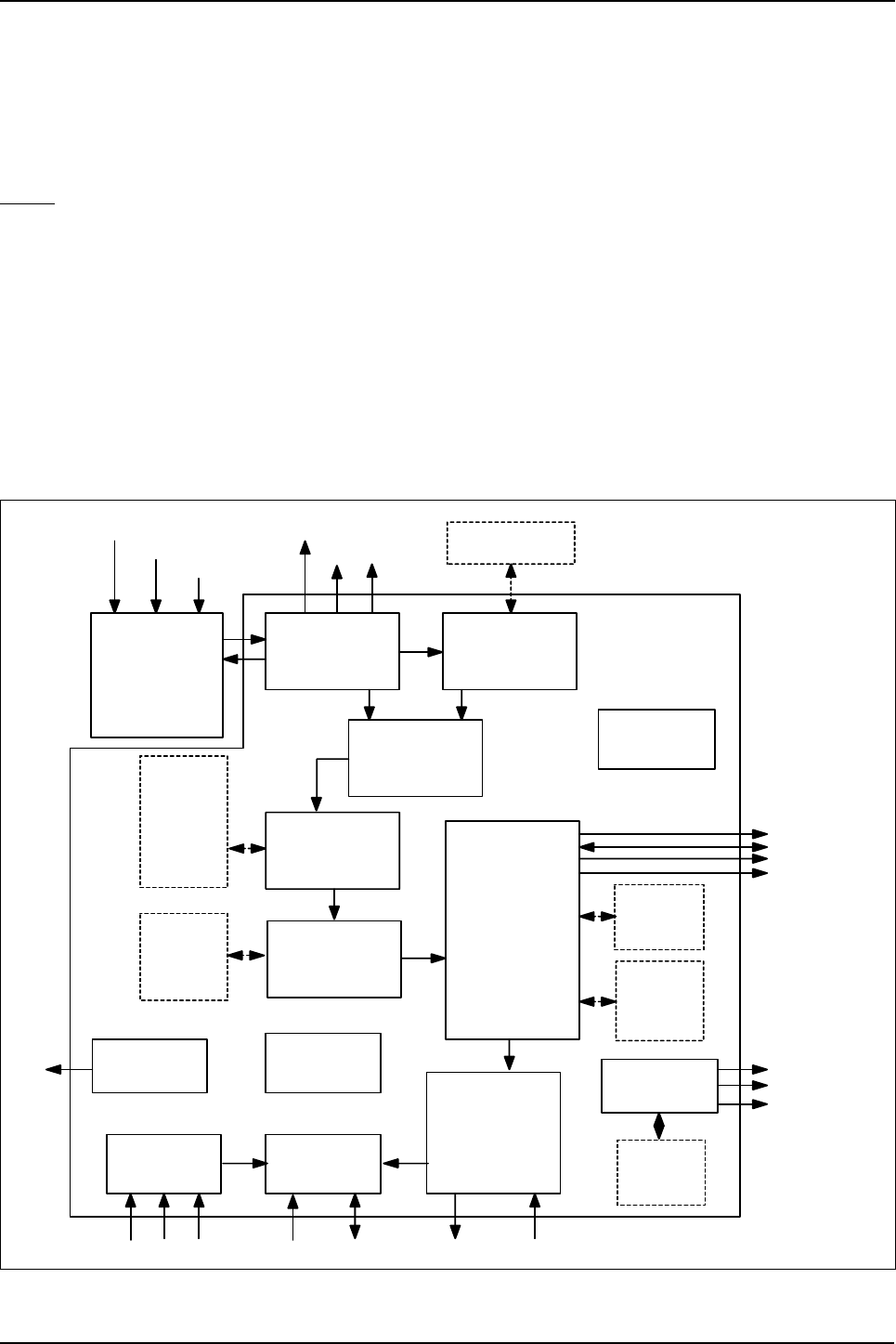
Circuit Description
Samsung Electronics
3-19
3-3 Scanner
3-3-1 SUMMARY
This flat-bed type device to read manuscripts has 600dpi CCD as an image sensor. There is one optical sen-
sor for detecting CCD home position and Scan-end position. The home position is detected by a optical sen-
sor which is attached to the CCD Module. The Scan-end position is calculated by numer of motor step.
CCD
Charge Coupled Device improves productivity and allows a compact design.
This machine uses a color CCD.
• Minimum Scan Line Time for One Color : 2.5mSec
• Light Source Power : +18V
• Maximum Pixel frequency : 10MHz
• Effective Sensor Element : 5340 X 3
• Clamp Level : 0.7~ 0.8V
• Bright Output : MIN 0.8V
IRQ
12-bit
A
AFE_CIP4
/ D converter
Shading
Correction
Enlargemen t
/ Redu ction
SRA M
8192x8
(2line)
Image
Processing
Mo dule
DMA
Int e rf a c e
CIP4
Register
CPU I/F
Mod ule
Vp eak
Contro l Mo to r
Con tro l
AIN
AD C_REF T
ADC_REFB
PI_TG
PI 1
Gamma
Correction
SRAM_A[ 15:0]
SRAM_D[ 15: 0]
SRA M_n RD
SRA M_n WR
A [ 5 : 0] D [ 15 : 0]nCS nRD n WR n XDREQ n XDACK
TX_A, B
nTX_A, B
TX_EN1, EN2
Sensor
Int e rf ac e
Shading
Acqu isitio n
SRA M
1024x8
(R/G/B)
SRAM
4 09 6 x16
(2 line )
SRA M
256 x8
PI 2 EXT SRAM
Interrupt
Cont ro l
Vertical
Decimation
SRA M
1 024 x8
<Block Diagram>
- This Document can not be used without Samsung's authorization -

Circuit Description
3-20
Samsung Electronics
3-3-2 Key Features
Overview
(1) 0.5µm C-MOS process(TLM), 208-PIN QFP, STD85 library
(2) Frequency : Max PLL 80 MHz
(3) On-Chip oscillator
(4) Method : Raster scanning method
(5) Image Sauce : 300/400/600dpi CIS & CCD
(6) Scanning Mode
• color gray image: each 8 bits / RGB
• mono gray image: 8 bits / pixel
• binary image: 1 bit / pixel (for text/phoot/mixed mode)
(7) Maximum scanning width : A3, 600dpi (8K effective pixels)
(8) Ideal MSLT (A4, 600/300dpi)
• color gray image: 3x5Kx80nsec = 1.2msec (7/28 CPM)
• mono gray image: 1x5Kx80nsec = 0.4msec (21/84 CPM)
• binary image: 1x5Kx80nsec = 0.4msec (21/84 CPM)
(9) A/D conversion depth : 12bits
Pixel processing structure
• Minimum pixel processing time : 4 system clocks
• High speed pipelined processing method
(Shading correction, Gamma correction, Enlargement/Reducement, and Binarization)
Shading Correction
(1) White shading correction support for each R/G/B
(2) White shading data memory : 3x8Kx12bits = 288Kbits
384Kbits (external)
(3) Black shading data memory : 3x8Kx12bits = 288Kbits
384Kbits (external)
Gamma Correction
(1) Independent Gamma table for each RGB component
(2) Gamma table data memory : 3x1Kx8bits = 24Kbits (internal)
Binarization (mono)
(1) 256 Gray’s halftone representation for Photo document : 3x5 EDF(Error DifFusion) method proposed by
Stucki.
(2) LAT(Local Adaptive Thresholding) for Text document :
• use of 5x5 LOCAL WINDOW (TIP ALGORITHM)
• ABC(Automatic Background Control) :Tmin Automatic change
(3) Mixed mode processing for text/photo mixed document
(4) EDF data memory : 2x4Kx16bits = 128Kbits (internal)
(5) LAT data memory : 4x4Kx16bits = 256Kbits (external)
Scaling of input image
(1) Scaling factor
• Horizontal direction: 25 ~ 800% by 1% unit
• Vertical direction: 25 ~ 100% by 1% unit
(2) Scaling data memory : 2x8Kx8bits = 128Kbits (internal)
- This Document can not be used without Samsung's authorization -
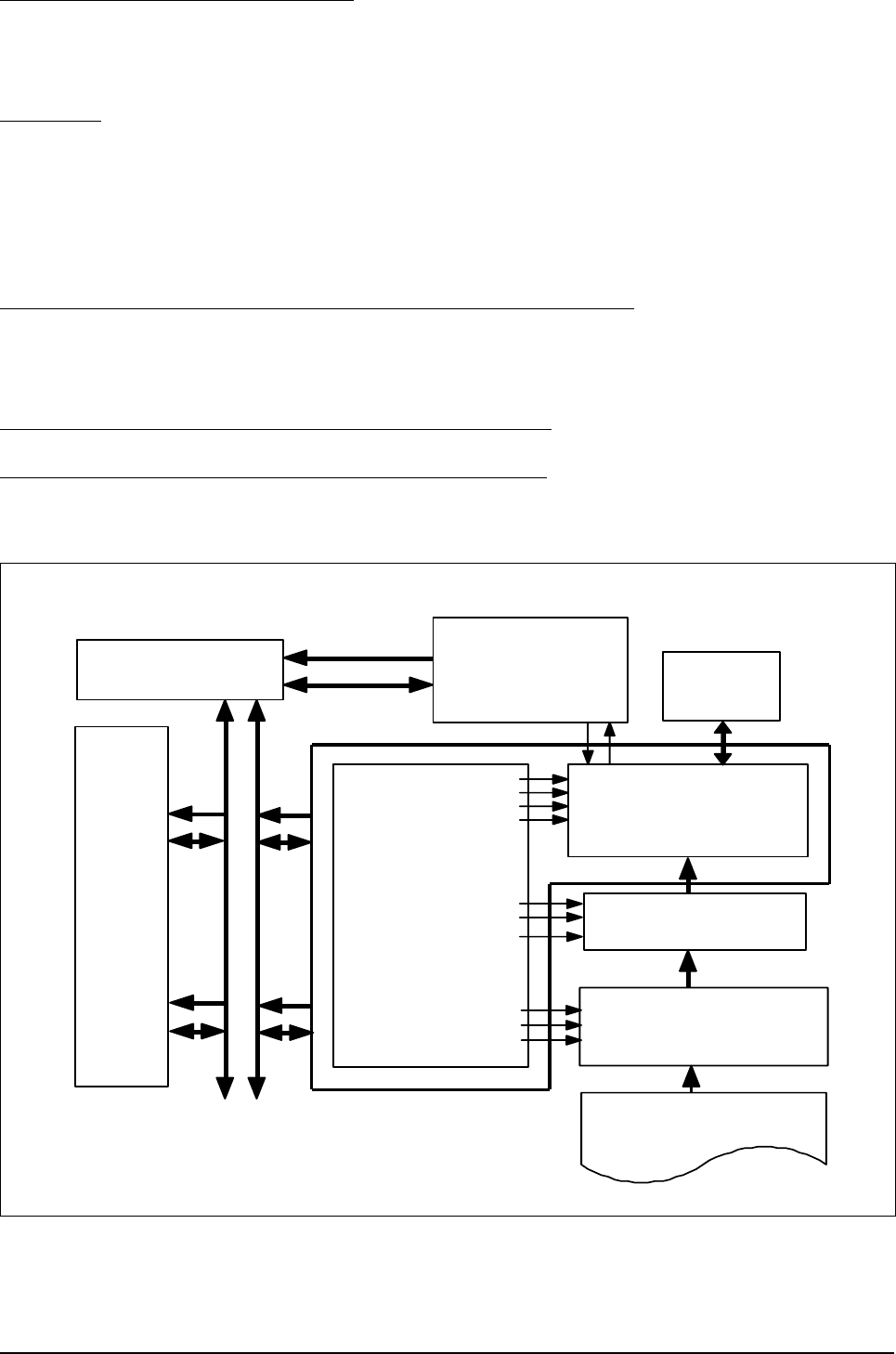
Circuit Description
Samsung Electronics
3-21
Intelligent scan motor controlloer
(1) Automatic acceleration/deceleration/uniform velocity
(2) Data memory : 256x16bits = 4Kbits (internal)
Auto-Run
Automatic CLK_LINE (line processing start control) and •’TG (line scan start control) signal generation|
(1)Available resynchronization of øTG signal
(2) programmable øTG’s period & CLK_LINE’s occurrence number
Processed data output format in DTM(Data Transfer Module)
(1)DMA mode : Burst/On-demand mode
(2) CDIP I/F : LINE_SYNC, PIXEL_SYSNC, PIXEL_DATA[7:0]
36 General Purpose Input/Output : 8(GPO), 28(GPIO)
Black/White reversion, and Image Mirroring support
CPU
DMA Controller
(SPGPm
SPGPm
)
DATA- BUS
Scanner
DOCUMENT IMAGE
Ana log Signal
T
R
D
M
A
_
R
E
Q
Image
Processor
T
R
D
M
A
_
A
C
K
Scan/Motor
Driver
PI_TG
ADC _CLK
LINE_PERIOD
CLK_PIX
CLK_LINE
Tx_A, Tx_B,
nTx_A, nTx_B
DATA MEMORY
1M bit
SRAM
ADD R BUS
DATA BUS
AFE
CD S2 _CLK
AFE Co ntro l
Signal
PI1, PI2
12b it ADC
12 b it (R/ G/ B)
IW IN
CIP4
DATA- BUS
ADD R- BUS ADDR- BUS
<External interfce with CIP4>
- This Document can not be used without Samsung's authorization -
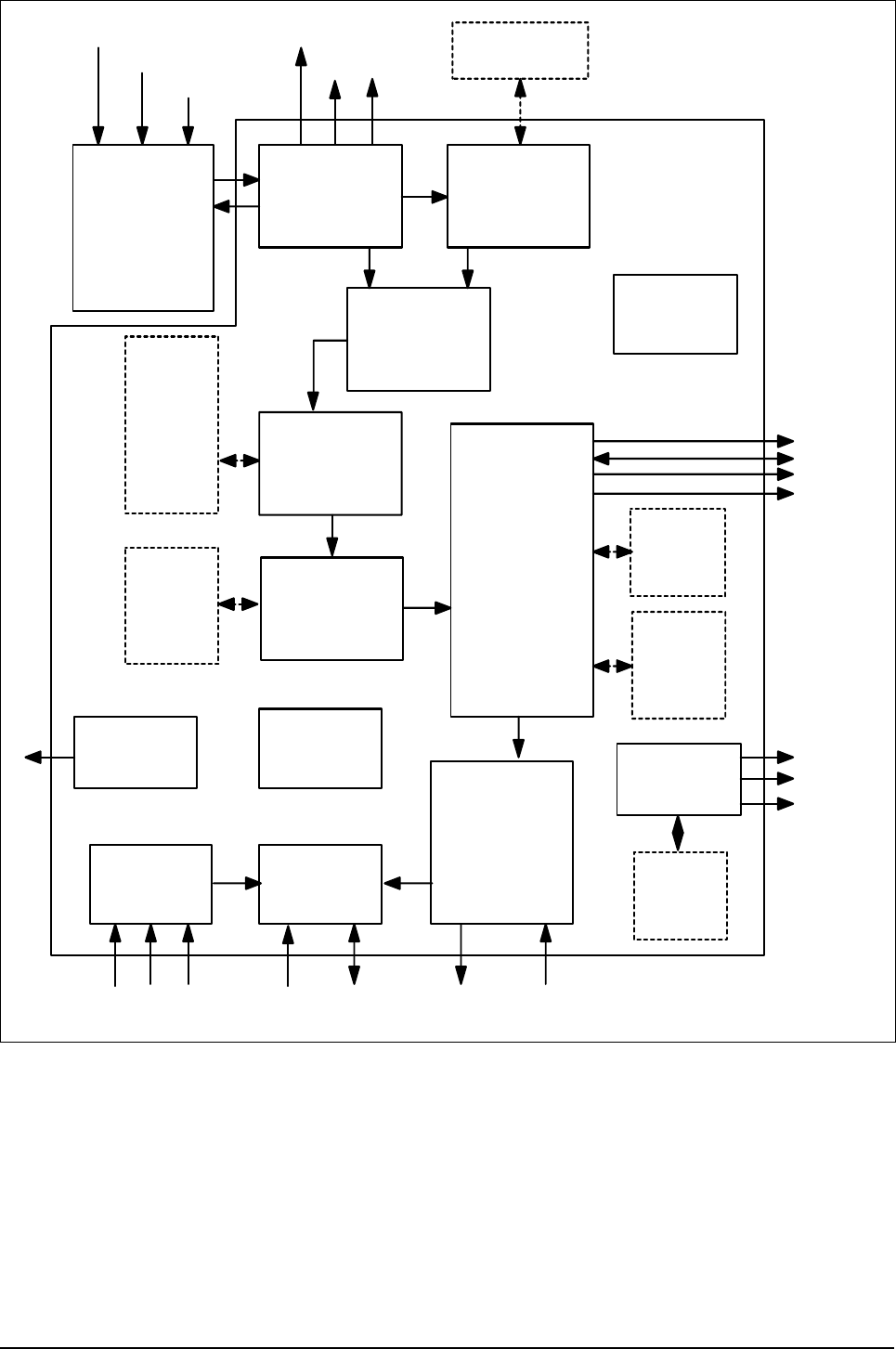
Circuit Description
3-22
Samsung Electronics
IRQ
12-bit
A
AFE_CIP4
/ D converter
Shading
Correction
Enlargement
/ Redu ction
SRA M
8192x8
(2line)
Image
Processing
Mo dule
DMA
Int erf ac e
CIP4
Register
CPU I/F
Mod ule
Vp ea k
Contro l Mo to r
Con tro l
AIN
AD C_ REF T
ADC_REFB
PI_TG
PI 1
Gamma
Correction
SRAM_A[ 15:0]
SRAM_D[ 15: 0]
SRA M_ nRD
SRA M_ nWR
A [ 5 : 0] D [ 15 : 0]nCS nRD n WR n XDREQ nXDACK
TX_A, B
nTX_A, B
TX_EN1, EN2
Sensor
Int erf ac e
Shading
Acqu isitio n
SRA M
1024x8
(R/G/B)
SRAM
4 09 6 x16
(2 line )
SRA M
256 x8
PI 2 EXT SRAM
Interrupt
Contro l
Vertical
Decimation
SRA M
1 024 x8
<Block diagram of CIP4>
- This Document can not be used without Samsung's authorization -
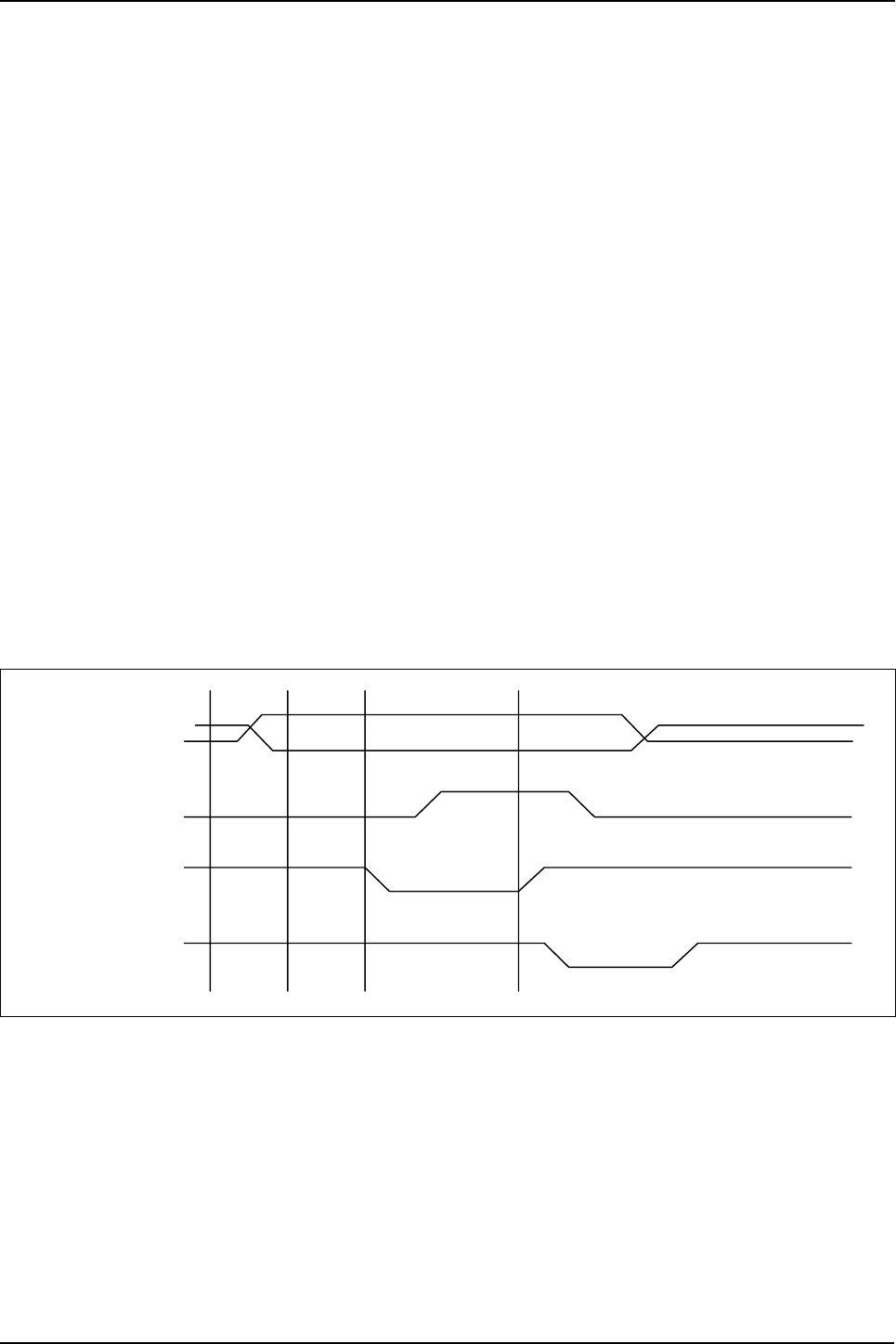
Circuit Description
Samsung Electronics
3-23
3-4 HOST INTERFACE:
Referred to IEEE 1284 standard.
3-4-1. Host Interface
PARALLEL PORT INTERFACE PART ARM946ES has the Parallel Port Interface Part that enables Parallel
Interface with PC. This part is connected to PC through Centronics connector. It generates major control
signals that are used to actuate parallel communication. It is comprised of/ERROR, PE, BUSY, /ACK,
SLCT, /INIT, /SLCTIN, /AUTOFD and /STB. This part and the PC data transmission method support the
method specified in IEEE P1283 Parallel Port Standard (http://www.fapo.com/ieee1284.html). In other
words, it supports both compatibility mode (basic print data transmitting method), the nibble mode
(4bit data; supports data uploading to PC) and ECP (enhanced capabilities port: 8bits data - high speed
two-way data transmission with PC). Compatibility mode is generally referred to as the Centronics mode
and this is the protocol used by most PC to transmit data to the printer. ECP mode is an improved pro-
tocol for the communication between PC and peripherals such as printer and scanner, and it provides
high speed two-way data communication. ECP mode provides two cycles in the two-way data transmis-
sion; data cycle and command cycle. The command cycle has two formats; Run-Length Count and Chan-
nel Addressing. RLE (Run-Length Count) has high compression rate (64x) and it allows real-time data
compression that it is useful for the printer and scanner that need to transmit large raster image that has a
series of same data. Channel Addressing was designed to address multiple devices with single struc-
ture. For example, like this system, when the fax/printer/scanner have one structure, the parallel port can be
used for other purposes while the printer image is being processed.This system uses RLE for high speed
data transmission. PC control signals and data send/receive tasks such as PC data printing, high speed
uploading of scanned data to PC, upload/download of the fax data to send or receive and monitoring the sys-
tem control signal and overall system from PC are all processed through this part.
PPD( 7: 0)
nSTROBE
BUSY
nACK
DATA
<Compatibility Hardware Handshaking Timing>
- This Document can not be used without Samsung's authorization -
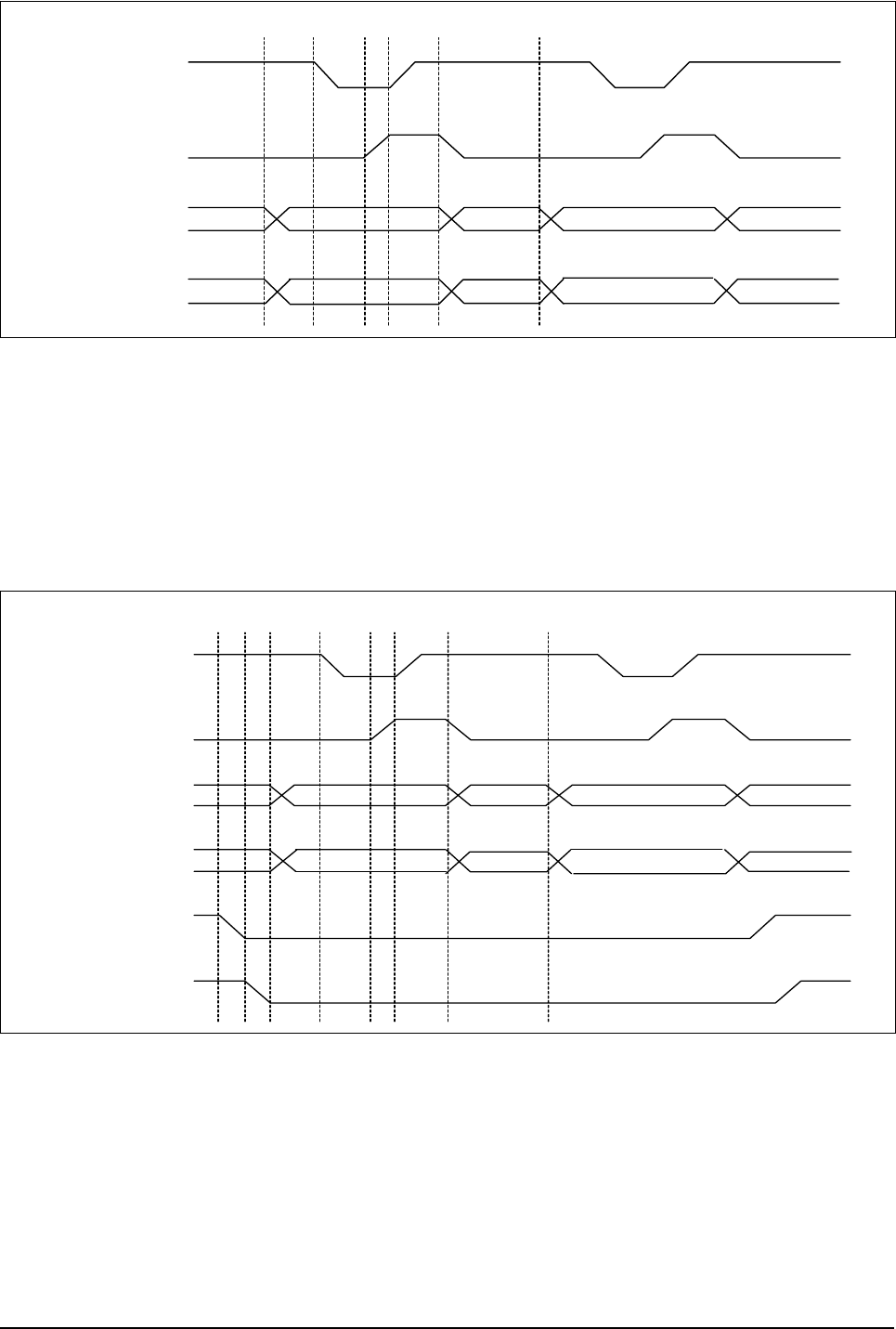
Circuit Description
3-24
Samsung Electronics
PPD( 7: 0)
nAUTOFD
nSTROBE
BUSY
BYTE0 BYTE1
COMMAND BYTE
DATA BYTE
12345 6
<ECP Hardware Handshaking Timing (forward) >
1. The host places data on the data lines and indicates a data cycle by setting nAUTOFD
2. Host asserts nSTROBE low to indicate valid data
3. Peripheral acknowledhes host by setting BUSY high
4. Host sets nSTROBE high. This is the edge that should be used to clock the data into the Peripheral
5. Peripheral sets BUSY low to indicate that it is ready for the next byte
6. The cycle repeats, but this time it is a command cycle because nAUTOFD is low
PPD(7:0)
BUSY
nACK
nAUTOFD
BYTE0 BYTE1
COMMAND BYTE
DATA BYTE
12 3 4 56
nINIT
PE
78
<ECP Hardware Handshaking Timing (forward)
1. The host request a reverse channel transfer by setting nINIT low
2. The peripheral signals that it is OK to proceed by setting PE low
3. The peripheral places data on the data lines and indicates a data cycle by setting BUSY high
4. Peripheral asserts nACK low to indicate valid data
5. Host acknow ledges by setting nAUTOFD high
6. Peipheral sets nACK high. This is the edge that should be used to clock the data into the host
7. Host sets nAUTOFD low to indicate that it is ready for the next byte
8. The cycle repeats, but this time it is a command cycle because BUSY is low
- This Document can not be used without Samsung's authorization -
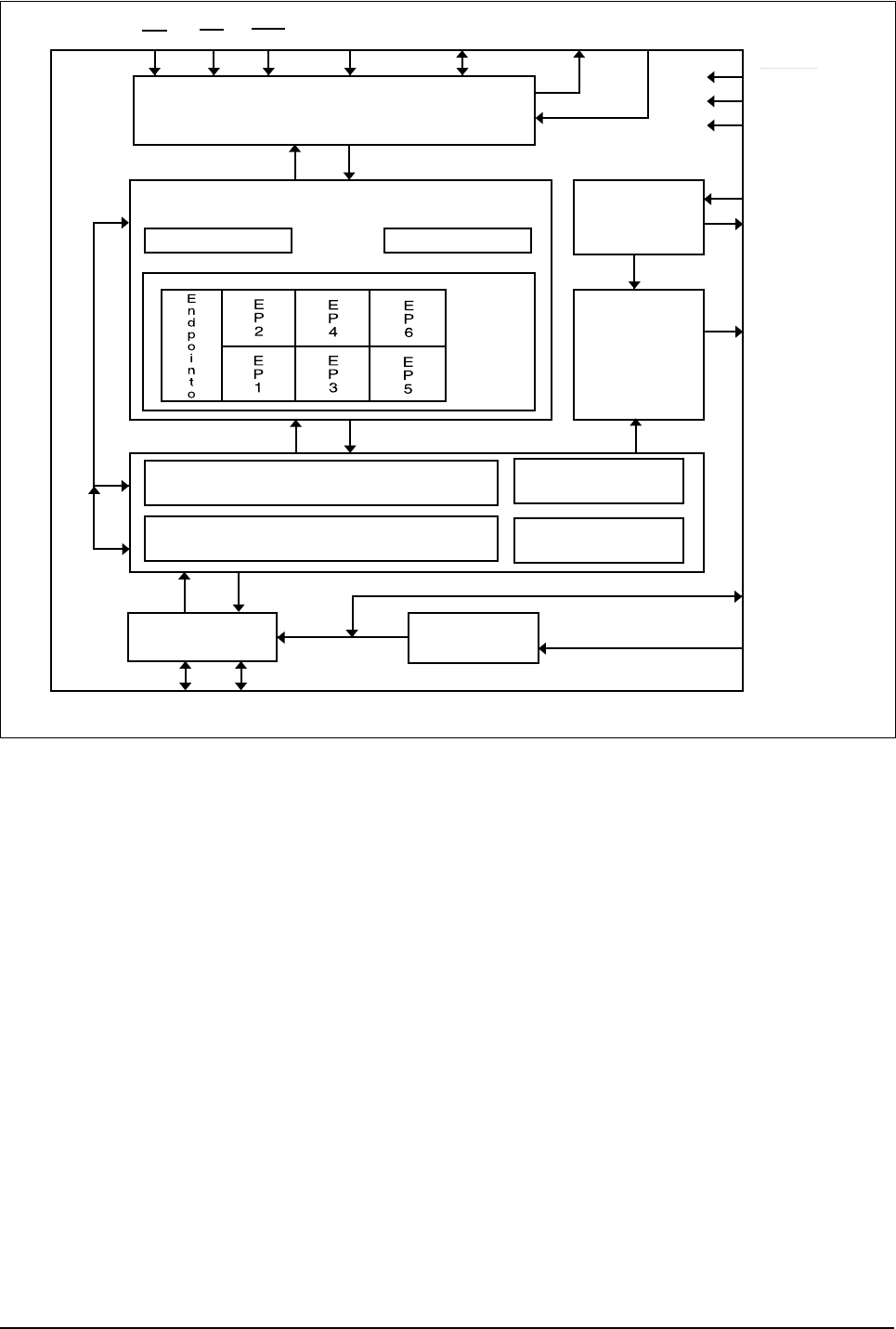
Circuit Description
Samsung Electronics
3-25
3-4-2 USB INTERFACE
CS RD VVR A0/ALE D[7:0]/AD[7:0] INTR MODE[1:0]
Microcontroller Interface
Endpoint/Contol FIFOs
Control Status
RX
TX
RESET
Vcc
GND
XIN
XOUT
CLKOUT
48 MHz
Oscillator
Clock
Generator
SIE
Media Access Controller[MAC]
Physical Layer interface[PHY]
Trans ceiver VReg
Clock
Recovery
USB Event
Detect
V3.3
AGND
D+ D- Upstream Port
3-4-2-1 Features
• Full-Speed USB Node Device
• USB transceiver
• 3.3V signal voltage regulator
• 48 MHz oscillator circuit
• Programmable clock generator
• Serial Interface Engine consisting of Physical Layer In-terface (PHY) and Media
• Access Controller (MAC), USB Specification 1.0 compliant
• Control/Status Register File
• USB Function Controller with seven FIFO-based End-points :
• One bidirectional Control Endpoint 0 (8bytes)
- Three Transmit Endpoints (2*32 and 1*64 bytes)
• Three Receive Endpoints (2*32 and 1*64 bytes)
• 8-bit parallel interface with two selectable modes :
- non-multoplexed
• multiplexed (Intel compatible)
• DMA support for parallel interface
• MICROWIRE/PLUS Interface
• 28-pin SO package
- This Document can not be used without Samsung's authorization -
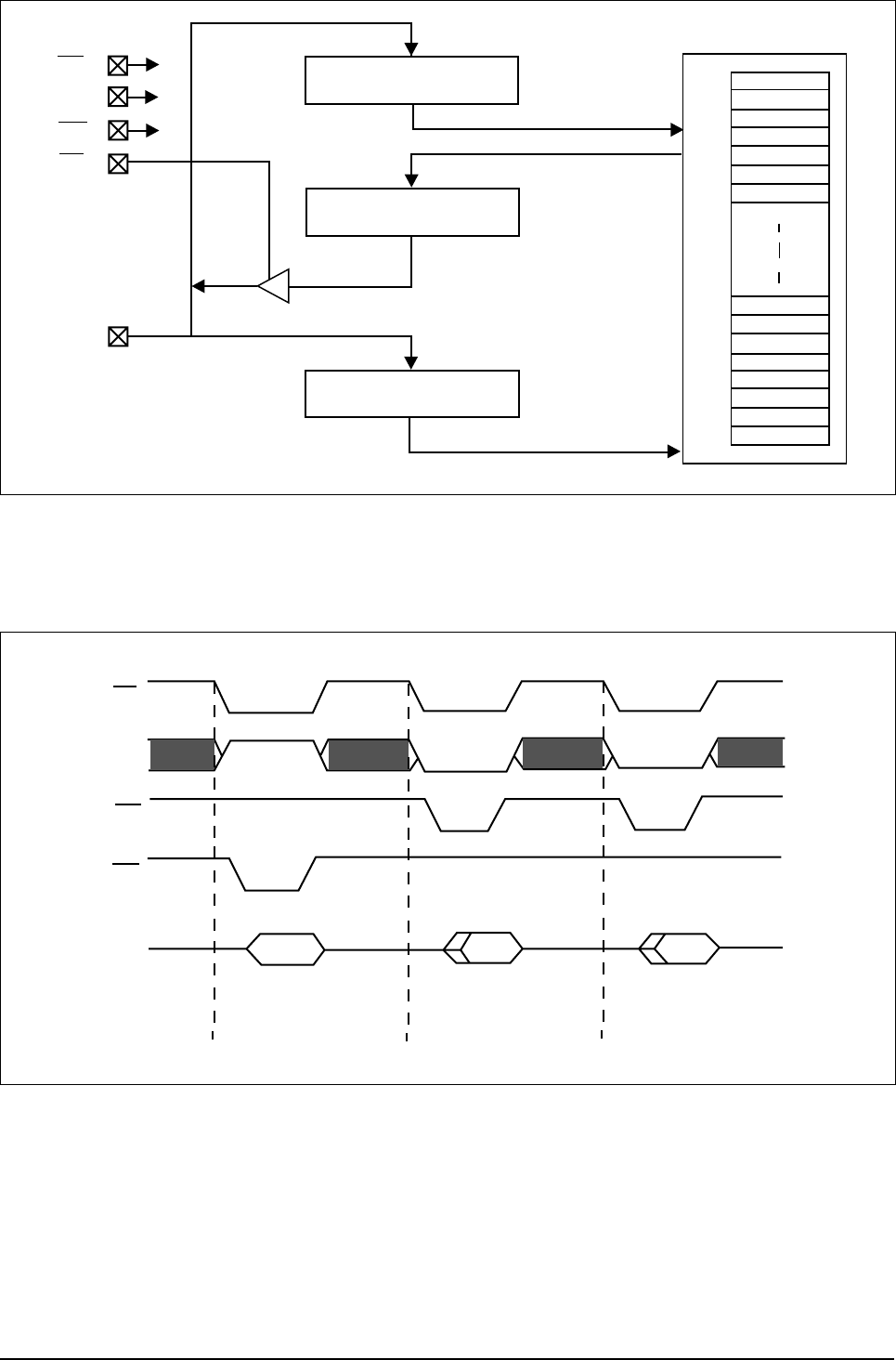
Circuit Description
3-26 Samsung Electronics
CS
A0
VVR
RD
D[7:0]
DATA_IN
DATA_OUT
ADDR
DATA_IN
DATA_OUT
ADDRESS
0x00
0x3F
REGISTERFILE
<Non-Multiplexed Mode Interface Block Diagram>
cs
A0
RD
VVR
D[7:0] input out
vvrte Address Read Data
out
Burst Read Data
<Non-Multiplexed Mode Basic Timing Diagram>
- This Document can not be used without Samsung's authorization -

Circuit Description
Samsung Electronics 3-27
3-5 Engine Controller
3-5-1. Fuser Control / Thermistor Circuit
This circuit controls the heat lamp temperature to fix the transferred toner on the paper. It is comprised of the
thermistor that has the negative resistance against the temperature and LM393 (voltage comparator) and
transistor for switching.
The thermistor has the resistance value reverse proportional to the heat lamp surface temperature. The volt-
age value is read by #60 pin(AVIN2) of CPU refering to the parallel combined resistance with the resis-
tor(R43) connected parallel to it and the voltage distribution of R29. The voltage read activates (inactivates)
‘fuser’ signal to high (or low) referring to the set temperature and when the ‘fuseron’ signal turns down(high)
to low(high) by Q3 switching, the S21ME4 inside SMPS (PC3) turns on(off) and this eventually turns two-way
thyristor(SY1) on(off) to allow(shut) AC voltage to the heat lamp.
LM393 is a H/W designed to protect the system when the software heat lamp control does not run normal.
When the thermistor temperature goes up to 210°C, #1 pin’s level (LM393) will turn low to turn the ‘fuseron’
signal to high. (forcefully shuts off Q3)In other words LM393 shuts off the heat lamp forcefully.
3-5-2. Paper Sensing Circuit
1) Cover Open Sensing
Cover Open Sensor is located on the right rear side of the printer. In case the right cover is open, it
shuts +5V (LSU laser unit) and +24V(main motor, polygon motor of fixer LSU and HVPS) that are
supplied to each unit. It detects the cover opening through CPU. In this case, the red LED of the
OP Panel LED will turn on.
2) Paper Empty Sensing
The paper empty sensor (photo interruptor), located inside bottom of the bin cassette detects paper
with the actuator connected to it and informs the CPU of whether there is paper. When there is no
paper in the cassette, the red LED of the OP panel LED will turn on to tell the user to fill the cassette
with papers.
3) Paper Feeding When the paper is fed into the set and passes through the actuator of the feed sensor
unit, transistor inside the photo interrupter will turn on, ‘nFEED’ signal will turn low and inform CPU that
the paper is currently fed into the system. CPU detects this signal and sprays video data after certain
time (related to paper adjustment). If the paper does not hit the feed sensor within certain time, CPU
detects this and informs as “Paper Jam0” (red LED on the OP panel will turn on).
4) Paper Exit Sensing
The system detects the paper going out of the set with the exit sensor assembled to the actuator
attached to the frame. If CPU does not turn back high a while after the paper hits the exit sensor, CPU
detects this and inform as “Paper Jam2” (red LEDs on the OP panel will turn on).
- This Document can not be used without Samsung's authorization -

Circuit Description
3-28 Samsung Electronics
3-5-3. LSU Circuit
1) Polygon Motor Unit (actuated by +24V)
The polygon motor inside LSU rotates by the ‘PMOTOR’ signal. When it reaches the motor constant
velocity section through the initial transient (transient response) section, it sends the ‘nLREADY’ signal
to the CPU.
The ‘clock’ pin is the pin that receives clock of the required frequency when LSU uses external CLK as
the motor rotational frequency. Currently the external clock circuit is located in the HVPS and 1686Hz
= 6.9083MHz (crystal frequency)÷212(74HC4060N IC), is used as the rotational frequency of the
polygon motor.
2) Laser Unit (actuated by +5V)
After laser is turned on by ‘nLD_ON’ signal, it is reflected by 6 mirrors (polygon mirror) attached to
the polygon motor and performs scan in horizontal way.When the laser beam hits the corner of the
polygon mirror, it generates ‘nHSYNC’ signal (pulse) and the CPU forms the left margin of the image
using this signal (horizontal synchronous signal).
3-5-4. Fan/Solenoid Actuation Circuit
The fan actuation circuit its power using NPN TR. When it receives ‘FAN’ signal from the CPU. The TR will turn
on to make the voltage supplied to the fan to 24V in order to actuate the fan.
The solenoid is actuated in the same way. When it receives control signal from the CPU, the solenoid for
paper feeding is actuated by switching circuit.
D29(1N4003) diode is applied to the both ends of the output terminal to protect Q22(KSC1008-Y) from
noise pulse induced while the solenoid is de-energized.
3-5-5. PTL Actuation Circuit
PTL actuation circuit switches its power using NPN TR.
3-5-6. Motor Actuation Circuit
Motor actuation circuit is determined while selecting the initial driver IC (provided by the vendor). This sys-
tem uses TEA3718(U57, U58), A2918(U59)’s motor driver IC. However, the sensing resistance (R273, R274,
R292, R293) and reference resistance (R284, R289, R294, R295) can vary depending on the motor actua-
tion current value.
It receives motor enable signal (2 phase) from CPU and generates bipolar pulse (constant-current) and
sends its output to stepping motor input.
- This Document can not be used without Samsung's authorization -
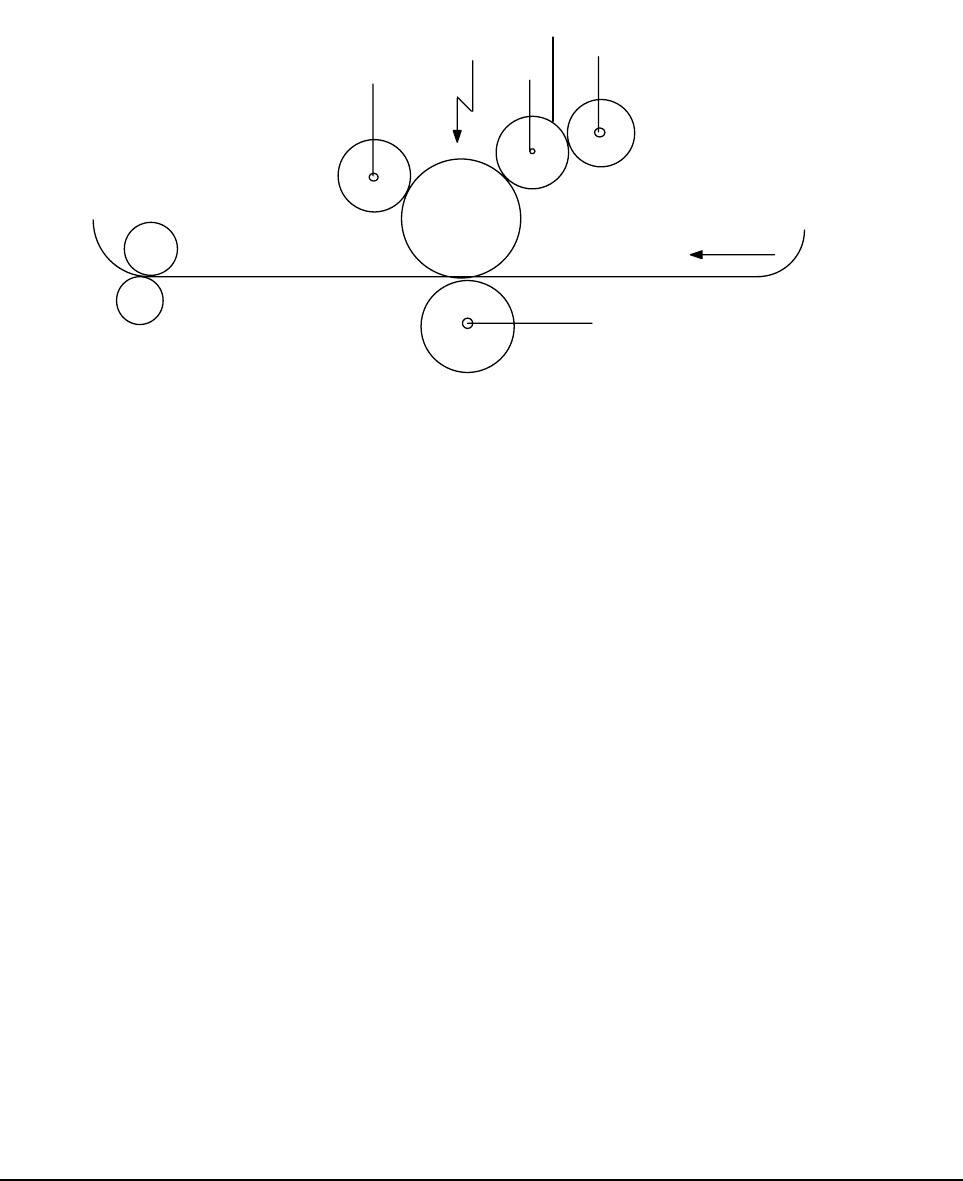
Circuit Description
Samsung Electronics 3-29
3-5-7. High Voltage Power Supply
3-5-7-1. Summary
It is the high voltage power supply that has DC+24V/DC+5V (used for the image forming device in OA dig-
ital picture developing method) as the rated inputs. It supplies electrifying voltage (MHV), supply voltage
(SUPPLY), developing voltage (DEV), blade voltage(BLADE) and transferring voltage (THV).
Each high voltage supply shows the voltage required in each digital picture process.
3-5-7-2. Digital Picture Process
Digital picture developing method is widely used by copy machine, laser beam printer and fax paper.
The process is comprised of electrification, exposure, develop, transfer and fixing.
First, in the electrification process, retain constant charge at approx. -900V for the electric potential on the
OPC surface by electrifying OPC drum at approx. -1.4KV through the electrification roller.
The electrified surface of OPC is exposed responding to the video data by the LSU that received print com-
mand due to rotation. The unexposed non-video section will retain the original electric potential of -900V, but
the electric potential of the image area exposed by LSU will be approx. -180V that it will form the electro-
static latent image. The surface of the photo-conductive drum where the electrostatic latent image is
formed reaches the developer as the drum rotates. Then the electrostatic latent image formed on the OPC
drum is developed by the toner supplied to the developing roller by supplying roller and it is transformed into
visible image. It is the process to change the afterimage on the OPC drum surface formed by LSU into visi-
ble image by the toner particles.
While the supply roller energized with -450V by HVPS and the developer roller energized with -300V
rotate in the same direction, it keeps the toner particles between two rollers supplied to OPC drum in nega-
tive state by the friction between two rollers.
The toner supplied to the developer roller is biased to bias electric potential by the developer roller and
transferred to the developing area. After (-) toner is attached to the developer roller, it will move to the exposed
high electric potential surface (-180V) rather than to the unexposed low electric potential surface (-900V) of
the developer roller and OPC drum. Eventually the toner will not settle in the low electric potential surface to
form the visible image.
Later, the OPC drum continues to rotate and reaches to transfer location in order to accomplish the transfer
process.
This process transfers the (-)toner on the transfer roller to the printing paper by the transfer roller. The (-
)toner attached to the OPC drum will be energized to hundreds to thousands of the (+)transfer voltage by
HVPS. The (+)electrostatic force of the transfer roller generated has higher adhesiveness than the (-)toner
OPC drum and thus it moves to the surface of the paper passing through the transfer roller.
The toner transferred to the paper with weak electrostatic force is fixed to the paper by the pressure and heat
of the fixer composed of pressure roller and heat roller.
The toner attached to the paper is melted by applying the heat (approx. 180°C) from the heat roller and the
pressure (approx. 4kg) from the pressure roller. After the fixing process, the paper is sent out of the set to
finish the printing process.
HEAT ROLLER
PRESSURE ROLLER
MHV
LSU DEV
BLADE
SUPPLY
THV
SUPPLY ROLLER
DEVELOPER ROLLER
DIRECTION OF PAPER
ELECTRIFICATION
ROLLER
TRANSFER ROLLER
- This Document can not be used without Samsung's authorization -
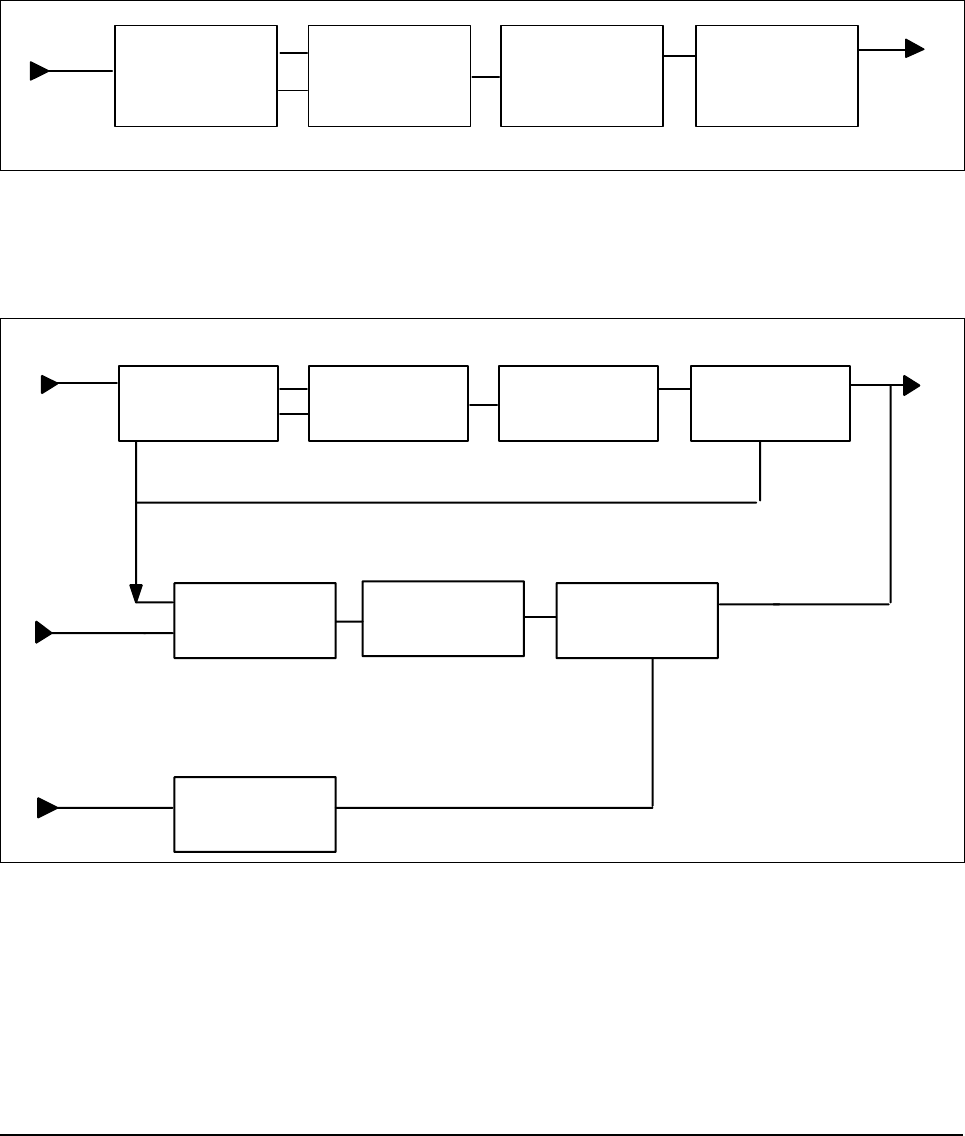
Circuit Description
3-30 Samsung Electronics
3-5-7-3. Organization of the Device
HVPS is comprised of electrification output unit, bias output unit and transfer output unit.
1) Input Unit
2) Electrification Output (Enable) Unit: MHV (Main High Voltage)
3) Bias Output (Enable) Unit: DEV (Development Voltage)/Supply(Supply Voltage)/BLADE(Blade Voltage)
4) Transfer ‘+’ Output (Enable) Unit: THV(+)(Transfer High Voltage(+))
5) Transfer ‘-’ Output (Enable) Unit: THV(-)(Transfer High Voltage(-))
6) Switching Unit
7) Feedback Unit
8) Regulation Unit
9) Output Unit
SWITCHING
CONTROL UNIT
TRANS
MHV-PWM
MHV
REGULATION
CIRCUIT
OUTPUT
CIRCUIT
<Electrification Unit Block-Diagram>
FEEDBACK
THVPWM
THVEA
THVREAD
PWM
CONTROL UNIT SWITCHING
CONTROL UNIT TRANS
SWITCHING
CONTROL UNIT TRANS
FEED BACK
THV
REGULATION
CIRCUIT
REGULATION
CIRCUIT
THV
ENVIRONMENT
RECOGNITION
CIRCUIT
<Transfer Output Unit Block Diagram>
- This Document can not be used without Samsung's authorization -
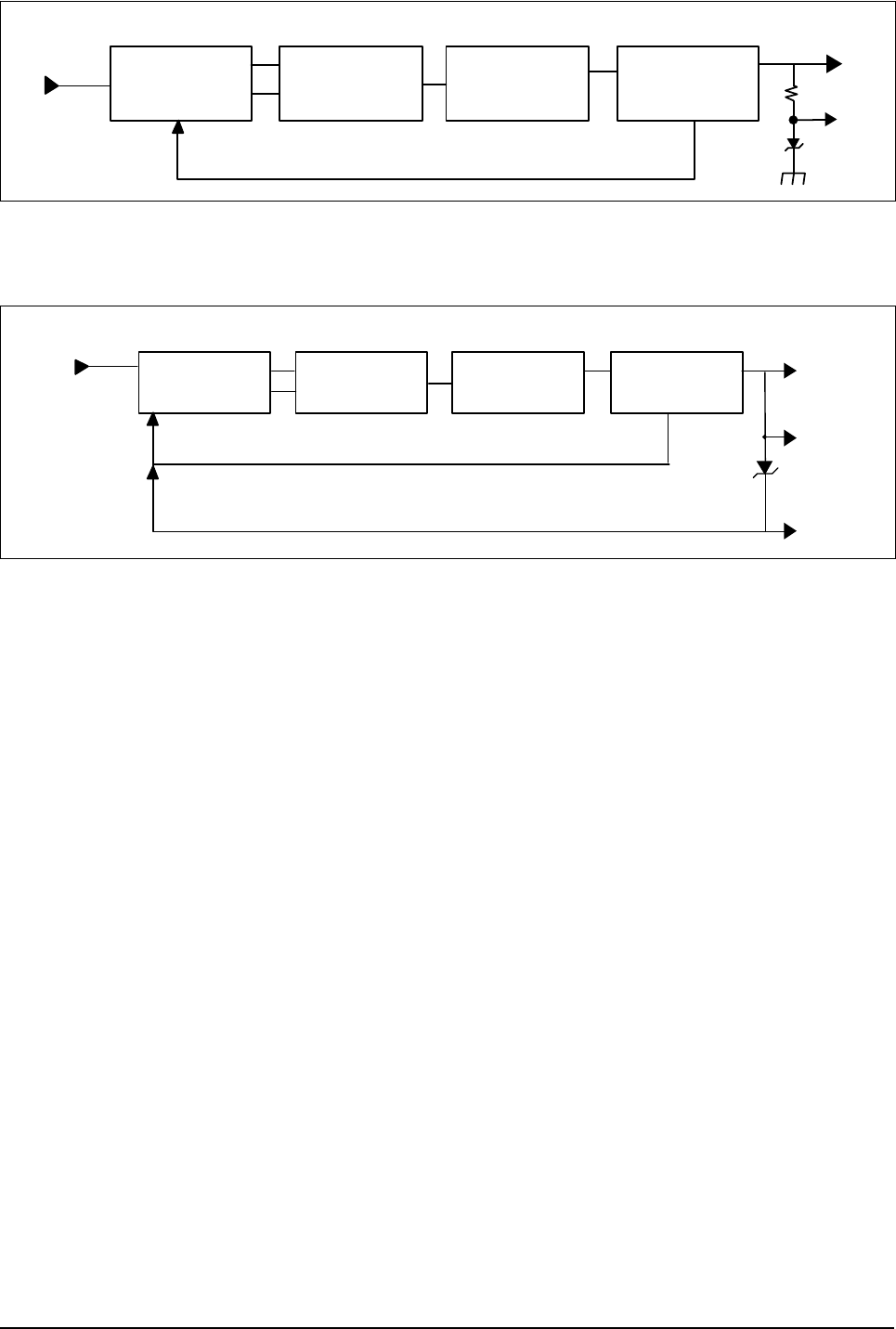
Circuit Description
Samsung Electronics 3-31
PWM
CONTROL UNIT
SWITCHING
CONTROL UNIT
MHV-PWM TRANS
FEEDBACK
REGULATION
CIRCUIT
OPC
MHV
<MHV Output unit Block Diagram>
BIAS-PWM
PWM
CONTROL UNIT SWITCHING
CONTROL UNIT TRANS
BLADE
SUPPLY
DEV
FEEDBACK
REGULATION
CIRCUIT
<BIAS Output Unit Block Diagram>
- This Document can not be used without Samsung's authorization -
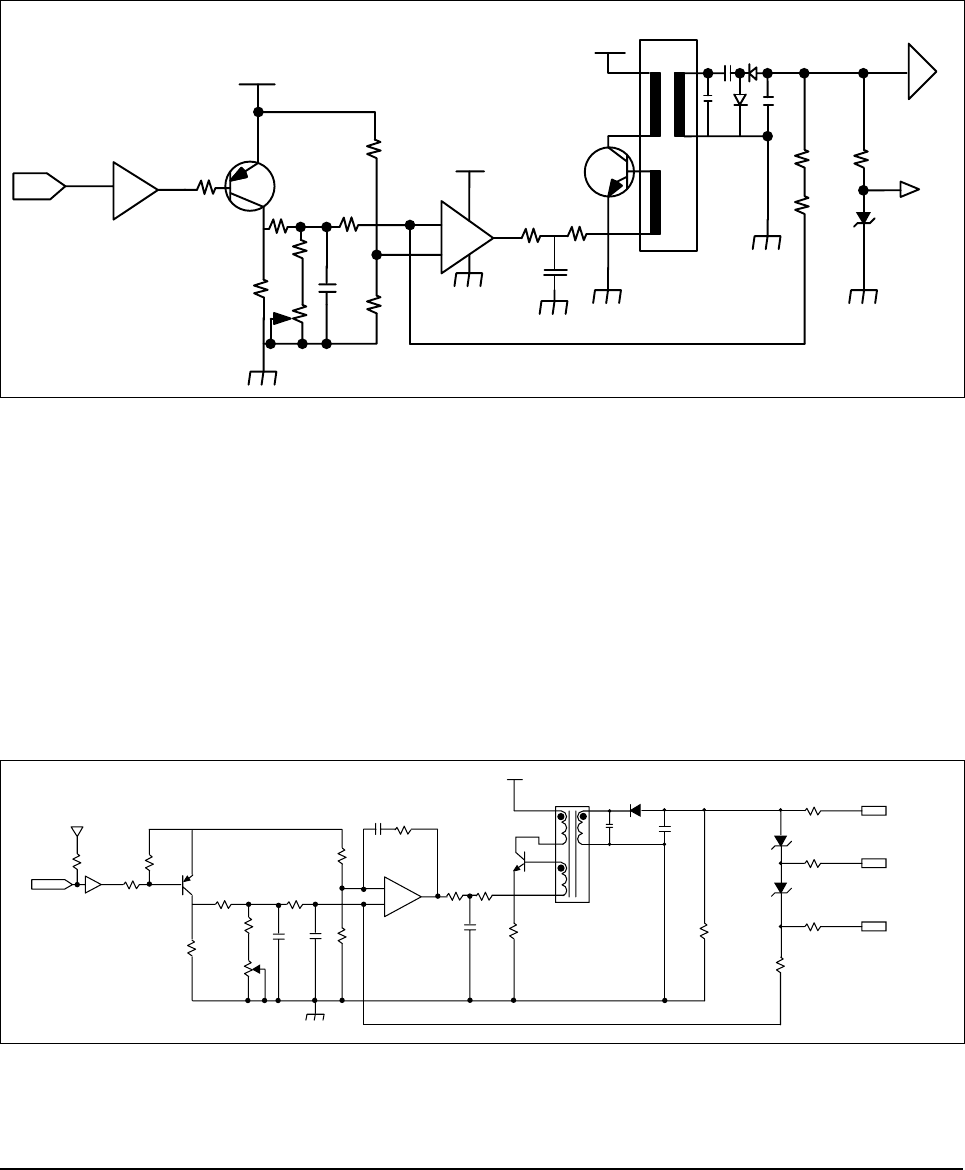
Circuit Description
3-32 Samsung Electronics
3-5-7-4 MHV (Electrification Output Enable)
Electrification Output Enable is the electrification output control signal 'PWM-LOW ACTIVE'.
When MHV-PWM LOW signal is received, Q401 turns on and the steady voltage will be accepted to the non-
inverting terminal of OP-AMP 324. As the voltage higher than the inverting reference voltage of OP-AMP,
which is set to R405 and R406, OP-AMP output turns high. This output sends IB to the TRANS auxiliary
wire through current-restricting resistance Q402 via R408 and C403 and Q402 turns on. When the current
is accepted to Q402, Ic increases to the current proportional to time through the T401 primary coil, and when
it reaches the Hfe limit of Q402, it will not retain the "on" state, but will turn to "off". As Q402 turns 'off',
TRANS N1 will have counter-electromotive force, discharge energy to the secondary unit, sends current to
the load and outputs MHV voltage through the high voltage output enable, which is comprised of Regula-
tion– circuit.
3-5-7-5 BIAS (supply/dev/blade output unit)
BIAS (Electrification Output Enable)Electrification Output Enable is the electrification output control signal
‘PWM-LOW ACTIVE’.When BIAS-PWM LOW signal is received, Q501 turns on and the steady voltage will
be accepted to the non-inverting terminal of OP-AMP 324. As the voltage higher than the inverting reference
voltage of OP-AMP, which is set to R506 and R507, OP-AMP output turns high. This output sends IB to
the TRANS auxiliary wire through current-restricting resistance Q502 via R509 and C504 and Q502 turns
on. When the current is accepted to Q502, Ic increases to the current proportional to time through the T201
primary coil, and when it reaches the Hfe limit of Q502, it will not retain the “on” state, but will turn to “off”.
As Q502 turns ‘off’, TRANS N1 will have counter-electromotive force, discharge energy to the secondary
unit, sends current to the load and outputs DEV voltage through the high voltage output enable, which is
comprised of Regulation-circuit.
MHV-PWM U103 7407
R412 2.2K
18V
Q401 A708
R403 130K
R402
82K
R411 2K
R404
27K
C407
104 R406
2.2K
R405 220K
24VS
+
_
R408
47K R409
390
KA324 C403
333
Q402
D526
24VS
T401
C404
3K/471
D402
4KV
C406
3K/471
R416
15M R413
12M
ZD401
150V
OPC
R417
15M
MHV OUTPUT
BIAS-PWM
CON03-#24 U103-A
7407
2
5V
R520
26K
R519
2.2K
R502
2K
R503
100KF
R506
86.6KF
R508
47K Q502
D526-Y
D502
4KV
C505
2KV 680
C506
3KV 471 ZD501
100V
ZD501
100V
R512
MGR1/2W 12MF
R514
MGR1/2W 50K
BLADE
SUPPLY
DEV
R515
MGR1/2W 50K
R516
MGR1/2W 50K
R509
47K R510
430
R507
12KF
U101-B
KA324
R504
56.6KF
C501
104
C502
222
C504
333 R511
1W 3
R501
100 Q501
A708-Y 5
6
7
+
_
U1
C503
104
T201
KAB-007
24VS
1
5
2
4
7
6
- This Document can not be used without Samsung's authorization -
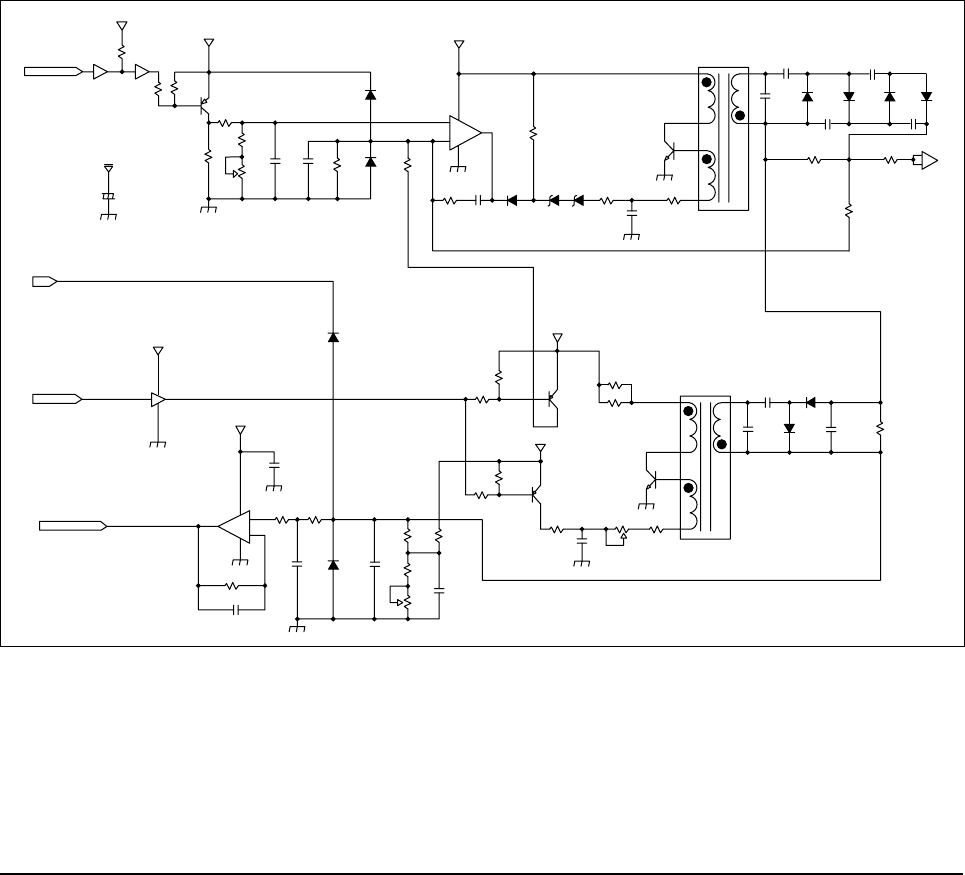
Circuit Description
Samsung Electronics 3-33
3-5-7-6. THV(THV(+)/THV(-) Output Unit)
Transfer(+) output unit is the transfer output control signal 'PWM-LOW ACTIVE'.
When THV-PWM LOW signal is received, Q203 turns on and the steady voltage will be accepted to the non-
inverting terminal of OP-AMP 324. As the voltage is higher than the inverting reference voltage of OP-AMP,
OP-AMP output turns high.
The 24V power adjusts the electric potential to ZD201 and ZD202, sends IB to TRANS auxiliary wire
through current-restricting resistance R215 via R212 and C204, and eventually Q204 will turn on. When
the current is accepted to Q402, Ic increases to the current proportional to time through the T201 primary coil,
and when it reaches the Hfe limit of Q204, it will not retain the "on" state, but will turn to "off". As Q402 turns
'off', TRANS N1 will have counter-electromotive force, discharge energy to the secondary coil, sends cur-
rent to the load and outputs THV voltage through the high voltage output enable, which is comprised of
Regulation– circuit. The output voltage is determined by the DUTY width. Q203 switches with PWM DUTY
cycle to fluctuate the output by fluctuating the OP-AMP non-inverting end VREF electric potential, and the
maximum is output at 0% and the minimum, at 100%.Transfer(-) output unit is THV-EA 'L' enable.
When THV-EA is 'L', Q302 turns on and the VCE electric potential of Q302 will be formed and sends IB to
TRANS auxiliary wire through R311, C305 and VR302 via current-restricting resistance R314, and eventu-
ally Q303 will turn on. When the current is accepted to Q303, Q303's Ic increases to the current proportional
to time through the T301 primary coil, and when it reaches the Hfe limit of Q303, it will not retain the "on" state,
but will turn to "off". As Q303 turns 'off', TRANS N1 will have counter-electromotive force, discharge
energy to the secondary coil, send current to load and output THV(-) voltage through the high voltage output
enable, which is comprised of Regulation– circuit.
#7 TEV-PWM
5V
U2
12
3
R201
10K
U2
R205
1.8K
R206
100
Q203
A708Y
R208
30K
18V
R209
100KF
VR201
50K
R207
2K C201
103 C202
121 R210
845KF
D202
1N4148 R211
1MF
5
6
7
+
_U1
11 KA324
24VS
+C101
35V47UF
D201
1N4148
24VS
R213
2.2K
R212
680K C203
472 D203
1N4148 ZD201
5.65V ZD202
705V
R214
2.2K
C204
333Z
Q204
D526
T201
KAB-007 C206
6KV470pF
C205
2KV68pF D204
6KV
D206
6KV
C209
6KV
C208
6KV
D205
6KV D207
6KV
R215
390
C207
3KV470pF
R216
SBR306 R218
MGR1/2W100KF
R217
SBR207
#17
#19
#5
#24
5V
TEV-EA
TEV-READ
5V D301
1N4148
56
7U2
7407
D-GND
24VS
C4
103
8
9
10
U1
+
_
KA324
R301
470K
C301
222
R302
33K R303
100KF
C302
102 D302
1N4148
C303
103
R304
389KF
R305
10KF
VR301
5K
R306
26.1KF
C304
500V103Z
18V
R309
202K
R307
33K
Q301
A708Y
18V
R310
2.2K
R308
33K
Q302
A708Y
R312
1W56
R313
1W56
Q303
D526
R311
100KF
C305
333Z
VR302
2K
R314
1.7K
KAB-006
T301
1
5
2
4
6
7
1
5
2
4
7
6
C307
3KW470pF D304
4KV
C306
2KV68pF D303
4KV C308
3KV470pF R315
SBR306
- This Document can not be used without Samsung's authorization -

Circuit Description
3-34 Samsung Electronics
3-5-7-7. Environment Recognition
THV voltage recognizes changes in transfer roller environment and allows the voltage suitable for the envi-
ronment in order to realize optimum image output. The analog input is converted to digital output by the
comparator that recognizes the environmental changes of the transfer roller. It is to allow the right transfer
voltage to perform appropriate environmental response considering the environment and the type of paper
depending on this digital output by the programs that can be input to the engine controller ROM.
This environment recognition setting is organized as follows: First, set the THV(+) standard voltage.
Allow 200MΩ load to transfer output, enable output and set the standard voltage 800V using VR201.
Then set 56 (CPU's recognition index value) as the standard using VR302.
This standard value with CPU makes sure that the current feedback is 4µA when output voltage is 800V and
load is 200MΩ.
If the load shows different resistance value when 800V is output, the current feedback will also be different
and thus the index value will also be different. according to the index value read by CPU, the transfer voltage
output will differ according to the preset transfer table.
The changes in transfer output required by each load is controlled by PWM-DUTY.
- This Document can not be used without Samsung's authorization -
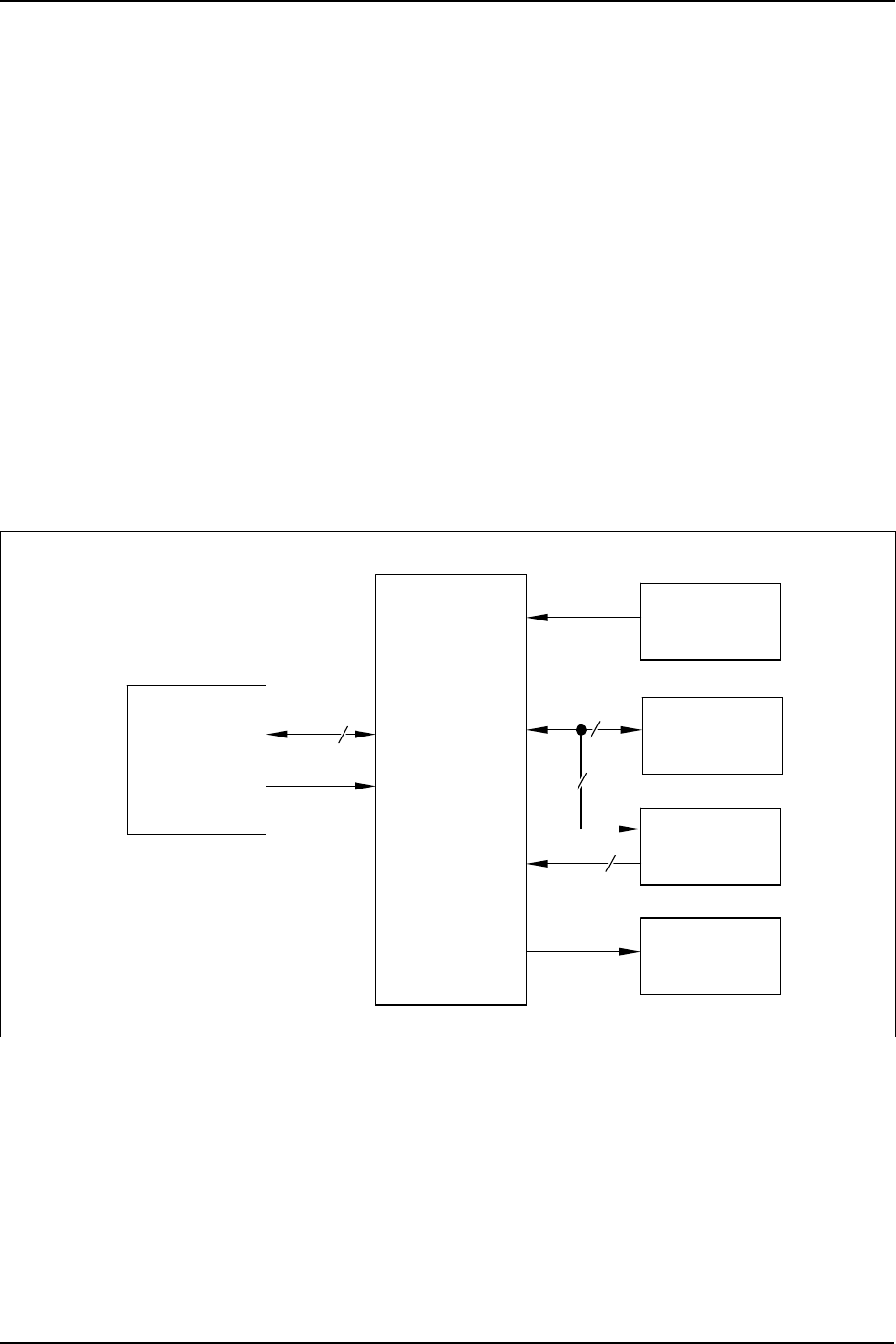
Circuit Description
Samsung Electronics 3-35
3-6 OPE PBA
3-6-1 SUMMARY
OPE Board is separated functionally from the main board and operated by the micom(HT48R50) in the board.
OPE and the main use UART (universal asynchronous receiver/transmitter) channel to
exchange information. OPE reset can be controlled by the main. OPE micom controls key-scanning and LCD
and LED display. If there occurs an event in OPE (such as key touch), it sends specific codes to the main to
respond to the situation and the main analyzes these codes and operates the system. For example, it the
main is to display messages in OPE, the main transmits data through UART line to OPE according to the
designated format and OPE displays this on LCD, LED. OPE’s sensing is also transmitted to the main through
UART line and then the main drives necessary operation.
OPE PBA consists of U1(MICOM, HT48R50),LCD, key matrix, LED indicators. Refer to OPE Schematic
Diagram and Wiring Diagram sections of this manual.
• Signals from the key matrix are delivered to U1 input pin group (D1~D6)
• U1 pin 48 (TX DATA) is the UART code sent to MAIN PBA.
• Display from the controller is received at U1 pin 5(RX DATA).
• LCD drive signals are sent from U1 P2-x pin group, P3-4~P3-6 pins.
• Machine status LED drive signals are sent from U1 LED0~LED7.
Connector MICOM
HT48R50
UART
Reset
11
7X
Y8
RESONATOR
7.37 MHz
LCD
16 2line
Key Matrix
LEDs
<OPE BLOCK DIAGRAM>
- This Document can not be used without Samsung's authorization -
Circuit Description
3-36 Samsung Electronics
3-7 LIU PBA
3-7-1. SUMMARY
LIU WIRE CONNECTS Main B’D’s MODEM AND LINE PARTS, AND IMPEDANCE MATCHING (AC, DC),
RING DETECTION PART and LINE SEIZURE (DIALER).
3-7-2. DC MATCHING PART
Normal movement range of LIU is 12mA ~ 9mA.
Adapting CTR21 standard, the regulation limits to 60mA CURRENT flow through the terminal.
Therefore, select (*:for EU PIT) Option to connect necessary items then the current through LIU will not
exceed 60mA.
• CTR21 Standard(Europe) : 12mA~60mA • OTHER Standard (U.S.) : 12mA~90mA
DC has a character to pass through the LINE. And with Q1 (VN2410) GATE section’s LINE INPUT corrent
and Q1 Source connection to R20, can be decided as follows :
• -VDCR = VL1 + ILINE X R20
(VDCR : Tip-Ring CD Voltage, ILINE :
Current flow)VL1:Line Input Voltage, VL1=VBD1+VCE(Q2)+VDS(Q1)
3-7-3. AC MATCHING PART
Basic LIU’s AC IMPEDANCE is 600 and uses R47. 48. C36 to possibly control combined IMPEDANCE.
• U.S. Usage : A terminal IMPEDANCE Æ 600W(±30%)
• CTR21 : A Terminal IMPEDANCE Æ 270+750W//150nF
3-7-4. DIALER PART
*MF DIAL
DTMF Dialing is controlled by MODEM and should be selected by appropriate LEVEL and On-off Time output
based on each countries’ own National specification.
• Freq. Tolerance : ±1.5%
High Group : 1209, 1336, 1477, 1633Hz
Low Group : 697, 770, 852, 941 Hz
*DP DIAL
Controls from MAIN through / DP-Terminal.
for U.S.Usage, set time to DF signal of 40:60 M/B. DP signal is made of U6 (pcb817). The DC current which
flows thru Q2 Base is regulated by On/Off switch and turns to DP dial signal with a COUPLER.
• CTR 21 does not have telephone capability but has the number 3 and 4 Line Connection. No DP condition
but possibility to get approval only on DTMF Dial based terminal.
3-7-5. RING DETECTION PART
RING SIGNALS from the LINE section (TIP, RING)are further passed through C5, R3, ZD1, and ZD2 and
ends up at U9, (PC 814). U9 then detects above RING SIGNAL and passes the output to MAIN B’D. The wilre
diagram’s C5 is RINGER CAPACITOR and it normally uses 1UF/250V.
A R3 limits AC current and controls upper and lower REN meter.
U.S. Usage CTR21
High Freq Level -9.0+2.0/-2.5 -7.0 +1.0/-2.0
Low Freq Level -9.0+1.0/-2.0 -11.0+2.5/-2.0
- This Document can not be used without Samsung's authorization -

Circuit Description
Samsung Electronics 3-37
3-8 SMPS (Switching Mode Power Supply) Unit.
3-8-1 SMPS Specifications
The SMPS (Switching Mode Power Supply) Unit used here is a PWM (Pulse Width Modulation) type power
supply unit that supplies DC+5V to controller and control panel, and DC+5V, DC+24V and DC+12V to the
engine. It also supplies AC power to fixer heat lamp.
No. Output Channel Ch.1 Ch.2 Ch.3
1Channel Name +5.1V +24.0V +12.0V
2Rated Output Voltage +5.1V +24.0V +12.0V
3Rate Output Current 2A 2.5A 0.8A
4Maximum Load Current
and Load Pattern 2.5A Continued 3.0A Continued 0.8A Continued
5Load Change Range 0.5~2.0A 0.1~0.3A 0.1~0.8A
6Rate output voltage
(For rated I/O) +5.1V±5%
(+4.84~+5.35V) +24.0V±10%
(+21.60~+26.40V) +12V±5%
(+11.40~+12.60V)
7
1) Total Output Voltage
Deviation
(Input, Load, Temp., Aging)
2) Dynamic Input Change
3) Dynamic Load Change
Including All
+5.1V±5%
(+4.84~+5.35V)
Including Set Error
Including All
+24.0V±10%
(+21.60~+26.40V)
Including Set Error
Including All
+12V±5%
(+11.40~+12.60V)
Including Set Error
8Refer to ripple & noise 27 150mVp-p or less 500mVp-p or less 200mVp-p or less
9
Refer to load short and
overload protection 23
Refer to load short and
overload protection 23
Must not ignite or
generate smoke
when output shorted
for 5 sec.
Output voltage must
shutdown withing
the range of
3.5A~6.5A
Must not ignite or
generate smoke
when output shorted
for 5 sec.
- This Document can not be used without Samsung's authorization -
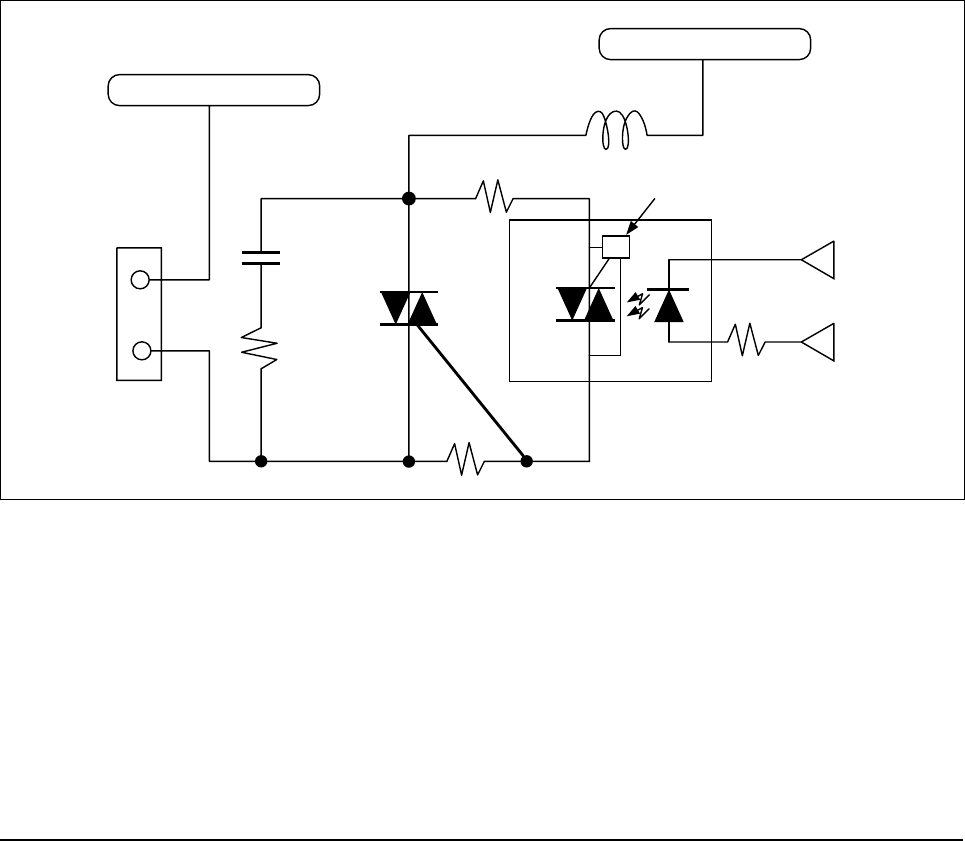
Circuit Description
3-38 Samsung Electronics
3-8-2 AC Input Stage
AC Input power path is consist of the Fuse (F1) for AC current limit, the Varistor (TNR1) for by-passing high
Voltage Surge, the discharge resistor(R1), the AC Impalse Noise Filtering Circuit (C2, C4, LF1), the Common
Mode Grounding Circuit (C5, C6), the 2’nd noise filter (C7, LF2), and the thermistor (TH1).
Wher power is turned on, TH 1 limits Inlush-Current by it’s high resistanle, and When it’s temperature rise, it’s
resistance become about Zero ohm.
3-8-3 SMC(Switched Mode Control)
The AC input voltage is rectified and filtered by BD1 and C10 to create the DC high voltage applied to the pri-
mary winding of T1, Q5 pin #1 is driven by the SMPS device IC2, IC2. auto-starts and chops the DC voltage.
The U502 is PWM SMPS IC and has internally a SMC(switched mode control) IC and a MOSFET output
stage. The SMC IC has a Auto-restart without a Power Supply for the IC and a Thermal Shutdown function
and so on. R4, R5, C11, D1 clamp leading-edge voltage spikes caused by transformer leakage inductance.
The power secondary winding(Pin #5~6)is rectified and filtered by D8, D9, L2, C33, C34 to create the 5V out-
put voltage. The bias winding(Pin #9~8)is rectified and filltered by D2 and C12 to create U502 bias voltage.
The secondary output 5V is regulated through the path of the voltage divide by R34, R35.
3-8-4. Fixed Temperature Control
3-8-4-1. Fixed Lamp Control Circuit
AC Neutral
AC Power Live
C18
R23
R24
R66
L1
Logic Unit
Fuser On
SMPS Unit
DC Power
PC3
42
1
6
SY1
CON502
Zero crossing circuit
<Fixed Lamp Control Circuit>
- This Document can not be used without Samsung's authorization -
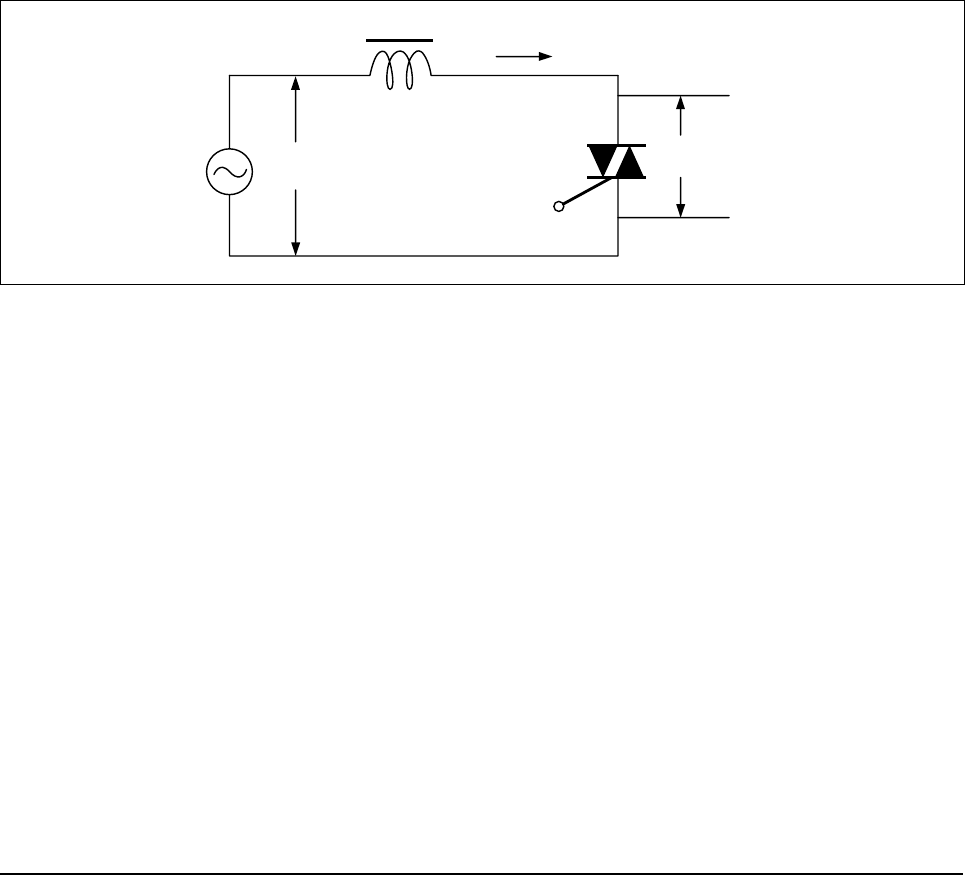
Circuit Description
Samsung Electronics 3-39
3-8-4-2. The Concept of Fixed Lamp Control
For fixed lamp control, the logic unit "fuser on" control signal and SMPS unit DC power must be supplied.
This circuit turns on only when "fuser on" sends the signal and the DC power is supplied.
The following explains how the fixed lamp control circuit works.
logic unit "fuser on" sends trigger current to triac driver PC3 LED, then the infrared ray is detected by PC3
photo detector. Next, YC3 triac is conducted.
The conducted current sends trigger input to triac SY1 gate. At this point, SY1 is conducted and AC power
is supplied to fixed lamp. Lamp is turned on and temperature rises.
As this fixed lamp control circuit uses the AC voltage ("+" and "-" are repeated) as the power supply, it used
two-way triac (SY1), which has advantage over one-way SCR considering the price, size and reliability.
Triac's gate can be triggered by either forward or reverse signal. Once triac is turned on, it will not be con-
trolled by gate signal, but will be continuously on until the current between major terminals decreases below
the holding current. In other words, you cannot turn it off with reverse signal unlike SCR. This prop-
erty is called current-voltage threshold rise rate (commutation: dv/dt). In AC power control
application, triac has to turn off conduction in each zero crossing or switch it twice in each cycle. This switch-
ing operation is called commutation. It is possible to turn off the triac at the end of half cycle by eliminating the
gate signal when the load current (IL) is gained at the level equal to or lower than holding current. When
triac commutes off-line, the direction of the voltage of the both ends of triac will be reversed and increase
up to the maximum value of line voltage (VAC). At this point, the width of rise rate will be determined by dv/
dt and overshoot voltage, by the circuit. When triac commutes off-line, the voltage of both ends of triac will
have the same voltage as the line voltage.
VAC
IL
G
VT
Inductive IL
<Inductive Circuit>
- This Document can not be used without Samsung's authorization -
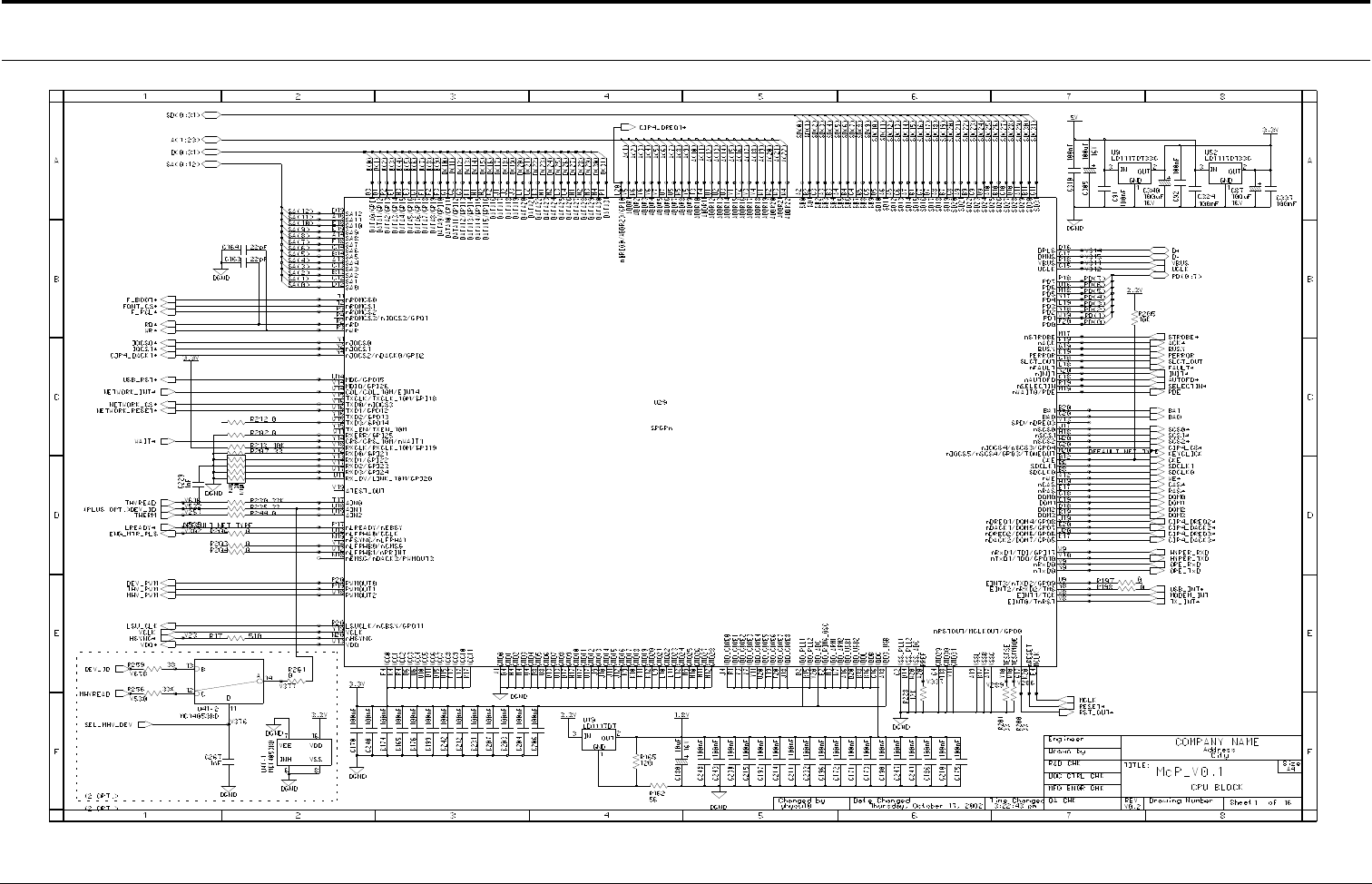
Connection Diagrams
Samsung Electronics
4-1
4. Schematic Diagrams
4-1 Main Circuit Diagram (1/16)
- This Document can not be used without Samsung's authorization -
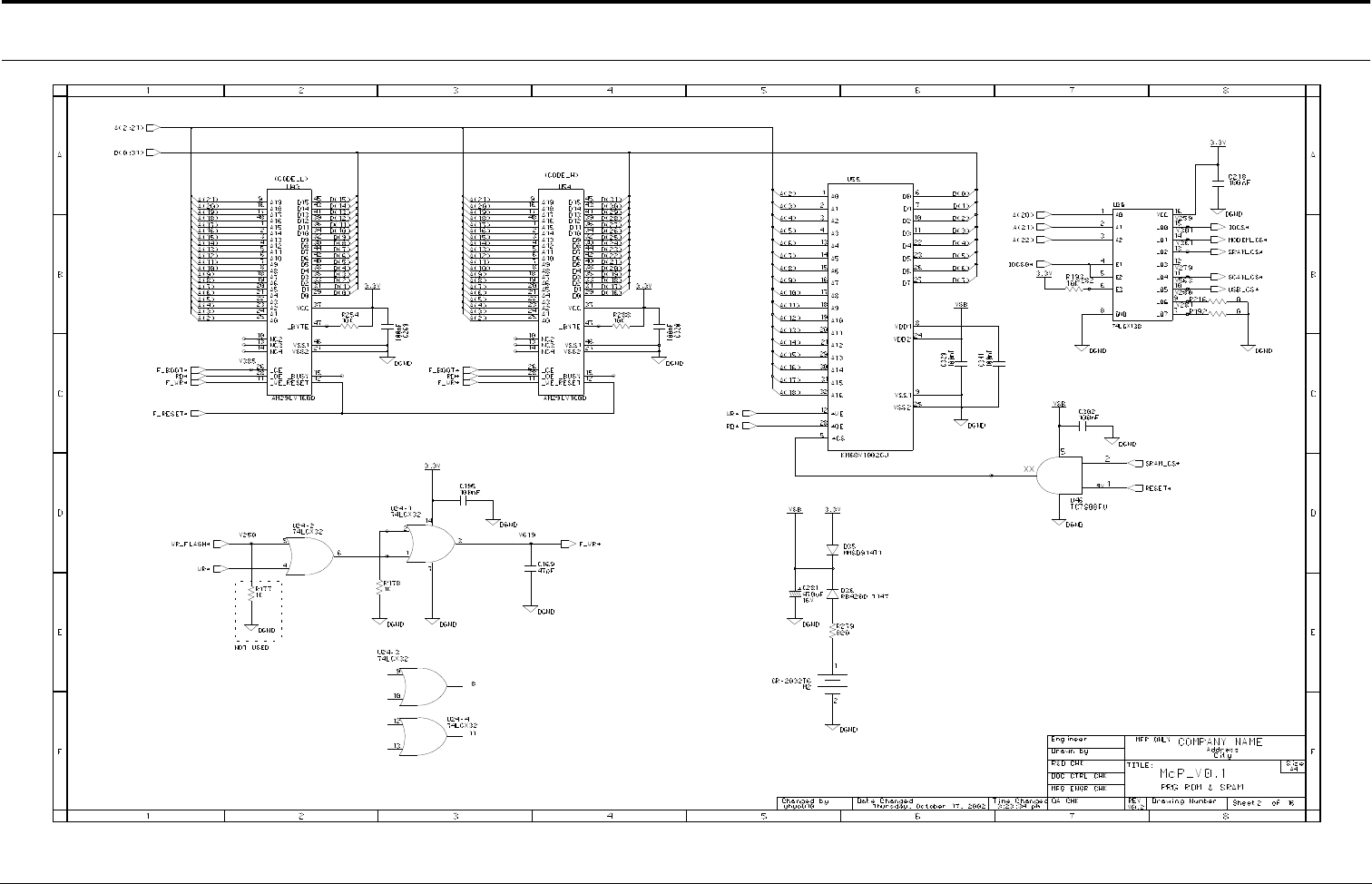
Connection Diagrams
4-2
Samsung Electronics
Main Circuit Diagram (2/16)
- This Document can not be used without Samsung's authorization -
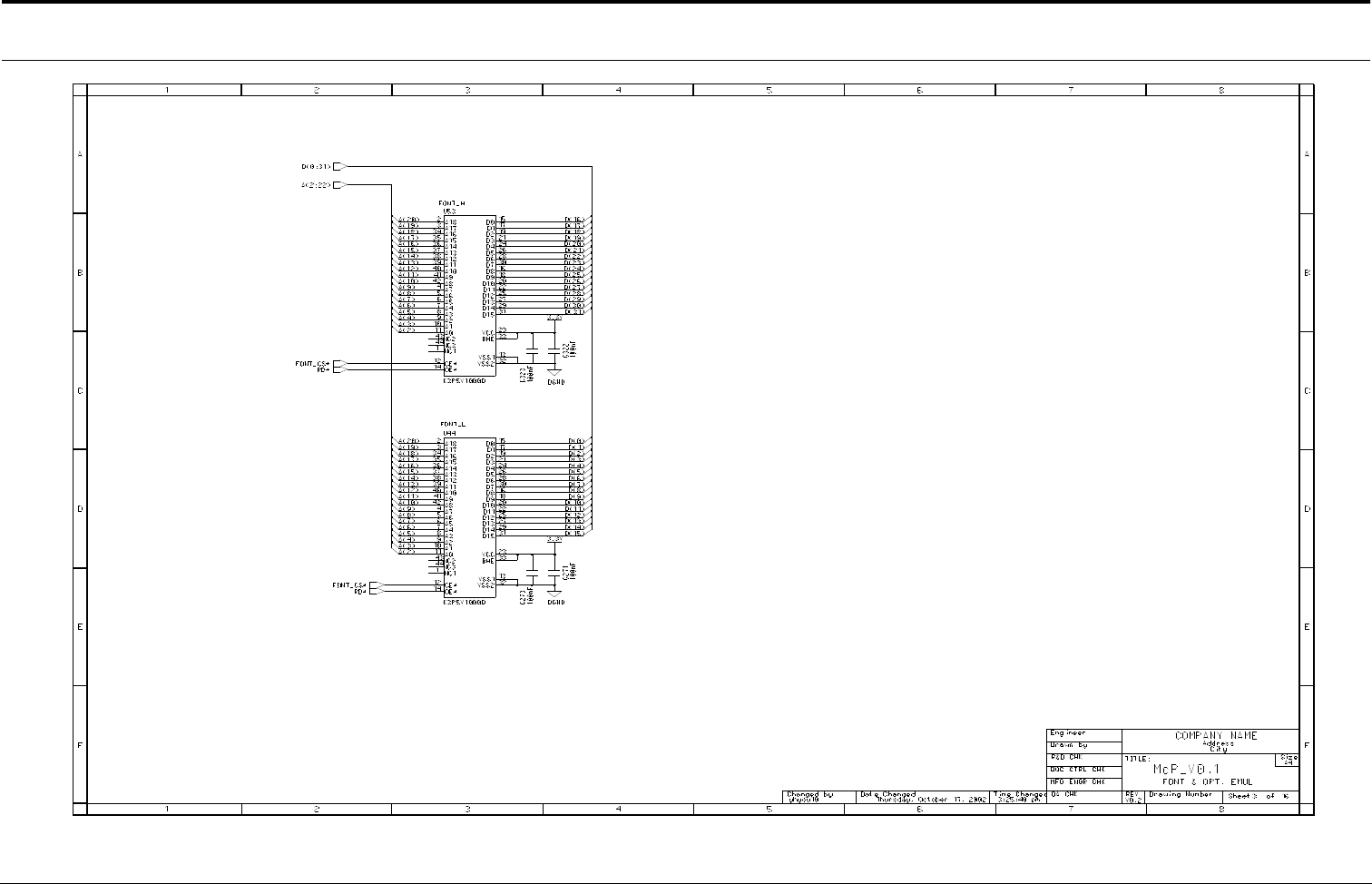
Connection Diagrams
Samsung Electronics
4-3
Main Circuit Diagram (3/16)
- This Document can not be used without Samsung's authorization -
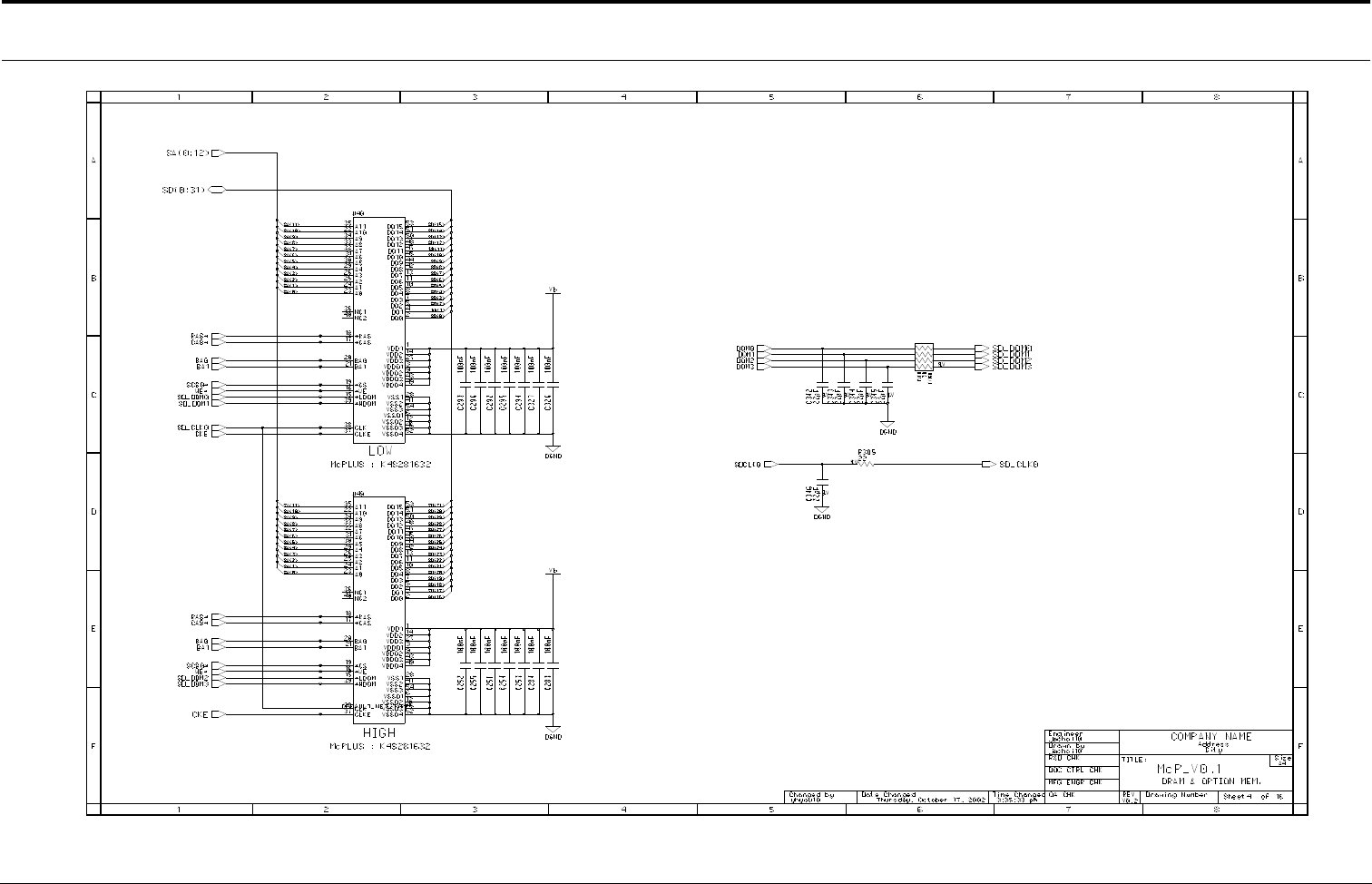
Connection Diagrams
4-4
Samsung Electronics
Main Circuit Diagram (4/16)
- This Document can not be used without Samsung's authorization -
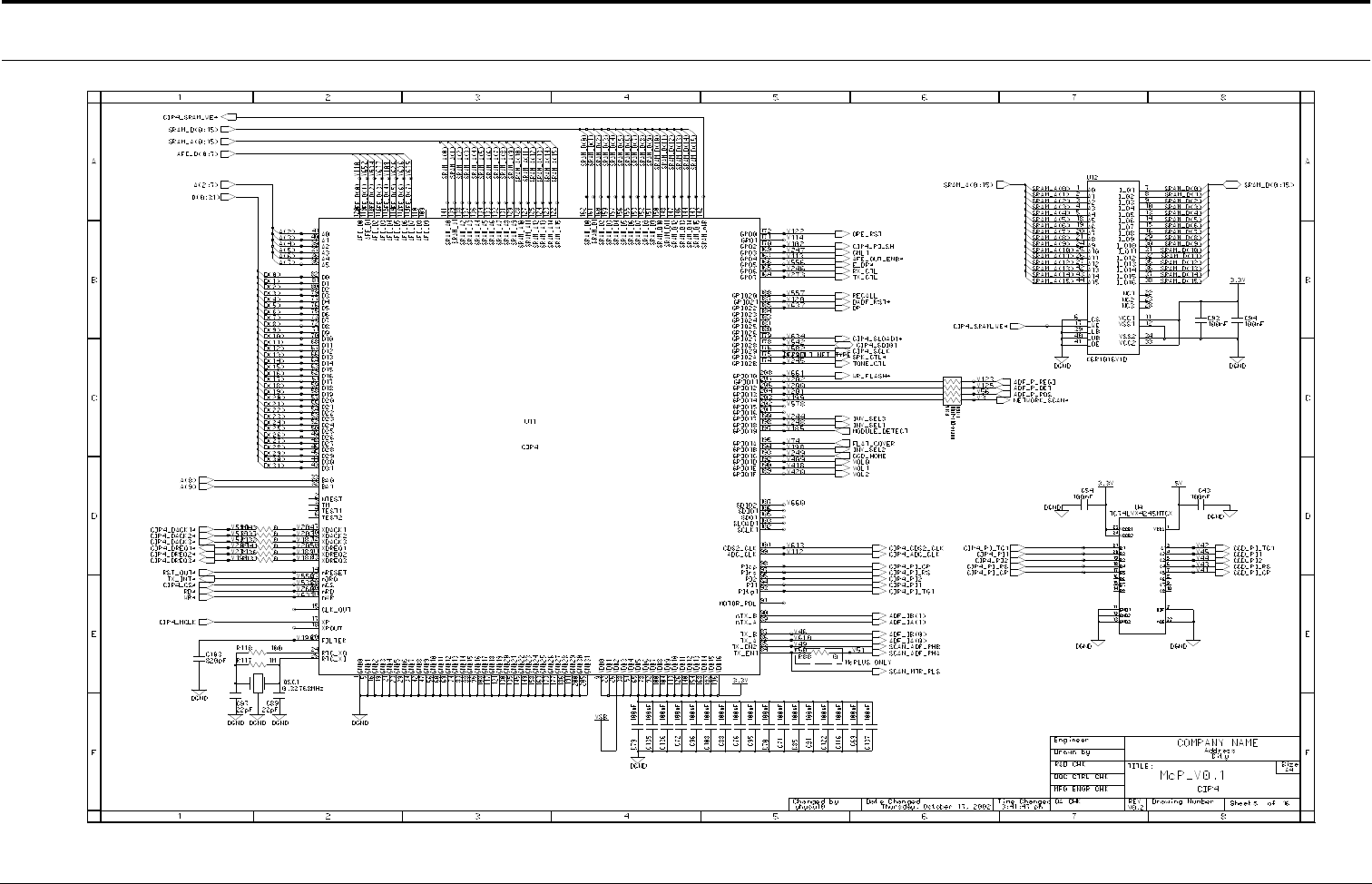
Connection Diagrams
Samsung Electronics
4-5
Main Circuit Diagram (5/16)
- This Document can not be used without Samsung's authorization -
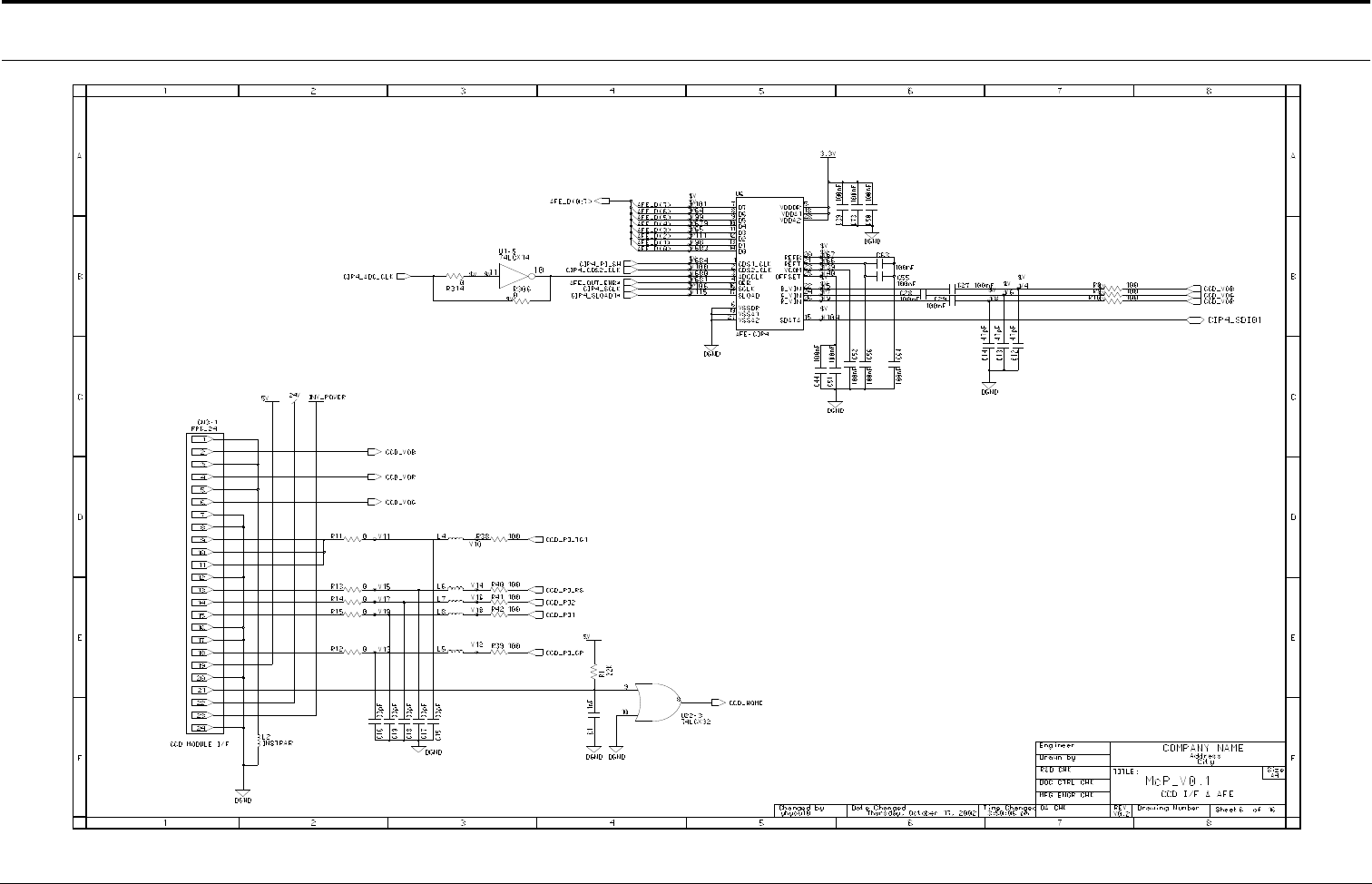
Connection Diagrams
4-6
Samsung Electronics
Main Circuit Diagram (6/16)
- This Document can not be used without Samsung's authorization -
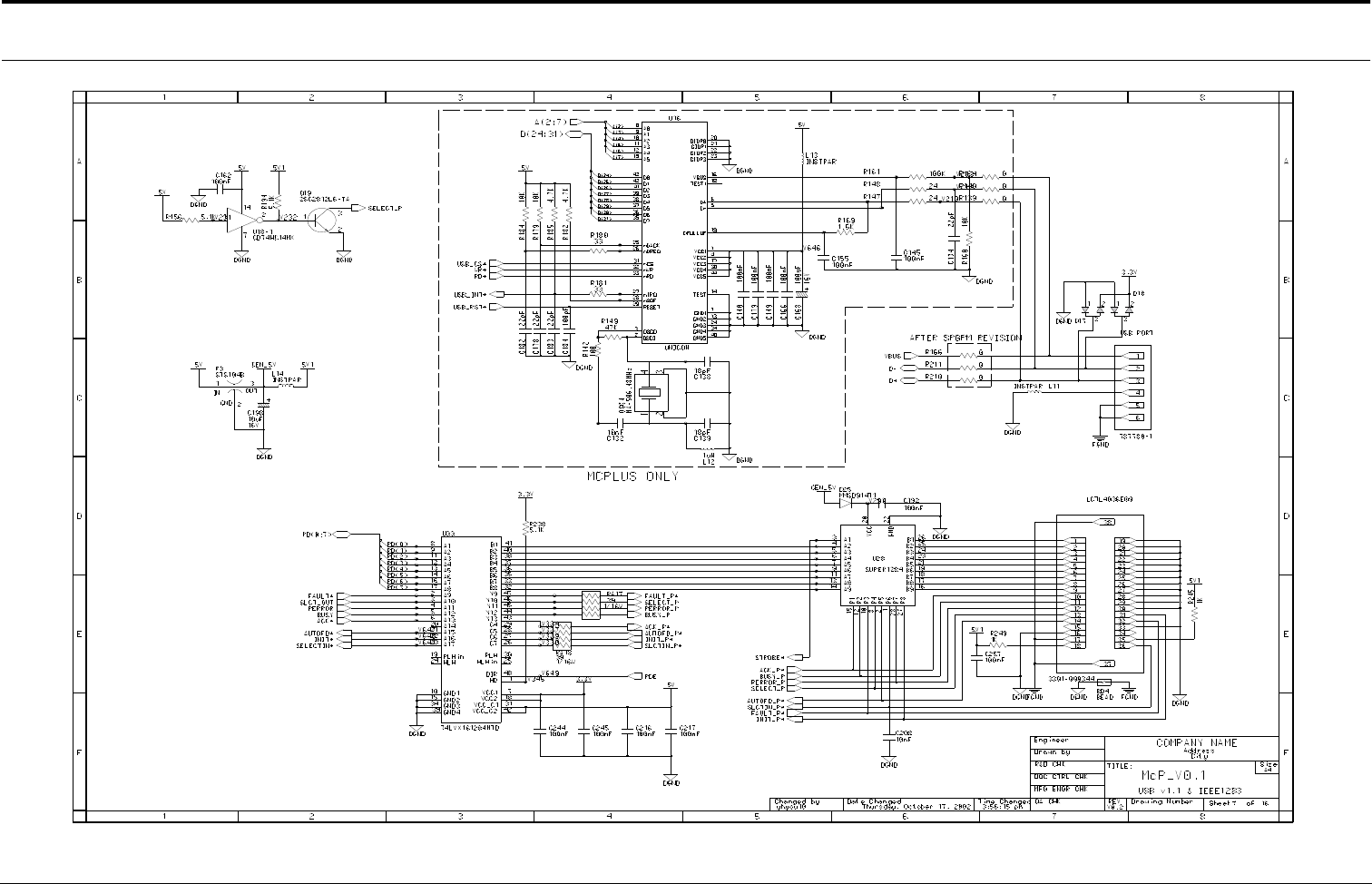
Connection Diagrams
Samsung Electronics
4-7
Main Circuit Diagram (7/16)
- This Document can not be used without Samsung's authorization -
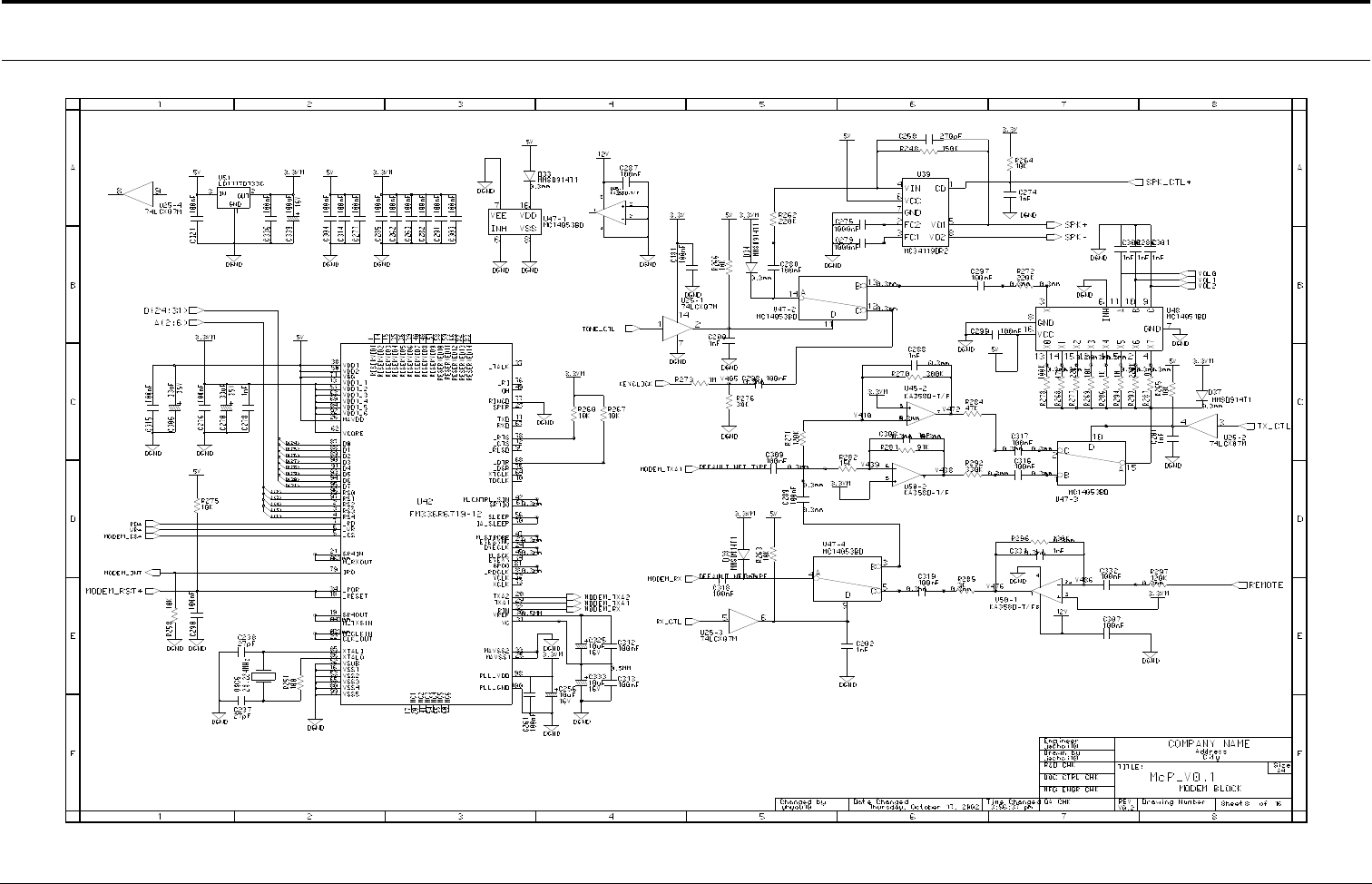
Connection Diagrams
4-8
Samsung Electronics
Main Circuit Diagram (8/16)
- This Document can not be used without Samsung's authorization -
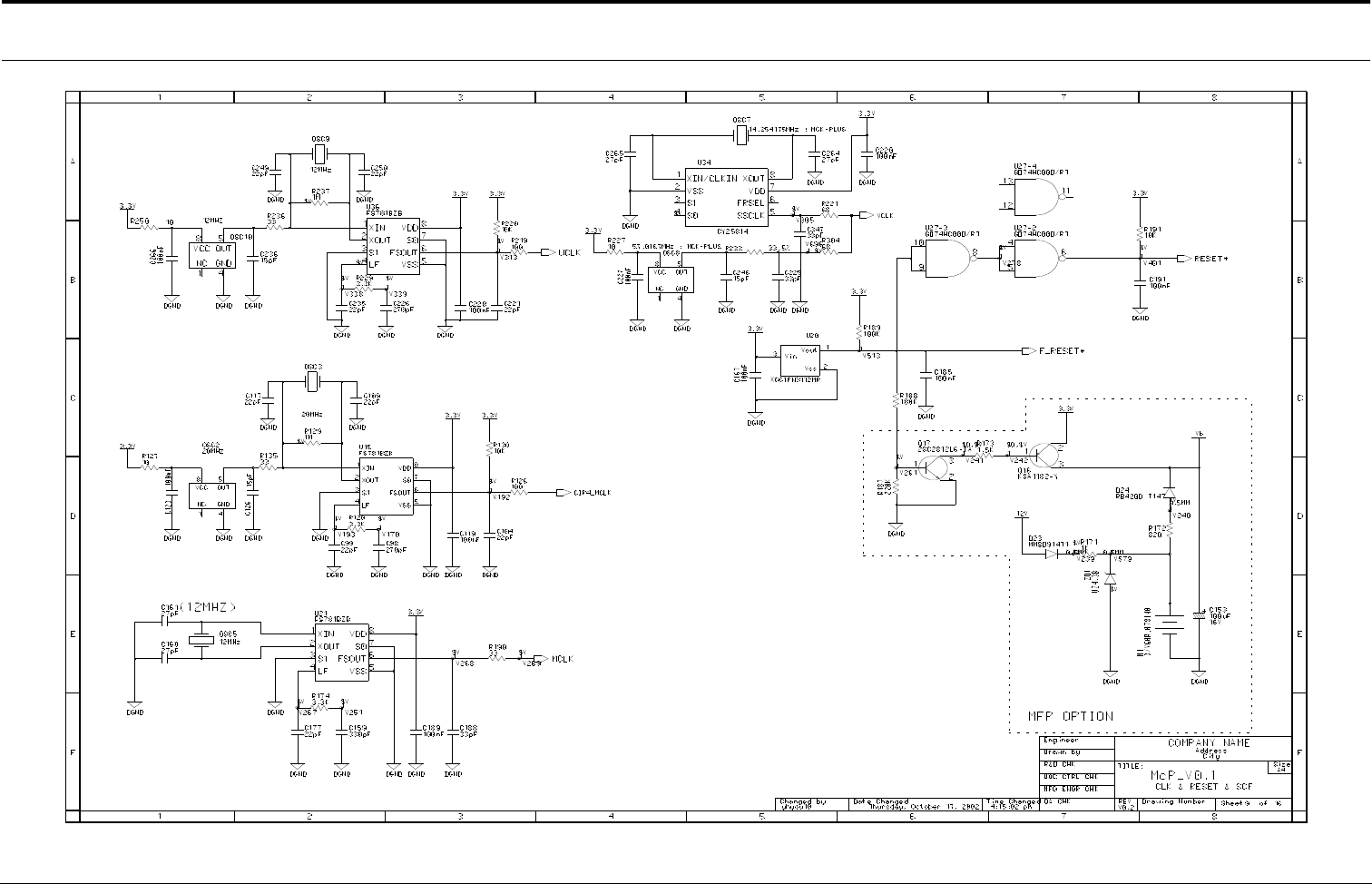
Connection Diagrams
Samsung Electronics
4-9
Main Circuit Diagram (9/16)
- This Document can not be used without Samsung's authorization -
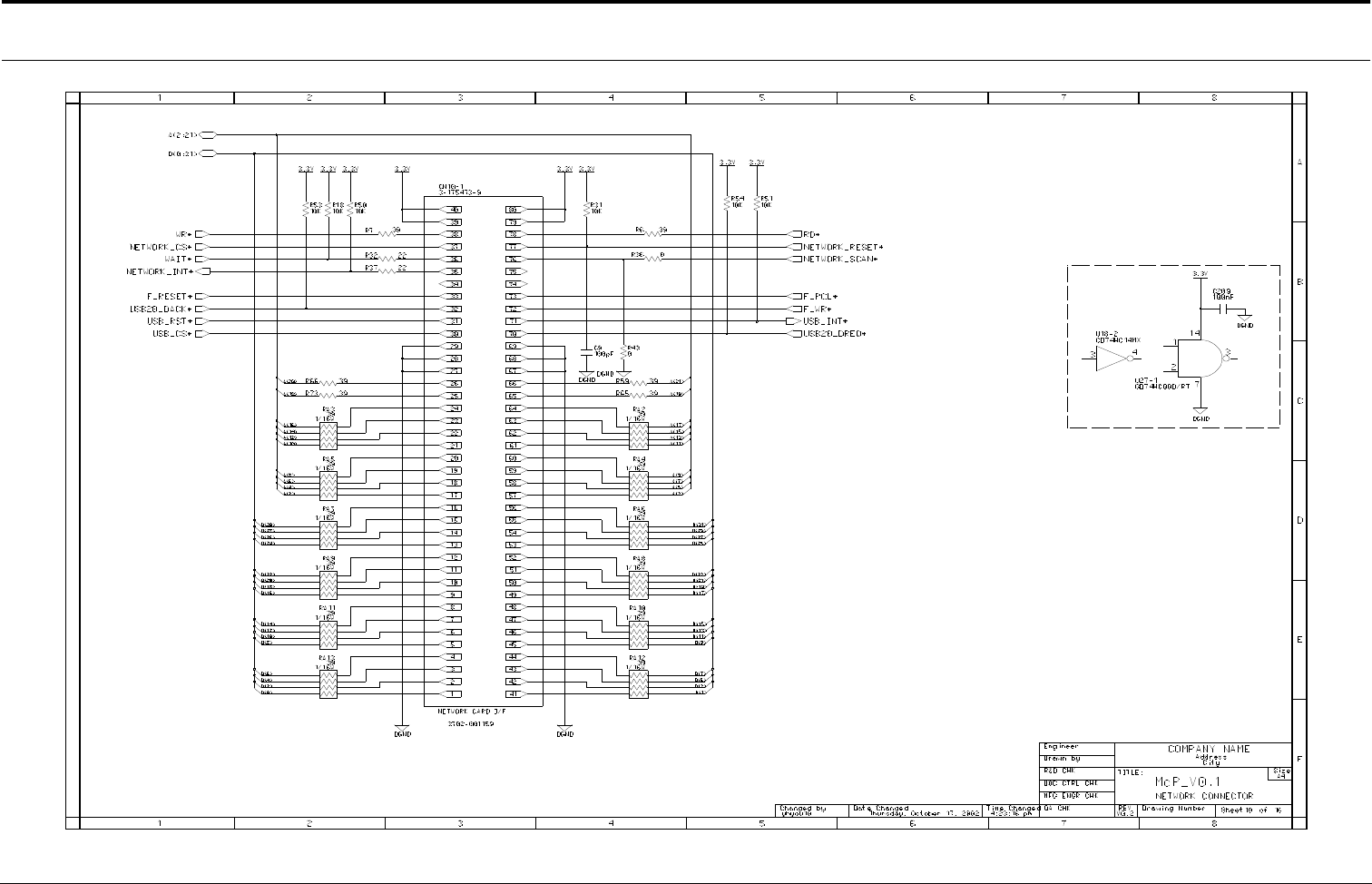
Connection Diagrams
4-10
Samsung Electronics
Main Circuit Diagram (10/16)
- This Document can not be used without Samsung's authorization -
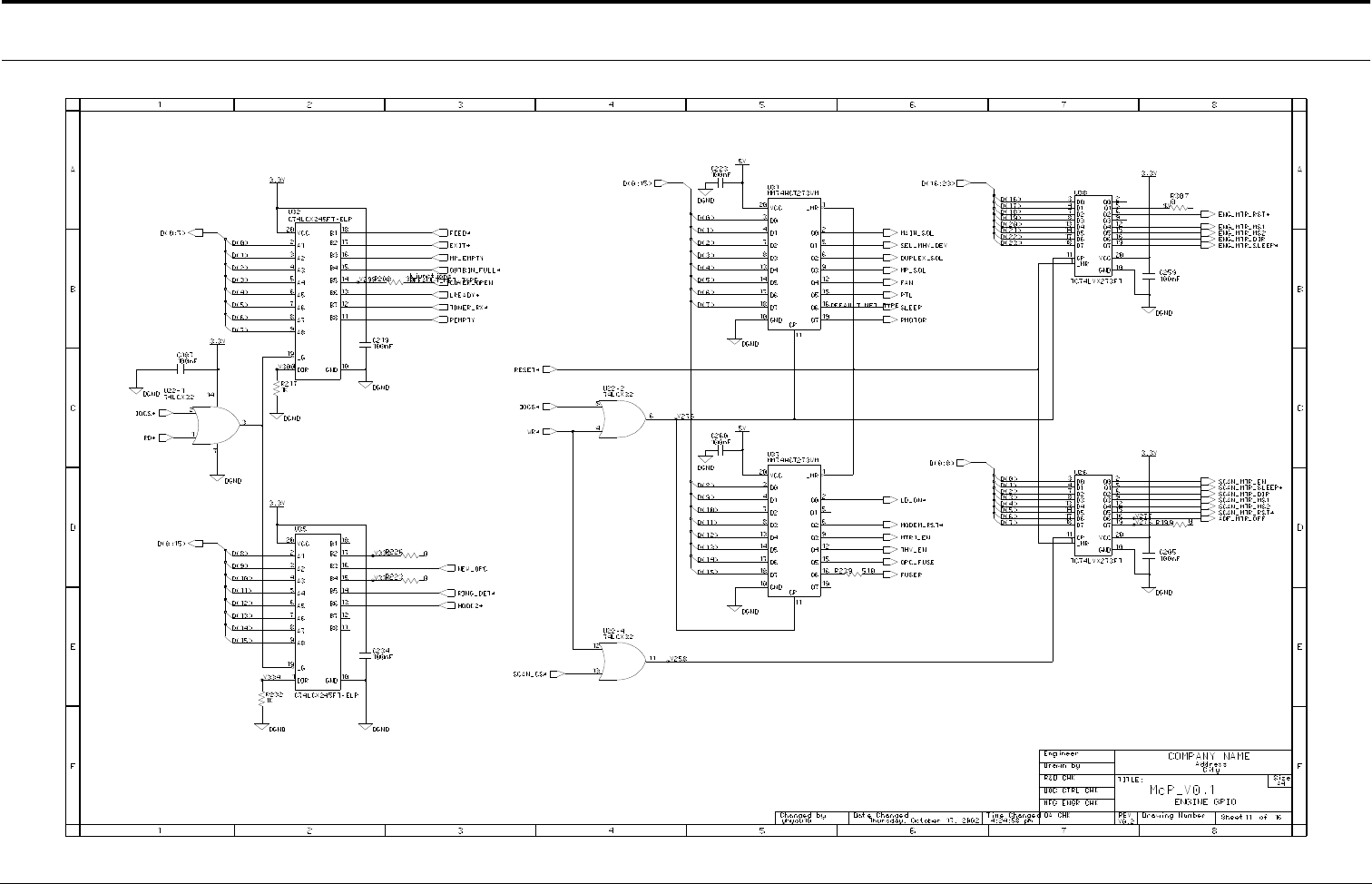
Connection Diagrams
Samsung Electronics
4-11
Main Circuit Diagram (11/16)
- This Document can not be used without Samsung's authorization -
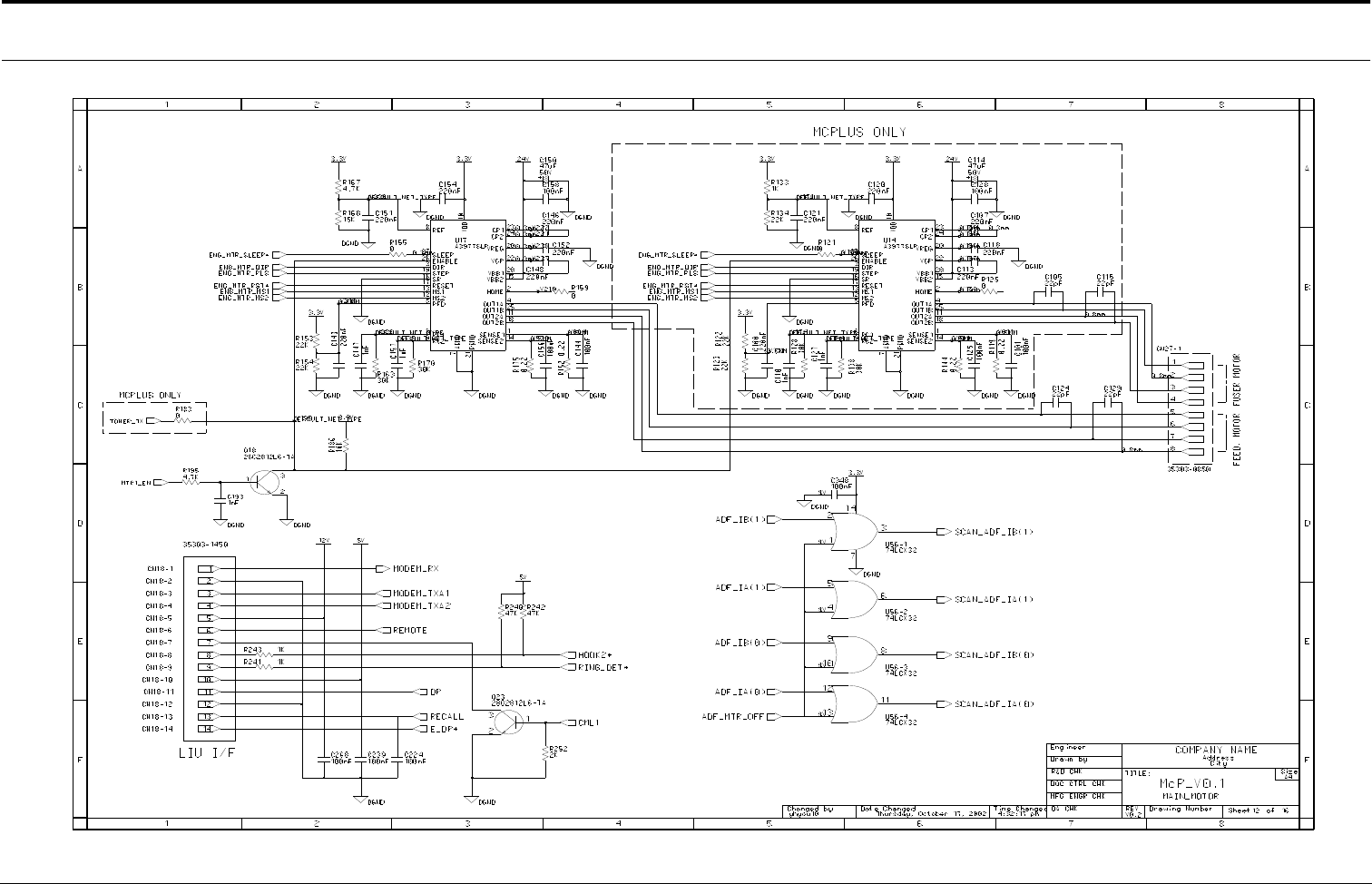
Connection Diagrams
4-12
Samsung Electronics
Main Circuit Diagram (12/16)
- This Document can not be used without Samsung's authorization -
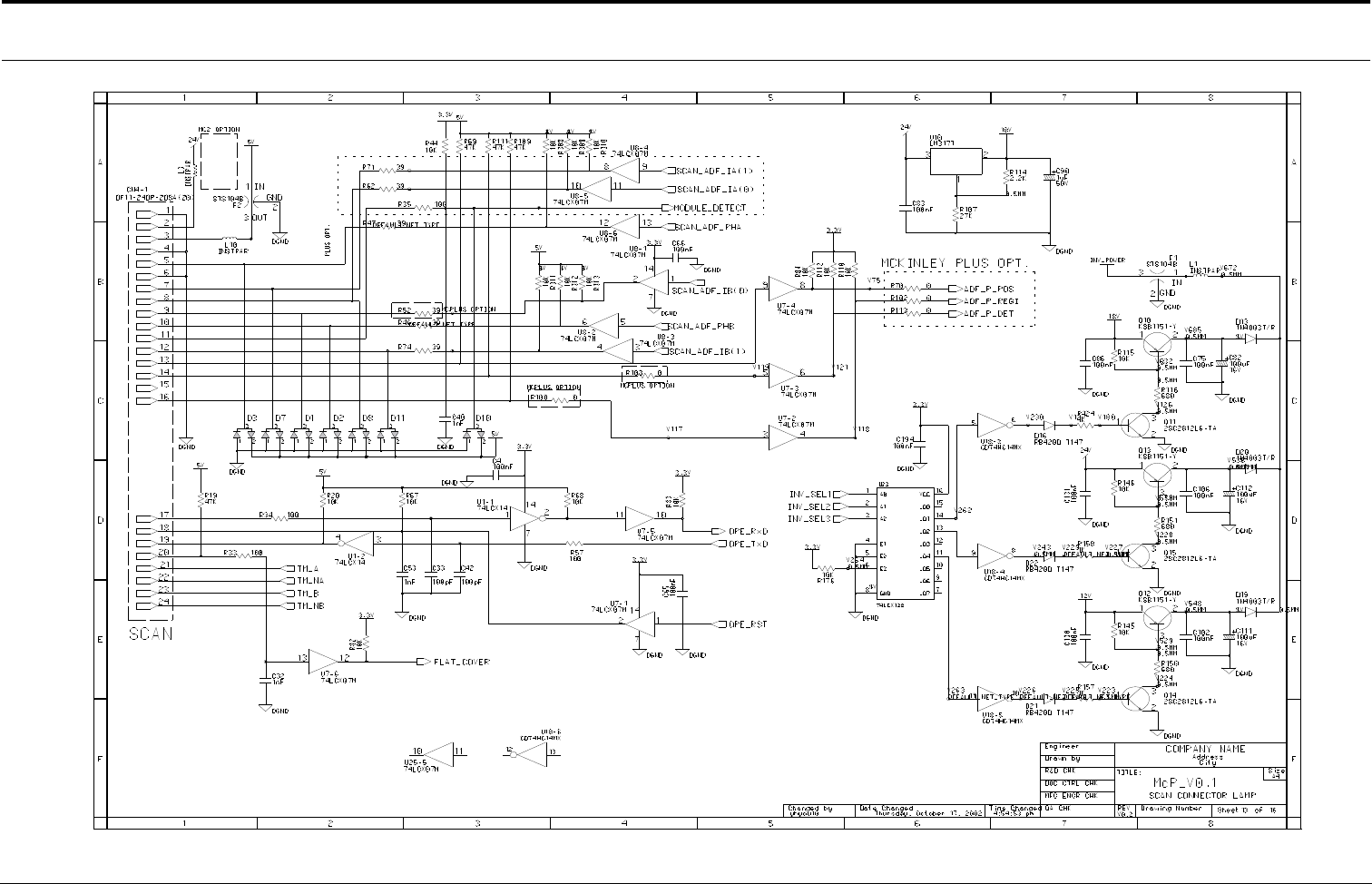
Connection Diagrams
Samsung Electronics
4-13
Main Circuit Diagram (13/16)
- This Document can not be used without Samsung's authorization -
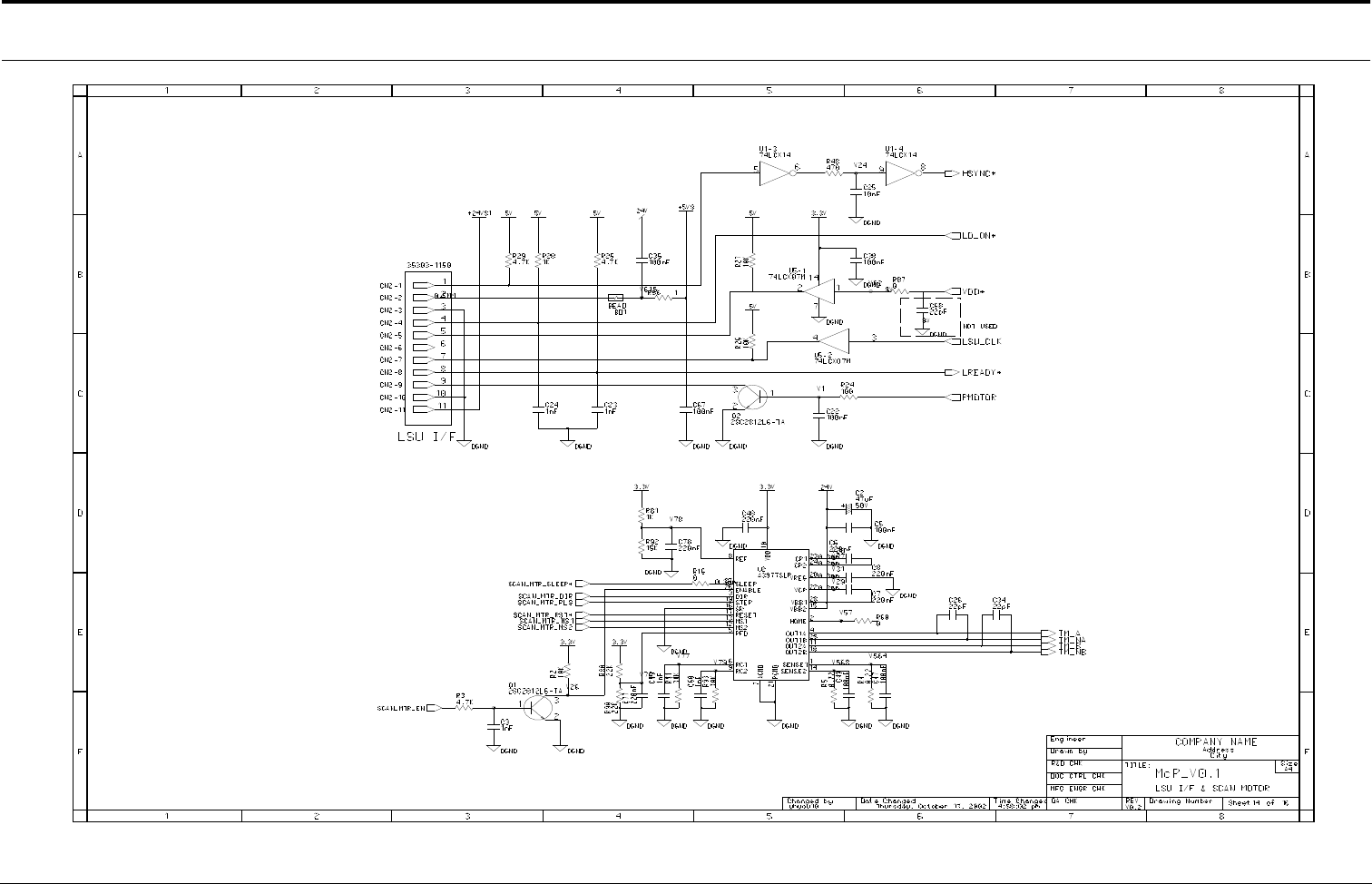
Connection Diagrams
4-14
Samsung Electronics
Main Circuit Diagram (14/16)
- This Document can not be used without Samsung's authorization -
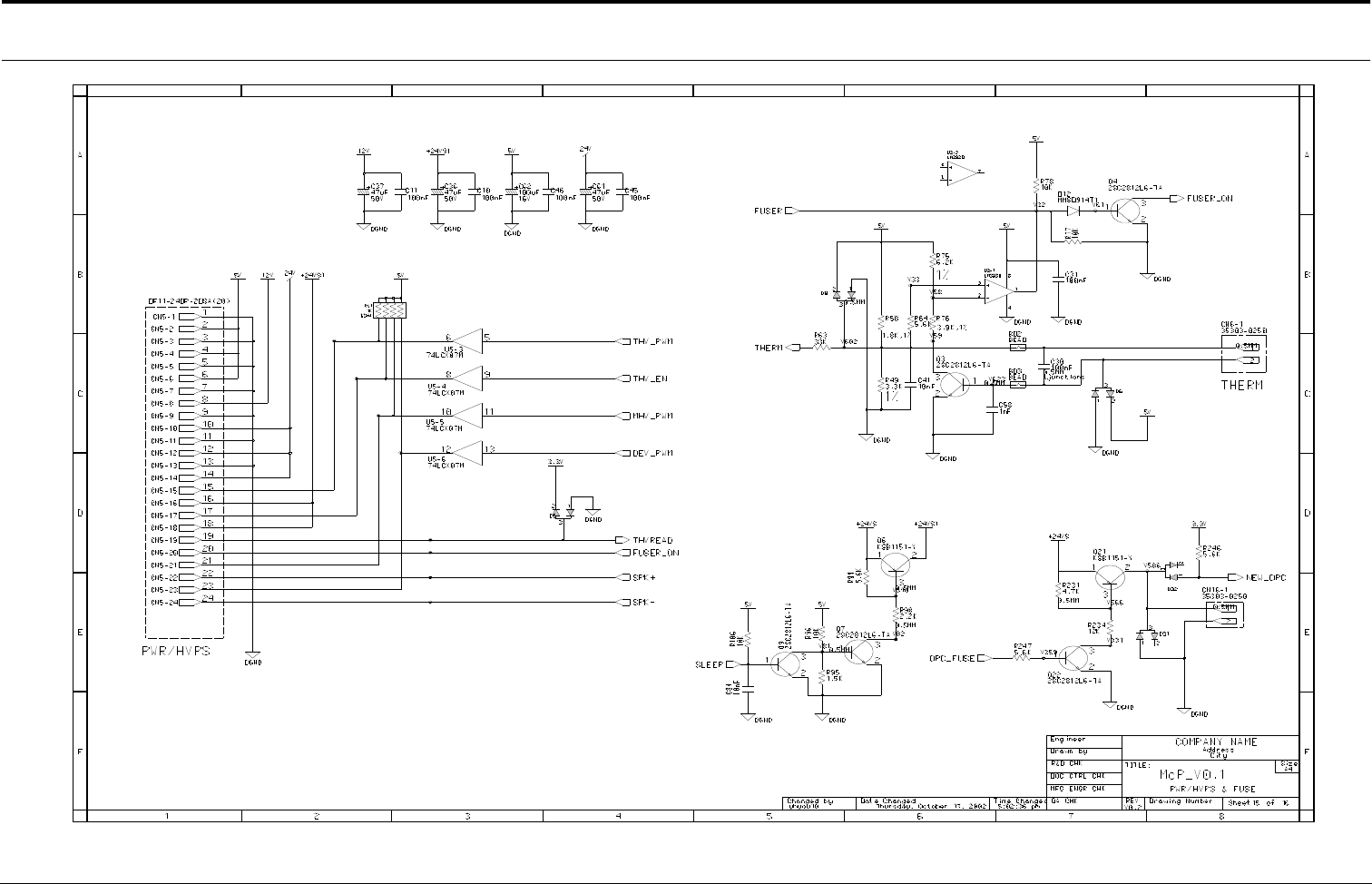
Connection Diagrams
Samsung Electronics
4-15
Main Circuit Diagram (15/16)
- This Document can not be used without Samsung's authorization -
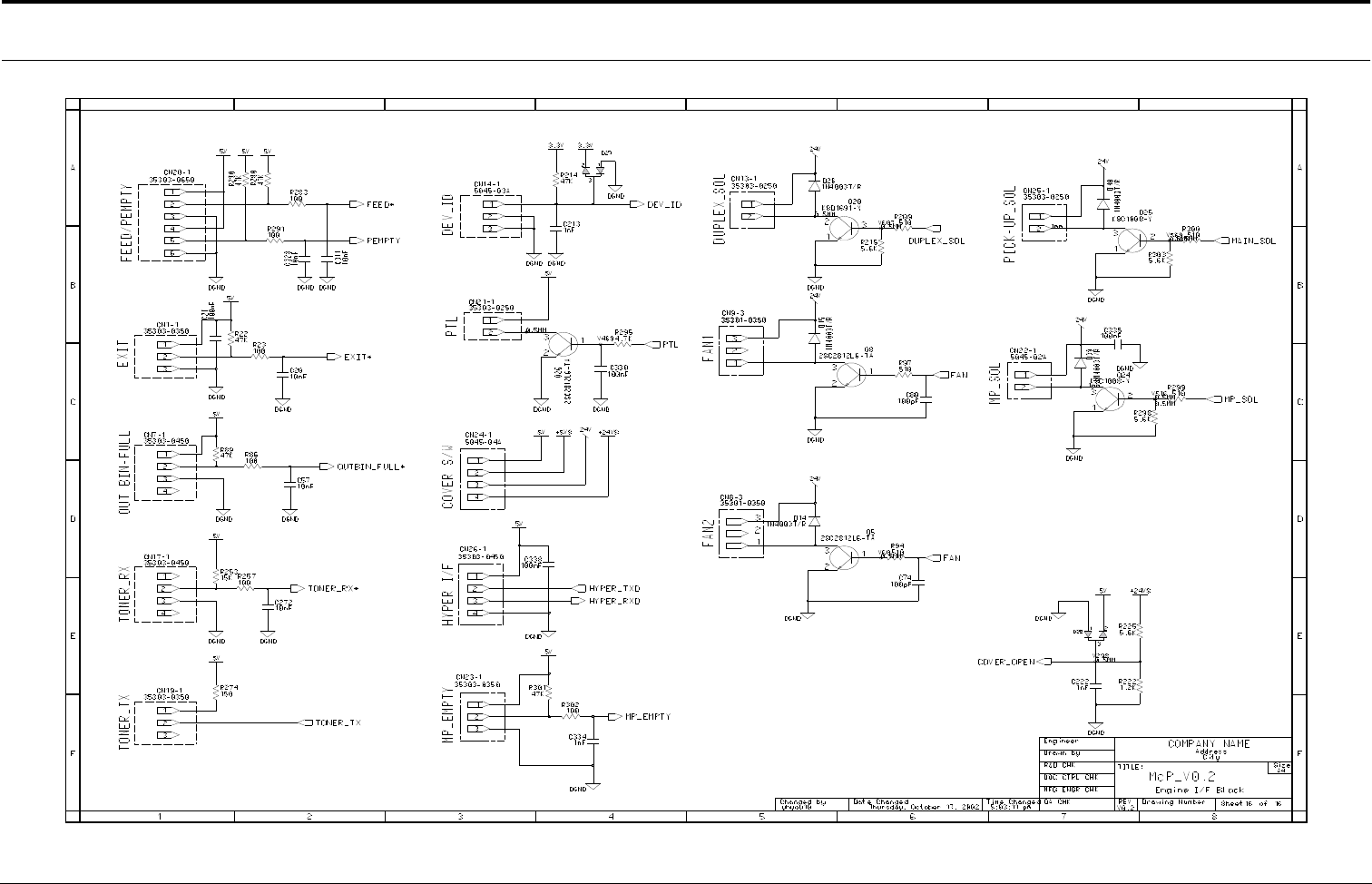
Connection Diagrams
4-16
Samsung Electronics
Main Circuit Diagram (16/16)
- This Document can not be used without Samsung's authorization -
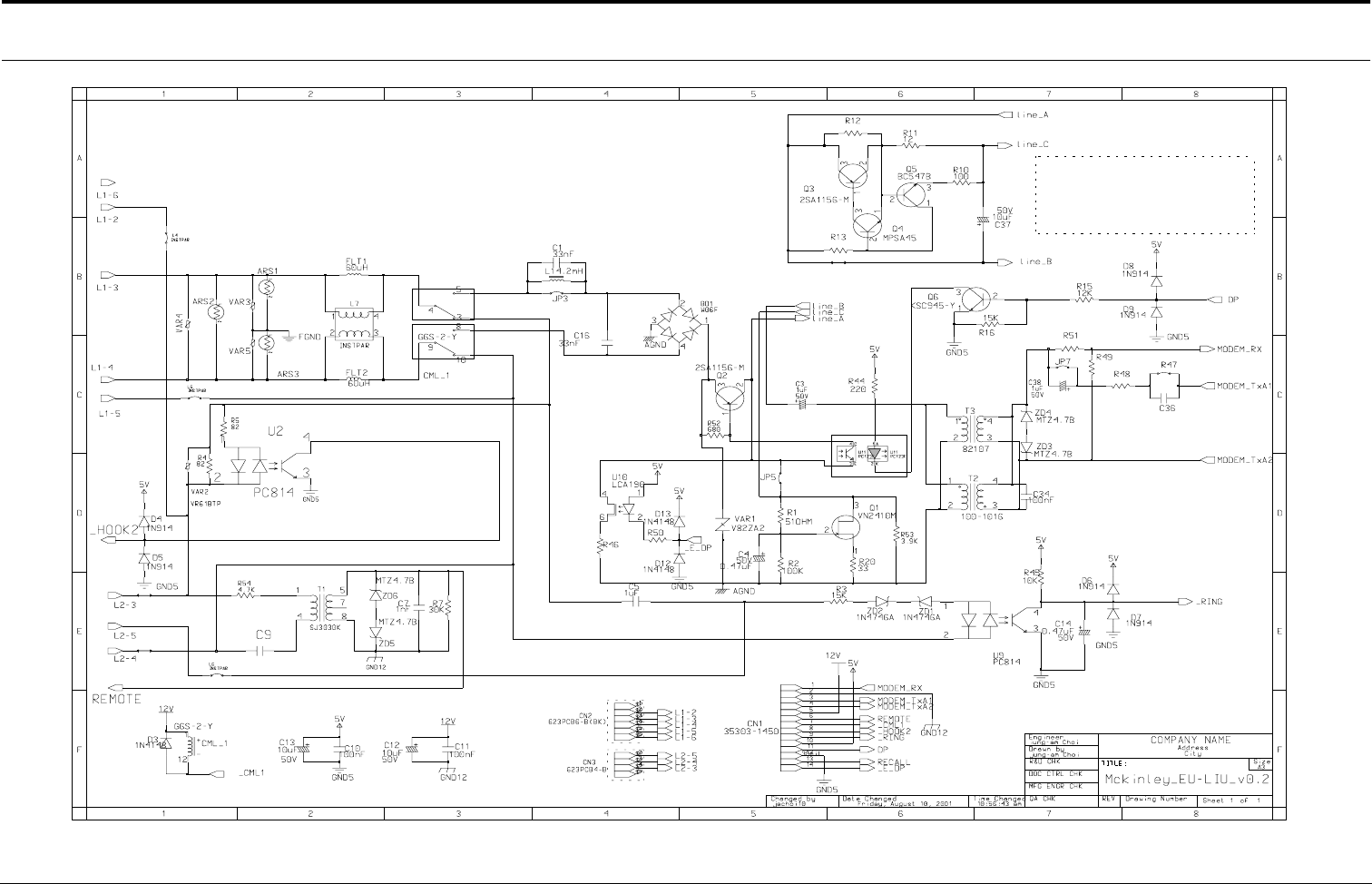
Connection Diagrams
Samsung Electronics
4-17
4-2 LIU Circuit Diagram
(BRW)
2.74K, 1%
600
*
180K, 1/4W
(YEL)
120K
(ORG)
(BLU)
*
,1W
*
/250V
ARS1-3 : OPTION
*1K, 2W
*
/16V
*
*
*
*
*
*
/16V
*
*: for EU PTT
*
*
*
/250V
600:600
(GRN)
*
1K,1%
*
15nF/400V
*
(BLK)
10, 1%,0.25W
*
(RED)
0.22UF/16V
0.25W
- This Document can not be used without Samsung's authorization -
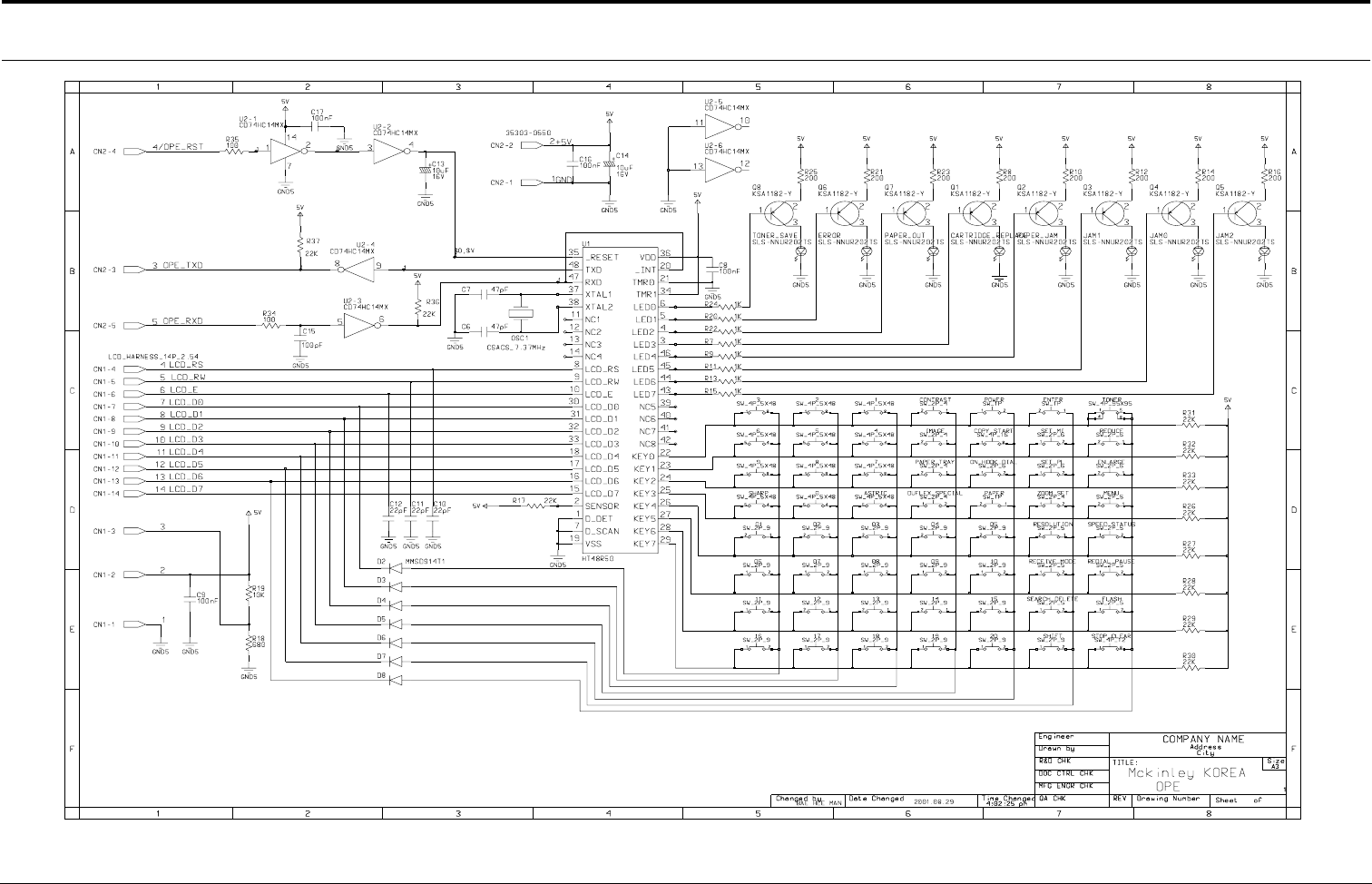
Connection Diagrams
4-18
Samsung Electronics
4-3 OPE Circuit Diagram
- This Document can not be used without Samsung's authorization -
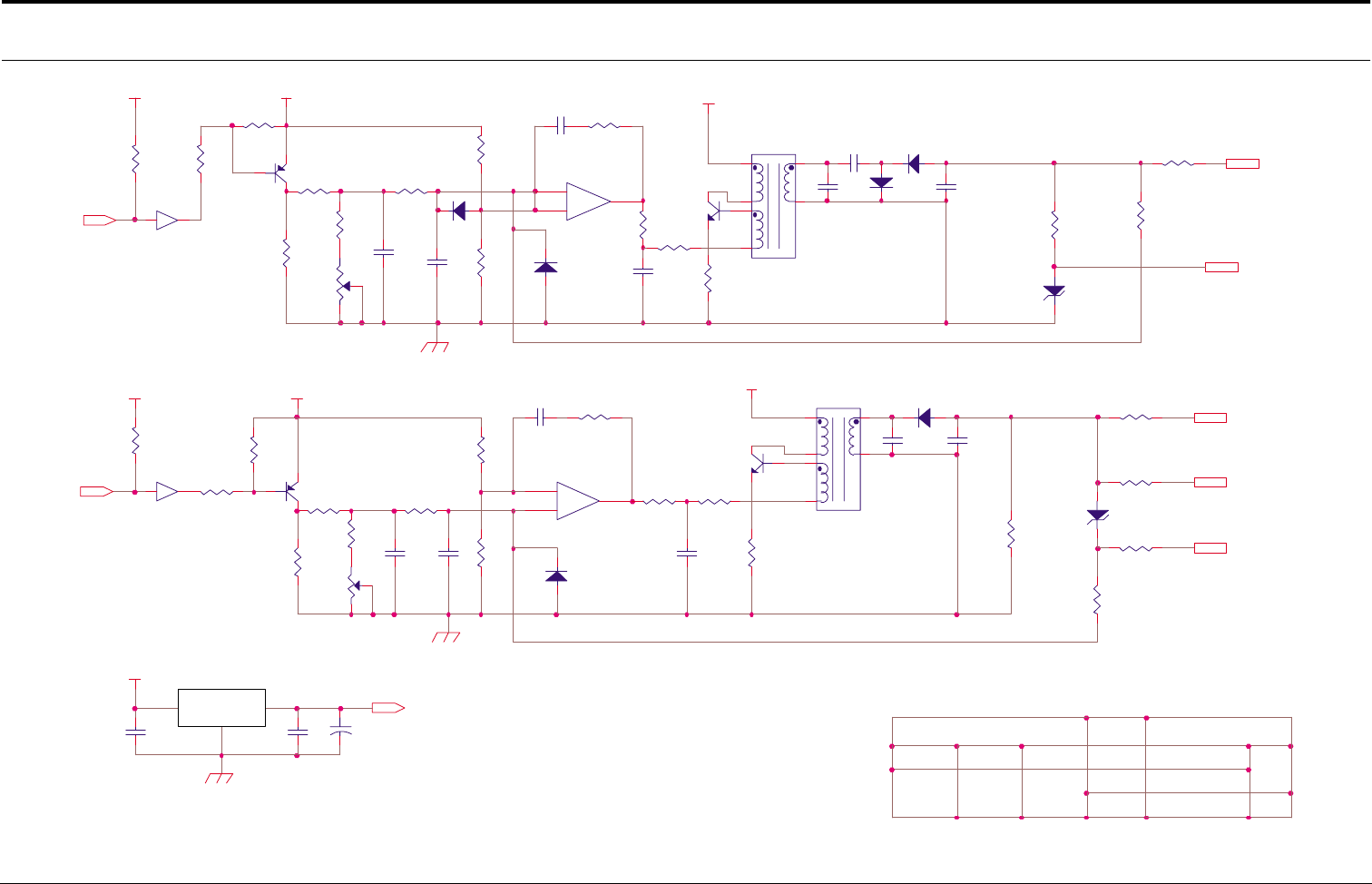
Connection Diagrams
Samsung Electronics
4-19
4-4 HVPS Circuit Diagram (1/2)
D501
1N4148
R503
100KF
CON03-#24
R404
33K
C404
3KV 471
1 OF 2
Q401
A708-Y
R411
2K
+
-
U101-B
KA324
5
6
7
T401
KAB-006
1
4
2
5
7
6
1.0
C505
2KV 680
D502
4KV
Q501
A708-Y
1 2
OPC
U103-B
R512
MGR1/2W 12MF
5V
18V
CON03-#22
DATE 01/05/20
18V
R502
2K
3 4
MHV-PWM
SUPPLY
C503
104
DEV
50K
R510
430
D402
4KV
D403
4KV
R507
12KF
R517
MGR1/2W 15MF
REF. NO
C102
104
R419
5.6K
R505
27K
MCKINLEY-HVPS
C403
333
R511
1W 3
H.V.P.S
R506
86.6KF
R514
MGR1/2W 50K
BIAS-PWM
R412
2.2K
TITLE
R410
1W 3
R501
100
C103
104
JC44-00017A
MHV
50K
SIZE A4
R416
MGR1/2W 30MF
T501
T1167
1
4
2
5
7
6
24VS
R504
86.6KF
7407
R413
MGR1/2W 12MF
+
C104
35V 47uF
R515
MGR1/2W 50K
R520
5.6K
D401
1N4148
Q402
D526-Y
ZD502
150V
7407
C402
104
+
-
U101-A
KA324
3
2
1
BLADE
R409
430
DRW. NO
R403
62KF
R401
100
KA7818
R408
47K
DONGYANG INSTRUMENTS
APPROVED
24VS
24VS
C502
222
C407
104
U102
REV.
R402
56KF
C501
104
ZD401
1W 150V
OUT
R407
85KF
18V
R519
2.2K
C504
333
CHECKED
J.S.YOUN
DEV
R418
MGR1/2W 100KF
R509
47K
D404
1N4148
GND
DESIGNED
R516
MGR1/2W 50K
C406
3KV 471
IN
5V
R406
16.2KF
R508
47K
C401
222
U103-A
C405
2KV 680
R405
150KF
Q502
D526-Y C506
3KV 471
MHV
- This Document can not be used without Samsung's authorization -
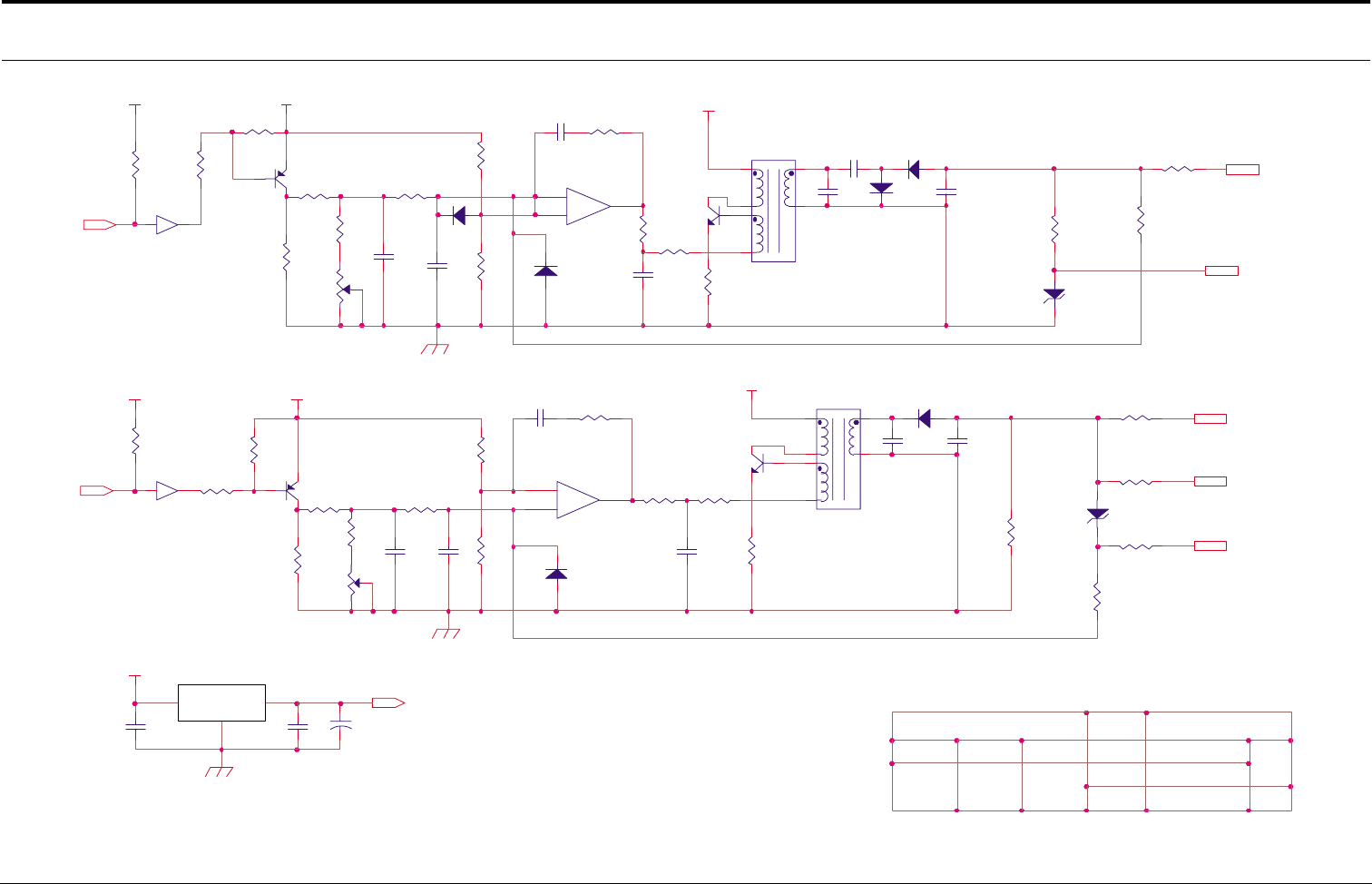
Connection Diagrams
4-20
Samsung Electronics
HVPS Circuit Diagram (2/2)
D501
1N4148
R503
100KF
CON03-#24
R404
33K
C404
3KV 471
1 OF 2
Q401
A708-Y
R411
2K
+
-
U101-B
KA324
5
6
7
T401
KAB-006
1
4
2
5
7
6
1.0
C505
2KV 680
D502
4KV
Q501
A708-Y
1 2
OPC
U103-B
R512
MGR1/2W 12MF
5V
18V
CON03-#22
DATE 01/05/20
18V
R502
2K
3 4
MHV-PWM
SUPPLY
C503
104
DEV
50K
R510
430
D402
4KV
D403
4KV
R507
12KF
R517
MGR1/2W 15MF
REF. NO
C102
104
R419
5.6K
R505
27K
MCKINLEY-HVPS
C403
333
R511
1W 3
H.V.P.S
R506
86.6KF
R514
MGR1/2W 50K
BIAS-PWM
R412
2.2K
TITLE
R410
1W 3
R501
100
C103
104
JC44-00017A
MHV
50K
SIZE A4
R416
MGR1/2W 30MF
T501
T1167
1
4
2
5
7
6
24VS
R504
86.6KF
7407
R413
MGR1/2W 12MF
+
C104
35V 47uF
R515
MGR1/2W 50K
R520
5.6K
D401
1N4148
Q402
D526-Y
ZD502
150V
7407
C402
104
+
-
U101-A
KA324
3
2
1
BLADE
R409
430
DRW. NO
R403
62KF
R401
100
KA7818
R408
47K
DONGYANG INSTRUMENTS
APPROVED
24VS
24VS
C502
222
C407
104
U102
REV.
R402
56KF
C501
104
ZD401
1W 150V
OUT
R407
85KF
18V
R519
2.2K
C504
333
CHECKED
J.S.YOUN
DEV
R418
MGR1/2W 100KF
R509
47K
D404
1N4148
GND
DESIGNED
R516
MGR1/2W 50K
C406
3KV 471
IN
5V
R406
16.2KF
R508
47K
C401
222
U103-A
C405
2KV 680
R405
150KF
Q502
D526-Y C506
3KV 471
MHV
- This Document can not be used without Samsung's authorization -
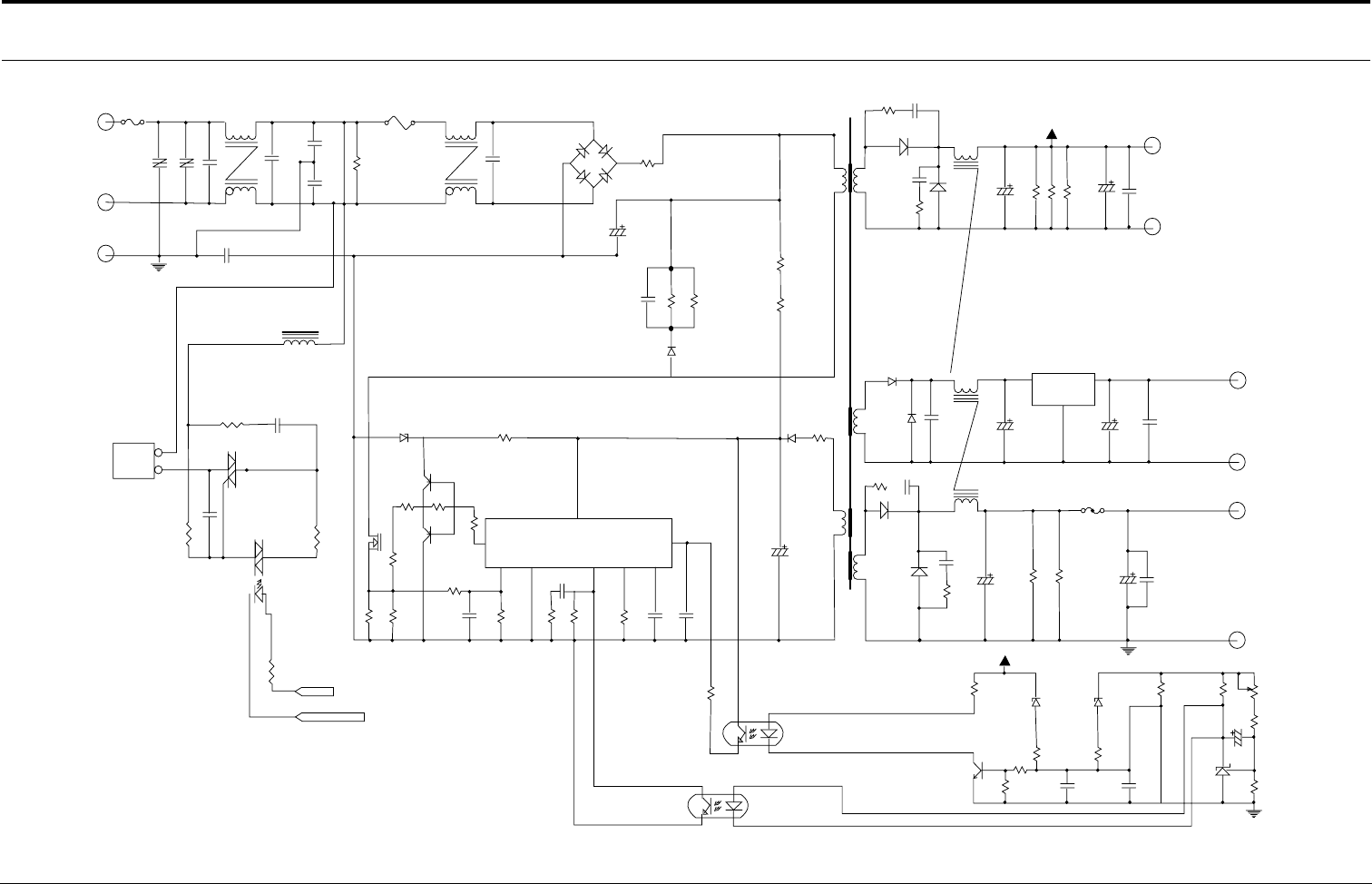
Connection Diagrams
Samsung Electronics
4-21
4-5 SMPS Circuit Diagram (110V)
125V8A
F1
ACINPUT/L
AC INPUT
85V-135Vac
TNR2
TNR-14V182K
C4
C-CX104224
LF1 LF2
C7
C-CX104224
F2
125V5A
C6
C-CY222
C2
C-CX104224
BD1
D3SB60
+24V C29
35V1000uF
24V
C27
24VG
R43R42R41
C30
35V1000uF1W1.2KJ
L2/A
D5/B
C41
D5/A
D10LC20U
R6
1W100KJ
TH1
15D-9
R3
1W100KJ
R4
2W100KJ
R5
2W100KJ
D1
BYV-26E
C11
C-MYN630V103
C10
200V820uF
R1
1W560KJ
C5
C-CY222
C-CY222
C22
L1
TNR1
INR14D561K
GND
ACINPUT/N
CON2
1
2
R23
1/4W100J
SY1
BTA12-600B
R22
1W180J
C17
50V104J
PC3
S21ME4FY
C18
630V333K
R24
1W47J
ZD4 R11
Q2
R12
1/6W2.2J
Q2
C1008
1/8W470J
IC2
7653
R14
1/8W24J
R13
1/8W1KJ
Q3
R9
1/8W22KJ
R15
1/8W680J
R11
R10
1W0.35J
FUSER_ON
+24S
R66
RD1/8W01.5KJ
R16
1/8W680J
C14
50V102J
VCC
GND
FB
RT
CT
CS
IS
OUT
C13
R18
1/8W18KJ
R19
1/8W5.6KJ
C15
50V471J
C16
50V683J
R20
PC1
PC-123
PC2
PC-123
D6
D1NL20U
C24
35V100uF
D7
D1NL20U
IC3
IC-278RXX
C42
1KV471
L2/C
L2/B
R17
1/8W51J
D2
D1NL20U
C43
C12
35V33uF
D9/A
SB560
D8/B
SB560
C-MY50V472J
C1
R2
1W47J
R31
1/8W120J
F3
R37
1/8W120J
C25
35V100uF
C34
10V3300uF
C28
C-MY50V104
C33
10V3300uF
PT1 EER3435
+24V ZD1
ZD-500MW30V
R25
1/8W10KJ
R27
1/8W68J R26
1/8W220J
R30
1/8W220J
Q4
C1008
R28
1/8W680J C19
C20
C-MY50V104
C-MY50V104
ZD2
ZD-500MW6.2V
5VG
R31
1/8W1KJ
R32
1/8W1KJ
RV1
R34
1.2KJ
R35
1KJ
1uF
C21
IC1
431
12VG
C26
C-MY50V104
5V
12V
12
13
9
10
8
7
1
2
6
GND
5
9
4
3
6
IN OUT
1
2
15
16
12
11
56
2
7
3
4
- This Document can not be used without Samsung's authorization -
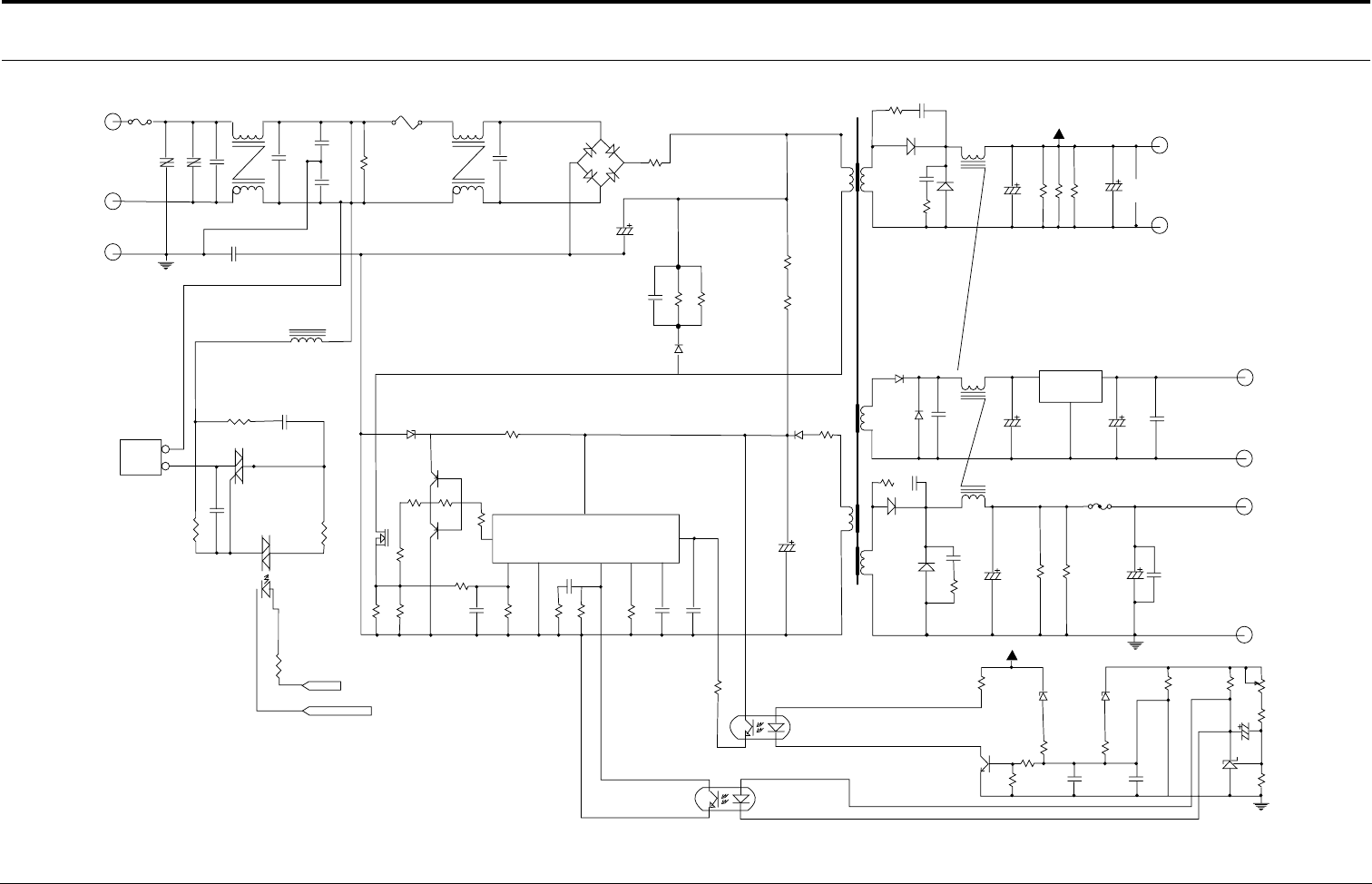
Connection Diagrams
4-22
Samsung Electronics
SMPS Circuit Diagram (220V)
125V8A
F1
ACINPUT/L
AC INPUT
85V-135Vac
TNR2
TNR-14V182K
C4
C-CX104224
LF1 LF2
C7
C-CX104224
F2
250V3.15A
C6
C-CY222
C2
C-CX104224
BD1
D3SB60
+24V C29
35V1000uF
24V
24VG
R43R42R41
C30
35V1000uF1W1.2KJ
L2/A
D5/B
C41
D5/A
D10LC20U
R6
1W220KJ
TH1
15D-9
R3
1W130V(ZEN)
R4
2W100KJ
R5
2W100KJ
D1
BYV-26E
C11
C-MYN630V103
C10
400V330uF
R1
1W560KJ
C5
C-CY222
C-CY222
C22
L1
TNR1
INR14D561K
GND
ACINPUT/N
CON2
1
2
R23
1/4W100J
SY1
BTA12-600B
R22
1W180J
C17
50V104J
PC3
S21ME4FY
C18
630V333K
R24
1W47J
ZD4 R11
Q2
R12
1/6W2.2J
Q2
C1008
1/8W470J
IC2
7653
R14
1/8W24J
R13
1/8W1KJ
Q3
R9
1/8W22KJ
R15
1/8W680J
R11
R10
1W1J
FUSER_ON
+24S
R66
RD1/8W01.5KJ
R16
1/8W680J
C14
50V102J
VCC
GND
FB
RT
CT
CS
IS
OUT
C13
R18
1/8W18KJ
R19
1/8W5.6KJ
C15
50V471J
C16
50V683J
R20
PC1
PC-123
PC2
PC-123
D6
D1NL20U
C24
35V100uF
D7
D1NL20U
IC3
IC-278RXX
C42
1KV471
L2/C
L2/B
R17
1/8W51J
D2
D1NL20U
C43
C12
35V33uF
D9/A
SB560
D8/B
SB560
C-MY50V472J
C1
R2
1W47J
R31
1/8W120J
F3
R37
1/8W120J
C25
35V100uF
C34
10V3300uF
C28
C-MY50V104
C33
10V3300uF
PT1 EER3435
+24V ZD1
ZD-500MW30V
R25
1/8W10KJ
R27
1/8W68J R26
1/8W220J
R30
1/8W220J
Q4
C1008
R28
1/8W680J C19
C20
C-MY50V104
C-MY50V104
ZD2
ZD-500MW6.2V
5VG
R31
1/8W1KJ
R32
1/8W1KJ
RV1
R34
1.2KJ
R35
1KJ
1uF
C21
IC1
431
12VG
C26
C-MY50V104
5V
12V
12
13
9
10
8
7
1
2
6
GND
5
9
4
3
6
IN OUT
1
2
15
16
12
11
56
2
7
3
4
- This Document can not be used without Samsung's authorization -
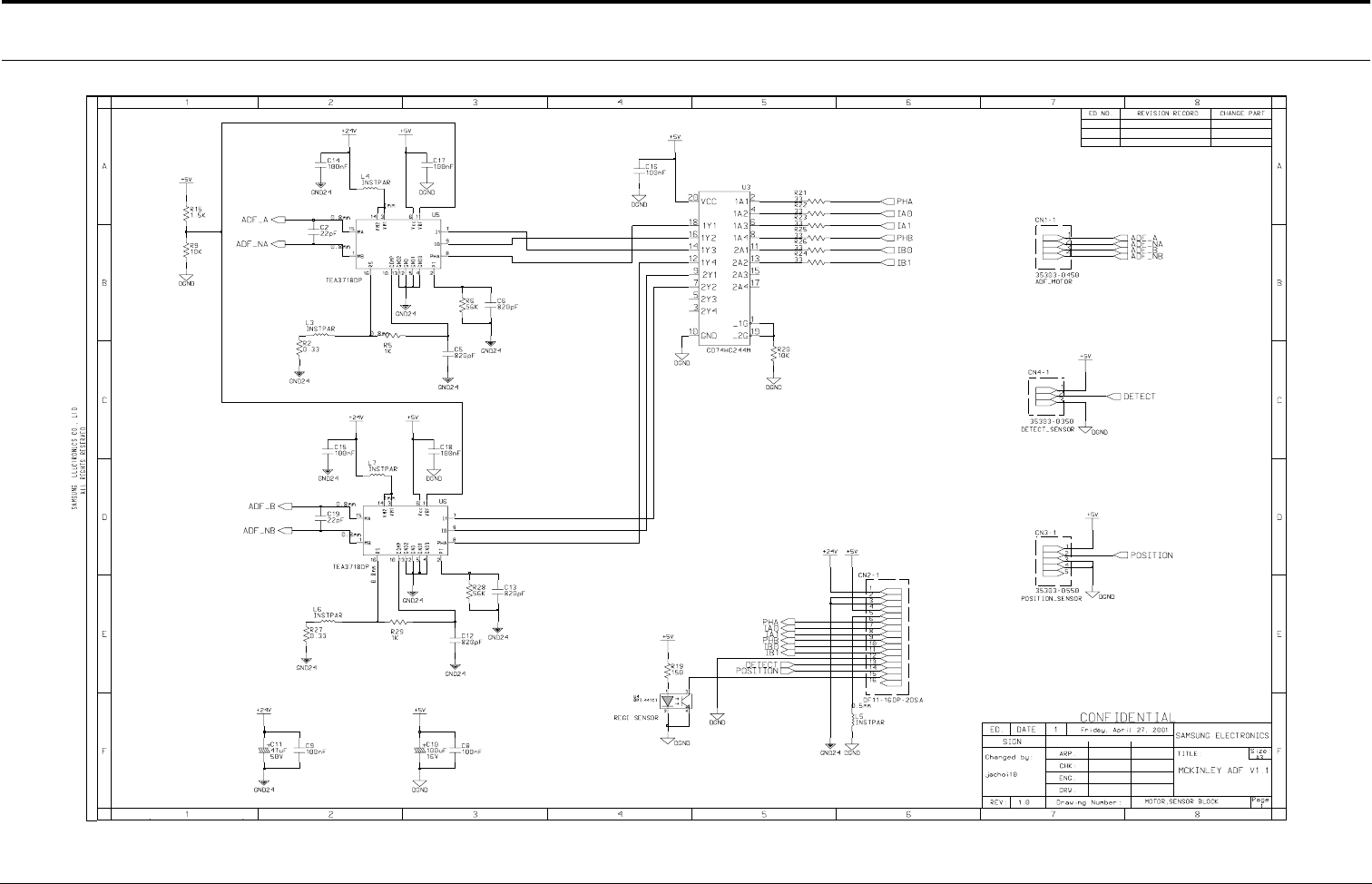
Connection Diagrams
Samsung Electronics
4-23
4-6 ADF Circuit Diagram
- This Document can not be used without Samsung's authorization -
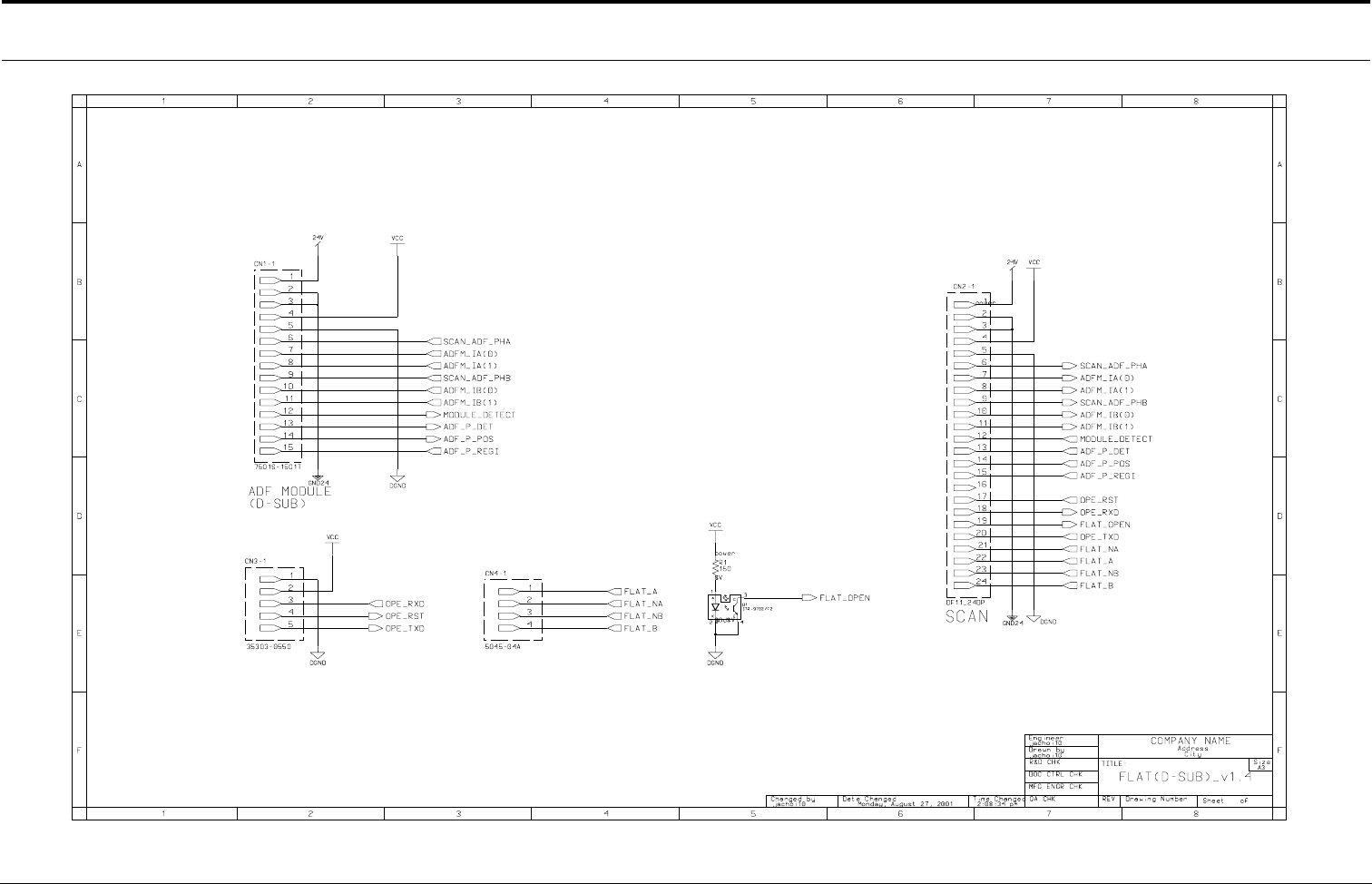
Connection Diagrams
4-24
Samsung Electronics
4-7 Flat Circuit Diagram
- This Document can not be used without Samsung's authorization -
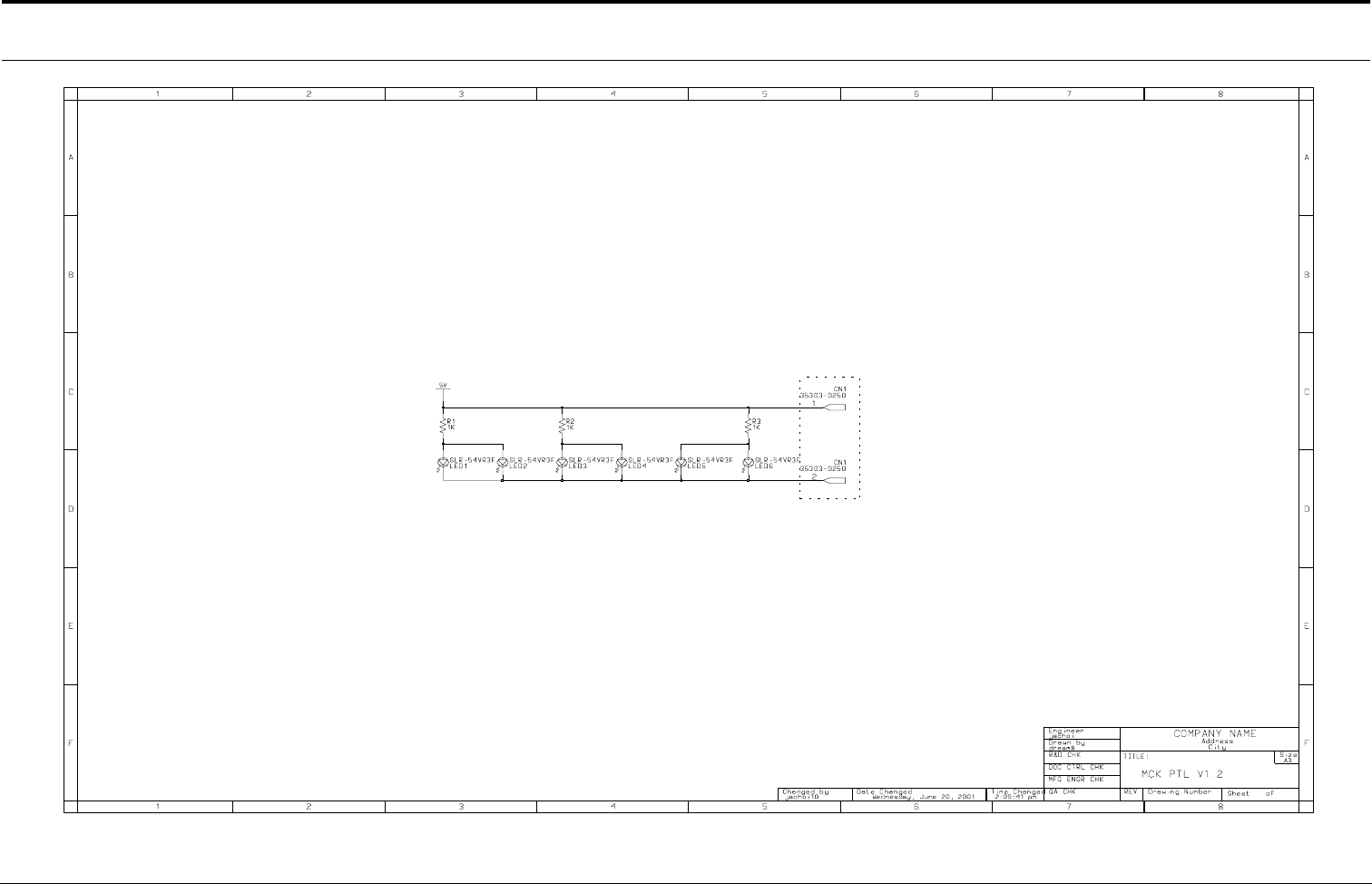
Connection Diagrams
Samsung Electronics
4-25
4-8 PTL Circuit Diagram
- This Document can not be used without Samsung's authorization -
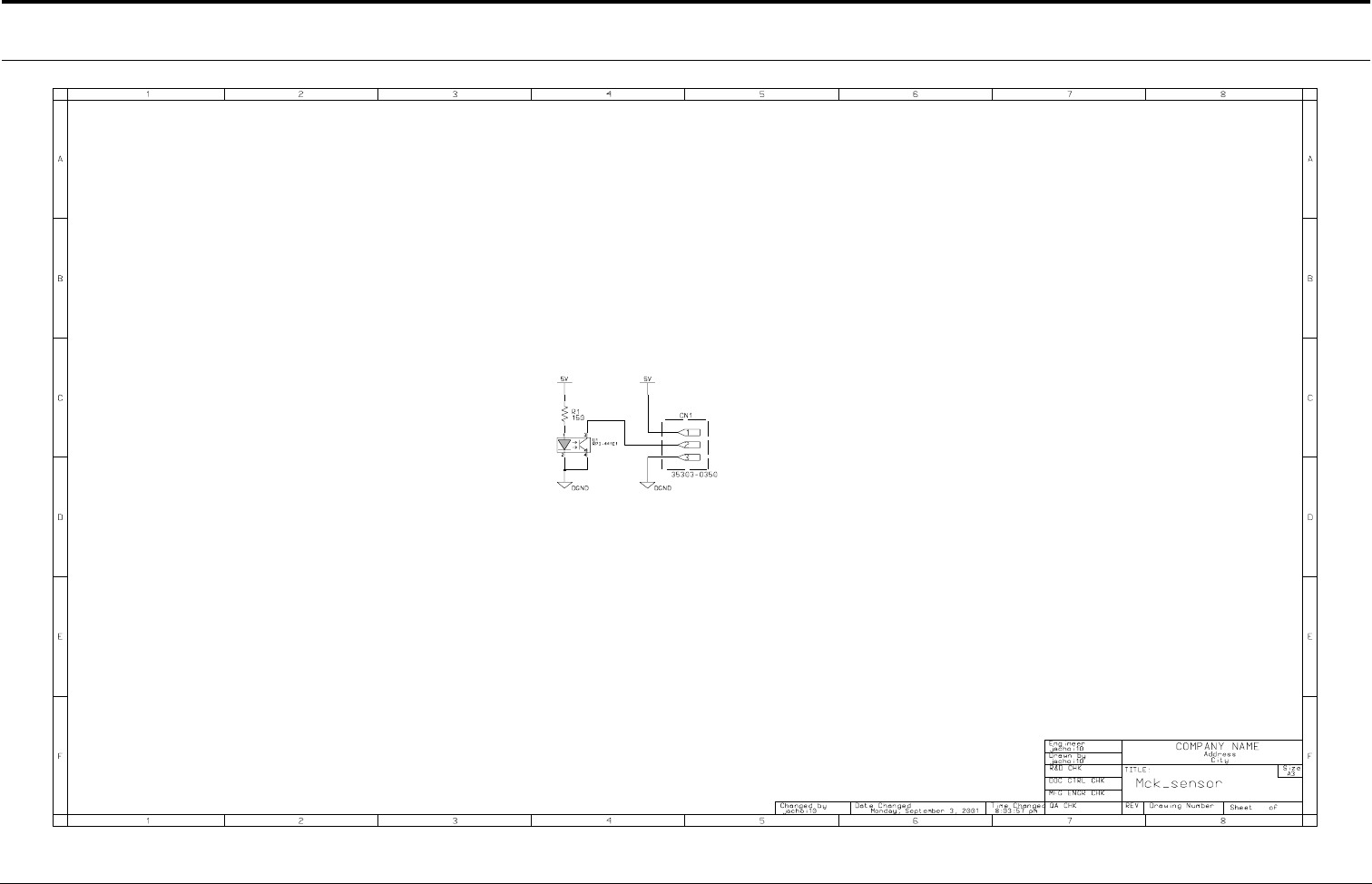
Connection Diagrams
4-26
Samsung Electronics
4-9 Sensor Circuit Diagram
- This Document can not be used without Samsung's authorization -
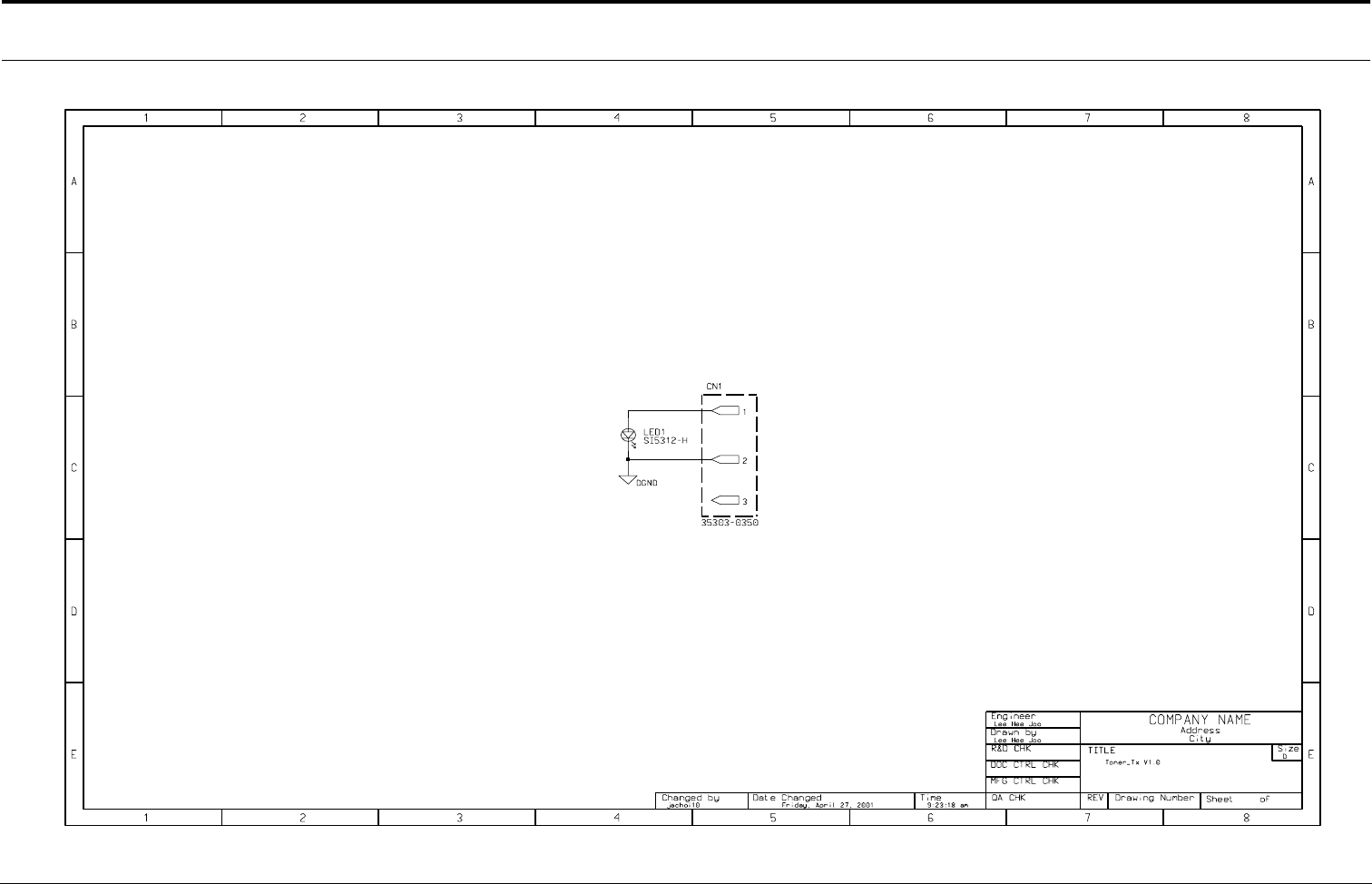
Connection Diagrams
Samsung Electronics
4-27
4-10 Toner_Rx Circuit Diagram
- This Document can not be used without Samsung's authorization -
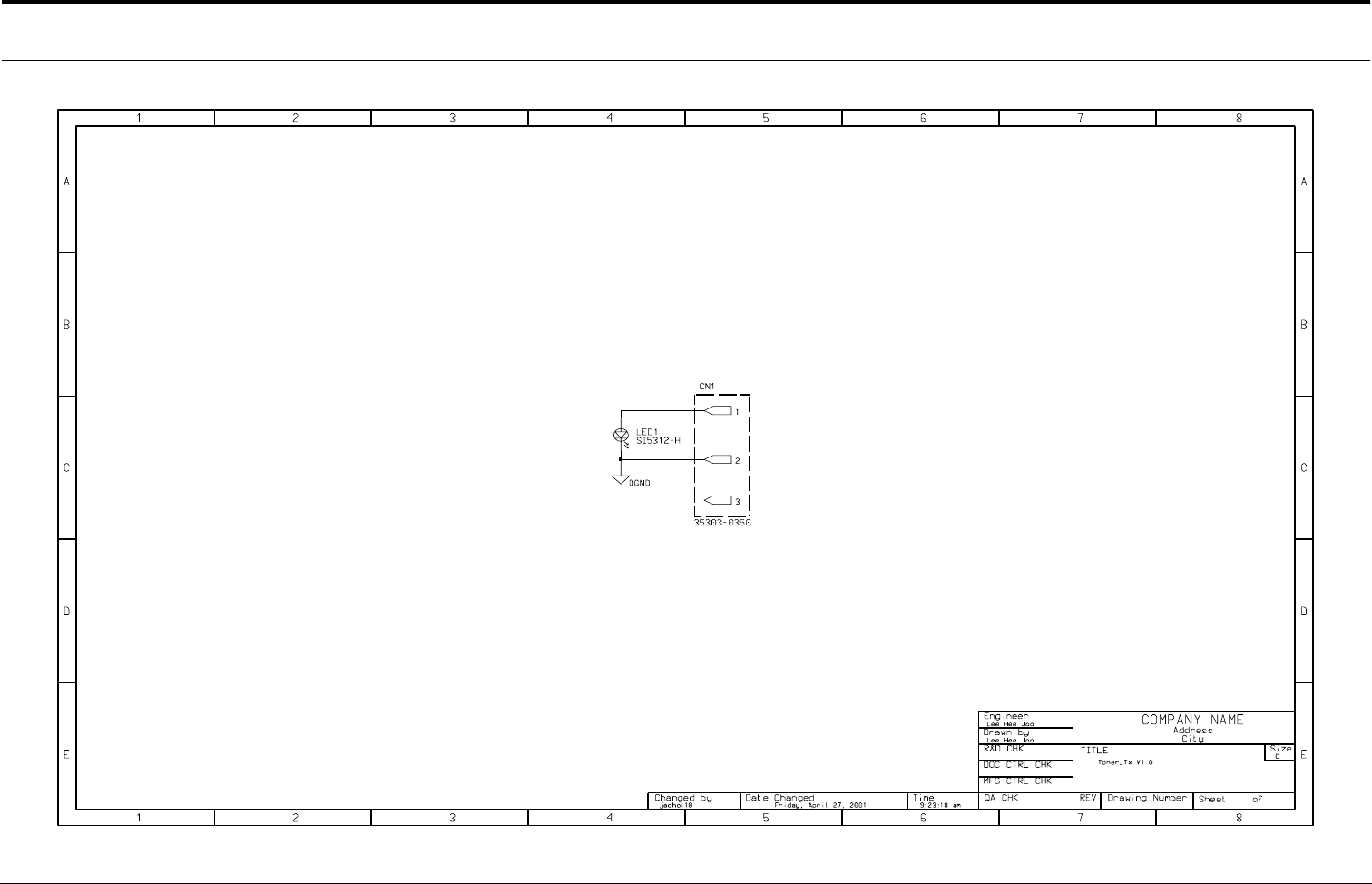
Connection Diagrams
4-28
Samsung Electronics
4-11 Toner_Tx Circuit Diagram
- This Document can not be used without Samsung's authorization -