Scarve Manual Mini Laser Engraver
User Manual:
Open the PDF directly: View PDF  .
.
Page Count: 52


Download Latest 2018-19 Scarve Software For Mini Laser Engraver Machine and Solutions of the errors can be found at www.tiaportal.weebly.com must visit and share with
others.
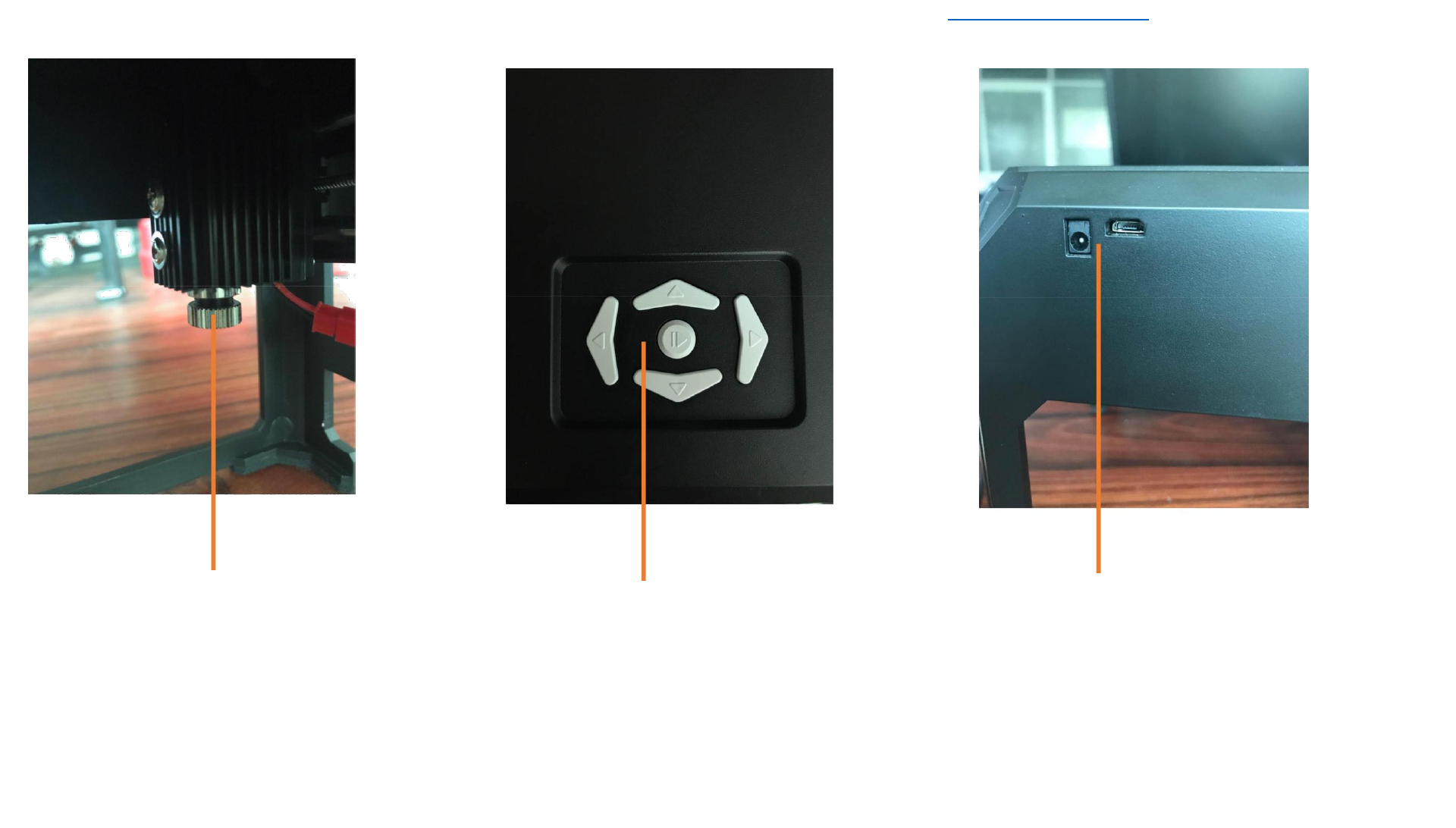
Focusing adjustment
before using:turning the
focus cap until the laser
light converged into one
point very small.
When it in unworking state
you can control the laser head
movement by press the
direction button,additon to,
the middle button can be used
to control its suspended or
start carving.
Here with two port,one for
Power,one for usb cable,
please keeping it on
connecting when start using it.
2

Download Latest 2018-19 Scarve Software For Mini Laser Engraver Machine and Solutions of the errors can be found at www.tiaportal.weebly.com must visit and
share with others.
Laser Engraver Guidence
• How to open the software
3
• Software description
4-7
• Simply image editing
8-25
• Engraving control
26-34
• Setting
35
• Precautions for Use
36
3
Download Latest 2018-19 Scarve Software For Mini Laser Engraver Machine and Solutions of the errors can be found at www.tiaportal.weebly.com must visit and share
with others.
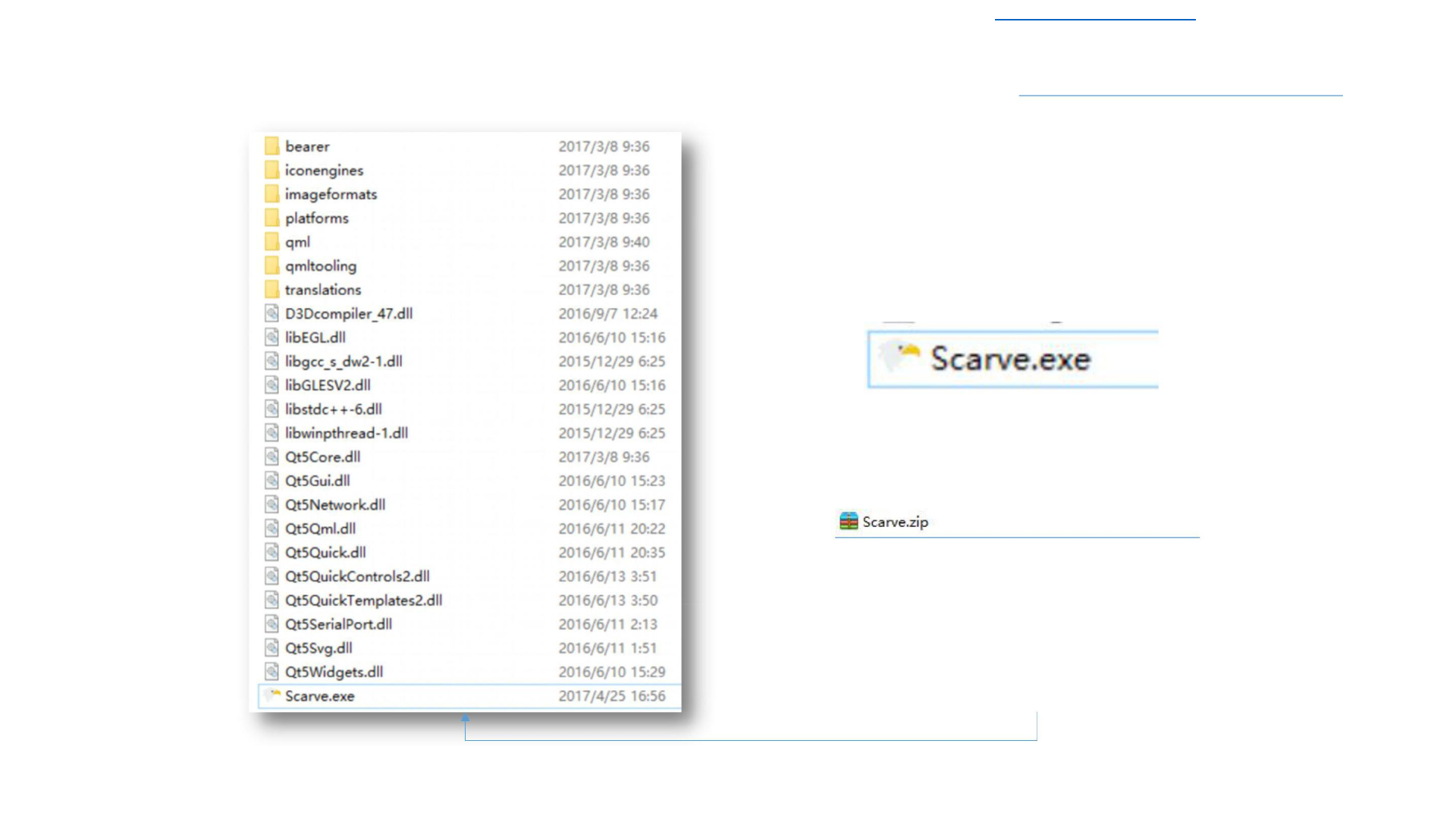
How to open the software
Green Version
Unzip the software as shown on
the left, click Scarve.exe twice to
open the software, you can also
send Scarve.exe to the desktop.

Download Latest 2018-19 Scarve Software For Mini Laser Engraver Machine and Solutions of the errors can be found at www.tiaportal.weebly.com must visit and share with
others.
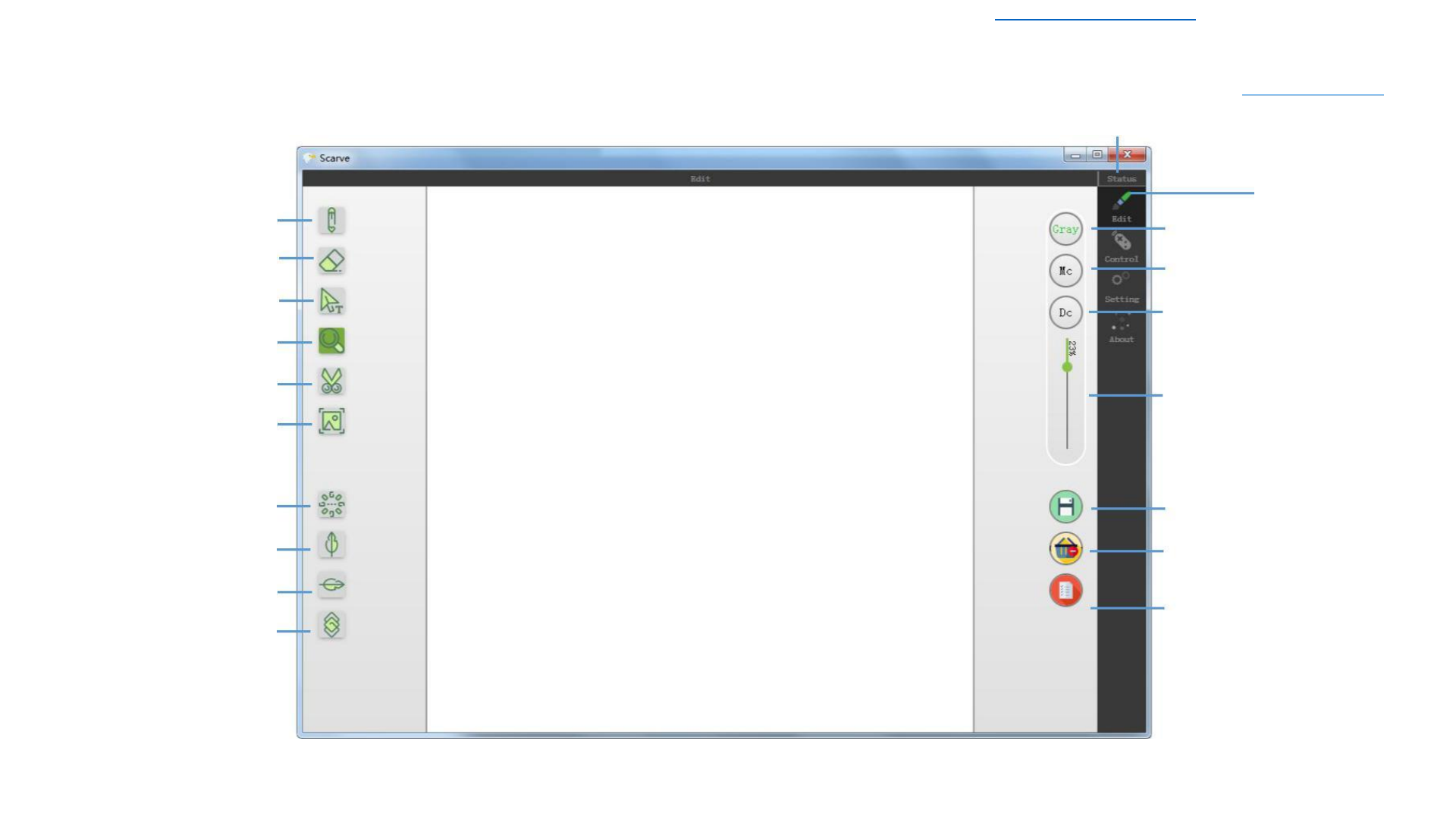
Writting
pen Rubber
Place the text
Zoom
Cutting
Picture size
Image rotation
Left and right
Up and down
Negative film
Software description
Status Edit image
Edit image status
Gray
Black and white
Discrete
Picture filter adjustment
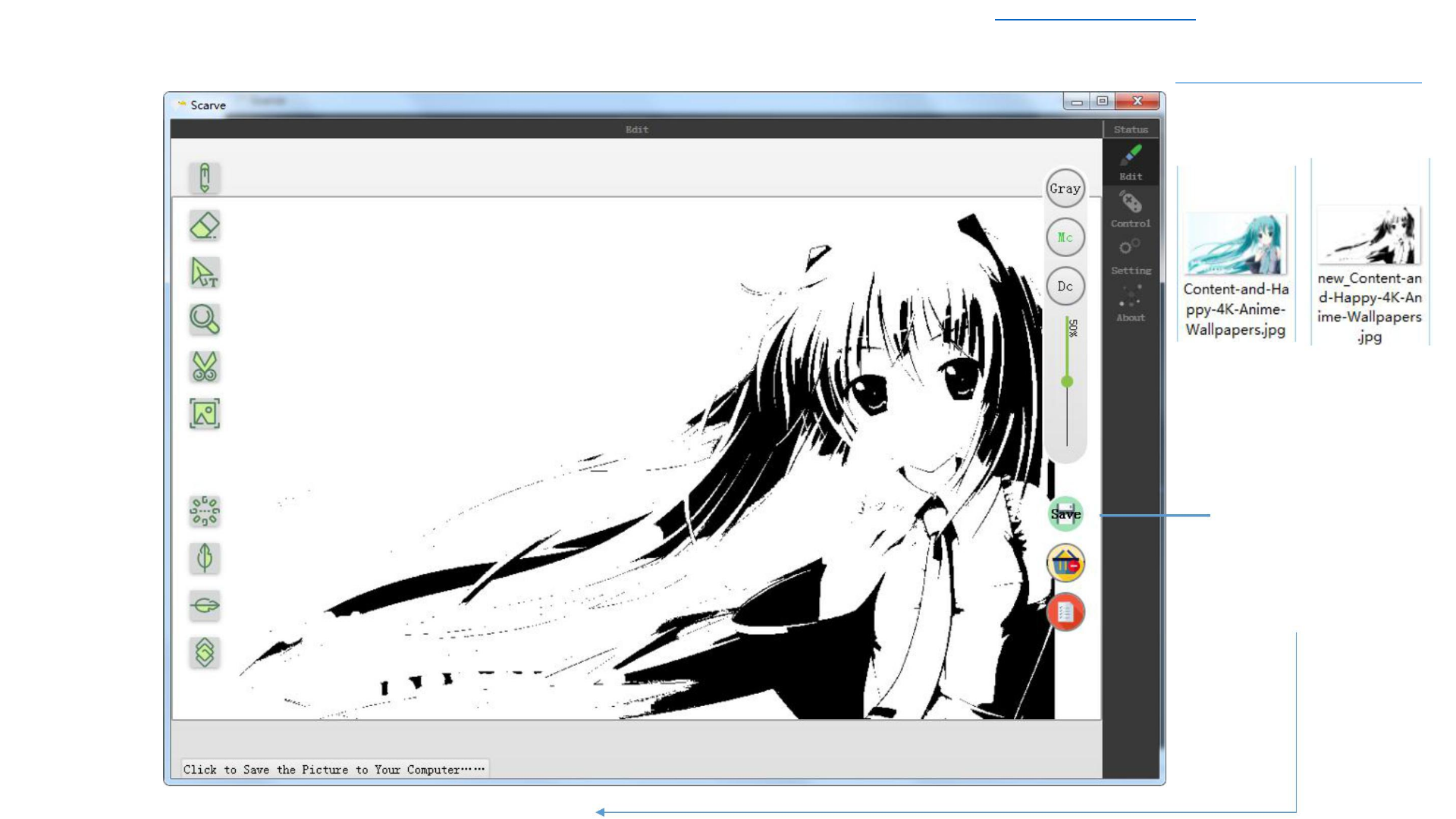
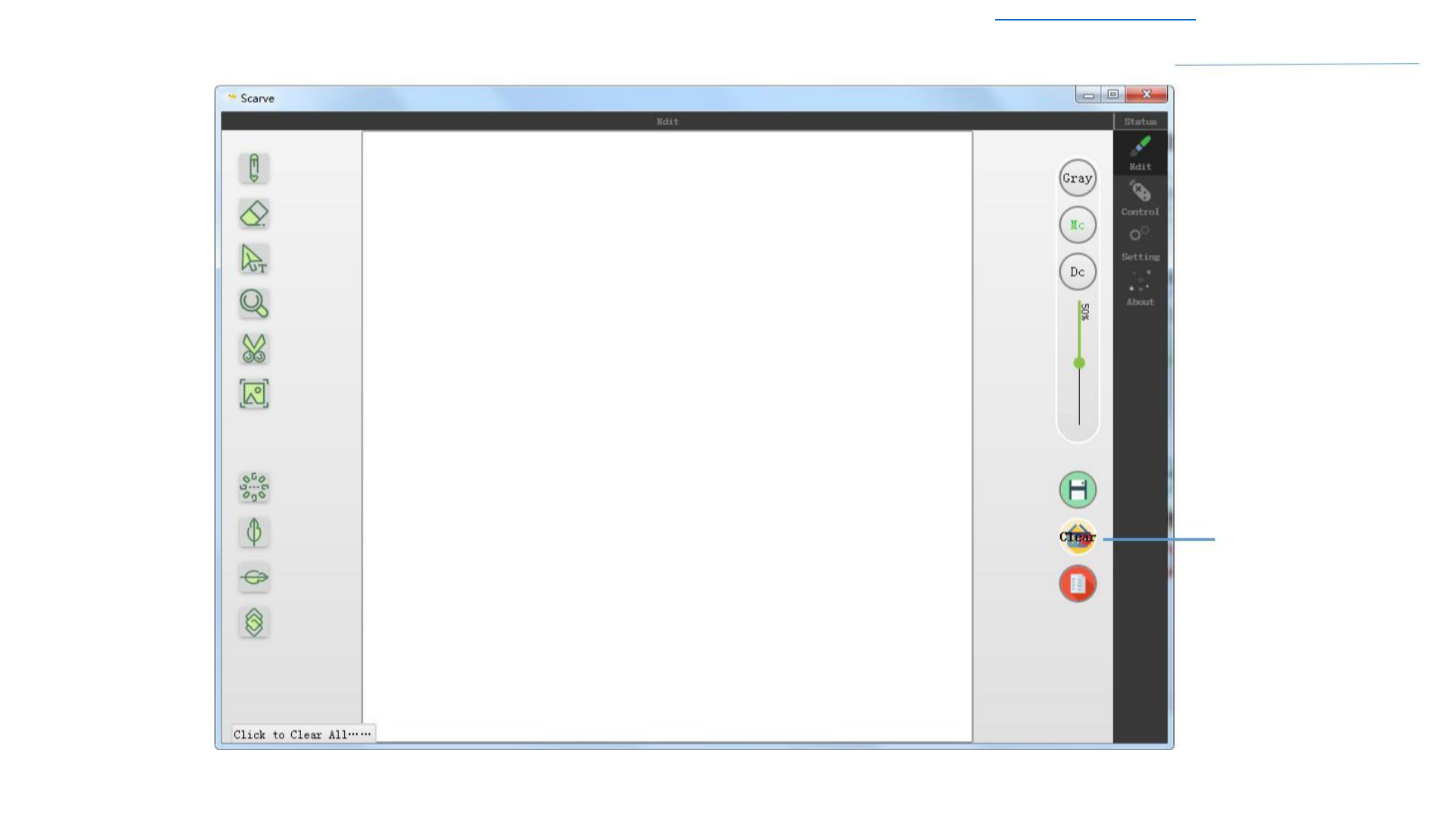
Save
Clear
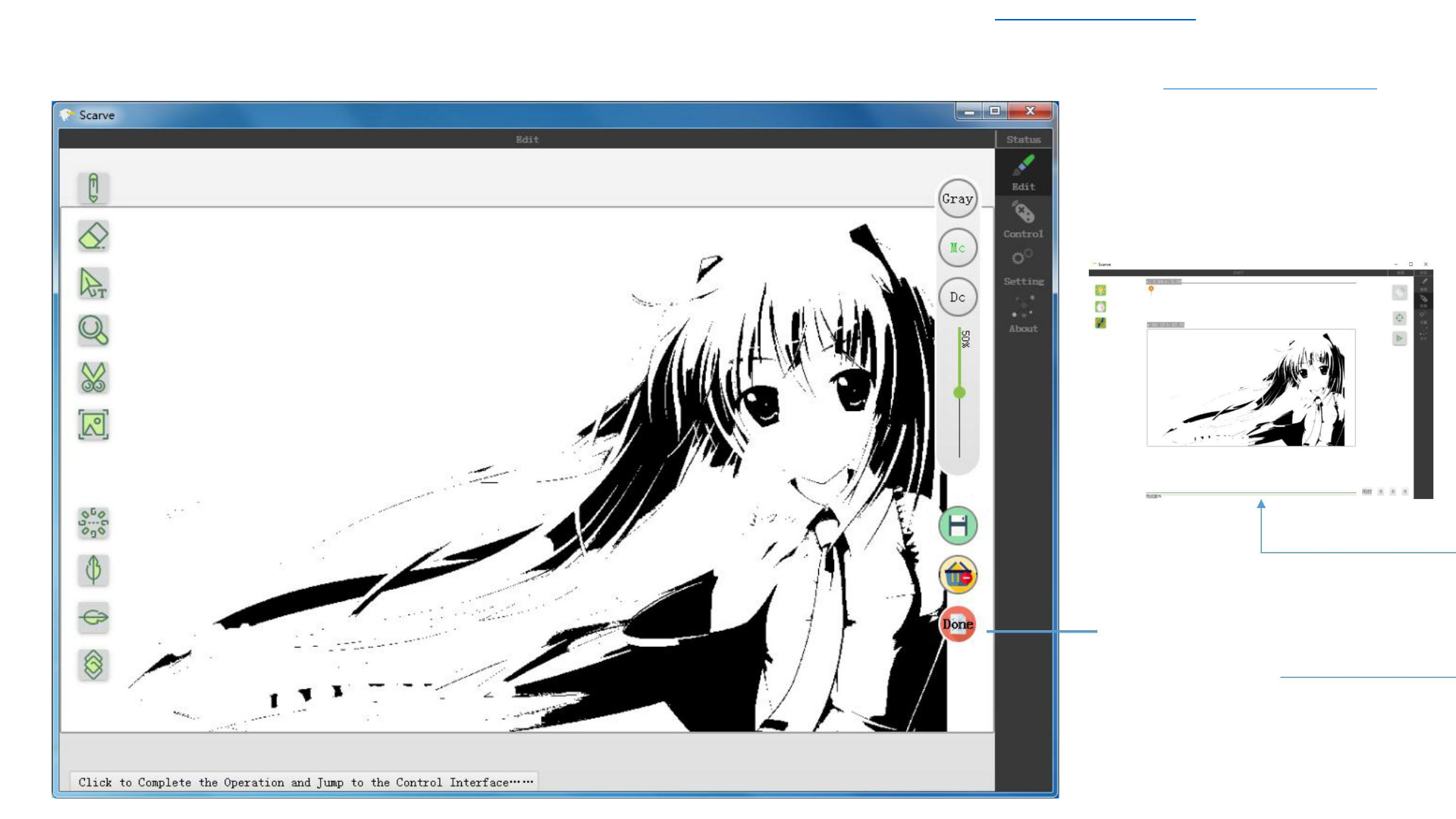
Completed and turn to the
print interface

Download Latest 2018-19 Scarve Software For Mini Laser Engraver Machine and Solutions of the errors can be found at www.tiaportal.weebly.com must visit and share with others.
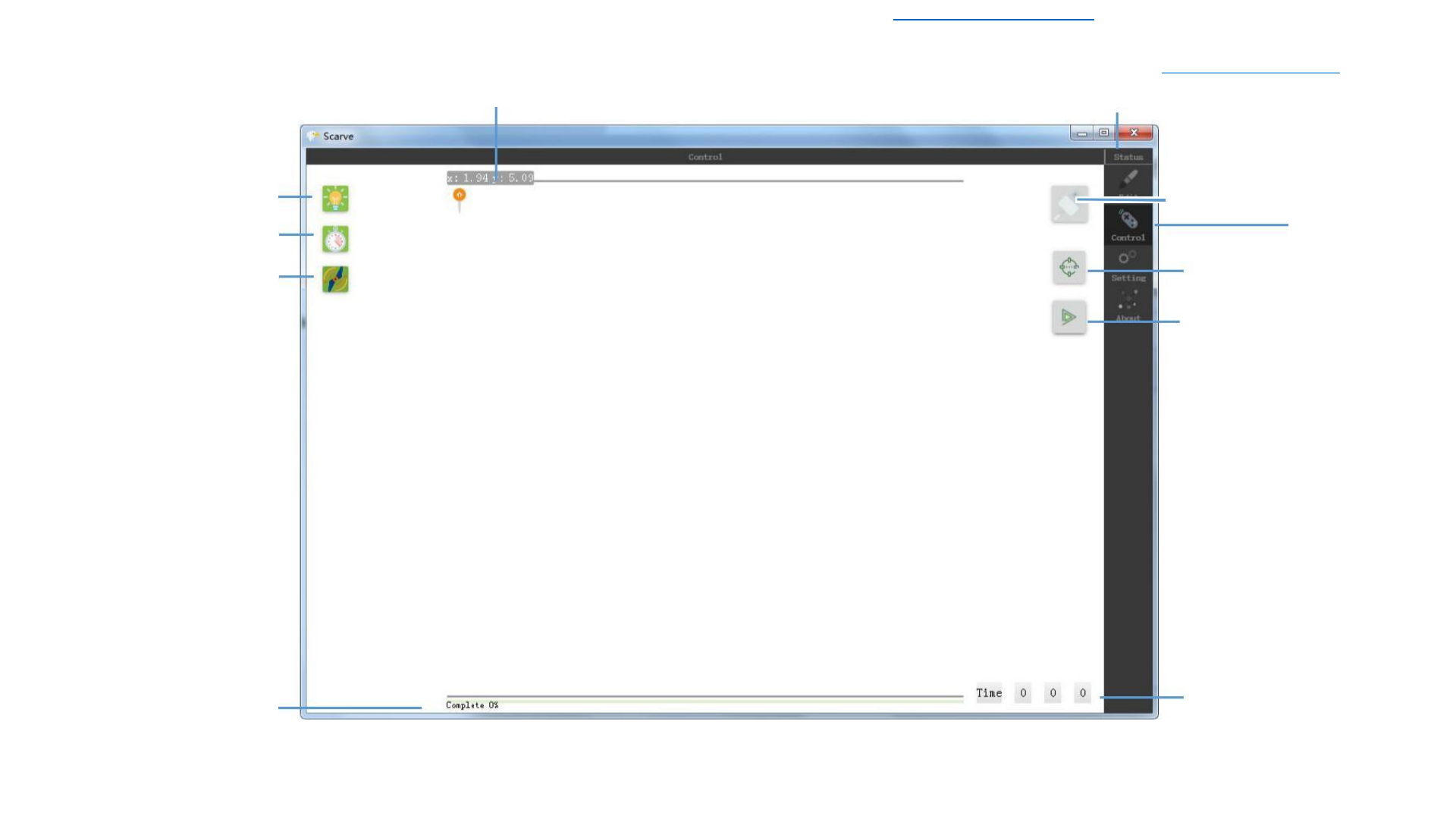
Laser coordinate setting
Laser power adjustment
Carving depth adjustment
Fan control
Scale
Software description
Status Control
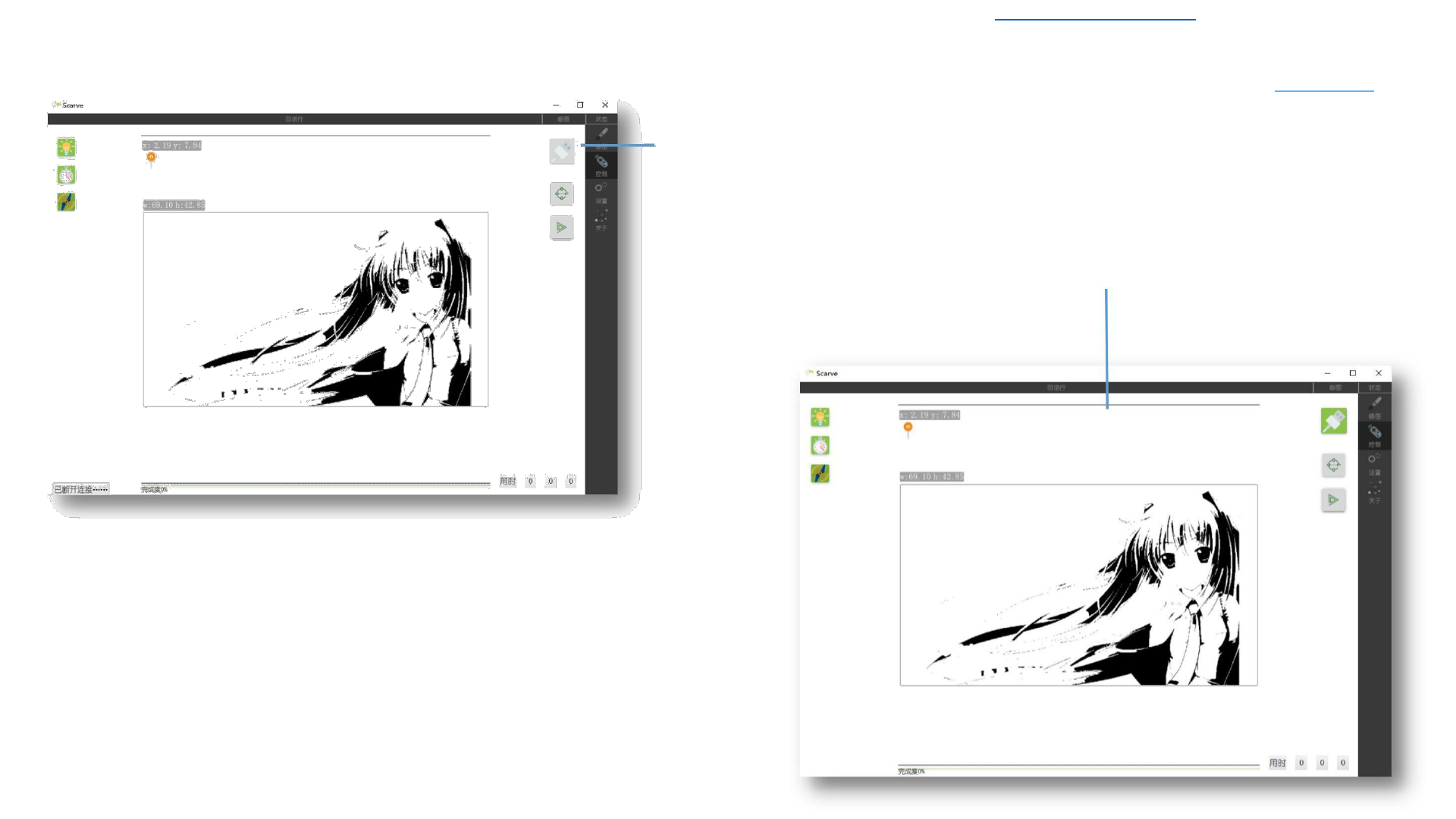
Connect the machine
Control
Positioning
Start
Time
6


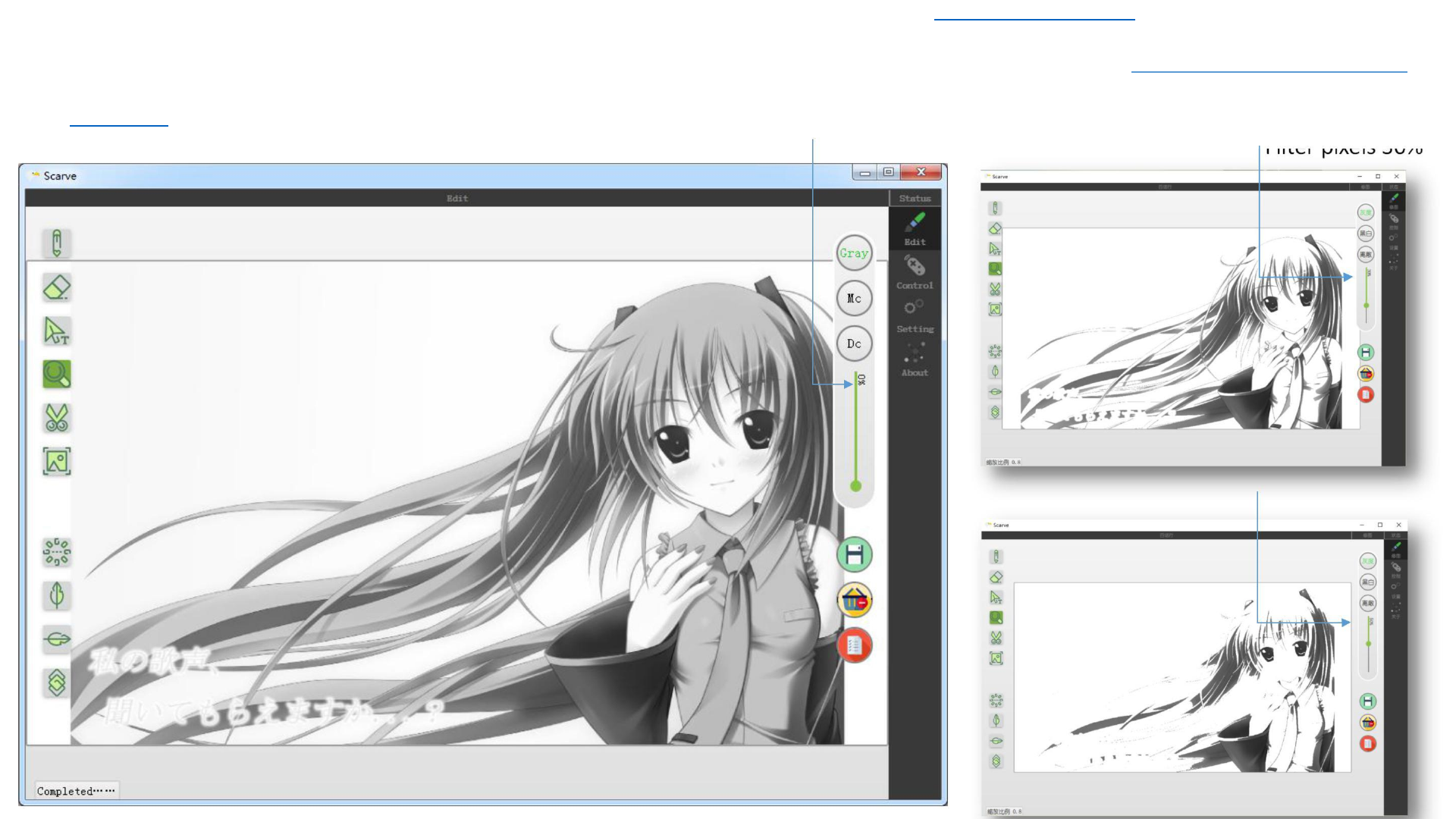
Download Latest 2018-19 Scarve Software For Mini Laser Engraver Machine and Solutions of the errors can be found at www.tiaportal.weebly.com must visit and share with others.
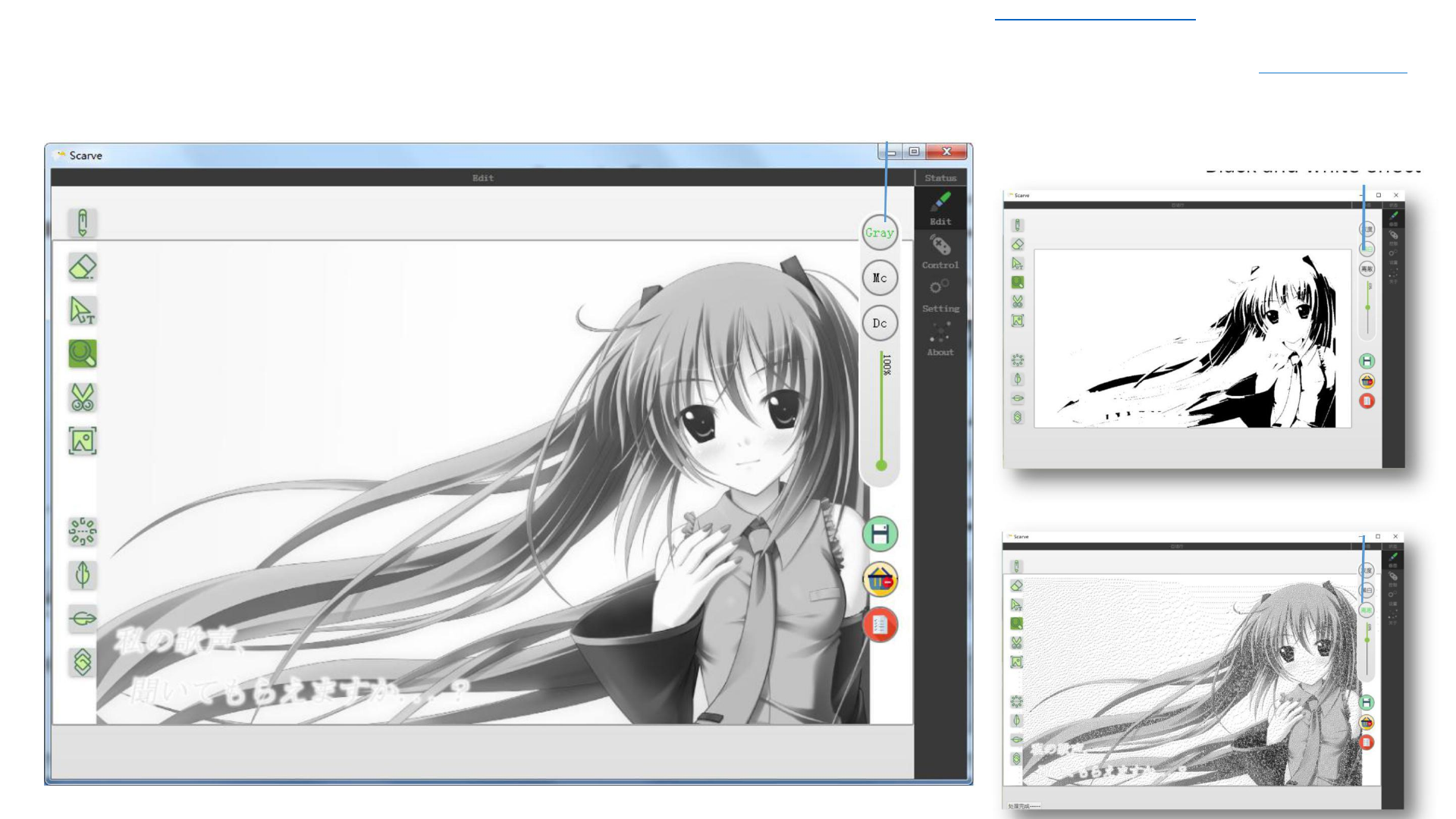
Gray effect: filter the color of the picture, leave white and black, divided
Simply image editing
into several levels according to the logarithmic relationship, known
Filter gray pixels
asgrayscale. Gray scale is divided into 256 steps. An image expressed in
Filter pixels 0%
grayscale is called a grayscale image.
Filter pixels 30%
Filter pixels 50%
11
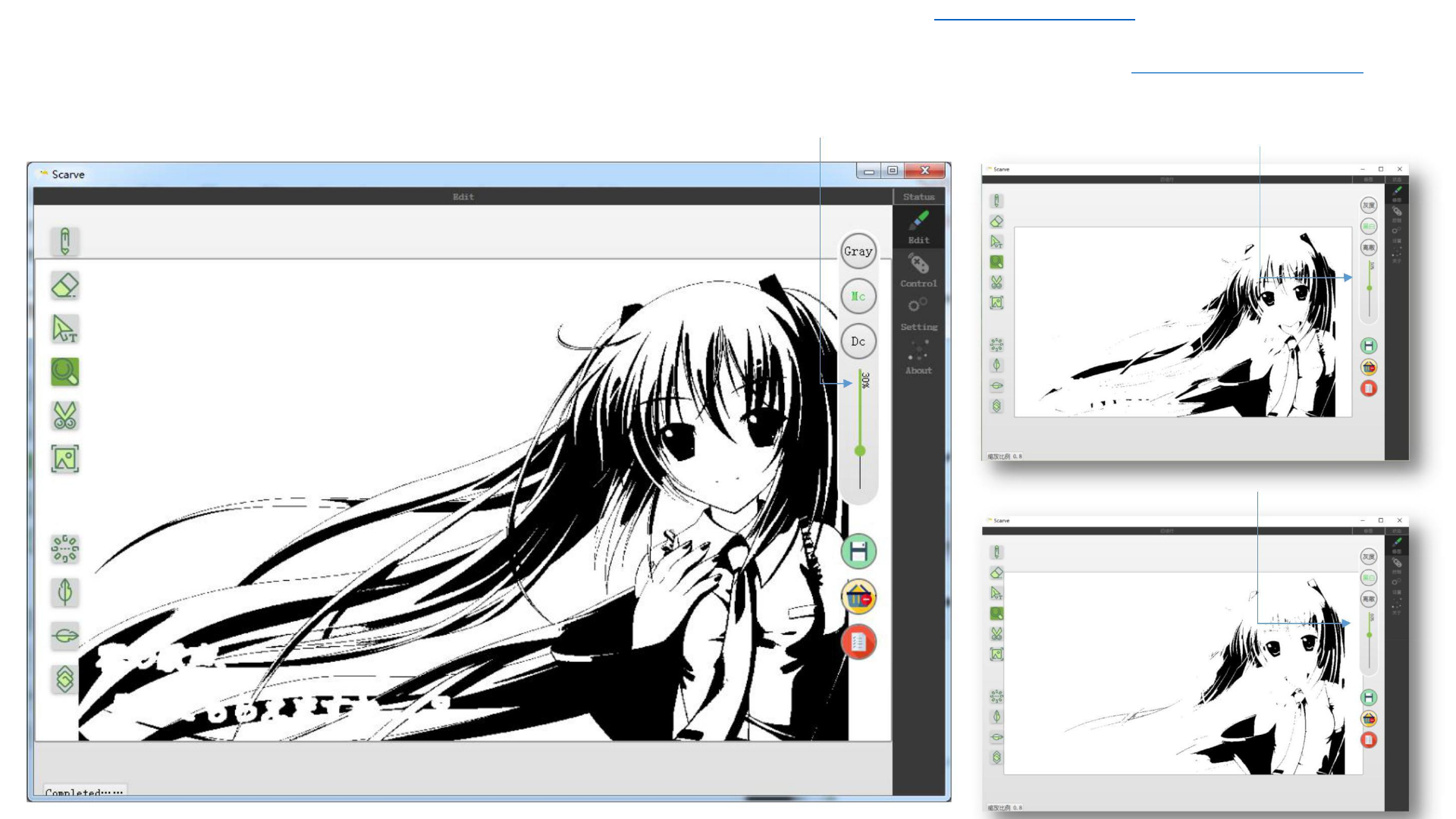
Download Latest 2018-19 Scarve Software For Mini Laser Engraver Machine and Solutions of the errors can be found at www.tiaportal.weebly.com must visit and share with others.
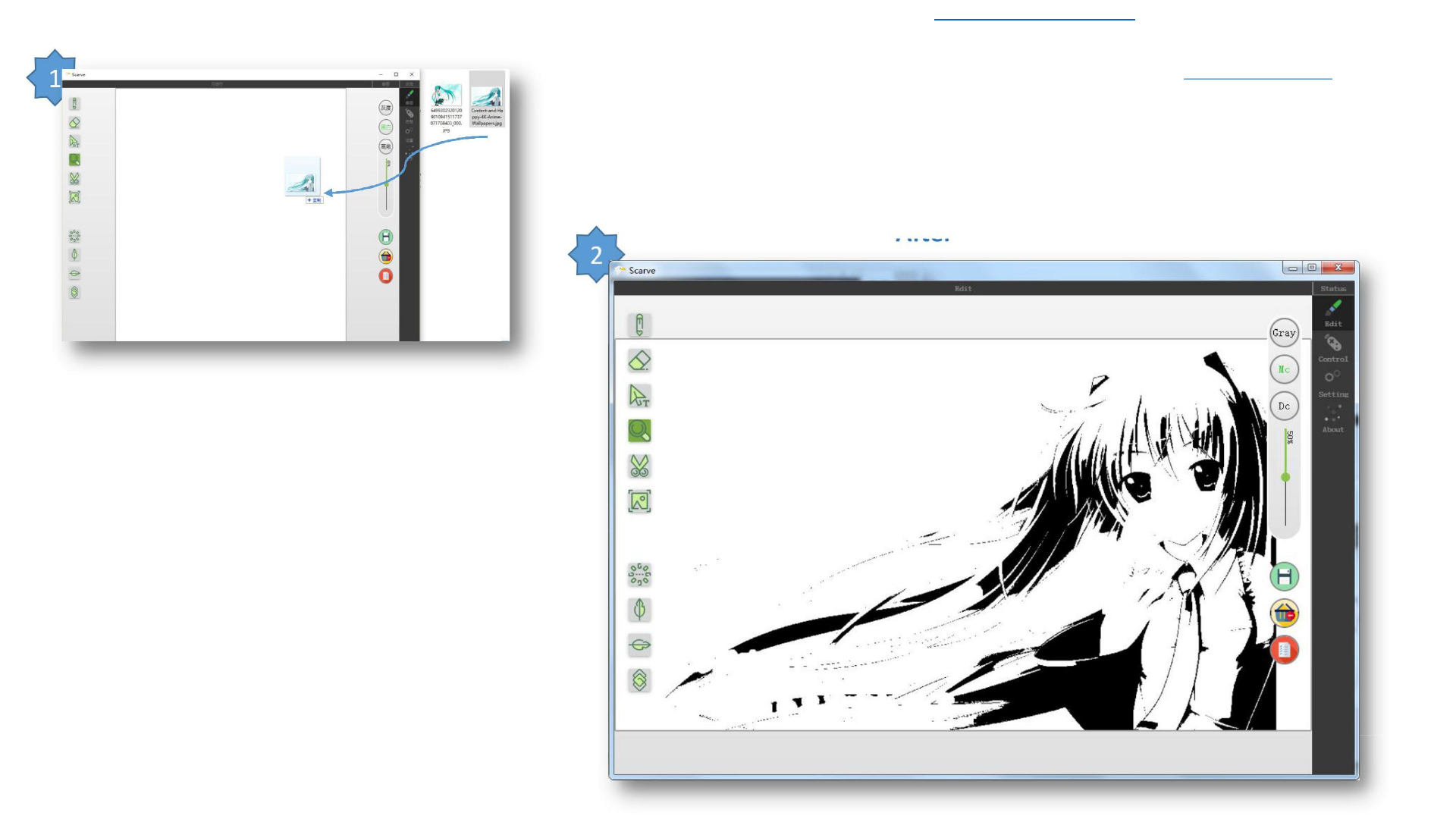
Black and white effect: filter the picture color, leave only white
Simply image editing
and black. Images in black and white are called black-and-white
Filter black and white pixels
images.
Filter pixels 30%
Filter pixels 50%
Filter pixels 60%
12
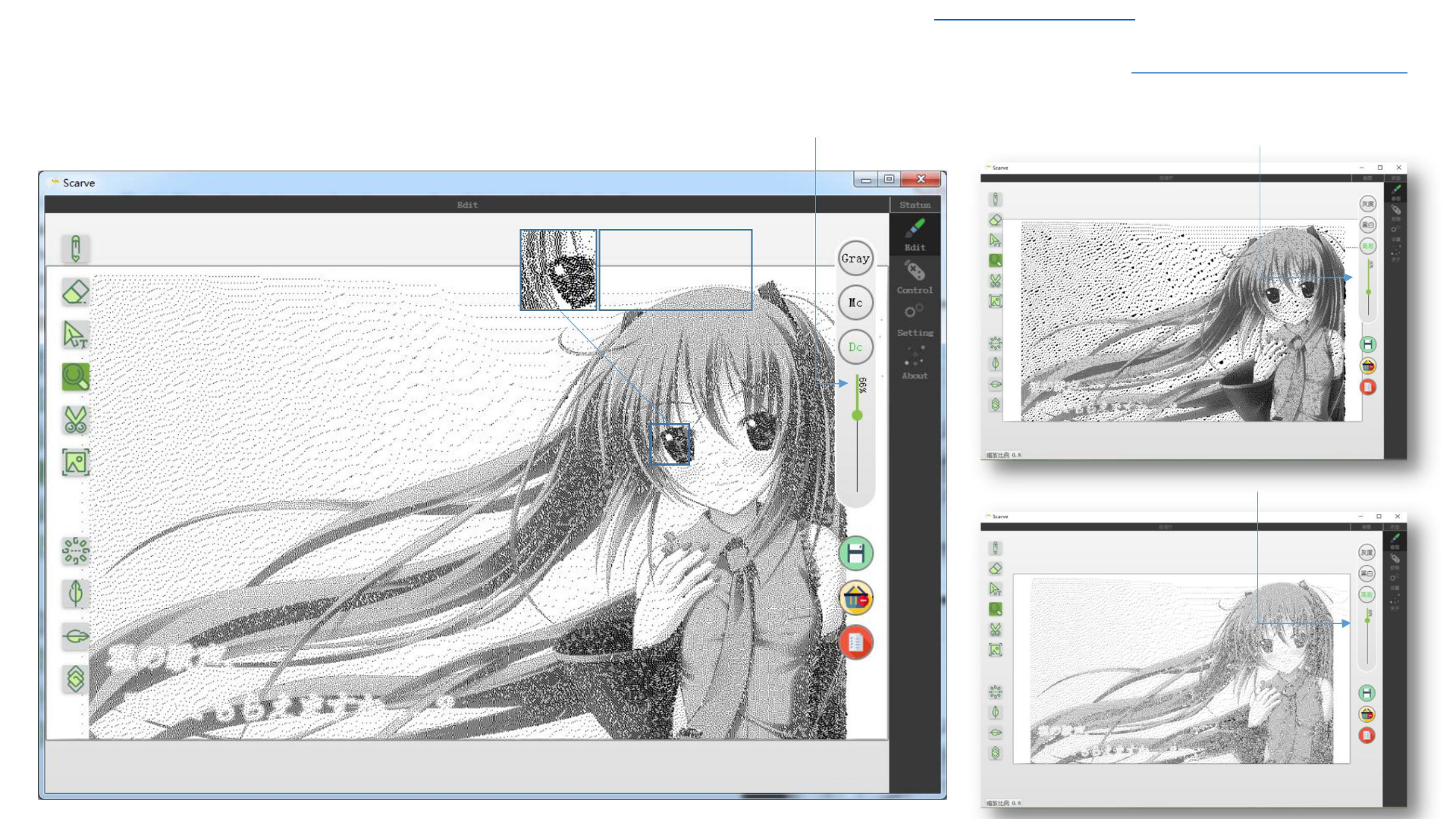
Download Latest 2018-19 Scarve Software For Mini Laser Engraver Machine and Solutions of the errors can be found at www.tiaportal.weebly.com must visit and share with others.
Discrete effect: filter the picture color, leave only white and black. And
Simply image editing
calculate the distribution density of black spots in the image according to
Filter discrete pixels
the original image color value, so the discrete image looks a lot of discrete
Filter pixels 66%
points.
Filter pixels 40%
After
rooming in
Filter pixels 80%
13
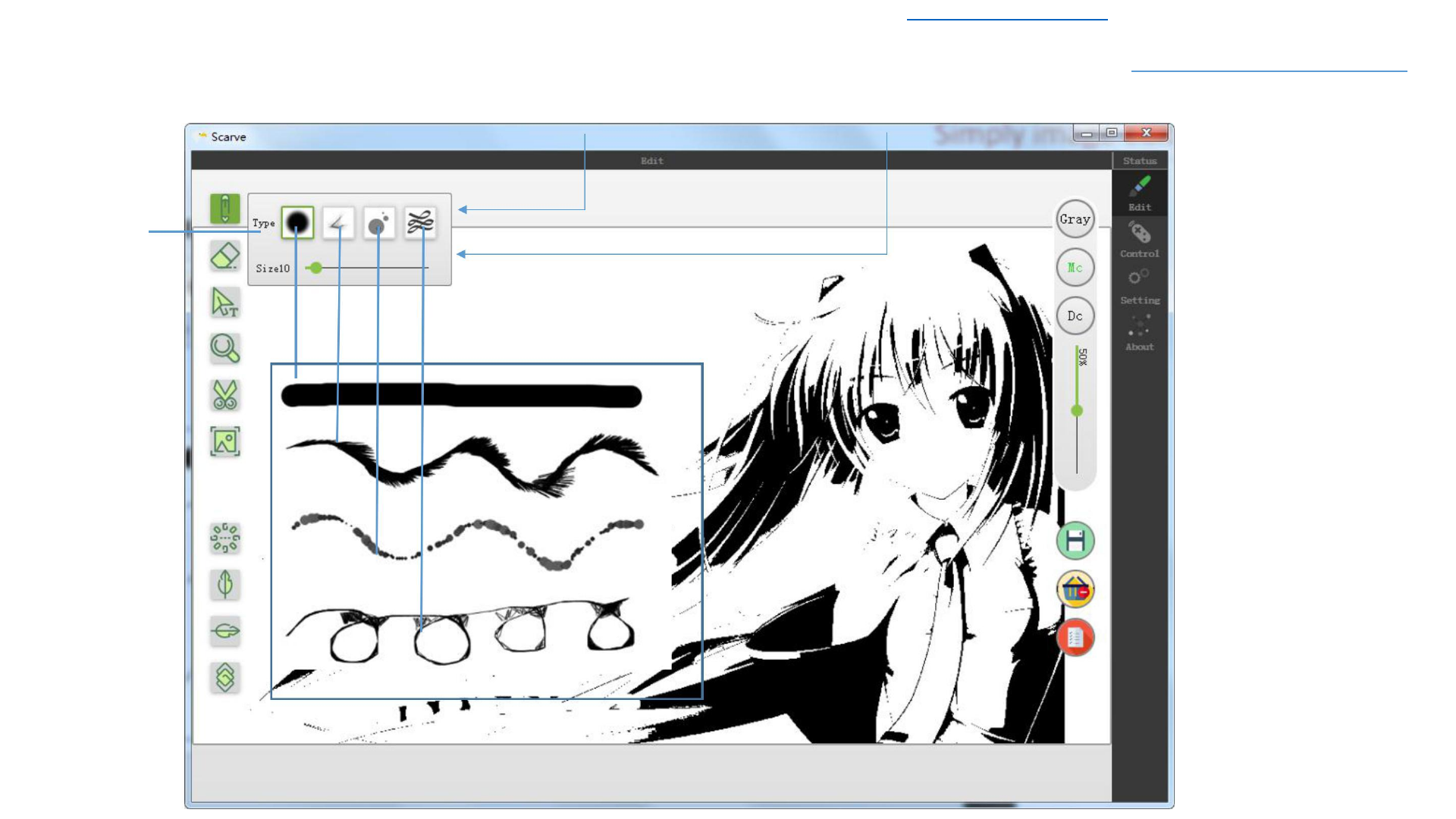
Download Latest 2018-19 Scarve Software For Mini Laser Engraver Machine and Solutions of the errors can be found at www.tiaportal.weebly.com must visit and share with others.
Submenu:
Click the button,
the submenu
will be
appeared when
the mouse is
suspended in
the Brush icon
Simply image editing
Type of brush
Brush size
The use of brush
The drawing by
the brush
14
Download Latest 2018-19 Scarve Software For Mini Laser Engraver Machine and Solutions of the errors can be found at www.tiaportal.weebly.com must visit and share with others.
Simply image editing
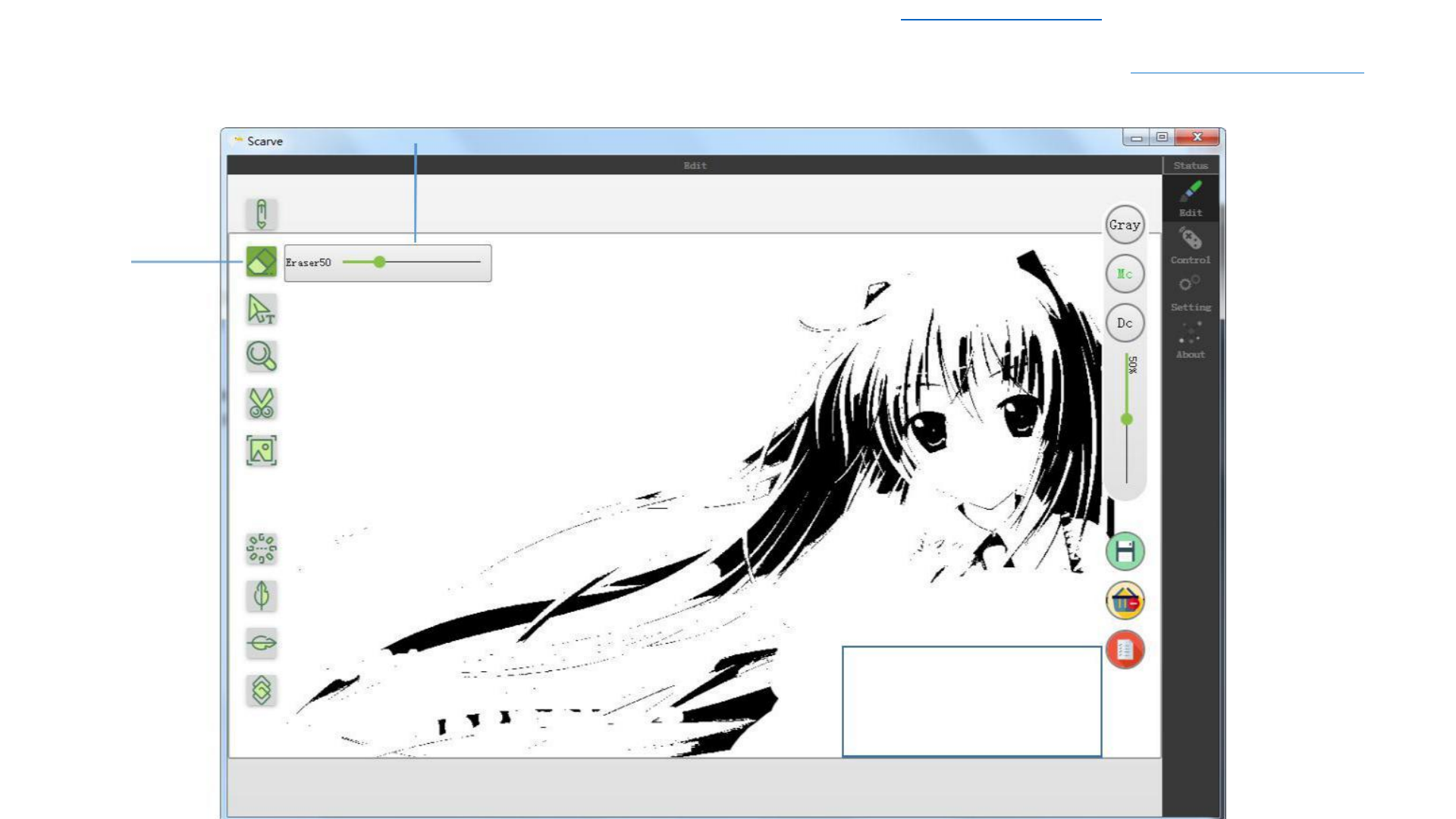
The use of eraser
Eraser size
Submenu:
Click the
button, the
submenu will
be appeared
when the
mouse is
suspended in
the Eraser icon
Erasing range
15
Download Latest 2018-19 Scarve Software For Mini Laser Engraver Machine and Solutions of the errors can be found at www.tiaportal.weebly.com must visit and share with others.
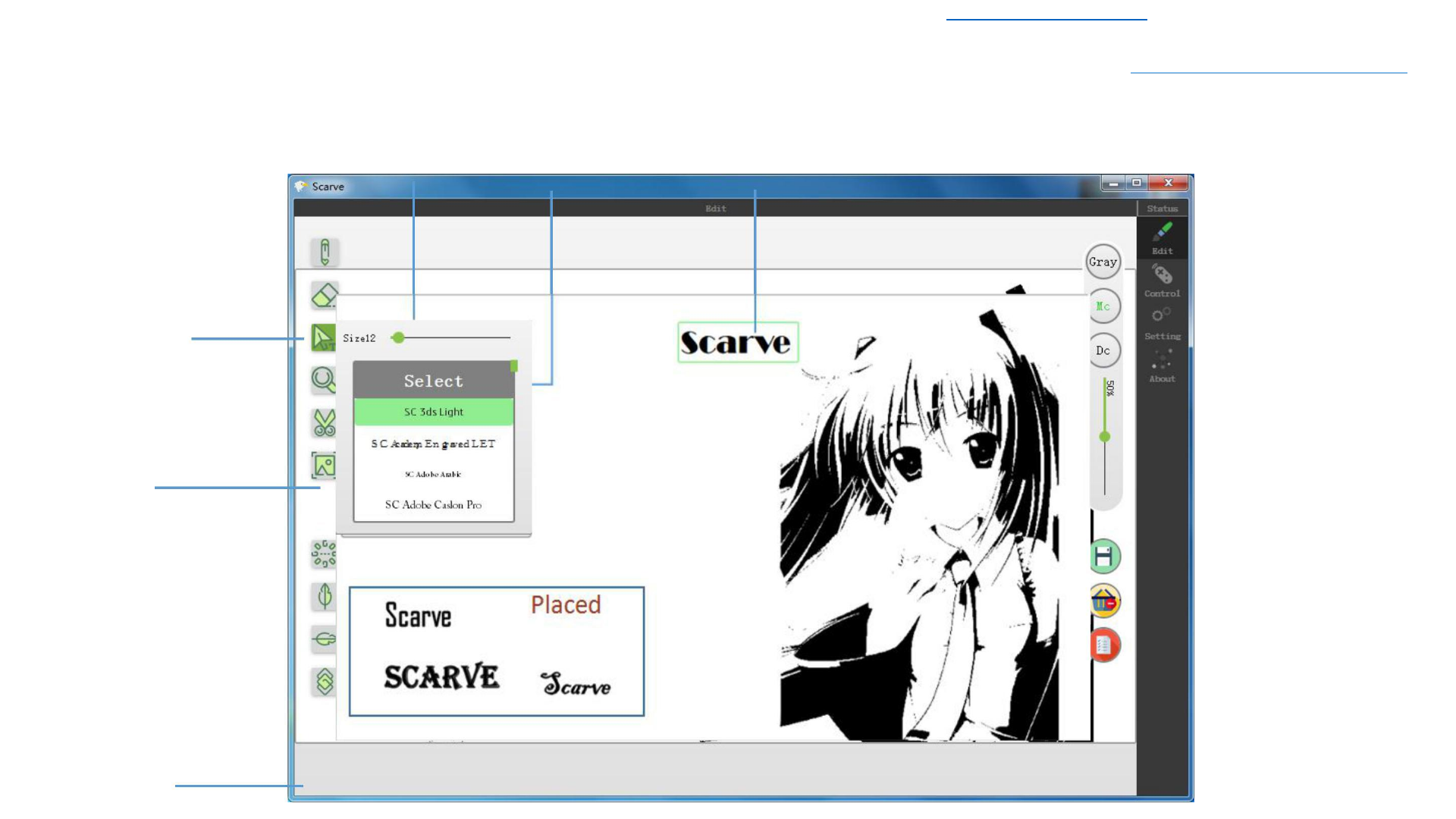
Text size draging bar
Submenu:
Click the
button, the
submenu will
be appeared
when the
mouse is
suspended in
the Text icon
Font
Placed
To be placed; use the mouse to drag
the green box to choose the
position, double-click the picture to
complete the placement
Simply image editing
Place the text
Prompt 16
Download Latest 2018-19 Scarve Software For Mini Laser Engraver Machine and Solutions of the errors can be found at www.tiaportal.weebly.com must visit and share with others.
Simply image editing
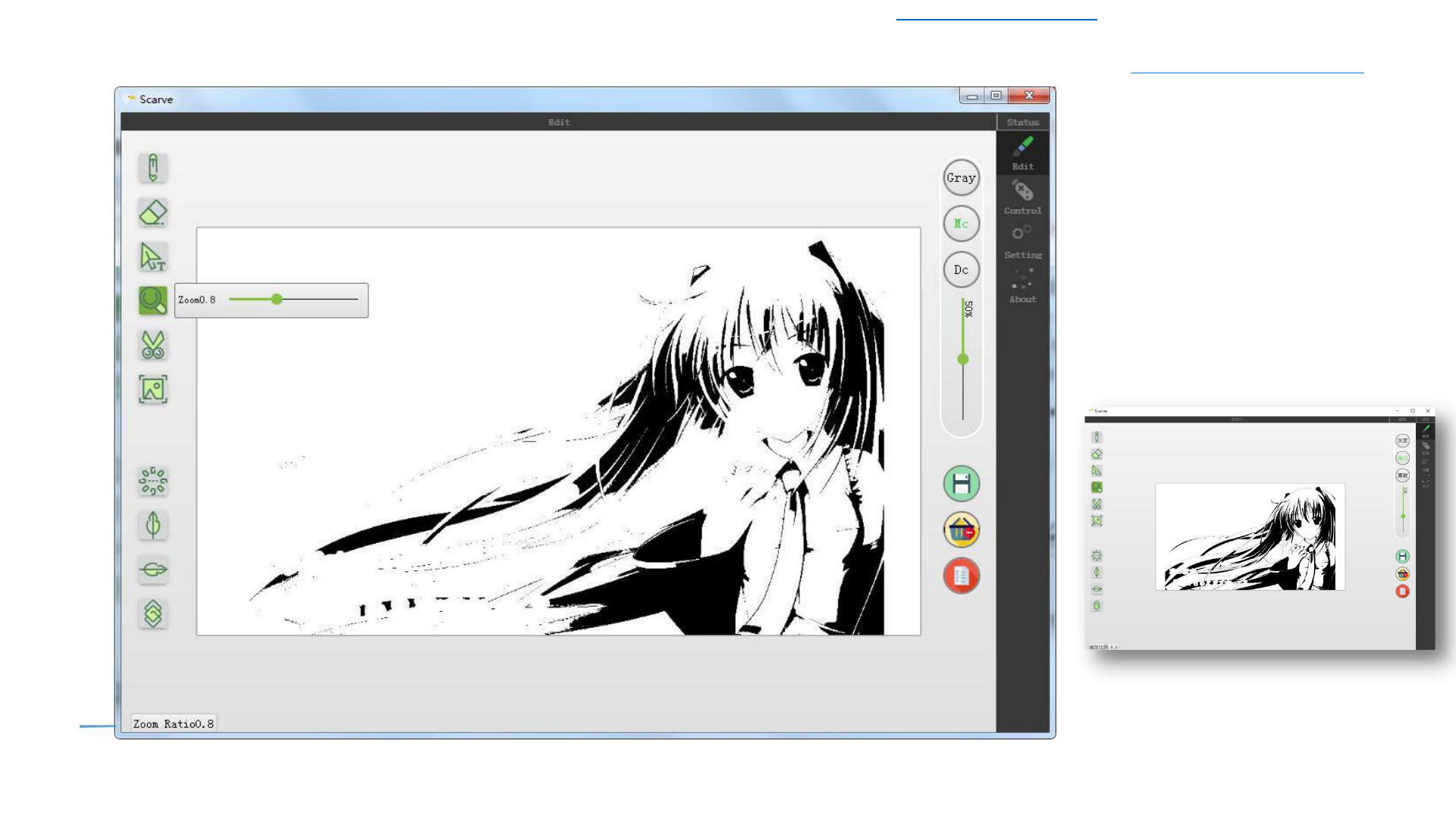
Zoom in/out
Zooming in/out can not
change the image size,
just to facilitate the
operation of the image,
in the zoom mode can
move the image
prompt
17
Download Latest 2018-19 Scarve Software For Mini Laser Engraver Machine and Solutions of the errors can be found at www.tiaportal.weebly.com must visit and share with
others.
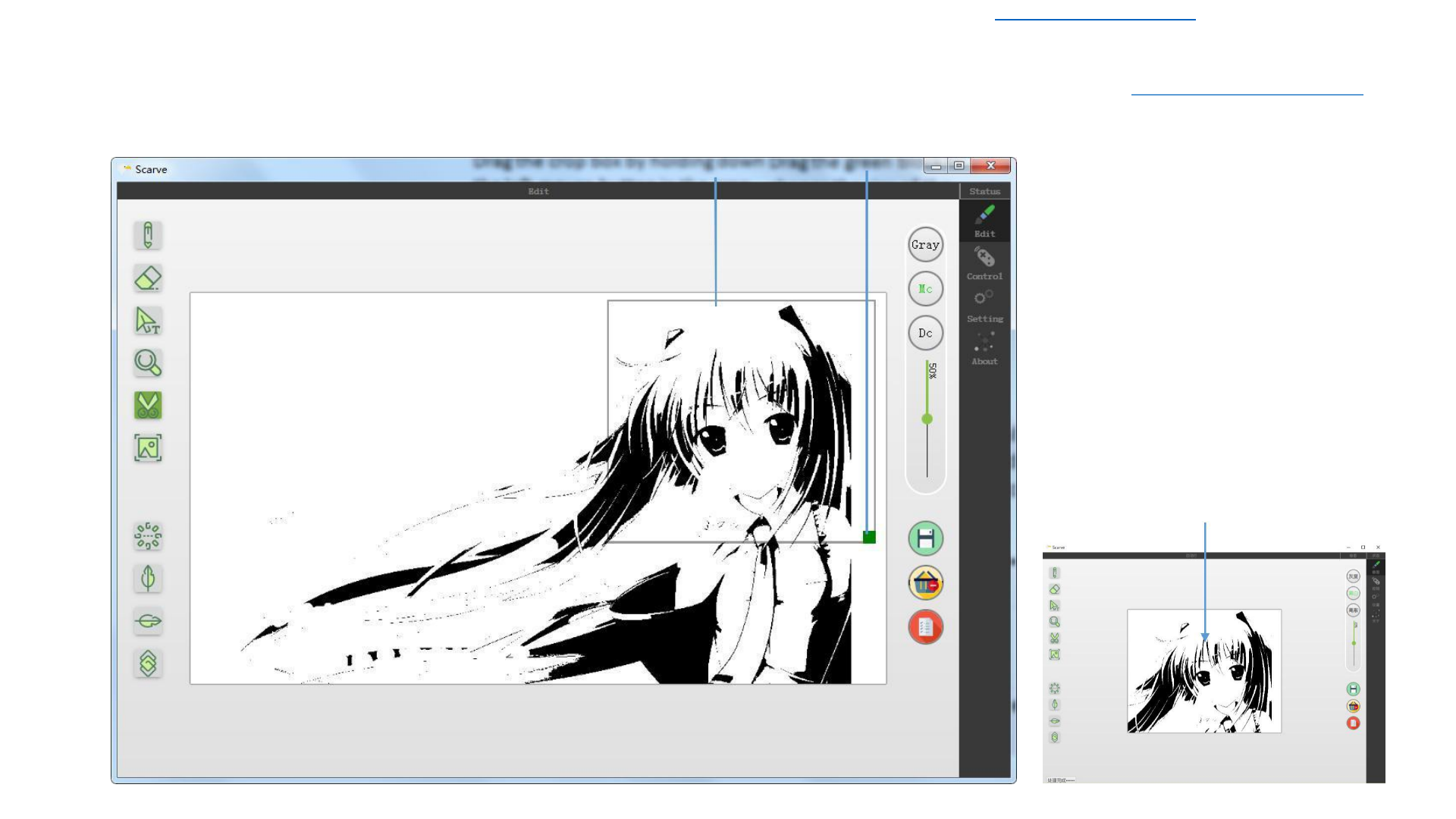
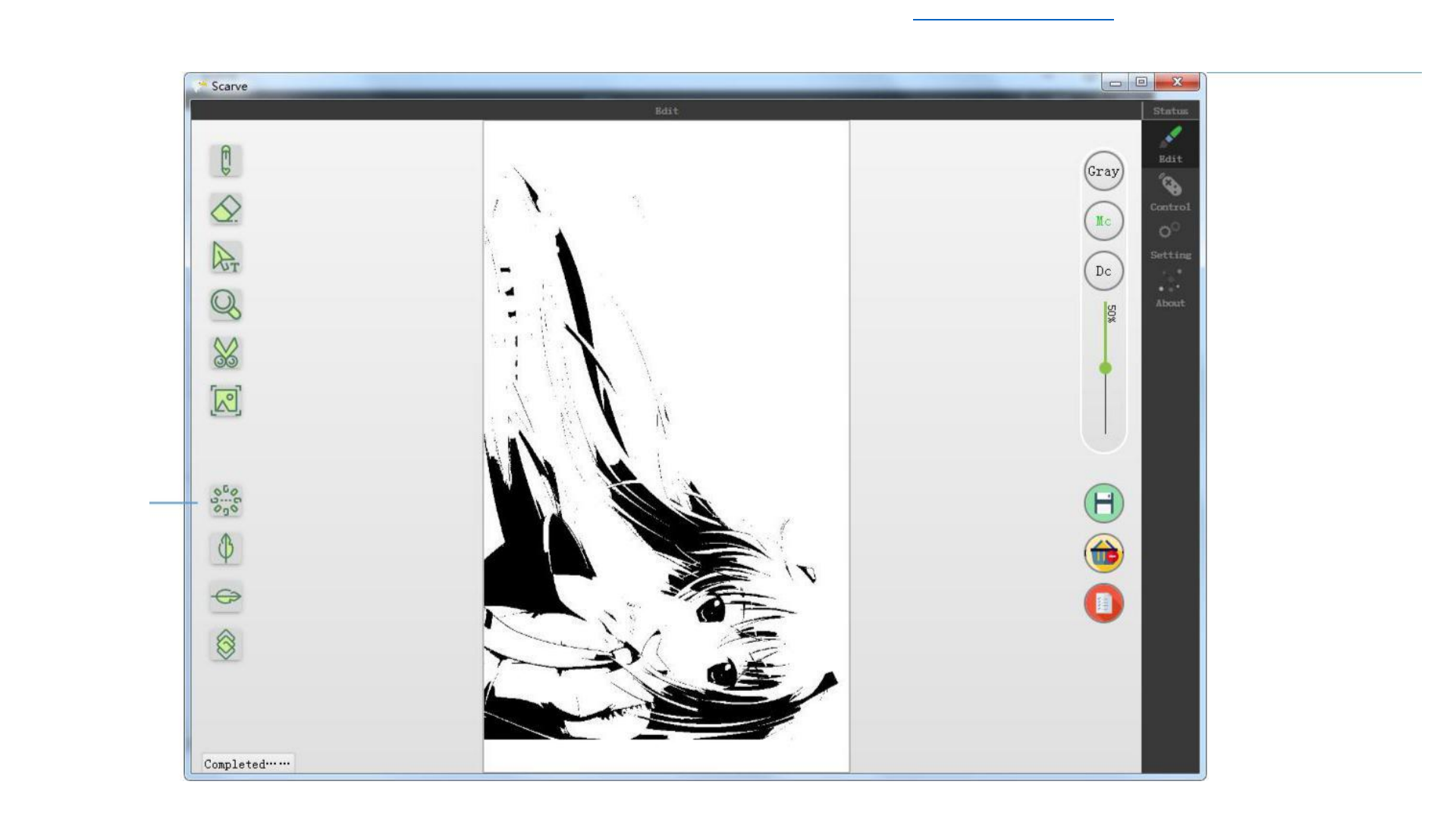
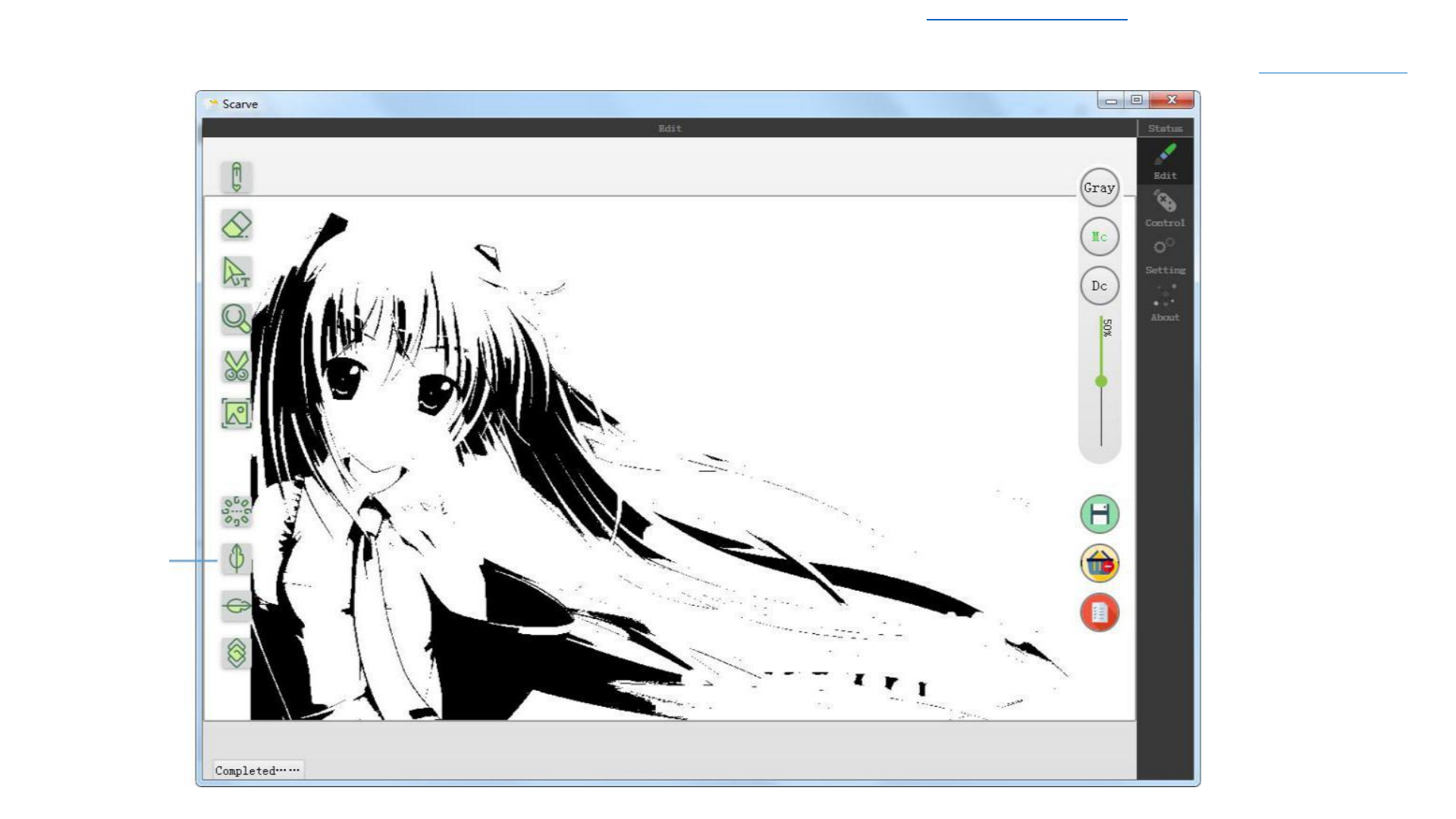
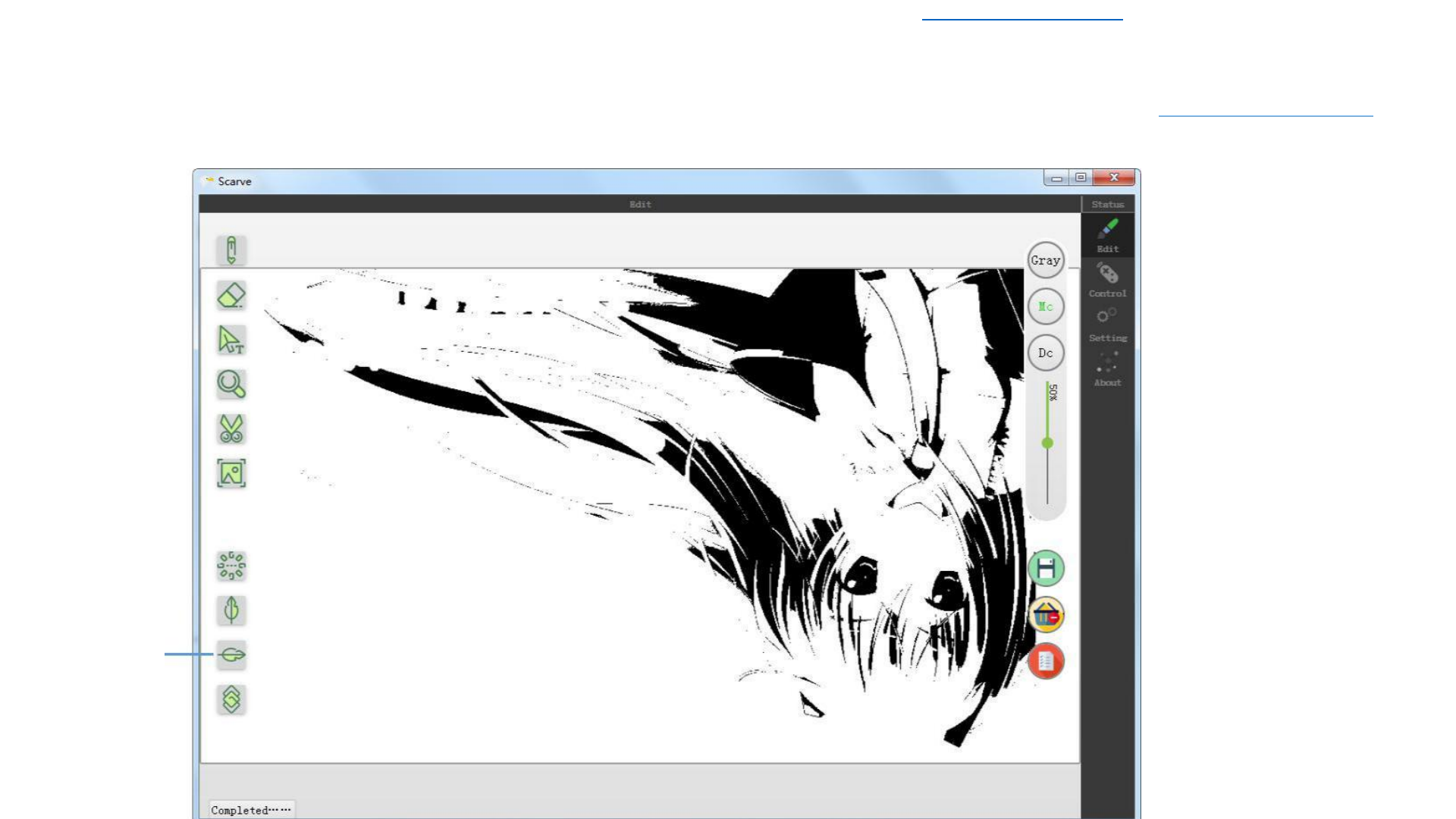
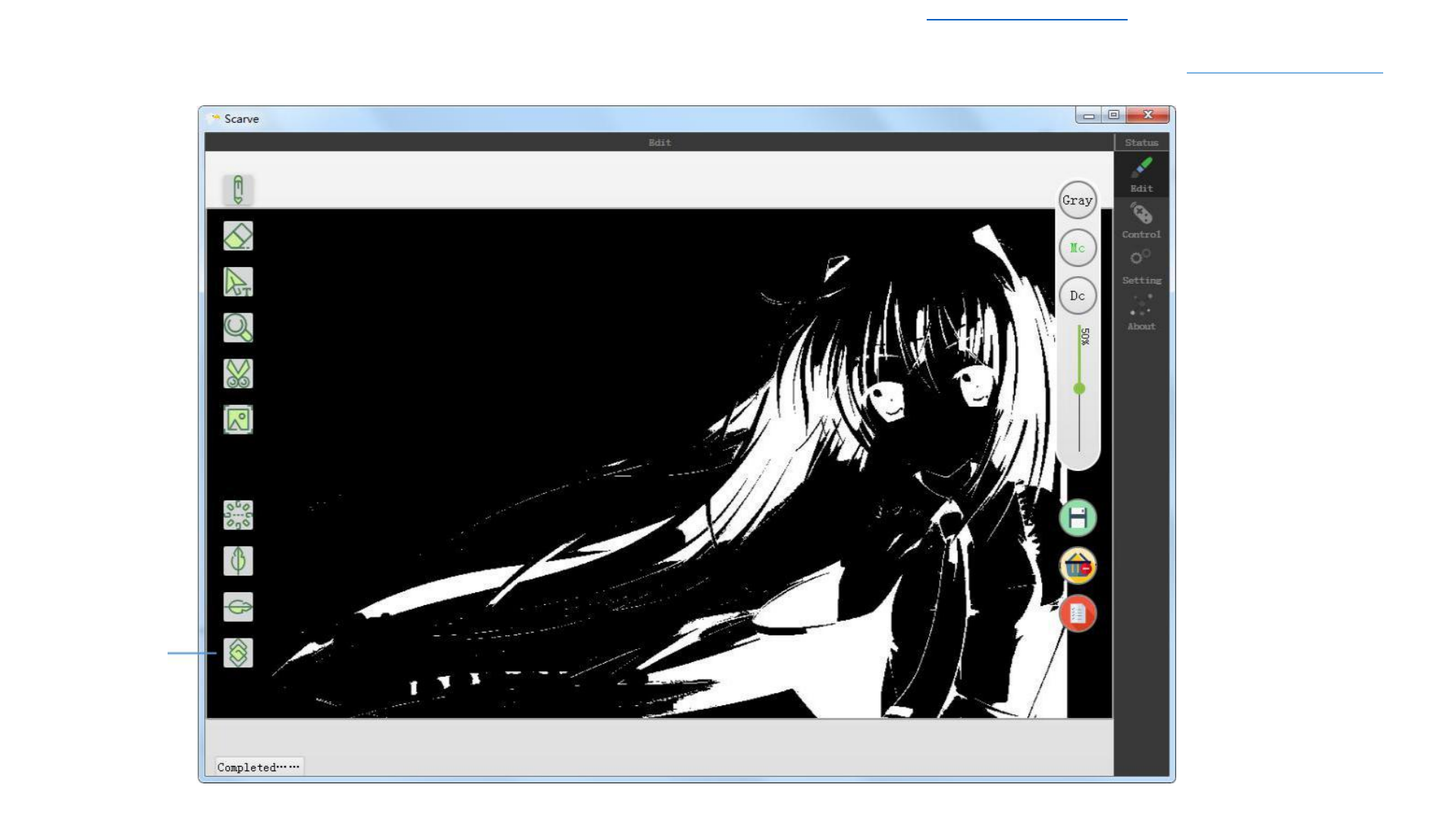
Drag the crop box by holding down Drag the green block to
Simply image editing
the left mouse button in the crop
change the size of the
Crop
box
crop box
Crop box
Double-click the
inside of the crop box
to complete the crop





Download Latest 2018-19 Scarve Software For Mini Laser Engraver Machine and Solutions of the errors can be found at www.tiaportal.weebly.com must visit and share with
others.
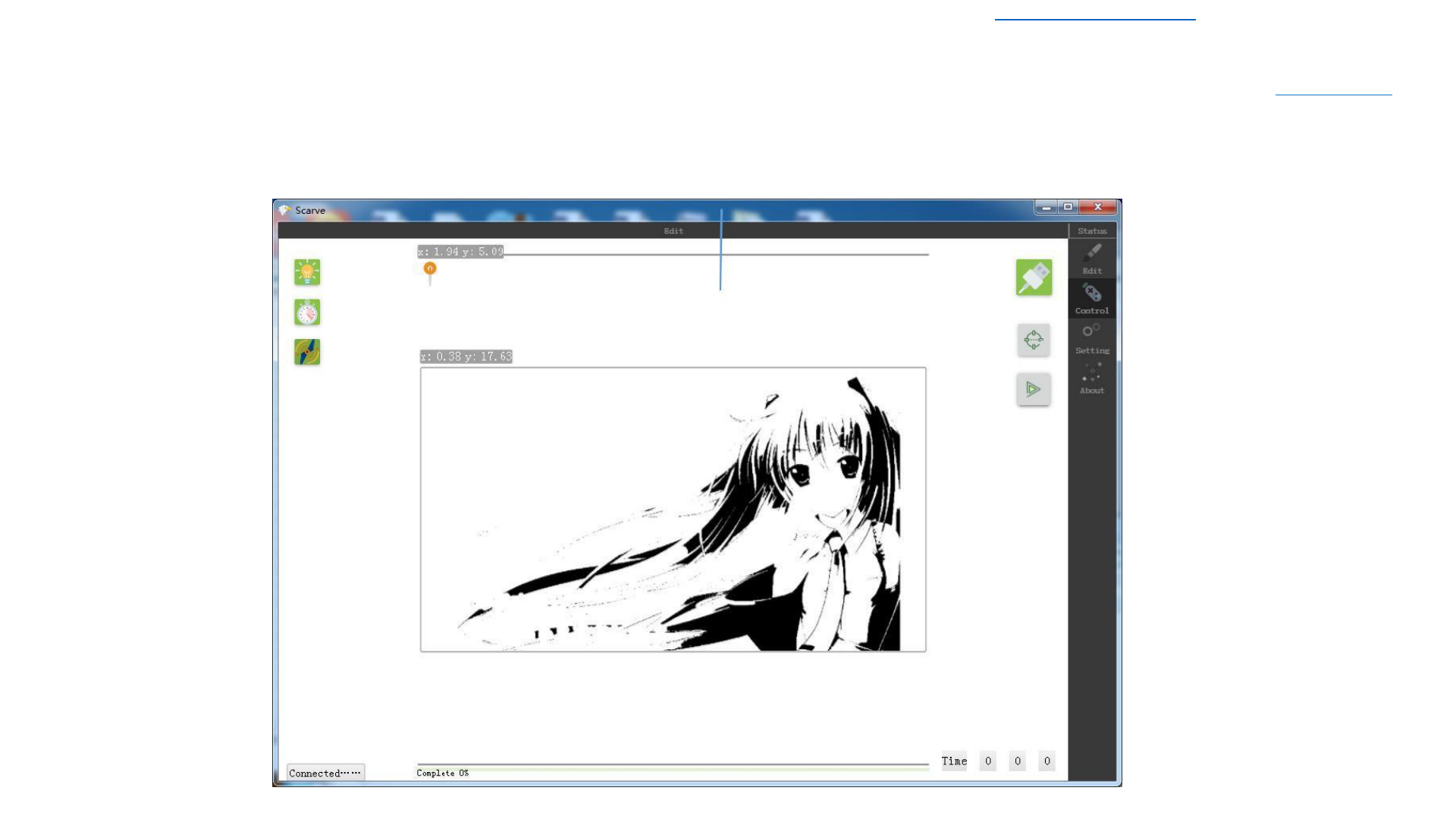
After
Successful
Connect the
USB Data
Cable and
Power Cable
on Computer
and Engraving
Machine,
click
connection
Engraving Control
Connect engraver
After Connect successful ,
both the button and engraving
machine laser head becomes
bright

Download Latest 2018-19 Scarve Software For Mini Laser Engraver Machine and Solutions of the errors can be found at www.tiaportal.weebly.com must visit and share with
others.
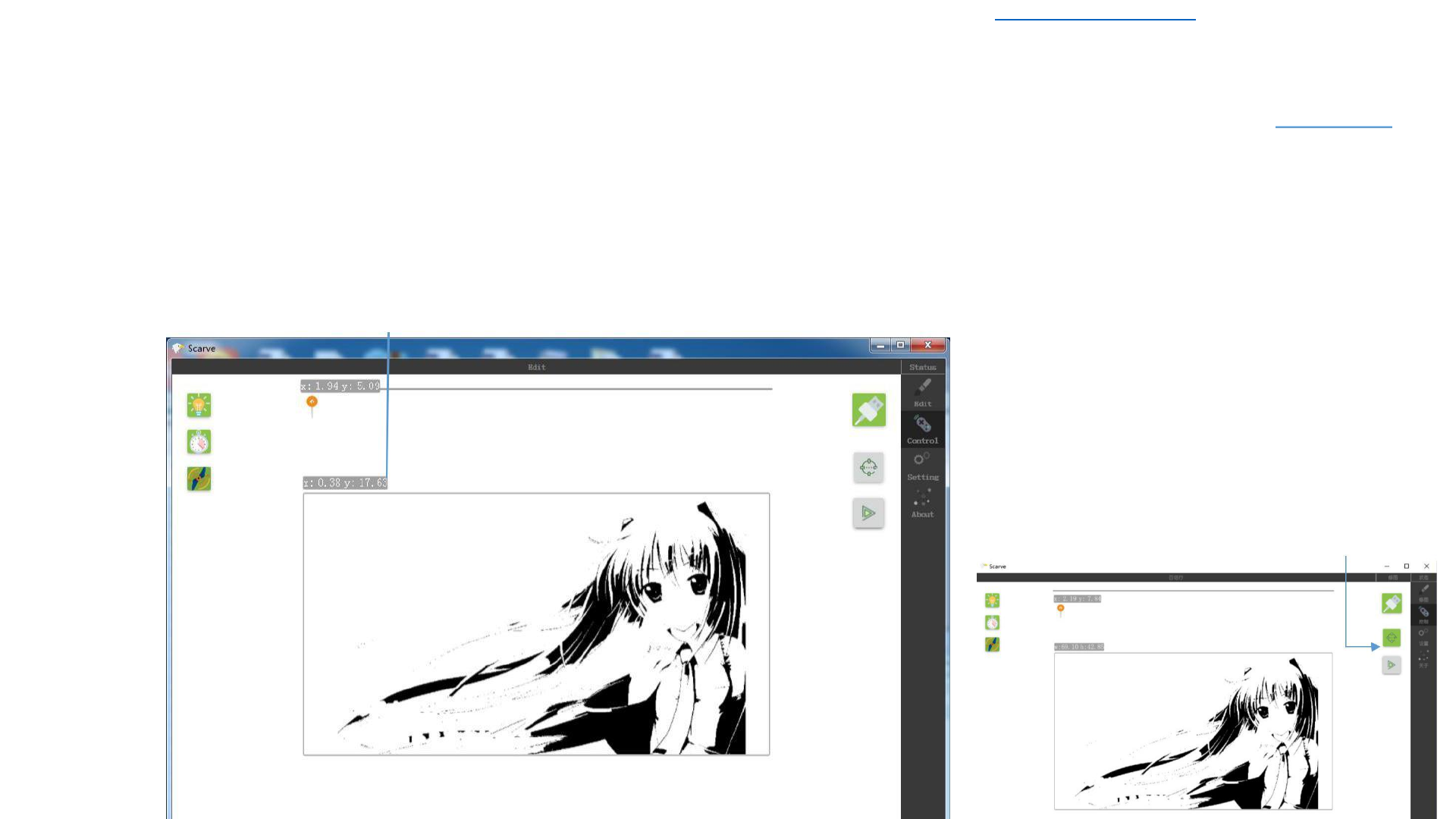
You can drag the icon in an
unprinted state, and the laser
will be positioned to the
coordinates after release
Engraving Control
Laser
Positioning

Download Latest 2018-19 Scarve Software For Mini Laser Engraver Machine and Solutions of the errors can be found at www.tiaportal.weebly.com must visit and share with
others.
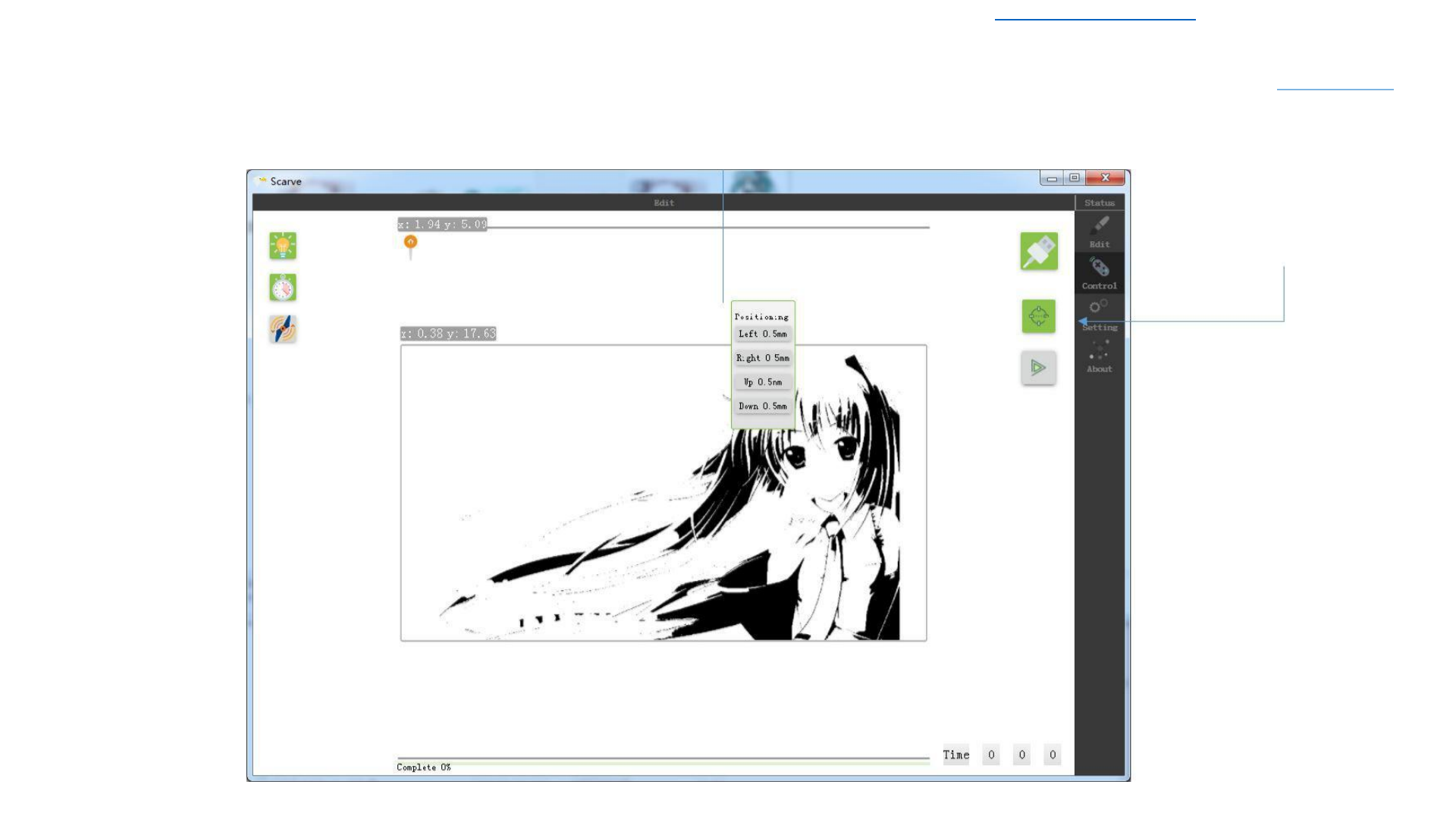
Engraving
Control
Box
Positionin
g
Picture Width and Height in mm
Click to Box
Positioning
Brightening
indicates Box
Positioning

Download Latest 2018-19 Scarve Software For Mini Laser Engraver Machine and Solutions of the errors can be found at www.tiaportal.weebly.com must visit and share with
others.
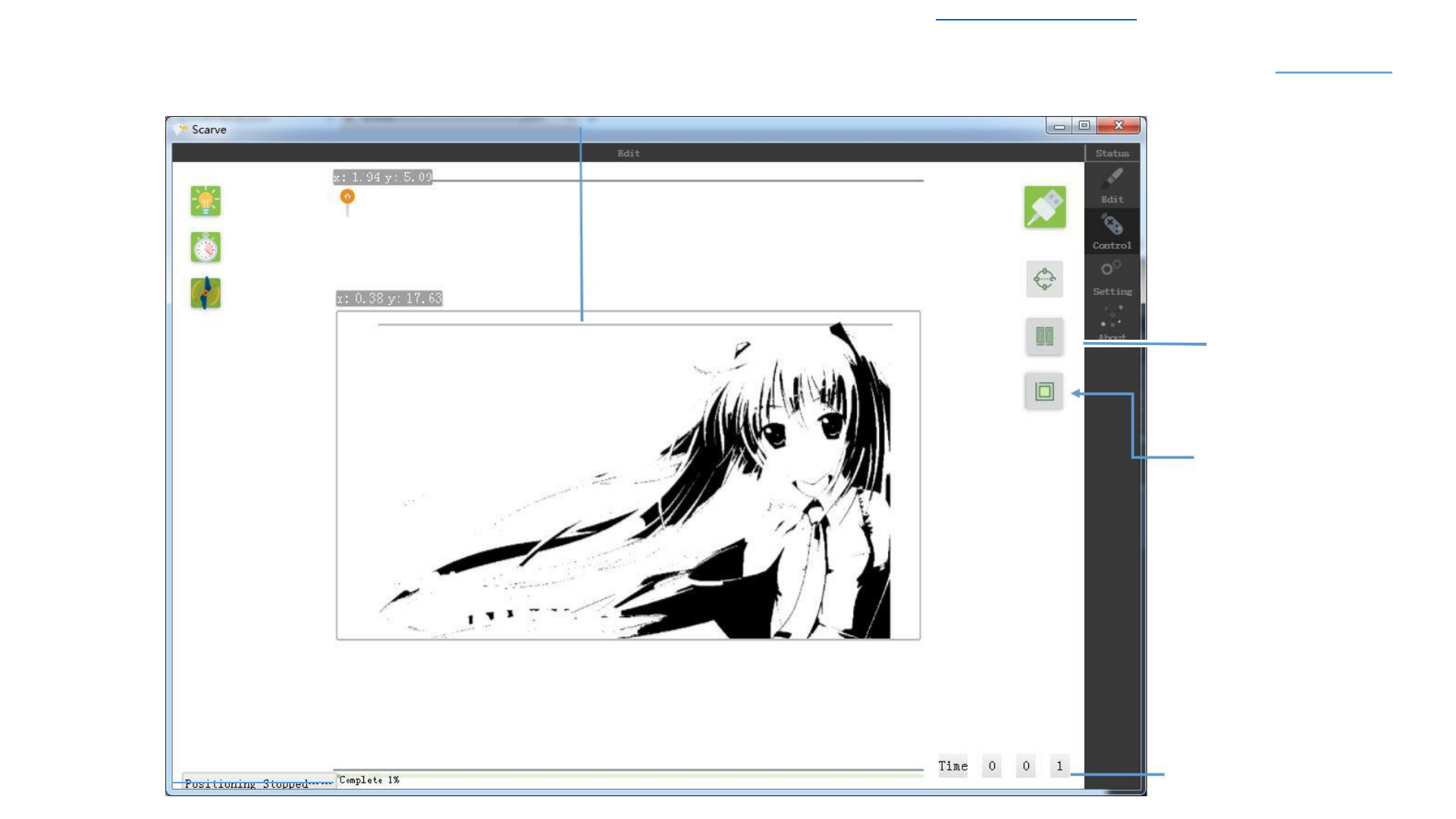
In the box positioning state,
right-click in the print area
to locate the fine-tuning
Engraving Control
Box Positioning
Box
positioning
when brightened

Download Latest 2018-19 Scarve Software For Mini Laser Engraver Machine and Solutions of the errors can be found at www.tiaportal.weebly.com must visit and share with others.
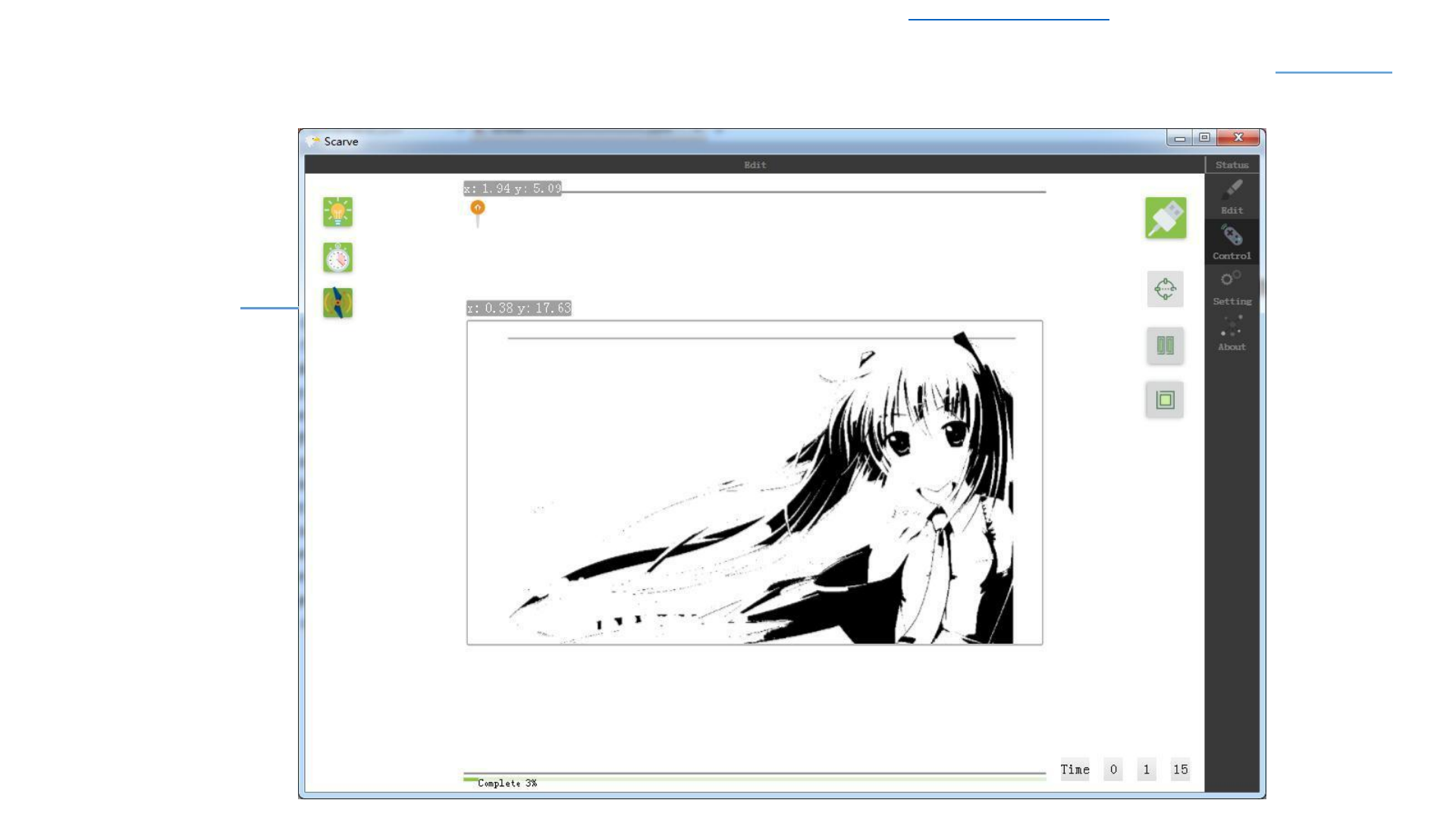
The Current Engraving
Position Bar
Engraving Control
Start Engraving
Start / Pause Button
Stop Button: Click to stop
Engraving and Return to the
Original Engraving Status
Engraving
Engraving Time-
Consuming:Hour,Minutes,Sec
Progress
ond
30
Download Latest 2018-19 Scarve Software For Mini Laser Engraver Machine and Solutions of the errors can be found at www.tiaportal.weebly.com must visit and share with others.
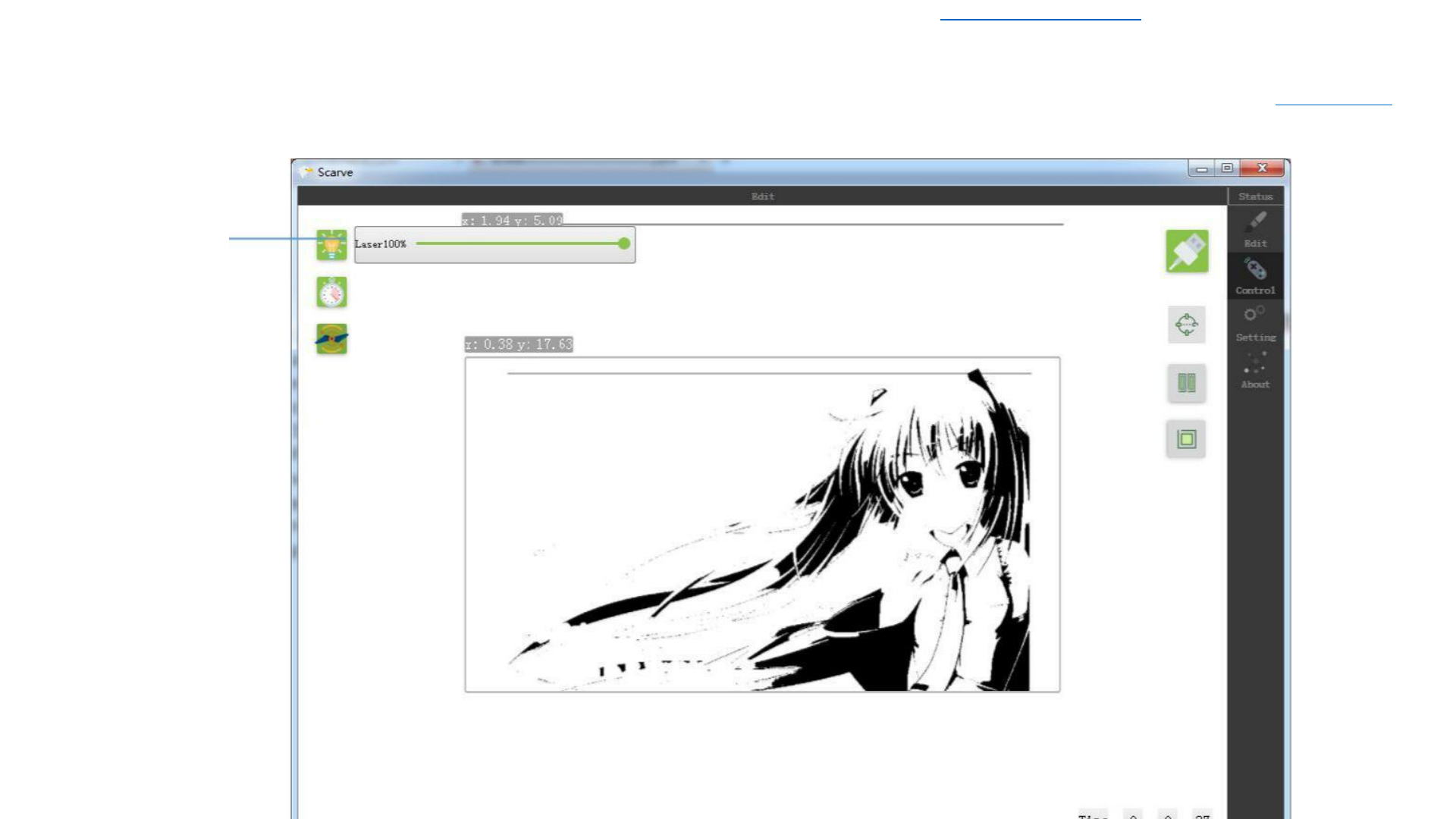
Engraving
Control
Laser Power
Adjustment
Laser power
adjustment, 100%
means full power
output, adjust to
100% for normal
use, if the material is
very sensitive from
light, you can
properly reduce the
laser power


Download Latest 2018-19 Scarve Software For Mini Laser Engraver Machine and Solutions of the errors can be found at www.tiaportal.weebly.com must visit and share with others.
Engraving Control
Engraving Depth
Adjustment
Engraving Depth
Adjustment:
The Larger Depth Value
will Engraving the Darker
Image, and will take
Longer Engraving Time
32
Download Latest 2018-19 Scarve Software For Mini Laser Engraver Machine and Solutions of the errors can be found at www.tiaportal.weebly.com must visit and share with others.
Engraving Control
Engraving Depth
Adjustment
Fan Control:
The fan blows away the
smoke and improve the
Engraving quality.
When the Button in
bright, the fan will
automatically open
during Engraving,
stop engraving will
automatically shut
down the fan.
When the button is
grayed out, the fan
will not open.
33
Download Latest 2018-19 Scarve Software For Mini Laser Engraver Machine and Solutions of the errors can be found at www.tiaportal.weebly.com must visit and share with others.
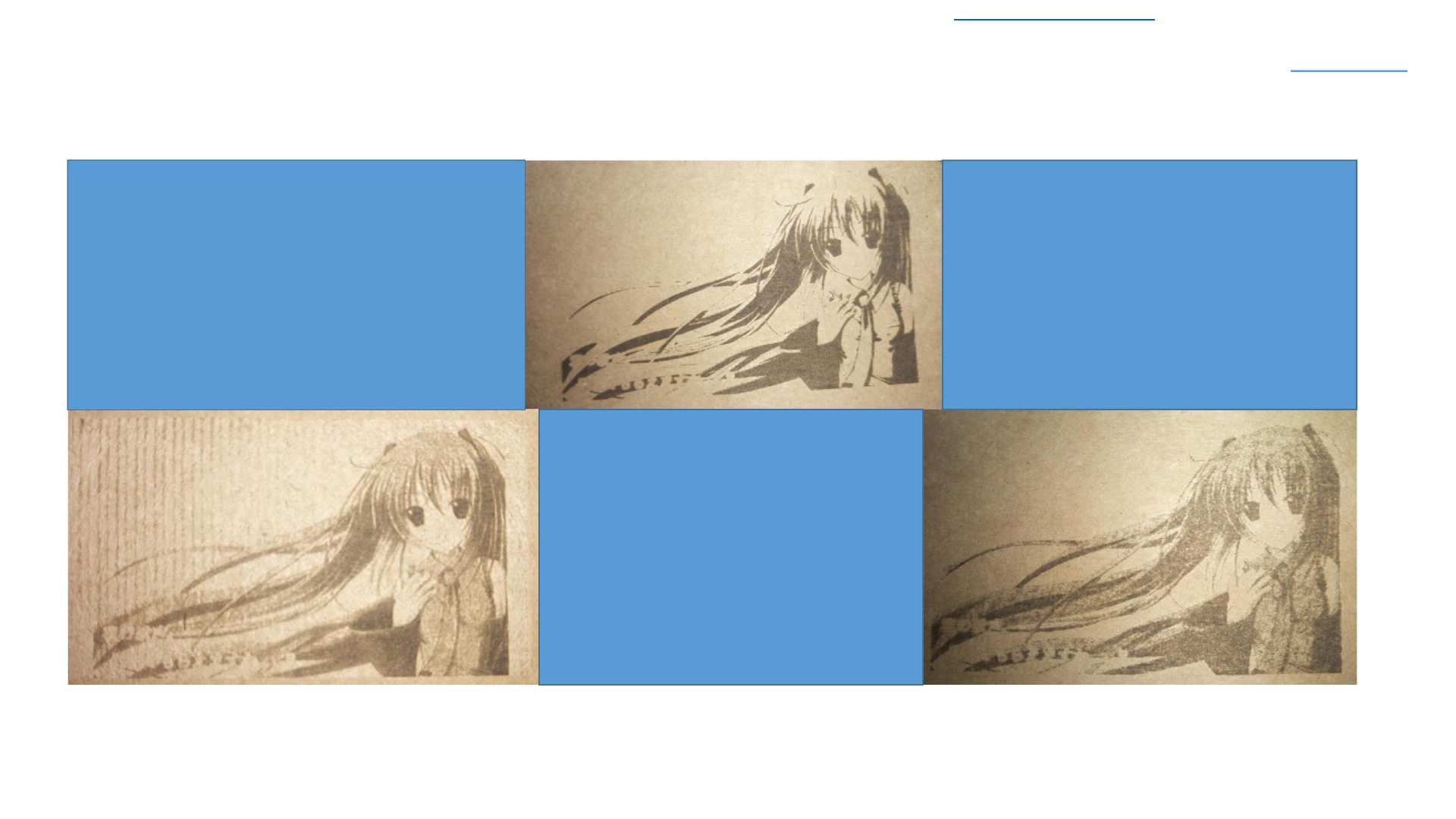
Engraving Control
Engraving effect
Gray Mode Effect:
Discrete Mode Effect:
Engraving Depth of 20%
Engraving Depth 25%
Engraving Power 80%
Engraving Power 100%
Black and White Mode Effect:
Engraving Depth 25%
Engraving Power 100%
34
Download Latest 2018-19 Scarve Software For Mini Laser Engraver Machine and Solutions of the errors can be found at www.tiaportal.weebly.com must visit and share with others.
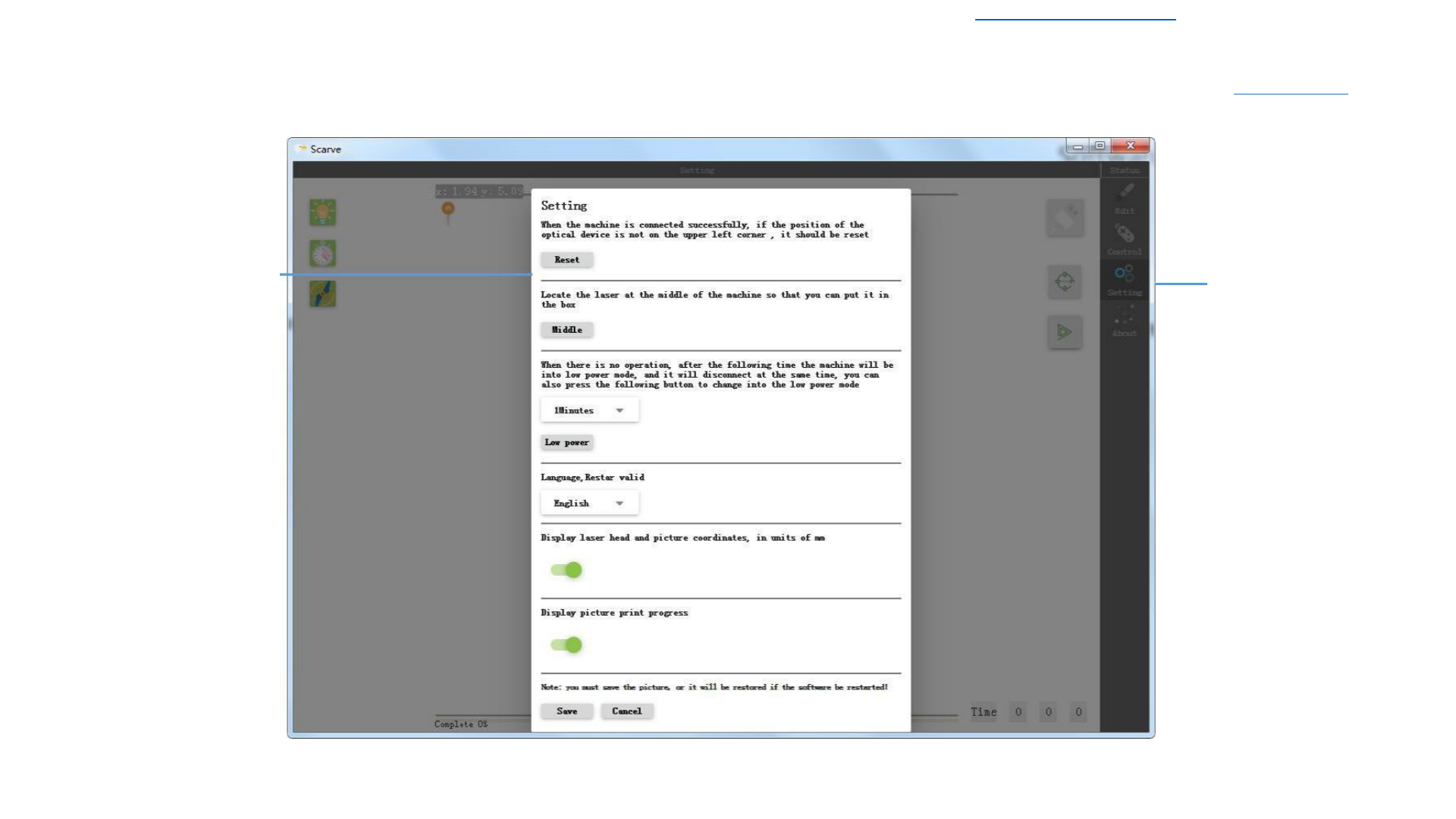
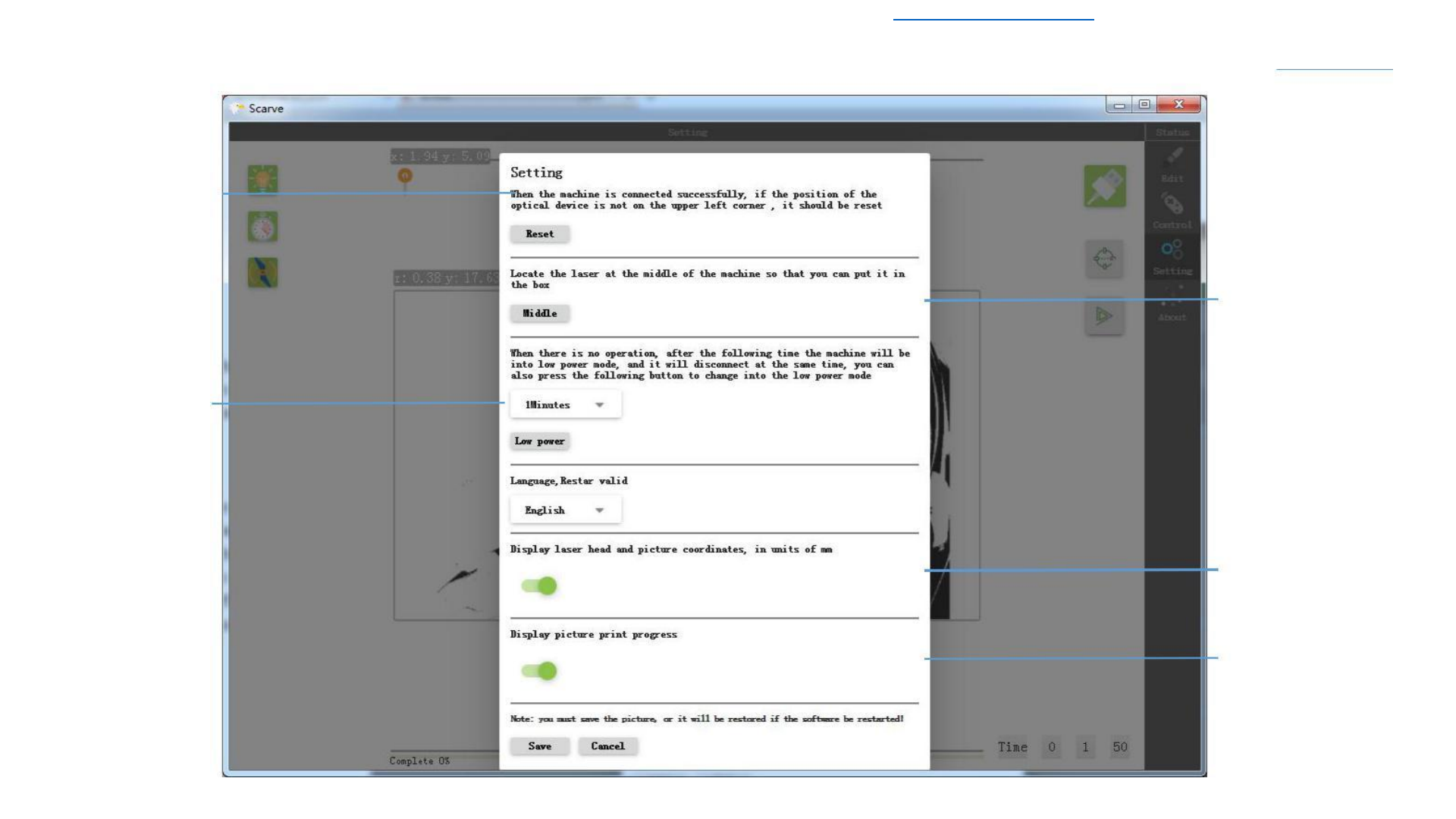
Setting
Click the Laser to
Return to the Origin
Position
Click the
Button,The Laser
will be positioned in
the Middle
Set the Engraver into
the Low Power Mode,
Click the Below Save
Button to indicate
that the setting was
Successful
Indicate the Relevant
Coordinates of the
Engraving
Display the progress
35

Download Latest 2018-19 Scarve Software For Mini Laser Engraver Machine and Solutions of the errors can be found at www.tiaportal.weebly.com must visit and share with others.
Precautions for Use
If the picture needs to be filtered, it is prefer to use the filter pixel function, the
Pixel Filtering: filter function is to use the original image for pixel filtering, If you make other
changes after the image is filtered (such as adding text) , all other operations
will be filtered out
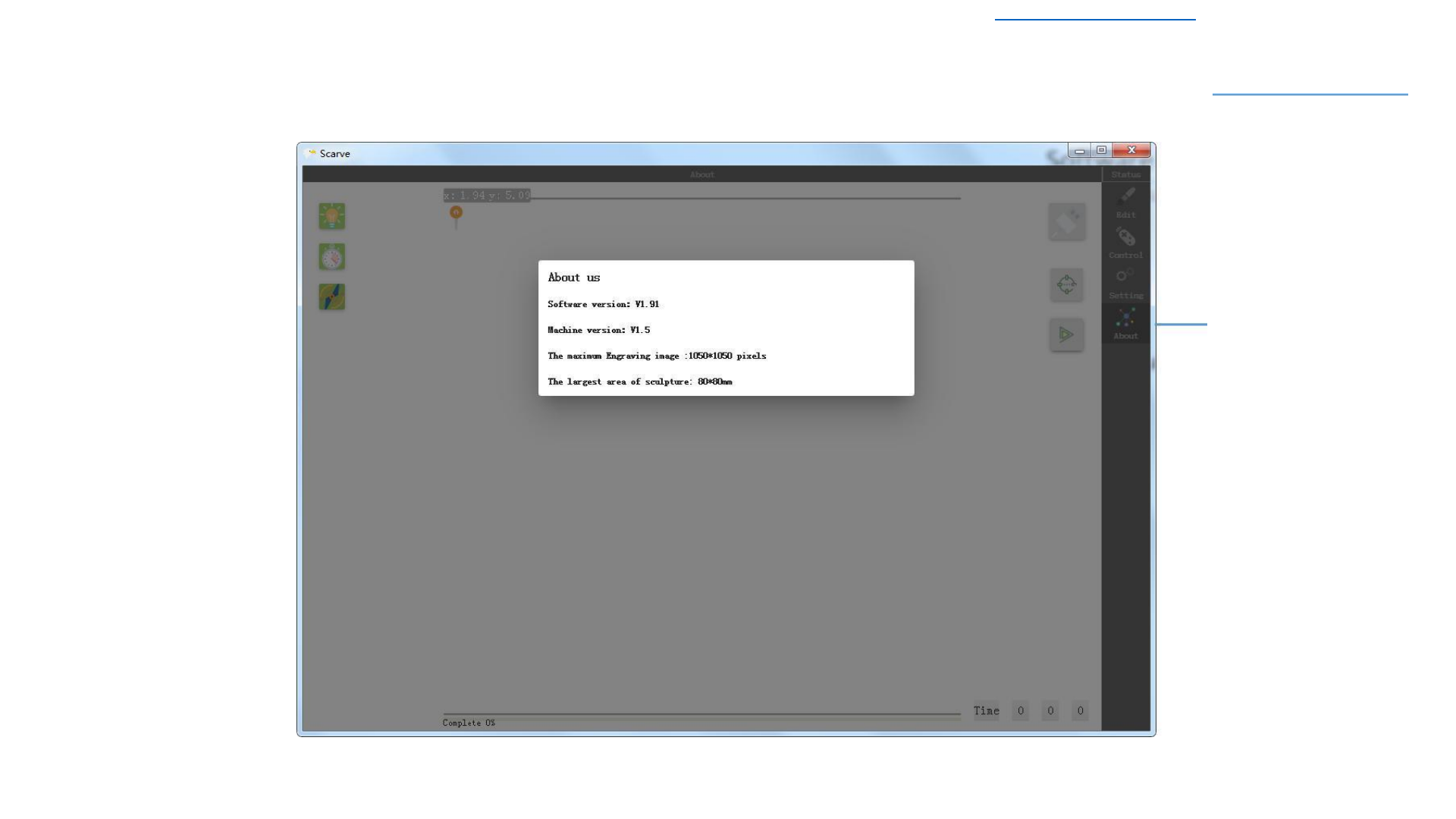
Setting:
Setting the Status Bar while Engraving will hHide
Some other Settings, as shown on the Right
Picture

Download Latest 2018-19 Scarve Software For Mini Laser Engraver Machine and Solutions of the errors can be found at www.tiaportal.weebly.com must visit and share with others.
SHARE WITH OTHERS.
Software download address:www.Tiaportal.weebly.com.com/scarve.html
Solutions of Errors in Scarve software: www.Tiaportal.weebly.com/scarve.html
Manual in Chinese can be download from: www.tiaportal.weebly.com
36
