FO DC525 Communication System Specification Sheet FODC525 Sharp
User Manual: FODC525
Open the PDF directly: View PDF  .
.
Page Count: 2
PC LAN FAXING
With Sharp’s powerful LAN Fax function, users can
transmit documents right from their desktop PC!
With Sharp’s intuitive PC fax driver, sending a fax
from your desktop is as easy as printing a file.
(Requires FO-LN1)
INTEGRATED NETWORK SCANNING
With its flexible suite of document
management tools, the Sharp
FO-DC Series Network Scanning
Option provides four scanning
functions that deliver exceptional
efficiency—Send to Desktop, Send to E-mail,
Send to FTP, and Send to Group (e-mail/fax mixed).
New LDAP support saves time by minimizing the
manual entry of e-mail addresses. Users simply enter
the first few characters, and the FO-DC525 automati-
cally displays a list of matching names. Integrated
User Authentication reduces the risk of unauthorized
scanned documents being e-mailed, and requires
users to log in before searching for an address and
sending an outbound e-mail.
Finally, Sharpdesk Document Management Software,
provides users with easy-to-use tools that allows
them to view, distribute, integrate, and manipulate
documents regardless of the applications used to
create them. (Requires FO-LN1 and FO-NS2)
INBOUND ROUTING
The Sharp FO-DC Series Inbound Routing feature
allows received fax documents to be automatically
forwarded to e-mail addresses for easy retrieval by
PC users. The FO-DC Series uses TSI (Transmit
Sender Identification) Routing, which is the fax
number programmed into the sending machine.
ADVANCED DOCUMENT ADMINISTRATION
With Sharp’s Advanced Document Administration
function, blind copies of all sent/received faxes,
PC faxes, and Send to E-mail documents can be
forwarded to an administrator’s e-mail address or
FTP site. This convenient feature enables businesses
to keep electronic records of all communications.
ADVANCED WEB-BASED MANAGEMENT
The FO-DC Series Home Page offers many time
saving tools, such as scan and fax destination
management, E-mail status notifications, remote
diagnostics, device configuration, and more.
(Requires FO-LN1)
EFFICIENT NETWORK PRINTING
With the optional PCL6/PCLXL Network Printing
Expansion Kit,the FO-DC Series also becomes a
16-ppm network laser printer that outputs a crisp
600-dpi resolution. (Requires FO-LN1 and FO-NP1)
PRINTER ADMINISTRATION UTILITY
Printer Administration Utility (PAU) is a network
tool designed to speed up the installation and config-
uration of all connected Sharp devices. Primarily for
network administrators, it allows you to manage all
SNMP-compliant printers on the network.
(Standard with FO-NP1)
PRINTER STATUS MONITOR
Printer Status Monitor is a utility that enables users
to view network printer conditions through an easy-
to-use graphical interface. It even notifies you when
your job is complete! (Standard with FO-NP1)
With an innovative modular design, the Sharp FO-DC Series allows you to get the
functionality you need today—along with the expendability you’ll need in the future.
As your needs change, you can easily add network scanning, network printing,
web-based management tools, and more. Plus, Sharp’s advanced software utilities
integrate seamlessly with your existing network.
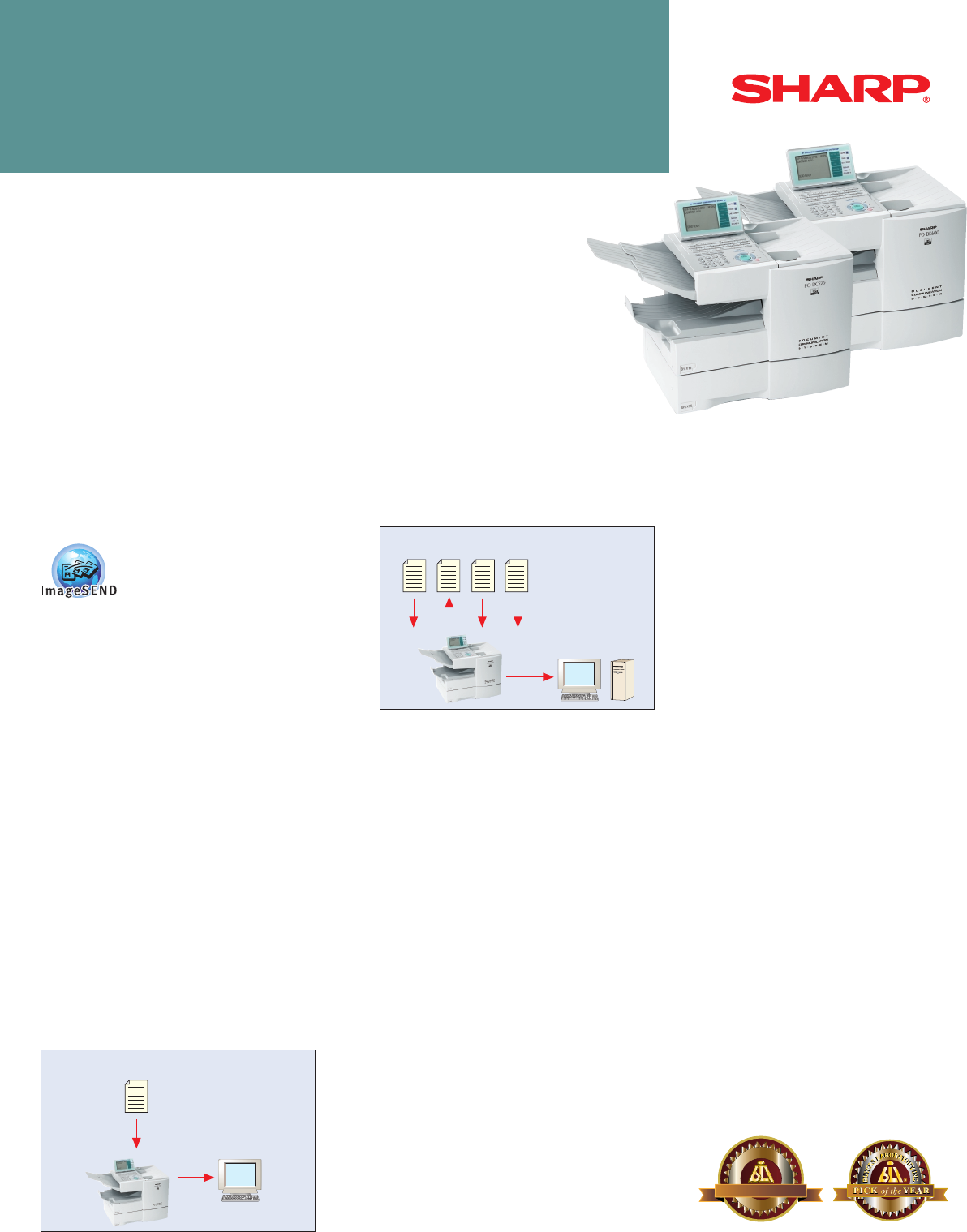
FO-DC600
FO-DC525
Advanced Networking Solutions
FO-DC525/DC600 DOCUMENT COMMUNICATION SYSTEMS
Sharp FO-DC525
Sharp FO-DC600
Forward received faxes
to e-mail addresses
and/or print locally
Received
fax
Send blind copies of all
communications to an
administrator's e-mail address
or FTP site.
Sent
fax Received
fax PC
fax Send to
E-mail
®
02
T
E
S
T
E
D
B
U
Y
E
R
S
L
A
B
O
R
A
T
O
R
Y
I
N
C
B
U
Y
E
R
S
L
A
B
O
R
A
T
O
R
Y
I
N
C
T
E
S
T
E
D
®
20
HIGHLY RECOMMENDED
HIGHLY RECOMMENDED
20
20 03
03
Awarded to the Sharp FO-DC600 only
FO-DC525/DC600 DOCUMENT COMMUNICATION SYSTEMS
ADVANCED NETWORKING SOLUTIONS
REMOTE E-MAIL DIAGNOSTICS
Sharp’s Remote E-mail Diagnostics (R.E.D.) enables users,
administrators, or your Sharp service providers to automatically
receive e-mail messages regarding specific conditions of the FO-DC
Series. From basic maintenance to more complex needs, R.E.D.
helps ensure that your FO-DC Series runs at peak performance.
(Standard with FO-LN1)
LAN-BASED F.A.S.T. SYSTEM REMOTE MANAGEMENT
With Sharp’s LAN-Based F.A.S.T. (Facsimile Automated Service
Technology) Remote Diagnostics System, the FO-DC Series
monitors vital machine statistics, such as fax operation,
printing, paper handling, and supply usage. Should there be any
abnormalities, the FO-DC Series can contact the F.A.S.T. system
at your dealership over the Internet to report the condition. Your
dealer can also contact your machine over the
Internet to see precisely what the problem is,
as well as upload new firmware, make software
adjustments, and change auto-dial numbers
for you. (Requires FO-LN1)
Super G3 Yes Yes
Document Memory Backup (Flash) Yes Yes
Duplex Scanning Function Yes Yes
One-Touch (Rapid) Dials 59 59
Abbreviated (Speed) Dials 100 200
Personal Auto-Dial Books 20 40
Dual Line Kit — Optional
Group Dialing 158 Locations 258 Locations
Polling 179 Locations 279 Locations
Serial Broadcasting 179 Locations 279 Locations
Program Keys 59 59
Confidential Send/Receive 10 Boxes 10 Boxes
Chain Dialing Yes Yes
Anti-Junk Fax 50 Locations 50 Locations
Department Codes 99 99
Telephone-Billing Codes 9 Digits 9 Digits
Secure Fax Release Yes Yes
Batch Transmission 59 Jobs 59 Jobs
Auto Reduction Yes Yes
Print Smoothing Yes Yes
Quick On-Line Yes Yes
Automatic Cover Sheet Optional Standard
Dual Access Yes Yes
Flash ROM Updates Yes Yes
Auto Cassette Switching Standard Standard
Fax Separator Page Standard Standard
PC LAN Faxing Optional 1Optional 1
Inbound Fax Routing Optional 1, 2 Optional 1, 2
Document Administration Optional 1, 2 Optional 1, 2
As an ENERGY STAR®Partner, SHARP has
determined that this product meets the
ENERGY STAR®guidelines for energy efficiency.
Sharp Electronics Corporation
Sharp Plaza, Mahwah, NJ 07430-1163
1-800-BE-SHARP
www.sharpusa.com
LAN Interface Expansion Kit FO-LN1 (optional)
Operating System: Windows®98/ME/2000/NT4/XP
Protocol: TCP/IP
Type: 10/100 baseT
Requirements: Ethernet LAN, Mail Server, FTP Server
Utilities/Software: IP Peer to Peer Redirector Web page for
configuration and maintenance
Network Printing Expansion Kit FO-NP1 (optional)3
Print Speed: 16 pages per minute
Print Resolution: 600 dpi
Printer Description Language: PCL6/PCL XL
Fonts: 45 outline fonts
Memory: 16 MB/144 MB maximum
Utilities/Software: Integrated installer, print drivers, Printer
Status Monitor, and Printer Administration
Utility
Network Scanner Expansion Kit FO-NS2 (optional)
Scan Resolution: 400 dpi (true optical)
Data Format: PDF, TIFF
Protocol: FTP, SMTP
Document Sharpdesk
Management Software:
OCR: Included with Sharpdesk software
Scan to E-mail: Standard
Scan to Desktop: Standard
Scan to FTP: Standard
Utilities/Software: Sharpdesk, Network Scan Tool
1 Requires FO-LN1 LAN Interface Expansion Kit
2 Requires FO-NS2 Network Scanning Kit
3 On FO-DC600, the FO-60DL Dual Line Kit cannot be installed in conjunction
with FO-NP1 Network Printing Expansion Kit.
Design and specifications subject to change without notice.
Sharp is a registered trademark of Sharp Corporation. All other trademarks and
registered trademarks are the property of their respective holders.
OPTIONAL EXPANSION KITS
AND SPECIFICATIONS
KEY FEATURES FO-DC525 FO-DC600
