X Post
User Manual: xPost
Open the PDF directly: View PDF  .
.
Page Count: 4
for hospitality, convention center,
education, corporation & more…
meetingPost
lobbyPost
wayfinderPost
FOR CAYIN SMP-WEB SERIES PLAYERS
CONTENT CREATION PLATFORM
DIGITAL SIGNAGE
One package for complete public information displa y
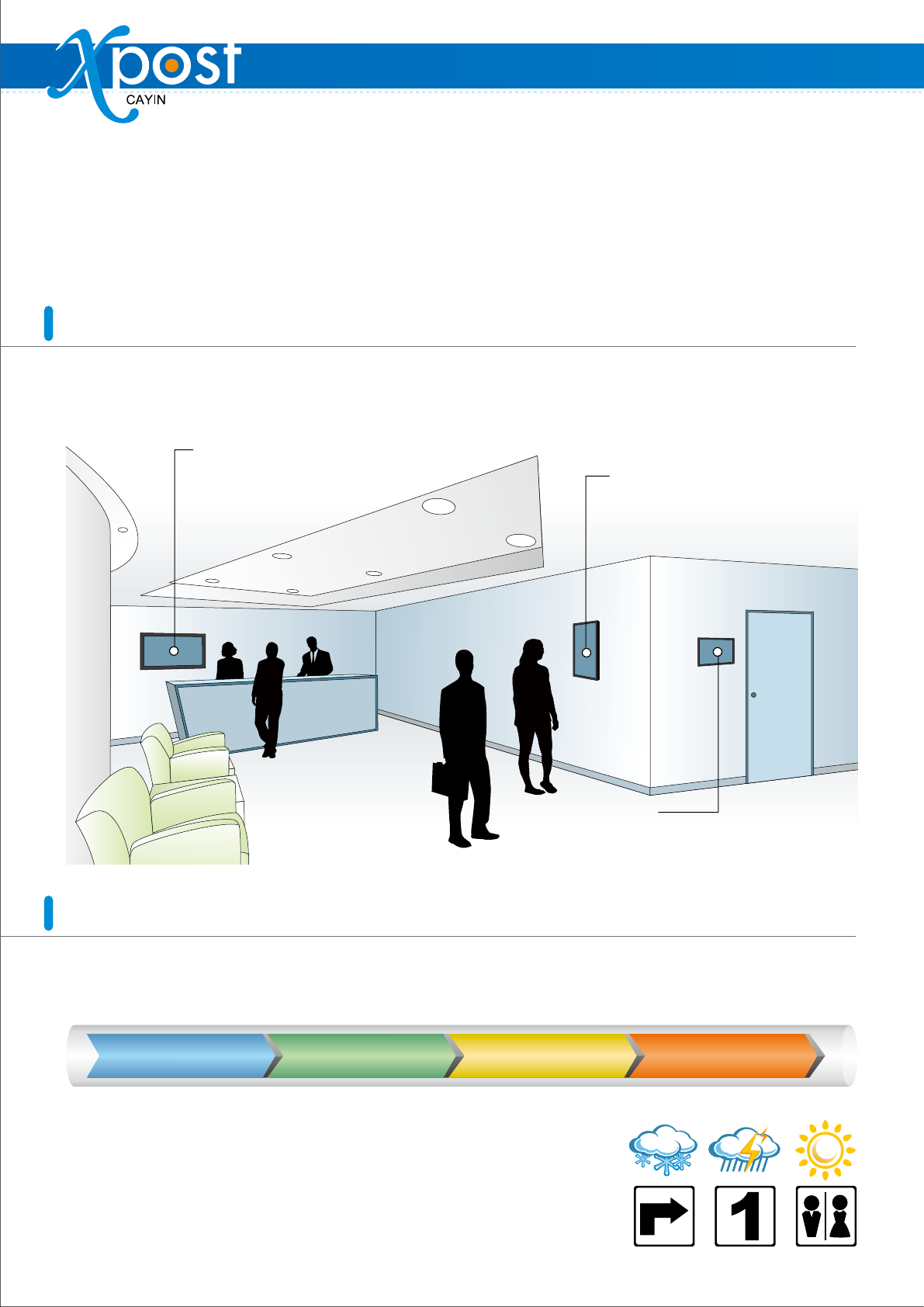
lobbyPost
Rich and flexible presentation
for lobbies
wayfinderPost
A wide variety of applications for
dynamic public announcements
and direction guiding
meetingPost
Digital signage system dedicated to meeting
room management
Main features
CAYIN xPost offers a powerful suite of content editing software: meetingPost, wayfinderPost, and lobbyPost,
and the highly integrated user interface and database enable you to work more efficiently.
CAYIN xPost, the web-based application software, offers a combination of essential tools to
create rich contents for digital signage in different vertical markets. It provides an easy-to-use
platform for instant data entry and further extends the usage of CAYIN SMP-WEB series players
to meet users’ requirements of frequent, daily maintenance.
Four easy steps to create a signage
xPost provides the content editing platform with easy operational workflow, which comprises the following four steps:
Add a new display
STEP 1
Select a template
STEP 2
Modify template settings
STEP 3
Enter data
STEP 4
Build-in useful icons for choices
wayfinderPost provides many useful icons, such as arrows, numbers, English
characters, and other symbol signs for quick adoption. Your own designs can
also be uploaded if necessary.
In addition, lobbyPost provides 48 useful weather icons and 237 national flags to
enrich your presentation.
Application Software
meetingPost
wayfinderPost
Pre-designed templates for fast adoption
meetingPost, wayfinderPost, and lobbyPost are all installed with various
portrait and landscape templates that allow users to create signage easily and
quickly. Users can also customize displays by changing logo, background
image, as well as colors and sizes of texts based on actual needs.
wayfinderPost provides various templates, which can be applied in different occasions with great flexibility.
Applications include, but not limited to, the following four examples.
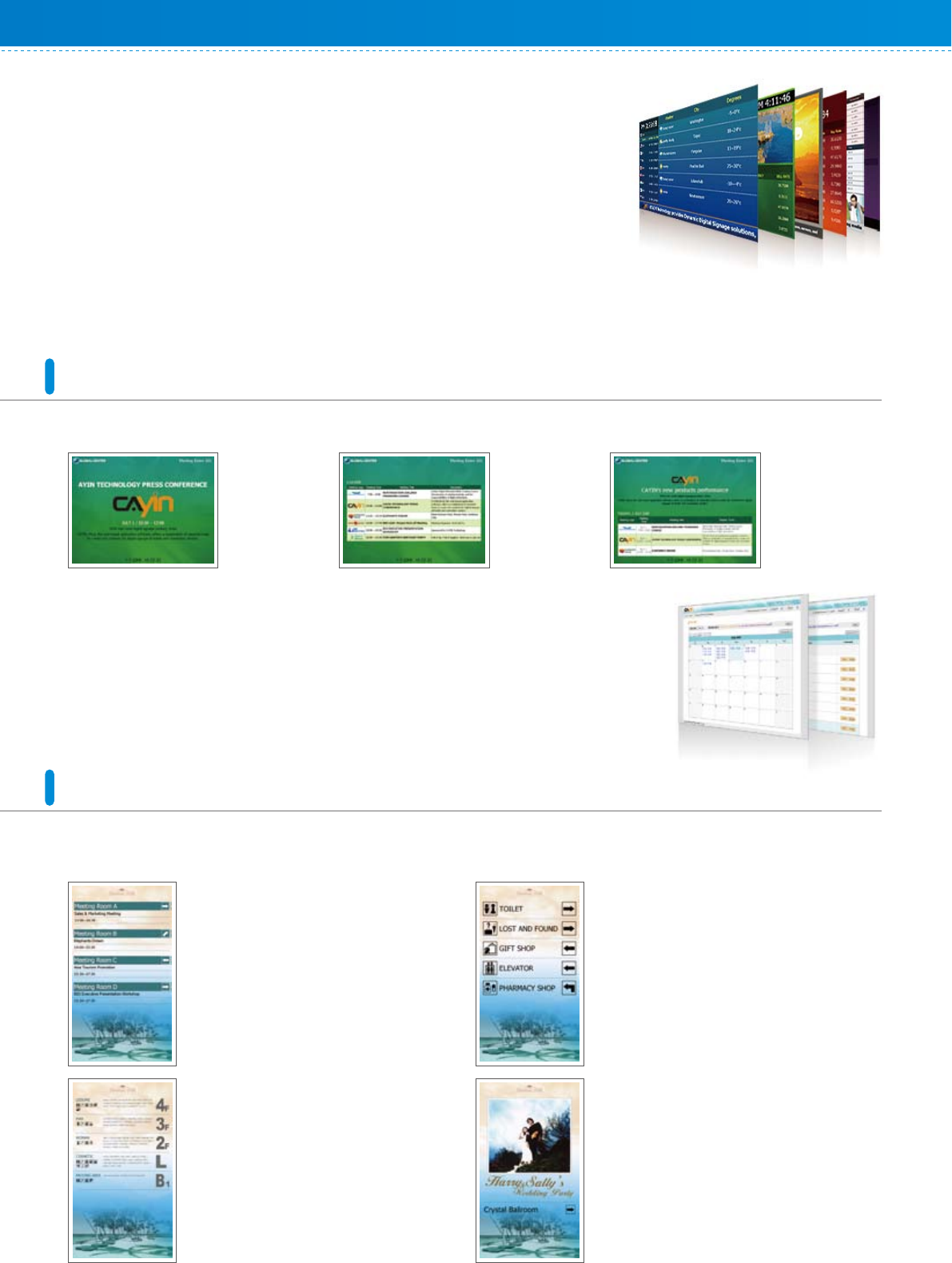
Three types of presentation
Single meeting
Display details
of the current
meeting
Meeting list
List out all the
appointed
meetings of the
day
Integrated display
A combination of
“single meeting”
and “integrated
display”
Service Facility Sign and Direction
wayfinderPost provides an easy platform for
owners of hotels or convention centers to show
all visitor where the service facilities are.
Special Event and Wayfinding
The screen can be used to strongly promote an
event before it begins. Event participants can be
easily guided to the right location by the screen.
This can be applied to wedding banquets,
seminars, get-together, etc.
Meeting Information and Direction
Integrated with meetingPost, wayfinderPost
can retrieve meeting information
automatically and display today’s meeting on
the screen, along with the direction of the
meeting room. It can improve the traffic flow
and guide the event participants to the right
meeting room.
Floor Plan
wayfinderPost can assist in creating a simple
floor plan by selecting build-in symbols,
entering the information about each floor, and
uploading self-designed pictures.
Web-based UI for easy remote management
xPost provides a web-based user interface, designed to be simple and intuitive. Administrators can sit in front of
any computer and remotely change the information displayed in the lobby, outside meeting rooms, and in the
hallway.
Room booking system
You can process online booking for all meeting and banquet rooms, and other
facilities. To arrange events on monthly and weekly calendars, simply click on the
dates and start to book rooms!
meetingPost also features for its search function, which can automatically find
available rooms for a specified period of time.
Application Software
8F, No. 577, Linsen N. Rd., Taipei City 104, Taiwan
TEL: +886-2-25951005 FAX: +886-2-25951050
sales@cayintech.com www.cayintech.com
CAYIN Technology Co., Ltd.
BAXP10/EN/080708
LAN
WAN*
Intranet
Admin PC
Adminstrator
* We strongly suggest that xPost
should be used in stable network
environment.
SMP-WEB
series player
SMP-WEB
series player
SMP-WEB
series player
xPost Server
wayfinderPost
lobbyPost
meetingPost
Screen
lobby
Screen
meeting room
Screen
hallway
CMS (optional)
distribute video files
lobbyPost
xPost system structure
xPost system requirements
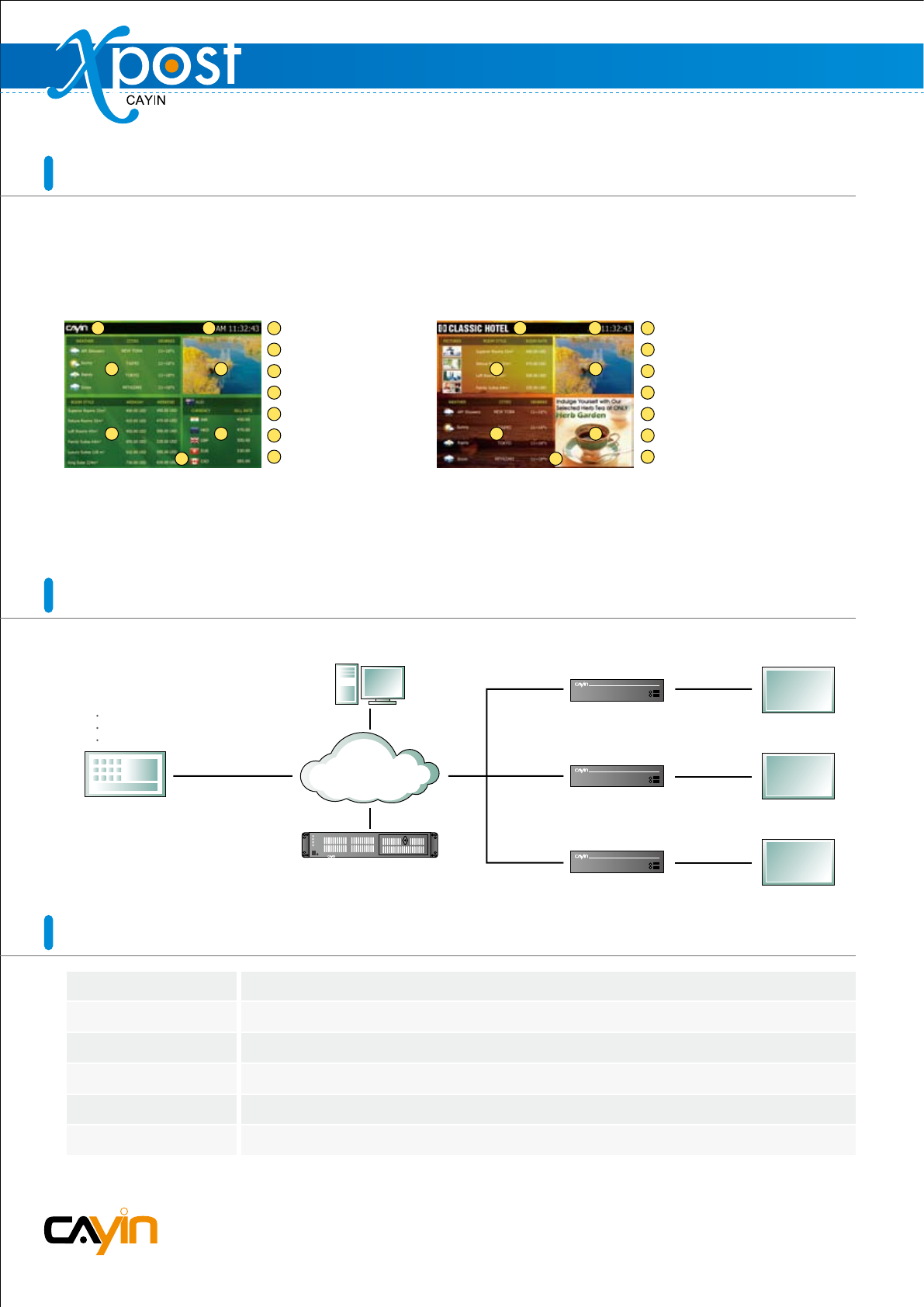
Each template of lobbyPost contains multiple areas for a variety of combinations of guest room information,
currency exchange, weather information, images, Flash, video, and ticker. You can follow the pre-configured
usages or modify the data type of each area to create your own ideal lobby display.
Room type and tariff: users can show room type, quantity, tariff, availability, and picture of guest rooms.
Currency exchange rate: users can input information at maximum three columns: country, and sell and buy rates.
Weather: users can enter data manually or retrieve weather information automatically from the Internet.
Pre-Configured Template
1 2
3 4
5 6
7
Logo
Time
Weather
Video
Room Type & Ta riff (pure text)
Exchange Rate
Green Background Image
1
2
3
4
5
6
7
Changing Data Type
Logo with animated effect by Flash
Time
Room Type & Ta riff (text and image)
Video
Weather
Animated ads by Flash or image slide show
User-designed Orange Background Image
1
2
3
4
5
6
7
1 2
3 4
5 6
7
Operating System:
Display Resolution:
Processor:
Memory:
Hard Disk:
Browser:
Windows® XP or Windows® Vista
1024 x 768 or above is recommended
Intel® Pentium® 4 compatible CPU or above
1024 MB or more is recommended
200 MB for program and configurations, 10GB minimum for storing data.
Internet Explorer® 6 or above, Firefox® 1.5 or above
