DynaScan Technology PFB201 Control Board User Manual User maunal 20170208 For DI55

DynaScan Technology Corp. Control Board User maunal 20170208 For DI55

Contents

User Manual

         User Manual     For   Android Control  board  with  wireless module   Product:  Control Board Model No.:  PFB201
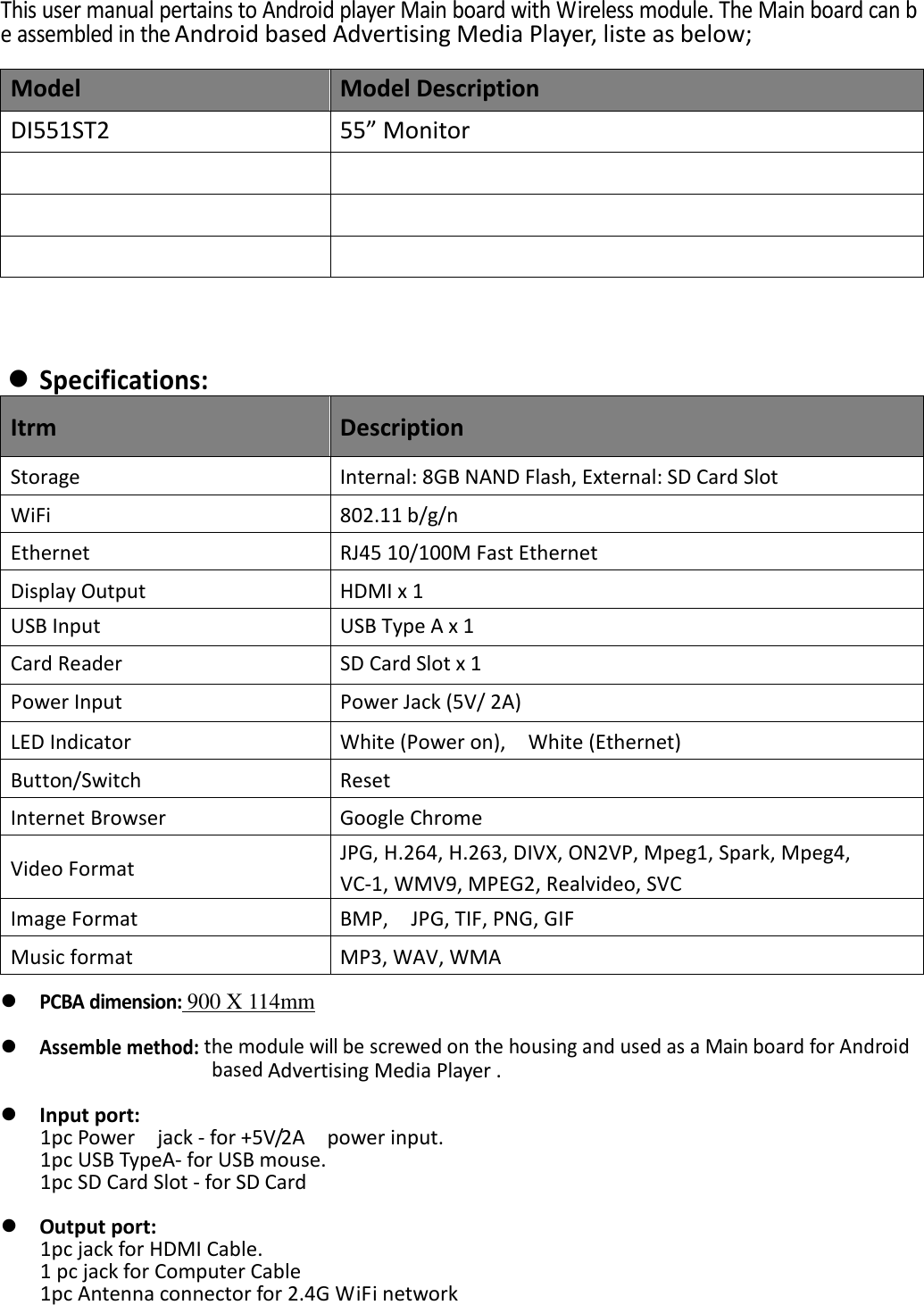
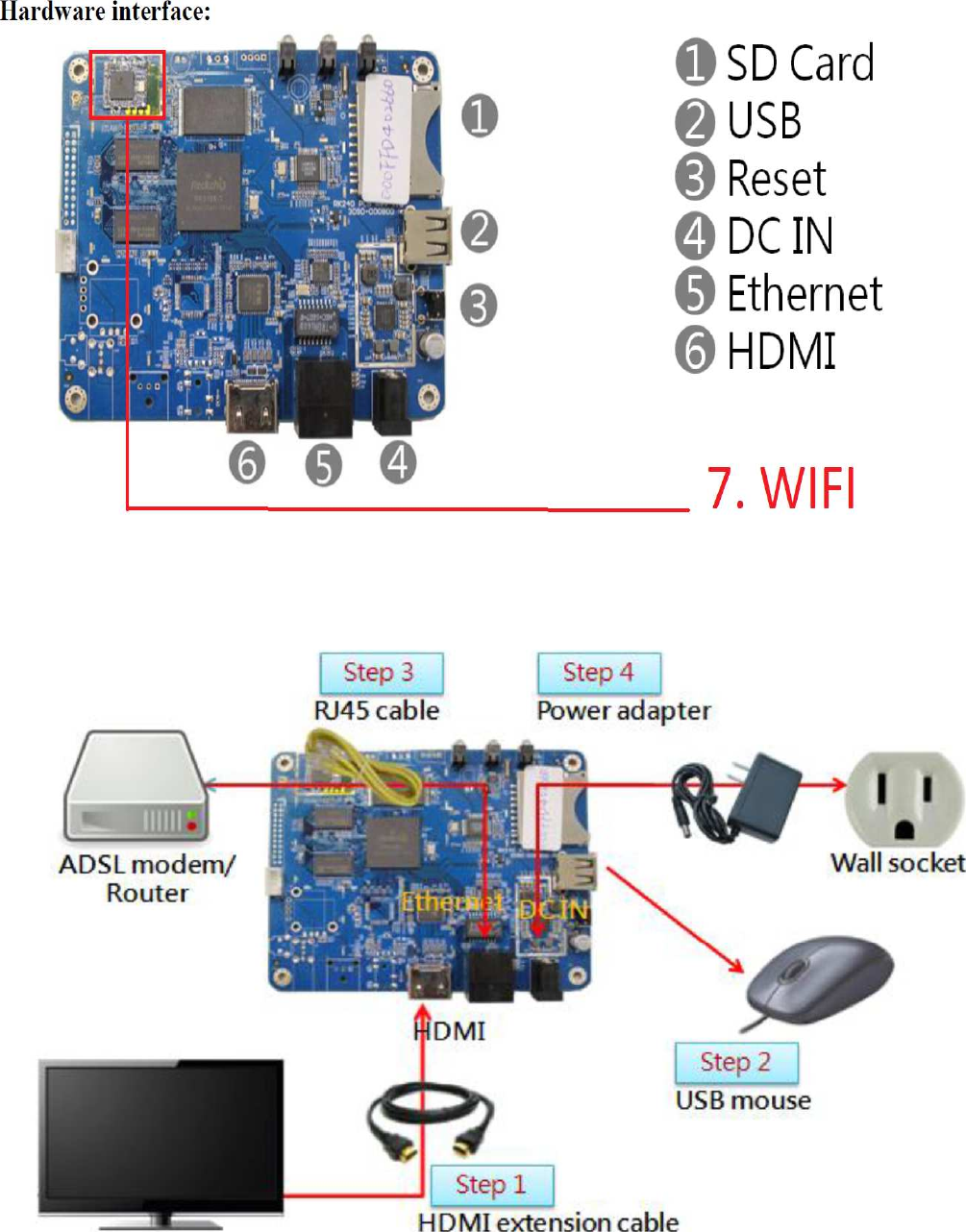
This user manual pertains to Android player Main board with Wireless module. The Main board can be assembled in the Android based Advertising Media Player, liste as below;  Model  Model Description DI551ST2  55” Monitor               Specifications: Itrm  Description Storage  Internal: 8GB NAND Flash, External: SD Card Slot WiFi  802.11 b/g/n   Ethernet  RJ45 10/100M Fast Ethernet Display Output  HDMI x 1   USB Input  USB Type A x 1         Card Reader  SD Card Slot x 1 Power Input  Power Jack (5V/ 2A) LED Indicator  White (Power on),    White (Ethernet) Button/Switch  Reset Internet Browser  Google Chrome   Video Format  JPG, H.264, H.263, DIVX, ON2VP, Mpeg1, Spark, Mpeg4,   VC-1, WMV9, MPEG2, Realvideo, SVC Image Format  BMP,    JPG, TIF, PNG, GIF   Music format  MP3, WAV, WMA   PCBA dimension: 900 X 114mm   Assemble method: the module will be screwed on the housing and used as a Main board for Android based Advertising Media Player .   Input port: 1pc Power    jack - for +5V/2A    power input. 1pc USB TypeA- for USB mouse.   1pc SD Card Slot - for SD Card   Output port: 1pc jack for HDMI Cable. 1 pc jack for Computer Cable 1pc Antenna connector for 2.4G WiFi network
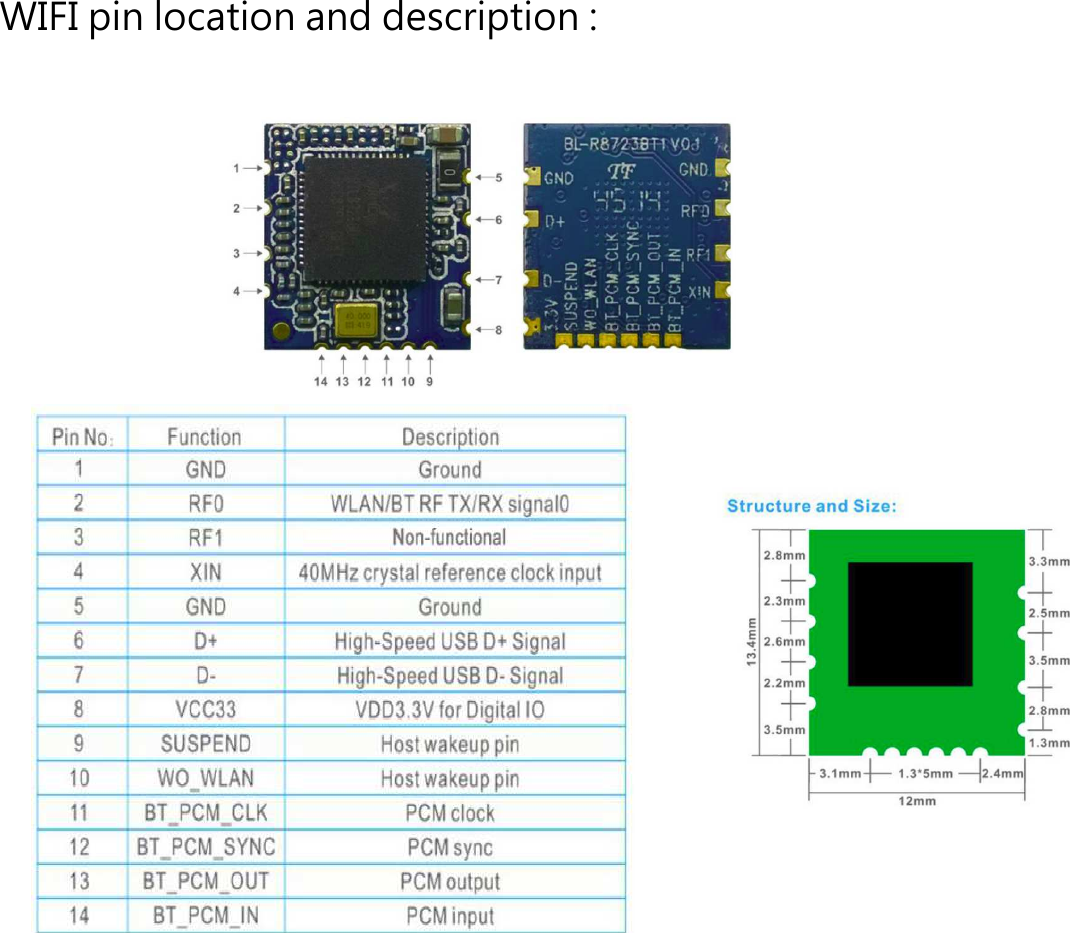
WIFI pin location and description :
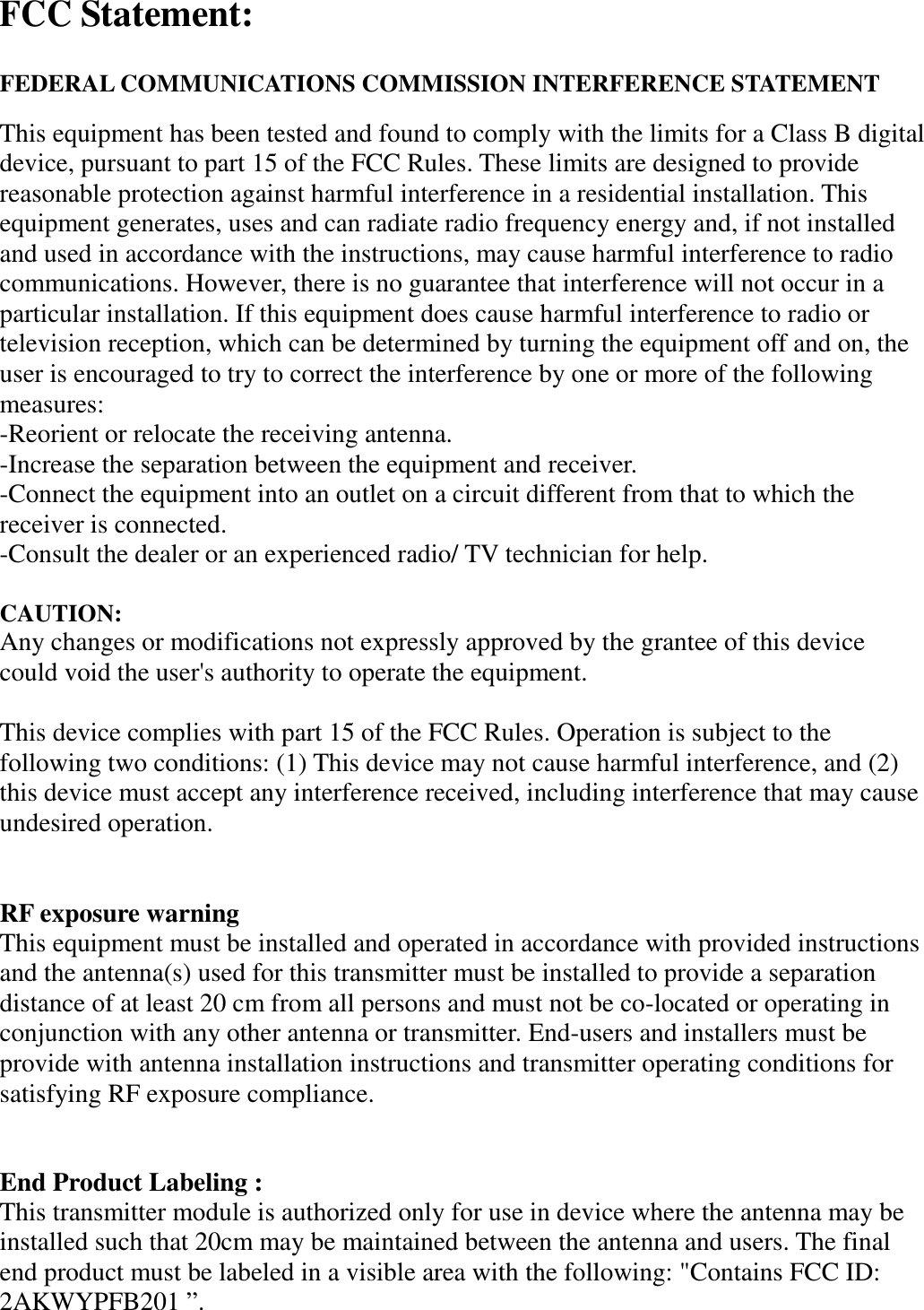
 FCC Statement:  FEDERAL COMMUNICATIONS COMMISSION INTERFERENCE STATEMENT This equipment has been tested and found to comply with the limits for a Class B digital device, pursuant to part 15 of the FCC Rules. These limits are designed to provide reasonable protection against harmful interference in a residential installation. This equipment generates, uses and can radiate radio frequency energy and, if not installed and used in accordance with the instructions, may cause harmful interference to radio communications. However, there is no guarantee that interference will not occur in a particular installation. If this equipment does cause harmful interference to radio or television reception, which can be determined by turning the equipment off and on, the user is encouraged to try to correct the interference by one or more of the following measures: -Reorient or relocate the receiving antenna. -Increase the separation between the equipment and receiver. -Connect the equipment into an outlet on a circuit different from that to which the receiver is connected. -Consult the dealer or an experienced radio/ TV technician for help.  CAUTION:   Any changes or modifications not expressly approved by the grantee of this device could void the user's authority to operate the equipment.  This device complies with part 15 of the FCC Rules. Operation is subject to the following two conditions: (1) This device may not cause harmful interference, and (2) this device must accept any interference received, including interference that may cause undesired operation.   RF exposure warning   This equipment must be installed and operated in accordance with provided instructions and the antenna(s) used for this transmitter must be installed to provide a separation distance of at least 20 cm from all persons and must not be co-located or operating in conjunction with any other antenna or transmitter. End-users and installers must be provide with antenna installation instructions and transmitter operating conditions for satisfying RF exposure compliance.  End Product Labeling :   This transmitter module is authorized only for use in device where the antenna may be installed such that 20cm may be maintained between the antenna and users. The final end product must be labeled in a visible area with the following: "Contains FCC ID: 2AKWYPFB201 ”.
Information for the OEMs and Integrators The following statement must be included with all versions of this document supplied to an OEM or integrator, but should not be distributed to the end user. 1) This device is intended for OEM integrators only. 2) Please see the full Grant of Equipment document for other restrictions.

Navigation menu