DynaScan Technology PFB201 Control Board User Manual DI551ST2 QSG ENG V1 01
DynaScan Technology Corp. Control Board DI551ST2 QSG ENG V1 01
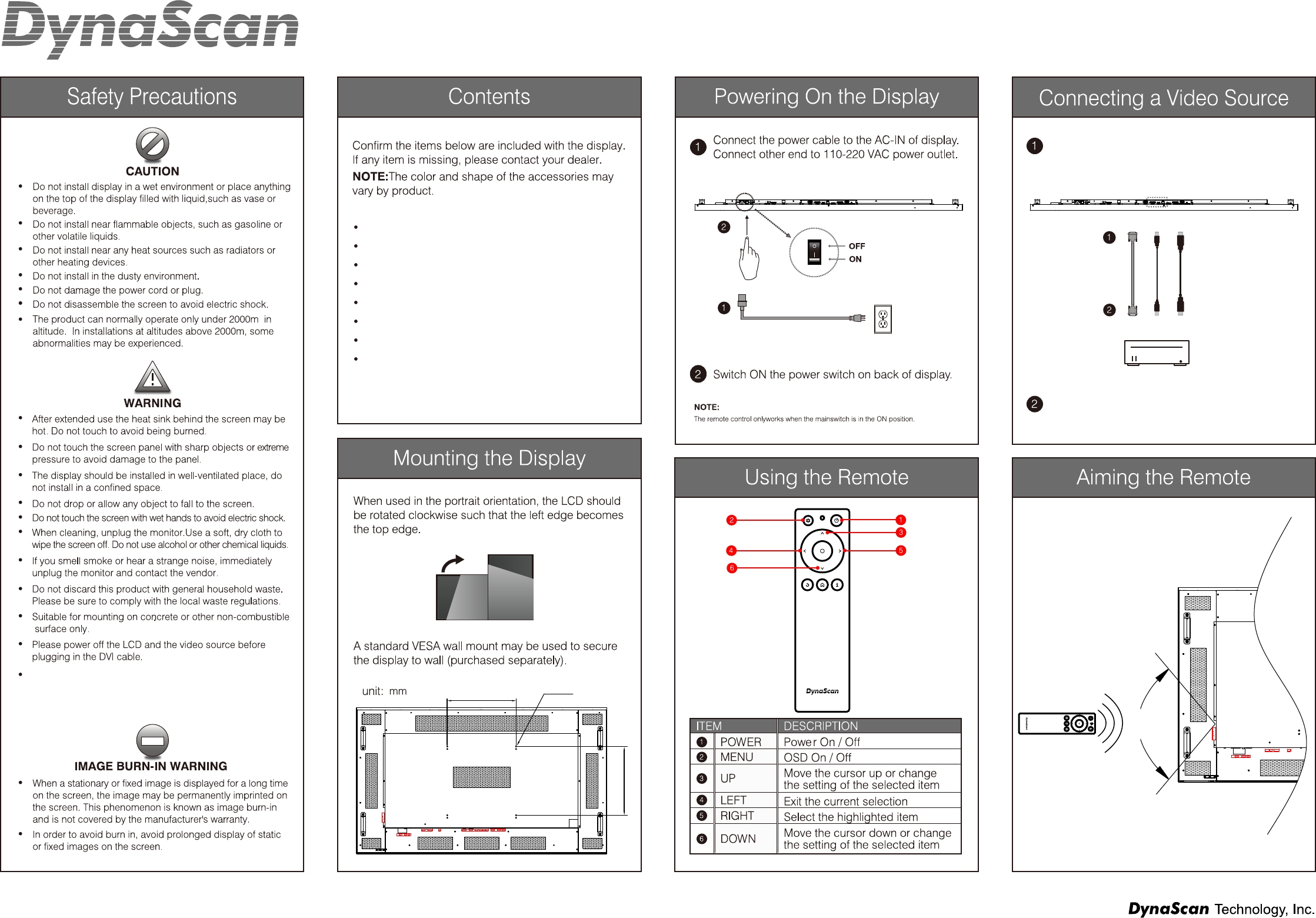
Contents
- 1. User Manual
- 2. User manual
User manual
V 1.01
DI651ST2 Professional LCD x1 pc
Ethernet crossover cable x1 pc
DVI cable x1 pc
RS-232 cable x1 pc
Quick Start Guide x1 pc
Power cable x1 pc
Batteries (1.5V / AAA) x2 pcs
Remote control x1 pc
Connect the DVI cable (or DP cable, HDMI cable)
to the DVI-IN port (or DP-IN port, HDMI-IN port)
on the back of the display.
Connect the other end of the DVI cable (or DP
cable, HDMI cable) to the DVI-OUT port (or
DP-OUT port, HDMI-OUT port) of your video
source device.
100°
DVI-IN
DVI-OUT
DP-IN
DP-OUT
HDMI-IN
HDMI-OUT
DI651ST2 Quick Start Guide
MENU
UP
DOWN
LEFT
RIGHT
USB SD CARD
RESET LAN DVI-IN
RS232-IN HDMI-IN DP-IN
SENSOR THERMAL
FUSE
AC-IN POWER
DVI OUT RS232 OUT AUDIO OUT
400.0
400.0
4-M6
MENU
UP
DOWN
LEFT
RIGHT
USB SD CARD
RESET LAN
FUSE
AC-IN POWER
www.dynascandisplay.com
FEDERAL COMMUNICATIONS COMMISSION INTERFERENCE STATEMENT
This equipment has been tested and found to comply with the limits for a Class B digital device, pursuant to part 15 of the FCC Rules.
These limits are designed to provide reasonable protection against harmful interference in a residential installation. This equipment
generates, uses and can radiate radio frequency energy and, if not installed and used in accordance with the instructions, may cause
harmful interference to radio communications. However, there is no guarantee that interference will not occur in a particular installation.
If this equipment does cause harmful interference to radio or television reception, which can be determined by turning the equipment
off and on, the user is encouraged to try to correct the interference by one or more of the following measures:
-Reorient or relocate the receiving antenna.
-Increase the separation between the equipment and receiver.
-Connect the equipment into an outlet on a circuit different from that to which the receiver is connected.
-Consult the dealer or an experienced radio/ TV technician for help.
CAUTION:
Any changes or modifications not expressly approved by the grantee of this device could void the user's authority to operate the equipment.
RF exposure warning
This equipment must be installed and operated in accordance with provided instructions and the antenna(s) used for this transmitter must
be installed to provide a separation distance of at least 20 cm from all persons and must not be co-located or operating in conjunction with
any other antenna or transmitter. End-users and installers must be provide with antenna installation instructions and transmitter operating
conditions for satisfying RF exposure compliance.
This device uses, generates and radiated radio frequency
energy. The radio frequency energy produced by this device
is well below the maximum exposure allows by Federal
Communications Commission (FCC).