EDUP EP-8515 Wireless Card User Manual

EDUP INTERNATIONAL (HK) CO., LTD. Wireless Card

Users Manual

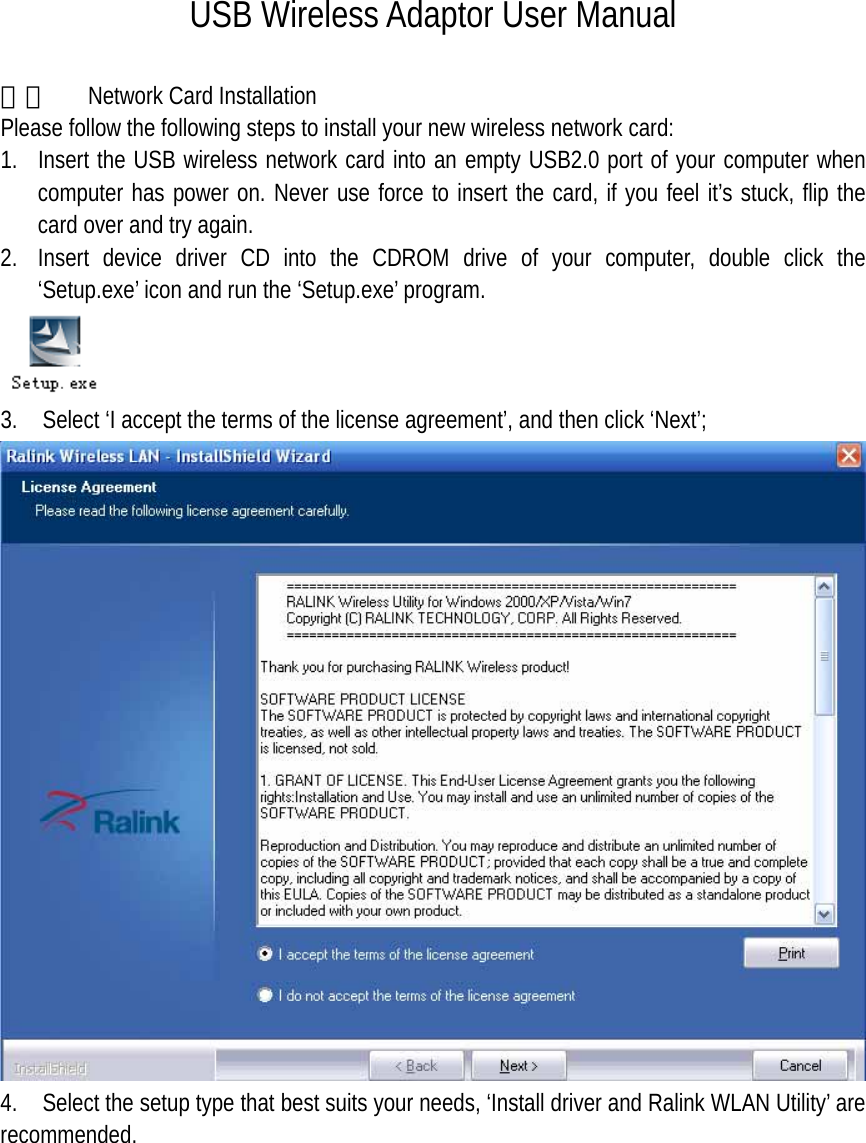
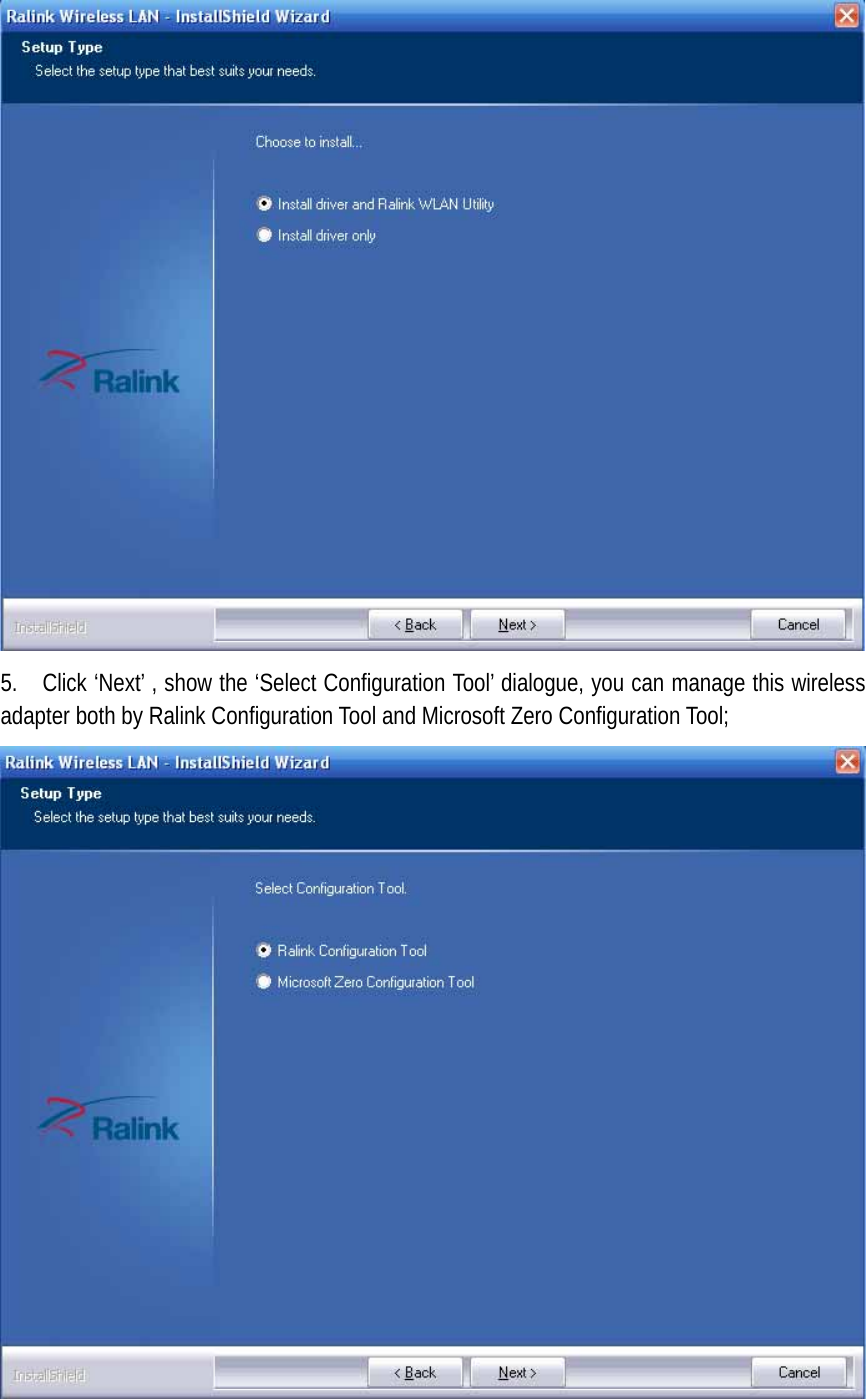
USB Wireless Adaptor User Manual  一、  Network Card Installation Please follow the following steps to install your new wireless network card: 1. Insert the USB wireless network card into an empty USB2.0 port of your computer when computer has power on. Never use force to insert the card, if you feel it’s stuck, flip the card over and try again. 2. Insert device driver CD into the CDROM drive of your computer, double click the ‘Setup.exe’ icon and run the ‘Setup.exe’ program.  3.    Select ‘I accept the terms of the license agreement’, and then click ‘Next’;    4.    Select the setup type that best suits your needs, ‘Install driver and Ralink WLAN Utility’ are recommended.
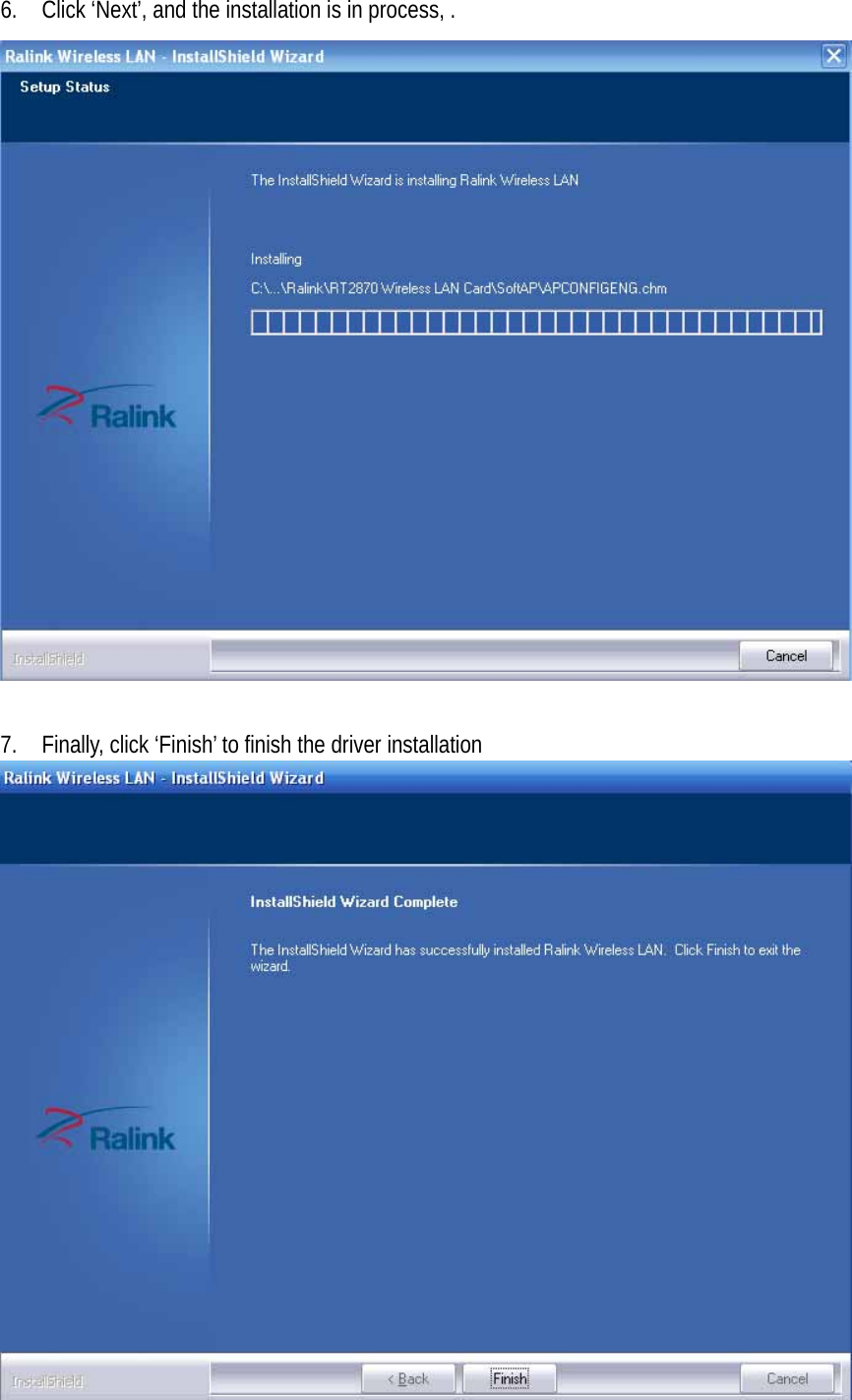
 5.    Click ‘Next’ , show the ‘Select Configuration Tool’ dialogue, you can manage this wireless adapter both by Ralink Configuration Tool and Microsoft Zero Configuration Tool;
6.    Click ‘Next’, and the installation is in process, .   7.    Finally, click ‘Finish’ to finish the driver installation
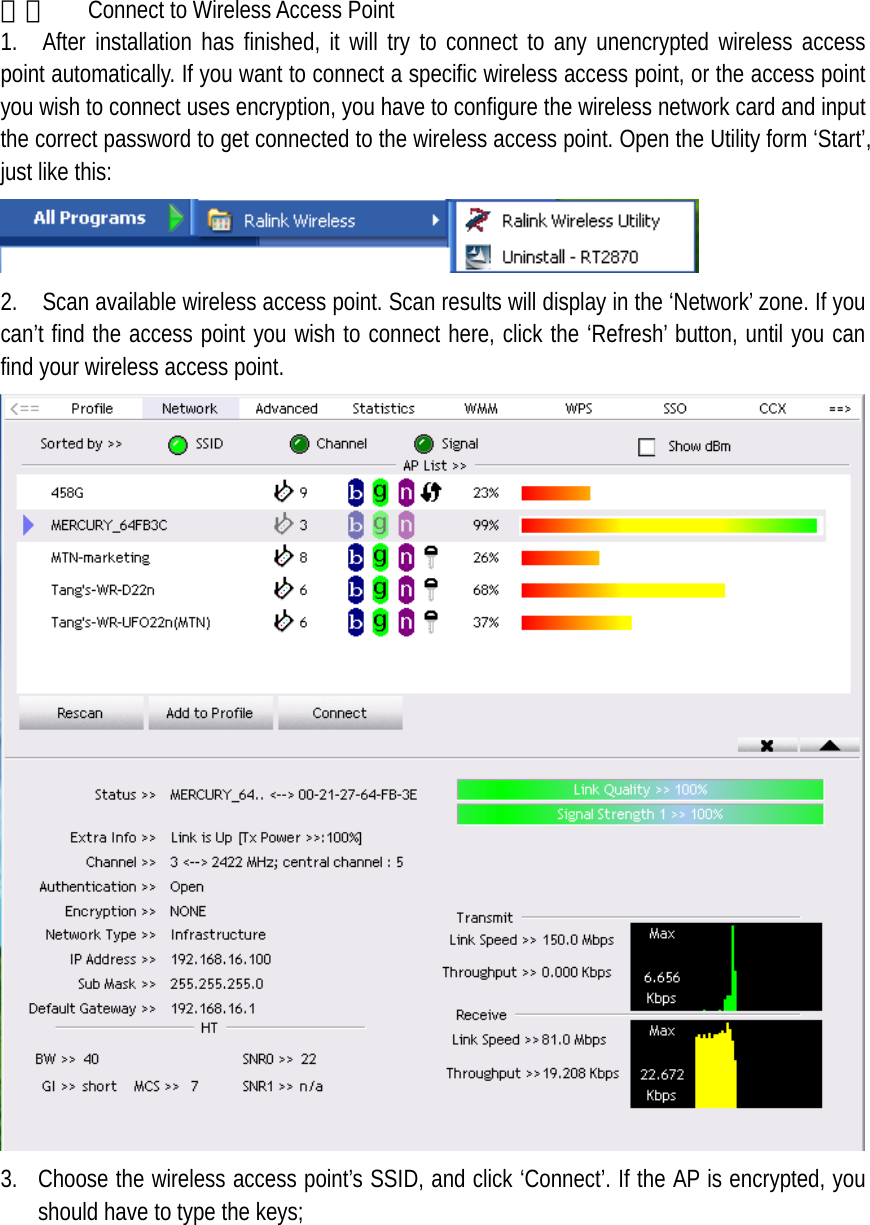
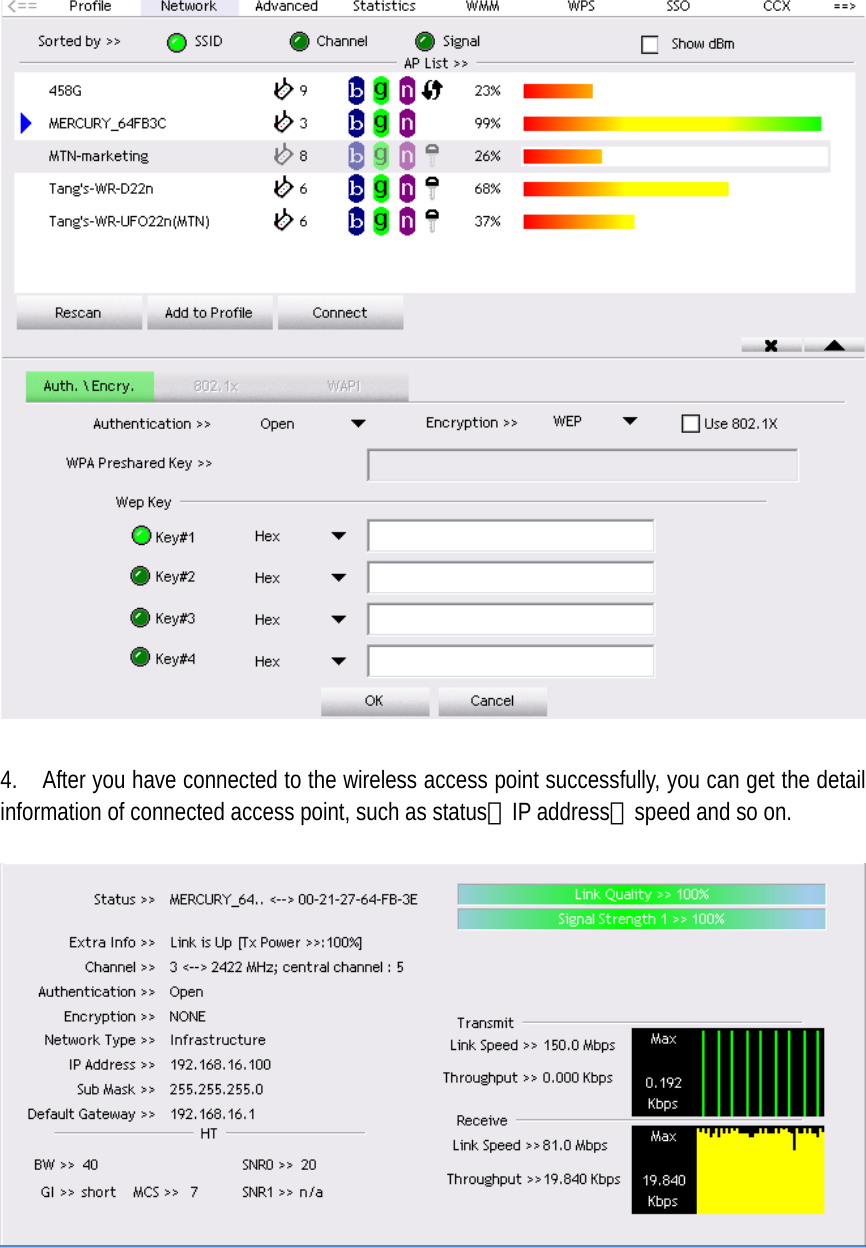
 二、  Connect to Wireless Access Point   1.  After installation has finished, it will try to connect to any unencrypted wireless access point automatically. If you want to connect a specific wireless access point, or the access point you wish to connect uses encryption, you have to configure the wireless network card and input the correct password to get connected to the wireless access point. Open the Utility form ‘Start’, just like this:  2.    Scan available wireless access point. Scan results will display in the ‘Network’ zone. If you can’t find the access point you wish to connect here, click the ‘Refresh’ button, until you can find your wireless access point.  3. Choose the wireless access point’s SSID, and click ‘Connect’. If the AP is encrypted, you should have to type the keys;
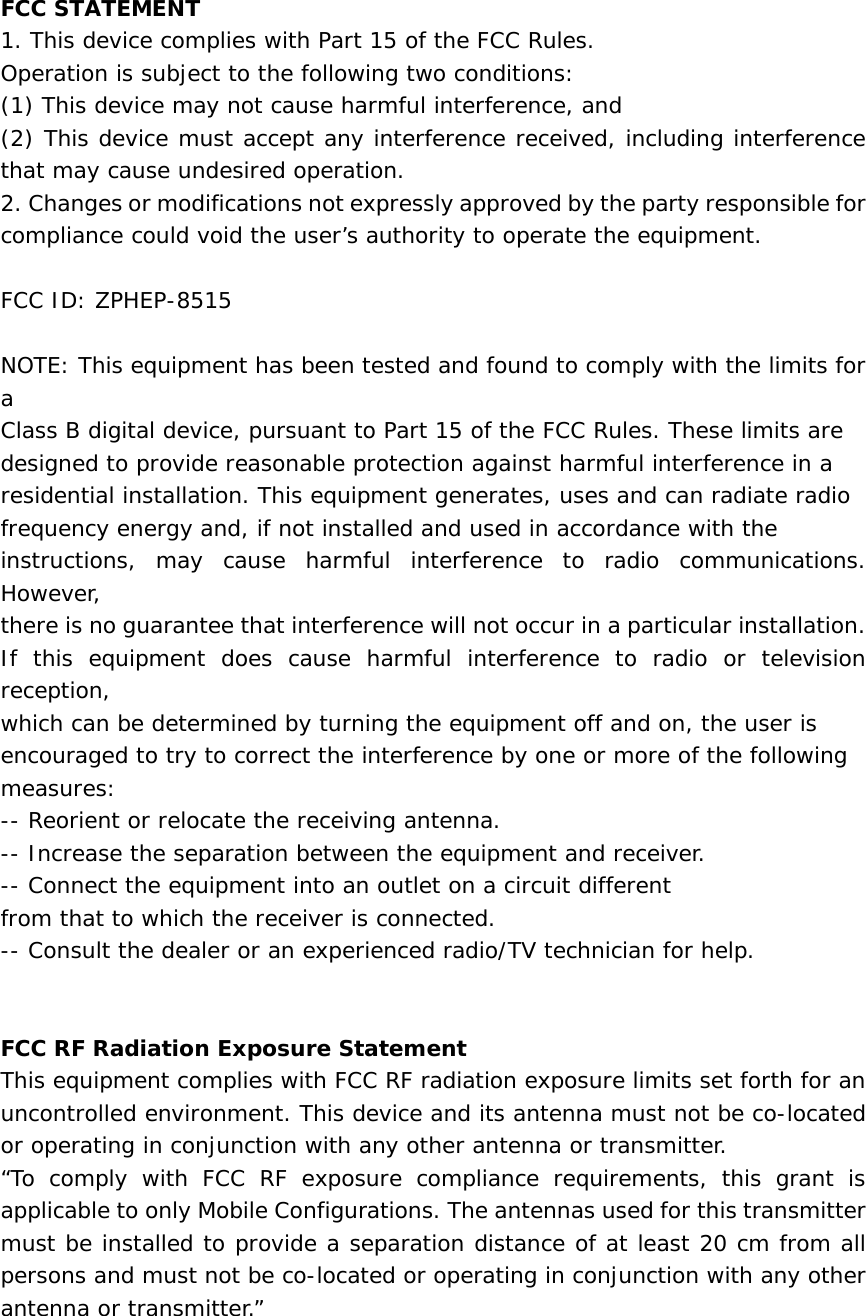
  4.    After you have connected to the wireless access point successfully, you can get the detail information of connected access point, such as status、IP address、speed and so on.
 FCC STATEMENT 1. This device complies with Part 15 of the FCC Rules. Operation is subject to the following two conditions: (1) This device may not cause harmful interference, and (2) This device must accept any interference received, including interference that may cause undesired operation. 2. Changes or modifications not expressly approved by the party responsible for compliance could void the user’s authority to operate the equipment.  FCC ID: ZPHEP-8515  NOTE: This equipment has been tested and found to comply with the limits for a Class B digital device, pursuant to Part 15 of the FCC Rules. These limits are designed to provide reasonable protection against harmful interference in a residential installation. This equipment generates, uses and can radiate radio frequency energy and, if not installed and used in accordance with the instructions, may cause harmful interference to radio communications. However, there is no guarantee that interference will not occur in a particular installation. If this equipment does cause harmful interference to radio or television reception, which can be determined by turning the equipment off and on, the user is encouraged to try to correct the interference by one or more of the following measures: -- Reorient or relocate the receiving antenna. -- Increase the separation between the equipment and receiver. -- Connect the equipment into an outlet on a circuit different from that to which the receiver is connected. -- Consult the dealer or an experienced radio/TV technician for help.   FCC RF Radiation Exposure Statement This equipment complies with FCC RF radiation exposure limits set forth for an uncontrolled environment. This device and its antenna must not be co-located or operating in conjunction with any other antenna or transmitter.  “To comply with FCC RF exposure compliance requirements, this grant is applicable to only Mobile Configurations. The antennas used for this transmitter must be installed to provide a separation distance of at least 20 cm from all persons and must not be co-located or operating in conjunction with any other antenna or transmitter.”

Navigation menu