ELDAT RT20 Remote Control Transmitter User Manual 86332 1008
ELDAT GmbH Remote Control Transmitter 86332 1008
ELDAT >
User Manual
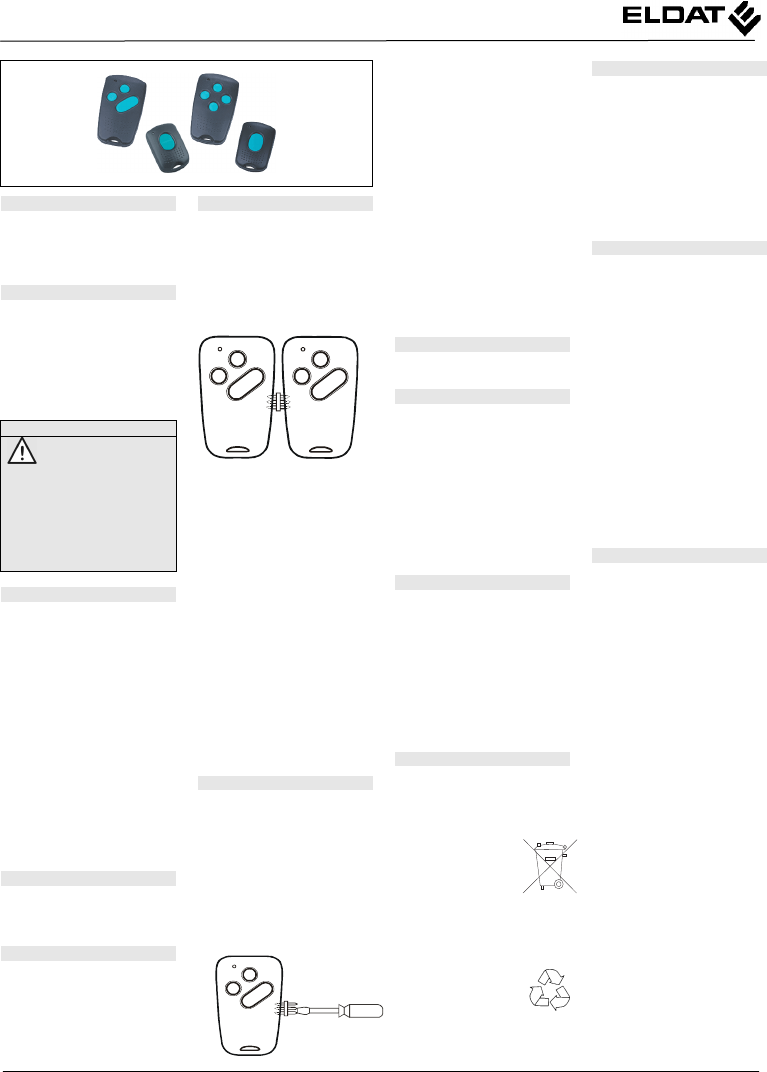
Mini Transmitter RT20
Micro Transmitter RT21
86332 0808 GB
Models
RT20 3-ch. 315 MHz
4-ch. 315 MHz
RT21 1-ch. 315 MHz
2-ch. 315 MHz
Intended Use
This transmitter may only be
used to operate ELDAT radio
controls.
The manufacturer shall not
be liable for any damage
caused by improper or non-
intended use!
Safety Advice
Do not make any
unauthorized altera-
tions or modifications to the
transmitter!
Keep the transmitter away
from children!
Note also the operating
instructions of the radio
control!
Technical Details
Coding: Factory coding with
over 70 million options.
Range: approx. 100 m (un-
der favourable free-field
conditions)
Power supply:
1x 3 V battery, CR 2032
Indicator: LED
Degree of protection: IP 54
Operating temperature:
- 20°C to +60°C
Dimensions: (WxHxD)
RT20: 70 x 40 x 17 mm
RT21: 55 x 36 x 16 mm
Weight: (including battery)
RT20: 25 g,
RT21: 17 g
Scope of Delivery
Transmitter incl. battery
Programming connector
Operating instructions
Preparing Transmitter
Transmit the transmitter
code to the receiver (see
operating instructions of the
receiver / radio control).
Memorizing Codes
This function allows to trans-
fer the codes of one trans-
mitter to other hand transmit-
ters.
1. Connect the source
transmitter to the target
transmitter using the pro-
gramming connector.
2. Press and hold the se-
lected channel button of
the source transmitter.
The LED in the source
transmitter lights up.
3. Press and hold the re-
spective channel button of
the target transmitter. The
LED in the target trans-
mitter initially starts flash-
ing and then lights up af-
ter approx. 2 sec.
4. Release the channel but-
tons and to remove the
programming connector.
The programming is com-
pleted.
Repeat steps 1 to 4 for pro-
gramming each individual
channel.
Changing Codes
This function allows the re-
ceiver to be re-coded in case
a transmitter is lost.
1. Put the programming
connector into the trans-
mitter to be re-coded.
2. Short-circuit one of the
two outer wires of the
programming connector
with the centre wire.
3. Press the respective
channel button for approx.
5 seconds. The channel is
coded anew (random
programming).
4. Release the channel but-
ton of the transmitter and
remove the programming
connector. The re-coding
is completed.
Repeat steps 1 to 4 for re-
coding each individual chan-
nel.
Note: The new coding must
be transferred to the receiver
(consult the operating in-
structions of the receiver /
radio control).
Operating the Transmitter
Press and hold the button
until the LED lights up.
Replacing the Battery
Insert a small coin into the
notch on the top of the
transmitter. Turn the coin
diagonally and carefully pull
the housing parts apart.
Replace the battery. Use
only batteries of type
CR2032. Observe the cor-
rect polarity!
Caution! Keep batteries out
of reach of children!
Troubleshooting
The LED is only faint when lit
up: change the battery.
The LED does not light up at
all: Check the polarity of the
battery.
The receiver still does not
respond: move closer to the
radio control or re-transmit
the transmitter codes to the
receiver.
Disposal
Waste electrical products
and batteries should not
be disposed of with
household waste!
Dispose of the waste
product via a collec-
tion point for electron-
ic scrap or via your
specialist dealer.
Dispose of used bat-
teries in a recycling
bin for batteries or via
the specialist trade.
Put the packaging
material into the re-
cycling bins for card-
board, paper and
plastics.
Warranty
Within the statutory warranty
period we undertake to recti-
fy free of charge by repair or
replacement any product
defects arising from material
or production faults.
Any unauthorized tampering
with, or modifications to, the
product shall render this
warranty null and void.
C
ertification
FCC Certified: This device
complies with Part 15 of the
FCC rules. Operation is sub-
ject to the following two con-
ditions:
(1) this device may not
cause harmful interference,
and (2) this device must
accept any interference re-
ceived, including interference
that may cause undesired
operation.
Changes or modifications not
expressly approved by the
party responsible for com-
pliance could void the user´s
authority to operate the
equipment.
Customer Service
If, despite correct handling,
faults or malfunctions occur
or if the product was dam-
aged, please contact the
company at the address
below: