ENTERMEDIA EB2 WIRELESS MICROPHONE User Manual EB2 Manual

ENTERMEDIA CO., LTD. WIRELESS MICROPHONE EB2 Manual

Users Manual

EB2 ManualWIRELESS MICROPHONEMAGICSING
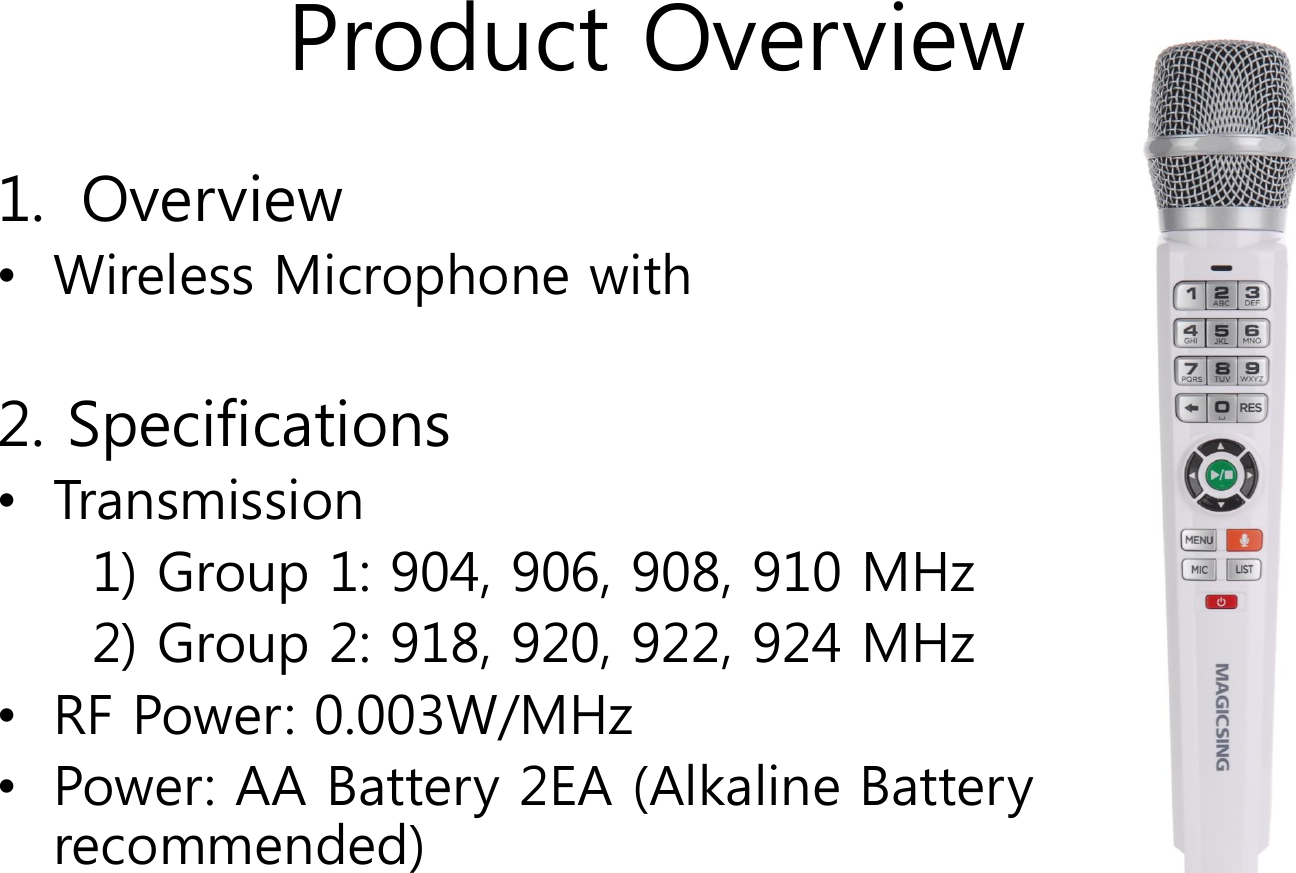
Product Overview1. Overview•Wireless Microphone with 2. Specifications•Transmission 1) Group 1: 904, 906, 908, 910 MHz2) Group 2: 918, 920, 922, 924 MHz•RF Power: 0.003W/MHz•Power: AA Battery 2EA (Alkaline Battery recommended)
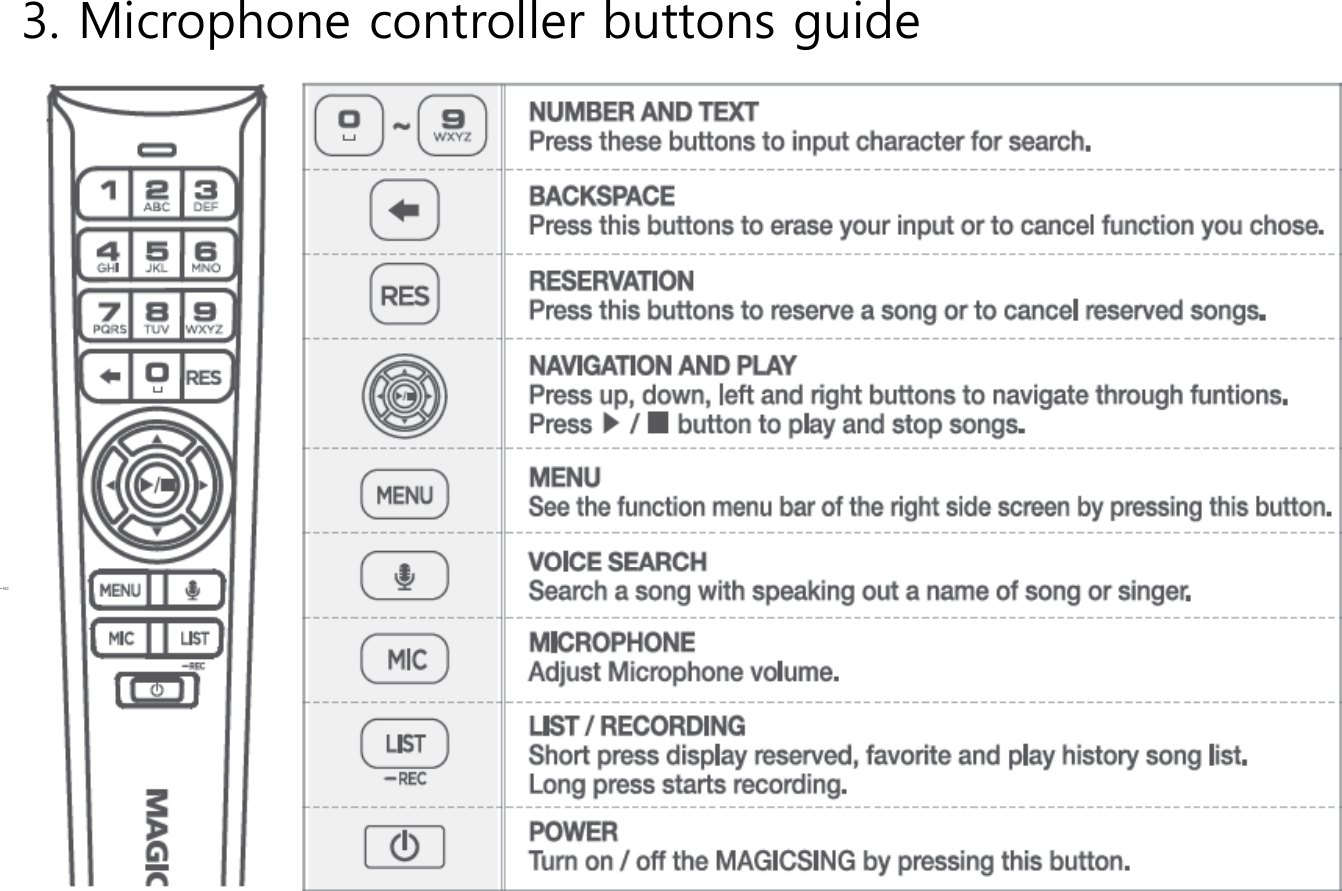
3. Microphone controller buttons guide
Group and Frequency channel Selection1. Connecting a wireless microphone (pairing)- If the wireless microphone can not be connected, connect the wireless microphone to the unit via group and channel settings. When connected, the microphone volume icon is displayed in the upper right corner of the screen. 2. Group & channel setting 1) How to set group and channel Turn on the wireless microphone power and press the corresponding number button while holding down the power button, Change the channel. ※ When using one wireless microphone, it can be used regardless of group A or group B. However, When two units are used, one unit must be set to A group and the other one to B group. 2) Group and channel setting buttoni. A group (LED: blue) Button 1: 1 channel Button 2: 2 channels Button 3: 3 channels Button 4: 4 channels ii. B group (LED: green) Button 5: 5 channels Button 6: 6 channels Button 7: 7 channels Button 8: 8 channels

Navigation menu