ENTERMEDIA ET23KR MAGIC SING (MAIN DEVICE) User Manual
ENTERTECH CO., LTD. MAGIC SING (MAIN DEVICE)
UserManual.wiki
>
ENTERMEDIA
>
ET23KR User Manual
User Manual
Navigation menu
Upload a User Manual
Namespaces
Wiki Guide
HTML
PDF
Info
Views
User Manual
Discussion / Help
Navigation

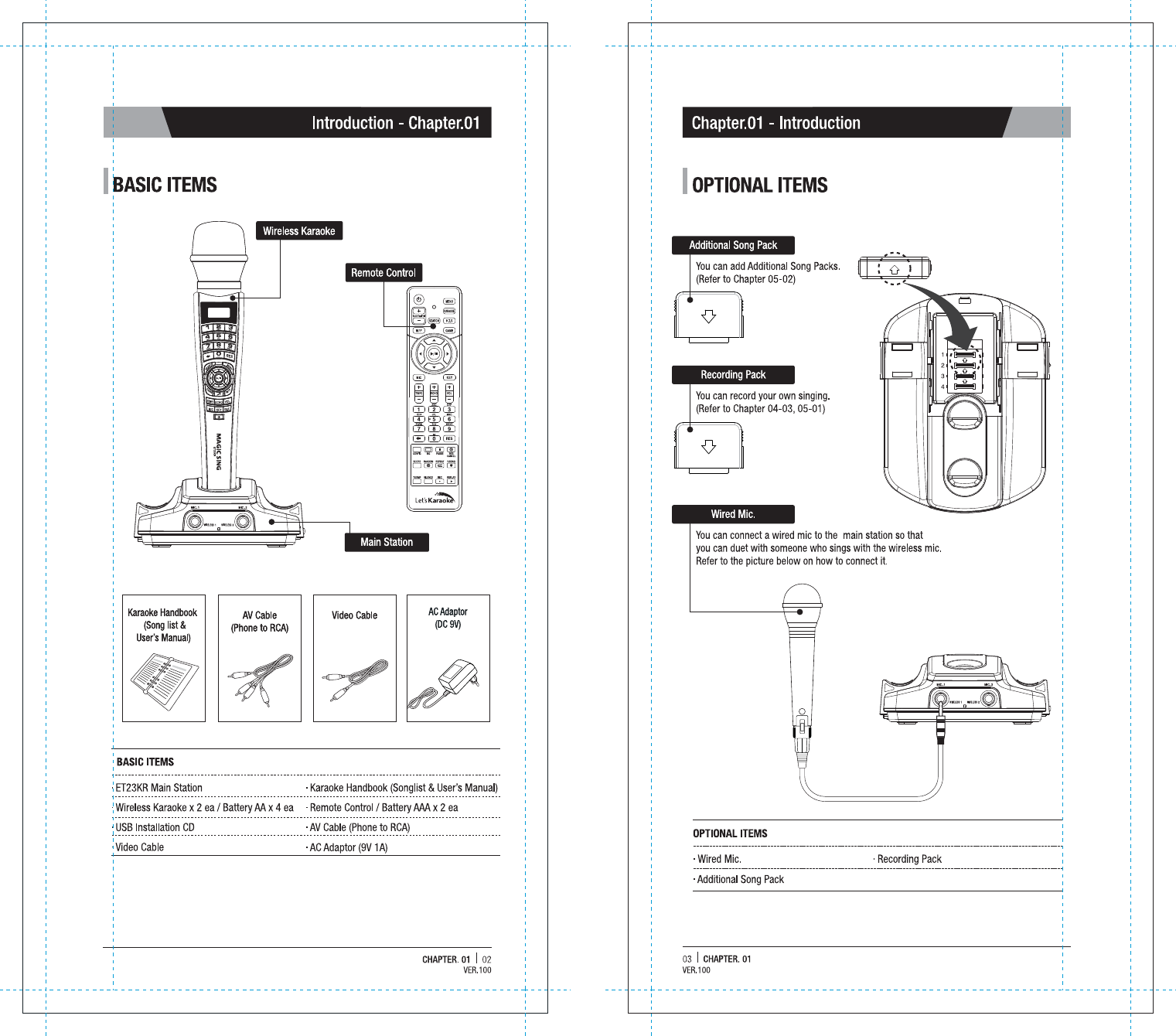
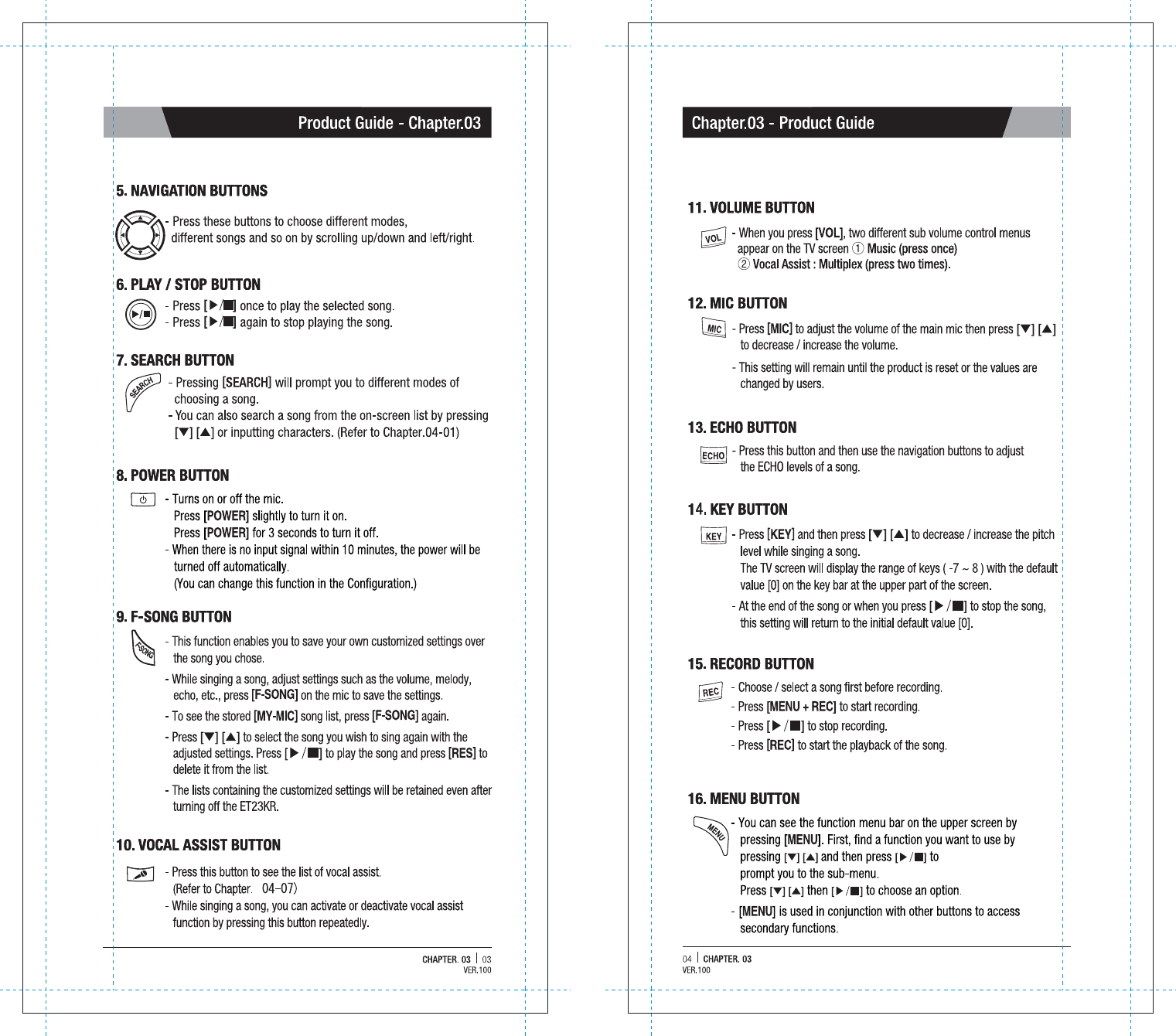
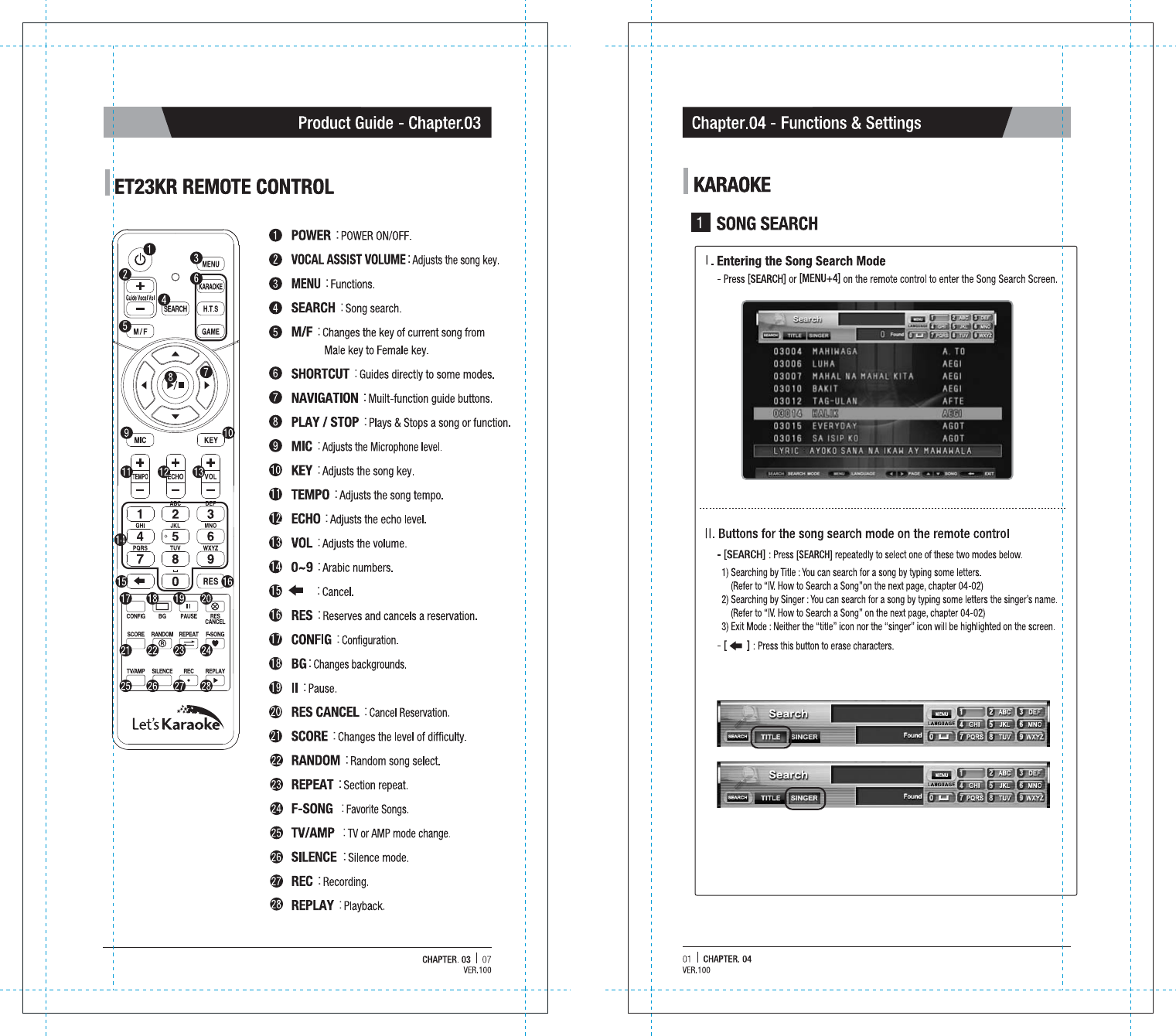
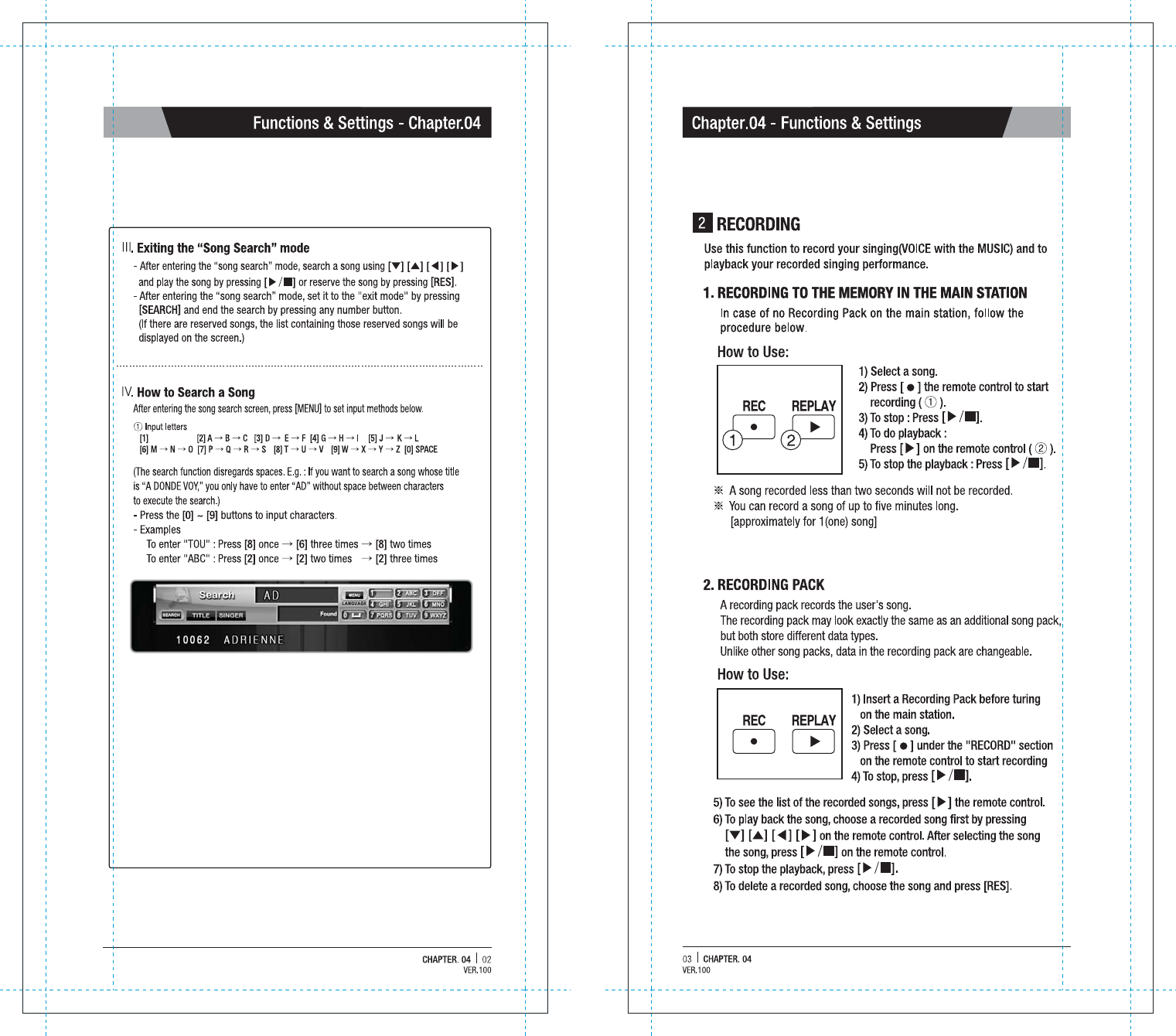
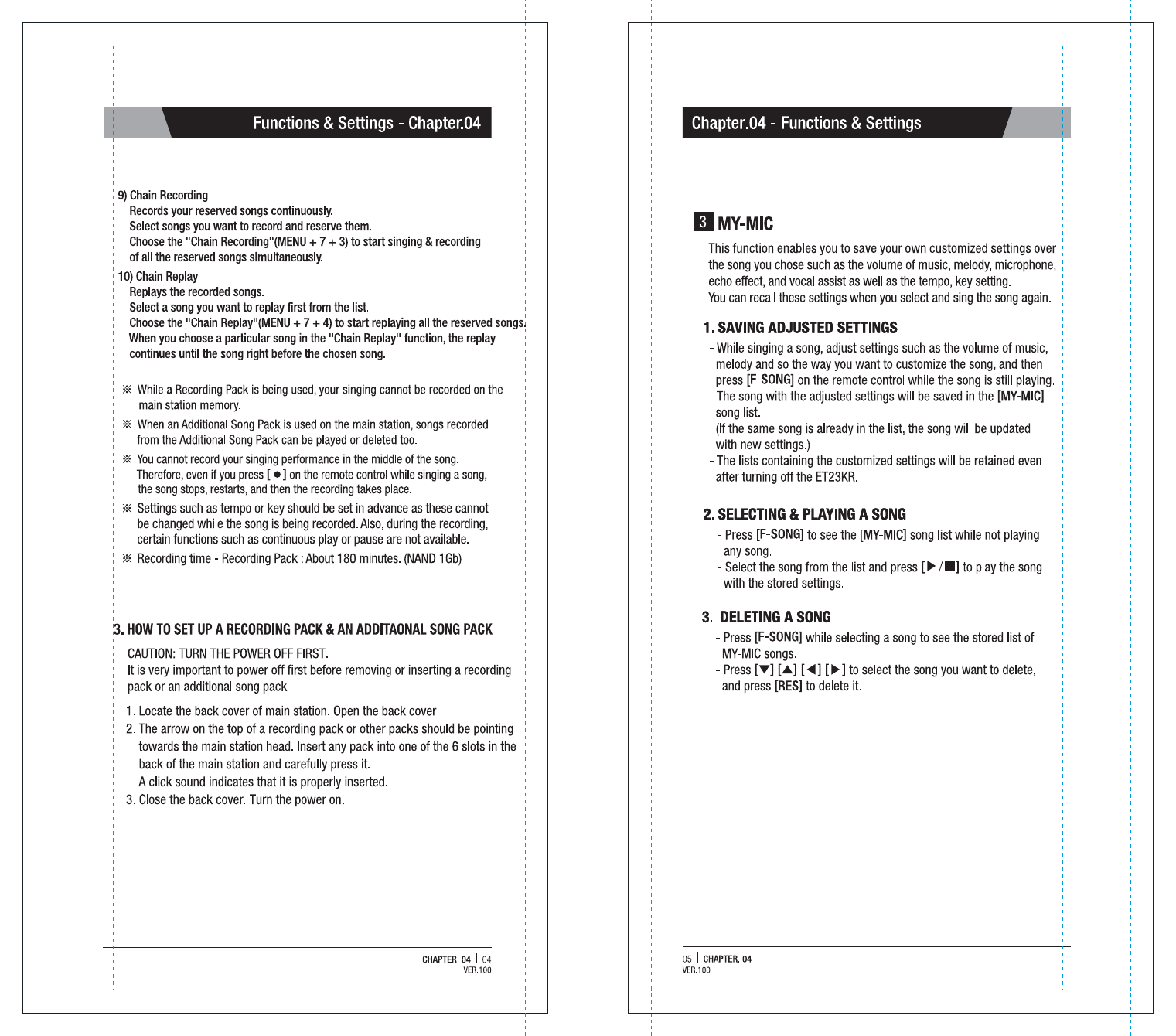
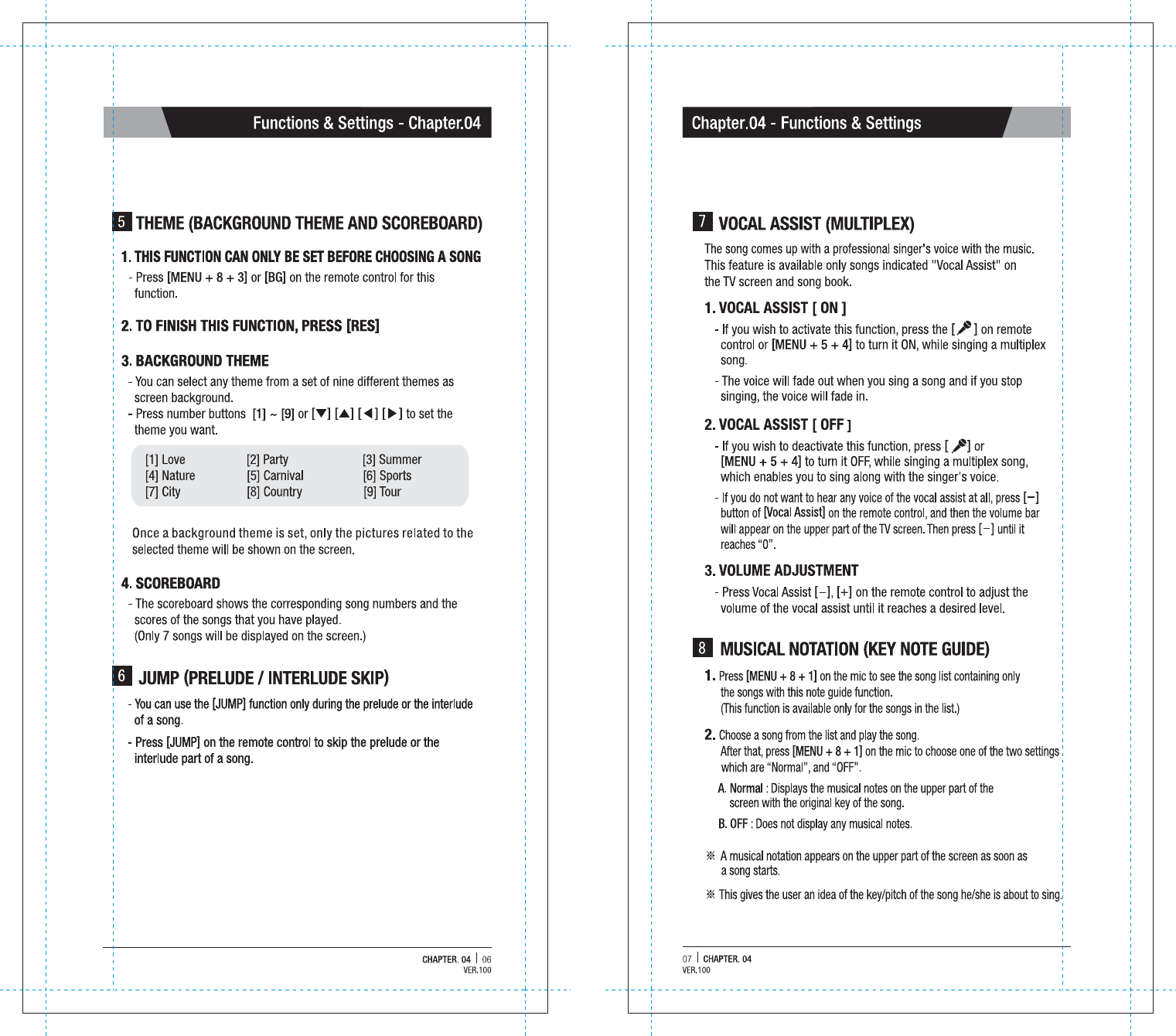
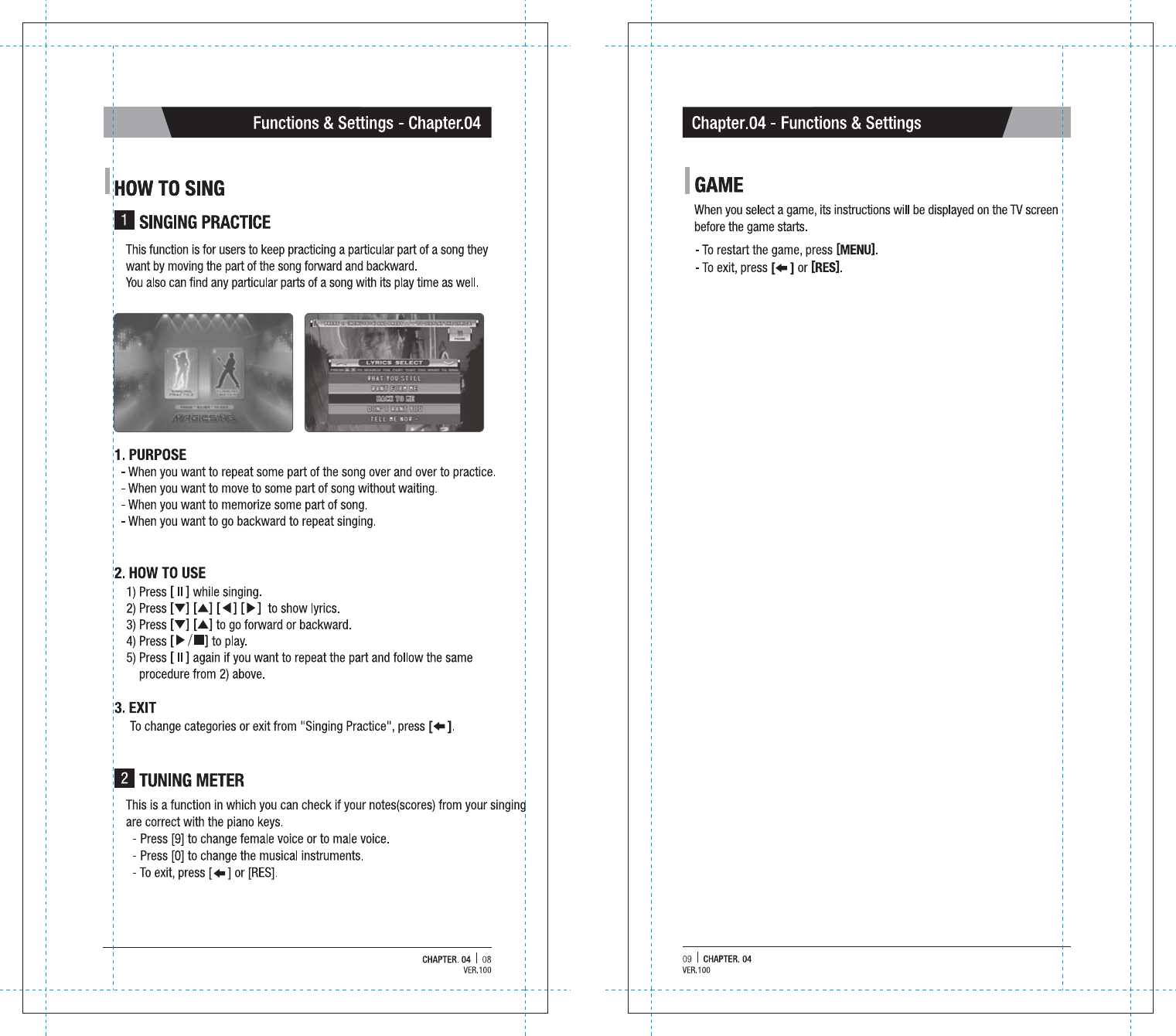
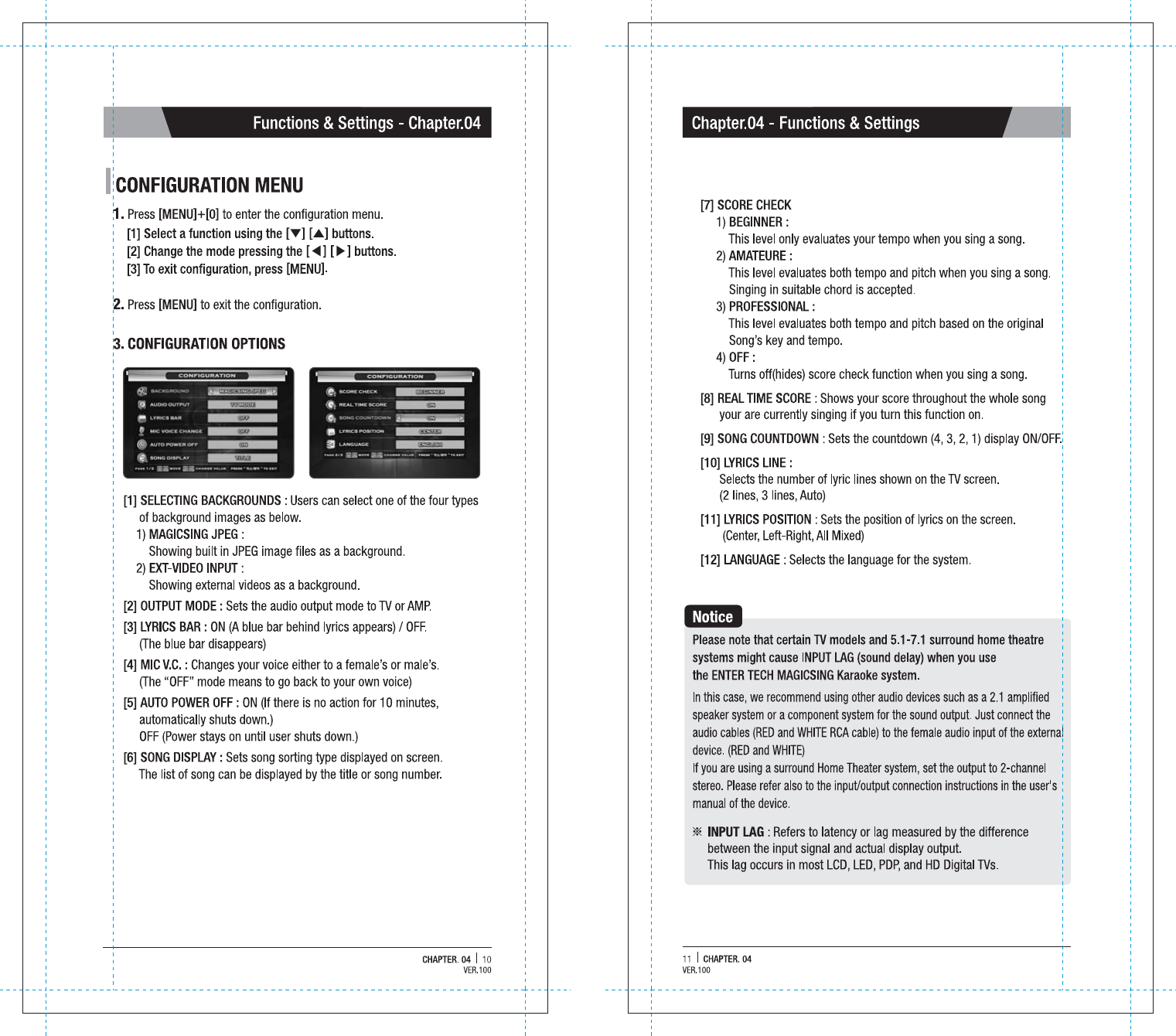
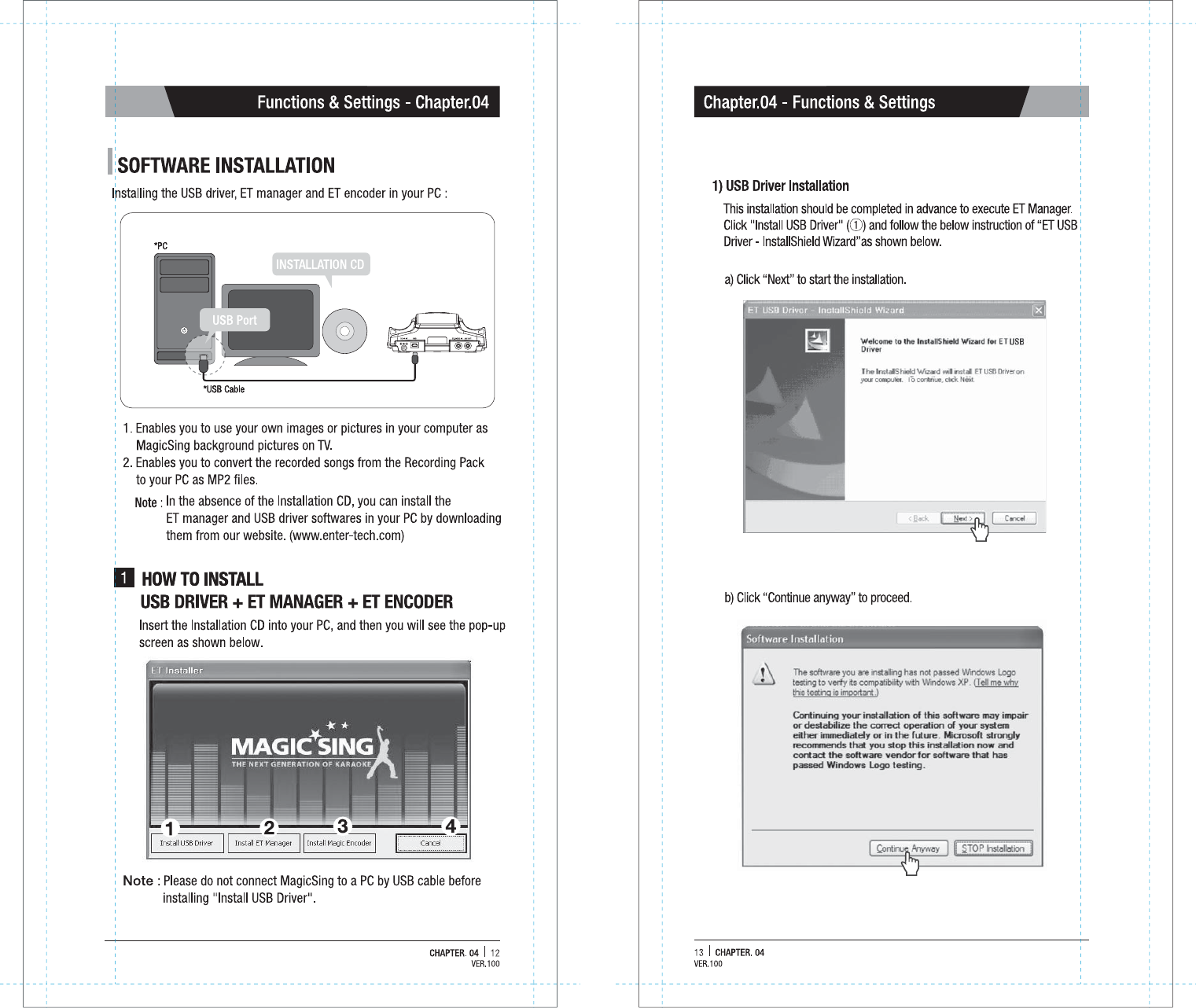
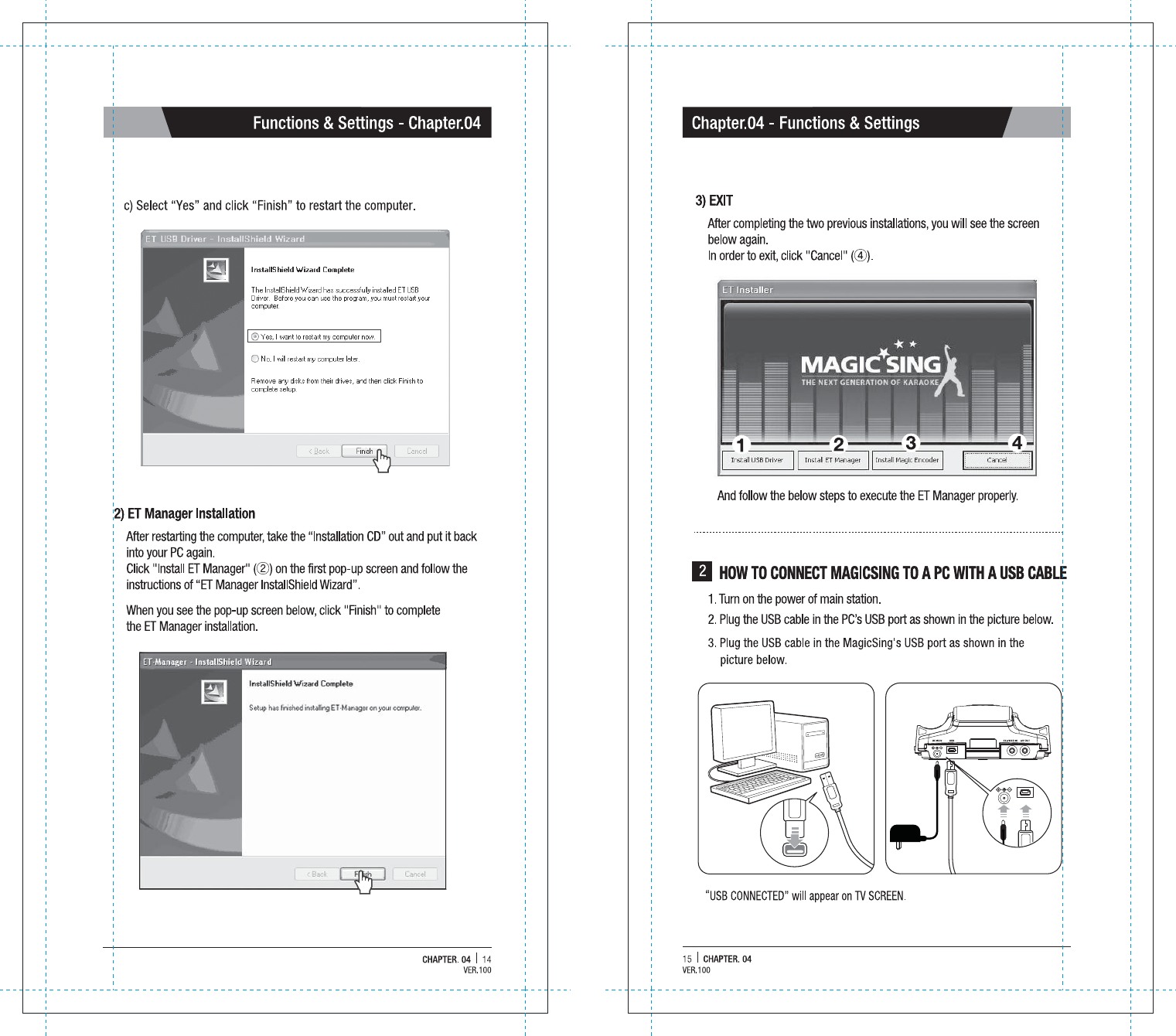
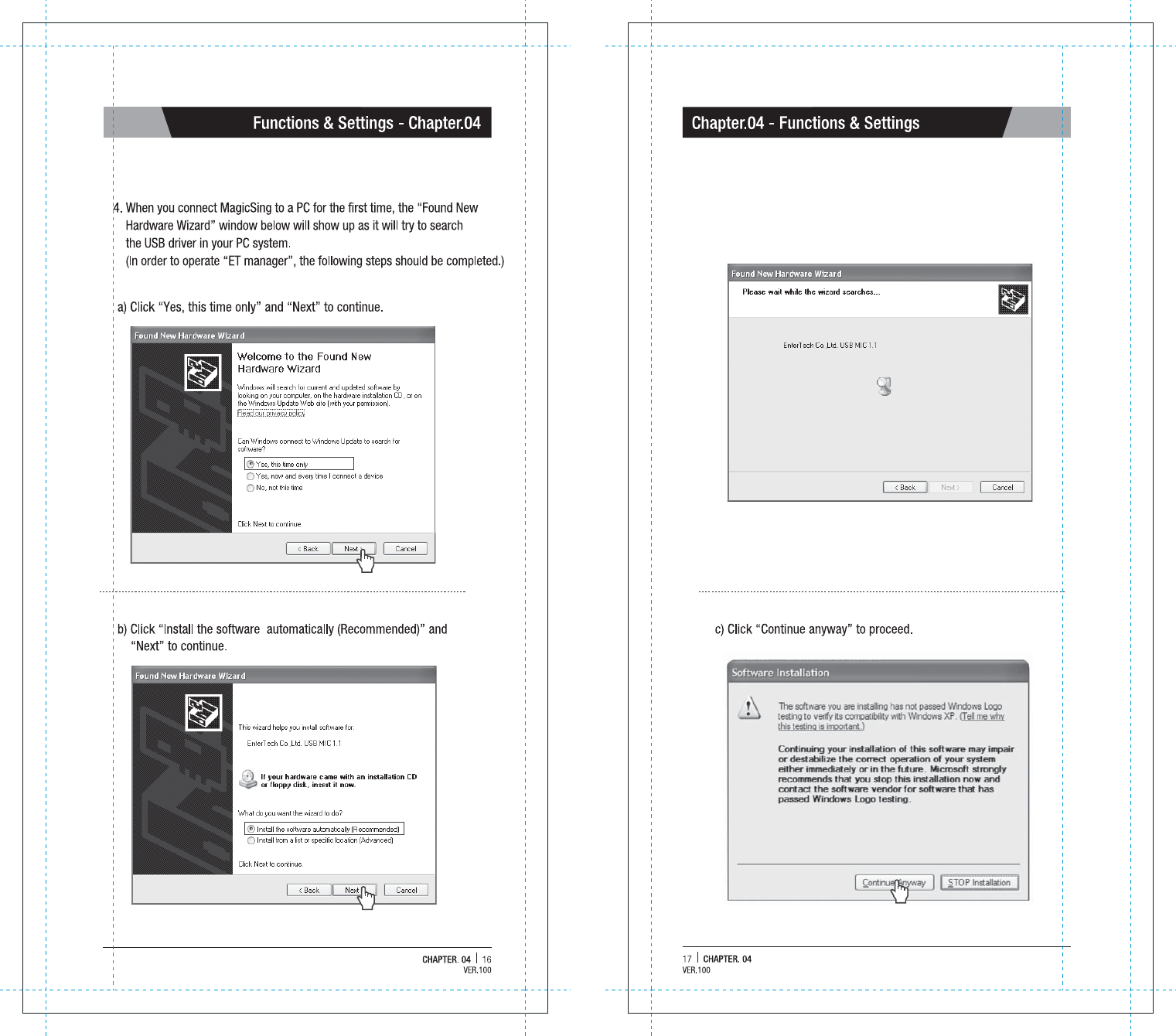
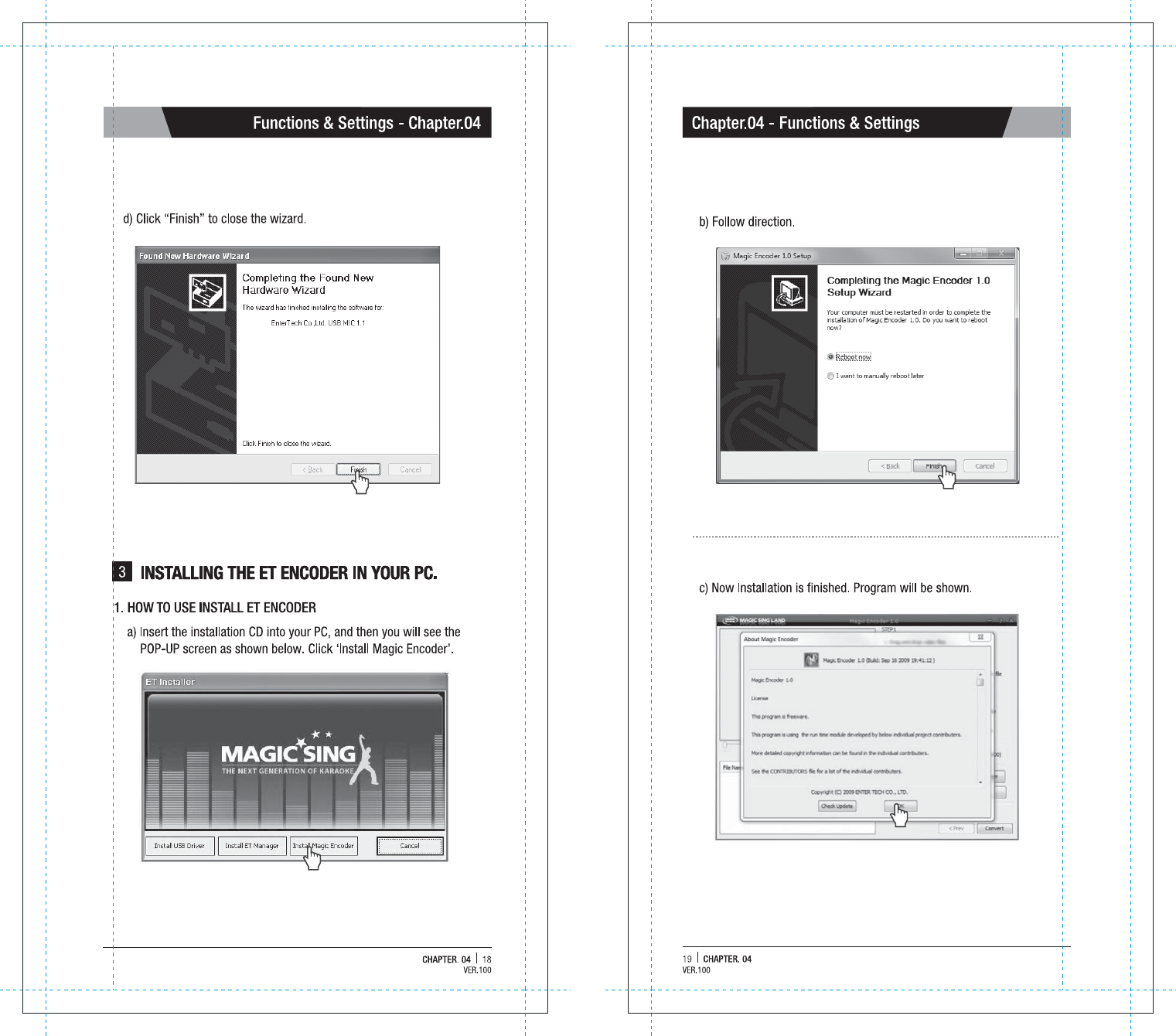
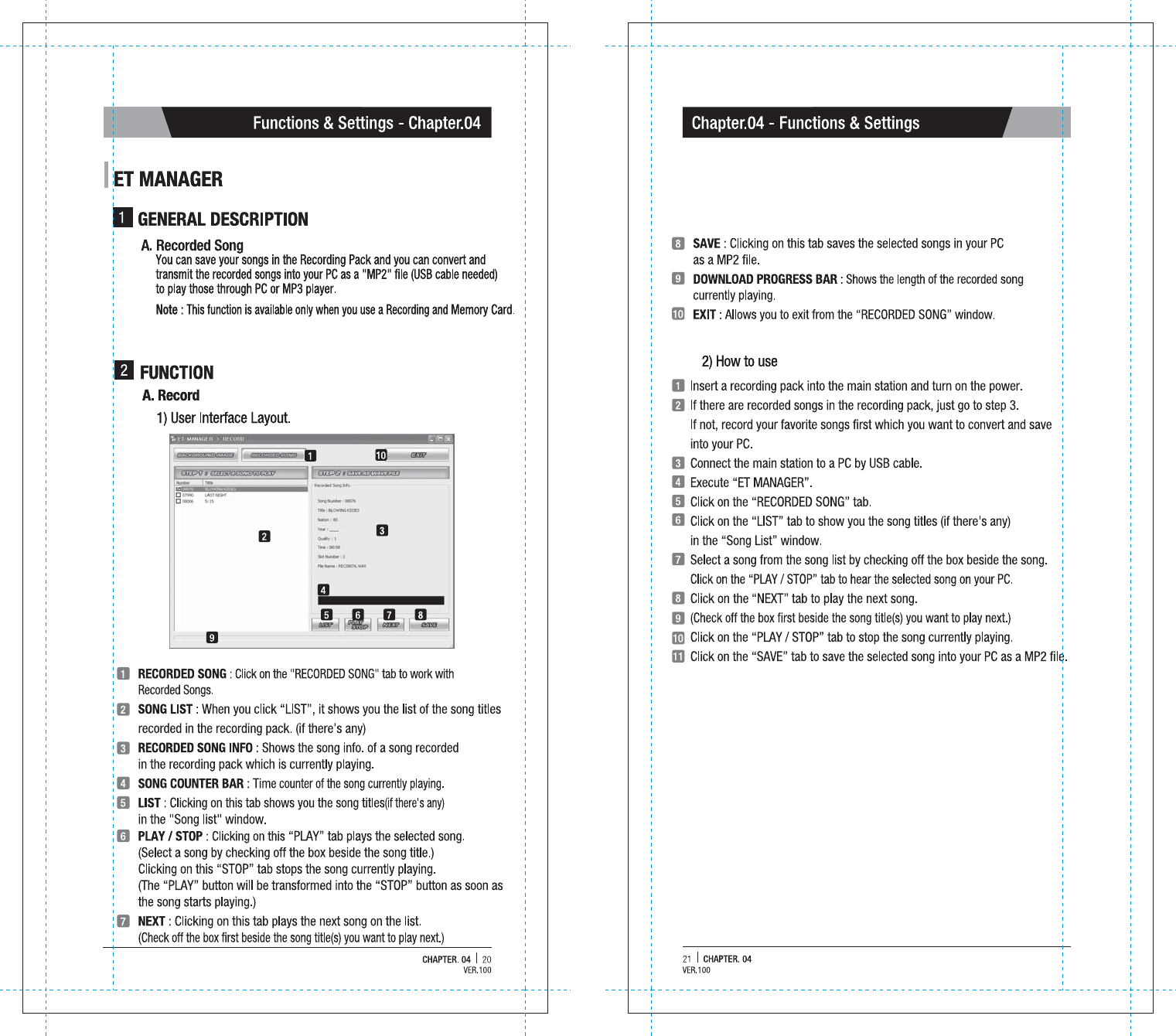
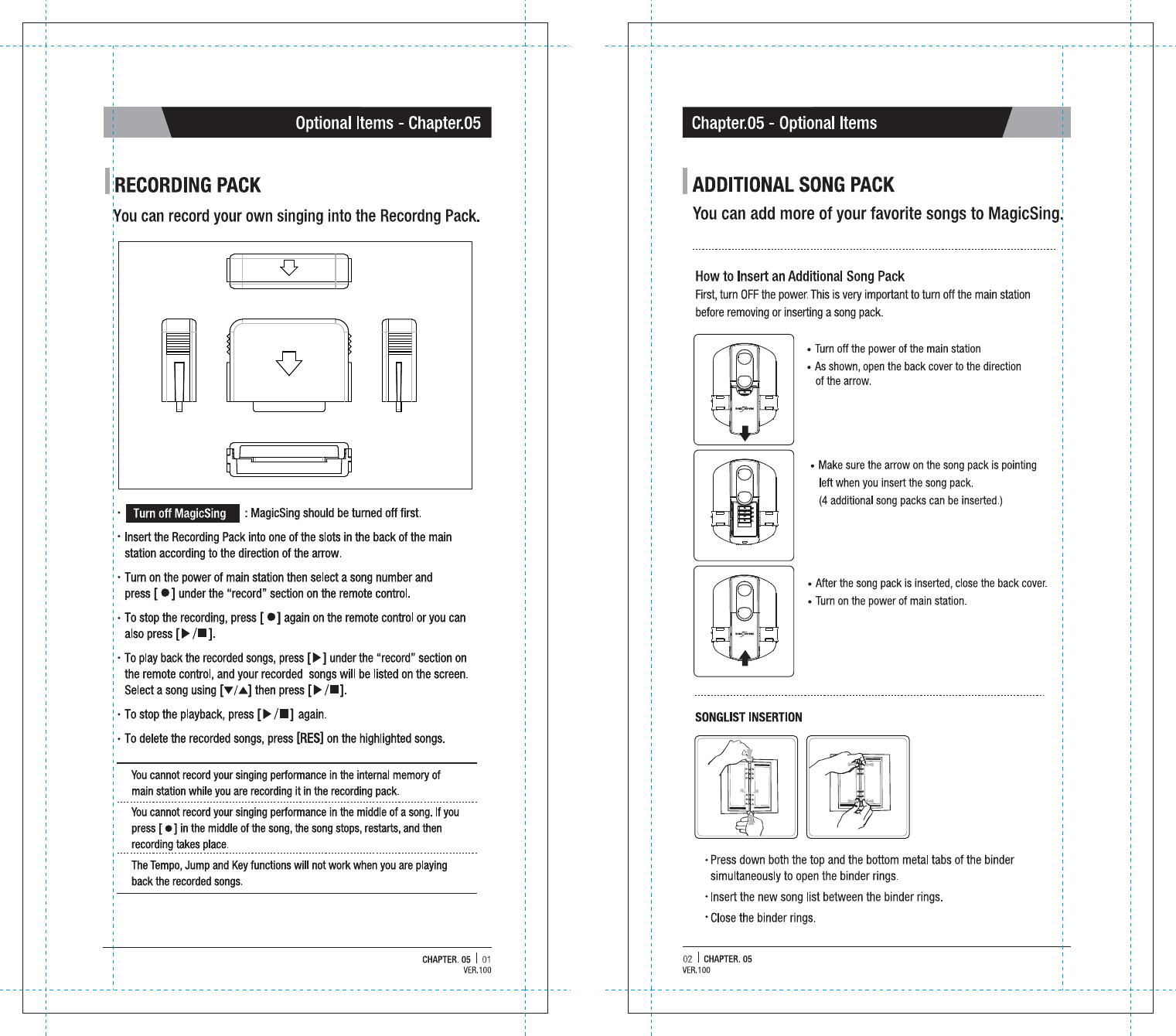
![06 | CHAPTER. 03Chapter.03 - Product GuideCHAPTER. 03 | 05Product Guide - Chapter.0317. TEMPO BUTTON 17. TEMPO BUTTON 18. M/F BUTTON18. M/F BUTTON- Press[TEMPO] and then press[down][up]to decrease / increase the music tempo while singing a song.- At the end of the song or when you press[play/stop] to stop the song, this setting will return to the initial default value.- This function is not available for the multiplex songs.- When you press [M/F], you can change the key from Male to Female vice versa.* Note - [M/F] function is only valid on a current song. the next song has original key.VOLUME (3 Different Sub Volume Control Menus Appear)VOLUME (3 Different Sub Volume Control Menus Appear) Music volume control 0~15 Melody volume control 0~15 Vocal Assist volume control 0~15 [MENU]+[1]TEMPO (Adjusts the Tempo of a Song)TEMPO (Adjusts the Tempo of a Song)The range of the tempo adjustment is between -7 ~ 8, and you can select a tempo at which you want to play the song by selecting a valuefrom this scope.[MENU]+[2]KEY (Adjusts the Level of the Pitch)KEY (Adjusts the Level of the Pitch)The range of the pitch adjustment is between -7 ~ 8, and you can select the pitch level.[MENU]+[3]SEARCH (Song Search Function)SEARCH (Song Search Function)Look for your favorite song.[MENU]+[4]EFFECT (Musical Effects) : 4 Different Sub Menus AppearEFFECT (Musical Effects) : 4 Different Sub Menus Appear Mic Echo volume control 0~15 Instrument : You can change the melody instrument by using [▼] [▲] [◀][▶] to one of the 8 instrumental sounds while singing a song. Voice change : Mic voice alteration function that can change your voice either to female voice or to male voice. Vocal assist ON / OFF[MENU]+[5]REC & PLAYREC & PLAY Record Playback (Playing the recorded song) Chain Recording Chain Reply [MENU]+[7]SPECIAL EFFECT : 5 Different Sub Menus AppearSPECIAL EFFECT : 5 Different Sub Menus Appear Musical Notation (Key Note Guide) My-Mic Theme : Background Themes ( 9 background themes to choose from) and Scoreboard (Records your scores at the end of each song ) Silence : Silent mode (you can choose from “level 1”, “level 2”, and “off”) Lyrics ON / OFF[MENU]+[8]CONFIG. (Configuration)CONFIG. (Configuration)[MENU]+[0]PLAYING (Technical Effects) : 5 Different Sub Menus AppearPLAYING (Technical Effects) : 5 Different Sub Menus Appear Jump : Skips the prelude or interlude Continuous Playback : If you wish to continue playing songs in sequential order, select a starting song and press MENU → 6 → 2 (for example, if you select song number 241, play the song, and then press MENU → 6 → 2). Random Play : MagicSing randomly chooses a song for you. Pause : A song pauses. Press [▶/■] to continue playing. Selected Section Repeat : Repeats a certain section in a song.※ Press [MENU + 6 + 5] to set the starting point and [MENU + 6 + 5] again to set the ending point. Pressing [MENU + 6 + 5] 3rd time turns off this function.※ This "selected repeat function" is not available for the prelude and interlude sections of a song[MENU]+[6]*MENU Function*MENU FunctionVER.100VER.100](https://usermanual.wiki/ENTERMEDIA/ET23KR/User-Guide-2119391-Page-7.png)