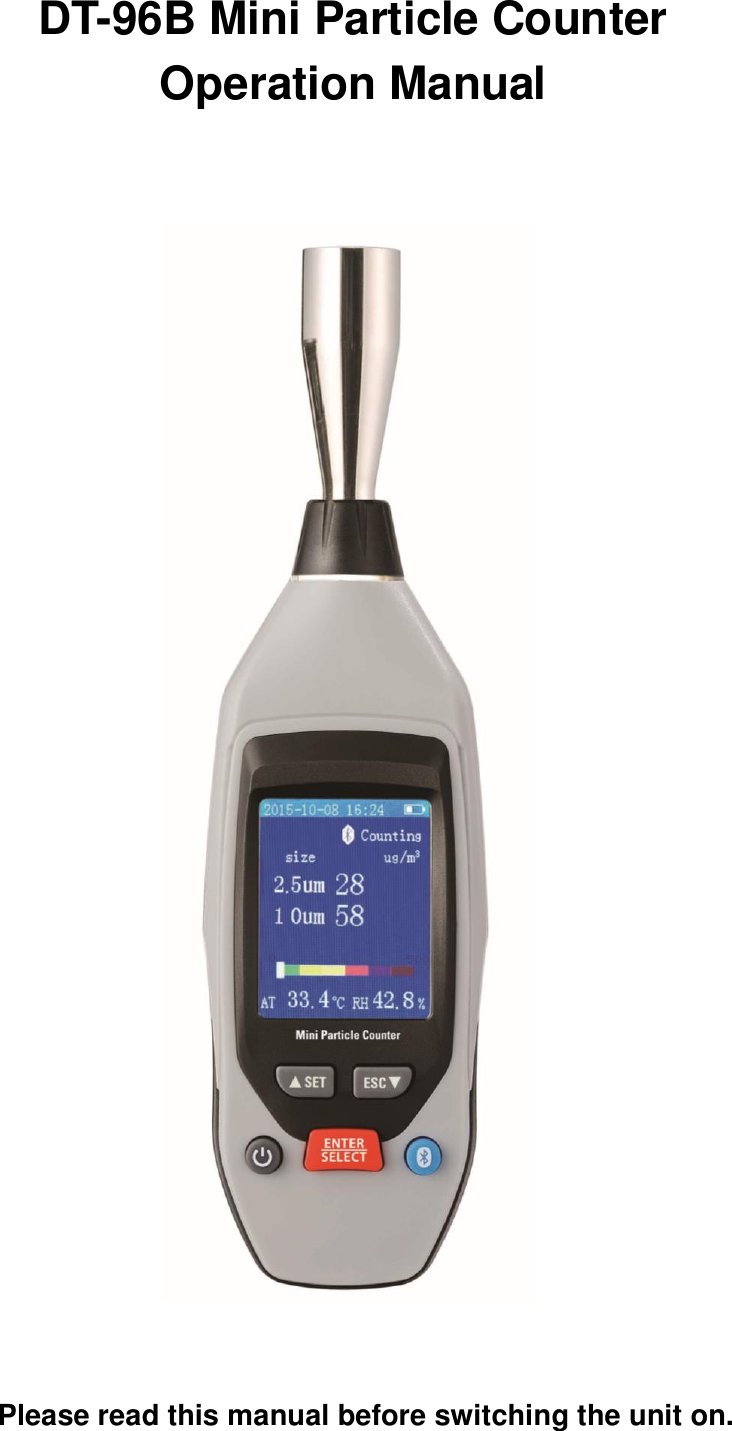
EVERBEST MACHINERY INDUSTRY DT96B Mini Environment meters with Bluetooth User Manual Mini Particle Counter

SHENZHEN EVERBEST MACHINERY INDUSTRY CO.,LTD. Mini Environment meters with Bluetooth Mini Particle Counter

User Manual

DT-96B Mini Particle Counter Operation Manual                                Please read this manual before switching the unit on.
Contents 1,Introduction...................................................................... 2,Features.......................................... 3,Front Panel and Bottom Description........... 4, Specifications............................................... 5,Power on or Power off................................ 6, Measurement Mode................................... 7,Setup mode.................................................   7-1 Date/Time setup....................................   7-2 Alarm Setup...........................................   7-3 Bluetooth Setup............   7-4 Sample Time........................................   7-5 Unit(℃/℉) setup..................................   7-6 Memory View.......................................   7-7 Mass/Particle setup............................   7-8 Auto Power Off setup.........................                           8,Shortcut keys............................................                           9,Product Maintenance...............................             10,Cautions....................................................
1. INTRODUCTION    Thank  you  for  purchasing  this  Mini  Particle  Counter,  This  Mini Particle Counter with 2.0’’ color TFT LCD display provides fast,easy and  accurate  readings  for  particle  counter,  particle  mass concentration,  Air  temperature  and  relative  humidity.The  series products is a delicate and practical hand-held instrument,the real scene and time can be displayed on color TFT LCD.Any memory readings can be recorded in meter.It Would be the best instrument for environment protection and energy save.  2.Features   ●.2.0’’ TFT Color LCD display   ●.220*176 pixels ●.Simultaneously measure PM2.5 and PM10     ●.Air temperature and humidity   ●.Real time clock display   ●.Bluetooth(4.0) interface   ●.Analog bar indicator ●.Auto Power Off
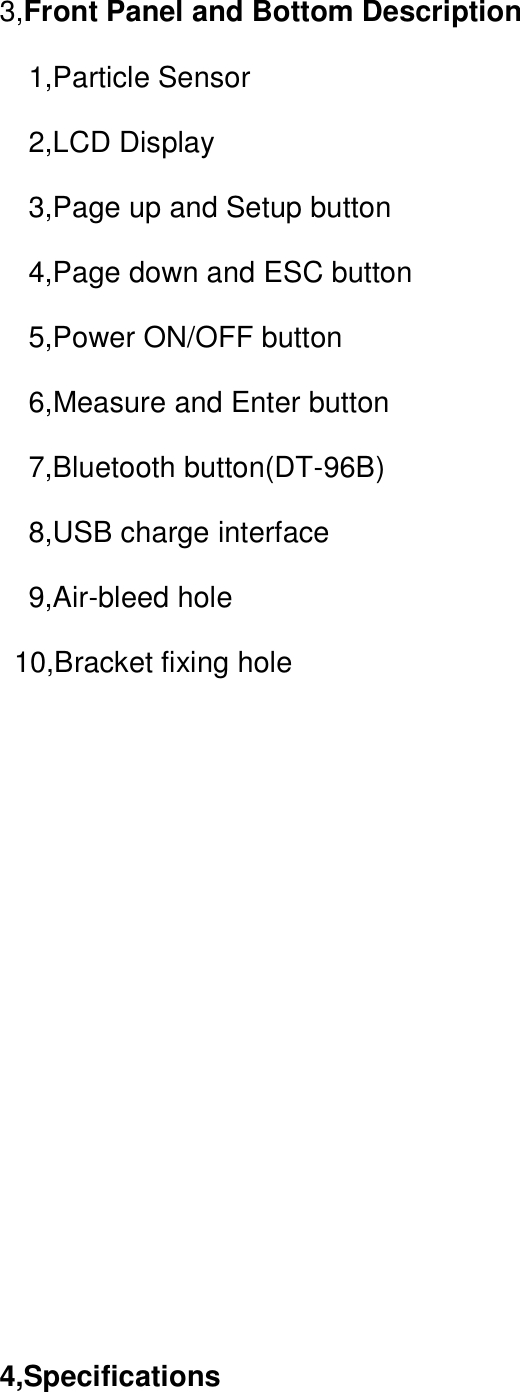
3,Front Panel and Bottom Description    1,Particle Sensor   2,LCD Display   3,Page up and Setup button   4,Page down and ESC button   5,Power ON/OFF button   6,Measure and Enter button   7,Bluetooth button(DT-96B)   8,USB charge interface   9,Air-bleed hole   10,Bracket fixing hole           4,Specifications
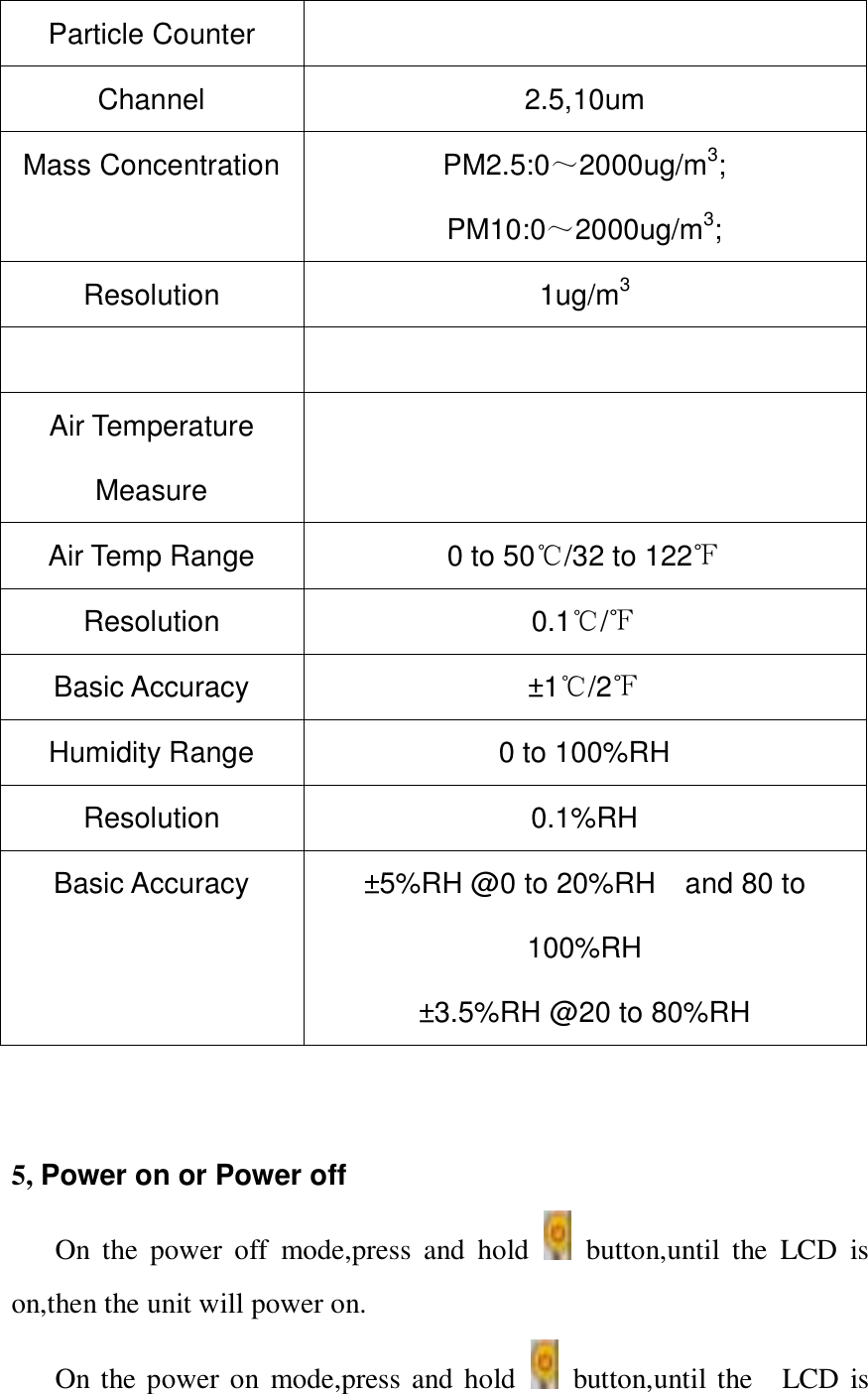
Particle Counter  Channel 2.5,10um Mass Concentration PM2.5:0~2000ug/m3; PM10:0~2000ug/m3; Resolution 1ug/m3   Air Temperature Measure  Air Temp Range 0 to 50℃/32 to 122℉ Resolution 0.1℃/℉ Basic Accuracy ±1 ℃/2℉ Humidity Range 0 to 100%RH Resolution 0.1%RH   Basic Accuracy ±5%RH @0 to 20%RH    and 80 to 100%RH ±3.5%RH @20 to 80%RH     5, Power on or Power off On  the  power  off  mode,press  and  hold    button,until  the  LCD  is on,then the unit will power on. On the power on  mode,press and hold    button,until the    LCD  is
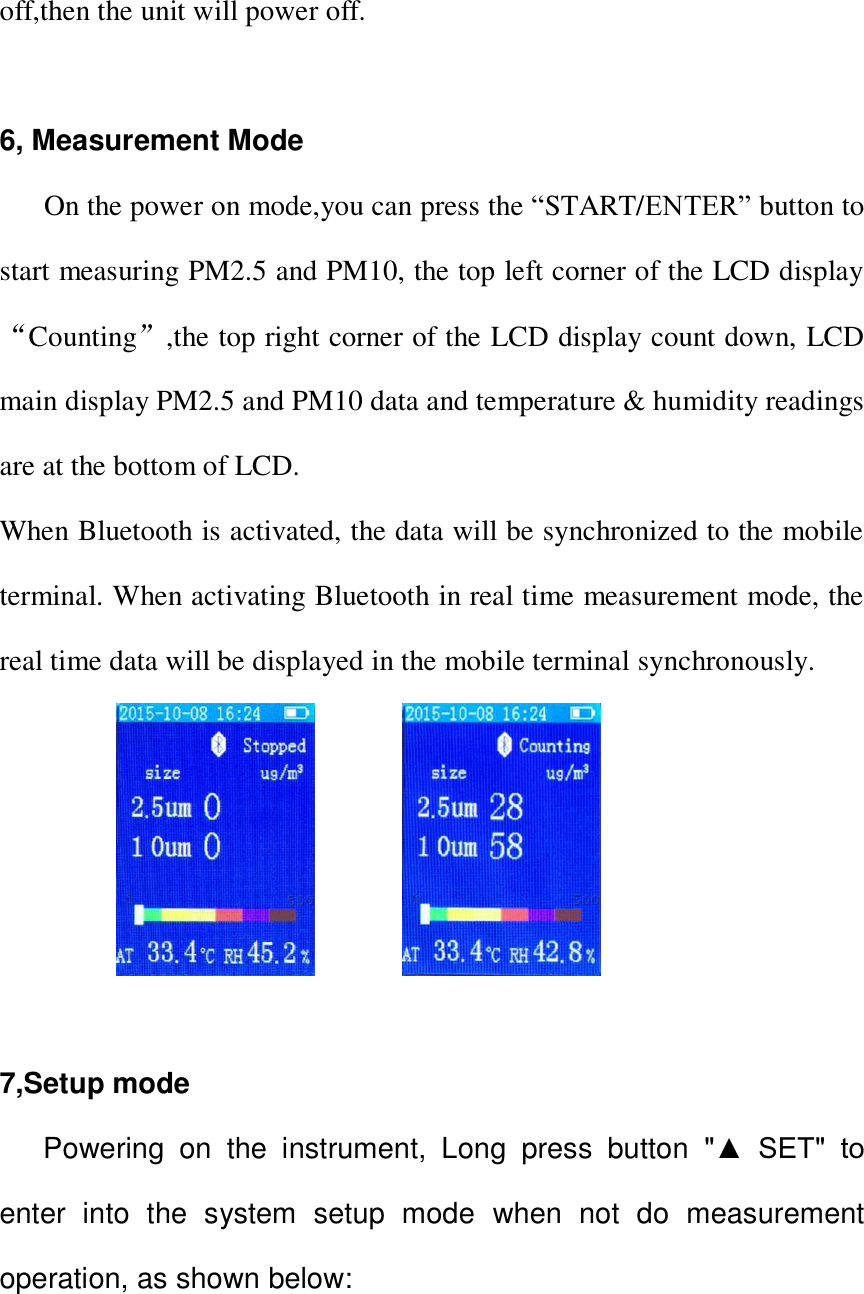
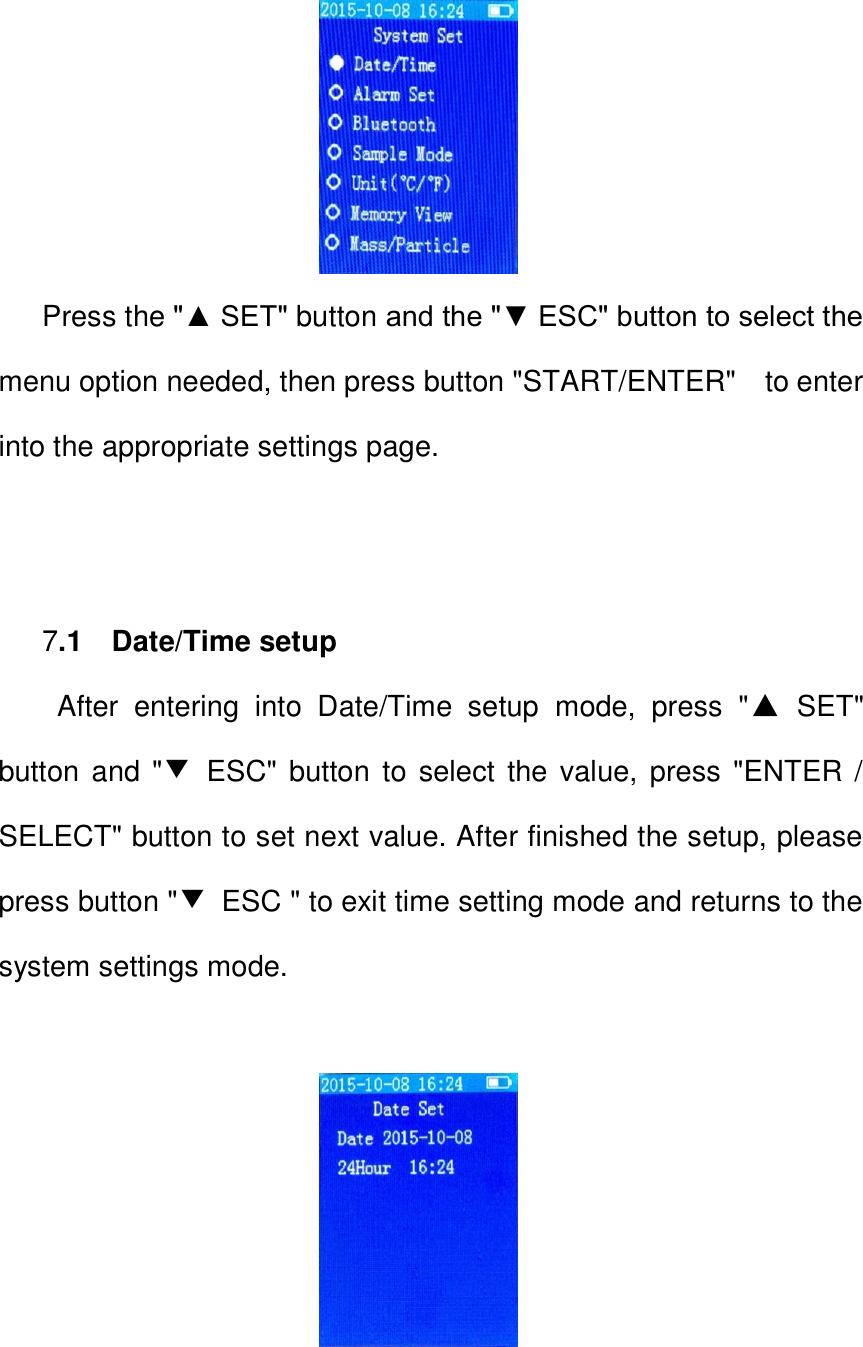
off,then the unit will power off.  6, Measurement Mode       On the power on mode,you can press the “START/ENTER” button to start measuring PM2.5 and PM10, the top left corner of the LCD display “Counting”,the top right corner of the LCD display count down, LCD main display PM2.5 and PM10 data and temperature & humidity readings are at the bottom of LCD. When Bluetooth is activated, the data will be synchronized to the mobile terminal. When activating Bluetooth in real time measurement mode, the real time data will be displayed in the mobile terminal synchronously.                    7,Setup mode     Powering  on  the  instrument,  Long  press  button  "▲  SET"  to enter  into  the  system  setup  mode  when  not  do  measurement operation, as shown below:
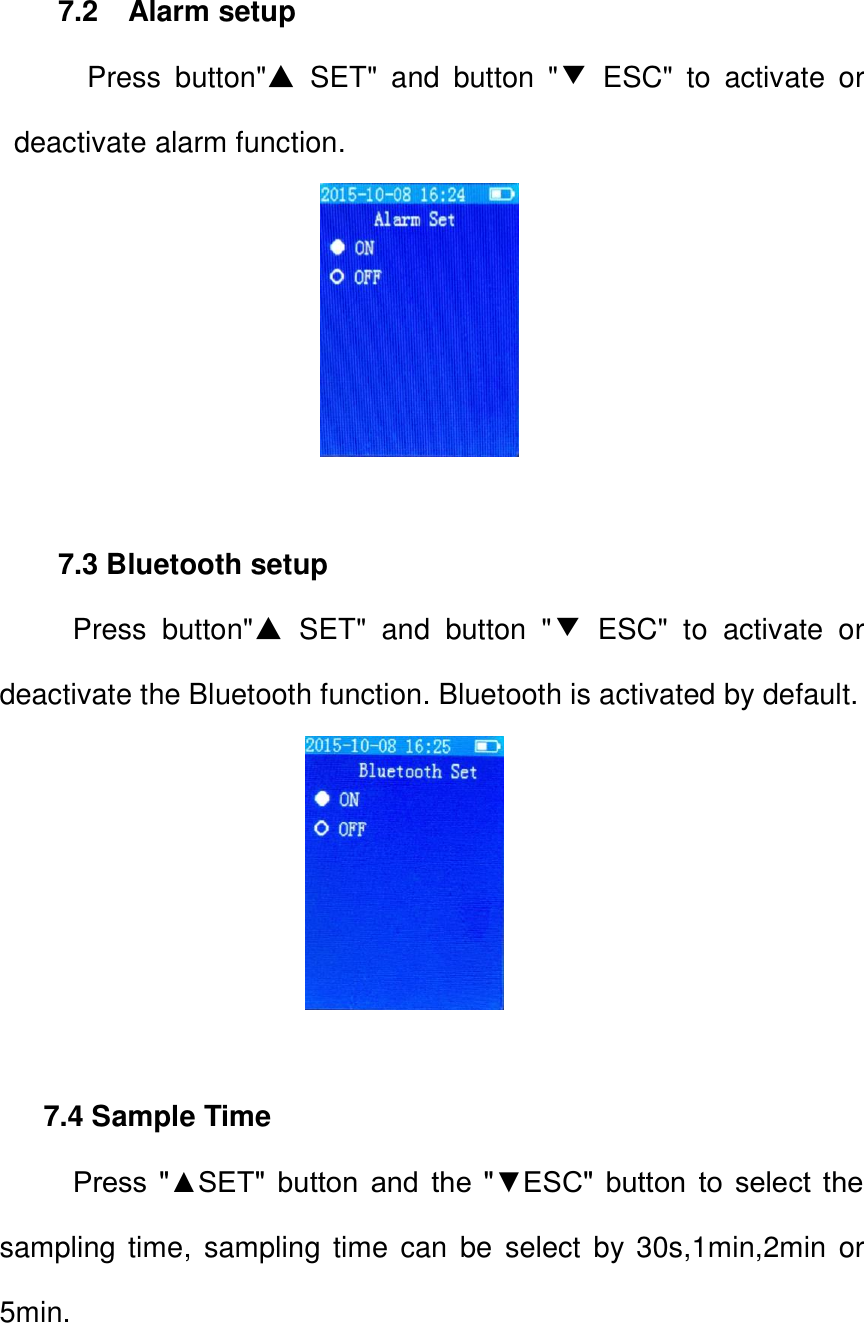
                           Press the "▲ SET" button and the "▼ ESC" button to select the menu option needed, then press button "START/ENTER"    to enter into the appropriate settings page.        7.1    Date/Time setup After  entering  into  Date/Time  setup  mode,  press  "▲  SET" button and "▼  ESC" button  to select the value, press "ENTER / SELECT" button to set next value. After finished the setup, please press button "▼  ESC " to exit time setting mode and returns to the system settings mode.
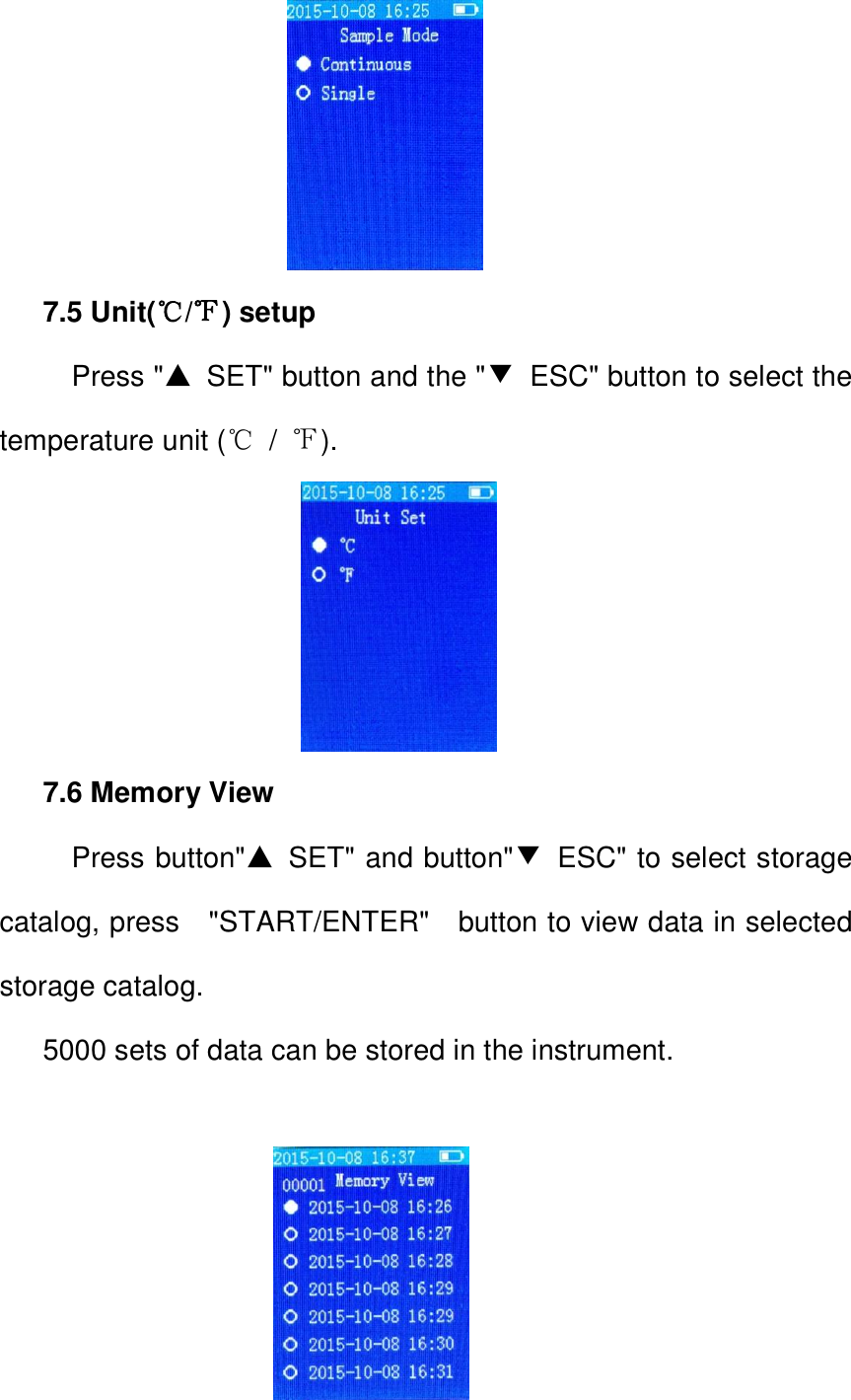
7.2    Alarm setup     Press  button"▲  SET"  and  button  "▼  ESC"  to  activate  or deactivate alarm function.                      7.3 Bluetooth setup   Press  button"▲ SET"  and  button  "▼  ESC"  to  activate  or deactivate the Bluetooth function. Bluetooth is activated by default.                             7.4 Sample Time   Press  "▲SET"  button  and  the  "▼ESC"  button  to  select  the sampling time,  sampling time  can  be  select  by  30s,1min,2min or 5min.
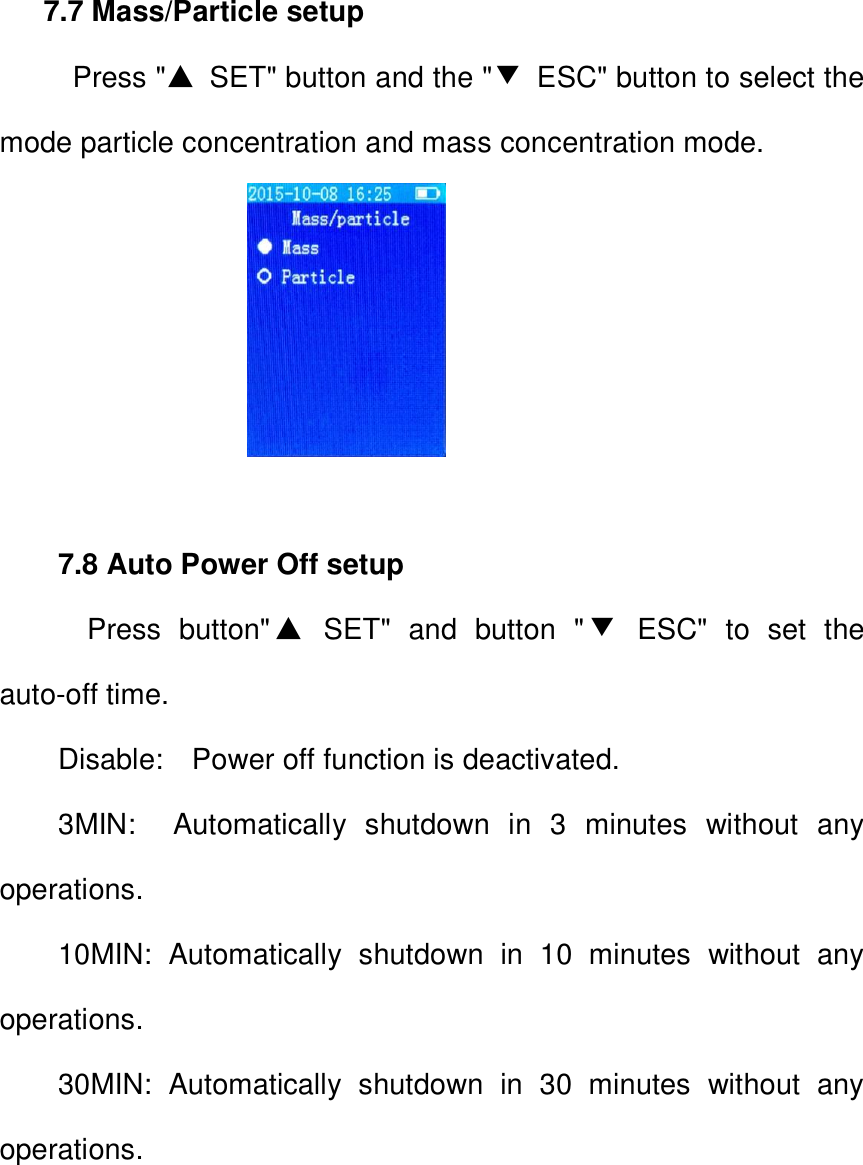
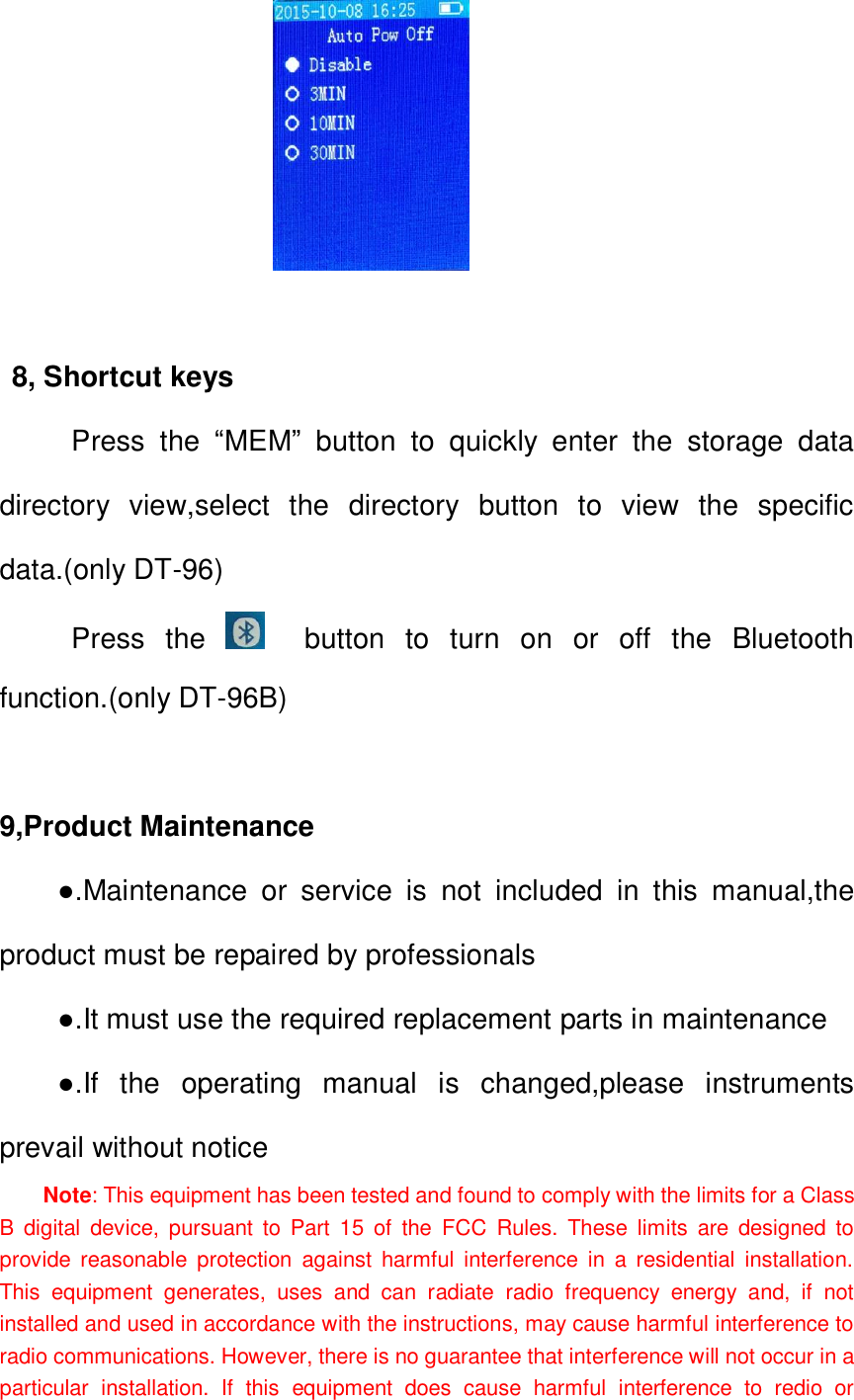
                   7.5 Unit(℃/℉) setup   Press "▲  SET" button and the "▼  ESC" button to select the temperature unit (℃ /  ℉).                     7.6 Memory View     Press button"▲  SET" and button"▼  ESC" to select storage catalog, press    "START/ENTER"    button to view data in selected storage catalog. 5000 sets of data can be stored in the instrument.
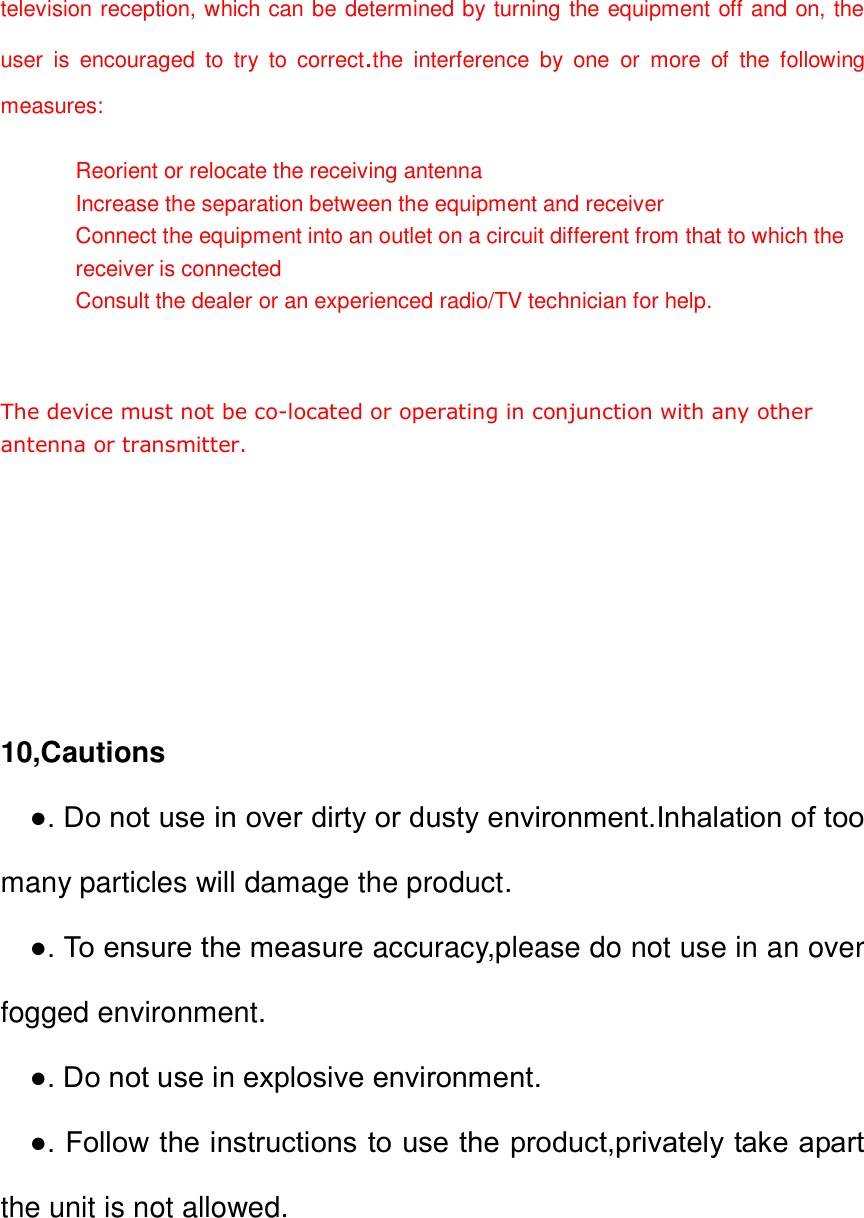
 7.7 Mass/Particle setup   Press "▲  SET" button and the "▼  ESC" button to select the mode particle concentration and mass concentration mode.                   7.8 Auto Power Off setup   Press  button"▲  SET"  and  button  "▼  ESC"  to  set  the auto-off time. Disable:    Power off function is deactivated. 3MIN:    Automatically  shutdown  in  3  minutes  without  any operations. 10MIN:  Automatically  shutdown  in  10  minutes  without  any operations. 30MIN:  Automatically  shutdown  in  30  minutes  without  any operations.
                      8                            8, Shortcut keys      Press  the  “MEM”  button  to  quickly  enter  the  storage  data                                                                                                                             directory  view,select  the  directory  button  to  view  the  specific data.(only DT-96)      Press  the      button  to  turn  on  or  off  the  Bluetooth function.(only DT-96B)  9,Product Maintenance ●.Maintenance  or  service  is  not  included  in  this  manual,the product must be repaired by professionals   ●.It must use the required replacement parts in maintenance ●.If  the  operating  manual  is  changed,please  instruments prevail without notice Note: This equipment has been tested and found to comply with the limits for a Class B  digital  device,  pursuant  to  Part  15  of  the  FCC  Rules.  These  limits  are  designed  to provide  reasonable  protection  against  harmful  interference in  a  residential  installation. This  equipment  generates,  uses  and  can  radiate  radio  frequency  energy  and,  if  not installed and used in accordance with the instructions, may cause harmful interference to radio communications. However, there is no guarantee that interference will not occur in a particular  installation.  If  this  equipment  does  cause  harmful  interference  to  redio  or
television reception, which can be determined by turning the equipment off and on, the user  is  encouraged  to  try  to  correct.the  interference  by  one  or  more  of  the  following measures:   Reorient or relocate the receiving antenna Increase the separation between the equipment and receiver Connect the equipment into an outlet on a circuit different from that to which the receiver is connected Consult the dealer or an experienced radio/TV technician for help.    The device must not be co-located or operating in conjunction with any other antenna or transmitter.        10,Cautions   ●. Do not use in over dirty or dusty environment.Inhalation of too many particles will damage the product.   ●. To ensure the measure accuracy,please do not use in an over fogged environment.   ●. Do not use in explosive environment.   ●. Follow the instructions to use the product,privately take apart the unit is not allowed.

Navigation menu