Electronic Arts Ea Nhl 13 14633197679 Users Manual
Nhl-13-Manuals Sony Playstation 3 nhl-13-manuals_Sony Playstation 3 nhl-13-manuals_Sony Playstation 3 manuals hc_content
EA NHL 13 14633197679 nhl-13-manuals_Sony Playstation 3
2015-02-06
: Electronic-Arts Electronic-Arts-Ea-Nhl-13-14633197679-Users-Manual-539567 electronic-arts-ea-nhl-13-14633197679-users-manual-539567 electronic-arts pdf
Open the PDF directly: View PDF  .
.
Page Count: 7
NHL 13
2 3
CONTENTS
COMPLETE CONTROLS
OFFENSE
SKATING AND DEKING
Skate/Aim left stick
Hustle B
Glide left stick (move and release)
Explosive cut left stick Y/I (from glide)
Deke right stick Z/X
Loose puck deke Q + left stick/right stick
Vision control/Skate backwards W (hold)
Protect puck S (hold)
Offensive boardplay with puck D (hold with the puck near boards)
Quick plays directional buttons
Drop to skate Q + right stick V
Jump defender deke Q + right stick C
SHOOTING
Wind up right stick V
Shoot puck/Slap shot right stick C
Wrist shot right stick Z/X
(move quarter-circle upward)/ right stick C
Fake shot with leg kick N
NOTE: All shooting controls are based on players moving toward the top of the game screen.
Change the shooting controls by selecting CAMERA RELATIVE to ALWAYS UP via the controls
menu in Settings, found in My NHL® 13 and the pause menu. You can also change the game
controls from DEFAULT to CLASSIC from here.
PASSING
Pass R
Saucer pass E
Dump puck E (hold) + right stick C
Drop pass left stick (release) + E (tap)
Slap pass (during a slap shot) right stick V + R (release)
NOTE: Users have full control of the direction of their pass (open passing) and full control of
the speed. Tapping R gives a short/slower pass, while holding R gives a longer, harder
pass. To cancel a pass, press Q while pressing R.
DEFENSE
Move left stick
Switch players R
Body check right stick (in player’s direction)
Poke check E
Stick lift S
Sweep stick (contextual) E (hold)
Sweep stick (manual) right stick + E (hold)
Chop puck left stick (direction to chop) + E (tap)
Instigate fight D (tap)
Dive/Block Q + E
Pin player to boards D (hold)
Boardplay kick left stick + R
Hip check N (hold)
Block pass Q
Manual goalie Q + S
Pull goalie Q + SELECT
Last man back R (hold)
2 COMPLETE CONTROLS
6 ON THE ICE
7 NEW AND IMPROVED FEATURES!
8 PLAY NOW
8 HOCKEY ULTIMATE TEAM
9 OTHER GAME MODES
10 PLAY ONLINE
12 MY NHL 13
1 NHL 13
2 COMPLETE CONTROLS
6 ON THE ICE
7 NEW AND IMPROVED FEATURES!
8 PLAY NOW
8 HOCKEY ULTIMATE TEAM
9 OTHER GAME MODES
10 PLAY ONLINE
12 MY NHL 13
4 5
FACEOFF
Orient body left stick
Establish grip right stick Z/X
Stick lift right stick C
Go for puck right stick V
GOALIE
Butterfly W (hold)
Hug post R (hold)
Cover puck D
Free skate S (hold)
Basic movement left stick
Precision movement Q + left stick
Anticipation glove/blocker right stick Z/X
Poke check right stick C
Desperation save E + right stick
Stack pads E + right stick Z/X
Spread pads V save E + right stick V
Lunging horizontal poke check E + right stick C
Leave puck (when in possession) W
Goalie roll over
(from side and only when in Stack Pads)
right stick Z/X
Pass puck R
Goalie shove N
Switch to skater Q + S
COACHING CONTROLS
With Coaching Controls, it’s possible to control your team from the coach’s perspective. To use
these commands, select the CO position when the position lock option is available—found at
the bottom of the lineup screen. Not every game mode has the position lock option.
Change forwards A
Change defense F
Change line strategies D
Forecheck strategies C button
Breakout pressure X button
Neutral zone strategy V button
Defensive pressure Z button
Forecheck/Neutral zone bias C button/V button or Z button/X button
Faceoff strategy W (hold) + left stick
Call for shot E
FIGHTING
Initiate fight D
Punch right stick C
Dodge left stick Z/X
Block W
Tug when an opponent winds up to punch left stick V
Power punch right stick V, then right stick C
NET BATTLES
Engage right stick
Spin (while engaged) left stick (rotate 360 degrees)
USER CELEBRATIONS
Celebrations A/S/D/F
Ride stick W
Go on one knee R
Fist pump right stick
6 7
ON THE ICE
GAMEPLAY
NHL 13 boasts numerous gameplay enhancements, including the new ability to utilize neutral
zone strategies and perform such tactics as a neutral zone trap. The skating control system has
been updated, as well. The True Performance Skating system gives you more control than ever
over your players.
SAVING AND LOADING
Save, load, or delete files manually by accessing the Save/Load/Delete screen (via the
My NHL 13 menu).
AUTOSAVE
Game information for NHL 13 is automatically saved to your PlayStation®3 computer
entertainment system.
NEW AND IMPROVED FEATURES!
GM CONNECTED
Be the GM for a hockey team and lead them against up to 29 of your closest friends and rivals.
Play games online and have friends help your team reach the Stanley Cup™ via Co-op. After
selecting GM Connected you can return to a league you already created in My Leagues, find
new people to play against in Search Leagues, or customize a new game in Create New League.
NOTE: You are required to have an Origin Account (EA) to play NHL 13 online. Follow the
onscreen instructions to complete the login process.
NHL MOMENTS LIVE
NHL Moments Live lets you relive the best moments of the 2011-2012 NHL season. You can take
control of a team and change the outcome of some of their most heartbreaking losses or relive
some of their best moments of the NHL season. You can even follow the 2012-2013 NHL season
by downloading the weekly moments.
To download a moment, press D while in the NHL Moments Live HUB.
NEW LEGENDS
Legends aren’t born, they’re made, and five additional Legends have made it into NHL 13.
You can now play as five-time Stanley Cup champion Jari Kurri, the famed Czech goaltender
Dominik Hašek, and the powerfully aggressive Doug Gilmour. You can also now play as
the famed Olympic gold winner, Hayley Wickenheiser, and former defenseman for the U.S.
women’s national team Angela Ruggiero.
WINTER CLASSIC
You can now select to play the Winter Classic as the 2012 participants, the Philadelphia Flyers
and the New York Rangers, or hand pick any other NHL teams to faceoff.
BUILD YOUR AI
The all-new Build Your AI option in My NHL 13 allows you to fine-tune your AI’s choices on the
ice. Select to adjust Team Strategies, Forward Line 1-4, and Defensive Pairing 1-3. To choose a
team to use as a template, press D, and to apply your changes, press F.
FAVORITE TEAM
Select your favorite team to transform your main menu hub into that team’s design and use
them as your default whenever you select a team to play.
EA SPORTS™ ACTION TRACKER
The EA SPORTS Action Tracker is found in the pause menu under the scoreboard—select
a highlight and press D. This visualization tool allows you to see replays of marquee game
events including goals, shots, hits, and saves. See who made the big plays on the ice and where
the opposing team has been successful.
EA SPORTS ARENA
Virgin Gaming members can challenge friends and enter tournaments for points or prizes. Set
up your matches with other Virgin Gaming members at VirginGaming.com prior to playing
your game. Challenges can then be sent via game invite by selecting the EA SPORTS Arena
menu option.
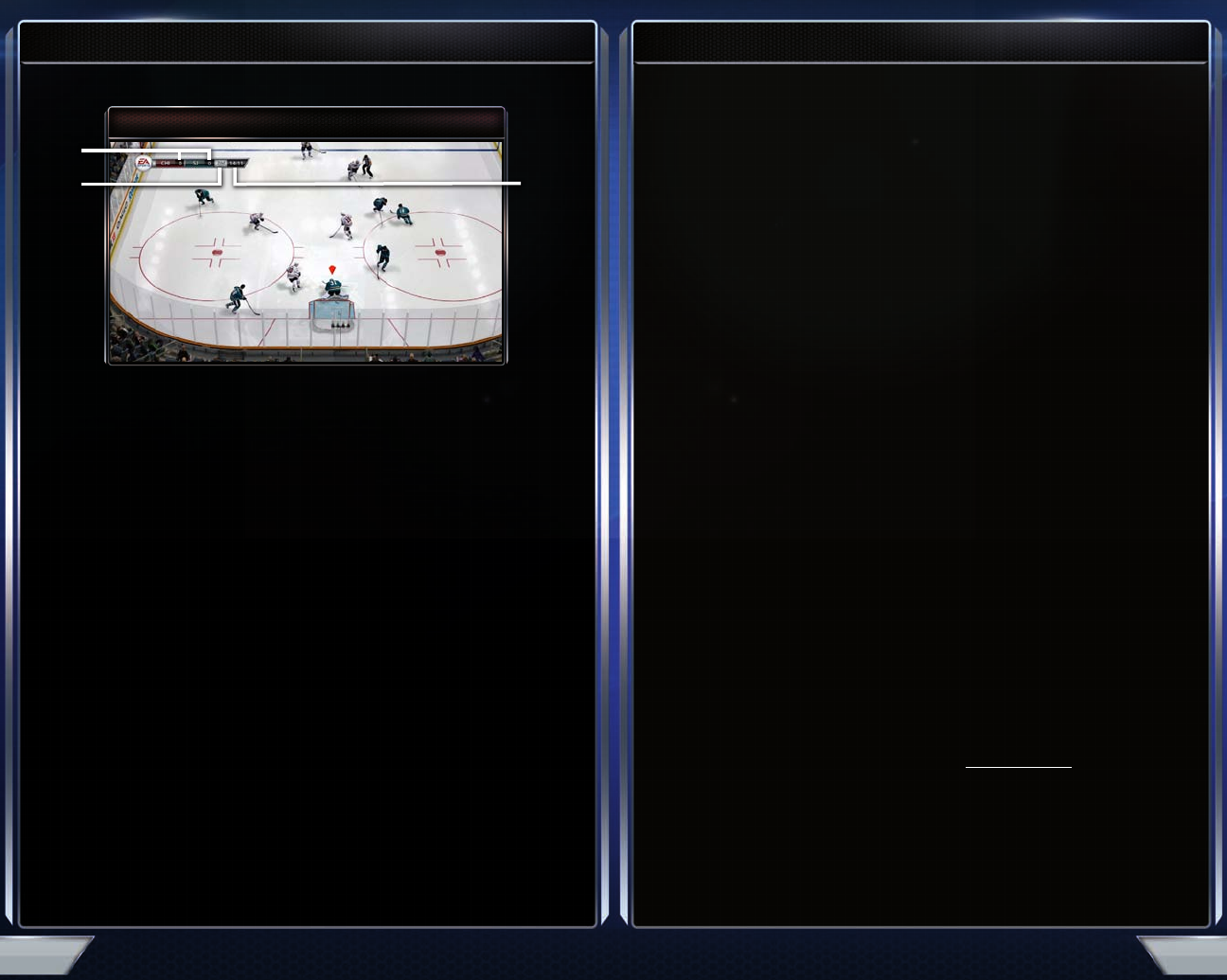
GAME SCREEN
Score
Time left
in period
Period
8 9
PLAY NOW
Select PLAY NOW from the main menu to jump right into a game. Select from Play Now, Online
Versus Play, Battle for the Cup Now, and Winter Classic.
Play Now Drop directly into a match with your selected team in single player or
multiplayer matches.
Online Versus Play Head online to battle it out on the ice with other players.
Battle for the Cup Now Tell your story from game to game as you battle to take home the
biggest prize in hockey.
Winter Classic Drop into the Winter Classic mode.
HOCKEY ULTIMATE TEAM
Build, Collect, and Compete against others in HUT monthly seasons and playoffs. You can
play against your friends with legends and current superstars, and compete against other
user-made teams by downloading them with EAUHL 24/7.
Earn EA Pucks to buy new cards to keep upgrading your team. Buy packs of cards or bid in
the Auction House. Packs are also earned in-game with EA Pucks or purchased through
the store.
OTHER GAME MODES
BE A GM
Take on the role of a GM (general manager), coach, and player to run your favorite NHL
franchise for up to 25 seasons.
BE A PRO
Create your own player or take over the career of a real-life NHL or CHL™ player. Look for
pregame and situational tasks from your head coach. Remember, how you play determines the
amount of ice time you’ll receive. Once a shift is done, you may sim to your next one. You can
interrupt the sim at any time.
Can you become a legend? Only time will tell. Break a legend’s record and gain special rewards
to make your mark.
PERFORMANCE TRACKER
Go to the Performance Tracker screen for all your hockey cards, stats, and milestones related to
your career.
BE A LEGEND
Be the next legend in hockey. As the sport’s next superstar, earn every shift on the ice by
completing Coach Tasks. You can also experience the pursuit of greatness and legendary
moments in your playing career, shatter historic records, and cement yourself in NHL history.
PLAYOFF
Choose to take part in any type of post-season series from any professional hockey league
featured in NHL 13.
SEASON
Play through a complete season of any league in NHL 13 including the NHL, AHL, any of the
European leagues, and the CHL.
TOURNAMENT
Throw the world’s best teams into an 8- or 16-team EA SPORTS World Tournament, or choose to
take part in the Memorial Cup Tournament.
PRACTICE
Hone your skills and set individual goals to improve specific parts of your game. Train any team
to run custom rush and in-zone plays.
SHOOTOUT
Be the goalie or take him on head-to-head in a one-player format. You can also compete
against friends.
10 11
PLAY ONLINE
ONLINE VERSUS PLAY
RANKED ONLINE PLAY NOW SEARCH
Challenge the first available opponent and play a competitive match. If no opponent is found,
you can create a session or browse for other sessions. You can also have some friends join in on
your PS3™ system for Co-op play.
SESSION MATCH SEARCH
Choose from a list of custom settings to start a search.
PLAY A FRIEND
Select a Friend from your Friends list to play an unranked game with.
EA SPORTS HOCKEY LEAGUE
Play ranked drop-in games with your created pro, and then join or create a team in the EASHL.
Monthly seasons and playoffs let your team play for the coveted EASHL championship
each month.
DROPIN GAMES
Not on a team yet or no teammates online? Play with your created pro in a drop-in game to
level up or scout players.
PLAYOFFS
Play your way into the best division possible. When the playoffs start, you need to win four
games straight to win the championship. Lose and the dream is over until the next month.
CREATE JERSEY
Create your own look by using any league or custom logo, combined with any colors you want
for your team.
PRACTICE MODE
Practice your skills with club members in Club Practice mode. Set up a scrimmage where the
CPU fills in for the any non-human spots, or try an open practice where only human-controlled
players are used in the game.
CLUB HISTORY
Keep track of all your team’s trophies, accomplishments, and records.
LEAGUE HISTORY
Each month the best teams in the EASHL are enshrined. See who the best of the best are, here.
ONLINE TEAM PLAY
Play up to 6 vs. 6 with 12 players for an ultimate online hockey experience. Unranked Matches
use NHL players, while Ranked Matches use your created pro.
ONLINE SHOOTOUT
Search for a user similar in skill level for a Ranked or Unranked Shootout Match.
COMMUNITY
View the most up to date Leaderboards, head into a community lobby, or view the player hub.
12 13
MY NHL 13
Head into the My NHL 13 menus to create and customize elements of your game.
CREATION ZONE
Create a custom skater or goalie in Create Player, or generate a completely new team and select
its origin, name, uniforms, and roster. You can also select to edit any player or team you’ve
already created.
CUSTOMIZE AI
Make personal adjustments to your team’s AI.
CREATE PLAY MODE
Select a team from the different leagues, and then determine a scenario you wish to build
upon. Once you’re on the ice, take control of your players and start customizing team
strategies. Press R to select your starting player, and then press A to begin recording. Skate
your player through the play and press A again to stop recording. Press R to add another
player to the scenario and repeat the recording process. All previously recorded players will
move in unison. Up to five players can be included in a single play. Once you’re finished, the
recorded movements combine into one coordinated team play. Use these plays in Practice
Mode to ensure you have them nailed before attempting them on the competition.
CREATE PLAY MODE CONTROLS
Select a play C button/V button
Primary controls Q/E
Change player R
Record A
Test S
Apply Changes F
ROSTER MANAGEMENT
View the rosters and detailed player information for nine leagues, the Legend Team, and your
custom team in Team Roster. Switch up team rosters by moving players to different teams in
Player Movement. Edit player positioning for teams in nine leagues, the Legend Team, or your
custom team in Edit Lines. Change players’ jersey numbers in Jersey Numbers. Finally, you can
choose to reset all rosters to their defaults in Set Default Roster.
EA SPORTS MEDIA HUB
REPLAY SCREEN
Set/Clear marker F
Camera angles Q/E
Take photo B
Edit clip D
EDIT REPLAY SCREEN
Playback speed F
Change color N
Take photo B
Change camera Q/E
Apply changes A
CUSTOM MUSIC
Personalize the music for any team in
NHL 13
! To get started, copy music onto your
PS3™ system and create playlists to assign in-game. Select CUSTOM MUSIC and customize
the music that plays on the game menu screens, and select a special goal celebration for
your own Be a Pro player.
Press Q/E to scroll through the different leagues in the game, and select any team in a
league by pressing W/R. Assign your selections to play in your home rink and if you’re
lucky enough, after you win the cup.
SETTINGS
User Celebrations Select the control preset for celebrations.
Controls Adjust general control presets, set the vibration, alter shooting
controls, set the auto back-skate, and determine the human goalie
covers and sweeps.
Video Calibrations Adjust the brightness level for your TV and tweak the color calibration.
Rules Determine various game rules and their settings.
Gameplay Settings Adjust your skill level and game style.
Volume Settings Modify the volume for various audio features.
Visual Settings Determine the Global and Online settings for different visual settings.
