Ergotron 870 03 005 Users Manual
870-03-005 to the manual 9604c11e-2ff8-4d30-8c4b-26ff25f0cb03
2015-02-06
: Ergotron Ergotron-870-03-005-Users-Manual-540792 ergotron-870-03-005-users-manual-540792 ergotron pdf
Open the PDF directly: View PDF  .
.
Page Count: 68
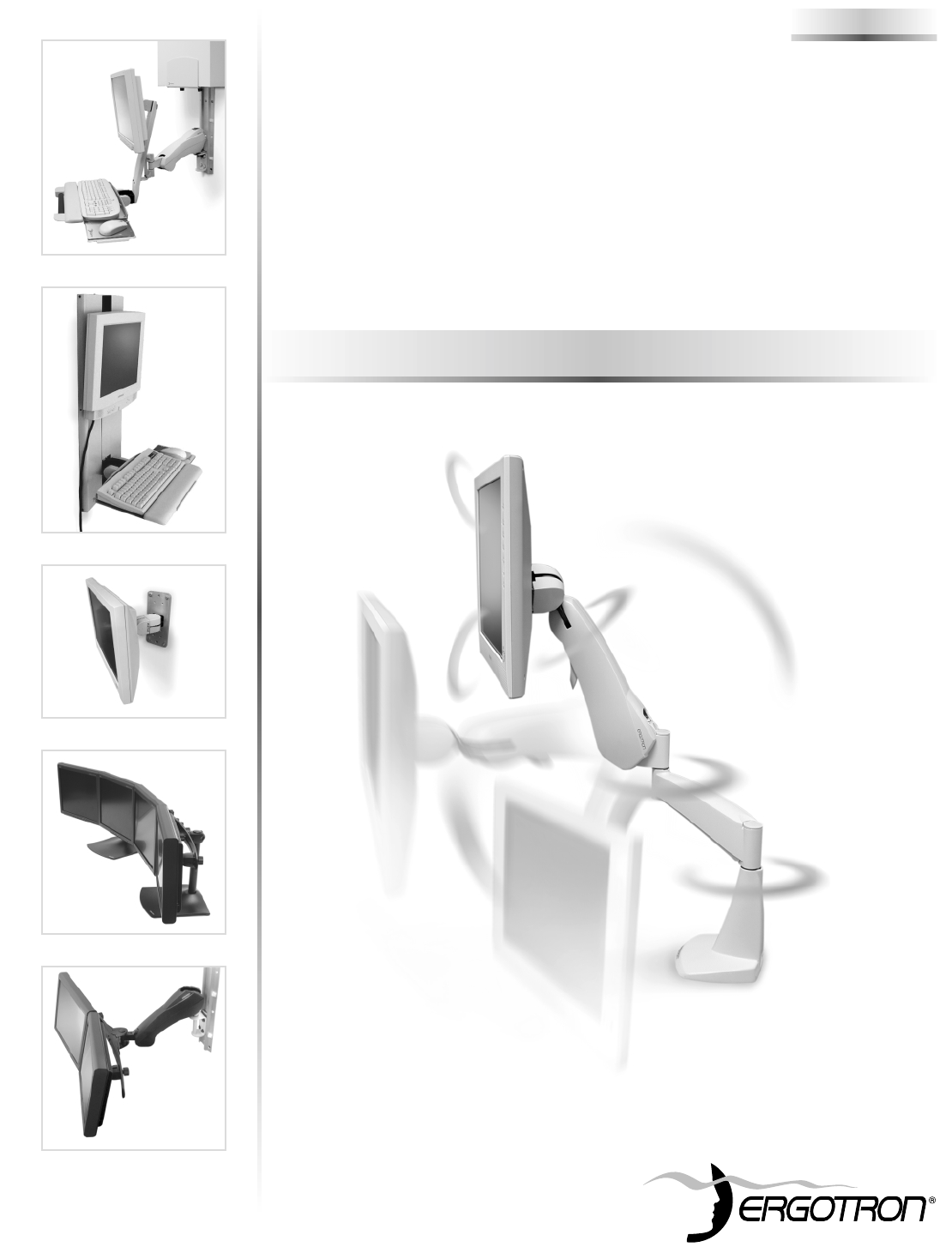
Maximize the effectiveness of Flat Panel Monitors
®
Flat Panel Monitor
Mounting Solutions
870-03-005, rev.05/30/03
Orderguide
Quartex Informatica
www.quartex.it
Quartex Informatica
Via Paolo Giovio n.5
20144 Milano
tel 02 4984998
fax 02 4985894
e-mail: ergotron@quartex.it
Show-Room
Via Paolo Giovio Angolo Via
Andrea Verga
20144 Milano

.

Orderguide
Flat Panel Monitor ARMS
Table of Contents
Introduction . . . . . . . . . . . . . . . . . . . . . . . . . . . . . . . . . . . . . . . 4
How to Select ARMS . . . . . . . . . . . . . . . . . . . . . . . . . . . . . . . . . . . . 4
Flat Panel ARMS Product Overview . . . . . . . . . . . . . . . . . . . . . . . . . 5
ARMS Product Selection . . . . . . . . . . . . . . . . . . . . . . . . . . . . . 6
400 Series . . . . . . . . . . . . . . . . . . . . . . . . . . . . . . . . . . . . . . . . . . . . 6
300 Series . . . . . . . . . . . . . . . . . . . . . . . . . . . . . . . . . . . . . . . . . . . . 10
200 Series . . . . . . . . . . . . . . . . . . . . . . . . . . . . . . . . . . . . . . . . . . . . 14
100 Series . . . . . . . . . . . . . . . . . . . . . . . . . . . . . . . . . . . . . . . . . . . . 20
FX Series . . . . . . . . . . . . . . . . . . . . . . . . . . . . . . . . . . . . . . . . . . . . . 21
DS100 Series . . . . . . . . . . . . . . . . . . . . . . . . . . . . . . . . . . . . . . . . . 22
DS400 Series . . . . . . . . . . . . . . . . . . . . . . . . . . . . . . . . . . . . . . . . . . 26
HD Series . . . . . . . . . . . . . . . . . . . . . . . . . . . . . . . . . . . . . . . . . . . . 27
VL Series . . . . . . . . . . . . . . . . . . . . . . . . . . . . . . . . . . . . . . . . . . . . . 30
MD Series . . . . . . . . . . . . . . . . . . . . . . . . . . . . . . . . . . . . . . . . . . . . 32
Carts: Mobile WorkStand . . . . . . . . . . . . . . . . . . . . . . . . . . . . . . . . . . 33
Surface Attachment Options . . . . . . . . . . . . . . . . . . . . . . . . . . 38
Direct Mounting, Wall Plates, Furniture Mounts . . . . . . . . . . . . . . . . . 38
Wall Tracks . . . . . . . . . . . . . . . . . . . . . . . . . . . . . . . . . . . . . . . . . . . . 39
Command Posts . . . . . . . . . . . . . . . . . . . . . . . . . . . . . . . . . . . . . . . . 40
Pole Mounts . . . . . . . . . . . . . . . . . . . . . . . . . . . . . . . . . . . . . . . . . . . 42
Slatwall Components . . . . . . . . . . . . . . . . . . . . . . . . . . . . . . . . . . . . 43
Accessory Selections . . . . . . . . . . . . . . . . . . . . . . . . . . . . . . . 44
Keyboard/Mouse Trays, Laptop Trays & Accessories . . . . . . . . . . . . . 44
Monitor Interface Accessories . . . . . . . . . . . . . . . . . . . . . . . . . . . . . . 45
CPU Holders . . . . . . . . . . . . . . . . . . . . . . . . . . . . . . . . . . . . . . . . . . . 45
Storage Components . . . . . . . . . . . . . . . . . . . . . . . . . . . . . . . . . . . . 46
Peripheral Table . . . . . . . . . . . . . . . . . . . . . . . . . . . . . . . . . . . . . . . . 46
Footrest . . . . . . . . . . . . . . . . . . . . . . . . . . . . . . . . . . . . . . . . . . . . . . 46
Monitor Interface & VESA®Standard Guide . . . . . . . . . . . . . . 47
Ergonomics Data & Mounting Heights . . . . . . . . . . . . . . . . . . 48
Ergonomic Ground Rules – English Units . . . . . . . . . . . . . . . . . . . . . 48
Ergonomic Ground Rules – Metric Units . . . . . . . . . . . . . . . . . . . . . . 49
Mounting Height Illustrations . . . . . . . . . . . . . . . . . . . . . . . . . . . . . . . 50
Technical Specifications . . . . . . . . . . . . . . . . . . . . . . . . . . . . . 52
Weight Capacity . . . . . . . . . . . . . . . . . . . . . . . . . . . . . . . . . . . . . . . . 52
Performance Information . . . . . . . . . . . . . . . . . . . . . . . . . . . . . . . . . . 53
Interface Dimensions for Direct Mounting . . . . . . . . . . . . . . . . . . . . . 54
Product Dimensions . . . . . . . . . . . . . . . . . . . . . . . . . . . . . . . . . . . . . 58
Sample Configurations . . . . . . . . . . . . . . . . . . . . . . . . . . . . . . 64

4 • ARMS Orderguide • rev. 05/30/03 870-03-005
Introduction
Flat panel monitors provide space-saving convenience. Ergotron’s
Adjustable Rotating Mounting Solutions (ARMS) deliver this
technology where you need it. Patented ARMS products instantly lift,
swing, tilt and rotate for optimum ergonomic positioning without the
need for knobs or adjustment levers. Our Paraview Technology
allows multiple monitors to be attached to a single arm or stand.
In short, ARMS increase work space while improving productivity.
How to Select ARMS for your Application
When deciding which ARMS to order, consider three topics:
1. Determine which method of Monitor Suspension you need…
•400 Series for long reach adjustability
•300 Series for full adjustability
•200 Series for monitor extension/retraction adjustability
•100 Series for short reach with partial adjustability
•FX Series: Fixed mounting
•DS100 Series: Desk stand that mounts multiple monitors
•DS400 Series: Desk stand for improved adjustment
•HD Series for multiple monitors, laptops & heavy flat panel systems
•VL Series: Vertical lift system
•MD Series installs flat panel and/or keyboard into 19" rack or enclosure
•Mobile WorkStand: Computer carts for any application
2. Choose a Surface Attachment Option…
• Attach to a wall
• Place on a desk
• Fasten to a post
• Clamp to a frame
• Hang under a shelf
• Suspend from a ceiling
3. Select Accessories for your system…
• Keyboard/Mouse Trays, Laptop Trays & Accessories
• Extenders
• Monitor Interface Accessories
• CPU Holders
• Storage Components
• Peripheral Table
• Footrest
870-03-005 rev. 05/30/03 • ARMS Orderguide • 5
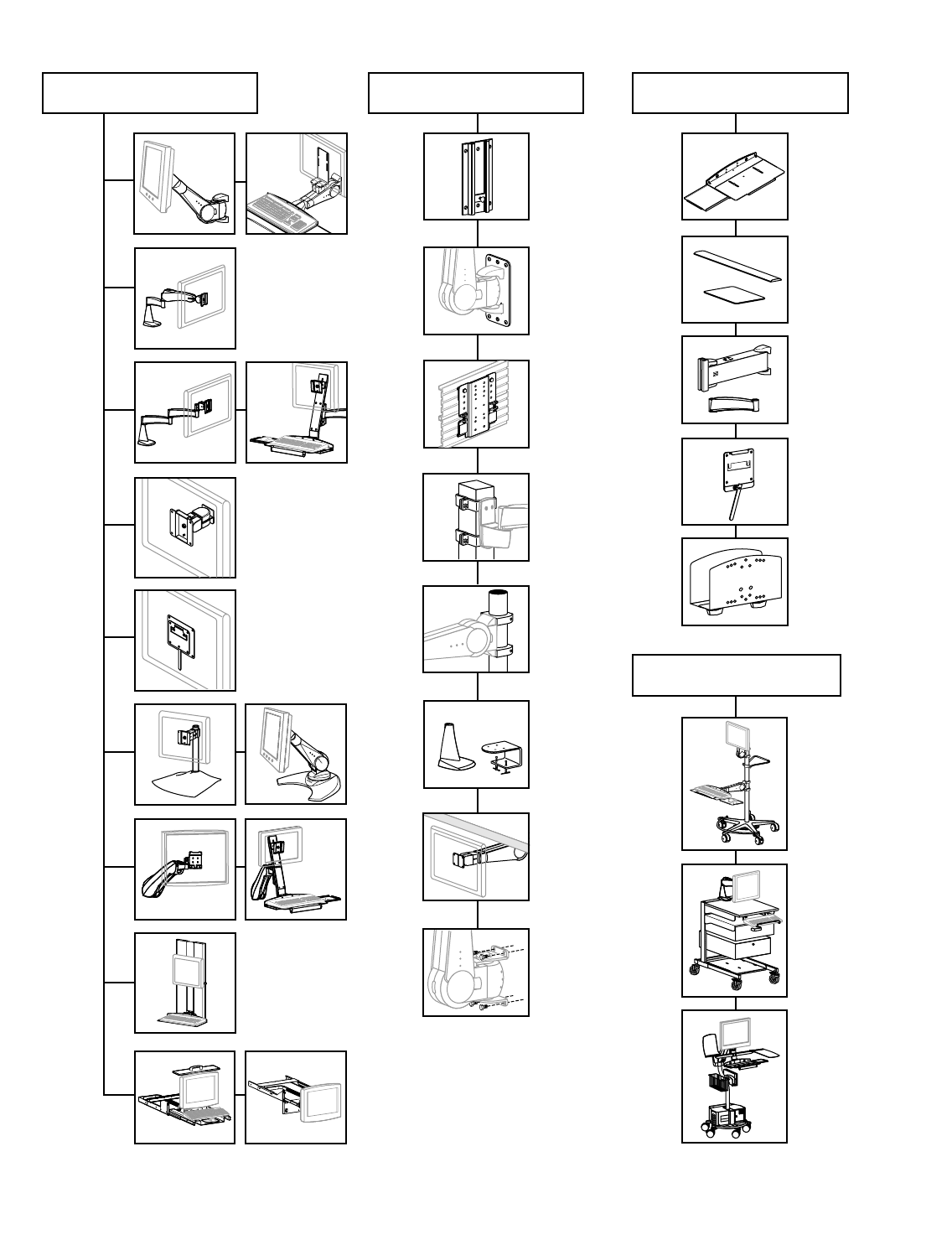
Flat Panel ARMS Product Overview
Extenders
CPU Holders
& Storage
Components
Keyboard/Mouse
Trays, Laptop Trays
Wrist Rests &
Mouse Pads
400
Series
300
Series
200
Series
100
Series
VL
Series
HD
Series
Monitor Suspension Surface Attachments Accessory Options
Ergotron Carts
Wall
Plates
Wall
Tracks
Desk Mounts
Mobile
WorkStand
Mobile
WorkCenter
Monitor
Interface
Accessories
Furniture
Mounts
Pole Mounts
Direct
Mounting
Command
Posts
Slatwall
Components
MD
Series
FX
Series
HD Series
Cart
DS
Series
6 • ARMS Orderguide • rev. 05/30/03 870-03-005
ARMS Product Selection
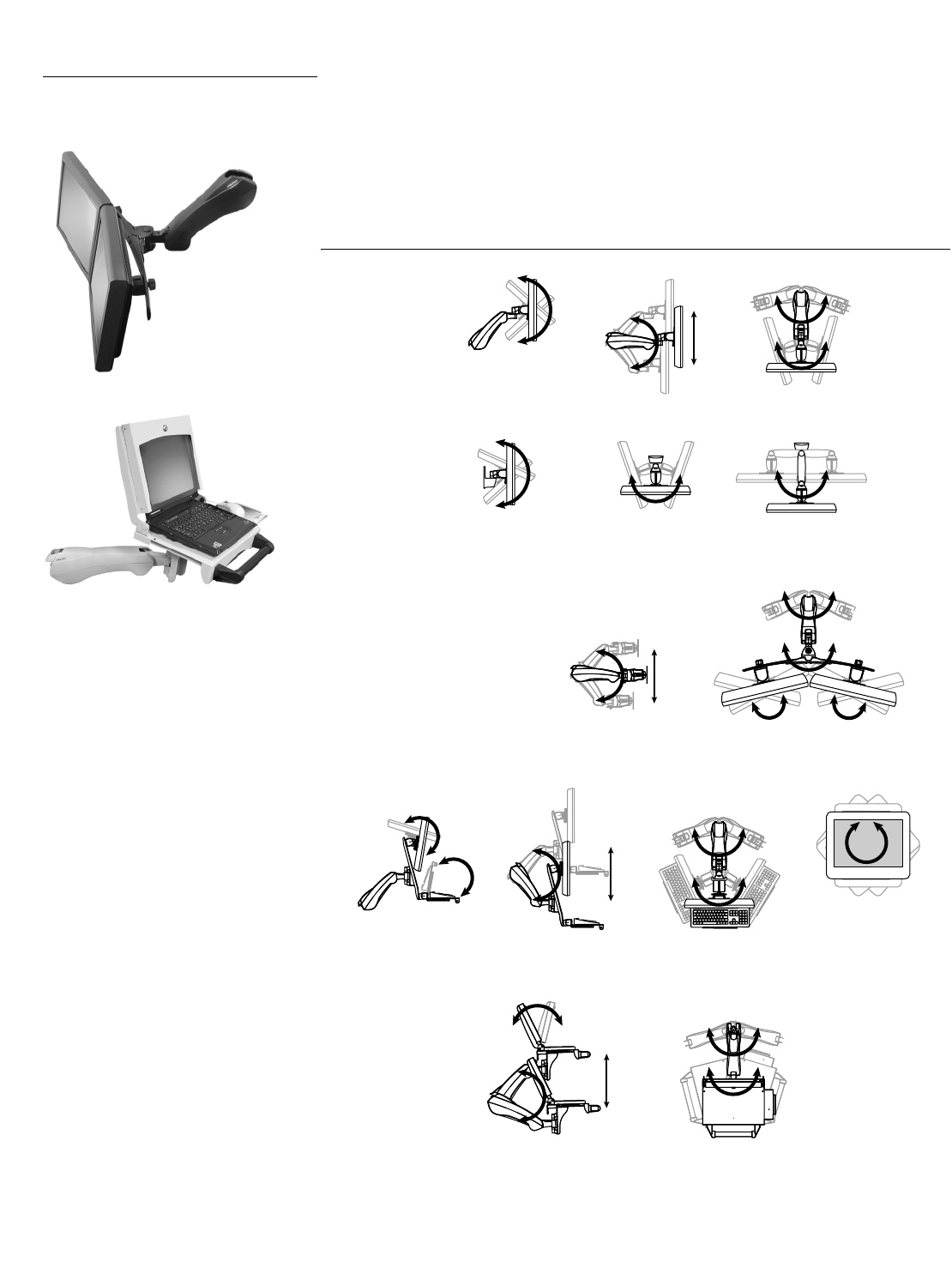
400 Series The 400 Series provides up to 24 inches (610 mm) of vertical, sit-to-stand adjustability –
enough to accommodate sitting and standing users at the same workstation! Provides
smooth adjustment while maintaining touch-screen stability. Other features include: cable
management that conceals and routes cables; internal steel construction; easy-to-clean
plastic exterior.
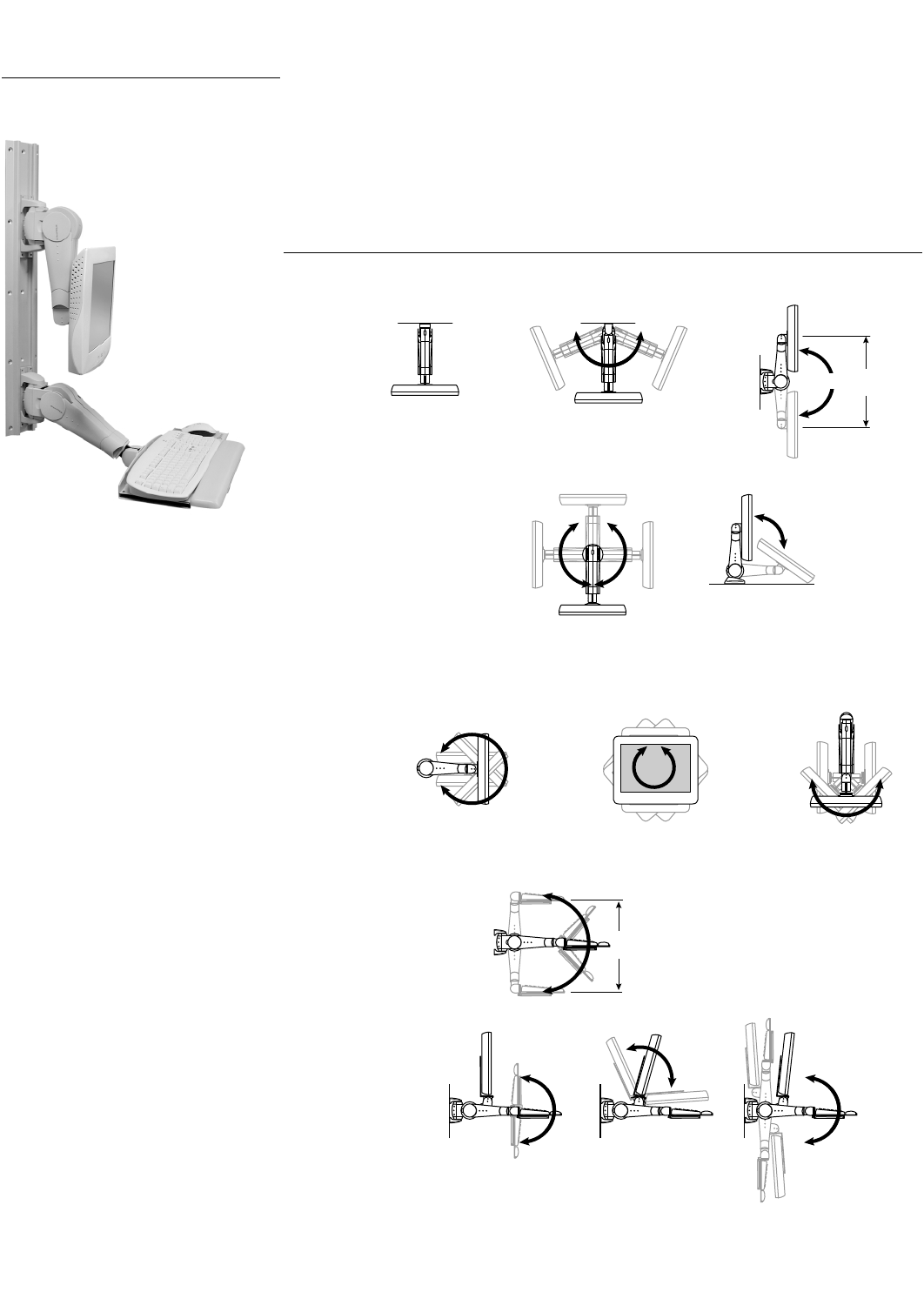
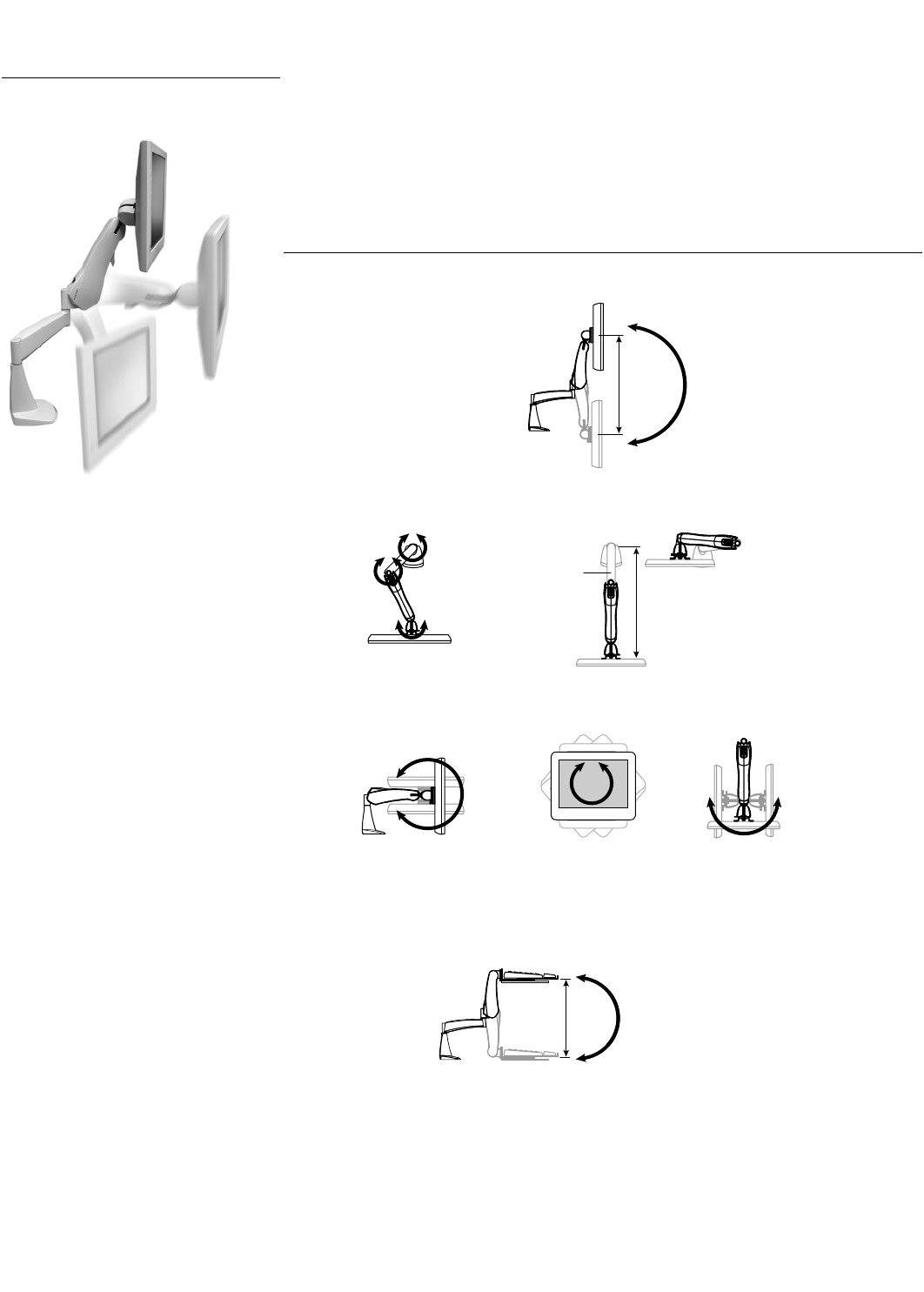
Range of Motion
Vertical Mount Monitor Arms
Note: Height adjustment of Single Pivot Arms = 20"; Double Pivot Arms = 24"
Horizontal & Surface Mount Arms
Monitor Tilt/Pivot
• Single Pivot: 180˚ up/down tilt
• Single Pivot w/ P/L: 180˚ up/down tilt & 360˚ portrait/landscape (P/L)
• Double Pivot w/ P/L: 180˚ up/down tilt, 360˚ P/L, & 180˚ left/right tilt
Keyboard/Laptop Arms
Combo Arms
0˚
Fixed Arm
180˚
Rotate Arm
180˚20" to 24"
(508 to 610 mm)
Top View Side View
90˚
360˚
Top View Side View
180˚180˚360˚
180°
22"
(559 mm)
Side View
180˚180˚150˚
Keyboard Tray
Movement
Monitor
Movement
Arm Vertical Movement
Side View
Side View
Up/down tilt
Front View
Portrait/landscape
Top View
Left/right tilt
Top View
870-03-005 rev. 05/30/03 • ARMS Orderguide • 7
45-003-xxx
45-042-xxx
45-030-xxx
45-002-xxx
45-043-xxx
45-007-xxx
45-005-xxx
45-006-xxx
45-032-xxx
45-029-xxx
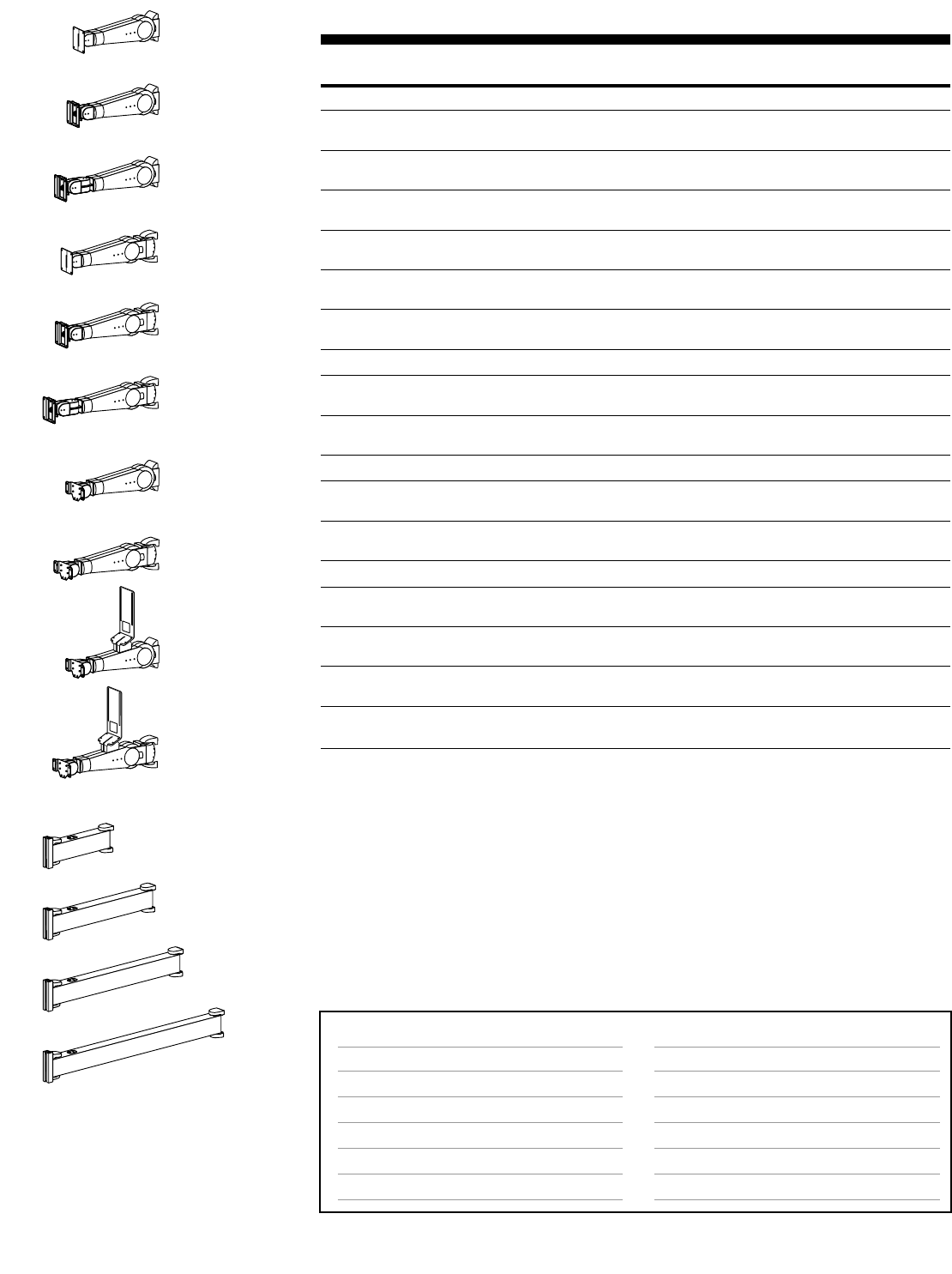
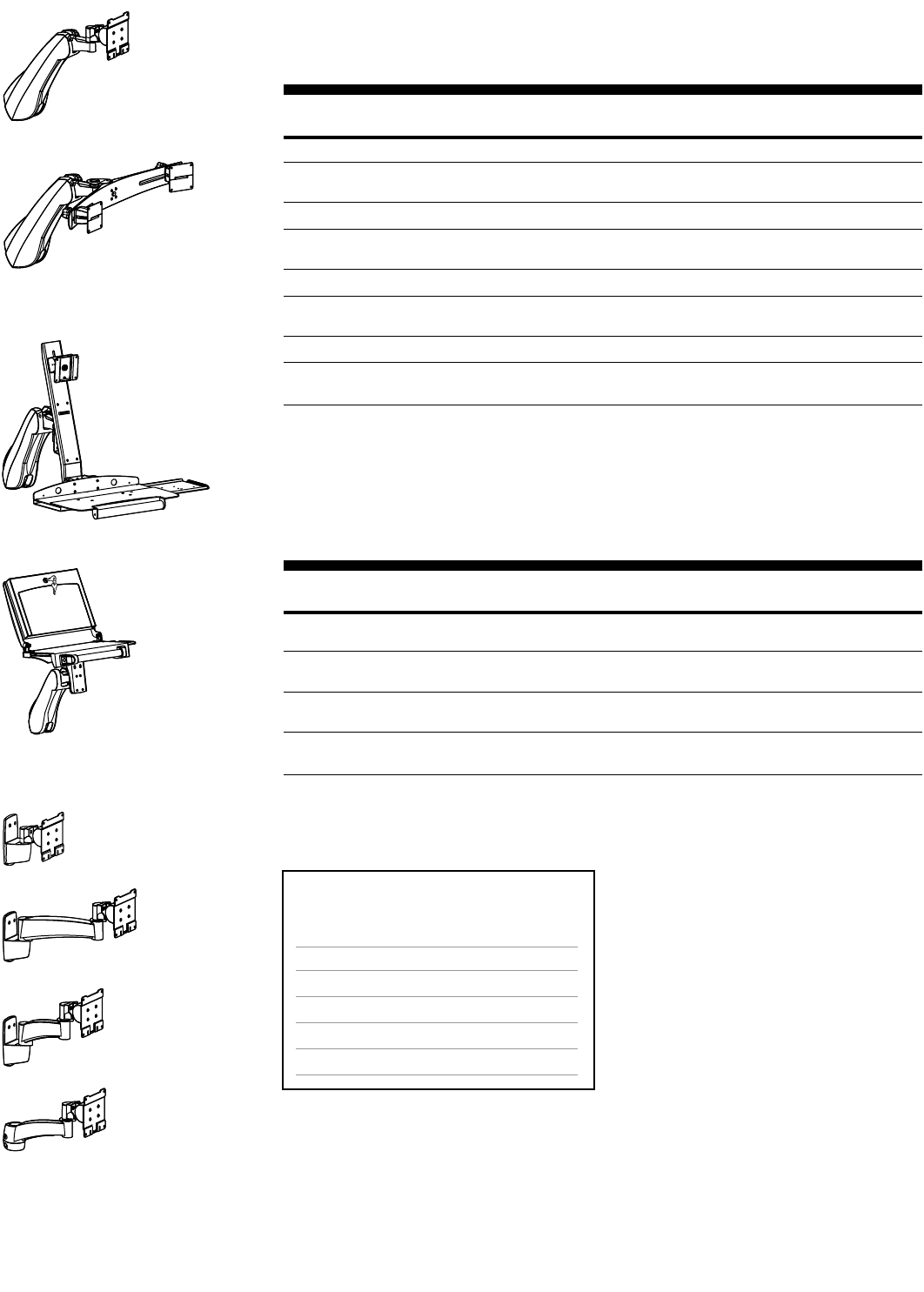
400 Series Vertical Mount Arms
Part Description Shipping
Number Weight
Monitor Mounts Weight Capacity
45-003-099, grey Fixed, Single Pivot 28 lbs 11 lbs
45-003-085, black (12.7 kg) (5 kg)
45-042-099, grey Fixed, Single Pivot w/ P/L 25 lbs 13 lbs
45-042-085, black (11.3 kg) (5.9 kg)
45-030-099, grey Fixed, Double Pivot w/ P/L 23 lbs 12 lbs
45-030-085, black (10.4 kg) (5.5 kg)
45-002-099, grey Rotate, Single Pivot 28 lbs 12 lbs
45-002-085, black (12.7 kg) (5.5 kg)
45-043-099, grey Rotate, Single Pivot w/ P/L 25 lbs 13 lbs
45-043-085, black (11.3 kg) (5.9 kg)
45-007-099, grey Rotate, Double Pivot w/ P/L 23 lbs 13 lbs
45-007-085, black (10.4 kg) (5.9 kg)
Keyboard/Laptop Mounts
45-005-099, grey* Fixed, Keyboard/Laptop Pivot 7.5 lbs 11 lbs
45-005-085, black* (3.4 kg) (5 kg)
45-006-099, grey* Rotate, Keyboard/Laptop Pivot 7.5 lbs 12 lbs
45-006-085, black* (3.4 kg) (5.5 kg)
Combo Mounts
45-032-099, grey*†Fixed, Combo Flat Panel/Keyboard Arm Mon: 20 lbs (9 kg) 14 lbs
45-032-085, black*†Kybd: 7.5 lbs (3.4 kg) (6.4 kg)
45-029-099, grey*†Rotate, Combo Flat Panel/Keyboard Arm Mon: 20 lbs (9 kg) 15 lbs
45-029-085, black*†Kybd: 7.5 lbs (3.4 kg) (6.8 kg)
Extenders Dimensions (L x W x D)
44-253-100, grey Extender, 12-inch 12" x 2" x 6-1/4" 7 lbs
44-253-101, black (305 x 51 x 159 mm) (3.2 kg)
44-254-100, grey Extender, 18-inch 18" x 2" x 6-1/4" 9 lbs
44-254-101, black (457 x 51 x 159 mm) (4.1 kg)
44-255-100, grey Extender, 24-inch 24" x 2" x 6-1/4" 12 lbs
44-255-101, black (610 x 51 x 159 mm) (5.5 kg)
44-256-100, grey Extender, 30-inch 30" x 2" x 6-1/4" 14 lbs
44-256-101, black (762 x 51 x 159 mm) (6.4 kg)
* Keyboard/Mouse Tray or Laptop Tray ordered separately. See page 44.
† Compatible with monitors that have a removable base and the measurement between the bottom of monitor and
its lower mounting holes is no more than 6" (152 mm).
Note: Monitor interfaces that are not VESA FDMI compliant require a separately ordered, custom bracket. Contact
your Sales Representative for more information. (See page 47 for details.)
44-253-xxx
44-254-xxx
44-255-xxx
44-256-xxx
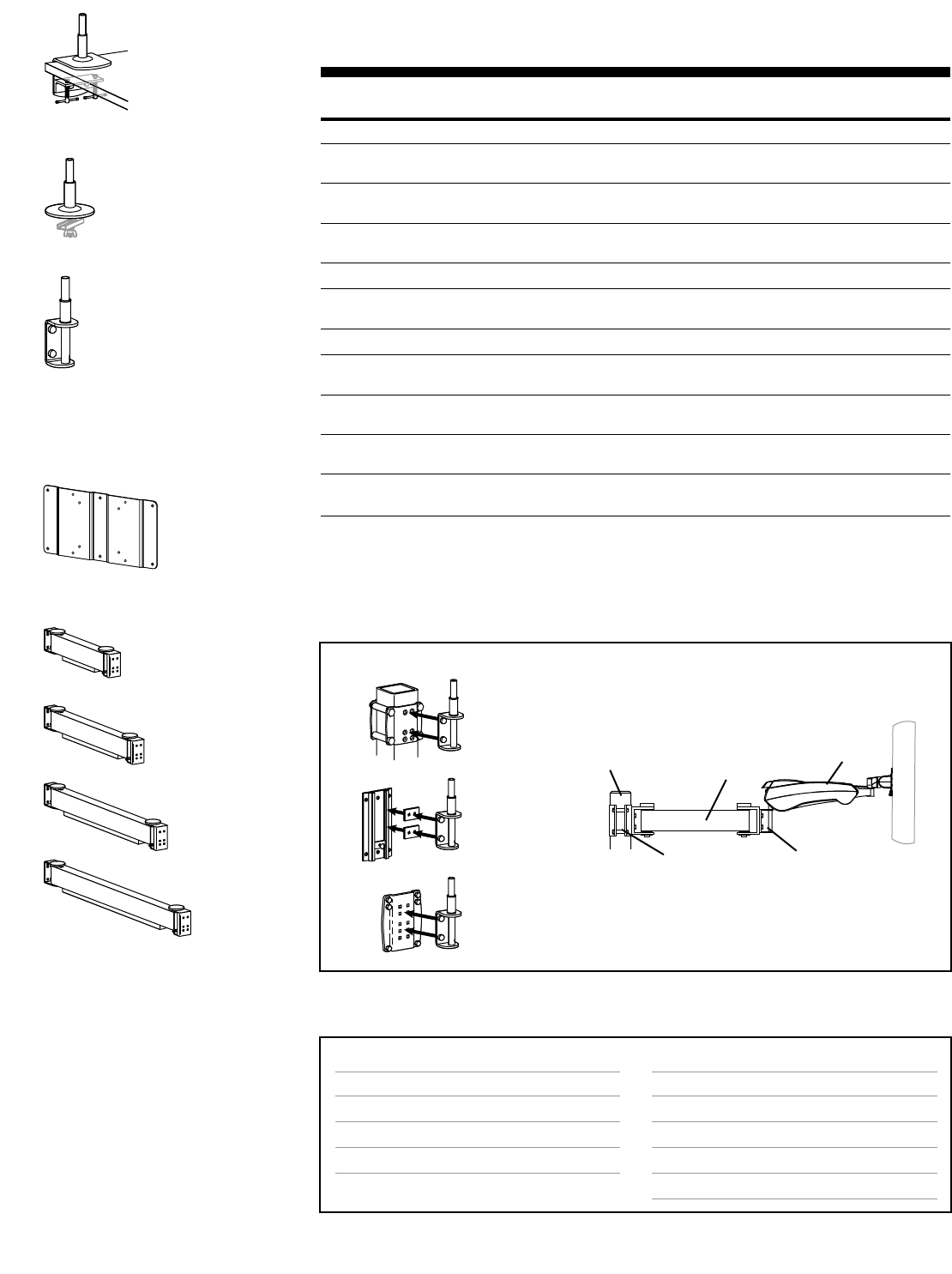
Mounting Options & Accessories for 400 Series Vertical Mount Arms
Page #
38
39
40
42
43
33
Accessory Options
Extenders
Keyboard/Mouse Trays, Laptop Trays & Accessories
Monitor Interface Accessories
CPU Holders
Storage Components
Peripheral Table
Page #
above
44
45
45
46
46
Surface Attachment Options
Direct Mounting, Wall Plates, Furniture Mounts
Wall Tracks
Command Posts
Pole Mounts
Slatwall Components
Mobile WorkStands
Attention: For dimensional information,
see page 58.

8 • ARMS Orderguide • rev. 05/30/03 870-03-005
400 Series Horizontal Mount Arms
Attach above worksurface, countertop or other horizontal surface.
Part Description Shipping
Number Weight
Monitor Mounts Weight Capacity
45-012-099, grey Single Pivot 28 lbs 12 lbs
45-012-085, black (12.7 kg) (5.5 kg)
45-054-099, grey Single Pivot w/ P/L 25 lbs 14 lbs
45-054-085, black (11.3 kg) (6.4 kg)
45-016-099, grey Double Pivot w/ P/L 23 lbs 15 lbs
45-016-085, black (10.4 kg) (6.8 kg)
Keyboard/Laptop Mounts
45-036-099, grey* Keyboard/Laptop Pivot 7.5 lbs 13 lbs
45-036-085, black* (3.4 kg) (5.9 kg)
Desk Clamp Attach to …
60-060, black Surface Clamp Surface edge ≤1-3/4" (44 mm) thick 2 lbs
(.9 kg)
* Keyboard/Mouse Tray or Laptop Tray ordered separately. See page 44.
Note: Monitor interfaces that are not VESA FDMI compliant require a separately ordered, custom bracket. Contact
your Sales Representative for more information. (See page 47 for details.)
400 Series Suspend Mount Arms
Suspend from a ceiling, shelf or other horizontal surface.
Part Description Shipping
Number Weight
Monitor Mounts Weight Capacity
45-010-099, grey Single Pivot 28 lbs 12 lbs
45-010-085, black (12.7 kg) (5.5 kg)
45-044-099, grey Single Pivot w/ P/L 25 lbs 14 lbs
45-044-085, black (11.3 kg) (6.4 kg)
45-014-099, grey Double Pivot w/ P/L 23 lbs 15 lbs
45-014-085, black (10.4 kg) (6.8 kg)
Ceiling Clamp Attach to …
60-060, black Surface Clamp Surface edge ≤1-3/4" (44 mm) thick 2 lbs
(.9 kg)
Note: Monitor interfaces that are not VESA FDMI compliant require a separately ordered, custom bracket. Contact
your Sales Representative for more information. (See page 47 for details.)
45-012-xxx
45-054-xxx
45-016-xxx
45-036-xxx
45-010-xxx
45-044-xxx
45-014-xxx
60-060
60-060
Mounting Options & Accessories for 400 Horizontal/Suspend Mount Arms
Page #
above
38
38
Accessory Options
Keyboard/Mouse Trays, Laptop Trays & Accessories
Monitor Interface Accessories
CPU Holders
Storage Components
Peripheral Table
Page #
44
45
45
46
46
Surface Attachment Options
Surface Clamps
Direct Mounting
Furniture Mounts
Attention: For dimensional information,
see page 58.
870-03-005 rev.05/30/03 • ARMS Orderguide • 9
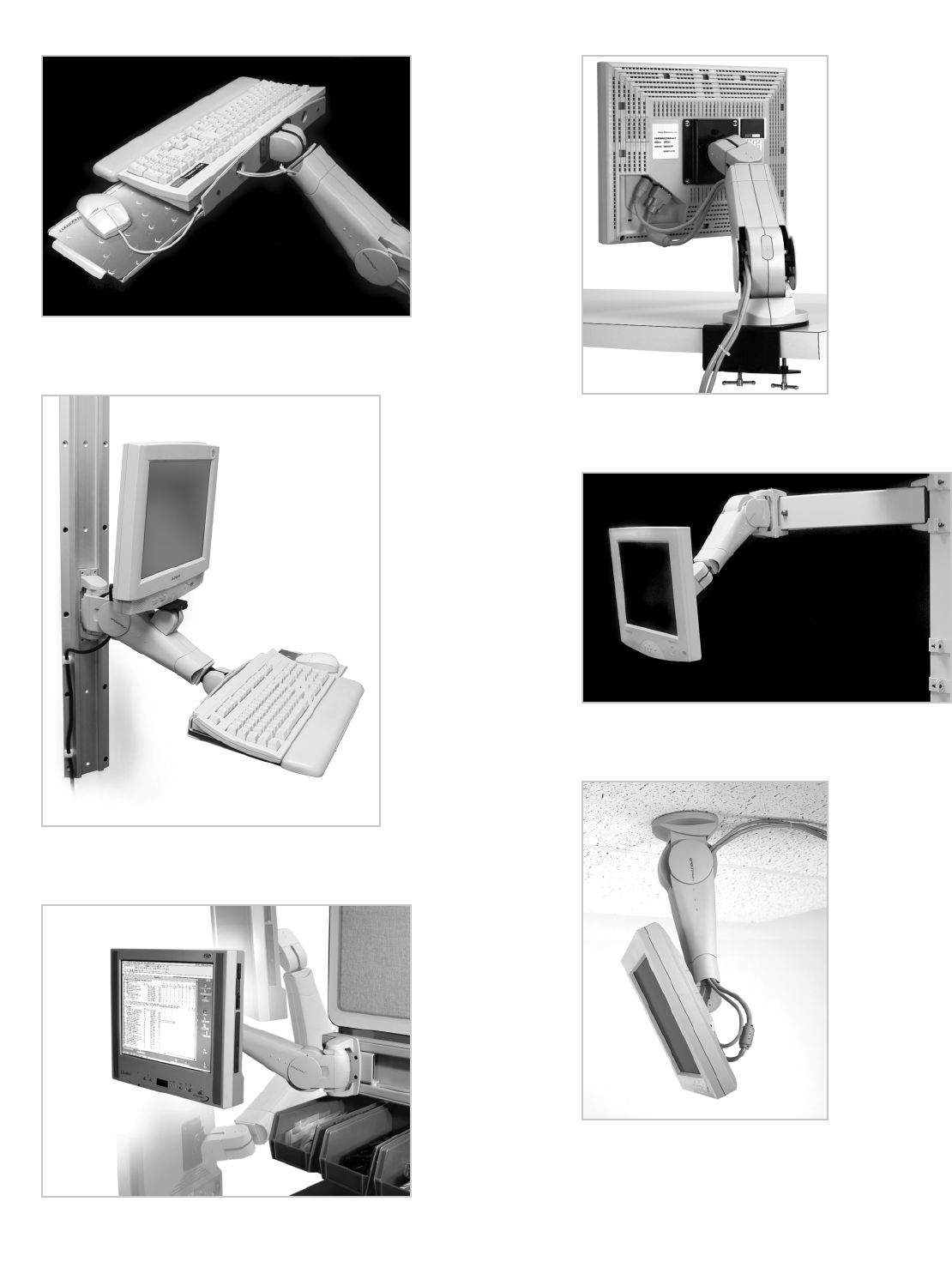
Photo Reference for 400 Series
The 400 Series Arm with Keyboard/Laptop Pivot features 22 inches
(559 mm) of vertical adjustability.
400 Series Arm suspended from a ceiling.
400 Combo Arm mounted on Wall Track.
A 400 Series Arm is teamed with an Extender to enhance
placement capability.
Note the VESA FDMI monitor interface where
the monitor attaches to the arm.Shown with
optional Surface Clamp.
Height Adjustment
Rotation
• Telescopic motion
Monitor Pivot
Keyboard/Laptop Adjustment
ARMS Product Selection
300 Series 300 Series Arms provide 16 to 20 inches (406 to 508 mm) of height adjustment.
Extensions add telescopic motion for extension and retraction. The 300 Series features
Pivot-ease®technology, which provides long-life monitor adjustment while maintaining
touch-screen stability.
Range of Motion
360˚
180˚
360˚
Arm folded back
9" Extension
23"
(584 mm)
180˚
180˚360˚
16"
(406 mm)
10 • ARMS Orderguide • rev. 05/30/03 870-03-005
Side View
Up/down tilt
Front View
Portrait/landscape
Top View
Left/right tilt
Top View
20"
(508 mm)
870-03-005 rev. 05/30/03 • ARMS Orderguide • 11
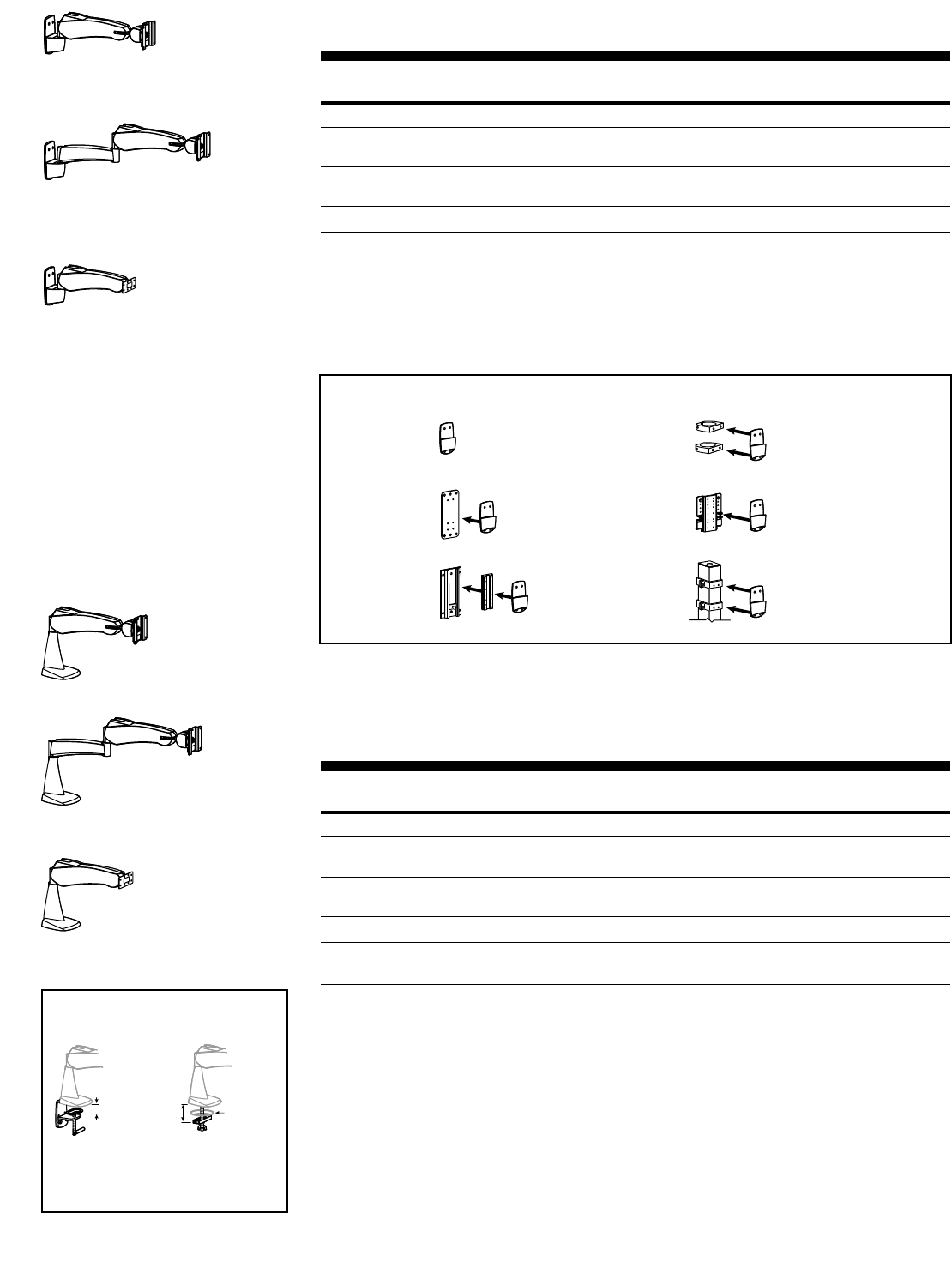
45-087-xxx
300 Series Pre-configurations – Vertical Mount
Mount to vertical surface: directly to surface, Wall Plate, Wall Track, Pole Clamps, etc. See chart below.
Part Description Weight Shipping
Number Capacity Weight
Monitor Mounts
45-087-180, grey Vertical Mount Arm 23 lbs 9 lbs
45-087-200, black (10.4 kg) (4.1 kg)
28-170-180, grey Vertical Mount Arm with 9" Extension 23 lbs 16 lbs
28-170-200, black (10.4 kg) (7.2 kg)
Keyboard/Laptop Mounts
45-099-180, grey* Vertical Mount Keyboard/Laptop Pivot Arm 7.5 lbs 8 lbs
45-099-200, black* (3.4 kg) (3.6 kg)
* Order Keyboard/Mouse Tray or Laptop Tray separately (p.44).
Note: Monitor interfaces that are not VESA FDMI compliant require a separately ordered, custom bracket. Contact
your Sales Representative for more information. (See page 47 for details.)
28-170-xxx
45-099-xxx
5.
3.
2.
6.
4.1.
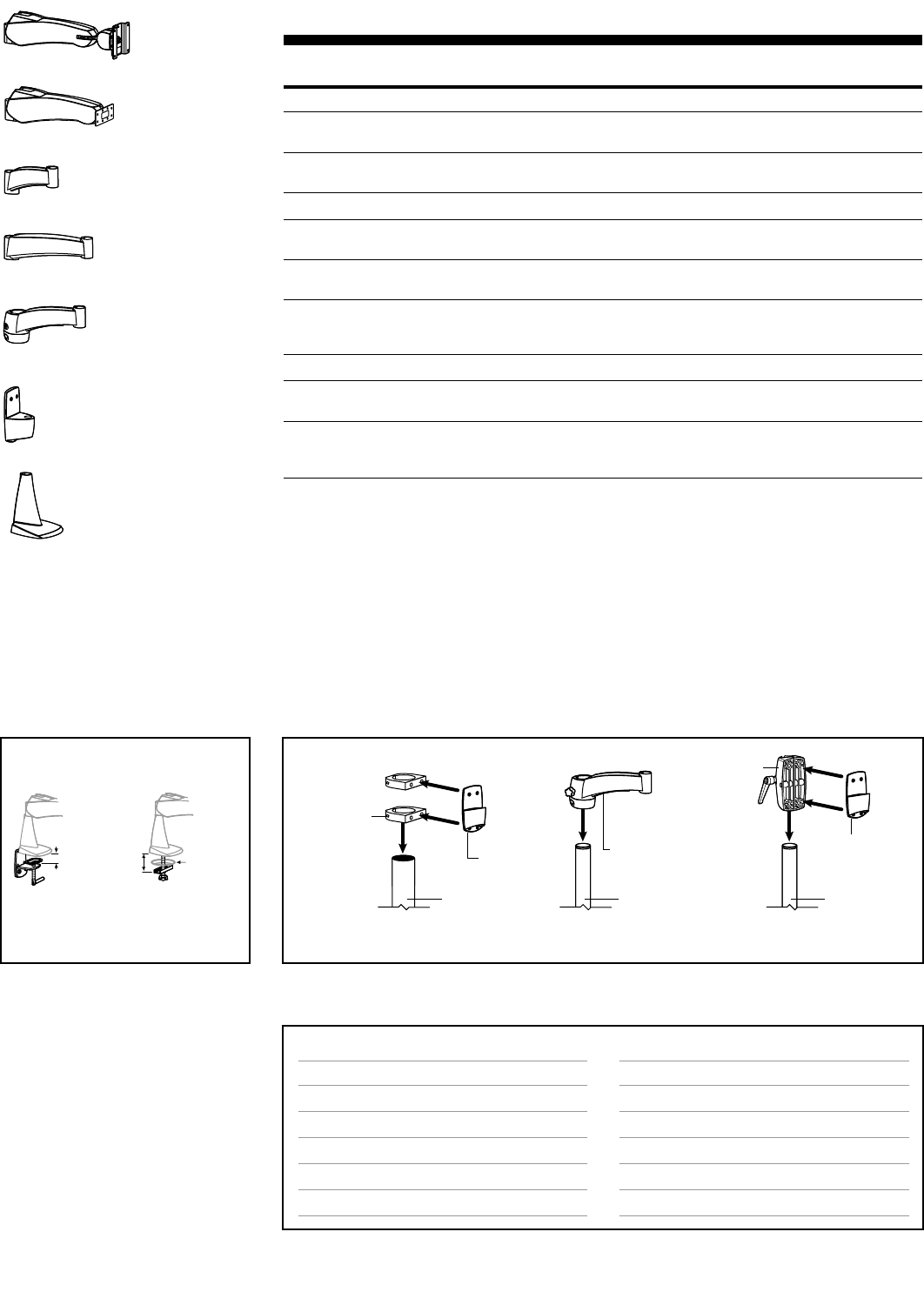
Go to page listed to get more information about the different brackets and clamps.
Slatwall Bracket
See page 43
Command Post
See page 40
Wall Track
See page 39
Pole Clamps
See page 42
Wall Plates
See page 38
Directly to
vertical surfaces
Vertical Mount Attachment Options for the 300 Series
≤ 2-1/8"
(54 mm)
3/8" to 3"
(10 to 76 mm)
4"
(102 mm)
Desk Clamp
Both the Desk Clamp and Grommet
Mount bases are included with the
Desk Mount option.
Grommet Mount
Desk Mount Attachment
300 Series Pre-configurations – Desk Mount
Desk Mounts attach to worksurfaces with either the Desk Clamp or the Grommet Mount. Desk Clamps
attach to the edge of worksurfaces ≤2-1/8" (54 mm) thick. Grommet Mounts attach through a hole in
the worksurface 3/8" to 3" (10 to 76 mm) wide, up to 4" (102 mm) thick.
Part Description Weight Shipping
Number Capacity Weight
Monitor Mounts
45-088-180, grey Desk Mount (Clamp/Grommet) Arm 23 lbs 13 lbs
45-088-200, black (10.4 kg) (6 kg)
28-171-180, grey Desk Mount (Clamp/Grommet) Arm 23 lbs 20 lbs
28-171-200, black with 9" Extension (10.4 kg) (9 kg)
Keyboard/Laptop Mounts
45-100-180, grey* Desk Mount (Clamp/Grommet) Keyboard/Laptop 7.5 lbs 12 lbs
45-100-200, black* Pivot Arm (3.4 kg) (5.5 kg)
* Order Keyboard/Mouse Tray or Laptop Tray separately (p.44).
Note: Monitor interfaces that are not VESA FDMI compliant require a separately ordered, custom bracket. Contact
your Sales Representative for more information. (See page 47 for details.)
45-088-xxx
28-171-xxx
45-100-xxx
12 • ARMS Orderguide • rev. 05/30/03 870-03-005
300 Series – Individual Components
Part Description Shipping
Number Weight
300 Arms Weight Capacity
45-067-180, grey 300 Arm 23 lbs 8 lbs
45-067-200, black (10.4 kg) (3.6 kg)
45-098-180, grey* 300 Arm, 7.5 lbs 7 lbs
45-098-200, black* Keyboard/Laptop Pivot (3.4 kg) (3.1 kg)
Extensions Notes
45-121-180, grey 5" Extension Combine with other arms for telescopic motion** 5 lbs
45-121-200, black (2.3 kg)
45-056-180, grey 9" Extension Combine with other arms for telescopic motion** 5 lbs
45-056-200, black (2.3 kg)
45-120-180, grey 7" Extension w/ Pole Combine with other arms for telescopic motion** 5 lbs
45-120-200, black Clamp (attach to 1-1/2" (2.3 kg)
Round Pole, p.42)
Bases Attach to…
60-249-180, grey Vertical Mount Slatwall Bracket, Wall Track, Wall Plate 2 lbs
60-249-200, black Pole Clamp, Command Post, or direct (.9 kg)
33-069-180, grey Desk Mount Clamp: Horizontal surface at edge ≤2-1/8" (54 mm) 5 lbs
33-069-200, black (Clamp/Grommet) Grommet: Horizontal surface through hole (2.3 kg)
3/8" to 3" (10 to 76 mm) wide, up to 4" (102 mm) thick
* Order Keyboard/Mouse Tray or Laptop Tray separately (p.44).
Note: Monitor interfaces that are not VESA FDMI compliant require a separately ordered, custom bracket. Contact
your Sales Representative for more information. (See page 47 for details.)
Vertical
Mount
7" Extension
w/ Pole Clamp
1-1/2"
Round Pole
Pole-Mount
Brackets
2" Round
Pole
1-1/2"
Round Pole
Vertical
Mount
60-420-200,
Large Clamp
**Attention:
System weight capacity may vary
depending on system configuration
(e.g., the number of Extensions used).
See page 52 to calculate capacity.
For dimensional information,
see page 59.
45-067-xxx
45-098-xxx
45-056-xxx
45-121-xxx
45-120-xxx
60-249-xxx
33-069-xxx
Mounting Options & Accessories for 300 Series
Page #
38
39
40
42
43
33
Accessory Options
Extensions
Keyboard/Mouse Trays, Laptop Trays & Accessories
Monitor Interface Accessories
CPU Holders
Storage Components
Peripheral Table
Page #
above
44
45
45
46
46
Surface Attachment Options
Direct Mounting, Wall Plates
Wall Tracks
Command Posts
Pole Mounts
Slatwall Components
Mobile WorkStands
Pole Mounts for the 300 Series
See page 42 for more Pole Mount product information.
≤ 2-1/8"
(54 mm)
3/8" to 3"
(10 to 76 mm)
4"
(102 mm)
Desk Clamp
Both the Desk Clamp and Grommet
Mount bases are included with the
Desk Mount option.
Grommet Mount
Desk Mount Attachment
870-03-005 rev. 05/30/03 • ARMS Orderguide • 13
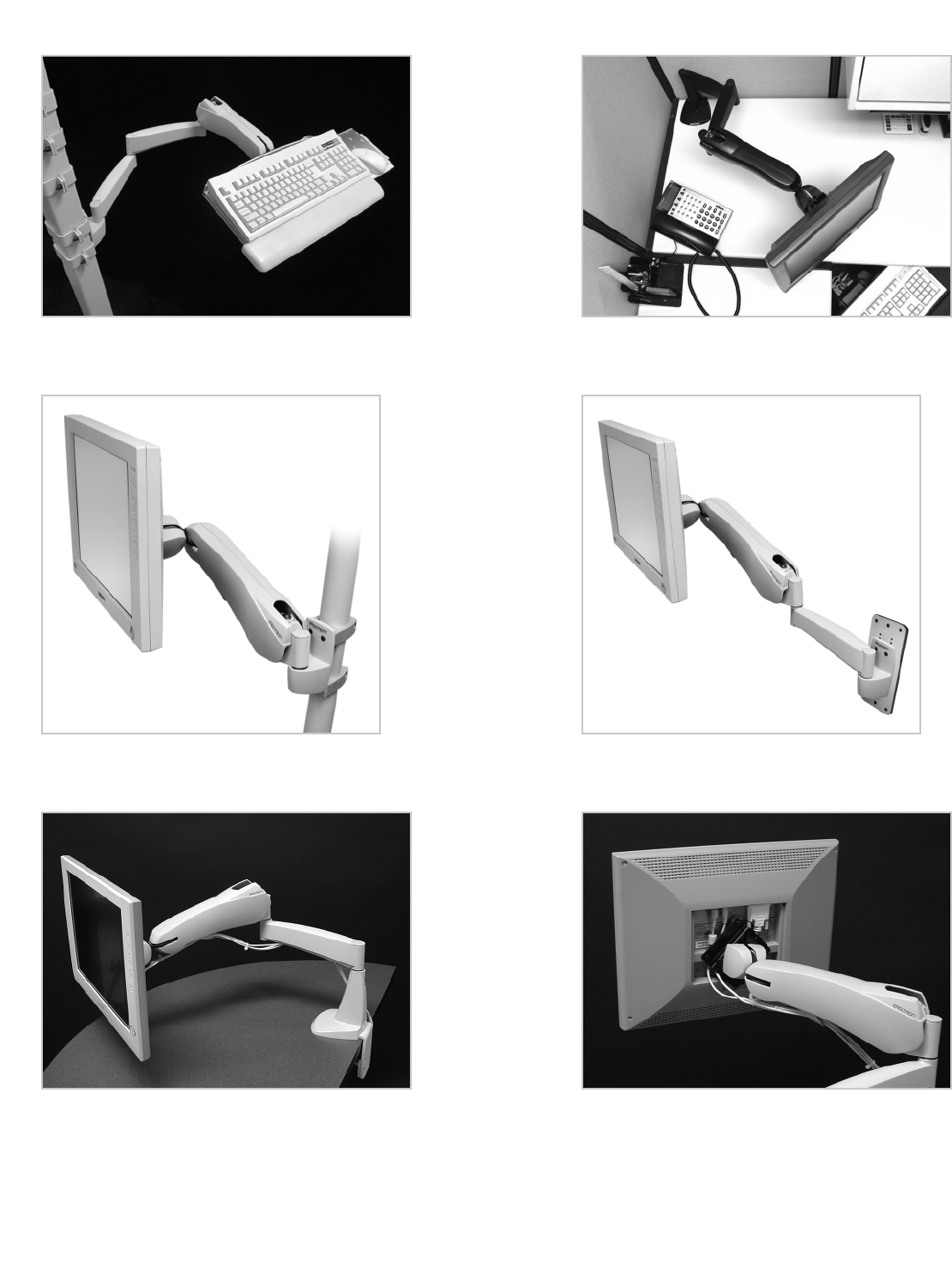
Photo Reference for 300 Series
A 300 Series Arm with two 9" Extensions is mounted to a Command
Post. This configuration can extend the keypad out over 30 inches.
A 300 Series Arm with one 9" Extension attached to Wall
Mount Plate.
A 300 Series Vertical Mount Arm clamped to a 2" round pole.
A 300 Series Arm with 9" Extension is clamped to a worksurface. Rear view of a 300 Series Arm. Note the cable routing.
The top view of a cubicle where a 300 Series Arm with two 9"
Extensions brings the monitor to point of use.

Rotation
• Telescopic motion
Height Adjustment
• Controlled by adjustment knob
Monitor Pivot
Bow Pivot
• Up/down tilt controlled by adjustment lever: +25°/-10°
• Portrait/landscape motion available with single-arm configurations only
Keyboard/Laptop and Combo Pivots
14 • ARMS Orderguide • rev. 05/30/03 870-03-005
360˚
180˚
360˚
20"
(508 mm)
6" Vertical
Slide Pivot
6"
(152 mm)
180˚
180˚
360˚
180˚
35°
Attention: For dimensional information,
see page 60.
ARMS Product Selection
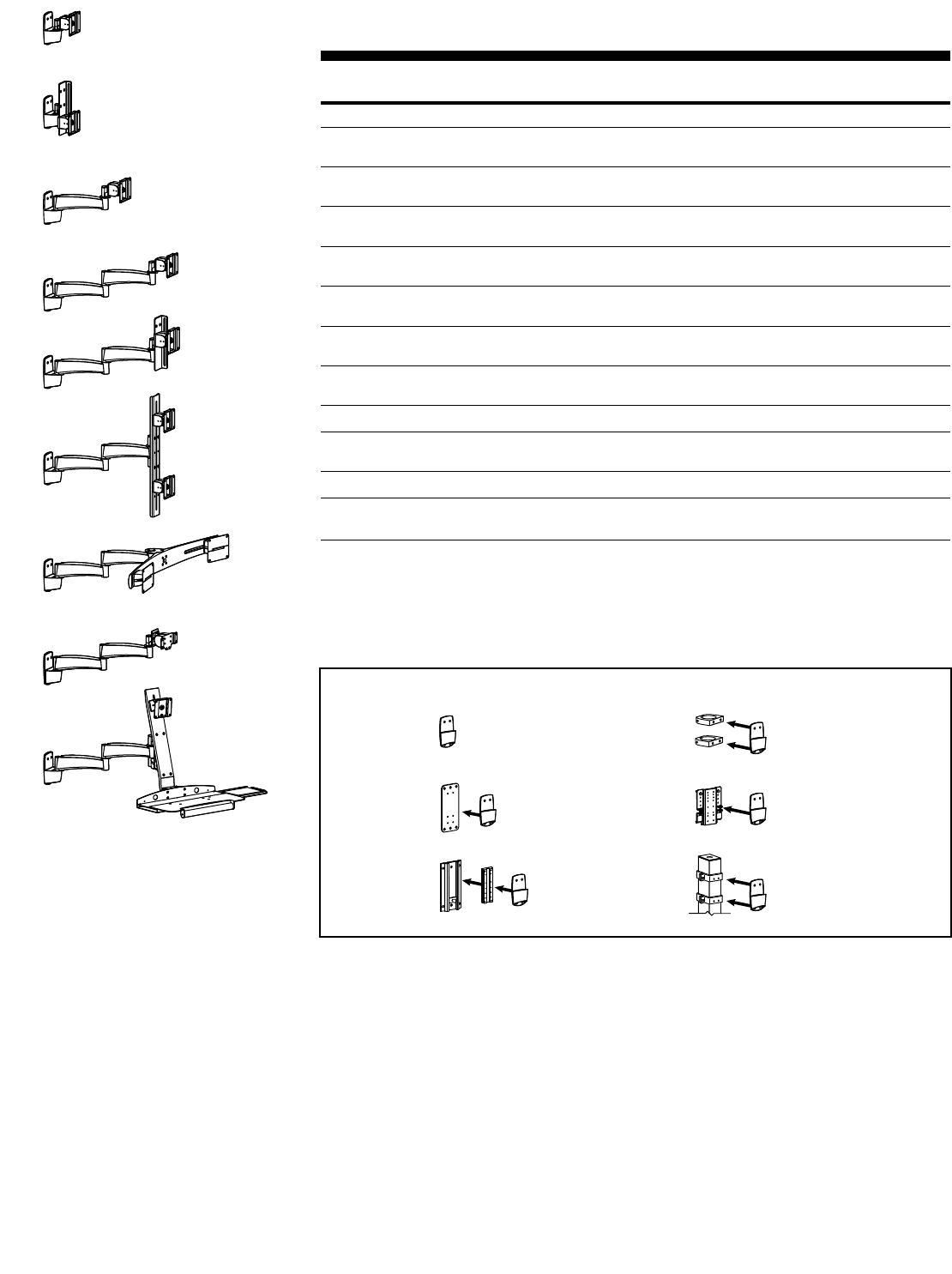
200 Series 200 Series products feature multiple points of rotation for extension and retraction motion.
This sturdy, fixed-height solution can mount multiple monitors on a single arm.
Interchangeable components allow you to customize a system to your exact needs.
Range of Motion
Side View
Up/down tilt
Front View
Portrait/landscape
Top View
Left/right tilt
Top View
Side View
Up/down tilt
Front View
Portrait/landscape
105˚
90˚
870-03-005 rev. 05/30/03 • ARMS Orderguide • 15
28-106-xxx
28-108-xxx
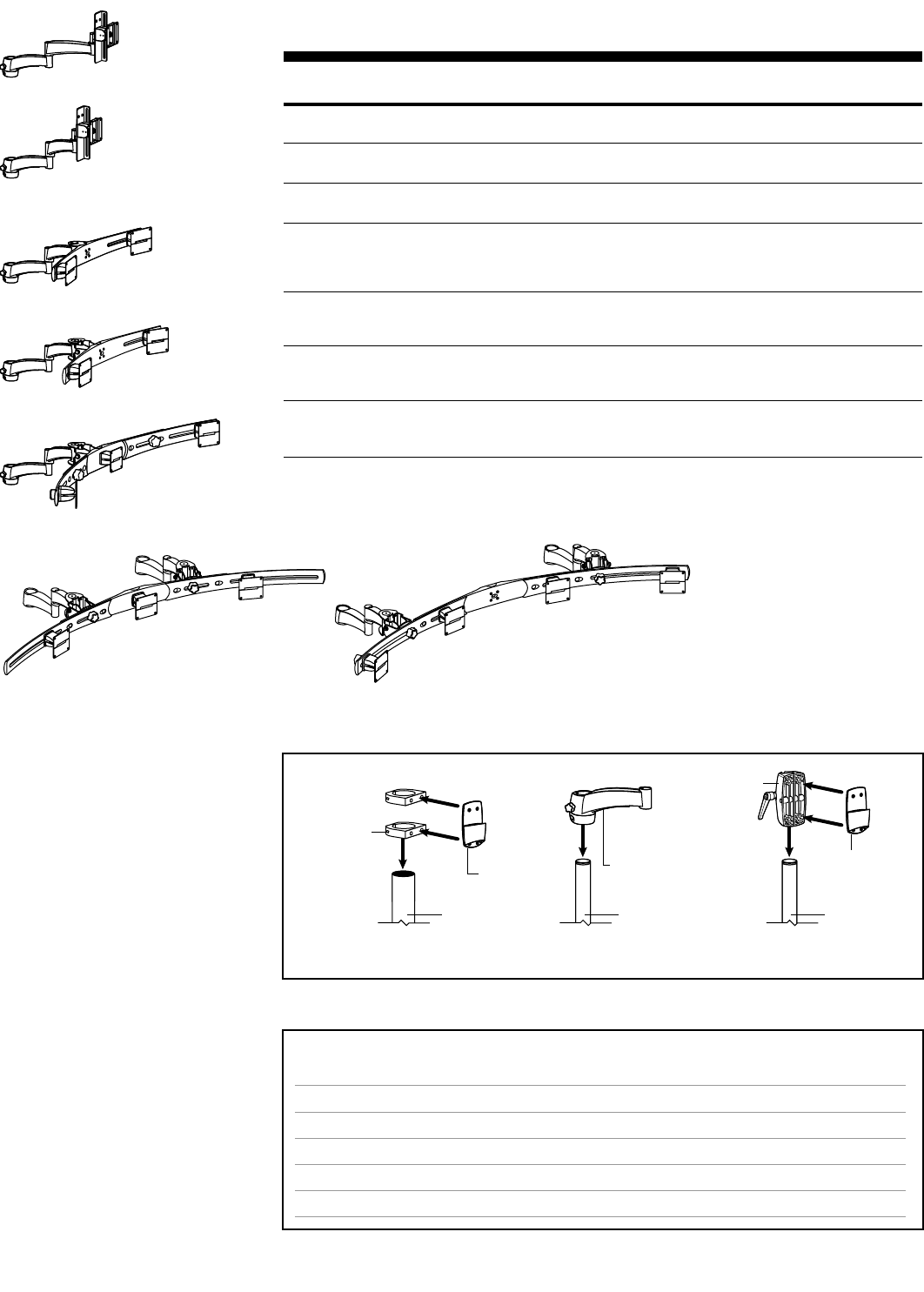
200 Series Pre-configurations – Vertical Mount
Mount to vertical surface: directly to surface, Wall Plate, Wall Track, Pole Clamps, etc. See chart below.
Part Description Weight Capacity Shipping
Number per Pivot Weight
Monitor Mounts
28-106-180, grey Single Pivot w/ P/L 25 lbs 4 lbs
28-106-200, black (11.3 kg) (1.8 kg)
28-185-180, grey 6" Vertical Slide Pivot w/ P/L 25 lbs 6 lbs
28-185-200, black (11.3 kg) (2.7 kg)
28-108-180, grey 9" Extension, 25 lbs 7 lbs
28-108-200, black Single Pivot w/ P/L (11.3 kg) (3.1 kg)
28-096-180, grey (2) 9" Extensions, 25 lbs 13.5 lbs
28-096-200, black Single Pivot w/ P/L (11.3 kg) (6 kg)
28-153-180, grey (2) 9" Extensions, 25 lbs 16 lbs
28-153-200, black 6" Vertical Slide Pivot w/ P/L (11.3 kg) (7.2 kg)
28-144-180, grey (2) 9" Extensions, Vertical Bar, 14 lbs 19 lbs
28-144-200, black (2) Single Pivots w/ P/L (6.3 kg) (8.6 kg)
28-147-180, grey* (2) 9" Extensions, Horizontal Dual-Monitor 13 lbs 21 lbs
28-147-200, black* 28" Crossbar, (2) Sliding Pivots (5.9 kg) (9.5 kg)
Keyboard/Laptop Mounts
28-177-180, grey** (2) 9" Extensions, 7.5 lbs 13.5 lbs
28-177-200, black** Keyboard/Laptop Pivot (3.4 kg) (6.1 kg)
Combo Mounts
28-188-180, grey (2) 9" Extensions, Combination Bracket, Single Mon: 25 lbs (11.3 kg) 28 lbs
28-188-200, black Pivot w/ P/L, Keyboard Pivot, Keyboard/Mouse Tray Kybd: 15 lbs (6.8 kg) (12.7 kg)
* For allowable monitor widths, see page 60.
** Order Keyboard/Mouse Tray or Laptop Tray separately (p.44).
Note: Monitor interfaces that are not VESA FDMI compliant require a separately ordered, custom bracket. Contact
your Sales Representative for more information. (See page 47 for details.)
28-185-xxx
28-096-xxx
28-153-xxx
28-144-xxx
28-147-xxx
28-177-xxx
28-188-xxx
Attention: For dimensional information,
see page 60.
Vertical Mount Attachment Options for the 200 Series
5.
3.
2.
6.
4.1.
Go to page listed to get more information about the different brackets and clamps.
Slatwall Bracket
See page 43
Command Post
See page 40
Wall Track
See page 39
Pole Clamps
See page 42
Wall Plates
See page 38
Directly to
vertical surfaces
16 • ARMS Orderguide • rev. 05/30/03 870-03-005
28-296-xxx
28-282-xxx
28-280-xxx
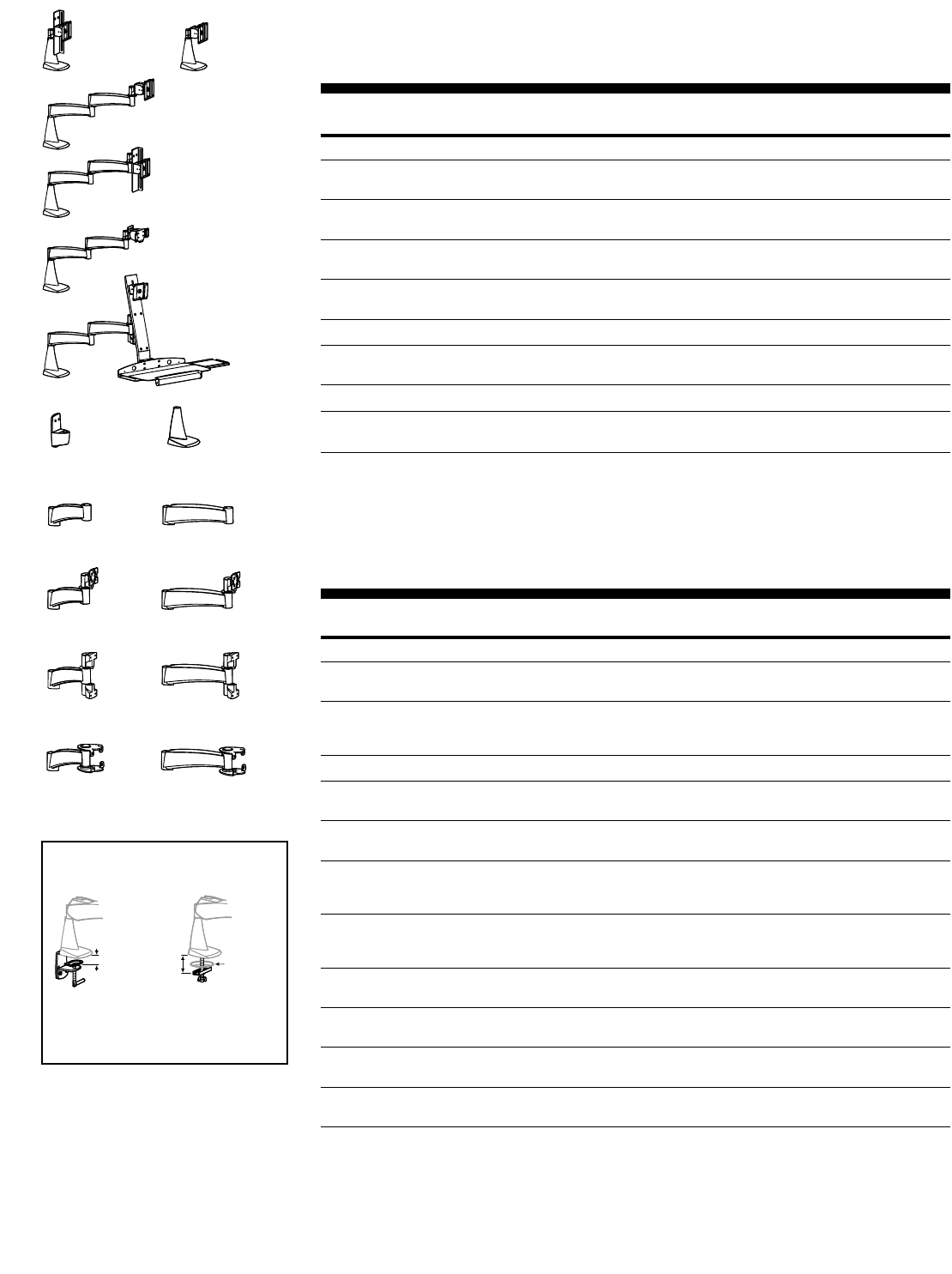
200 Series Pre-configurations – Pole Mount
Attach directly to 1-1/2" diameter poles.
Part Description Weight Capacity Shipping
Number per Pivot Weight
28-296-180, grey 7" Extension w/ Pole Clamp, 9" Extension, 25 lbs 14 lbs
28-296-200, black 6" Vertical Slide Pivot w/ P/L (11.3 kg) (6.3 kg)
28-282-180, grey 7" Extension w/ Pole Clamp, 5" Extension, 25 lbs 14 lbs
28-282-200, black 6" Vertical Slide Pivot w/ P/L (11.3 kg) (6.3 kg)
28-280-180, grey* 7" Extension w/ Pole Clamp, 5" Extension, See chart below 21 lbs
28-280-200, black* Dual-Monitor 28" Crossbar, (2) Sliding Pivots (9.5 kg)
28-370-200, black* 7" Extension w/ Pole Clamp, 5" Extension w/ See chart below 18 lbs
Bow Pivot, Dual-Monitor 28" Crossbar, (8.2 kg)
(2) Sliding Pivots (Upgradeable to Triple-Monitor
Config using 97-195-200, p.18)
28-281-200, black* 7" Extension w/ Pole Clamp, 5" Extension w/ See chart below 22 lbs
Bow Pivot, Triple-Monitor 46" Crossbar w/ (10 kg)
Center Pivot, (2) Sliding Pivots
28-347-200, black* (2) 7" Extensions w/ Pole Clamp, (2) 5" Extensions See chart below 31 lbs
w/ Bow Pivot, Triple-Monitor 55" Crossbar (14 kg)
w/ Center Pivot, (2) Sliding Pivots
28-371-200, black* (2) 7" Extensions w/ Pole Clamp, (2) 5" Extensions See chart below 32 lbs
w/ Bow Pivot,Quad-Monitor 55" Crossbar, (14.5 kg)
(4) Sliding Pivots
* For allowable monitor widths, see page 60.
Note: Monitor interfaces that are not VESA FDMI compliant require a separately ordered, custom bracket. Contact
your Sales Representative for more information. (See page 47 for details.)
28-370-200
28-281-200
28-347-200 28-371-200
Attention: For information regarding
installation products listed in this table,
see pages 42-43.
Part
Number
28-371-200
28-347-200
28-281-200
28-370-200
28-280-200
Slatwall Installation
Weight Capacity per Pivot
24 lbs (10.9 kg)
27 lbs (12.2 kg)
13 lbs (5.9 kg)
22 lbs (10 kg)
25 lbs (11.3 kg)
Grommet/Desk Clamp Installation
Weight Capacity per Pivot
17 lbs (7.7 kg)
19 lbs (8.6 kg)
9 lbs (4 kg)
16 lbs (7.2 kg)
18 lbs (8.1 kg)
Weight Capacities for 200 Series Pole Mount Pre-configurations
Pole Mounts for the 200 Series
Vertical
Mount
7" Extension
w/ Pole Clamp
1-1/2"
Round Pole
Pole-Mount
Brackets
2" Round
Pole
1-1/2"
Round Pole
Vertical
Mount
60-420-200,
Large Clamp
See page 42 for more Pole Mount product information.
870-03-005 rev. 05/30/03 • ARMS Orderguide • 17
28-113-xxx
200 Series Pre-configurations – Desk Mount
Desk Mounts attach to worksurfaces with either the Desk Clamp or the Grommet Mount. Desk Clamps
attach to the edge of worksurfaces ≤2-1/8" (54 mm) thick. Grommet Mounts attach through a hole in
the worksurface 3/8" to 3" (10 to 76 mm) wide, up to 4" (102 mm) thick.
Part Description Weight Capacity Shipping
Number per Pivot Weight
Monitor Mounts
28-113-180, grey 6" Vertical Slide Pivot w/ P/L 25 lbs 6 lbs
28-113-200, black (11.3 kg) (2.7 kg)
28-115-180, grey Single Pivot w/ P/L 25 lbs 7 lbs
28-115-200, black (11.3 kg) (3.1 kg)
28-097-180, grey (2) 9" Extensions, 25 lbs 16.5 lbs
28-097-200, black Single Pivot w/ P/L (11.3 kg) (7.5 kg)
28-154-180, grey (2) 9" Extensions, 25 lbs 20 lbs
28-154-200, black 6" Vertical Slide Pivot w/ P/L (11.3 kg) (9 kg)
Keyboard/Laptop Mounts
28-178-000, grey* (2) 9" Extensions, 7.5 lbs 16.5 lbs
28-178-200, black* Keyboard/Laptop Pivot (3.4 kg) (7.5 kg)
Combo Mounts
28-189-180, grey (2) 9" Extensions, Combination Bracket, Single Pivot Mon: 25 lbs (11.3 kg) 28 lbs
28-189-200, black w/ P/L, Keyboard Pivot, Keyboard/Mouse Tray Kybd: 15 lbs (6.8 kg) (12.7 kg)
* Order Keyboard/Mouse Tray or Laptop Tray separately (p.44).
Note: Monitor interfaces that are not VESA FDMI compliant require a separately ordered, custom bracket. Contact
your Sales Representative for more information. (See page 47 for details.)
28-115-xxx
28-097-xxx
28-154-xxx
28-178-xxx
28-189-xxx
200 Series – Individual Components (continued on next page)
Part Description Shipping
Number Weight
Bases Attach to…
60-249-180, grey Vertical Mount Slatwall Bracket, Wall Track, Wall Plate, 2 lbs
60-249-200, black Pole Clamp, directly to vertical surface (.9 kg)
33-069-180, grey Desk Mount Clamp: Horizontal surface at edge ≤2-1/8" (54 mm) 5 lbs
33-069-200, black (Clamp/Grommet) Grommet: Horizontal surface through hole (2.3 kg)
3/8" to 3" (10 to 76 mm) wide, up to 4" (102 mm) thick
Extensions (continued on next page) Notes
45-121-180, grey 5" Extension Combine w/ other Extension(s) 5 lbs
45-121-200, black (2.3 kg)
45-056-180, grey 9" Extension Combine w/ other Extension(s) 5 lbs
45-056-200, black (2.3 kg)
45-135-180, grey 5" Extension Use with Single Pivot (47-011-xxx), 6 lbs
45-135-200, black w/ Pivot Interface Keyboard/Laptop Pivot (47-009-xxx) or (2.7 kg)
6" Vertical Slide Pivot (60-321-009)
45-058-180, grey 9" Extension Use with Single Pivot (47-011-xxx), 5 lbs
45-058-200, black w/ Pivot Interface Keyboard/Laptop Pivot (47-009-xxx) or (2.3 kg)
6" Vertical Slide Pivot (60-321-009)
45-134-180, grey 5" Extension Use with Vertical Bar (60-324-xxx) 6 lbs
45-134-200, black w/ Combo Interface or Combo Bracket (60-374-xxx) (2.7 kg)
45-057-180, grey 9" Extension Use with Vertical Bar (60-324-xxx) 5 lbs
45-057-200, black w/ Combo Interface or Combo Bracket (60-374-xxx) (2.3 kg)
45-123-180, grey 5" Extension Use with Horizontal Crossbar 6 lbs
45-123-200, black w/ Crossbar Interface (60-409-xxx) (2.7 kg)
45-125-180, grey 9" Extension Use with Horizontal Crossbar 6 lbs
45-125-200, black w/ Crossbar Interface (60-409-xxx) (2.7 kg)
45-123-xxx 45-125-xxx
45-134-xxx 45-057-xxx
45-135-xxx 45-058-xxx
45-121-xxx 45-056-xxx
60-249-xxx 33-069-xxx
Attention:
System weight capacity may vary
depending on system configuration
(e.g., the number of Extensions used).
See page 52 to calculate capacity.
For dimensional information,
see page 60.
≤ 2-1/8"
(54 mm)
3/8" to 3"
(10 to 76 mm)
4"
(102 mm)
Desk Clamp
Both the Desk Clamp and Grommet
Mount bases are included with the
Desk Mount option.
Grommet Mount
Desk Mount Attachment
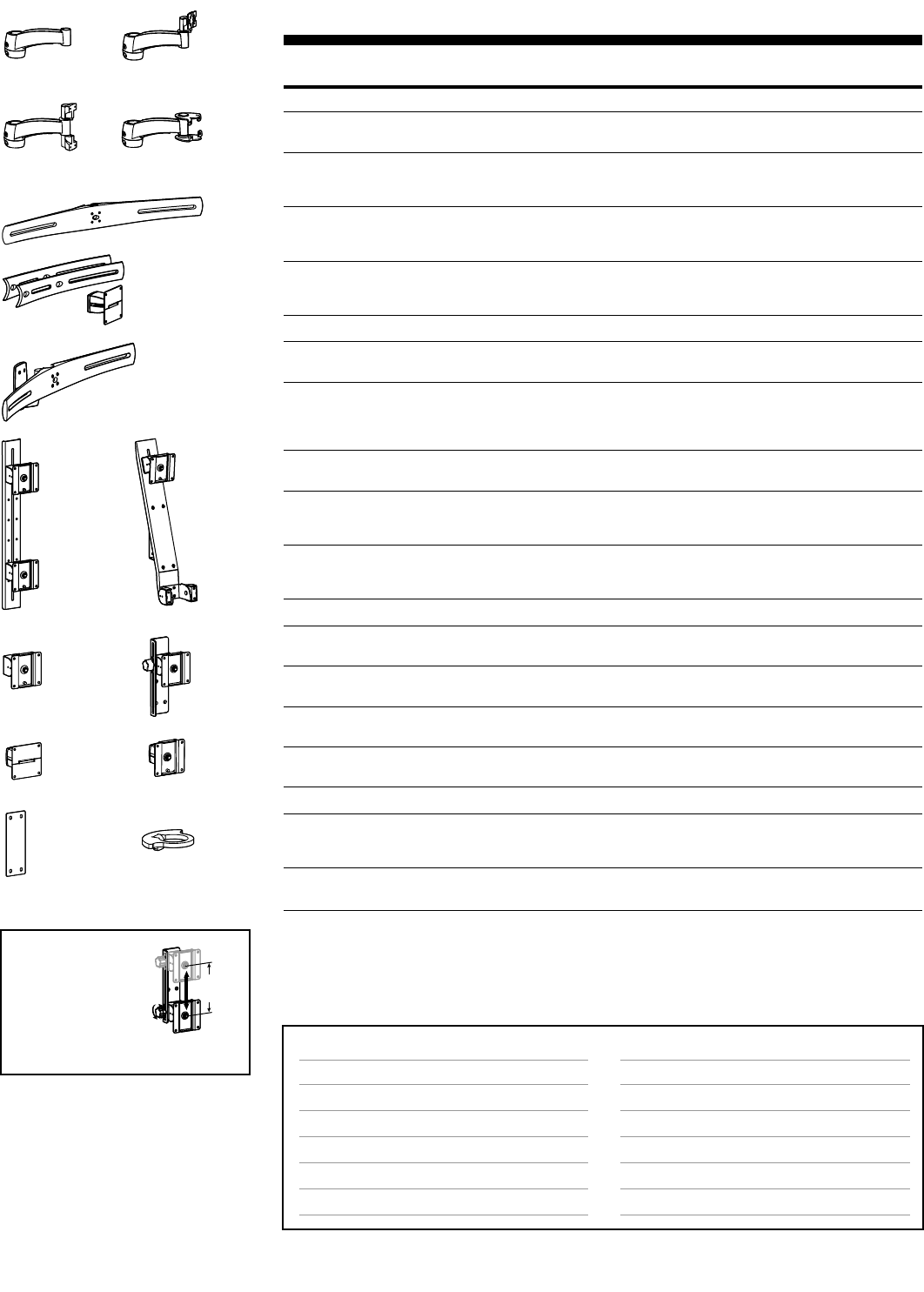
6"
(152 mm)
18 • ARMS Orderguide • rev. 05/30/03 870-03-005
47-011-xxx
The 200 Series can
be fitted with the 6"
Vertical Slide Pivot to
add height adjustment
capability. With a turn
of a knob, the monitor
can be repositioned at
the optimum height.
60-321-009
47-046-xxx 47-047-xxx
60-323-007 97-151-007
Page #
38
39
40
42
43
33
Accessory Options
Extensions
Keyboard/Mouse Trays, Laptop Trays & Accessories
Monitor Interface Accessories
CPU Holders
Storage Components
Peripheral Table
Page #
17 & 18
44
45
45
46
46
Surface Attachment Options
Direct Mounting, Wall Plates
Wall Tracks
Command Posts
Pole Mounts
Slatwall Components
Mobile WorkStands
60-409-xxx
97-195-xxx
60-324-xxx 60-374-xxx
28-320-xxx
Mounting Options & Accessories for 200 Series
Attention:
System weight capacity may vary
depending on system configuration
(e.g., the number of Extensions used).
See page 52 to calculate capacity.
For dimensional information,
see page 60.
Height Adjustment
200 Series – Individual Components (cont.)
Part Description Shipping
Number Weight
Extensions (continued from previous page) Attaches to…
45-120-180, grey 7" Extension w/ Pole 1-1/2" Round Pole (p.42) 6 lbs
45-120-200, black Clamp (2.7 kg)
45-137-180, grey 7" Extension w/ Pole 1-1/2" Round Pole (p.42); use with Single Pivot 7 lbs
45-137-200, black Clamp w/ Pivot Interface (47-011-xxx), Keyboard/Laptop Pivot (47-009-xxx) (3.2 kg)
or 6" Vertical Slide (60-321-009)
45-136-180, grey 7" Extension w/ Pole 1-1/2" Round Pole (p.42); use w/ Vertical Bar 7 lbs
45-136-200, black Clamp w/ Combo (60-324-xxx) or Combo Bracket (60-374-xxx) (3.2 kg)
Interface
45-124-180, grey 7" Extension w/ Pole 1-1/2" Round Pole (p.42); use with Horizontal 7 lbs
45-124-200, black Clamp w/ Crossbar Crossbar (60-409-xxx) (3.2 kg)
Interface
Multi Component Mounts Notes
60-409-099, grey* Horizontal Dual-Monitor Requires (2) separately-ordered Sliding Pivots (below); 6 lbs
60-409-085, black* 28" Crossbar attaches to Extension w/ Crossbar Interface (2.7 kg)
97-195-099, grey* Dual-to-Triple Horizontal Transforms Dual-Monitor System 28-370-200 (p.16) 6 lbs
97-195-085, black* Crossbar Upgrade Kit: into Triple-Monitor System. Note: The weight capacity (2.7 kg)
(2) Short Crossbar of the 28-370-200 when using the 97-195-xxx is the
Extensions, Center Pivot same as the 28-281-200 (p.16).
28-320-099, grey* Horizontal Dual-Monitor Requires (2) separately-ordered Sliding Pivots (below) 10 lbs
28-320-085, black* 28" Crossbar, Vertical Mount (4.5 kg)
60-324-099, grey Vertical Dual-Monitor Includes Pivots; attaches to Extension 8 lbs
60-324-085, black 21" Bar, Sliding w/ Combo Interface (3.6 kg)
Pivots w/ P/L
60-374-099, grey Combo Monitor/Keyboard Includes Pivots; attaches to Extension w/ Combo 8 lbs
60-374-085, black Bracket, Single Pivot w/ P/L Interface; order Keyboard & Keyboard Pivot Tray (3.6 kg)
separately (p.44)
Pivots Notes
47-011-099, grey Single Pivot w/ P/L Attaches to Extension w/ Pivot 2 lbs
47-011-085, black Interface (.9 kg)
60-321-009, black 6" Vertical Slide Attaches to Extension w/ Pivot Interface 3 lbs
Pivot w/ P/L (1.4 kg)
47-046-099, grey Sliding Pivot Attaches to Horizontal Crossbars 2 lbs
47-046-085, black (.9 kg)
47-047-099, grey Sliding Pivot w/ P/L Attaches to Horizontal Crossbars 2 lbs
47-047-085, black (.9 kg)
Other Notes
60-323-007, 400 Series Interface Plate Attaches to Extension w/ Combo Interface; 1 lbs
aluminum use with 400 Series Rotate Arm only; (.5 kg)
limit system to (1) Extension
97-151-007, Rotation Stop Bracket Controls rotation of Extension 1 lbs
aluminum (.5 kg)
* For allowable monitor widths, see page 60.
Note: Monitor interfaces that are not VESA FDMI compliant require a separately ordered, custom bracket. Contact
your Sales Representative for more information. (See page 47 for details.)
45-120-xxx 45-137-xxx
45-136-xxx 45-124-xxx

870-03-005 rev. 05/30/03 • ARMS Orderguide • 19
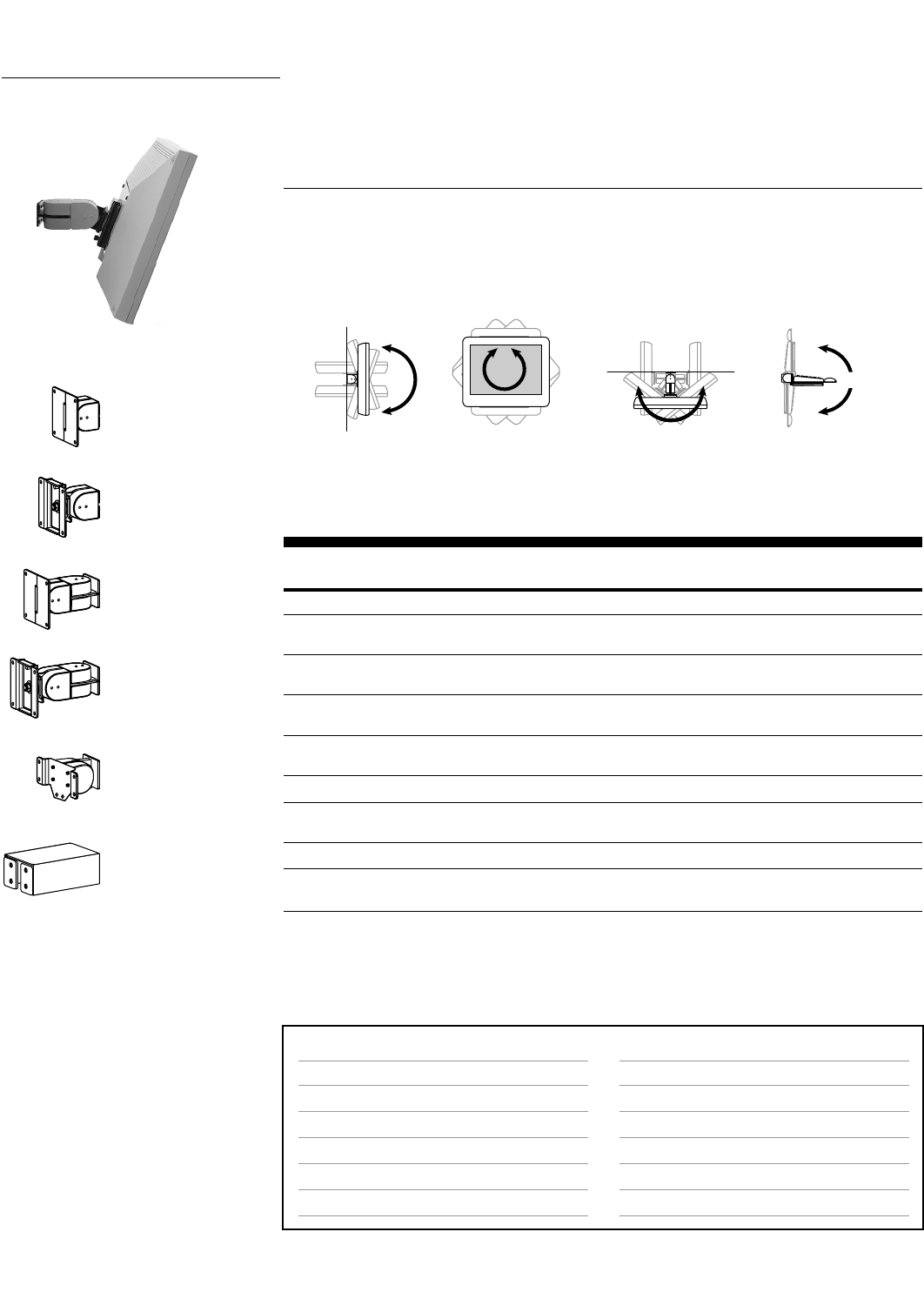
Photo Reference for 200 Series
The 200 Series features extension and retraction motion.
Vertical Mount 200 Series Single Pivot w/ P/L.
A triple-monitor configuration attached to slatwall using a
1-1/2" Round Pole and Slatwall Pole Clamp.
200 Series Desk Mount configuration.
200 Combo Arm and CPU Holder attached to Wall Track.
Vertical Mount 200 Series 6" Vertical Slide Pivot.
20 • ARMS Orderguide • rev. 05/30/03 870-03-005
ARMS Product Selection
up to 180˚up to 180˚360˚
180˚
100 Series
Pivots attach to walls, machines and other vertical surfaces.
Part Description Weight Shipping
Number Capacity Weight
Monitor Mounts
47-001-099, grey Single Pivot 28 lbs 1 lbs
47-001-085, black (12.7 kg) (.5 kg)
47-011-099, grey Single Pivot w/ P/L 25 lbs 2 lbs
47-011-085, black (11.3 kg) (.9 kg)
47-012-099, grey Double Pivot 25 lbs 3 lbs
47-012-085, black (11.3 kg) (1.4 kg)
47-007-099, grey Double Pivot w/ P/L 23 lbs 3 lbs
47-007-085, black (10.4 kg) (1.4 kg)
Keyboard/Laptop Mounts
47-009-099, grey* Keyboard/Laptop Pivot 7.5 lbs 2 lbs
47-009-085, black* (3.4 kg) (.9 kg)
Extenders Dimensions (L x W x D)
60-197-100, grey Extender, 5-inch 5" x 2" x 1-3/4" 2 lbs
60-197-101, black (127 x 51 x 44 mm) (.9 kg)
* Keyboard/Mouse Tray or Laptop Tray ordered separately. (See page 44.)
Note: Monitor interfaces that are not VESA FDMI compliant require a separately ordered, custom bracket. Contact
your Sales Representative for more information. (See page 47 for details.)
47-007-xxx
Page #
38
39
40
42
43
33
Accessory Options
Extenders
Keyboard/Mouse Trays, Laptop Trays & Accessories
Monitor Interface Accessories
CPU Holders
Storage Components
Peripheral Table
Page #
above
44
45
45
46
46
Surface Attachment Options
Direct Mounting, Wall Plates
Wall Tracks
Command Posts
Pole Mounts
Slatwall Components
Mobile WorkStands
Attention: For dimensional information,
see page 61.
47-001-xxx
47-011-xxx
47-012-xxx
47-009-xxx
60-197-xxx
Mounting Options & Accessories for 100 Series
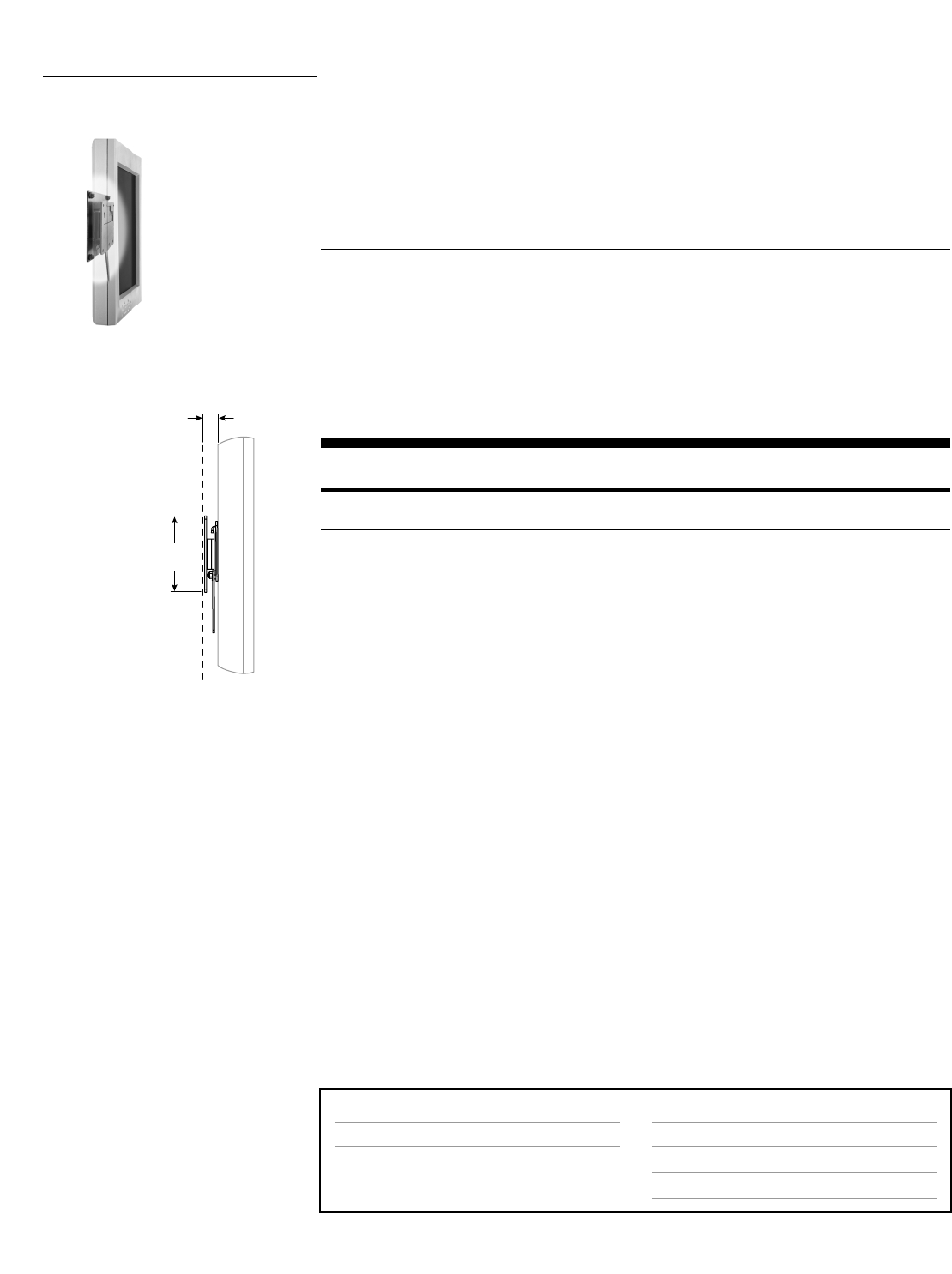
Pivot/Tilt
•Single Pivot: 180°up/down tilt
•Single Pivot w/ P/L: 180°up/down tilt; 360°portrait/landscape
•Double Pivot: 180°up/down tilt; 180°left/right tilt
•Double Pivot w/ P/L: 180°up/down tilt; 360°portrait/landscape; 180°left/right tilt
•Keyboard/Laptop Pivot: 180°up/down tilt
100 Series 100 Pivots provide tilt and portrait/landscape adjustment. Mount them to most vertical
surfaces. Their low profile is perfect for space-constrained areas.
Range of Motion
Side View
Up/down tilt
Front View
Portrait/landscape
Top View
Left/right tilt
Side View
Up/down tilt
870-03-005 rev. 05/30/03 • ARMS Orderguide • 21
FX Series
A two-part bracket set: To release the monitor from the wall, the user simply moves the lever to the
side and lifts. The monitor reinstalls just as easily.
Part Description Weight Shipping
Number Capacity Weight
60-239-007, black* FX-30 Wall Mount 30 lbs 2 lbs
(13.6 kg) (.9 kg)
* Kit does not include screws or fasteners to mount bracket to vertical surface. Customer supplied.
Note: Monitor interfaces that are not VESA FDMI compliant require a separately ordered, custom bracket. Contact
your Sales Representative for more information. (See page 47 for details.)
Page #
38
Accessory Options
Wrist Rests & Mouse Accessories
CPU Holders
Storage Components
Page #
44
45
46
Surface Attachment Options
Direct Mounting
3/4"
(20 mm)
4-1/2"
(115 mm)
None: The FX Series is a fixed mount solution.
ARMS Product Selection
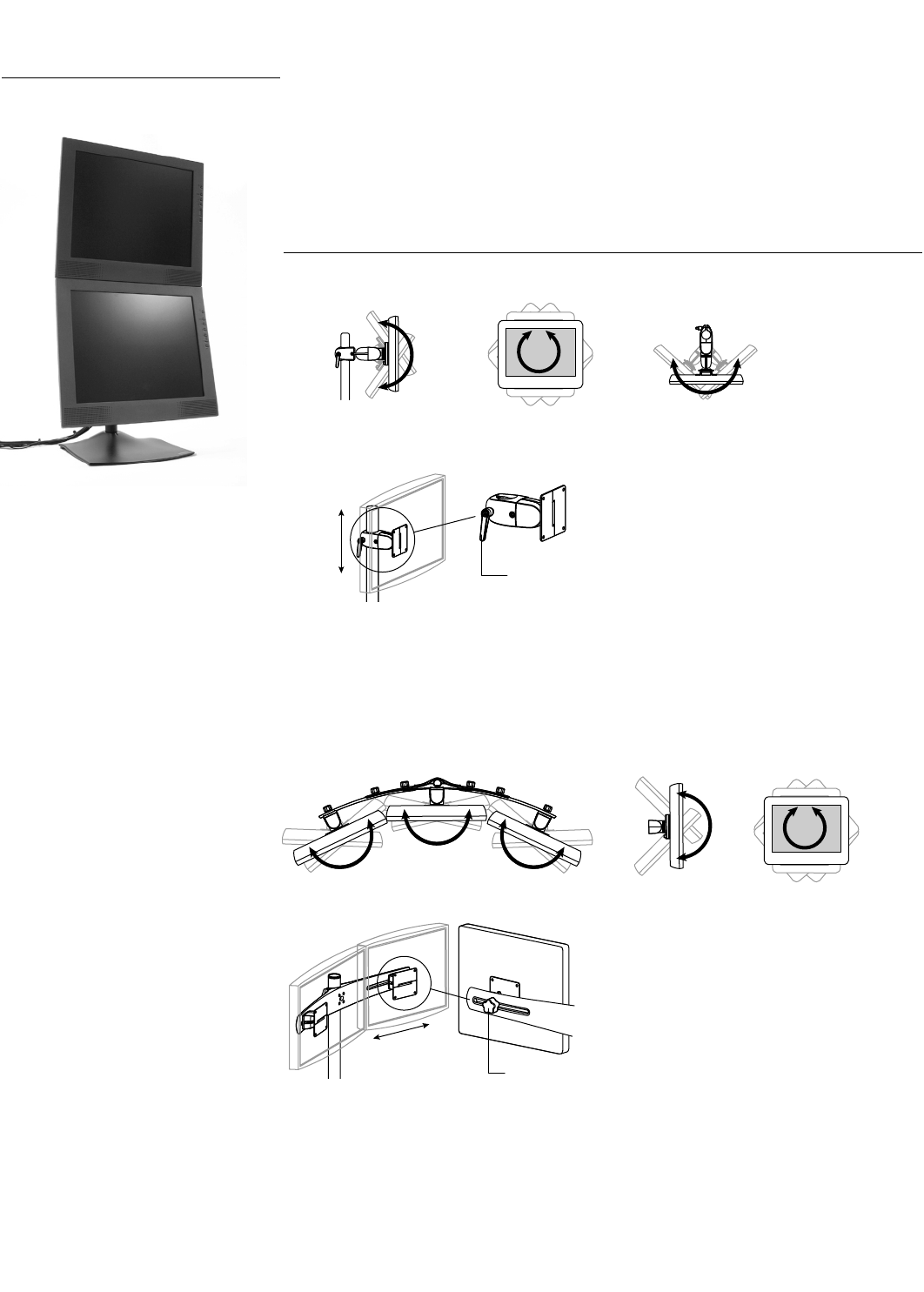
FX Series Fixed mounts (FX Series) allow flat panels to be hung like a picture. Once installed,
monitors are held in place with touch-screen stability. This is a very low-profile mounting
solution: monitors are held less than an inch from the wall. Attach the FX Series to most
any vertical surface.
Range of Motion
Mounting Options & Accessories for FX Series
Side View
Clamping Pivots
Motion range varies…
• Clamping Pivot:up/down tilt
•Clamping Pivot with P/L:up/down tilt;portrait/landscape
•Clamping Double Pivot:up/down tilt;left/right tilt
•Clamping Double Pivot with P/L:up/down tilt;left/right tilt;portrait/landscape
Sliding Pivots
(Can be installed for left/right or up/down tilt)
Motion range varies…
• Sliding Pivot:left/right or up/down tilt
•Sliding Pivot with P/L:left/right or up/down tilt;portrait/landscape
22 • ARMS Orderguide • rev.05/30/03 870-03-005
Adjustment lever
OR
Rear View
Adjustment thumbscrew
ARMS Product Selection
DS100 Series DeskStand 100 (DS100 Series) positions up to five monitors on a worksurface.Choose
from three base options:Free Standing, Desk Clamp, or Grommet Mount.The DS100
Series utilizes Paraview Technology:view multiple monitors simultaneously,
adjusting their position to a comfortable, ergonomically appropriate location.
Range of Motion
Side View
Up/down tilt
Front View
Portrait/landscape
Top View
Left/right tilt
Side View
Up/down tilt
Front View
Portrait/landscape
Top View
Left/right tilt
870-03-005 rev.05/30/03 • ARMS Orderguide • 23
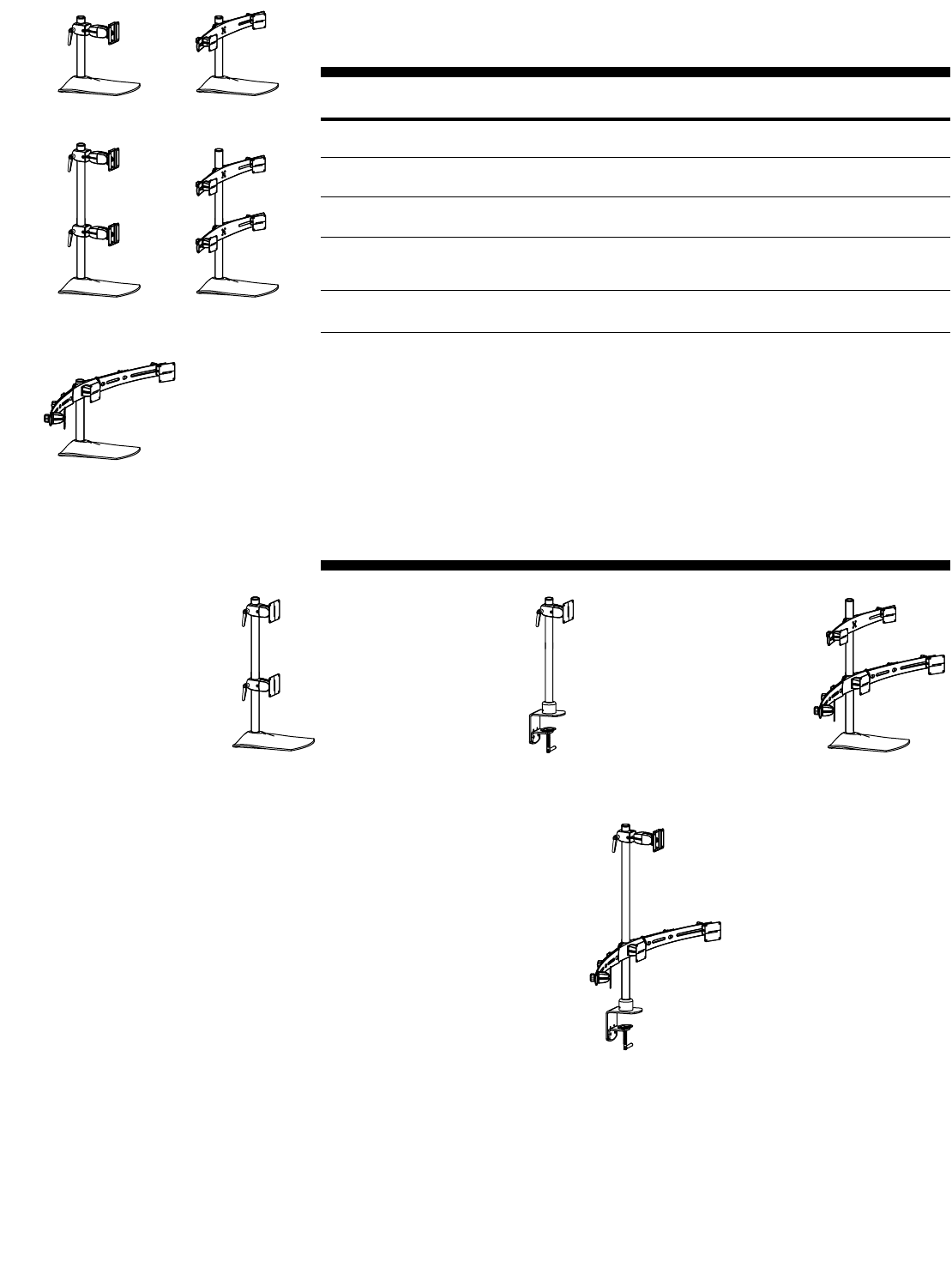
DS100 Series – Pre-configurations
Selections include Pivot(s), Free Standing Base, Pole and Crossbar(s) in one complete package.
Standard color is black.
Part Description Weight Capacity Shipping
Number per Pivot Weight
33-090-200, black Single Monitor Pre-configuration: 23 lbs 11 lbs
14" Pole, Clamping Double Pivot w/ P/L (10.4 kg) (5 kg)
33-091-200, black Dual Monitor Vertical Pre-configuration: 23 lbs 16 lbs
28" Pole, (2) Clamping Double Pivots w/ P/L (10.4 kg) (7.3 kg)
33-092-200, black* Dual Monitor Horizontal Pre-configuration: 28 lbs 16 lbs
14" Pole, 28" Crossbar, (2) Sliding Pivots (12.7 kg) (7.3 kg)
33-095-200, black* Triple Monitor Horizontal Pre-configuration: 28 lbs 20 lbs
14" Pole, 46" Crossbar w/ Center Pivot, (12.7 kg) (9 kg)
(2) Sliding Pivots
33-096-200, black* Quad Monitor Pre-configuration: 28 lbs 24 lbs
28" Pole, (2) 28" Crossbars, (4) Sliding Pivots (12.7 kg) (10.9 kg)
*For allowable monitor widths, see page 62.
Note:Monitor interfaces that are not VESA FDMI compliant require a separately ordered, custom bracket.Contact
your Sales Representative for more information.(See page 47 for details.)
33-090-200
DS100 Series – Custom Configurations
Build your own DeskStand to your exact specifications with selection of interchangeable
parts.Below are examples of possible configurations composed with DS100 Series individual
components (see next section).
33-092-200
33-091-200 33-096-200
33-095-200
Custom Example 1:
Vertical (V) Dual Monitor
includes:
• 33-262-200, Free Standing Base
• 20-137-200, 28" Pole
• 47-057-200, (2), Clamping Pivots
Custom Example 2:
Single Monitor
includes:
• 60-349-200, Desk Clamp Base
• 20-136-200, 22" Pole
• 47-057-200, Clamping Pivot
Custom Example 3:
Quint Monitor
includes:
• 33-262-200, Free Standing Base
• 20-137-200, 28" Pole
• 60-409-200, 28" Crossbar
• 60-410-200, 46" Crossbar
• 47-046-085 (4), Sliding Pivots
Custom Example 4:
Pyramidal (P) Quad Monitor
includes:
• 60-349-200, Desk Clamp Base
• 20-161-200, 36" Pole
• 60-410-200, 46" Crossbar
• 47-046-085 (2), Sliding Pivots
• 47-051-200, Clamping Double Pivot w/ P/L
Attention:For dimensional information,
see page 62.
24 • ARMS Orderguide • rev. 05/30/03 870-03-005
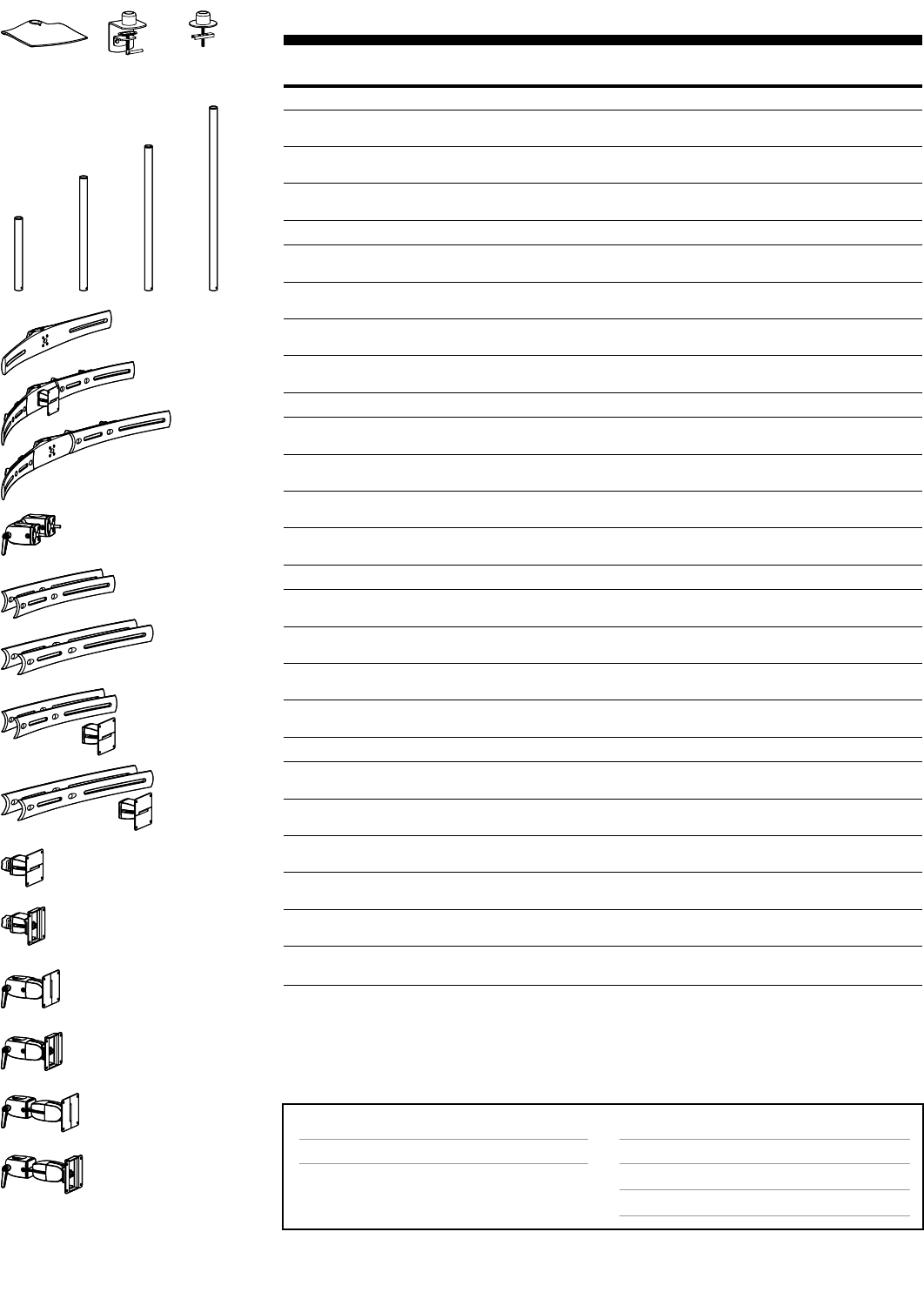
DS100 Series – Individual Components
Part Description Shipping
Number Weight
Bases Attach to…
33-262-200, black Free Standing Base No attachment necessary 2 lbs
(.9 kg)
60-349-200, black Desk Clamp Base Worksurface edge ≤2-1/8" (54 mm) thick 5 lbs
(2.3 kg)
60-350-200, black Grommet Mount Base Worksurface through hole 3/8" to 3" (10 to 5 lbs
76 mm) wide, up to ≤4" (102 mm) thick (2.3 kg)
Poles Recommended Configurations
20-135-200, black 14" Pole Single, dual (H), triple (H), quad (H) 2 lbs
(.9 kg)
20-136-200, black 22" Pole Single, dual (H), triple (H), quad (H) 5 lbs
(2.3 kg)
20-137-200, black 28" Pole Dual (V), triple (P), quad (S), quint 5 lbs
(2.3 kg)
20-161-200, black 36" Pole Dual (V), triple (P), quad (P, S), quint 5 lbs
(2.3 kg)
Crossbars Recommended Configurations
60-409-200, black* 28" Crossbar Dual (H), triple (P), quad (S), quint 6 lbs
(mounts 2 Pivots) (2.7 kg)
60-410-200, black* 46" Crossbar Triple (H), quad (P), quint 10 lbs
w/ Center Pivot Pivot (mounts 3 Pivots) (4.5 kg)
60-432-200, black* 55" Crossbar Quad (H) – requires Outboard Pole 11 lbs
(mounts 4 Pivots) Clamps & 2 Bases/Poles (5 kg)
60-443-200, black Outboard Pole Clamps Quad (H) – attaches 55" Crossbar 3 lbs
(1 set of 2 clamps) to 2 Bases/Poles (1.4 kg)
Crossbar Extenders Application
60-411-200, black* Short Crossbar Converts 28" Crossbar to 46" Crossbar 4 lbs
Extenders (1.8 kg)
60-436-200, black* Long Crossbar Converts 28" Crossbar to 55" Crossbar 4 lbs
Extenders (1.8 kg)
97-195-200, black* Short Crossbar Converts 28" Crossbar to 46" Crossbar & 6 lbs
Extenders, Center Pivot adds Pivot to center (2.7 kg)
97-196-200, black* Long Crossbar Converts 28" Crossbar to 55" Crossbar & 6 lbs
Extenders, Center Pivot adds Pivot to center (2.7 kg)
Pivots Attach to…Weight Capacity
47-046-085, black Sliding Pivot Crossbar 28 lbs 2 lbs
(12.7 kg) (.9 kg)
47-047-085, black Sliding Pivot w/ P/L Crossbar 25 lbs 2 lbs
(11.3 kg) (.9 kg)
47-057-200, black Clamping Pivot Pole 28 lbs 3 lbs
(12.7 kg) (1.4 kg)
47-058-200, black Clamping Pivot w/ P/L Pole 25 lbs 4 lbs
(11.3 kg) (1.8 kg)
47-050-200, black Clamping Double Pivot Pole 25 lbs 5 lbs
(11.3 kg) (2.3 kg)
47-051-200, black Clamping Double Pivot Pole 23 lbs 5 lbs
w/ P/L (10.4 kg) (2.3 kg)
* For allowable monitor widths, see page 62.
Note: Monitor interfaces that are not VESA FDMI compliant require a separately ordered, custom bracket. Contact
your Sales Representative for more information. (See page 47 for details.)
Key for Recommended Configurations: (H) = horizontal; (V) = vertical; (P) = pyramidal; (S) = square.
33-262-200 60-349-200
20-135-200
60-409-200
Page #
above
Accessory Options
Wrist Rests & Mouse Accessories
CPU Holders
Storage Components
Page #
44
45
46
Surface Attachment Options
Freestanding, Desk Clamp, Grommet Mount
60-350-200
20-136-200
20-137-200
60-410-200
60-432-200
60-411-200
60-436-200
97-195-200
97-196-200
60-443-200
47-046-085
47-047-085
47-057-200
47-058-200
47-050-200
47-051-200
Mounting Options & Accessories for DS100 Series
20-161-200
870-03-005 rev. 05/30/03 • ARMS Orderguide • 25
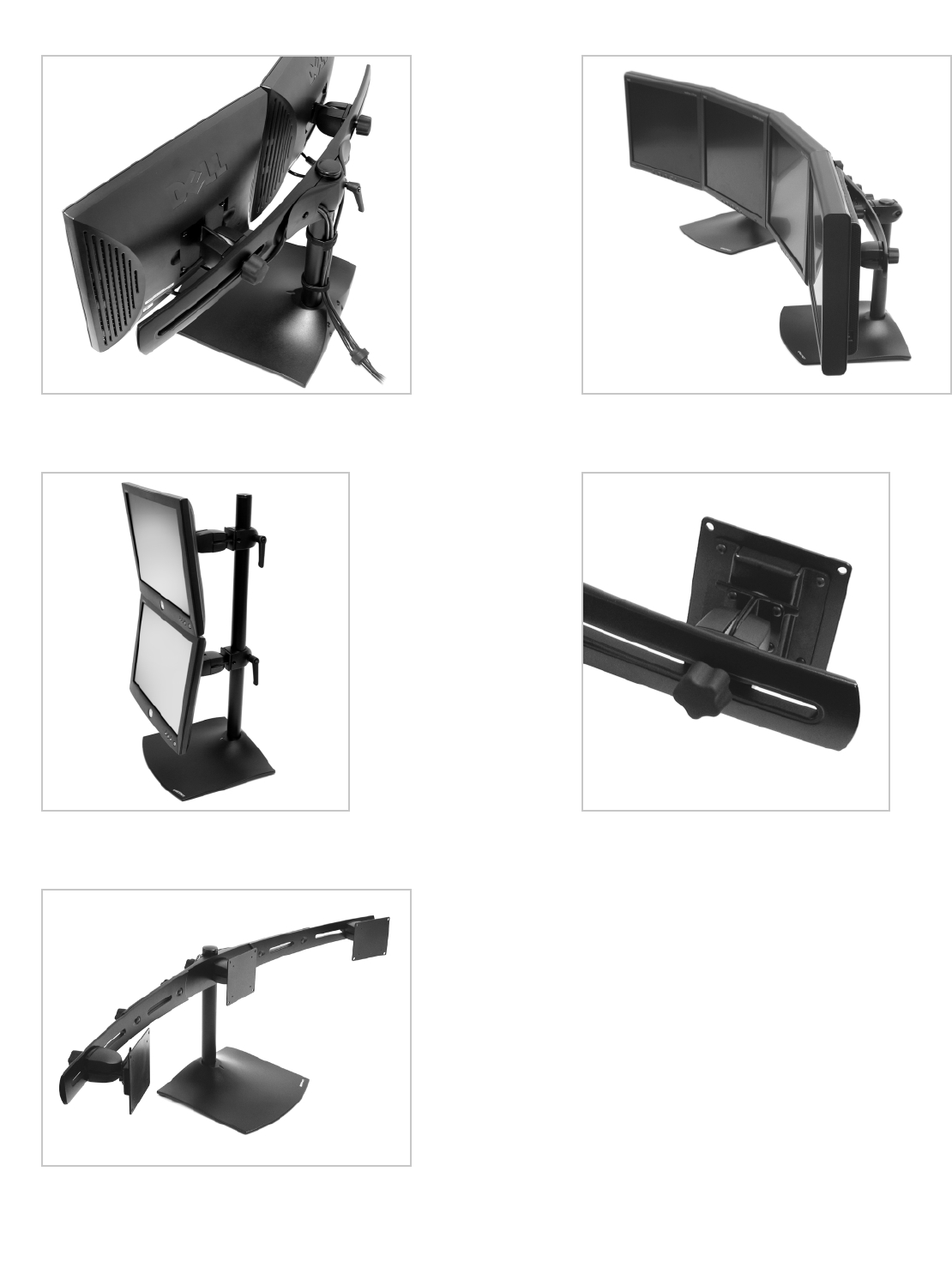
Photo Reference for DS100 Series
Rear view of a horizontal dual-monitor DS100 configuration. Cables
are routed through the crossbar.
A dual-monitor vertical configuration provides full tilt
adjustability.
A triple-monitor configuration demonstrates the curve of a “viewing
parabola,” which maintains a single focal length for viewing.
A horizontal quad-monitor configuration – two bases support four
monitors across a level plane while creating a viewing parabola with
Ergotron's Paraview Technology.
Close-up view of the Sliding Pivot on the Paraview bow.
With the turn of the knob, a monitor is easily moved to
accommodate multiple, different-sized screens on the
same stand.
Arm Adjustment
Pivot Adjustment
26 • ARMS Orderguide • rev. 05/30/03 870-03-005
180˚
90˚
90˚
360˚
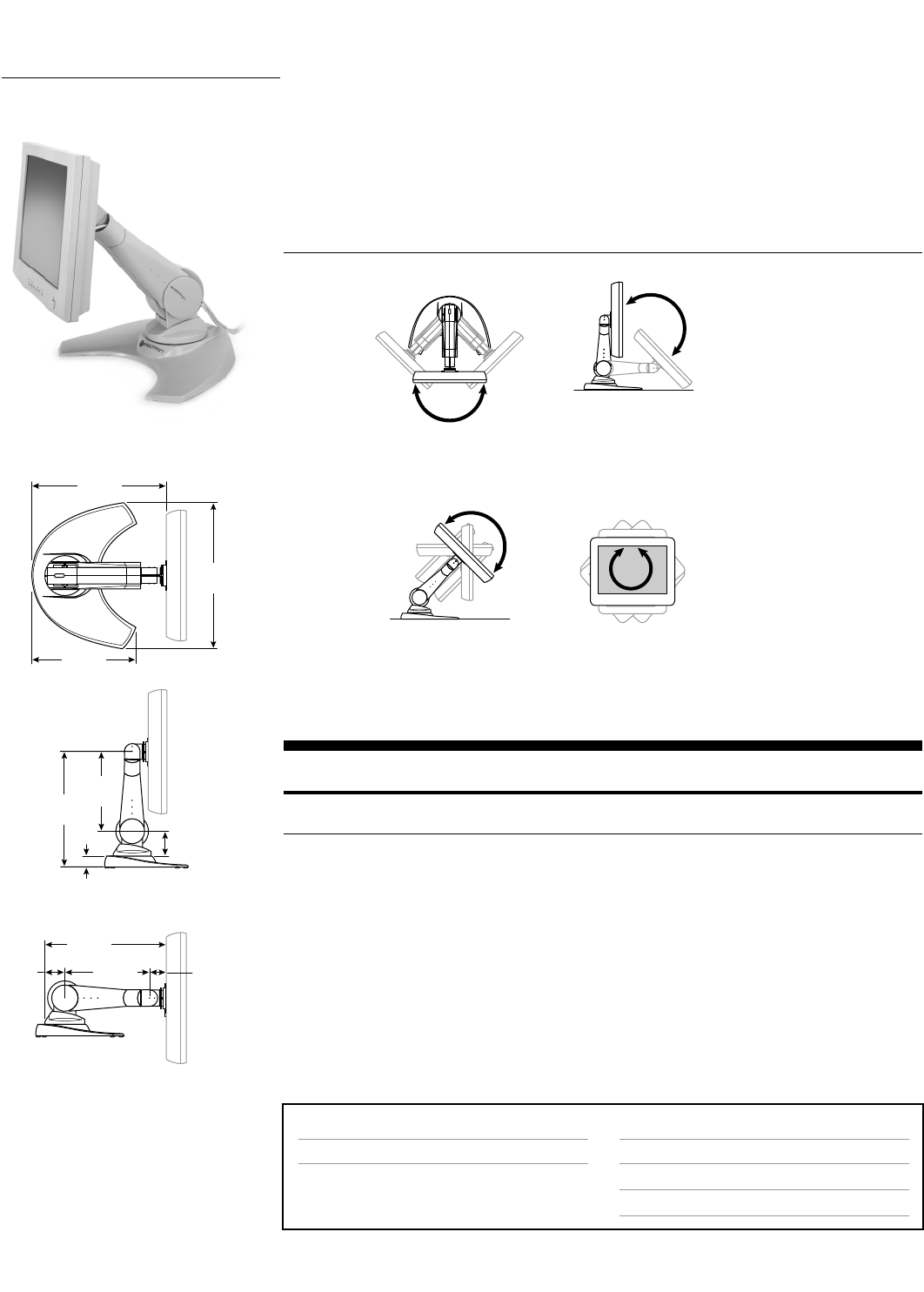
DS400 Series
Includes mounting Arm, Pivot and Base in one complete package.
Part Description Weight Shipping
Number Capacity Weight
45-053-099, grey DS400 Series 20 lbs 32 lbs
45-053-085, black (9 kg) (14.5 kg)
Note: Monitor interfaces that are not VESA FDMI compliant require a separately ordered, custom bracket. Contact
your Sales Representative for more information. (See page 47 for details.)
3-3/8"
(86 mm)
1-1/2"
(38 mm)
15"
(381 mm)
10-1/4"
(260 mm)
2-1/8"
(54 mm)
2-1/2"
(64 mm)
15-3/4"
(400 mm)
16-1/8"
(410 mm)
11-3/8"
(289 mm)
15"
(381 mm)
10-1/4"
(260 mm)
Page #
n/a
Accessory Options
Wrist Rests & Mouse Accessories
CPU Holders
Storage Components
Page #
44
45
46
Surface Attachment Options
Freestanding
ARMS Product Selection
DS400 Series DeskStand 400 (DS400 Series) is a freestanding module that requires no bolting or
clamping to a surface. It allows the user to easily adjust a flat panel monitor for maximum
comfort and productivity. The sturdy construction is built to last, while its sleek design
complements any desktop arrangement.
Range of Motion
Mounting Options & Accessories for DS400 Series
Side View
Up/down tilt
Front View
Portrait/landscape
Top View
Side-to-side
Side View
Vertical
HD45 Arm
HD Pivot
HD Dual-Monitor Arm
HD Combo Arm
HD Laptop Arm
870-03-005 rev. 05/30/03 • ARMS Orderguide • 27
15"
(381 mm)
15"
(381 mm)
15"
(381 mm)
15"
(381 mm)
ARMS Product Selection
HD Series HD Series Arms feature full adjustment capability, moving monitors and laptops through a
15" vertical range. The heavy-duty HD45 and Pivots accommodate heavier monitors than
standard ARMS products. A laptop version provides a secure docking station. Attach the
HD Series to virtually any vertical or horizontal surface.
Range of Motion
Side View
Up/down tilt
Top View
Side-to-side
Side View
Height adjustment
Side View
Up/down tilt
Top View
Side-to-side rotation
with extension
Top View
Left/right tilt
Top View
Side-to-side
Side View
Height adjustment
Side View
Up/down tilt
Side View
Height adjustment
Top View
Side-to-side
Front View
Portrait/landscape
Top View
Side-to-side
Side View
Height adjustment/tilt
28 • ARMS Orderguide • rev. 05/30/03 870-03-005
HD Series – Arms
Select the HD45 Arm for heavy monitors. The HD Dual-Monitor Arm holds two monitors. The HD
Combo accommodates a flat panel and keyboard on the same arm. The HD Laptop Arm offers a
secure docking station. Order a Base separately.
Part Description Weight Capacity Shipping
Number per Pivot Weight
Monitor Mounts
44-371-180, grey* HD45 Arm 20–xx lbs (9.1–xx kg) 9 lbs
44-371-200, black* (order Base separately, page 29) for “xx”, see chart below (4.1 kg)
Multi Monitor Mounts
28-275-180, grey** HD Dual-Monitor Arm 20 lbs 19 lbs
28-275-200, black** (order Base separately, page 29) (9 kg) (8.6 kg)
Combo Mounts
44-373-180, grey HD Combo Arm, Keyboard Tray w/ Sliding Mouse Tray Mon: 25 lbs (11.3 kg) 19 lbs
44-373-200, black (order Base separately, page 29) Kybd: 15 lbs (6.8 kg) (8.6 kg)
Laptop Mounts
44-389-180, grey HD Laptop Arm, Security Shroud 20 lbs 42 lbs
44-389-200, black (order Base separately, page 29) (9 kg) (19.1 kg)
* VESA FDMI 100 x 100 mm monitor hole pattern only. Not compatible with 75 x 75 mm interface.
** For allowable monitor widths, see Page 62.
Note: Monitor interfaces that are not VESA FDMI compliant require a separately ordered, custom bracket. Contact
your Sales Representative for more information. (See page 47 for details.)
44-371-xxx
28-275-xxx
44-373-xxx
44-389-xxx
28-274-xxx
45-142-xxx
45-143-xxx
45-144-xxx
HD Series – Pivots
HD Pivots provide a fixed height solution for heavy monitors.
Part Description Weight Capacity Shipping
Number per Pivot Weight
28-274-180, grey* HD Pivot, Vertical Mount See chart below 3 lbs
28-274-200, black* (1.4 kg)
45-142-180, grey* HD Pivot, 9" Extension, Vertical Mount See chart below 9 lbs
45-142-200, black* (4.1 kg)
45-143-180, grey* HD Pivot, 5" Extension, Vertical Mount See chart below 6 lbs
45-143-200, black* (2.7 kg)
45-144-180, grey* HD Pivot, 7" Pole Mount Extension See chart below 6 lbs
45-144-200, black* (2.7 kg)
* VESA FDMI 100 x 100 mm monitor hole pattern only. Not compatible with 75 x 75 mm interface.
Note: Monitor interfaces that are not VESA FDMI compliant require a separately ordered, custom bracket. Contact
your Sales Representative for more information. (See page 47 for details.)
Weight Capacity
applies to HD45 Arm and HD Pivots
Monitor Weight
40 lbs (18 kg)
43 lbs (19.5 kg)
45 lbs (20.4 kg)
48 lbs (21.8 kg)
53 lbs (24 kg)
Monitor Thickness
4" (102 mm)
3-1/2" (89 mm)
3-1/4" (83 mm)
3" (76 mm)
2-1/2" (64 mm)
Attention:
For additional weight capacity information,
see page 53.
870-03-005 rev.05/30/03 • ARMS Orderguide • 29
HD Series – Other Components
Order a Base separately (except for HD Pivots, which include a Vertical Mount) to complement your HD
Arm.Optional Extenders increase the reach of your HD Series Arm solution.
Part Description Shipping
Number Weight
Bases Attaches to…
60-257-180, grey* Desk Clamp Horizontal surface at edge ≤3" (76 mm) thick 5 lbs
60-257-200, black* (2.3 kg)
33-269-180, grey* Grommet Mount Horizontal surface through hole 3/8" to 3" 5 lbs
33-269-200, black* (10 to 76 mm) wide, up to 4" (102 mm) thick (2.3 kg)
60-378-180, grey* Vertical Mount Vertical surface:wall, Command Post, 2 lbs
60-378-200, black* Wall Track, etc. (.9 kg)
Interface Plate Attaches to…
97-197-200, black 100 x 200 mm Monitors using the VESA MIS-E, C Interface 2 lbs
Adapter Plate Kit Standard (.9 kg)
Extenders Dimensions (L x W x D)
44-362-100, grey* Extender, 12-inch 12" x 2" x 6-1/4" 7 lbs
(305 x 51 x 159 mm) (3.2 kg)
44-314-100, grey* Extender, 18-inch 18" x 2" x 6-1/4" 9 lbs
(457 x 51 x 159 mm) (4.1 kg)
44-315-100, grey* Extender, 24-inch 24" x 2" x 6-1/4" 12 lbs
(610 x 51 x 159 mm) (5.5 kg)
44-316-100, grey* Extender, 30-inch 30" x 2" x 6-1/4" 14 lbs
(762 x 51 x 159 mm) (6.4 kg)
*Not compatible with HD Pivots.
Page #
above
38
39
40
Accessory Options
Extenders
Wrist Rests & Mouse Accessories
CPU Holders
Storage Components
Peripheral Table
Page #
above
44
45
46
46
Surface Attachment Options
Desk Clamp, Grommet Mount
Direct Mount (Vertical Mount, above), Wall Plates
Wall Tracks
Command Posts
60-257-xxx
33-269-xxx
60-378-xxx
97-197-200, converts 100 x 200 mm
monitors into 75 x 75 mm or 100 x 100 mm
hole pattern
44-362-100
44-314-100
44-315-100
44-316-100
Command Post
(page 40)
Wall Track
(page 39)
Wall Mount
Bracket
(page 38)
The HD Series is well-suited to industrial applications
using the Command Post.
Command Post Extender
HD45 Arm
Post ARMS
Bracket
Vertical
Mount
Mounting Options & Accessories for HD Series
HD Series Arms Vertical Mount Attachment
Use Vertical Mount (60-378-xxx) in tandem with mounting systems.
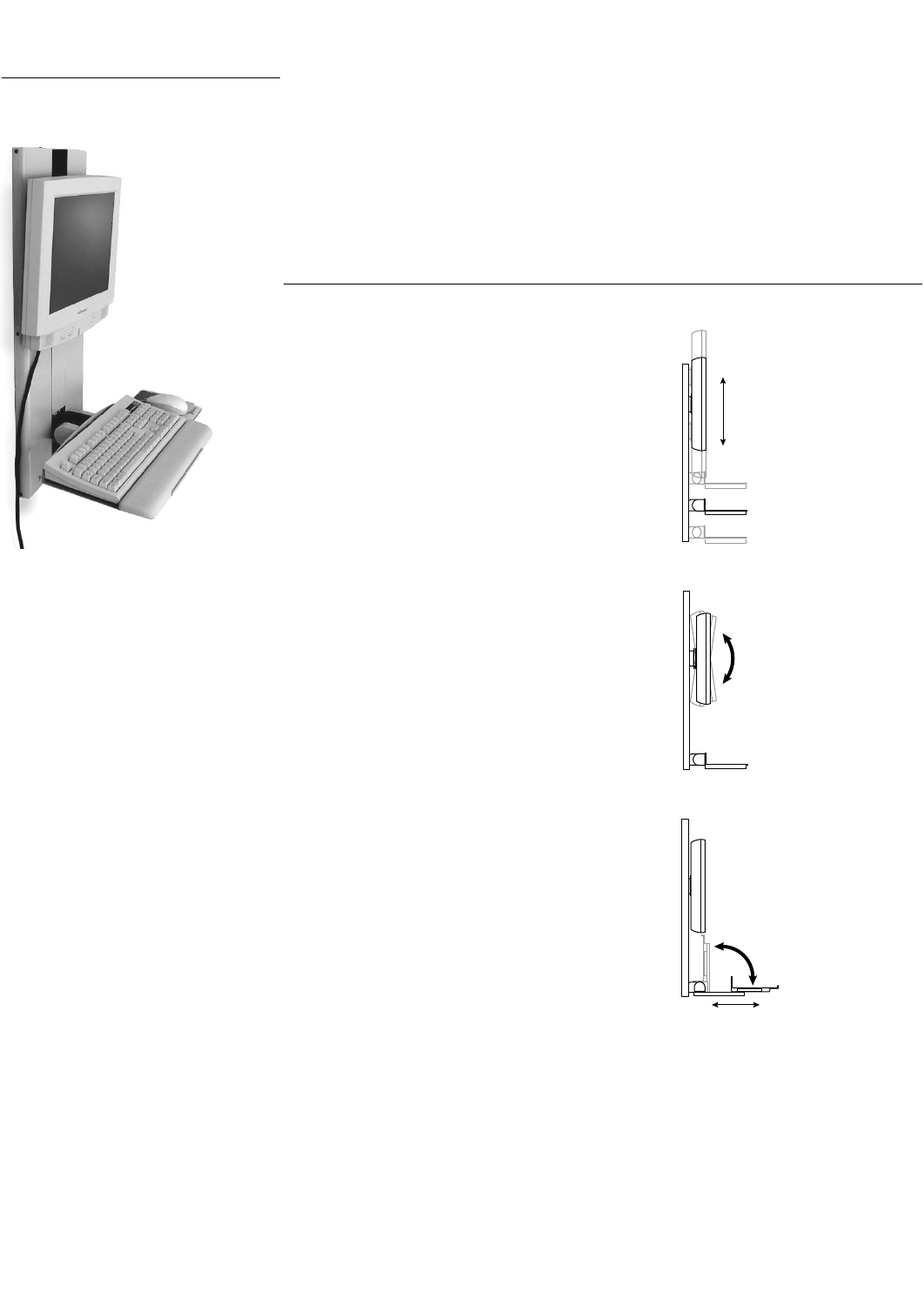
Vertical Lift Range
• 9" (229 mm) of height adjustment
–monitor and keyboard move in tandem
Monitor Tilt
• Monitor tilts up and down 10°
–monitor tilt varies between monitors
Keyboard Adjustment
• Keyboard tilts 90°
•Keyboard extends 6-1/2" (165 mm)
–optional
30 • ARMS Orderguide • rev. 05/30/03 870-03-005
9"
(229 mm)
10˚
90˚
6-1/2"
(165 mm)
optional
ARMS Product Selection
VL Series Vertical Lift ARMS (VL Series) are wall-mounted modules that allow quick positioning of a
monitor and keyboard. When the keyboard is folded in the storage position and with the
appropriate monitor selection, the total system depth can be as little as 4 inches (102 mm),
making it the ideal solution for confined or high-traffic areas. When installed at the correct
height, the 9 inches (229 mm) of vertical adjustment accommodates the ergonomic height
needs of everyone from the average-height female to the average-height male, in both
sitting or standing applications.
Range of Motion
Side View
Side View
Side View

870-03-005 rev.05/30/03 • ARMS Orderguide • 31
VL Series
The monitor and keyboard move up and down in tandem for ease of use.An optional Slide-Out
Keyboard Tray allows the user to pull out the keyboard to a more comfortable position.The system’s
smooth steel construction is both durable and easy to clean.A quick-connect interface makes monitor
attachment/removal easy.
Part Description Weight Shipping
Number Capacity** Weight
25-022-100, grey* VL Series, VL-9 w/ Standard Keyboard Tray 9–34 lbs 34 lbs
25-022-101, black* (4.1–15.5 kg) (15.5 kg)
25-027-100, grey* VL Series, VL-9 w/ Slide-Out Keyboard Tray 5–30 lbs 40 lbs
(2.3–13.6 kg) (18.2 kg)
97-175-100, grey Retrofit Kit to add Slide-Out Keyboard Tray 5–30 lbs 10 lbs
(2.3–13.6 kg) (4.5 kg)
*Includes Keyboard Tray w/ Sliding Mouse Tray & Wrist Rest Holder (77-050-xxx) and Mouse Pad (85-025-079).
** Combined weight of monitor and keyboard.
Note:•Use of a VESA FDMI Standard compliant flat panel monitor is strongly recommended.We strongly urge you
to contact to verify monitor compatibility prior to ordering.(See page 47 for details.)
•Monitors with cables that exit straight out the back of the monitor, as well as monitors that have
non-removable bases/stands, may not be compatible with the VL Series.The VL Series works best with
cables that exit in a downward or sideward direction.
•Choose a monitor with four-hole mounting pattern at or near top-to-bottom center-line (C/L).
1-1/2" + monitor depth
1-1/2"
(38 mm)
4"
(102 mm)
29-3/8"
(746 mm)
12-1/2"
(318 mm)
4-1/2"
(114 mm)
18-1/4"
(210 mm)
11-3/4"
(300 mm)
29-3/8"
(746 mm)
Page #
38
40
Accessory Options
Wrist Rests & Mouse Accessories
CPU Holders
Storage Components
Peripheral Table
Page #
44
45
46
46
Surface Attachment Options
Direct Mounting
Command Posts
Centerline of Four-Hole
VESA FDMI Pattern
A = 16-1/2 – (B + 3-1/2)
B = Keyboard depth
Fig. 2Fig. 1
Rear of Monitor
A
A ≤ 7"
(178 mm)
3-1/2"
(89 mm)
B
A
A ≤ 8-3/4"
(222 mm)
16-1/2"
(419 mm)
Exceptions:
If you want to install your keyboard in a forward
position while remaining ≤4" (102 mm) from the
wall, “A”≤7" (178 mm).See Figure 1.
If you want to use a keyboard wrist rest,
dimension “A”can be calculated by adding
3-1/2" (89 mm) to the keyboard depth “B”and
subtracting this sum from 16-1/2" (419 mm).
See Figure 2.
1.Monitor must not be more than 2-1/2" (63 mm) thick.
2.Keyboard should not be more than 7-1/4" (184 mm) deep.
3.Dimension “A”must be no greater than 8-3/4" (222 mm).
4.Slide-Out Keyboard option cannot be used as its depth = 4-1/2" (114 mm).
Mounting Options & Accessories for VL Series
VL Series Attachment
For VL Series to remain less than 4" (102 mm) from the wall when in storage position, follow these guidelines:
Side View
Side View
Slide-Out
Tray model
Front View
Side
View
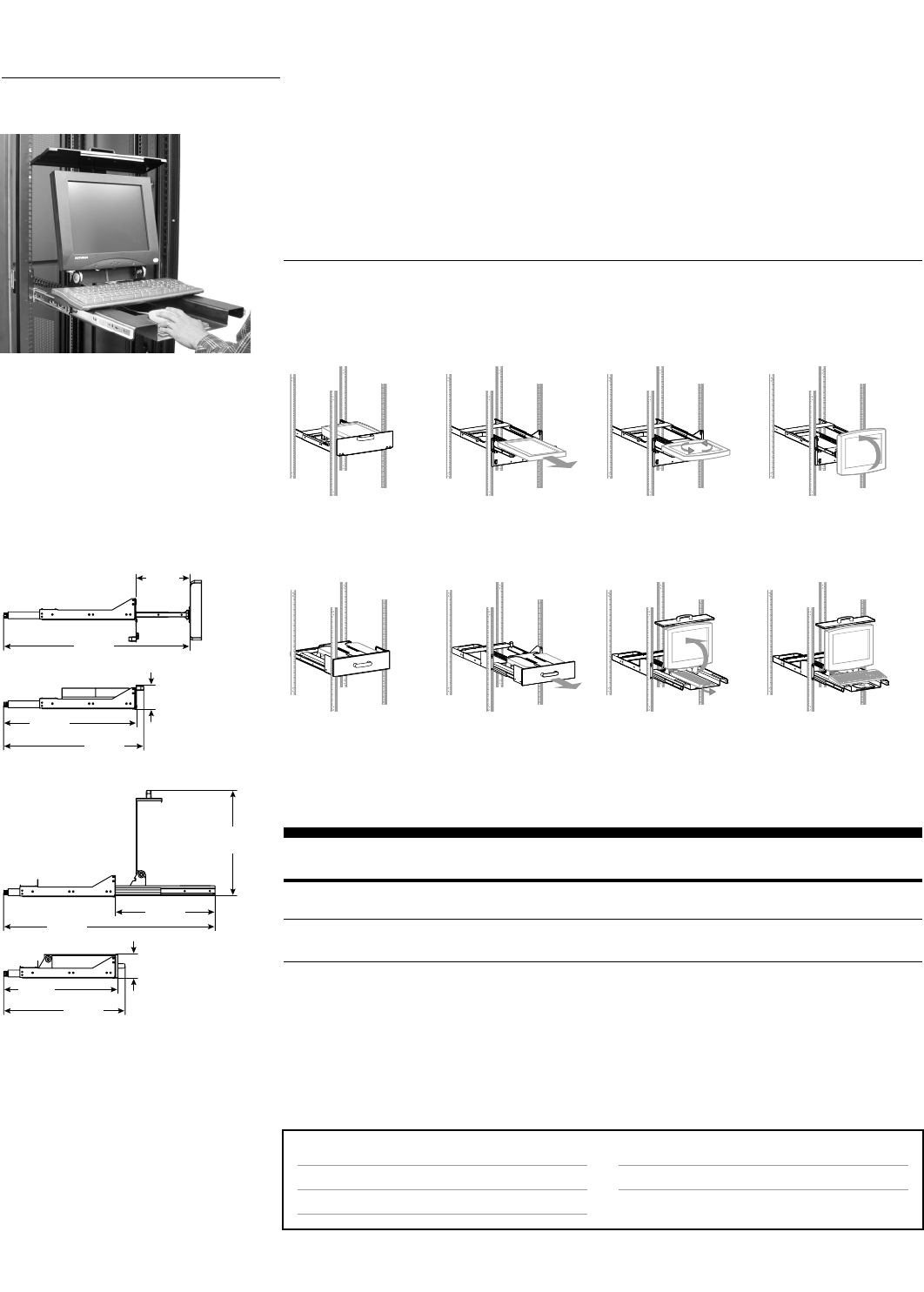
MD101
• Pulls out from storage position when needed. Smooth gliding action.
•Monitor tilts up/down: 180°
•Screen adjustment portrait/landscape: 360°
MD102
• Pulls out from storage position when needed. Smooth gliding action.
32 • ARMS Orderguide • rev. 05/30/03 870-03-005
Page #
*
*
Accessory Options
Wrist Rests & Mouse Accessories
Page #
44
Surface Attachment Options
Enclosures (Orderguide 870-03-017)
19" Racks
MD Series
Features quick and easy installation to front rails of rack – no rear-rail attachment necessary! Monitor
and/or keyboard are not included so you get to choose the type you want. Drawers require only 3U of
rack space.
Part Description Max. Monitor Shipping
Number Weight Weight
57-014-200, black MD Series, MD101 25 lbs 14 lbs
Monitor-Only Drawer (11.3 kg) (6.4 kg)
57-013-200, black MD Series, MD102 25 lbs 25 lbs
Monitor/Keyboard Drawer (11.3 kg) (11.3 kg)
Note: Monitor interfaces that are not VESA FDMI compliant require a separately ordered, custom bracket. Contact
your Sales Representative for more information. (See page 47 for details.)
Maximum Monitor Dimension: MD101 accepts monitor up to 17-1/4" x 16-1/2" x 3" (438 x 419 x 76 mm);
MD102 accepts monitor up to 17-1/4" x 14-1/2" x 3" (438 x 368 x 76 mm).
5-1/4" (3U)
(133 mm)
5-1/4" (3U)
(133 mm)
21"
(533 mm)
43-1/2"
(1105 mm)
19-1/2"
(495 mm)
25-1/2"
(648 mm)
24"
(610 mm)
29-3/4"
(757 mm)
28-1/4"
(719 mm)
40-3/4"
(1036 mm)
12-1/2"
(318 mm)
57-014-200
57-013-200
ARMS Product Selection
MD Series Monitor Drawers (MD Series) securely integrate a flat panel monitor and/or keyboard into a
19" rack-mount or enclosure. Store your flat panel folded down horizontally, ready to be
pulled out for viewing. Drawers require only 3U of rack space. The MD Series provides a
rock-solid platform, even for monitors with touch-screen capability. Cables are safely routed
through the integrated cable management system.
Range of Motion
Mounting Options & Accessories for MD Series
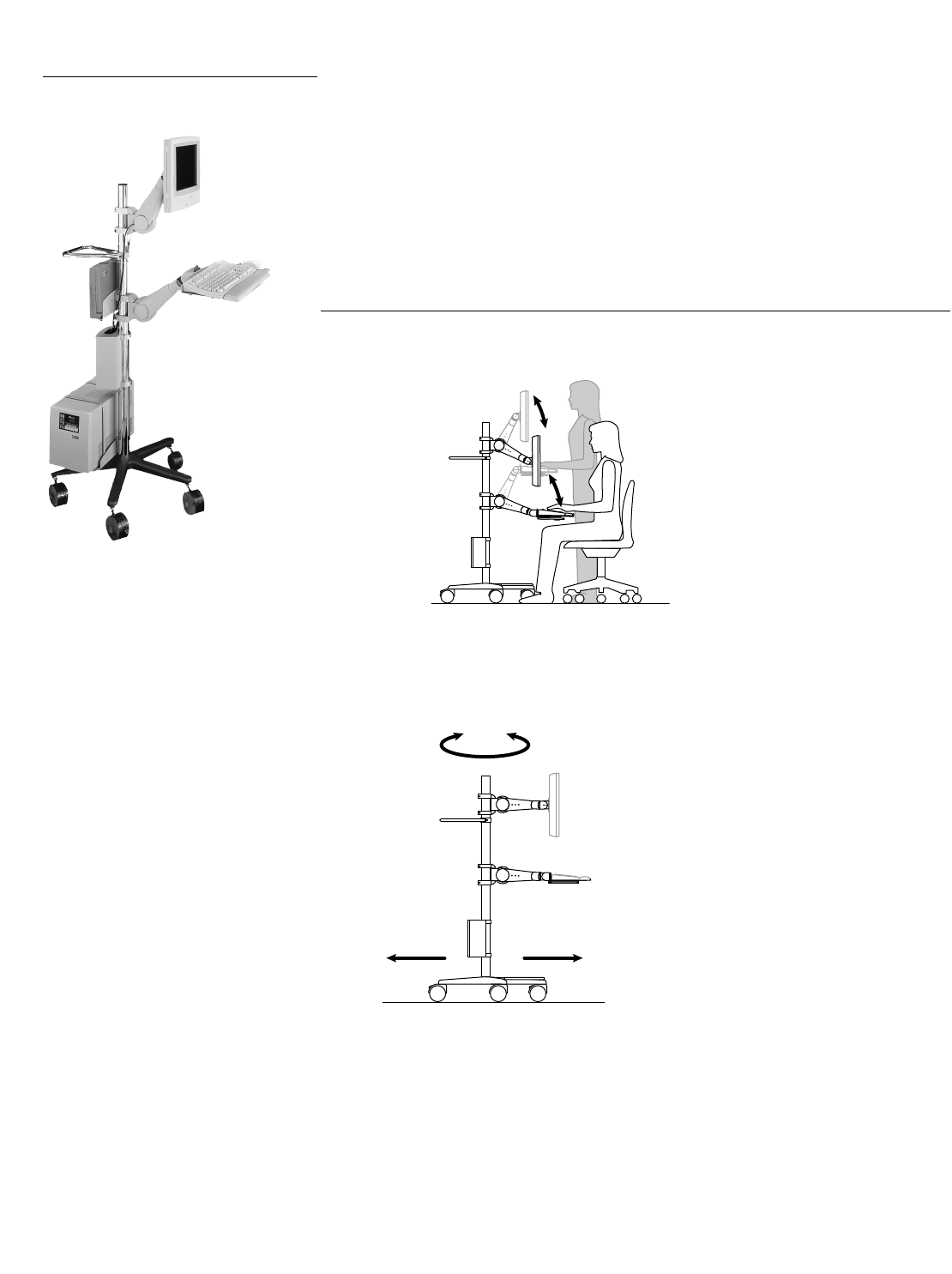
Height adjustment
• Up to 20" (508 mm)
Fully mobile – casters allow unlimited system relocation
870-03-005 rev.05/30/03 • ARMS Orderguide • 33
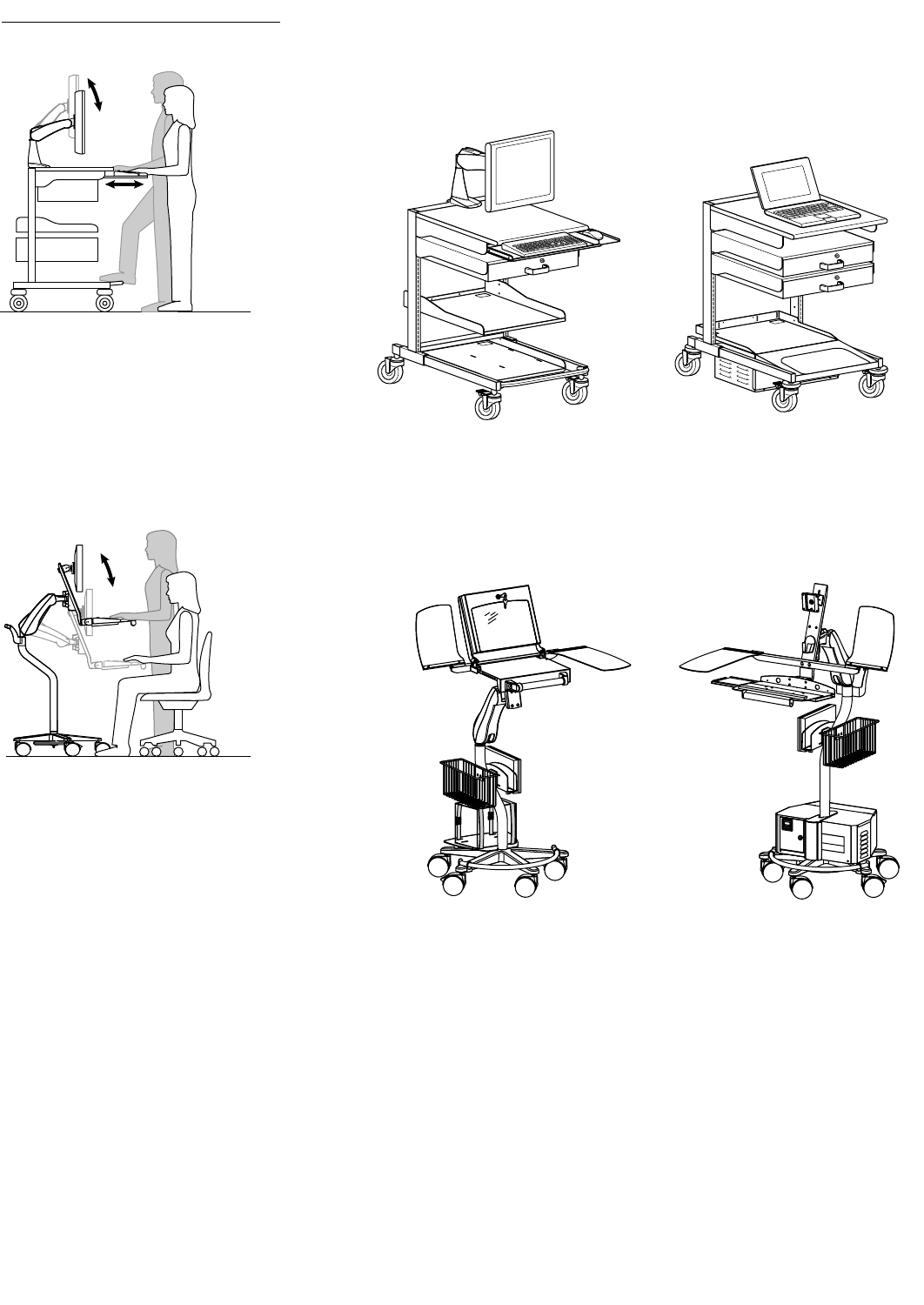
Mobile WorkStand
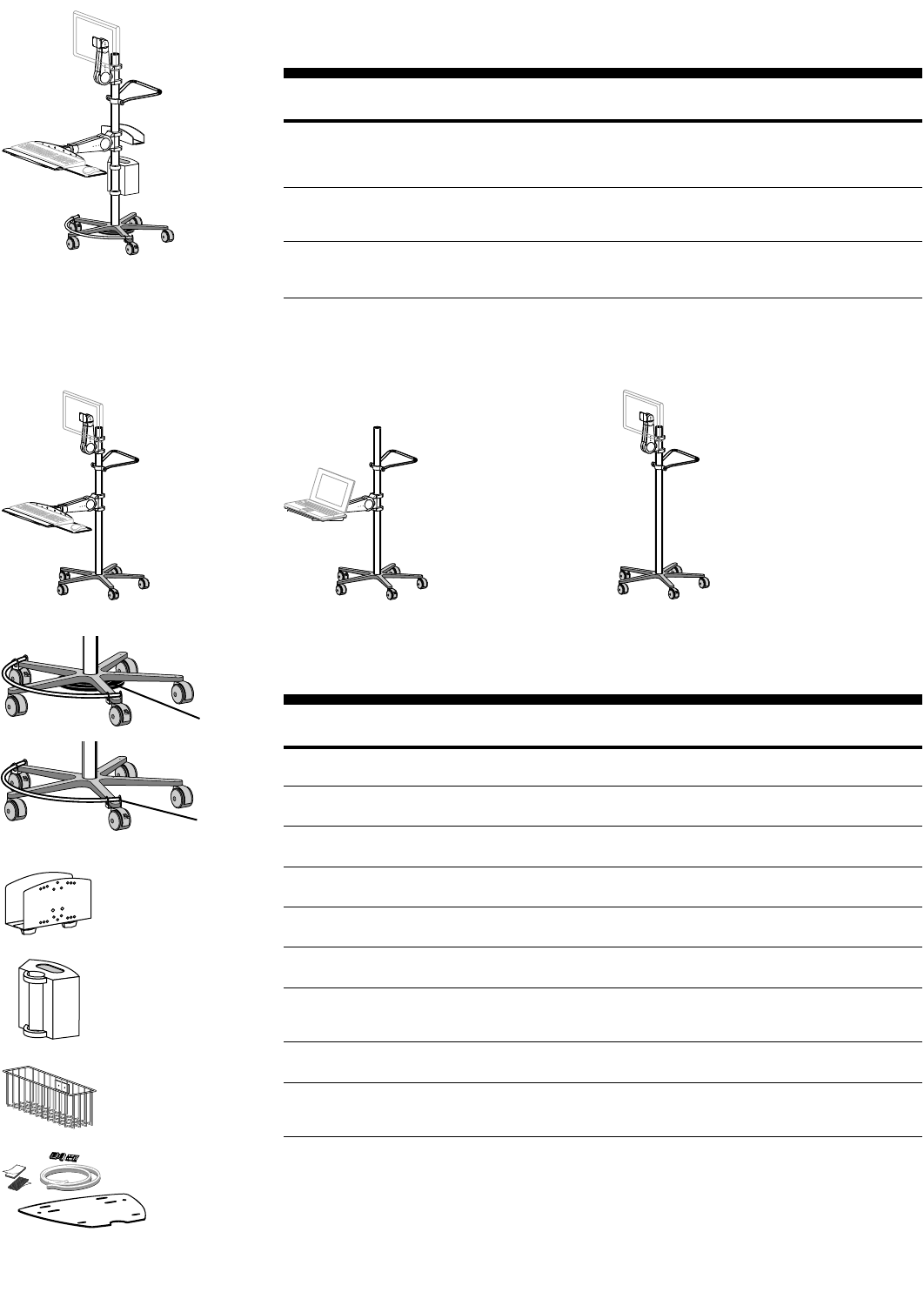
Standing or sitting use
20"
(508 mm)
ARMS Product Selection
Mobile WorkStand No matter how demanding the mobile computing application, or what type of computing
equipment you need to mobilize, has a computer cart to get the job done.
Mobile WorkStand integrates technology and convenience, allowing the user to move a
computer system from room to room.It quickly adjusts to a sitting or standing user height,
providing an ergonomically-correct work environment at all times.
Range of Motion
34 • ARMS Orderguide • rev. 05/30/03 870-03-005
Mobile WorkStand Base Units
Choose from these pre-configured Base Units, then add optional peripherals and components as
needed to complete your Mobile WorkStand.
Part Description Shipping
Number Weight
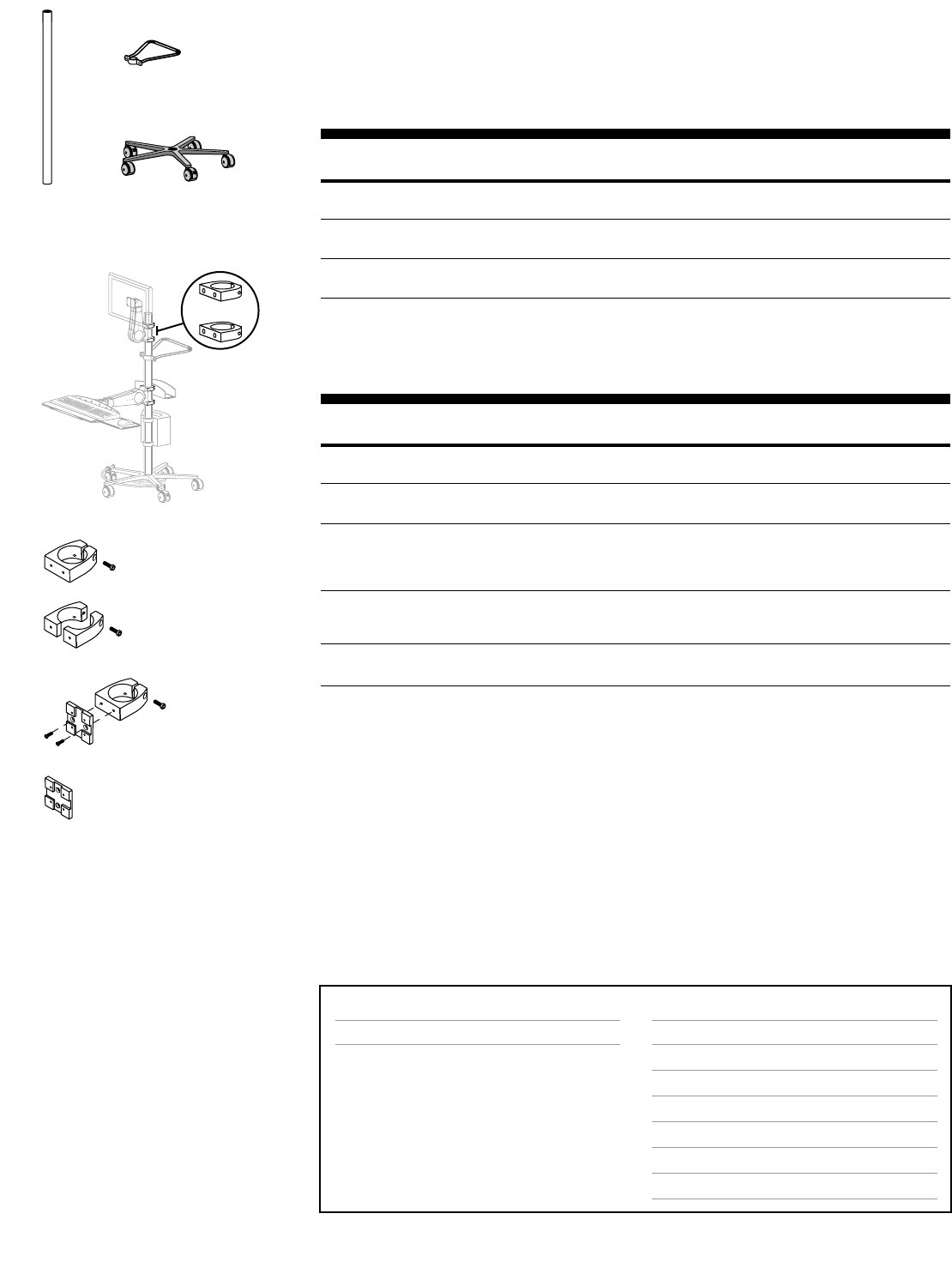
27-157-100, grey Mobile WorkStand Pre-configuration, Standard Base Unit Includes: 50 lbs
Base, Casters, Pole, Handle, 400 Series Fixed Single Pivot Arm, (22.7 kg)
400 Series Fixed Keyboard/Laptop Pivot Arm, Mounting Brackets,
Keyboard Tray with Sliding Mouse Tray & Wrist Rest Holder
27-158-100, grey Mobile WorkStand Pre-configuration, Laptop Base Unit Includes: 36 lbs
Base, Casters, Pole, Handle, 400 Series Fixed Keyboard/Laptop Pivot Arm, (16.4 kg)
Mounting Brackets, Laptop Tray
27-159-100, grey Mobile WorkStand Pre-configuration, Touch-Screen Base Unit Includes: 34 lbs
Base, Casters, Pole, Handle, 400 Series Fixed Single Pivot Arm, (15.5 kg)
Mounting Brackets
* Monitor interfaces that are not VESA FDMI compliant require a separately ordered, custom bracket. Contact your
Sales Representative for more information. (See page 47 for details.)
Note: All Mobile WorkStands have a total height of 55" (1397 mm) and a base diameter of 27" (686 mm). Mobile
WorkStands require assembly.
27-157-100,
Standard Base Unit
27-158-100,
Laptop Base Unit
27-159-100,
Touch-Screen Base Unit
Optional Peripherals & Components for Mobile WorkStand
Order these options to complete your cart to your exact specifications. A separately ordered Pole
Mount Bracket is required for CPU Holders and the Wire Storage Basket.
Part Description Dimensions Shipping
Number H x W x D Weight
99-062, black* Weighted Base 1" x 11-1/4" x 11-1/4" 26 lbs
25 lbs (11.4 kg) (25 x 286 x 286 mm) (11.8 kg)
85-022, chrome Footrest 2 lbs
(.9 kg)
50-180-180, grey Base Tray 1" x 14" x 12" 10 lbs
w/ Mounting Straps (25 x 356 x 305 mm) (4.5 kg)
80-053-100, grey** CPU Holder, 4" x 10" x 1-1/2–2-1/2" 3 lbs
Extra Small (102 x 254 x 38–64 mm) (1.4 kg)
80-063-100, grey** CPU Holder, 6" x 10" x 2-5/8–4-1/8" 6 lbs
Small (152 x 254 x 67–105 mm) (2.7 kg)
80-058-100, grey** CPU Holder, 6-1/2" x 10" x 4-1/2–8" 10 lbs
Medium (165 x 254 x 114–203 mm) (4.5 kg)
70-054-100, grey Cable Box 9-1/8" x 7-7/8" x 4-3/8" 3 lbs
(Pole Mount Brackets (231 x 201 x 112 mm) (1.4 kg)
included)
99-068-100, grey** Wire Storage Basket 6-1/8" x 13-1/8" x 4-1/8" 3 lbs
(156 x 333 x 105 mm) (1.4 kg)
60-144-003 Pole Mount Bracket 1 lbs
for CPU Holders & (.5 kg)
Wire Storage Basket
* Recommended for system stability.
** Requires separately ordered Pole Mount Bracket. May be mounted to Bracket shared by other peripheral or Arm.
99-062
85-022
80-063-100
70-054-100
99-068-100
50-180-180
870-03-005 rev.05/30/03 • ARMS Orderguide • 35
Configure Your Own Mobile WorkStand
Start with the basic components below.Then add peripherals and components listed on the previous
page.Next, choose arms/pivots to mount your monitor, keyboard and/or laptop:400, 300, 200 and 100
Series are compatible with Mobile WorkStand.
Note:When selecting arms/pivots, consult an Representative to ensure proper configuration.
Custom Pole lengths can also be ordered.
Part Description Dimensions Shipping
Number H x W x D Weight
20-080, chrome 2" Round Pole 50" x 2" x 2" 7 lbs
(1270 x 51 x 51 mm) (3.2 kg)
33-061, black Base & Casters 7" x 27" x 27" 13 lbs
(178 x 686 x 686 mm) (5.9 kg)
90-015-100, chrome Handle 1" x 9-1/4" x 11" 2 lbs
(25 x 235 x 279 mm) (.9 kg)
Brackets to Mount Arms & Peripherals to Mobile WorkStand
For both arms/pivots and peripherals**, select the appropriate bracket listed below.Attach anywhere
along the Pole.
Part Description Application Shipping
Number Weight
60-131-003, Pole Mount Brackets Mounts:400, 300, 200 Series, 400 Combo 2 lbs
aluminum* (2 Brackets) (.9 kg)
60-144-003, Pole Mount Bracket Mounts:CPU Holders, Wire Storage Basket 1 lbs
aluminum (1 Bracket) (.5 kg)
60-199-003, Split Pole Mount BracketMounts:400, 300 & 200 Series, 400 Combo, 2 lbs
aluminum* (1 Bracket) CPU Holders, Storage Basket (.9 kg)
For use with Pole having no open end –
facilitates mounting after ARMS are in place
97-094-099, grey Pole Mount Bracket Mounts:100 Series Pivots, Extender for 100 Series 2 lbs
97-094-085, black Kit for Pivot (1 Bracket (.9 kg)
& Pivot Mount Plate)
60-382-099, grey Pivot Mount Plate Mounts:100 Series Pivots to Bracket 1 lbs
60-382-085, black (.5 kg)
*400, 300, 200 Series, and 400 Combo require two Brackets for installation.
**Refer to the peripheral’s description to see whether Bracket is necessary.
Note:Brackets provide attachment holes on two sides.This allows an additional Arm or peripheral to be mounted on
the opposite side.However, a 100 Series Pivot may only be mounted to one side.
20-080
Page # Accessory Options
400 Vertical Mount Arms
300 Vertical Mount Arms
200 Vertical Mount Arms
100 Pivots
CPU Holders, Base Tray, Footrest, Storage Basket
Weighted Base, Cable Box
Keyboard/Mouse Trays, Laptop Trays & Accessories
Page #
7
11
15
20
34
34
44
Surface Attachment Options
n/a
90-015-100
33-061
60-131-003
60-144-003
60-199-003
97-094-xxx
60-382-xxx
Mounting Options & Accessories for Mobile WorkStand
36 • ARMS Orderguide • rev.05/30/03 870-03-005
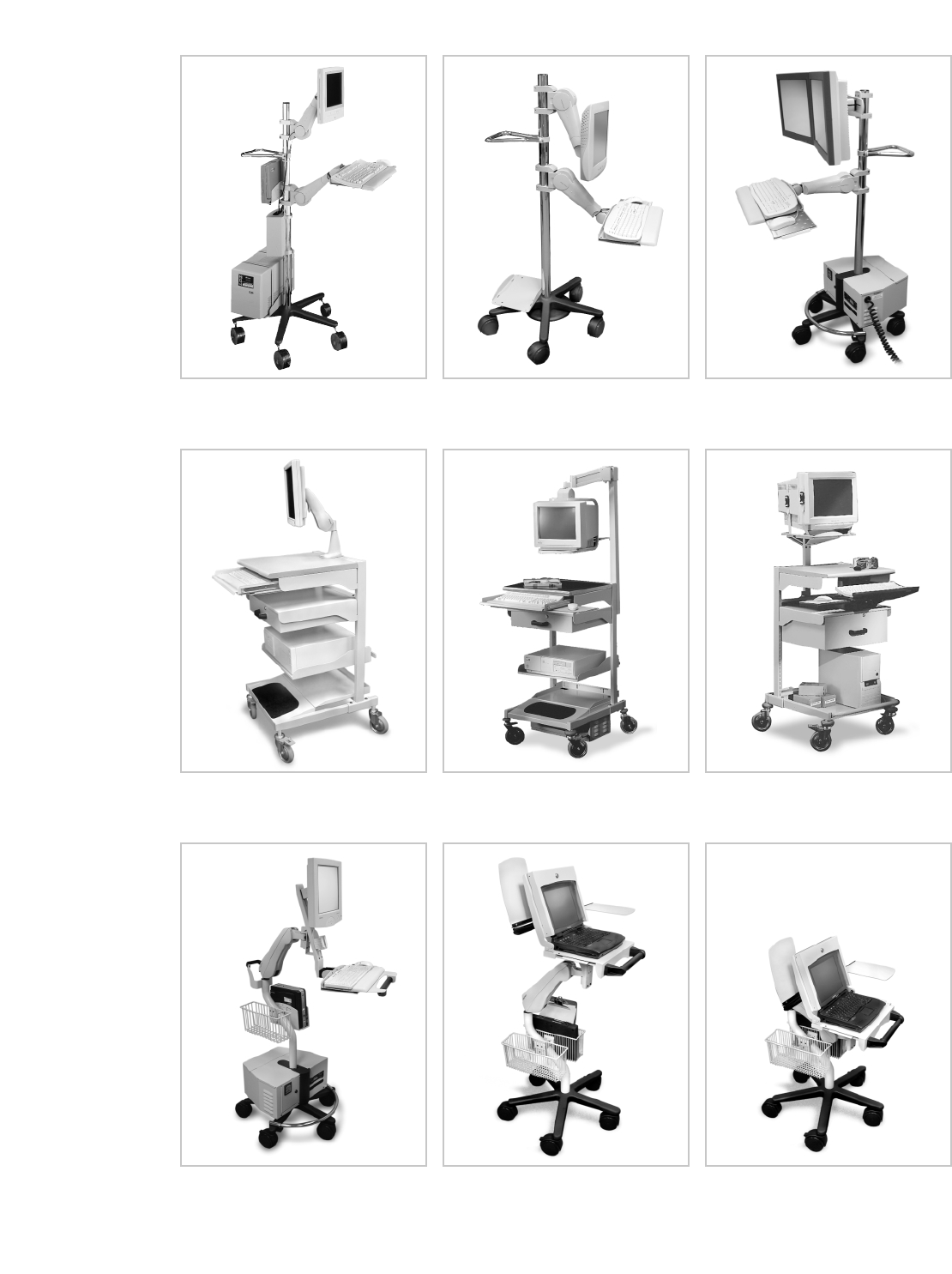
Mobile WorkCenter
Standing use only
13"
(330 mm)
HD Series Cart:
The HD Series Cart provides easy single-motion adjustment to place your computer where you need it
with little effort.Consult the HD Series Cart Orderguide, 870-03-019, for ordering information.
HD Series Cart
Standing or sitting use
15"
(381 mm)
Other Carts Mobile WorkCenter:
The Mobile WorkCenter is a complete workstation on wheels, with extra storage space for equipment,
tools and supplies.Consult the Mobile WorkCenter Orderguide, 870-03-010, for ordering information.
870-03-005 rev.05/30/03 • ARMS Orderguide • 37
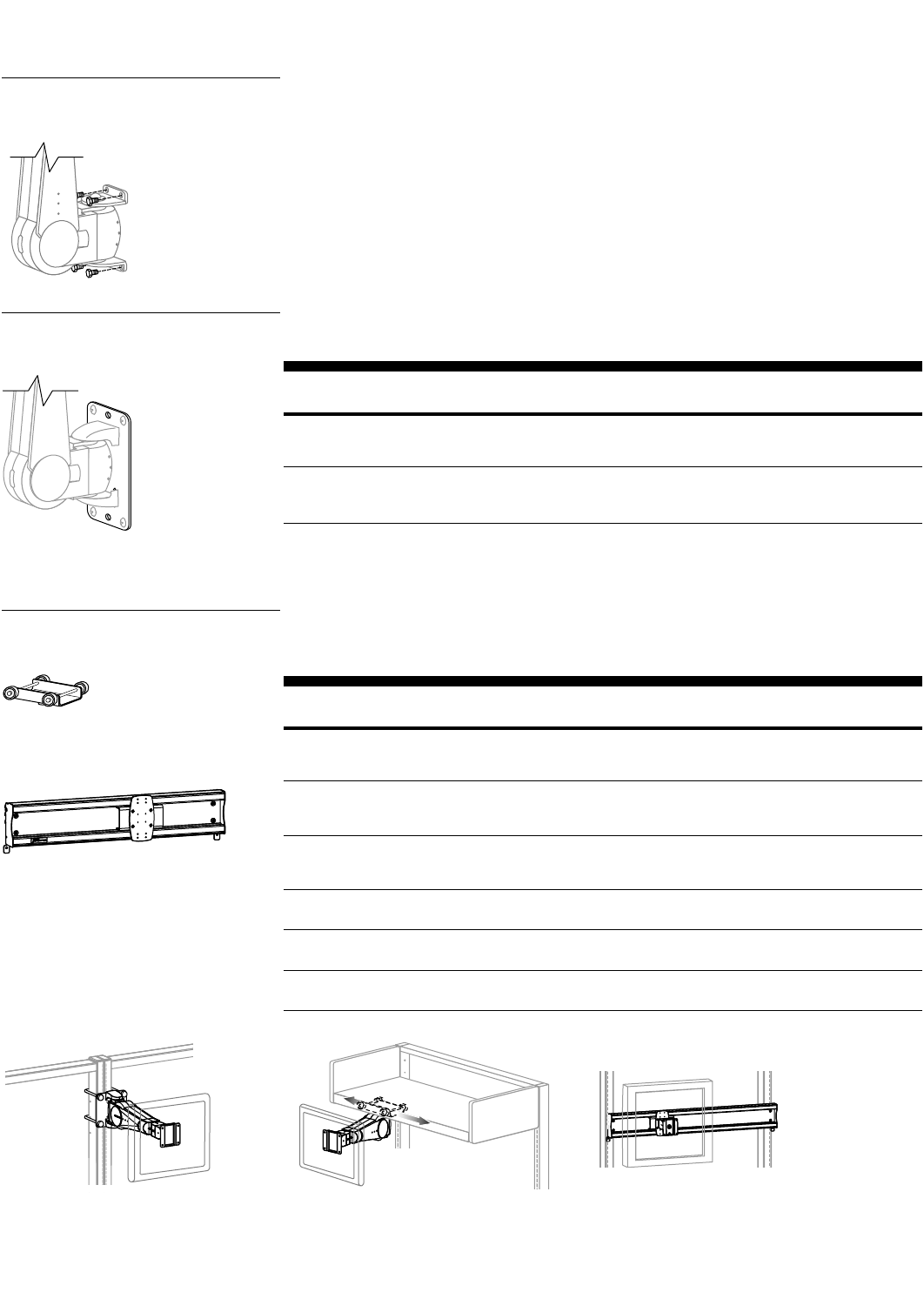
Photo Reference for Carts
HD Series Cart – Flat Panel Configuration
shown with Ergotron Power Supply
at bottom.
HD Series Cart – Laptop Configuration
shown with Document Holder/Writing
Surface accessory.
HD Series Cart – Laptop Configuration
shown in sitting use position.
HD Series
Carts
Mobile WorkStand shown in standing
use position.
Mobile WorkStand shown in sitting
use position.
Mobile WorkStand shown with Horizontal
Dual-Monitor Crossbar.
Mobile WorkCenter shown with 300 Series
Desk Mount.
Mobile WorkCenter shown with 6" adjustable
Suspension Arm for CRTs.
Mobile WorkCenter shown with Monitor
Platform for CRTs.
Mobile
WorkStands
Mobile
WorkCenter
38 • ARMS Orderguide • rev. 05/30/03 870-03-005
Surface Attachment Options
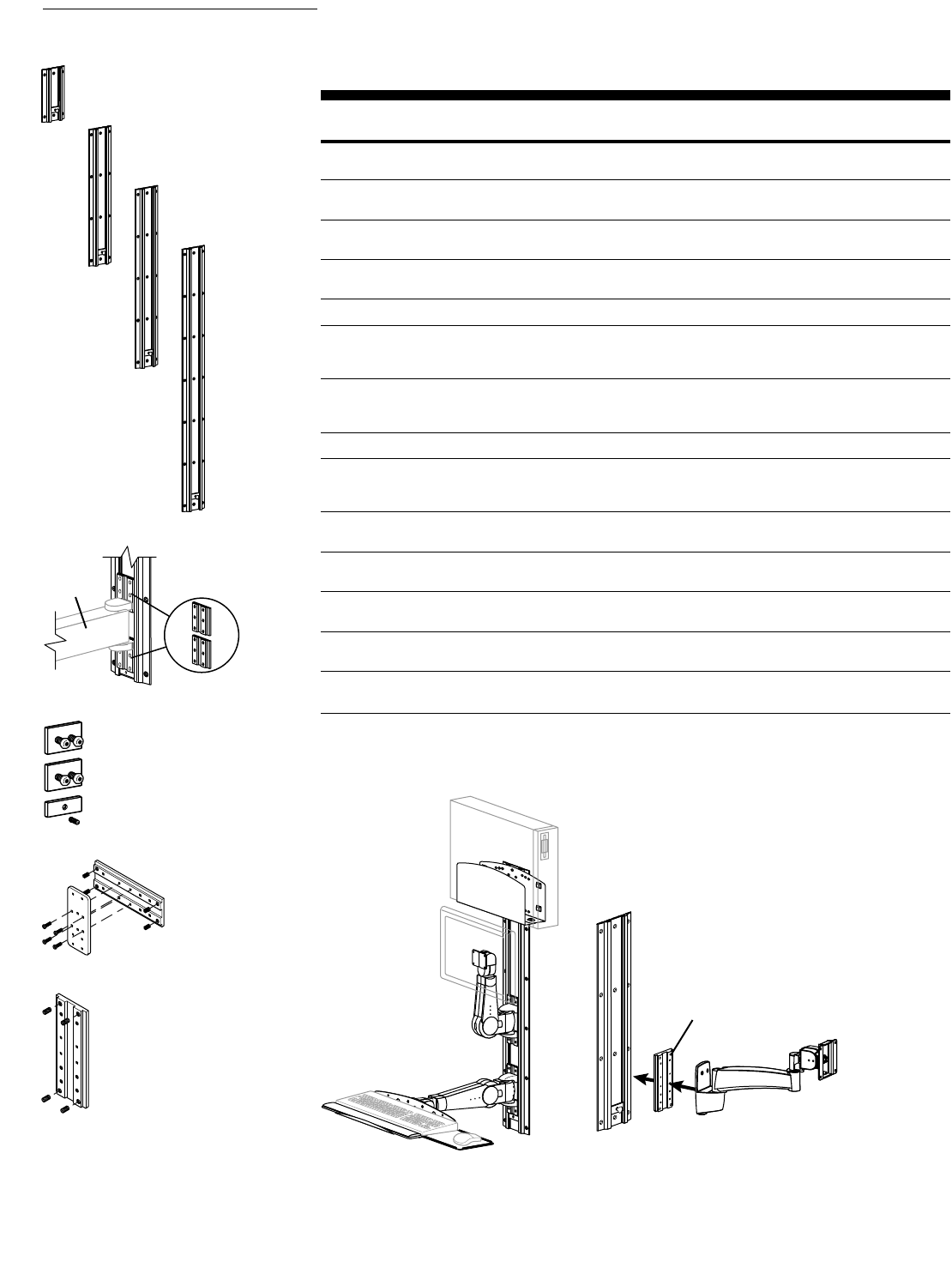
Direct Mounting 400, 300, 200, 100, VL, HD, and FX Series ARMS can mount directly to surfaces. Since
applications vary, fasteners that attach ARMS to any surface should be supplied by the
user. For direct-mount hole patterns, see pp. 54–57.
Always consult the appropriate construction, engineering, or architectural personnel to
ensure the product is mounted securely to handle applied loads. For most vertical-surface
applications, Ergotron recommends an additional mounting interface, such as a Wall Plate
or Wall Track, for added support.
Wall Plates provide better support by spreading weight over a larger area.
Part Description Dimensions Shipping
Number H x W Weight
97-101-003, aluminum* Wall Mount Plate for 8-3/8" x 3-1/2" 1 lbs
400, 300, 200, 100 (213 x 89 mm) (.5 kg)
Series & HD Pivots
60-152-100, grey* Wall Mount Bracket for 8" x 6-5/8" 1 lbs
HD Series Arms (203 x 169 mm) (.5 kg)
(excludes HD Pivots)
* Does not include fasteners for attaching to vertical surface. Customer supplied.
Note: Refer to page 56 for additional specifications.
Wall Plates
97-101-003,
Wall Mount Plate
w/ 400 Series Arm
Integrate Flat Panel ARMS within Ergotron technical furniture systems: LAN Organizer™3000 and
TechStation.
Part Description Application Shipping
Number Weight
42-021-100, grey Shelf Mount Truck Mounts 400 Series Suspend Mount Arm 3 lbs
below Suspension Shelf or Security Cabinet. (1.4 kg)
Features side-to-side sliding motion across rail
30-062-100, grey 30" Rail with Truck Mounts 100 Series Pivots and 200, 300 and 400 7 lbs
Series Vertical Mount Arms between frame uprights. (3.2 kg)
Features side-to-side sliding motion across rail
30-061-100, grey 42" Rail with Truck Mounts 100 Series Pivots and 200, 300 and 400 7 lbs
Series Vertical Mount Arms between frame uprights. (3.2 kg)
Features side-to-side sliding motion across rail
60-231-100, grey Arm Mount Kit Mounts 200, 300 or 400 Series Vertical Mount Arm 3 lbs
to front of frame (1.4 kg)
60-230-100, grey Arm Mount Kit Mounts 200, 300 or 400 Series Vertical Mount Arm 3 lbs
to inside of frame (1.4 kg)
60-233-100, grey Arm Mount Kit Mounts 200, 300 or 400 Series Vertical Mount Arm 3 lbs
to double frame (1.4 kg)
Furniture Mounts
42-021-100
30-061-100
60-233-100, 400 Series Vertical Mount Arm
clamped to double frame
42-021-100, 400 Series Suspend Mount Arm
attached to Shelf Mount Truck below shelf
30-061-100, 100 Series Pivot mounted
between frame uprights
870-03-005 rev. 05/30/03 • ARMS Orderguide • 39
Wall Track provides a common interface for mounting multiple Ergotron components. When mounting
components to Wall Track, you must order the appropriate Track Mount Bracket Kits. Peripherals for
Wall Track can be found on pages 45–46.
Part Description Dimensions Shipping
Number H x W Weight
31-016-182, silver 10" Wall Track 10" x 5" 2 lbs
(254 x 127 mm) (.9 kg)
31-017-182, silver 26" Wall Track 26" x 5" 4 lbs
(660 x 127 mm) (1.8 kg)
31-018-182, silver 34" Wall Track 34" x 5" 7 lbs
(864 x 127 mm) (3.2 kg)
31-019-182, silver 50" Wall Track 50" x 5" 9 lbs
(1270 x 127 mm) (4.1 kg)
Wall Track Mounting Kits Application
90-010 Wall Track Mounting Kit, Sheet metal or wood studs 1 lbs
(10) Phillips self-tapping (.5 kg)
14 x 1.5 LG screw
90-011 Wall Track Mounting Kit, Hollow walls 1 lbs
(10) Phillips 1/4"-20 x 1.5 (.5 kg)
LG screw/toggle anchor
Track Mount Bracket Kits Application
97-091, aluminum Track Mount Mounts 400, 300, 200, 100 Series and HD Pivot to 1 lbs
Bracket Kit vertically oriented Wall Track, OR 100 Series to (.5 kg)
horizontally oriented Wall Track
97-090, aluminum Horizontal Track Mounts 400, 300, 200 Series and HD Pivot to 1 lbs
Mount Bracket Kit horizontally oriented Wall Track (.5 kg)
60-151, aluminum Vertical Track Mounts HD Arms to vertically oriented Wall Track 1 lbs
Mount Bracket Kit (.5 kg)
97-083, aluminum Vertical Track Mounts Extenders for 400 Series to vertically 1 lbs
Mount Bracket Kit oriented Wall Track (.5 kg)
60-188, aluminum Vertical Track Mounts Extenders for HD Arms to vertically 1 lbs
Mount Bracket Kit oriented Wall Track (.5 kg)
60-156, zinc Peripheral Track Mounts CPU Holders to vertically oriented 2 lbs
Mount Bracket Kit Wall Track (.9 kg)
Note: Refer to page 56 for additional specifications.
Wall Tracks
31-016-182
31-017-182
31-018-182
31-019-182
97-083, Track
Mount Bracket Kit
60-156
97-090
97-091
400 Series
Extender
Track Mount
Bracket Kit,
97-091
40 • ARMS Orderguide • rev. 05/30/03 870-03-005
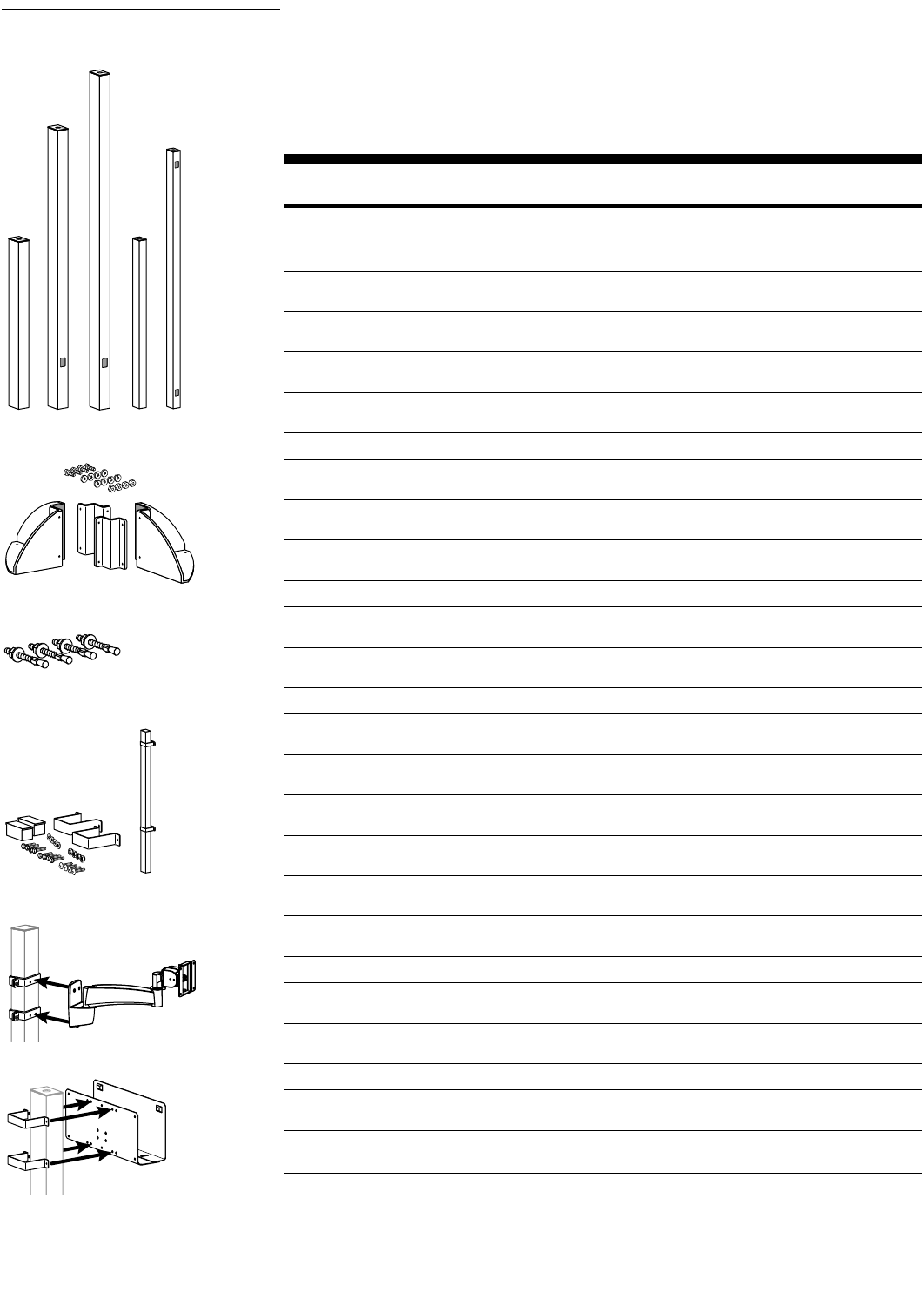
Command Post gives you the flexibility to mount one or more computer systems to a floor, bench,
machine or ceiling – using little or no floor space. It is constructed from heavy-duty 11-gauge steel for
long-lasting durability.
Brackets are required to mount ARMS and peripherals to the Command Post. A Bracket Interface,
which adapts the component to the standard bracket, is also required for the Vertical Lift and the Cable
Box. Peripherals for Command Post can be found on pages 45–46.
Part Description Shipping
Number Weight
Bases Dimensions (H x W x D)
20-075-100, grey 48" Post, 3" x 3" 48" x 3" x 3" 20 lbs
(1219 x 76 x 76 mm) (9.1 kg)
20-076-100, grey 80" Post, 3" x 3" 80" x 3" x 3" 32 lbs
(2032 x 76 x 76 mm) (14.5 kg)
20-077-100, grey 96" Post, 3" x 3" 96" x 3" x 3" 38 lbs
(2438 x 76 x 76 mm) (17.3 kg)
20-142-100, grey 48" Post, 2" x 2" 48" x 2" x 2" 10 lbs
(1219 x 51 x 51 mm) (4.5 kg)
20-143-100, grey 74" Post, 2" x 2" 74" x 2" x 2" 20 lbs
(1880 x 51 x 51 mm) (9.1 kg)
Bases – Horizontal Surface Dimensions (H x W x D)
60-359-100, grey Base for 2" x 2" Post 7" x 16" x 16" 22 lbs
(178 x 406 x 406 mm) (10 kg)
60-360-100, grey Base for 3" x 3" Post 7" x 17" x 17" 24 lbs
(178 x 432 x 432 mm) (10.9 kg)
90-018 Hardware Kit for concrete surface 1 lbs
attachment, (4) stud anchors (.5 kg)
Mounting Kit Brackets – Vertical Surface
97-012-100, grey Wall/Bench Mounting Kit for 2" x 2" Post 2 lbs
(.9 kg)
97-011-100, grey Wall/Bench Mounting Kit for 3" x 3" Post 3 lbs
(1.4 kg)
Brackets for ARMS Application
60-363-100, grey 2" x 2" Post ARMS Mounts 100 Series 2 lbs
Bracket (.9 kg)
60-364-100, grey 2" x 2" Post ARMS Mounts 200, 300, 400 Series, HD Pivot 4 lbs
Bracket (1.8 kg)
60-153-100, grey 2" x 2" Post ARMS Mounts HD Arms 4 lbs
Bracket (1.8 kg)
60-365-100, grey 3" x 3" Post ARMS Mounts 100 Series 2 lbs
Bracket (.9 kg)
60-366-100, grey 3" x 3" Post ARMS Mounts 200, 300, 400 Series, HD Pivot, 4 lbs
Bracket Extenders for 400 Series (1.8 kg)
60-154-100, grey 3" x 3" Post ARMS Mounts HD Arms, Extenders for HD Arms 4 lbs
Bracket (1.8 kg)
Brackets for Peripherals Application
60-157-100, grey 2" x 2" Post Peripheral Mounts CPU Holders and Cabinet, 3 lbs
Bracket Peripheral Table, Footrest (1.4 kg)
60-158-100, grey 3" x 3" Post Peripheral Mounts CPU Holders and Cabinet, 3 lbs
Bracket Peripheral Table, Footrest (1.4 kg)
Bracket Interfaces Application
60-369-100, grey Bracket Interface for Adapts VL Series to standard bracket 5 lbs
9" Vertical Lift (2.3 kg)
60-377-100, grey Bracket Interface for Adapts Cable Box to standard bracket 5 lbs
Cable Box (2.3 kg)
Note: See “Mounting Options and Uses Table”to determine which Post, Base/Bracket and Arm(s) to choose.
Command Posts
Base for
3" x 3" Post
Hardware Kit for concrete
surface attachment
Wall/Bench
Mounting Kit
Peripheral Bracket
mounting a CPU Holder
to Command Post
ARMS Bracket
mounting a 200 Series
to Command Post

870-03-005 rev. 05/30/03 • ARMS Orderguide • 41
Mounting Options and Uses Table
3" x 3" Post
floor mounted
HD45 Arm
ARMS
Brackets
400 Series Arm
Configuration Examples
Examples of allowable configurations according to the Mounting Options and Uses Table
Extender for
HD Series
Vertical Mount
400 Series Arm
ARMS
Brackets
2" x 2" Post
ceiling
mounted
Floor vs. Ceiling-Mount Applications
Base shown in
floor-mount
application
Base upside
down in ceiling
application
Customer-provided threaded
rod used to anchor Base above
or below a false ceiling
Post
Part Number
20-142-100
20-143-100
20-075-100
20-076-100
20-077-100
Base/Bracket
Part Number
60-359-100/97-012-100
60-359-100/97-012-100
60-360-100/97-011-100
60-360-100/97-011-100
60-360-100/97-011-100
Floor/Ceiling
allowable configuration
Arm, no Extender
Arm, no Extender
Arm(s) w/ Extender
Arm(s) w/ Extender
Arm(s) w/ Extender
Wall/Bench/Machine
allowable configuration
Arm w/ Extender
Arm w/ Extender
Arm(s) w/ Extender
Arm(s) w/ Extender
Arm(s) w/ Extender
Dimensions
H x W x D
48" x 2" x 2"
72" x 2" x 2"
48" x 3" x 3"
80" x 3" x 3"
96" x 3" x 3"
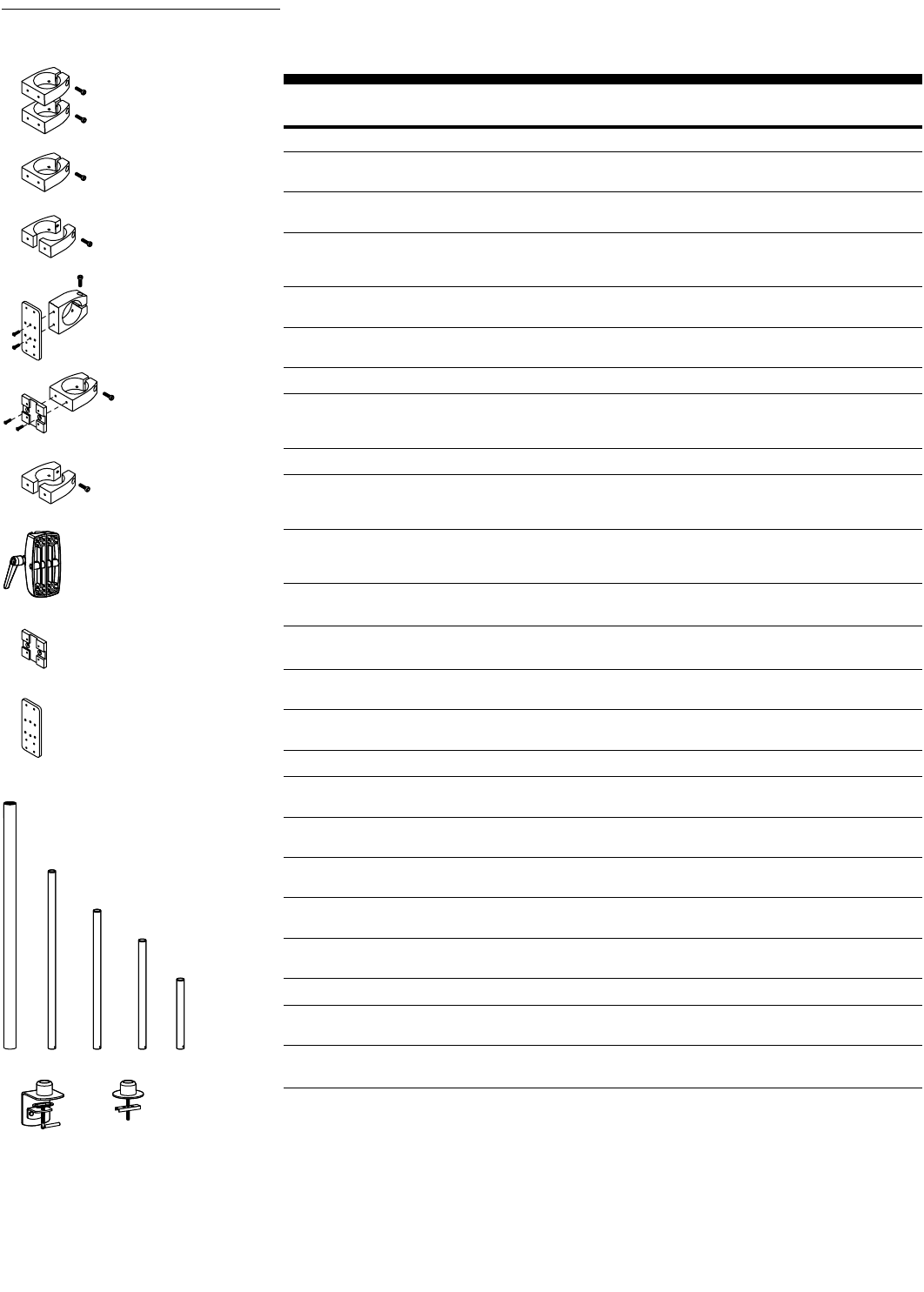
42 • ARMS Orderguide • rev. 05/30/03 870-03-005
Attach equipment to 2", 1-3/4" or 1-1/2" Round Poles. Use your own pole or choose from the
selection below.
Part Description Shipping
Number Weight
2" Pole-Mount Brackets Application
60-131-003, aluminum Pole-Mount Brackets 200, 300, 400 Series, HD Pivot, Extenders on 2 lbs
(2 Brackets) vertical 2" Round Pole (.9 kg)
60-144-003, aluminum Pole-Mount Bracket CPU Holders, Wire Storage Basket on vertical 1 lbs
2" Round Pole (.5 kg)
60-199-003, aluminum* Split Pole-Mount Bracket 200, 300, 400 Series, HD Pivot, Extenders, CPU 2 lbs
(1 Bracket) Holders, Wire Storage Basket on vertical 2" Round (.9 kg)
Pole. For use with Pole having no open end
97-089, aluminum Horizontal Pole-Mount 200, 300, 400 Series, HD Pivot, on horizontal 1 lbs
Bracket Kit 2" Round Pole (.5 kg)
97-094, aluminum Pole-Mount Bracket Kit 100 Series Pivots on vertical or horizontal 2 lbs
for 100 Series 2" Round Pole (.9 kg)
1-3/4" Pole-Mount Brackets Application
60-347-003, aluminum* Split Pole-Mount Bracket 200, 300, 400 Series, HD Pivot, Extenders, CPU 2 lbs
(1 Bracket) Holders, Wire Storage Basket on vertical 1-3/4" (.9 kg)
Round Pole
1-1/2" Pole-Mount Brackets Application
60-420-200, black Large Clamp, Features 200, 300 Series & HD Pivot on 1-1/2" 3 lbs
adjustment lever for easy Round Pole (1.4 kg)
height repositioning
60-423-003, aluminum Split Pole-Mount Bracket 200, 300, 400 Series, HD Pivot, Extenders, CPU 2 lbs
(1 Bracket) Holders, Wire Storage Basket on vertical 1-1/2" (.9 kg)
Round Pole
Note: 7" Extensions w/ Pole Clamp attaches directly to 1-1/2" Round Poles. No bracket necessary. See 200 Series
section (pp.14–19) for product information.
Adapter Interface Plates Application
60-382-085, grey Pivot Mount Plate Allows mounting of 100 Series to Brackets 1 lbs
60-382-099, black on 1-1/2" or 2" Round Pole (.5 kg)
60-383-003, aluminum Arm Mount Plate Allows mounting of 200, 300, 400 Series to 1 lbs
Bracket on horizontal 1-1/2" or 2" Round Pole (.5 kg)
Poles
20-080, chrome 2" Round Pole, 50"L 7 lbs
(3.2 kg)
20-135-200, black 1-1/2" Round Pole, 14"L 2 lbs
(.9 kg)
20-136-200, black 1-1/2" Round Pole, 22"L 5 lbs
(2.3 kg)
20-137-200, black 1-1/2" Round Pole, 28"L 5 lbs
(2.3 kg)
20-161-200, black 1-1/2" Round Pole, 36"L 5 lbs
(2.3 kg)
Bases for 1-1/2" Round Poles Attach to…
60-349-200, black Desk Clamp Base Worksurface edge ≤2-1/8" (54 mm) thick 5 lbs
for 1-1/2" Round Pole (2.3 kg)
60-350-200, black Grommet Mount Base Worksurface through hole 3/8" to 3" (10 to 76 mm) 5 lbs
for 1-1/2" Round Pole wide, up to ≤4" (102 mm) thick (2.3 kg)
Note: Slatwall Pole Clamps also available. See Slatwall Components section (p.43) for product information.
* Order two Brackets for 200, 300 and 400 Series installation.
Pole Mounts
60-131-003
60-144-003
60-199-003
97-089
97-094
60-347-003
60-420-200
60-382-xxx
60-383-003
20-080
20-161-200
20-135-200
20-136-200
20-137-200
60-349-200 60-350-200
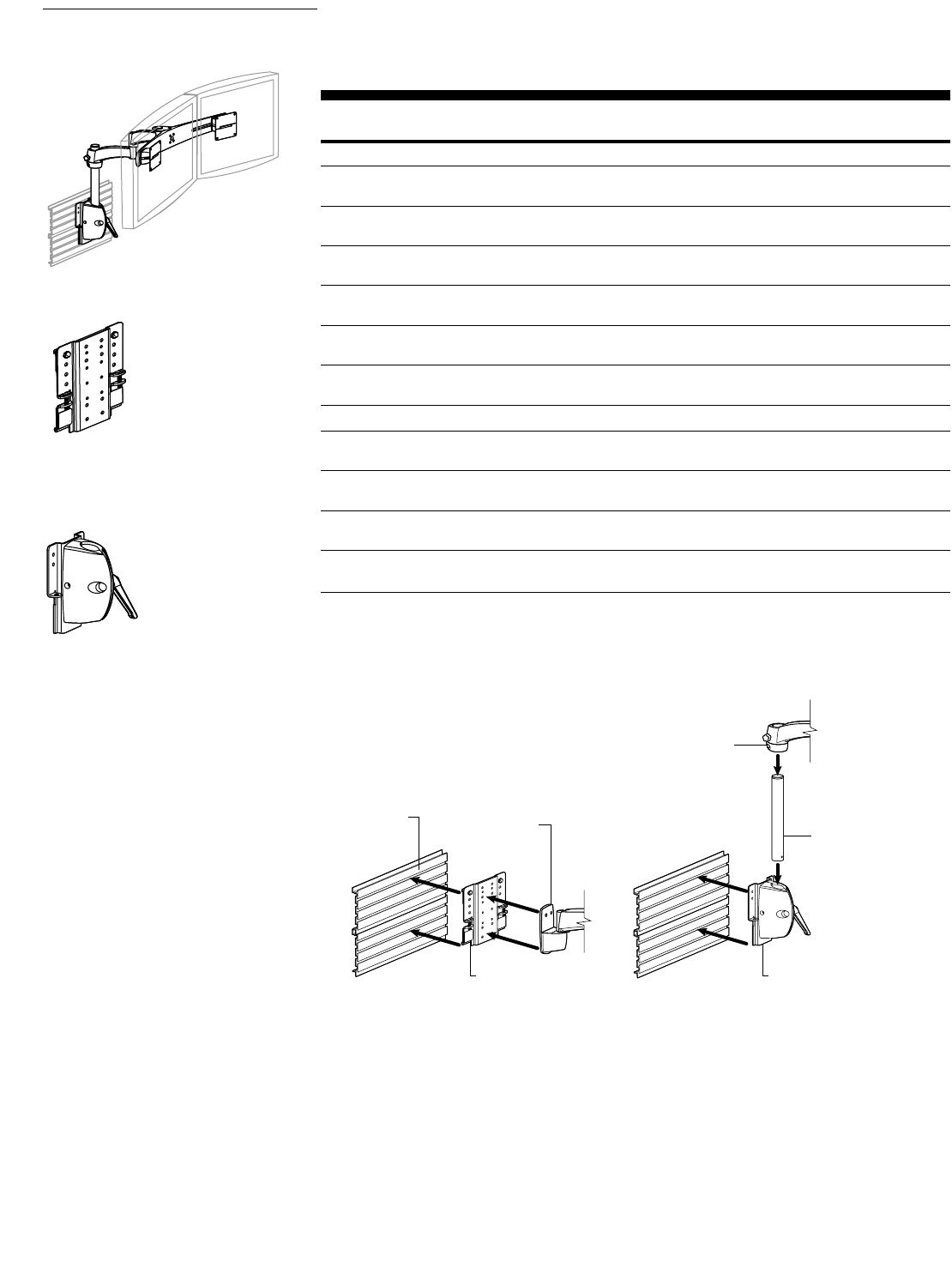
870-03-005 rev. 05/30/03 • ARMS Orderguide • 43
Slatwall Brackets attach 400, 300, 200 and 100 Series to slatwall. Slatwall Pole Clamps support a
1-1/2" Round Pole, to which arms may be mounted. Order according to slatwall manufacturers.
Standard color is black.
Part Description Shipping
Number Weight
Slatwall Brackets
60-271-009, black Woodtronics, Knoll, Infra-structure, Evans, Eurocraft, 2 lbs
Teknion, Steelcase, EDP, CBA (.9 kg)
60-272-009, black Novalink 2 lbs
(.9 kg)
60-274-009, black Wall Street Trading, LaCOUR 2 lbs
(.9 kg)
60-450-009, black SBFI 2 lbs
(.9 kg)
60-293-009, black Herman Miller 2 lbs
(.9 kg)
60-332-009, black ECB 2 lbs
(.9 kg)
Slatwall Pole Clamps Note: Use with 1-1/2" Round Poles (p.42).
60-413-200, black Woodtronics, Knoll, Infra-structure, Evans, Eurocraft, 4 lbs
Teknion, Steelcase, EDP, CBA (1.8 kg)
60-415-200, black LaCOUR 4 lbs
(1.8 kg)
60-416-200, black SBFI 4 lbs
(1.8 kg)
60-417-200, black Herman Miller 4 lbs
(1.8 kg)
Note: Minimum of 3 slats are required to attach slatwall components.
Slatwall Components
Slatwall Bracket
Slatwall Pole Clamps
Typical
slatwall Vertical Mount
7" Extension w/ Pole Clamp
Slatwall Bracket Slatwall Pole Clamp
1-1/2" Round Pole
Sample
Configurations
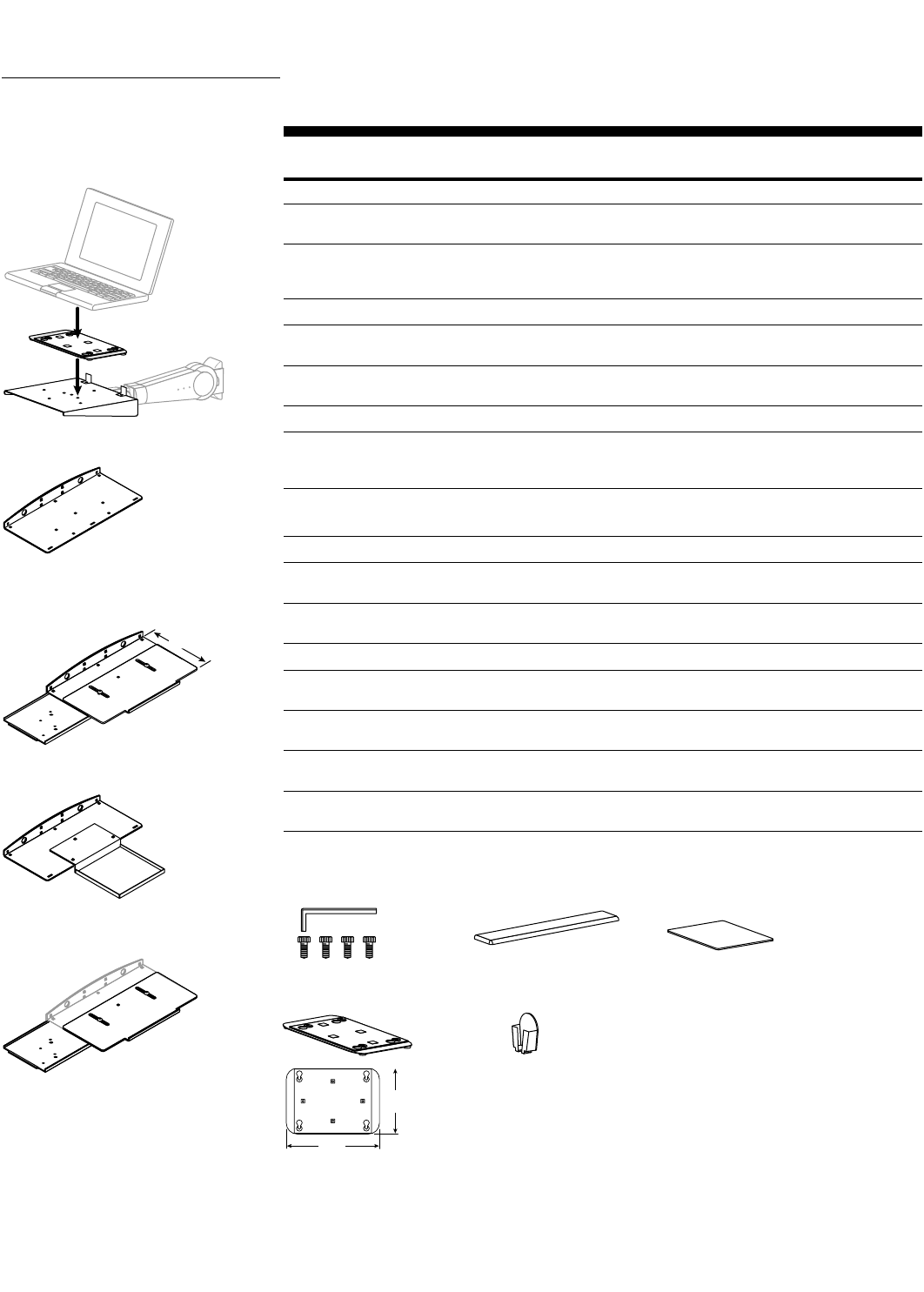
44 • ARMS Orderguide • rev. 05/30/03 870-03-005
Accessory Selections
Keyboard/Mouse
Trays, Laptop Trays
& Accessories
Use in conjunction with 400, 300, 200 and 100 Series Keyboard/Laptop Arms and Pivots.
Part Description Dimensions Shipping
Number W x D x H Weight
Keyboard/Mouse Trays
77-049-100, grey Keyboard Tray 16-1/2" x 7-1/4" x 2" 3 lbs
77-049-101, black (420 x 185 x 51 mm) (1.4 kg)
77-050-100, grey Keyboard Tray w/ 17-1/2" x 9 to 12" x 2-1/2" 7 lbs
77-050-101, black Sliding Mouse Tray (445 x 229 to 305 x 64 mm) (3.2 kg)
& Wrist Rest Holder
Upgrade Kits
85-014-100, grey Front Mouse Tray 7-1/8" x 7-1/8" x 1" 3 lbs
(181 x 181 x 25 mm) (1.4 kg)
85-024-100, grey* Sliding Mouse Tray 5 lbs
& Wrist Rest Holder (2.3 kg)
Laptop Trays
50-117-100, grey Laptop Tray 8" x 9" x 2-1/8" 2 lbs
50-117-101, black (includes Adhesive (203 x 229 x 53 mm) (.9 kg)
Mounting Kit)
* Add to Keyboard Tray 77-049-100 to create 77-050-100.
Laptop Tray Accessories Application
90-017 Tamper Resistant Attaches Adhesive Pad to Laptop 1 lbs
Screw Kit Tray utilizing special screws (.5 kg)
99-065 Replacement Adhesive Replacement Adhesive Mounting Kit 1 lbs
Mounting Kit if Tray’s original adhesive becomes worn (.5 kg)
Wrist Rests & Mouse Accessories Dimensions
85-033, black Wrist Rest 19" x 3" x 3/4" 1 lbs
(483 x 76 x 19 mm) (.5 kg)
85-010-087, grey Wrist Rest, premium, 19" x 3" x 3/4" 1 lbs
easy-clean (483 x 76 x 19 mm) (.5 kg)
85-025-079 Mouse Pad 7" x 7" x 1/4" 1 lbs
(178 x 178 x 6 mm) (.5 kg)
99-033-078, white Mouse Pouch 3" x 2" x 4-1/2" 1 lbs
(76 x 51 x 114 mm) (.5 kg)
50-117-xxx
6"
(152 mm)
8-1/2"
(216 mm)
Adjustment Range
9" to 12"
(229 to 305 mm)
77-049-xxx
77-050-xxx
85-014-100
85-024-100
90-017 85-033 85-025-079
99-065 99-033-078
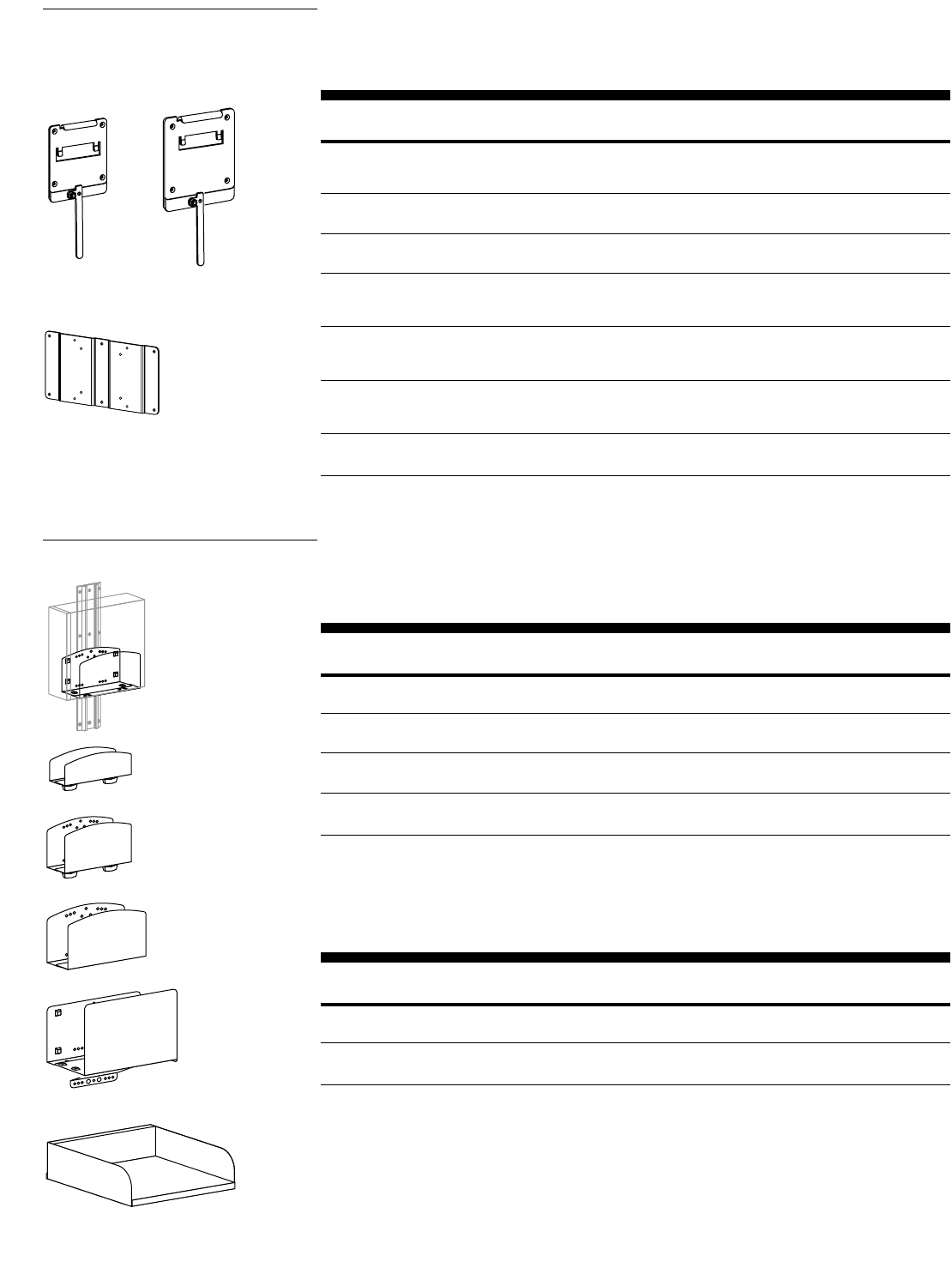
870-03-005 rev. 05/30/03 • ARMS Orderguide • 45
Attach your monitor to Ergotron ARMS with the Quick Mounting Kit – no tools necessary. The Quick
Release Kit makes removal and reattachment of your monitor fast and easy. The Tamper Resistant Kit
secures the lever of the Quick Release Kit.
Part Description Application Shipping
Number Weight
97-182-085, black Quick Mounting Kit, Connects ARMS to monitor’s VESA FDMI interface 1 lbs
(4) Screws w/ easy-turn (.5 kg)
knob head
60-244-007, black* Quick Release Kit Mounts between 75 mm monitor interface 1 lbs
75 mm & 75 mm ARMS product interface (.5 kg)
60-243-007, black* Quick Release Kit Mounts between 100 mm monitor interface 1 lbs
100 mm & 100 mm ARMS product interface (.5 kg)
90-022 Quick Release Tamper Prevents tampering of monitor mounted 1 lbs
Resistant Kit with Quick Release Kit (.5 kg)
(1 screw & hex wrench)
90-023 Quick Release Tamper Prevents tampering of monitors mounted 1 lbs
Resistant Kit with Quick Release Kits (.5 kg)
(10 screws)
60-254-007, black 75 x 75 mm to Mounts 100 x 100 mm monitor to 1 lbs
100 x 100 mm, Ergotron Arm w/ 75 x 75 mm interface (.5 kg)
Conversion Plate Kit
97-197-200, black 100 x 200 mm Attaches to monitors using the 2 lbs
Adapter Plate Kit VESA MIS-E, C Interface Standard (.9 kg)
* Fasteners to attach VESA FDMI compliant monitors and most Ergotron custom interfaces are provided.
However, user may need to supply own fasteners for some applications.
Monitor Interface
Accessories
60-244-007 60-243-007
97-197-200, converts 100 x 200 mm
monitors into 75 x 75 mm or 100 x 100 mm
hole pattern
CPU Holders
Mounts CPUs in a vertical, tower position. Each holder’s width is adjustable. Four sizes are available to
accommodate equipment of 1-1/2" to 11" wide.
Part Description Dimensions Weight Shipping
Number H x W x D Capacity Weight
80-053-100, grey CPU Holder, 4" x 10" x 1-1/2–2-1/2" 40 lbs 3 lbs
Extra Small (102 x 254 x 38–64 mm) (18.1 kg) (1.4 kg)
80-063-100, grey CPU Holder, 6" x 10" x 2-5/8–4-1/8" 50 lbs 6 lbs
80-063-101, black Small (152 x 254 x 67–105 mm) (22.7 kg) (2.7 kg)
80-058-100, grey CPU Holder, 6-1/2" x 10" x 4-1/2–8" 100 lbs 10 lbs
80-058-101, black Medium (165 x 254 x 114–203 mm) (45.4 kg) (4.5 kg)
80-059-100, grey* CPU Holder, 14-5/8" x 12" x 6-1/8–11" 150 lbs 14 lbs
80-059-101, black* Large (372 x 305 x 156–279 mm) (68.1 kg) (6.4 kg)
* The Large CPU Holder (80-059-xxx) is not compatible with the Mobile WorkStand.
Note: To attach to Wall Track, Bracket 60-156 is required. To attach to Command Post, order either Bracket
60-157-100 or 60-158-100. Also mounts directly to surface: fasteners supplied by user when direct mounting.
CPU Shelves
Mounts CPUs in horizontal, desktop position. Cable through-holes are located in the rear.
Part Description Dimensions Weight Shipping
Number W x D x H Capacity Weight
80-060-100, grey CPU Shelf, 17" x 17" x 5" 100 lbs 16 lbs
80-060-101, black Medium (432 x 432 x 127 mm) (45.4 kg) (7.3 kg)
80-061-100, grey* CPU Shelf, 22" x 20" x 7-1/2" 150 lbs 20 lbs
80-061-101, black* Large (559 x 508 x 191 mm) (68.1 kg) (9.1 kg)
* Do not use CPU Shelf, Large (80-061-xxx) with 2" x 2" Command Posts (20-142-100, 20-143-100).
Note: To attach to Wall Track, Bracket 60-156 is required. To attach to Command Post, order either Bracket
60-157-100 or 60-158-100. Also mounts directly to surface: fasteners supplied by user when direct mounting.
CPU Holders
80-058-xxx
80-059-xxx
80-061-xxx
80-063-xxx
80-053-100
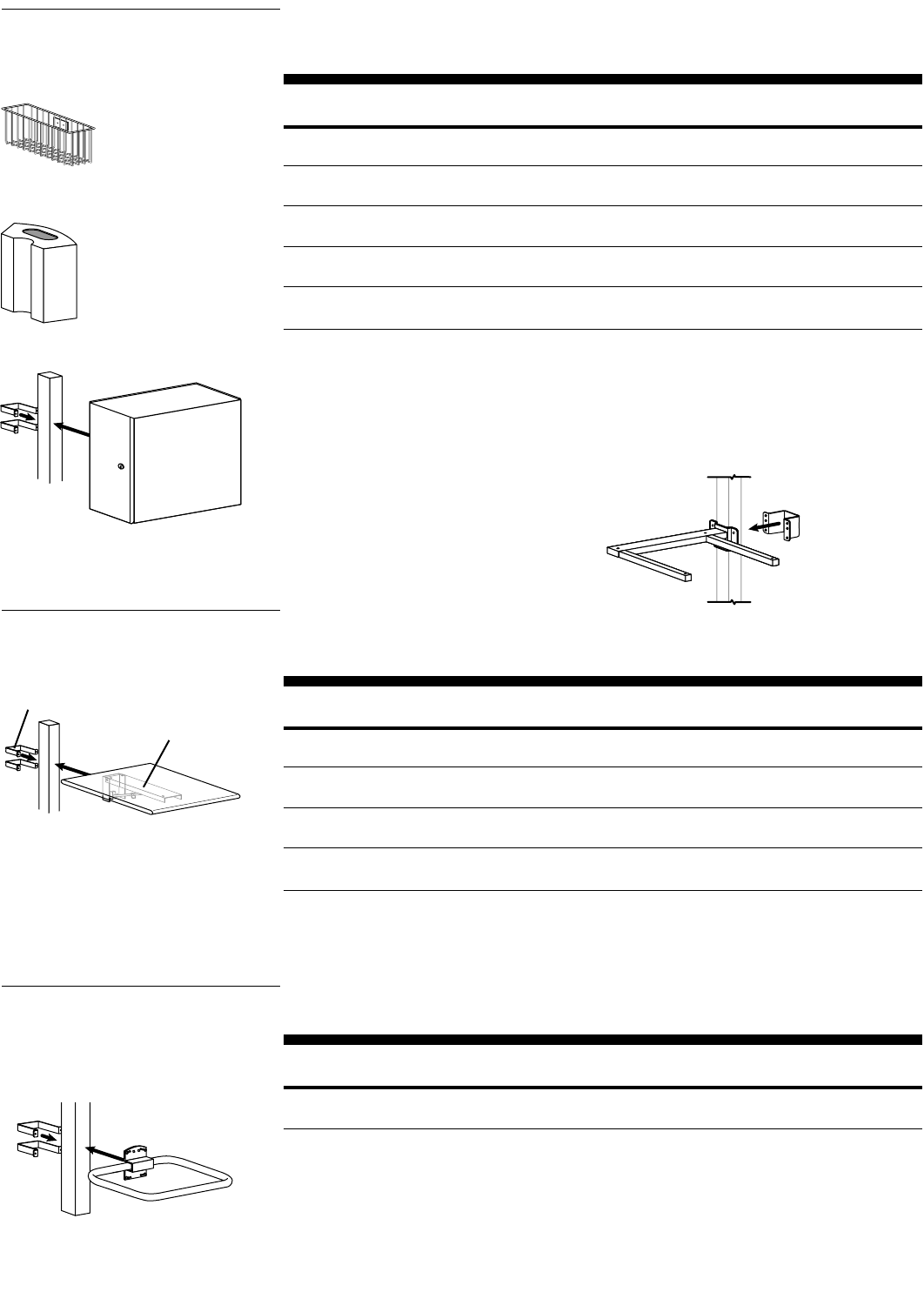
46 • ARMS Orderguide • rev. 05/30/03 870-03-005
The CPU Cabinet is vented and lockable. The Wire Storage Basket and Cable Box add extra storage
options to a configuration.
Part Description Dimensions Shipping
Number H x W x D Weight
99-068-100, grey* Wire Storage Basket 6-1/8" x 13-1/8" x 4-1/8" 3 lbs
(156 x 333 x 105 mm) (1.4 kg)
70-083-100, grey** Cable Box for 9-1/8" x 7-7/8" x 4-3/8" 3 lbs
Command Post (231 x 201 x 112 mm) (1.4 kg)
80-062-100, grey*** CPU Cabinet 18-3/8" x 21" x 8" 34 lbs
(467 x 533 x 203 mm) (15.5 kg)
65-029-100, grey Fixed Underbracing for 11 lbs
3" x 3" Command Post (5 kg)
65-059-100, grey Fixed Underbracing for 11 lbs
Wall Track (5 kg)
* Compatible with Wall Track, Command Post and 2" Pole. To attach to Wall Track, Bracket 97-091 is required. To
attach to Command Post, order either Bracket 60-363-100 or Bracket 60-365-100.
** To attach to Command Post, order Bracket Interface 60-377-100 and either Bracket 60-157-100 or 60-158-100.
***Compatible with Wall Track and Command Post. To attach to Wall Track: for vertical orientation Bracket 60-156
required; for horizontal orientation order Fixed Underbracing 65-059-100. To attach to Command Post: for vertical
orientation order Bracket 60-157-100 or 60-158-100; for horizontal orientation order Fixed Underbracing
65-029-100. No bracket required when attaching Peripheral Table with Fixed Underbracing.
Storage
Components
99-068-100
70-083-100
80-062-100
Fixed Underbracing - Use with CPU
Cabinet (horizontal orientation) and
Peripheral Table. Wall Track version
available.
The Peripheral Table provides a solid, laminated surface for writing or holding equipment on the Wall
Track or Command Post. Configure it with either a Fixed or Fold-Away Underbracing.
Part Description Dimensions Shipping
Number L x W x H Weight
55-035-999, laminated Peripheral Table 20" x 18" x 3/4" 10 lbs
(508 x 457 x 19 mm) (4.5 kg)
65-048-100, grey* Fold-Away Underbracing 7 lbs
(3.2 kg)
65-059-100, grey** Fixed Underbracing 7 lbs
for Wall Track (3.2 kg)
65-029-100, grey** Fixed Underbracing 11 lbs
for 3" x 3" Command Post (5 kg)
* Compatible with Wall Track and Command Post. To attach to Wall Track, Bracket 60-156 is required. To attach to
Command Post, order either Bracket 60-157-100 or 60-158-100.
** No extra bracket is required when attaching Peripheral Table with Fixed Underbracing.
Peripheral Table
Peripheral Tables are compatible with
Wall Track and Command Post
Fold-Away Underbracing
Peripheral Bracket
Install a Footrest to provide more ergonomic comfort to the user.
Part Description Dimensions Weight Shipping
Number L x W x H Capacity Weight
85-023-100, grey* Footrest 14" x 2-1/8" x 2-1/8" 200 lbs 7 lbs
(356 x 54 x 54 mm) (90.9 kg) (3.2 kg)
* To attach to Command Post, order either Bracket 60-157-100 or 60-158-100.
Footrest
The Footrest is recommended for
Command Post
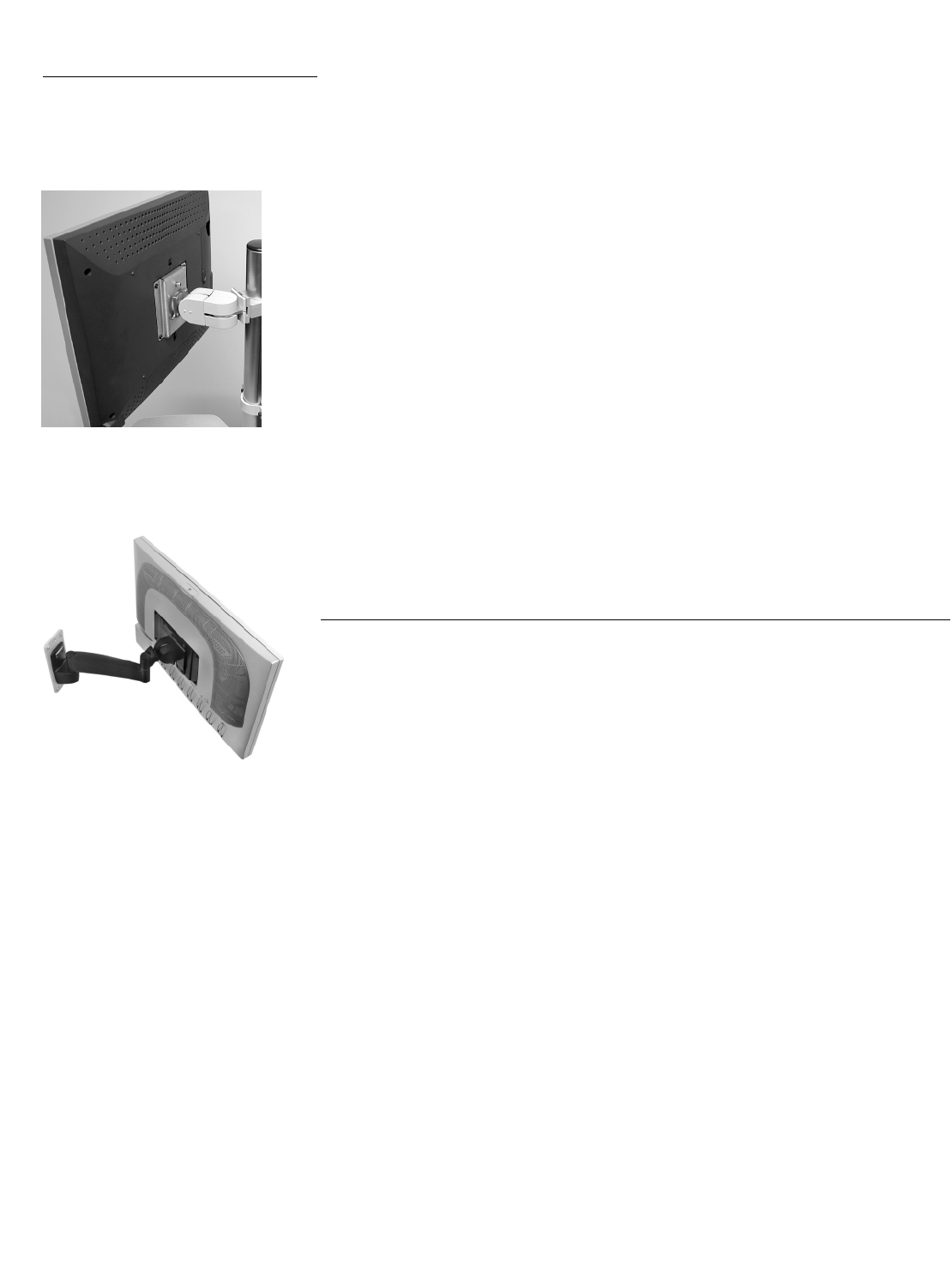
870-03-005 rev.05/30/03 • ARMS Orderguide • 47
Monitor Interface & VESA®Standard Guide
VESA®FDMI™
StandardThe VESA®FDMI™Standard* defines physical mounting interfaces, hole patterns, and associated cable and
power supply location guidelines for flat panel monitors. ARMS are designed to fit this standard to
make monitor attachment quick and easy.
However, if your monitor is not VESA FDMI Standard compliant, a custom bracket may be available for
your monitor.
Oftentimes a monitor’s hole pattern is revealed by removing its base (refer to your monitor’s manual for
details).Contact to verify that your monitor is VESA FDMI Standard
compliant.
Standard Interfaces:
VESA MIS-D,100/75,C(the most common monitor standard)
If your monitor is supplied with the VESA FDMI Standard 75 x 75 mm or 100 x 100 mm mounting hole
pattern, your monitor will attach to ARMS.
VESA MIS-E,C
If your monitor is supplied with the VESA FDMI Standard 100 x 200 mm mounting hole pattern, your
monitor will attach to ARMS using the 100 x 200 mm Adapter Plate Kit (97-197-200).
Monitors that conform to the VESA Standard bolt directly to ARMS. provides
(4) 4 mm x 10 mm screws for VESA MIS-D, 100/75 interface monitor attachment.For VESA MIS-E, C
interface attachment, supplies (4) 8-32 x 5/16" screws.Your monitor may require different screws,
which may be provided by the monitor manufacturer.
Custom Interface Bracket
If your monitor does not include a VESA FDMI Standard mounting hole pattern, a separately-ordered
custom mounting bracket may be available.Contact the monitor manufacturer to see if they have this option
available.If it is not available from the monitor manufacturer, Ergotron has developed a number of custom
brackets to interface with existing flat panel monitors.Contact Ergotron at 800-888-8458 (option 2) to see if
one is available for your monitor.
* VESA FDMI Standard stands for Video Electronics Standards Association Flat Display Mounting
Interface Standard.
Ergotron, Inc., is a full member of the Video Electronics Standards Association (VESA®), which is
comprised of over 300 high-tech member companies who work on standards for the video electronics
market that will shape the technology of tomorrow.
If you have a monitor with a 100 x 100 mm hole pattern that you would like attached to an ARMS product
with a 75 x 75 mm interface, a Conversion Plate Kit is available.Please note that all ARMS now ship with
both 75 mm and 100 mm interface plates.See Monitor Interface Accessories on page 45.
Rear view of a flat panel monitor that is
VESA MIS-D, 100/75, C compliant.It is
attached to a 100 Series Pivot.
Rear view of a flat panel monitor that is
VESA MIS-E, C compliant.It is attached
to a HD Pivot with 9" Extension using the
100 x 200 mm Adapter Plate Kit.
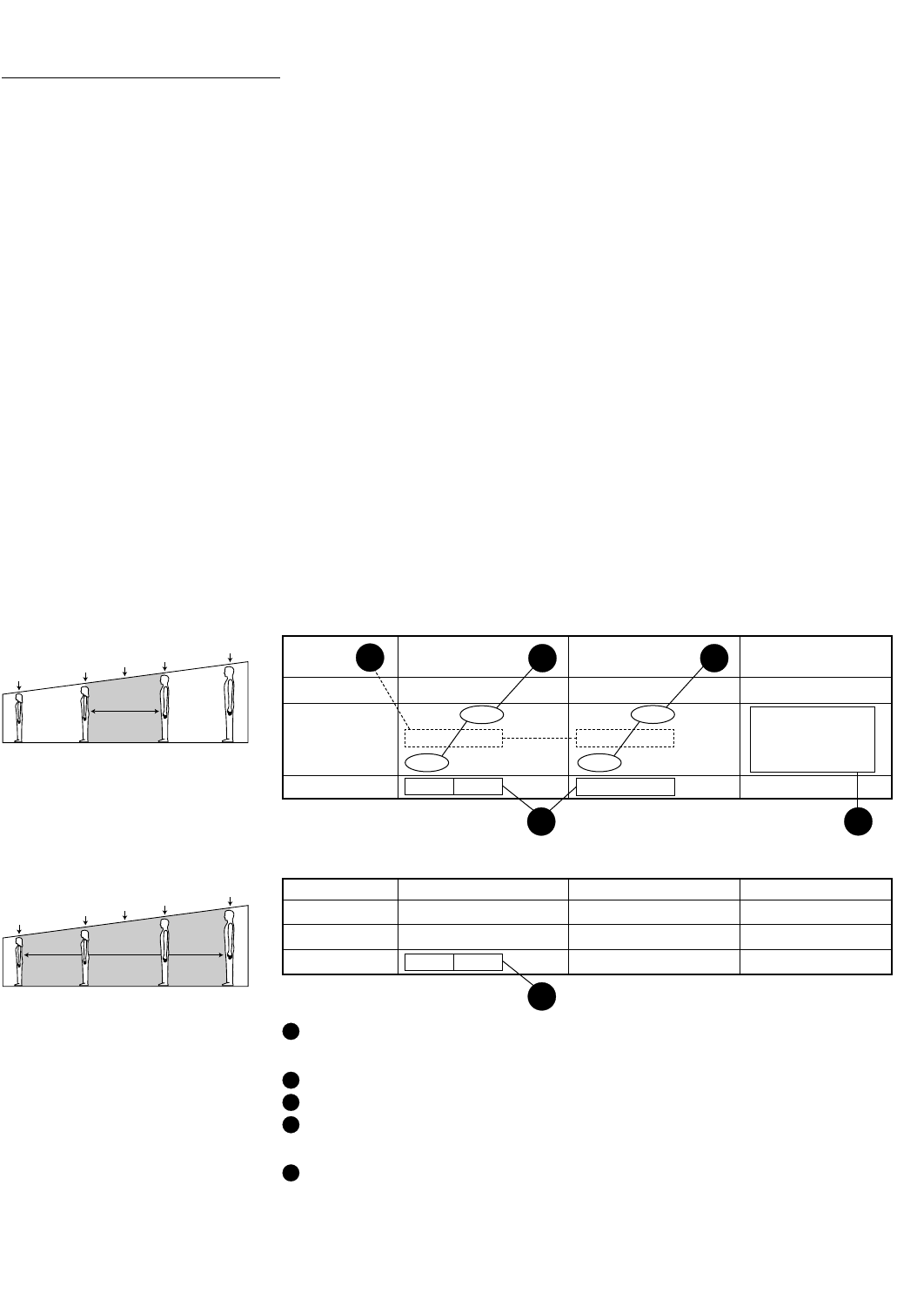
48 • ARMS Orderguide • rev. 05/30/03 870-03-005
Ergonomics Data & Mounting Heights
To obtain optimum performance from a workstation, consider the following topics during installation of
your Flat Panel ARMS:
•The adjustment range of the ARMS product.
•The use-mode of the ARMS product…
> Monitoring/viewing only?
> Data entry?
> User will be sitting?
> User will be standing?
> User will be sitting and standing at different times?
• Vertical mounting height of the ARMS product in respect to user(s)…
> Female or male only?
> Female and male both?
> Average height of users?
Using the Eye-Height / Elbow-Height Tables:
Use these tables to help determine mounting heights of ARMS products.
Follow these Ergonomic Ground Rules during installation of ARMS products:
• Screen Height: Top of screen should be level with, or slightly below, Eye Height of user.
• Keyboard Height: Center-line of keyboard should be level with Elbow Height of the operator with
forearms and wrists in a level position.
• Screen/Keyboard Height Variance: The distance from top of monitor screen to center-line of
keyboard reflects Eye-to-Elbow Measurement of the average female to male users.
Remember that the actual attachment-point height of ARMS products varies because:
• Dimensions of monitors vary.
• Configurations of ARMS products vary.
Eye-Height / Elbow-Height Tables
For average range of users – anthropometric†data expressed in inches
†Anthropometry: The study of human
body measurements. Data based on
studies of US population.
* Denotes the female who is at the 5%
mark of a scale ranging 0% to 100%.
** Denotes the male who is at the 95%
mark of a scale ranging 0% to 100%.
Look for numbers in tables that
correlate with numbers in illustrations
on the following pages.
50% of Population
Average
Person
Average
Female
5%
Female
Average
Male
95%
Male
95% of Population
Average
Person
Average
Female
5%
Female
Average
Male
95%
Male
Eye Height Elbow Height Eye-to-Elbow
Measurement
Stand Sit Var. Stand Sit Var. Stand Sit
Av. Female 59.4 44.0 15.4 38.8 23.0 15.8 20.6 21.0
Av. Person 61.7 46.1 15.6 40.4 24.9 15.5 21.3 21.2
Av. Male 64.4 48.5 15.9 42.5 27.0 15.5 21.9 21.5
Variance F/M 5.0 4.5 —3.7 4.0 ——
1
4
4
2
5
Stand Sit Var. Stand Sit Var. Stand Sit
5% Female* 55.7 40.8 14.9 36.5 20.8 15.7 19.2 20.0
95% Male** 68.6 52.1 16.5 45.4 29.5 15.9 23.2 22.6
Variance F/M 12.9 11.3 —8.9 8.7 ——
3
For 5% female to 95% male range of users
Fixed-height applications: Mount at height for average person.
Height-adjustable applications...
Sitting or standing for average range of users: ≥5" vertical adjustment range required.
Sitting or standing for 95% range of users: ≥12.9" vertical adjustment range required.
Sitting &standing for average range of users: ≥19.5" vertical adjustment range required.
Keyboard placement...
Keyboard to monitor relationship: The optimal distance is 21" in all applications.
1
2
3
4
5
Ergonomic Ground
Rules – English Units
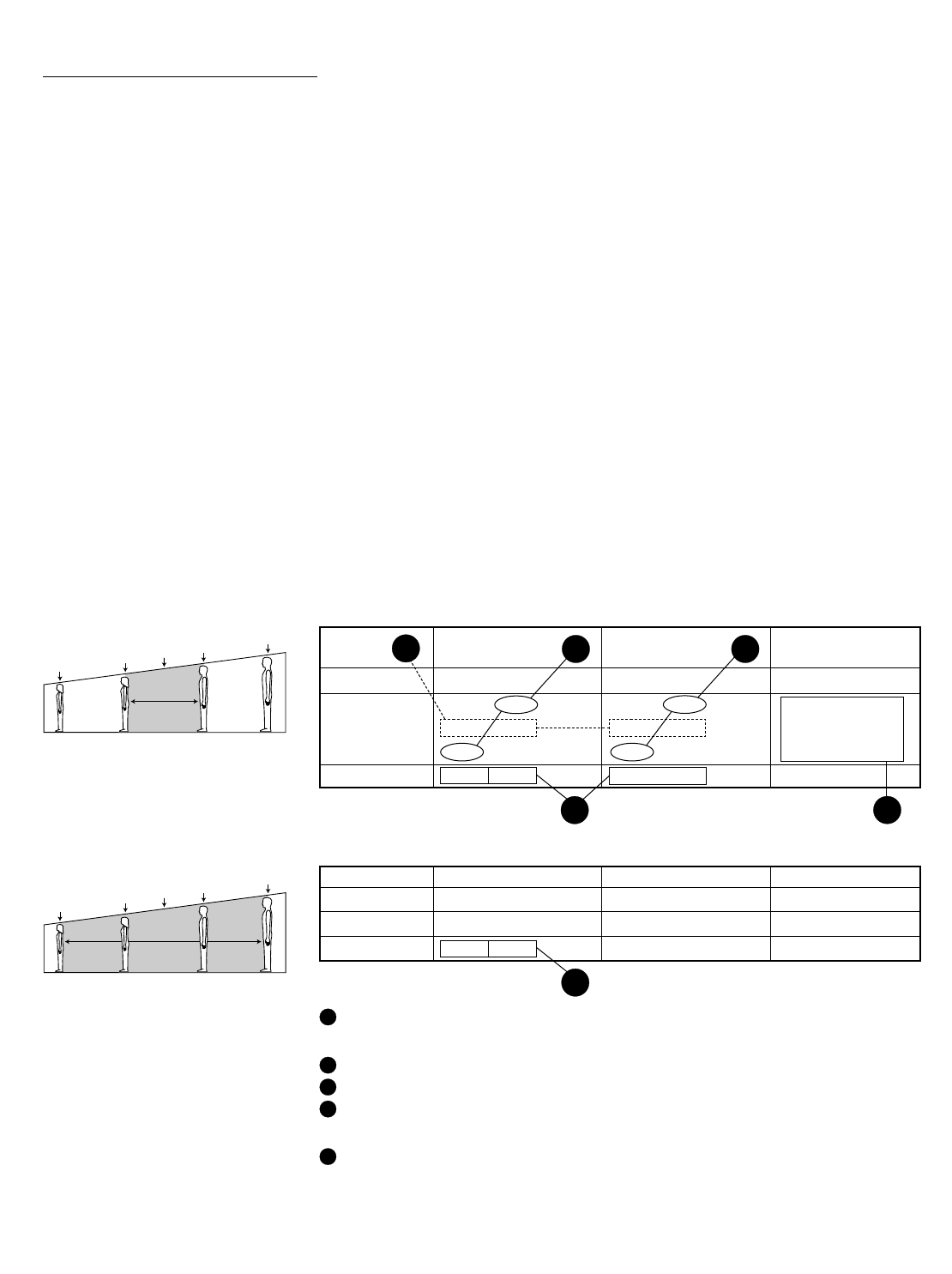
870-03-005 rev. 05/30/03 • ARMS Orderguide • 49
50% of Population
Average
Person
Average
Female
5%
Female
Average
Male
95%
Male
95% of Population
Average
Person
Average
Female
5%
Female
Average
Male
95%
Male
To obtain optimum performance from a workstation, consider the following topics during installation of
your Flat Panel ARMS:
•The adjustment range of the ARMS product.
•The use-mode of the ARMS product…
> Monitoring/viewing only?
> Data entry?
> User will be sitting?
> User will be standing?
> User will be sitting and standing at different times?
• Vertical mounting height of the ARMS product in respect to user(s)…
> Female or male only?
> Female and male both?
> Average height of users?
Using the Eye-Height / Elbow-Height Tables:
Use these tables to help determine mounting heights of ARMS products.
Follow these Ergonomic Ground Rules during installation of ARMS products:
• Screen Height: Top of screen should be level with, or slightly below, Eye Height of user.
• Keyboard Height: Center-line of keyboard should be level with Elbow Height of the operator with
forearms and wrists in a level position.
• Screen/Keyboard Height Variance: The distance from top of monitor screen to center-line of
keyboard reflects Eye-to-Elbow Measurement of the average female to male users.
Remember that the actual attachment-point height of ARMS products varies because:
• Dimensions of monitors vary.
• Configurations of ARMS products vary.
Eye-Height / Elbow-Height Tables
For average range of users – anthropometric†data expressed in millimeters
Ergonomics Data & Mounting Heights
Eye Height Elbow Height Eye-to-Elbow
Measurement
Stand Sit Var. Stand Sit Var. Stand Sit
Av. Female 1509 1118 391 986 584 401 523 533
Av. Person 1567 1171 396 1026 632 394 541 538
Av. Male 1636 1232 404 1080 686 394 556 546
Variance F/M 127 114 —64 102 ——
1
4
4
2
5
Stand Sit Var. Stand Sit Var. Stand Sit
5% Female* 1415 1036 378 927 528 399 488 508
95% Male** 1742 1323 419 1153 749 404 589 574
Variance F/M 328 287 —226 221 ——
3
For 5% female to 95% male range of users
Fixed-height applications: Mount at height for average person.
Height-adjustable applications...
Sitting or standing for average range of users: ≥127 mm vertical adjustment range.
Sitting or standing for 95% range of users: ≥328 mm vertical adjustment range.
Sitting &standing for average range of users: ≥495 mm vertical adjustment range.
Keyboard placement...
Keyboard to monitor relationship: The optimal distance is 533 mm in all applications.
1
2
3
4
5
Ergonomic Ground
Rules – Metric Units
†Anthropometry: The study of human
body measurements. Data based on
studies of US population.
* Denotes the female who is at the 5%
mark of a scale ranging 0% to 100%.
** Denotes the male who is at the 95%
mark of a scale ranging 0% to 100%.
Look for numbers in tables that
correlate with numbers in illustrations
on the following pages.
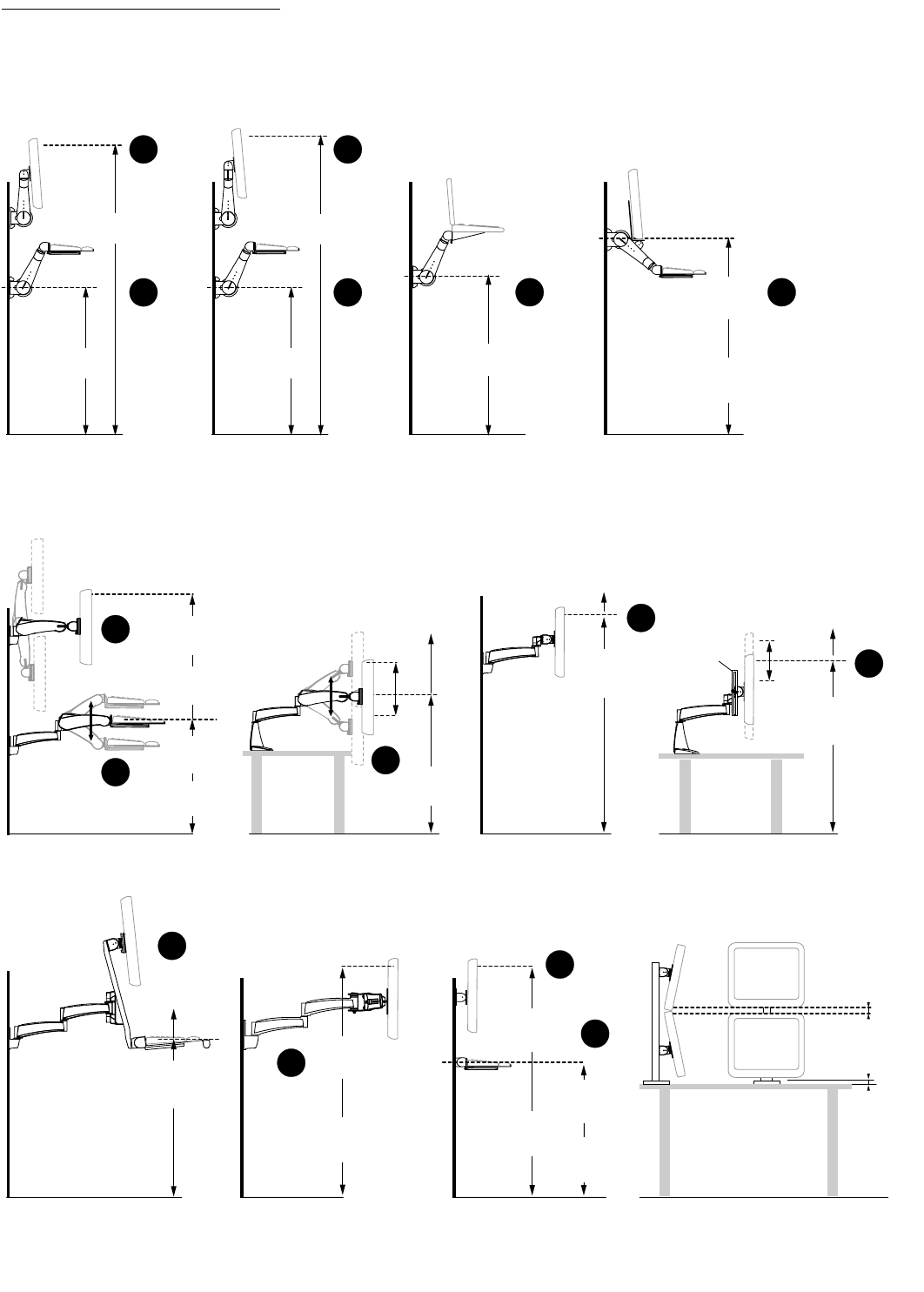
Mounting Height
Illustrations
50 • ARMS Orderguide • rev. 05/30/03 870-03-005
400 Combo Flat Panel
Monitor/Keyboard Arm
400 Series Arm
w/ Double Pivot & P/L
Sit-to-Stand Configuration
Arm “full up”
position
400 Series Arm
w/ Single Pivot
Sit-to-Stand Configuration
400 Series
Keyboard/Laptop Arm
Sit-to-Stand Configuration
35"
(889 mm)
Up to 14"
(356 mm)
vertical
adjustment
range
22"
(559 mm)
vertical
adjustment
range
22"
(559 mm)
vertical
adjustment
range
22"
(559 mm)
vertical
adjustment
range
20"
(508 mm)
vertical
adjustment
range
Arm “full up”
position
24"
(610 mm)
vertical
adjustment
range
46"
(1168 mm)
Standing Use
30"
(762 mm)
Sitting Use
64"
(1626 mm)
66"
(1676 mm)
32-3/4"
(832 mm)
32-3/4"
(832 mm)
40"
(1016 mm)
Standing Use
25"
(635 mm)
Sitting Use
62"
(1575 mm)
Standing Use
46"
(1168 mm)
Sitting Use
Arm in “level”
position
62"
(1575 mm)
Standing Use
62"
(1575 mm)
Standing Use
62"
(1575 mm)
Standing Use
46"
(1168 mm)
Sitting Use
52"
(1320 mm)
41"
(1041 mm)
*
6" Vertical
Adjustment
Extension
49"
(1244 mm)
43"
(1092 mm)
No vertical
adjustment
200 Series Dual-Monitor
(Fixed Height)
40"
(1016 mm)
Standing Use
40"
(1016 mm)
Standing Use
25"
(635 mm)
Sitting Use
No vertical
adjustment
100 Series or FX Series
(Fixed Height)
1"
(25 mm)
1/2"–1"
(12–25 mm)
Dual-stacked flat panel
monitors may not strictly
conform to standard
Ergonomic Height Rules. In
general, the monitors should
be set as close to the table
top as possible.
46"
(1168 mm)
Sitting Use
46"
(1168 mm)
Sitting Use
62"
(1575 mm)
Standing Use
62"
(1575 mm)
Standing Use
46"
(1168 mm)
Sitting Use
46"
(1168 mm)
Sitting Use
25"
(635 mm)
Sitting Use
200 Series Combination Arm
Sit or Stand Configurations
Dual-Stacked (DS100 & 200 Series)
Flat Panels—Sit Configurations
300 Series Arm
Sit or Stand Configurations
300 Series
Sit or Stand Configurations
200 Series
Sit or Stand Configurations
200 Series w/ 6" Vertical
Adjustment
4
5
4
53 3
4
54
1
1
1
1
1
5
Numbers in the diagrams below can be cross-referenced with numbers in the Eye-Height / Elbow-Height
Tables on the preceding pages. For more detailed information, consult our Ergonomic Mounting
Heights Guide, literature # 888-99-014, which is included with each ARMS purchase.
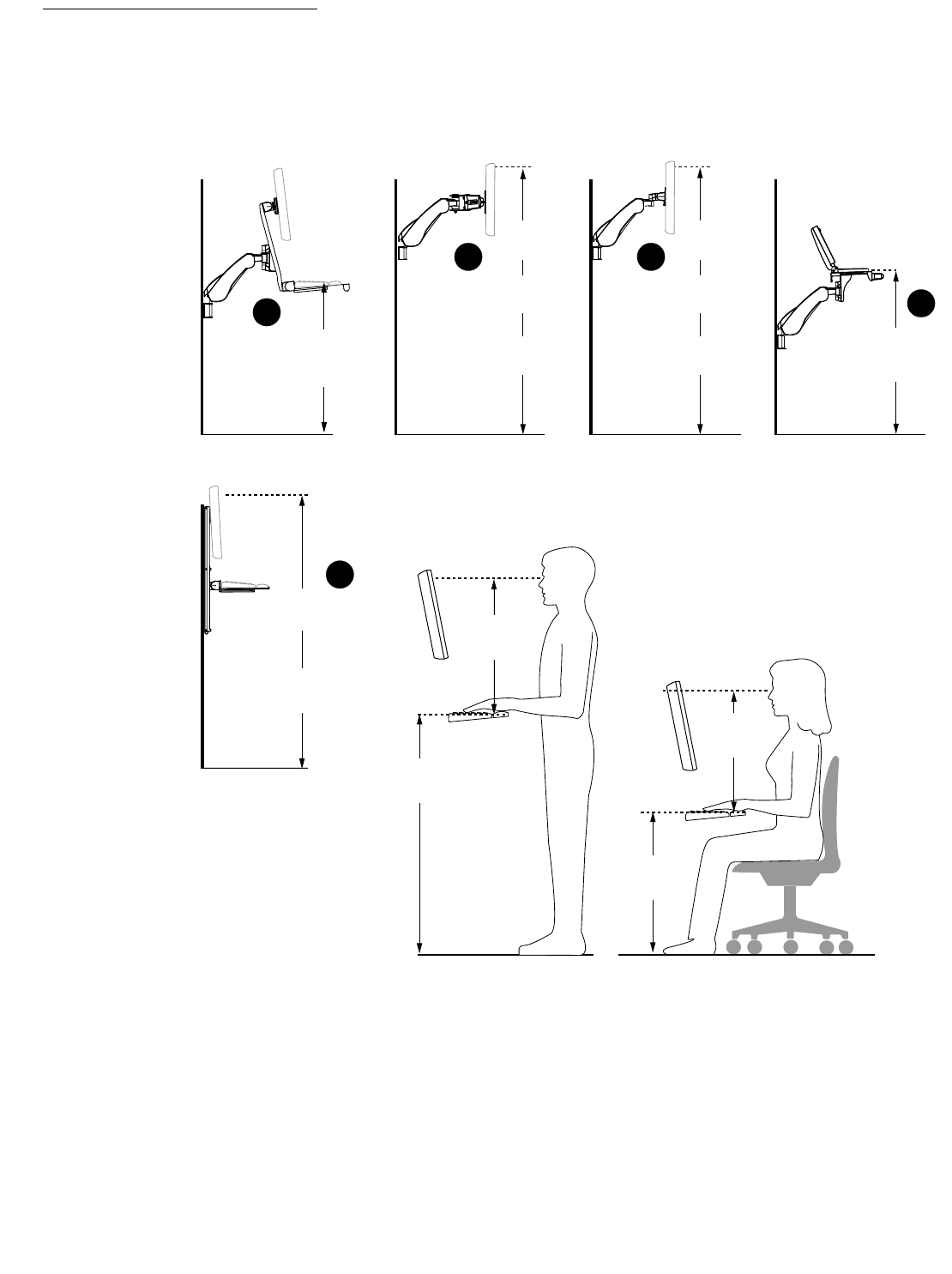
Mounting Height
Illustrations
870-03-005 rev. 05/30/03 • ARMS Orderguide • 51
HD Combo
Screen
“full up”
position
VL Series
9" Vertical Lift
GENERAL GUIDE:
Set the monitor and keyboard at the ergonomic heights shown.
9"
(229 mm)
height
range
HD Dual-Monitor HD45 Monitor Arm HD Laptop
Arm in “full up”
position
Arm in “full up”
position
Arm in “full up”
position
Arm in “full up”
position
Standing Use 47"
(1194 mm)
Sit to Stand Use 40"
(1016 mm)
Sitting Use 32"
(813 mm)
68"
(1575 mm)
Standing Use
52"
(1321 mm)
Sitting Use
61"
(1549 mm)
Sit to Stand Use
68"
(1575 mm)
Standing Use
52"
(1321 mm)
Sitting Use
61"
(1549 mm)
Sit to Stand Use
66"
(1676 mm)
Standing Use
50"
(1270 mm)
Sitting Use
Male or Female
Male or Female
20" to 22"
(508 to 559 mm)
Sitting Use
Standing Use 47"
(1194 mm)
Sit to Stand Use 42"
(1067 mm)
Sitting Use 37"
(940 mm)
40"
(1015 mm)
Standing Use
25"
(635 mm)
Sitting Use
20" to 22"
(508 to 559 mm)
Standing Use
3
3 3
3
2
Numbers in the diagrams below can be cross-referenced with numbers in the Eye-Height / Elbow-Height
Tables on the preceding pages. For more detailed information, consult our Ergonomic Mounting
Heights Guide, literature # 888-99-014, which is included with each ARMS purchase.

52 • ARMS Orderguide • rev. 05/30/03 870-03-005
Technical Specifications
Weight Capacity
Weight capacities for ARMS
products should be regarded as
general guidelines only. Several
variables can effect weight capacity,
so capacity may vary between
applications.
Where weight range is shown
(e.g. 5–30 lbs), the lower end of the
range represents minimum weight
required for proper function.
400 Series*
•Single Pivot: 28 lbs (12.7 kg)
•Single Pivot w/ P/L: 25 lbs (11.3 kg)
•Double Pivot w/ P/L: 23 lbs (10.4 kg)
•Keyboard/Laptop Pivot: 7.5 lbs (3.4 kg)**
•Combo Arm: monitor = 20 lbs (9.1 kg)
keyboard = 7.5 lbs (3.4 kg)
300 Series*
•Double Pivot with P/L: 23 lbs (10.4 kg)
•Keyboard/Laptop Pivot: 7.5 lbs (3.4 kg)**
If a 300 Series system is customized using
two or more 9" Extensions, special load
limitations may apply. See TABLE A to
determine weight capacity.
200 Series*
•Single Pivot with P/L: 25 lbs (11.3 kg)
•6" Vertical Slide Pivot: 25 lbs (11.3 kg)
•Dual-Monitor Arm: 22 lbs (10 kg) or 28 lbs
(12.7 kg) per pivot… Varies according to
configuration and length of Extensions.
•Keyboard/Laptop Pivot: 7.5 lbs (3.4 kg)**
•Combo Arm: monitor = 25 lbs (11.3 kg)
keyboard = 15 lbs (6.8 kg)
If a 200 Series system is customized using
three or more 9" Extensions, special load
limitations may apply. See TABLE A to
determine weight capacity.
100 Series*
•Single Pivot: 28 lbs (12.7 kg)
• Single Pivot with P/L: 25 lbs (11.3 kg)
• Double Pivot: 25 lbs (11.3 kg)
•Double Pivot with P/L: 23 lbs (10.4 kg)
•Keyboard/Laptop Pivot: 7.5 lbs (3.4 kg)**
DS400 Series*
•20 lbs (9.1 kg)
DS100 Series*
Up to five monitors may be placed on a
single base. Each pivot can hold the
following:
•Sliding Pivot: 28 lbs (12.7 kg)
•Sliding Pivot w/ P/L: 25 lbs (11.3 kg)
•Clamping Pivot: 28 lbs (12.7 kg)
•Clamping Pivot w/ P/L: 25 lbs (11.3 kg)
•Clamping Double Pivot: 25 lbs (11.3 kg)
•Clamping Double Pivot w/ P/L: 23 lbs (10.4 kg)
* Monitor depth affects weight capacity.
See TABLE B.
** Weight capacity is in addition to weight
of Keyboard/Laptop Tray.
32" (D)
27"
9" 9" 9" 5"
C/G
TABLE A: Weight Capacity When Adding Extensions
When adding Extensions to a 300 or 200 Series system, use the formula below to calculate the
maximum allowable load:
D x L = maximum inch-lbs (not to exceed 900)
Distance (D) = The measurement in inches on a horizontal
plane from the center-line of the mounting bracket to the
center-of-gravity (C/G) of the monitor.
Load (L) = The weight in pounds of the monitor.
Example:
Monitor weighing 25 lbs using three 9" Extensions
and a Single Pivot with P/L.
Therefore:
D= (3 x 9") + 5" = 32"
L= 25 lbs
32" x 25 lbs = 800 inch-lbs
As 800 is less than 900, your component can be used in this configuration.
1"
C/G
Typical
monitor
2"
C/G
2" 4"
Weight capacity is 23 lbs Weight capacity is 6 lbs less (17 lbs)
Deep
monitor
TABLE B: Monitor Depth Affects Weight Capacity
Weight capacity may be diminished if monitor depth is greater than 2 inches:
The listed capacities are based on a monitor's center-of-gravity (C/G) not exceeding 1" (25 mm)
from the end of a Pivot. For every 1" (25 mm) of additional distance between a monitor's C/G and
the end of the Pivot, reduce the weight capacity by 6 lbs (2.7 kg).

870-03-005 rev. 05/30/03 • ARMS Orderguide • 53
FX Series
•FX-30: 30 lbs (13.6 kg)
VL Series
•VL-9: 9–34 lbs (4.1–15.4 kg)
•VL-9 w/ Pull-out Keyboard Tray: 5–30 lbs
(2.3–13.6 kg)
Weight capacity for the Vertical Lift is the
sum weight of the monitor and keyboard.
MD Series
•25 lbs (11.4 kg)
HD Series
•HD45 Arm: 20–xx lbs (9.1–xx kg) For “xx”,
see TABLE C
•HD Pivots: see TABLE C
•HD Dual-Monitor Arm: 20 lbs (9.1 kg) per
pivot*
•HD Combo: monitor = 25 lbs (11.3 kg)*
keyboard = 15 lbs (6.8 kg)*
•HD Laptop: 20 lbs (9.1 kg)
* Monitor depth affects weight capacity.
See TABLE B on previous page.
Weight Capacity
applies to HD45 Arm and HD Pivots
Monitor Weight
40 lbs (18 kg)
43 lbs (19.5 kg)
45 lbs (20.4 kg)
48 lbs (21.8 kg)
53 lbs (24 kg)
Monitor Thickness
4" (102 mm)
3-1/2" (89 mm)
3-1/4" (83 mm)
3" (76 mm)
2-1/2" (64 mm)
TABLE C: Center-of-Gravity Affects Weight Capacity
When using HD45 Arms or HD Pivots use the following table to determine weight capacity.
If using a monitor that falls outside of the range of the table, consult with an Ergotron
representative.
The Table assumes that the Center of Gravity (CG) of the monitor is slightly off center (60%)
towards the front.
Performance
Information Temperature Range
The optimal temperature range for Ergotron ARMS is 40˚ to 110˚F (4˚ to 43˚C). Operating outside this range
may affect performance of product.
Warranty Information
We are so confident that Ergotron products will outlast your computer hardware that we back our structural
components with a lifetime warranty and a five (5)-year warranty on Arms and Pivots. OEM products are
warranted by their respective manufacturer.
Weight Capacity
Weight capacities for ARMS
products should be regarded as
general guidelines only. Several
variables can effect weight capacity,
so capacity may vary between
applications.
Where weight range is shown
(e.g. 5–30 lbs), the lower end of the
range represents minimum weight
required for proper function.
Technical Specifications
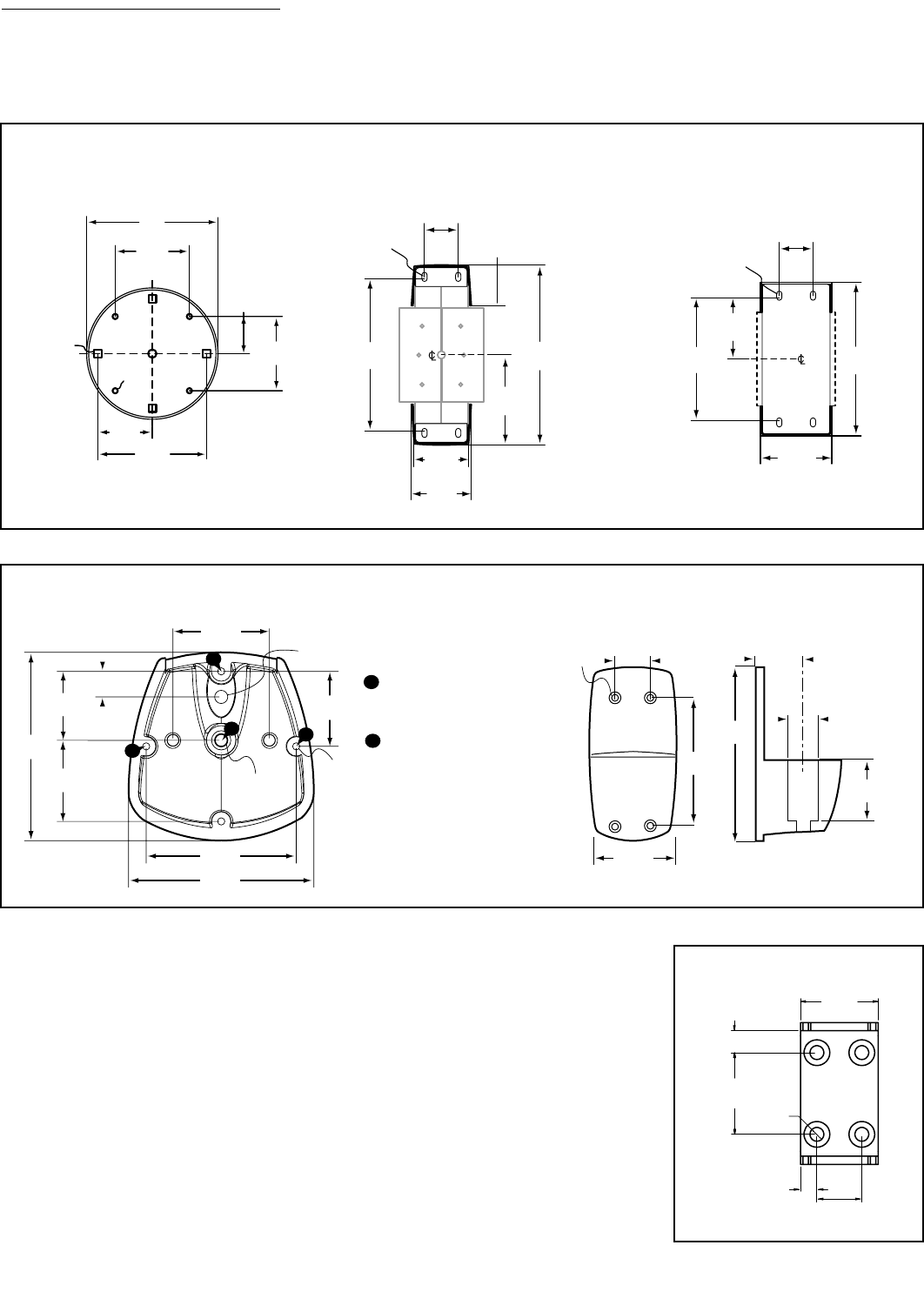
54 • ARMS Orderguide • rev. 05/30/03 870-03-005
Interface Dimensions
for Direct Mounting Note: Surface construction varies. It is recommended that you consult the appropriate architectural,
engineering or construction personnel to ensure ARMS are properly mounted to handle the applied loads.
4.04"
(102.6 mm)
2.02"
(51.3 mm)
1.38"
(35.1 mm)
2.75"
(69.9 mm)
5"
(127.0mm)
2.75"
(69.9 mm)
Ø .19"
(4.8mm)
.282" x .282"
(7.2 x 7.2 mm)
400 SERIES
400 Series Horizontal Mount
Surface/Suspend Arm
Interface
5.074"
(128.9 mm)
1.375"
(34.9 mm)
6"
(152.4 mm)
3"
(76.2 mm)
1.81"
(46.0 mm)
2"
(50.8 mm)
1.125"
(28.6 mm)
Ø .203"
(5.2 mm)
Slotted
400 Series Vertical Mount
Rotate Arm Interface (includes
Combination Rotate Arm)
400 Series Vertical Mount
Fixed Arm Interface (includes
Combination Fixed Arm)
Ø .203"
(5.2 mm)
Slotted
2.375"
(60.3 mm)
5"
(127.0 mm)
2.05"
(52.1 mm)
1.125"
(28.6 mm)
4.1"
(104.1 mm)
.662"
(16.8 mm)
1.787"
(45.4 mm)
2.102"
(53.4 mm)
4.881"
(124.0 mm)
1.787"
(45.4 mm)
Ø.348"
(8.8 mm)
Ø.340"
(8.6 mm)
Ø.188"
(4.8 mm)
1.944"
(49.3 mm)
3.889"
(98.8 mm)
4.8"
(121.9 mm)
A
A
A
B
A: #10-24 UNC Tap .35 Deep,
Break Through Allowed
B #3/8-16 UNC Tap 1.0 Deep,
No Break Through Allowed
A
B
300/200 SERIES
300/200 Series Desk Clamp
and Grommet Mount
300/200 Series Vertical Mount
4.1"
(104 mm)
5-1/2"
(140 mm)
1.25"
(31.8 mm)
Ø.2"
(.5 mm)
2.7"
(69 mm)
1.13"
(28.6 mm)
1.87"
(47.6 mm)
Ø.758"
(19.3 mm)
2.38"
.42" Ø
(11 mm)
(60 mm)
.67"
(17 mm)
2.5"
(64 mm)
1.38"
(35 mm)
.5"
(13 mm)
HD SERIES
HD Series Vertical Mount
Hole Pattern
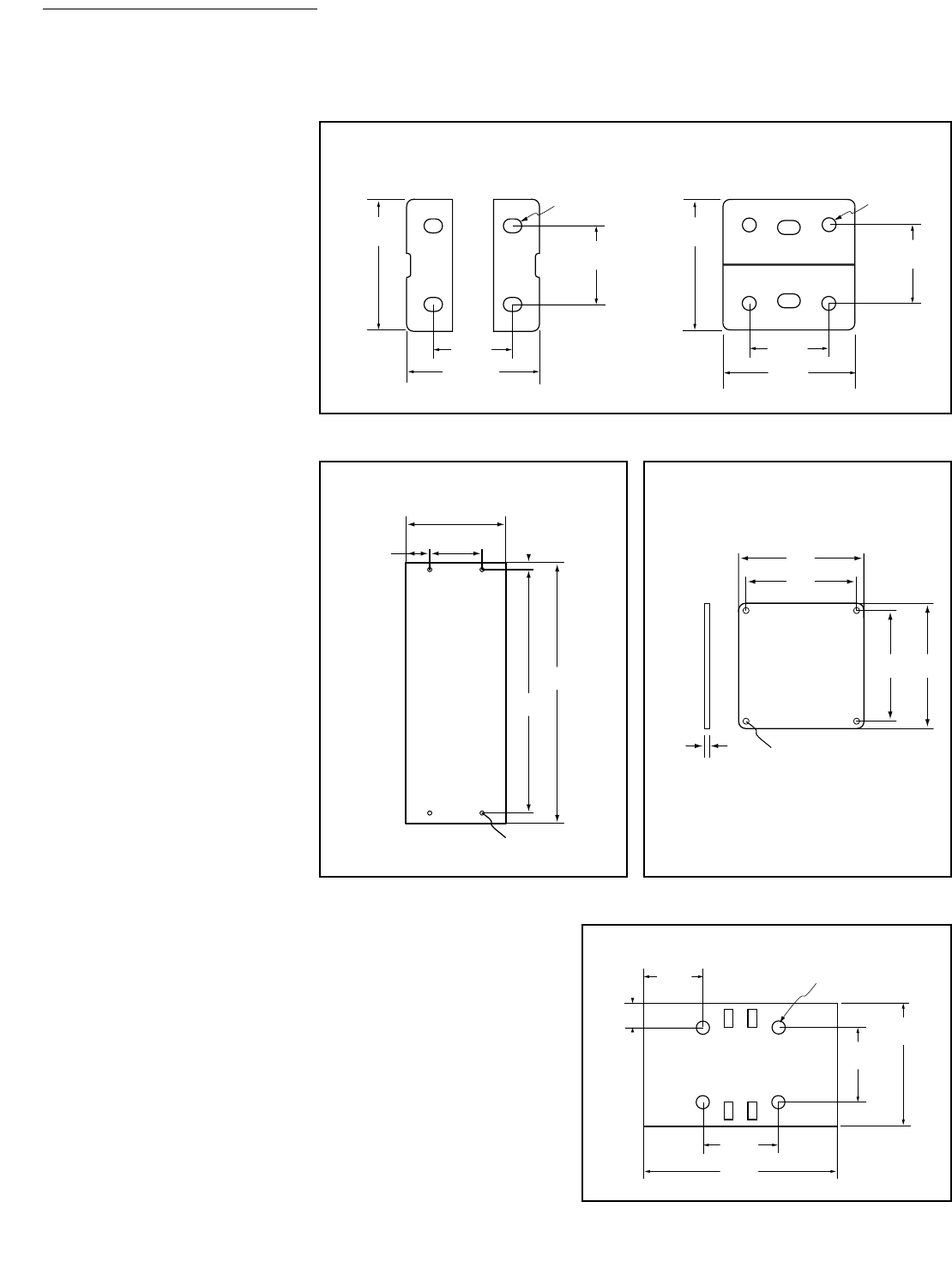
870-03-005 rev. 05/30/03 • ARMS Orderguide • 55
Interface Dimensions
for Direct Mounting Note: Surface construction varies. It is recommended that you consult the appropriate architectural,
engineering or construction personnel to ensure ARMS are properly mounted to handle the applied loads.
ø .188"
(4.8 mm)
1.75"
(44.5 mm)
1.735"
(44.1 mm)
1.063"
(26.9 mm)
1.063"
(26.9 mm)
1.728"
(43.9 mm)
ø .188"
(4.8 mm)
Slotted
1.063"
(26.9 mm)
1.063"
(26.9 mm)
1.75" ±.05"
(44.5 mm)
100 SERIES
100 Series Single Pivot &
Single Pivot w/ P/L Interface
100 Series Double Pivot &
Double Pivot w/ P/L Interface
7.825"
(198.8 mm)
27.75"
(704.9mm)
30.125"
(765.2 mm)
.888"
(22.6 mm)
12"
(304.8 mm)
2.088"
(53.0 mm)
Ø .5"
(12.7 mm)
VL SERIES
Vertical Lift Hole Pattern
4"
(102 mm)
4"
(102 mm)
4.53"
(115 mm)
4.53"
(115 mm)
.105"
(2.67 mm)
Side View
Ø .221"
(5.6 mm)
FX SERIES
FX Series Hole Pattern
1.75"
(44.5 mm)
ø .188"
(4.8 mm)
.344"
(8.5 mm)
1.063"
(26.9 mm)
1.063"
(26.9 mm)
2.75"
(69.9 mm)
.84"
(21.3 mm)
MULTIPLE SERIES
Keyboard/Laptop Tray Interface
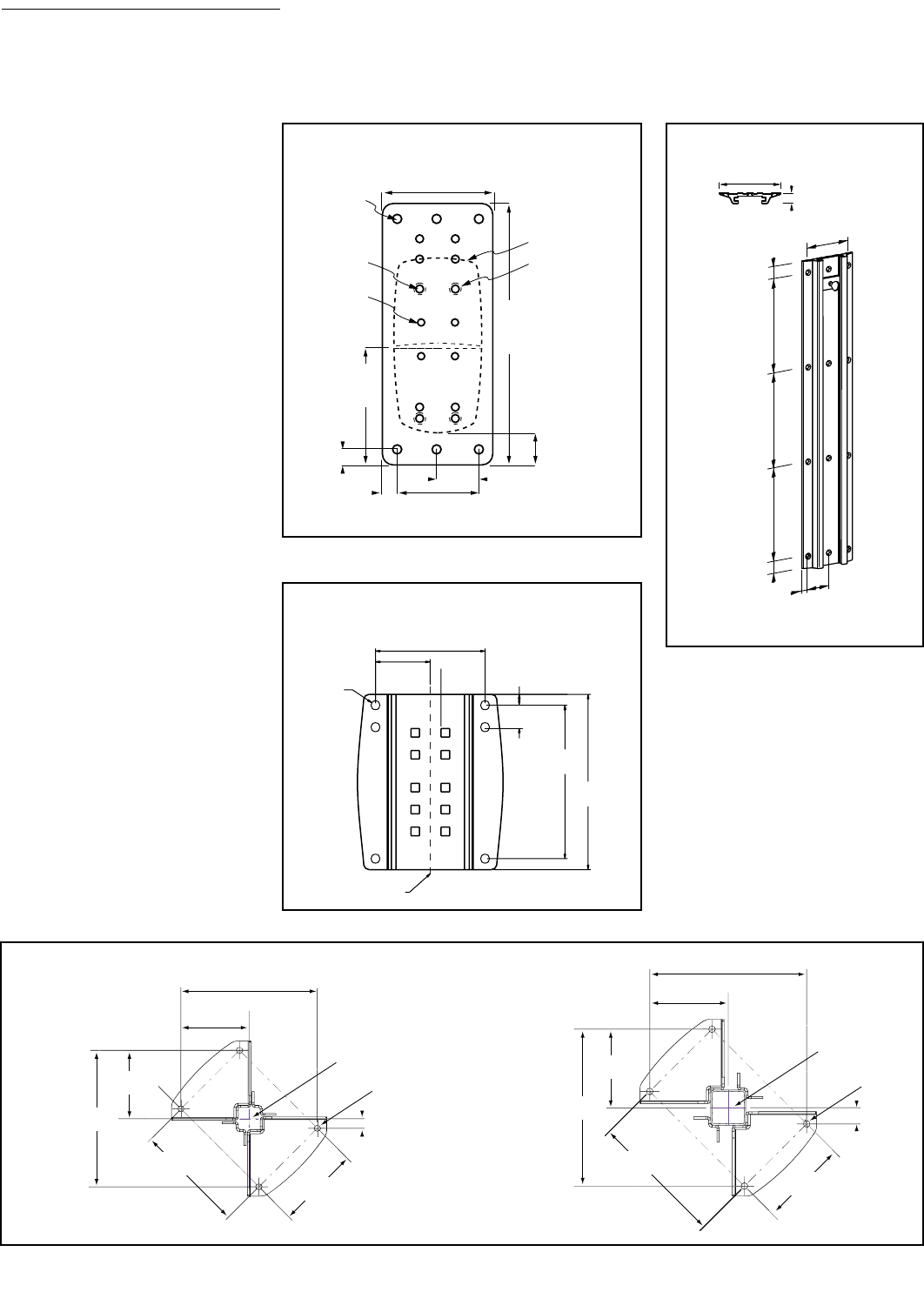
56 • ARMS Orderguide • rev. 05/30/03 870-03-005
Interface Dimensions
for Direct Mounting Note: Surface construction varies. It is recommended that you consult the appropriate architectural,
engineering or construction personnel to ensure ARMS are properly mounted to handle the applied loads.
1-1/8"
(29 mm)
1/2"
(12.7 mm)
1-1/4"
(31.8 mm)
2-1/2"
(63.5 mm)
3-1/2"
(89 mm)
1/2"
(12.7 mm)
8-3/8"
(213 mm)
ø.281"
(7.1 mm)
(6 through holes)
#10-24
(10 tap holes)
#8-32
(4 tap holes)
3-3/4"
(95 mm)
Holes used
to attach
Vertical Mount
Outline of
an attached
Vertical Mount
WALL MOUNT PLATE
Wall Mount Plate Hole Pattern
.87" (22 mm)
5" (127 mm)
8"
(203 mm)
4"
(102 mm)
2"
(51 mm)
.5"
(13 mm)
8"
(203 mm)
8"
(203 mm)
1"
(25 mm)
1"
(25 mm)
WALL TRACK
Wall Track Hole Pattern
2.5"
(64 mm)
.406"
(10.3 mm)
1"
(25 mm)
7"
(178 mm)
.5"
(13 mm)
8"
(203 mm)
5"
(127 mm)
Center-line
TOP
WALL MOUNT BRACKET
Wall Mount Bracket Hole Pattern
Ø .55"
(14 mm)
12.36"
(314 mm)
6.18"
(157 mm)
13.38"
(340 mm)
6.65"
(169 mm)
.87"
(22 mm)
1.38"
(35 mm)
12.36"
(314 mm)
10"
(254 mm)
7.52"
(191 mm)
Center lines
Ø .55"
(14 mm)
Center lines
6.18"
(157 mm)
13.38"
(340 mm)
6.65"
(169 mm)
11.38"
(289 mm) 7.52"
(191 mm)
COMMAND POST BASE
Command Post Base,
2" x 2" Hole Pattern
Command Post Base,
3" x 3" Hole Pattern
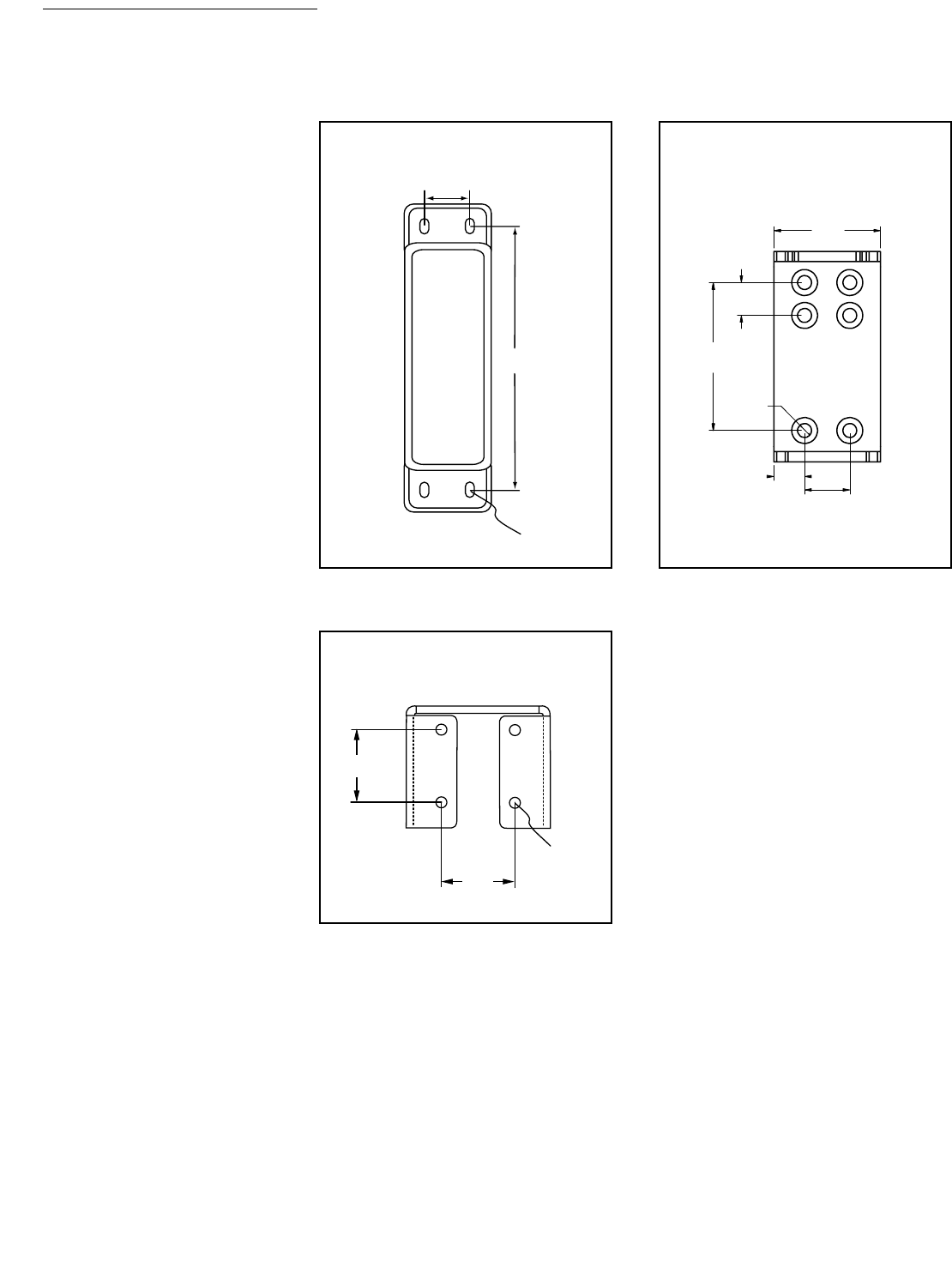
870-03-005 rev. 05/30/03 • ARMS Orderguide • 57
Interface Dimensions
for Direct Mounting Note: Surface construction varies. It is recommended that you consult the appropriate architectural,
engineering or construction personnel to ensure ARMS are properly mounted to handle the applied loads.
5.035"
(127.9 mm)
1.125"
(28.6 mm)
Ø .203"
(5.2 mm)
Slotted
EXTENDER – 400 SERIES
Extender for 400 Series
Hole Pattern
3.27"
.42" Ø
(11 mm)
(83 mm)
1"
(25 mm)
4.5"
(114 mm)
1.38"
(35 mm)
.94"
(24 mm)
EXTENDER – HD SERIES
Extender for HD Series
Hole Pattern
Ø .19"
(4.8 mm)
1.063"
(26.9 mm)
1.063"
(26.9 mm)
EXTENDER – 100 SERIES
Extender for 100 Series
Hole Pattern
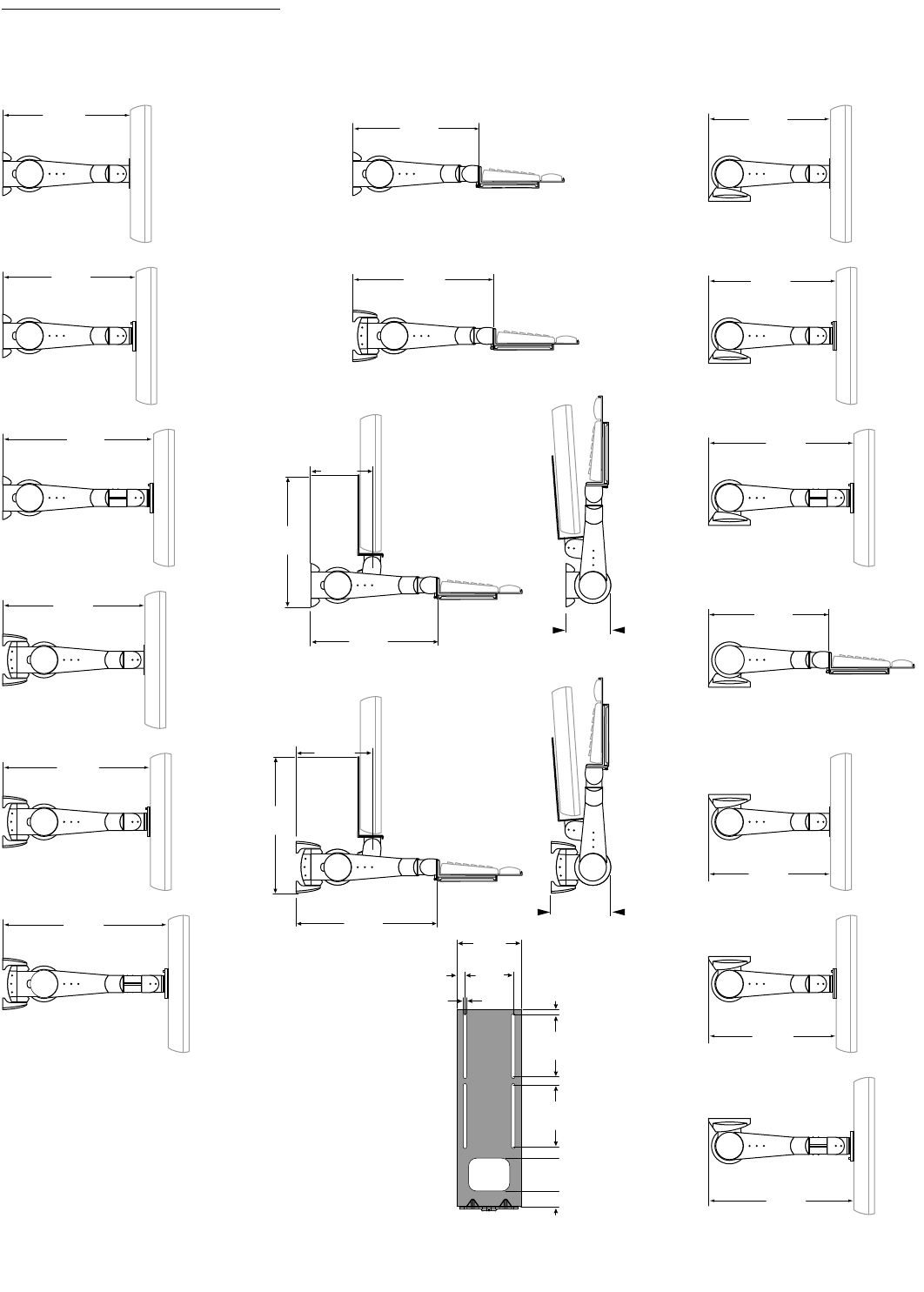
58 • ARMS Orderguide • rev. 05/30/03 870-03-005
Product Dimensions
400 SERIES
14-1/4"
(362 mm)
15"
(382 mm)
17"
(433 mm)
16"
(408 mm)
16-7/8"
(428 mm)
18-7/8"
(479 mm)
14-5/8"
(371 mm)
14-3/8"
(365 mm)
16-3/8"
(416 mm)
14-5/8"
(385 mm)
6-5/8"
(168 mm)
14-7/8"
(378 mm)
16-3/8"
(416 mm)
8-3/8"
(212 mm)
15-3/8"
(391 mm)
6-5/8"
(169 mm)
4-3/4"
(121 mm)
14-1/8"
(358 mm)
14-7/8"
(379 mm)
16-7/8"
(429 mm)
14-7/8"
(379 mm)
14-1/8"
(358 mm)
16-7/8"
(429 mm)
3.88"
(98.5 mm)
.31"
(7.87 mm)
.5"
(12.7 mm)
3.75"
(95.2 mm)
3.75"
(95.2 mm)
2.0"
(50.8 mm)
1.0"
(25.4 mm)
2.95"
(75 mm)
.461"
(11.7 mm)
.203"
(5.15 mm)
Side View
Maximum
Extension
Side View
Maximum
Extension
Front View
Combo Monitor
Bracket
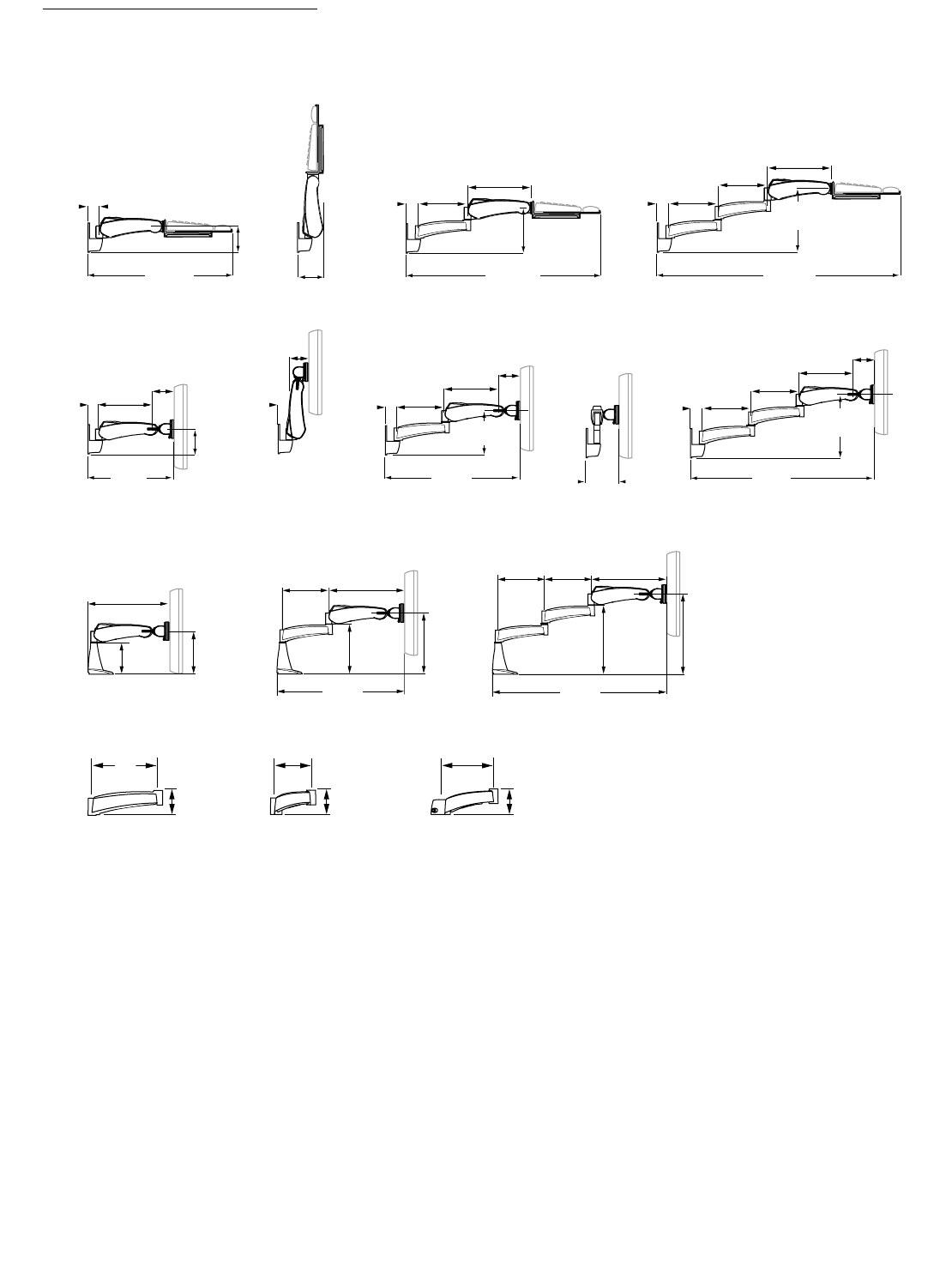
870-03-005 rev. 05/30/03 • ARMS Orderguide • 59
Product Dimensions
300 SERIES
4-1/2"
(114 mm)
25-1/4"
(641 mm)
9"
(229 mm)
9"
(229 mm)
43"
(1092 mm)
1-7/8"
(48 mm)
1-7/8"
(48 mm)
9"
(229 mm)
11-1/2"
(292 mm)
11-1/2"
(292 mm)
11-1/2"
(292 mm)
8"
(203 mm)
34"
(834 mm)
5-3/4"
(146 mm)
16-1/4"
(413 mm)
4-1/4"
(108 mm)
10-3/8"
(263 mm)
4-1/2"
(114 mm)
25-1/2"
(648 mm)
10-3/8"
(264 mm)
4-1/4"
(108 mm)
9"
(229 mm)
8"
203 mm
34-1/2"
(876 mm)
9"
(229 mm)
9"
(229 mm)
1-7/8"
(48 mm)
1-7/8"
(48 mm)
1-7/8"
(48 mm)
1-7/8"
(48 mm)
1-7/8"
(48 mm)
4-1/4"
(108 mm)
10-3/8"
(263 mm)
11-1/2"
(292 mm)
3-3/4"
(96 mm)
6"
(152 mm)
8-1/8"
(205 mm)
6"
(152 mm)
9-5/8"
(244 mm)
11-5/8"
(295 mm)
13-1/8"
(333 mm)
15-1/8"
(384 mm)
15-3/4"
(400 mm)
14-5/8"
(371 mm)
9"
(229 mm)
9"
(229 mm)
14-5/8"
(371 mm)
9"
(229 mm)
9"
(229 mm)
5"
(127 mm)
7-1/4"
(183 mm)
3-3/8"
(86 mm)
3-3/8"
(86 mm)
3-3/8"
(86 mm)
24-3/4"
(328 mm)
33-3/4"
(857 mm)
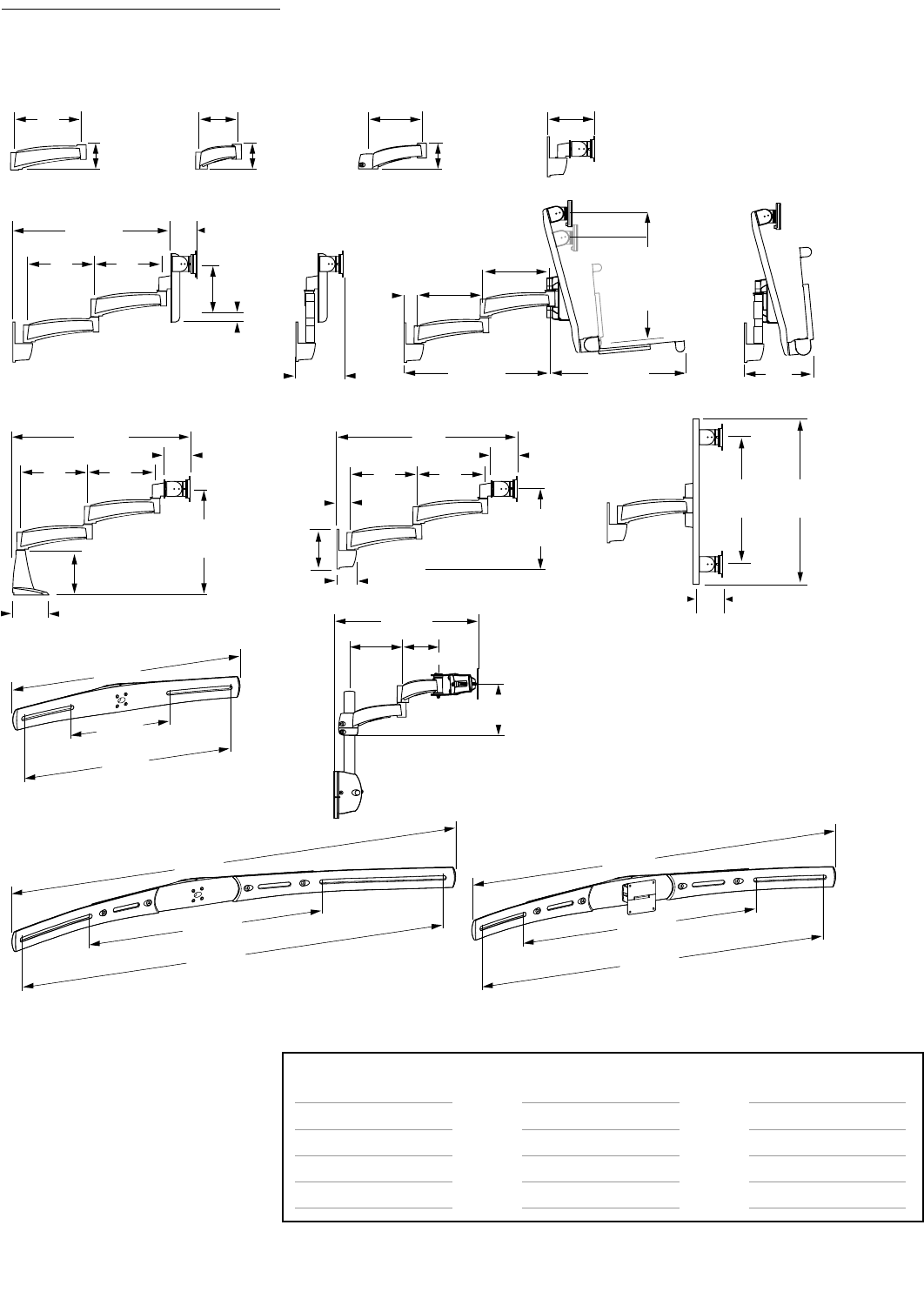
60 • ARMS Orderguide • rev. 05/30/03 870-03-005
Product Dimensions
200 SERIES
9"
(229 mm)
5"
(127 mm)
7-1/4"
(183 mm)
6-1/8"
(156 mm)
3-1/2"
(89 mm)
21-3/4"
(552 mm)
23-1/2"
(597 mm)
9"
(229 mm)
9"
(229 mm)
3-1/4"
(83 mm)
3-1/4"
(83 mm)
2-3/4"
(70 mm)
5"
(127 mm)
1-7/8"
(48 mm)
6-3/4"
(171 mm)
6"
(153 mm)
1"
(25 mm)
3-3/8"
(86 mm)
3-3/8"
(86 mm)
3-3/8"
(86 mm)
6"
(152 mm)
5-1/2"
(140 mm)
11-1/2"
(292 mm)
25"
(635 mm)
14-1/2"
(368 mm)
3-1/4"
(83 mm)
17" (max.)
(431 mm)
21"
(533 mm)
9"
(229 mm)
1-7/8"
(48 mm)
9"
(229 mm)
9"
(229 mm)
16-7/8"
to 15"
(427 to 381 mm)
19-7/8"
(505 mm)
19-1/4"
(489 mm)
46"
(1168 mm)
29-1/8"
(741 mm)
43-1/2"
(1104 mm)
55"
(1397 mm)
29-1/8"
(741 mm)
52"
(1321 mm)
28"
(711 mm)
12-1/4"
(310 mm)
26"
(660 mm)
9"
(229 mm)
9"
(229 mm)
9"
(229 mm)
9"
(229 mm)
21"
(533 mm)
5"
(127 mm)
7-1/4"
(184 mm)
6-7/8"
(175 mm)
Attention:
Listed allowable widths assume monitor
thickness is 4" (102 mm). If monitor
thickness is less, allowable width may
be more. Contact Ergotron for details.
200 Series Pre-configurations that use
Crossbars come standard with Sliding
Pivots (i.e., without P/L).
23-1/4" (590 mm)
20" (508 mm)
24-1/2" (622 mm)
16" (406 mm)
Sliding Pivots
Allowable Monitor Width*
23" (584 mm)
19-1/2" (495 mm)
24" (609 mm)
15-1/2" (393 mm)
Single Pivots w/ P/L
Allowable Monitor Width*
Dual-Monitor (28" Crossbar)
Triple-Monitor (46" Crossbar)
Triple-Monitor (55" Crossbar)
Quad-Monitor (55" Crossbar)
Number of Monitors
(Horizontal Crossbar)
Available Monitor Widths Using Crossbars
* Width refers to monitor’s physical outside dimension – not screen size.

870-03-005 rev. 05/30/03 • ARMS Orderguide • 61
Product Dimensions
100 SERIES
2-3/8"
(60 mm)
2"
(51 mm)
3-3/8"
(85 mm)
2"
(51 mm)
4-5/8"
(117 mm)
2"
(51 mm)
5-3/8"
(137 mm)
2"
(51 mm)
2-3/4"
(70 mm)
2"
(51 mm)
3"
(76 mm)
FX SERIES
Wall Bracket
(Attaches to a 75 mm
VESA® FDMI™ Monitor)
Monitor Bracket
(Attaches to the Monitor
Bracket and a 100 mm
VESA® FDMI™ Monitor)
Adapter Plate
75 mm to 100 mm
3.94"
(100 mm)
3.94"
(100 mm)
3.94"
(100 mm)
4"
(102 mm)
Front View
(Flat Panel Monitor Wall
Mounting Kit with Adapter Plate)
4.5"
(114 mm)
4.5"
(114 mm)
7"
(178 mm)
2.95"
(75 mm)
2.95"
(75 mm)
.221"
(6 mm)
Dia. x4
.203"
(5 mm)
Dia. x4
.203"
(5 mm)
Dia. x4
Front View
(Flat Panel Monitor
Wall Mounting Kit)
4.5"
(114 mm)
4.5"
(114 mm)
7"
(178 mm)
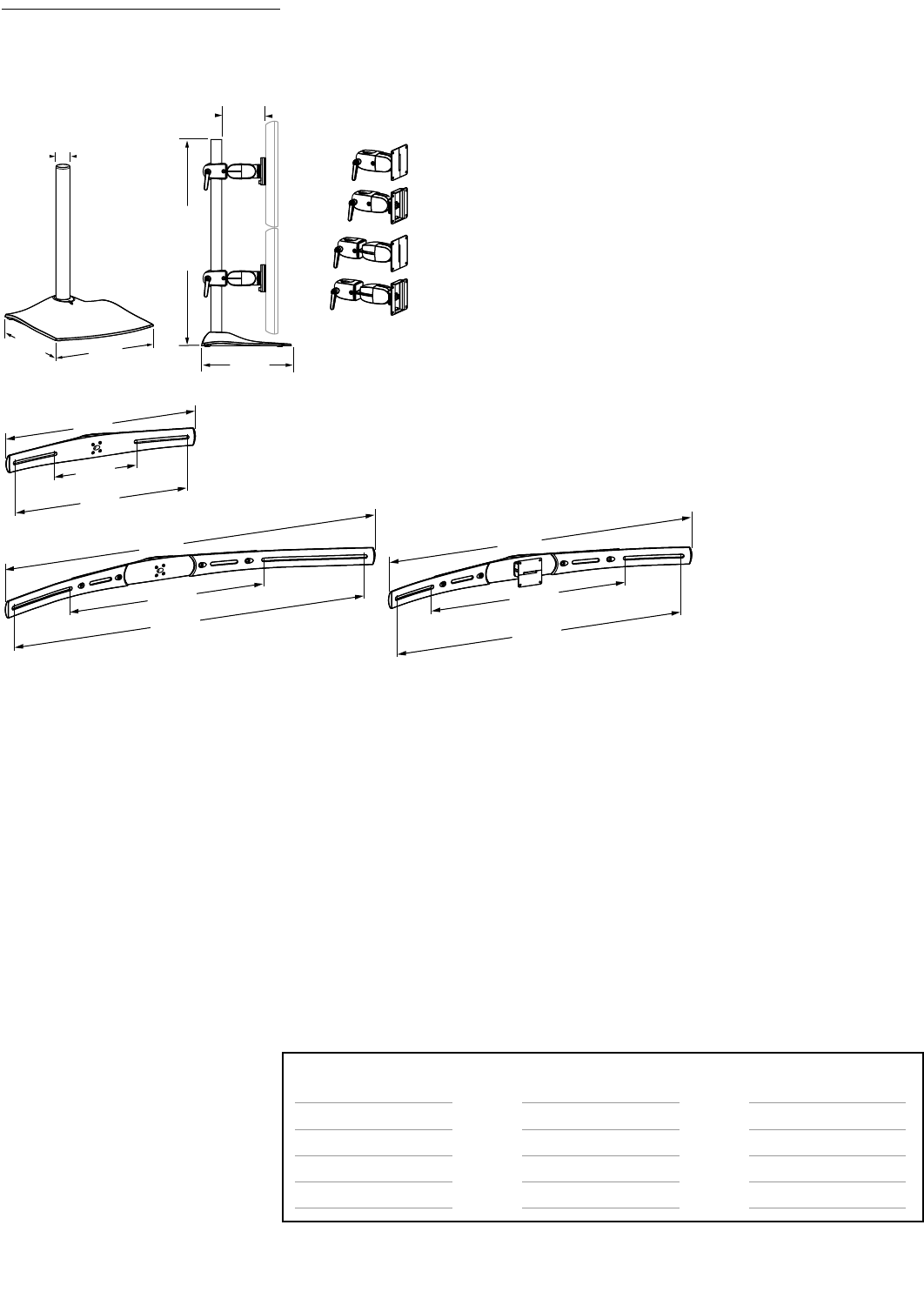
62 • ARMS Orderguide • rev. 05/30/03 870-03-005
Product Dimensions
DS100 SERIES
12-3/8"
(314 mm)
Single Pivot; X = 2-3/4"
(70 mm)
Single Pivot with P/L; X = 3-5/8"
(92 mm)
Double Pivot; X = 5-1/8"
(130 mm)
Double Pivot with P/L; X = 6"
(152 mm)
1-1/2"
(38 mm)
X
14-1/4" to
36-1/4"
(362 to 921 mm)
12-3/8"
(314 mm)
12"
(305 mm)
29-1/8"
(741 mm)
29-1/8"
(741 mm)
52"
(1321 mm)
28"
(711 mm)
12-1/4"
(310 mm)
26"
(660 mm)
55"
(1397 mm)
46"
(1168 mm)
43-1/2"
(1104 mm)
Attention:
Listed allowable widths assume monitor
thickness is 4" (102 mm). If monitor
thickness is less, allowable width may
be more. Contact Ergotron for details.
DS100 Series Pre-configurations that
use Crossbars come standard with
Sliding Pivots (i.e., without P/L).
23-1/4" (590 mm)
20" (508 mm)
24-1/2" (622 mm)
16" (406 mm)
Sliding Pivots
Allowable Monitor Width*
23" (584 mm)
19-1/2" (495 mm)
24" (609 mm)
15-1/2" (393 mm)
Single Pivots w/ P/L
Allowable Monitor Width*
Dual-Monitor (28" Crossbar)
Triple-Monitor (46" Crossbar)
Triple-Monitor (55" Crossbar)
Quad-Monitor (55" Crossbar)
Number of Monitors
(Horizontal Crossbar)
Available Monitor Widths Using Crossbars
* Width refers to monitor’s physical outside dimension – not screen size.
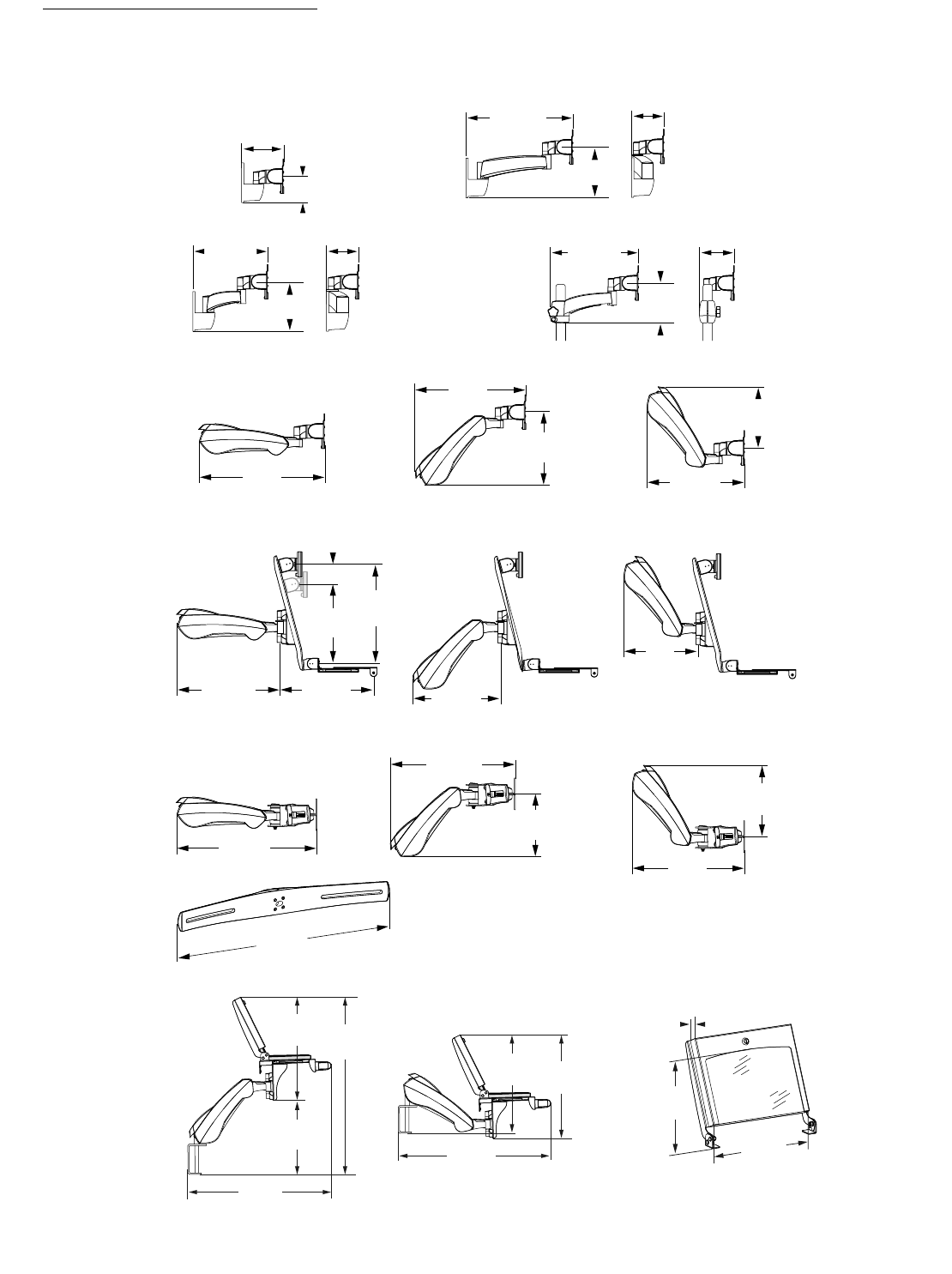
870-03-005 rev. 05/30/03 • ARMS Orderguide • 63
Product Dimensions
HD SERIES
1-7/8"
(22 mm)
17-1/2"
(445 mm)
19-1/4"
(490 mm)
16-7/8"
(427 mm)
13-1/2"
(343 mm)
15"
(381 mm)
9"
(229 mm)
21"
(533 mm)
11-1/2"
(292 mm)
20-1/4"
(514 mm)
23-1/2"
(597 mm)
27"
(686 mm)
14"
(356 mm)
23"
(584 mm)
37"
(940 mm)
22"
(559 mm)
23"
(584 mm)
12-1/2"
(318 mm)
13-1/2"
(343 mm)
1"
(25 mm)
28-1/2"
(724 mm)
28"
(711 mm)
15"
(381 mm)
21"
(533 mm)
HD Pivots
HD45 Arm
HD Combo
HD Dual
HD Laptop
17"
(432 mm)
13-1/8"
(333 mm)
18-1/2"
(470 mm)
8-1/8"
(208 mm)
Maximum
Monitor
Height
Maximum
Monitor
Thickness
Maximum
Monitor
Width
4"
(102 mm)
5-1/4"
(133 mm)
28-274-000
45-142-000
14-3/8"
(366 mm)
11-7/8"
(301 mm)
4-1/8"
(105 mm)
4-1/8"
(105 mm)
45-144-000
5-1/2"
(139 mm)
4-5/8"
(118 mm)
45-143-000
7-1/4"
(183 mm)
7-1/4"
(183 mm)
10-3/8"
(265 mm)
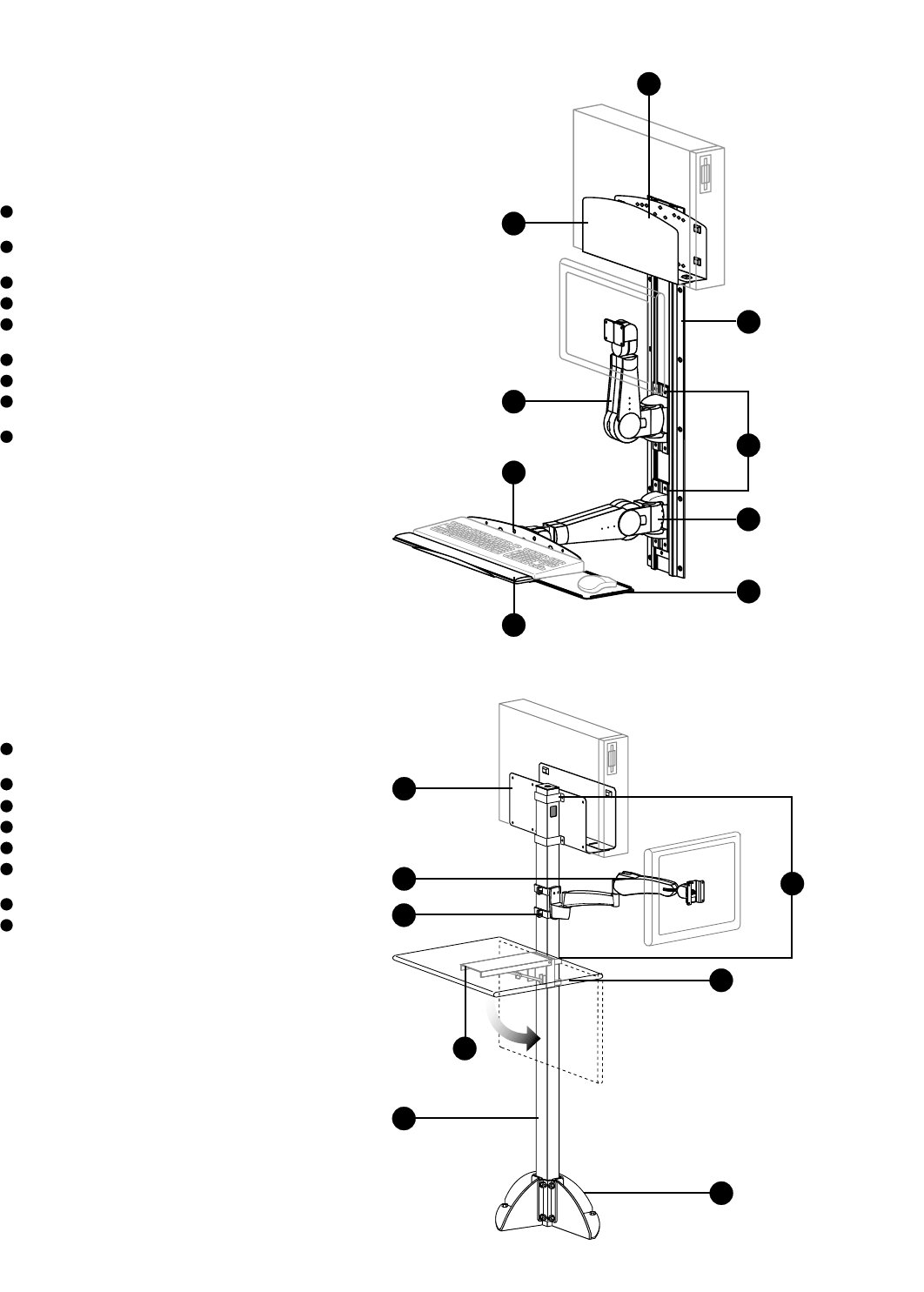
45-007-099, 400 Series Arm, Vertical
Mount, Rotate, Double Pivot with P/L
45-006-099, 400 Series Arm, Vertical
Mount, Rotate, Keyboard/Laptop Pivot
97-091, Track Mount Bracket Kit (2)
31-019-182, 50" Wall Track
77-050-100, Keyboard Tray w/ Sliding
Mouse Tray & Wrist Rest Holder
85-025-079, Mouse Pad
80-058-100, CPU Holder – Medium
60-156, Peripheral Track Mount
Bracket Kit
85-010-087, Wrist Rest
64 • ARMS Orderguide • rev. 05/30/03 870-03-005
Sample Configurations
Configure your own system with
Ergotron’s modular components.
Examples listed here are some
configuration ideas.
1
1
A. 400 Series ARMS on Wall
Track configuration:
2
3
4
5
6
7
8
9
2
3
4
6
5
9
7
8
A.
B.
28-170-180, 300 Series Vertical Mount
Arm with 9" Extension
60-366-100, 3" x 3" Post ARMS Bracket
20-077-100, 96" Post, 3" x 3"
60-360-100, Base for 3" x 3" Post
80-059-100, CPU Holder – Large
60-158-100, 3" x 3" Post Peripheral
Bracket
55-035-999, Peripheral Table
65-048-100, Fold-Away Underbracing
1
B. 300 Series ARMS on
Command Post configuration:
2
3
4
5
6
7
8
1
2
3
4
5
6
7
8
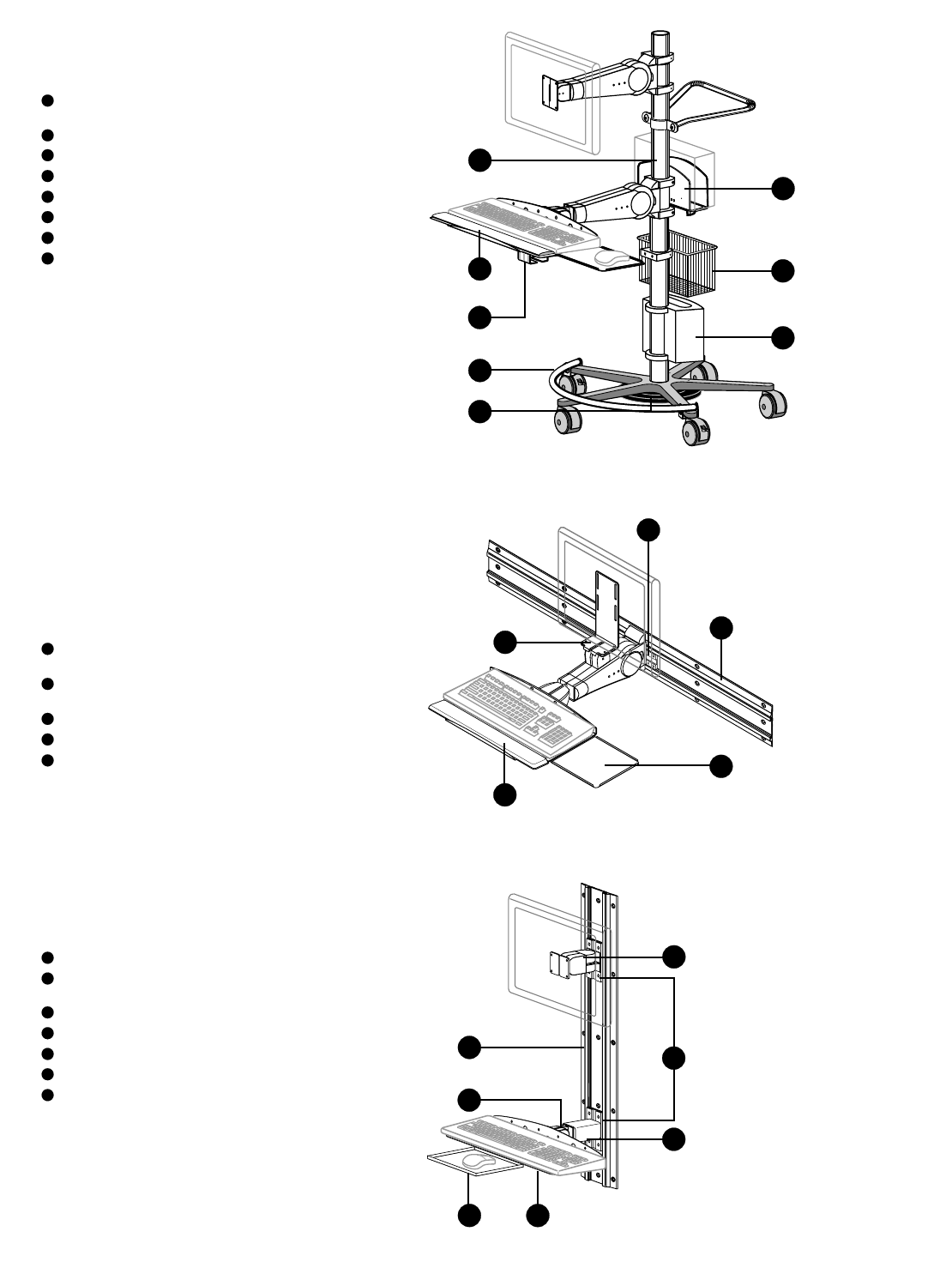
870-03-005 rev. 05/30/03 • ARMS Orderguide • 65
27-157-100, Mobile WorkStand, Standard
Configuration*
70-054-100, Cable Box
99-068-100, Wire Storage Basket
80-063-100, CPU Holder – Small
85-022, Footrest
99-062, Weighted Base Kit (25 lbs)
85-010-087, Wrist Rest
99-033-078, Mouse Pouch
* Standard Mobile WorkStand
Configuration 27-157-100 consists of
Base, Casters, Pole, Handle, 400 Series
Fixed Single Pivot Arm, 400 Series Fixed
Keyboard/Laptop Pivot Arm, Mounting
Brackets and Keyboard Tray w/ Sliding
Mouse Tray & Wrist Rest Holder.
1
1
C. Mobile WorkStand
configuration:
2
3
4
5
6
7
8
2
3
4
6
5
7
8
C.
45-032-099, 400 Series Arm,
Combination Flat Panel/Keyboard, Fixed
77-050-100, Keyboard Tray w/ Sliding
Mouse Tray & Wrist Rest Holder
85-010-087, Wrist Rest
31-018-182, 34" Wall Track
97-090, Horizontal Track Mount
Bracket Kit
11
D. Combination Arm on
horizontally positioned Wall
Track configuration:
2
3
4
52
3
4
5
D.
47-012-099, 100 Series, Double Pivot
47-009-099, 100 Series,
Keyboard/Laptop Pivot
97-091, Track Mount Bracket Kit (2)
31-017-182, 26" Wall Track
77-049-100, Keyboard Tray
85-014-100, Front Mouse Tray
60-197-100, 100 Series 5" Extender
11
E. 100 Series ARMS on Wall
Track configuration:
2
3
4
5
6
72
3
4
65
7
E.

66 • ARMS Orderguide • rev. 05/30/03 870-03-005
Notes

870-03-005 rev. 05/30/03 • ARMS Orderguide • 67
Notes

Maximize the effectiveness
of your computer systems
with Products.
Since 1982, Ergotron has designed and engineered products specifically for improving the human
interface with computers.Innovative engineering concepts incorporate the human factor into each
and every product.With our patented Monitor Suspension technology as the core, Ergotron designs
Computer Mounting Solutions that consistently meet the ever changing needs of our customers.
Our experienced Sales Representatives will work with you to define your requirements and custom
configure standard components to cost-effectively meet those requirements.If you do not see a
product that meets your requirements, call us and we will tailor a solution to your needs.
.
Distribuito da : Quartex Informatica
Via Paolo Giovio n.5 20144 Milano tel 02 4984998
;
