Etoway Technology FORCE Mobile Phone User Manual Thank you for purchasing this mobile
Etoway Technology Co.,Ltd Mobile Phone Thank you for purchasing this mobile
UserManual.wiki
>
Etoway Technology
>
FORCE User Manual
User Manual
Navigation menu
Upload a User Manual
Namespaces
Wiki Guide
HTML
PDF
Info
Views
User Manual
Discussion / Help
Navigation
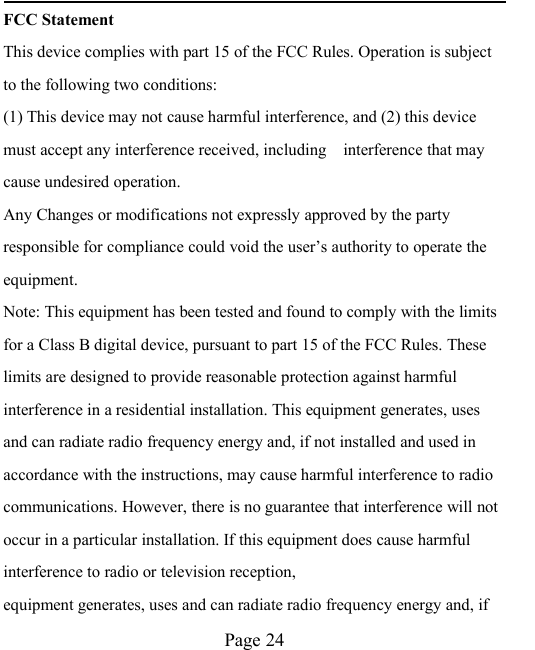
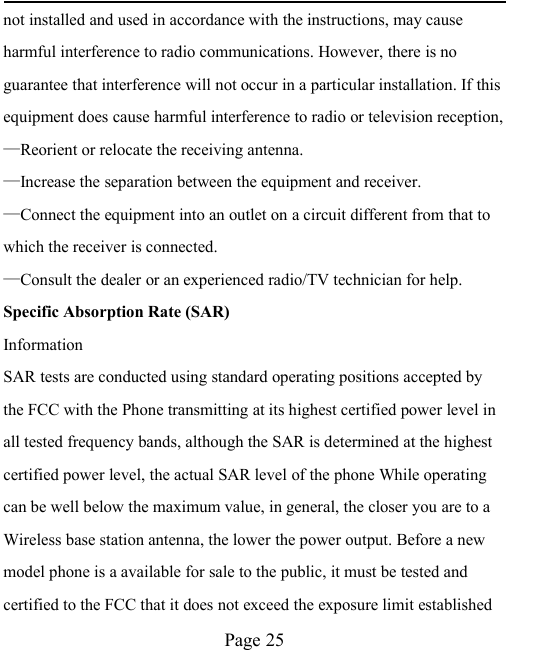
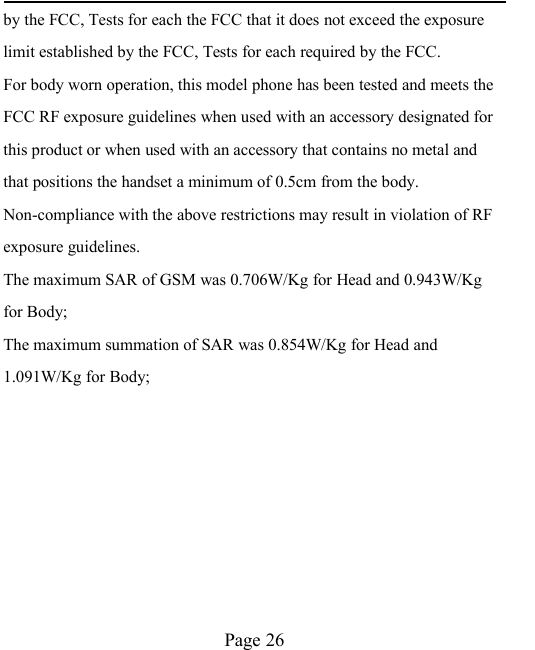
![Page 3Call logsYou can view your recent call situation.[Dialed calls]:Show all dialed calls list, select a view after a dialed callsoccurred in the date and time, phone number and times.[Received calls] :Show all answered the phone list, select a view after aphone that has the date and time of occurrence, telephone number,frequency,[Missed calls] :Show all missed calls list, select a view after a missed calloccurred the date and time, phone number and times.[Rejected calls] Show all refused to answer the phone list, select a viewafter a missed call occurred the date and time, phone number and times.Press the OK soft key to enter the options menu can be more than thenumber of call records in the following:◆Details: View the current record date, time, type.◆Call: call the current number.◆Save: You can save the current record to the phone or SIM card◆Send Message: send the current record of SMS or MMS](https://usermanual.wiki/Etoway-Technology/FORCE/User-Guide-2580036-Page-3.png)
![Page 4◆Add to existed contacts: the number of the record the name added tothe existing record which◆Add to blacklist: the current record to reject a call which◆Delete: Delete the currently selected record◆Delete All: delete all call records[Delete all]: Delete all call records[Call times]: Last time zero starting time for last call statistics, a total ofdialed calls, received calls, all calls total, all the time can also be zero.[Call cost]Total cost: check the total call chargesMax cost: set the call limitPrice per unit: Edit SIM phone rates.Reset cost: be clear on the meter[GPRS counter]:display the SIM card GPRS data.ContactsYou have 2 phonebooks in this mobile phone: SIM card and the mobile.The mobile can store 100 phone numbers and the SIM card’s capacitydepends on its type.](https://usermanual.wiki/Etoway-Technology/FORCE/User-Guide-2580036-Page-4.png)
![Page 5I In standby mode, enter a number, press the call key pieces to make acall, press the OK key to save◆If ‘To SIM 1/2’ is selected, users can edit name and number.◆If ‘To phone’ is selected, the user can edit the name, mobilenumber, home number, e-mail address, image, ringtone, caller groupsInto the phone book list, the list on the left displays a small icon indicatesthat the record exists SIM card or mobile phone, the right is the record ofthe name and number information.Standby mode, press the right soft key to enter into the address book orfrom the menuInto the address book, do the following:[New]: Selection into the select group interface: into the phone or SIMcard.[Search]: Enter the contact name and press the Enter key to find[Write Message]: Choose to write messages into the appropriate functioninterface[Call]: Choose to allocate or direct IP dialing[Delete]: choose to delete the selected contact record](https://usermanual.wiki/Etoway-Technology/FORCE/User-Guide-2580036-Page-5.png)
![Page 6[Mark]: marker-all or the currently selected record[Copy]: Select Copy to SIM, or cell phone or storage card[Others][Caller ID]: Query and edit the phone numbers[Memory status]: Query the current SIM card and mobile phone storagecapacity[Single line display]: ring Contact records show single or double linesInternet[Open] Go to the URL or Homepage[Current page] Setting of current page[Send connection] Send the connection using the SMS[Bookmarks] View or operate the bookmark[History] Mobile recently logged in the menu page is saved, you can directlyselect the records inside the surf[Offline pages] Throughout the course of mobile browsing, save thesnapshot shown here[Tools] Clear cache or cookies[Exit] Exit the page](https://usermanual.wiki/Etoway-Technology/FORCE/User-Guide-2580036-Page-6.png)
![Page 7Multimedia【Camera】The phone supports photo, so you can capture your favoritescenes anywhere. Photos will be saved in the phone comes with a filesystem, photographs as JPG format, you can phone providesphotographs sent to a computer via USB connection to view, can also beset Image for the standbyNote:This function can work without driver under Windows XP by directlyconnecting your mobile to the computer[Gallery]: View the pictures[Settings] Set camera parameters[Storage]: Choose a photo is stored【Audio player】Play audio files, MP3 songs; to play audio files, MP3 songs, press the Up andDown keys to adjust the volume, press the left and right keys to select thepresent,the next song, press the OK button for the on / off Music[Music list]: Into playlist interface. Can be added to the play list editingand other operations](https://usermanual.wiki/Etoway-Technology/FORCE/User-Guide-2580036-Page-7.png)
![Page 8[Music mark]: Bookmarks in the music songs in the operations (includingplay / delete / multiple selection delete / rename / details and otheroperations)[Add]: Add songs or music playlist bookmark[Set as ringtone]: The song is set to call or alarm tone[Play mode]: Select play modes: single repeat, all repeat or random[Settings]:◆Equalizer: Choose a variety of equalizer effects◆Display setting: Select Open the Spectrum[Open review] Function of review[Exit]: Exit menu audio player【Video player】[Play list] list stored in the player's video files◆Play: Play the selected video file◆Add video: side the storage space from the phone to add videofiles](https://usermanual.wiki/Etoway-Technology/FORCE/User-Guide-2580036-Page-8.png)
![Page 9◆Update list: update the current playlist◆Delete from list: Delete the currently selected from the list of videofiles◆Details: View detailed information on the currently selected video◆Set as: Set for the switch machine animation◆Mark: Select a single tag or all, and then operate[Full screen play] full-screen video playback on the current[Order play] Select whether to open the playlist on the current order ofplay inside the video file[Video application] set to turn off the animation or animation[File attribute] View the current video for more information.【FM radio】[Auto search and save]: Channel auto search and save[Channel list]: View channel list[Save]: Save the channel to the channel list[Manual search]: Manually enter the channel and find](https://usermanual.wiki/Etoway-Technology/FORCE/User-Guide-2580036-Page-9.png)
![Page 10[Open speaker] Choose whether to open the microphone[background play] Choose whether to open the Background Play[Help]: FM Help MessageThe Messaging function is a network service. Sending and receivingText/MMS can only be used if the service is proposed by your networkoperator.You can send ordinary Text messages, enhanced Text messages (Textmessages containing pictures, ring tones and animation as attachments,EMS for short). The SMS is sent to the Text messages center in thenetwork firstly, and then to the target user. If the receiver’s mobile ispower off or cannot receive messages, the network will store the messagetemporarily and the store duration is determined by the user configurationand the service provider.The message will be directly stored in the SIM card if the capacityis not full. A blinking icon at the head row of the main screen will bedisplayed if the capacity is full. Messages unreadIf the Text message has been sent to the receiver, a beep will sound.(If the tone for Text messages and message report are activated).](https://usermanual.wiki/Etoway-Technology/FORCE/User-Guide-2580036-Page-10.png)
![Page 11[Write message][New SMS]Send: Enter the appropriate number of the recipient or from thephonebook addInsert template: to the content of the message currently beingedited into the common languageAdd contact info: Insert the contact personAdd phiz emoticons into the meaning of the representativeSave: will save the information to Drafts[New MMS]◆Send: send MMS to the receiver◆Add new recipients: Enter the recipient's phone number ore-mail or group◆Preview: Preview edited MMS content.:](https://usermanual.wiki/Etoway-Technology/FORCE/User-Guide-2580036-Page-11.png)
![Page 12◆Add :Add video/audio/picture to MMS◆Set slide time(1s—600s): set the slide time of MMSSave as draft:Save as draftText layout:move the text above or down[Inbox]:◆Reply: reply to SMS to each other.◆Delete: Delete short message◆Call: choose a voice call or a call to the sender IP calls◆Lock: lock can not be deleted◆Mark: single marker or markers in whole or in text messages stored inSIM1/SIM2, mark or unmark after delete records◆Sort: In accordance with time / contact / theme / message type sort◆Delete repeated number: choose to delete the same number of](https://usermanual.wiki/Etoway-Technology/FORCE/User-Guide-2580036-Page-12.png)
![Page 13records.[Outbox]: Reading or processing stored in the Outbox of the SIM cardmessage.[Drafts]:Reading or processing stored in the Drafts of the SIM card message[Sentbox]: read and process the mail stored in the SIM card has beensent informationTools[Alarm]This machine has three alarm times available for yoursettings. Access any time, you can set its status to on / off,ring time, repeat mode, ring tones, alarm clock name, etc.[Bluetooth]:[Open bluetooth]: Choose to activate the Bluetooth[Bluetooth visibility] ;Bluetooth visibility set[Paired device] ;Search and paired Bluetooth devices[My bluetooth name]; Local Bluetooth name[Storage]; Storage location](https://usermanual.wiki/Etoway-Technology/FORCE/User-Guide-2580036-Page-13.png)
![Page 14[Help]: Help Documentation[Calendar]: Press the left soft key to access the calendardisplay interface, the first line shows the year, month, andthe third line shows the week, the middle section shows thespecific date of a month, the last line shows the right and leftsoft key in the message. Interface in the calendar, press thearrow keys on the date forward one week, press the arrowkeys to move one week after the date, press the left arrowkey date forward one day, press the right arrow keys to movethe day after the date, select the date to a dark display[Go to date]: Enter the dates you want to find, the cursor willjump to that date quickly[Weekly]: the week / month display calendar.[Calculator]: Can be continuously mixed arithmetic, theoperation is simple, practical, convenient[Torchlight]: Open or close torchlight.[Recorder][Audition]: hear the currently recording[Record again]: re-recorded sound recordings of the current](https://usermanual.wiki/Etoway-Technology/FORCE/User-Guide-2580036-Page-14.png)
![Page 15[Delete]: Delete the current recordings[Send]: Sound recordings sent by BT[Record file list]; The memory card inside the recording file listApplication【Mini Opera】:Connect to Mini Opera【Facebook】:Connect to Facebook【Game】:Provide an interesting game【Image browser】[Change folder] Select a stored phone image folder storagespace,this view picture[Send] send pictures with BT[Slide play] choose a slide show to view pictures[Delete] Delete the currently selected image[Set image as wallpaper]; The currently selected image aswallpaper[Rename]: the current rename the selected pictures[Mark]; tag for a single or multiple pictures, and then operate[Detail]: View the details of the selected pictures](https://usermanual.wiki/Etoway-Technology/FORCE/User-Guide-2580036-Page-15.png)
![Page 16[Slide settings] Select the slide show effects and delay timeFile management【MemoryCard】:SD card needs to support T card[New folder]: Create a new folder.[delete]; delete the specified folder.[Details] View the folder or file for more information[Edit] the selected folder or rename the file or copy[Search] Enter the folder name to find out.[Sort] By the way you choose to sort the files.[mark] Select Mark / Unmark single / all[More]◆Phone memort capacity;:View the phone's capacity◆Memory Card capacity: View the memory cardcapacity](https://usermanual.wiki/Etoway-Technology/FORCE/User-Guide-2580036-Page-16.png)
![Page 17◆Format Phone; format phone memory◆Format memoryCard; Format memory cardSettings【Call settings】[Dual-SIM][Standby mode]: Dual SIM standby or standby only SIM1 orSIM2 only[Reply by original SIM] Reply the call / send SMS / MMSby original SIM* This card is set back Call back function takes precedenceover "the main and call card settings"[Set SIM name] SIM1 and SIM2 in the card slot to set thedisplay name[Network selection]: A network of SIM1/SIM2 manual orautomatic selection[Call divert]: transfer a call, respectively SIM1/SIM2◆Unconditional transfer: Set a forwarding number, for](https://usermanual.wiki/Etoway-Technology/FORCE/User-Guide-2580036-Page-17.png)
![Page 18forwarding all calls are◆Divert if busy: set the forwarding number, transfercalls when in busy◆Divert if no answer: Set a forwarding number, incase of no response transfer◆Divery if unreachable: to set the forwardingnumber in the phone unable to connect the caseof transfer◆Cancel all diverts: cancel all of the transfer[Call barring]respectively SIM1/SIM2 call for restrictions[Call waiting]open call waiting, respectively SIM1/SIM2[Hide ID]respectively SIM1/SIM to hide the machine whenthe power numbers.* SIM card, operators need to support[Select line]select lines respectively SIM1/SIM2[Fight mode]Select the active flight mode](https://usermanual.wiki/Etoway-Technology/FORCE/User-Guide-2580036-Page-18.png)
![Page 19[Others][IP shortcut key] Select the start of the IP number SIM1 orSIM2[50 sec voice call alert] Select the open or closed during avoice call has prompted every 50 seconds[Vibration when connected] Select the phone is turned onor off the tone when[Answer/Reject mode] Select whether to reject messagesor return after any key answer[Auto redial] Select whether to open automatically redialfunction【Phone settings】[Time & date]Set time: set the phone to display the timeSet date: set the phone to display the dateTime format: Set the display time formatDate display type:Set the date display format[Select language] Select phone display language. The unitprovides both simplified Chinese and English languages.](https://usermanual.wiki/Etoway-Technology/FORCE/User-Guide-2580036-Page-19.png)
![Page 20[Auto power on/off] Set the time and frequency ofAutomatic Turning[Slide operation] Set the setting of Slide[Power management] check the battery's current charge[Restore factory settings] restore the factory settings【Display settings】[Wallpaper settings] Set wallpaper[Idle screen style] Select the standby interface style asthe basic style or smart style[Idle display settings] Select whether the standby time /operator / day schedule / personal terms[Contrast] adjust the screen's backlight brightness[Backlight] Set the screen's backlight time[Keypad light] Set the backlight time key[Animation effect] Set the main menu, special effects /animation startup / shutdown animation / other.【Security settings】[PIN] Select open or modify the phone's PIN code](https://usermanual.wiki/Etoway-Technology/FORCE/User-Guide-2580036-Page-20.png)
![Page 21[PIN2]PIN2 choose to modify the phone code[Privacy]set access to enter the password to viewfunctionality. (Including: call log / messages / camera /address book / document management / e-book /calendar schedule / U disk)[Power-on password]Set the need to enter a password toopen the boot function of the normal boot【Profiles】The phone offers a variety of patterns and makethe default settings. When you insert the headsetautomatically goes into headset mode phone. Enter theconventional model, quiet, vibration mode, bass, trebleseveral vibration modes, you can enter the "Options /Settings" to set the following options[Activate]: Activate the selected mode[Customize]: set the selected mode[Ring settings]SIM call ring: set the SIM card of the ringing toneSIM MSG ring; set the SIM card message tone[Adjust volume]](https://usermanual.wiki/Etoway-Technology/FORCE/User-Guide-2580036-Page-21.png)
![Page 22Caller ringtone: set the ringing tone volumeMessage ringtone: ring volume settings informationCall volume: Set the volume of callsAlarm volume; set the alarm tonePower ring tone: the voice of setting switch[Call alert] a ring, vibration, quiet, vibration and ringing andringing after the first five vibration incoming call alert for youto choose[Message alert] a ring, vibration, mute, ringing and messagealert vibration four ways for you to choose[Alarm&calendar remind] a ring, vibration, mute, ringing andmessage alert vibration four ways for you to choose[Key tone] set the key tone of voice[Slide tone] Set the tone of slide[Battery low alert] Set the tone of Battery low[Power on/off tone]: Set the sound is turned off[Rename] rename the selected mode【Connection management】[New connection] Create a new Internet account](https://usermanual.wiki/Etoway-Technology/FORCE/User-Guide-2580036-Page-22.png)
![Page 23[Add from list] from the system built-in Internet account toadd a new account[Search] from the current logged on to Internet search to thecard account information, which added to the list after theselected[Delete] Delete the account[Edit]:edit the account](https://usermanual.wiki/Etoway-Technology/FORCE/User-Guide-2580036-Page-23.png)