EuroCB MRB1 MRB1 User Manual Manual Multiroom UK page 1 10 26 15
EuroCB (Phils.), Inc. MRB1 Manual Multiroom UK page 1 10 26 15
EuroCB >
Contents
- 1. User manual
- 2. Users Manual
User manual
Cutting
Pairing code
Pairing code
0 0 0 0
0 0 0 0
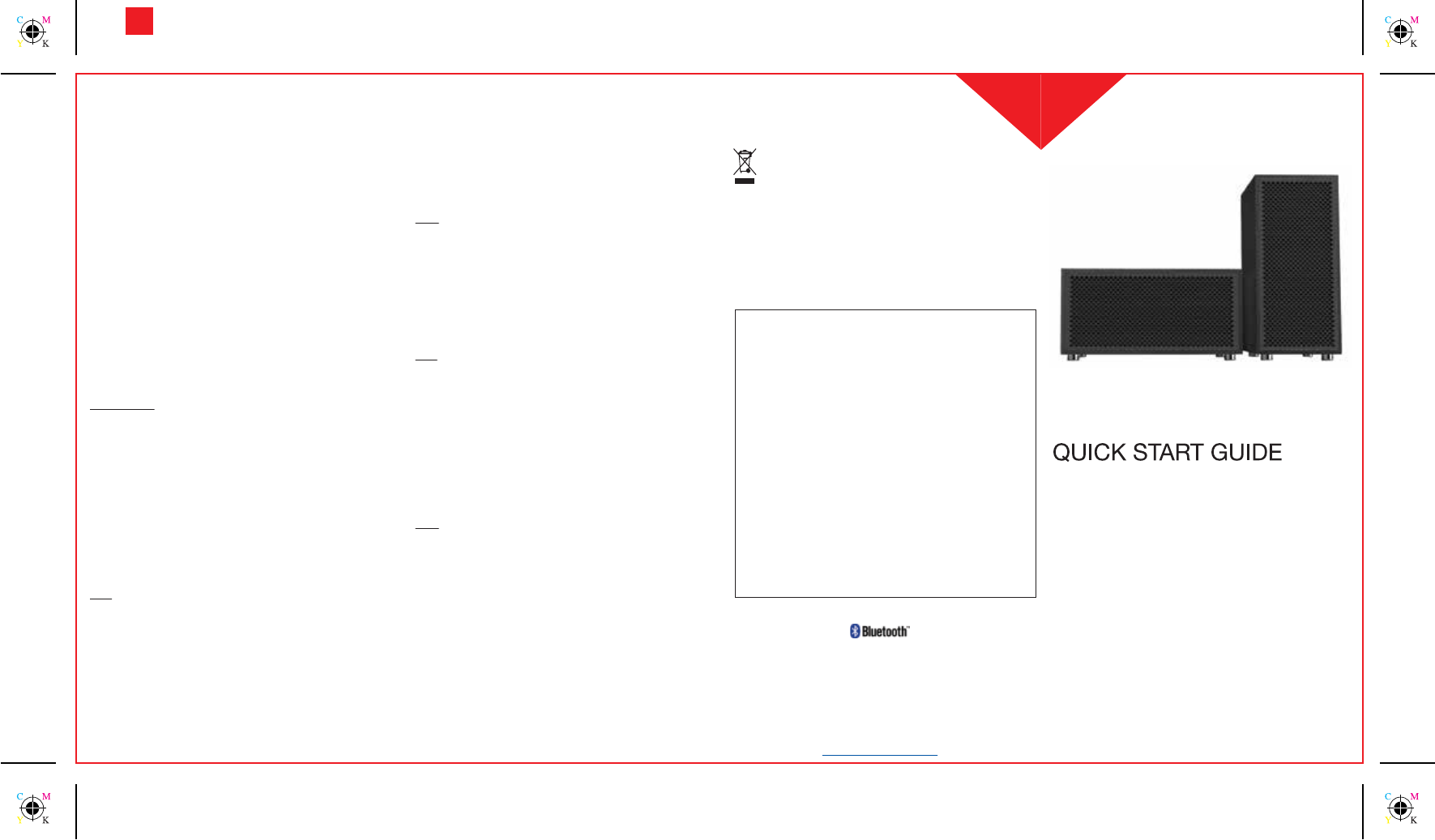
The MRB1 is a wireless speakers package composed of a MRB1 speaker
and MRS1 (max. 4).
The MRB1 is multipoint, you can connect 2 Bluetooth® phones/devices
simultaneously.
You can enjoy music from any musical internet website or from device’s
music library (phone, tablet, computer, portable laptop or music player)
supporting A2DP Bluetooth® prole. You can also use the 3.5 jack input
line on the MRB1.
The MRB1 app allows to ajust the volume of each connected speaker, to
activate/deactivate, change speaker name.
Correct Disposal of This Product
(Waste Electrical & Electronic Equipment)
(Applicable in the European Union and other European countries with separate collection
systems). This marking shown on the product or its literature, indicates that it should not be
disposed with other household wastes at the end of its working life. To prevent possible
harm to the environment or human health from uncontrolled waste disposal, please
separate this from other types of wastes and recycle it responsibly to promote the
sustainable reuse of material resources.
Household users should contact either the retailer where they purchased this product, or their local
government oce, for details of where and how they can take this item for environmentally safe
recycling.
Business users should contact their supplier and check the terms and conditions of the purchase
contract. This product should not be mixed with other commercial wastes for disposal.
Distance between MRB1 and MRS1
The maximum range could reach 10 meters in open eld, but it could be
reduced with the presence of obstacles such as walls, furnitures, metal
structures.
The receive signal strength will be displayed by the indicator on each
MRS1 during streaming:
- Green = strong signal.
- Orange = weak signal, you could experience some audio
dropouts.
- Red = too weak signal.
Note: The range between your phone/device and the MRB1 is up
to 10 meters (Bluetooth® standard).
Connecting a non Bluetooth® A2DP Mp3 player directly to the
MRB1 via 3.5 Jack line in cable
Only the MRB1 can be connected via cable.
Plug the 3.5 jack line in cable to the MRB1 and make sure the MRB1 is in
standby mode (no A2DP streaming). Music played on your Mp3
player/device will automatically be heard on the MRB1 and MRS1, LED is
steady green.
Note:
- You must pause any Bluetooth/A2DP music streaming before the
line-in music can be heard on the speakers.
- The application is only usable on Bluetooth® connected devices.
Add MRS1 speakers
1. Plug the Power Supplies to the wall outlets and connect them to all
the speakers. The MRB1 LED is blinking blue.
2. To associate additional MRS1, put the MRB1 speakers (MRB1 and
additional MRS1) in pairing mode (long press 2 seconds power
On/O button). On/O indicator will alternately blink red/blue.
3. Pairing is successful between MRB1 and MRS1 if all MRS1 On/O
button indicators are steady green and MRB1 is blinking blue, the
MRB1 is ready to use.
Note: In a same set, MRB1 and MRS1 are already associated
together. You don’t need to proceed the “Add MRS1 speakers“.
Installation of your MRB1
1. Plug the Power Supply to the wall outlet and connect it to the MRB1.
MRS1 will be able to connect even if the MRB1 is switched o.
2. Plug each Power Supply to the wall outlet and then to the MRS1.
Switch the MRS1 on. In a same set, MRB1 and MRS1 are already
associated together.
3. The music player must be connected to the MRB1 via Bluetooth® or
3.5 jack. Select play on your device. Music will be heard on all active
speakers. Even if the MRB1 is switched o, music will still stream to
the MRS1.
Pairing MRB1 to a Bluetooth® device
1. Once the MRB1 is powered, the On/O button is blinking blue.
Access the Bluetooth® menu of your phone, turn on its Bluetooth®
function, then execute a Bluetooth® search to nd the “MRB1”.
2. When the phone displays the list of Bluetooth® devices, select
“MRB1”.
3. If the phone asks for a pin code or a password, enter “0000” and
press OK.
4. When pairing is successful, a connection beep is heard. When
streaming, MRB1 LED is steady blue and MRS1 are steady green
(orange or red if the signal is low or too weak).
Multipoint (2 devices simultaneously)
The MRB1 can simultaneously connect to 2 phones / devices.
To pair the 2nd phone / device, please refer “Pairing MRB1 to a Bluetooth®
device”.
Important note: The MRB1 can’t connect more than 2 devices at a time,
please disconnect other device prior to pair a new one.
Installing MRB1 application on your device
This MRB1 may be used directly, but an
application to control each speaker can be installed on your device.
1. Search for “MRB1“ on the Google Play Store / App Store.
2. Install the application on your device.
Using MRB1 application as music controller
1. Open your MRB1 application on your phone.
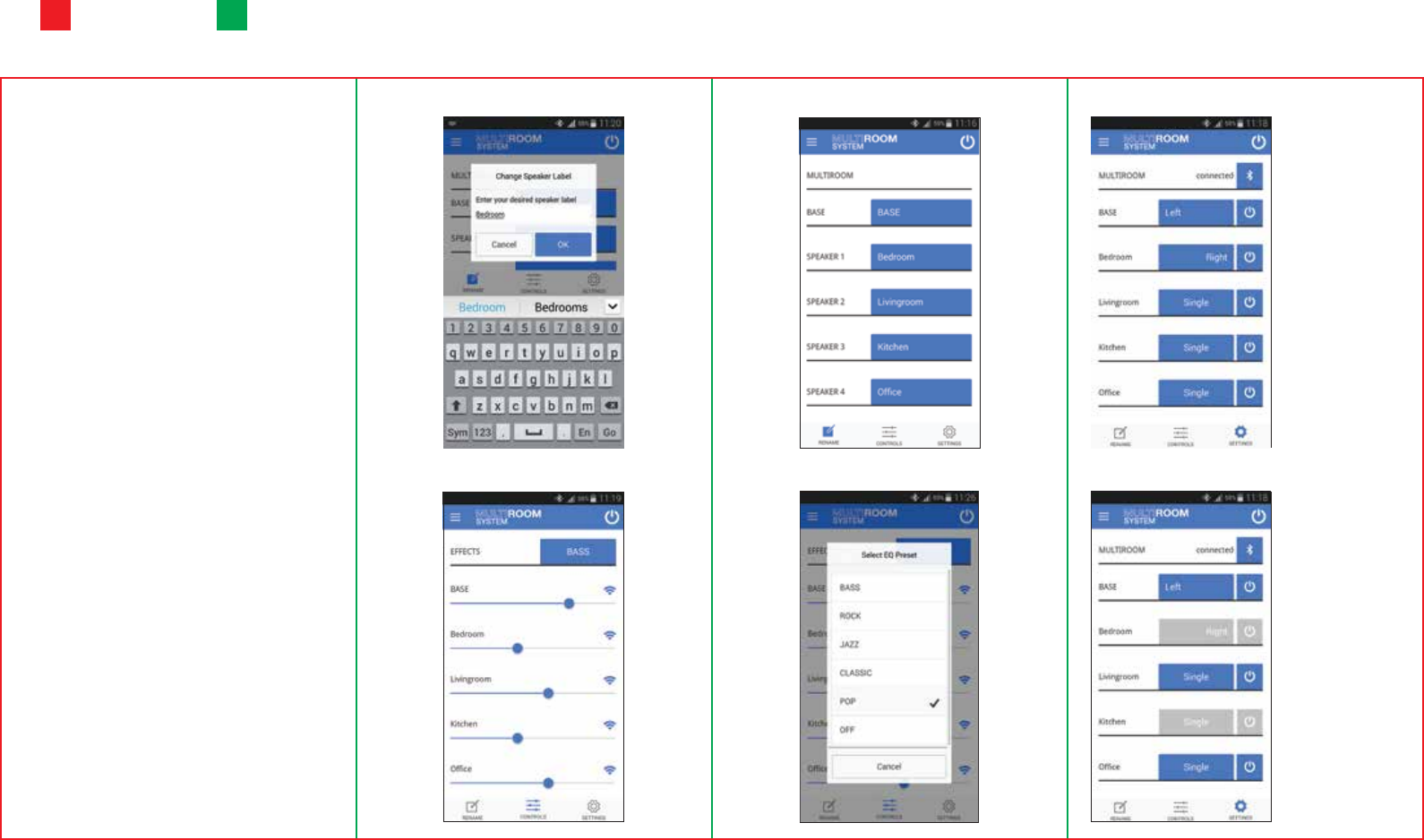
2. Once it is connected, you can control MRB1 and MRS1 volume,
equalizer, On/O speakers, assign speakers as left, right, or single
mode and change speaker label.
Note: Make sure that your device is paired and connected
already to the MRB1.
Multipoint music streaming
When the MRB1 is connected with 2 phones, it can alternately play music
from each phone. If MRB1 is playing music from the 1st phone, simply
press “pause” on the music player menu and on the 2nd phone press
“play”.
The Bluetooth® word mark and logos are registered trademarks owned by Bluetooth SIG, Inc. and any use of such
marks by Euro-CB is under license. Other trademarks and trade names are those of their respective owners.
MRB1
www.multiroom.com
Federal Communications Commission (FCC) Statement
15.21
You are cautioned that changes or modications not expressly approved by the part responsible for
compliance could void the user’s authority to operate the equipment.
15.105(b)
This equipment has been tested and found to comply with the limits for a Class B digital device,
pursuant to part 15 of the FCC rules. These limits are designed to provide reasonable protection
against harmful interference in a residential installation. This equipment generates, uses and can
radiate radio frequency energy and, if not installed and used in accordance with the instructions,
may cause harmful interference to radio communications. However, there is no guarantee that
interference will not occur in a particular installation. If this equipment does cause harmful
interference to radio or television reception, which can be determined by turning the equipment o
and on, the user is encouraged to try to correct the interference by one or more of the following
measures:
- Reorient or relocate the receiving antenna.
- Increase the separation between the equipment and receiver.
- Connect the equipment into an outlet on a circuit dierent from that to which the receiver is
connected.
- Consult the dealer or an experienced radio/TV technician for help.
Operation is subject to the following two conditions:
1) This device may not cause interference and
2) This device must accept any interference, including interference that may cause undesired
operation of the device.
FCC RF Radiation Exposure Statement:
This equipment complies with FCC radiation exposure limits set forth for an uncontrolled
environment. End users must follow the specic operating instructions for satisfying RF exposure
compliance. This transmitter must not be co-located or operating in conjunction with any other
antenna or transmitter.
FoldingCutting
Specications
Bluetooth® compliance
Bluetooth® version 4.0
Bluetooth® low energy
Supported Bluetooth® proles
- A2DP (Advanced Audio Distribution Prole)
- AVRCP (Audio Vidéo Remote Control Prole)
- Streaming music
- Multipoint (2 phones/devices connected simultaneaously)
Phone to MRB1 operating range
10 meters (standard Bluetooth®)
MRB1 to MRS1 operating range
- Up to 10 meters in line of sight
Fréquency
2.4 GHz
Audio features
- Up to 5 speakers (one MRB1 / four MRS1)
- 30 Watts RMS per speaker (60 Watts RMS for one MRB1 and one
MRS1)
- Bass reex system
- Compatible with all phones, PC, laptop, tablet or Mp3 A2DP
Bluetooth® player
- Jack 3.5 mm auxilliary input for non Bluetooth® A2DP Mp3 player,
iPods or computers
Dimensions
- MRB1: 318 x 198 x 145 mm
- MRS1 : 145 x 198 x 318 mm
Weight
- MRB1: 2940 g
- MRS1: 2900 g
Rename Speakers
Volume setting
Speakers renamed
Equalizer On / O speakers
Left / Right / Single mode
Single mode
Stand-alone mode.
Stereo mode
- Left: assign left channel
to a speaker.
- Right: assign right
channel to a speaker.
Blue = On
Grey = O