Fluke Vt02 Application Note What’s Shakin’ With Your HVAC System?
2015-09-09
: Fluke Fluke-Vt02-Application-Note-808545 fluke-vt02-application-note-808545 fluke pdf
Open the PDF directly: View PDF  .
.
Page Count: 4
Application Note
From the Fluke Digital Library @ www.fluke.com/library
Ten reasons to
buy a Fluke Visual
IR Thermometer
Cameras and
Imaging
Equipment
Category
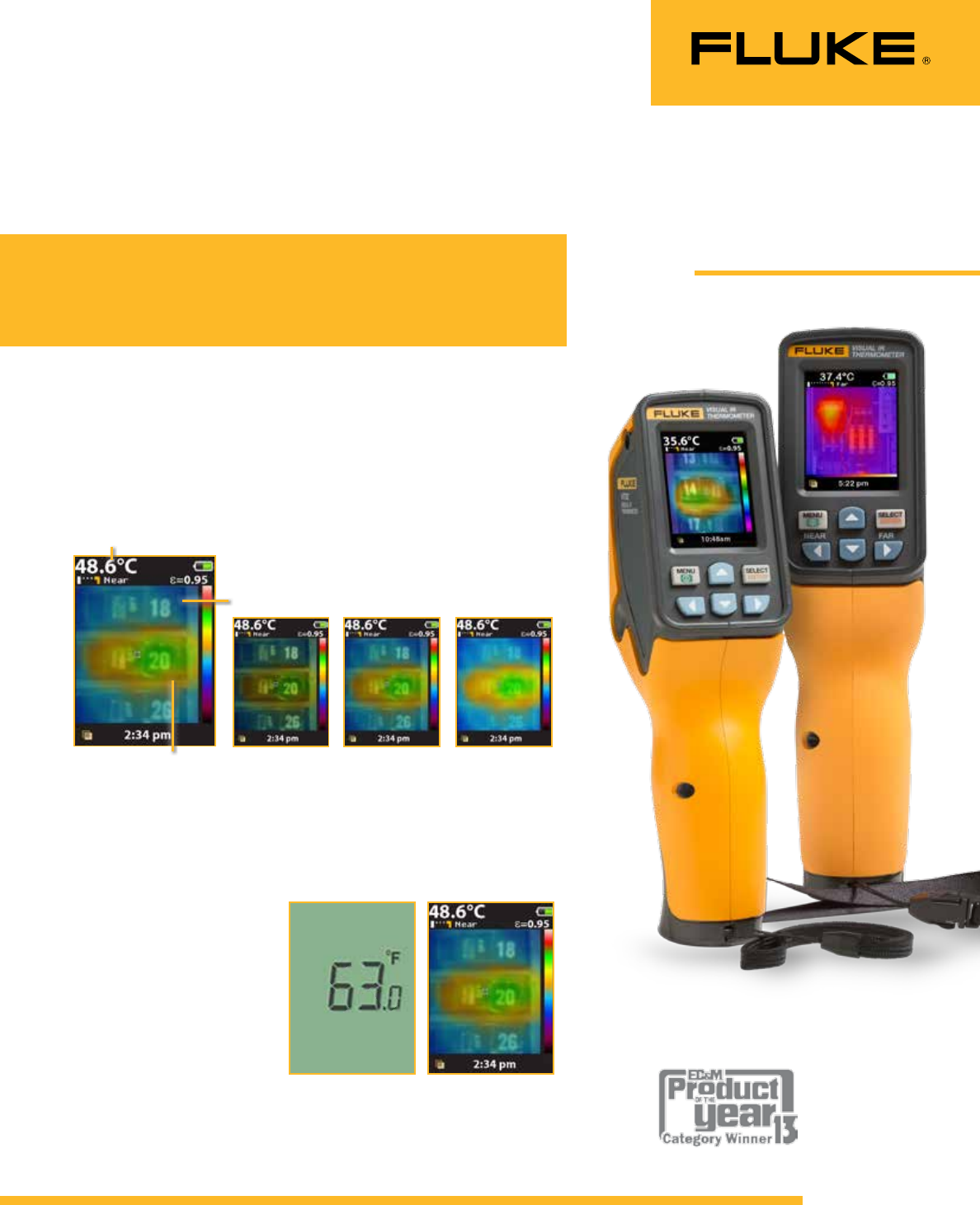
Traditional IR
thermometer
Optimized for single
point measurements.
Visual IR
Thermometer
Digital image with heat
map overlay detects
the exact location of
the issue.
25 % heat map 50 % heat map 75 % heat map
Thermal heat map overlay
Digital image for context
Clearly see that breaker
20 is overloaded and
communicate your findings.
Centerpoint
temperature (°C/°F )
The award winning Fluke Visual IR Thermometers
combine the convenience of a spot thermometer with
the visual advantage of an infrared camera, creating
a brand new tool category.
Fluke VT04
Visual IR
Thermometer
Fluke VT02
Visual IR
Thermometer
[1. Designed to see it all ]
Every Fluke Visual IR Thermometer has a built-in digital camera
with a thermal heat map overlay to instantly identify the exact
location of the problem.
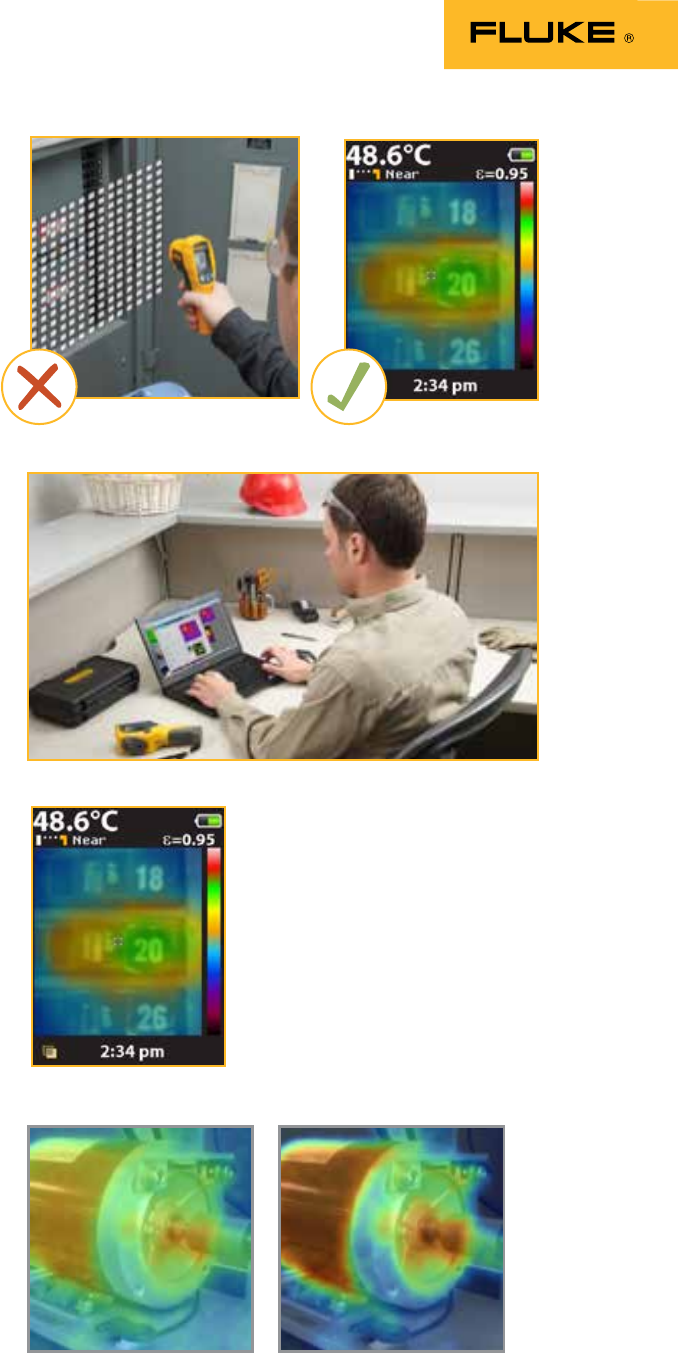
[2. Measure with confidence ]
Traditional infrared
thermometers may seem
affordable and convenient,
but they only show an
average temperature of an
area. The Fluke Visual IR
Thermometer gives you
the visual image of exactly
what you are measuring.
2 Fluke Corporation Ten reasons to buy a Fluke Visual IR Thermometer Proper PPE gear should be worn at all times.
[3. Detect issues instantly ]
Eliminate the tedious tasks of taking multiple grid
readings. Every Fluke Visual IR Thermometer has
a built-in digital camera with a thermal heat map
overlay to instantly identify the exact location of
the problem.
[5. No training required ]
The Fluke Visual IR Thermometer is an ideal
frontline troubleshooting tool that can uncover
issues right out of the box with no train-
ing required. For example, it is apparent that
breaker 20 is overloaded, requiring further
investigation.
[ 6. Establish baselines
for preventive
maintenance]
Monitor mission critical equipment over time
while inspecting under similar operating condi-
tions to identify potential problems early. The
VT04 also offers automated alarm monitoring to
allow you to capture images unattended.
[4. Professionally
document your work ]
Producing a professional report with the
included SmartView® Software is just as power-
ful as the tool itself. Easily communicate issues
or document repairs that have been made.
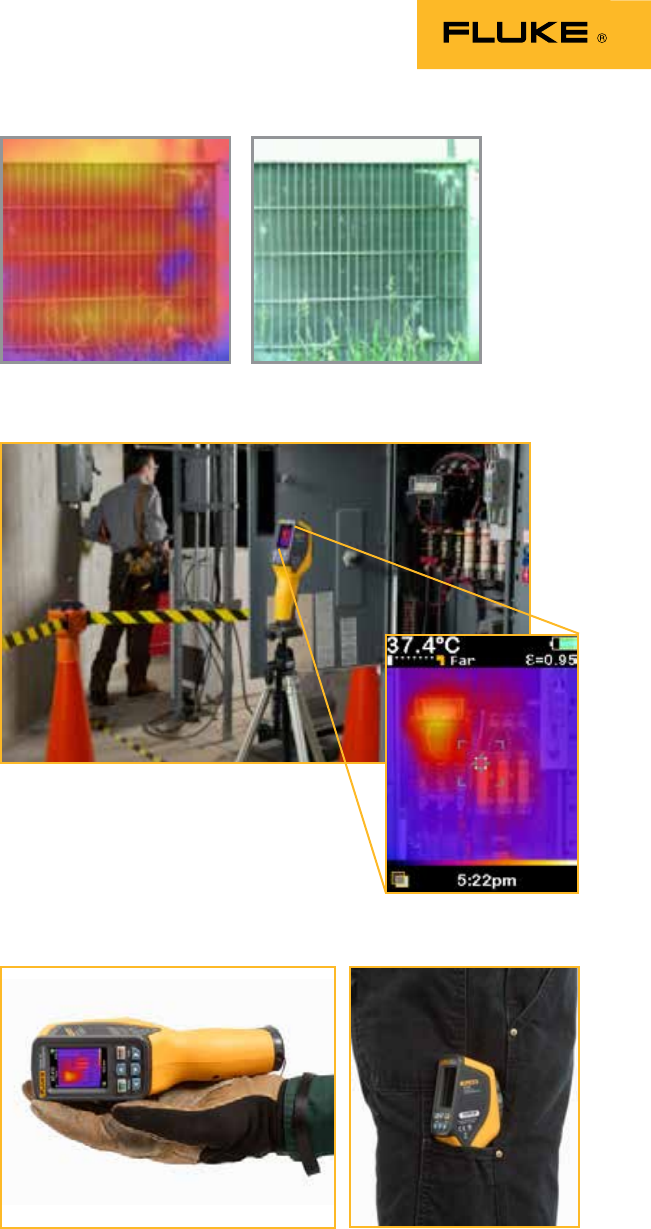
Baseline heat map image Heat map image taken at later
date indicates further mechanical
inspection required
3 Fluke Corporation Ten reasons to buy a Fluke Visual IR Thermometer Proper PPE gear should be worn at all times.
[ 7. Uncover issues you
may have missed ]
In this typical AC condenser, you can quickly
see the uneven distribution of heat in the center
row, which may indicate a potential issue. This
could easily be missed with a traditional IR
thermometer.
[ 8. Troubleshoot
intermittent issues]
The auto monitoring feature in the VT04 allows
you to troubleshoot intermittent issues that may
be challenging to discover, such as looking for
connection or overload conditions in combination
starters. Set the time lapse alarm, and capture
images in 30 second to 1 hour intervals. Images
are saved to the included SD card.
[9. Carry it everywhere]
While many infrared cameras claim to be
compact, the Fluke Visual IR Thermometers are
specifically designed to fit in your pocket.
4 Fluke Corporation Ten reasons to buy a Fluke Visual IR Thermometer Proper PPE gear should be worn at all times.
[10. Just as versatile as the issues
you are asked to troubleshoot ]
Fluke Corporation
PO Box 9090, Everett, WA 98206 U.S.A.
Fluke Europe B.V.
PO Box 1186, 5602 BD
Eindhoven, The Netherlands
For more information call:
In the U.S.A. (800) 443-5853 or
Fax (425) 446-5116
In Europe/M-East/Africa +31 (0) 40 2675 200 or
Fax +31 (0) 40 2675 222
In Canada (800)-36-FLUKE or
Fax (905) 890-6866
From other countries +1 (425) 446-5500 or
Fax +1 (425) 446-5116
Web access: http://www.fluke.com
©2013 Fluke Corporation.
Specifications subject to change without notice.
Printed in U.S.A. 8/2013 6000400A_EN
Modification of this document is not permitted
without written permission from Fluke Corporation.
Follow a few simple steps that will help you troubleshoot issues
in facilities applications:
• Wear proper PPE for your environment, according to your local,
national, and company protocols. Always remain the proper
distance away from potentially hazardous equipment.
• Have direct access to the target you are scanning. Disassem-
bly may be required around your target.
• When you’ve found a potential issue using the blended
heat map, move closer to take a center-point temperature
measurement.
• Understand how surface material characteristics such as
emissivity can influence your readings. For more information
visit: www.fluke.com/emissivity or
www.fluke.com/emissivityexplanation.
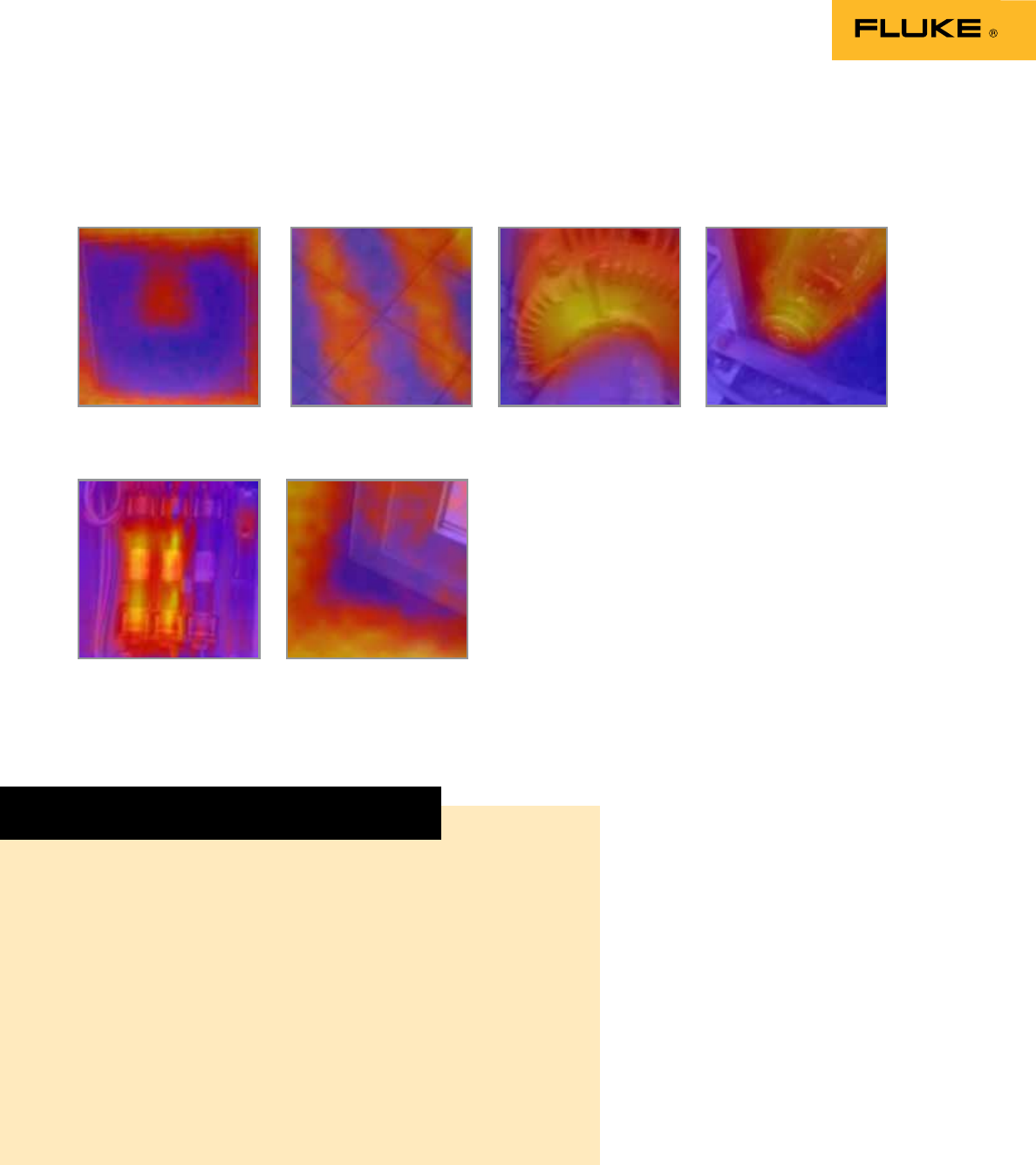
Potentially faulty cold
air damper
Thermal inspection
of pulley
Inspection of hydronic
floor heat
Unbalanced load in 3
phase supply
Overheated motor
output
Energy loss around
window
Set yourself up for success.
