Formosa Teletek BTUD200X Bluetooth v2.0+EDR class2 USB Adapter User Manual

Formosa Teletek Corporation Bluetooth v2.0+EDR class2 USB Adapter

Users Manual

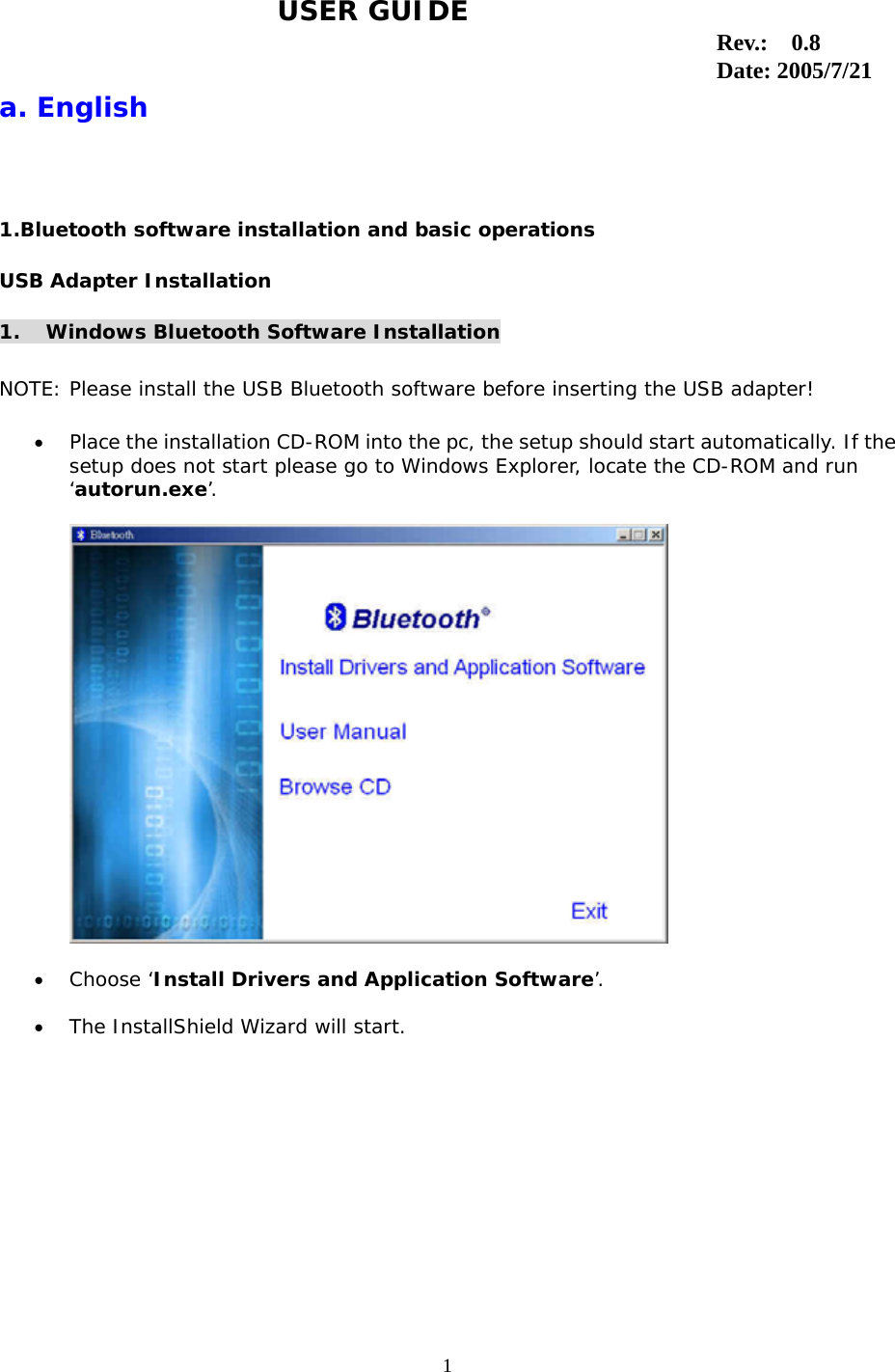
1                                                                                  a. English 1.Bluetooth software installation and basic operations USB Adapter Installation 1. Windows Bluetooth Software Installation  NOTE: Please install the USB Bluetooth software before inserting the USB adapter!  •  Place the installation CD-ROM into the pc, the setup should start automatically. If the setup does not start please go to Windows Explorer, locate the CD-ROM and run ‘autorun.exe’.    •  Choose ‘Install Drivers and Application Software’.  •  The InstallShield Wizard will start. USER GUIDE Rev.:  0.8 Date: 2005/7/21
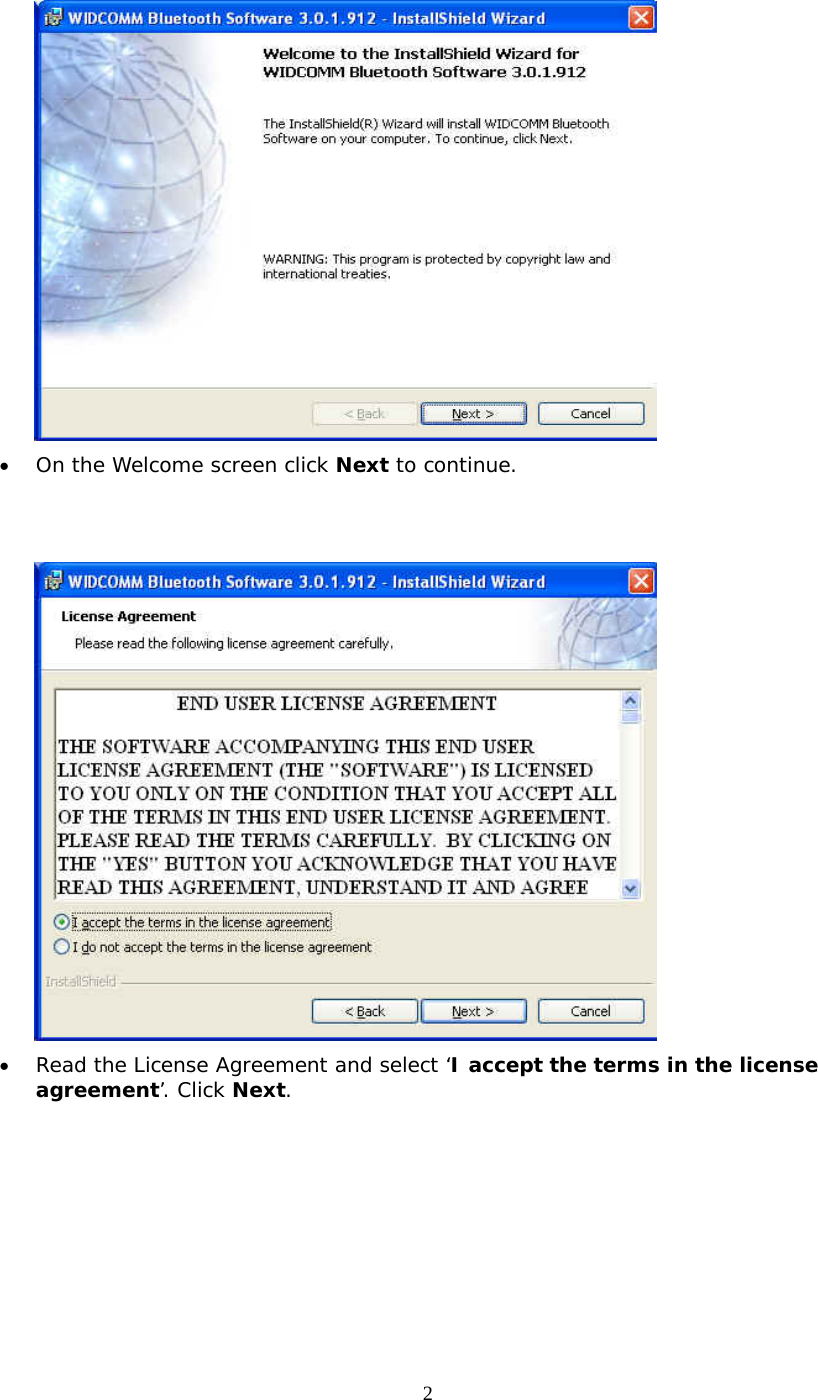
2  •  On the Welcome screen click Next to continue.    •  Read the License Agreement and select ‘I accept the terms in the license agreement’. Click Next.
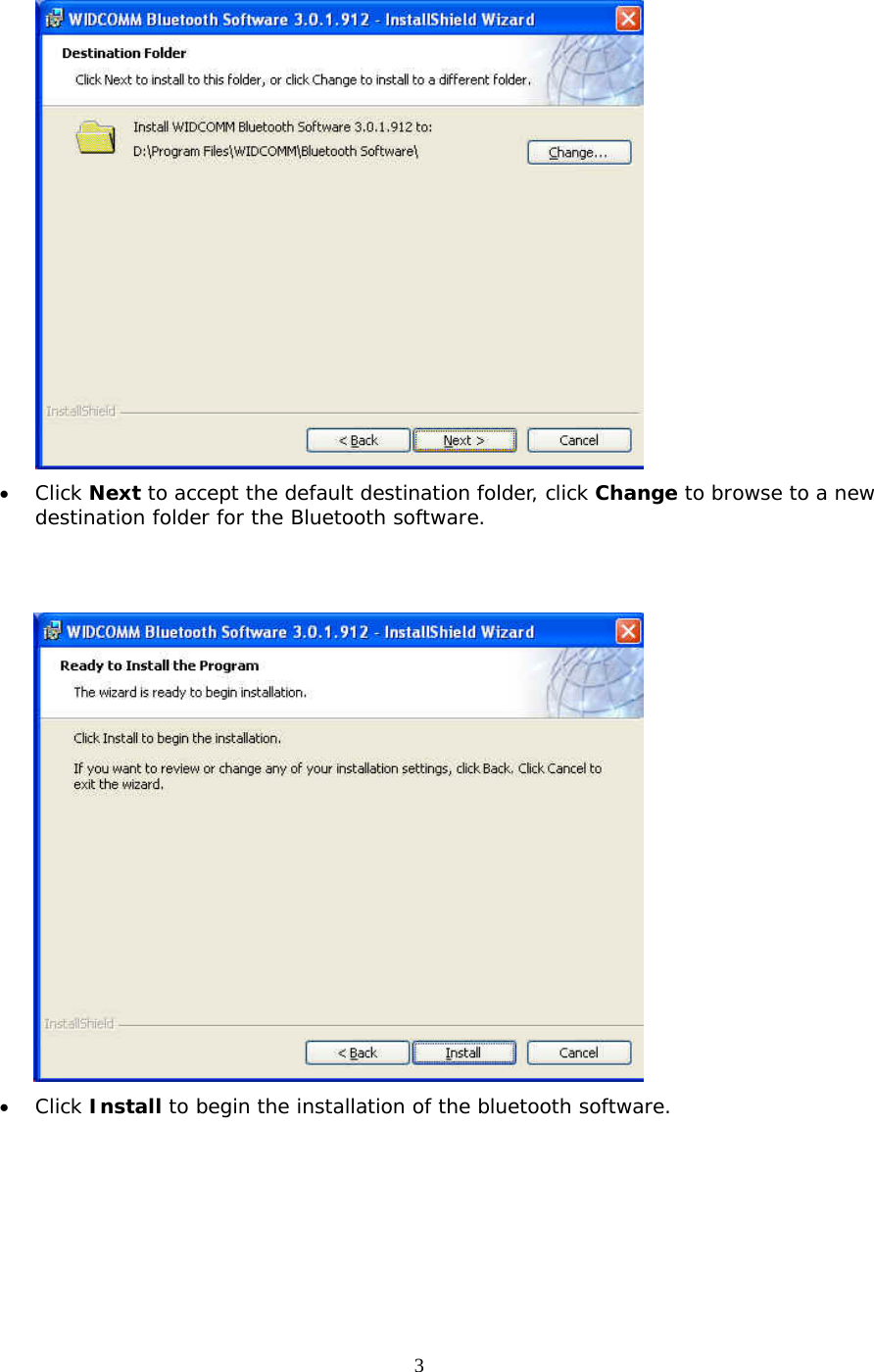
3  •  Click Next to accept the default destination folder, click Change to browse to a new destination folder for the Bluetooth software.    •  Click Install to begin the installation of the bluetooth software.
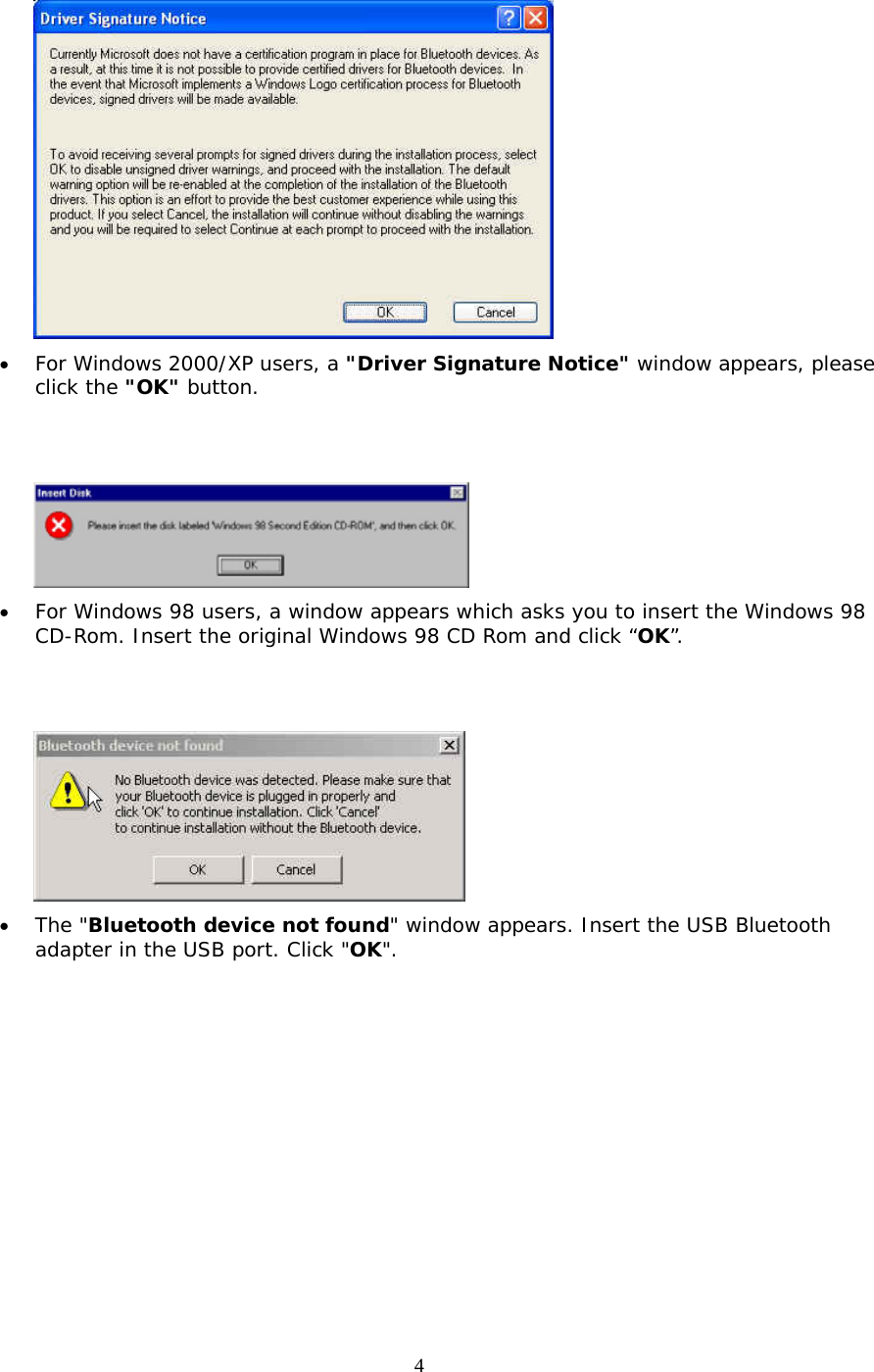
4  •  For Windows 2000/XP users, a "Driver Signature Notice" window appears, please click the "OK" button.      •  For Windows 98 users, a window appears which asks you to insert the Windows 98 CD-Rom. Insert the original Windows 98 CD Rom and click “OK”.    •  The "Bluetooth device not found" window appears. Insert the USB Bluetooth adapter in the USB port. Click "OK".
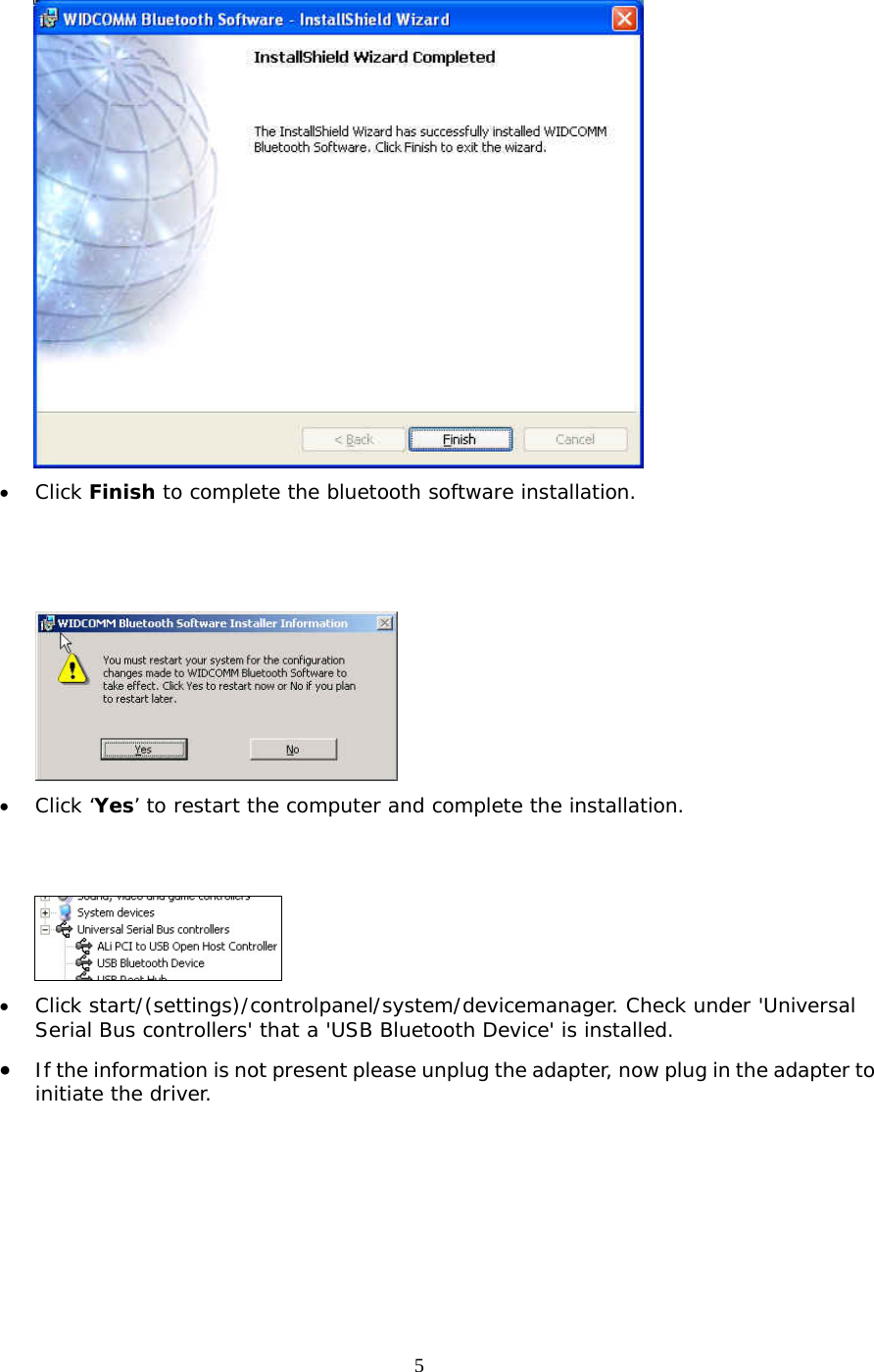
5  •  Click Finish to complete the bluetooth software installation.     •  Click ‘Yes’ to restart the computer and complete the installation.    •  Click start/(settings)/controlpanel/system/devicemanager. Check under 'Universal Serial Bus controllers' that a 'USB Bluetooth Device' is installed. •  If the information is not present please unplug the adapter, now plug in the adapter to initiate the driver.
6   FCC Statement The changes or modifications not expressly approved by the party responsiblefor compliance could void the user’s authority to operate the equipment.  Federal Communication Commission Interference Statement  This equipment has been tested and found to comply with the limits for a Class Bdigital device, pursuant to Part 15 of the FCC Rules.    These limits are designed toprovide reasonable protection against harmful interference in a residentialinstallation.  This equipment generates, uses and can radiate radio frequencyenergy and, if not installed and used in accordance with the instructions, maycause harmful interference to radio communications.  However, there is noguarantee that interference will not occur in a particular installation.  If thisequipment does cause harmful interference to radio or television reception, whichcan be determined by turning the equipment off and on, the user is encouraged totry to correct the interference by one of the following measures:  -  Reorient or relocate the receiving antenna. -  Increase the separation between the equipment and receiver. -  Connect the equipment into an outlet on a circuit different from that to which the receiver is connected. -  Consult the dealer or an experienced radio/TV technician for help.  User Information This device complies with part 15 of FCC Rules. Operation is subject to the following two conditions:     (1)This device may not cause harmful interference, and       (2)This device must accept any interference received, including interference that may cause undesired operation.   To comply with FCC RF exposure requirement, this device and its antenna must not be co-located or operating in the conjunction with any other antenna ortransmitter.   FCC ID: QW3-BTUD200X   The Bluetooth word mark and logos are owned by the Bluetooth SIG,Inc.. Other trademarks and trade names are those of their respectiveowners.  Bluetooth ID:

Navigation menu