Fortuneship Technology 0U Polar V650 User Manual My

Shenzhen Fortuneship Technology Co., LTD Polar V650 My

User manual

1V650 USER MANUAL
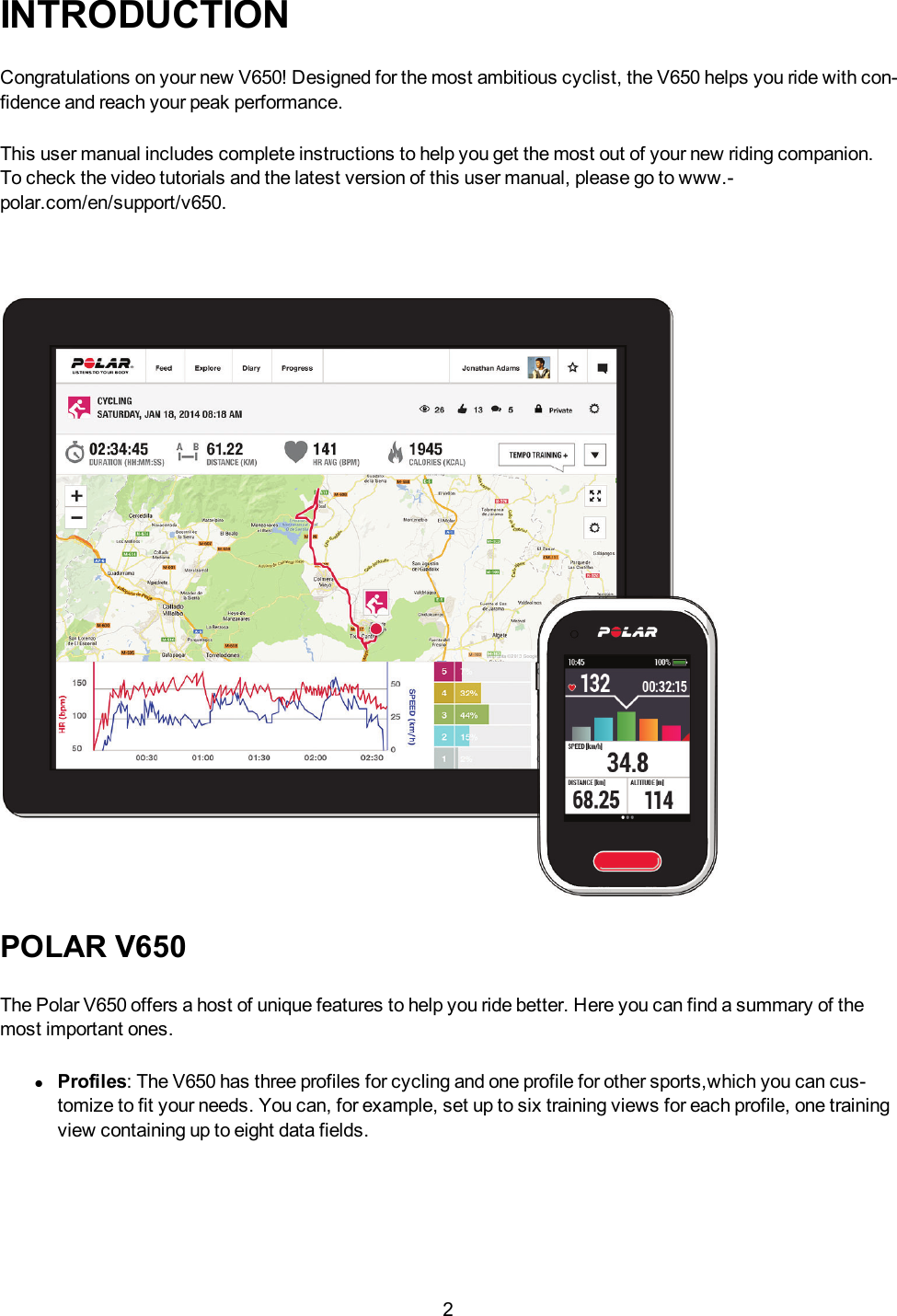
2INTRODUCTIONCongratulations on your new V650! Designed for the most ambitious cyclist, the V650 helps you ride with con-fidence and reach your peak performance.This user manual includes complete instructions to help you get the most out of your new riding companion.To check the video tutorials and the latest version of this user manual, please go to www.-polar.com/en/support/v650.POLAR V650The Polar V650 offers a host of unique features to help you ride better. Here you can find a summary of themost important ones.lProfiles: The V650 has three profiles for cycling and one profile for other sports,which you can cus-tomize to fit your needs. You can, for example, set up to six training views for each profile, one trainingview containing up to eight data fields.
3lIntegrated GPS: With an integrated GPS, the V650 tracks your cycling speed, distance and route. TheBack-to-start and Route tracking features help you to travel all the way back to the starting point ofyour trip.lBarometric Pressure Sensor: In addition to altitude, your V650 measures comprehensive data suchas ascent/descent, incline/decline, real time VAM (mean ascent velocity), temperature and altitudecompensated calories.lTraining Load & Recovery: This feature is available in the Polar Flow web service. It shows howmuch each training session loaded you, and how long it takes you to recover from it, helping you findthe perfect balance between training and rest.lTraining Benefit:The V650 gives motivating feedback about the effect of your training immediatelyafter your session.USB CABLECharge and transfer data with the USB cablePOLAR FLOW WEB SERVICEPolar V650 is a great training device by itself, but you will benefit even more by using it with the Polar Flowweb service.The Polar Flow web service provides you with an in-depth analysis of your training. Plan your training or utilizeready made training programs. See your route on a map and receive detailed information about your session.Track your training load and recovery to stay fresh. Share your training results and route with others in the com-munity.
4GET STARTEDCHARGE THE BATTERYThe V650 has an internal, rechargable battery. Use the USB cable included in the product set to charge yourV650 via the USB connector on your computer.1. Plug in your V650 to your computer’s USB port with the USB cable.2. The charging animation appears on the display. Charging the battery fully takes up to five hours.INITIAL SETUPWake up your V650 by pressing the side button. The first time you do this, your V650 will take you through aninitial set up process.Start by choosing your language from the following options: Dansk,Deutsch,English,Español,Français,Italiano,Japanese,Nederlands,Norsk,Português,Suomi,Svenska of Simplified Chinese.If your language is not visible, swipe up to scroll the list. Choose a language by tapping it. The field turns tored. Confirm and proceed to the following setting by tapping at the bottom of the screen.INFO: To get the most accurate and personal training data, it’s important that you’re precise with physical set-tings like your age, weight and sex.Units: Choose Metric (kg/cm) or Imperial (lb/ft) units.Time of day: Change the time format by touching 12h/24h (image). The chosen time format is written inwhite. If you choose the 12h time format, also select AM or PM. Then enter the local time.Use GPS time: If you want the V650 to read the Coordinated Universal Time (UTC) from the GPS satellites,tick the box and choose the UTC Time Zone that is closest to you.Date: Enter current date.Sex: Select Male or Female.Height: Enter your height.Weight: Enter your weight.Date of birth: Enter your date of birth.To change your settings, tap at the bottom of the screen to return to the desired setting. To accept the set-tings, tap . The V650 enters the main view.
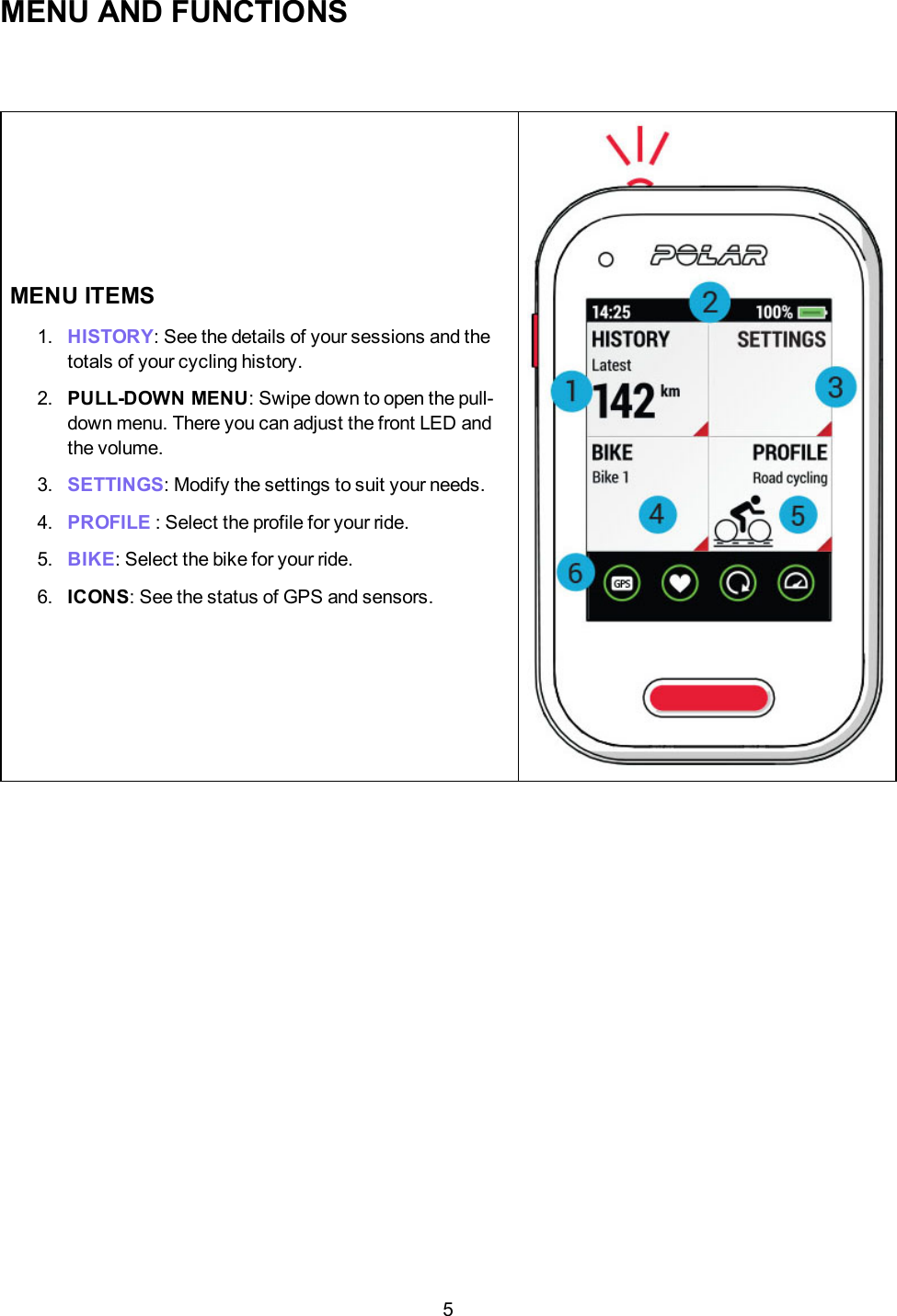
5MENU AND FUNCTIONSMENU ITEMS1. HISTORY: See the details of your sessions and thetotals of your cycling history.2. PULL-DOWNMENU: Swipe down to open the pull-down menu. There you can adjust the front LED andthe volume.3. SETTINGS: Modify the settings to suit your needs.4. PROFILE : Select the profile for your ride.5. BIKE: Select the bike for your ride.6. ICONS: See the status of GPS and sensors.
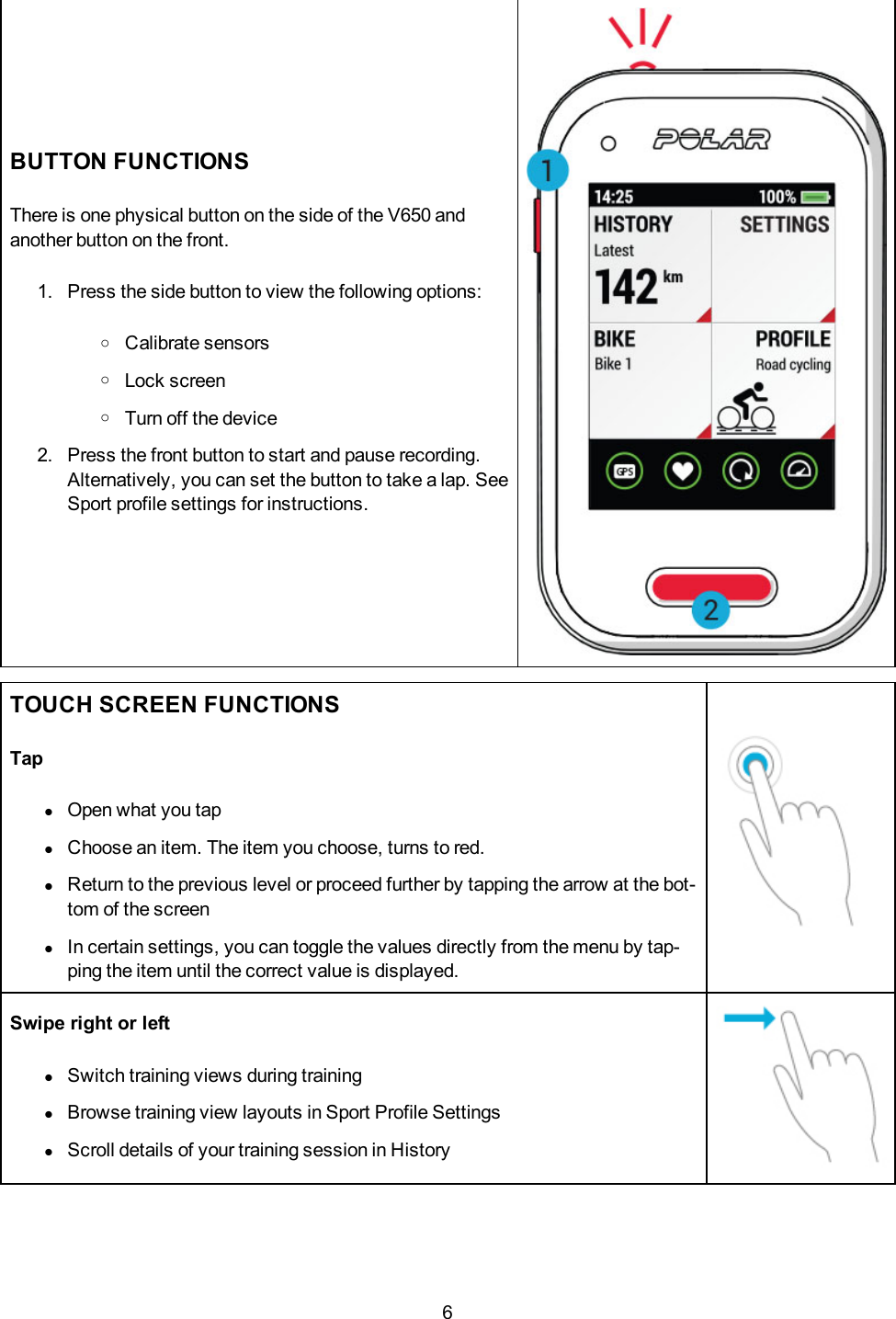
6BUTTON FUNCTIONSThere is one physical button on the side of the V650 andanother button on the front.1. Press the side button to view the following options:oCalibrate sensorsoLock screenoTurn off the device2. Press the front button to start and pause recording.Alternatively, you can set the button to take a lap. SeeSport profile settings for instructions.TOUCH SCREEN FUNCTIONSTaplOpen what you taplChoose an item. The item you choose, turns to red.lReturn to the previous level or proceed further by tapping the arrow at the bot-tom of the screenlIn certain settings, you can toggle the values directly from the menu by tap-ping the item until the correct value is displayed.Swipe right or leftlSwitch training views during traininglBrowse training view layouts in Sport Profile SettingslScroll details of your training session in History
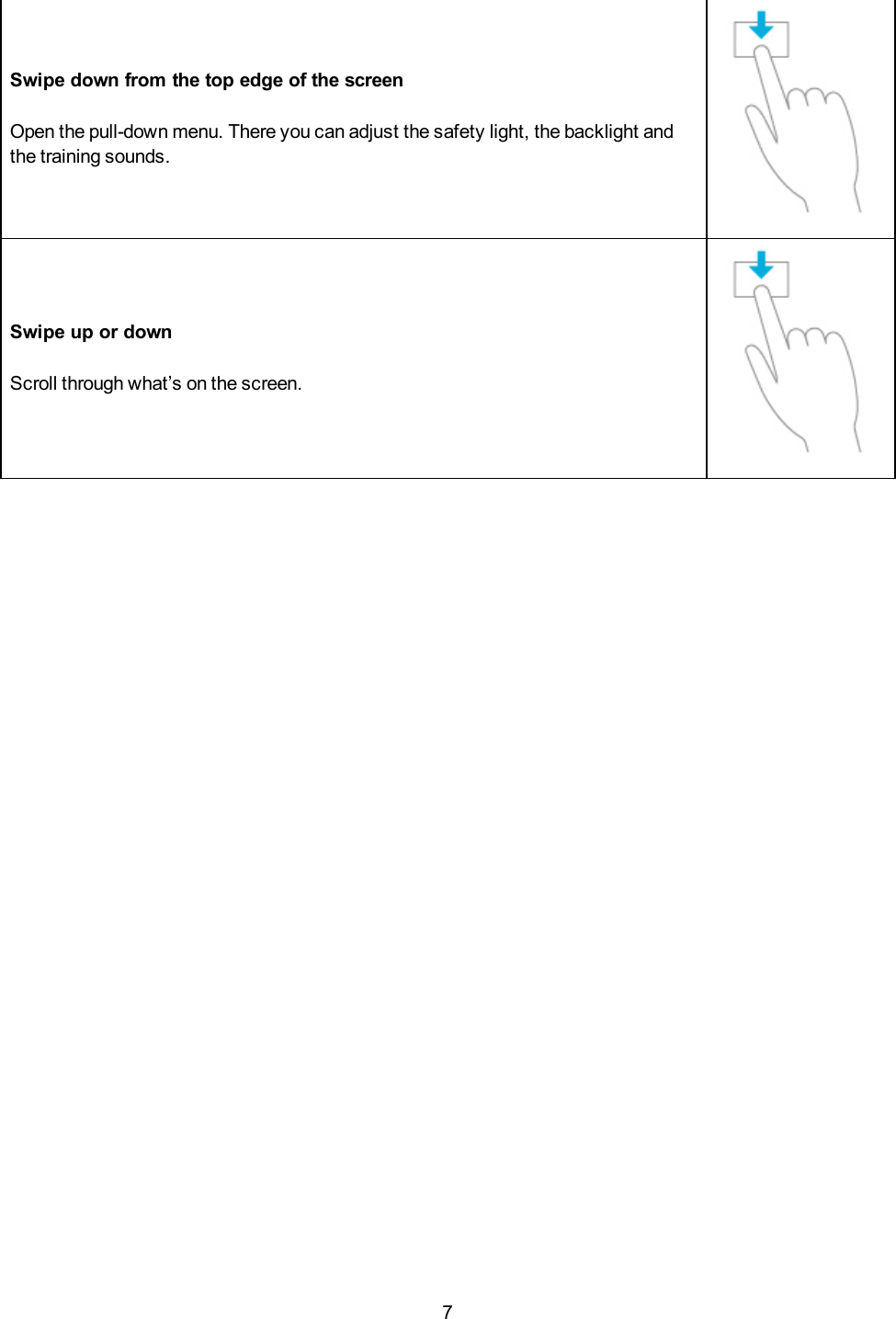
7Swipe down from the top edge of the screenOpen the pull-down menu. There you can adjust the safety light, the backlight andthe training sounds.Swipe up or downScroll through what’s on the screen.
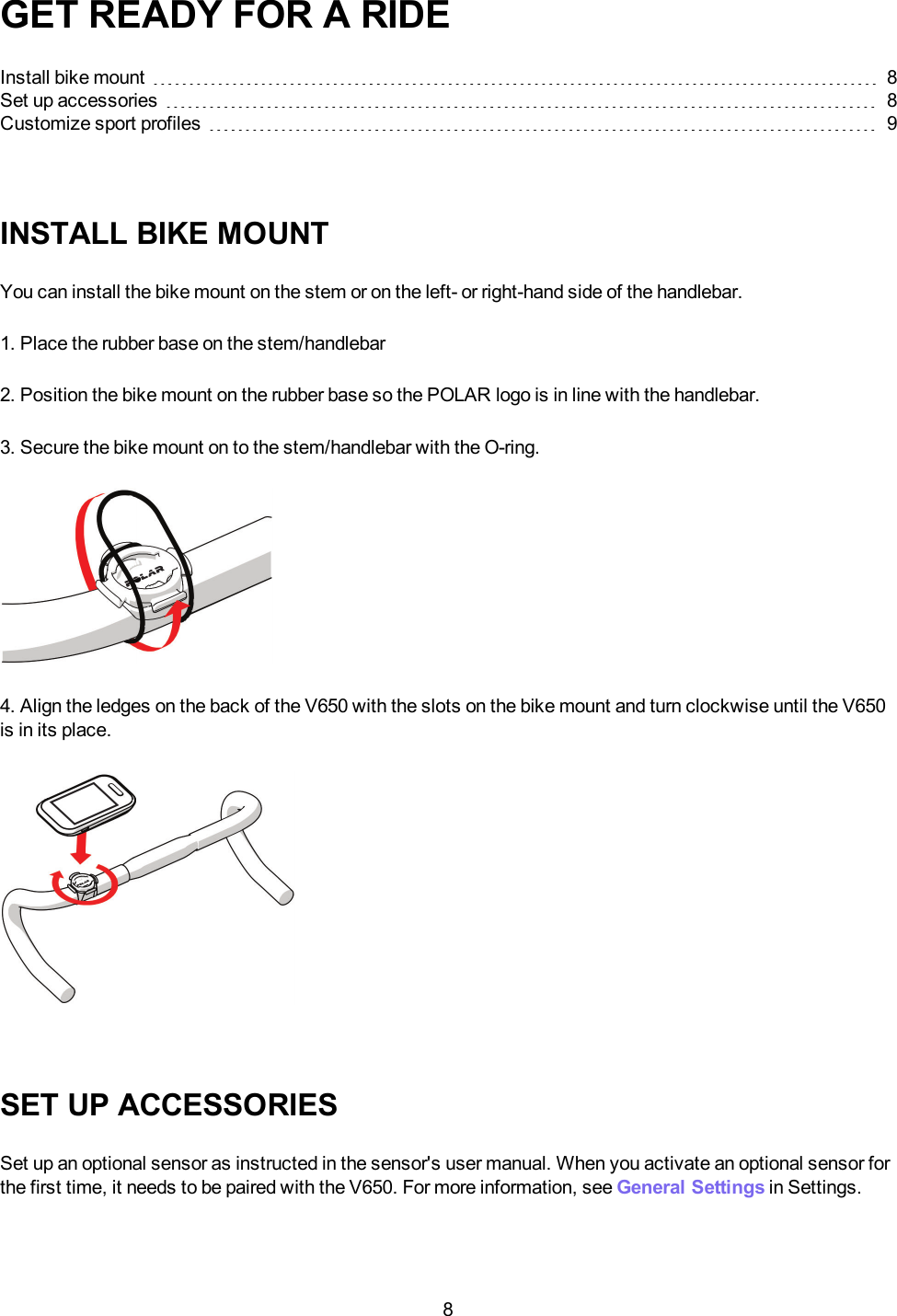
8GET READY FOR A RIDEInstall bike mount 8Set up accessories 8Customize sport profiles 9INSTALL BIKE MOUNTYou can install the bike mount on the stem or on the left- or right-hand side of the handlebar.1. Place the rubber base on the stem/handlebar2. Position the bike mount on the rubber base so the POLAR logo is in line with the handlebar.3. Secure the bike mount on to the stem/handlebar with the O-ring.4. Align the ledges on the back of the V650 with the slots on the bike mount and turn clockwise until the V650is in its place.SET UP ACCESSORIESSet up an optional sensor as instructed in the sensor's user manual. When you activate an optional sensor forthe first time, it needs to be paired with the V650. For more information, see General Settings in Settings.
9CUSTOMIZE SPORT PROFILESV650 has three profiles for cycling (and one profile for other sports).Adjust the settings for the sport profiles to suit your training needs in SETTINGS >Sport profiles. You can,for example, customize each profile with up to six different training views, to see the information you reallywant.
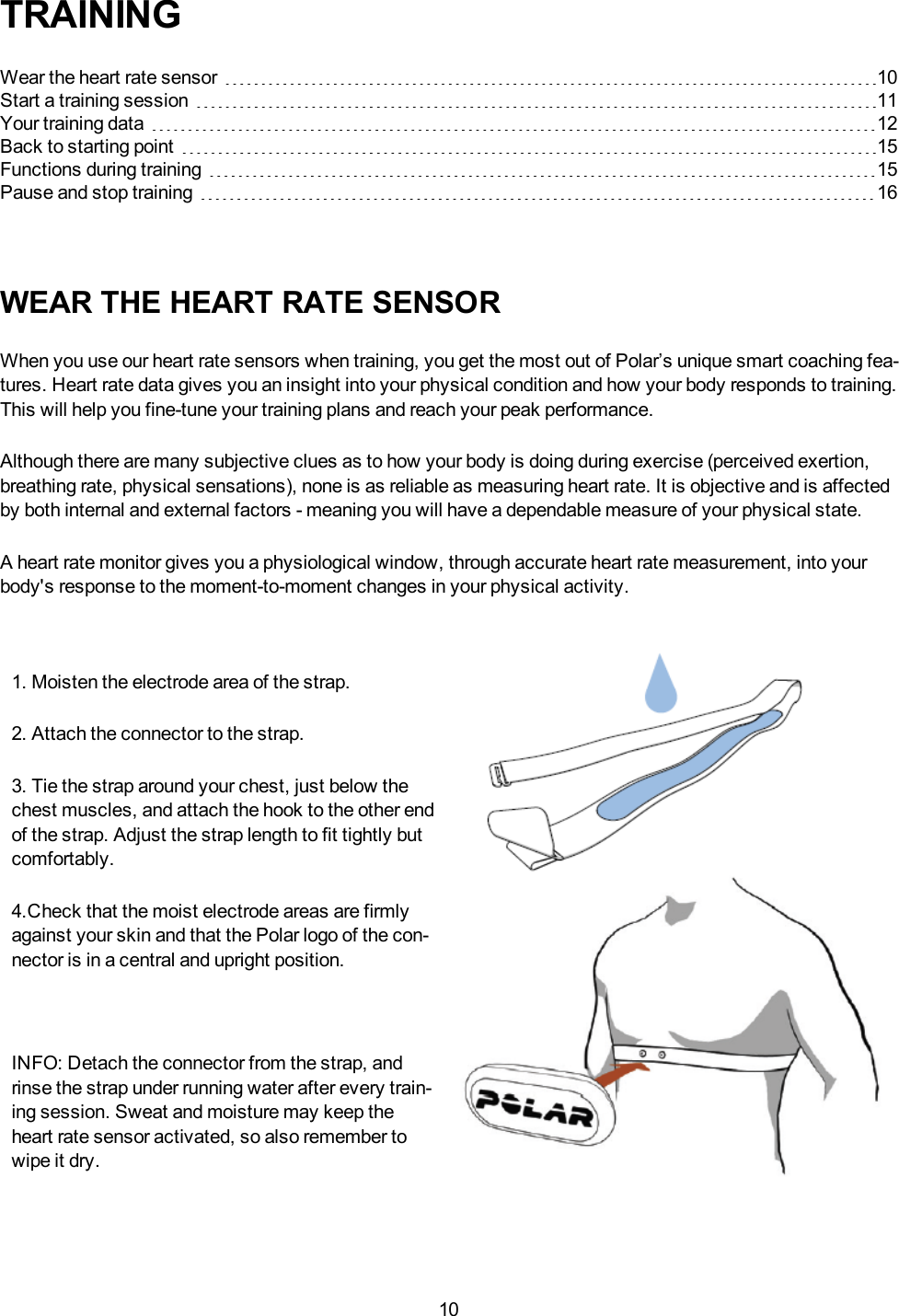
10TRAININGWear the heart rate sensor 10Start a training session 11Your training data 12Back to starting point 15Functions during training 15Pause and stop training 16WEAR THE HEART RATE SENSORWhen you use our heart rate sensors when training, you get the most out of Polar’s unique smart coaching fea-tures. Heart rate data gives you an insight into your physical condition and how your body responds to training.This will help you fine-tune your training plans and reach your peak performance.Although there are many subjective clues as to how your body is doing during exercise (perceived exertion,breathing rate, physical sensations), none is as reliable as measuring heart rate. It is objective and is affectedby both internal and external factors - meaning you will have a dependable measure of your physical state.A heart rate monitor gives you a physiological window, through accurate heart rate measurement, into yourbody's response to the moment-to-moment changes in your physical activity.1. Moisten the electrode area of the strap.2. Attach the connector to the strap.3. Tie the strap around your chest, just below thechest muscles, and attach the hook to the other endof the strap. Adjust the strap length to fit tightly butcomfortably.4.Check that the moist electrode areas are firmlyagainst your skin and that the Polar logo of the con-nector is in a central and upright position.INFO: Detach the connector from the strap, andrinse the strap under running water after every train-ing session. Sweat and moisture may keep theheart rate sensor activated, so also remember towipe it dry.
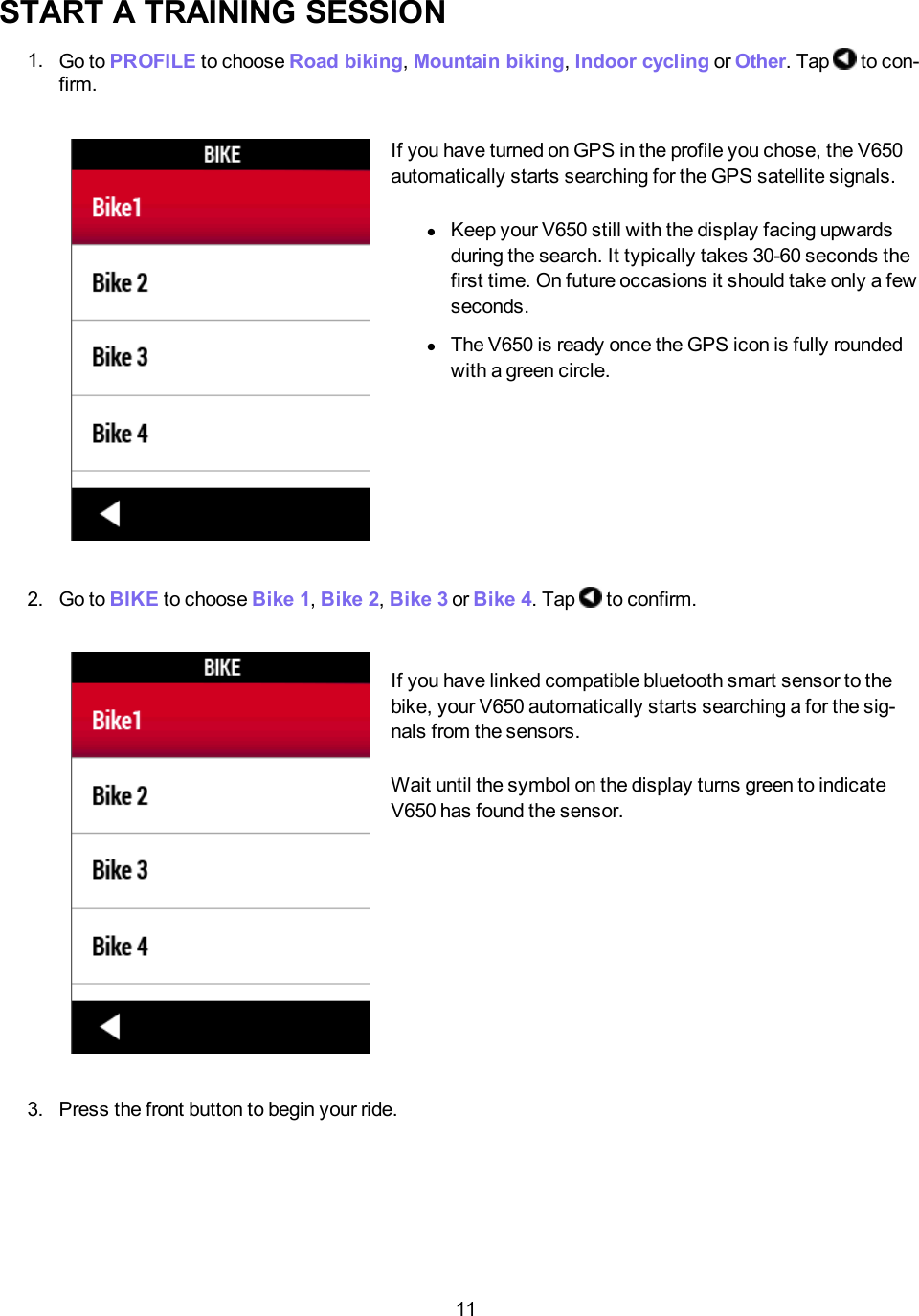
11START A TRAINING SESSION1. Go to PROFILE to choose Road biking,Mountain biking,Indoor cycling or Other. Tap to con-firm.If you have turned on GPS in the profile you chose, the V650automatically starts searching for the GPS satellite signals.lKeep your V650 still with the display facing upwardsduring the search. It typically takes 30-60 seconds thefirst time. On future occasions it should take only a fewseconds.lThe V650 is ready once the GPS icon is fully roundedwith a green circle.2. Go to BIKE to choose Bike 1,Bike 2,Bike 3 or Bike 4. Tap to confirm.If you have linked compatible bluetooth smart sensor to thebike, your V650 automatically starts searching a for the sig-nals from the sensors.Wait until the symbol on the display turns green to indicateV650 has found the sensor.3. Press the front button to begin your ride.
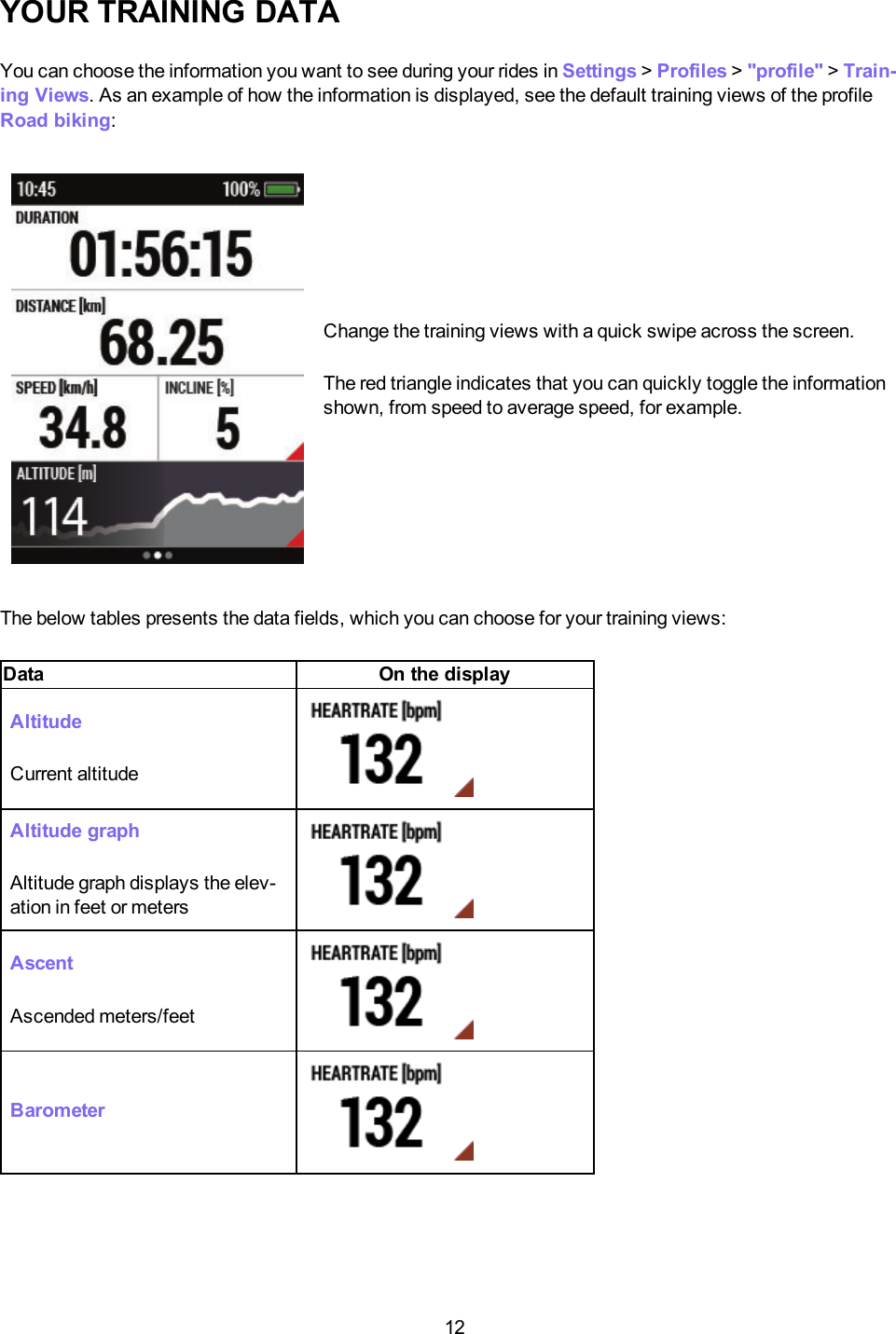
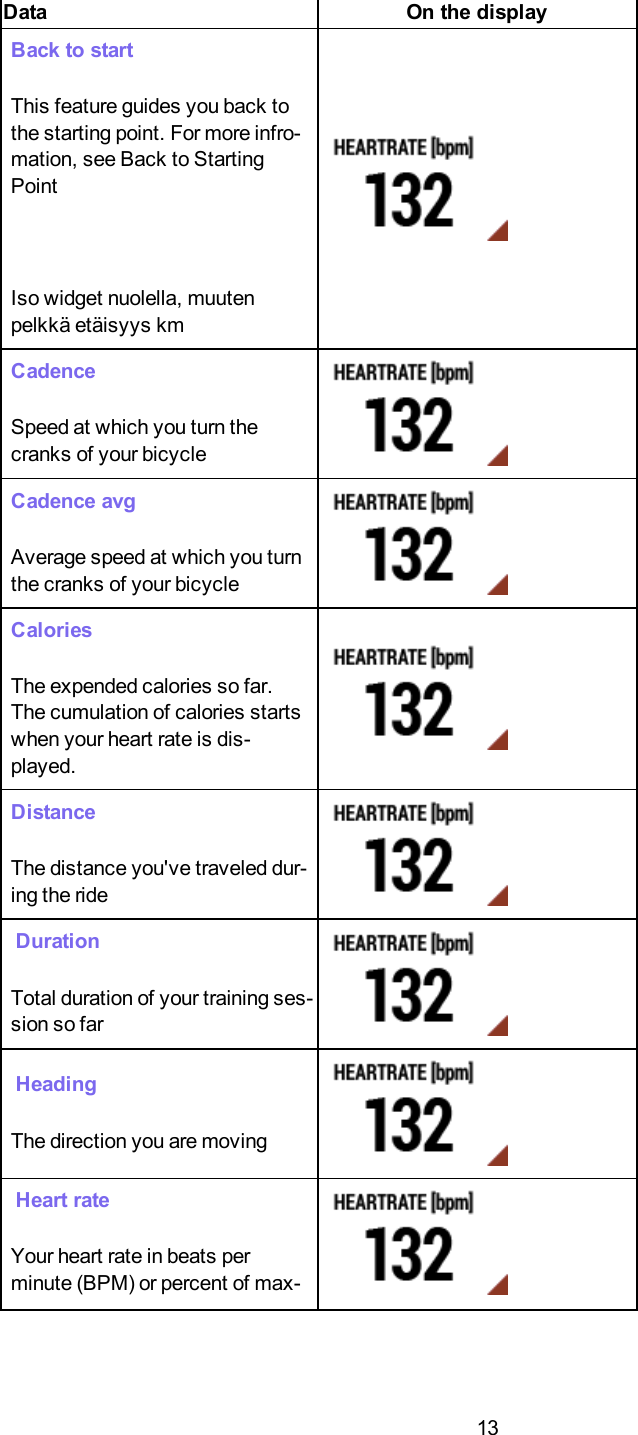
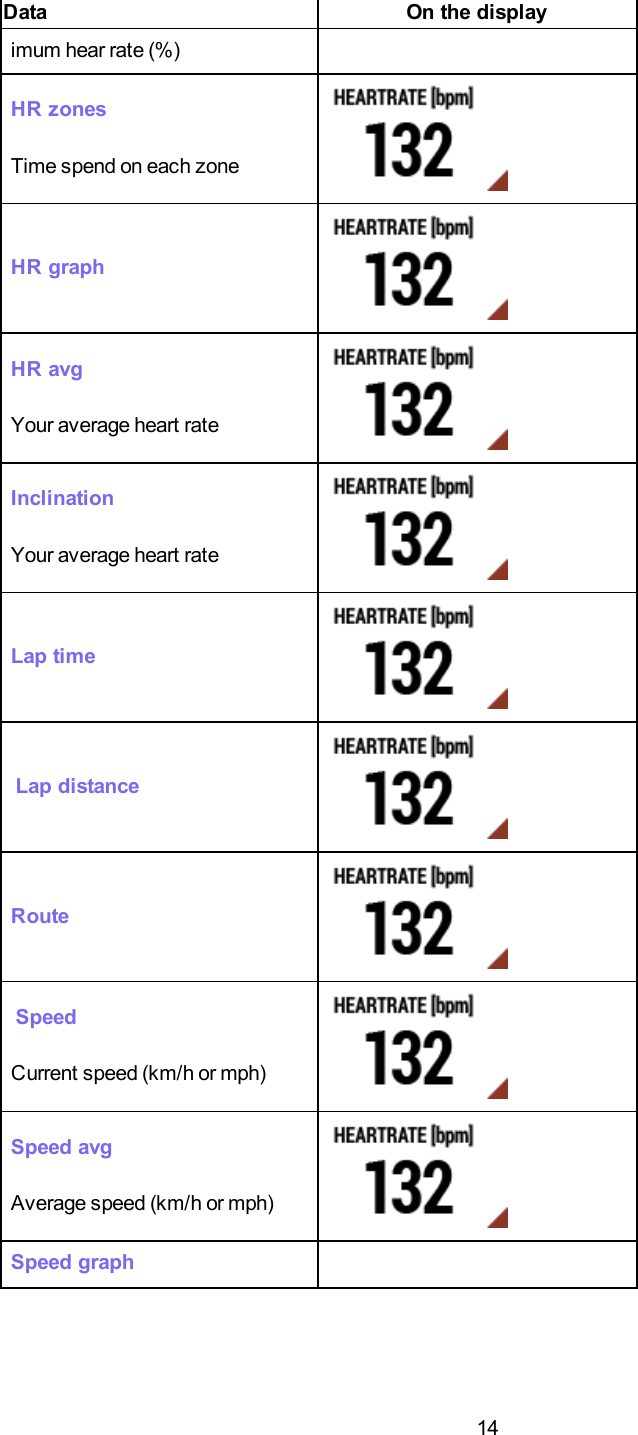
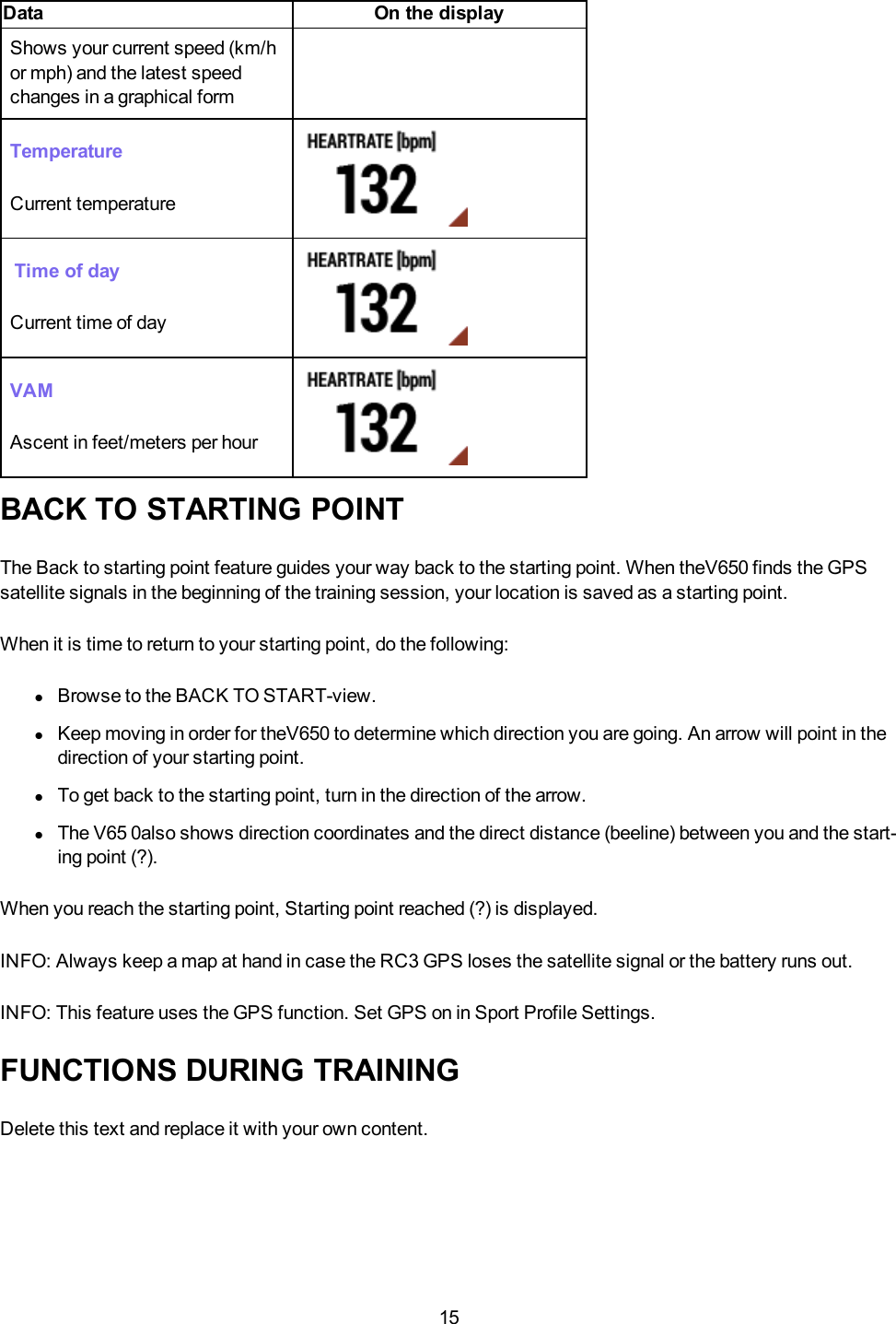
12YOUR TRAINING DATAYou can choose the information you want to see during your rides in Settings >Profiles >"profile" >Train-ing Views. As an example of how the information is displayed, see the default training views of the profileRoad biking:Change the training views with a quick swipe across the screen.The red triangle indicates that you can quickly toggle the informationshown, from speed to average speed, for example.The below tables presents the data fields, which you can choose for your training views:Data On the displayAltitudeCurrent altitudeAltitude graphAltitude graph displays the elev-ation in feet or metersAscentAscended meters/feetBarometer
13Data On the displayBack to startThis feature guides you back tothe starting point. For more infro-mation, see Back to StartingPointIso widget nuolella, muutenpelkkä etäisyys kmCadenceSpeed at which you turn thecranks of your bicycleCadence avgAverage speed at which you turnthe cranks of your bicycleCaloriesThe expended calories so far.The cumulation of calories startswhen your heart rate is dis-played.DistanceThe distance you've traveled dur-ing the rideDurationTotal duration of your training ses-sion so farHeadingThe direction you are movingHeart rateYour heart rate in beats perminute (BPM) or percent of max-
14Data On the displayimum hear rate (%)HR zonesTime spend on each zoneHR graphHR avgYour average heart rateInclinationYour average heart rateLap timeLap distanceRouteSpeedCurrent speed (km/h or mph)Speed avgAverage speed (km/h or mph)Speed graph
15Data On the displayShows your current speed (km/hor mph) and the latest speedchanges in a graphical formTemperatureCurrent temperatureTime of dayCurrent time of dayVAMAscent in feet/meters per hourBACK TO STARTING POINTThe Back to starting point feature guides your way back to the starting point. When theV650 finds the GPSsatellite signals in the beginning of the training session, your location is saved as a starting point.When it is time to return to your starting point, do the following:lBrowse to the BACK TO START-view.lKeep moving in order for theV650 to determine which direction you are going. An arrow will point in thedirection of your starting point.lTo get back to the starting point, turn in the direction of the arrow.lThe V65 0also shows direction coordinates and the direct distance (beeline) between you and the start-ing point (?).When you reach the starting point, Starting point reached (?) is displayed.INFO: Always keep a map at hand in case the RC3 GPS loses the satellite signal or the battery runs out.INFO: This feature uses the GPS function. Set GPS on in Sport Profile Settings.FUNCTIONS DURING TRAININGDelete this text and replace it with your own content.
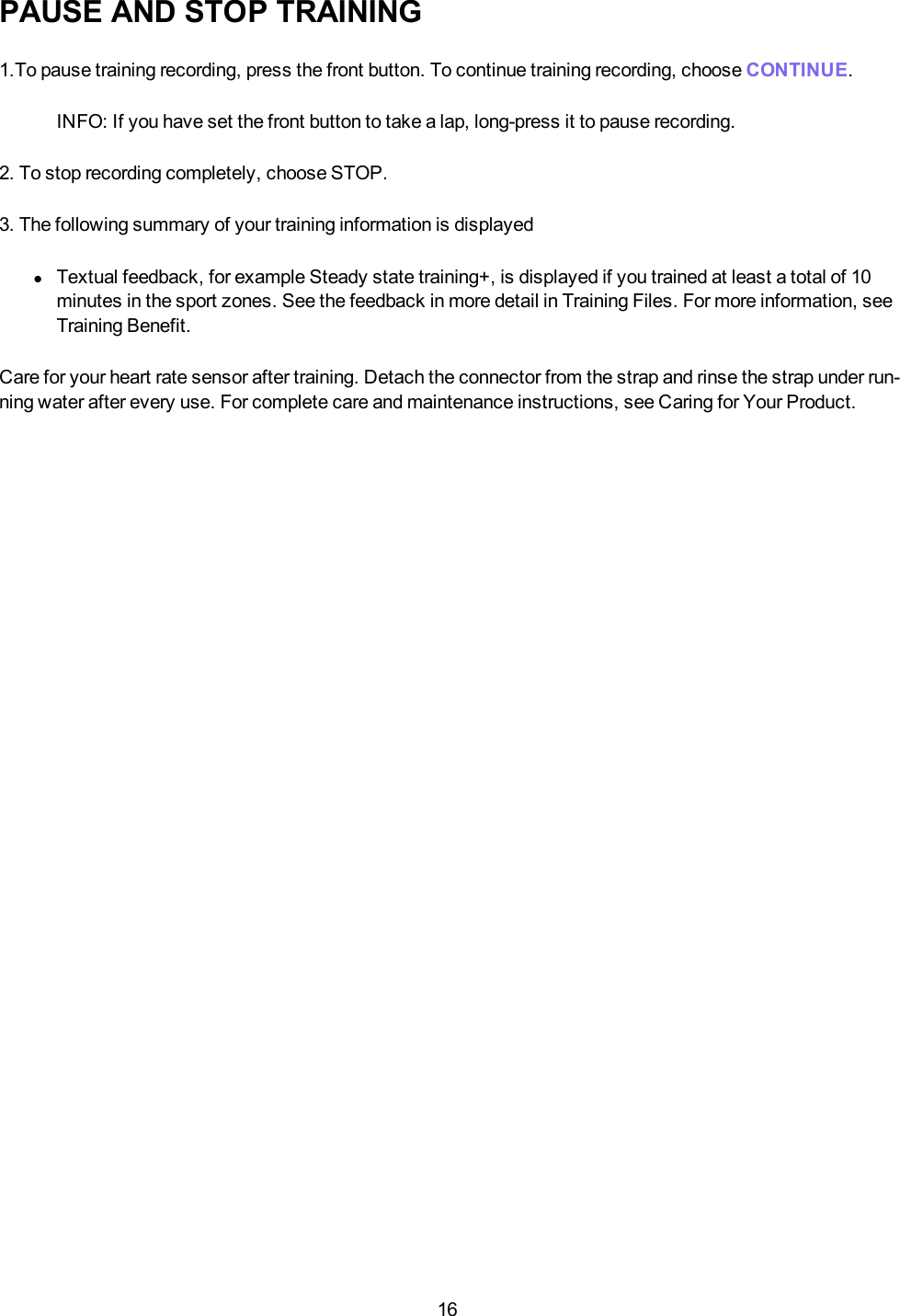
16PAUSE AND STOP TRAINING1.To pause training recording, press the front button. To continue training recording, choose CONTINUE.INFO: If you have set the front button to take a lap, long-press it to pause recording.2. To stop recording completely, choose STOP.3. The following summary of your training information is displayedlTextual feedback, for example Steady state training+, is displayed if you trained at least a total of 10minutes in the sport zones. See the feedback in more detail in Training Files. For more information, seeTraining Benefit.Care for your heart rate sensor after training. Detach the connector from the strap and rinse the strap under run-ning water after every use. For complete care and maintenance instructions, see Caring for Your Product.
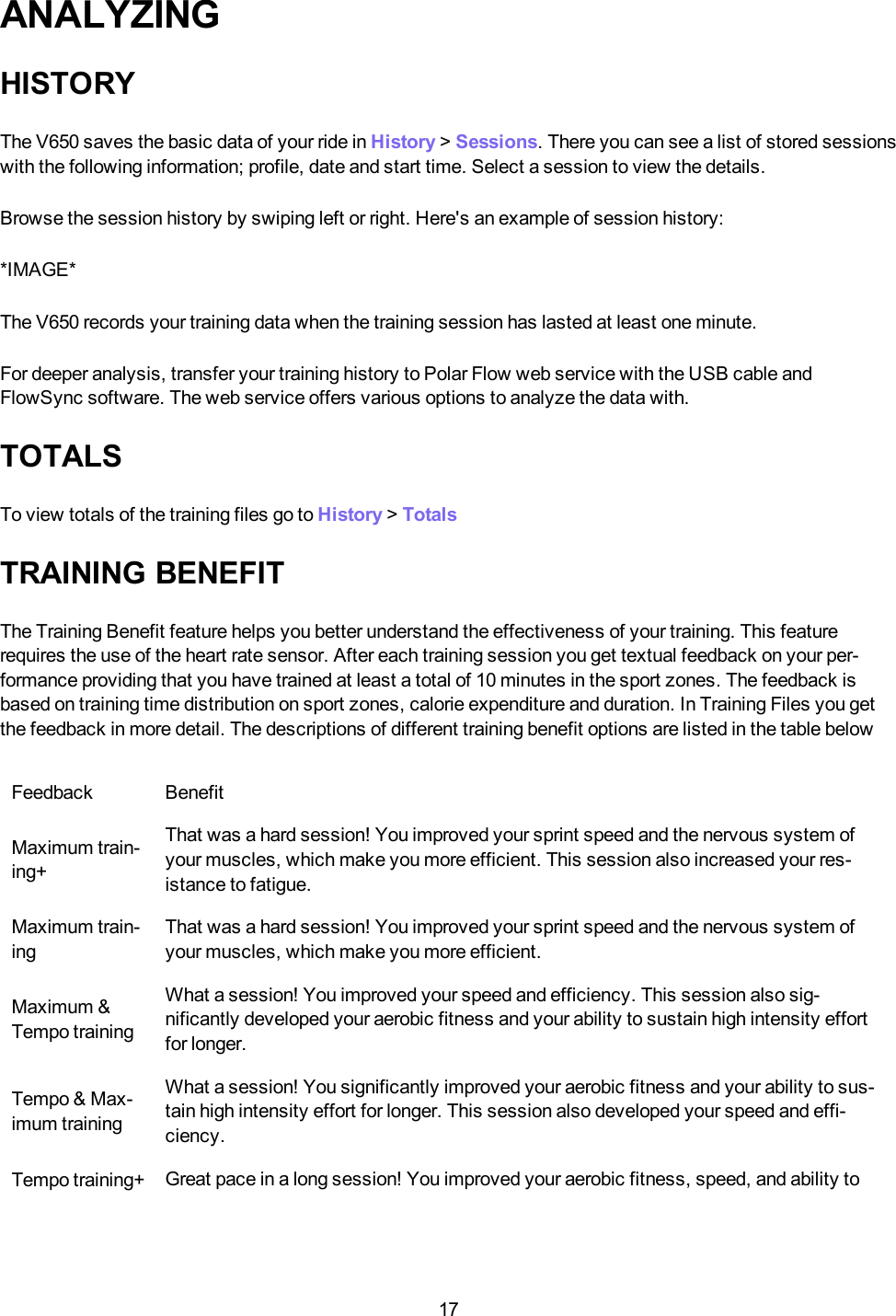
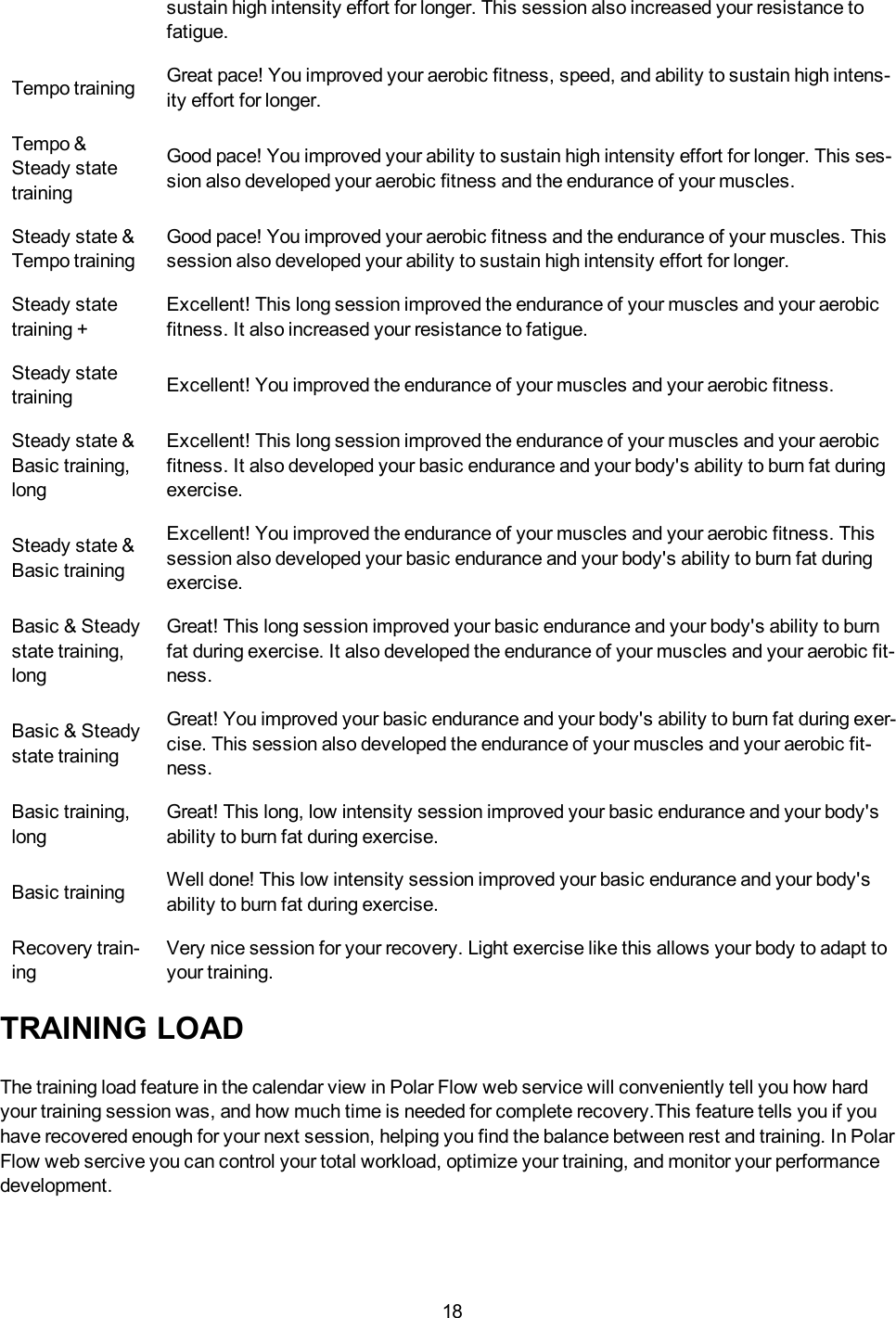
17ANALYZINGHISTORYThe V650 saves the basic data of your ride in History >Sessions. There you can see a list of stored sessionswith the following information; profile, date and start time. Select a session to view the details.Browse the session history by swiping left or right. Here's an example of session history:*IMAGE*The V650 records your training data when the training session has lasted at least one minute.For deeper analysis, transfer your training history to Polar Flow web service with the USB cable andFlowSync software. The web service offers various options to analyze the data with.TOTALSTo view totals of the training files go to History >TotalsTRAINING BENEFITThe Training Benefit feature helps you better understand the effectiveness of your training. This featurerequires the use of the heart rate sensor. After each training session you get textual feedback on your per-formance providing that you have trained at least a total of 10 minutes in the sport zones. The feedback isbased on training time distribution on sport zones, calorie expenditure and duration. In Training Files you getthe feedback in more detail. The descriptions of different training benefit options are listed in the table belowFeedback BenefitMaximum train-ing+That was a hard session! You improved your sprint speed and the nervous system ofyour muscles, which make you more efficient. This session also increased your res-istance to fatigue.Maximum train-ingThat was a hard session! You improved your sprint speed and the nervous system ofyour muscles, which make you more efficient.Maximum &Tempo trainingWhat a session! You improved your speed and efficiency. This session also sig-nificantly developed your aerobic fitness and your ability to sustain high intensity effortfor longer.Tempo & Max-imum trainingWhat a session! You significantly improved your aerobic fitness and your ability to sus-tain high intensity effort for longer. This session also developed your speed and effi-ciency.Tempo training+ Great pace in a long session! You improved your aerobic fitness, speed, and ability to
18sustain high intensity effort for longer. This session also increased your resistance tofatigue.Tempo training Great pace! You improved your aerobic fitness, speed, and ability to sustain high intens-ity effort for longer.Tempo &Steady statetrainingGood pace! You improved your ability to sustain high intensity effort for longer. This ses-sion also developed your aerobic fitness and the endurance of your muscles.Steady state &Tempo trainingGood pace! You improved your aerobic fitness and the endurance of your muscles. Thissession also developed your ability to sustain high intensity effort for longer.Steady statetraining +Excellent! This long session improved the endurance of your muscles and your aerobicfitness. It also increased your resistance to fatigue.Steady statetraining Excellent! You improved the endurance of your muscles and your aerobic fitness.Steady state &Basic training,longExcellent! This long session improved the endurance of your muscles and your aerobicfitness. It also developed your basic endurance and your body's ability to burn fat duringexercise.Steady state &Basic trainingExcellent! You improved the endurance of your muscles and your aerobic fitness. Thissession also developed your basic endurance and your body's ability to burn fat duringexercise.Basic & Steadystate training,longGreat! This long session improved your basic endurance and your body's ability to burnfat during exercise. It also developed the endurance of your muscles and your aerobic fit-ness.Basic & Steadystate trainingGreat! You improved your basic endurance and your body's ability to burn fat during exer-cise. This session also developed the endurance of your muscles and your aerobic fit-ness.Basic training,longGreat! This long, low intensity session improved your basic endurance and your body'sability to burn fat during exercise.Basic training Well done! This low intensity session improved your basic endurance and your body'sability to burn fat during exercise.Recovery train-ingVery nice session for your recovery. Light exercise like this allows your body to adapt toyour training.TRAINING LOADThe training load feature in the calendar view in Polar Flow web service will conveniently tell you how hardyour training session was, and how much time is needed for complete recovery.This feature tells you if youhave recovered enough for your next session, helping you find the balance between rest and training. In PolarFlow web sercive you can control your total workload, optimize your training, and monitor your performancedevelopment.
19Training load takes into consideration different factors which affect your training load and recovery time, suchas heart rate during training, duration of training, and your individual factors, e.g. sex, age, height, and weight.Continuous monitoring of training load and recovery will help you recognize personal limits, avoid over orunder training, and adjust training intensity and duration according to your daily and weekly targets.Training Load feature helps you to control total workload, optimize your training, and monitor your performancedevelopment. The feature makes different kinds of training sessions comparable with each other, and helpsyou to find the perfect balance between rest and training.
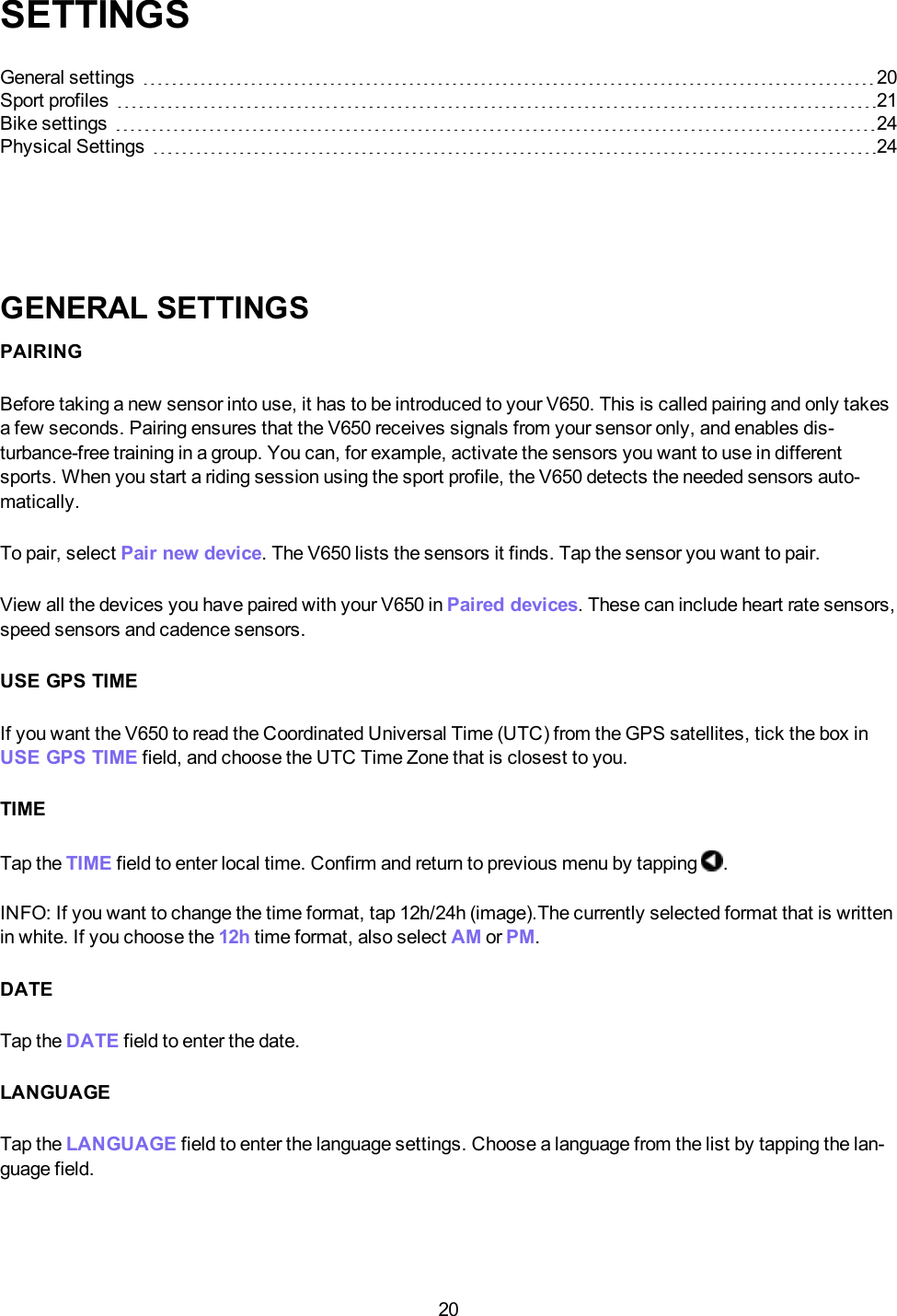
20SETTINGSGeneral settings 20Sport profiles 21Bike settings 24Physical Settings 24GENERAL SETTINGSPAIRINGBefore taking a new sensor into use, it has to be introduced to your V650. This is called pairing and only takesa few seconds. Pairing ensures that the V650 receives signals from your sensor only, and enables dis-turbance-free training in a group. You can, for example, activate the sensors you want to use in differentsports. When you start a riding session using the sport profile, the V650 detects the needed sensors auto-matically.To pair, select Pair new device. The V650 lists the sensors it finds. Tap the sensor you want to pair.View all the devices you have paired with your V650 in Paired devices. These can include heart rate sensors,speed sensors and cadence sensors.USE GPS TIMEIf you want the V650 to read the Coordinated Universal Time (UTC) from the GPS satellites, tick the box inUSE GPS TIME field, and choose the UTC Time Zone that is closest to you.TIMETap the TIME field to enter local time. Confirm and return to previous menu by tapping .INFO:If you want to change the time format, tap 12h/24h (image).The currently selected format that is writtenin white. If you choose the 12h time format, also select AM or PM.DATETap the DATE field to enter the date.LANGUAGETap the LANGUAGE field to enter the language settings. Choose a language from the list by tapping the lan-guage field.
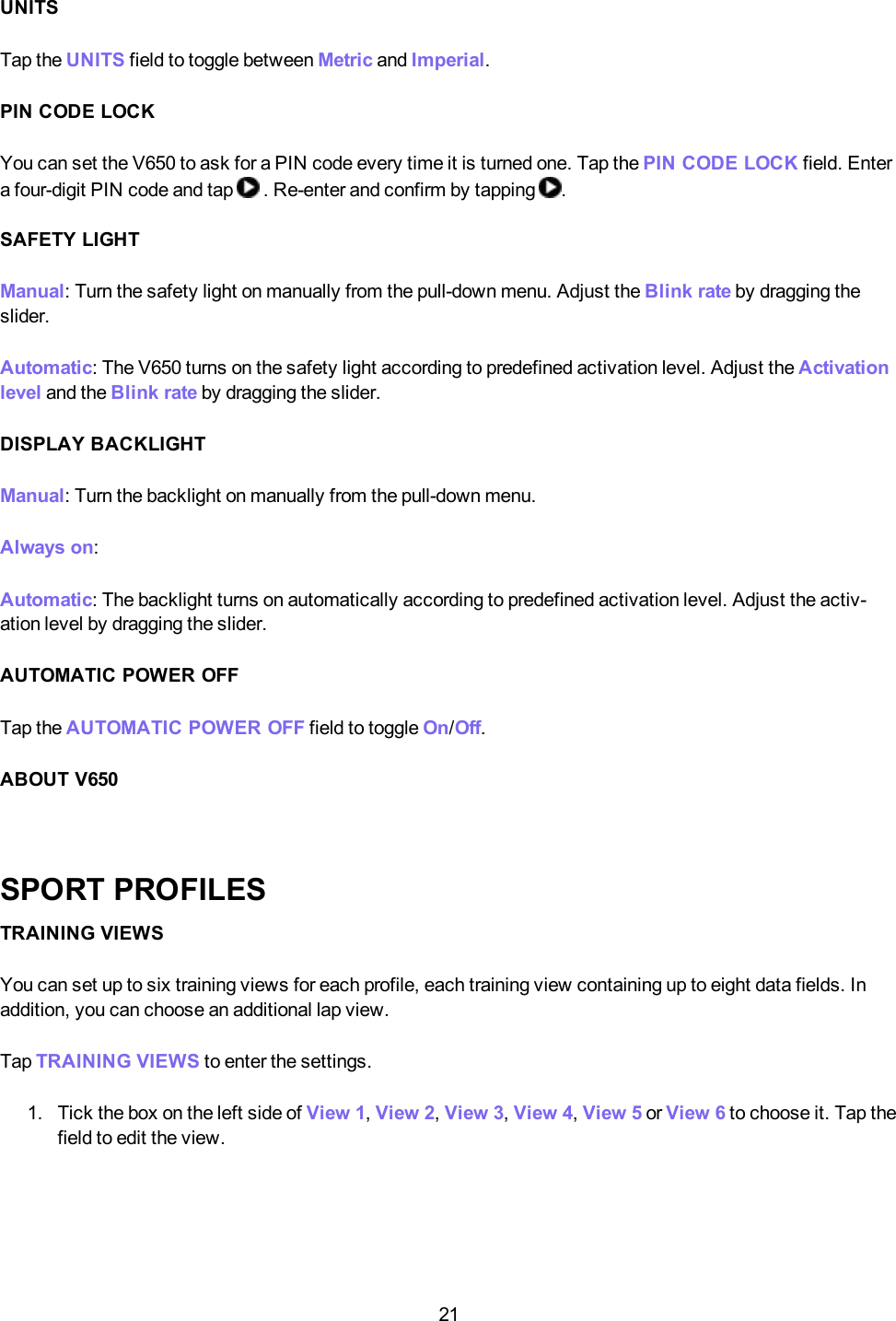
21UNITSTap the UNITS field to toggle between Metric and Imperial.PIN CODE LOCKYou can set the V650 to ask for a PIN code every time it is turned one. Tap the PINCODELOCK field. Entera four-digit PIN code and tap . Re-enter and confirm by tapping .SAFETY LIGHTManual: Turn the safety light on manually from the pull-down menu. Adjust the Blink rate by dragging theslider.Automatic: The V650 turns on the safety light according to predefined activation level. Adjust the Activationlevel and the Blink rate by dragging the slider.DISPLAY BACKLIGHTManual:Turn the backlight on manually from the pull-down menu.Always on:Automatic: The backlight turns on automatically according to predefined activation level. Adjust the activ-ation level by dragging the slider.AUTOMATIC POWER OFFTap the AUTOMATICPOWEROFF field to toggle On/Off.ABOUT V650SPORT PROFILESTRAINING VIEWSYou can set up to six training views for each profile, each training view containing up to eight data fields. Inaddition, you can choose an additional lap view.Tap TRAININGVIEWS to enter the settings.1. Tick the box on the left side of View 1,View 2,View 3,View 4,View 5 or View 6 to choose it. Tap thefield to edit the view.
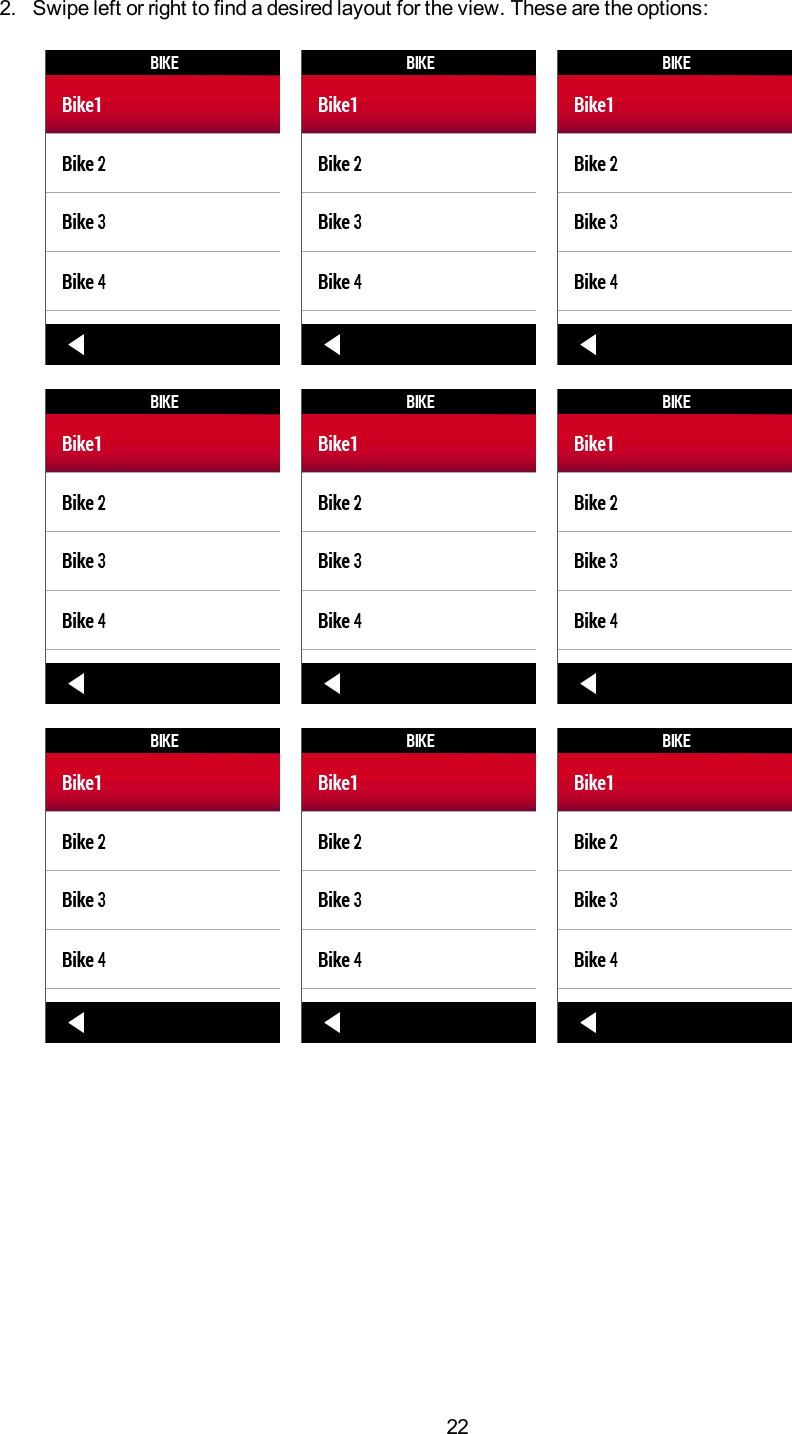
222. Swipe left or right to find a desired layout for the view. These are the options:
233. Once you have chosen the layout, you can change the data displayed. Tap the data field and choose adata from the list. The data options depend on the layout. See full list of options in....4. When the layout is complete, return to the TRAININGVIEWS menu by tapping .5. If you want to set more training views for the profile, repeat the steps 1-5 .6. If you want to set the Lap view on in this profile, tick the box in the field Lap view.7. Then, when you're ready, tap in TRAININGVIEWS menu to save your changes.HR VIEWTap the HR view field to toggle between %(percent of maximum heart rate) or bpm (beats per minute).SPEEDTap the Speed field to toggle between km/h or min/km.TRAINING SOUNDSTap the Training sounds field to toggle between Mute,Soft,Loud and Very loud.GPSTap the GPS field to toggle On/Off.AUTOMATIC PAUSEAutomatic pause: Tap the field to enter the setting.1. Tick the box to turn on Automatic pause.2. Tap Activation speed to set the speed when the Automatic pause is activated.
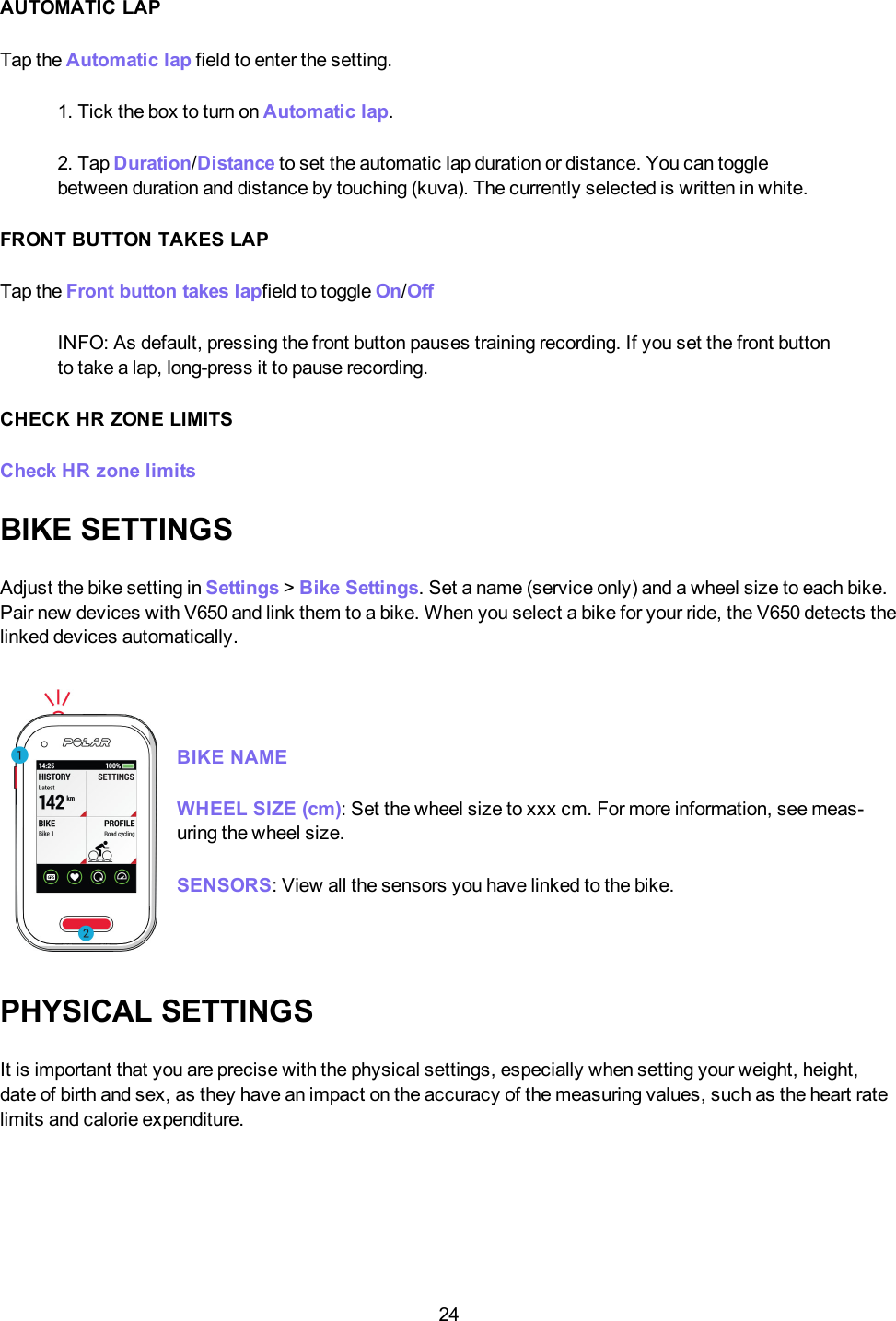
24AUTOMATIC LAPTap the Automatic lap field to enter the setting.1. Tick the box to turn on Automatic lap.2. Tap Duration/Distance to set the automatic lap duration or distance. You can togglebetween duration and distance by touching (kuva). The currently selected is written in white.FRONT BUTTON TAKES LAPTap the Front button takes lapfield to toggle On/OffINFO: As default, pressing the front button pauses training recording. If you set the front buttonto take a lap, long-press it to pause recording.CHECK HR ZONE LIMITSCheck HR zone limitsBIKE SETTINGSAdjust the bike setting in Settings >Bike Settings. Set a name (service only) and a wheel size to each bike.Pair new devices with V650 and link them to a bike. When you select a bike for your ride, the V650 detects thelinked devices automatically.BIKE NAMEWHEELSIZE (cm):Set the wheel size to xxx cm. For more information, see meas-uring the wheel size.SENSORS:View all the sensors you have linked to the bike.PHYSICAL SETTINGSIt is important that you are precise with the physical settings, especially when setting your weight, height,date of birth and sex, as they have an impact on the accuracy of the measuring values, such as the heart ratelimits and calorie expenditure.
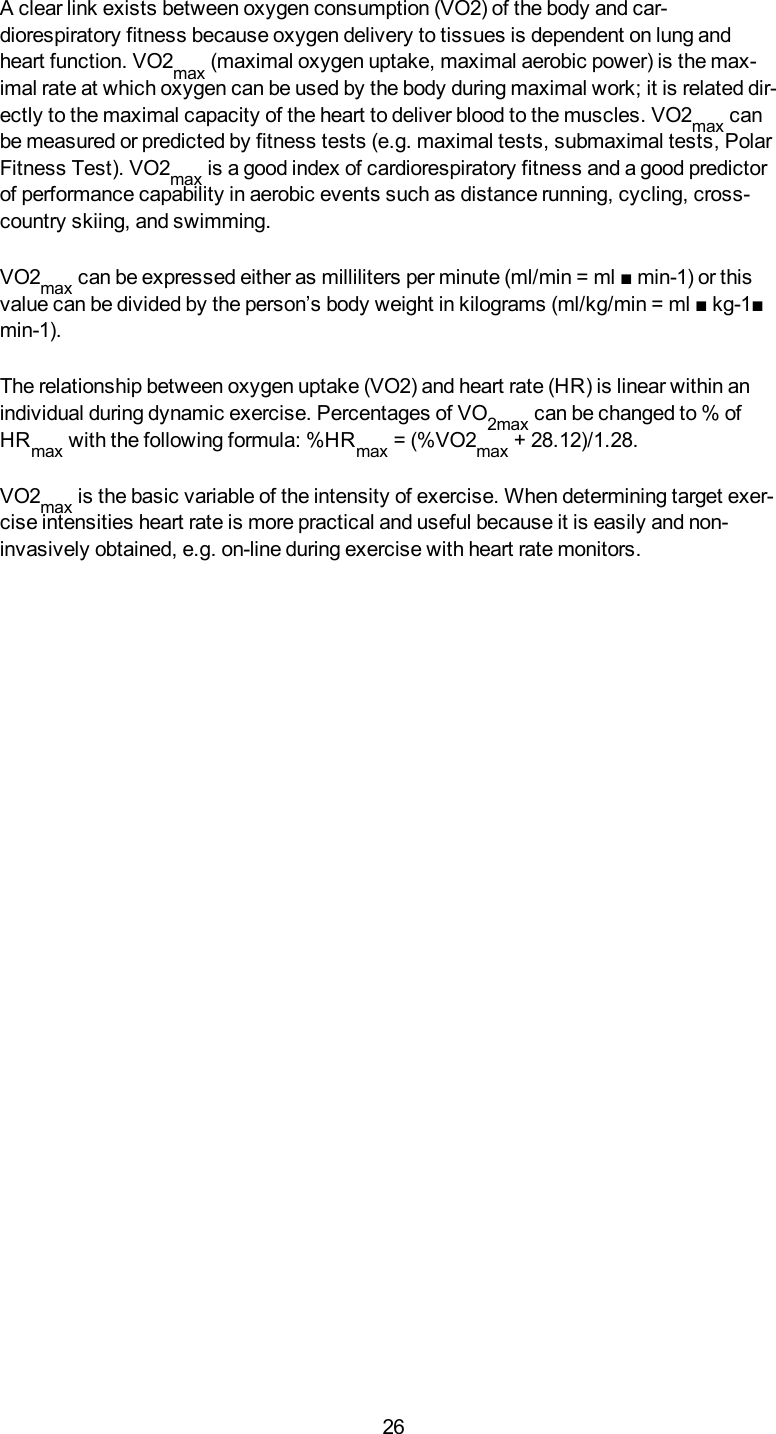
25SEXTap the SEXfield to toggle between Male or Female.HEIGHTTap the HEIGHT field to set your height. Confirm and return to previous menu by tapping .WEIGHTTap the WEIGHT field to set your weight.DATE OF BIRTHTap the DATEOF BIRTH field to set your date of birth.HR MAXHR MAX:Set your maximum heart rate, if you know your laboratory measured current maximum heart ratevalue. Your age-predicted maximum heart rate value (220-age) is displayed as a default setting when you setthis value for the first time.About maximum heart rateHRmax is used to estimate energy expenditure. HRmax is the highest number of heart-beats per minute during maximum physical exertion. HRmax is also useful whendetermining training intensity. The most accurate method for determining your indi-vidual HRmax is to perform a maximal exercise stress test in a laboratory.RESTING HRRESTING HR: Set your resting heart rate.About resting heart rateA person’s resting heart rate (HRrest) is the lowest number of heart beats per minute(bpm) when fully relaxed and without distractions. Age, fitness level, genetics, healthstatus and gender affect the HRrest. HRrest is decreased as the result of car-diovascular conditioning. A normal value for an adult is 60-80 bpm, but for top athletesit can be below 30 bpm. An exceptionally high HRrest can be a sign of over-exertion orillness.VO2 MAXVO2max: Set your maximal oxygen uptake, VO2max.About VO2max
26A clear link exists between oxygen consumption (VO2) of the body and car-diorespiratory fitness because oxygen delivery to tissues is dependent on lung andheart function. VO2max (maximal oxygen uptake, maximal aerobic power) is the max-imal rate at which oxygen can be used by the body during maximal work; it is related dir-ectly to the maximal capacity of the heart to deliver blood to the muscles. VO2max canbe measured or predicted by fitness tests (e.g. maximal tests, submaximal tests, PolarFitness Test). VO2max is a good index of cardiorespiratory fitness and a good predictorof performance capability in aerobic events such as distance running, cycling, cross-country skiing, and swimming.VO2max can be expressed either as milliliters per minute (ml/min = ml ■ min-1) or thisvalue can be divided by the person’s body weight in kilograms (ml/kg/min = ml ■ kg-1■min-1).The relationship between oxygen uptake (VO2) and heart rate (HR) is linear within anindividual during dynamic exercise. Percentages of VO2max can be changed to % ofHRmax with the following formula: %HRmax = (%VO2max + 28.12)/1.28.VO2max is the basic variable of the intensity of exercise. When determining target exer-cise intensities heart rate is more practical and useful because it is easily and non-invasively obtained, e.g. on-line during exercise with heart rate monitors.
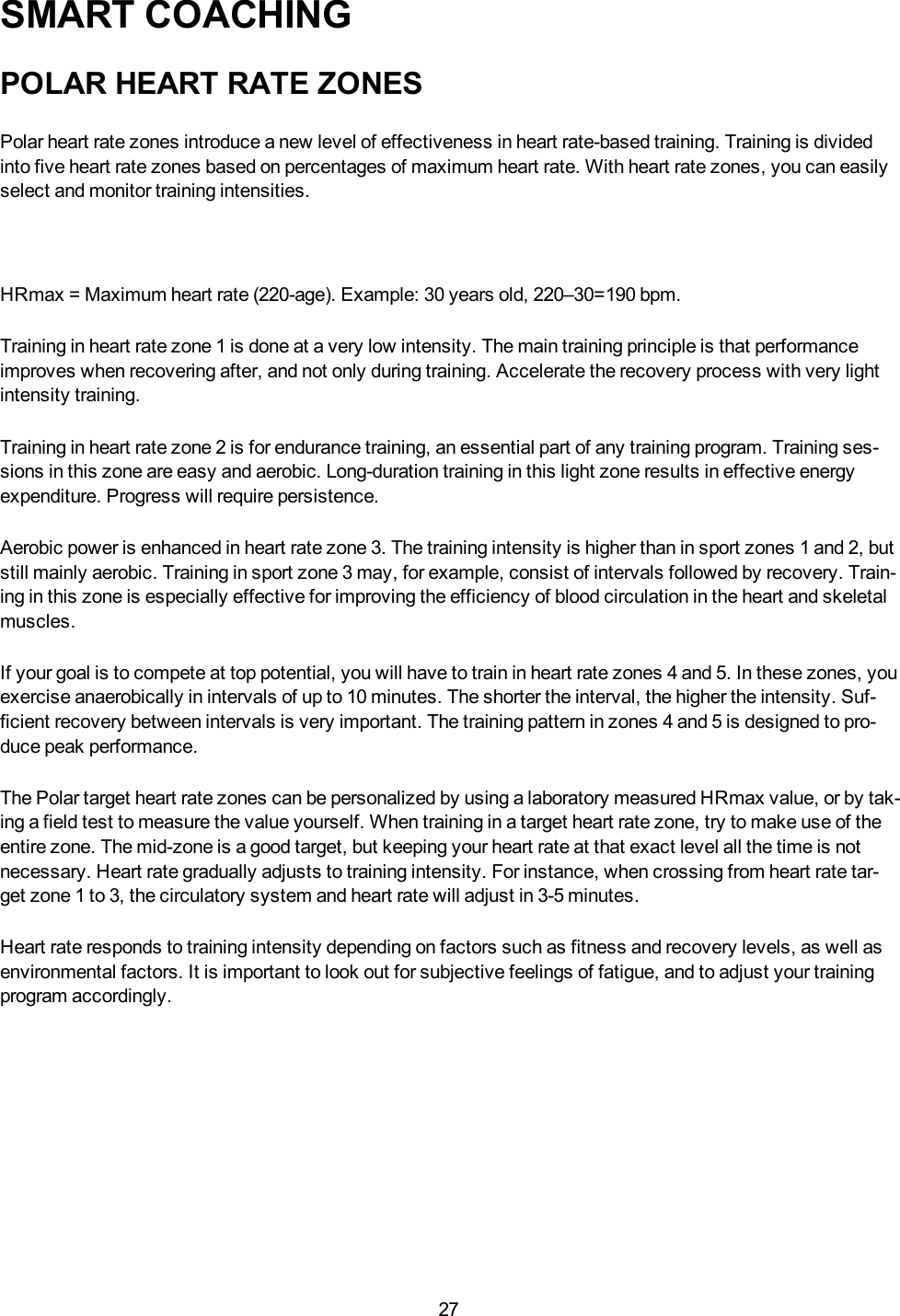
27SMART COACHINGPOLAR HEART RATE ZONESPolar heart rate zones introduce a new level of effectiveness in heart rate-based training. Training is dividedinto five heart rate zones based on percentages of maximum heart rate. With heart rate zones, you can easilyselect and monitor training intensities.HRmax = Maximum heart rate (220-age). Example: 30 years old, 220–30=190 bpm.Training in heart rate zone 1 is done at a very low intensity. The main training principle is that performanceimproves when recovering after, and not only during training. Accelerate the recovery process with very lightintensity training.Training in heart rate zone 2 is for endurance training, an essential part of any training program. Training ses-sions in this zone are easy and aerobic. Long-duration training in this light zone results in effective energyexpenditure. Progress will require persistence.Aerobic power is enhanced in heart rate zone 3. The training intensity is higher than in sport zones 1 and 2, butstill mainly aerobic. Training in sport zone 3 may, for example, consist of intervals followed by recovery. Train-ing in this zone is especially effective for improving the efficiency of blood circulation in the heart and skeletalmuscles.If your goal is to compete at top potential, you will have to train in heart rate zones 4 and 5. In these zones, youexercise anaerobically in intervals of up to 10 minutes. The shorter the interval, the higher the intensity. Suf-ficient recovery between intervals is very important. The training pattern in zones 4 and 5 is designed to pro-duce peak performance.The Polar target heart rate zones can be personalized by using a laboratory measured HRmax value, or by tak-ing a field test to measure the value yourself. When training in a target heart rate zone, try to make use of theentire zone. The mid-zone is a good target, but keeping your heart rate at that exact level all the time is notnecessary. Heart rate gradually adjusts to training intensity. For instance, when crossing from heart rate tar-get zone 1 to 3, the circulatory system and heart rate will adjust in 3-5 minutes.Heart rate responds to training intensity depending on factors such as fitness and recovery levels, as well asenvironmental factors. It is important to look out for subjective feelings of fatigue, and to adjust your trainingprogram accordingly.
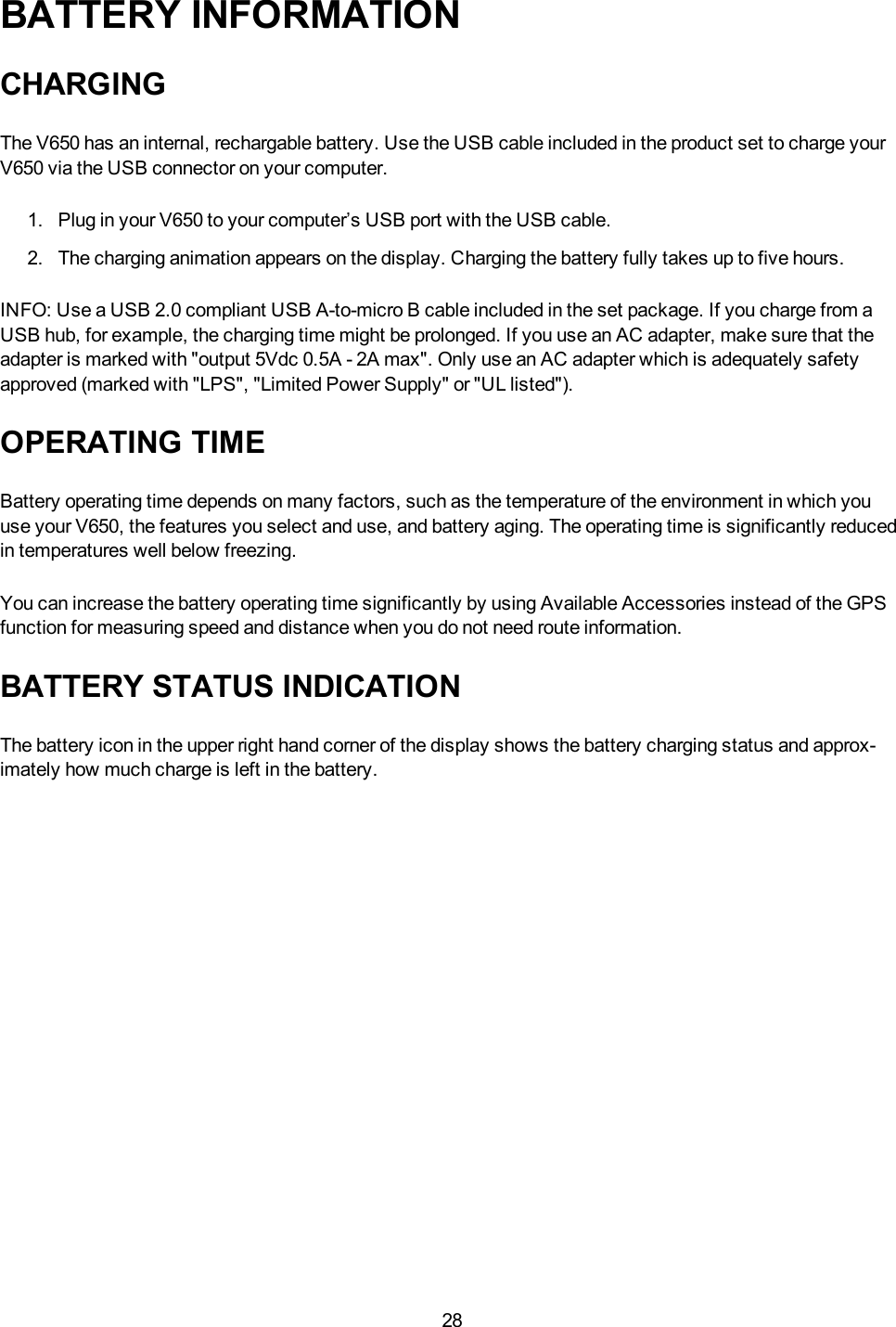
28BATTERY INFORMATIONCHARGINGThe V650 has an internal, rechargable battery. Use the USB cable included in the product set to charge yourV650 via the USB connector on your computer.1. Plug in your V650 to your computer’s USB port with the USB cable.2. The charging animation appears on the display. Charging the battery fully takes up to five hours.INFO:Use a USB 2.0 compliant USB A-to-micro B cable included in the set package. If you charge from aUSB hub, for example, the charging time might be prolonged. If you use an AC adapter, make sure that theadapter is marked with "output 5Vdc 0.5A - 2A max". Only use an AC adapter which is adequately safetyapproved (marked with "LPS", "Limited Power Supply" or "UL listed").OPERATING TIMEBattery operating time depends on many factors, such as the temperature of the environment in which youuse your V650, the features you select and use, and battery aging. The operating time is significantly reducedin temperatures well below freezing.You can increase the battery operating time significantly by using Available Accessories instead of the GPSfunction for measuring speed and distance when you do not need route information.BATTERY STATUS INDICATIONThe battery icon in the upper right hand corner of the display shows the battery charging status and approx-imately how much charge is left in the battery.
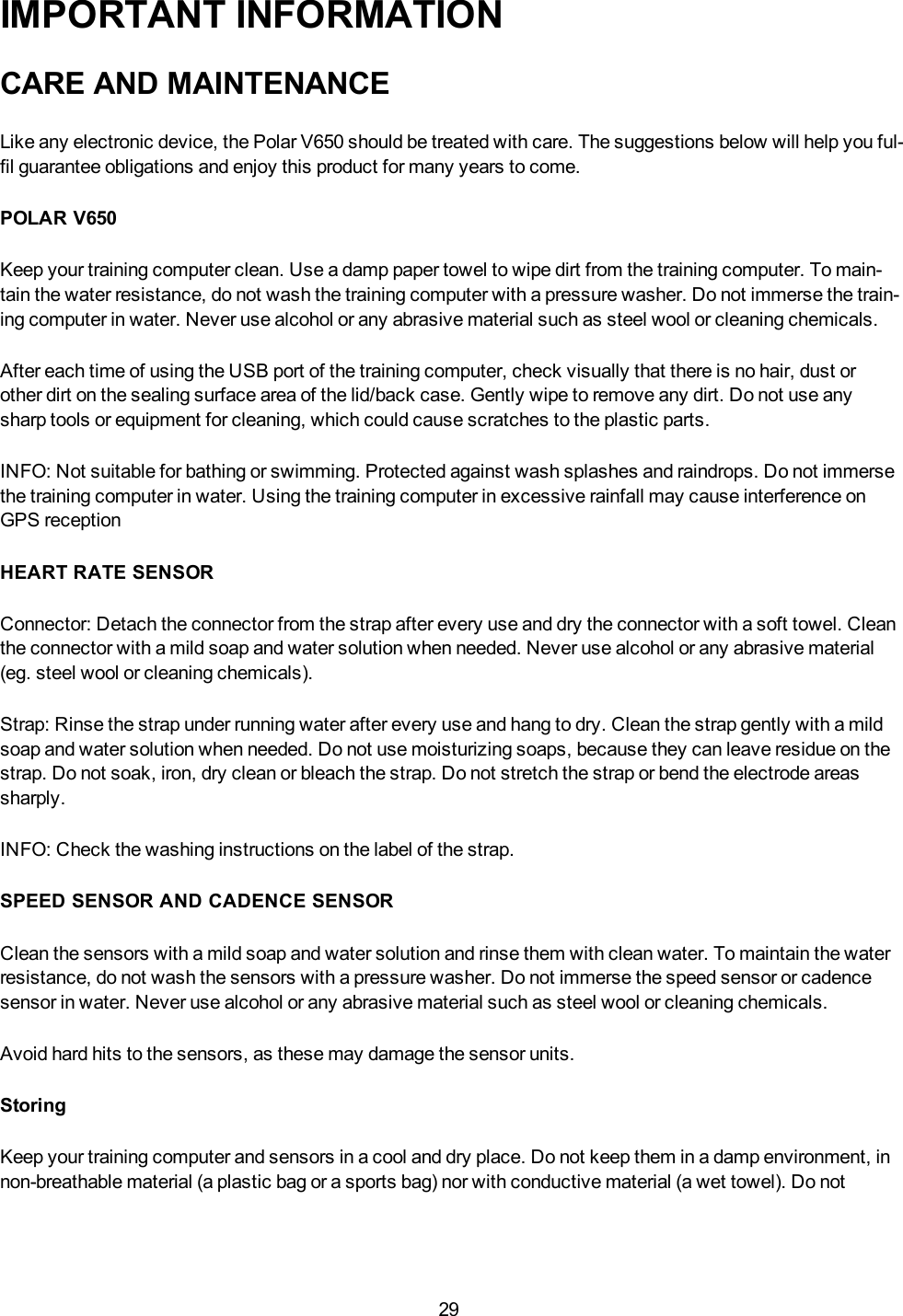
29IMPORTANT INFORMATIONCARE AND MAINTENANCELike any electronic device, the Polar V650 should be treated with care. The suggestions below will help you ful-fil guarantee obligations and enjoy this product for many years to come.POLAR V650Keep your training computer clean. Use a damp paper towel to wipe dirt from the training computer. To main-tain the water resistance, do not wash the training computer with a pressure washer. Do not immerse the train-ing computer in water. Never use alcohol or any abrasive material such as steel wool or cleaning chemicals.After each time of using the USB port of the training computer, check visually that there is no hair, dust orother dirt on the sealing surface area of the lid/back case. Gently wipe to remove any dirt. Do not use anysharp tools or equipment for cleaning, which could cause scratches to the plastic parts.INFO: Not suitable for bathing or swimming. Protected against wash splashes and raindrops. Do not immersethe training computer in water. Using the training computer in excessive rainfall may cause interference onGPS receptionHEART RATE SENSORConnector: Detach the connector from the strap after every use and dry the connector with a soft towel. Cleanthe connector with a mild soap and water solution when needed. Never use alcohol or any abrasive material(eg. steel wool or cleaning chemicals).Strap: Rinse the strap under running water after every use and hang to dry. Clean the strap gently with a mildsoap and water solution when needed. Do not use moisturizing soaps, because they can leave residue on thestrap. Do not soak, iron, dry clean or bleach the strap. Do not stretch the strap or bend the electrode areassharply.INFO: Check the washing instructions on the label of the strap.SPEED SENSOR AND CADENCE SENSORClean the sensors with a mild soap and water solution and rinse them with clean water. To maintain the waterresistance, do not wash the sensors with a pressure washer. Do not immerse the speed sensor or cadencesensor in water. Never use alcohol or any abrasive material such as steel wool or cleaning chemicals.Avoid hard hits to the sensors, as these may damage the sensor units.StoringKeep your training computer and sensors in a cool and dry place. Do not keep them in a damp environment, innon-breathable material (a plastic bag or a sports bag) nor with conductive material (a wet towel). Do not
30expose the training computer to direct sunlight for extended periods, such as by leaving it in a car or mountedon the bike mount.It is recommended to store the training computer partially or fully charged. The battery slowly loses its chargewhen it is stored. If you are going to store the training computer for several months, it is recommended torecharge it after a few months. This will prolong the battery lifetime.Dry and store the strap and the connector separately to maximize the heart rate sensor battery lifetime. Keepthe heart rate sensor in a cool and dry place. To prevent snap oxidation, do not store the heart rate sensor wetin non-breathing material, such as a sports bag. Do not expose the heart rate sensor to direct sunlight forextended periods.ServiceDuring the two-year guarantee/warranty period we recommend that you have service done by an authorizedPolar Service Center only. The warranty does not cover damage or consequential damage caused by servicenot authorized by Polar Electro. For further information, see Limited International Polar Guarantee.For contact information and all Polar Service Center addresses, visit www.polar.com/support and country-spe-cific websites.Register your Polar product at http://register.polar.fi/ to ensure we can keep improving our products and ser-vices to better meet your needs.INFO:The username for your Polar Account is always your email address. The same username and pass-word are valid for Polar product registration, polarpersonaltrainer.com, Polar discussion forum and newsletterregistration.BATTERIESThe Polar V650 cycling computer has an internal, rechargable battery.At the end of the working life of theproduct Polar encourages you to minimize possible effects of waste on the environment and human health byfollowing local waste disposal regulations and, where possible, utilizing separate collection of electronicdevices. Do not dispose of this product as unsorted municipal waste.The Polar H6 heart rate sensor has a user changeable battery. To change the battery yourself, please followthe instructions carefully as instructed in chapter Change the Heart Rate Sensor Battery.The batteries for the speed sensor and cadence sensor cannot be replaced. Polar has designed the sensors tobe sealed in order to maximise mechanical longevity and reliability. The sensors have long-life batteriesinside. To purchase a new sensor contact your authorized Polar Service Center or retailer.Keep the batteries away from children. If swallowed, contact a doctor immediately. Batteries should be dis-posed of properly according to local regulations.
31CHANGE THE HEART RATE SENSOR BATTERYTo change the battery of the heart rate sensor yourself, carefully follow the instructions below:When changing the battery, make sure the sealing ring is not damaged, in which case you should replace itwith a new one. You can purchase the sealing ring/battery kits at well-equipped Polar retailers and authorizedPolar Services. In the USA and Canada, the additional sealing rings are available at authorized Polar ServiceCenters. In the USA the sealing ring/battery kits are also available at www.shoppolar.com.When handling a new, fully charged battery, avoid clasp-like contact, i.e. simultaneously from both sides, withmetal or electrically conducting tools, like tweezers. This may short circuit the battery, causing it to dischargemore rapidly. Typically, short circuiting does not damage the battery, but it may decrease the capacity and thelifetime of the battery.1. Lever the battery cover open by usingthe clip on the strap.2. Remove the old battery from the batterycover with a suitable sized small rigidstick or bar, such as a toothpick. A non-metal tool is preferable. Be careful not todamage the battery cover.3. Insert a new battery (CR 2025) insidethe cover with the negative (-) sidefacing up.4. Align the ledge on the battery cover withthe slot on the connector and press thebattery cover back into place. Youshould hear a snap.Risk of explosion if battery is replaced by an incorrect type. Dispose of used batteries according tothe instructions.PRECAUTIONSThe Polar V650 shows your performance indicators. The training computer is designed to indicate the level ofphysiological strain and recovery during and after an exercise session. It measures heart rate, speed and dis-tance. It also measures cycling cadence when used with a cadence sensor. No other use is intended orimplied.
32The training computer should not be used for obtaining environmental measurements that require professionalor industrial precision.INTERFERENCE DURING TRAININGElectromagnetic Interference and Training EquipmentDisturbance may occur near electrical devices. Also WLAN base stations may cause interference when train-ing with the training computer. To avoid erratic reading or misbehavior, move away from possible sources ofdisturbance.Training equipment with electronic or electrical components such as LED displays, motors and electricalbrakes may cause interfering stray signals. To solve these problems, try the following:1. Remove the heart rate sensor strap from your chest and use the training equipment as you would normally.2. Move the training computer around until you find an area in which it displays no stray reading or does notflash the heart symbol. Interference is often worst directly in front of the display panel of the equipment, whilethe left or right side of the display is relatively free of disturbance.3. Put the heart rate sensor strap back on your chest and keep the training computer in this interference-freearea as much as possible.If the training computer still does not work with the training equipment, it may be electrically too noisy for wire-less heart rate measurement. For further information, see www.polar.com/support.Parts of RC3 GPS are magnetic. It may attract metallic materials and it's magnetic field may interfere with acompass. To avoid interference, it is recommended to wear your compass on one arm (at the level of yourchest) and your RC3 GPS on the other arm's wrist. Do not place credit cards or other magnetic storage medianear RC3 GPS, because information stored on them may be erased.MINIMIZING RISKS WHEN TRAININGTraining may include some risk. Before beginning a regular training program, it is recommended that youanswer the following questions concerning your health status. If you answer yes to any of these questions,we recommend that you consult a doctor before starting any training program.• Have you been physically inactive for the past 5 years?• Do you have high blood pressure or high blood cholesterol?• Are you taking any blood pressure or heart medication?• Do you have a history of breathing problems?• Do you have symptoms of any disease?• Are you recovering from a serious illness or medical treatment?
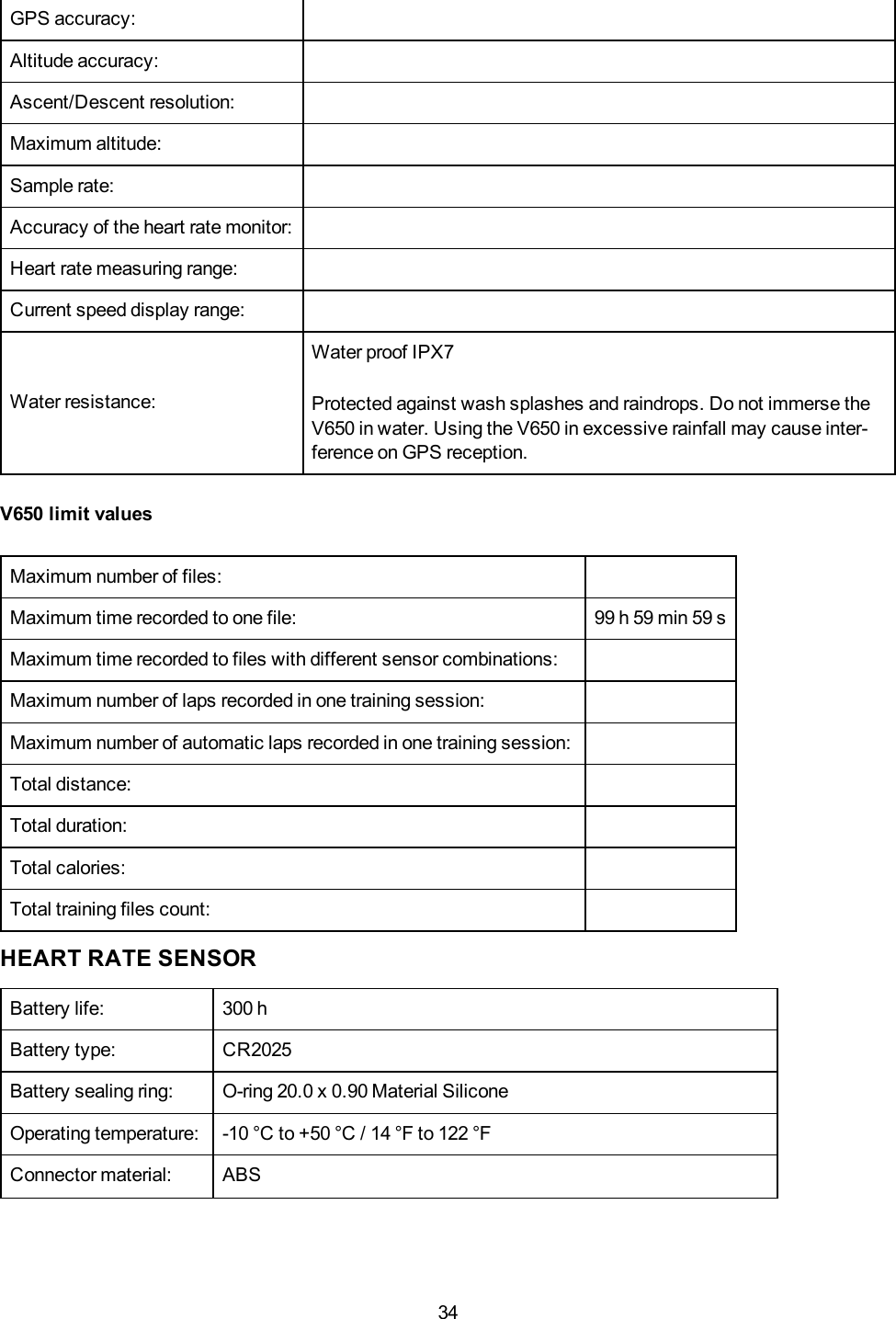
33• Do you use a pacemaker or other implanted electronic device?• Do you smoke?• Are you pregnant?Note that in addition to training intensity, medications for heart conditions, blood pressure, psychological con-ditions, asthma, breathing, etc., as well as some energy drinks, alcohol, and nicotine may also affect heartrate.It is important to be sensitive to your body’s responses during training. If you feel unexpected pain or excess-ive fatigue when training, it is recommended that you stop the training or continue at a lighter intensity.Note! If you are using a pacemaker, you can use Polar training computers. In theory interference to pace-maker caused by Polar products should not be possible. In practice no reports exist to suggest anyone everhaving experienced interference. We cannot however issue an official guarantee on our products' suitabilitywith all pacemakers or other implanted devices due to the variety of devices available. If you have any doubts,or if you experience any unusual sensations while using Polar products, please consult your physician or con-tact the implanted electronic device manufacturer to determine safety in your case.If you are allergic to any substance that comes into contact with your skin or if you suspect an allergic reactiondue to using the product, check the listed materials in Technical Specifications. To avoid any skin reaction tothe heart rate sensor, wear it over a shirt, but moisten the shirt well under the electrodes to ensure flawlessoperation.Your safety is important to us. The shape of the s3+ stride sensor is designed to minimize the possibility of itgetting caught in something. In any case, be careful when running with the stride sensor in brushwood, forexample.INFO:The combined impact of moisture and intense abrasion may cause a black color to come off the heartrate sensor’s surface, possibly staining light-colored clothes. If you use perfume or insect repellent on yourskin, you must ensure that it does not come into contact with the training computer or the heart rate sensor.TECHNICAL SPECIFICATIONSPOLAR V650Battery type: Rechargeable 1900 mAh Li-ion Polymer batteryOperating time: 10 hOperating temperature: -20 °C to +50 °C / -4 °F to 122 °FV650 materials: Acrylonitrile butadiene styrene (ABS), Polycarbonate (PC), AsahiDragontrail (glass), Polyamide (PA)Bikemount materials: Polyoxymethylene (POM)Watch accuracy:
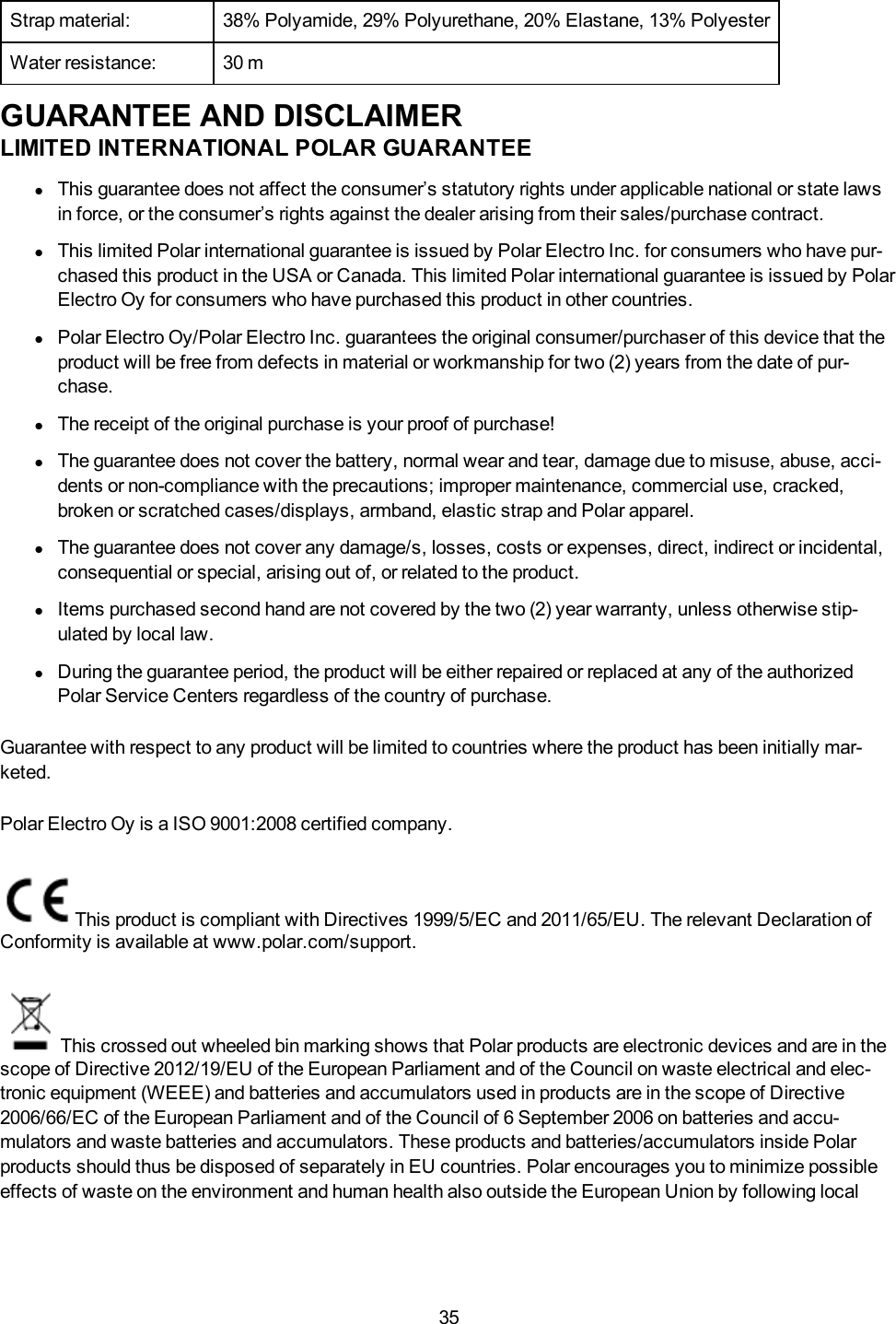
34GPS accuracy:Altitude accuracy:Ascent/Descent resolution:Maximum altitude:Sample rate:Accuracy of the heart rate monitor:Heart rate measuring range:Current speed display range:Water resistance:Water proof IPX7Protected against wash splashes and raindrops. Do not immerse theV650 in water. Using the V650 in excessive rainfall may cause inter-ference on GPS reception.V650 limit valuesMaximum number of files:Maximum time recorded to one file: 99 h 59 min 59 sMaximum time recorded to files with different sensor combinations:Maximum number of laps recorded in one training session:Maximum number of automatic laps recorded in one training session:Total distance:Total duration:Total calories:Total training files count:HEART RATE SENSORBattery life: 300 hBattery type: CR2025Battery sealing ring: O-ring 20.0 x 0.90 Material SiliconeOperating temperature: -10 °C to +50 °C / 14 °F to 122 °FConnector material: ABS
35Strap material: 38% Polyamide, 29% Polyurethane, 20% Elastane, 13% PolyesterWater resistance: 30 mGUARANTEE AND DISCLAIMERLIMITED INTERNATIONAL POLAR GUARANTEElThis guarantee does not affect the consumer’s statutory rights under applicable national or state lawsin force, or the consumer’s rights against the dealer arising from their sales/purchase contract.lThis limited Polar international guarantee is issued by Polar Electro Inc. for consumers who have pur-chased this product in the USA or Canada. This limited Polar international guarantee is issued by PolarElectro Oy for consumers who have purchased this product in other countries.lPolar Electro Oy/Polar Electro Inc. guarantees the original consumer/purchaser of this device that theproduct will be free from defects in material or workmanship for two (2) years from the date of pur-chase.lThe receipt of the original purchase is your proof of purchase!lThe guarantee does not cover the battery, normal wear and tear, damage due to misuse, abuse, acci-dents or non-compliance with the precautions; improper maintenance, commercial use, cracked,broken or scratched cases/displays, armband, elastic strap and Polar apparel.lThe guarantee does not cover any damage/s, losses, costs or expenses, direct, indirect or incidental,consequential or special, arising out of, or related to the product.lItems purchased second hand are not covered by the two (2) year warranty, unless otherwise stip-ulated by local law.lDuring the guarantee period, the product will be either repaired or replaced at any of the authorizedPolar Service Centers regardless of the country of purchase.Guarantee with respect to any product will be limited to countries where the product has been initially mar-keted.Polar Electro Oy is a ISO 9001:2008 certified company.This product is compliant with Directives 1999/5/EC and 2011/65/EU. The relevant Declaration ofConformity is available at www.polar.com/support.This crossed out wheeled bin marking shows that Polar products are electronic devices and are in thescope of Directive 2012/19/EU of the European Parliament and of the Council on waste electrical and elec-tronic equipment (WEEE) and batteries and accumulators used in products are in the scope of Directive2006/66/EC of the European Parliament and of the Council of 6 September 2006 on batteries and accu-mulators and waste batteries and accumulators. These products and batteries/accumulators inside Polarproducts should thus be disposed of separately in EU countries. Polar encourages you to minimize possibleeffects of waste on the environment and human health also outside the European Union by following local
36waste disposal regulations and, where possible, utilize separate collection of electronic devices for products,and battery and accumulator collection for batteries and accumulators.COMPLIANCE STATEMENTCANADAPolar Electro Oy has not approved any changes or modifications to this device by the user. Any changes ormodifications could void the user’s authority to operate the equipment.Polar Electro Oy n’a approué aucune modification apportée à l’appareil par l’utilisateur, quelle qu’en soit lanature. Tout changement ou toute modification peuvent annuler le droit d’utilisation de l’appareil par l’util-isateur.Industry Canada (IC) regulatory informationThis device complies with Industry Canada licence-exempt RSS standard(s). Operation is subject to the fol-lowing two conditions: (1) this device may not cause interference, and (2) this device must accept any inter-ference, including interference that may cause undesired operation of the device.Avis de conformité à la réglementation d’Industrie CanadaLe présent appareil est conforme aux CNR d’Industrie Canada applicables aux appareils radio exempts delicence. L’exploitation est autorisée aux deux conditions suivantes : (1) l’appareil ne doit pas produire de brouil-lage, et (2) l’utilisateur de l’appareil doit accepter tout brouillage radioélectrique subi, même si le brouillage estsusceptible d’en compromettre le fonctionnement.Class B digital device noticeThis Class B digital apparatus complies with Canadian ICES-003, RSS-Gen and RSS-210.Cet appareil numérique de la classe B est conforme à la norme NMB-003, CNR-Gen et CNR-210 du Canada.USAPolar Electro Oy has not approved any changes or modifications to this device by the user. Any changes ormodifi cations could void the user’s authority to operate the equipment.FCC regulatory informationThis device complies with part 15 of the FCC rules. Operation is subject to the following two conditions: (1)This device may not cause harmful interference, and (2) This device must accept any interference received,including interference that may cause undesired operation.Note: This equipment has been tested and found to comply with the limits for a Class B digital device, pur-suant to part 15 of the FCC Rules. These limits are designed to provide reasonable protection against harmfulinterference in a residential installation. This equipment generates, uses and can radiate radio frequency
37energy and, if not installed and used in accordance with the instructions, may cause harmful interference toradio communications. However, there is no guarantee that interference will not occur in a particular install-ation.If this equipment does cause harmful interference to radio or television reception, which can be determined byturning the equipment off and on, the user is encouraged to try to correct the interference by one or more of thefollowing measures:1. Reorient or relocate the receiving antenna.2. Increase the separation between the equipment and receiver.3. Connect the equipment into an outlet on a circuit different from that to which the receiver is connected.4. Consult the dealer or an experienced radio/ TV technician for help.This product emits radio frequency energy, but the radiated output power of this device is far below the FCCradio frequency exposure limits.This equipment complies with FCC RF radiation exposure limits forth for an uncontrolled environment. Never-theless, the device should be used in such a manner that the potential for human contact with the antenna dur-ing normal operation is minimized.DISCLAIMER• The material in this manual is for informational purposes only. The products it describes are subject tochange without prior notice, due to the manufacturer’s continuous development program.• Polar Electro Inc./Polar Electro Oy makes no representations or warranties with respect to this manual orwith respect to the products described herein.• Polar Electro Inc./Polar Electro Oy shall not be liable for any damages, losses, costs or expenses, direct,indirect or incidental, consequential or special, arising out of, or related to the use of this material or theproducts described herein.

Navigation menu