Forzen Technology FZ101 Car DVD player User Manual 1
Shenzhen Forzen Technology Co.,Ltd Car DVD player 1
Contents
- 1. UserMan-1
- 2. UserMan-2
- 3. UserMan-3
UserMan-3
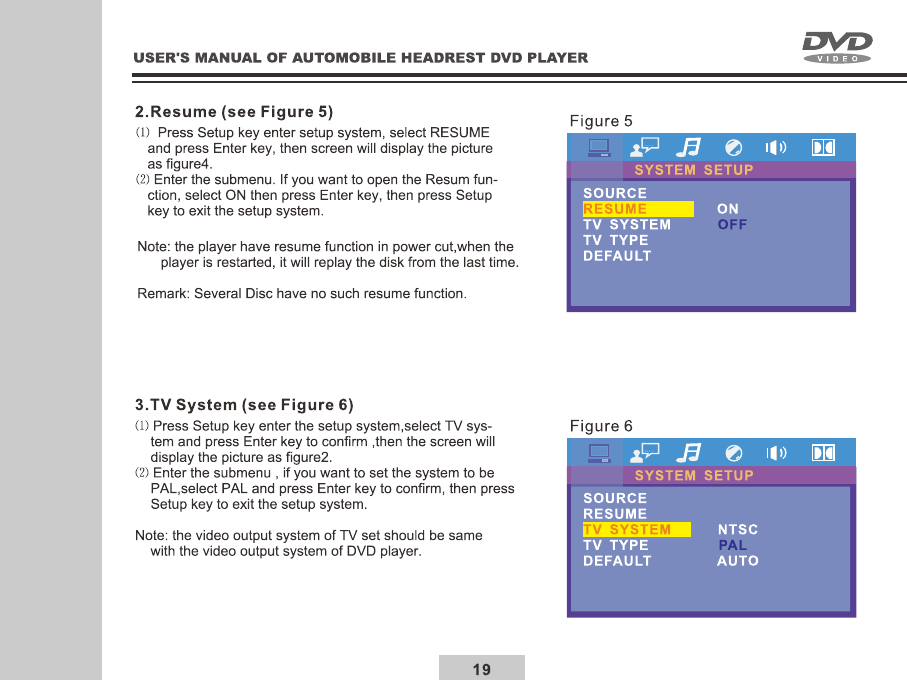
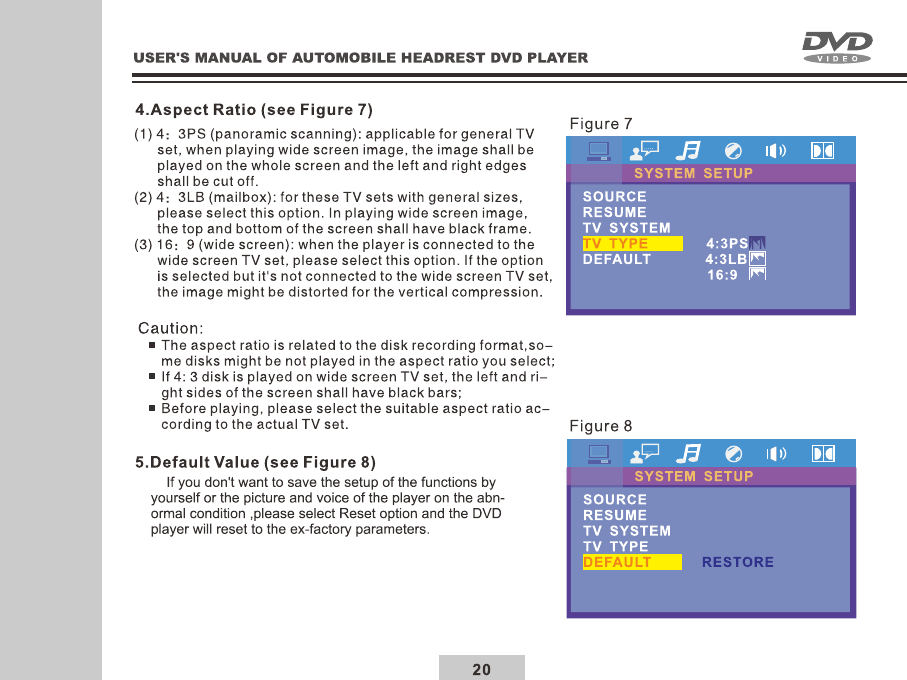
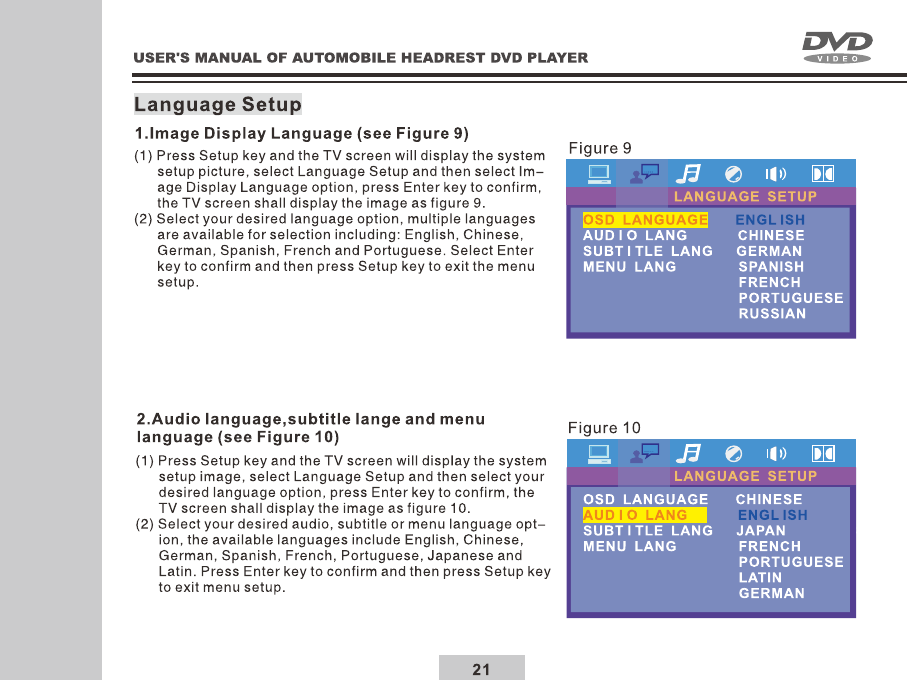
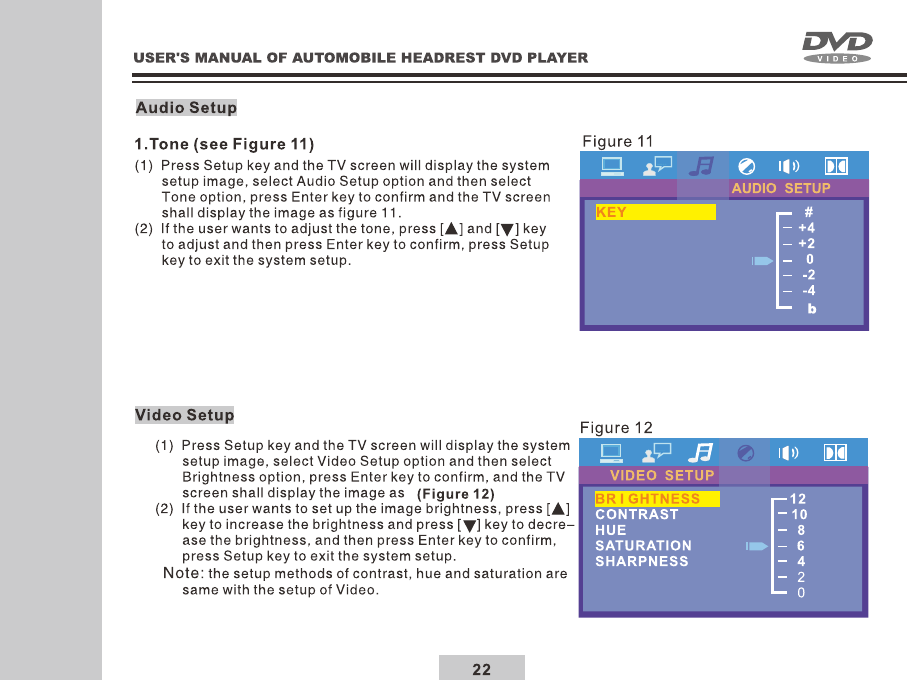
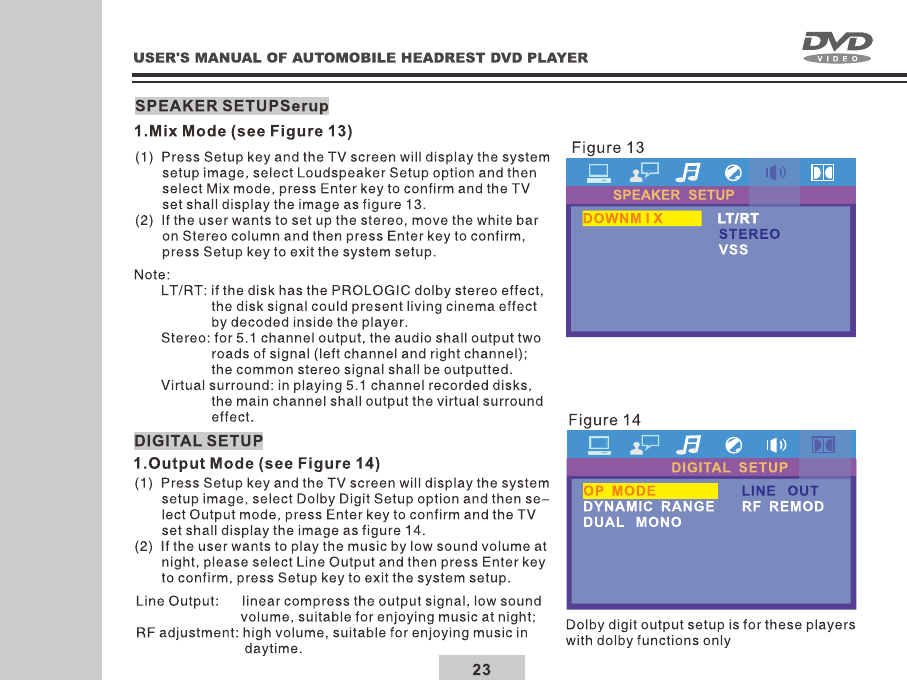
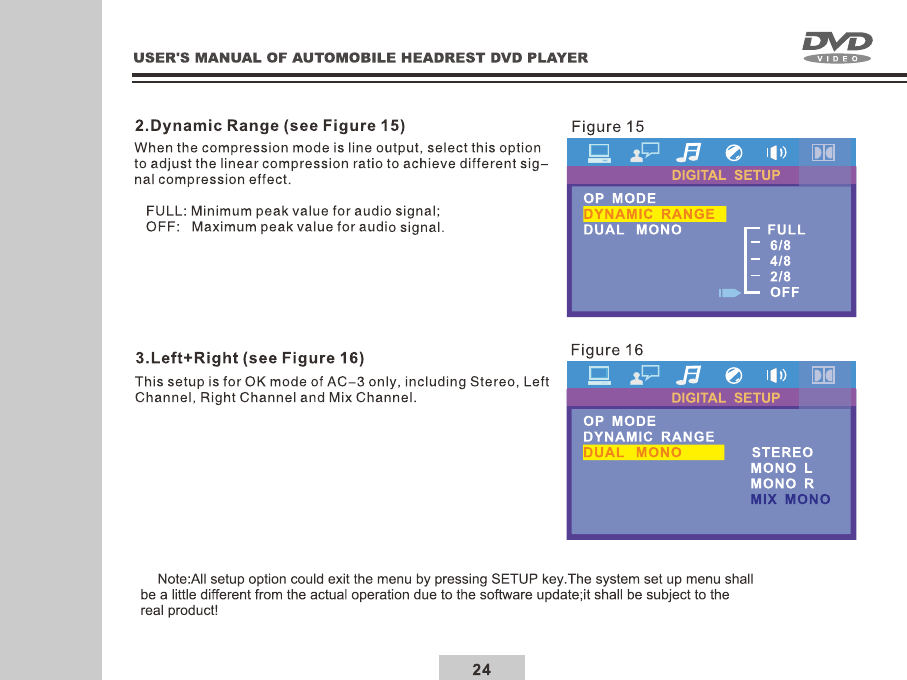
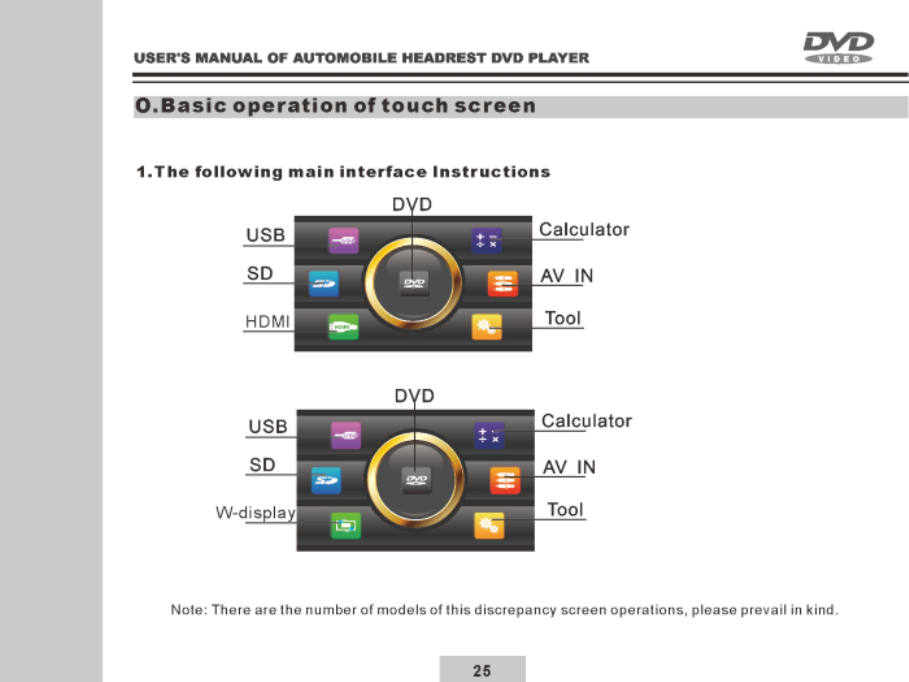
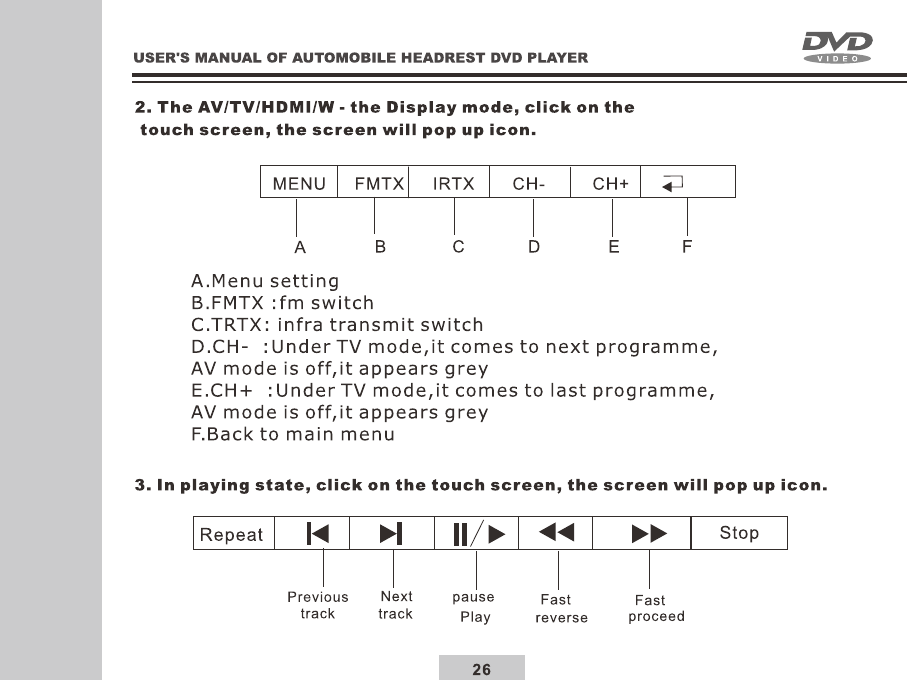
27
P.Basic operation of touch scren setting
System Settings
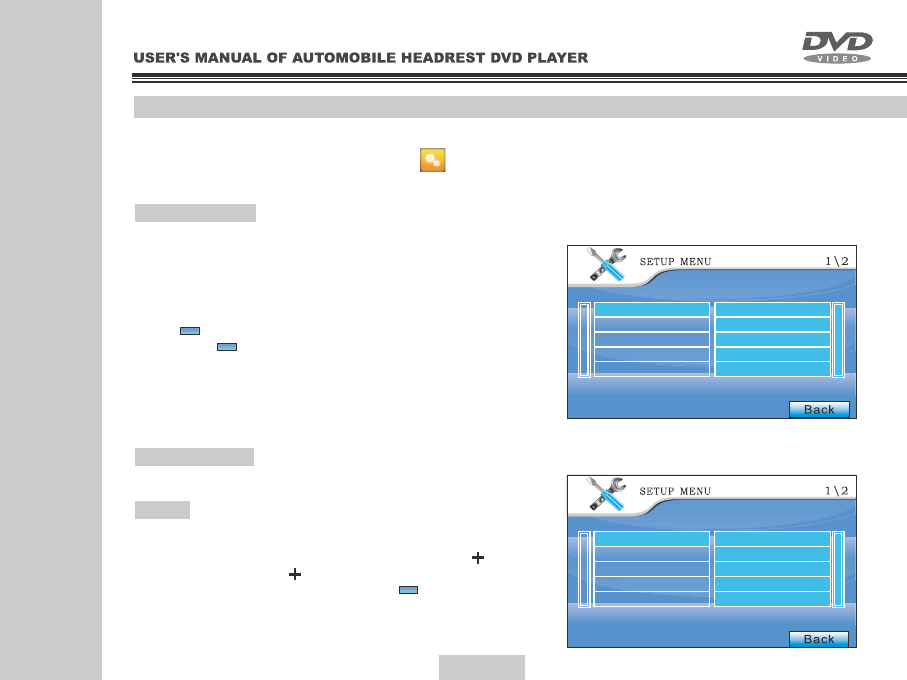
In the main home menu, click on [ ] icon to enter
settings menu
Video Settings
1.In the menu, click screen will enter the
Vidco options. (see Figure 17)
according to the required and then click into various
again and double click system saved and update selected
settings automatically, when the setting is completed,
press [ ] will return to the previous and selected other
options, or [ ] will exit setting menu again .
Adjust Setting
1.In the menu, click screen will enter the
System options. (see Figure 18)Adjust
In setting state , click Video then click Pane again to enter
Panel, screen will enter correction menu and revise touch
screen, when correction with your nger click on [ ] of the
screen, and following [ ] icon click , after nish, the screen
will show (Touch set OK!),Click on the [ ] exit to return to the
previous page.
Figure 17
Figure 18
Back
Back
Back
Video
System
Audio
Speaker
Digital
Adjust
Panel
Video
System
Audio
Speaker
Digital
Adjust
panel
28
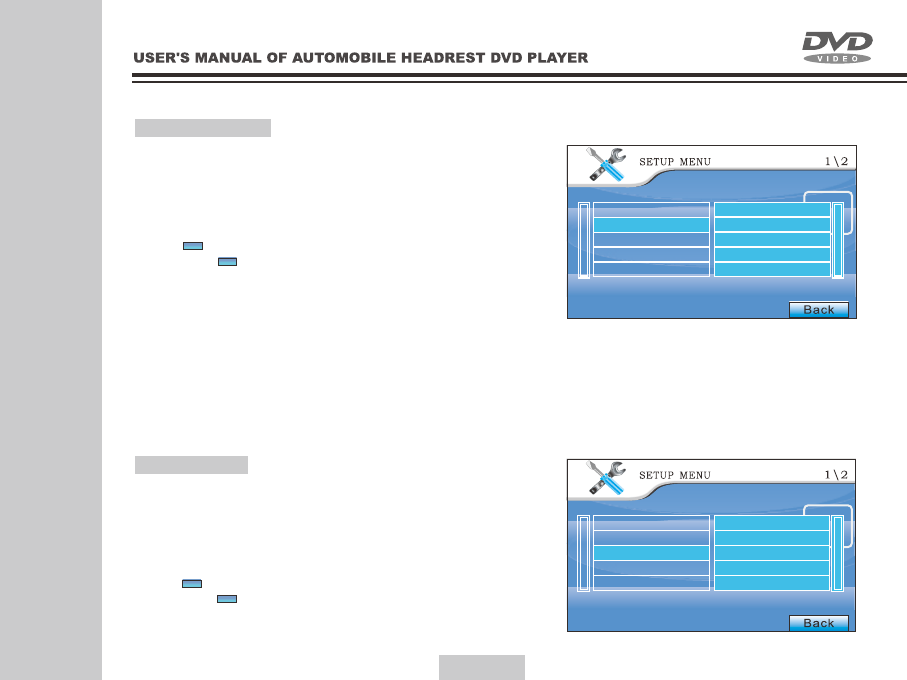
System Settings
1.In the menu, click screen will enter the
System options. (see Figure 19)
according to the required and then click into various
again and double click system saved and update selected
settings automatically, when the setting is completed,
press [ ] will return to the previous and selected other
options, or [ ] will exit setting menu again .
Audio Setting
1.In the menu, click screen will enter the
Audio options. (see Figure 20)
according to the required and then click into various
again and double click system saved and update selected
settings automatically, when the setting is completed,
press [ ] will return to the previous and selected other
options, or [ ] will exit setting menu again .
Figure 19
Figure 20
Back
Back
Back
Back
Video
System
Audio
Speaker
Digital
Video
System
Audio
Speaker
Digital
OSD Lang
Audio Lang
Subtitle Lang
EQ
29
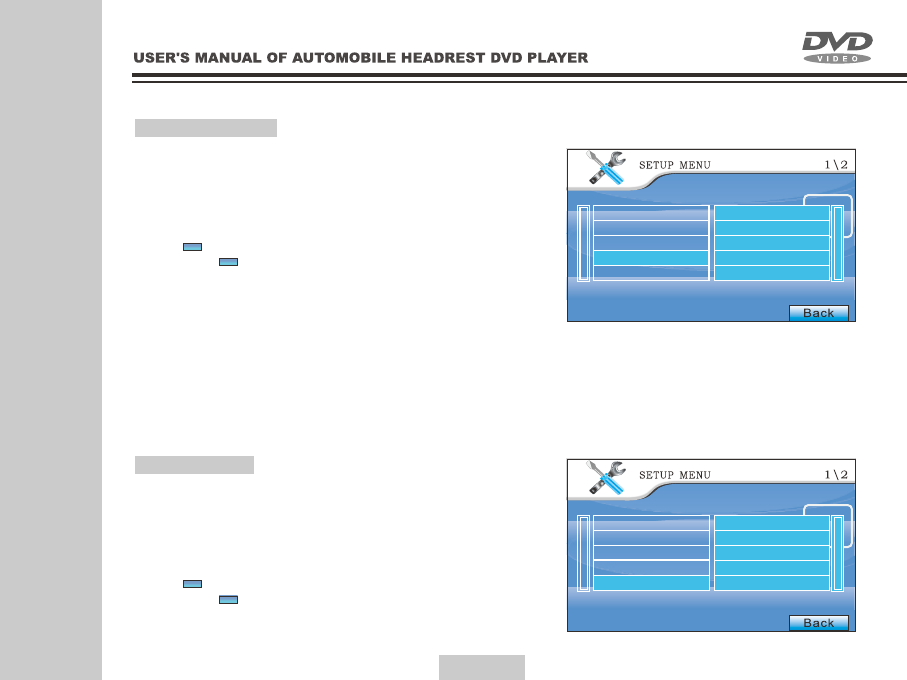
Speaker Settings
1.In the menu, click screen will enter the
Speaker options. (see Figure 21)
according to the required and then click into various
again and double click system saved and update selected
settings automatically, when the setting is completed,
press [ ] will return to the previous and selected other
options, or [ ] will exit setting menu again .
Digital Setting
1.In the menu, click screen will enter the
Digital options. (see Figure 22)
according to the required and then click into various
again and double click system saved and update selected
settings automatically, when the setting is completed,
press [ ] will return to the previous and selected other
options, or [ ] will exit setting menu again .
Figure 21
Figure 22
Back
Back
Back
Back
Video
System
Audio
Speaker
Digital
Video
System
Audio
Speaker
Digital
Down Mix
OP Mode
Dual Mono
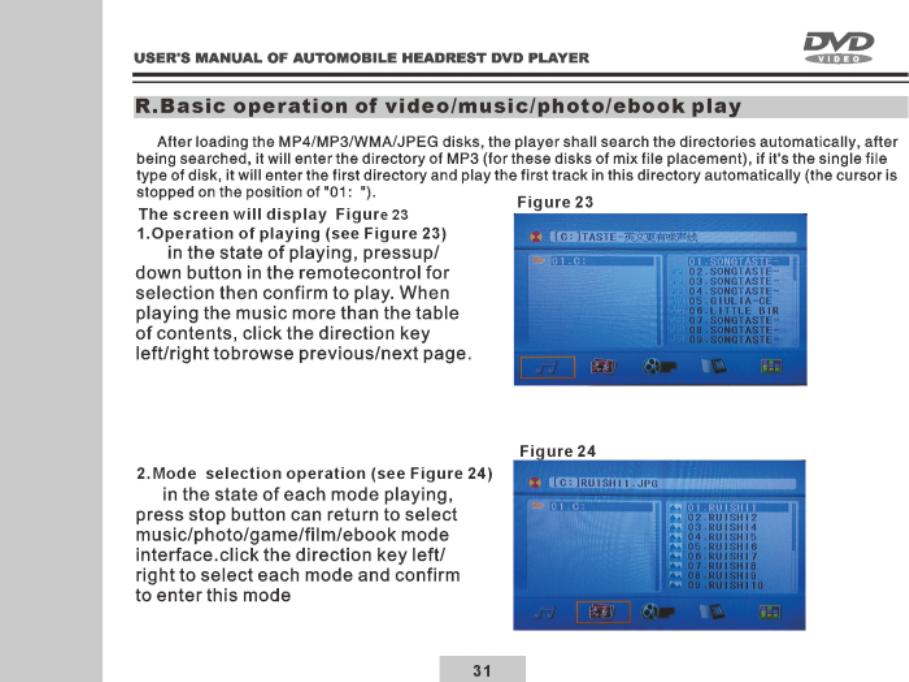
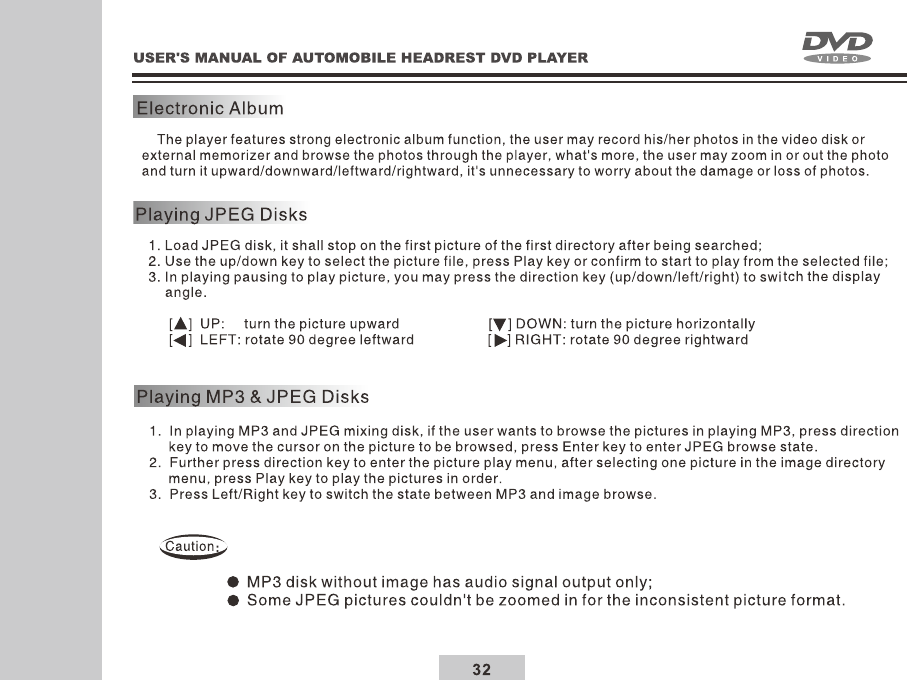
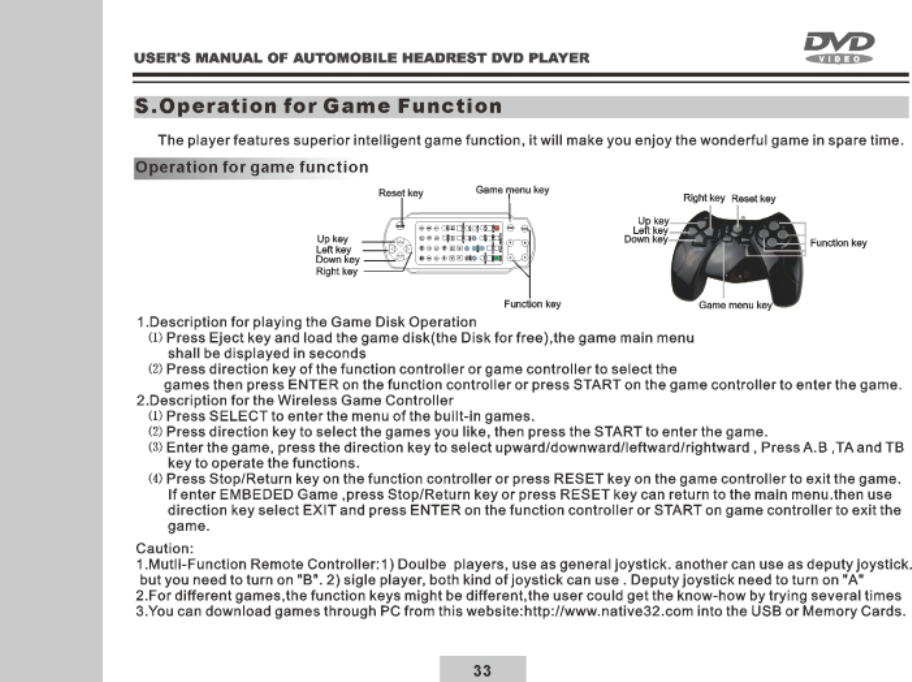
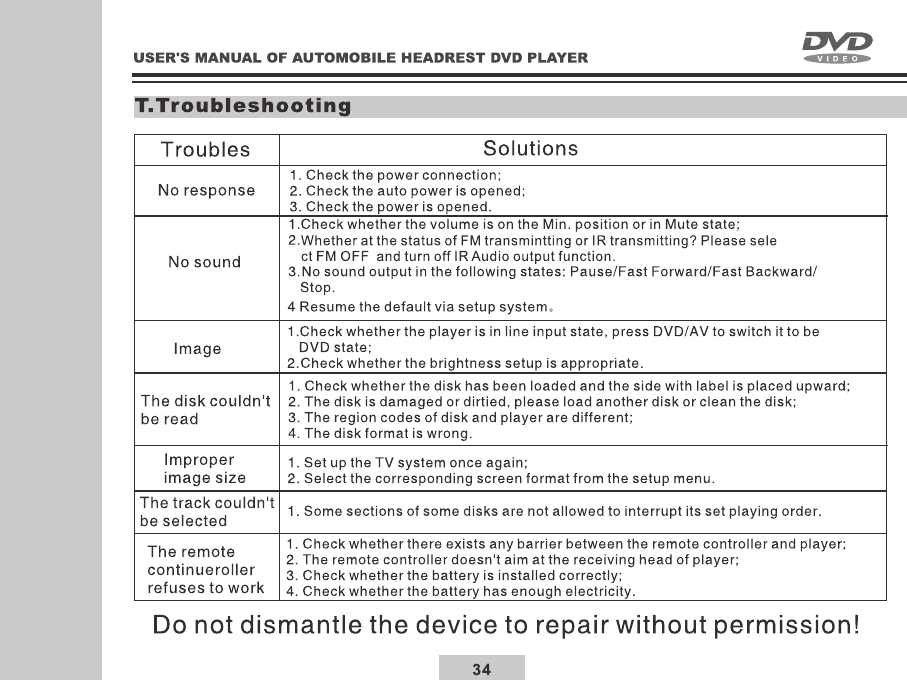
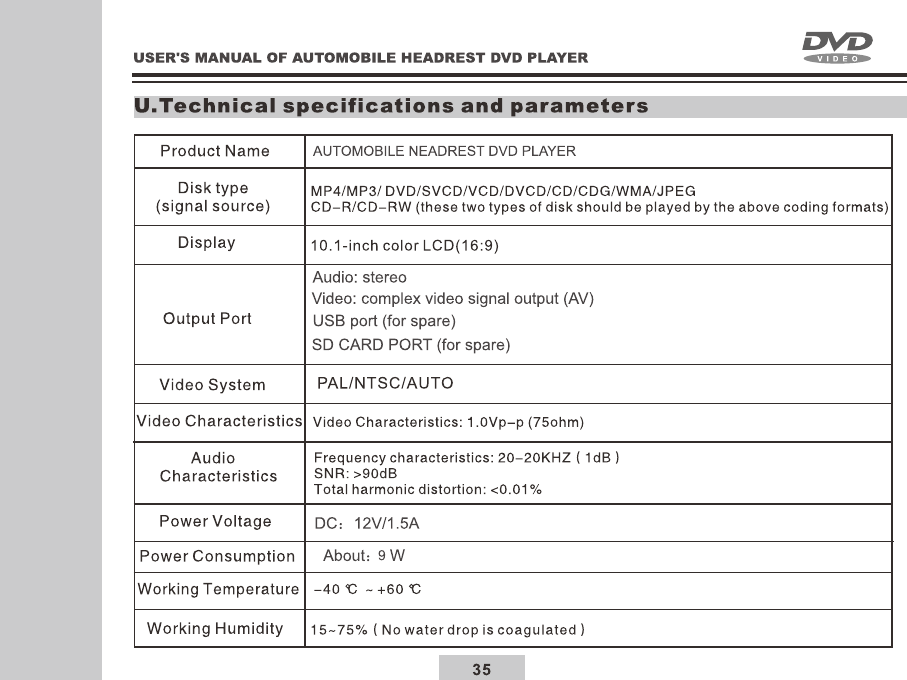
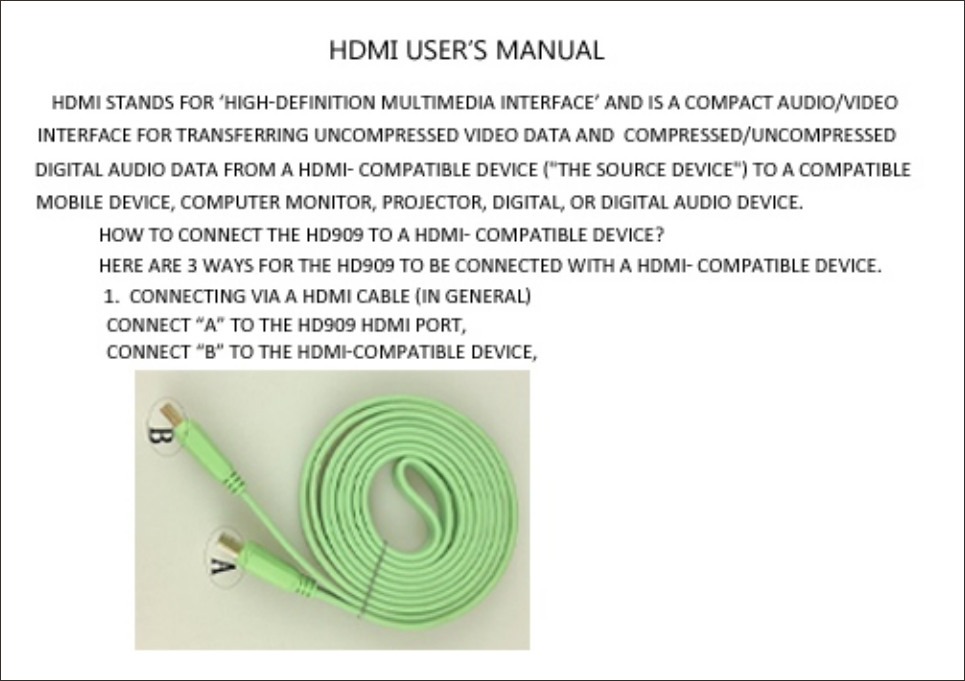
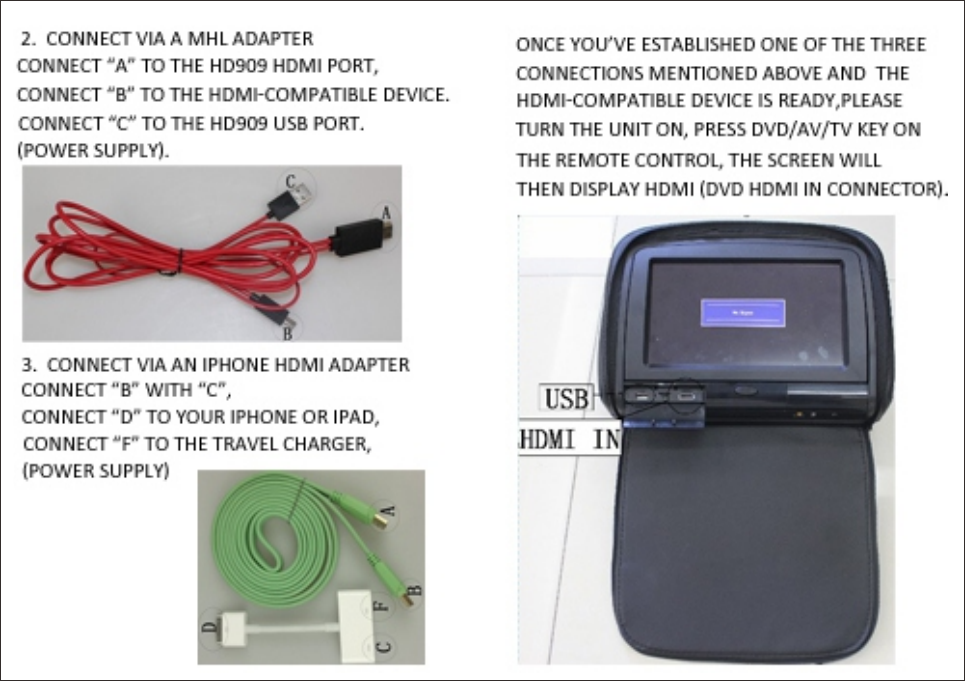

FCC Statement
Changes or modications not expressly approved by the party responsible for compliance
could void the user's authority to operate the equipment.
This equipment has been tested and found to comply with the limits for a Class B digital
device, pursuant to Part 15 of the FCC Rules. These limits are designed to provide
reasonable protection against harmful interference in a residential installation.
This equipment generates uses and can radiate radio frequency energy and,
if not installed and used in accordance with the instructions, may cause harmful
interference to radio communications. However, there is no guarantee that interference
will not occur in a particular installation. If this equipment does cause harmful interference
to radio or television reception, which can be determined by turning the equipment off and
on, the user is encouraged to try to correct the interference by one or more of the following
measures:
-- Reorient or relocate the receiving antenna.
-- Increase the separation between the equipment and receiver.
-- Connect the equipment into an outlet on a circuit different from that to which the
receiver is connected.
-- Consult the dealer or an experienced radio/TV technician for help
This device complies with part 15 of the FCC rules. Operation is subject to the following
two conditions (1)this device may not cause harmful interference, and (2) this device
must accept any interference received, including interference that may cause undesired
operation