G KINDLY ELECTRONIC KDL-BT1809 WIRELESS SPEAKER User Manual BB1656 57 USERMANUAL 4 3 18

SHENZHEN G-KINDLY ELECTRONIC CO., LTD WIRELESS SPEAKER BB1656 57 USERMANUAL 4 3 18

User Manual

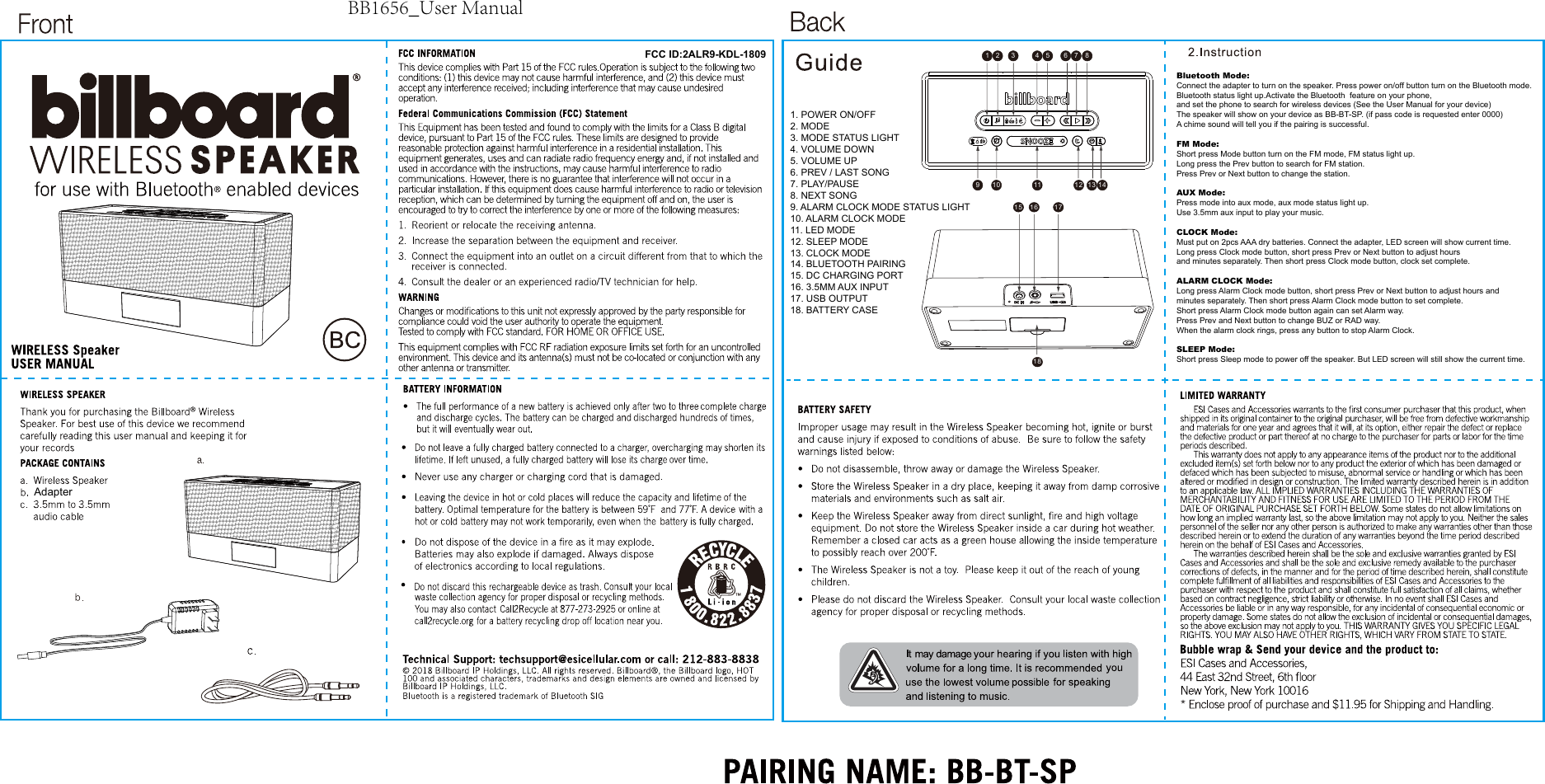
FCC ID:2ALR9-KDL-1809Adapter1 2 3456 7 89 10 11 12 13 1415 1618171. POWER ON/OFF2. MODE3. MODE STATUS LIGHT4. VOLUME DOWN5. VOLUME UP6. PREV / LAST SONG7. PLAY/PAUSE8. NEXT SONG9. ALARM CLOCK MODE STATUS LIGHT10. ALARM CLOCK MODE11. LED MODE12. SLEEP MODE13. CLOCK MODE14. BLUETOOTH PAIRING15. DC CHARGING PORT16. 3.5MM AUX INPUT17. USB OUTPUT18. BATTERY CASEBluetooth Mode: Connect the adapter to turn on the speaker. Press power on/off button turn on the Bluetooth mode.Bluetooth status light up.Activate the Bluetooth  feature on your phone, and set the phone to search for wireless devices (See the User Manual for your device) The speaker will show on your device as BB-BT-SP. (if pass code is requested enter 0000) A chime sound will tell you if the pairing is successful. FM Mode: Short press Mode button turn on the FM mode, FM status light up. Long press the Prev button to search for FM station. Press Prev or Next button to change the station.AUX Mode: Press mode into aux mode, aux mode status light up. Use 3.5mm aux input to play your music.CLOCK Mode: Must put on 2pcs AAA dry batteries. Connect the adapter, LED screen will show current time. Long press Clock mode button, short press Prev or Next button to adjust hours and minutes separately. Then short press Clock mode button, clock set complete.ALARM CLOCK Mode:Long press Alarm Clock mode button, short press Prev or Next button to adjust hours and minutes separately. Then short press Alarm Clock mode button to set complete. Short press Alarm Clock mode button again can set Alarm way. Press Prev and Next button to change BUZ or RAD way. When the alarm clock rings, press any button to stop Alarm Clock.  SLEEP Mode: Short press Sleep mode to power off the speaker. But LED screen will still show the current time.BB1656_User Manual

Navigation menu