G Tech Technology GK-100012CPT 2.4GHz Wireless Mouse User Manual SS8000ME QG ENG

G.Tech Technology Ltd. 2.4GHz Wireless Mouse SS8000ME QG ENG

Manual

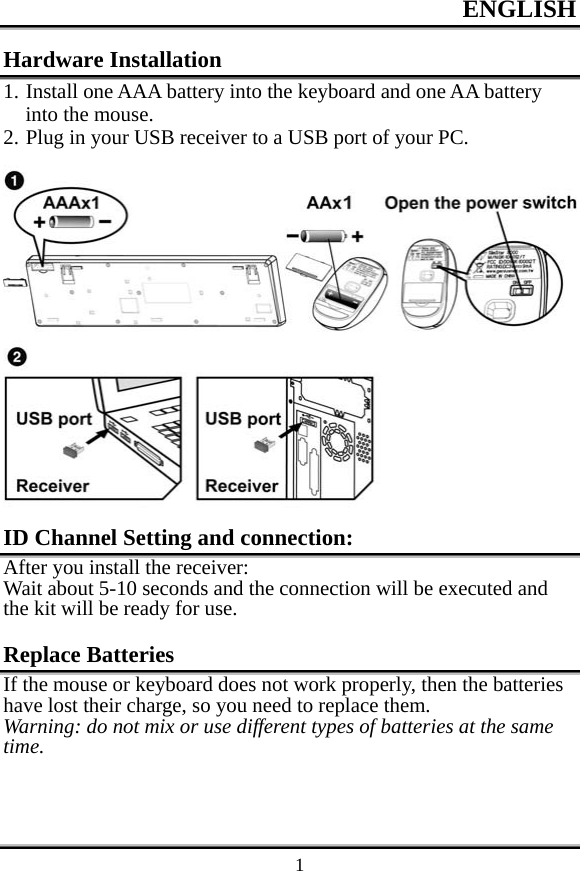
ENGLISH    1Hardware Installation 1. Install one AAA battery into the keyboard and one AA battery into the mouse. 2. Plug in your USB receiver to a USB port of your PC.  ID Channel Setting and connection: After you install the receiver: Wait about 5-10 seconds and the connection will be executed and the kit will be ready for use.  Replace Batteries If the mouse or keyboard does not work properly, then the batteries have lost their charge, so you need to replace them. Warning: do not mix or use different types of batteries at the same time.
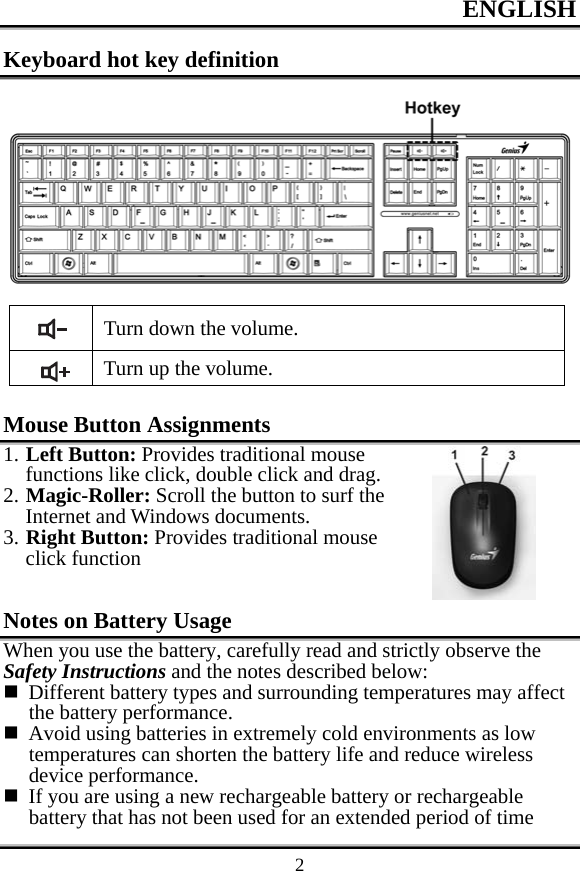
ENGLISH    2Keyboard hot key definition   Turn down the volume.  Turn up the volume.  Mouse Button Assignments 1. Left Button: Provides traditional mouse functions like click, double click and drag. 2. Magic-Roller: Scroll the button to surf the Internet and Windows documents. 3. Right Button: Provides traditional mouse click function  Notes on Battery Usage When you use the battery, carefully read and strictly observe the Safety Instructions and the notes described below:  Different battery types and surrounding temperatures may affect the battery performance.  Avoid using batteries in extremely cold environments as low temperatures can shorten the battery life and reduce wireless device performance.  If you are using a new rechargeable battery or rechargeable battery that has not been used for an extended period of time
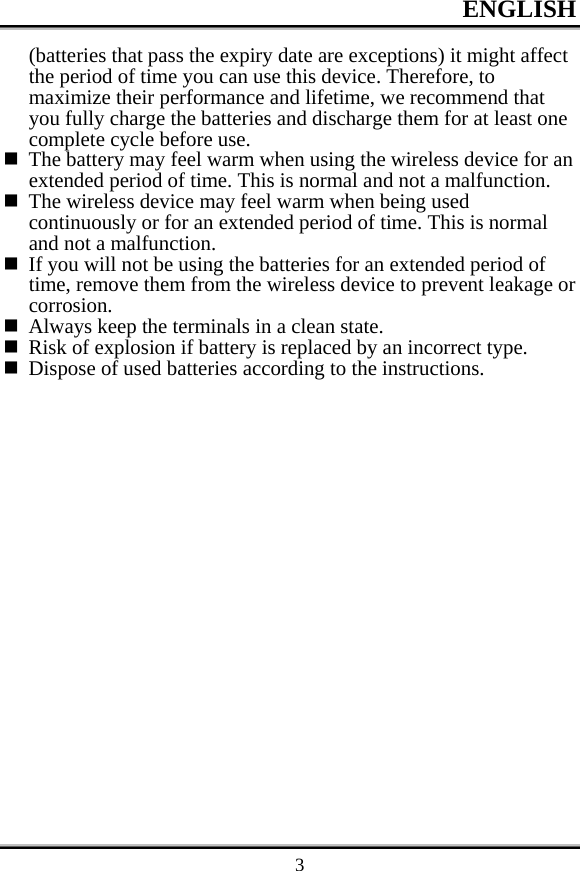
ENGLISH    3(batteries that pass the expiry date are exceptions) it might affect the period of time you can use this device. Therefore, to maximize their performance and lifetime, we recommend that you fully charge the batteries and discharge them for at least one complete cycle before use.  The battery may feel warm when using the wireless device for an extended period of time. This is normal and not a malfunction.  The wireless device may feel warm when being used continuously or for an extended period of time. This is normal and not a malfunction.  If you will not be using the batteries for an extended period of time, remove them from the wireless device to prevent leakage or corrosion.  Always keep the terminals in a clean state.  Risk of explosion if battery is replaced by an incorrect type.  Dispose of used batteries according to the instructions.
Federal Communications Commission (FCC) Notice: Changes or modifications not expressly approved by the party   responsible for compliance could void the user's authority to operate the equipment   NOTE: THE MANUFACTURER IS NOT RESPONSIBLE FOR ANY RADIO OR TV INTERFERENCE CAUSED BY UNAUTHORIZED MODIFICATIONS TO THIS EQUIPMENT. SUCH MODIFICATIONS COULD VOID THE USER’S AUTHORITY TO OPERATE THE EQUIPMENT. NOTE: This equipment has been tested and found to comply with the limits for a Class B digital device, pursuant to Part 15 of the FCC Rules. These limits are designed to provide reasonable protection against harmful interference in a residential installation. This equipment generates, uses and can radiate radio frequency energy and, if not installed and used in accordance with the  instructions, may cause harmful interference to radio communications. However, there is no guarantee that interference will not occur in a particular installation. If this equipment does cause harmful interference to radio or television reception, which can be determined by turning the equipment off and on, the user is encouraged to try to correct the interference by one or more of the following measures:   -- Reorient or relocate the receiving antenna.   -- Increase the separation between the equipment and receiver.         -- Connect the equipment into an outlet on a circuit different   from that to which the receiver is connected.   -- Consult the dealer or an experienced radio/TV technician for help.   This device complies with Part 15 of the FCC Rules. Operation     is subject to the following two conditions: (1) this device may not cause    harmful interference, and (2) this device must accept any interference received, including interference that may cause undesired operation.   FCC Notice                              English - 13F ujitsu Technology Solut ions 31

Navigation menu