G53 SLG2 4G Smart Phone User Manual HS005H Standard Manual Book
G53 Limited 4G Smart Phone HS005H Standard Manual Book
G53 >
User Manual
Please note
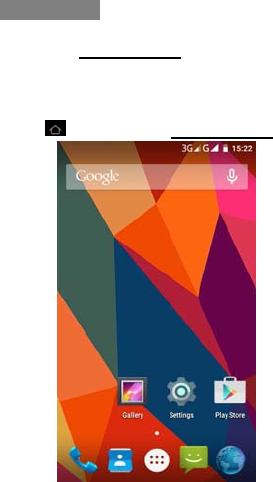
All the functions in this manual should be
operated in Standby Mode
Like the picture below.
Tips:
Press go back to the Standby Mode
(Standby Mode)
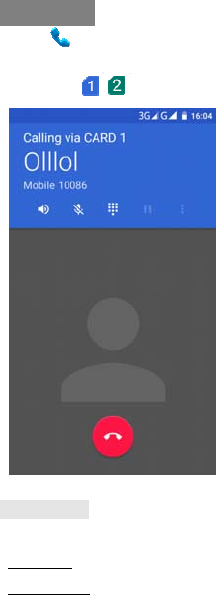
Make a call
Select
Input the numbers,
Press Send .
Answer a call. Slide receiver icon to right.
Tips:
* Up Key to volume up.
*Down Key to volume down.
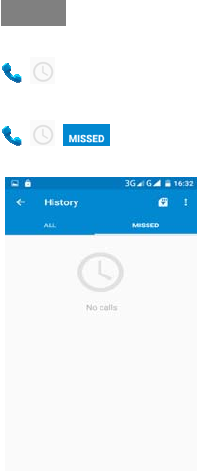
Call log
Calls logs
>>Call logs.
Missed calls
> > Missed calls.
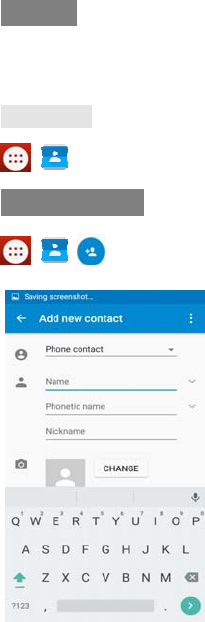
Contacts
To browse the name card holder, store, edit and
delete the names and phone numbers in the
phone and SIM card.
Contact List
>
Add new contact
> > > To Phone.
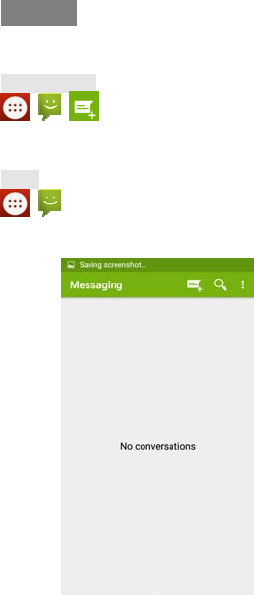
Message
To receive and send the message.
Write Message
> > Write message
You could write message by using this function.
In box
>>Inbox
Store the SMS and Push message received.
Multimedia
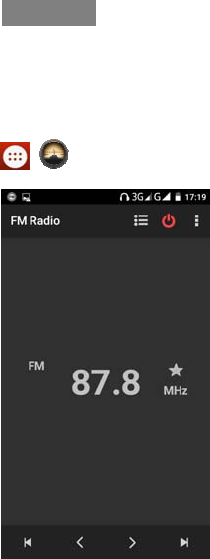
FM Radio
Please connect with the earphone,You can
Listen to FM radio freely.
> > FM Radio
Internet
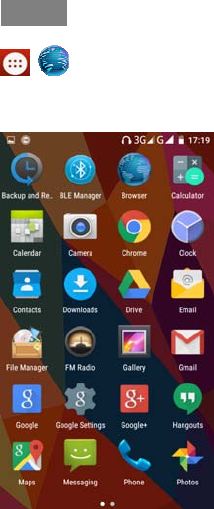
>>Internet service
*Depends on network support.
Settings
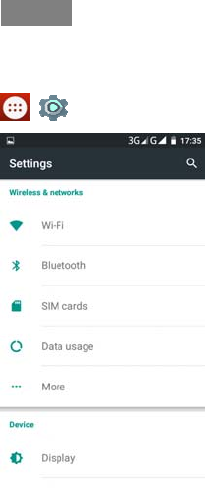
You can customize the settings, such as Wi-Fi,
Bluetooth, SIM cards, Data usage, Display etc.
>
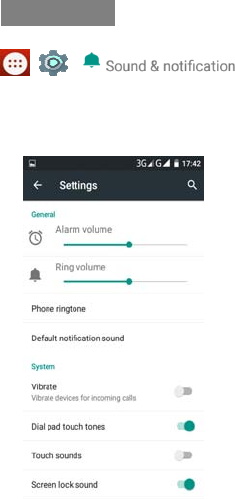
Ring settings
> >
Choose the Options to customize the ring
settings options>settings
Thank You!
FCCRFExposureInformationand
Statement
TheSARlimitofUSA(FCC)is1.6
W/kgaveragedoveronegramof
tissue.Devicetypes4GSmartPhone
(FCCID:2ADLM‐SLG2)hasalso been
testedagainstthisSARlimit.The
highestreportedSARvaluesfor
head,body‐wornaccessory,product
specific(wirelessrouter),and
simultaneoustransmission
conditionsare0.330W/kg,
0.794W/kg,1.060W/kg,and
1.079W/kgrespectively.Thisdevice
wastestedfortypicalbody‐worn
operationswiththebackofthe
handsetkept10mmfromthebody.
TomaintaincompliancewithFCCRF
exposurerequirements,use
accessoriesthatmaintaina10mm
separationdistancebetweenthe
user'sbodyandthebackofthe
handset.Theuseofbeltclips,
holstersandsimilaraccessories
shouldnotcontainmetallic
componentsinitsassembly.Theuse
ofaccessoriesthatdonotsatisfy
theserequirementsmaynotcomply
withFCCRFexposurerequirements,
andshouldbeavoided.
FCCWarning
ThisdevicecomplieswithPart15of
theFCCRules.Operationissubject
tothefollowingtwoconditions:
(1)Thisdevicemaynotcause
harmfulinterference,and(2)this
devicemustacceptanyinterference
received,includinginterferencethat
maycauseundesiredoperation.
NOTE1:Thisequipmenthasbeen
testedandfoundtocomplywiththe
limitsforaClassBdigitaldevice,
pursuanttopart15oftheFCCRules.
Theselimitsaredesignedtoprovide
reasonableprotectionagainst
harmfulinterferenceinaresidential
installation.Thisequipment
generates,usesandcanradiate
radiofrequencyenergyand,ifnot
installedandusedinaccordance
withtheinstructions,maycause
harmfulinterferencetoradio
communications.However,thereis
noguaranteethatinterferencewill
notoccurinaparticularinstallation.
Ifthisequipmentdoescause
harmfulinterferencetoradioor
televisionreception,whichcanbe
determinedbyturningthe
equipmentoffandon,theuseris
encouragedtotrytocorrectthe
interferencebyoneormoreofthe
followingmeasures:
‐ Reorientorrelocatethereceiving
antenna.
‐ Increasetheseparationbetween
theequipmentandreceiver.
‐Connecttheequipmentintoan
outletonacircuitdifferentfrom
thattowhichthereceiveris
connected.
‐Consultthedealeroran
experiencedradio/TVtechnicianfor
help.
NOTE2:Anychangesor
modificationstothisunitnot
expresslyapprovedbytheparty
responsibleforcompliancecould
voidtheuser'sauthoritytooperate
theequipment.