GENERAL TOOLS and INSTRUMENTS TS07 ToolSmart Illuminated Inspection Camera User Manual

GENERAL TOOLS & INSTRUMENTS COMPANY LLC ToolSmart Illuminated Inspection Camera

User manual

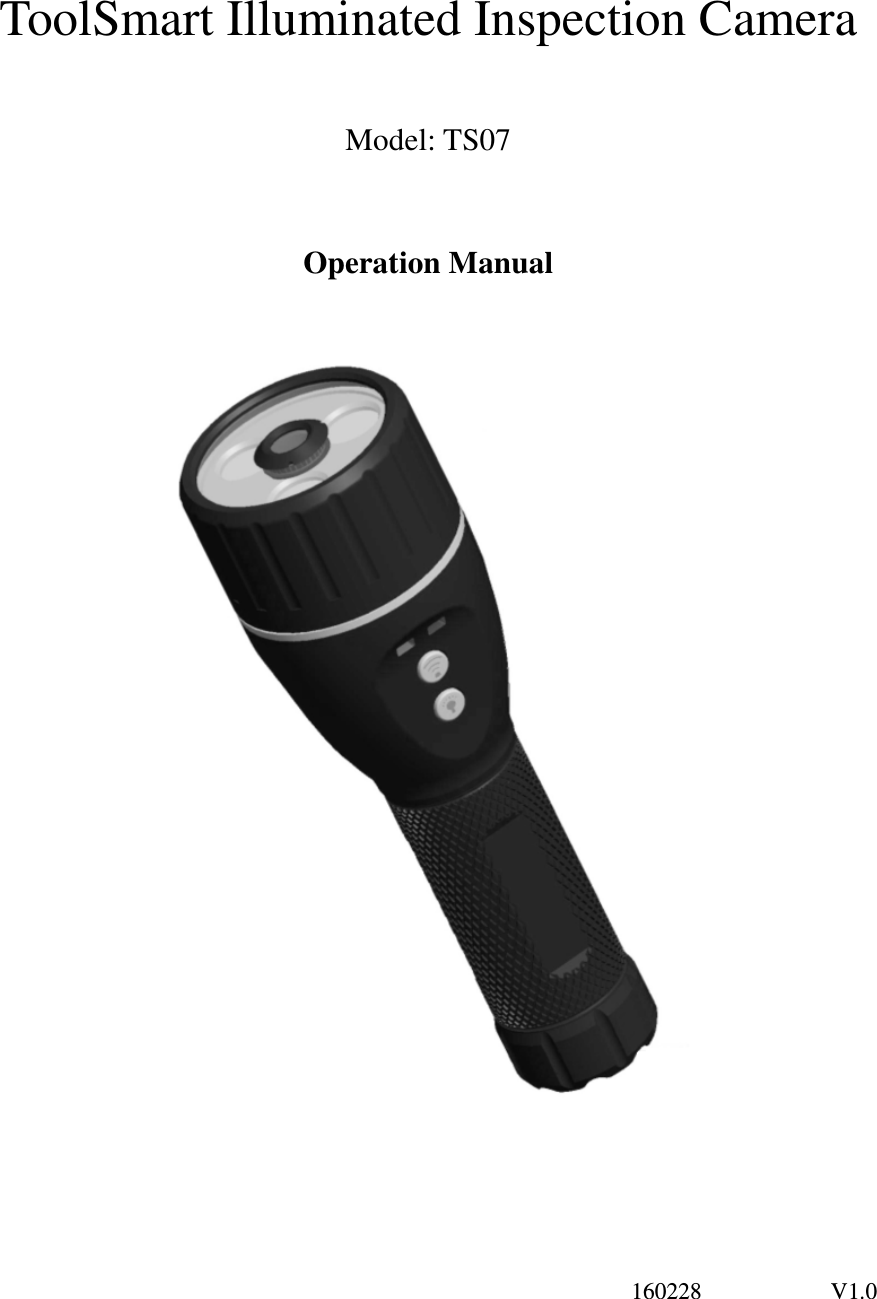
                                                                                                                  160228                      V1.0  ToolSmart Illuminated Inspection Camera  Model: TS07  Operation Manual
1             160228                      V1.0 ToolSmart Illuminated Inspection Camera Model::::TS07 Overview TS07 product has CMOS image sensor, it combines the light function and wifi camera head with one product. Lighting for the Scope’s line-of-sight camera is provided by a powerful LED, also can send the target video and image to the platform device for remote recording and review. The unit uses WIFI technology and supports iPad/ iPhone/ Android .etc. It is easy for realtime image display, also can take a photo and video using a platform. LED flashlight can be used separately with several modes or to illuminate camera’s field of view. It has built-in polymer lithium battery, also could use 5V DC adapter or USB port for charging with LED indicator. It has the advantages of small size、stable performance、easy operation and portability. It is widely used in applications such as daily carry,    camping, on foot ,hunting, fishing, industry, the building, the aviation, the vehicles maintenance and so on. Safety Instructions Failure to follow the instructions listed below may result in electric shock or personal injury. ●Read and understand all instructions prior to any operation. ●Do not remove any labels from the tool. ●Don’t stare at the flashlight or exposure the light to another person, it will hurt people’s eyes and blasting flash function can make eyes temporarily blind dizzy. ●Do not operate the tool with the presence of flammable/explosive gases. ●Keep bystanders、children and visitors away while operating the tool. ●Please put the device away from children while not use, otherwise will cause danager. ●Don’t operate the device under humidity, low temperature or high temperature for long time, otherwise will damage the device and decrease the lifetime. ●The unit is not shock-resistant. Do not use it as a hammer or drop it. This device complies with part 15 of the FCC Rules. Operation is subject to the following two conditions: (1) This device may not cause harmful interference, and (2)  this  device  must  accept  any  interference  received,  including  interference  that  may  cause  undesired operation。  Battery precautions ● Take off the battery when clean the device. ● Take off the battery if not use for long time. ● Place the battery with right polarity. ●The unit can connect the USB port to charge. Please use the standard factory connecting wire. ●The charging and discharging time differs because the different power from the factory.
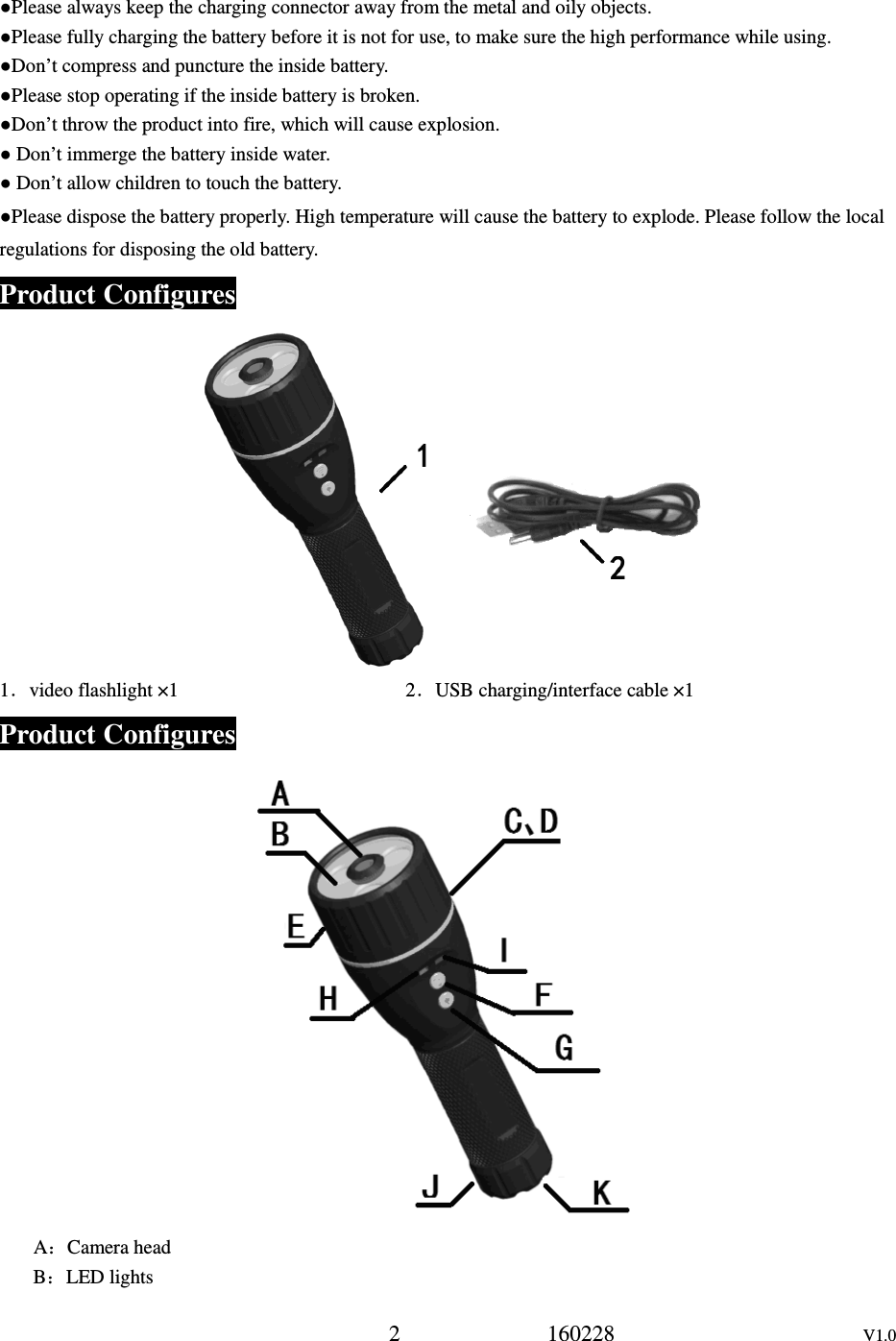
2             160228                      V1.0 ●Please always keep the charging connector away from the metal and oily objects. ●Please fully charging the battery before it is not for use, to make sure the high performance while using. ●Don’t compress and puncture the inside battery. ●Please stop operating if the inside battery is broken. ●Don’t throw the product into fire, which will cause explosion. ● Don’t immerge the battery inside water. ● Don’t allow children to touch the battery. ●Please dispose the battery properly. High temperature will cause the battery to explode. Please follow the local regulations for disposing the old battery. Product Configures       1.video flashlight ×1                                              2.USB charging/interface cable ×1                         Product Configures  A:Camera head B:LED lights
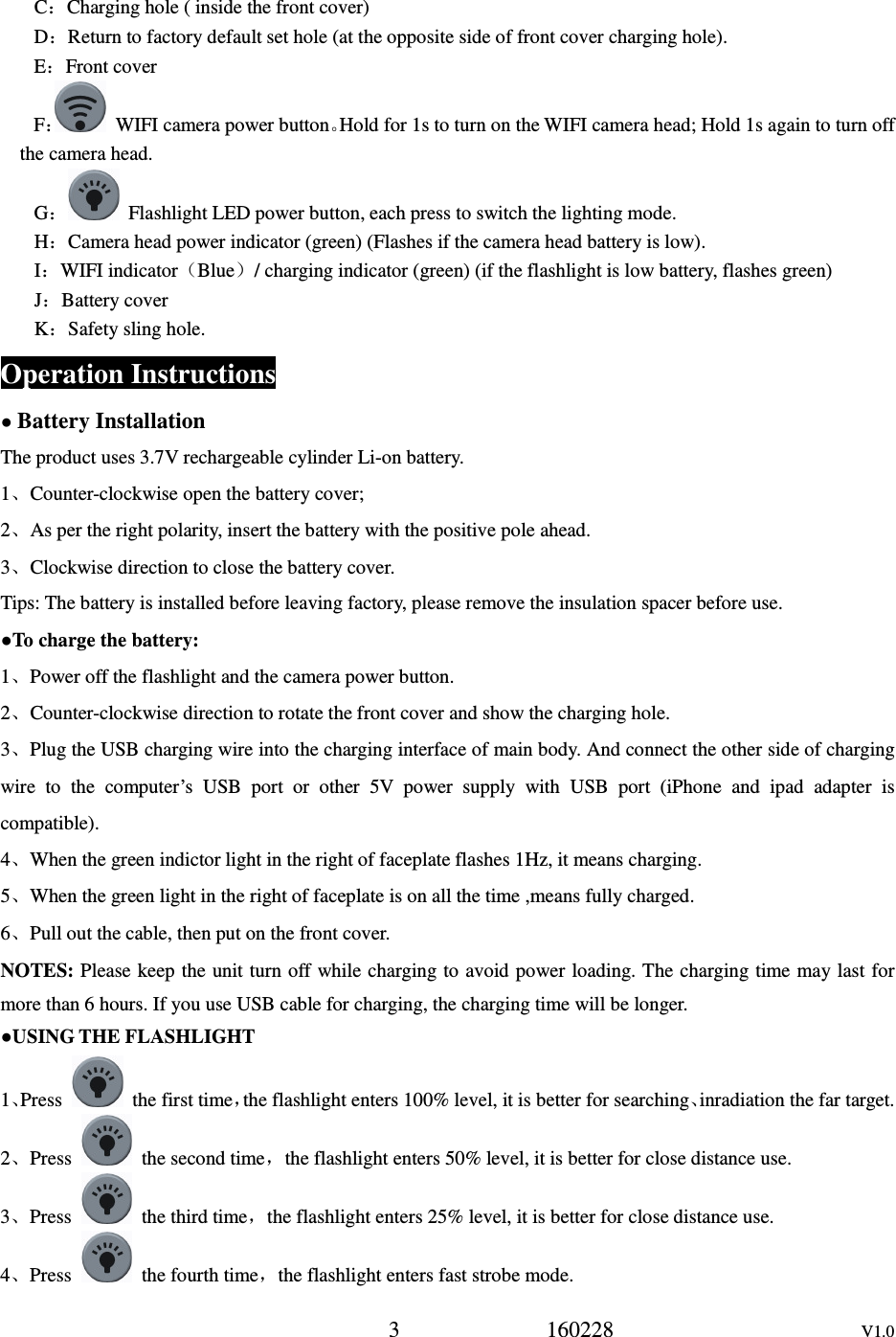
3             160228                      V1.0 C:Charging hole ( inside the front cover) D:Return to factory default set hole (at the opposite side of front cover charging hole). E:Front cover F:  WIFI camera power button。Hold for 1s to turn on the WIFI camera head; Hold 1s again to turn off the camera head. G:  Flashlight LED power button, each press to switch the lighting mode. H:Camera head power indicator (green) (Flashes if the camera head battery is low). I:WIFI indicator(Blue)/ charging indicator (green) (if the flashlight is low battery, flashes green) J:Battery cover K:Safety sling hole. Operation Instructions ● Battery Installation The product uses 3.7V rechargeable cylinder Li-on battery. 1、Counter-clockwise open the battery cover;   2、As per the right polarity, insert the battery with the positive pole ahead. 3、Clockwise direction to close the battery cover. Tips: The battery is installed before leaving factory, please remove the insulation spacer before use. ●To charge the battery: 1、Power off the flashlight and the camera power button. 2、Counter-clockwise direction to rotate the front cover and show the charging hole. 3、Plug the USB charging wire into the charging interface of main body. And connect the other side of charging wire  to  the  computer’s  USB  port  or  other  5V  power  supply  with  USB  port  (iPhone  and  ipad  adapter  is compatible). 4、When the green indictor light in the right of faceplate flashes 1Hz, it means charging. 5、When the green light in the right of faceplate is on all the time ,means fully charged. 6、Pull out the cable, then put on the front cover. NOTES: Please keep the unit turn off while charging to avoid power loading. The charging time may last for more than 6 hours. If you use USB cable for charging, the charging time will be longer. ●USING THE FLASHLIGHT 1、Press    the first time,the flashlight enters 100% level, it is better for searching、inradiation the far target. 2、Press    the second time,the flashlight enters 50% level, it is better for close distance use. 3、Press    the third time,the flashlight enters 25% level, it is better for close distance use. 4、Press    the fourth time,the flashlight enters fast strobe mode.
4             160228                      V1.0 5、Press    the fifth time,the flashlight enters SOS strobe mode, it is better for SOS. 6、Press    the sixth time,power off the flashlight. NOTES:a、Under any mode, no matter what status, holding    for 2s to turn on SOS mode,    press   again to turn off the flashlight power. b、While use the device as a flashlight, the light brightness level will affect the battery working time, the higher the brightness, the shorter battery working time.   c、During the flashlight is on, when it is low battery, the green light in the right of faceplaste will flash every 4s until shut off. If it is very weak, it will turn off automatically. ● WIFI camera operation instructions 1、Holding    for 2s to turn on the WIFI camera power, the green light will be on . 2、After about 20s, the blue WIFI light will be on, also “IP BoreScope” will be found. The received image and video can be reviewed via App. During image transmission, the blue WIFI light will flash in a fast speed. 3、Hold    for 2s, the green light is off and the WIFI camera will be off. NOTES:a、During working, if the blue wifi light is off, or the green light flashes, it means the battery is low, please use after charging. b、If the image environment is too dark, turn on the flashlight button, first press (100%)、twice(50%)  or third time(25%),until you get a desirable status. c、While  the  camera  head  and  the  flashlight works  at  the  same  time,the  green  power  light  flashes  mean  low battery. You can decrease the brightness or shut off the flashlight to have a long working time. ● About WIFI image wireless transmission This  product  uses  WIFI  wireless  transmission,  can  work  with  iPhone/iPad  and  Android.  On  the  intelligent platform, user can take a photo、Video and review. How to work with the intelligent platform, please refer to APP operation instructions. Operation Precautions: ●Please read the safety instructions carefully, choose desirable work area for fear causing danger. ● If the battery is low while camera working, the green light will flash, after a while the camera head will turn off automatically. So please charge the battery in time to avoid to delay your operation. ● As a flashlight if the battery is low, the charging indication light inside the front cover will flash every 4s, if the battery is too weak , the flashlight will turn off automatically.   ● Please keep the camera head surface clean, otherwise will affect the image clarity. ● Please dry  your  hand before  using  the  product,  also  can’t  immerce  the  product  in  water,  it  will destroy the product or shock hazard. ● Keep  the product away from the  high temperature objects, such as radiator、heat facility、stove or  another product could cause heat (including magnifying glass). Don’t operate the product under environment temperature
h a minimum distance of 5mm between the device an5             160228                      V1.0 above 45℃. ● Take care of this product, if drops, please check if every parts are ok, otherwise will affect the operation.If any damage, please repair it well, then operate. ● Store the product in aeration-drying places. ● Use accessory from the default factory, otherwise will cause danger. ● If the product doesn’t work well or smell strange or smoking, please turn off and stop  using, otherwise will cause danger. ● If the following condition occurs, please ask a professional person to repair: a、There is liquid or strange objects inside the product. b、The product doesn’t work according to the manual. c、The product is dropped or there is damage. d、The performance differes so much.. ●Electromagnetic compatibility declaration: This product has been tested in accordance with the  electromagnetic compatibility of  the European Union and the approval, this does not guarantee that this product is absolutely not subject to electromagnetic interference, please avoid using this product in strong electromagnetic environment. 1.        Please note that changes or modifications not expressly approved by the party responsible for compliance could void the user’s authority to operate the equipment. 2.        Note: This equipment has been tested and found to  comply with the limits for a Class B digital device, pursuant to part 15 of the FCC Rules. These limits are designed to provide reasonable protection against harmful interference in a residential installation. This equipment generates, uses and can radiate radio frequency energy and,  if  not  installed  and  used  in  accordance  with  the  instructions,  may  cause  harmful  interference  to  radio communications.  However, there is  no  guarantee that interference will not  occur in a  particular  installation.  If this  equipment  does  cause  harmful  interference  to  radio  or  television  reception,  which  can  be  determined  by turning the equipment off and on, the user is encouraged to try to correct the interference by one or more of the following measures: —Reorient or relocate the receiving antenna. —Increase the separation between the equipment and receiver. —Connect the equipment into an outlet on a circuit different from that to which the receiver is connected. —Consult the dealer or an experienced radio/TV technician for help. 3.        This equipment complies with radio frequency exposure limits set forth by the FCC for an uncontrolled environment. This equipment should be installed and operated wit d the user or bystanders. This device must not be co-located or operating in conjunction with any other antenna or transmitter.
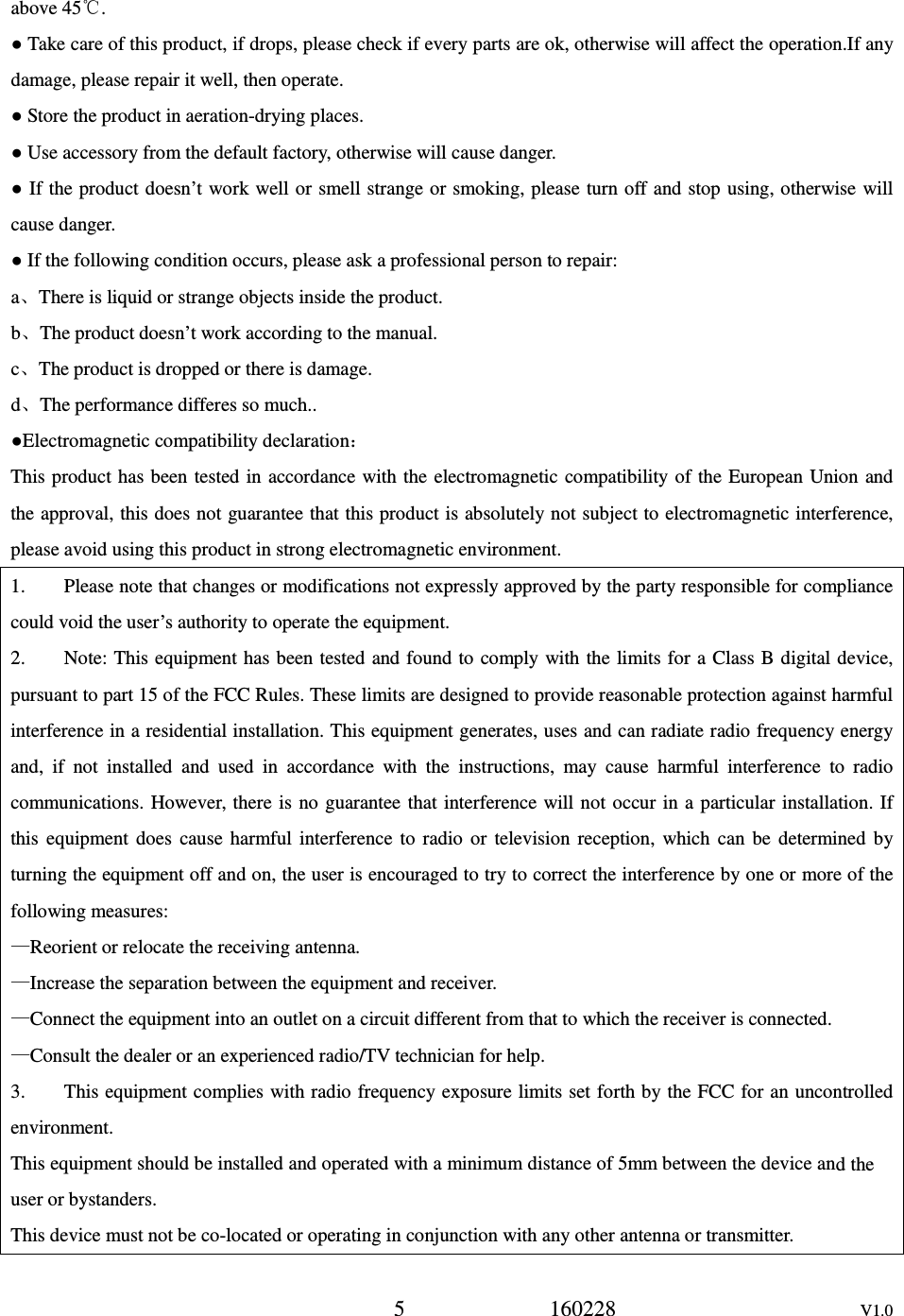
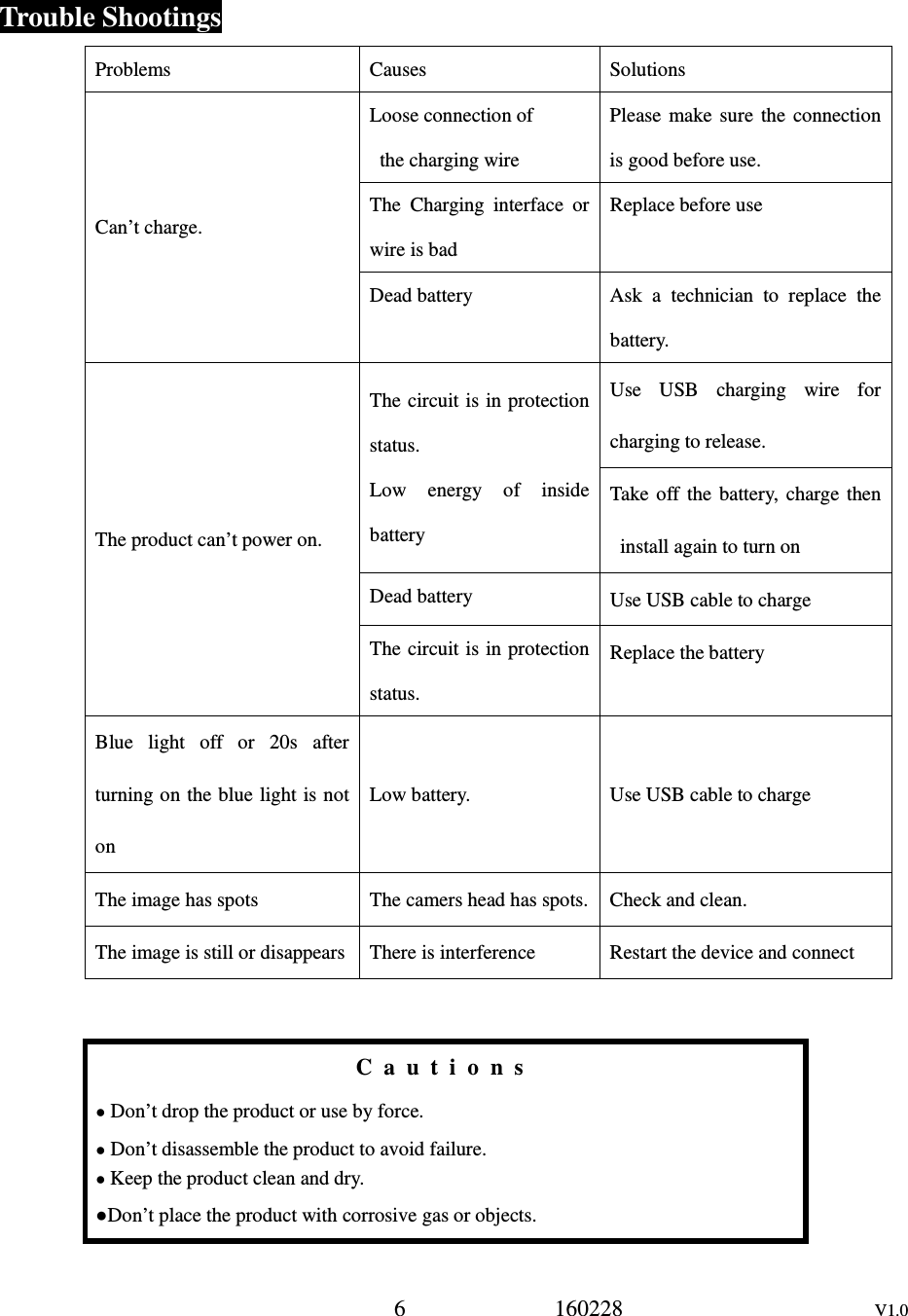
6             160228                      V1.0  Trouble Shootings Problems Causes Solutions Can’t charge. Loose connection of   the charging wire     Please  make  sure  the  connection is good before use. The  Charging  interface  or wire is bad Replace before use Dead battery  Ask  a  technician  to  replace  the battery. The product can’t power on. The circuit is in protection status. Low  energy  of  inside battery Use  USB  charging  wire  for charging to release. Take  off  the  battery,  charge  then install again to turn on Dead battery  Use USB cable to charge The circuit is in protection status. Replace the battery Blue  light  off  or  20s  after turning on the blue light is not on Low battery.  Use USB cable to charge The image has spots  The camers head has spots.  Check and clean. The image is still or disappears  There is interference  Restart the device and connect   C a u t i o n s  ● Don’t drop the product or use by force. ● Don’t disassemble the product to avoid failure. ● Keep the product clean and dry. ●Don’t place the product with corrosive gas or objects.
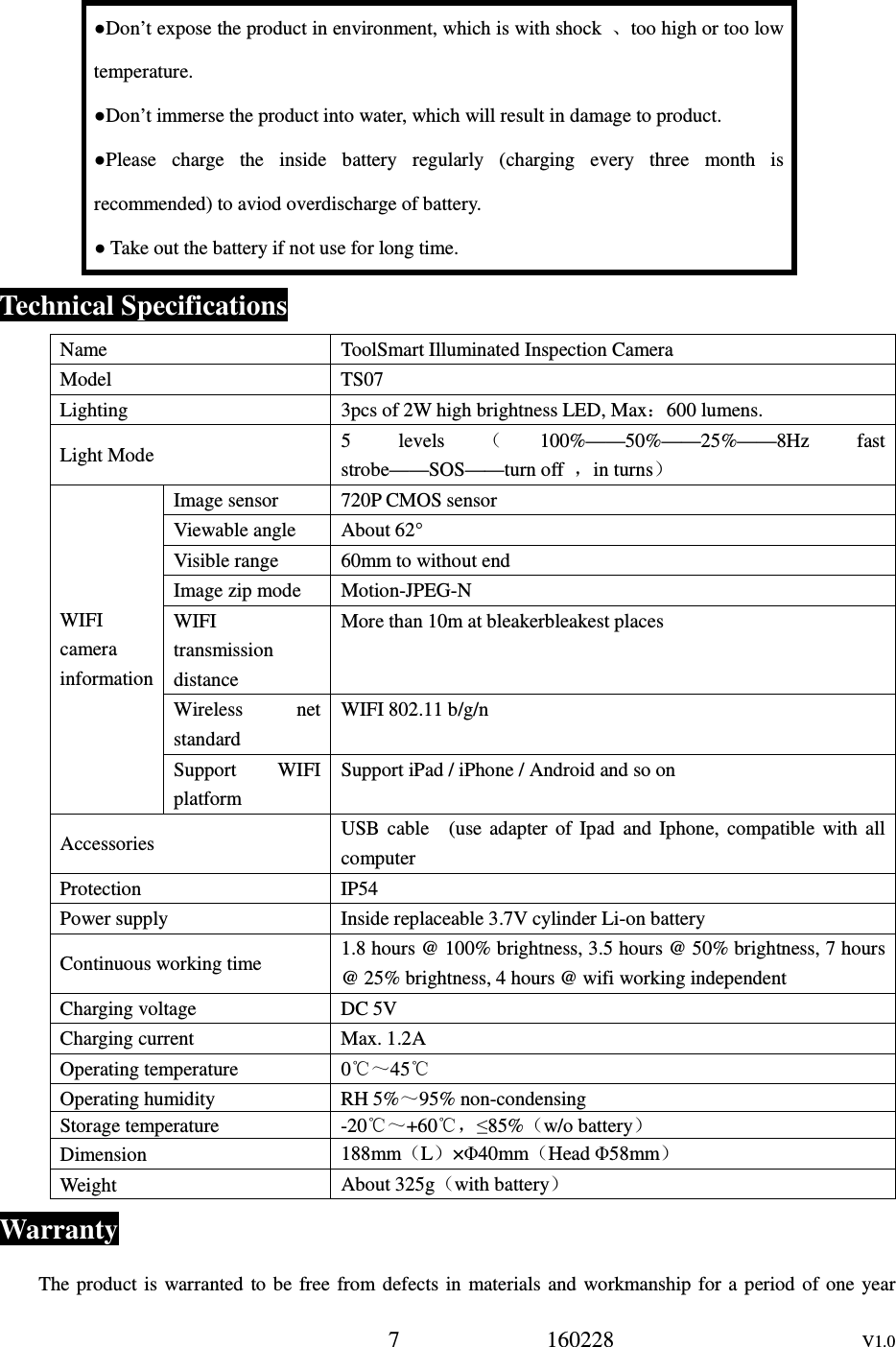
7             160228                      V1.0 ●Don’t expose the product in environment, which is with shock  、too high or too low temperature. ●Don’t immerse the product into water, which will result in damage to product. ●Please  charge  the  inside  battery  regularly  (charging  every  three  month  is recommended) to aviod overdischarge of battery. ● Take out the battery if not use for long time. Technical Specifications Name  ToolSmart Illuminated Inspection Camera Model  TS07 Lighting  3pcs of 2W high brightness LED, Max:600 lumens. Light Mode  5  levels (100%——50%——25%——8Hz  fast strobe——SOS——turn off  ,in turns) WIFI camera information Image sensor  720P CMOS sensor Viewable angle  About 62° Visible range  60mm to without end Image zip mode  Motion-JPEG-N WIFI transmission distance More than 10m at bleakerbleakest places Wireless  net standard WIFI 802.11 b/g/n Support  WIFI platform Support iPad / iPhone / Android and so on Accessories  USB  cable    (use  adapter  of  Ipad  and  Iphone,  compatible  with  all computer Protection  IP54 Power supply  Inside replaceable 3.7V cylinder Li-on battery Continuous working time  1.8 hours @ 100% brightness, 3.5 hours @ 50% brightness, 7 hours @ 25% brightness, 4 hours @ wifi working independent Charging voltage  DC 5V Charging current  Max. 1.2A Operating temperature  0℃~45℃ Operating humidity  RH 5%~95% non-condensing Storage temperature  -20℃~+60℃,≤85%(w/o battery) Dimension  188mm(L)×Φ40mm(Head Φ58mm) Weight  About 325g(with battery) Warranty The product is  warranted  to  be  free  from defects  in materials  and  workmanship for  a  period of  one  year
8             160228                      V1.0 from the date of purchase. Notice: The warranty does not apply to the following conditions: ●    Disassembling the laser tool will void the warranty. ●    We are not responsible for any damage resulting from abrasion, water, dropping or disassembling. Tips:Most parts of the product could be recycled, please refer to your local regulations for disposing of them instead of throwing into the dustbin.

Navigation menu