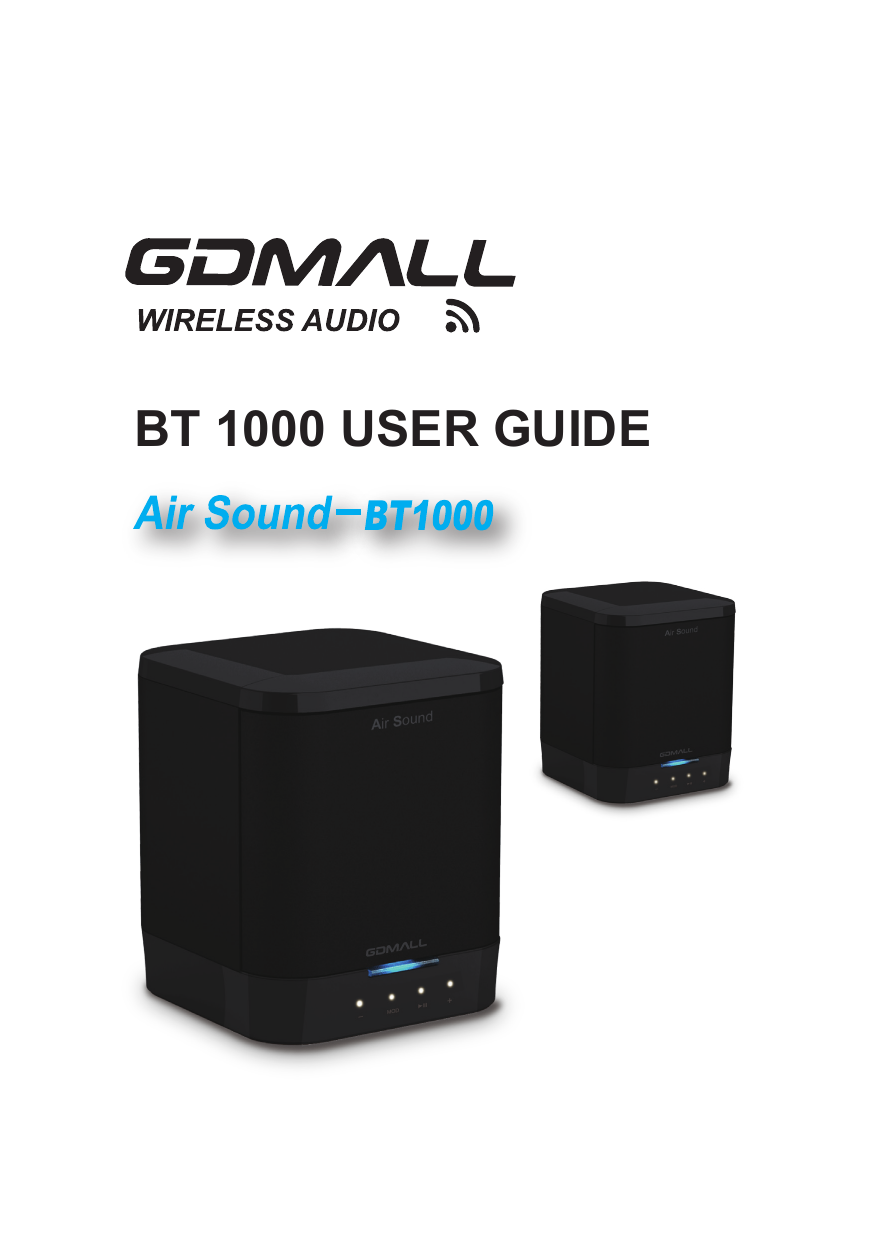
GLOBAL DIGITECH CO GDMALLBT1000 Bluetooth Speaker User Manual 1

GLOBAL DIGITECH CO LTD Bluetooth Speaker 1

user manual

BT 1000 USER GUIDE
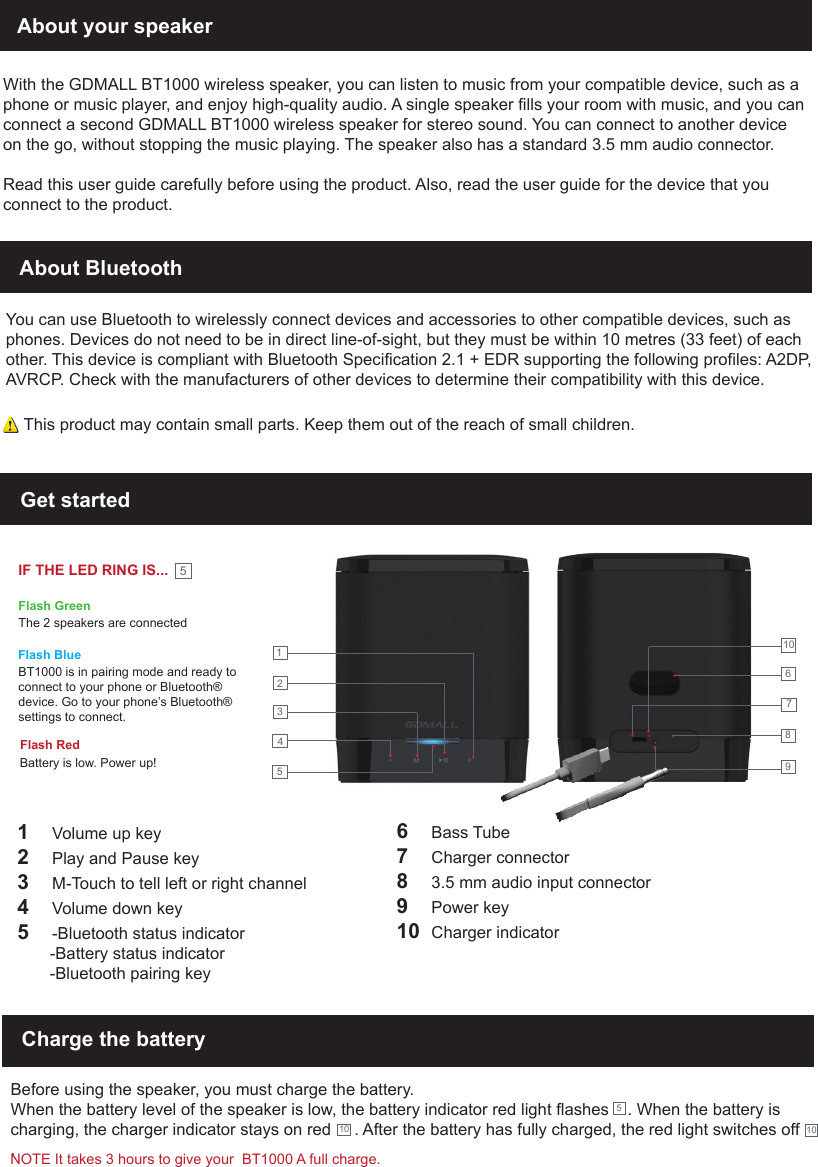
About your speakerWith the GDMALL BT1000 wireless speaker, you can listen to music from your compatible device, such as a phone or music player, and enjoy high-quality audio. A single speaker fills your room with music, and you can connect a second GDMALL BT1000 wireless speaker for stereo sound. You can connect to another device on the go, without stopping the music playing. The speaker also has a standard 3.5 mm audio connector.Read this user guide carefully before using the product. Also, read the user guide for the device that you connect to the product.About BluetoothYou can use Bluetooth to wirelessly connect devices and accessories to other compatible devices, such as phones. Devices do not need to be in direct line-of-sight, but they must be within 10 metres (33 feet) of each other. This device is compliant with Bluetooth Specification 2.1 + EDR supporting the following profiles: A2DP, AVRCP. Check with the manufacturers of other devices to determine their compatibility with this device.Get started123451     Volume up key2     Play and Pause key3     M-Touch to tell left or right channel4     Volume down key5     -Bluetooth status indicator       -Battery status indicator       -Bluetooth pairing key6     Bass Tube7     Charger connector8     3.5 mm audio input connector9     Power key10  Charger indicatorCharge the batteryBefore using the speaker, you must charge the battery.When the battery level of the speaker is low, the battery indicator red light flashes    . When the battery is charging, the charger indicator stays on red     . After the battery has fully charged, the red light switches off    .567891010 10This product may contain small parts. Keep them out of the reach of small children.IF THE LED RING IS...Flash GreenThe 2 speakers are connectedFlash BlueFlash RedBattery is low. Power up!BT1000 is in pairing mode and ready to connect to your phone or Bluetooth® device. Go to your phone’s Bluetooth® settings to connect.5NOTE It takes 3 hours to give your  BT1000 A full charge.
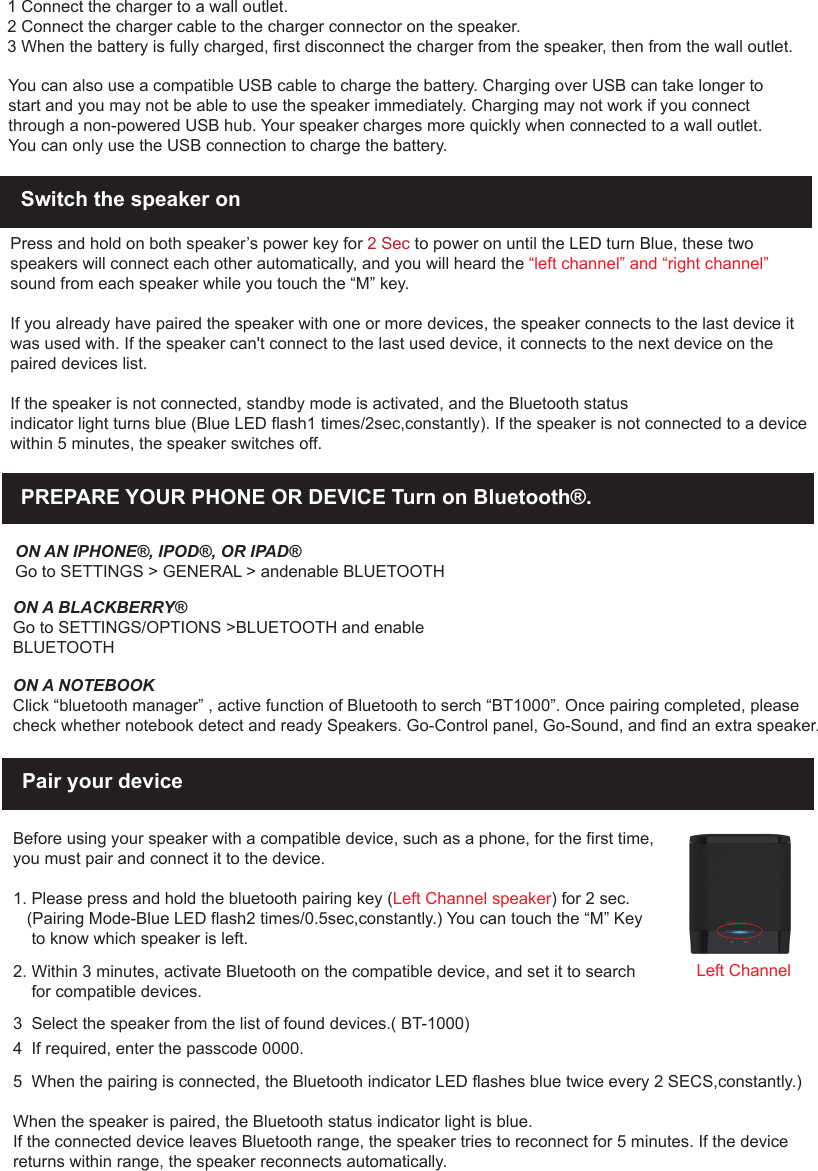
1 Connect the charger to a wall outlet.2 Connect the charger cable to the charger connector on the speaker.3 When the battery is fully charged, first disconnect the charger from the speaker, then from the wall outlet.You can also use a compatible USB cable to charge the battery. Charging over USB can take longer to start and you may not be able to use the speaker immediately. Charging may not work if you connect through a non-powered USB hub. Your speaker charges more quickly when connected to a wall outlet.You can only use the USB connection to charge the battery.Switch the speaker on Press and hold on both speaker’s power key for 2 Sec to power on until the LED turn Blue, these two speakers will connect each other automatically, and you will heard the “left channel” and “right channel” sound from each speaker while you touch the “M” key. If you already have paired the speaker with one or more devices, the speaker connects to the last device it was used with. If the speaker can't connect to the last used device, it connects to the next device on the paired devices list.If the speaker is not connected, standby mode is activated, and the Bluetooth statusindicator light turns blue (Blue LED flash1 times/2sec,constantly). If the speaker is not connected to a device within 5 minutes, the speaker switches off.Pair your deviceBefore using your speaker with a compatible device, such as a phone, for the first time,you must pair and connect it to the device. 1. Please press and hold the bluetooth pairing key (Left Channel speaker) for 2 sec.     (Pairing Mode-Blue LED flash2 times/0.5sec,constantly.) You can touch the “M” Key    to know which speaker is left.2. Within 3 minutes, activate Bluetooth on the compatible device, and set it to search    for compatible devices.3  Select the speaker from the list of found devices.( BT-1000)4  If required, enter the passcode 0000.5  When the pairing is connected, the Bluetooth indicator LED flashes blue twice every 2 SECS,constantly.)When the speaker is paired, the Bluetooth status indicator light is blue.If the connected device leaves Bluetooth range, the speaker tries to reconnect for 5 minutes. If the device returns within range, the speaker reconnects automatically.PREPARE YOUR PHONE OR DEVICE Turn on Bluetooth®.ON AN IPHONE®, IPOD®, OR IPAD®Go to SETTINGS > GENERAL > andenable BLUETOOTHON A BLACKBERRY®Go to SETTINGS/OPTIONS >BLUETOOTH and enable BLUETOOTHON A NOTEBOOKClick “bluetooth manager” , active function of Bluetooth to serch “BT1000”. Once pairing completed, please check whether notebook detect and ready Speakers. Go-Control panel, Go-Sound, and find an extra speaker.Left Channel
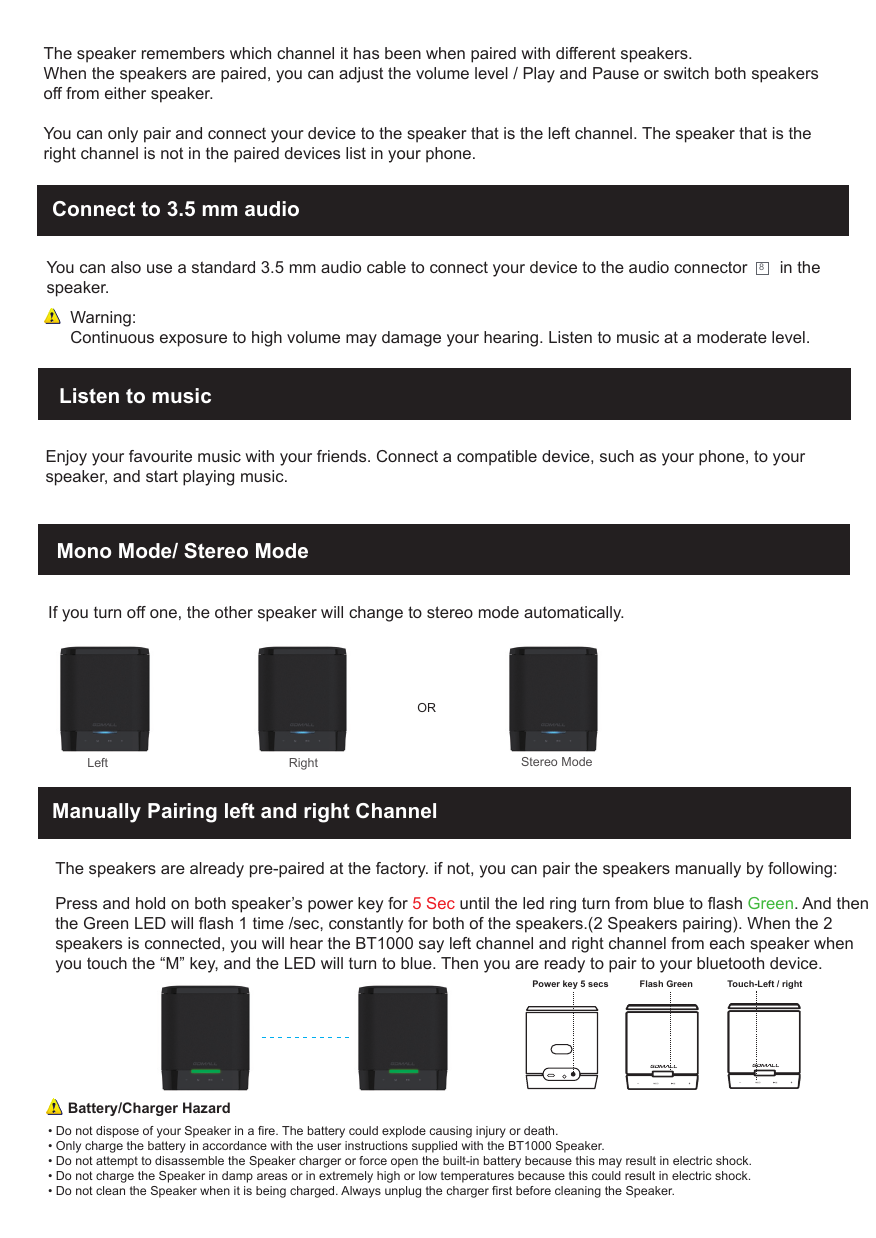
Connect to 3.5 mm audio You can also use a standard 3.5 mm audio cable to connect your device to the audio connector       in the speaker. 8Warning:Continuous exposure to high volume may damage your hearing. Listen to music at a moderate level.Mono Mode/ Stereo ModeListen to musicEnjoy your favourite music with your friends. Connect a compatible device, such as your phone, to your speaker, and start playing music.The speaker remembers which channel it has been when paired with different speakers.When the speakers are paired, you can adjust the volume level / Play and Pause or switch both speakersoff from either speaker.You can only pair and connect your device to the speaker that is the left channel. The speaker that is the right channel is not in the paired devices list in your phone.• Do not dispose of your Speaker in a fire. The battery could explode causing injury or death.• Only charge the battery in accordance with the user instructions supplied with the BT1000 Speaker.• Do not attempt to disassemble the Speaker charger or force open the built-in battery because this may result in electric shock.• Do not charge the Speaker in damp areas or in extremely high or low temperatures because this could result in electric shock.• Do not clean the Speaker when it is being charged. Always unplug the charger first before cleaning the Speaker.Battery/Charger HazardManually Pairing left and right ChannelThe speakers are already pre-paired at the factory. if not, you can pair the speakers manually by following: Press and hold on both speaker’s power key for 5 Sec until the led ring turn from blue to flash Green. And then the Green LED will flash 1 time /sec, constantly for both of the speakers.(2 Speakers pairing). When the 2 speakers is connected, you will hear the BT1000 say left channel and right channel from each speaker when you touch the “M” key, and the LED will turn to blue. Then you are ready to pair to your bluetooth device.   If you turn off one, the other speaker will change to stereo mode automatically. Left                                                    RightOR Stereo ModePower key 5 secs Flash Green Touch-Left / right
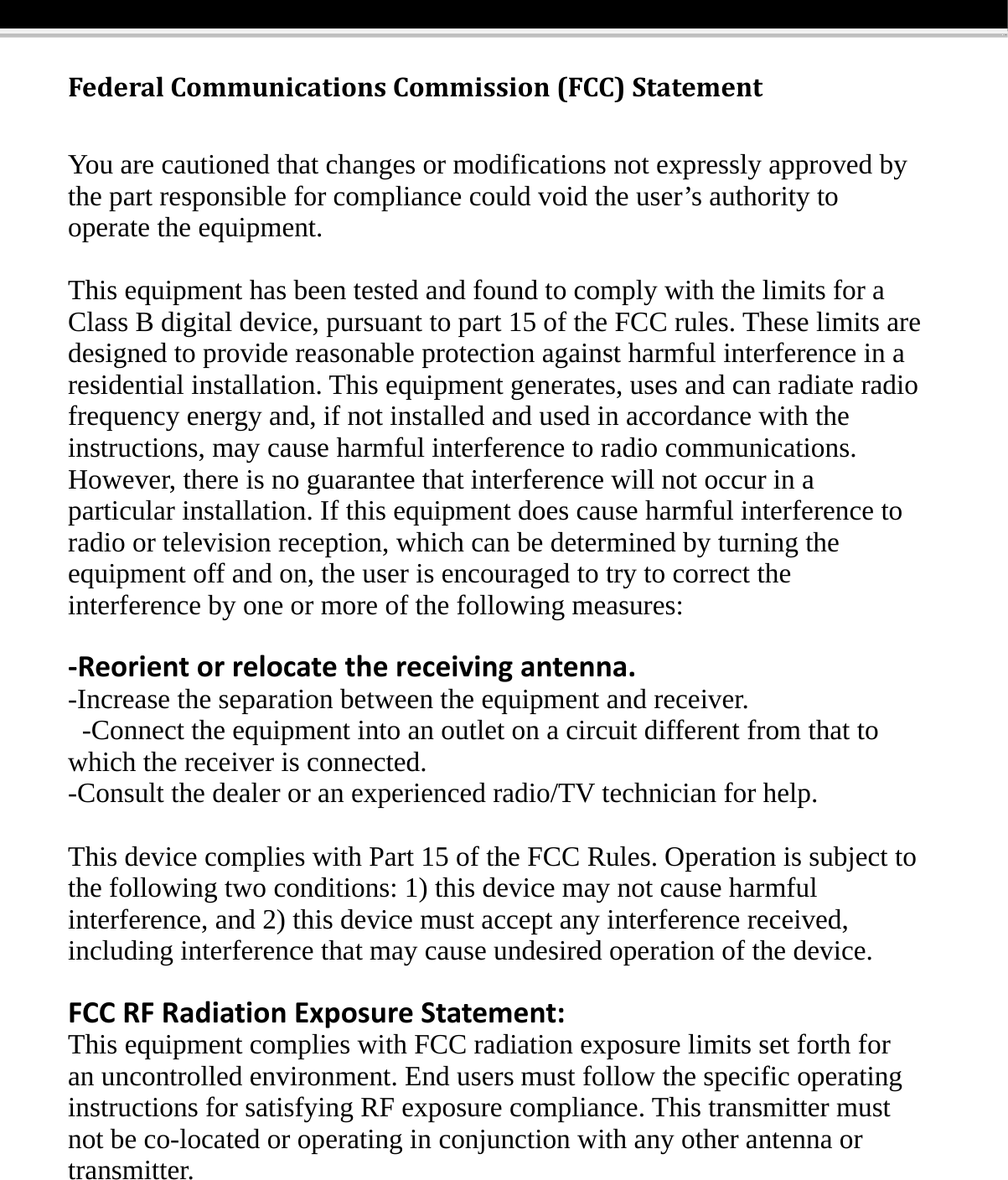
FederalCommunicationsCommission(FCC)StatementYou are cautioned that changes or modifications not expressly approved by the part responsible for compliance could void the user’s authority to operate the equipment. This equipment has been tested and found to comply with the limits for a Class B digital device, pursuant to part 15 of the FCC rules. These limits are designed to provide reasonable protection against harmful interference in a residential installation. This equipment generates, uses and can radiate radio frequency energy and, if not installed and used in accordance with the instructions, may cause harmful interference to radio communications. However, there is no guarantee that interference will not occur in a particular installation. If this equipment does cause harmful interference to radio or television reception, which can be determined by turning the equipment off and on, the user is encouraged to try to correct the interference by one or more of the following measures:  ‐Reorientorrelocatethereceivingantenna.-Increase the separation between the equipment and receiver.   -Connect the equipment into an outlet on a circuit different from that to which the receiver is connected.   -Consult the dealer or an experienced radio/TV technician for help.  This device complies with Part 15 of the FCC Rules. Operation is subject to the following two conditions: 1) this device may not cause harmful interference, and 2) this device must accept any interference received, including interference that may cause undesired operation of the device.  FCCRFRadiationExposureStatement:This equipment complies with FCC radiation exposure limits set forth for an uncontrolled environment. End users must follow the specific operating instructions for satisfying RF exposure compliance. This transmitter must not be co-located or operating in conjunction with any other antenna or transmitter. 

Navigation menu