GUANGZHOU ADS AUDIO SCIENCE and TECHNOLOGY SBX-106 TROLLEY SPEAKER User Manual 10
GUANGZHOU ADS AUDIO SCIENCE & TECHNOLOGY CO., LTD. TROLLEY SPEAKER 10
10 user manual
INSTRUCCIONES DE FUNCIONAMIENTO
Warning Statement
This equipment has been tested and found to comply with the limits for a Class B
digital device, pursuant to part 15 of the FCC Rules. These limits are designed
to provide reasonable protection against harmful interference in a residential
installation. This equipment generates, uses and can radiate radio frequency
energy and, if not installed and used in accordance with the instructions, may
cause harmful interference to radio communications. However, there is no guarantee
that interference will not occur in a particular installation. If this equipment
does cause harmful interference to radio or television reception, which can be
determined by turning the equipment off and on, the user is encouraged to try to
correct the interference by one or more of the following measures:
Reorient or relocate the receiving antenna.
Increase the separation between the equipment and receiver.
Connect the equipment into an outlet on a circuit different from that to which the
receiver is connected.
Consult the dealer or an experienced radio/TV technician for help.
Caution: Any changes or modifications to this device not explicitly approved by
manufacturer could void your authority to operate this equipment.
This device complies with part 15 of the FCC Rules. Operation is subject to the
following two conditions:
(1) This device may not cause harmful interference, and
(2) this device must accept any interference received, including interference that
may cause undesired operation.
The device has been evaluated to meet general RF exposure requirement.
The device can be used in portable exposure condition without restriction.
RF warning for Portable device:
The device has been evaluated to meet general RF exposure requirement.
The device can be used in portable exposure can be used in portable exposure
condition without restriction.
-1-
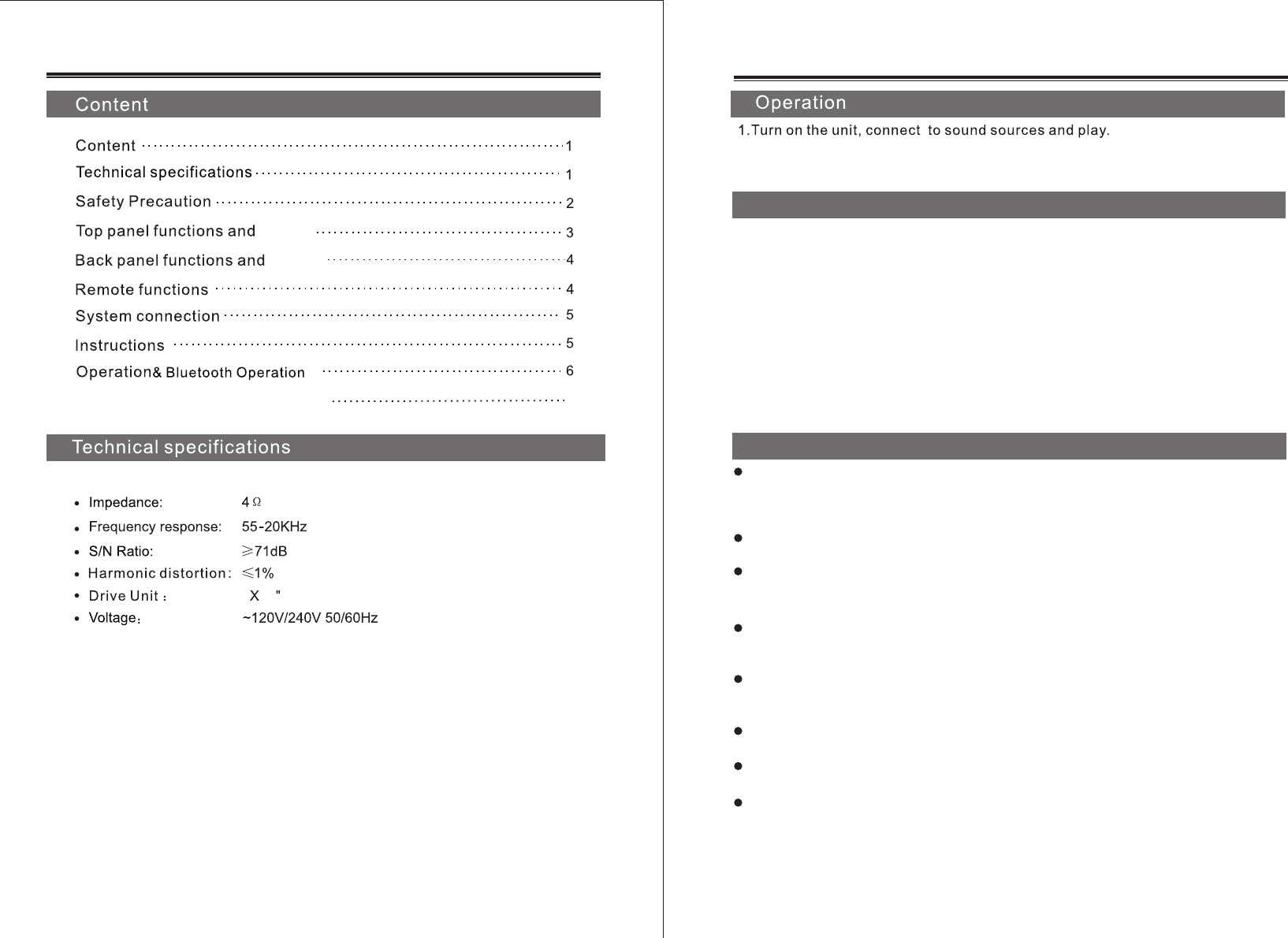
Operation wireless microphone 6
10
6
control
control
-6-
2.
1.Turning on the power, press the "MODE"key or"INPUT"key on the
panel or remote control, switch the speaker to Bluetooth channel.
Then turn on the mobile phone Bluetooth function.
2.Search the Bluetooth device list and select the Bluetooth name
"QFX SBX-106". The speaker will make a notification tone when the
connection is successful.
3.Play the music on your mobile phone by music player. The music
will be transferred via Bluetooth and sound comes out through the speaker.
4.To disconnect the Bluetooth device, the user can turn off Bluetooth
function on the mobile phone, or press the "MODE"key or"INPUT"key on
the speaker panel or remote control to change the playing mode.
Insert USB/SD card to read Mp3 tracks “MODE” key to select
USB/SD/FM/BT/LINE INPUT.FM programmes scan & save automatically
Bluetooth Operation
.
Open the battery compartment, use the correct polarity. Turn on the
microphone, the power LED is on, turn off the microphone, the power LED is
off. When you turn on the microphone but the LED is off, please check whether
the batteries are dead or in reversed polarity.
Adjust the microphone volume knob to the appropriate location at the
presentation.
Make sure there are no obstructions between the unit and the wireless
microphones at the demonstration. Keep them away from metal or antenna
to avoid the deterioration in performance of wireless Microphone.
To avoid to effect the reception, please use the wireless microphone in
the efficient range. When battery's power is low, or disturbed a lot, it will
be reduced the performance.
In order to get the best performance, please keep your mouth to the
microphone distance in 5-15 cm, and the tilt angle of 45 degrees with
the microphone.
When the battery power is low, the LED turns to red. Please replace the
battery in time.
Do not use the same frequency within a short distance of the microphone
to sing, the microphone will be silent or disturbed.
If you buy more than two sets of speakers with wireless microphone, and
want to use at the same time. Please choose different varieties of standard
frequency. Otherwise, the distance between two groups of the same
frequency speakers must be at least 100 meters.
Operation wireless microphone
-2-
-5-
.
-3-
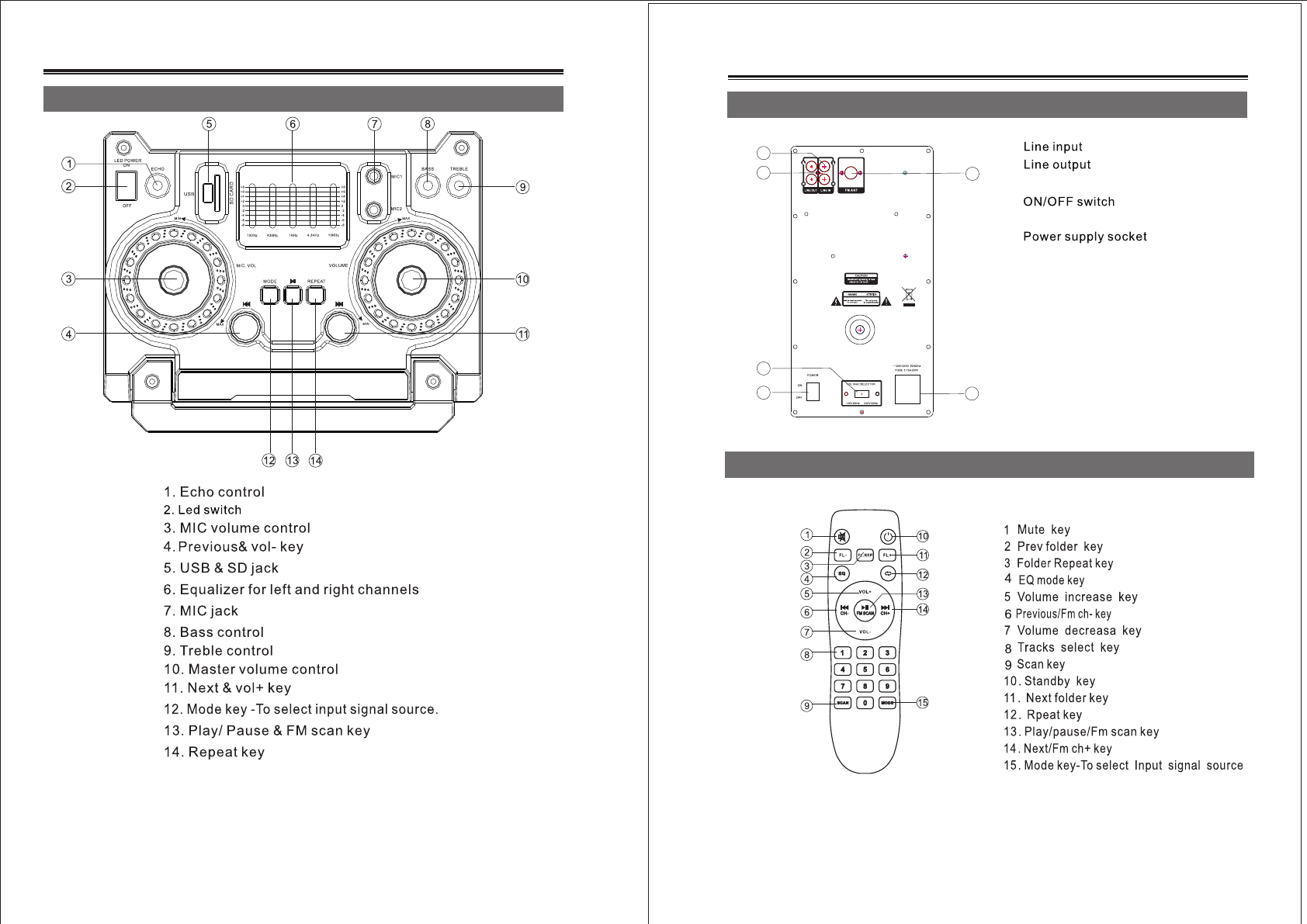
Top panel functions and control
-4-
Back panel functions and control
Remote functions
3. Voltage selector
5. FM antenna
6.
1.
2.
4.
.
.
.
.
.
.
.
.
.
1
2
3
4
5
6