Gama Electronics 019 User Manual

Gama Electronics Inc

user manual

RF019 REMOTE CONTROLIntroduction.  Model RF019 is a hand held, battery operated, Radio Frequency (RF) transmitter,which operates in conjunction with RF receiver modules.  The remote has momentary switchesthat upon activation provide switch closures on a receiver /control module.  This enables thesystem to control multiple functions.Each RF019 remote is addressable by initializing selector switches so that the system can beoperated in close proximity to other systems without interference or cross talk.           Channels: 1           Frequency: 315 MHz           Operating Temperature Range: -20oC to 120oC           Power Source: 9-Volt Alkaline Battery           Dimensions: 3.25”L x 5.5”W x 1.0”D          Weight: 4.0 ouncesSpecifications subject to change without notice.YOU DO NOT NEED AN FCC LICENSE TO OPERATE THIS DEVICE.HOWEVER, ANY CHANGES OR MODIFICATIONS TO THE DEVICE WILL VOIDTHE USERS AUTHORITY TO OPERATE THE EQUIPMENT.OPERATION OF THIS DEVICE IS SUBJECT TO THE FOLLOWING TWOCONDITIONS:  (1) THIS DEVICE MAY NOT CAUSE HARMFUL INTERFERENCEAND  (2) THIS DEVICE MUST ACCEPT ANY INTERFERENCE RECEIVED,INCLUDING INTERFERENCE THAT MAY CAUSE UNDESIRED OPERATION.
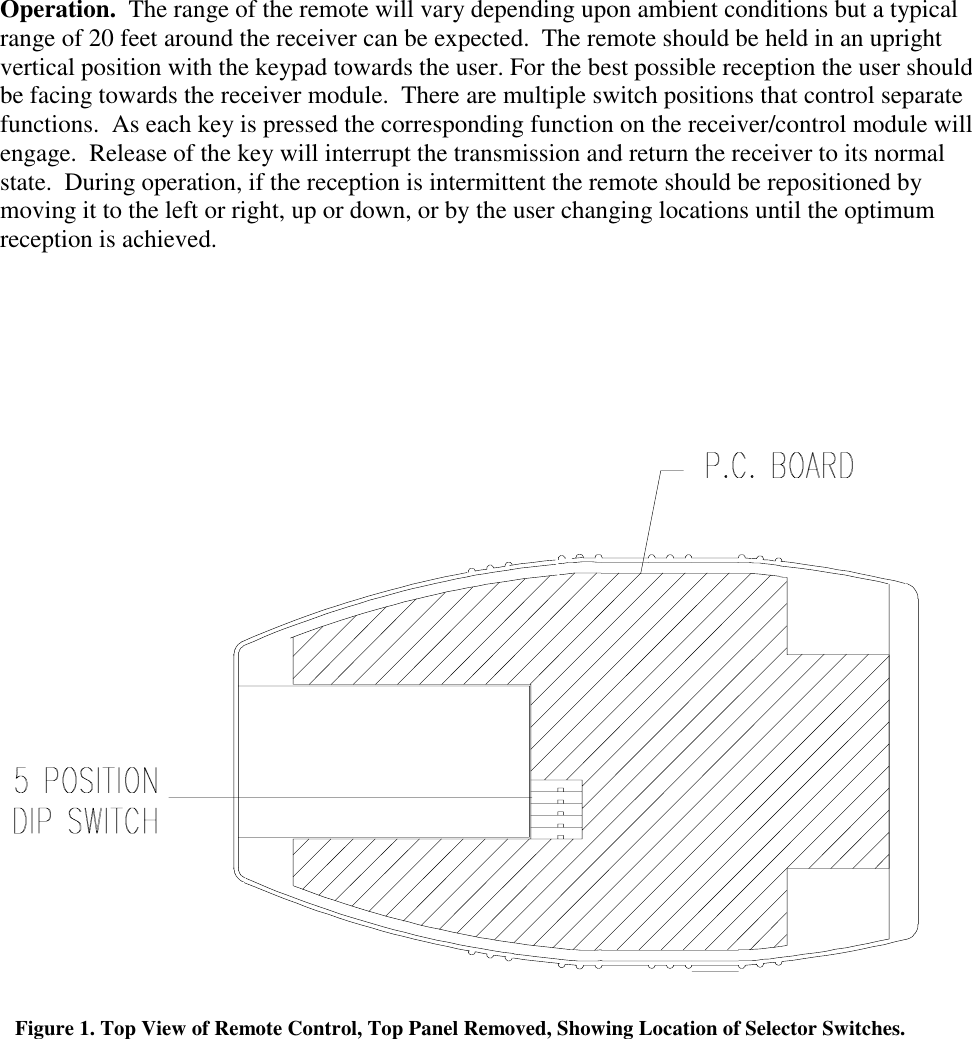
CAUTIONBatteries.  All batteries can cause damage and/or bodily injury such as burns if a conductivematerial such as jewelry, keys or beaded chains touches exposed terminals.  The material maycomplete an electrical circuit (short circuit) and become quite hot.  Exercise care in handling anycharged battery, particularly when placing it inside a pocket, purse or other container with metalobjects.Care and Safety.   To clean the remote, wipe with a soft cloth dampened with water.  Don’t usecleaners or solvents on the remote, they can harm the body and leak inside, causing permanentdamage.  Battery contacts may be wiped with a dry, lint-free cloth.If the remote gets wet, remove batteries immediately.  Dry battery compartment with a soft clothto minimize potential water damage.  Leave cover off the battery compartment overnight or untilcompletely dry.  Do not use the remote until completely dry.Installation.  Perform the steps below to set the remote’s unique address and install the battery.Selection of Remote’s Unique Address.  The remote control contains switches that are set tooperate with a receiver/control module with matching switch positions.  This allows multipleremotes to be operated in close proximity to each other without causing interference. Refer toFigure 1.  To configure the switches in the remote, remove the four screws and separate theplastic enclosure top from the bottom to access the switches.  Locate the selector switches(Figure 1).  Using a very small tip, flat blade screwdriver, slide each actuator position to eitherabove or below the centerline.  The switch positions must be the same as the switch positions onthe receiver/control module.  Once the switches have been set, assemble the top and bottom ofthe enclosure together and install the four screws.Battery Installation.  The remote control operates from one 9-volt Alkaline battery.  To installthe battery, grasp the door and slide it away from the remote.  Install the battery into thecompartment, which is keyed for the correct polarity.  Replace the battery door onto theenclosure.
Operation.  The range of the remote will vary depending upon ambient conditions but a typicalrange of 20 feet around the receiver can be expected.  The remote should be held in an uprightvertical position with the keypad towards the user. For the best possible reception the user shouldbe facing towards the receiver module.  There are multiple switch positions that control separatefunctions.  As each key is pressed the corresponding function on the receiver/control module willengage.  Release of the key will interrupt the transmission and return the receiver to its normalstate.  During operation, if the reception is intermittent the remote should be repositioned bymoving it to the left or right, up or down, or by the user changing locations until the optimumreception is achieved.Figure 1. Top View of Remote Control, Top Panel Removed, Showing Location of Selector Switches.

Navigation menu