GameTech EXPL-10-01 Wireless handheld gaming device - Explorer Player Unit User Manual

GameTech International, Inc. Wireless handheld gaming device - Explorer Player Unit

user manual

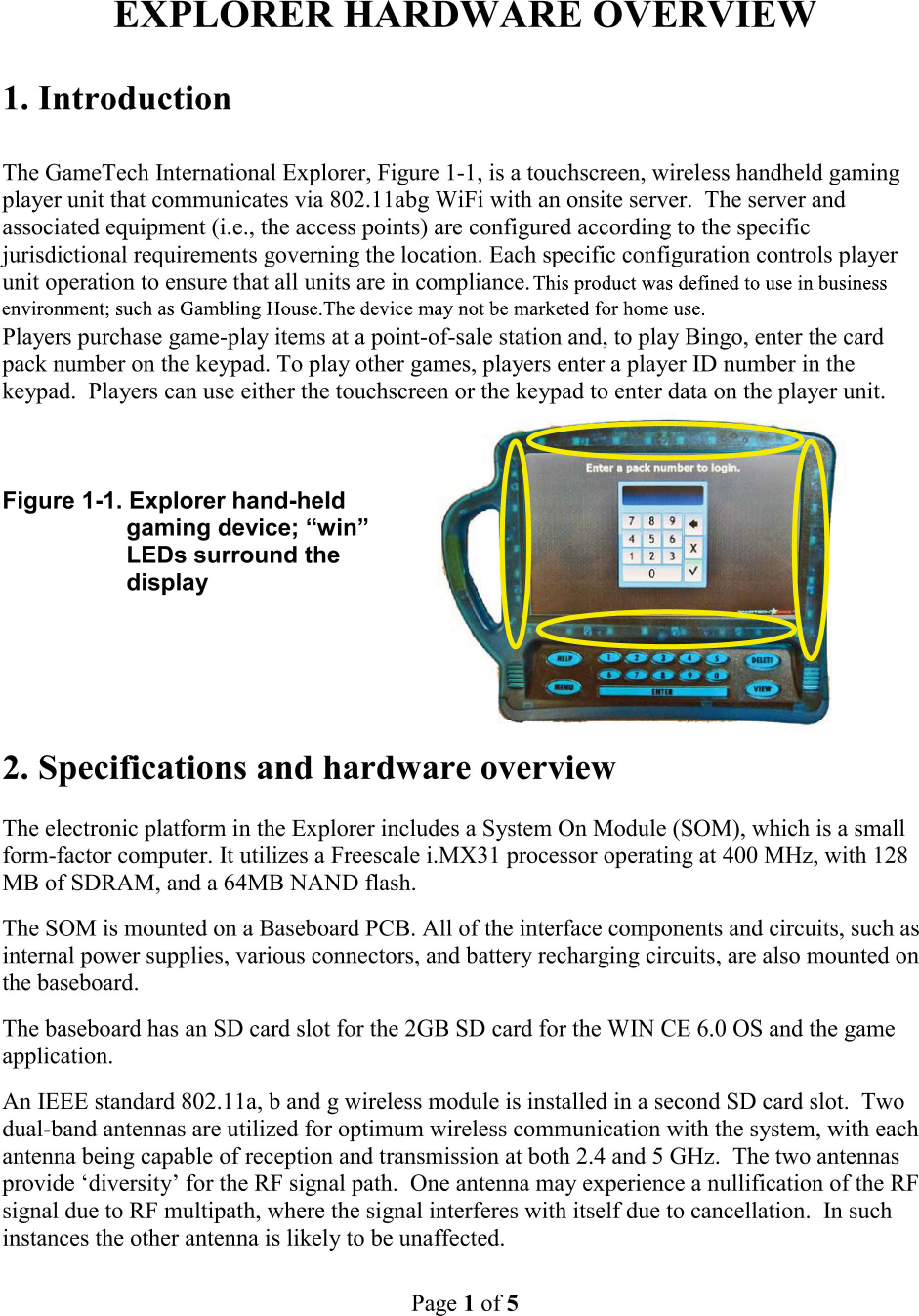
Page 2of 5The WiFi access points shall be set-up and configured by GameTech Int'l authorized personnel according the instructions for that equipment to ensure compliance with the specific RF regulations governing the installation location.  The access points automatically control the player units’ RF to fully comply with regulations for allowable 802.11 channels (RF frequencies) and transmit power.  The players and hall operations personnel shall have no control over these parameters once the parameters are set.Only GameTech Int’l authorized personnel are allowed to set up the WiFi client by accessing the technician menu to set the SSID, authentication mode, security mode, and to enter the security key or password.WiFi “AdHoc” or peer-to-peer mode is not supported in the Explorer system.NOTES1. Operation of this device in the 5150 MHz to 5250 MHz range (802.11a) is restricted to indoor use only.2. Changes or modifications not expressly approved by GameTech Int'l could void the user's authority to operate the equipment.3. This equipment has been tested and found to comply with the limits for a Class A  digital device, pursuant to part 15 of the FCC Rules. These limits are designed to  provide reasonable protection against harmful interference when the equipment is operated in a commercial environment. This equipment generates, uses and can radiate radio frequency energy, and if not installed and used in accordance with  the instruction manual, may cause harmful interference to radio communications. Operation of this equipment in a residential area is likely to cause harmful interference in which case the user will be required to correct the interference at their own expense.4. This equipment complies with FCC radiation exposure limits set forth for an uncontrolled environment.The capacitive keypad, Figure 1-2, is backlit.The full color display is a 10.2-inch LCD with an integrated touch screen. A molded, high impact polycarbonate front case is transparent so that the “win” LEDs are visible through theplastic without being exposed (see Figure 1-1 above).                               Figure 1-2. Backlit capacitive keypad
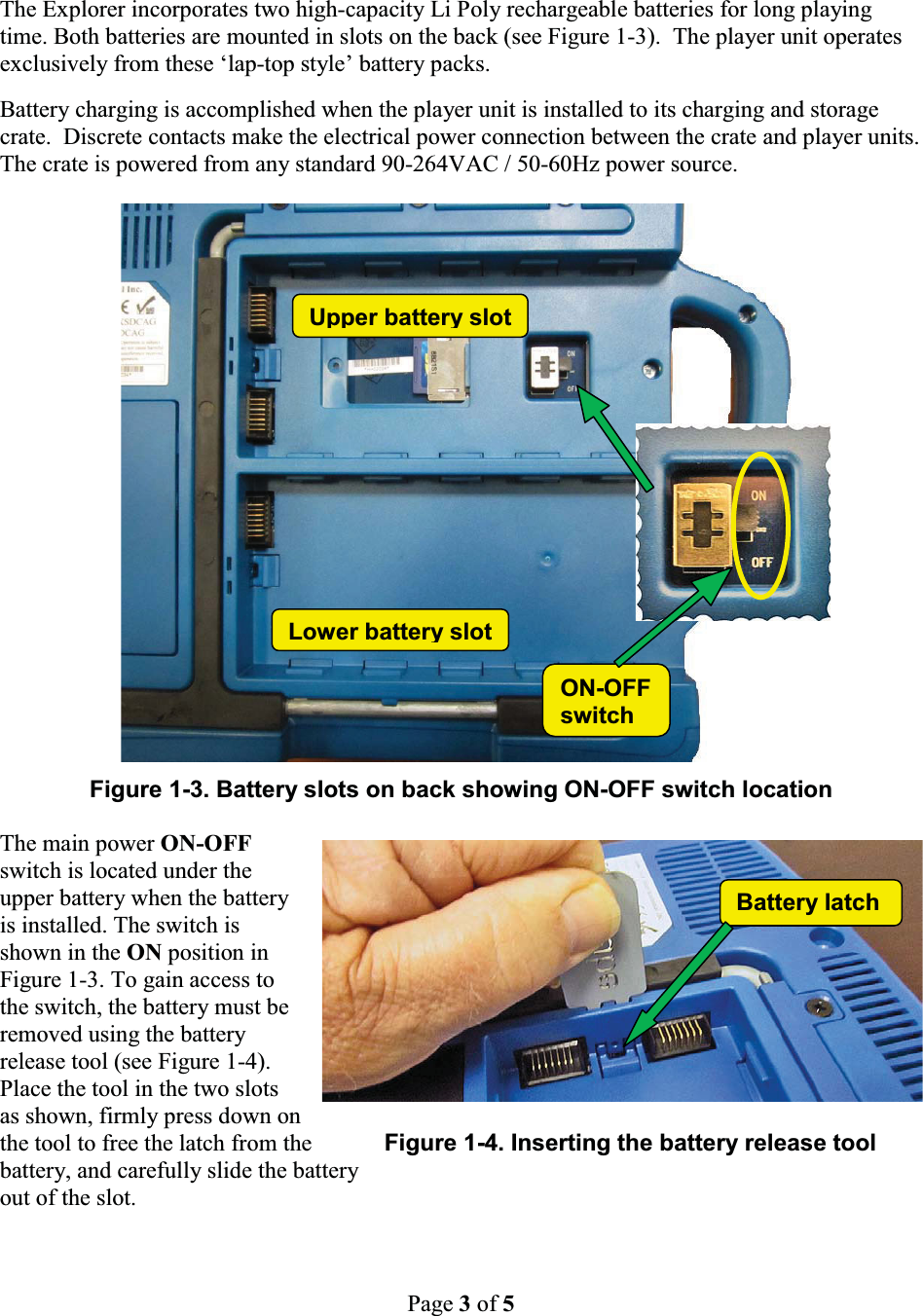
Page 3of 5Battery latchThe Explorer incorporates two high-capacity Li Poly rechargeable batteries for long playing time. Both batteries are mounted in slots on the back (see Figure 1-3). The player unit operates exclusively from these ‘lap-top style’ battery packs.  Battery charging is accomplished when the player unit is installed to its charging and storage crate.  Discrete contacts make the electrical power connection between the crate and player units.  The crate is powered from any standard 90-264VAC / 50-60Hz power source.Figure 1-3. Battery slots on back showing ON-OFF switch locationThe main power ON-OFF switch is located under the upper battery when the battery is installed. The switch is shown in the ON position in Figure 1-3. To gain access to the switch, the battery must be removed using the battery release tool (see Figure 1-4). Place the tool in the two slots as shown, firmly press down onthe tool to free the latch from the Figure 1-4. Inserting the battery release toolbattery, and carefully slide the batteryout of the slot.Lower battery slotON-OFFswitchUpper batteryslot
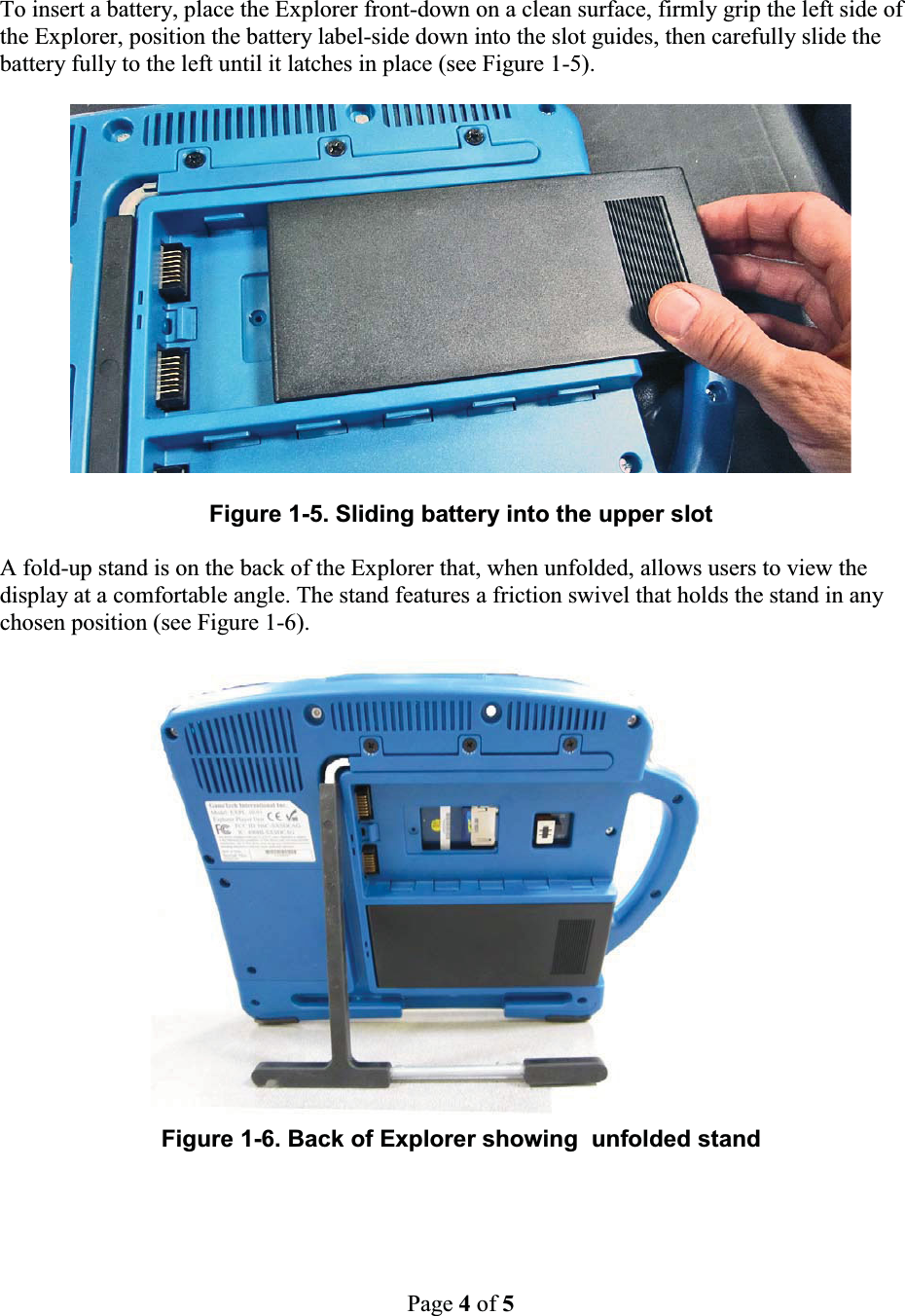
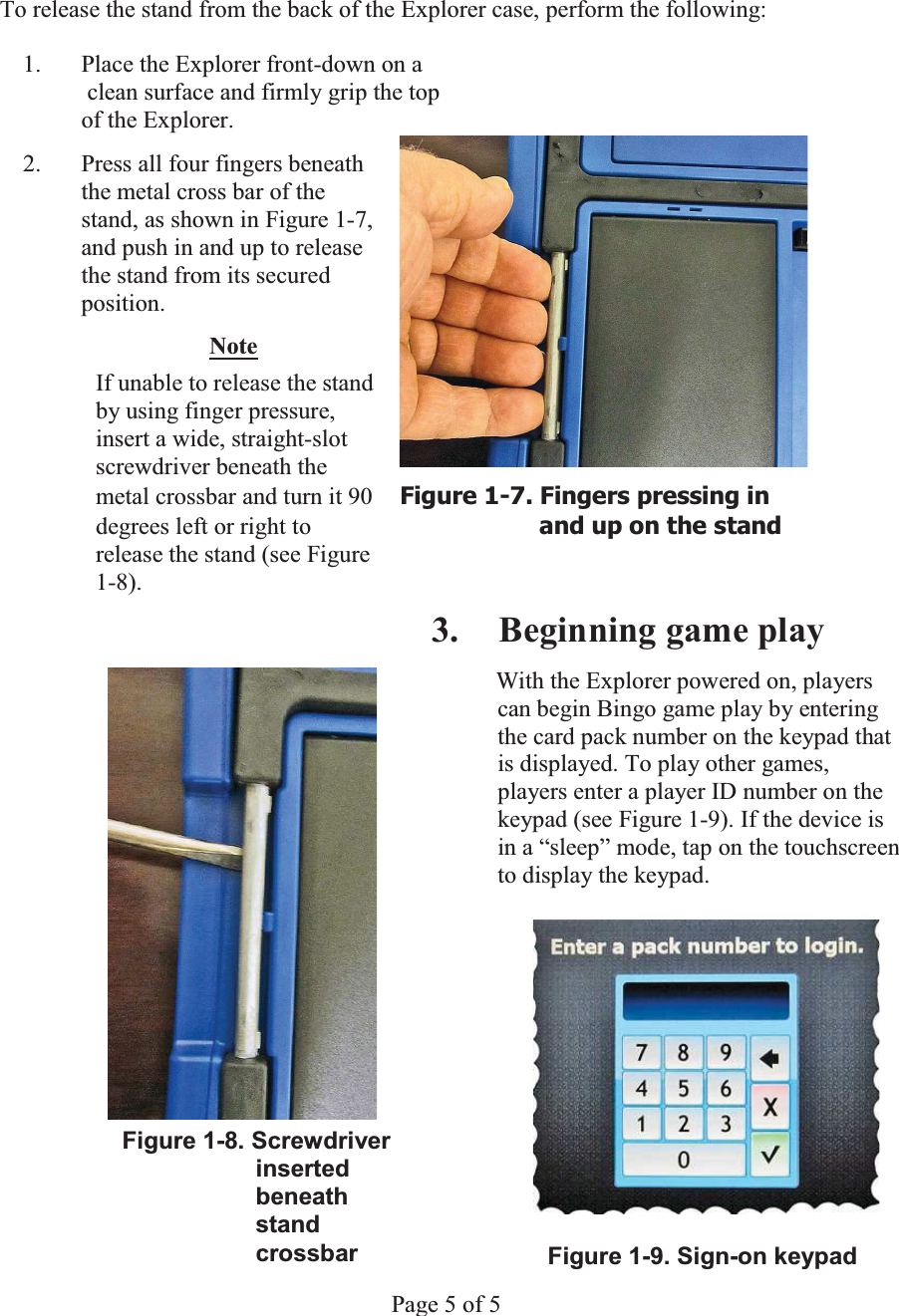
Page 4of 5To insert a battery, place the Explorer front-down on a clean surface, firmly grip the left side ofthe Explorer, position the battery label-side down into the slot guides, then carefully slide the battery fully to the left until it latches in place (see Figure 1-5).Figure 1-5. Sliding battery into the upper slotA fold-up stand is on the back of the Explorer that, when unfolded, allows users to view the display at a comfortable angle. The stand features a friction swivel that holds the stand in any chosen position (see Figure 1-6).Figure 1-6. Back of Explorer showing  unfolded stand
WĂ        To release the stand from the back of the Explorer case, perform the following: 1. Place the Explorer front-down on a    clean surface and firmly grip the top    of the Explorer.   2.  Press all four fingers beneath   the metal cross bar of the   stand, as shown in Figure 1-7,   and push in and up to release   the stand from its secured  position. Note  If unable to release the stand   by using finger pressure,   insert a wide, straight-slot  screwdriver beneath the   metal crossbar and turn it 90  )LJXUH)LQJHUVSUHVVLQJLQdegrees left or right to  DQGXSRQWKHVWDQGrelease the stand (see Figure  1-8). 3. Beginning game playWith the Explorer powered on, players can begin Bingo game play by entering the card pack number on the keypad that is displayed. To play other games, players enter a player ID number on the keypad (see Figure 1-9). If the device is in a “sleep” mode, tap on the touchscreen to display the keypad. Figure 1-8. Screwdriver            inserted                   beneath             stand            crossbar  Figure 1-9. Sign-on keypadPage 5 of 5

Navigation menu