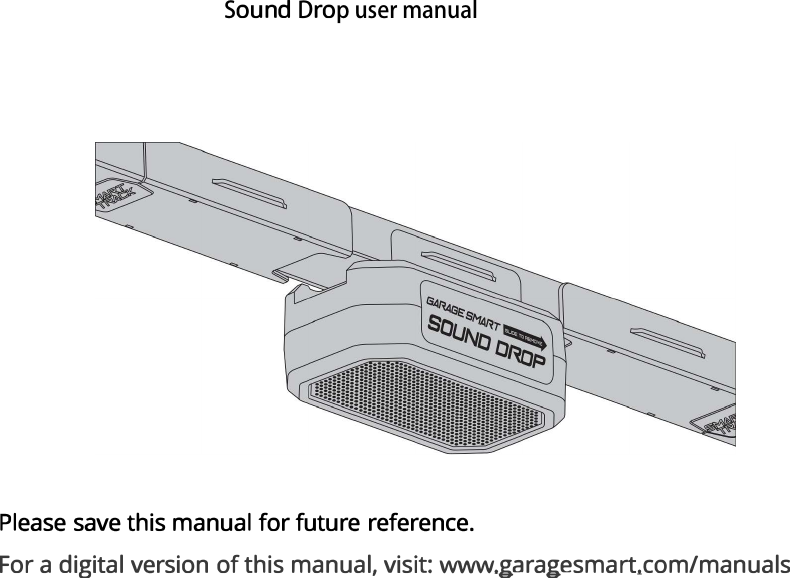
Garage Smart SMTSD0001 Sound Drop User Manual sound drop

Garage Smart Inc. Sound Drop sound drop

User Manual

SDp user manual
1TABLE OF CONTENTSINTRODUCTION  2FCC AND LEGAL STATEMENTS 3PARTS IDENTIFIER  4OVERVIEW OF THE SOUND DROP 5INSTALLATIONWALL INSTALLATION   6TRACK INSTALLATION 8POWERING THE SOUND DROP 9PAIRING AND CONNECTING 10TROUBLESHOOTING 11LIMITED WARRANTY 12
INTRODUCTIONThe Sound Drop is a Bluetooth-enabled speaker. With the Sound Drop you can stream music and audio from your smartphone, Amazon Echo Dot, or other Bluetooth-enabled devices. With the built in microphone you can make and take hands free calls while paired to your phone. The Sound Drop is designed to work with other Garage Smart products and mounts using your existing Garage Smart Track System.Safet y Warnings - Read and follow all safety, installation, and operation instructions. - Do not install or use near any heat sources. - Do not install or use near water. - Do not disassemble. - Only power speaker with official Garage Smart power adapter2
3 ()()'--     --/VS0
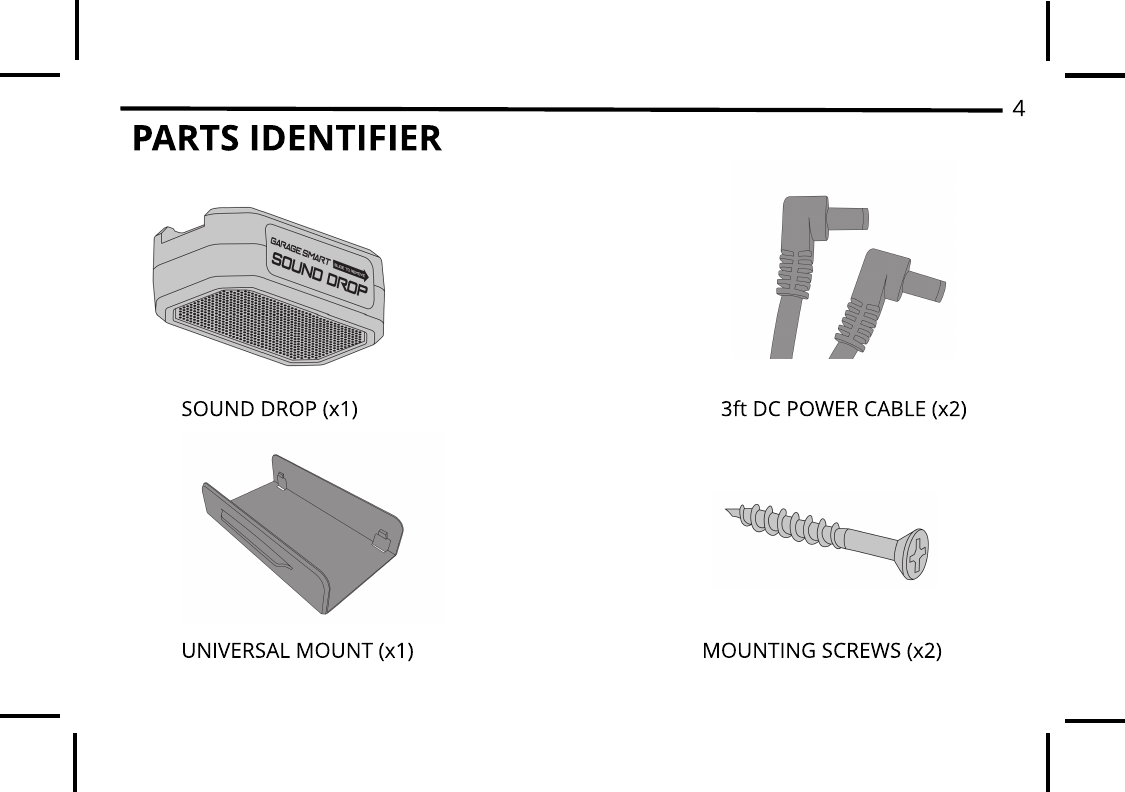
PARTS IDENTIFIER 4MOUNTING SCREWS (x2)UNIVERSAL MOUNT (x1)3ft DC POWER CABLE (x2)SOUND DROP (x1)
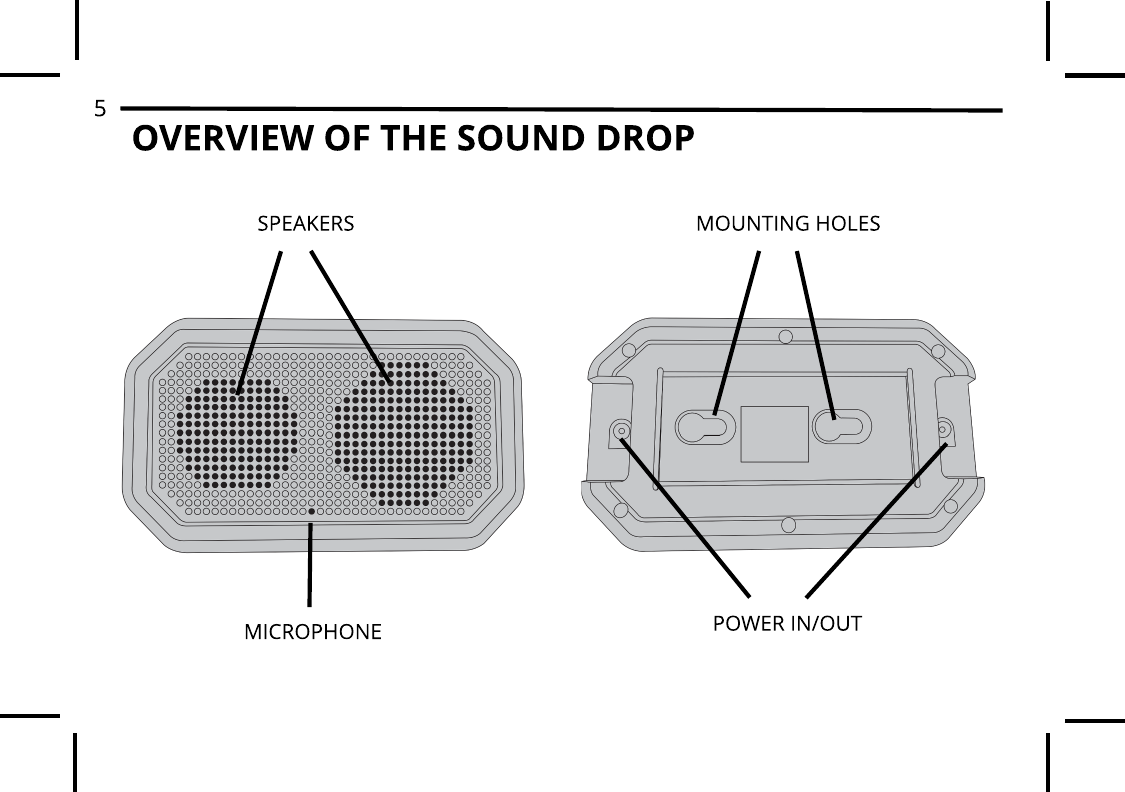
5OVERVIEW OF THE SOUND DROPSPEAKERSMICROPHONEMOUNTING HOLESPOWER IN/OUT
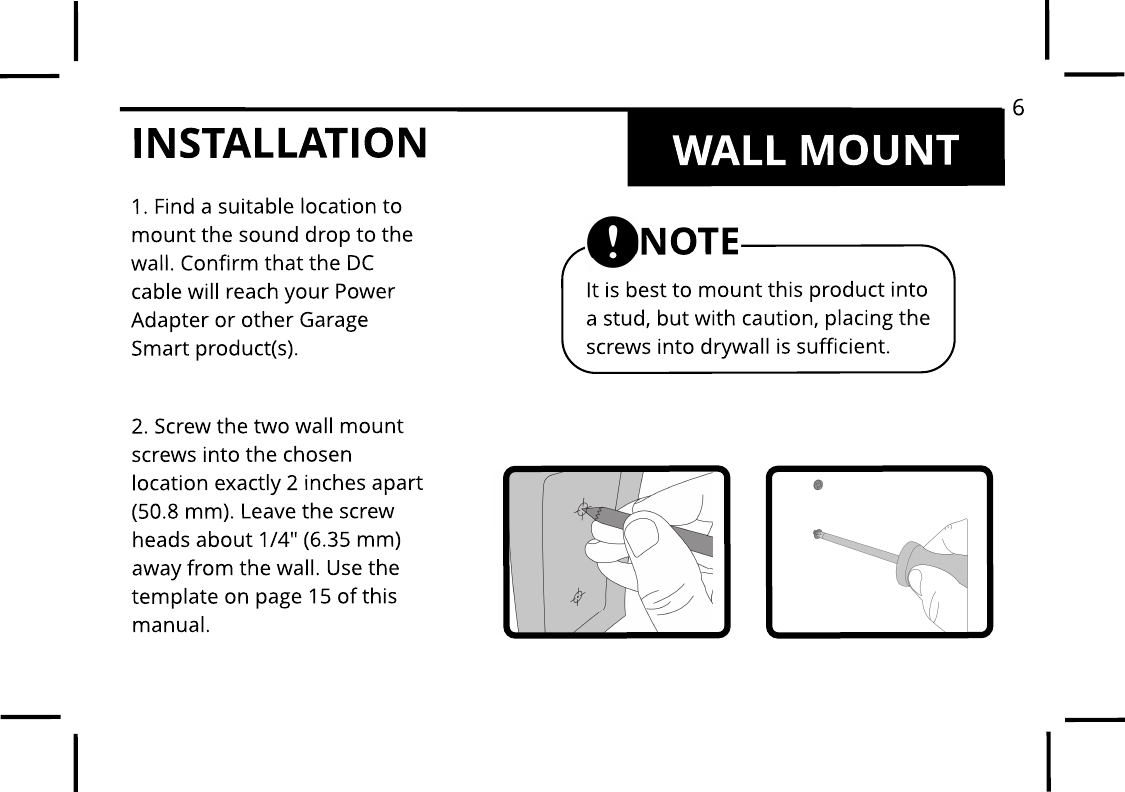
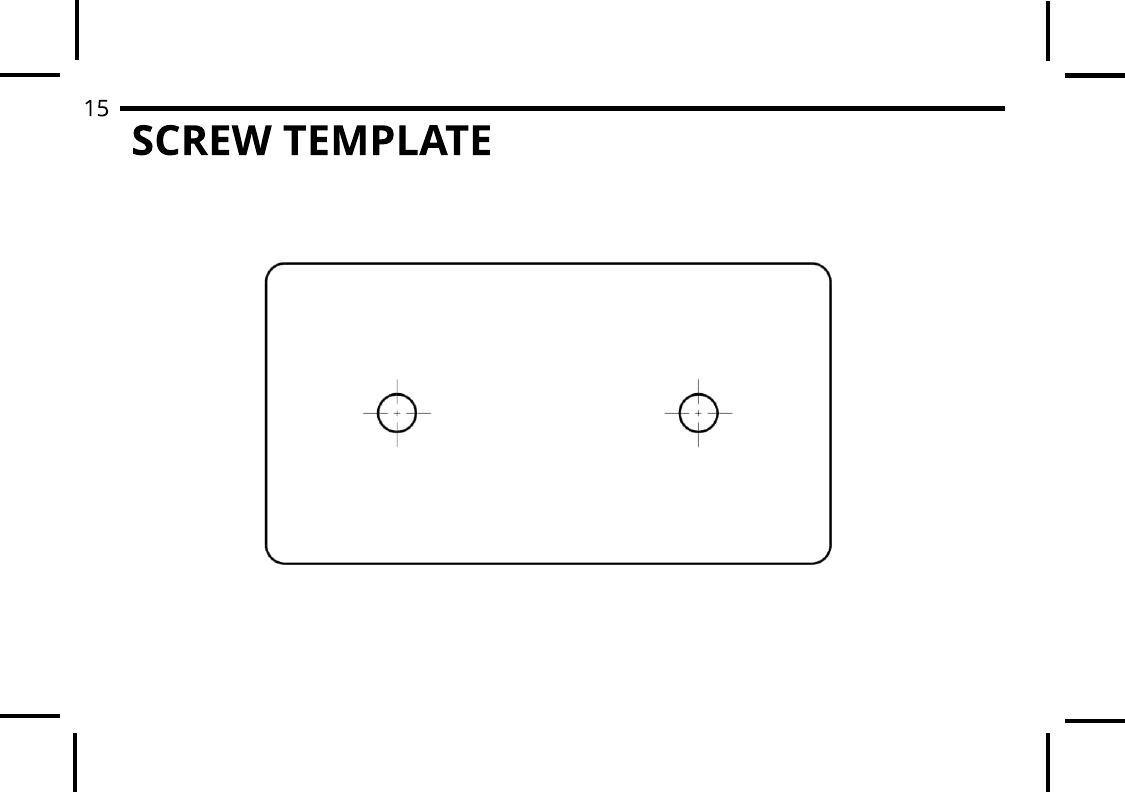
INSTALLATION WALL MOUNT1. Find a suitable location tomount the sound drop to thewall. Confirm that the DC cable will reach your Power Adapter or other Garage Smart product(s).2. Screw the two wall mount screws into the chosen location exactly 2 inches apart (50.8 mm). Leave the screw heads about 1/4" (6.35 mm) away from the wall. Use the template on page 15 of this manual.It is best to mount this product into a stud, but with caution, placing the screws into drywall is sufficient. NOTE6
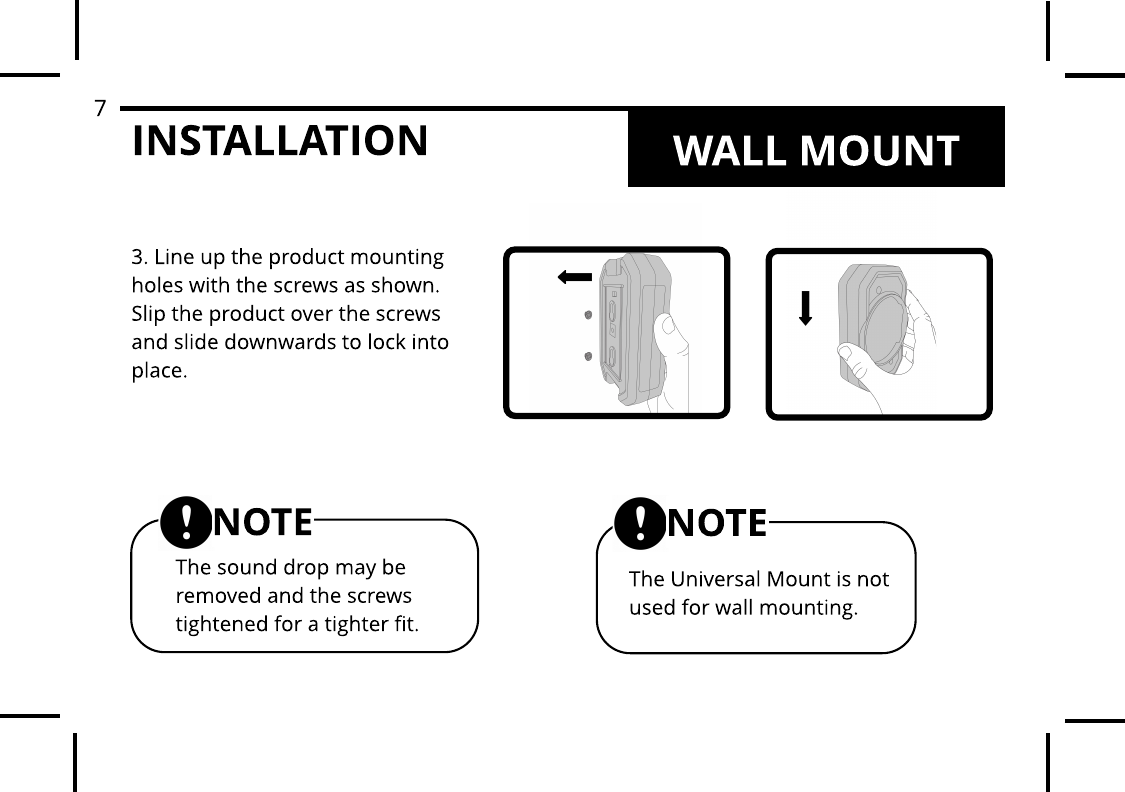
INSTALLATION3. Line up the product mounting holes with the screws as shown. Slip the product over the screws and slide downwards to lock into place.The Universal Mount is not used for wall mounting.NOTEThe sound drop may be removed and the screws tightened for a tighter fit.NOTEWALL MOUNT7
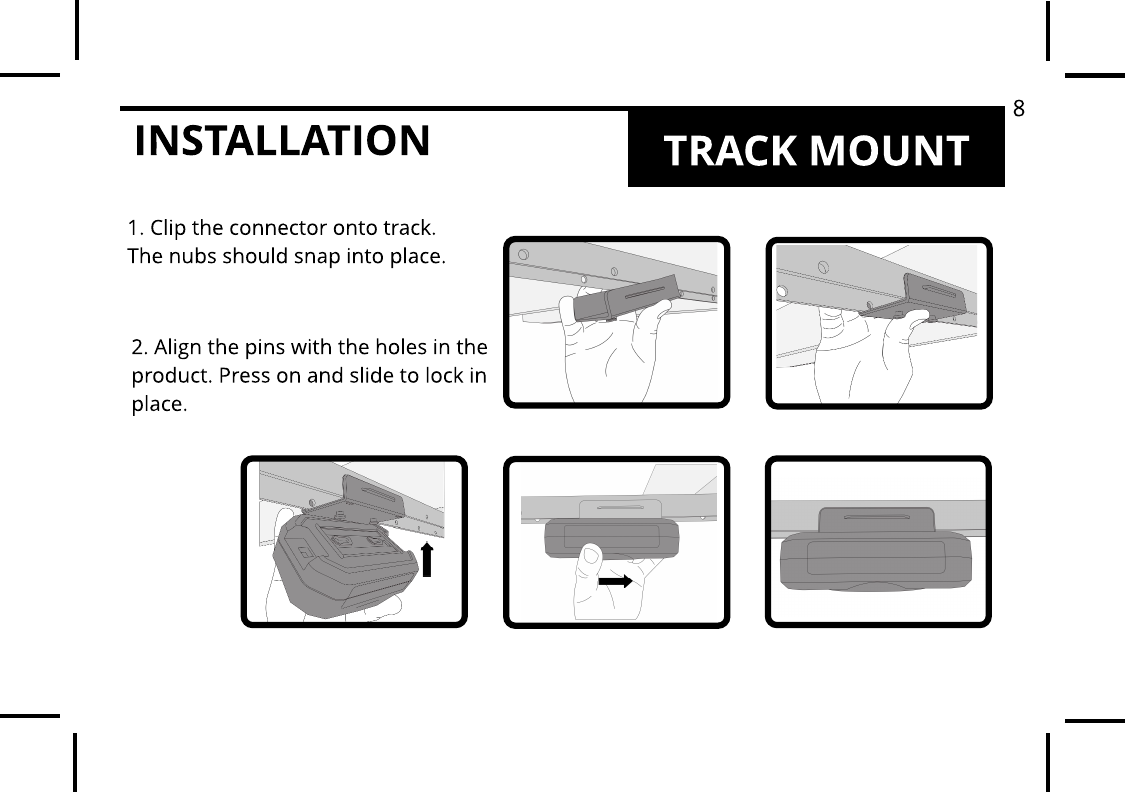
INSTALLATION TRACK MOUNT1. Clip the connector onto track. The nubs should snap into place. 2. Align the pins with the holes in the product. Press on and slide to lock in place.8
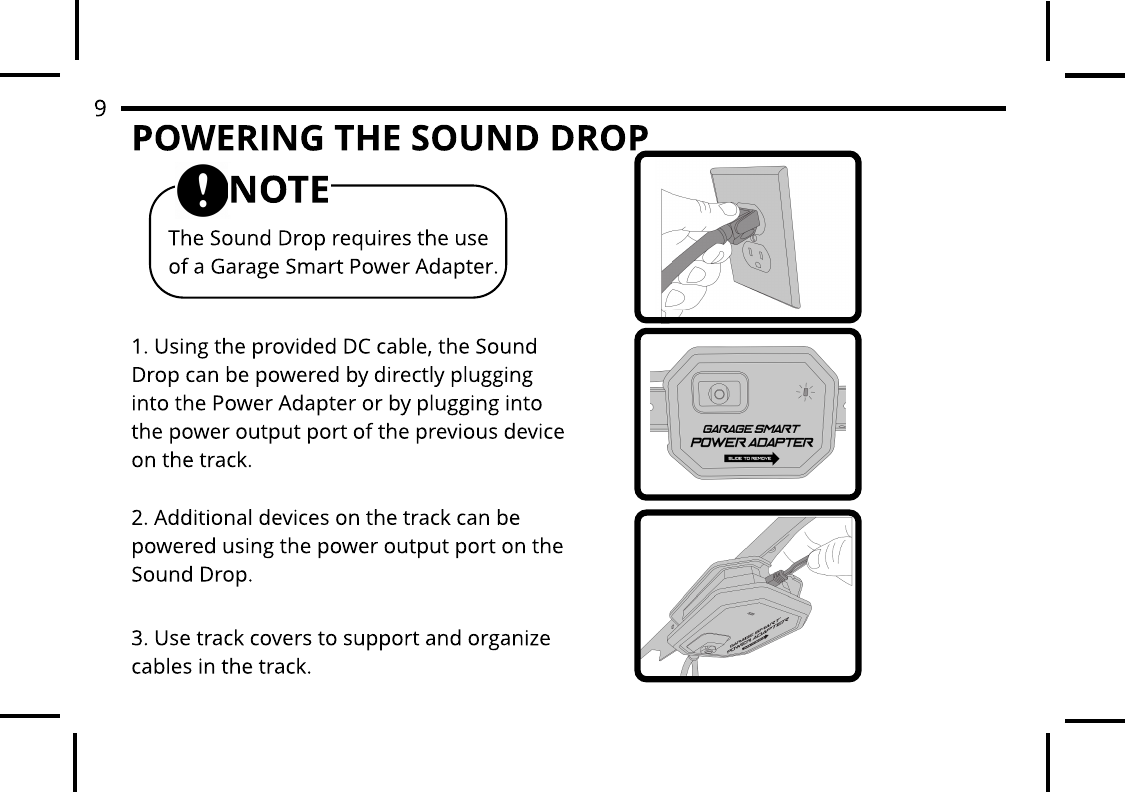
POWERING THE SOUND DROP1. Using the provided DC cable, the Sound Drop can be powered by directly plugging into the Power Adapter or by plugging into the power output port of the previous device on the track.2. Additional devices on the track can be powered using the power output port on the Sound Drop.3. Use track covers to support and organize cables in the track.The Sound Drop requires the use of a Garage Smart Power Adapter.NOTE9
PAIRING AND CONNECTING1. After powering the Sound Drop, the speaker will play the ?power-on? chime.2. Enable Bluetooth on the Bluetooth source device. (See the Bluetooth pairing and connecting information for the device).3. Select ?SoundDrop? on the Bluetooth source device.4. Wait briefly for the device to connect to the Sound Drop.5. When connected, the Sound Drop will play the ?connected? chime.If the Sound Drop has previously paired to a device, it may be necessary to ?Forget this Device? on the previous device before the Sound Drop is discoverable.10
TROUBLESHOOTING1. The Sound Drop does not  chime when plugged in: Make sure the Power Adapter is powered and that the LED is lit. Make sure the DC cables are fully inserted into the power in DC jack.2. The Sound Drop is not  discoverable on my Bluet ooth device: Make sure the Sound Drop is powered on. Make sure that the Sound Drop is not currently connected to any other device. Briefly unplug the Sound Drop to reset.3. When the Sound Drop is plugged in all my DC Garage Smart products lose power: The Garage Smart Power Adapter has a maximum power capacity of 60W. If too many devices are connected together the Power Adapter will briefly shut down. Remove extra devices from the track or start a new track using a new Power Adapter.11
LIMITED WARRANTYLim it ed Three-Year Warrant y on HardwareGarage Smart offers a limited three-year warranty on the hardware components of its lifting systems. If a defect in the hardware, or any component thereof, appears at any time during the first three years after purchase, Garage Smart will repair or replace (at its option) the system or the defective component at no cost to you beyond the cost of shipping the defective item to us. Who Makes This Warranty This warranty is made by Garage SmartP.O. Box 50180Provo, UT 84605Who Is CoveredThis warranty extends only to the original purchaser of the product. This warranty is intended for natural persons only and does not extend to any corporation, limited liability company, or commercial entity.What Is CoveredThe limited three-year warranty on hardware covers manufacturing defects and includes parts, labor, and the cost of shipping the repaired (or replacement) product from Garage Smart to you. The warranty does not cover installation of repaired or replacement items. If we send replacement parts, we may use new or reconditioned parts. If we send a replacement unit, we may use a new or reconditioned unit.12
Where and How to Obt ain Warrant y ServiceYou can obtain warranty service from Garage Smart at the address indicated below. It is your responsibility to deliver or ship the defective product to us at your expense, together with a copy of your receipt showing date of purchase and a description of the claimed defect, prior to the expiration of the warranty period. To obtain information regarding this warranty, you may contact us by mail, e-mail, or phone.Garage Smart3000 S Vista WayProvo, UT 84606Support@GarageSmart.comExcept ions and ExclusionsThis warranty does not include damage or defects resulting from misuse, accident, failure to maintain, or any other causes following your purchased of the product.Use of the Lifter system with any other system or components ( including affixing non Garage Smart attachments or accessories) voids this warranty. Failure to follow the owner?s manual in installation or use of the Lifter system voids the warranty. Unauthorized repair or modification voids the warranty. The Lifter system is intended for personal, indoor, home use. Garage Smart does not warrant its lift system for commercial use, and any such use voids the warranty.TO THE GREATEST EXTENT PERMITTED BY LAW, THIS WARRANTY IS IN LIEU OF AND EXCLUDES ALL OTHER WARRANTIES NOT EXPRESSLY SET FORTH HEREIN, WHETHER EXPRESS OR IMPLIED, INCLUDING BUT NOT LIMITED TO ANY WARRANTIES OF MERCHANTABILITY AND FINESS FOR A PARTICULAR PURPOSE.13
SCREW TEMPLATE15

Navigation menu