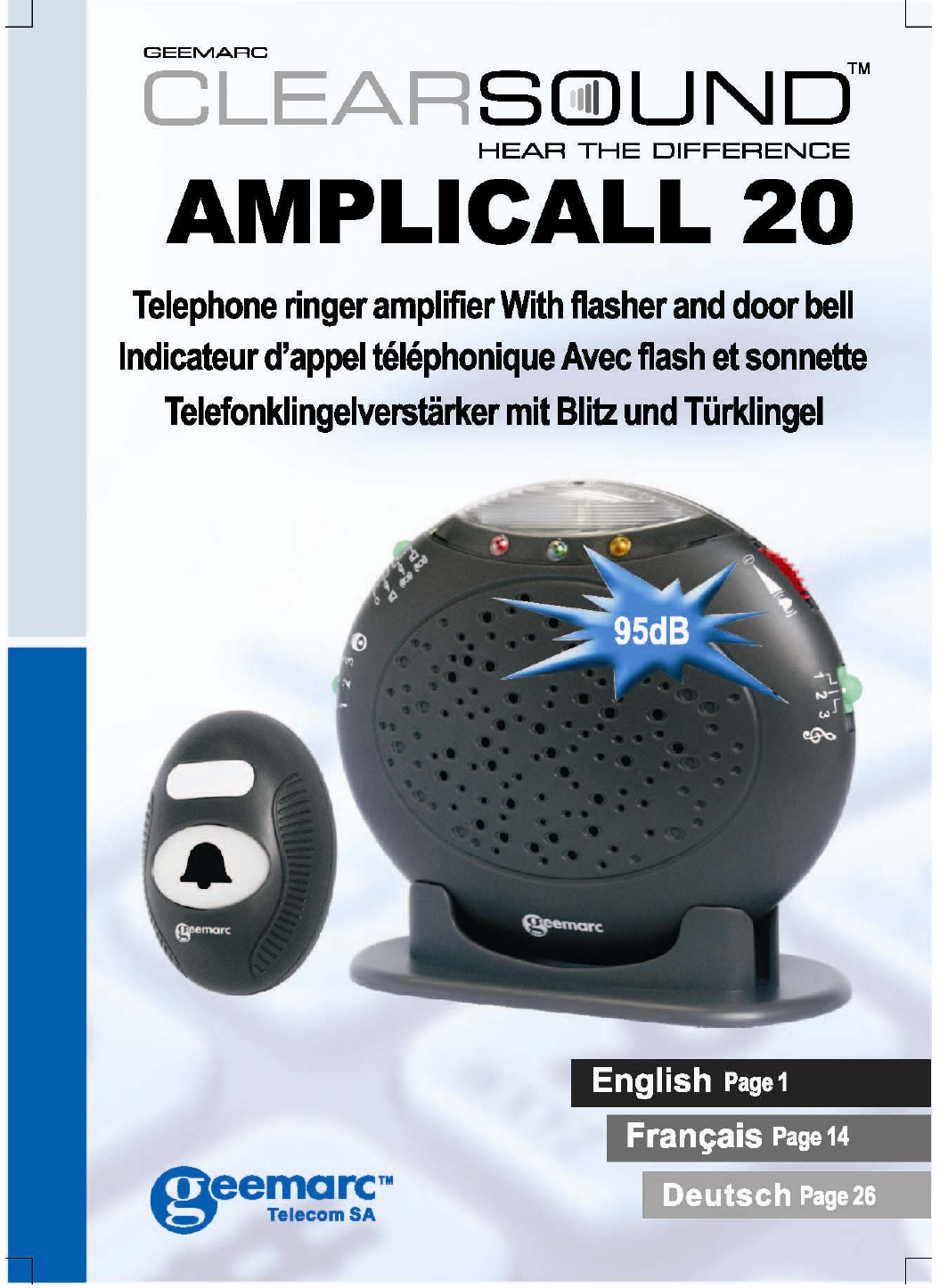
Geemarc Telecom AC2T 433.92MHz Transmitter User Manual

Geemarc Telecom International Ltd. 433.92MHz Transmitter Users Manual

Users Manual

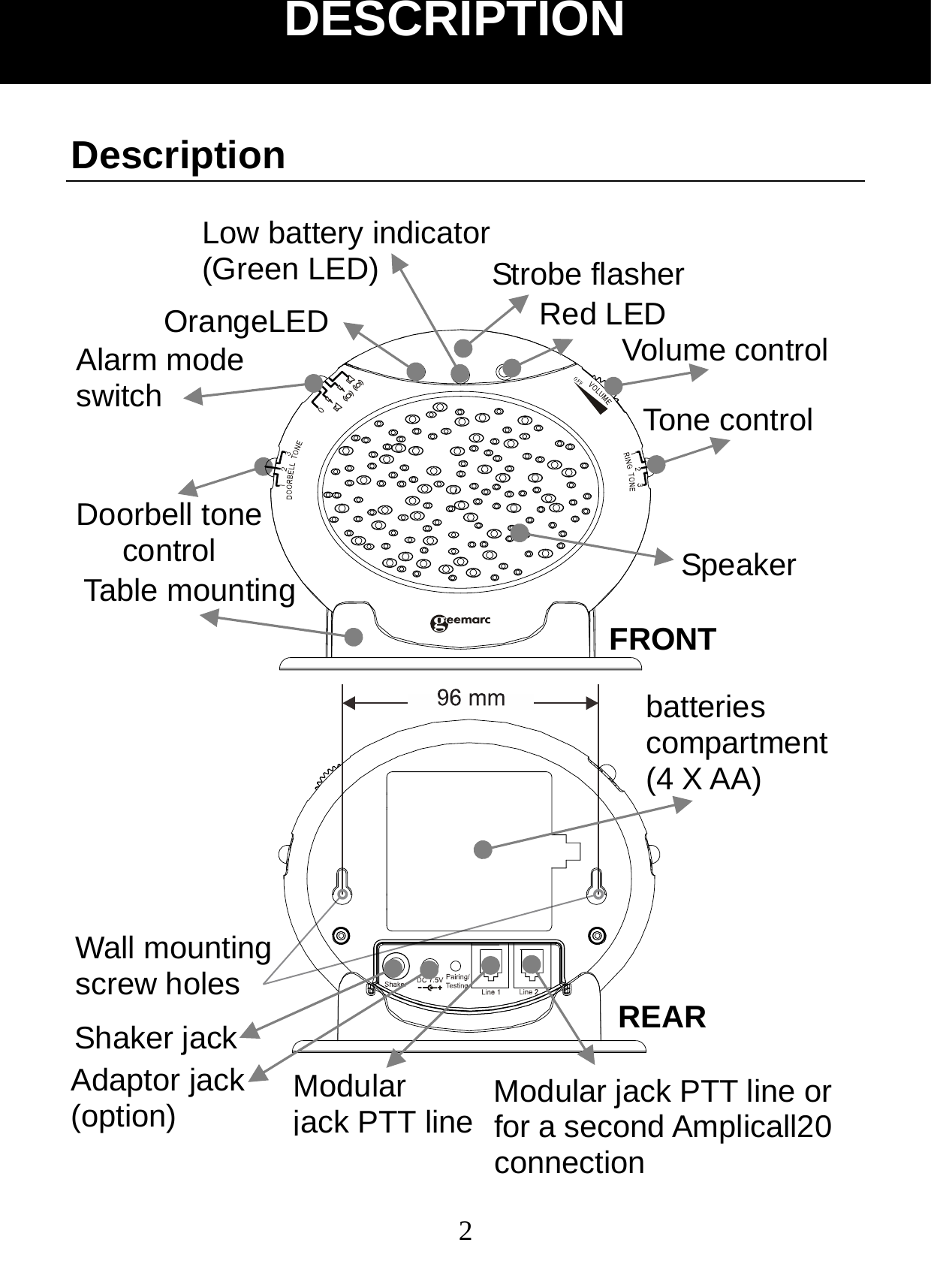
 2Description                      DESCRIPTION Red LED Doorbell tone control OrangeLED Strobe flasher Volume control Tone control SpeakerAlarm mode   switch Low battery indicator   (Green LED) Table mounting Adaptor jack (option) Wall mounting screw holes Shaker jack Modular  jack PTT line Modular jack PTT line or for a second Amplicall20 connectionbatteries compartment (4 X AA) FRONT REAR
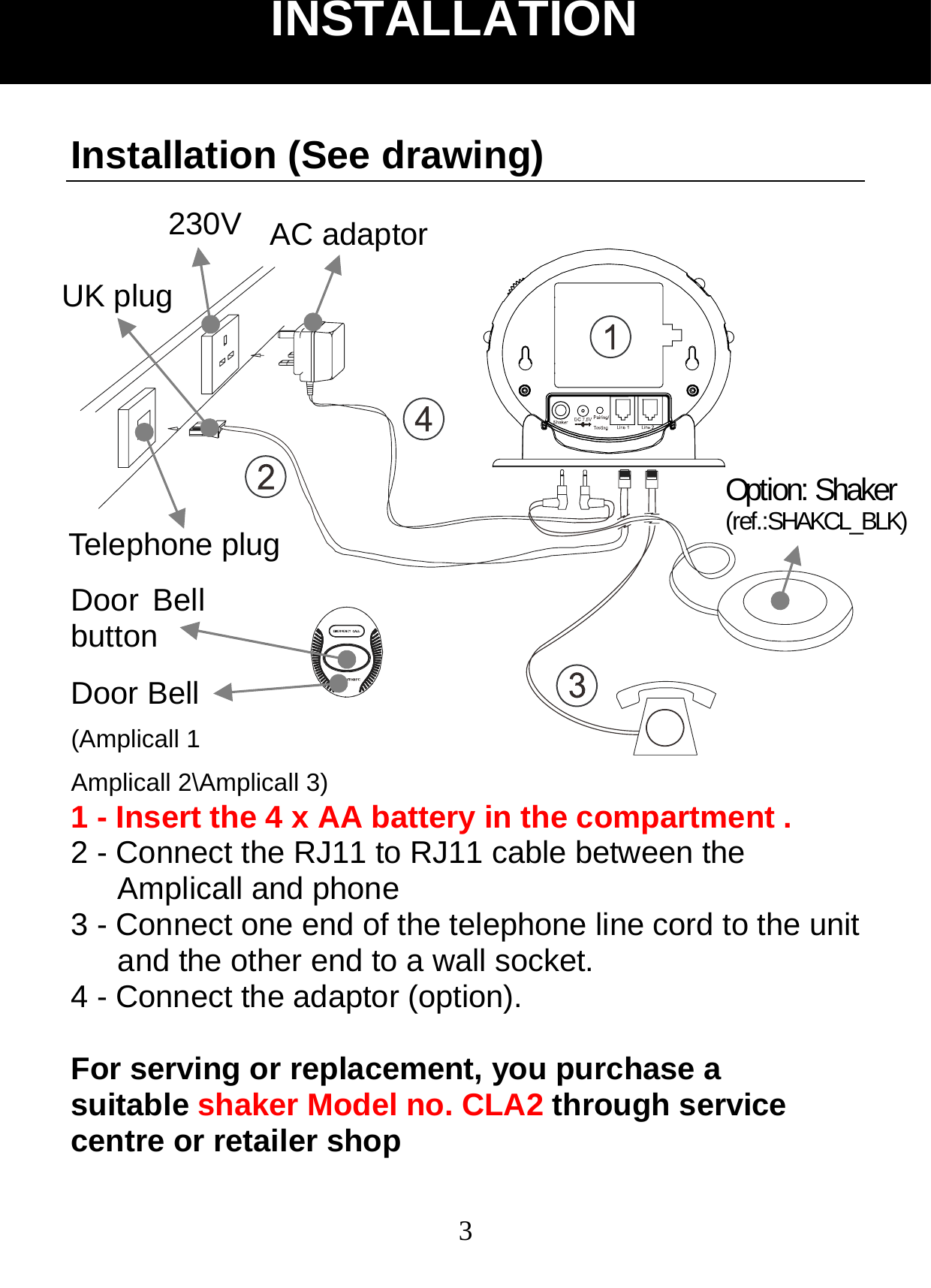
 3Installation (See drawing)    1 - Insert the 4 x AA battery in the compartment . 2 - Connect the RJ11 to RJ11 cable between the Amplicall and phone 3 - Connect one end of the telephone line cord to the unit and the other end to a wall socket. 4 - Connect the adaptor (option).  For serving or replacement, you purchase a suitable shaker Model no. CLA2 through service centre or retailer shop INSTALLATION Door Bell button Door Bell (Amplicall 1 Amplicall 2\Amplicall 3) AC adaptor 230V UK plug Option: Shaker (ref.:SHAKCL_BLK) Telephone plug
 4Electrical connection : The apparatus is designed to operate from a 230V 50Hz supply only. (Classified as «hazardous voltage» according to EN60950 standard). The apparatus does not incorporate an integral power   on/off switch. To disconnect the power, either switch off supply at the mains power socket or unplug the AC adaptor. When installing the apparatus, ensure that the mains power socket is readily accessible. Telephone connection : Voltages present on the telecommunication network are classified TNV-3 (Telecommunication Network Voltage) according to the EN60950 standard. Important Safety Instructions When using your device equipment, basic safety precautions should always be followed to reduce the risk of fire, electric shock and injury to persons, including the following: 1. Do not use this product near water, for example, near a bath tub, wash bowl, kitchen sink or laundry tub, in a wet basement or near a swimming pool. 2. Avoid using a device (other than a cordless type) during an electrical storm. There may be a remote risk of electric shock from lightning. 3. Do not use the device to report a gas leak in the vicinity of the leak. 4. Use only the power cord and batteries indicated in this manual. Do not dispose of batteries in a fire. They may explode. Check with local codes for possible special disposal instructions. SAVE THESE INSTRUCTIONS! INSTALLATION
 5Setting up Door bell 1.  The Door Bell can be take with the people who need the assistance. 2.  The door bell can be fixed on the wall or door surround, drill two holes horizontally, 15mm apart, put the supplied anchor into the two holes, hang the door bell on to the two anchors and then instert and tighten screws, and then stick the blank sticker on the two holes. 3.  The door be can be stick onto a door, window using the supplied strong adhesive tape. Remove the protective paper from the adhesive tape on the back of the door bell and stick to the required window.              INSTALLATION
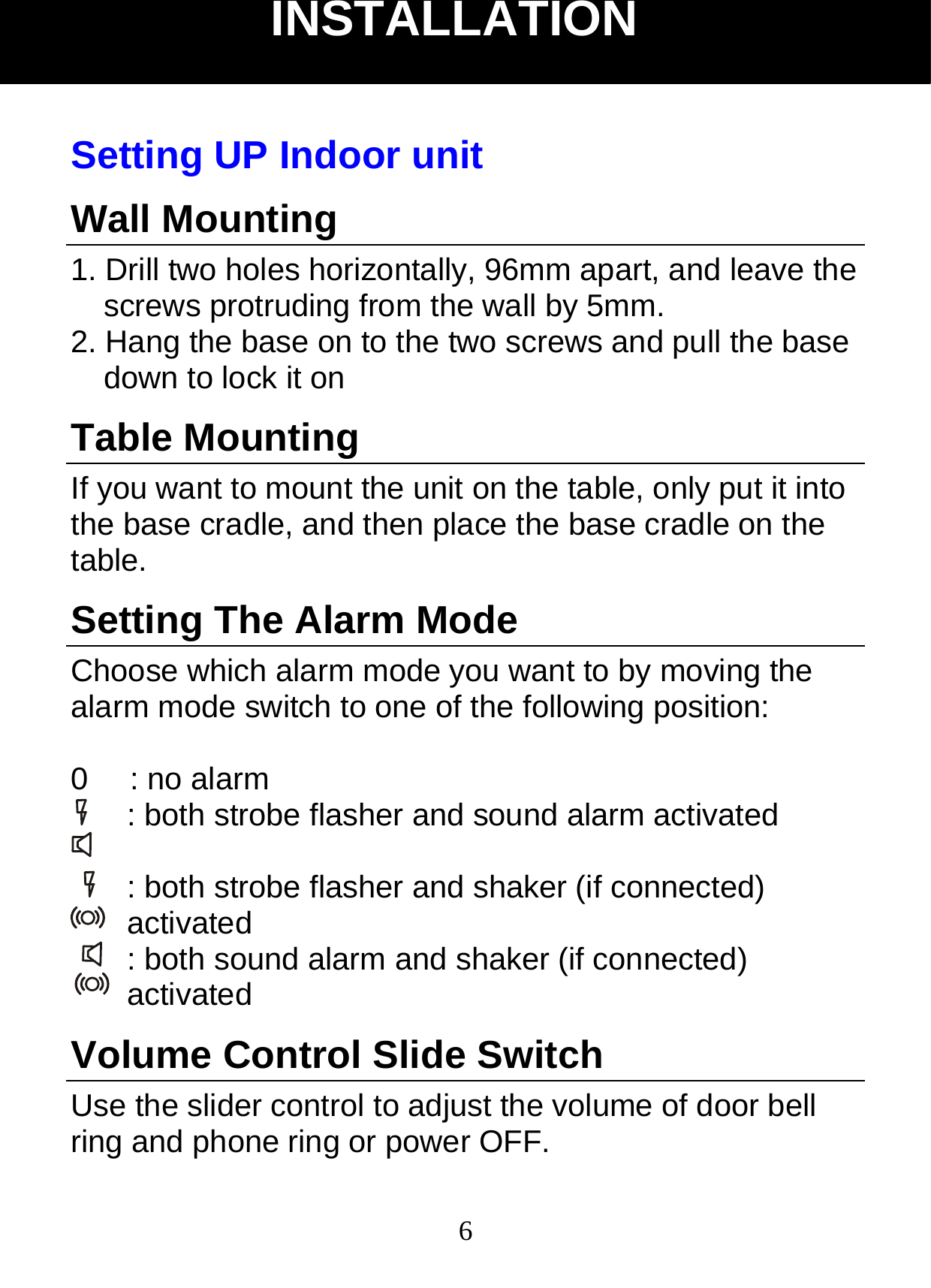
 6Setting UP Indoor unit Wall Mounting 1. Drill two holes horizontally, 96mm apart, and leave the screws protruding from the wall by 5mm. 2. Hang the base on to the two screws and pull the base down to lock it on Table Mounting If you want to mount the unit on the table, only put it into the base cradle, and then place the base cradle on the table. Setting The Alarm Mode Choose which alarm mode you want to by moving the alarm mode switch to one of the following position:  0   : no alarm : both strobe flasher and sound alarm activated    : both strobe flasher and shaker (if connected) activated : both sound alarm and shaker (if connected) activated  Volume Control Slide Switch     Use the slider control to adjust the volume of door bell ring and phone ring or power OFF. INSTALLATION
 7Tone Control Switch (3 Positions) Set the tone of the alarm sound. Door Bell Tone Control The three position switch allows you to set a different tone when the door bell rings. Change the Battery of Indoor unit The unit requires 4×AA batteries   1. Open the battery door. 2. Insert four AA batteries into the compartment. 3. Snap the battery compartment door back into place. Note: when the red indicator keep flashes, replace the batteries. During replacement of the batteries, disconnect all telephone line cords from the wall modular jacks.  You can add one adaptor in option (contact 01 707- 384438) Change the Battery of the Door bell The door bell is supplied with a A23 12V battery. The Door bell is supplied ready to use, it is not necessary to open the Door Bell when you first install the Amplicall 20.    To replace the battery, unscrew the door bell from the wall, unscrew the five screws located on the base and open the box to get access to the battery compartment. Replace the battery, replace back and remount.   INSTALLATION
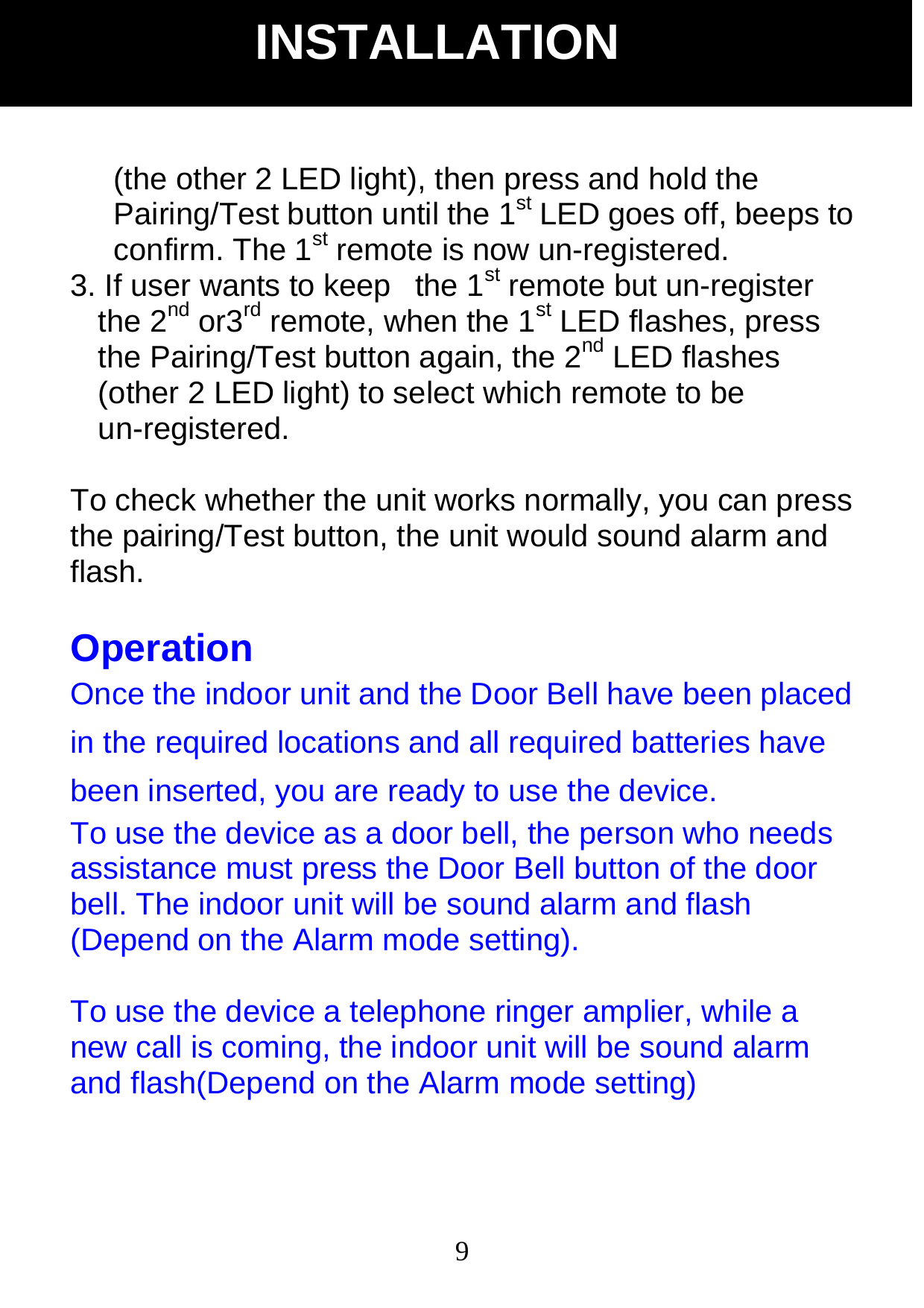
 8Note: Do not use a rechargeable battery. Do not put the used battery into the household rubbish, pay attention to battery regulations regarding battery disposal.   The Pairing Procedure: 1.  Press and hold the Pairing/Test button until the unit makes a beep sound, release the Pairing/Test button, then the 1st LED lights to enter pairing mode. 2.  Press and hold the Pairing/Test button again until the 1st LED flashes, then press and hold the remote button at the same time until the strobe flasher LED flashes, the unit makes a beep sound to confirm pairing successfully. 3.    If user wants to pair the 2nd or 3rd remote, when the 1st LED lights, press the Pairing/Test button once, the 1st LED goes off and then the 2nd LED lights. User is able to pair the 2nd remote, repeat the same procedure for the 3rd remote. 4.    Repeat the above, all 3 LEDS flashing together for the 4th remote pairing.  Un- Register The Pairing: 1. Press and hold the Pairing/Test button for 5 seconds to enter un-register mode, 3 LEDs flash together.  2. If user wants to un-register the 1st remote, press the Pairing/Test button once, the 1st LED will be flashing INSTALLATION
 9(the other 2 LED light), then press and hold the Pairing/Test button until the 1st LED goes off, beeps to confirm. The 1st remote is now un-registered. 3. If user wants to keep   the 1st remote but un-register the 2nd or3rd remote, when the 1st LED flashes, press the Pairing/Test button again, the 2nd LED flashes (other 2 LED light) to select which remote to be un-registered.  To check whether the unit works normally, you can press the pairing/Test button, the unit would sound alarm and flash.  Operation Once the indoor unit and the Door Bell have been placed in the required locations and all required batteries have been inserted, you are ready to use the device.   To use the device as a door bell, the person who needs assistance must press the Door Bell button of the door bell. The indoor unit will be sound alarm and flash (Depend on the Alarm mode setting).  To use the device a telephone ringer amplier, while a new call is coming, the indoor unit will be sound alarm and flash(Depend on the Alarm mode setting) INSTALLATION
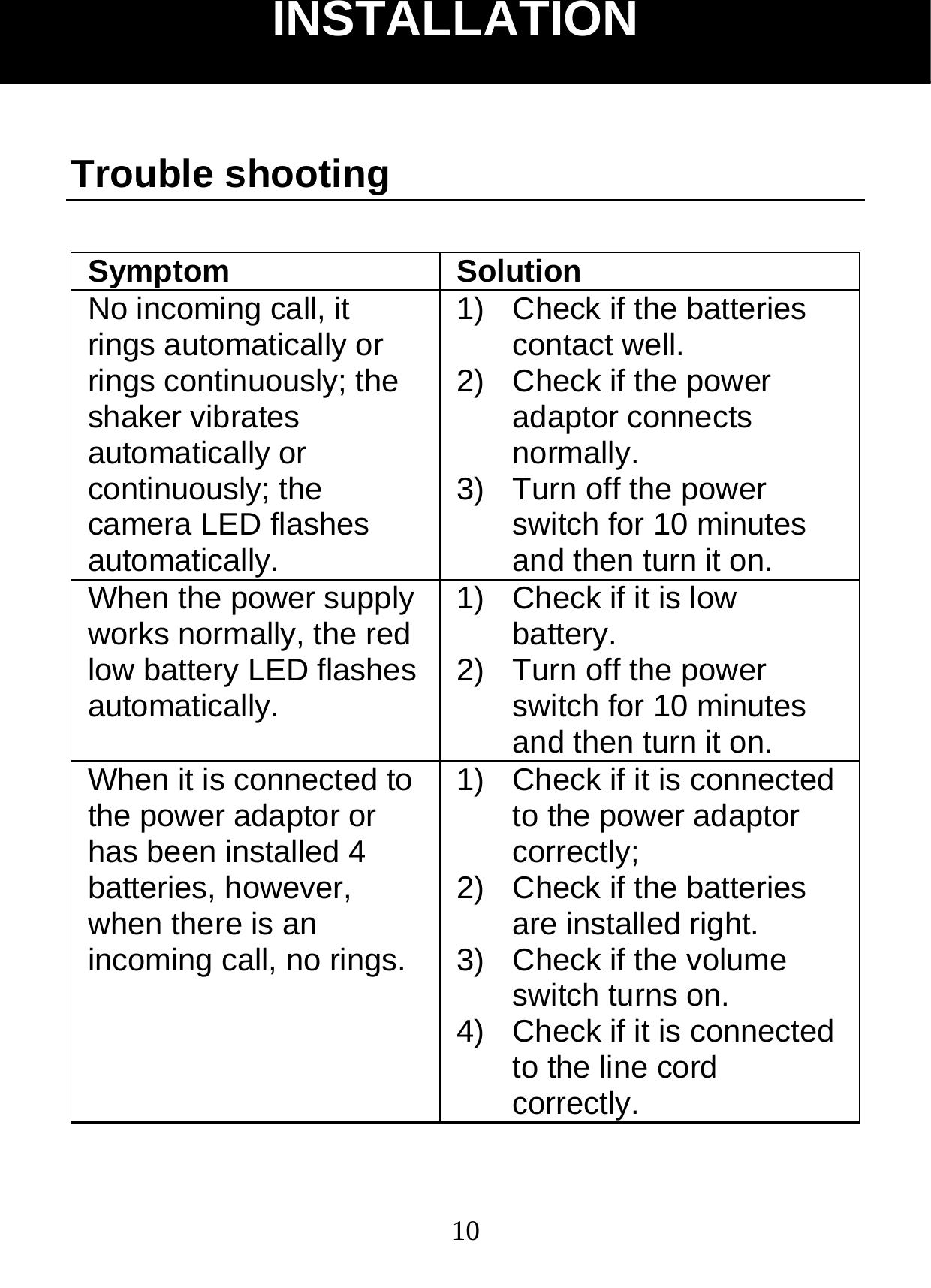
 10Trouble shooting  Symptom Solution No incoming call, it rings automatically or rings continuously; the shaker vibrates automatically or continuously; the camera LED flashes automatically.  1)  Check if the batteries contact well. 2)  Check if the power adaptor connects normally. 3)  Turn off the power switch for 10 minutes and then turn it on. When the power supply works normally, the red low battery LED flashes automatically. 1)  Check if it is low battery. 2)  Turn off the power switch for 10 minutes and then turn it on. When it is connected to the power adaptor or has been installed 4 batteries, however, when there is an incoming call, no rings. 1)  Check if it is connected to the power adaptor correctly; 2)  Check if the batteries are installed right. 3)  Check if the volume switch turns on. 4)  Check if it is connected to the line cord correctly. INSTALLATION
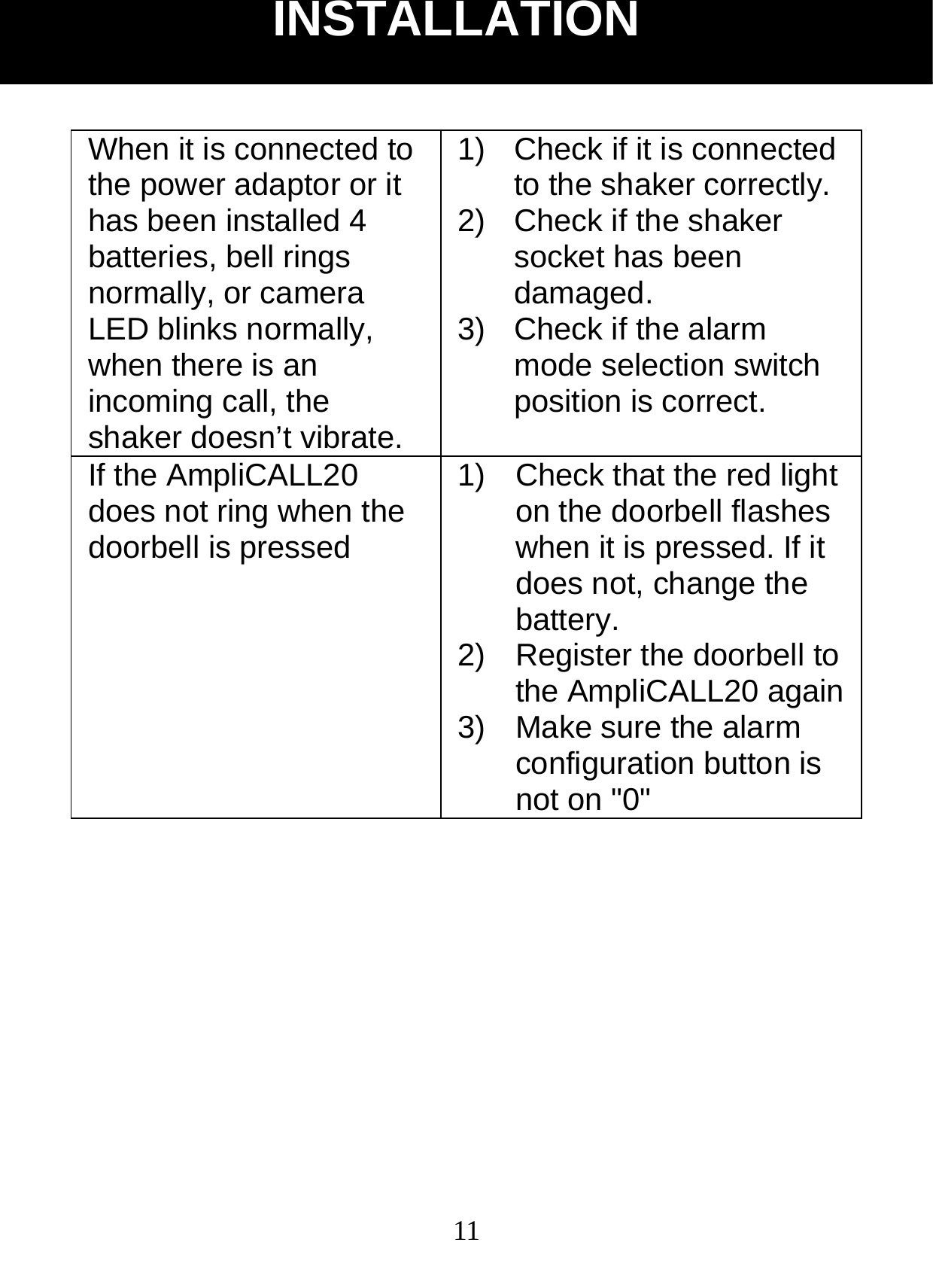
 11When it is connected to the power adaptor or it has been installed 4 batteries, bell rings normally, or camera LED blinks normally, when there is an incoming call, the shaker doesn’t vibrate. 1)  Check if it is connected to the shaker correctly. 2)  Check if the shaker socket has been damaged. 3)  Check if the alarm mode selection switch position is correct. If the AmpliCALL20 does not ring when the doorbell is pressed 1)  Check that the red light on the doorbell flashes when it is pressed. If it does not, change the battery. 2)  Register the doorbell to the AmpliCALL20 again3)  Make sure the alarm configuration button is not on "0"        INSTALLATION
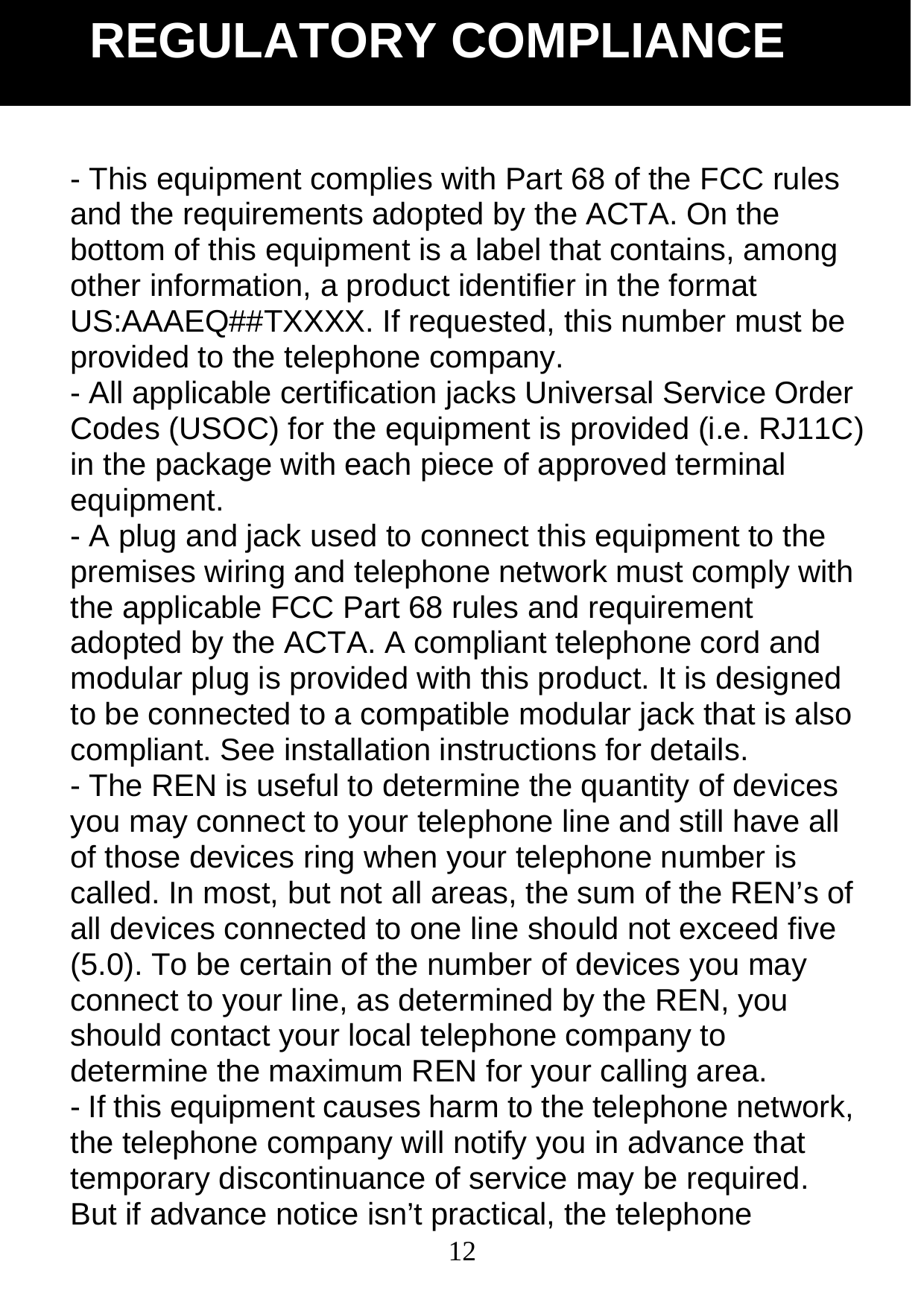
 12- This equipment complies with Part 68 of the FCC rules and the requirements adopted by the ACTA. On the bottom of this equipment is a label that contains, among other information, a product identifier in the format US:AAAEQ##TXXXX. If requested, this number must be provided to the telephone company. - All applicable certification jacks Universal Service Order Codes (USOC) for the equipment is provided (i.e. RJ11C) in the package with each piece of approved terminal equipment. - A plug and jack used to connect this equipment to the premises wiring and telephone network must comply with the applicable FCC Part 68 rules and requirement adopted by the ACTA. A compliant telephone cord and modular plug is provided with this product. It is designed to be connected to a compatible modular jack that is also compliant. See installation instructions for details. - The REN is useful to determine the quantity of devices you may connect to your telephone line and still have all of those devices ring when your telephone number is called. In most, but not all areas, the sum of the REN’s of all devices connected to one line should not exceed five (5.0). To be certain of the number of devices you may connect to your line, as determined by the REN, you should contact your local telephone company to determine the maximum REN for your calling area. - If this equipment causes harm to the telephone network, the telephone company will notify you in advance that temporary discontinuance of service may be required. But if advance notice isn’t practical, the telephone REGULATORY COMPLIANCE
 13company will notify the customer as soon as possible. Also, you will be advised of your rights to file a complaint with the FCC if you believe it is necessary. - The telephone company may make changes in its facilities, equipment, operation or procedures that could affect the operation of the equipment. If this happens the telephone company will provide advance notice in order for you to make necessary modifications to maintain uninterrupted service. - This equipment may not be used on coin service provided by the telephone company. Connection to party lines is subject to state tariffs. Warning: Changes or modifications to this unit not expressly approved by the party responsible for compliance could void the user’s authority to operate the equipment. This device complies with part 15 of the FCC Rules. Operation is    subject to the following two conditions: (1) This device may not cause harmful interference, and (2) this device must accept any interference received, including interference that may cause undesired operation. NOTE : This equipment has been tested and found to comply with the limits for a Class B digital device, pursuant to Part 15 of the FCC Rules. These limits are designed to provide reasonable protection against harmful interference in a residential installation.   This equipment generates, uses and can radiate radio frequency energy and, if not installed and used in REGULATORY COMPLIANCE
 14accordance with the instructions, may cause harmful interference to radio communications. However, there is no guarantee that interference will not occur in a particular installation. If this equipment does cause harmful interference to radio or television reception, which can be determined by turning the equipment off and on, the user is encouraged to try to correct the interference by one or more of the following measures: •  Reorient or relocate the receiving antenna. •  Increase the separation between the equipment and receiver.  •  Connect the equipment into an outlet on a circuit different from that to which the receiver is connected. •  Consult the dealer or an experienced radio TV technician for help. - If trouble is experienced with this equipment, for repair or warranty information, please contact our customer service staff at: 1-888-864-2446 If the equipment is causing harm to the telephone network, the telephone company may request that you disconnect the equipment until the problem is resolved. - Please follow instructions for repairing if any; otherwise do not alter or repair any part of device except as specified. Opening the equipment or any attempt to perform repairs will void the warranty. For service or repairs, call 1-888-864-2446. REGULATORY COMPLIANCE
 15From the moment your Geemarc product is purchased, Geemarc guarantee it for the period of one year.    During this time, all repairs or replacements (at our option) are free of charge. Should you experience a problem then contact our helpline or visit our website at www.geemarc.com. The guarantee does not cover accidents, negligence or breakages to any parts.    The product must not be tampered with or taken apart by anyone who is not an authorised Geemarc representative.The Geemarc guarantee    in no way limits your legal rights. IMPORTANT: YOUR RECEIPT IS PART OF YOUR GUARANTEE AND MUST BE RETAINED AND PRODUCEDIN THE EVENT OF A WARRANTY CLAIM Please note : The guarantee applies to the United Kingdom only.  Declaration : Hereby Geemarc Telecom SA declares that this product is in compliance with the essential requirements and other relevant provisions of the Radio and Telecommunications Terminal Equipment Directive 1999/5/EEC and in particular article 3 section 1a, 1b and section 3. The declaration of conformity may be consulted at www.geemarc.com  Recycling directives : The WEEE (Waste Electrical and Electronic Equipment) has been put in place for the products at the end of their useful life are recycled in the GARANTIE GARANTIE
 16best way.When this product is finished with, please do not put it in your domestic waste bin.Please use one of the following disposal options: - Remove the batteries and deposit them in an appropriate WEEE skip. Deposit the product in an appropriate WEEE skip. - Or, hand the old product to the retailer. If you purchase a new one, they should accept it. Thus if you respect these instructions you ensure human health and environmental protection.    For product support and help visit our website at www.geemarc.com Telephone 01707 384438 Or fax 01707 832529

Navigation menu