Golfzon IDRO900F2 UHF RFID Reader User Manual

Golfzon Co., Ltd. UHF RFID Reader Users Manual

Users Manual

      MAY 2012        IDRO900F2 USER’S MANUAL  V2.5.24
 IDRO900F2 User’s Manual Company  Date  Version IDRO Co.,Ltd  2012-05-24  V2.5.24  2 Identification with Radio and Optical    Revision history Version  Revision Date  Revision Page  Revision Description V2.5.24  2012-05-24    Draft
 IDRO900F2 User’s Manual Company  Date  Version IDRO Co.,Ltd  2012-05-24  V2.5.24  3 Identification with Radio and Optical  Contents 1. Introduction & System composition diagram .......................................................... 4 z Introduction ................................................................................................................................................. 4 z System composition diagram ............................................................................................................ 4 2. Composition parts .......................................................................................................... 5 3. Reader Description ......................................................................................................... 6 4. Reader Specification ....................................................................................................... 8 z Reader Performance ............................................................................................................................... 8 z Interface ......................................................................................................................................................... 8 z Physical Dimension .................................................................................................................................. 8 z Power control level table ..................................................................................................................... 9 z Mechanical Dimension ........................................................................................................................ 10 5. Operation method ....................................................................................................... 11
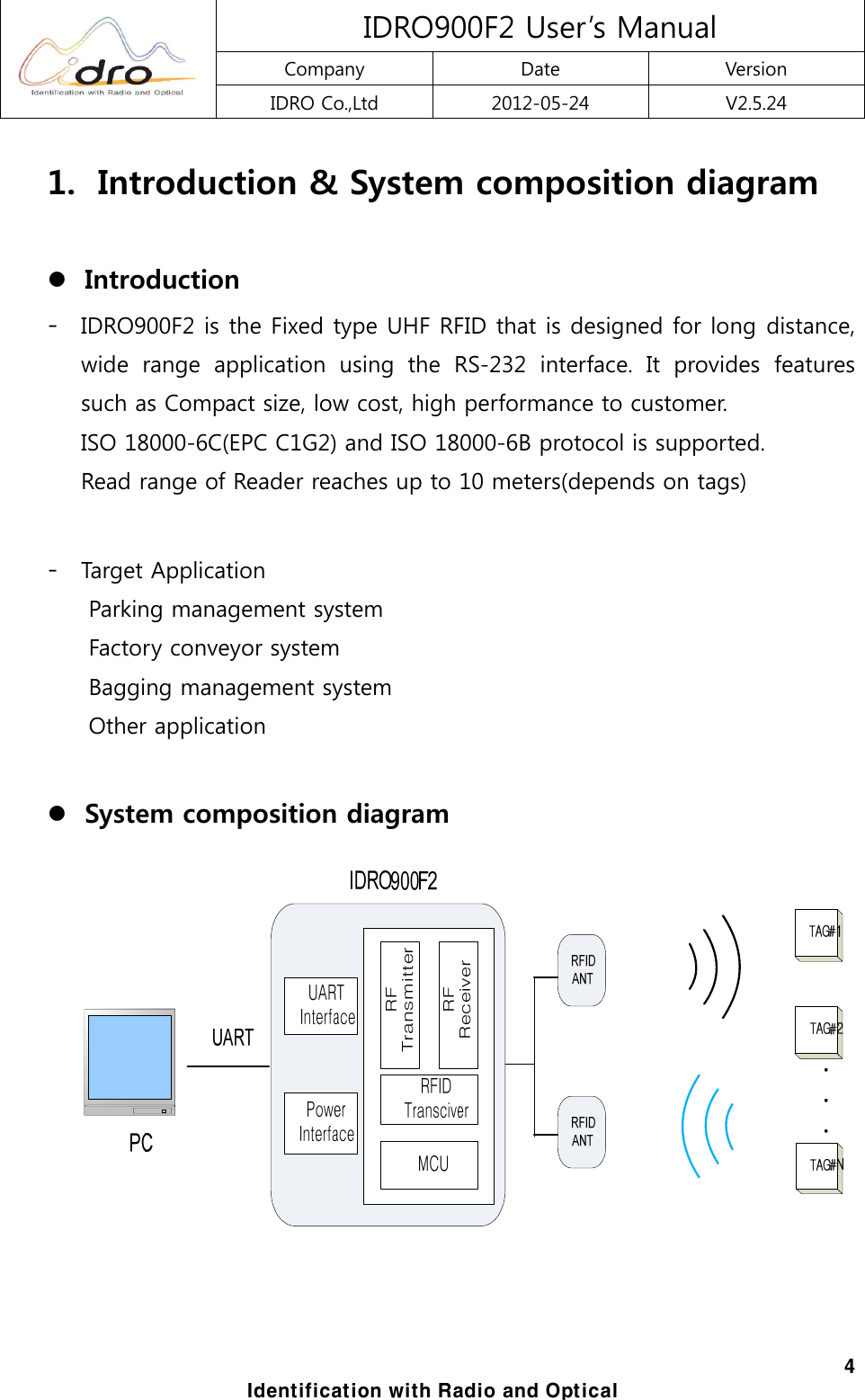
 IDRO900F2 User’s Manual Company  Date  Version IDRO Co.,Ltd  2012-05-24  V2.5.24  4 Identification with Radio and Optical 1.   Introduction & System composition diagram  z Introduction   - IDRO900F2 is the Fixed type UHF RFID that is designed for long distance, wide  range  application  using  the  RS-232  interface.  It  provides  features such as Compact size, low cost, high performance to customer.     ISO 18000-6C(EPC C1G2) and ISO 18000-6B protocol is supported.   Read range of Reader reaches up to 10 meters(depends on tags)  - Target Application Parking management system Factory conveyor system Bagging management system Other application  z System composition diagram
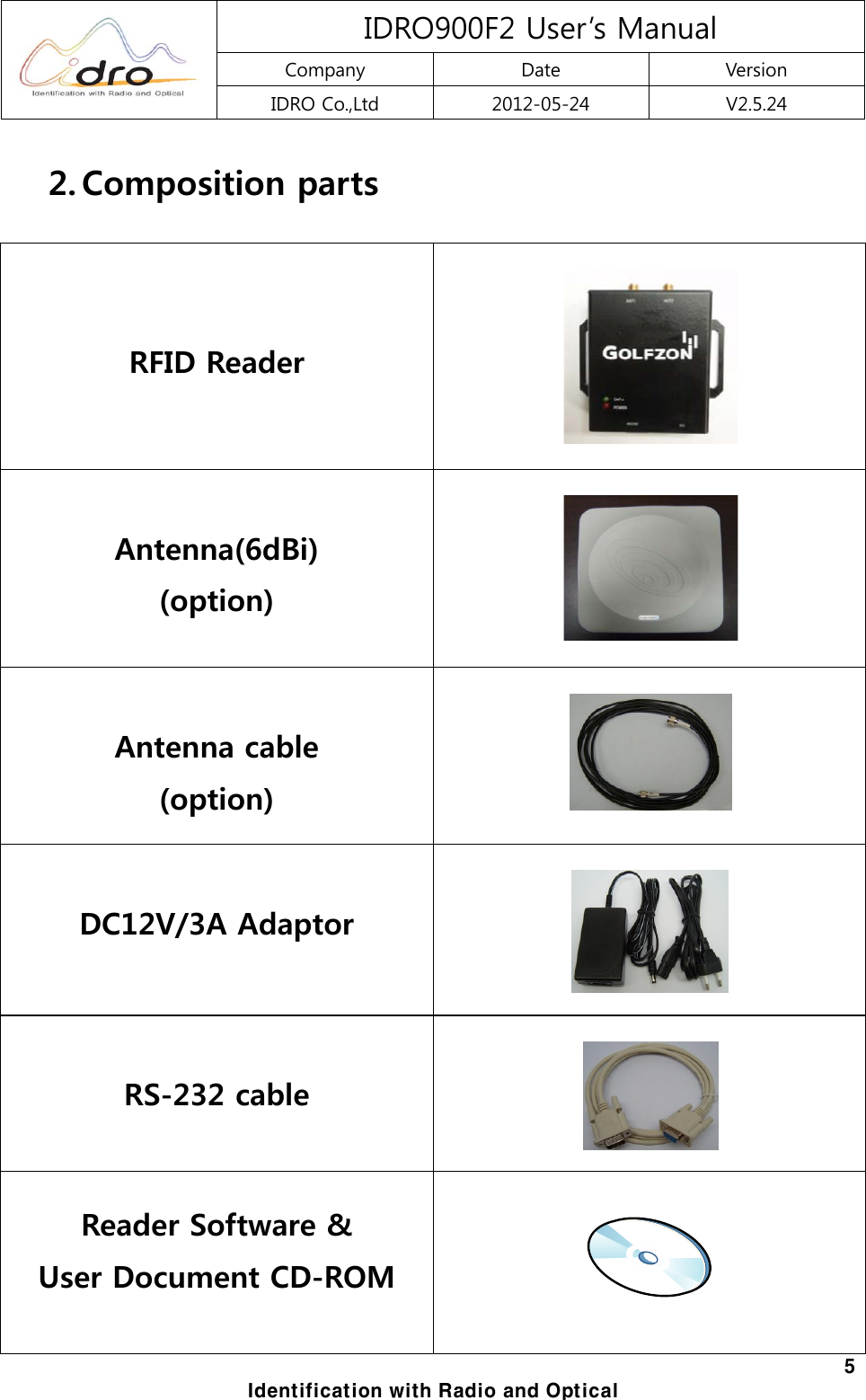
 IDRO900F2 User’s Manual Company  Date  Version IDRO Co.,Ltd  2012-05-24  V2.5.24  5 Identification with Radio and Optical 2. Composition parts    RFID Reader      Antenna(6dBi) (option)       Antenna cable (option)      DC12V/3A Adaptor     RS-232 cable     Reader Software &   User Document CD-ROM
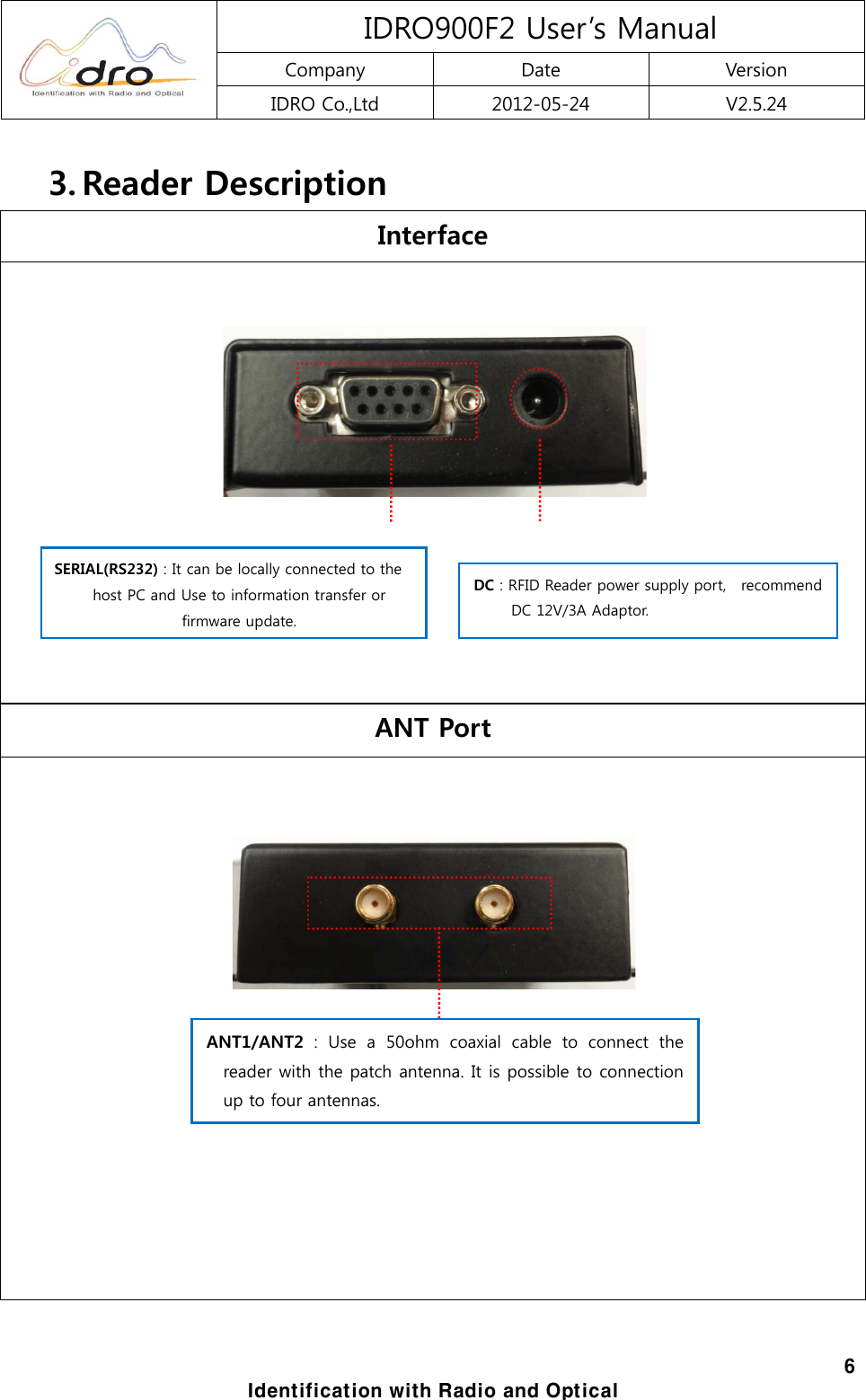
 IDRO900F2 User’s Manual Company  Date  Version IDRO Co.,Ltd  2012-05-24  V2.5.24  6 Identification with Radio and Optical 3. Reader Description Interface      ANT Port                  SERIAL(RS232) : It can be locally connected to the host PC and Use to information transfer or firmware update. DC : RFID Reader power supply port,    recommend DC 12V/3A Adaptor. ANT1/ANT2 : Use a 50ohm coaxial cable to connect the reader with the patch antenna. It is possible to connection up to four antennas.
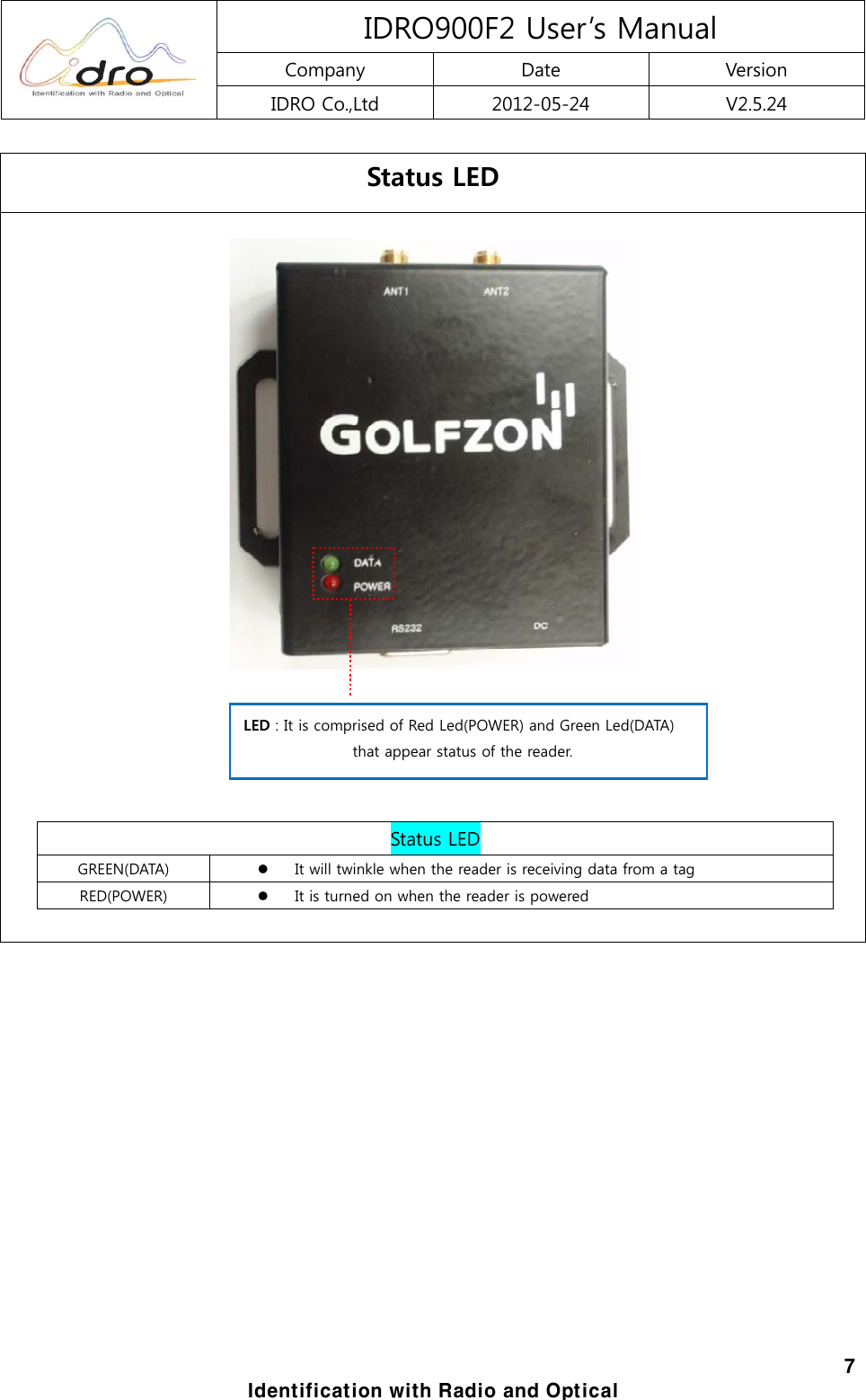
 IDRO900F2 User’s Manual Company  Date  Version IDRO Co.,Ltd  2012-05-24  V2.5.24  7 Identification with Radio and Optical Status LED           Status LED GREEN(DATA)  z It will twinkle when the reader is receiving data from a tag RED(POWER)  z It is turned on when the reader is powered         LED : It is comprised of Red Led(POWER) and Green Led(DATA)   that appear status of the reader.
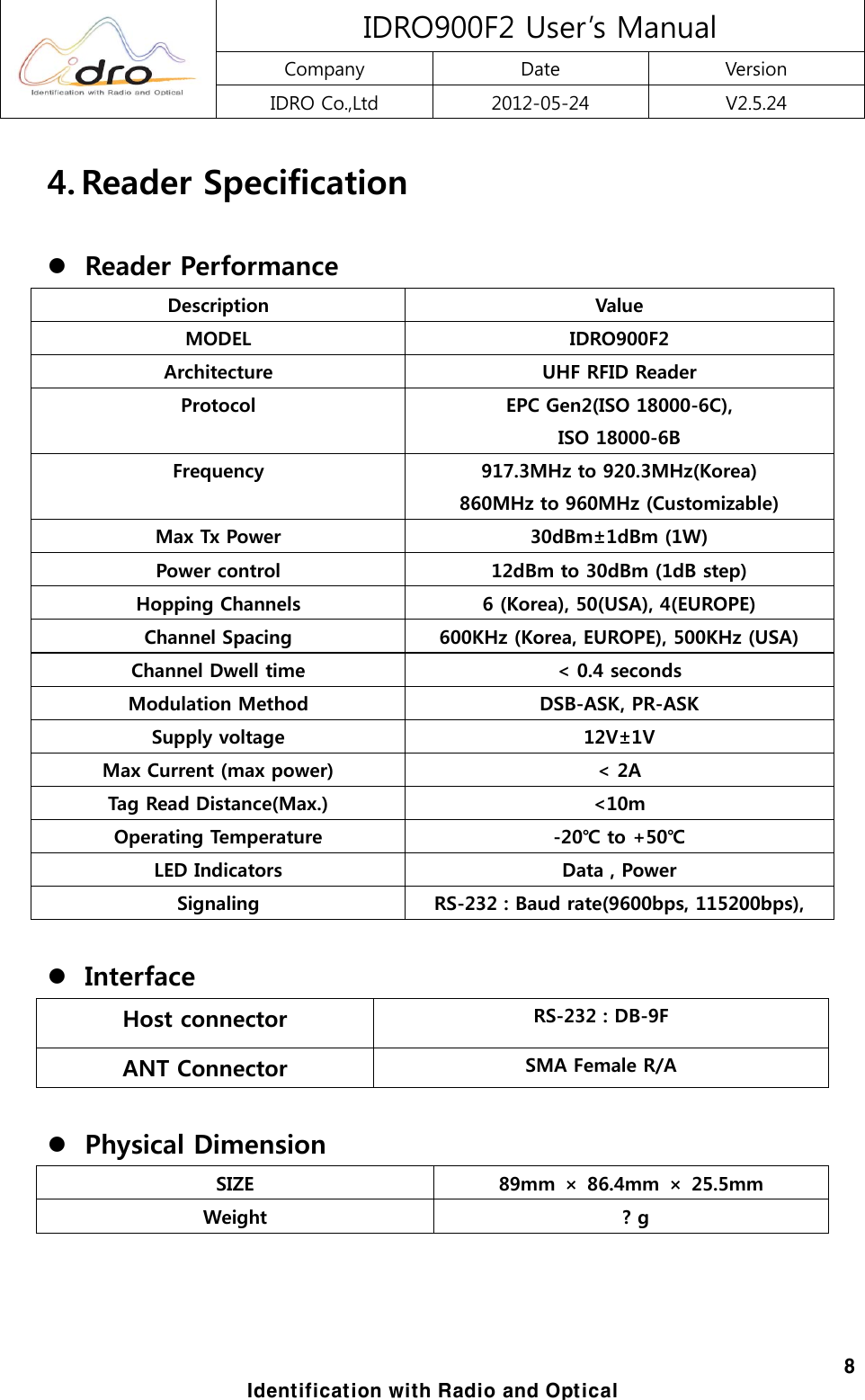
 IDRO900F2 User’s Manual Company  Date  Version IDRO Co.,Ltd  2012-05-24  V2.5.24  8 Identification with Radio and Optical 4. Reader Specification  z Reader Performance Description  Value MODEL  IDRO900F2 Architecture  UHF RFID Reader   Protocol  EPC Gen2(ISO 18000-6C), ISO 18000-6B Frequency  917.3MHz to 920.3MHz(Korea) 860MHz to 960MHz (Customizable) Max Tx Power  30dBm±1dBm (1W) Power control  12dBm to 30dBm (1dB step) Hopping Channels  6 (Korea), 50(USA), 4(EUROPE) Channel Spacing  600KHz (Korea, EUROPE), 500KHz (USA) Channel Dwell time  < 0.4 seconds Modulation Method  DSB-ASK, PR-ASK Supply voltage  12V±1V Max Current (max power)  < 2A Tag Read Distance(Max.)  <10m Operating Temperature  -20℃ to +50℃ LED Indicators  Data , Power Signaling  RS-232 : Baud rate(9600bps, 115200bps),  z Interface Host connector  RS-232 : DB-9F ANT Connector  SMA Female R/A  z Physical Dimension SIZE  89mm  ×  86.4mm  ×  25.5mm Weight    ? g
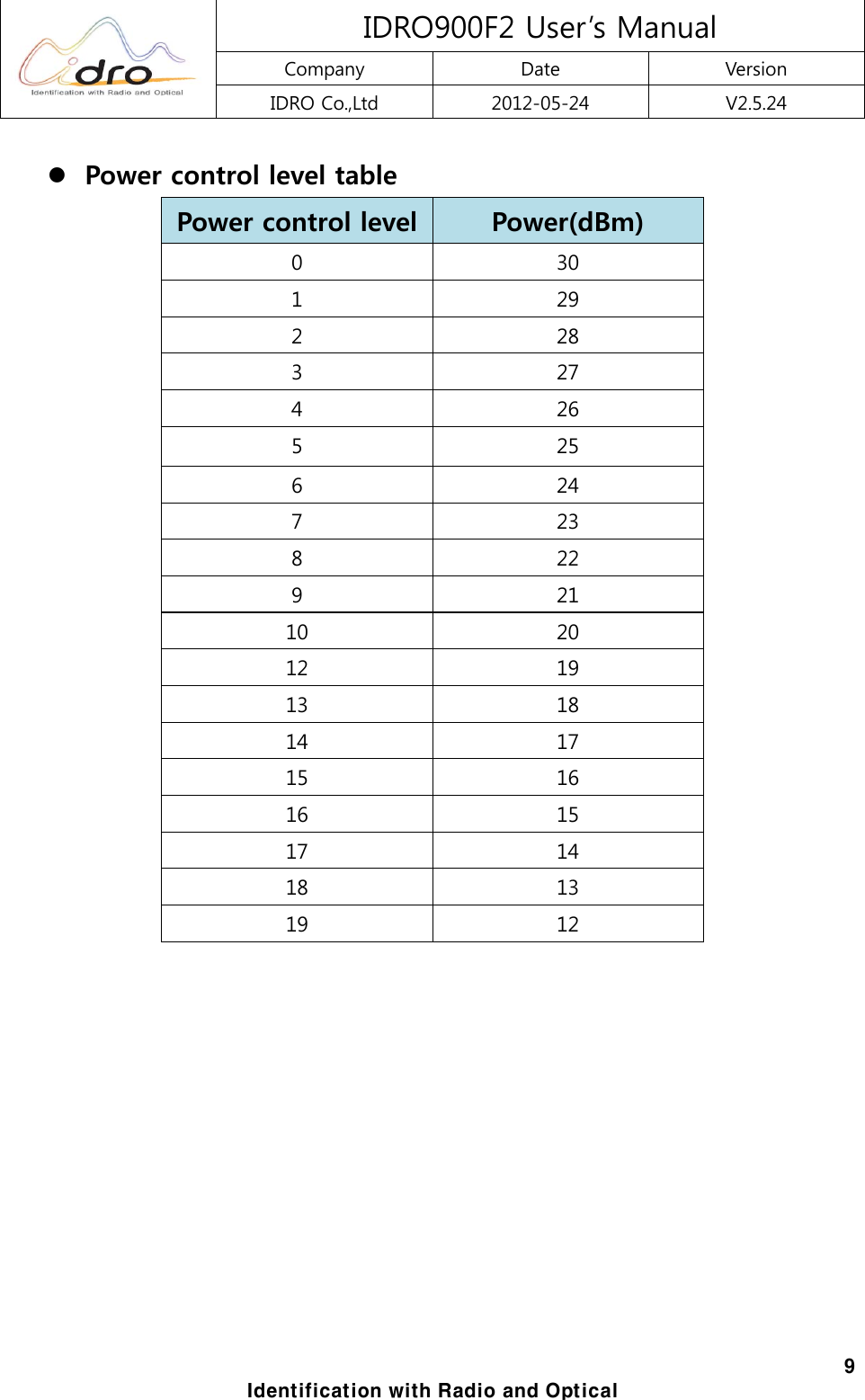
 IDRO900F2 User’s Manual Company  Date  Version IDRO Co.,Ltd  2012-05-24  V2.5.24  9 Identification with Radio and Optical z Power control level table Power control level Power(dBm) 0  30 1  29 2  28 3  27 4  26 5  25 6  24 7  23 8  22 9  21 10  20 12  19 13  18 14  17 15  16 16  15 17  14 18  13 19  12
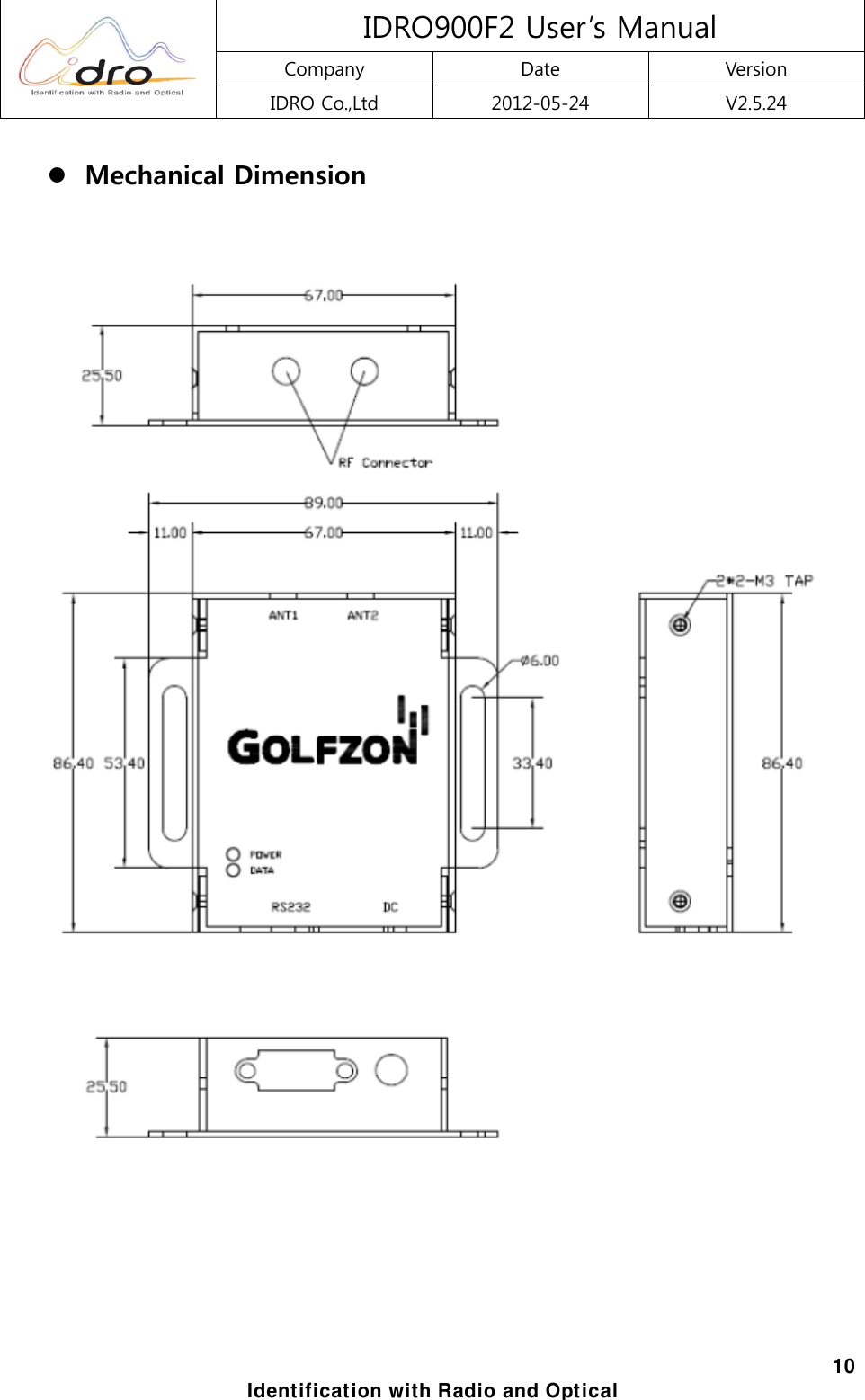
 IDRO900F2 User’s Manual Company  Date  Version IDRO Co.,Ltd  2012-05-24  V2.5.24  10 Identification with Radio and Optical z Mechanical Dimension
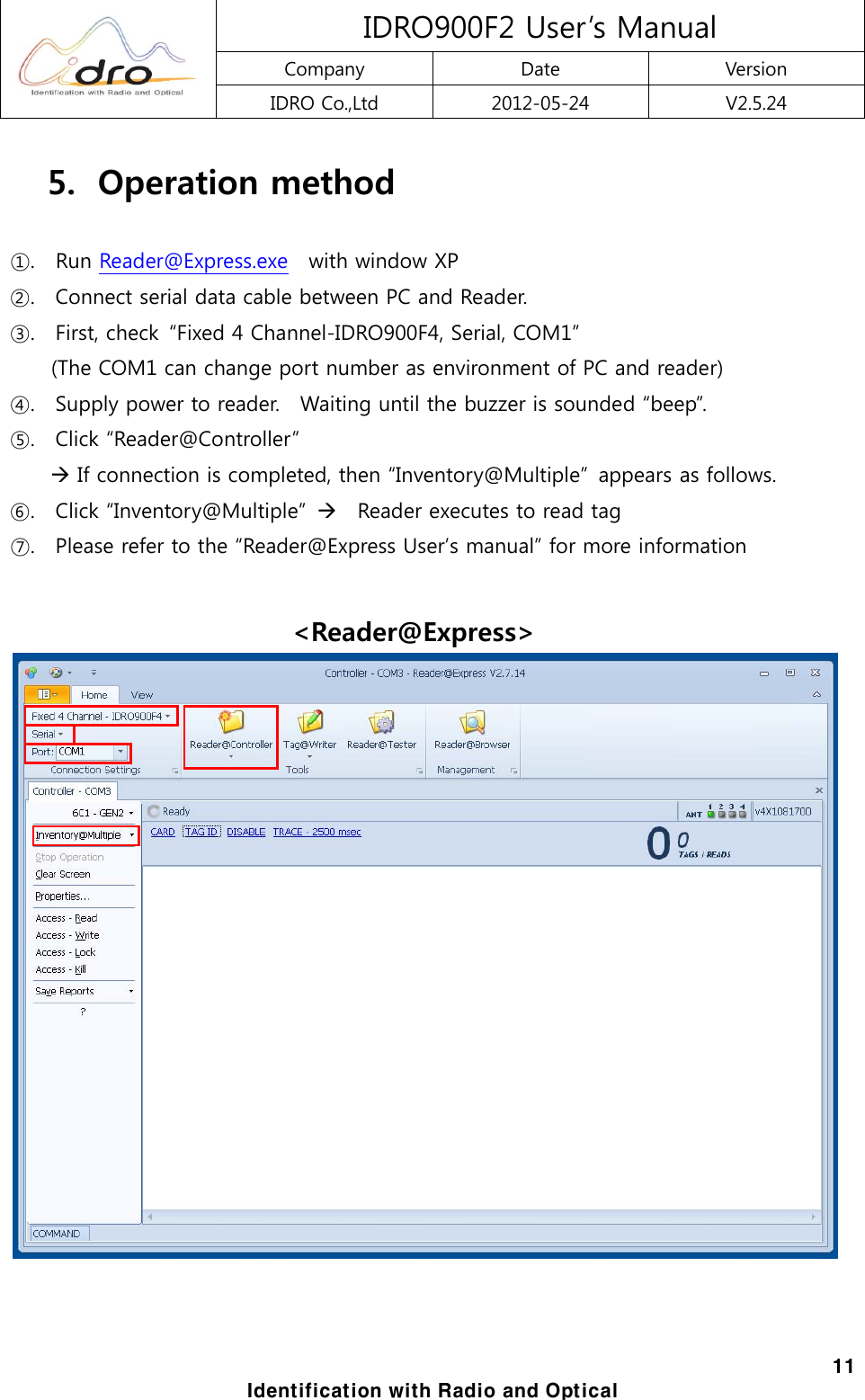
 IDRO900F2 User’s Manual Company  Date  Version IDRO Co.,Ltd  2012-05-24  V2.5.24  11 Identification with Radio and Optical 5.   Operation method  ①.    Run Reader@Express.exe    with window XP ②.    Connect serial data cable between PC and Reader. ③.    First, check  “Fixed 4 Channel-IDRO900F4, Serial, COM1”   (The COM1 can change port number as environment of PC and reader) ④.    Supply power to reader.    Waiting until the buzzer is sounded “beep”.   ⑤.  Click “Reader@Controller”   Æ If connection is completed, then “Inventory@Multiple”  appears as follows. ⑥.    Click “Inventory@Multiple”  Æ  Reader executes to read tag ⑦.    Please refer to the “Reader@Express User’s manual” for more information  <Reader@Express>

Navigation menu