Golfzon KNCR01 Kinetic Chain Analyzer Receiver User Manual Microsoft PowerPoint

Golfzon Co., Ltd. Kinetic Chain Analyzer Receiver Microsoft PowerPoint

User Manual

User Manual Kinetic Chain Analyzer
SAFETY PRECAUTION Please read all safety information prior to using Kinetic Chain Analyzer.  Failure to do so may result in unnecessary injury.  1. Operate the device only as intended. Do not use for any other purpose. 2. Do not place heavy objects on the device and keep the device away from humid, dusty and environments. 3. Do not use water, Clean the surface with a soft cloth. 4. Do not push the button hard. 5. The device’s operate & storage temperature is between -10ºC ~ 60ºC. Keep away from heat or cold. 6. Be careful not to drop the device.   BATTERY AND CHARGING  1. Do not attempt to replace Kinetic Chain Sensor’s battery. It is not user serviceable 2. Only use the supplied Kinetic Chain Receiver to charge. 3. Only use the supplied power adapter. 4. Do not charge Kinetic Chain Sensor in extremely hot or cold temperatures. 5. Do not charge Kinetic Chain Sensor when it is wet to avoid electric shock. 6. Do not dispose of Kinetic Chain Sensor in a fire. The battery could explode causing injury or death.
Table of Contents  Introduction & specification  Device and Accessories  How to charge the device  How to Power ON
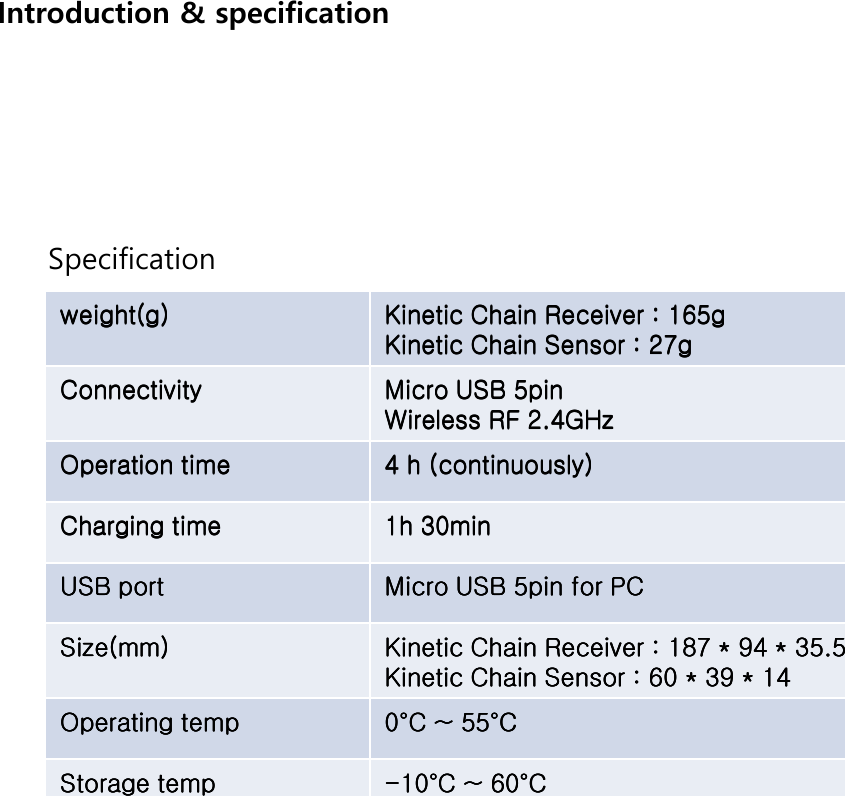
 Introduction & specification  weight(g)weight(g)weight(g)weight(g)     Kinetic Chain Receiver : 165gKinetic Chain Receiver : 165gKinetic Chain Receiver : 165gKinetic Chain Receiver : 165g    Kinetic Chain Sensor : 27gKinetic Chain Sensor : 27gKinetic Chain Sensor : 27gKinetic Chain Sensor : 27g    ConnectivityConnectivityConnectivityConnectivity     Micro USB 5pinMicro USB 5pinMicro USB 5pinMicro USB 5pin    Wireless RFWireless RFWireless RFWireless RF    2.4GHz 2.4GHz 2.4GHz 2.4GHz     OperationOperationOperationOperation    timetimetimetime     4 h4 h4 h4 h    (continuously)(continuously)(continuously)(continuously)    Charging timeCharging timeCharging timeCharging time     1h 30min1h 30min1h 30min1h 30min    USB portUSB portUSB portUSB port     Micro USB 5pin for PCMicro USB 5pin for PCMicro USB 5pin for PCMicro USB 5pin for PC    Size(mm)Size(mm)Size(mm)Size(mm)     Kinetic Chain Receiver : 187 * 94 * 35.5Kinetic Chain Receiver : 187 * 94 * 35.5Kinetic Chain Receiver : 187 * 94 * 35.5Kinetic Chain Receiver : 187 * 94 * 35.5    Kinetic Chain Sensor : 60Kinetic Chain Sensor : 60Kinetic Chain Sensor : 60Kinetic Chain Sensor : 60    * 39 * 14* 39 * 14* 39 * 14* 39 * 14    Operating tempOperating tempOperating tempOperating temp     0000°°°°C ~ 55C ~ 55C ~ 55C ~ 55°°°°CCCC    StorageStorageStorageStorage    temptemptemptemp     ----10101010°°°°C ~ 60C ~ 60C ~ 60C ~ 60°°°°CCCC     Specification
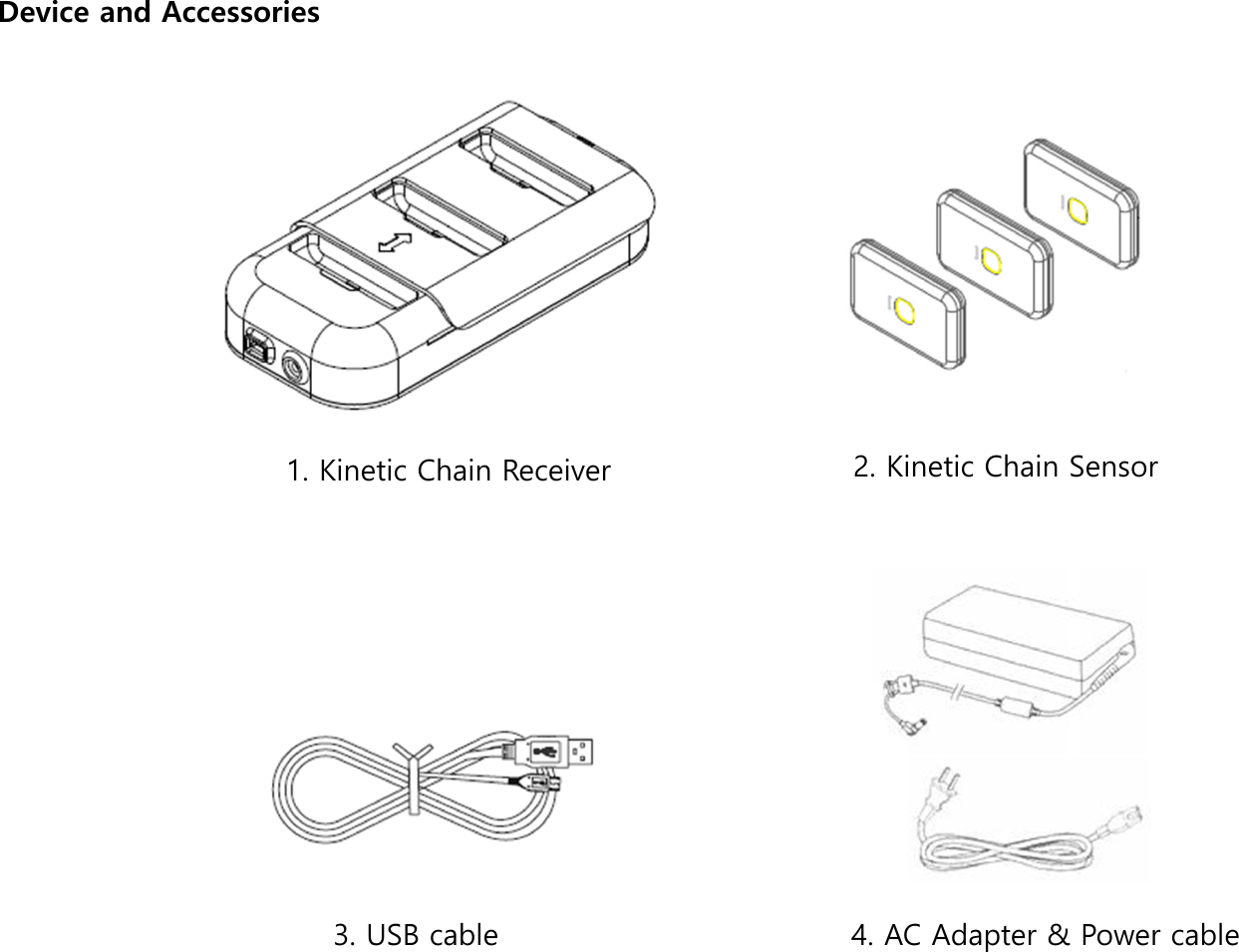
 Device and Accessories  1. Kinetic Chain Receiver  2. Kinetic Chain Sensor  3. USB cable  4. AC Adapter & Power cable
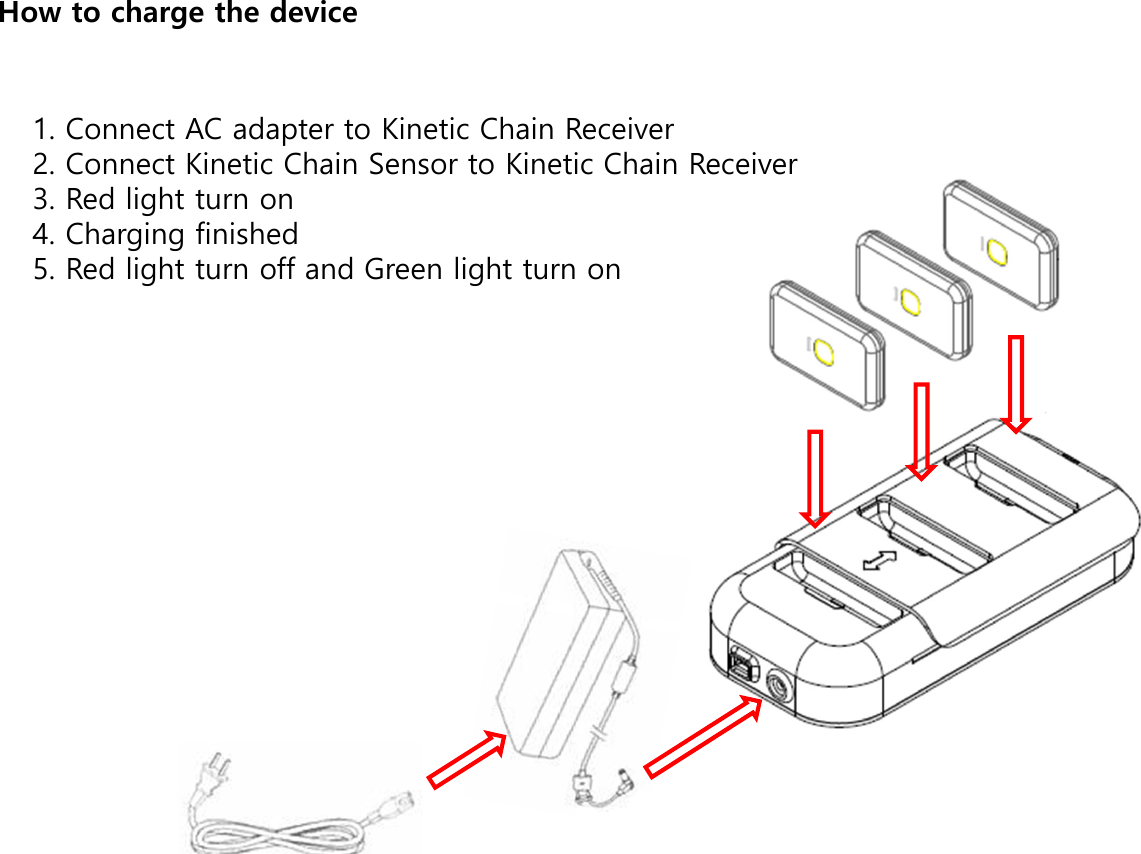
 How to charge the device  1. Connect AC adapter to Kinetic Chain Receiver  2. Connect Kinetic Chain Sensor to Kinetic Chain Receiver 3. Red light turn on 4. Charging finished 5. Red light turn off and Green light turn on
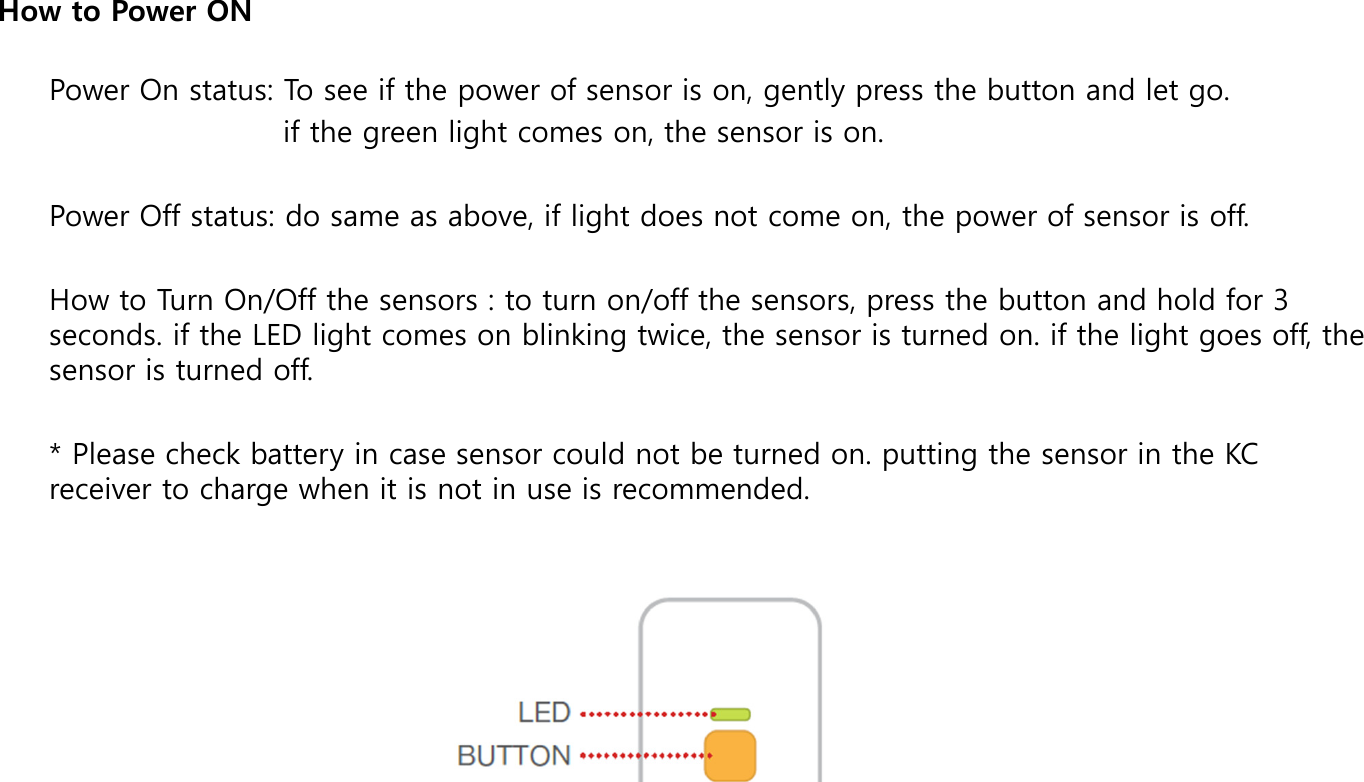
Power On status: To see if the power of sensor is on, gently press the button and let go.                         if the green light comes on, the sensor is on.  Power Off status: do same as above, if light does not come on, the power of sensor is off.  How to Turn On/Off the sensors : to turn on/off the sensors, press the button and hold for 3 seconds. if the LED light comes on blinking twice, the sensor is turned on. if the light goes off, the sensor is turned off.  * Please check battery in case sensor could not be turned on. putting the sensor in the KC receiver to charge when it is not in use is recommended.  How to Power ON

Navigation menu