Golfzon SWINGTALK Personal Swing analyzer User Manual 1

Golfzon Co., Ltd. Personal Swing analyzer 1

User Manual

Swingtalk made by Golfzon
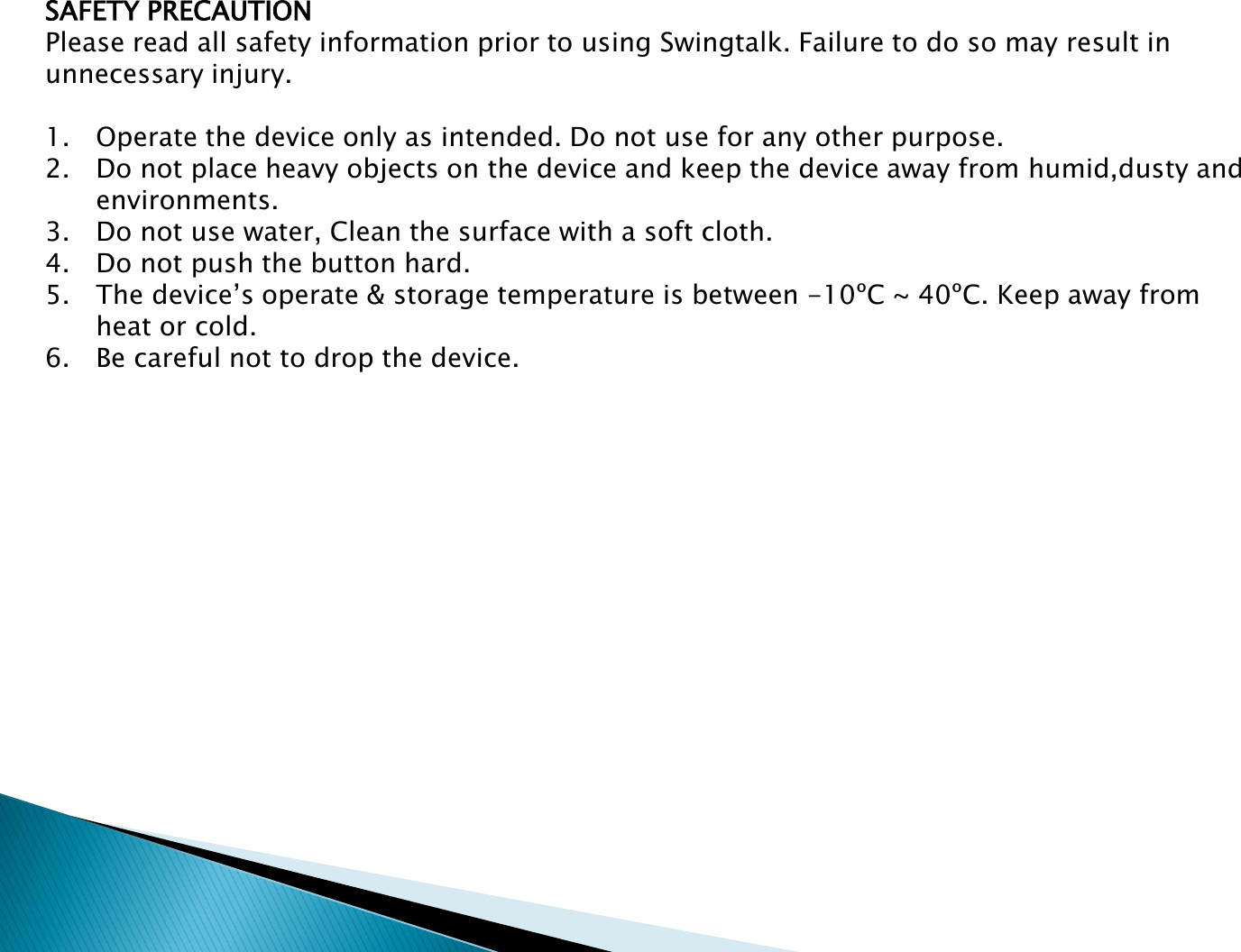
SAFETY PRECAUTIONPlease read all safety information prior to using Swingtalk. Failure to do so may result in unnecessary injury.1. Operate the device only as intended. Do not use for any other purpose.2. Do not place heavy objects on the device and keep the device away from humid,dusty and environments.3. Do not use water, Clean the surface with a soft cloth.4. Do not push the button hard.5. The device’s operate & storage temperature is between -10ºC ~ 40ºC. Keep away from heat or cold.6. Be careful not to drop the device.
Table of ContentsIntroduction & specificationDevice and AccessoriesHow to charge the deviceHow to H/W installationHow to connect to the smart deviceHow to add your swing motion
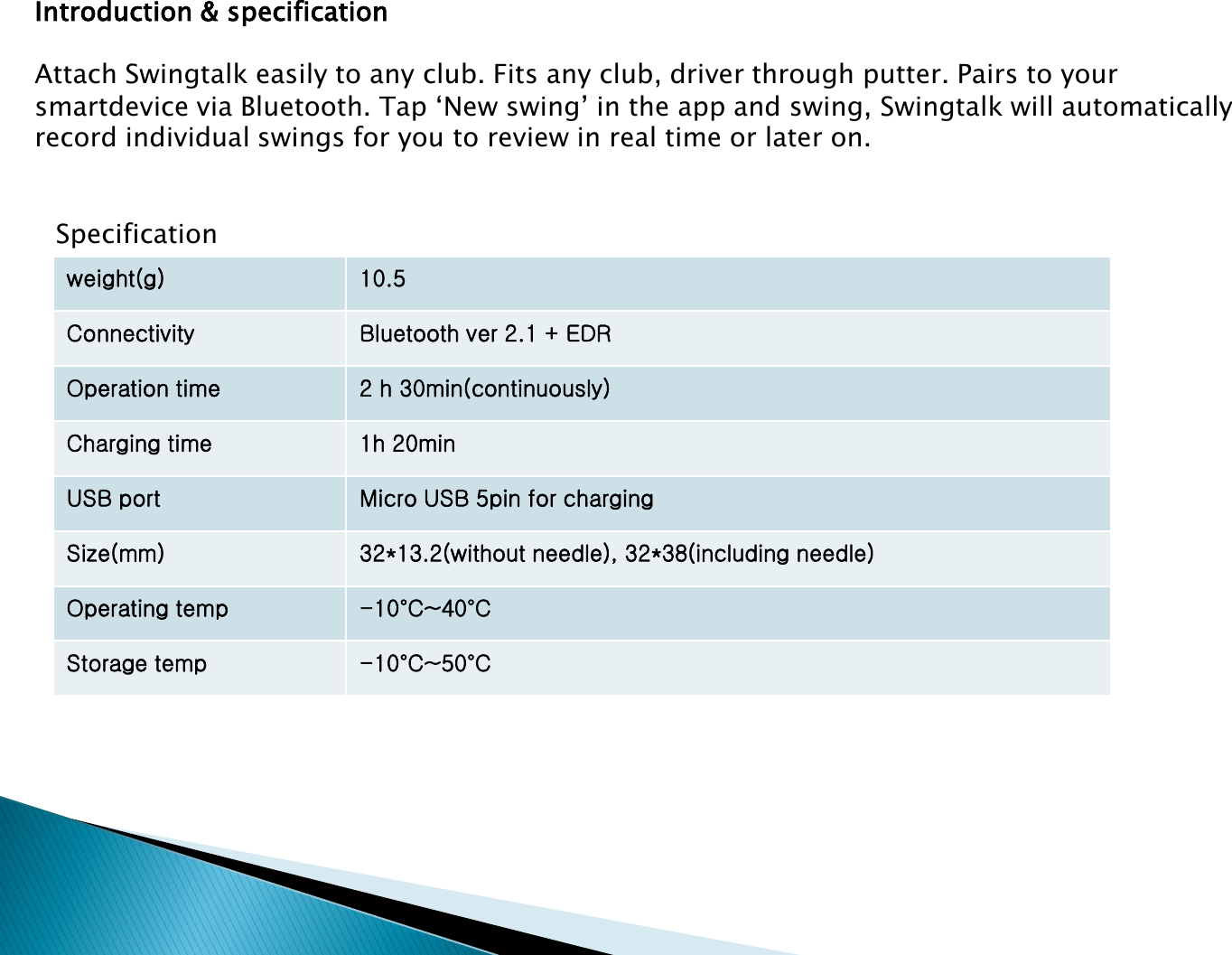
Introduction & specificationAttach Swingtalk easily to any club. Fits any club, driver through putter. Pairs to your  smartdevice via Bluetooth. Tap ‘New swing’ in the app and swing, Swingtalk will automatically record individual swings for you to review in real time or later on.weight(g) 10.5Connectivity Bluetooth ver 2.1 + EDROperation time 2 h 30min(continuously)Charging time 1h 20minUSB port Micro USB 5pin for chargingSize(mm) 32*13.2(without needle), 32*38(including needle)Operating temp -10°C~40°CStorage temp -10°C~50°CSpecification
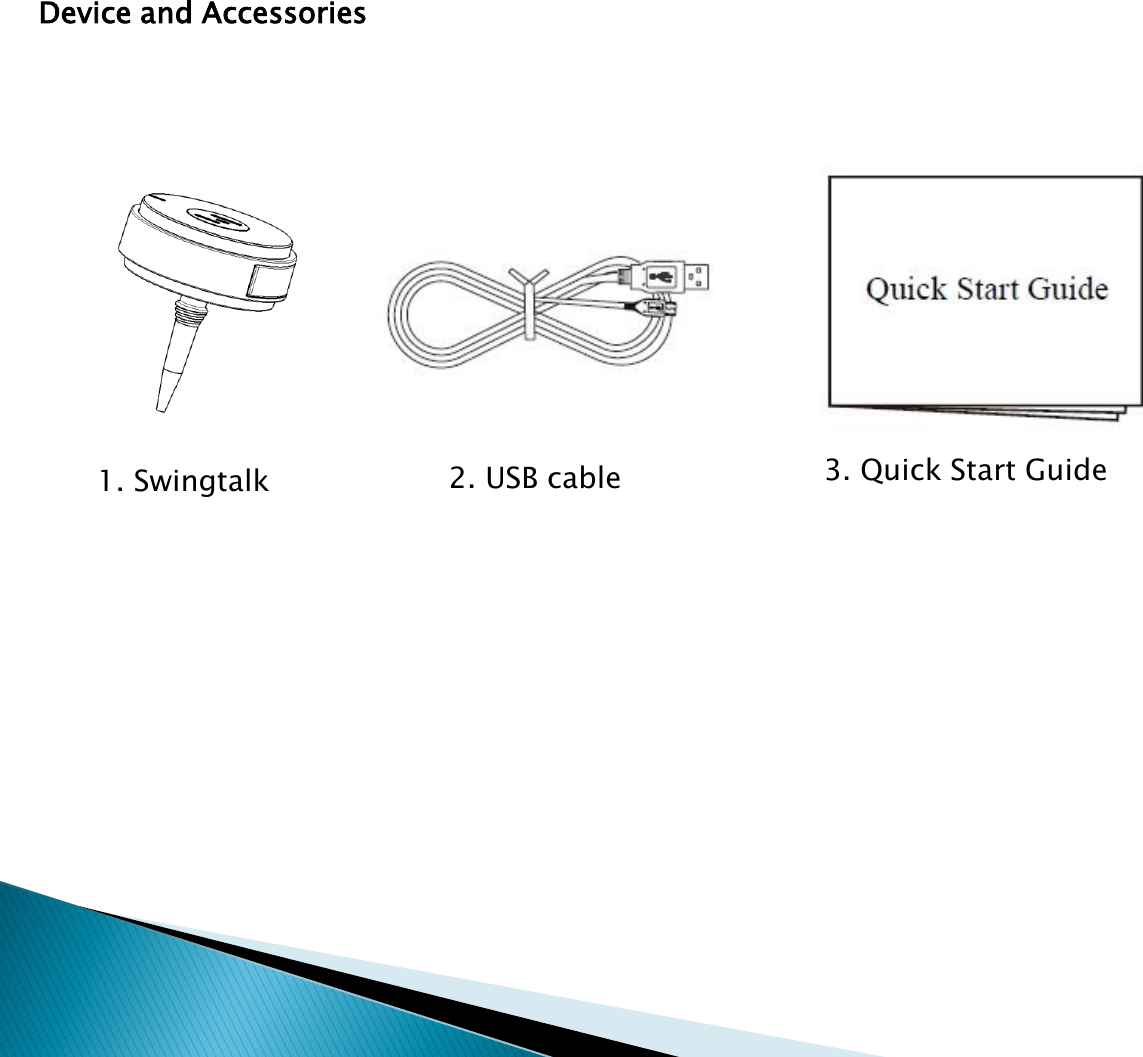
Device and Accessories1. Swingtalk 2. USB cable 3. Quick Start Guide
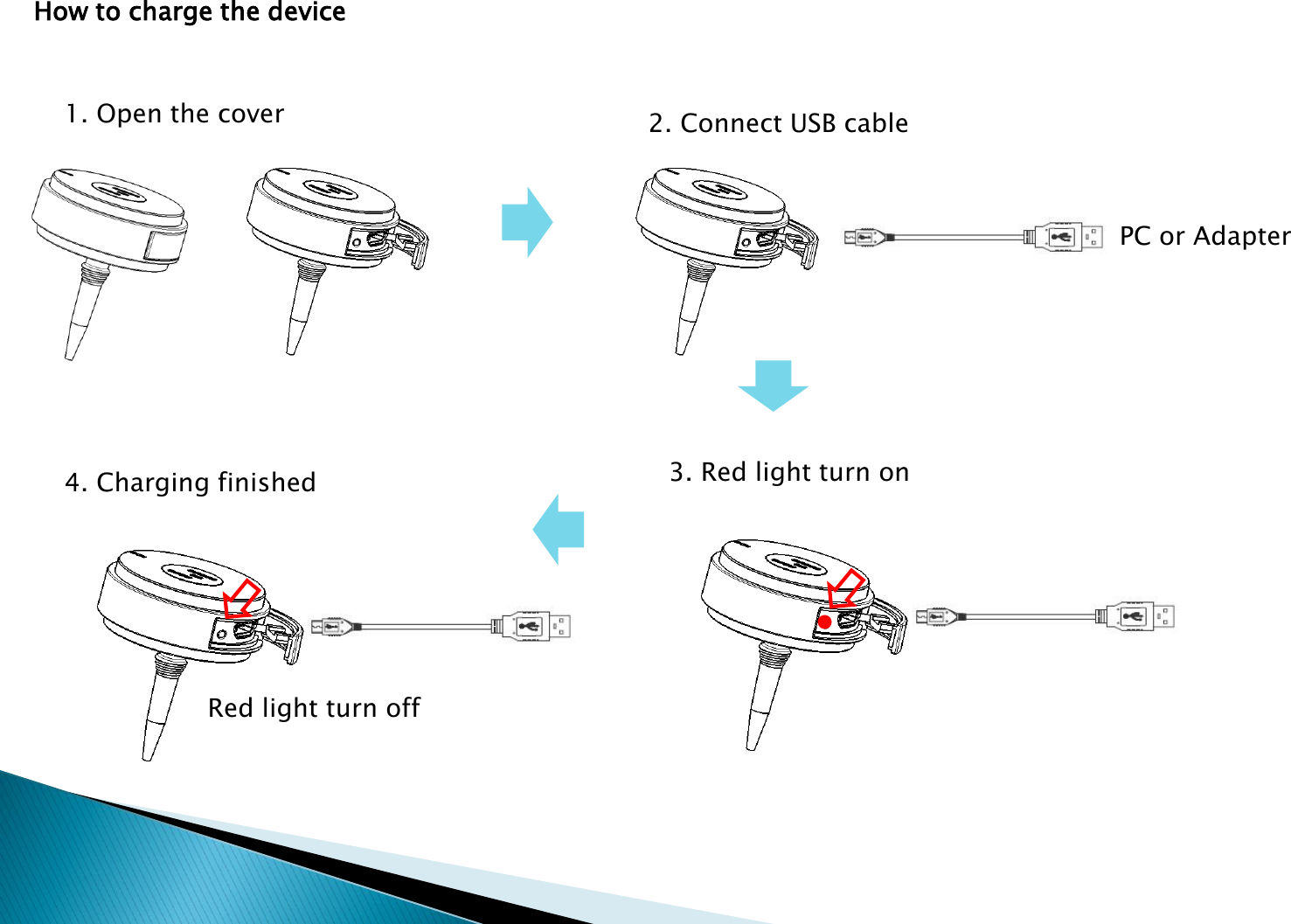
How to charge the device1. Open the cover 2. Connect USB cablePC or Adapter3. Red light turn on4. Charging finishedRed light turn off
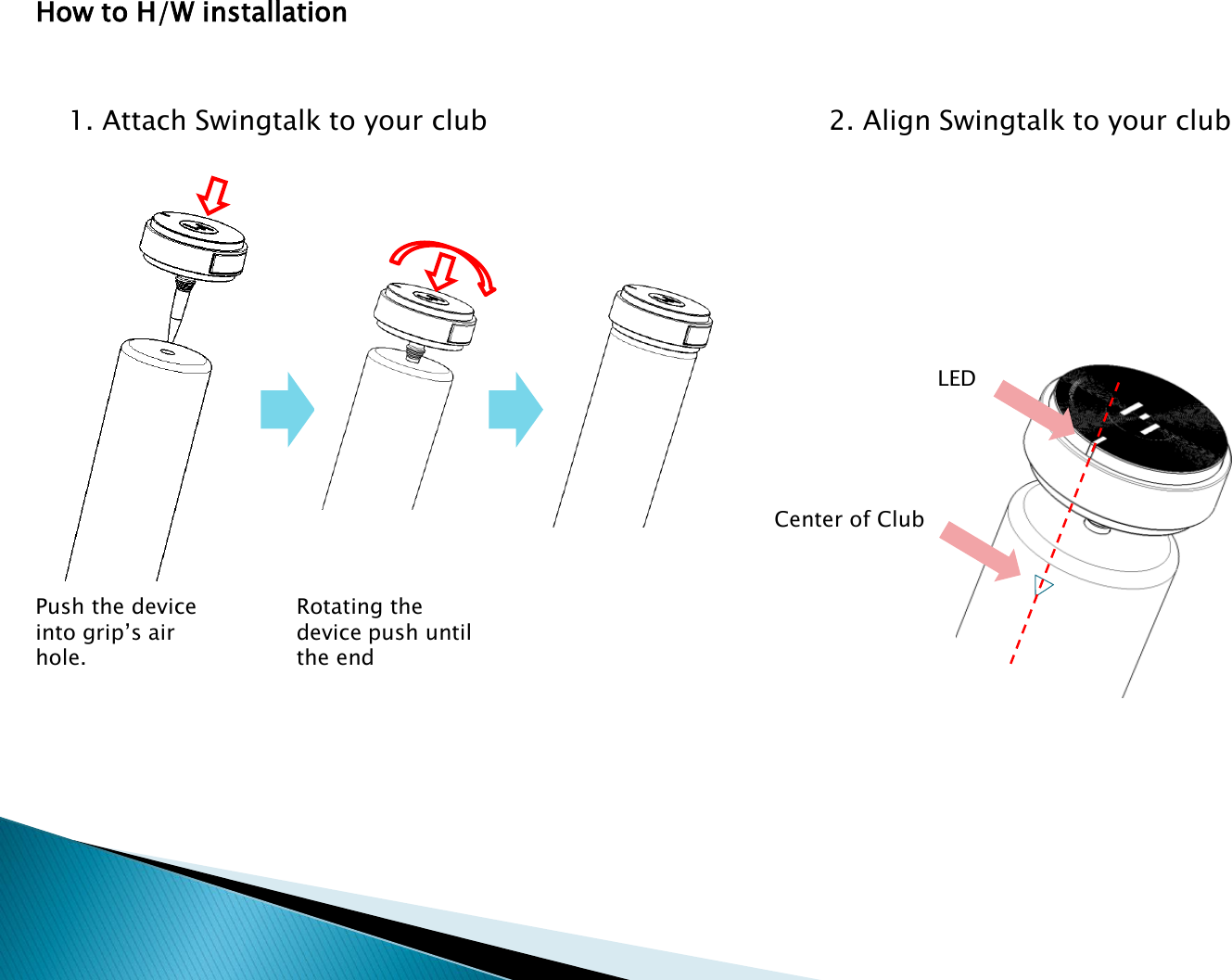
How to H/W installation1. Attach Swingtalk to your club 2. Align Swingtalk to your clubCenter of ClubLEDRotating the device push until the endPush the device into grip’s air hole.
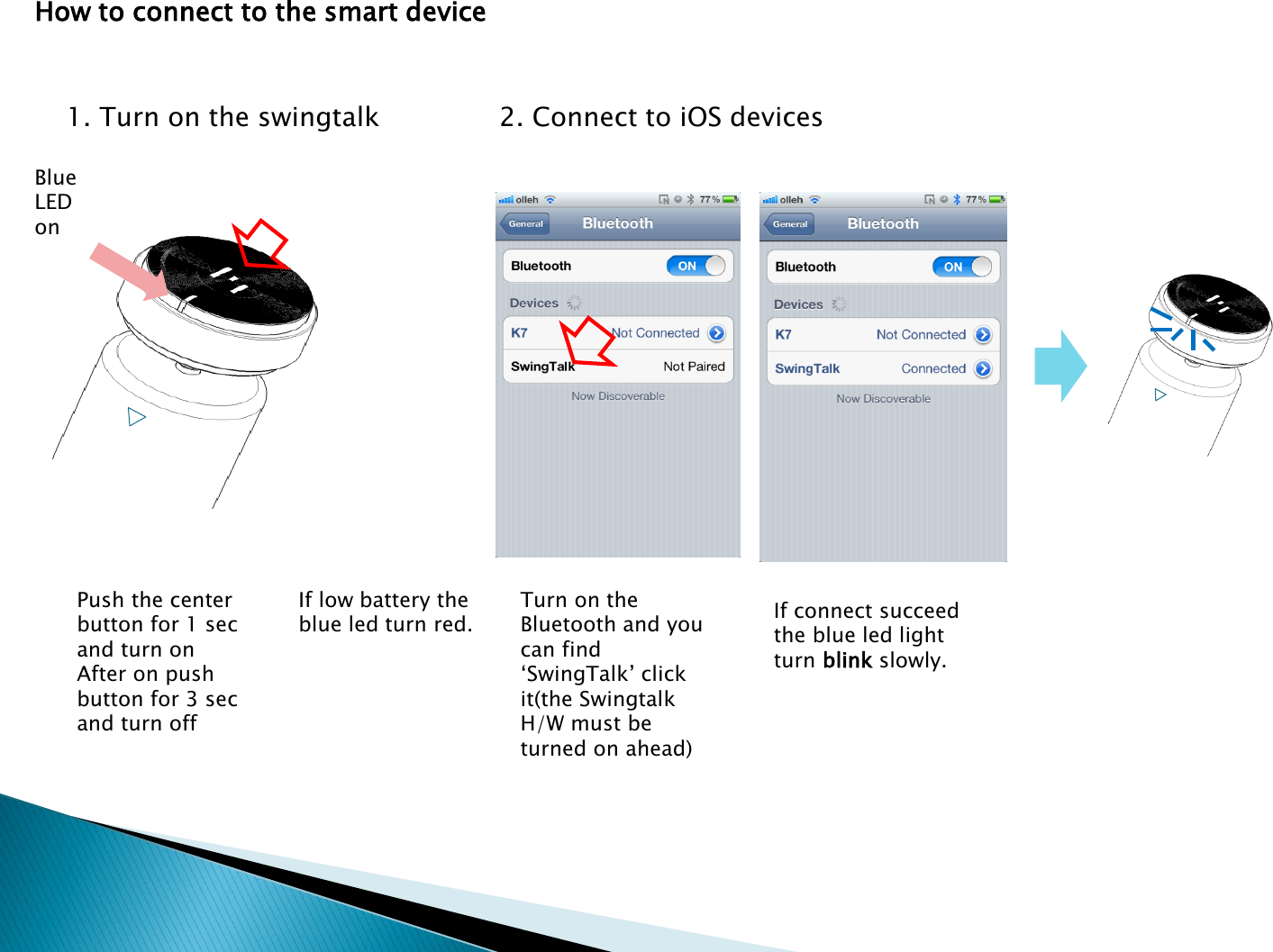
How to connect to the smart device1. Turn on the swingtalk 2. Connect to iOS devicesBlue LED onPush the center button for 1 sec and turn onAfter on push button for 3 sec and turn offIf low battery the blue led turn red.Turn on the Bluetooth and you can find ‘SwingTalk’ click it(the SwingtalkH/W must be turned on ahead)If connect succeed the blue led light turn blink slowly.
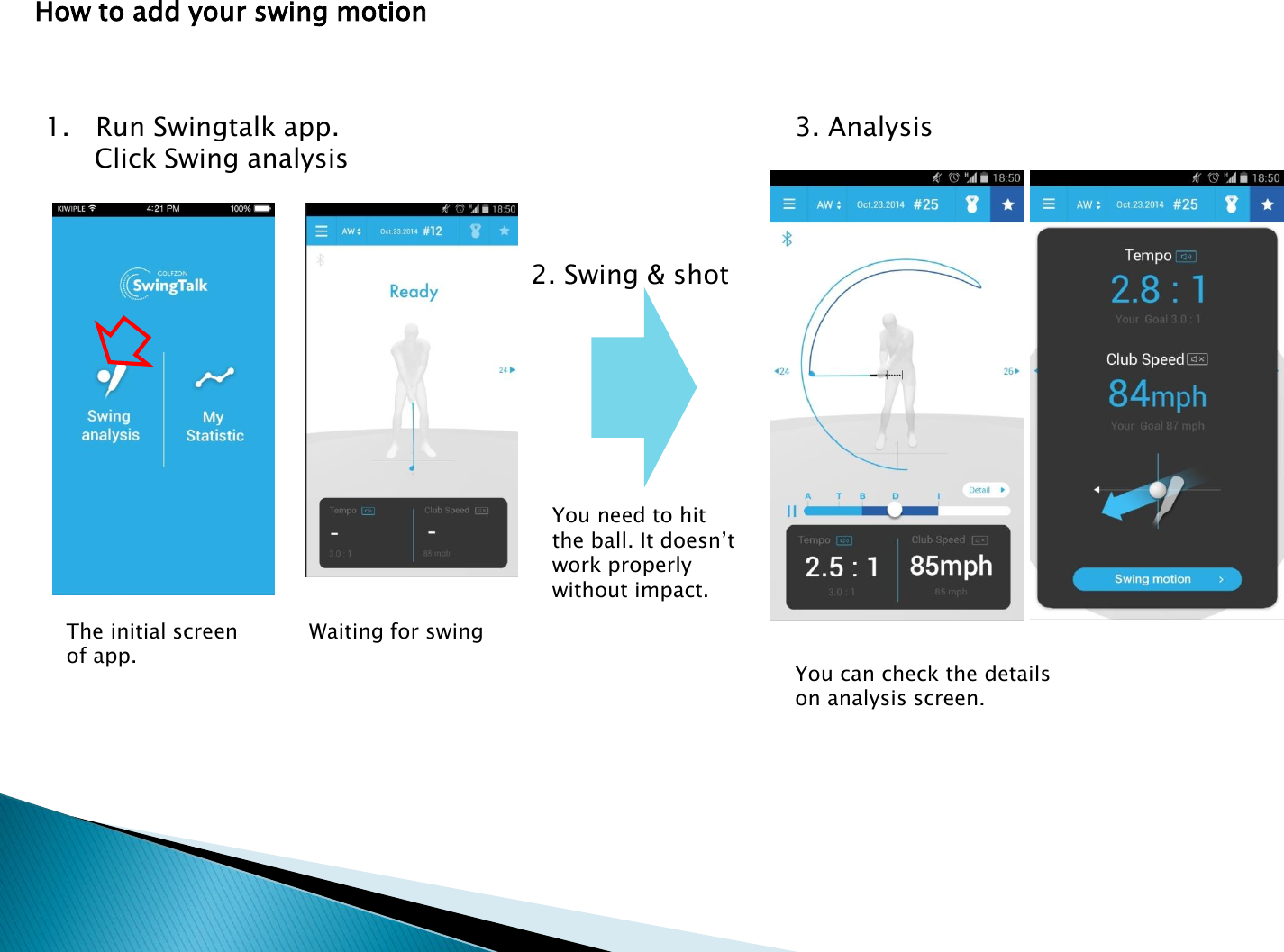
How to add your swing motion1. Run Swingtalk app. Click Swing analysis2. Swing & shotWaiting for swingYou need to hit the ball. It doesn’t work properly without impact.You can check the details on analysis screen.3. AnalysisThe initial screen of app.
FCC Information This device complies with part 15 of the FCC rules. Operation is subject to the following two conditions :(1) This Device may not cause harmful interface, and (2) This device must accept any interference received, including interference that may cause undesired operation. Note: This equipment has been tested and found to comply with the limits for CLASS B digital device, pursuant to Part 15 of FCC Rules. These limits are designed to provide reasonable protection against harmful interference when the equipment is operated in a commercial environment This equipment generates, uses and can radiate radio frequency energy and, if not installed and used in accordance with the instructions, may cause harmful interference to radio communications. However, there is no guarantee that interference will not occur in a particular installation. If this equipment does cause harmful interference to radio or television reception, which can be determined by turning the equipment off and on, the user is encouraged to try correct the interference by one or more of the following measures: 1.1. Reorient or relocate the receiving antenna.1.2. Increase the separation between the equipment and receiver.1.3. Connect the equipment into an outlet on a circuit different from that to which receiver is connected.1.4. Consult the dealer or experienced radio/TV technician for help.WARNINGChanges or modifications not expressly approved by the manufacturer could void the user’s authority to operate the equipment.“CAUTION : Exposure to Radio Frequency Radiation.Antenna shall be mounted in such a manner to minimize the potential for human contact during normal operation. The antenna should not be contacted during operation to avoid the possibility of exceeding the FCC radio frequency exposure limit.

Navigation menu