Golight 3300T Pan/Tilt Search Light User Manual

Golight Inc Pan/Tilt Search Light Users Manual

Users Manual

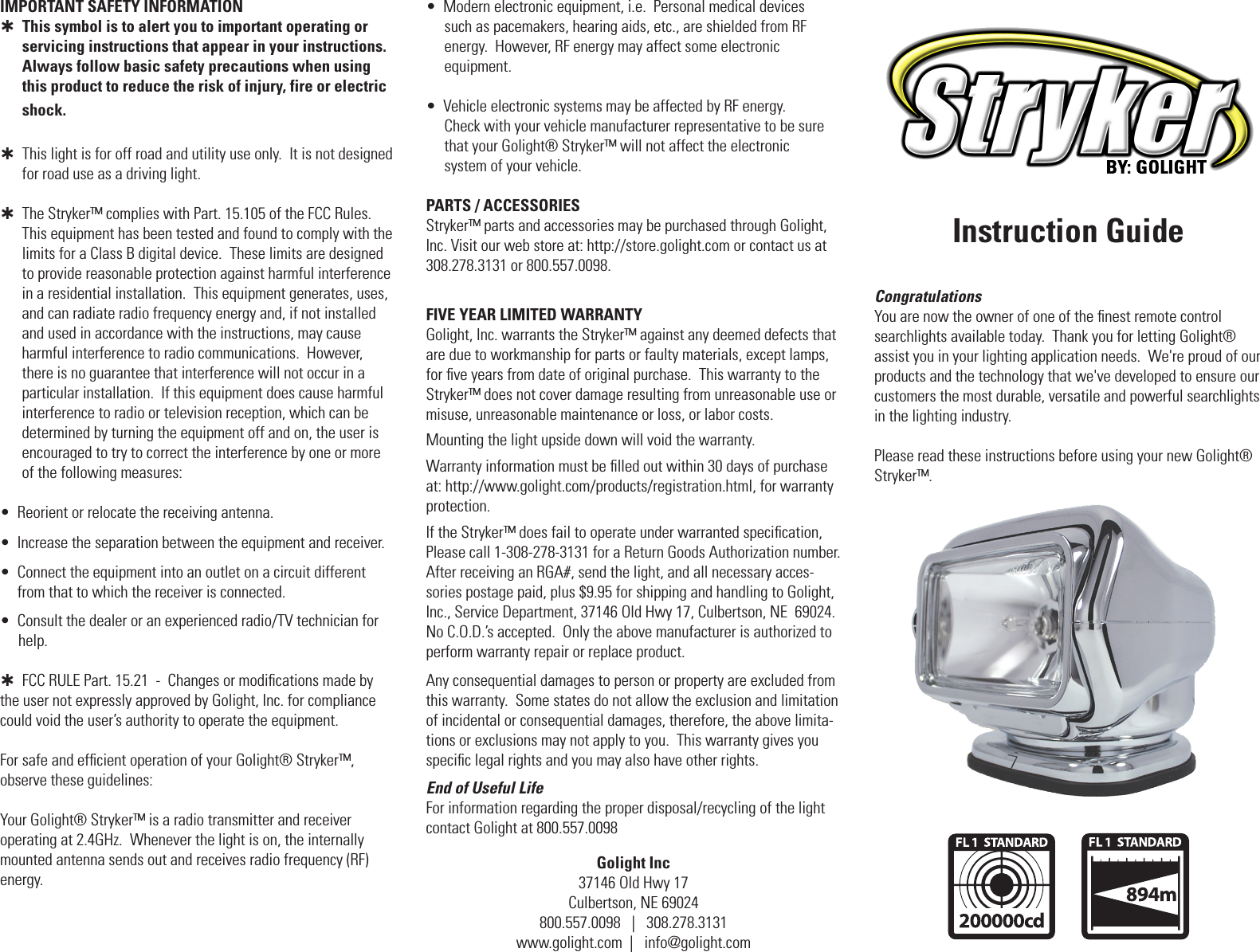
Golight Inc37146 Old Hwy 17Culbertson, NE 69024800.557.0098   |   308.278.3131www.golight.com  |   info@golight.comInstruction GuideCongratulationsYou are now the owner of one of the finest remote control  searchlights available today.  Thank you for letting Golight®  assist you in your lighting application needs.  We're proud of our products and the technology that we've developed to ensure our customers the most durable, versatile and powerful searchlights  in the lighting industry.Please read these instructions before using your new Golight® Stryker™.FIVE YEAR LIMITED WARRANTY Golight, Inc. warrants the Stryker™ against any deemed defects that are due to workmanship for parts or faulty materials, except lamps, for five years from date of original purchase.  This warranty to the Stryker™ does not cover damage resulting from unreasonable use or misuse, unreasonable maintenance or loss, or labor costs.Mounting the light upside down will void the warranty.Warranty information must be filled out within 30 days of purchase at: http://www.golight.com/products/registration.html, for warranty protection.If the Stryker™ does fail to operate under warranted specification, Please call 1-308-278-3131 for a Return Goods Authorization number.  After receiving an RGA#, send the light, and all necessary acces-sories postage paid, plus $9.95 for shipping and handling to Golight, Inc., Service Department, 37146 Old Hwy 17, Culbertson, NE  69024.  No C.O.D.’s accepted.  Only the above manufacturer is authorized to perform warranty repair or replace product.Any consequential damages to person or property are excluded from this warranty.  Some states do not allow the exclusion and limitation of incidental or consequential damages, therefore, the above limita-tions or exclusions may not apply to you.  This warranty gives you specific legal rights and you may also have other rights.End of Useful LifeFor information regarding the proper disposal/recycling of the light contact Golight at 800.557.0098IMPORTANT SAFETY INFORMATION   This symbol is to alert you to important operating or servicing instructions that appear in your instructions. Always follow basic safety precautions when using this product to reduce the risk of injury, fire or electric shock.   This light is for off road and utility use only.  It is not designed       for road use as a driving light.  The Stryker™ complies with Part. 15.105 of the FCC Rules.        This equipment has been tested and found to comply with the        limits for a Class B digital device.  These limits are designed to provide reasonable protection against harmful interference in a residential installation.  This equipment generates, uses, and can radiate radio frequency energy and, if not installed and used in accordance with the instructions, may cause harmful interference to radio communications.  However, there is no guarantee that interference will not occur in a particular installation.  If this equipment does cause harmful interference to radio or television reception, which can be determined by turning the equipment off and on, the user is encouraged to try to correct the interference by one or more of the following measures:•  Reorient or relocate the receiving antenna.•  Increase the separation between the equipment and receiver.•   Connect the equipment into an outlet on a circuit different from that to which the receiver is connected.•  Consult the dealer or an experienced radio/TV technician for       help.  FCC RULE Part. 15.21  -  Changes or modifications made by        the user not expressly approved by Golight, Inc. for compliance could void the user’s authority to operate the equipment.For safe and efficient operation of your Golight® Stryker™,  observe these guidelines:Your Golight® Stryker™ is a radio transmitter and receiver  operating at 2.4GHz.  Whenever the light is on, the internally mounted antenna sends out and receives radio frequency (RF) energy.  •  Modern electronic equipment, i.e.  Personal medical devices       such as pacemakers, hearing aids, etc., are shielded from RF     energy.  However, RF energy may affect some electronic       equipment.•  Vehicle electronic systems may be affected by RF energy.     Check with your vehicle manufacturer representative to be sure     that your Golight® Stryker™ will not affect the electronic      system of your vehicle.PARTS / ACCESSORIESStryker™ parts and accessories may be purchased through Golight, Inc. Visit our web store at: http://store.golight.com or contact us at 308.278.3131 or 800.557.0098.
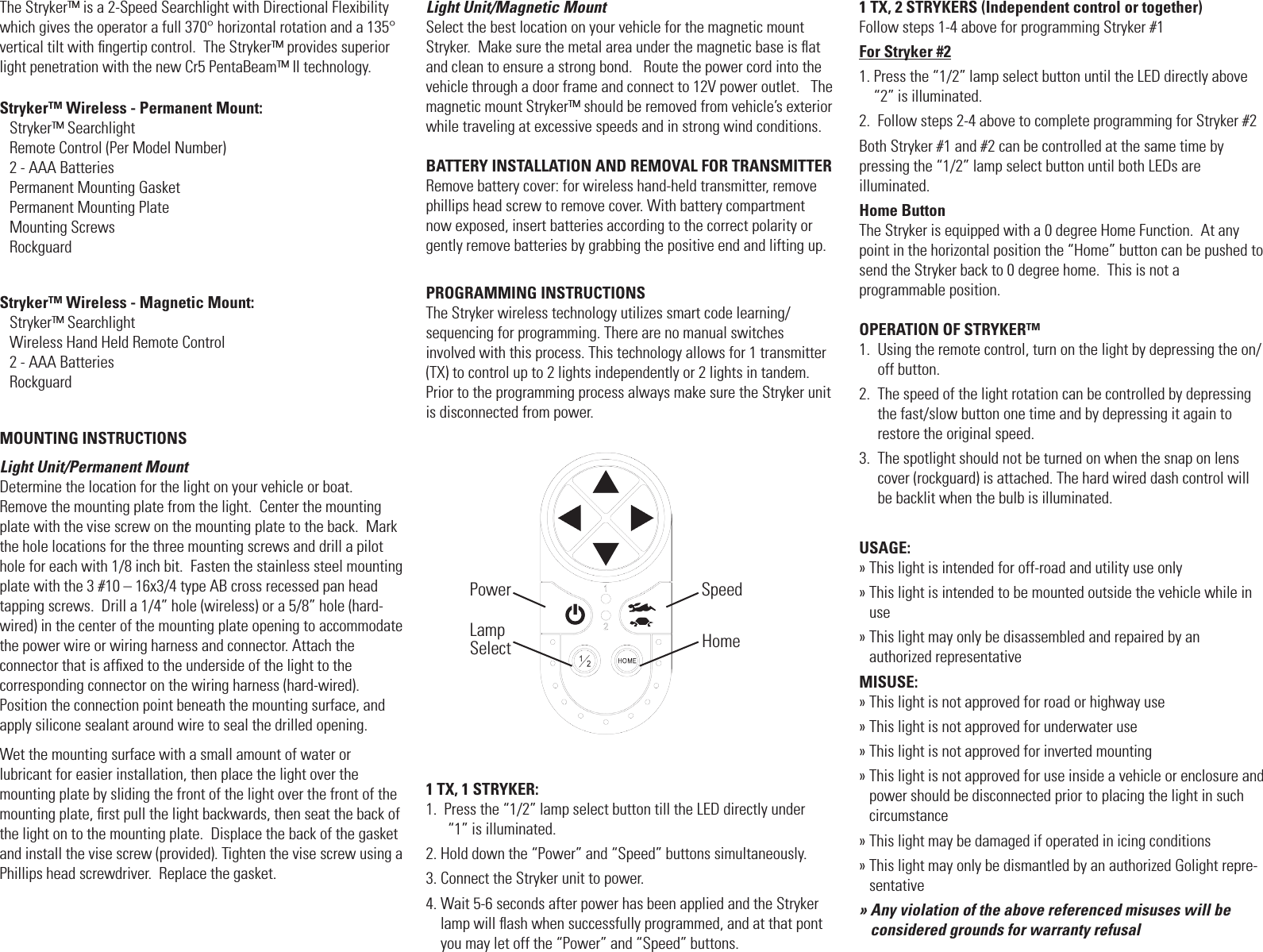
The Stryker™ is a 2-Speed Searchlight with Directional Flexibility which gives the operator a full 370° horizontal rotation and a 135° vertical tilt with fingertip control.  The Stryker™ provides superior light penetration with the new Cr5 PentaBeam™ II technology.Stryker™ Wireless - Permanent Mount: Stryker™ Searchlight                 Remote Control (Per Model Number)2 - AAA BatteriesPermanent Mounting GasketPermanent Mounting PlateMounting Screws RockguardStryker™ Wireless - Magnetic Mount:Stryker™ Searchlight                      Wireless Hand Held Remote Control  2 - AAA Batteries RockguardMOUNTING INSTRUCTIONSLight Unit/Permanent MountDetermine the location for the light on your vehicle or boat.  Remove the mounting plate from the light.  Center the mounting plate with the vise screw on the mounting plate to the back.  Mark the hole locations for the three mounting screws and drill a pilot hole for each with 1/8 inch bit.  Fasten the stainless steel mounting plate with the 3 #10 – 16x3/4 type AB cross recessed pan head  tapping screws.  Drill a 1/4” hole (wireless) or a 5/8” hole (hard-wired) in the center of the mounting plate opening to accommodate the power wire or wiring harness and connector. Attach the  connector that is affixed to the underside of the light to the  corresponding connector on the wiring harness (hard-wired).   Position the connection point beneath the mounting surface, and apply silicone sealant around wire to seal the drilled opening. Wet the mounting surface with a small amount of water or  lubricant for easier installation, then place the light over the  mounting plate by sliding the front of the light over the front of the  mounting plate, first pull the light backwards, then seat the back of the light on to the mounting plate.  Displace the back of the gasket and install the vise screw (provided). Tighten the vise screw using a Phillips head screwdriver.  Replace the gasket. Light Unit/Magnetic Mount Select the best location on your vehicle for the magnetic mount Stryker.  Make sure the metal area under the magnetic base is flat and clean to ensure a strong bond.   Route the power cord into the vehicle through a door frame and connect to 12V power outlet.   The magnetic mount Stryker™ should be removed from vehicle’s exterior while traveling at excessive speeds and in strong wind conditions.BATTERY INSTALLATION AND REMOVAL FOR TRANSMITTERRemove battery cover: for wireless hand-held transmitter, remove phillips head screw to remove cover. With battery compartment now exposed, insert batteries according to the correct polarity or gently remove batteries by grabbing the positive end and lifting up.PROGRAMMING INSTRUCTIONSThe Stryker wireless technology utilizes smart code learning/  sequencing for programming. There are no manual switches involved with this process. This technology allows for 1 transmitter (TX) to control up to 2 lights independently or 2 lights in tandem. Prior to the programming process always make sure the Stryker unit is disconnected from power.1 TX, 1 STRYKER:1.   Press the “1/2” lamp select button till the LED directly under  “1” is illuminated.2. Hold down the “Power” and “Speed” buttons simultaneously.3. Connect the Stryker unit to power.4.  Wait 5-6 seconds after power has been applied and the Stryker lamp will flash when successfully programmed, and at that pont you may let off the “Power” and “Speed” buttons.1 TX, 2 STRYKERS (Independent control or together)Follow steps 1-4 above for programming Stryker #1For Stryker #21.  Press the “1/2” lamp select button until the LED directly above “2” is illuminated.2.  Follow steps 2-4 above to complete programming for Stryker #2Both Stryker #1 and #2 can be controlled at the same time by  pressing the “1/2” lamp select button until both LEDs are  illuminated.Home ButtonThe Stryker is equipped with a 0 degree Home Function.  At any point in the horizontal position the “Home” button can be pushed to send the Stryker back to 0 degree home.  This is not a  programmable position.OPERATION OF STRYKER™1.   Using the remote control, turn on the light by depressing the on/off button.2.   The speed of the light rotation can be controlled by depressing the fast/slow button one time and by depressing it again to restore the original speed.3.   The spotlight should not be turned on when the snap on lens cover (rockguard) is attached. The hard wired dash control will be backlit when the bulb is illuminated.USAGE:» This light is intended for off-road and utility use only»  This light is intended to be mounted outside the vehicle while in use»  This light may only be disassembled and repaired by an  authorized representativeMISUSE:» This light is not approved for road or highway use» This light is not approved for underwater use» This light is not approved for inverted mounting»   This light is not approved for use inside a vehicle or enclosure and power should be disconnected prior to placing the light in such circumstance» This light may be damaged if operated in icing conditions»  This light may only be dismantled by an authorized Golight repre-sentative»  Any violation of the above referenced misuses will be considered grounds for warranty refusalPowerLamp Select HomeSpeed

Navigation menu