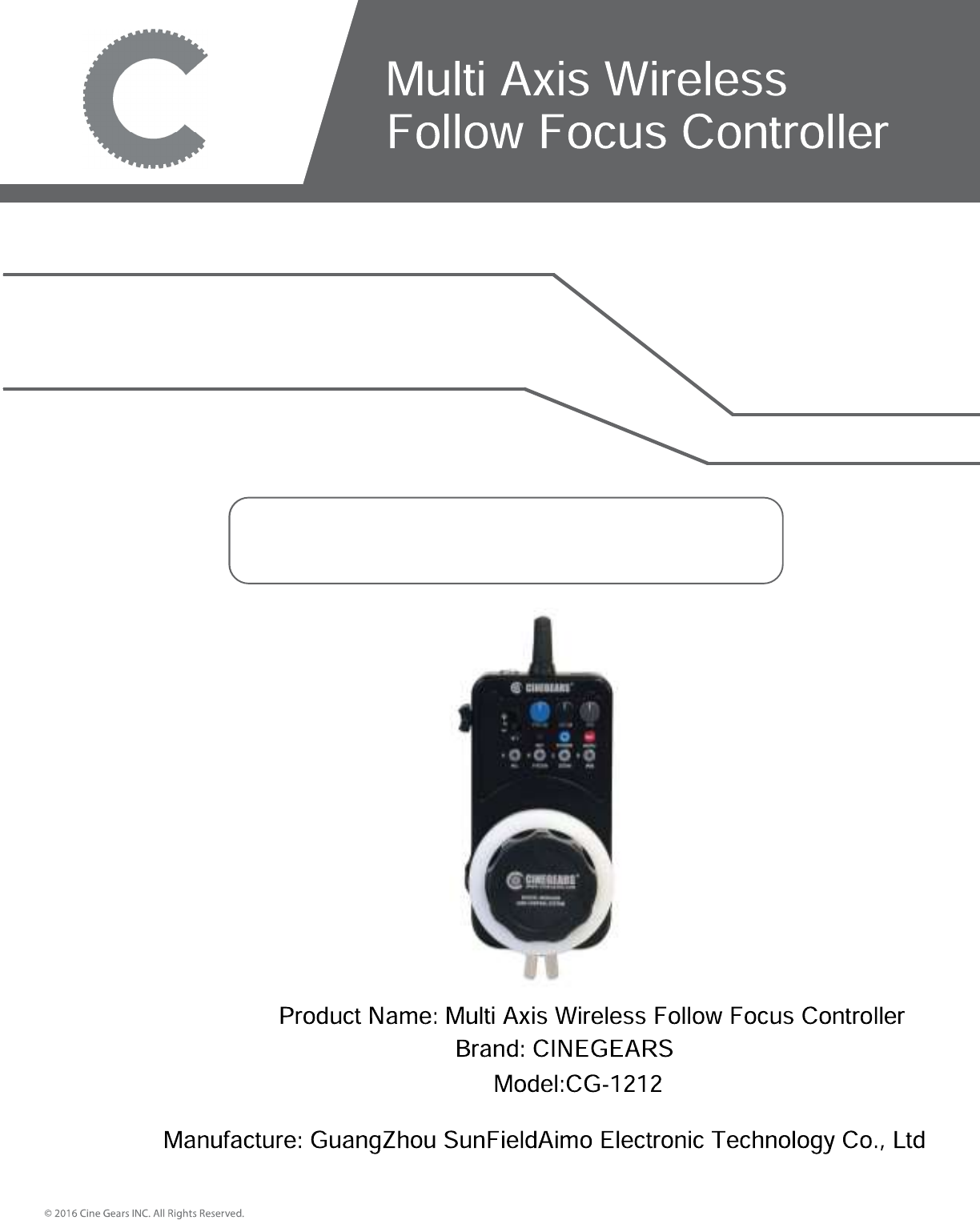
GuangZhou SunFieldAimo Electronic Technology CG-1212 Multi Axis Wireless Follow Focus Controller User Manual
GuangZhou SunFieldAimo Electronic Technology Co., Ltd Multi Axis Wireless Follow Focus Controller
User Manual
MANUAL BOOK
Contents
Controllers
Multi Axis Motors and Gears
Accessories
Multi Axis Accessories
Remote Recording Triggers
Specifications
CINEGEARS MULTI AXIS FOLLOW FOCUS KIT – User Manual
Instructions
Disclaimers
Customer Support
3
4
5
8
9
10
11
16
17
Introduction
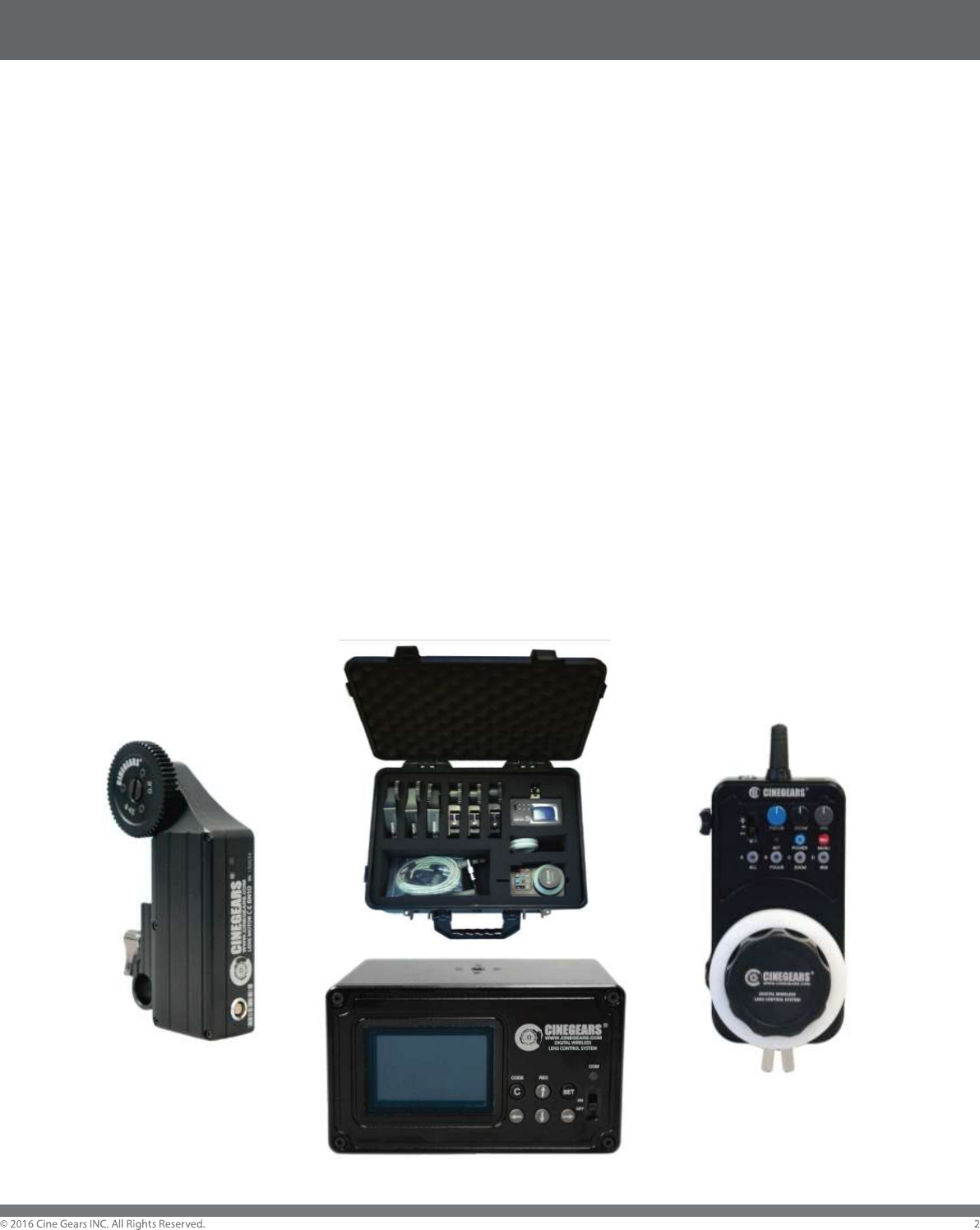
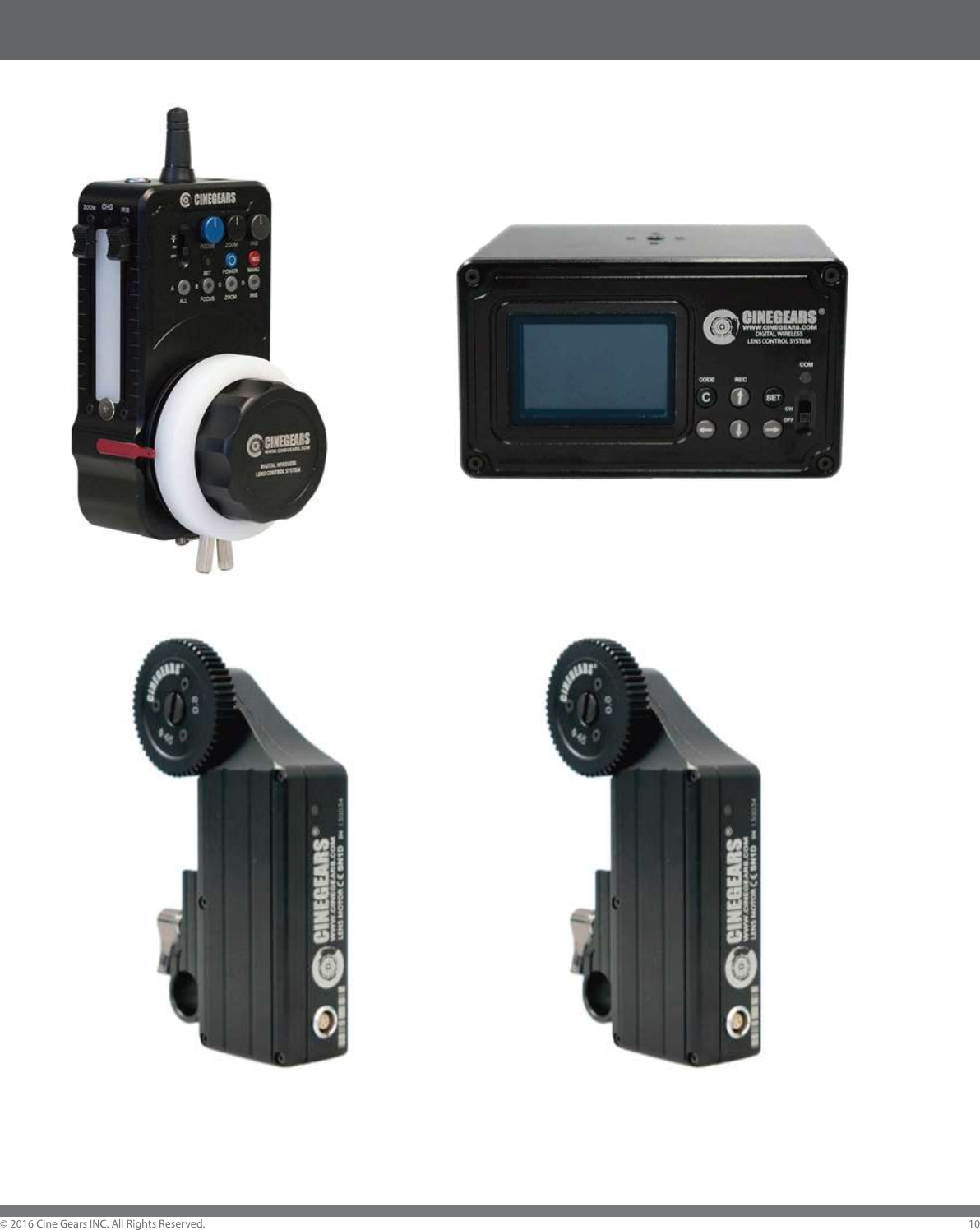
The Cinegears Multi Axis Digital Focus Kit is a wireless lens control kit for
driving your lens rings (focus,iris and zoom.) This system includes the
Cinegears Wireless Hand Controller, The Cinegears Wireless Receiver,
and the Wireless Lens Motors. The Lens Motors can fit both 19mm and
15mm rail systems. There is also the option to tether the receiver to the
controller with a 4-pin Lemo cable.
For ultra-quiet, high-torque lens control, the Cinegears Wireless Multi
Axis Lens Control System delivers a complete solution that features
remote record, interchangeable mounting brackets, and swappable drive
gears. The industrial grade aluminum and steel alloy, allows mounting of
heavier lenses while retaining its light weight. Meanwhile, precise
machining allows the rail adaptors to fit snugly onto the bracket while
allowing clearance for smooth sliding to make quick adjustments.
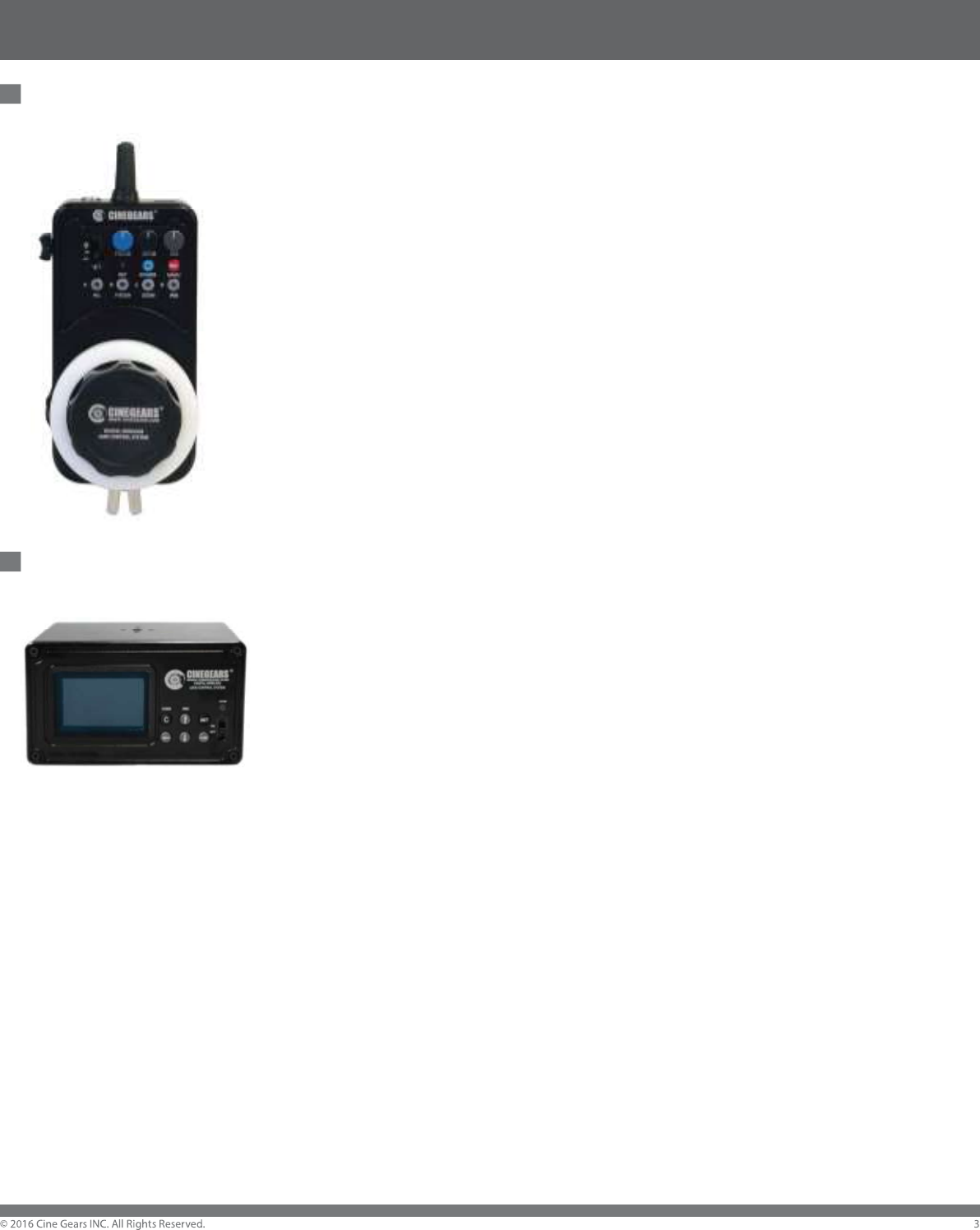
Controllers and Receivers
Multi Axis Controller
With the Wireless Hand Controller, you can deliver a reliable signal
from up to 100 meters wirelessly. For jib, Steadicam, or helicopter
shots, the Wireless Hand Controller allows focus pullers to stand
farther away from camera without compromising precision.
Set up to four Focus, Iris, and Zoom presets with a single press of
a button, same as the integrated record button. Instead of using a
follow focus with limited lens control and mobility, the CINEGEARS
Wireless Hand Controller lets you control focus, iris, zoom, and
remote REC trigger wirelessly – all from one device.
Wired/Wireless Receiver
The CINEGEARS Receiver drives up to 6 CINEGEARS Lens
Control Motors, as well as providing wired control, start/stop, and
Stereoscopic 3D filming support. The Cinegears Receiver mounts to
your rig on a rail by quick clamp and is powered using the 2-PIN 1B
TO 2-PIN 0B CABLE. It features a backlit LED screen so you can
see exactly what your parameters are. The receiver now has all the
trigger functions chipped in: supporting SONY, RED, and ARRI. The
trigger cables are also included in the kit.
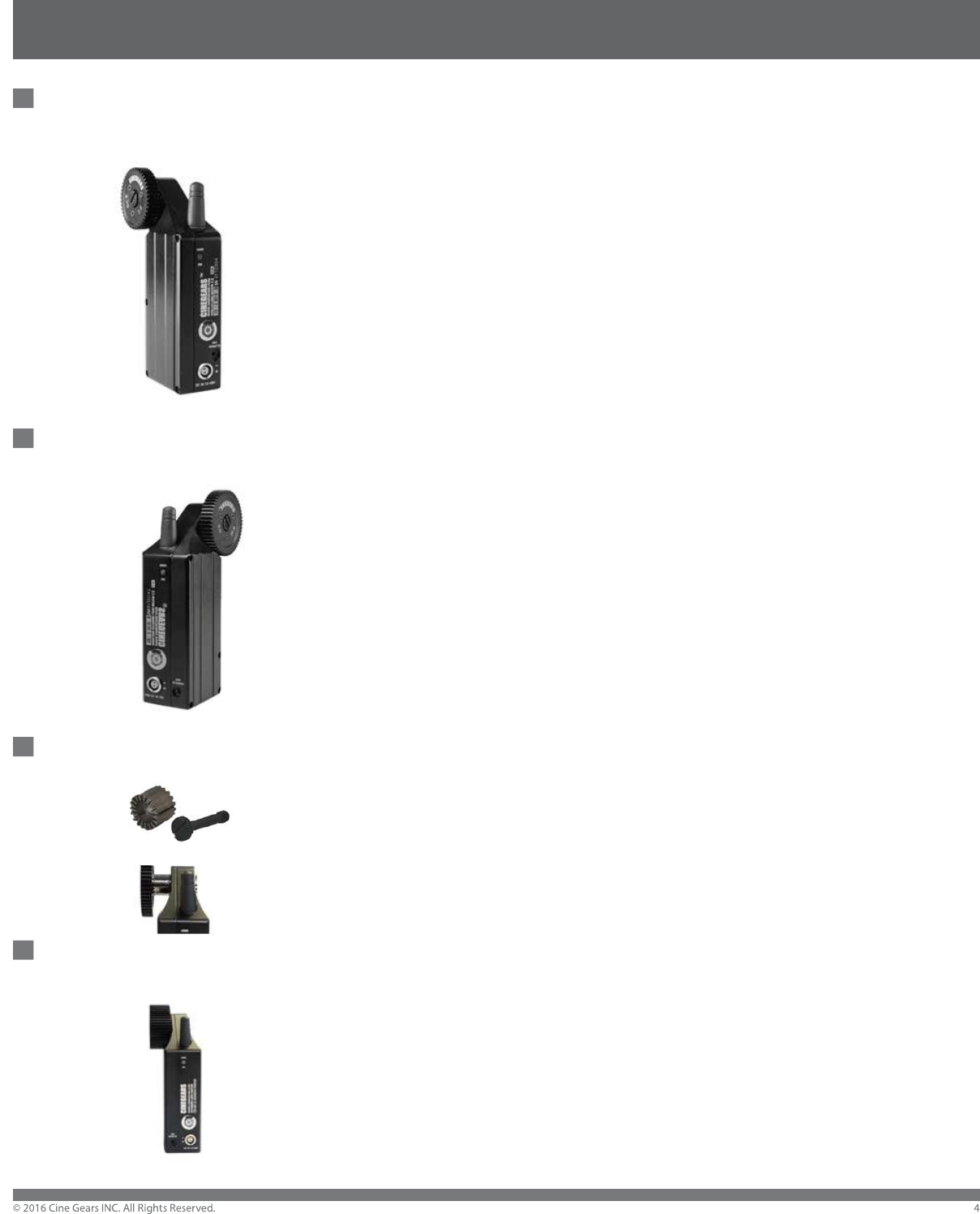
Multi Axis Motors and Gears
Standard Multi Axis Wireless Motor (1-216)
A focus kit is only as good as its motors, which is why the Cinegears multi
axis lens motors are held to strict performance benchmarks for noise,
torque, and design. With a hidden antenna and reduced size overall,
compared to our single axis motors, the Cinegears multi axis lens motor
does not compromise performance; motor power and transmission
distances are the same. The motors laterally lock on to 19mm and 15mm
rail systems, avoiding the need to remove your matte box and other rail
accessories. Low power consumption , 6 motors provide synchronized
motion and link up to 6 units with one receiver., remote record, and
interchangeable gear heads (m 0.4 to m 1.0), the Cinegears Wireless
Standard Motor is ideal for practically any lens setup imaginable.
High Torque Multi Axis Wireless Motor (3-001)
Redesigned with your feedback in mind, it now has twice the torque, to
move even the largest lenses, with ease. It still sports all the same
features as its smaller brother, including: built-in receiver, Remote REC
trigger for ARRI, SONY, and CANON cameras. The Japanese made
digital servo motors are crafted in an aluminum alloy, and have removable
gears and brackets. We’ve made it larger, stronger, and faster, but it’s still
delicate enough for smaller lenses as well.
Gear Re-Locator (1-233)
The Cinegears Gear Re-locator is designed so you can customize the
gears’ position for better lens control, adding on an extra 0.5 inches of
space it provides you with plenty of room for your motor to sit on your
camera rods. Made from durable steel, longevity is never an issue.
Extra Thick Gear (1-123)
CINEGEARS T20 Extra Thick Motor Gear is triple the thickness of the
standard gear, which provides more contact and traction and reduces
slipping. It is made from the same durable aluminum alloy which is in
stock now.
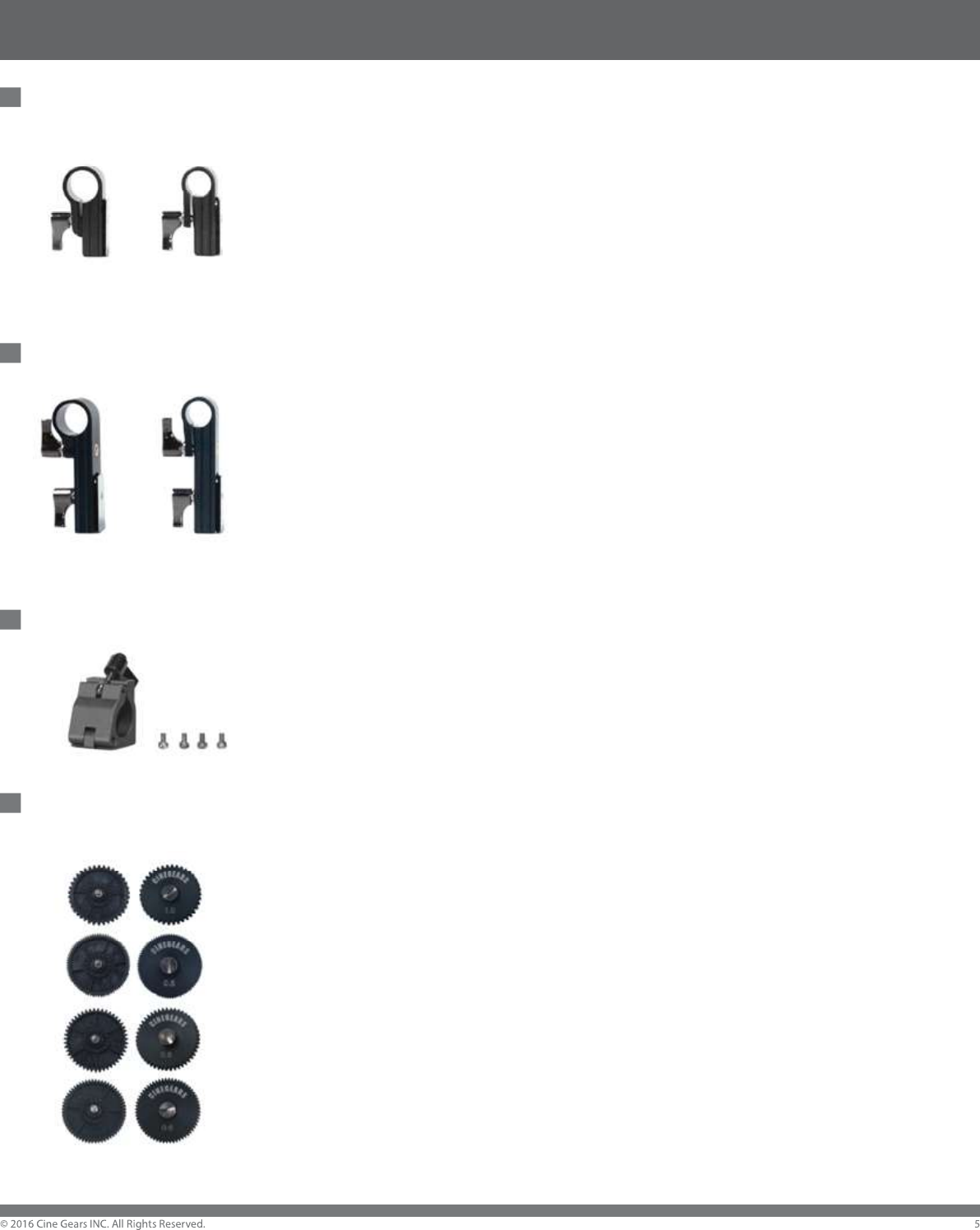
Multi Axis Accessories
Standard Mounting Brackets (1-125)
The perfect companion to the CINEGEARS follow focus system, this durable
bracket makes your installs easier. It has a conveniently placed steel slide
which makes attaching it to the motor simple. This dependable bracket creates
a fast and easy installation for you. The bracket has to be tough – that's why
we made this one from ultra-durable material. You can rest assured that it will
stand up to the chaos going on around it, and provide a secure place for the
motor. Brackets for both 15mm and 19mm rails are available.
Extended Mounting Brackets (1-128)
This set of brackets is the ‘Big Brother’ to the standard motor bracket. With a
longer side of 8cm that you can position with the motor to be suitable with any
lens configuration. Just like it’s ‘little brother’ it is made from ultra-durable
material, and designed to fit easily onto any rig. Brackets for both 15mm and
19mm rails are available.
Finger Bracket (1-135)
Cinegears Express Wireless Hand Controller Finger Bracket is an all new
accessory for the Single Axis Controller. It mounts easily to the side, either
horizontally vertically. You can use a magic arm or mount it directly to your rig.
Now you can control the action with nothing but your finger tip.
Gear Replacement Set (1-129)
Cinegears 38mm Variety Pitch Replacement Gears are included, with the
radius side of 38mm (original is 45mm), which can provide you with even
smoother movement for small lenses. It also can work with different lenses
with variety pitches. The pitch size includes: 1.0, 0.8, 0.6 and 0.5.
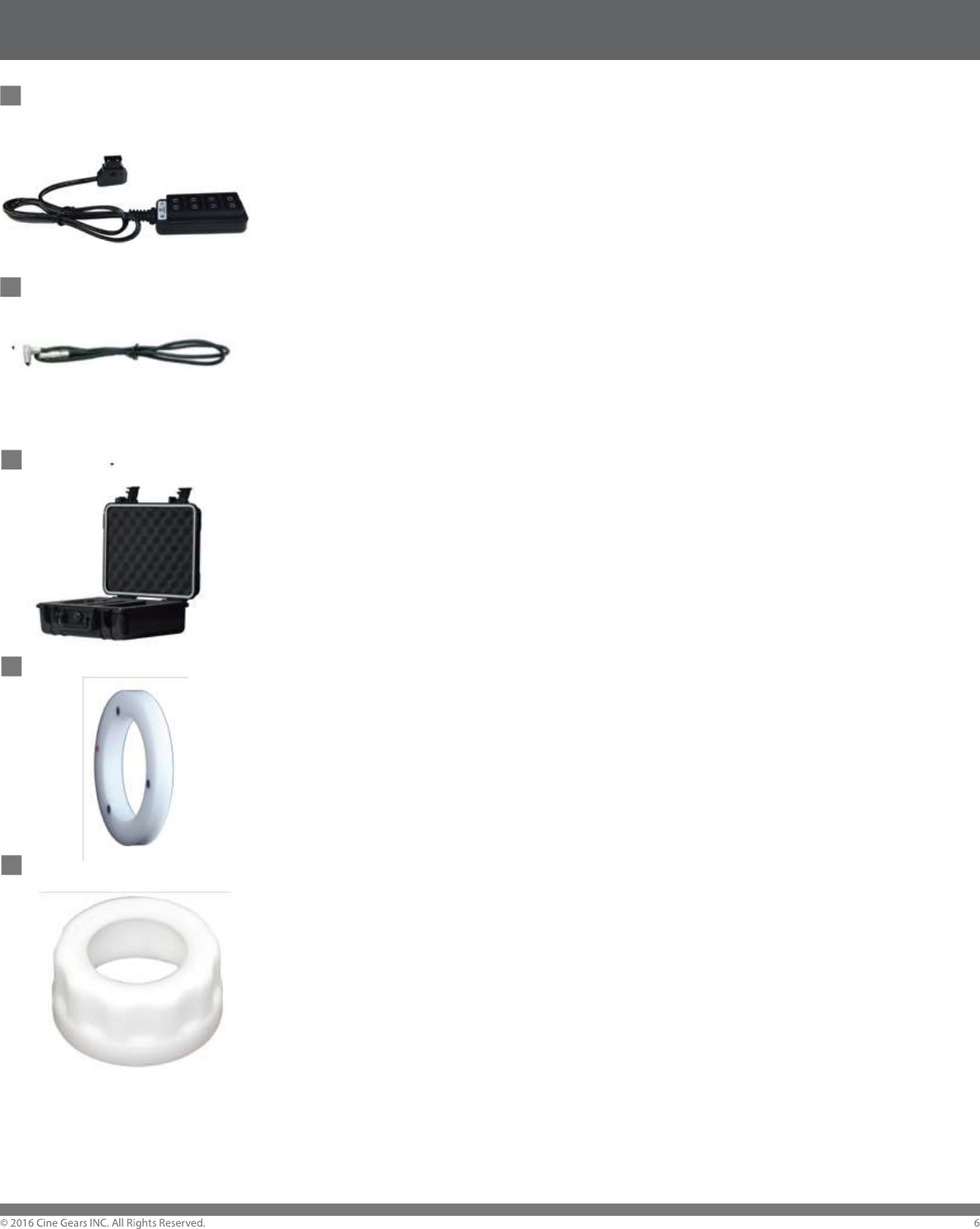
Multi Axis Accessories
Cinegears 4-Port D-Tap Female Cable Splitter with
Advanced Surge Protection (1-189)
This Cinegears power solution cable splits 1 D-Tap Input into 4 Outputs
at a 10 Amp Maximum Load with Unregulated Voltage and advanced surge
protection will keep your electrical products running safely.
Multi Power Data Cable
A 7-Pin Lemo Motor Cable for the Multi Axis Receiver.
Waterproof Hard-Shell Carry Case (1-220)
The Multi Axis Waterproof case with Foam Insert for One Channel Follow
Focus provides protection from fall damage, with a hard and sturdy water
impervious shell, the motors and items contained within can support great
weight and survive hard falls. The foam inside fits all items snugly making
them perfectly stationary while placed in the case.
Thick Marking Disc for the Multi Axis Controller (3-004)
Our Magnetic Marking Disc Replacement for the Standard controller is much
thicker andsturdier than the original version. With three magnets embedded
into the smooth disc. It presents much smoother grip and comfortable touch.
The disc also gives a much easier marking capability and washable surface.
Large Focus Knob for Multi Axis Controller (1-134)
Our big diameter magnetic focus marking knob compatible with dry erase
markers for multi axis controller is uniquely designed with high-density
plastic and provides you with the perfect touch to your Express Plus focus
knob. It enlarges your focus knob and provides better focus control and is
only compatible with the controller.
Multi Axis Accessories
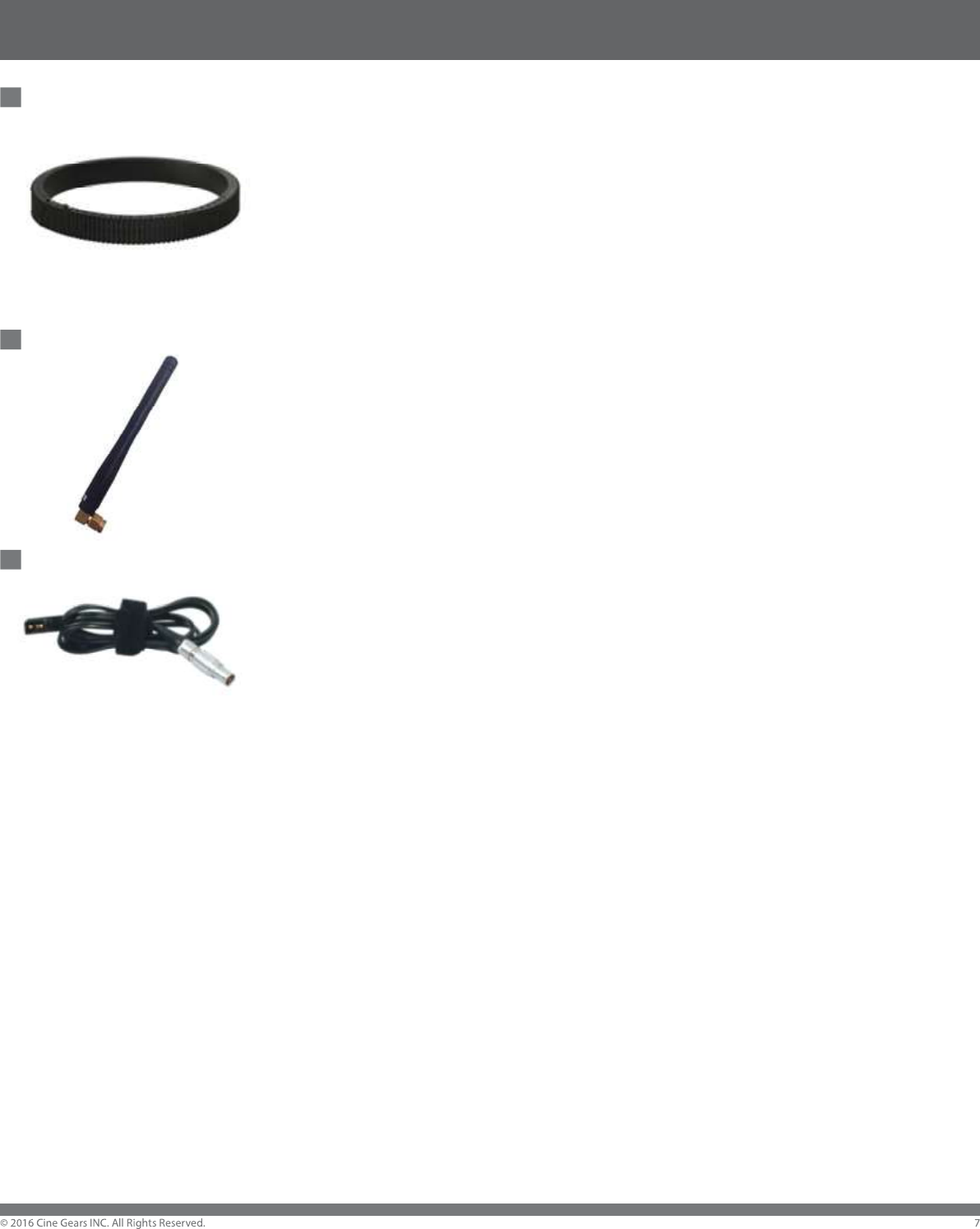
Adjustable Rubber Focus Ring (1-401)
High Quality Professional Solid Rubber Lens Focus Ring:--Strong and durable
design, flexible and customizable, perfectly fit for most lens size with its
standard 0.8 Cinegears pitch.
Detachable Antenna for the Multi Axis Receiver (1-211)
The CINEGEARS Multi-Axis receiver antenna is detachable for boosted signal
and easier storage. This durable and compact design will ensure that you can
always communicate with the receiver.
Powertap Power Cable for the Multi Axis Receiver (1-222)
Introducing the all NEW Lemo Power cable for the Multi Axis Wireless Follow
Focus system. It now connects at a right angle, saving you space on your rig.
It helps to keep the wires organized, as well as making it more universal. You
can get it in a variety of lengths so don’t hesitate to ask.
Remote Recording Triggers
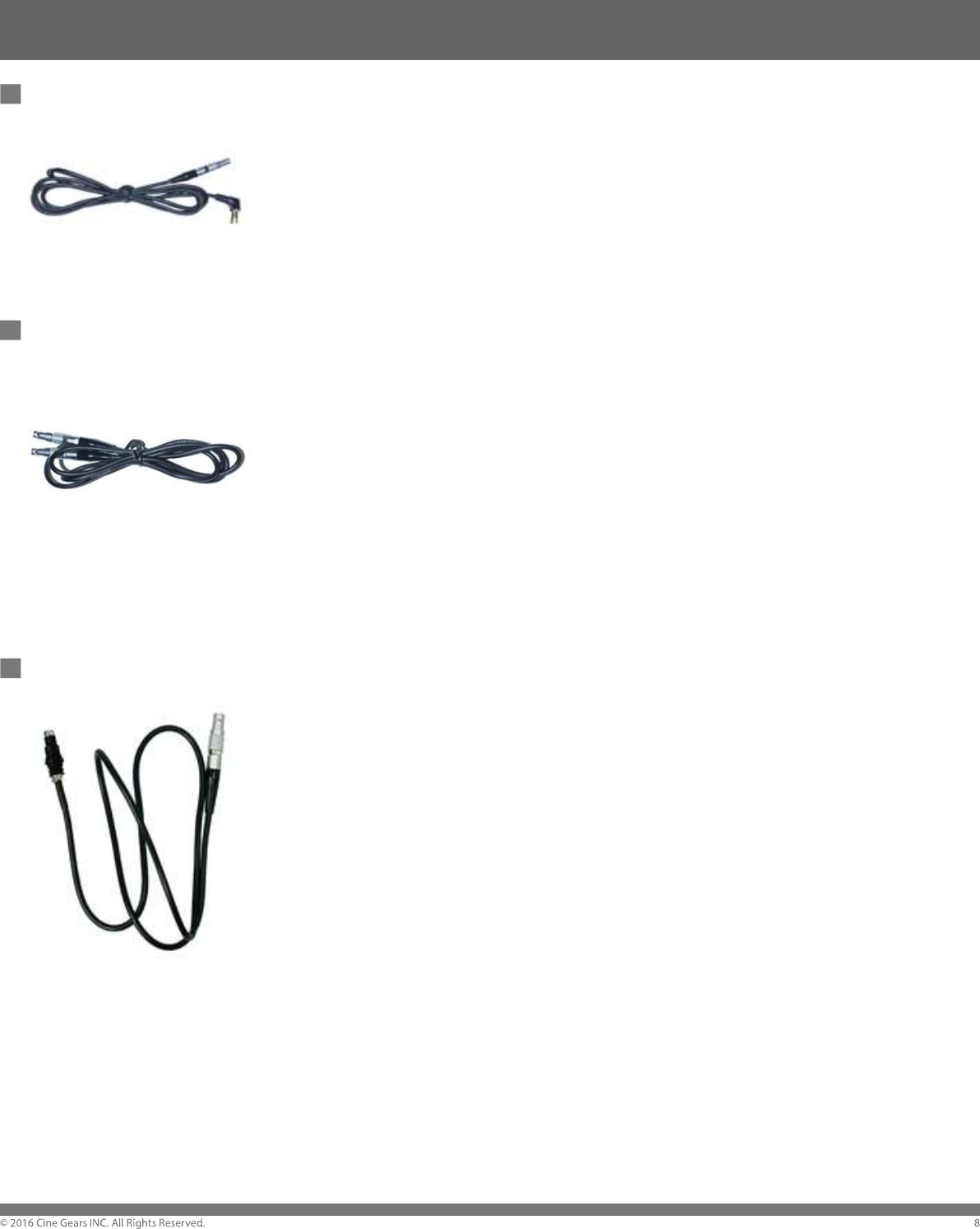
Multi Axis Remote Record Trigger: Sony/Canon (1-219)
The versatile Cinegears Multi Axis Receiver Remote REC trigger cable
(LANC) is compatible with Sony FS7/FS700, Black Magic Production
Camera/4K Camera, Black Magic URSA, and Canon C100-C300. A built in
LED light indicates recording status, and the black anodized aluminum
casing ensures durability.
Multi Axis Remote Record Trigger: RED Epic (1-521)
CINEGEARS Multi Axis REC Trigger for RED Epic is designed for RED
Epic cinema cameras. Effortlessly trigger your REC button with the
Cinegears Multi Axis REC Trigger for RED Epic cameras; focus your mind,
and hands, on other aspects of your shot. The trigger can be powered by
D-Tap or USB cables, and can be used as a stand-alone REC trigger. This
trigger works with any Cinegears Wireless Motors to add wireless remote
REC start/stop control. Housed in sturdy aluminum alloy, durability won’t
be a concern.
Multi Axis Remote Record Trigger Cable for ARRI (1-218)
The ARRI remote REC trigger cable for the CINEGEARS Multi Axis Motor
provides a durable connection between the motor and the ARRI Camera.
This REC trigger cable provides a reliable signal from the motor and the
camera, with almost immediate synchronization.
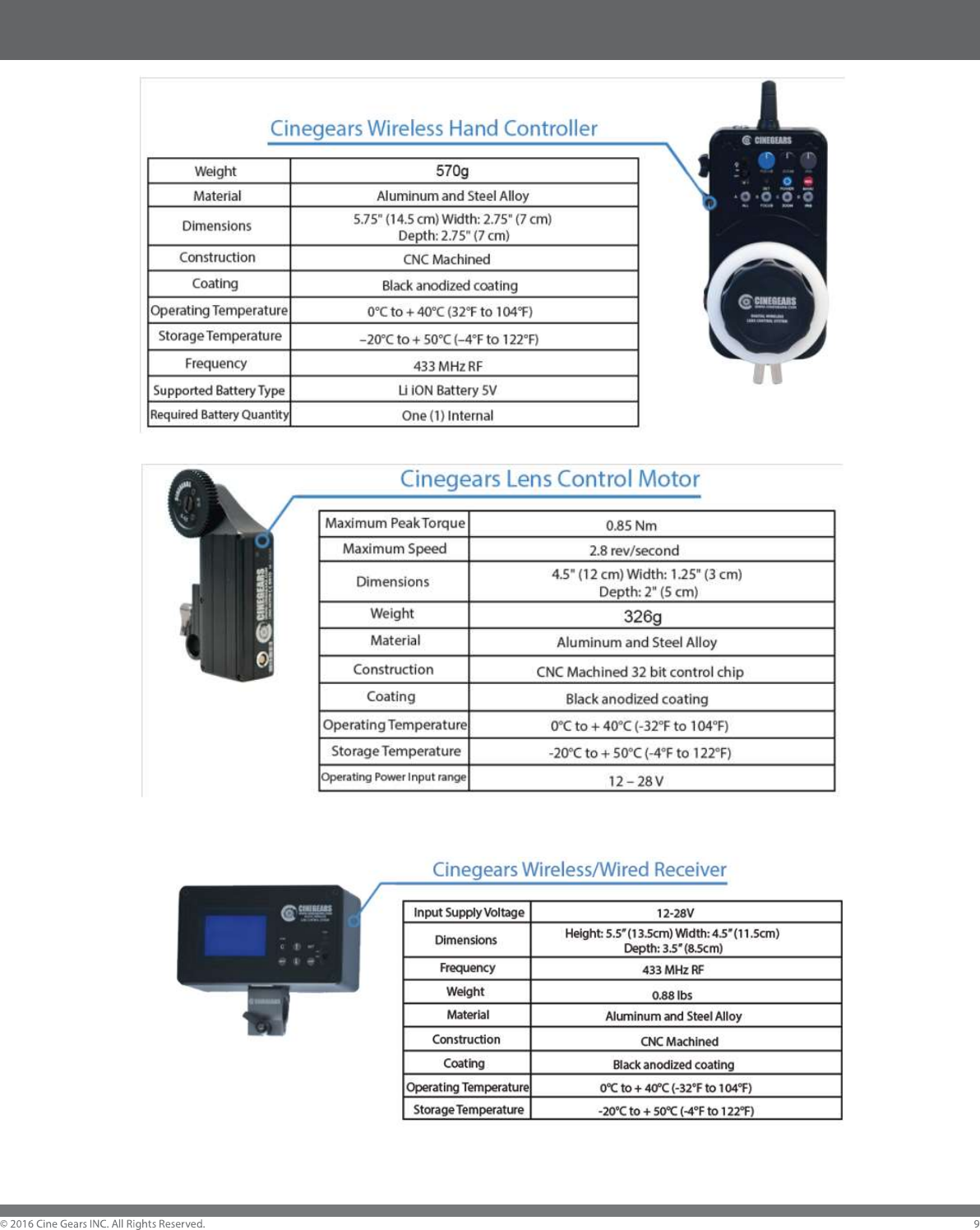
Specifications
Cinegears Multi Axis Follow Focus Kit - User Manual

Instructions
Materials
The Follow Focus system is made from an aluminum alloy using the precision
of CNC machining. The design also allows the drive gear to be installed on
both sides of the lens, which makes it easier to have multiple drives. The
product uses the latest technology from Japan, with an accurate and precise
DC servo motor and the latest 32-bit high-speed control chips, these electronic
and mechanical parts combine, perfectly, together to achieve excellent
performance, smooth control, and precise positioning.
Input
The CINEGEARS Wireless Follow Focus has an input voltage range of +12V
to 30V, there is also an automatic voltage regulator circuit inside the controller.
The controller also comes with a single channel wireless remote REC trigger.
The controller contains a lithium polymer battery that can work continuously for
more than 20 hours on a full charge. Recharge the controller using a mini USB
cord.
Controller
The controls have been designed for ease of use: They allow for preset
memory points, where you can save up to four. The controller allows for, up to
three types of automatic synchronization (focus, zoom, and aperture). The
controller has an adjustable speed which controls the transition speed of the
presets. The controller has an accuracy circuit built into it to ensure the lens
stop precisely where you want it to, even after repeated use. Physical error is
less than ±0.5 mm and it is mainly caused by the gap between the teeth of
the gear.
Motor Direction
Press the indicator light briefly on the rear of the drive to change the spin
direction of the gear to change motor spin direction.

Instructions
Gears and Rods
The motor comes with a standard gear (teeth mold of 0.8, length of 314mm,
width of 10mm or 13mm). It can be applied to various types of lenses. We also
offer other standard diameters, from 39 to 45mm, modulus of 0.5, 0.6, 0.8 and
1.0 of the drive gear to fit all lenses.
Size
Motor Dimensions: 133 mm (height) x 72 mm (width) x 28 mm (depth) and
weighs ~ 380 grams.
Remote Control Dimensions: 115 mm (length) x 68 mm (width) x 32 mm
(depth) and weighs ~ 400 grams.
Synchronization
Turn on the remote control power switch and plug in the motor. Once both are
on press the Code button on the motor for three seconds until the indicator
light will turn green. Then within 10 seconds, hold the SET and CODE button
on the controller at the same time for 3 seconds, the motor light will blink, and
the gear will shudder. This means that the controller and motor have been
successfully synchronized. (Note: This process is usually done before leaving
the factory.)
Automatic Remapping
1) Before installing the drive onto the lens, please make sure the wireless
remote controller and motor are powered on and connected. DO NOT turn the
wireless remote control dial, put the drive gear close to the lens ring and
tighten the screws.
2) The controller can automatically locate the start and end points of any lens.
To calibrate your lens, hold the (SET) and (A) button on the remote controller
for 3 seconds. The whole process can usually be completed within about 20
seconds. If the drive gear wasn’t installed close enough to the lens swivels
during the automatic calibration, or the swivel lens does not have a start or
end point, please refer to the semi-automatic calibration.

Instructions
Automatic Focus/Zoom/Iris Calibration
SET + B (Hold for 3 Seconds) automatic initialization of Focus only
SET + C (Hold for 3 Seconds) automatic initialization of Zoom only
SET + D (Hold for 3 Seconds) automatic initialization of Aperture only
Set Up Presets
Go to the focus point of your choosing, press and hold (A) button until it flashes,
your point is now set. Repeat with (B) (C) and (D) for multiple points. Press the
same preset button to exit the preset mode.
Changing the Motor Speed Between Preset Points
Rotate speed knob on the controller to adjust the motor speed.
Switching from Speed Response Mode to Smooth Response Mode
On the controller, press (CODE) + (REC) + (A) (B) (C) or (D) at the same time
will switch the motor to response speed 1 2 3 or 4 mode. Lower numbers are
speed-priority and higher are smoothness-priority.
Change Motor Spin Direction
Press the CODE button on the side of the motor to reverse the direction of the
gear.
Remote Record Triggers
Press (REC) on your controller to toggle Recording mode ON or OFF.
Recalibrating your Controller
Rotate the focus ring clockwise to the end; hold (SET) + CODE + (REC)
buttons together for 3 seconds. Rotate to the opposite end and press the three
buttons again.

Instructions
Manual Lens Remapping
REC + B (Hold for 3 Seconds) automatic initialization of Focus only
REC + C (Hold for 3 Seconds) automatic initialization of Zoom only
REC + D (Hold for 3 Seconds) automatic initialization of Aperture only
Press and hold (C) to rotate the lens clockwise, then press (A) to choose the
start point.
Press and hold (D) to rotate counter clockwise, then press (B) to choose the
end point you want.
Manual Calibration
Specifically used with infinity lenses that have no start or end point. Now you
need to do the calibration for focus, zoom and iris separately. First, Press the
CODE and their corresponding buttons on the remote controller together for 3
seconds, (B for focus, C for zoom and D for Aperture). Then you will see A, B,
C, D four lights are turned on. Then use (C) button or (D) button to control the
lens. (Hold down the C or D key for more than 3 seconds it will automatically
rotate continuously.) Once it rotates to the proper position, click the (A) button
to set a starting point, (B) button to set the end point. At last, (A, B, C, and D)
four buttons lights turn off to indicate the initialization has been completed.
Semi-automatic Calibration
You need to initial the focus manually, then initial the other two via a mixed
mode.After the initialization of lens, the swivel will automatically shorten the
distance for a slight amount to avoid the noise of crashing. The backlight
flashes during the setting. The products are able to store the data in the course
of sudden power lost and replacement of battery, you can still have the original
data memorized and continue the operation once turn the power on. If the drive
or Lens has been dismantled or replaced, or the corresponding position of
gears has been changed, you need to repeat the initialization. (The data will still
be valid when automatic initialization was chosen or having the same type of
lens.)

Instructions
Buttons and Lights
SET CODE (hold for 3 sec) parameters
SET A (hold for 3 sec) ALL (focus, zoom and aperture) automatic
initialization
SET B (hold for 3 sec) automatic initialization of focus
SET C (hold for 3 sec) automatic initialization of zoom
SET D (hold for 3 sec) automatic initialization of aperture
REC B (hold for 3 sec) manual initialization of focus
REC C (hold for 3 sec) manual initialization of zoom
REC D (hold for 3 sec) manual initialization of aperture
During the manual initialization process, make sure A, B, C and D lights are
on, use ( C ) or ( D ) button to rotate the gear to the position you want then
use (A) and (B).

Disclaimers
Terms and Conditions
Congratulations on purchasing your new CINEGEARS product. Please read
this manual carefully before using the product. By using this product, you
hereby agree to this disclaimer and signify that you have read it in full. You
agree that you are responsible for your own conduct and any content created
while using CINEGEARS products, and for any consequence thereof. You
agree to use this product only for purposes that are proper and in accordance
with local regulations, terms and any applicable polices and guidelines.
By reading this disclaimer, you also agree:
1. Any part of this disclaimer is subject to change without prior notice. Refer to
WWW.CINEGEARS.COM for the latest version.
2. CINEGEARS reserves the right of final interpretation of this disclaimer.
CINEGEARS and the Follow Focus Kit are registered trademarks of Littlecent
International Trading Corp. as names of product, brand, etc., appearing in this
manual are trademarks or registered trademarks of their respective owner
companies. This product and manual are copyrighted by CINEGEARS with all
rights reserved. No part of this product or manual shall be reproduced in any
form without the prior written consent or authorization of CINEGEARS.
FCC Caution.
This device complies with part 15 of the FCC Rules. Operation is subject to the following two
conditions:
(1) This device may not cause harmful interference, and
(2) this device must accept any interference received, including interference that may cause
undesired operation.
Any Changes or modifications not expressly approved by the party responsible for compliance
could void the user's authority to operate the equipment.
Note: This equipment has been tested and found to comply with the limits for a Class B digital
device, pursuant to part 15 of the FCC Rules. These limits are designed to provide reasonable
protection against harmful interference in a residential installation. This equipment generates
uses and can radiate radio frequency energy and, if not installed and used in accordance with the
instructions, may cause harmful interference to radio communications. However, there is no
guarantee that interference will not occur in a particular installation. If this equipment does
cause harmful interference to radio or television reception, which can be determined by turning
the equipment off and on, the user is encouraged to try to correct the interference by one or
more of the following measures:
-Reorient or relocate the receiving antenna.
-Increase the separation between the equipment and receiver.
-Connect the equipment into an outlet on a circuit different from that to which the receiver is
connected.
-Consult the dealer or an experienced radio/TV technician for help.