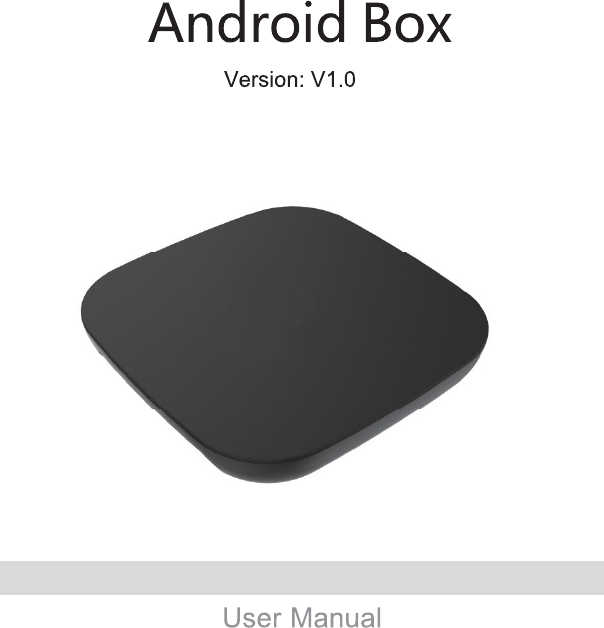
Guangzhou Shiyuan Electronics A1605A Android Box User Manual
Guangzhou Shiyuan Electronics Co., Ltd. Android Box Users Manual
Contents
- 1. User manual
- 2. Users Manual
Users Manual
A1605A-A01-G50501-V1.4

FCC Statement:
A Danger of explosion if battery is incorrectly replaced. Replace only with the same or equivalent type
B batteries (battery pack or batteries installed) shall not be exposed to excessive heat such as
sunshine, fire or the like
FCC Statement:
A:The MAINS plug or an appliance coupler is used as the disconnect device, the disconnect device shall
remain readily operable.
B. Use only power supplies listed in the user instructions: Trade mark:SUNUN, model name
SW15-120S100U, Input 100-240V~0.4A Max 50/60Hz, Output 12V 1A
changes or modifications not expressly approved by the party responsible for compliance could void the
user’s authority to operate the equipment.
This equipment has been tested and found to comply with the limits for a Class B digital device, pursuant
to Part 15 of the FCC Rules. These limits are designed to provide reasonable protection against harmful
interference in a residential installation. This equipment generates, uses and can radiate radio frequency
energy and, if not installed and used in accordance with the instructions, may cause harmful interference
to radio communications. However, there is no guarantee that interference will not occur in a particular
installation.
If this equipment does cause harmful interference to radio or television reception, which can be
determined by turning the equipment off and on, the user is encouraged to try to correct the interference
by one or more of the following measures:
-- Reorient or relocate the receiving antenna.
-- Increase the separation between the equipment and receiver.
-- Connect the equipment into an outlet on a circuit different from that to which the receiver is connected.
-- Consult the dealer or an experienced radio/TV technician for help.
FCC Statement:
“This equipment complies with FCC RF radiation exposure limits set forth for an uncontrolled environ-
ment.
This equipment should be installed and operated with a minimum distance of 20 centimeters between the
radiator and your body.”
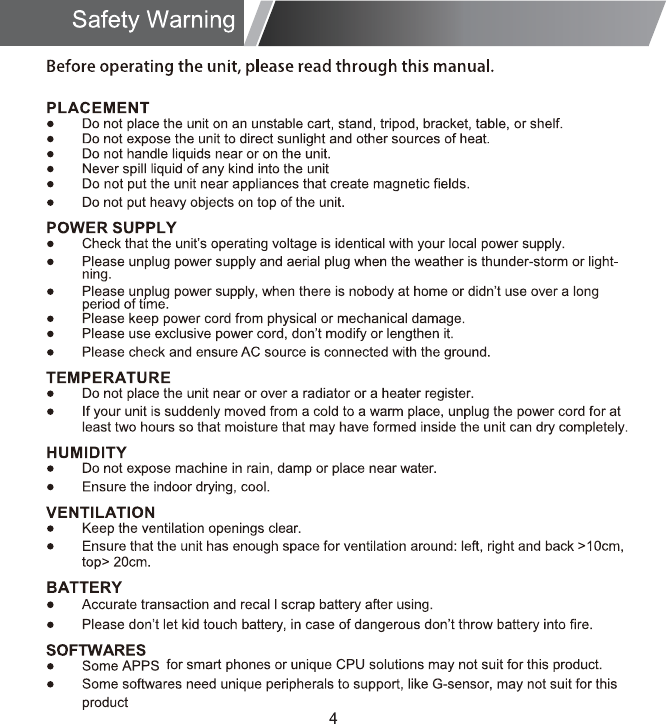
Before operating the unit, please read through this manual.
The final software version should be subject to the latest development.
Final interpretation is owned by our company.
19
Welcome Page
How to Connect
Setup Page
Install From USB Flash Drive/Micro SD Card
Download & Install From Browser
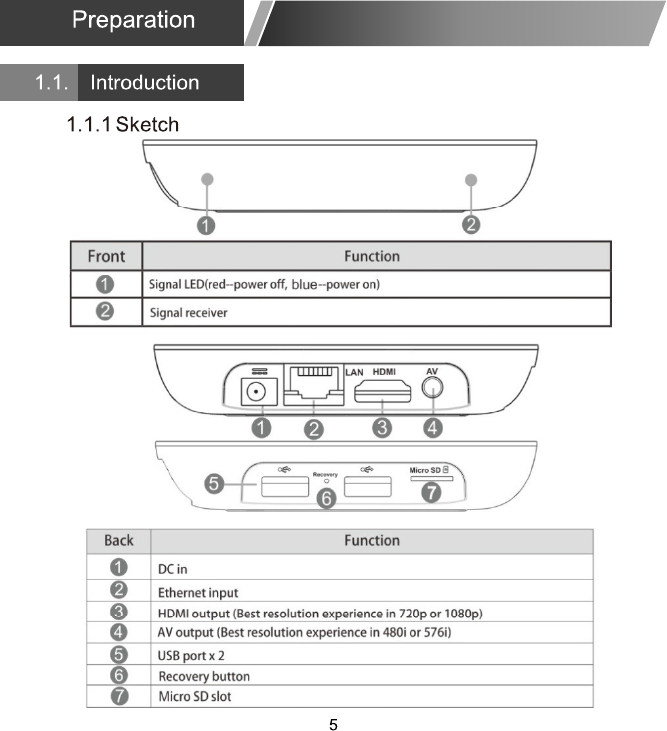
ßÊ ½¿¾´»øÑ°¬·±²¿´÷
Ë-»® ³¿²«¿´øÑ°¬·±²¿´÷
ØÜÓ× ½¿¾´»øÑ°¬·±²¿´÷
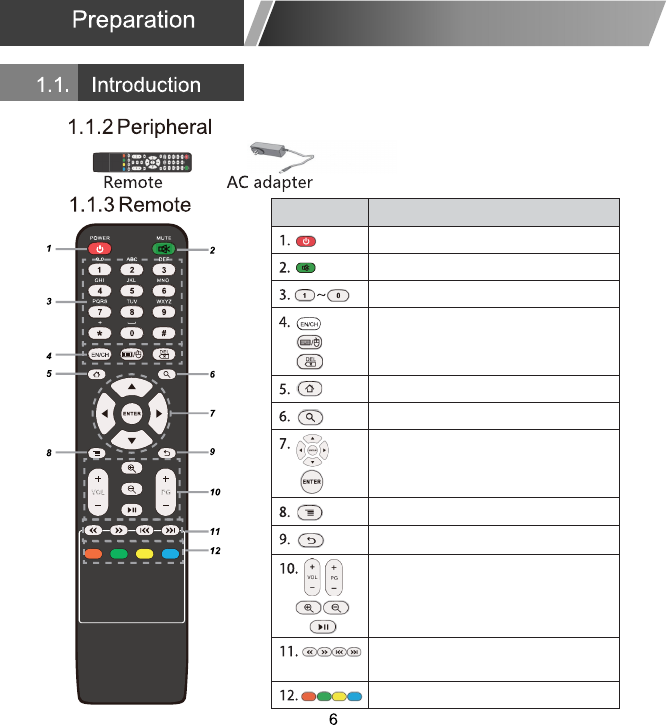
Button Function
Turn on/off
Sound/Mute
Number 0 ~ 9 and “*”,“#”,
Delete
HOME button, back to main page
Search
Up, down, left and right direction
Control
Confirm
Menu button
Back
Volume “+,-”(Turn up/down)
Page turning “+,-”(up/down)
Zoom in/out
Multimedia: Play/Pause
Multimedia: Forward/Backward/
Preview/Next
Defined function button
Switch input number or alphabet
Turn on/off Mouse Mode
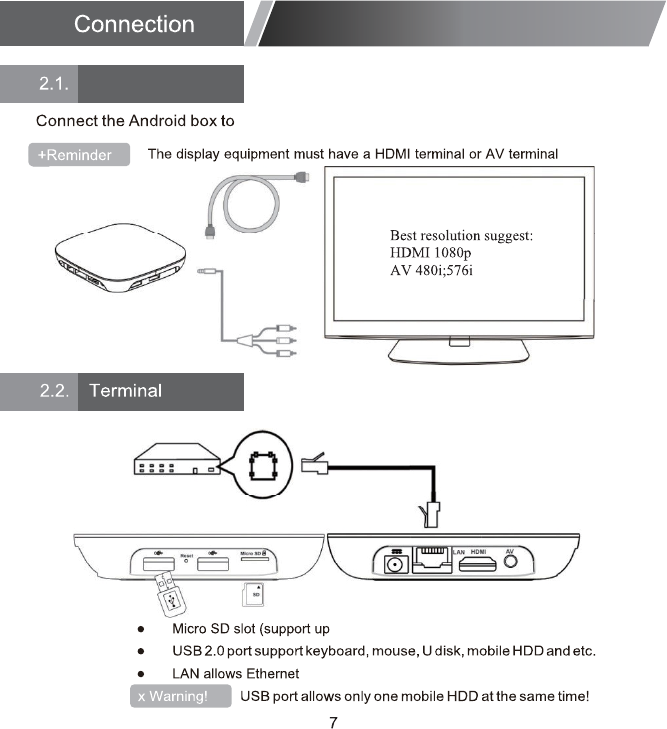
a display equipment
to 64GB)
How to Connect
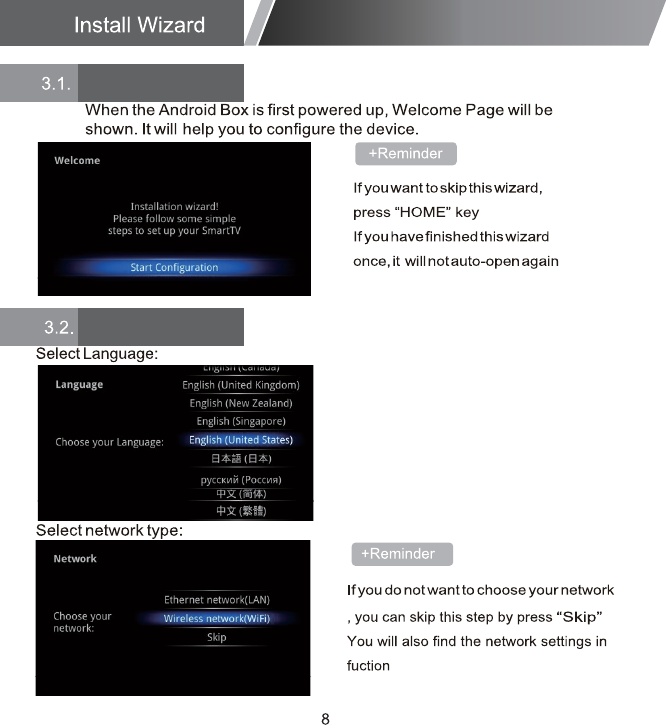
"Settings"
Welcome Page
Setup Page
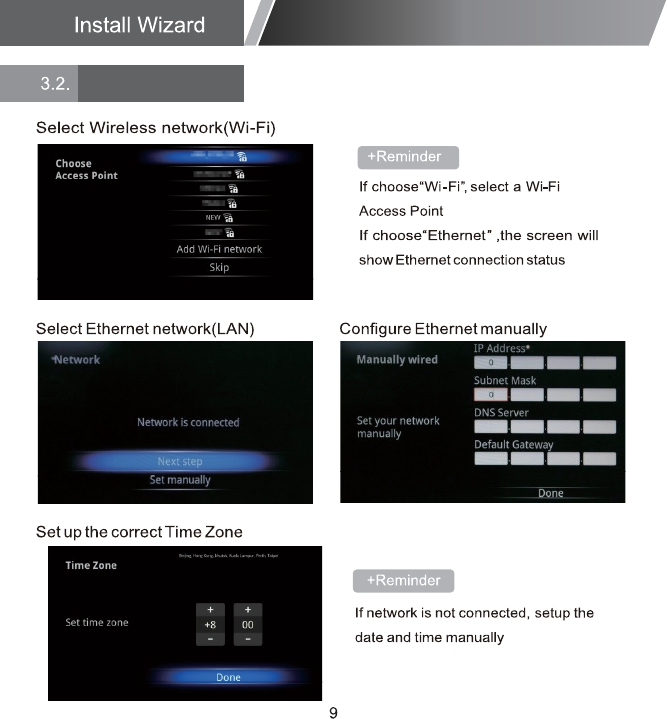
Setup Page
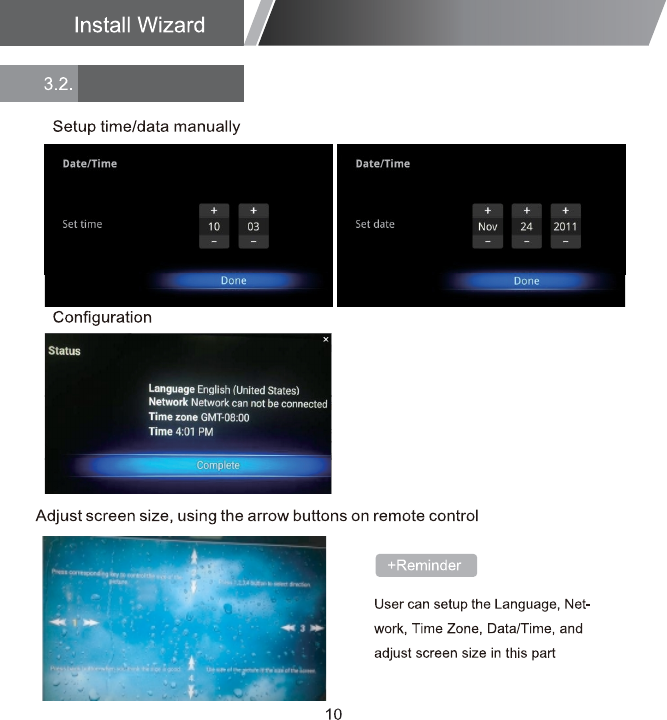
Setup Page
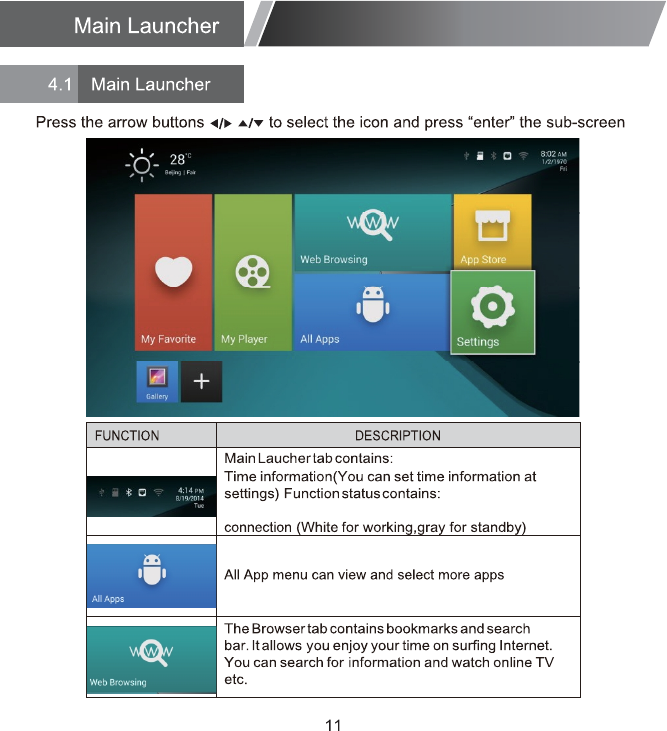
ËÍÞå Ó·½®± ÍÜå Þ´«»¬±±¬¸å Û¬¸»®²»¬å É×Ú×
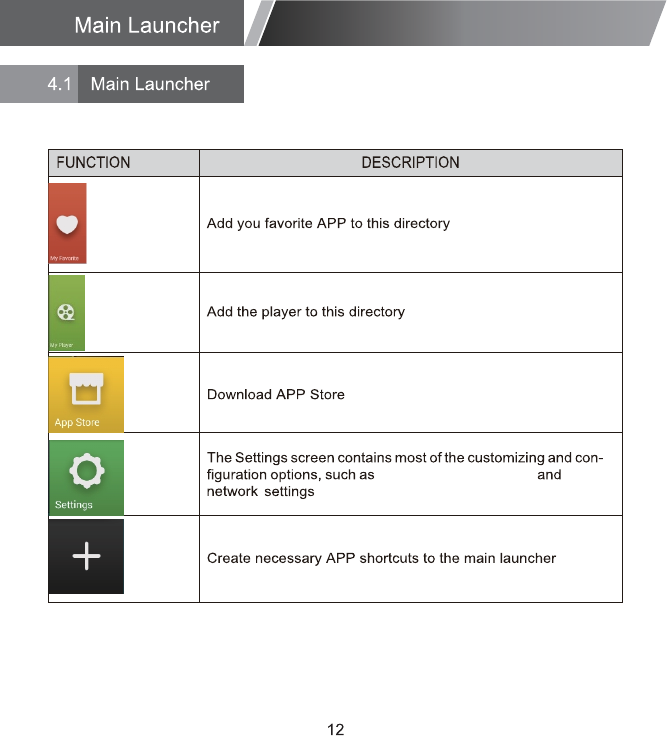
Device info,Output mode
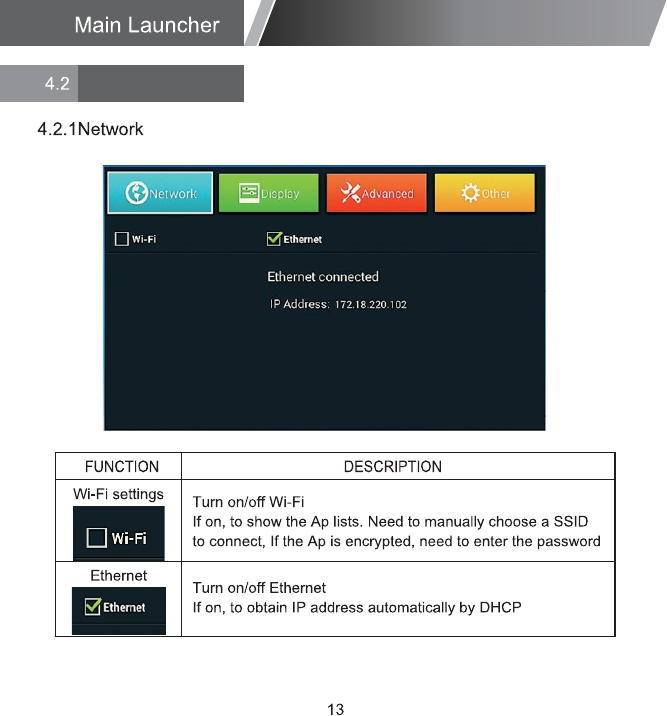
Settings
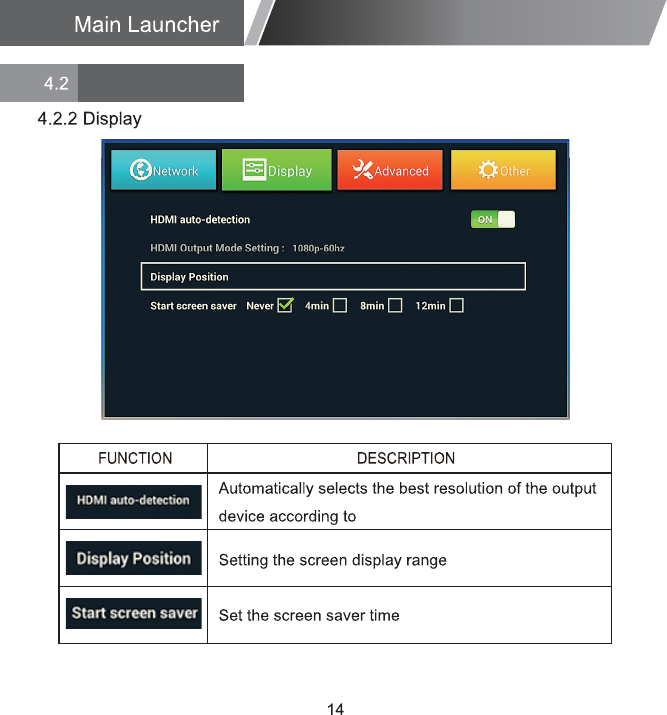
HDMI
Settings
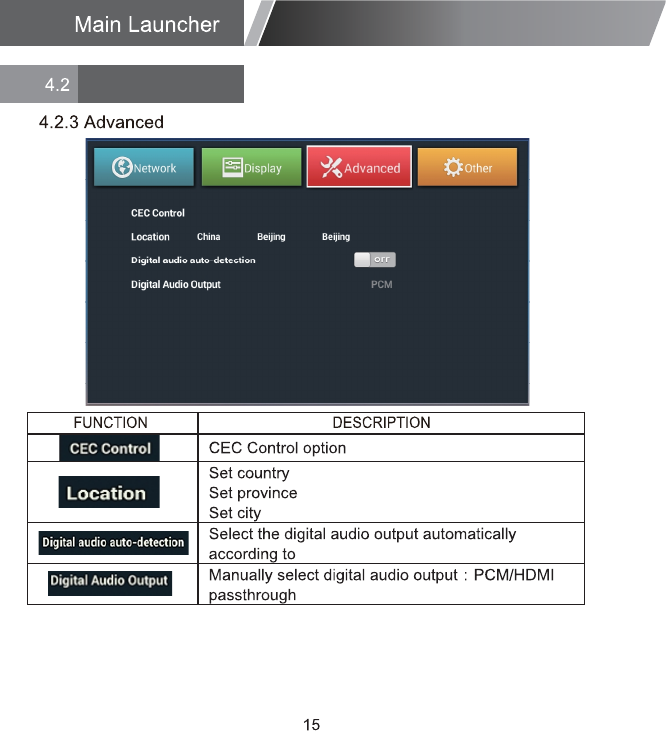
HDMI output device
Settings
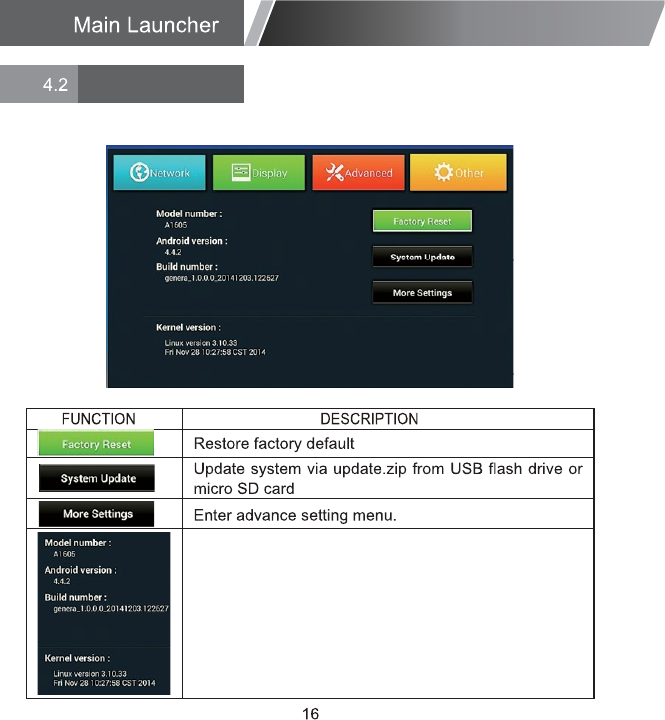
4.2.4 Other
Android version
Build number
Kernel version
rebmun ledo M
Settings
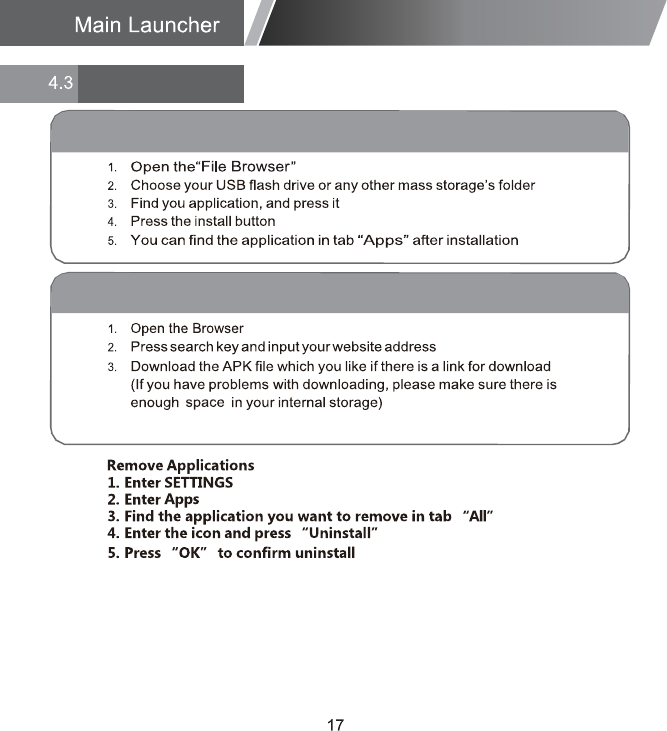
Applications
Install From USB Flash Drive/Micro SD Card
Download & Install From Browser
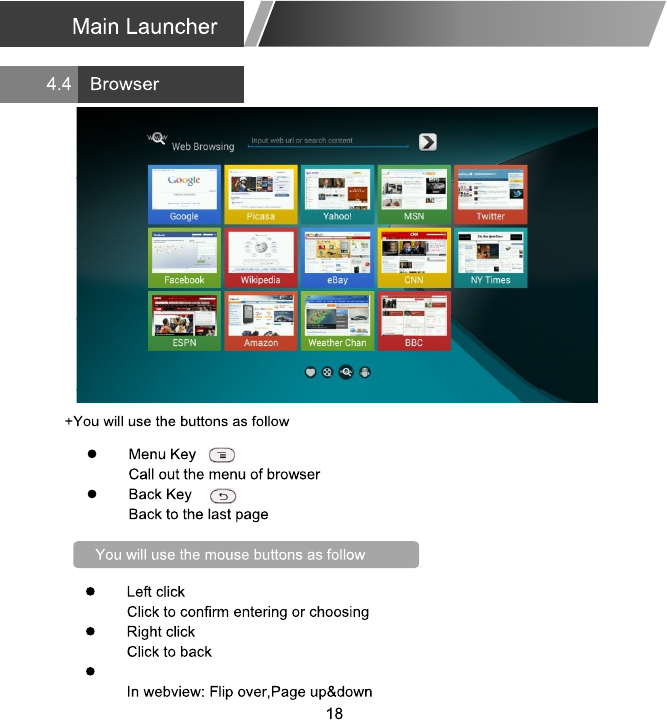
Ó±«-» ©¸»»´
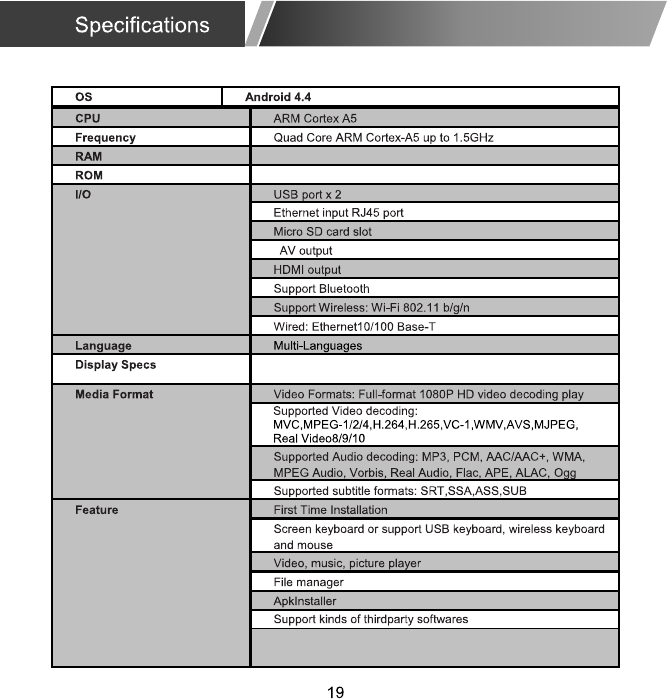
ìÙÞ ÛÓÓÝ º´¿-¸øèñïêñíîÙÞ Ò¿²¼ñÛÓÓÝ º´¿-¸ Ñ°¬·±²¿´÷
ïÙÞ øëïîÓÞ ±°¬·±²¿´÷
øèðîòï�ñ¿ñ¾ñ¹ñ² Ñ°¬·±²¿´÷
λ-±´«¬·±²æøØÜÓ×÷éîð·ñÐ ëðñêðئåïðèð·ñÐ ëðñêðئ
øßÊ÷ìèð·åëéê·