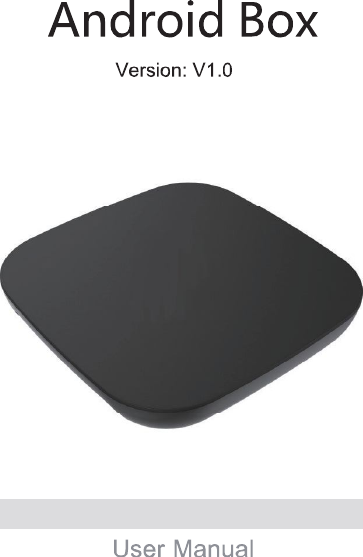
Guangzhou Shiyuan Electronics A2305A Android Box User Manual

Guangzhou Shiyuan Electronics Co., Ltd. Android Box Users Manual

Users Manual

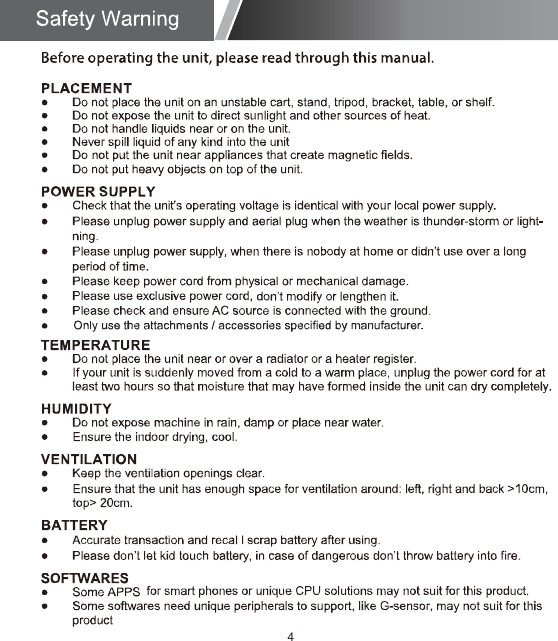
Before operating the unit, please read through this manual.The final software version should be subject to the latest development. Final interpretation is owned by our company.2
36468899912121416178
4
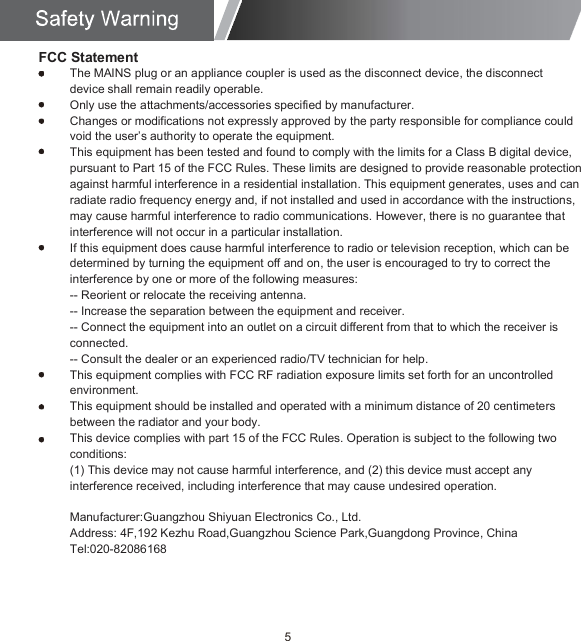
5FCC StatementThe MAINS plug or an appliance coupler is used as the disconnect device, the disconnect device shall remain readily operable.Only use the attachments/accessories specified by manufacturer.Changes or modifications not expressly approved by the party responsible for compliance could void the user’s authority to operate the equipment.This equipment has been tested and found to comply with the limits for a Class B digital device, pursuant to Part 15 of the FCC Rules. These limits are designed to provide reasonable protection against harmful interference in a residential installation. This equipment generates, uses and can radiate radio frequency energy and, if not installed and used in accordance with the instructions, may cause harmful interference to radio communications. However, there is no guarantee that interference will not occur in a particular installation.If this equipment does cause harmful interference to radio or television reception, which can be determined by turning the equipment off and on, the user is encouraged to try to correct the interference by one or more of the following measures:-- Reorient or relocate the receiving antenna.-- Increase the separation between the equipment and receiver.-- Connect the equipment into an outlet on a circuit different from that to which the receiver is connected.-- Consult the dealer or an experienced radio/TV technician for help.This equipment complies with FCC RF radiation exposure limits set forth for an uncontrolled environment.This equipment should be installed and operated with a minimum distance of 20 centimeters between the radiator and your body.This device complies with part 15 of the FCC Rules. Operation is subject to the following two conditions:(1) This device may not cause harmful interference, and (2) this device must accept any interference received, including interference that may cause undesired operation.Manufacturer:Guangzhou Shiyuan Electronics Co., Ltd.Address: 4F,192 Kezhu Road,Guangzhou Science Park,Guangdong Province, ChinaTel:020-82086168
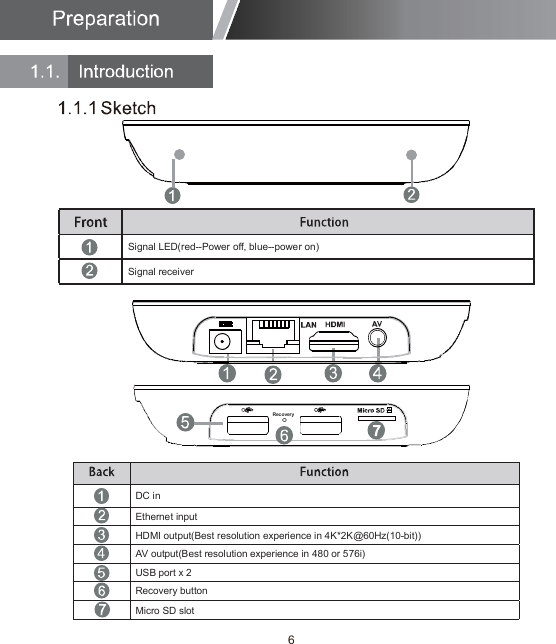
HDMI output(Best resolution experience in 4K*2K@60Hz(10-bit))AV output(Best resolution experience in 480 or 576i)USB port x 2Recovery buttonMicro SD slotEthernet inputDC inSignal receiverSignal LED(red--Power off, blue--power on)6
7
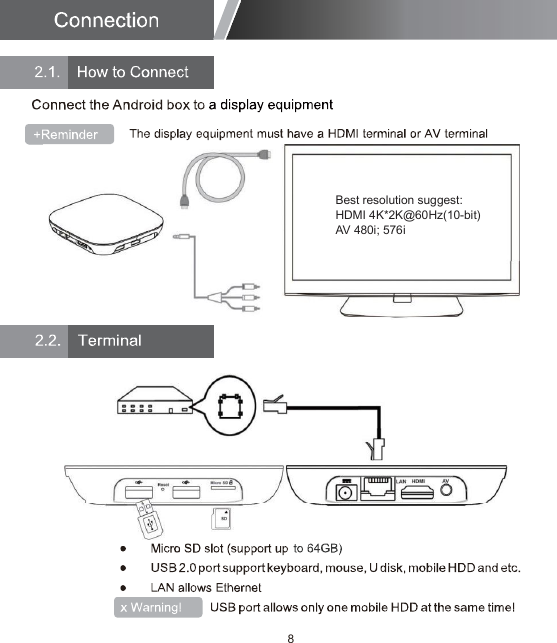
8Best resolution suggest:HDMI 4K*2K@60Hz(10-bit)AV 480i; 576i
9
10
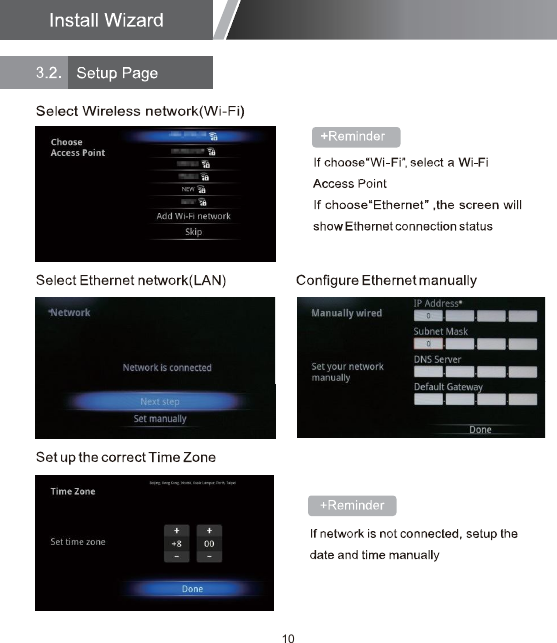
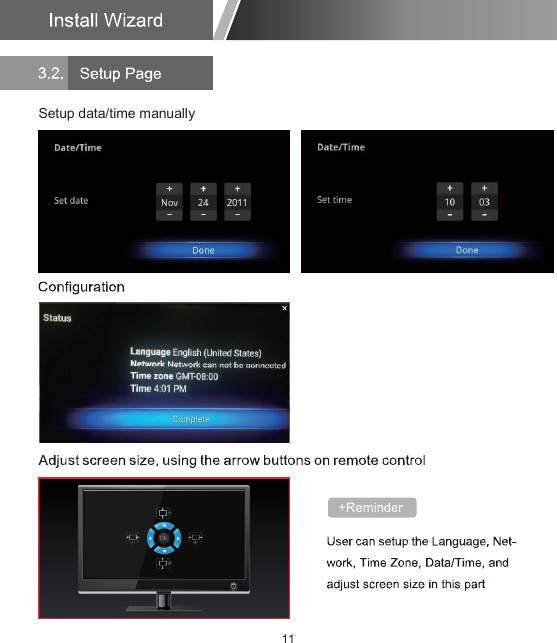
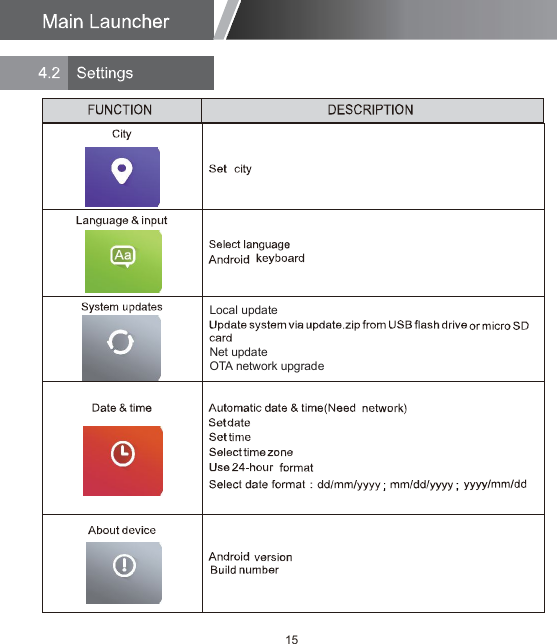
11Setup data/time manually
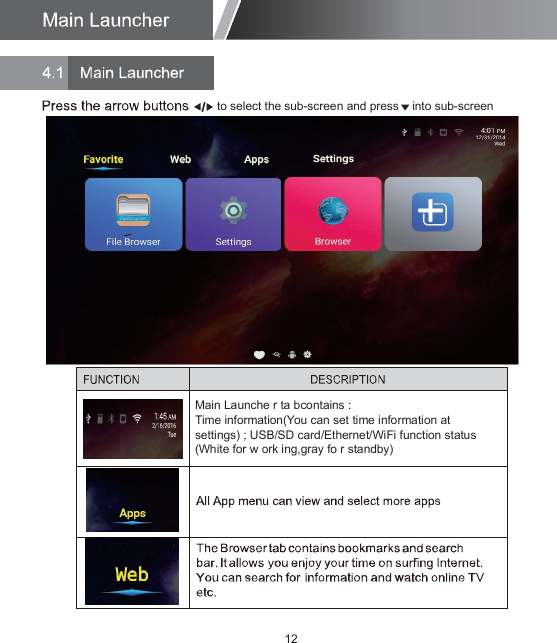
12Main Launche r ta bcontains :Time information(You can set time information atsettings) ; USB/SD card/Ethernet/WiFi function status(White for w ork ing,gray fo r standby)to select the sub-screen and press    into sub-screen
13
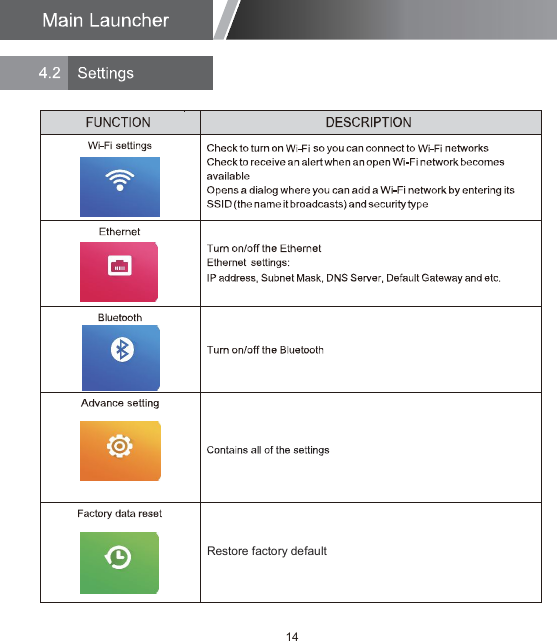
14Restore factory default
15Local updateNet updateOTA network upgrade
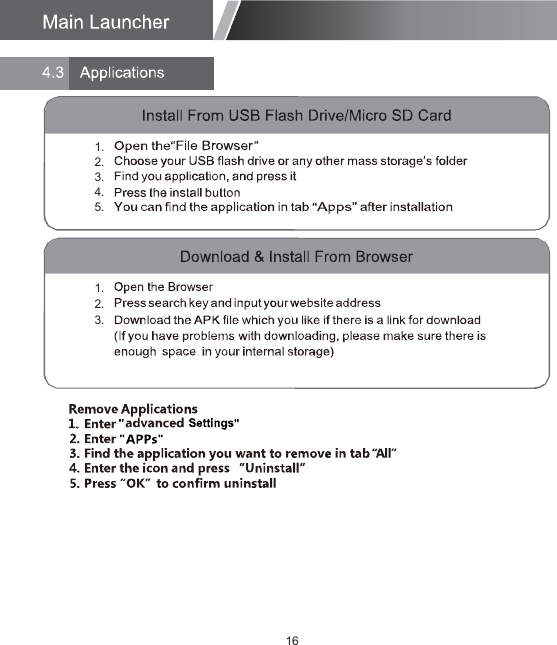
161.2.3.1.2.3.4.5.
17

Navigation menu