Custom Plot Sizes 063009
2016-06-08
: Guides 063009 Customplotsizes 063009_CustomPlotSizes tips pdf asi
Open the PDF directly: View PDF  .
.
Page Count: 3
www.advsolinc.com
ASI Client Center
1-877-438-2741
Autodesk Products Tip & Tricks
Copyright 2008 – Advanced Solutions, Inc.
Product: Revit Architecture
Topic: Custom Plot Sizes
Written by: Brenda Thomas, BSD Technical Engineer
Date: June 30, 2009
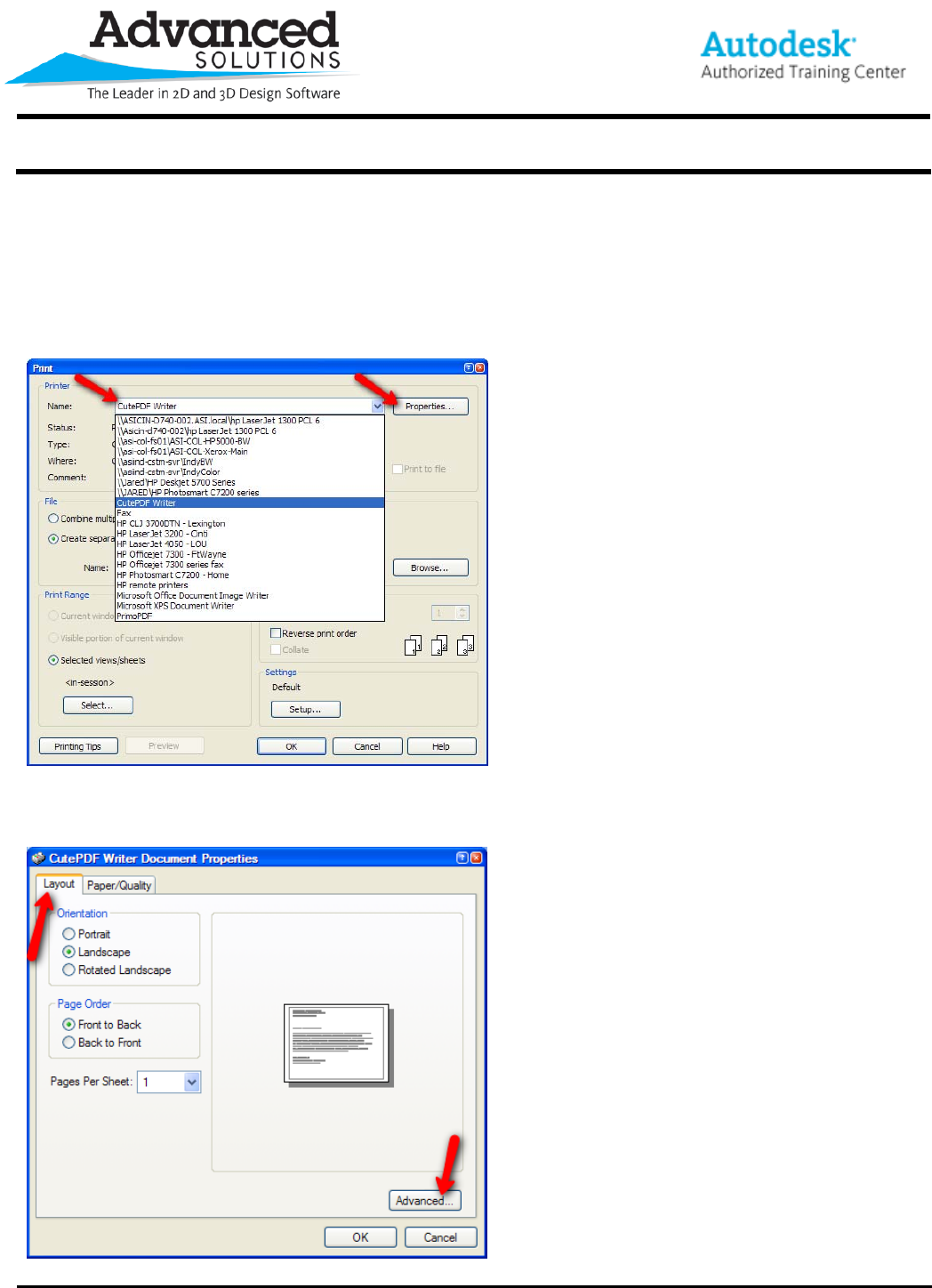
To look at and edit the plotter settings, go to File>Print menu to open the print dialog box. Once the dialog is
‘Open’, select the plotter name in the Drop-down menu and then select Properties.
In the Plotter Properties Dialog box, select the Layout Tab along the top and the ‘Advanced’ button in the lower
right corner.
www.advsolinc.com
ASI Client Center
1-877-438-2741
Autodesk Products Tip & Tricks
Copyright 2008 – Advanced Solutions, Inc.
In the Advanced Options dialog box, Confirm that all of the settings for the plotter – including page size, print
quality, and scaling, are all accurately set.
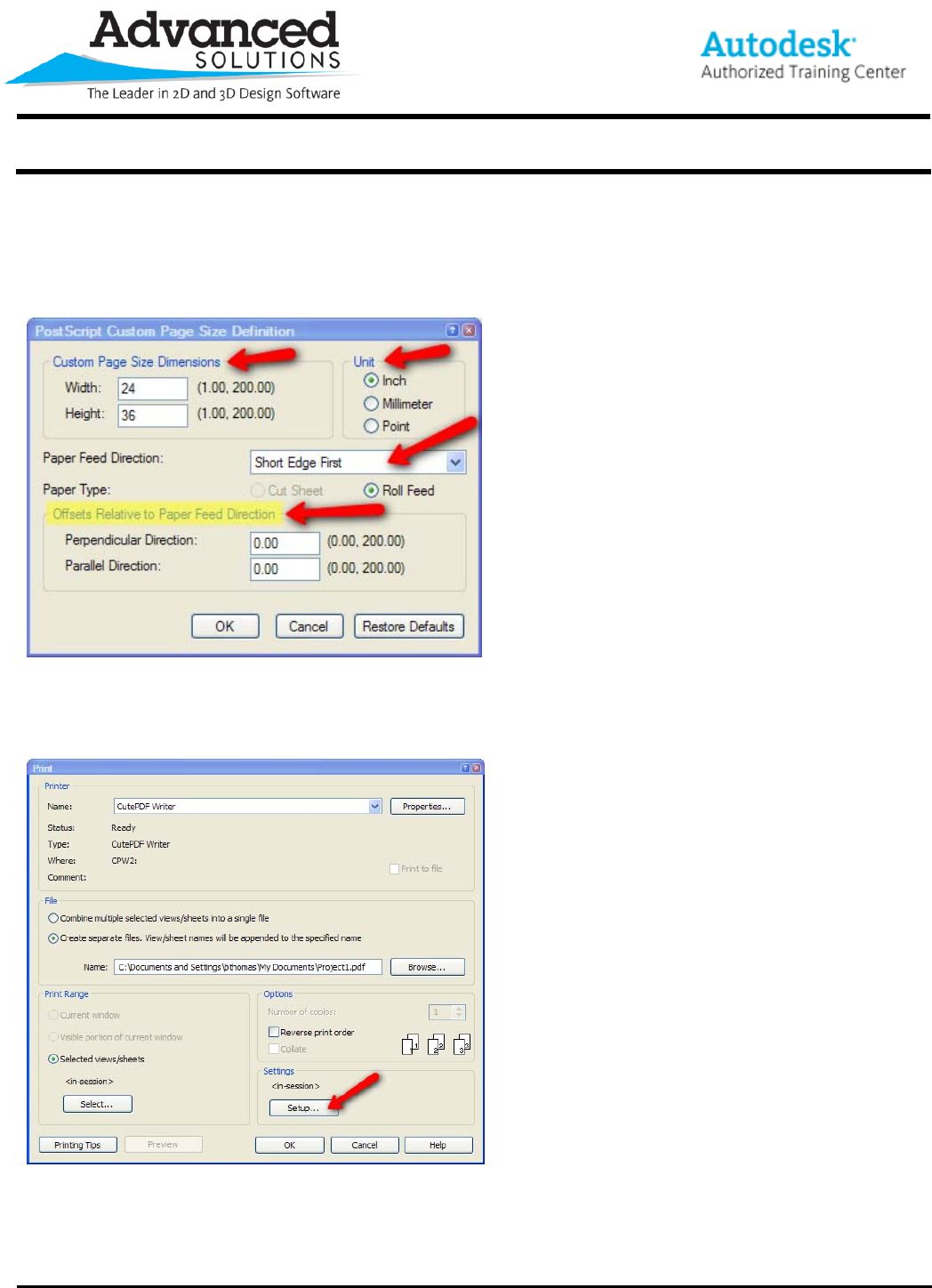
If the page size is still incorrect, try creating a custom page size by selecting custom in the page sizes dialog box
and setting the custom size information in the Definition dialog box.
Be sure to edit the Page Size Dimensions, Units, Paper Feed Direction (Short or Long edge first), and the Offsets
Relative to the paper feed direction (if applicable). After updating the custom settings, click ‘OK’ several times till
you are back to the first dialog box for the print settings. In the print settings dialog, select Setup in the Settings.
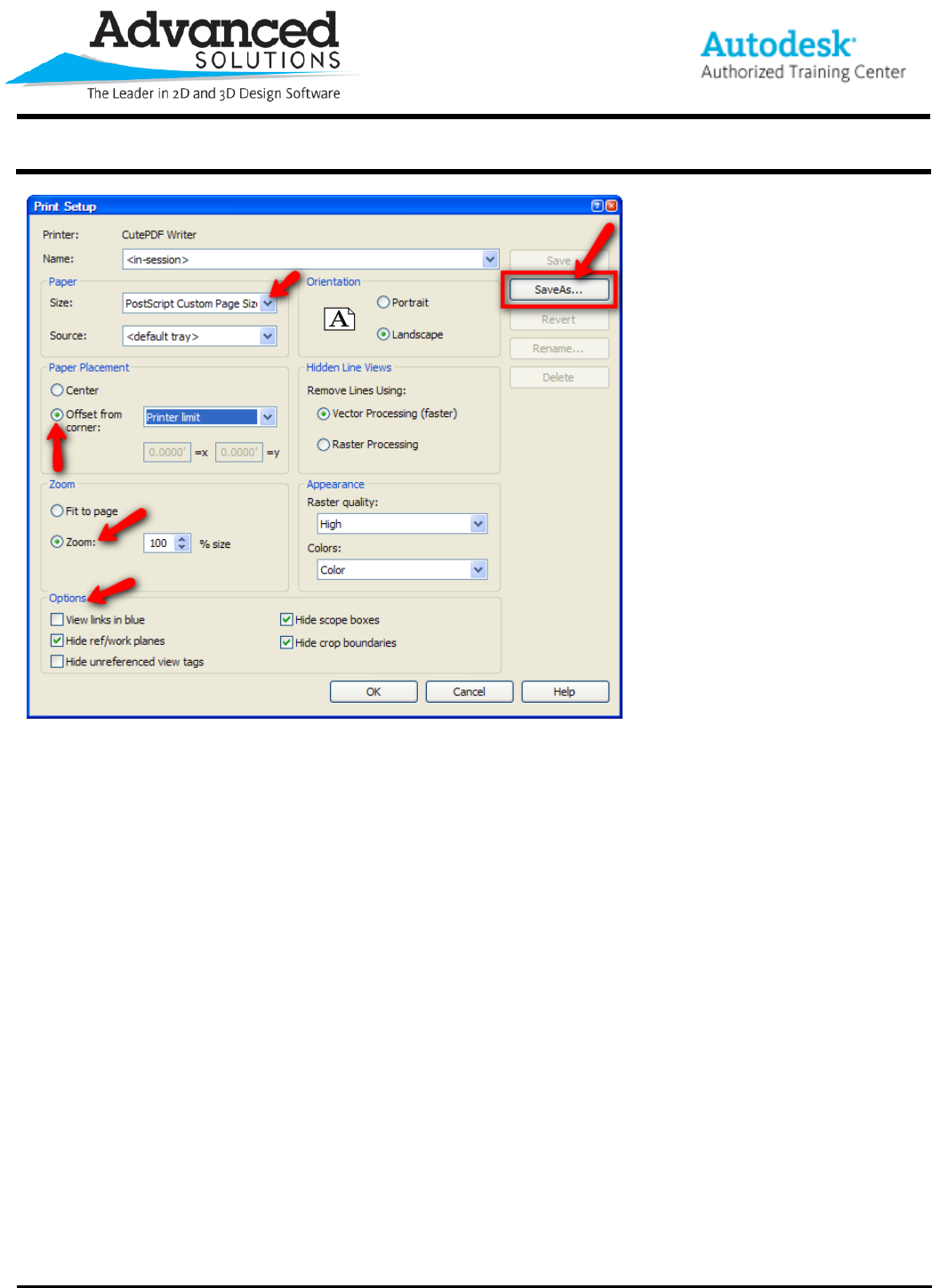
In the Print Setup, select the custom paper size, Determine the Paper placement, select the Zoom to 100% (not
scaled to fit), set your options for what prints, determine the page orientation and then finally, select ‘Save As’ and
name this print setup so it is saved in the project and can be selected again in the future.
www.advsolinc.com
ASI Client Center
1-877-438-2741
Autodesk Products Tip & Tricks
Copyright 2008 – Advanced Solutions, Inc.
Finally, select ‘OK’ and then ‘OK’ in the Print Dialog.
