Controlling Civil 3D Object Tooltips 111308 Civil3DObject
2016-06-08
: Guides 111308 Controllingcivil3Dobjecttooltips 111308_ControllingCivil3DObjectTooltips tips pdf asi
Open the PDF directly: View PDF  .
.
Page Count: 2
www.advsolinc.com
ASI Client Center
1-877-438-2741
Autodesk Products Tip & Tricks
Copyright 2008 – Advanced Solutions, Inc.
Product:
AutoCAD Civil 3D 2009
Topic:
Controlling Civil 3D Object Tooltips
Written by:
Scott Underwood, PE, Technical Engineer
Date:
November 13, 2008
The Civil 3D Object tooltips can overwhelm your screen if you have many Civil 3D objects in your drawing.
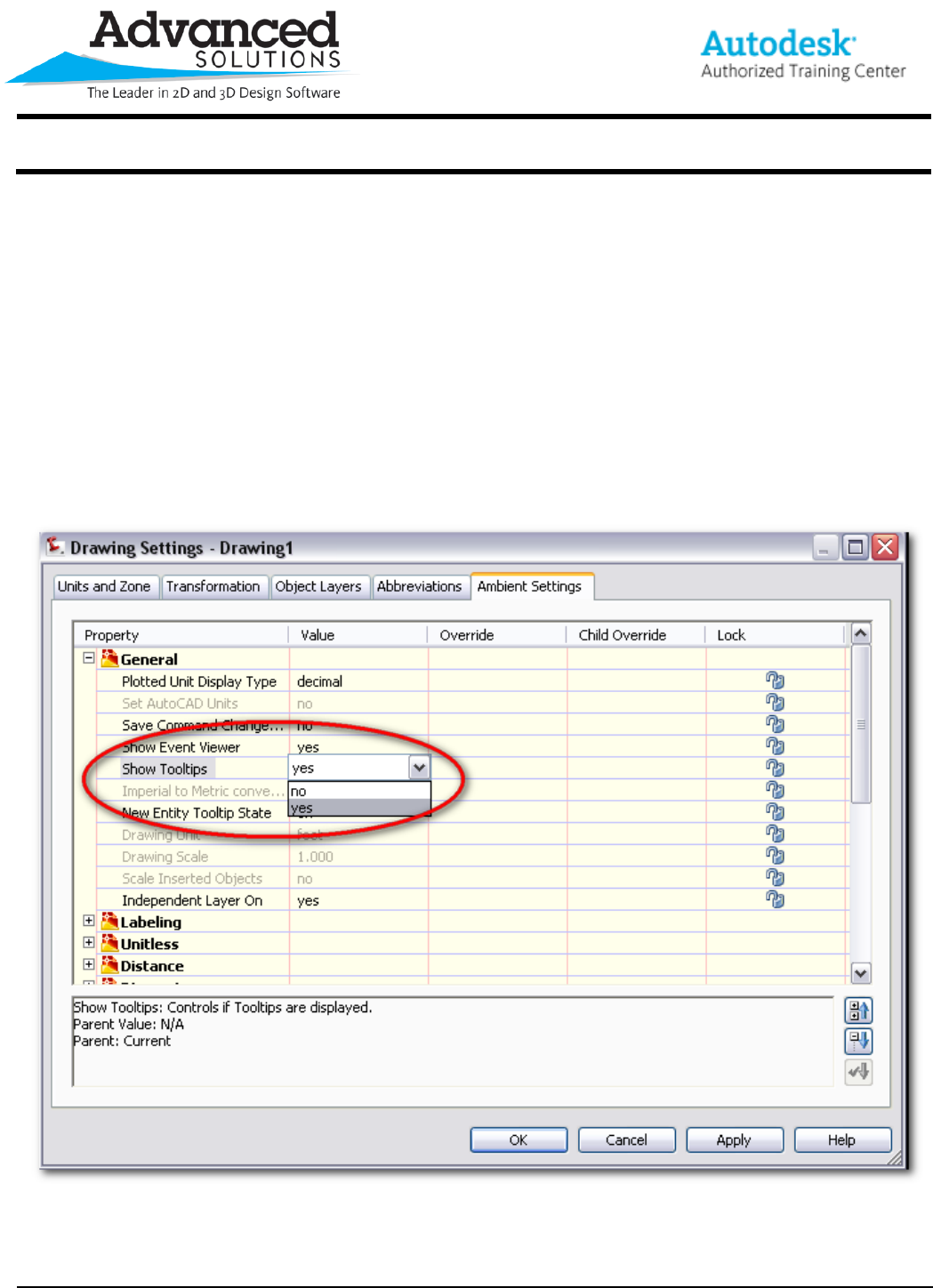
You can turn Object Tooltips on or off globally in your drawing settings.
Right click on your drawing in the settings tab of your Toolspace and select Edit Drawing Settings. The drawing
settings dialog box will open. Click on the ambient settings tab. Expand the general properties. The fifth property
is Show Tooltips. This property specifies whether tooltips are displayed in the drawing. This setting does not
affect tooltips for toolbar icons.
www.advsolinc.com
ASI Client Center
1-877-438-2741
Autodesk Products Tip & Tricks
Copyright 2008 – Advanced Solutions, Inc.
You can also control tool tips for individual objects on the information tab of the object properties dialog.
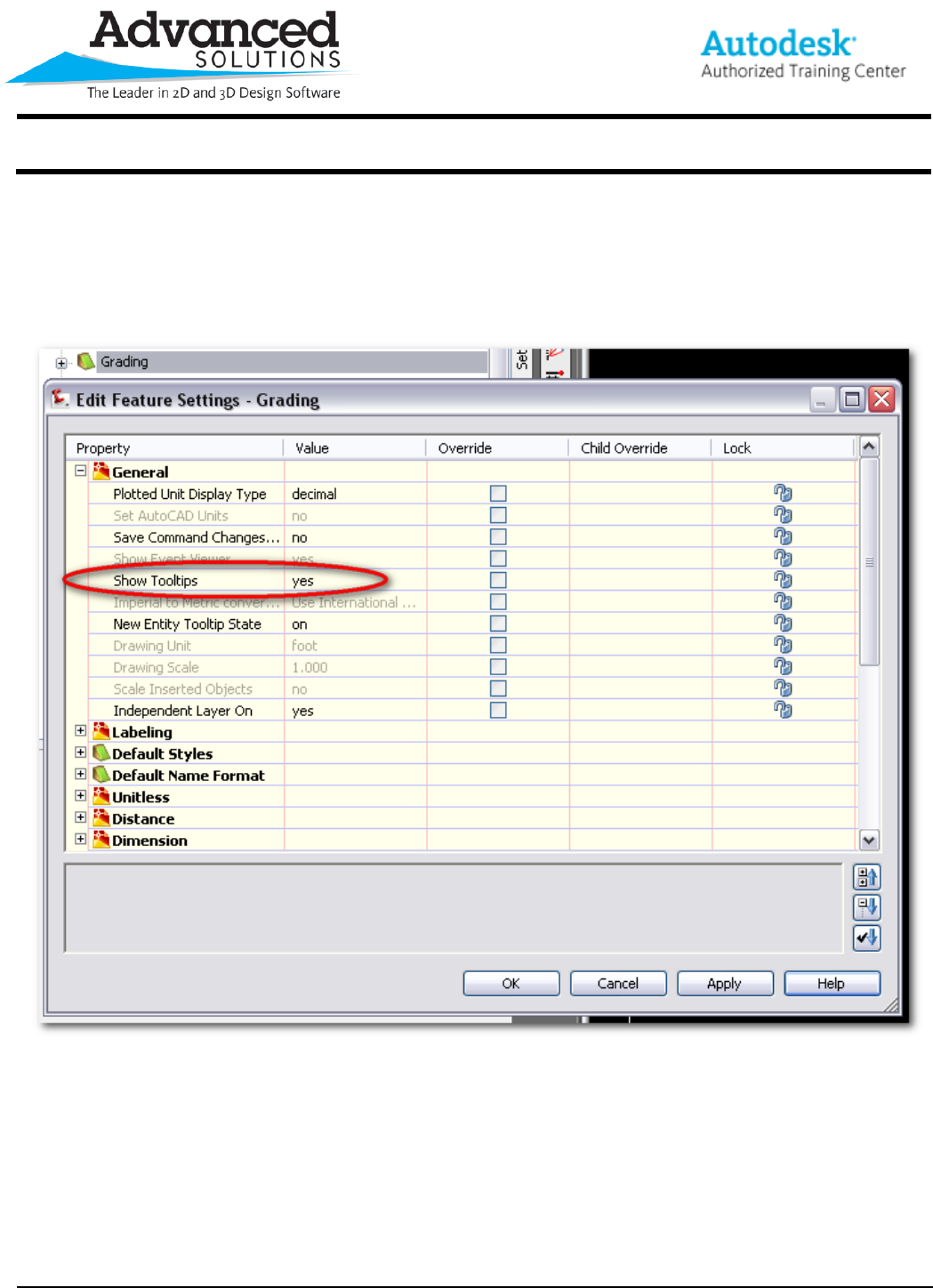
Another option is controlling tooltips globally by object. Right click on the object in the settings tab of the
Toolspace and select Edit Feature Settings. The Edit Feature Settings dialog box will open. Expand the General
properties. The fifth property is Show Tooltips.
