Creating A Gable/Hip Hybrid Roof 112508 Gable Hip
2016-06-08
: Guides 112508 Creatinggablehiphybridroof 112508_CreatingGableHipHybridRoof tips pdf asi
Open the PDF directly: View PDF  .
.
Page Count: 4
www.advsolinc.com
ASI Client Center
1-877-438-2741
Autodesk Products Tip & Tricks
Copyright 2008 – Advanced Solutions, Inc.
Product:
Revit Architecture 2009
Topic:
Creating a Gable/Hip Hybrid Roof
Written by:
Nick Bower, Assoc. AIA BSD Technical Engineer
Date:
November 25, 2008
In some situations, it may be necessary to create a roof type that is not a simple gable or hip. The following
example will demonstrate how to create a gable/hip hybrid roof.
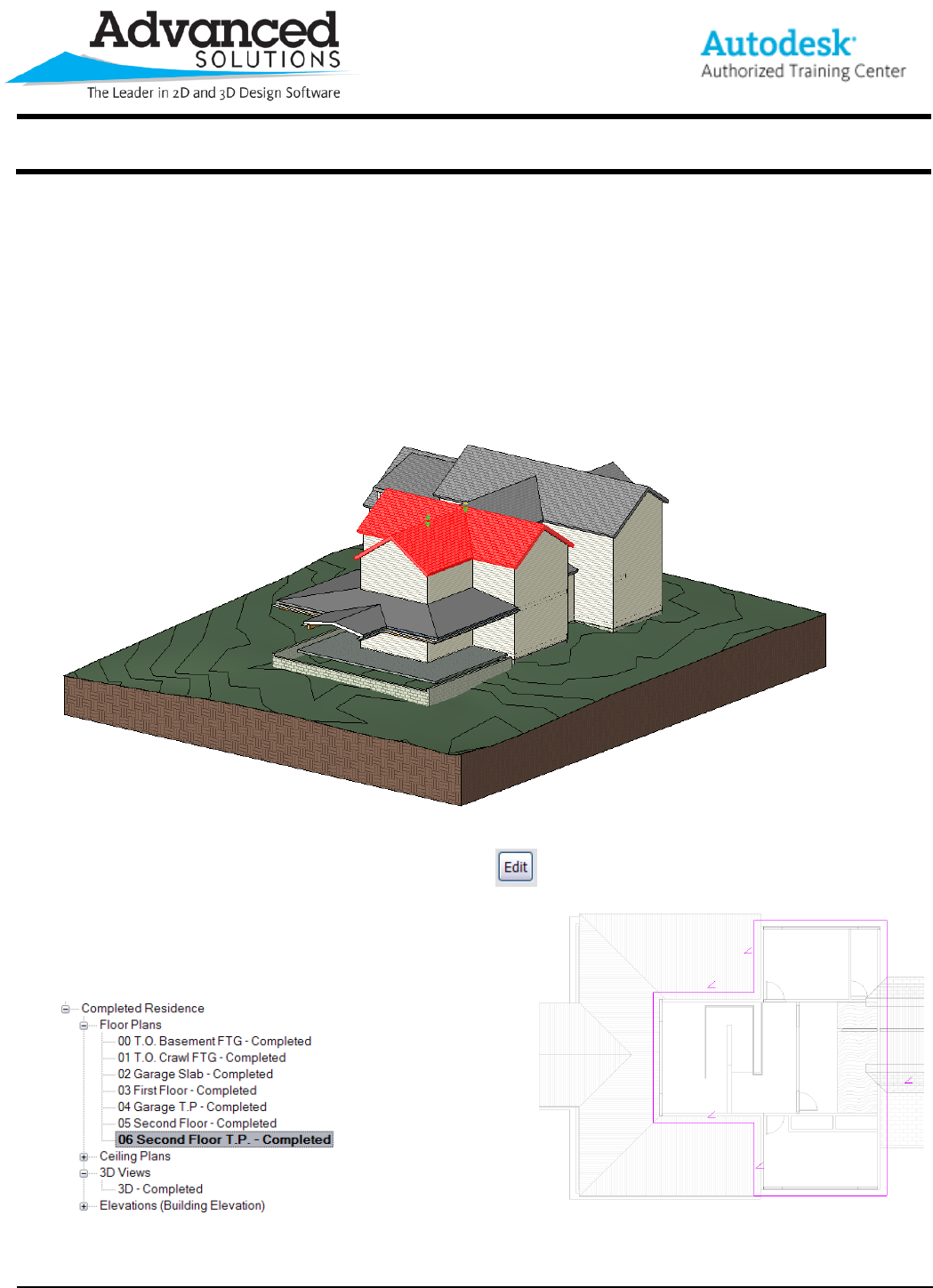
From a 3D view, it is easy to select a roof to be edited (Figure 1).
Figure 1
On the Options bar the “Edit” Icon should be selected
By switching to a floor plan view one can easily see the
footprint of the roof. From this view, you can manipulate
the overhang, slope, or in this example, the plate offset
from base.
www.advsolinc.com
ASI Client Center
1-877-438-2741
Autodesk Products Tip & Tricks
Copyright 2008 – Advanced Solutions, Inc.
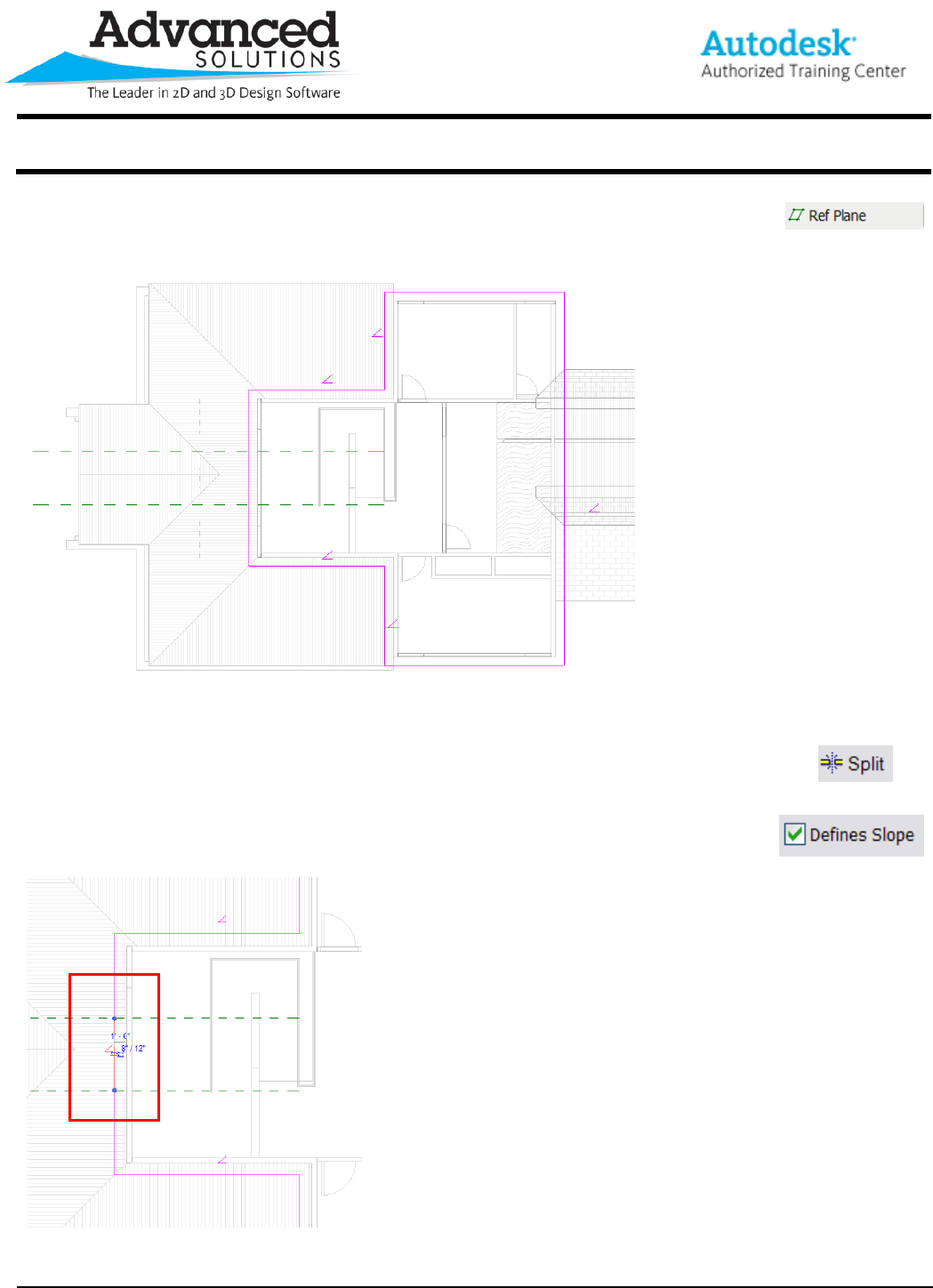
After switching to a floor plan view, add in Reference Planes. They will become a
snapping point to split the roof footprint lines. Try to pick a consistent offset from each
side of a perpendicular wall or line (Figure 2).
Figure 2
After adding in the appropriate Reference Planes use the split command to break the footprint line
into three sections. This will allow you to manipulate the middle line’s properties separate from the
outer two (Figure 3). Once the lines have been split, two properties will need to be configured.
1. With the middle line selected, check the “Defines Slope” box. This will tell the selected line
to slope back toward the ridge. Also, set the appropriate slope.
Figure 3
www.advsolinc.com
ASI Client Center
1-877-438-2741
Autodesk Products Tip & Tricks
Copyright 2008 – Advanced Solutions, Inc.
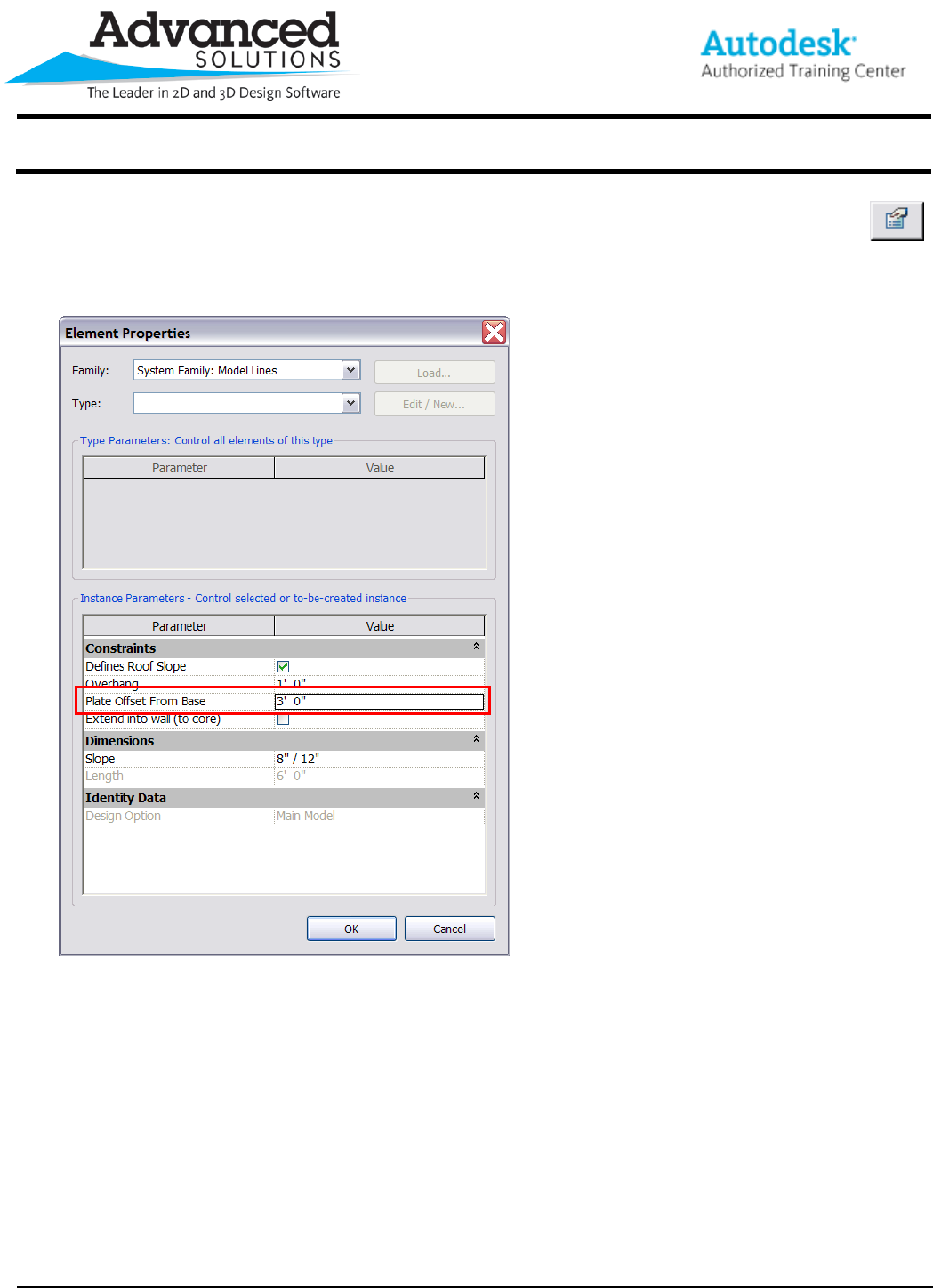
2. With the middle line still selected click on the element properties icon in the options bar. From
here, you will be able to set the middle line’s plate offset from base. This will tell the line that its
spring point is different from the other lines defining the roof boundary (Figure 4).
Figure 4
www.advsolinc.com
ASI Client Center
1-877-438-2741
Autodesk Products Tip & Tricks
Copyright 2008 – Advanced Solutions, Inc.
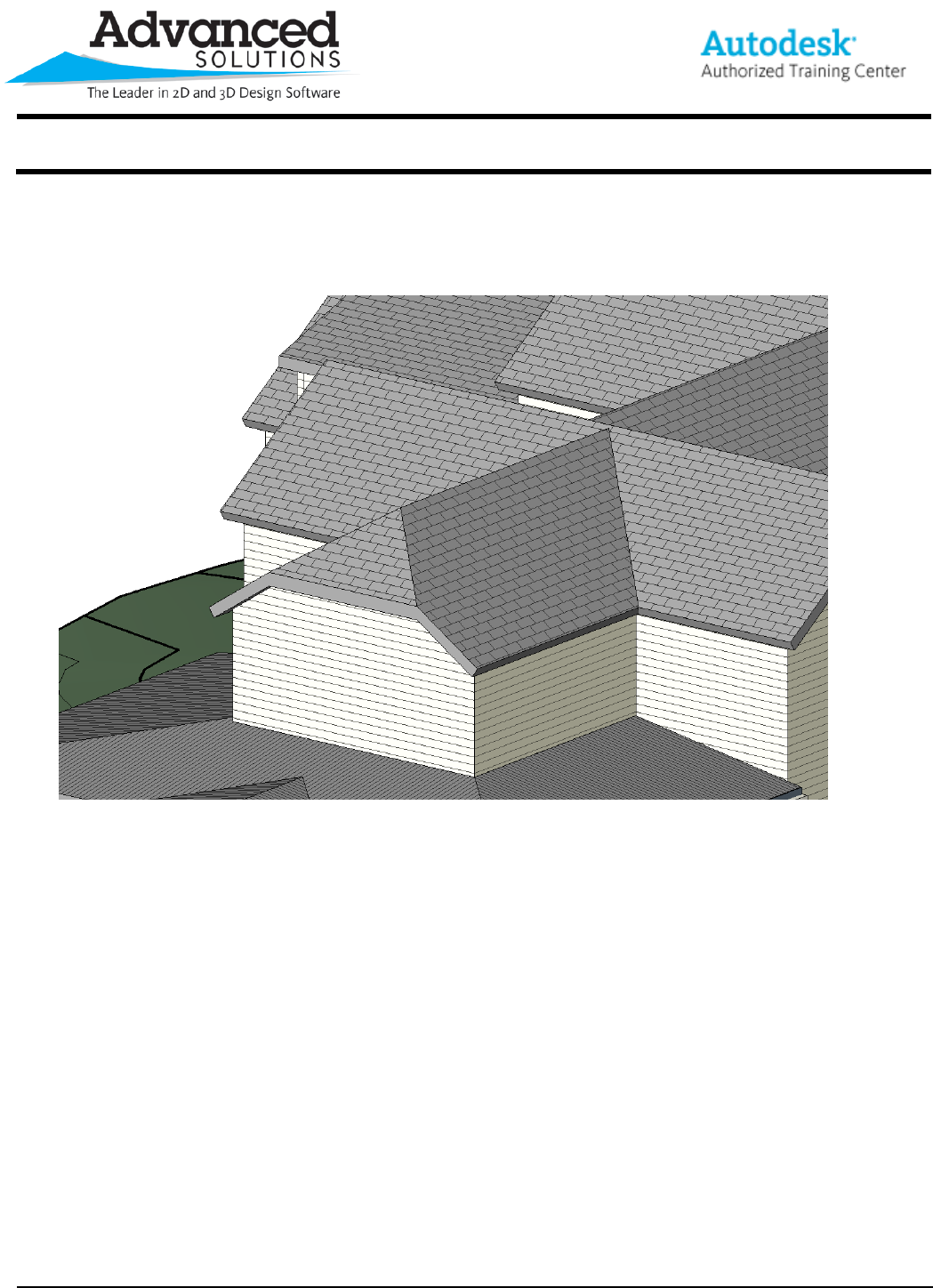
After finishing the roof sketch and switching back to a 3D view (Figure 5), you can see that a gable/hip hybrid
roof has been created. The Fascia edge of the hip is 3’-0” from the base of the gable spring line. If you were
to edit the roof again and change the plate offset, the fascia edge would change accordingly.
Figure 5
