Controlling Drawing Tip Displays In Viewports Containing Alignments, Profiles, And Sections 123108 Display
2016-06-08
: Guides 123108 Controllingdrawingtipdisplayinviewports 123108_ControllingDrawingTipDisplayInViewports tips pdf asi
Open the PDF directly: View PDF  .
.
Page Count: 1
www.advsolinc.com
ASI Client Center
1-877-438-2741
Autodesk Products Tip & Tricks
Copyright 2008 – Advanced Solutions, Inc.
Product: Civil 3D 2009
Topic: Controlling drawing tip displays in viewports containing alignments, profiles, and sections
Written by: Rob Wiederman, Civil Engineer
Date: December 31, 2008
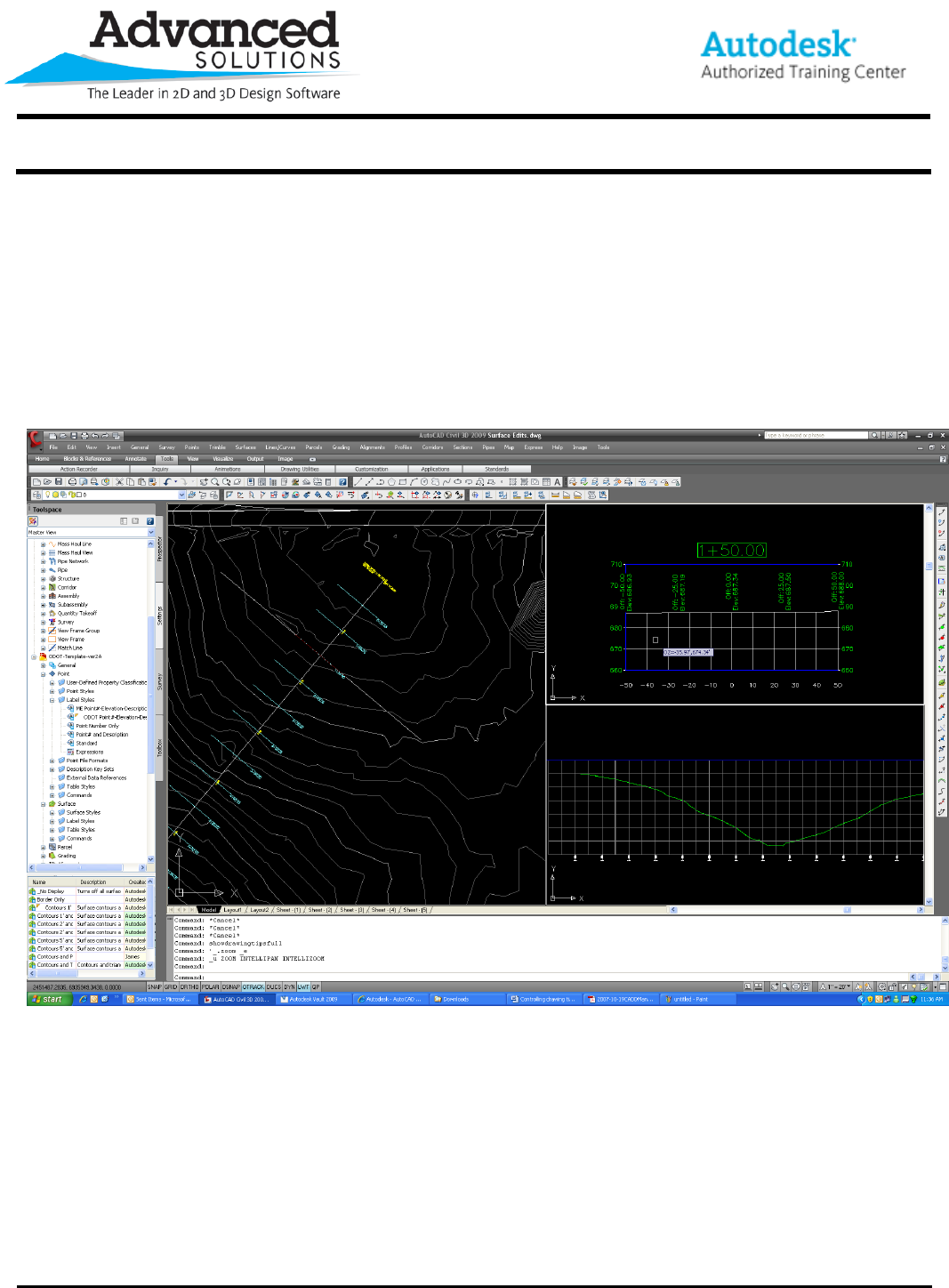
Did you know that when you position the mouse cursor over an alignment, profile or section view, a temporary
line is drawn in a corresponding view of a horizontal alignment or profile? The drawing tips give us a better
method of tracking our location both vertically and horizontally in model space viewports for design purposes.
Notice I place my cursor in the section view. A temporary line is drawn in the profile and alignment views at that
specific station.
The following three commands typed at the command line control the visibility of drawing tips:
Hidedrawingtips – turns drawing tips off completely
Showdrawingtips – turns drawing tips on for the current viewport only
Showdrawingtipsfull – turns drawing tips on for all viewports
