Auto CAD 2016 Brochure
Autocad 2016 Brochure AutoCAD_2016_Brochure AutoCAD_2016_Brochure products 2016 pdf ds
2016-06-08
: Guides Autocad 2016 Brochure AutoCAD_2016_Brochure 2016 products pdf asi
Open the PDF directly: View PDF  .
.
Page Count: 4
Design every detail
with AutoCAD
Choose AutoCAD for the best in precision and the quality you expect
Integrate your designs from
dayone
Autodesk® AutoCAD® 2016 software
presents new and enhanced features
specifically for the construction industry,
from building construction to infrastructure
to industrial construction. The following
features make it easier to coordinate,
create, and document your designs:
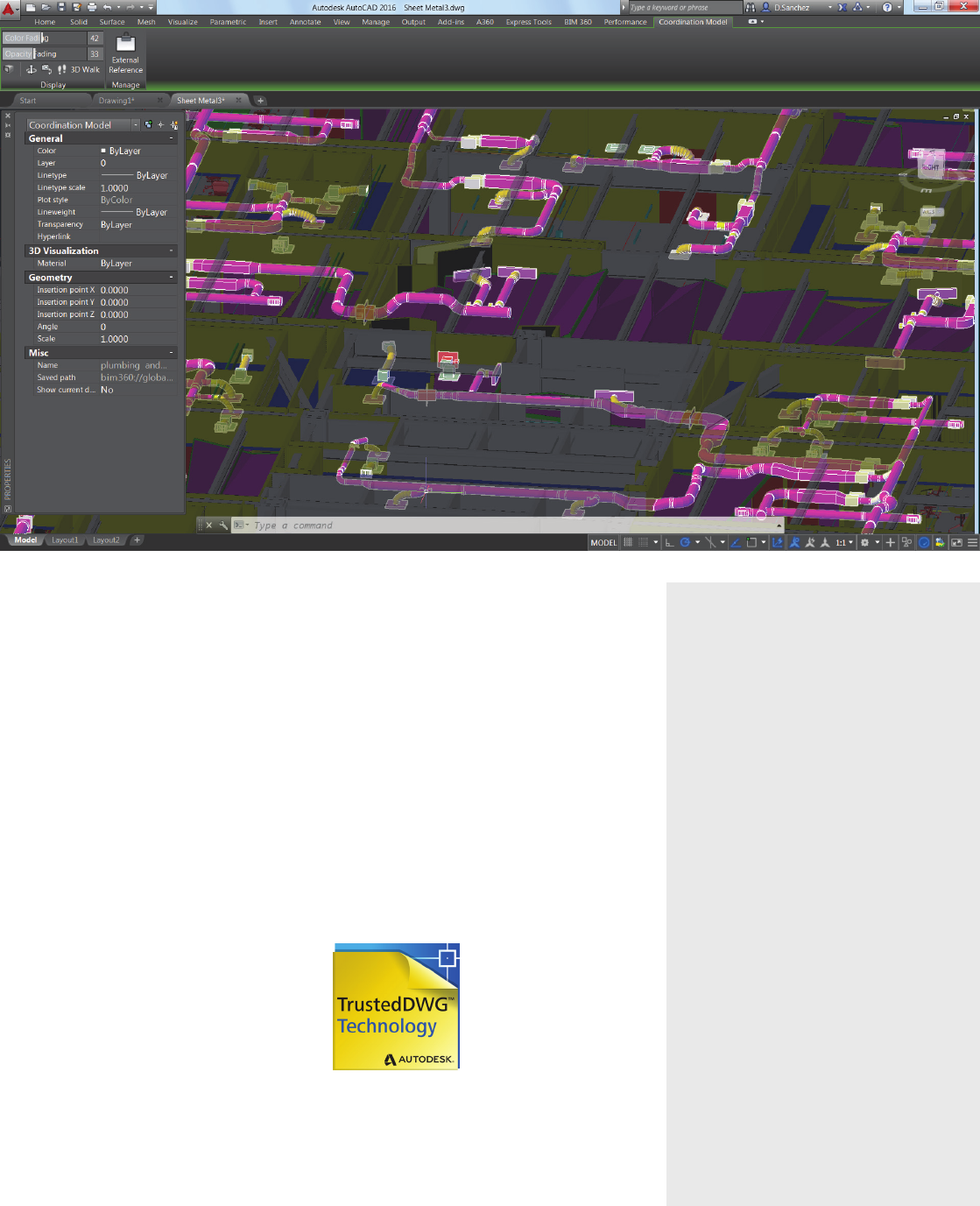
Coordination Model:
• Attach and view Autodesk® Navisworks®
and Autodesk® BIM 360™ Glue® models
directly inside AutoCAD
• Avoid potential conflicts by referencing
Navisworks models with your designs
• Leverage the vast file format support
of Navisworks to bring models into
AutoCAD from other applications
Point clouds:
• Create as-built drawings from point clouds
• Extract your floor plan directly from a
cross-section of the point cloud
• Align the user coordinate system (UCS)
to face the point cloud automatically
with Dynamic UCS
• Snap to edges, corners, and centerlines of
point cloud geometry using Object Snaps
Enhanced PDFs:
• Share your PDF designs on any platform
with the PDF export and underlay in
AutoCAD
• Produce documents faster with smaller,
more searchable, and responsive PDFs
Design with confidence using AutoCAD 2016
Create more precise, detailed drawings in even less time with
the world’s most trusted design software
Create stunning designs
Design and visualize virtually any concept with
3D free-form tools:
• Bring your ideas to life with presentation-ready
graphics and 3D printing capabilities
• Situate your designs in real-world settings with
Coordination Model and Reality Computing
Document precisely
Speed documentation by automating common
tasks and streamlining workflows:
• Create construction-ready documentation
automatically from AutoCAD® 3D models
• Work faster with more intelligent tools,
including Smart Dimensioning and
EnhancedPDFs
Customize your software
Configure AutoCAD software in ways you never
thought possible:
• Customize AutoCAD to help meet your unique
needs with Autodesk Exchange Apps
• Receive notification of unwanted changes to
your system variables with Sysvar Monitor
Connect more quickly
Engage with colleagues using connected design
technologies:
• Help ensure file format compatibility and
reliability using TrustedDWG technology
• Share hyperlinks from AutoCAD to PDF viewers
with Enhanced PDFs
• Connect your workflow across integrated
desktop, cloud, and mobile solutions
AutoCAD Desktop Subscription
AutoCAD rental plans provide access to the latest
updates and releases on a termed basis to help
you spend less up front and meet project needs:
• Stay current with the most recent releases and
automatically receive updates
• Receive setup support from Autodesk to get
you up and running quickly
• Access Autodesk® A360 project collaboration
software and gain 25 GB of cloud storage
• Enjoy flexible licensing rights and scale up or
down depending on your workload*
Take your drawings everywhere with
AutoCAD 360 mobile
What is AutoCAD 360?
Take your AutoCAD drawings everywhere with
this free**, easy-to-use mobile viewing and
markupapplication.
AutoCAD 360 offers:
• The ability to view, edit, and share AutoCAD
drawings
• Simplified on-site redlining, as-built
documentation, and design review and
approval
• Integrated sharing tools that let AutoCAD 360
users collaborate on drawings in real time
• Anytime, anywhere access to drawings with
built-in cloud storage†
Visit www.autocad360.com to learn more and
download the mobile app for iOS and Android.
What’s new
• Stunning Visual Experience lets
you see drawings more clearly
• Smart Dimensioning helps you
create accurate measurements
• Enhanced PDFs are smaller and
more searchable
• Coordination Model helps you
design in context
Benefits
• Communicate with impact using
integrated 3D rendering tools
• Preserve design information
with TrustedDWG™ technology
• Access files from almost
anywhere with Autodesk® A360
• Customize your software with
Autodesk® Exchange Apps
New and enhanced features
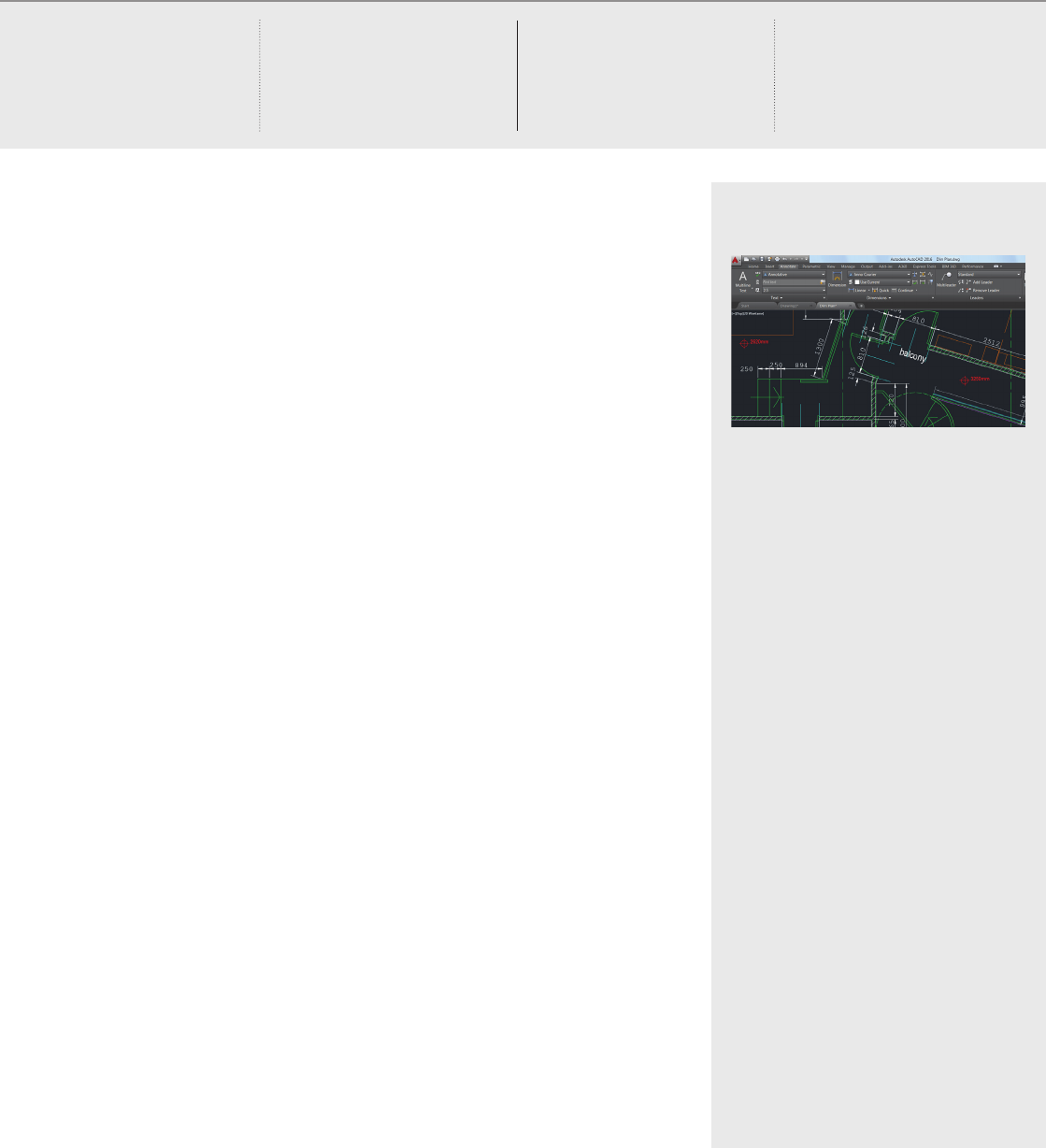
Stunning Visual Experience
Visual enhancements help you see your drawings
more clearly. Readability is improved with true
curves instead of line segments.
Smart Dimensioning
Automatically create appropriate measurements.
Pass the cursor over selected objects to get a
preview of the dimension.
Enhanced PDFs
PDFs are smaller, smarter, and more searchable.
There is better performance when attaching PDF
files to your drawings.
Coordination Model
Design within the context of existing BIM
models. Attach and view Navisworks and BIM
360 Glue models directly inside AutoCAD.
Sysvar Monitor
Prevent unwanted changes to your system
settings. Get alerted to changes to your
preferences that could affect your design work.
Productivity tools
Edit text like you would with a word
processor for styles such as auto bullets and
super-/subscript.
Reality Computing
Orient your work more precisely with
pointclouds.
Start your AutoCAD trial now:
www.autodesk.com/tryautocad
Protect your designs with
TrustedDWG technology
You’ve invested thousands, if not tens of
thousands, of dollars in developing your designs.
Help retain the integrity of your design data
throughout the review process with TrustedDWG
technology.
Built into AutoCAD, TrustedDWG is the original,
most ecient, and most accurate way to store
and share design data. TrustedDWG files are
created using a complete technology that
maintains each element in a drawing, and the
relationship between elements, with data fidelity.
With over 30 years of technology wrapped up in
every TrustedDWG file, it helps you preserve and
protect your invaluable designs.
Extend the power of AutoCAD
with Autodesk AutoCAD Design
Suite 2016
Autodesk® AutoCAD® Design Suite
software delivers AutoCAD, plus Autodesk®
AutoCAD® Raster Design software and
visual communication solutions.
AutoCAD Design Suite includes
AutoCAD plus:
Autodesk® AutoCAD® Raster Design 2016
Pull in existing and legacy design
information from almost any source—
including paper-based and scanned
drawings—and convert them into
AutoCAD DWG™ files.
Autodesk® Showcase® 2016
Turn AutoCAD models into amazing 3D
rendered presentations.
Autodesk® 3ds Max® 2016
(part of Premium and Ultimate editions)
Access the software used to create
Hollywood movies and photorealistic
renderings.
Autodesk® Alias® Design 2016
(part of Ultimate edition)
Add superior surfacing capabilities and
best-in-class modeling to your toolset.

Learn more or purchase
Access specialists worldwide who can provide product expertise, a deep
understanding of your industry, and value that extends beyond your software.
Tolicense Autodesk AutoCAD software, contact an Autodesk Authorized Reseller.
Locate a reseller near you at www.autodesk.com/reseller.
Autodesk Subscription
Autodesk® Subscription gives you a greater advantage with powerful cloud-based
services, access to the latest software, online technical support, and flexible
licensing privileges†. Learn more at www.autodesk.com/maintenance-
subscription.
A360
The Autodesk A360 cloud-based framework provides tools and services to extend
design beyond the desktop. Streamline your workflows, effectively collaborate, and
quickly access and share your work anytime, from anywhere. Learn more at
www.autodesk.com/a360.
*All Subscription benefits are not available for all products in all languages and/or regions. Flexible licensing terms,
including previous version rights and home use, are subject to certain conditions.
**Free Autodesk software and/or cloud-based services are subject to acceptance of and compliance with the
terms and conditions of the license agreement or terms of service, as applicable, that accompany such software or
cloud-based services.
†Access to services requires an Internet connection and is subject to any geographical restrictions set forth in the
Terms of Service.
Autodesk, the Autodesk logo, AutoCAD, Alias, BIM 360, DWG, Glue, Navisworks, Showcase, 3ds Max, and
TrustedDWG are registered trademarks or trademarks of Autodesk, Inc., and/or its subsidiaries and/or aliates in the
USA and/or other countries. All other brand names, product names, or trademarks belong to their respective holders.
Autodesk reserves the right to alter product and services offerings, and specifications and pricing at any time without
notice, and is not responsible for typographical or graphical errors that may appear in this document.
© 2015 Autodesk, Inc. All rights reserved.
I’ve been working with AutoCAD now for 25 years. And I’m still
passionate about it.
–Shaun Bryant
Owner
CADFMconsultants
