CFD 2016 Brochure
Cfd 2016 Brochure CFD_2016_Brochure CFD_2016_Brochure products 2016 pdf ds
Cfd 2016 Brochure cfd_2016_brochure cfd_2016_brochure products pdf ds
Cfd 2016 Brochure CFD_2016_Brochure CFD_2016_Brochure 2016 products pdf asi asihub-cdn :
2016-06-08
: Guides Cfd 2016 Brochure CFD_2016_Brochure products pdf asi
Open the PDF directly: View PDF  .
.
Page Count: 5
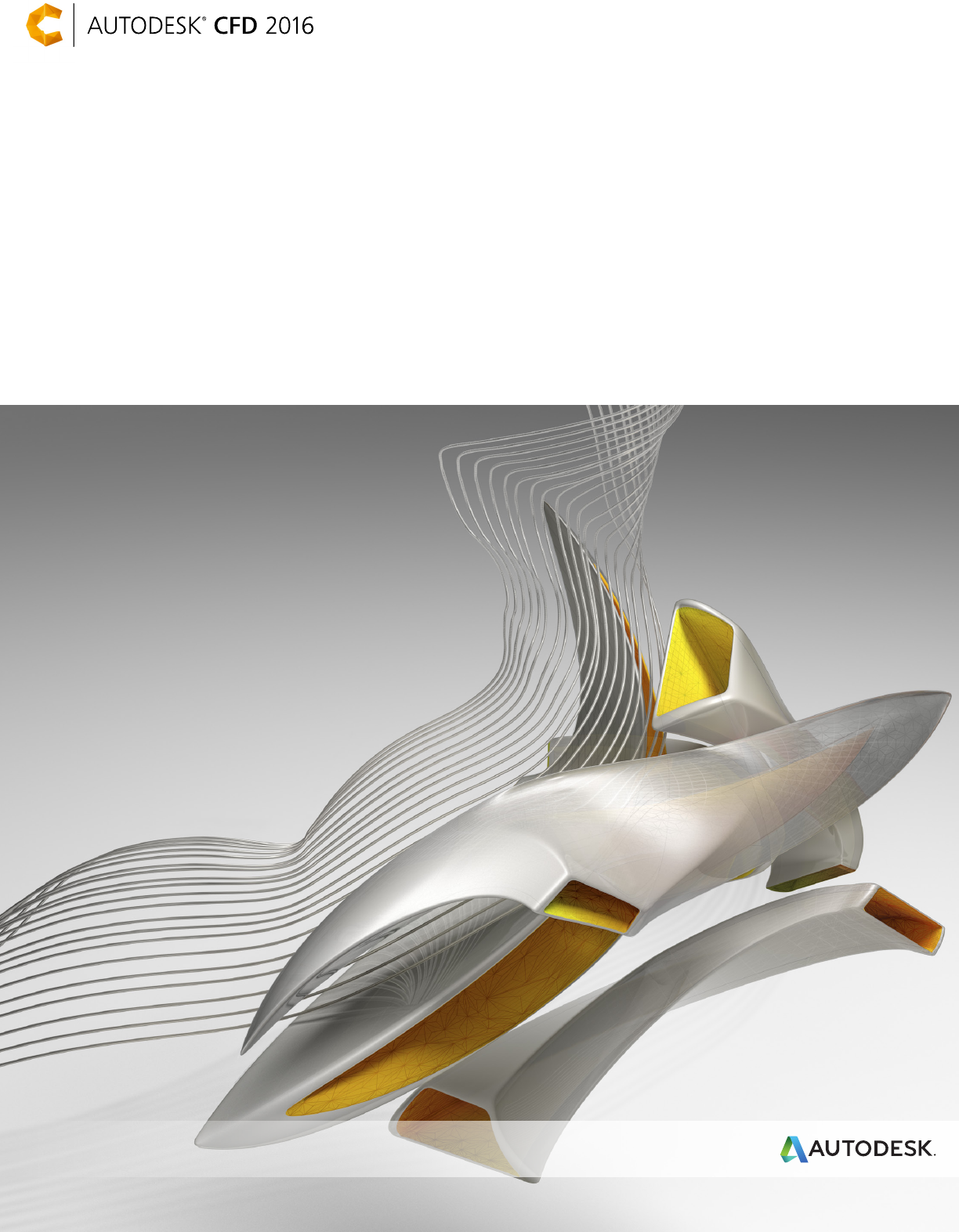
Scalable, robust fluid flow
and thermal simulation solution
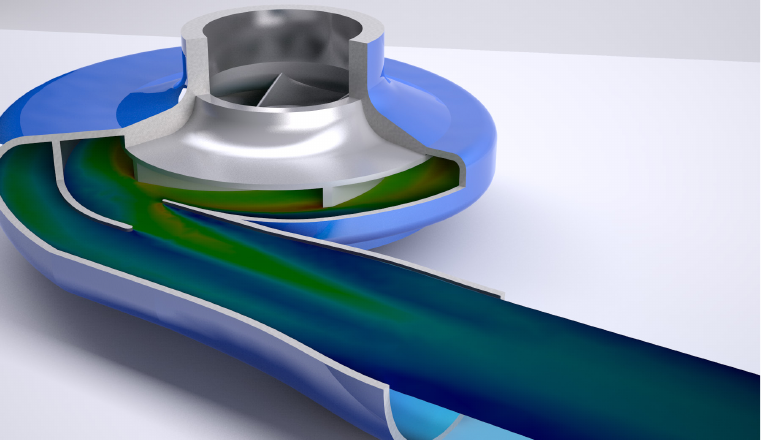
Fast, accurate, and flexible solution to test the
fluid flow and thermal performance of your design
Accurately predict behavior, optimize designs, and validate digital
prototypes with a wide range of simulation capabilities before
manufacturing
models with the CAD-embedded tools and
automation tools. To study the effects of varying
operating conditions or geometry changes,
clone your simulation models, and run your
scenarios sequentially or at the same time.
View and compare results from your simulations
both visually and numerically, and share your
findings with your team with a Design Study
Summary Report.
Autodesk SimStudio Tools
Quickly modify, simplify, repair, and idealize your
geometry for higher-quality simulation models.
Autodesk® SimStudio Tools software reads in
multiple CAD file formats so you can quickly
simplify assemblies, eliminate unnecessary detail,
perform basic repair, or make design changes —
making it faster to explore various design ideas.
SimStudio Tools is a direct modeler that enables
you to freely work on geometry with simple
defeaturing, move, combine, edit, push, and pull
commands. It acts as a companion to Autodesk
CFD and your CAD system, helping you take an
existing model and get it ready for simulation.
Create solid and surface bodies, quickly simplify or
remove small parts, create custom fluid volumes,
detect and eliminate interferences, and more
without affecting your original CAD model. Once
your model is ready you can either push it straight
into Autodesk CFD or save a neutral file for any
other work you may want to do with it.
Autodesk® CFD software provides fast, accurate,
and flexible fluid flow and thermal simulation tools
to help predict product performance, optimize
designs, and validate product behavior before
manufacturing—minimizing reliance on costly
physical prototypes and helping you get innovative
products to market faster.
Autodesk CFD enables users to easily explore
and compare design alternatives and better
understand the implications of design choices
using an innovative Design Study Environment
and automation tools. Autodesk CFD supports
direct data exchange with most CAD software
tools, including Autodesk® Inventor® software,
Autodesk® Revit® software, PTC Creo®, Siemens
NX, and SolidWorks®.
Autodesk CFD provides a complete offering
of capabilities, including thermal prototyping,
architectural and MEP tools, and flexible cloud
solving options:
Design Study Environment
Study design iterations within an intuitive
workflow. Drive innovation by providing product
teams with data to make informed design
decisions. Use the Design Study Environment for
all stages of your design simulation process. You
can manually set up individual models directly
in the Design Study Environment or on multiple
Flexible cloud solving options
Autodesk CFD Flex allows you to work locally
while you solve in the cloud. Flexible solving
options help you to simulate based on your needs.
Test the setup of an analysis, and use your local
resources to iterate and optimize your setup. To
kick off a longer, more computationally intensive
simulation, use the power of the cloud and free
up your local resources for other tasks.
CAD connection
Link your CAD system to Autodesk CFD analysis
software to create associative fluid flow and
thermal simulations. Autodesk CFD connects to
virtually any CAD system, enabling you to create
fluid flow and thermal simulations of your designs.
If you don’t have a 3D CAD system, use SimStudio
Tools for geometry creation and model editing and
simplification.
Automation scripting
Improve your design process—use the flexible
Autodesk CFD application programming interface
(API) to automate and customize a wide variety
of tasks. Automate repetitive tasks normally
performed in the user interface. Create custom
tasks and custom results quantities. Output results
in customized or specialized formats.
Intelligent automatic mesh sizing
Use geometry and solution-based meshing
automation. Meshing technology helps you quickly
and eciently prepare geometry for accurate and
repeatable results with automatic mesh sizing,
geometry diagnostics, manual control options
over local sizes and refinement regions, and
solution-based adaptive sizing.
High-quality visualization
Combine analysis results from Autodesk CFD
with dedicated visualization tools to create
photo-realistic renderings. Gain interoperability
with Autodesk® Showcase®, Autodesk® VREDTM,
Autodesk® 3ds Max®, and Autodesk® Maya®
software.
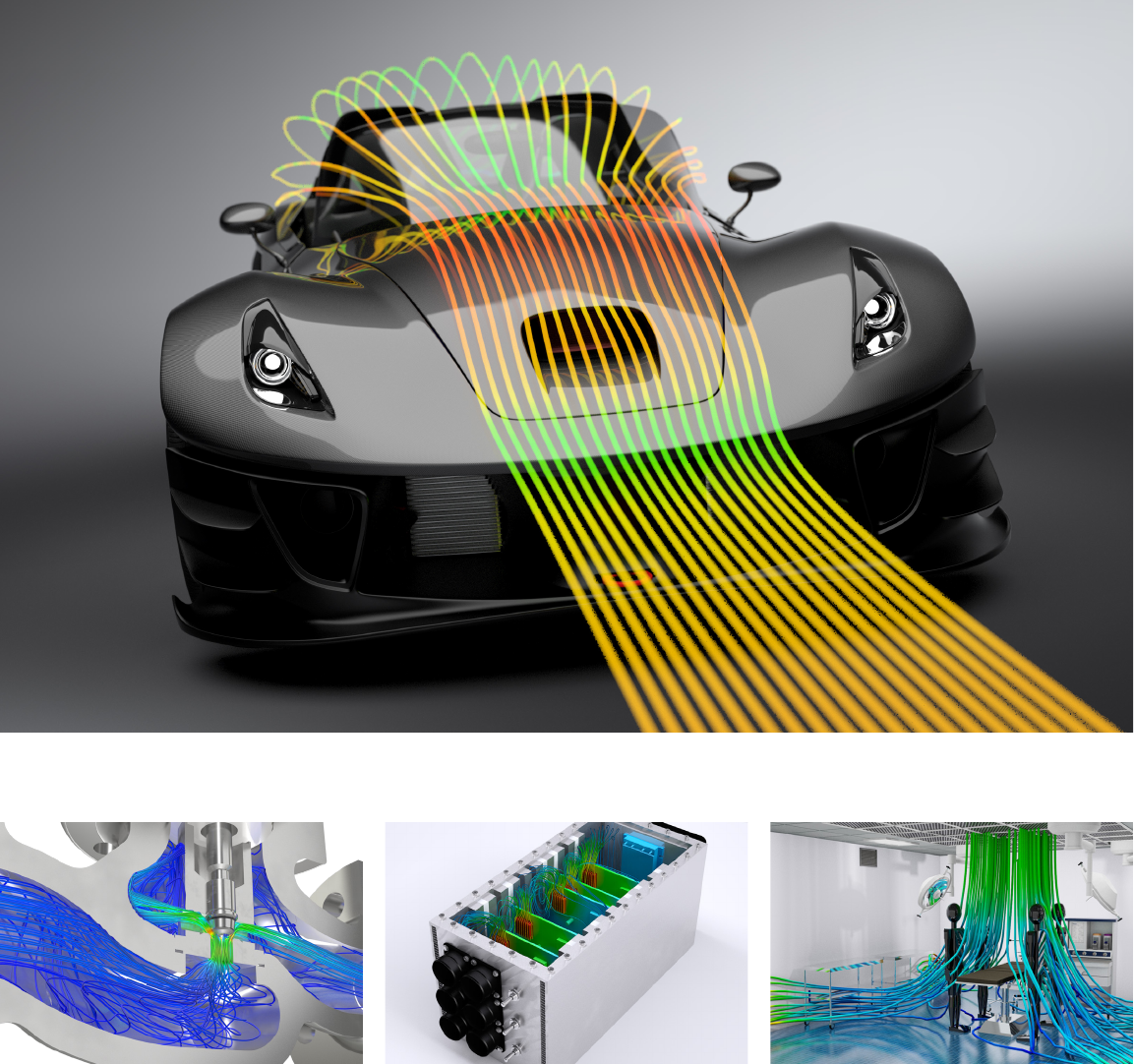
Autodesk CFD industry applications
Industrial flow control
Autodesk CFD can help manufacturers of flow
control devices like valves, regulators, turbines,
and compressors to simulate the fluid flow through
a 3D CAD model. The intuitive interface works
directly with your Inventor or other
3D CAD models.
Advanced physics available in Autodesk CFD
help you solve tough design challenges. Tackle
compressibility problems such as supersonic flow,
water hammer, or even cavitation. Fluid mixing,
particle tracking, mechanical erosion, and the
interaction of moving solids are some
of the capabilities that our customers utilize to
gain insight and improve product performance
and longevity.
Electronics cooling
Use Autodesk CFD to test the thermal performance
of your electronics designs. Tackle challenges such
as optimum locations of heat sinks and heat pipes,
thermal management, and transient effects.
Autodesk CFD contains material devices and
idealizations integral to simulating e-cooling
effectively. Devices in Autodesk CFD include
heat sink, compact thermal, LED, thermal
interface material, fan, PCB, and thermoelectric
cooler models.
Architectural and mechanical,
electrical, and plumbing
Architects and mechanical, electrical, and
plumbing (MEP) professionals can take advantage
of Autodesk CFD to understand airflow and
thermal behavior in the built environment.
Effects like solar radiation, thermal comfort, air
quality, and energy usage by air conditioning units
are typically studied to create optimal interior or
exterior design spaces.
Image courtesy of Huntair
Image courtesy of Local Motors
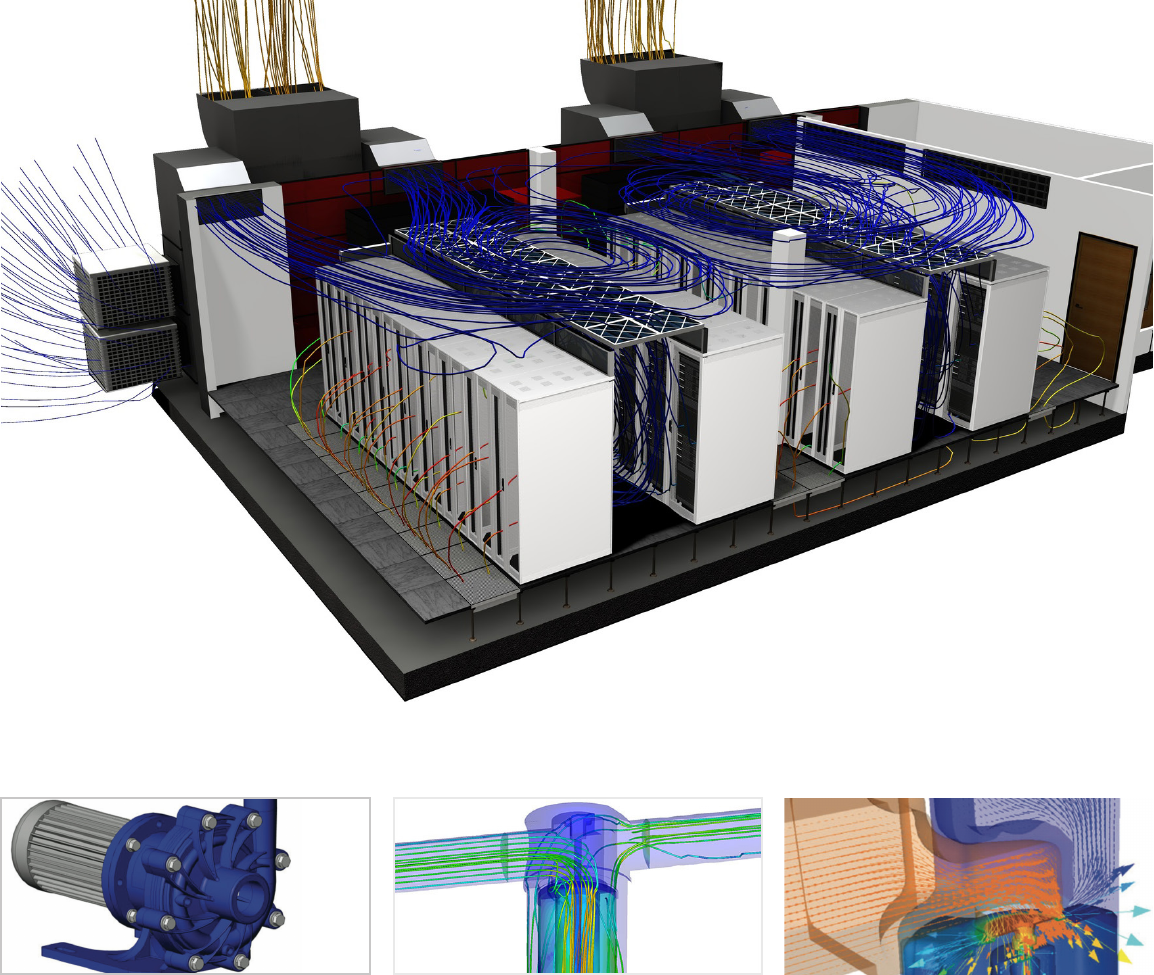
Image courtesy of Finish Thompson
Image courtesy of Sudslows
Reduced testing time: Finish Thompson
Finish Thompson cuts testing time by an estimated
33 percent on a new line of magnetic drive pumps
using Autodesk® CFD.
Autodesk CFD software helped Finish Thompson’s
engineering team gain insight into pump
performance early in the product design process—
allowing them to cut development time and
substantially reduce the amount of physical
prototyping and testing required.
Image courtesy of Betts Industries,Inc.Image courtesy of Parker Hannifin
Ease and eciency of use:
Betts Industries, Inc.
Betts Industries, Inc., designs, engineers,
manufactures, and sells components for highway
cargo tanks and other industrial applications. The
company chose Autodesk CFD software to design
a new model of its pressure/vacuum vent, to
ensure that they could use native data for design
studies without hiring a specialist or outsourcing
the work.
“With Autodesk CFD, we could easily see the
flow inside the model, where it was moving
quickly, and where the pressure pockets were
—something you can’t do in real life or on a
flow bench.”
— Kyle Anderson, Design Engineer,
Betts Industries, Inc.
Virtual product development:
Parker Hannifin
The world’s leading manufacturer of motion and
control technologies and systems, Parker Hannifin
provides precision-engineered solutions for a
wide variety of mobile, industrial, and aerospace
markets. Engineers for its Hydraulic Controls
Division in the United Kingdom were unable to
solve an instability issue with a wheel loader spool
design after 18 months of applying conventional
design, build, and test methods. They used
Autodesk CFD software to create a virtual product,
identify the problem, and design the solution.
“Autodesk CFD gives us a better
understanding of product performance and,
in turn, enables us to develop cost-effective,
innovative, and more reliable designs in less
time than using conventional methods of
building and testing physical prototypes.”
— Bruno Fairy, Simulation and Analysis Engineer,
Hydraulic Controls Division Parker Hannifin
Customer success

Learn more or purchase
Access specialists worldwide who can provide product expertise, a deep understanding
of your industry, and value that extends beyond your software purchase. To take
advantage of Autodesk Digital Prototyping, contact an Autodesk Authorized
Reseller near you by visiting www.autodesk.com/reseller or learn more at
simulation.autodesk.com.
Autodesk Education
Autodesk offers students and educators a variety of resources to help ensure students
are prepared for successful design careers, including access to free* software,
curricula, training materials, and other resources. Get expert guidance at an Autodesk
Authorized Training Center (ATC®) site, and validate skills with Autodesk Certification.
Learn more at www.autodesk.com/education.
Autodesk Subscription
Subscribe to Autodesk® Maintenance Subscription for Autodesk® software.
Maintenance Subscription gives you an advantage with upgrades to the latest software
releases, flexible licensing rights, powerful cloud services, and technical support.**
Learn more at www.autodesk.com/maintenance-subscription.
Autodesk 360
The Autodesk® 360 cloud-based framework provides tools and services to extend
design beyond the desktop.† Streamline your workflows, effectively collaborate, and
quickly access and share your work virtually anytime, from anywhere. Learn more at
www.autodesk.com/autodesk360.
*Free Autodesk software licenses and/or cloud-based services are subject to acceptance of and compliance with the
terms and conditions of the license agreement or terms of service, as applicable, that accompany such software or
cloud-based services.
**All Subscription benefits are not available for all products in all languages and/or regions. Flexible licensing terms,
including previous version rights and home use, are subject to certain conditions.
†Access to services requires an Internet connection and is subject to any geographical restrictions set forth in the Terms
of Services.
Autodesk, the Autodesk logo, ATC, Autodesk Inventor, Inventor, Maya, Showcase, VRED, and 3ds Max are registered
trademarks or trademarks of Autodesk, Inc., and/or its subsidiaries and/or aliates in the USA and/or other countries.
All other brand names, product names, or trademarks belong to their respective holders. Autodesk reserves the right to
alter product offerings and specifications at any time without notice, and is not responsible for typographical or graphical
errors that may appear in this document. © 2015 Autodesk, Inc. All rights reserved.
Autodesk Digital Prototyping is an innovative way for you to explore your
ideas before they’re even built. It’s a way for team members to collaborate
across disciplines. And it’s a way for individuals and companies of all sizes
to get great products into market faster than ever before. From concept
through design, manufacturing, marketing, and beyond, Autodesk Digital
Prototyping streamlines the product development process from start
tofinish.
