DesignWest Design West
2016-06-08
: Guides Design West design_west success pdf asi
Open the PDF directly: View PDF  .
.
Page Count: 4
Firm Summary
Design West Engineering is a mechanical, electrical,
and plumbing (MEP) engineering consulting firm
based in San Bernardino, California. Established
in , the firm delivers services to clients from
a wide range of building sectors, including higher
education, K– schools, religion, and civics. “We’ll
tackle almost any type of commercial engineering
or energy-eciency project,” says Robert Cronk, a
principal at the firm. “Lately, we’ve also done quite
a bit of multifamily residential work.” Until early
, Design West relied primarily on AutoCAD®
software to deliver exceptional service and designs
to its architectural partners. “However, we began
to notice that more and more architects were using
Revit Architecture software and becoming quite
passionate about wanting to collaborate with us via
a complete building information model.” As a result,
Design West began migrating to Revit MEP soft-
ware, the intuitive building information modeling
(BIM) solution built specifically for MEP engineers
and designers.
The Challenge
Since adopting Revit MEP, Design West has
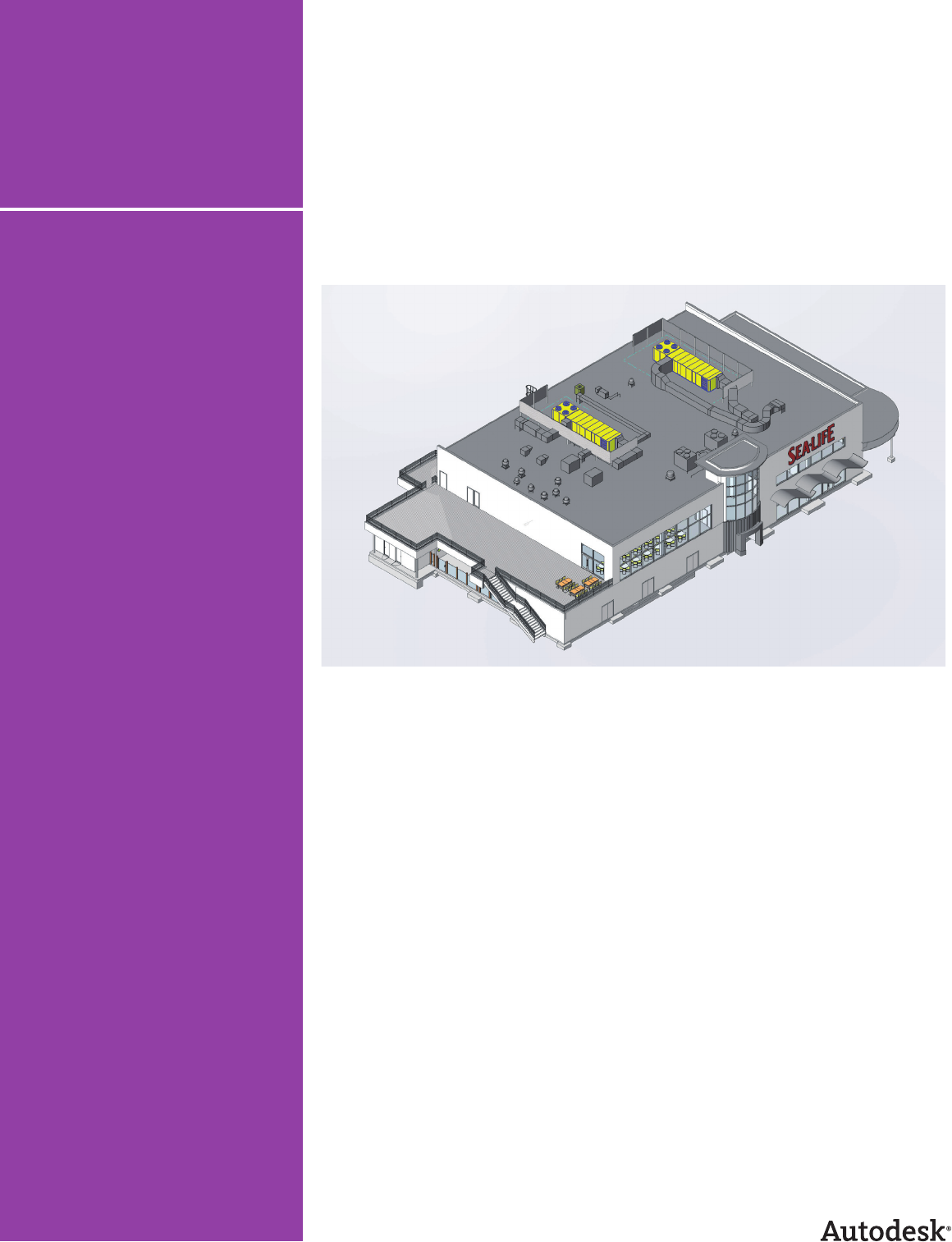
completed construction documentation on
major projects, including the ,-square-
foot SEA LIFE Aquarium at LEGOLAND near
San Diego, California. “SEA LIFE is designed to
introduce children to the wonders of the ocean,”
says Cronk. “There’s a whole chain of them across
Europe, but this project is their first U.S. venture.”
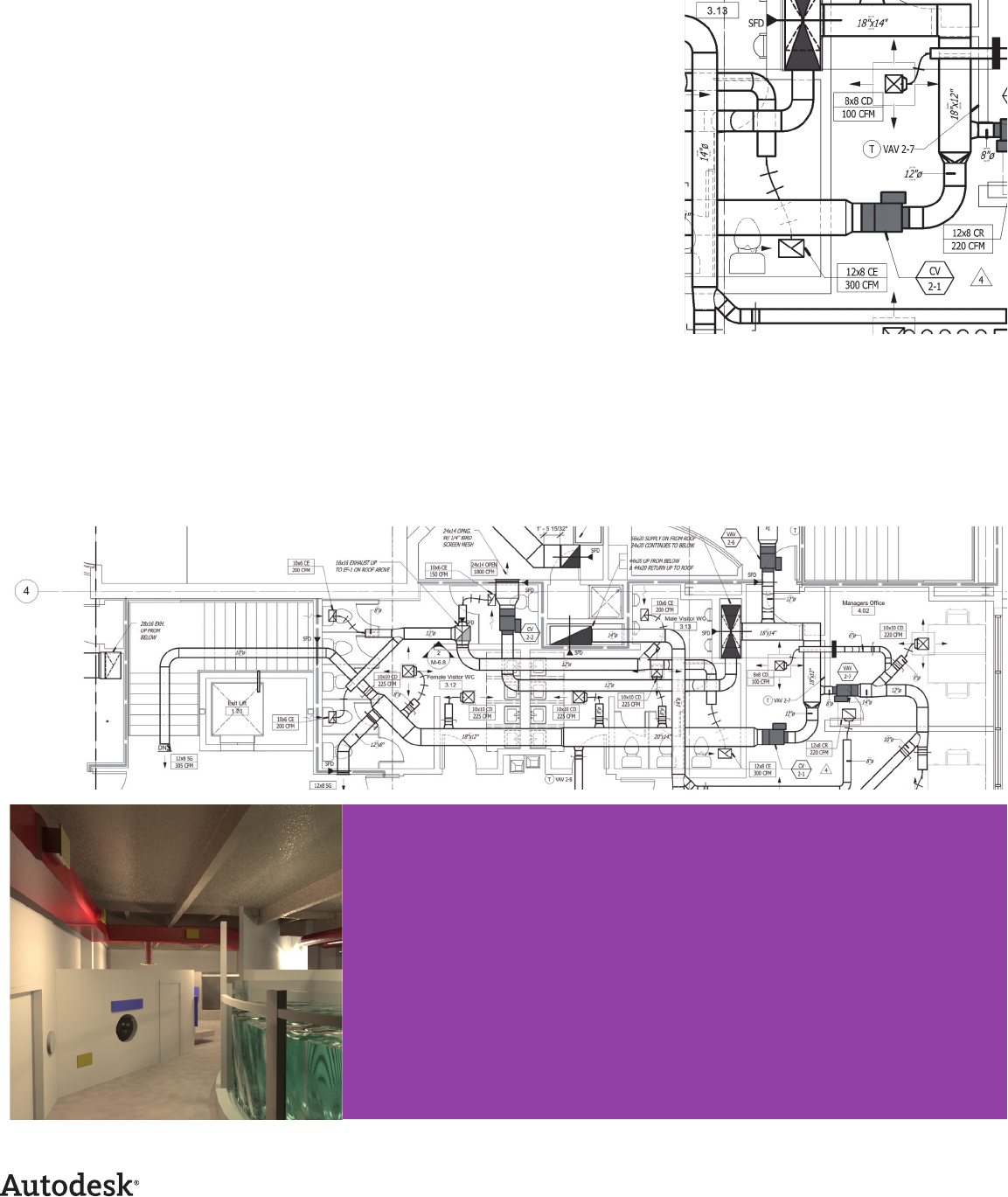
“The whole park is very heavily themed, with lots of
exposed ductwork and piping that must be painted
or covered with theming,” says Cronk. When
designing SEA LIFE locations throughout Europe,
the project architect used Revit® Architecture
software. “However, because the MEP engineers
on those projects were still using traditional CAD
applications, they sent him D ductwork drawings.
As a result, before the theming contractors could
decorate any of the spaces, the architect had to
provide interior elevations of every single wall in all
of the attraction rooms so they could estimate the
proper duct heights.”
Undersea design adventure.
With Revit® MEP software, Design West
Engineering completes construction
documents for the SEA LIFE™ Aquarium
at LEGOLAND®.
Design West Engineering
Customer Success Story
Revit® MEP
Revit® Architecture
AutoCAD®
For our clients using Revit
Architecture, our original
goal was to produce
percent of our
construction documents
with Revit MEP and we’ve
already accomplished that.
It really does help us run a
much tighter project and
put a better product into
the field. The D models
give the entire design
team—from the project
engineer on down—a
dramatically improved
understanding of the
building. As a result,
contractors can build our
projects more easily and
with far fewer questions.
—Robert Cronk
Principal
Design West Engineering
Revit MEP provides instant design feedback—
not a large set of error-prone documents for
after-the-fact examination.
Architects are obviously
concerned with aesthetics;
our initial requirement is
to make sure the system
works properly. The Revit
platform enables both of
us to do our respective
jobs better.
—Jarrod Baumann
Project Manager
Design West Engineering
The Need for Speed
All of that work was time consuming and not very
accurate. Yet the SEA LIFE project was on a fast-
track construction schedule and could not a ord
any delays or possible design errors. “We broke
ground in late November,” says Cronk. “The goal is
to have the project fully operational in late June and
open to the public in time for the July weekend.”
An Information Disconnect
“In the construction process, there’s often a dis-
connect between the information we provide the
architects and what they really understand about
the ductwork systems,” says Jarrod Baumann, a
project manager at Design West. “Often, we don’t
resolve that disconnect until after construction
begins. With Revit MEP, we hope to greatly increase
the architects’ understanding of our projects long
before we get to the fi eld. We want them to know
exactly where our ducts are going to run and how
they’ll interact with a building.”
The Solution
Right from the start, Revit MEP and its intuitive
tools for system design and analysis enabled Design
West to save valuable time. “The principal architect
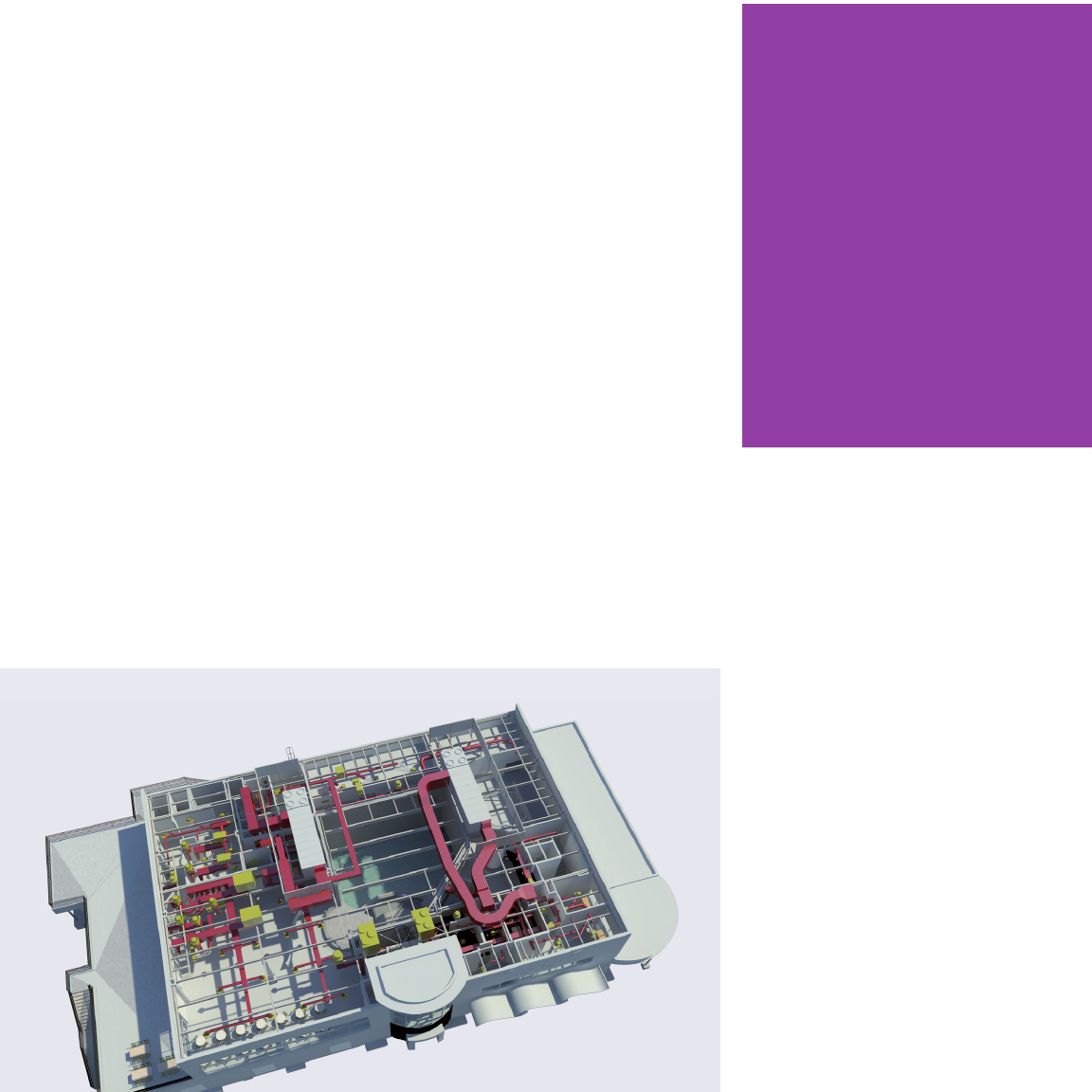
was absolutely tickled to receive our D Revit MEP
model,” says Cronk. “He used Revit Architecture to
cut a section from every single wall and quickly get
all the information the theming team needed to do
its job.”
Reduce Design Confl icts
“He was also able to interactively check to make
sure no future confl icts existed,” says Cronk. “We
already knew that we didn’t have any confl icts with
the building structure, but he was able to verify that
there would be no problems with the theming and
the ductwork. That was a very big benefi t.”
Easily Visualize MEP Designs
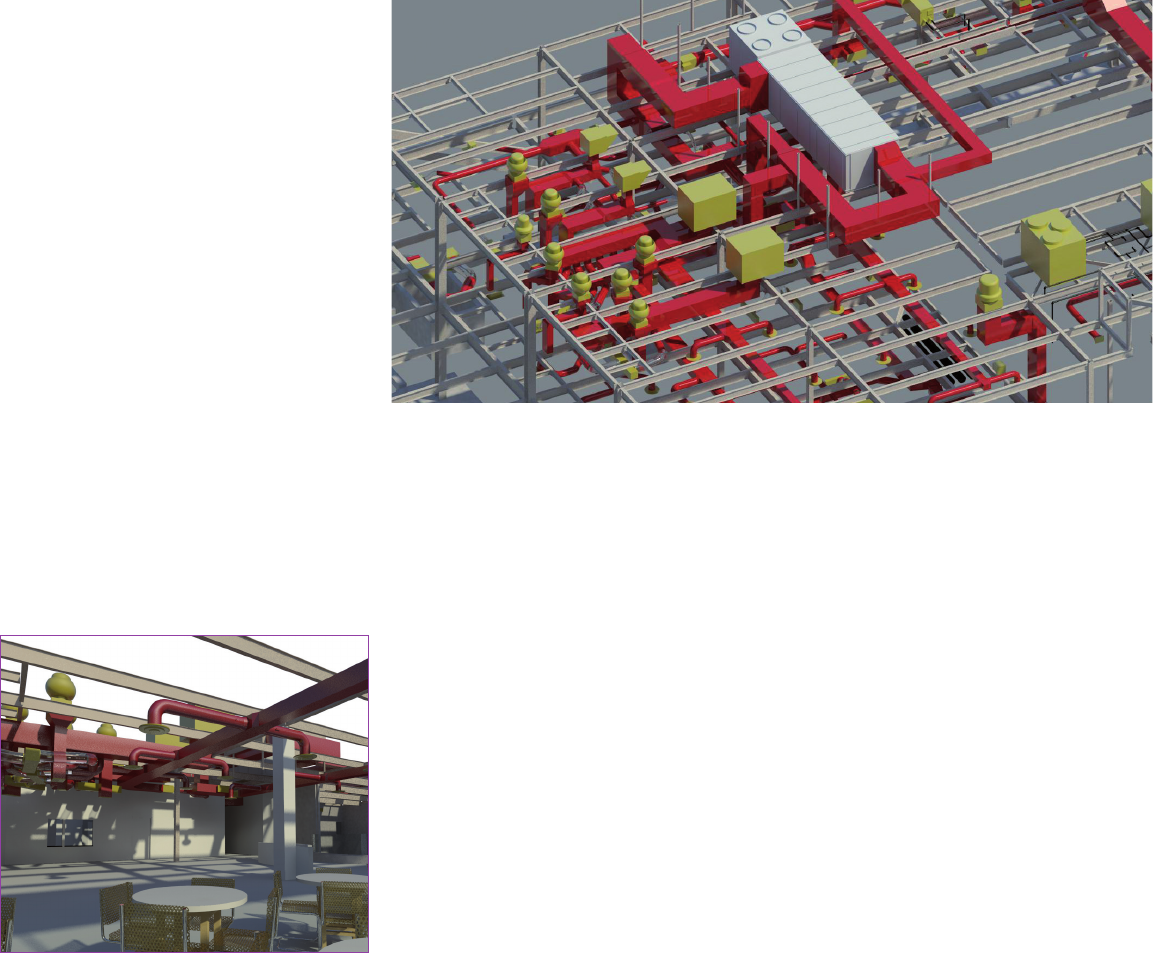
“Revit MEP also enabled the architects to easily
visualize our designs,” says Baumann. “Architects
are obviously concerned with aesthetics; our initial
requirement is to make sure the system works prop-
erly. The Revit platform enables both of us to do our
respective jobs better.”
Create More Accurate Designs
“Because the architects can easily see where we
want to place a unit, how big it is, and what it looks
like, we can quickly make adjustments based on
their input,” says Cronk. “Plus, the Revit platform
itself gives us instant design feedback rather than
a large set of documents that someone has to care-
fully examine for accuracy much later. That helps us
make better decisions and increases the likelihood
that our MEP systems will fi t the building in the best
possible way.”
Increase Understanding
“As a result, we’re starting to see that the architects
have a much better understanding of our discipline,”
says Cronk. “To give a specifi c example, one of our
clients does a lot of multi-family residential work
with Revit Architecture. Those types of buildings
have very tight space constraints on the mechanical
systems. Using our model, the architects easily pro-
duced shafts and so ts for ductwork right around
the work we gave them. They absolutely loved this
capability.”
Build Credibility
“Another benefi t is added credibility with the archi-
tects,” says Cronk. “Sometimes it seems as if they
think we’re crying wolf when we ask for more duct
space. With Revit MEP, we can quickly show them
exactly where all of the space is getting chewed up.
The whole interaction is more e cient and we’re
able to move forward that much faster. That’s a
huge benefi t.”
Share a Common Model
Design West also worked closely with the SEA LIFE
project’s structural engineers. “More often than
not, if we have a problem fi tting the ductwork on
a project, it involves the structural cavities,” says
Baumann. “We used Revit MEP to determine
whether we had enough space for ductwork or
adequate clearance in various spaces throughout
the entire project.”
Clearly Communicate Design Intent
Even on a much smaller scale, Design West has
found tremendous benefi t in Revit MEP soft-
ware’s D visualization capabilities. “For example,
we recently designed a small retail space,” says
Cronk. “The owner was interested in how the
di erent displays were going to look. He was very
pleased to be able to sit down in front of the D
model, interact with it, and see exactly how the
space and di erent light fi xtures would appear in
real life.”
Reduce Costs
“Based on what he learned in that meeting, the
owner made signifi cant changes to the light fi xtures,”
says Cronk. “Because he also received some budget-
ary feedback from the model, he decided to cut
costs by changing some of his lighting selections.”
Design West also helped one of its architectural cli-
ents, WLC Architects, save money on the design of
its new ,-square-foot o ce building. “Using
the information in our Revit MEP model, the
architects were able to determine the actual cost of
several di erent lighting packages and make appro-
priate budgetary decisions,” says Cronk. “They also
chose the fi xtures that looked best in the space.”
Practice Green Design
“That particular o ce building is going for LEED
certifi cation,” says Baumann. “As a fi rm, we’re
involved in several other sustainable design e orts,
such as the Collaborative for High Performance
Schools (CHPS), a spino of LEED focused primarily
on schools. Currently, we’re designing a combina-
tion high school and middle school campus. The
client wants to score incredibly high on the CHPS
checklist and plans on using the Revit platform to
accomplish a substantial portion of that.” In particu-
lar, Design West is experimenting with exporting
geometry from Revit to various software packages
for heating/cooling and lighting analysis, such as
eQuest, IES Virtual Environment, and AGI , either
with direct export/import or through GBXML.
Transform Attitudes
Revit MEP software’s D capabilities have had a pro-
found impact on contractors. “One of our project
managers recently presented D designs to a con-
tractor who’s been building multifamily residential
homes from D documents for more than years,”
says Cronk. “At fi rst, he wondered why we’d even
bothered to use D.”
Maximize Coordination
The fi rm’s ultimate goal is to receive very accurate
structural models at the same time that it receives
the architectural models. “That really enables us
to do our jobs well,” says Baumann. To further
minimize design coordination errors on the SEA LIFE
project, Design West regularly updated its model
via links to the architectural building model, the
structural framing model, the aquarium tanks, and
the underground tanks.
Intuitively Create MEP Systems
“At one point on the SEA LIFE project, we got into
a real time crunch,” says Cronk. “The owners made
dramatic changes at a time when we had pressing
deadlines on other projects. Because our entire
o ce wasn’t yet trained on Revit MEP, I produced
some of the immediate changes in AutoCAD to get
us past the hurdle.”
Later, when engineers input Cronk’s changes into
the Revit model, they quickly noticed several ways
to improve the AutoCAD-produced design. “Being
able to spin the model on-screen made me feel like
I was at the job site discussing ways to save money
with the contractor,” says Baumann. “Using Revit
MEP, it’s easy to take that kind of step in the o ce—
long before getting to the fi eld.”
“But by the end of the meeting, he had to admit
that it really helped him visualize the lighting for the
parking lot and courtyards,” says Cronk. “He also
admitted that D would be even more helpful to
someone without his skills. Even with his level of ex-
perience, he still thought that D was worthwhile—
even if it required extra e ort.”
Improve Workfl ows
As a direct result of using Revit MEP, Design
West modifi ed its workfl ow in several important
ways. “For one, our project manager and Revit
trainer is very quickly moving into the role of BIM
manager,” says Cronk. “His job is to oversee the
quality and content of the model and to make sure
that it works across the entire Revit product fami-
ly—throughout our o ce and with our partners.”
Subscribe for Maximum Benefi t
After receiving early training at Autodesk University,
Design West chose to participate in the Revit MEP
subscription program. “There’s defi nitely a benefi t
to being able to keep up with the latest release,”
says Cronk. “We also get access to additional help-
ful information and quick responses from the online
product support team. Our subscription has been
very useful to us; we certainly don’t intend to do it
any other way.”
The Result
“We’re really excited,” says Cronk. “Our original
goal was to produce percent of our construc-
tion documents with Revit MEP for our clients using
Revit Architecture and we’ve already accomplished
that. It really does help us run a much tighter
project and put a better product into the fi eld. The
D models give the entire design team—from the
project engineer on down—a dramatically improved
understanding of the building. As a result, contrac-
tors can build our projects more easily and with far
fewer questions.”
Gain Competitive Advantage
“Our marketing director says that the best thing
he can tell an architect is that we use Revit MEP,”
says Cronk. “We’re currently really well positioned
in the marketplace and have a distinct competitive
advantage—particularly because most other MEP
fi rms can’t provide these services yet. We wouldn’t
have that advantage without Revit MEP.”
For more information about Revit MEP,
visit www.autodesk.com/revitmep.
For more information about Revit Architecture,
visit www.autodesk.com/revitarchitecture.
Autodesk, AutoCAD, and Revit are registered trademarks or trademarks of Autodesk, Inc., in the USA and/or other countries. All other brand names,
product names, or trademarks belong to their respective holders. Autodesk reserves the right to alter product o erings and specifi cations at any time
without notice, and is not responsible for typographical or graphical errors that may appear in this document.
© 2008 Autodesk, Inc. All rights reserved. BRAMZ
Our marketing director says that the best thing he can tell
an architect is that we use Revit MEP. We’re currently really
well positioned in the marketplace and have a distinct
competitive advantage—particularly because most other
MEP fi rms can’t provide these services yet. We wouldn’t
have that advantage without Revit MEP.
—Robert Cronk
Principal
Design West Engineering
