Inventor HSM Brochure US Pricing V2
Inventor Hsm Brochure Inventor_HSM_Brochure Inventor_HSM_Brochure products 2016 pdf ds
Inventor Hsm Brochure inventor_hsm_brochure inventor_hsm_brochure products pdf ds
2016-06-08
: Guides Inventor Hsm Brochure Us Pricing V2 Inventor_HSM_Brochure_US_pricing_v2 2016 products pdf asi
Open the PDF directly: View PDF  .
.
Page Count: 8
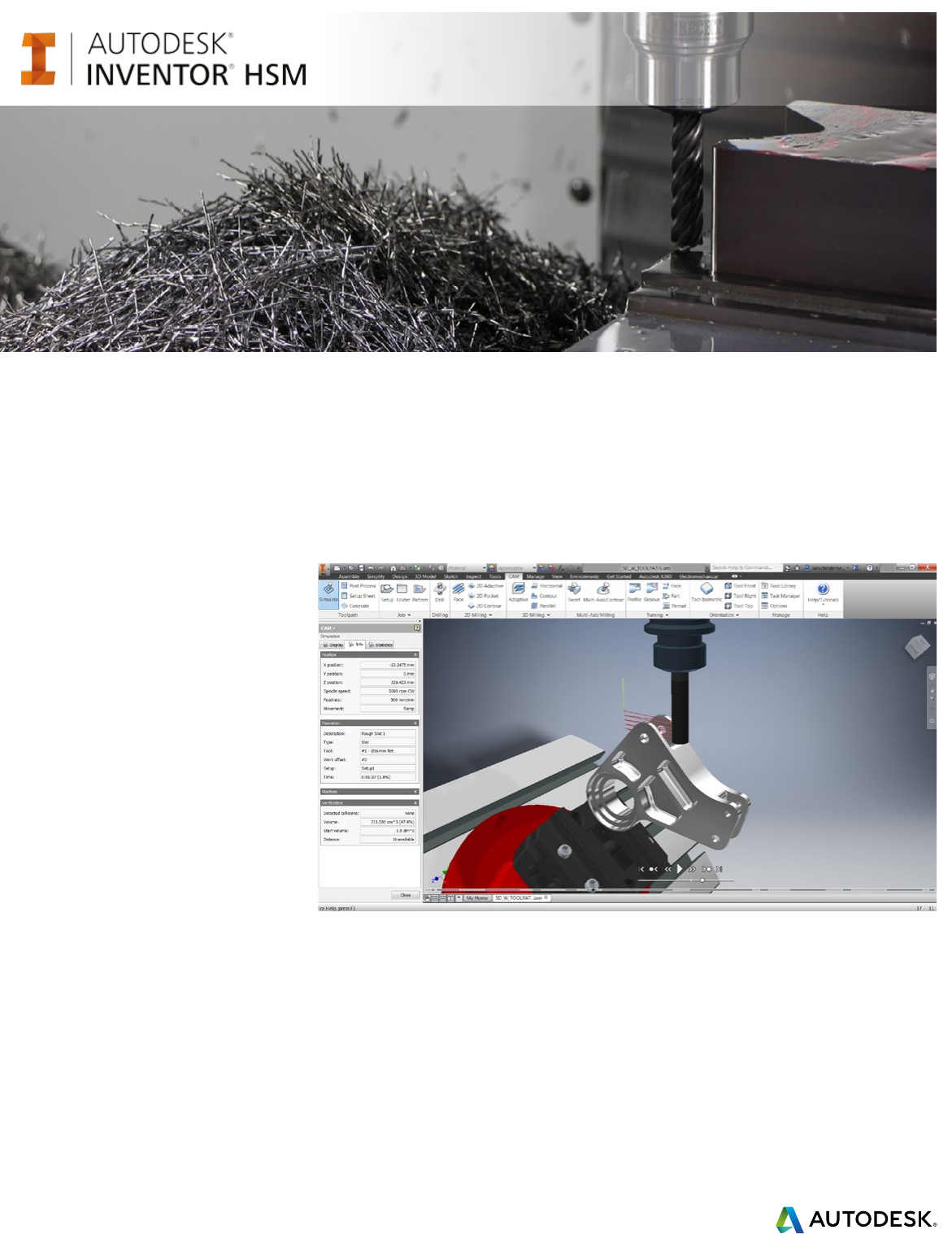
Take control of your manufacturing
Achieve higher productivity, reduced costs, and shorter
time to market using Inventor HSM
Autodesk® Inventor HSM™ 2016 CAD/CAM
software helps CNC programmers, designers,
and engineers rapidly produce machined
parts designed in virtually any CAD system.
Whether you are working with multiple CAD
formats or starting from pencil sketches,
Inventor HSM helps you get up to speed and
become productive within minutes using a
truly integrated design to manufacturing
solution. In addition to all the standard
toolpath strategies for milling and turning
operations, Inventor HSM includes advanced
features such as adaptive clearing, integrated
simulation and verification tools, and a
powerful post processor system.
Adaptive Clearing
Adaptive clearing is an advanced roughing strategy
that sets the bar for ecient, high-volume material
removal. Using constant tool engagement and
optimized cutter paths, Inventor HSM reduces
roughing time by a factor of 4 or more compared
to conventional roughing, and increases tool life by
as much as a factor of 10, depending on material
hardness. Enhanced multi-core support and
improved linking make adaptive clearing the most
advanced adaptive roughing technology to date.
AnyCAD
AnyCAD is a CAD interoperability solution
included in Autodesk® Inventor® that reduces
the need to maintain multiple CAD systems and
eliminates manual file translation and updates.
Parts and assemblies can be selectively imported
into Inventor from virtually any CAD system while
keeping associativity. Design changes in the
source CAD system get automatically updated in
downstream data such as drawings and toolpaths,
saving you valuable time and resources and
minimizing costly translation errors.
Modern architecture
Inventor HSM is designed to take advantage
of latest workstation technologies to help you
achieve superior performance, especially when
working on large or complex designs.
Multiprocessor/multi-core support dramatically
speeds up toolpath generation on supported
hardware. Distributed CAM server helps maximize
use of your computing power by utilizing idle
PCs on the local network to reduce toolpath
calculation time.

Inventor HSM – Take control of your manufacturing
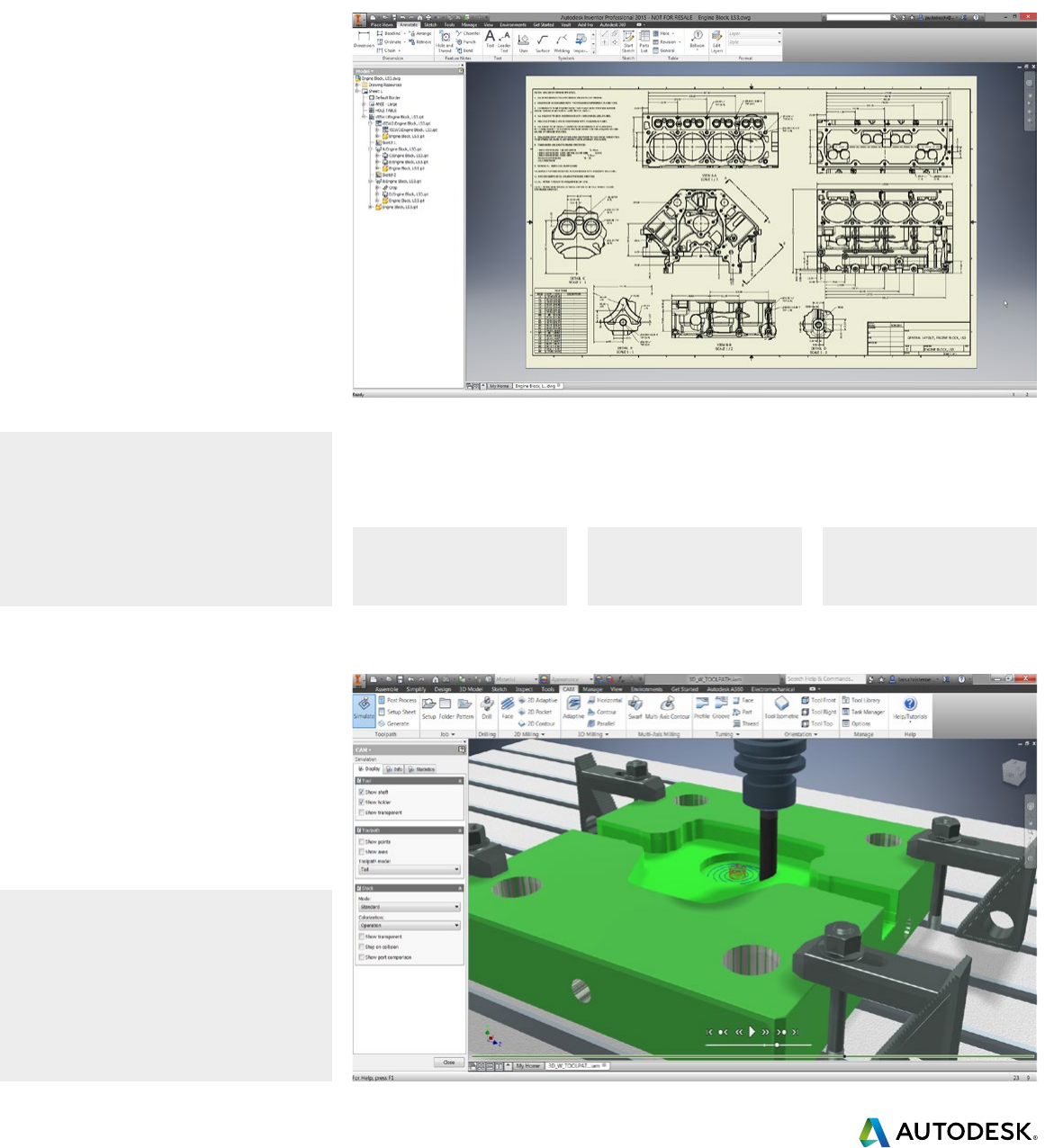
Stock simulation
Integrated stock simulation in Inventor HSM
enables users to see stock being removed and
to automatically check for shaft and clamp/fixture
collisions. Users can color the surface by tool
number to inspect the resulting stock model,
and they can slice the model to inspect
different sections.
The target part comparison feature can be used
to highlight rest and gouge areas with different
colors. 3+2 machining is supported and multiple
toolpaths can be verified in a single operation.
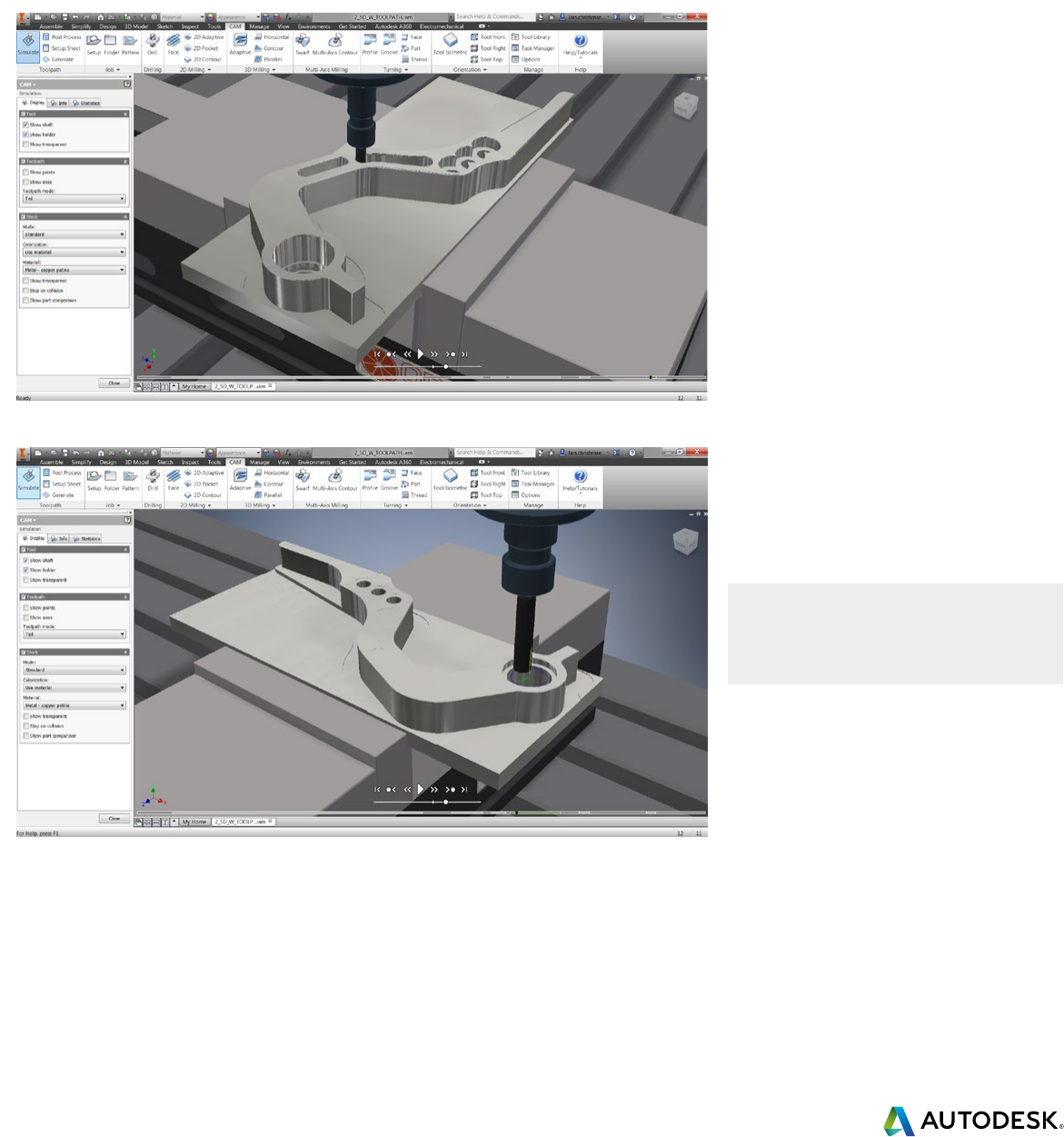
Toolpath simulation
After generating a toolpath, users can easily
inspect results with the integrated backplot and
inspection tool. Controls include simulation speed
and direction, visibility and translucency of tool,
shaft, tool holder, and coloring of rapid moves,
lead moves, and cutting moves.
Use the advanced analysis tool to measure
distances, or dynamically view all vital information
about tools, and details such as feed/speed and
estimated machining time. 3+2 machining is
supported, and you can inspect multiple
toolpaths in a single operation.
Tool lists and setup sheets
Tool lists, setup sheets and other production
documents are automatically generated and can
be exported in a variety of formats including
HTML, XML, Microsoft® Excel®, and
Microsoft® Word.
Production documents are generated by the
advanced Inventor HSM post processor with high
degree of flexibility and user customization.
Inventor HSM Edit
Inventor HSM includes Inventor HSM Edit for
inspecting and manually editing NC program
files. Inventor HSM Edit provides a number of CNC
code-specific functions, including line numbering/
renumbering, XYZ range finder, and file compare.
Inventor HSM Edit features a DNC link for reliable RS-
232 communications with a variety of CNC controls.
Post processors
No CAM system is complete without a
post processor that produces ready-to-run
code tailored to your machine, control, and
programming style. Inventor HSM uses a flexible,
open, and exceptionally fast post processor to
perform this critical task.
JavaScript programming language, enabling
on-site customization by customers and resellers,
resulting in a significant reduction in post
development time.
Inventor HSM comes with numerous generic post
processor configurations. Each post processor is
customizable to the user’s specific requirements.
Our aim is to produce 100 percent ready-to-run
code for your machine.
• Fanuc
• Heidenhain
• Haas
• Hurco
• MillPlus
• Okuma
• Siemens
• Yasnac
• and many more....
“ As a medical device company making cranial implants, we rely on Inventor HSM
to give us the ability to make these products in a very predictable and linear
method so we can depend on the results and produce the parts that we want.”
— Aaron M. Noble,
CEO of Poriferous, LLC
Inventor HSM – Take control of your manufacturing
Autodesk Inventor - professional grade CAD system
Autodesk Inventor helps you to complete your design quickly, easily, and
with flexibility by combining parametric, freeform, and direct editing tools.
Design and document
products digitally
Autodesk Inventor provides an intuitive parametric
design environment for developing initial
concept sketches and kinematic models of parts
and assemblies. Inventor software automates
the advanced geometry creation of intelligent
components, such as plastic parts, steel frames,
rotating machinery, tube and pipe runs, and
electrical cable and wire harnesses. Inventor
also helps reduce the geometry burden so you
can rapidly build and refine digital prototypes
that validate design functions and help minimize
manufacturing costs.
Seamless workflow experience
from design to manufacturing
AnyCAD in Inventor enables users to maintain full
associativity between the non-native model and
machining operations, so any changes to the
model are automatically reflected in the toolpath.
Late design changes no longer mean missing
delivery deadlines or introducing last-minute
programming errors.
Key advantages of
Autodesk Inventor:
• Instant association with the CAD model
• No data translation errors
• Fewer files to manage
• Superior CAD tools
• Lower training costs
• Superior machining flexibility
Full associativity
between the model
and machining
operations Seamless
workflows
Engineering
Change Order
Manufacturing
improvements
Inventor HSM – Take control of your manufacturing
2D / 2.5D milling
2D machining can range from the very simple to the very complex. Inventor HSM solutions
include the tools you need for precise control over all aspects of 2D machining, including lead
in/out and transitions between passes.
Contouring
Easily machine 2D and 3D contours. Control
lead-in and lead-out, and choose multiple
roughing and finishing passes and multiple
depth cuts for any contour. Machine open and
closed contours without creating additional
geometry, and eliminate sharp motion with corner
smoothing.
Adaptive clearing
Pocket toolpaths machine closed areas with and
without islands. Entry can be selected anywhere
on the model and set for plunge, ramp, or at a
predrilled position. The special high-speed option
creates smooth toolpaths that support constant
tool engagement, significantly higher feedrates,
and reduced machining time and tool life.
Drilling and hole making
Inventor HSM includes powerful tools for
generating drilling, counterboring, and tapping
operations. All operations are optimized to
minimize tool travel and overall cycle time.
Both standard and customized cycles are
supported for all point-to-point operations,
including spot-drilling, deep drilling with chip
break, and boring cycles.
Simply powerful
2D machining
Complete control over every aspect of the toolpath
Inventor HSM – Take control of your manufacturing
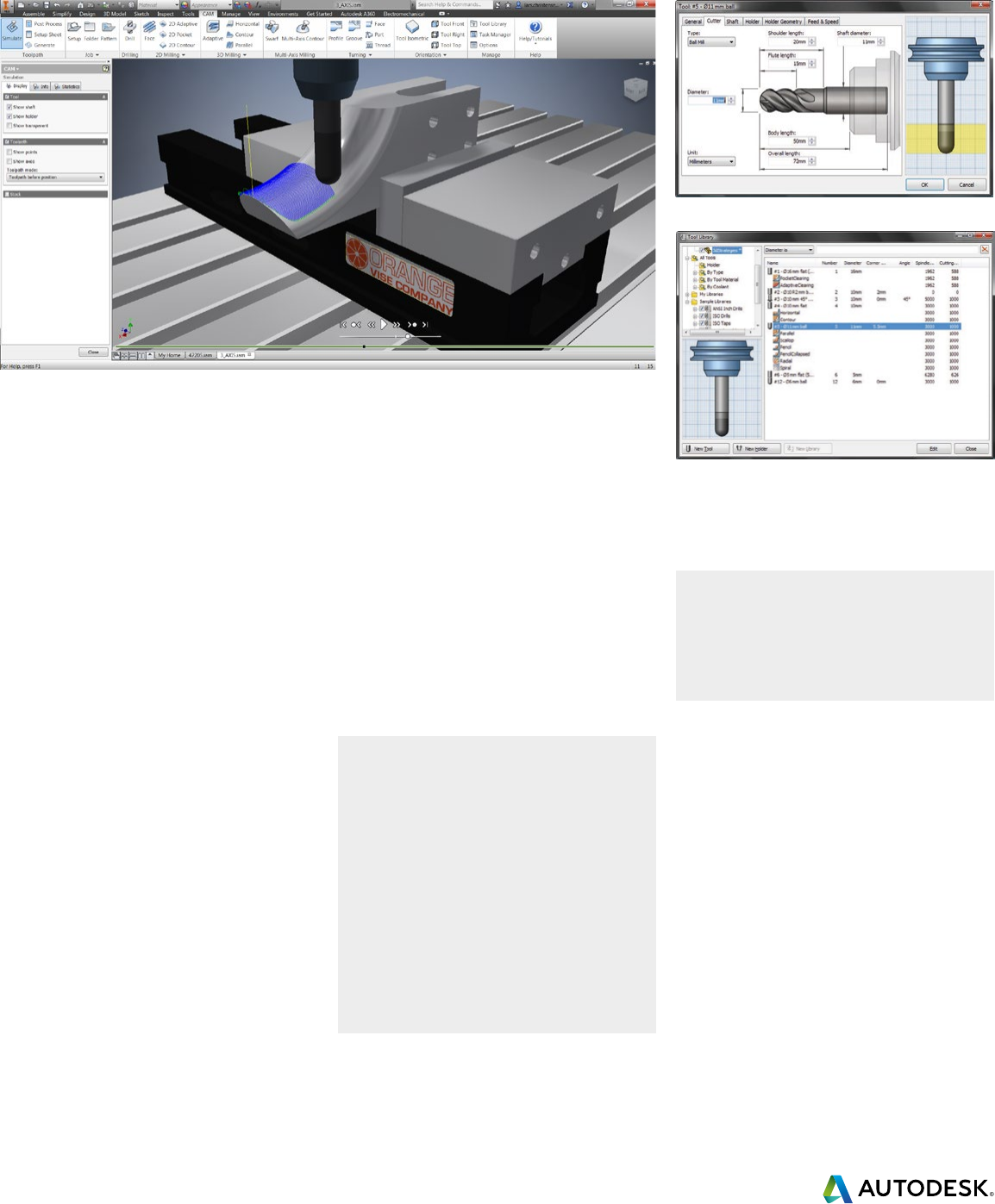
Define all relevant tool parameters in the Inventor tool library
Manage tools and holders with the Inventor tool library
3D milling
HSM stands for high-speed machining. The main goal of high-speed machining is minimizing
run time. Other factors, including surface quality and tool life, are also important.
Inventor HSM toolpaths are optimized to address all these factors by reducing cycle times,
improving surface quality, and extending tool life.
Best-in-class 3D strategies
Inventor HSM strives to generate the shortest and
smoothest toolpaths possible, resulting in reduced
machining time, improved surface quality, less tool
wear, and extended machine tool life.
In addition to the traditional pocket clearing strategy,
Inventor HSM features the innovative adaptive
clearing strategy that reduces roughing time by
a factor of 4 or more compared to conventional
roughing, and increases tool life by as much as a
factor of 10, depending on material hardness.
Finish paths follow part faces to create the final
part shape. Many machining strategies are available
to suit the part topology. Inventor HSM provides
superior finish machining technologies that
incorporate smooth/tangent lead in/out moves to
keep the tool moving in a smooth motion, helping
to reduce machine wear and tool marks.
Tool library
Tool information can be specified directly using
the Inventor HSM tool library, or imported from
third-party tool databases. Production documents,
including tool lists, are automatically generated
and can be exported in a number of different
formats including HTML, XML, Microsoft® Excel®
and Microsoft® Word.
3+2 machining
All 2D and 3D strategies support 3+2 machining
(5-axis positioning) by rotating the part or the
head of the machine tool through a combination
of A, B, or C axis motions. Create 3+2 operations
by simply selecting a work plane for the operation.
Inventor HSM takes care of the rest by finding the
most ecient rotations to orient the part. Once
parts are positioned, all machining strategies are
available. Tools and holders are gouge protected
for all strategies that normally support this feature.
High speed
machining for
everybody
• Pocket
• Adaptive clearing
• Contour
• Parallel
• Pencil
• Scallop/constant stepover
• Spiral
• Radial
• Horizontal
• 3+2 machining
Inventor HSM – Take control of your manufacturing
• Swarf
• Multi-axis contour
• 3D toolpath tilting
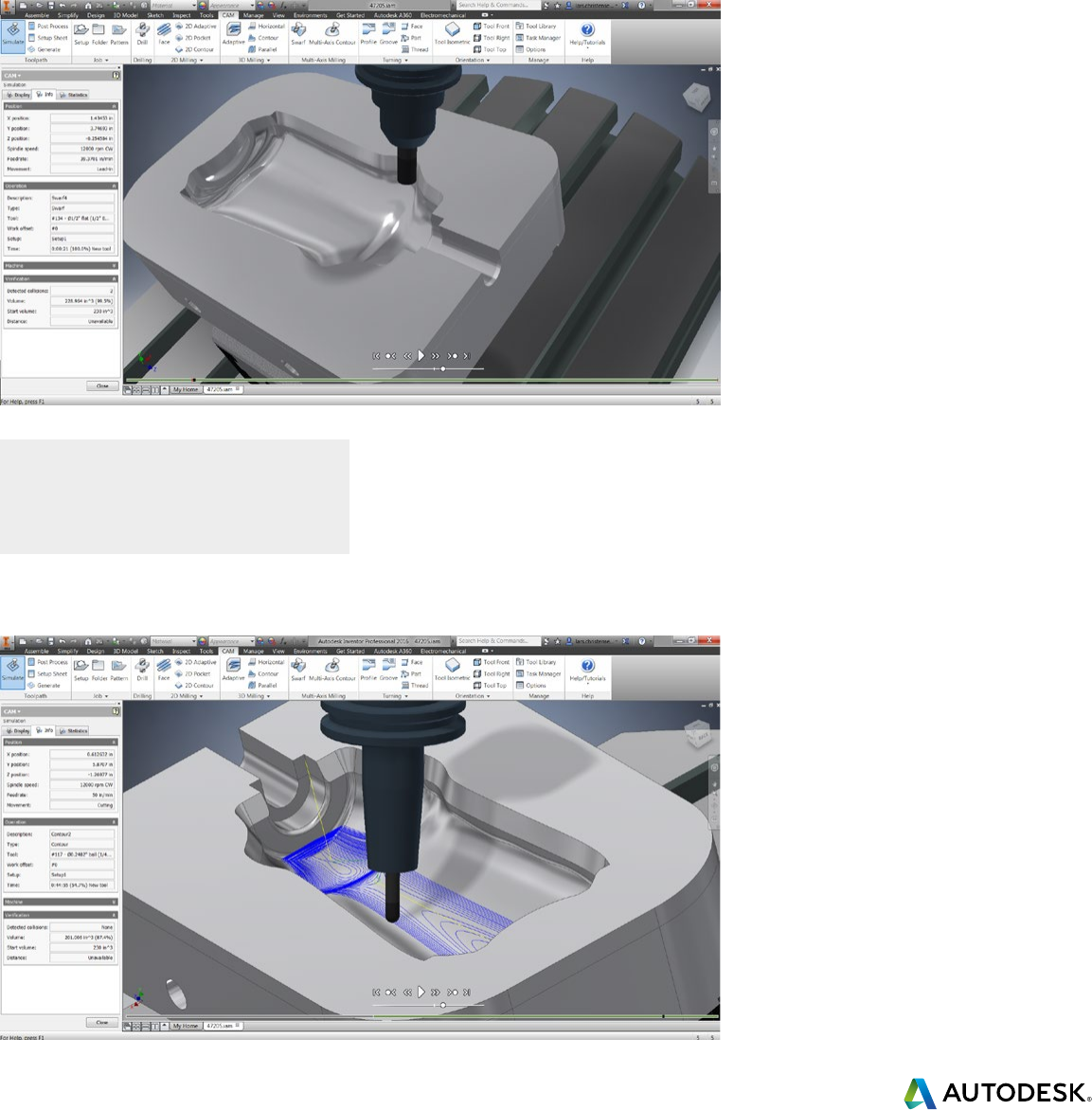
Multi-axis milling
Inventor HSM integrates multi-axis simultaneous machining into its milling and mill/turn
environment using the same intuitive approach to toolpath programming found in our 2D/3D
machining strategies. Multi-axis machining has traditionally been regarded as an advanced
technology best suited to the aerospace and automotive industry.
Inventor HSM improves production machining by breaking down this barrier and making
multi-axis machining accessible to everybody.
3D toolpath tilting
Many parts contain deep cavity areas and small
radii that need to be machined with small-
diameter tools. With Inventor HSM these areas
can be machined effectively by automatically
tilting the tool and holder away from the
workpiece, enabling the use of shorter tools
to reduce vibration and deflection.
Multi-axis simultaneous machining
Inventor HSM offers a number of multi-axis
strategies that provide the programmer with
productive solutions for easily creating highly
ecient multi-axis toolpaths with advanced
collision control for the most complex 3D models.
Inventor HSM – Take control of your manufacturing
• Facing
• Roughing
• Profiling
• Grooving
• Drilling
• Parting
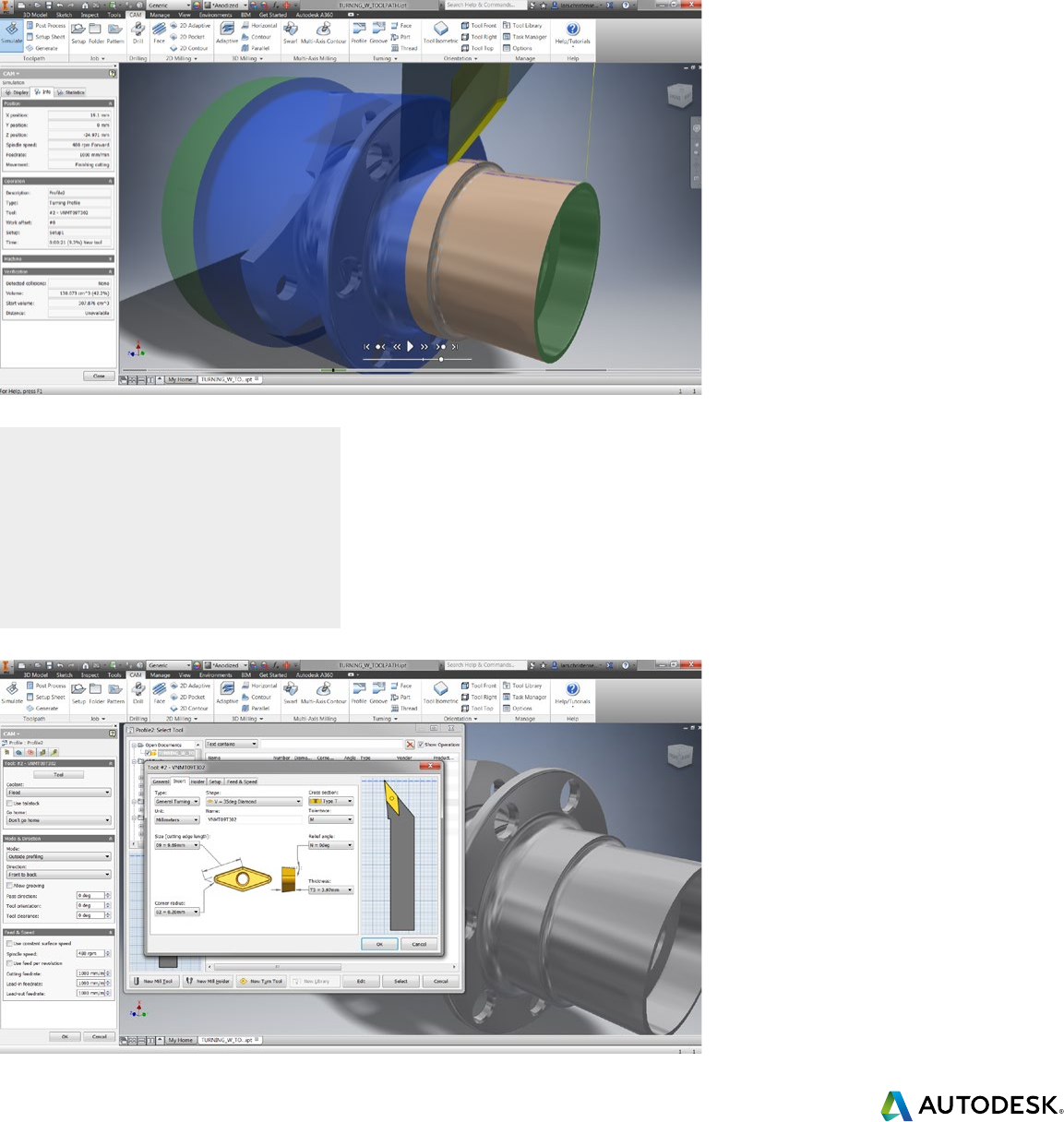
Turning
Whether you are looking for a CAM system to help you improve your productivity with
traditional turning operations like roughing, grooving, or finishing – or you want to start
taking full advantage of your multi-axis machine tools, Inventor HSM offers an intuitive
approach to creating high-quality turning toolpaths.
Twin-turret, sub-spindle and mill/turn
Inventor HSM supports programming twin-turret
and twin-spindle lathes using all traditional turning
operations. Mill/turn operations are supported
when combined with the Inventor HSM 2D or 3D
milling option.
Traditional turning
Inventor HSM features all the traditional turning
toolpaths, including facing, roughing, grooving,
threading, drilling, and profiling. For drilling and
hole making, choose between pre-programmed
machining cycles and canned cycles, or use a
combination of both.

Professional machining made easy and accessible
Choose the right CAD/CAM solution for your machining needs and take advantage of flexible pricing options.
Download the free 2.5D solution, or a 30-day trial of our advanced 3D and 5-axis solutions today.
CNC Programmers
Inventor HSM CAD/CAM solutions deliver
unbeatable performance and quality
that puts you in control of your CNC
programming operations.
Designers & Engineers
Whether you are prototyping or producing
finished parts, Inventor HSM provides a
seamless integrated CAD/CAM experience
that puts you in control of the design to
manufacturing workflow.
Stay competitive with
Desktop Subscription
When you decide to purchase an Autodesk
Desktop Subscription, you’re maximizing the
power of your design tools while gaining
control over your costs and the length of
your commitment.
Pay as you go access
Whether your projects are temporary or
ongoing, you can keep software costs
manageable and predictable. Pay only for
the access you need, without large up-front
investments or long-term commitment.
Scalable licensing
Companies grow. Projects expand.
Employees move. Be prepared for whatever
changes come your way with licensing that
scales to meet your organization’s needs.
Download your Inventor HSM CAD/CAM solution today or contact a reseller near you.
Visit: cam.autodesk.com/inventor-hsm
Professional 2.5 axis milling
and drilling applications
FREE*
Requires Autodesk® Inventor®
2.5D, advanced 3D and 3+2 milling,
and turning applications
2.5D advanced 3D and 5-Axis milling,
and turning applications
Increased speeds and feeds with Adaptive Clearing
Advanced simulation and verification tools
Includes posts for industry standard machines
Product updates for the duration of license
Expert technical support
Inventor HSM – Take Control of your Manufacturing
$7,500 SRP†
Perpetual License
$9,995 SRP†
Perpetual License
$2,470 SRP†
Desktop Subscription
$3,700 SRP†
Desktop Subscription
Autodesk, the Autodesk logo, Autodesk Inventor, Inventor, Inventor HSM, and Inventor HSM Express are registered trademarks or trademarks of
Autodesk, Inc., and/or its subsidiaries and/or aliates in the USA and/or other countries. All other brand names, product names, or trademarks belong
to their respective holders. Autodesk reserves the right to alter product and services offerings, and specifications and pricing at any time without
notice, and is not responsible for typographical or graphical errors that may appear in this document. © 2015 Autodesk, Inc. All rights reserved.
†The Suggested Retail Price (SRP) shown is Autodesk’s suggested retail price for the specified product and services in the United States. The SRP does not
include any allowance or provision for installation or taxes. The SRP is displayed for reference purposes only, as the actual retail price is determined by
your reseller. Other terms and conditions may apply. Autodesk reserves the right to alter the SRP, product offerings, and specification of its products and
services at any time without notice, and is not responsible for typographical, graphical, or other errors that may appear on this site.
*Free Autodesk software licenses and/or cloud-based services are subject to acceptance of and compliance with the terms and conditions of the license
agreement or terms of service, as applicable, that accompany such software or cloud-based services.
** Actual retail price is determined by your reseller. Annual Desktop Subscription plans may not be available through all resellers or in all countries.
