Meeting Pro4 Overview
2016-06-08
: Guides Meetingpro4 Overview MeetingPro4_overview smart pdf asi
Open the PDF directly: View PDF  .
.
Page Count: 2
SMART Meeting Pro™
4.0 software
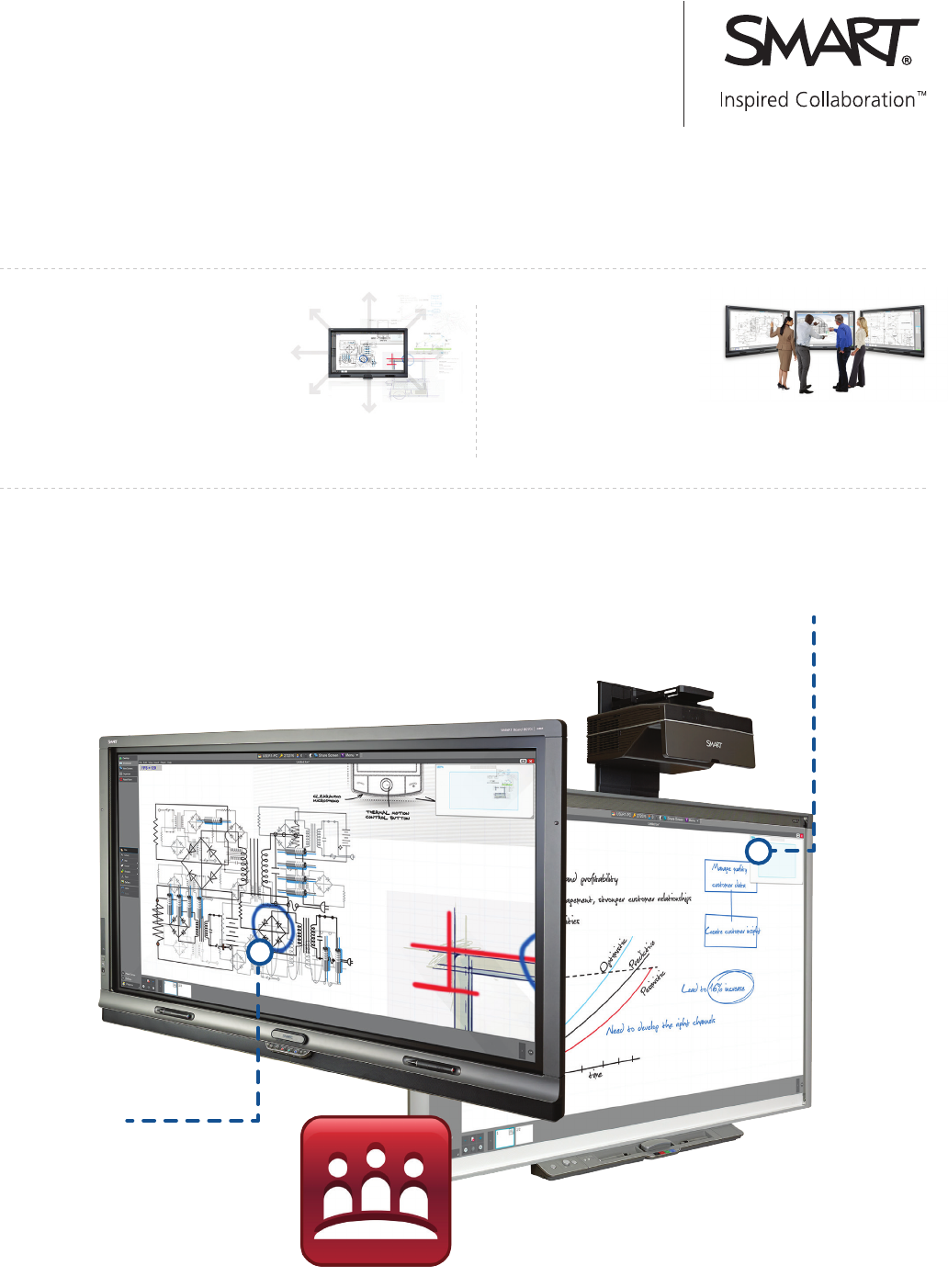
This powerful visual collaboration software allows users to create and capture ideas in the virtually unlimited
interactive Unbound Workspace, as well as make notes over any available application, keep meetings organized and
easily communicate outcomes.
Enhanced Interaction Performance
Interacting with content is smoother and more natural
and the software supports larger files than ever before
in the Unbound Workspace.
SMART Ink 1.5
SMART Ink automatically
enables you to write in any
application window.
Multi-Display Capability
In a multi-display setup,
each display can view the
same collaboration workspace with
real-time annotation across up to
16 displays.
Unbound Workspace
Bring ink, images, hyperlinks, text notes,
and other content into the virtually
unlimited collaboration workspace. Pan in
any direction (without limitation), zoom in
and work with the details or zoom out to
see an overview.
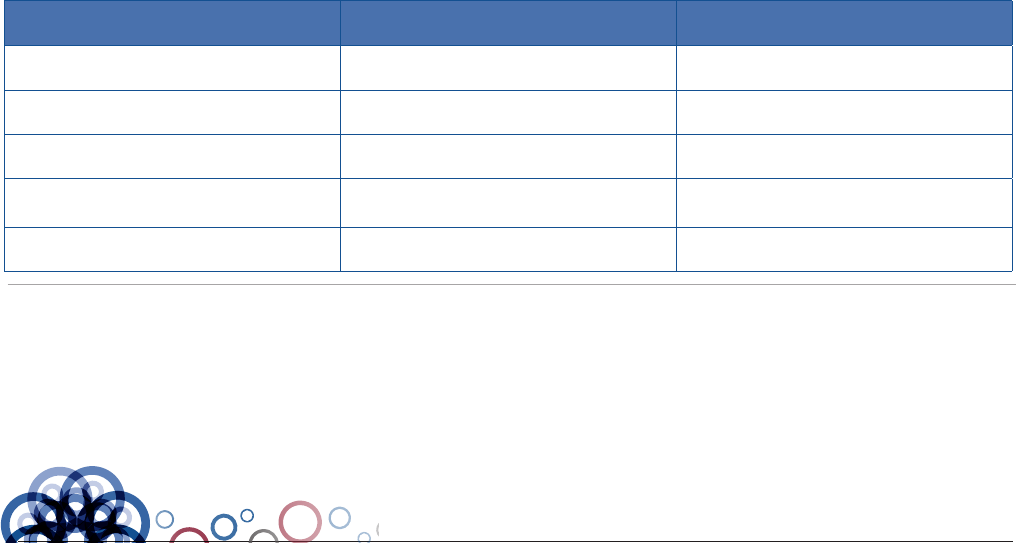
SMART Meeting Pro 4.0 software SMART Meeting Pro PE
(Personal Edition) software
Designed for: Dedicated meeting room computer Any computer
First Year Software Maintenance Required Required
Maintenance extensionsAvailable Available
Operating System Windows 7 and higher Windows (7 and higher),
Mac (OSX 10.6 and higher)
File Format FCW FCW
Key Features
Unbound Workspace
Bring ink, images, hyperlinks, text notes, and other con-
tent into the virtually unlimited collaboration workspace.
Pan in any direction (without limitation), zoom in and work
with the details or zoom out to see an overview.
Radar View
Keep a maps-style overview of your content that shows
your current location and content that is outside of your
current view, as well as navigate to different areas of
your workspace.
Multi-Display Capability
In a multi-display setup, view the same collaboration
workspace with real-time annotation across all views on
up to 16 displays (running from a single computer). You
can work on a zoomed-in detailed view while keeping the
zoomed-out contextual view on a separate
connected display.
Organizer
Control which content appears on which screen to ensure
you get the most out of your multi-display setup.
Enhanced Interaction Performance
Interacting with content is smoother and more natural and
the software supports larger files than ever before in the
Unbound Workspace.
Schedule Awareness
Combined with Microsoft® Exchange®,
SMART Meeting Pro™ reads meeting
invitations to automatically start the meeting
when you log in. It loads your agenda, attendee
list, links included in the meeting invite and any
attached documents. Use the embedded links feature
to bring SharePoint® documents into your meeting.
Bridgit® conferencing software
SMART Meeting Pro will automatically create and start your
Bridgit meeting (server license required), so you can save
time and get started right away.
Unified Communications Flexibility
When used with distance collaboration software like Bridgit
conferencing software (as well as Lync and WebEx) remote
participants can contribute their notes and ideas.
Customizable Business Gallery
Build out customized Business Galleries using your company’s
templates. Organize your custom galleries using custom folder
names and export them for deployment and use with other
SMART Meeting Pro installations throughout your organization.
SMART Ink 1.5
SMART Ink automatically enables you to write in any
application window.
Advanced Solutions - SMART Design Review
Toll Free 1-877-GET-ASI-1
www.AdvancedSolutions.com/smart
Authorized reseller:
© 2013 SMART Technologies. All rights reserved. SMART Meeting Pro, SMART Board, Bridgit, smarttech, the SMART logo and all SMART taglines and product logos are trademarks or
registered trademarks of SMART Technologies in the U.S. and/or other countries. All third-party product and company names are for identification purposes only and may be trademarks of
their respective owners.
