Guoguang Electric HSBT67 2.0 Speakers System User Manual QSG HSBT67 PT UL 07 09 indd

Guoguang Electric Co.,Ltd 2.0 Speakers System QSG HSBT67 PT UL 07 09 indd

User Manual

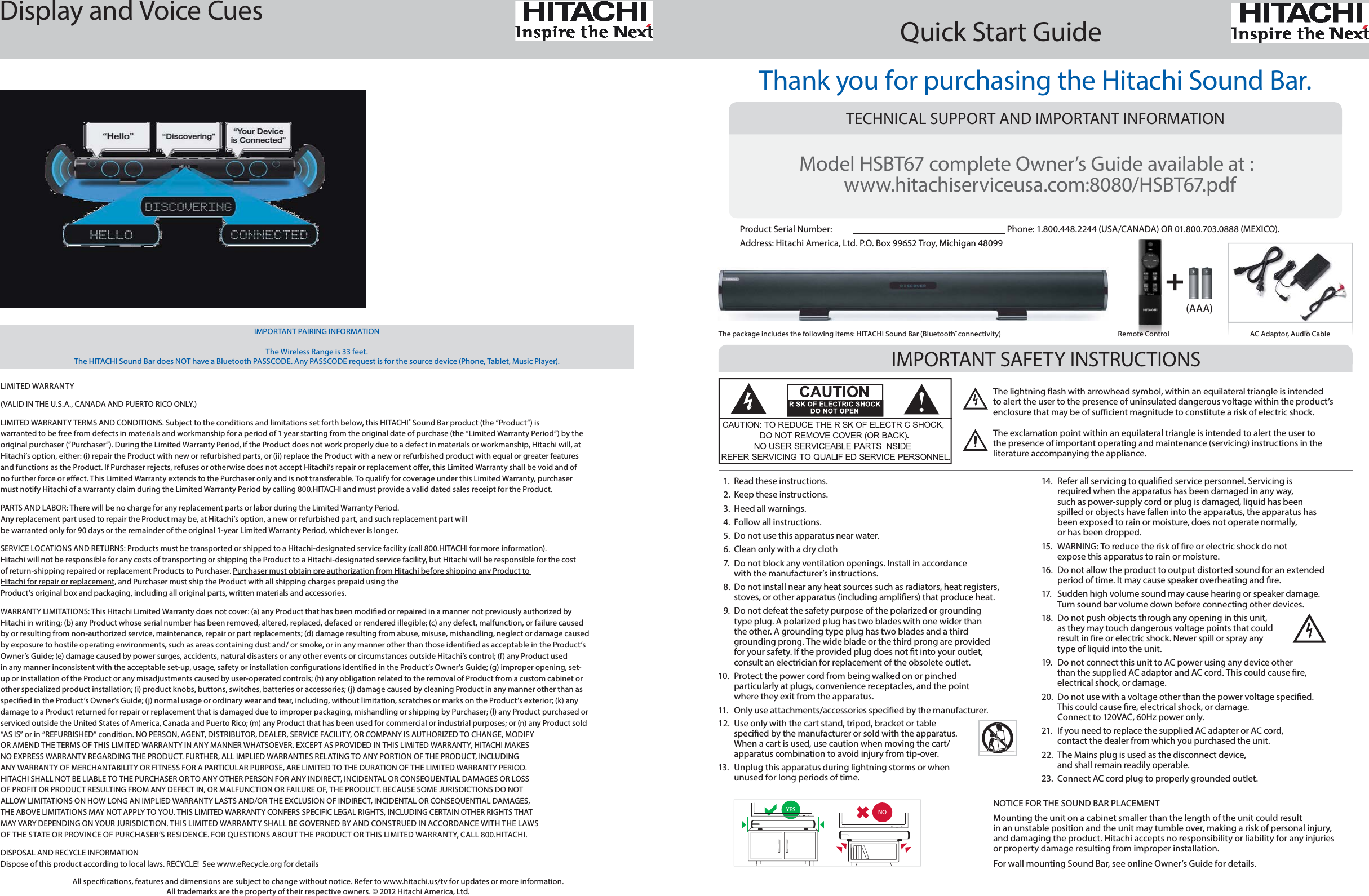
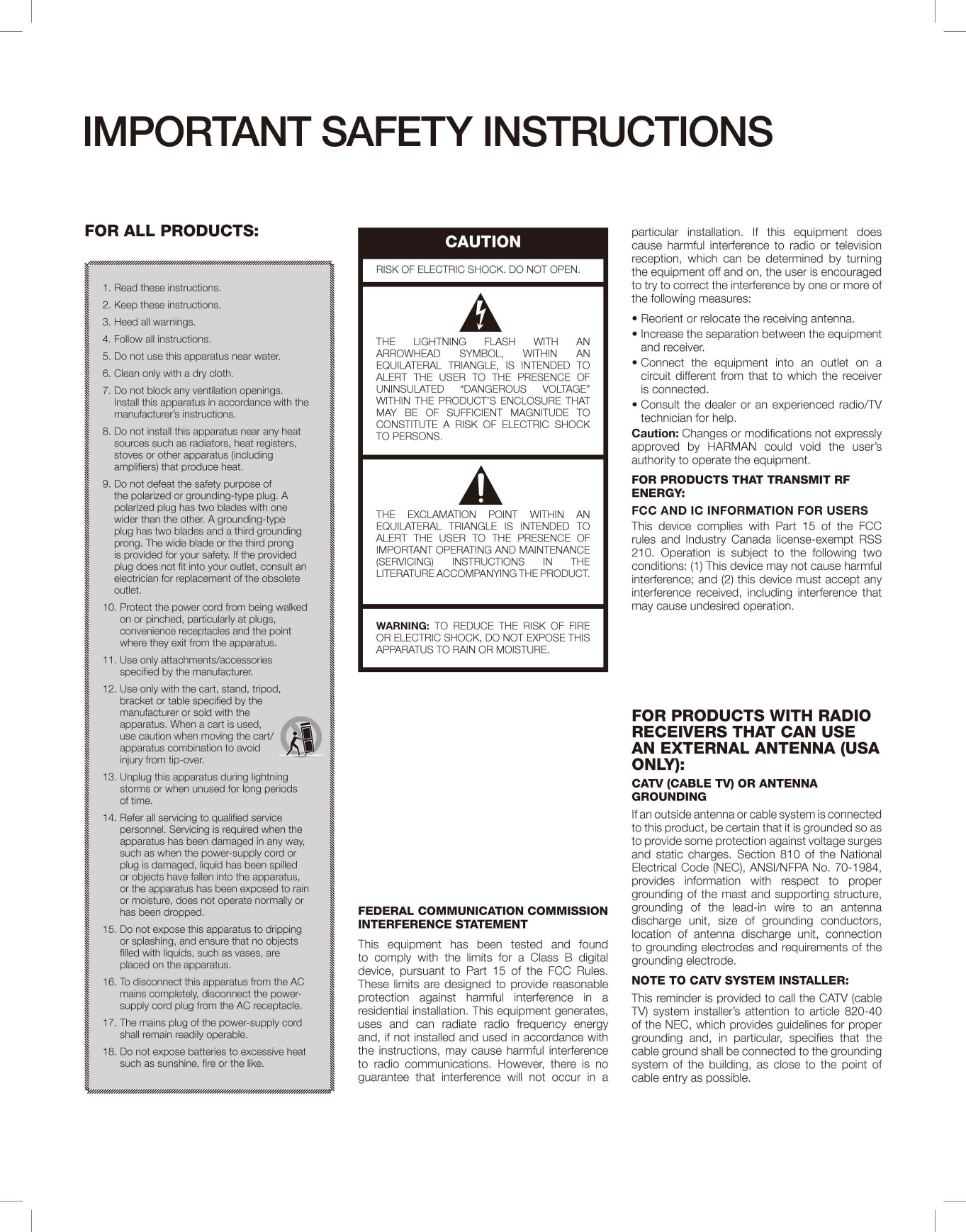
1.  Read these instructions.2.  Keep these instructions.3.  Heed all warnings.4.  Follow all instructions.5.  Do not use this apparatus near water.6.  Clean only with a dry cloth7.  Do not block any ventilation openings. Install in accordance with the manufacturer’s instructions.8.  Do not install near any heat sources such as radiators, heat registers, stoves, or other apparatus (including ampli ers) that produce heat.9.  Do not defeat the safety purpose of the polarized or grounding type plug. A polarized plug has two blades with one wider than the other. A grounding type plug has two blades and a third grounding prong. The wide blade or the third prong are provided for your safety. If the provided plug does not  t into your outlet, consult an electrician for replacement of the obsolete outlet. 10.  Protect the power cord from being walked on or pinched particularly at plugs, convenience receptacles, and the point where they exit from the apparatus. 11.  Only use attachments/accessories speci ed by the manufacturer.12.  Use only with the cart stand, tripod, bracket or table speci ed by the manufacturer or sold with the apparatus. When a cart is used, use caution when moving the cart/apparatus combination to avoid injury from tip-over.13.  Unplug this apparatus during lightning storms or when unused for long periods of time.NOTICE FOR THE SOUND BAR PLACEMENTMounting the unit on a cabinet smaller than the length of the unit could result in an unstable position and the unit may tumble over, making a risk of personal injury, and damaging the product. Hitachi accepts no responsibility or liability for any injuries or property damage resulting from improper installation. For wall mounting Sound Bar, see online Owner’s Guide for details.YES NO14.  Refer all servicing to quali ed service personnel. Servicing is required when the apparatus has been damaged in any way, such as power-supply cord or plug is damaged, liquid has been spilled or objects have fallen into the apparatus, the apparatus has been exposed to rain or moisture, does not operate normally, or has been dropped. 15.  WARNING: To reduce the risk of  re or electric shock do not expose this apparatus to rain or moisture.16.  Do not allow the product to output distorted sound for an extended period of time. It may cause speaker overheating and  re.17.  Sudden high volume sound may cause hearing or speaker damage. Turn sound bar volume down before connecting other devices.18.  Do not push objects through any opening in this unit, as they may touch dangerous voltage points that could result in  re or electric shock. Never spill or spray any type of liquid into the unit.19.  Do not connect this unit to AC power using any device other than the supplied AC adaptor and AC cord. This could cause  re, electrical shock, or damage.20.  Do not use with a voltage other than the power voltage speci ed. This could cause  re, electrical shock, or damage. Connect to 120VAC, 60Hz power only.21.  If you need to replace the supplied AC adapter or AC cord, contact the dealer from which you purchased the unit.22.  The Mains plug is used as the disconnect device, and shall remain readily operable.23.  Connect AC cord plug to properly grounded outlet.Thank you for purchasing the Hitachi Sound Bar.TECHNICAL SUPPORT AND IMPORTANT INFORMATIONRemote ControlThe package includes the following items: HITACHI Sound Bar (Bluetooth® connectivity) AC Adaptor, Audio CableQuick Start GuideIMPORTANT SAFETY INSTRUCTIONSModel HSBT67 complete Owner’s Guide available at :       www.hitachiserviceusa.com:8080/HSBT67.pdfProduct Serial Number:              Phone: 1.800.448.2244 (USA/CANADA) OR 01.800.703.0888 (MEXICO).  Address: Hitachi America, Ltd. P.O. Box 99652 Troy, Michigan 48099 All specifications, features and dimensions are subject to change without notice. Refer to www.hitachi.us/tv for updates or more information.  All trademarks are the property of their respective owners. © 2012 Hitachi America, Ltd.IMPORTANT PAIRING INFORMATION The Wireless Range is 33 feet. The HITACHI Sound Bar does NOT have a Bluetooth PASSCODE. Any PASSCODE request is for the source device (Phone, Tablet, Music Player).Display and Voice Cues LIMITED WARRANTY (VALID IN THE U.S.A., CANADA AND PUERTO RICO ONLY.)LIMITED WARRANTY TERMS AND CONDITIONS. Subject to the conditions and limitations set forth below, this HITACHI® Sound Bar product (the “Product”) is warranted to be free from defects in materials and workmanship for a period of 1 year starting from the original date of purchase (the “Limited Warranty Period”) by the original purchaser (“Purchaser”). During the Limited Warranty Period, if the Product does not work properly due to a defect in materials or workmanship, Hitachi will, at Hitachi’s option, either: (i) repair the Product with new or refurbished parts, or (ii) replace the Product with a new or refurbished product with equal or greater features and functions as the Product. If Purchaser rejects, refuses or otherwise does not accept Hitachi’s repair or replacement o er, this Limited Warranty shall be void and of no further force or e ect. This Limited Warranty extends to the Purchaser only and is not transferable. To qualify for coverage under this Limited Warranty, purchaser must notify Hitachi of a warranty claim during the Limited Warranty Period by calling 800.HITACHI and must provide a valid dated sales receipt for the Product. PARTS AND LABOR: There will be no charge for any replacement parts or labor during the Limited Warranty Period.  Any replacement part used to repair the Product may be, at Hitachi’s option, a new or refurbished part, and such replacement part will be warranted only for 90 days or the remainder of the original 1-year Limited Warranty Period, whichever is longer. SERVICE LOCATIONS AND RETURNS: Products must be transported or shipped to a Hitachi-designated service facility (call 800.HITACHI for more information). Hitachi will not be responsible for any costs of transporting or shipping the Product to a Hitachi-designated service facility, but Hitachi will be responsible for the cost of return-shipping repaired or replacement Products to Purchaser. Purchaser must obtain pre authorization from Hitachi before shipping any Product to Hitachi for repair or replacement, and Purchaser must ship the Product with all shipping charges prepaid using the Product’s original box and packaging, including all original parts, written materials and accessories. WARRANTY LIMITATIONS: This Hitachi Limited Warranty does not cover: (a) any Product that has been modi ed or repaired in a manner not previously authorized by Hitachi in writing; (b) any Product whose serial number has been removed, altered, replaced, defaced or rendered illegible; (c) any defect, malfunction, or failure caused by or resulting from non-authorized service, maintenance, repair or part replacements; (d) damage resulting from abuse, misuse, mishandling, neglect or damage caused by exposure to hostile operating environments, such as areas containing dust and/ or smoke, or in any manner other than those identi ed as acceptable in the Product’s Owner’s Guide; (e) damage caused by power surges, accidents, natural disasters or any other events or circumstances outside Hitachi’s control; (f) any Product used in any manner inconsistent with the acceptable set-up, usage, safety or installation con gurations identi ed in the Product’s Owner’s Guide; (g) improper opening, set-up or installation of the Product or any misadjustments caused by user-operated controls; (h) any obligation related to the removal of Product from a custom cabinet or other specialized product installation; (i) product knobs, buttons, switches, batteries or accessories; (j) damage caused by cleaning Product in any manner other than as speci ed in the Product’s Owner’s Guide; (j) normal usage or ordinary wear and tear, including, without limitation, scratches or marks on the Product’s exterior; (k) any damage to a Product returned for repair or replacement that is damaged due to improper packaging, mishandling or shipping by Purchaser; (l) any Product purchased or serviced outside the United States of America, Canada and Puerto Rico; (m) any Product that has been used for commercial or industrial purposes; or (n) any Product sold “AS IS” or in “REFURBISHED” condition. NO PERSON, AGENT, DISTRIBUTOR, DEALER, SERVICE FACILITY, OR COMPANY IS AUTHORIZED TO CHANGE, MODIFY OR AMEND THE TERMS OF THIS LIMITED WARRANTY IN ANY MANNER WHATSOEVER. EXCEPT AS PROVIDED IN THIS LIMITED WARRANTY, HITACHI MAKES NO EXPRESS WARRANTY REGARDING THE PRODUCT. FURTHER, ALL IMPLIED WARRANTIES RELATING TO ANY PORTION OF THE PRODUCT, INCLUDING ANY WARRANTY OF MERCHANTABILITY OR FITNESS FOR A PARTICULAR PURPOSE, ARE LIMITED TO THE DURATION OF THE LIMITED WARRANTY PERIOD. HITACHI SHALL NOT BE LIABLE TO THE PURCHASER OR TO ANY OTHER PERSON FOR ANY INDIRECT, INCIDENTAL OR CONSEQUENTIAL DAMAGES OR LOSS OF PROFIT OR PRODUCT RESULTING FROM ANY DEFECT IN, OR MALFUNCTION OR FAILURE OF, THE PRODUCT. BECAUSE SOME JURISDICTIONS DO NOT ALLOW LIMITATIONS ON HOW LONG AN IMPLIED WARRANTY LASTS AND/OR THE EXCLUSION OF INDIRECT, INCIDENTAL OR CONSEQUENTIAL DAMAGES, THE ABOVE LIMITATIONS MAY NOT APPLY TO YOU. THIS LIMITED WARRANTY CONFERS SPECIFIC LEGAL RIGHTS, INCLUDING CERTAIN OTHER RIGHTS THAT MAY VARY DEPENDING ON YOUR JURISDICTION. THIS LIMITED WARRANTY SHALL BE GOVERNED BY AND CONSTRUED IN ACCORDANCE WITH THE LAWS OF THE STATE OR PROVINCE OF PURCHASER’S RESIDENCE. FOR QUESTIONS ABOUT THE PRODUCT OR THIS LIMITED WARRANTY, CALL 800.HITACHI.DISPOSAL AND RECYCLE INFORMATIONDispose of this product according to local laws. RECYCLE!  See www.eRecycle.org for detailsThe lightning  ash with arrowhead symbol, within an equilateral triangle is intended to alert the user to the presence of uninsulated dangerous voltage within the product’s enclosure that may be of su  cient magnitude to constitute a risk of electric shock.The exclamation point within an equilateral triangle is intended to alert the user to the presence of important operating and maintenance (servicing) instructions in the literature accompanying the appliance.(AAA)
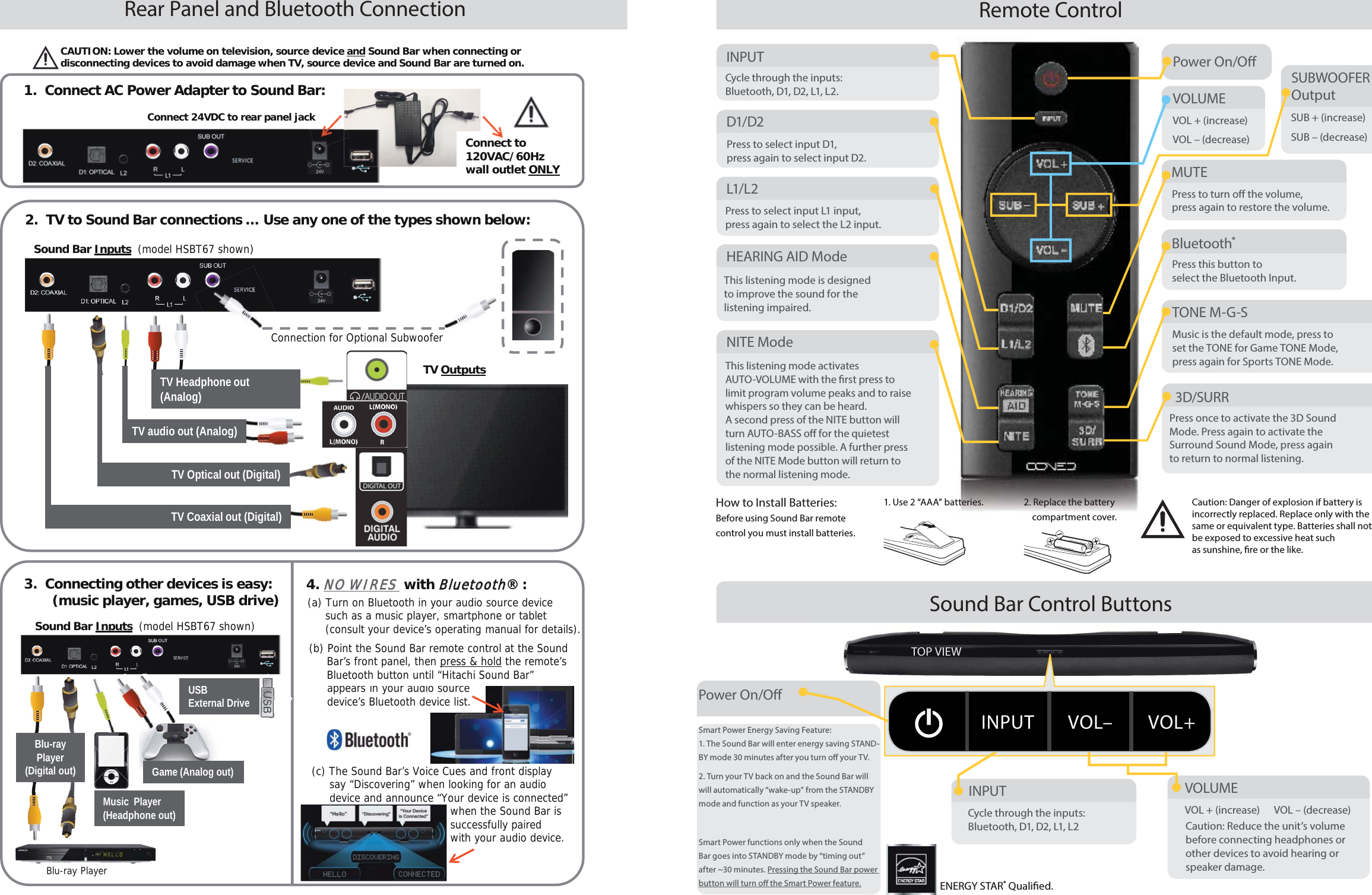
TOP VIEWRear Panel and Bluetooth ConnectionSound Bar Control ButtonsRemote ControlPower On/O INPUTD1/D2SUBWOOFEROutputMUTEBluetooth®HEARING AID ModeTONE M-G-S3D/SURRL1/L2NITE ModeCycle through the inputs: Bluetooth, D1, D2, L1, L2.Press to select input D1, press again to select input D2.SUB + (increase)SUB – (decrease)Press to turn o  the volume, press again to restore the volume.Press this button to select the Bluetooth Input.This listening mode is designed to improve the sound for the listening impaired.Music is the default mode, press to set the TONE for Game TONE Mode, press again for Sports TONE Mode.Press once to activate the 3D Sound Mode. Press again to activate the Surround Sound Mode, press again to return to normal listening.Press to select input L1 input, press again to select the L2 input.This listening mode activates AUTO-VOLUME with the  rst press to limit program volume peaks and to raise whispers so they can be heard. A second press of the NITE button will turn AUTO-BASS o  for the quietest listening mode possible. A further press of the NITE Mode button will return to the normal listening mode.Caution: Danger of explosion if battery is incorrectly replaced. Replace only with the same or equivalent type. Batteries shall not be exposed to excessive heat such as sunshine,  re or the like.How to Install Batteries: Before using Sound Bar remote control you must install batteries.1. Use 2 “AAA” batteries. 2. Replace the battery    compartment cover.VOLUMEVOL + (increase)VOL – (decrease)Power On/O INPUT VOLUMEVOL + (increase)  VOL – (decrease)Cycle through the inputs: Bluetooth, D1, D2, L1, L2Smart Power Energy Saving Feature:1. The Sound Bar will enter energy saving STAND-BY mode 30 minutes after you turn o  your TV. 2. Turn your TV back on and the Sound Bar will will automatically “wake-up” from the STANDBY mode and function as your TV speaker.                        Smart Power functions only when the Sound Bar goes into STANDBY mode by “timing out” after ~30 minutes. Pressing the Sound Bar power button will turn o  the Smart Power feature.Caution: Reduce the unit’s volumebefore connecting headphones or other devices to avoid hearing or speaker damage.ENERGY STAR® Quali ed.INPUT VOL– VOL+CAUTION: Lower the volume on television, source device and Sound Bar when connecting or disconnecting devices to avoid damage when TV, source device and Sound Bar are turned on.1.  Connect AC Power Adapter to Sound Bar:Connect to120VAC/60Hzwall outlet ONLYConnect 24VDC to rear panel jack pjnectt(c) The Sound Bar’s Voice Cues and front displaysay “Discovering” when looking for an audio device and announce “Your device is connected”when the Sound Bar issuccessfully paired                                      with your audio device.(a) Turn on Bluetooth in your audio source device such as a music player, smartphone or tablet(consult your device’s operating manual for details).TV Coaxial out (Digital)TV Optical out (Digital)2.  TV to Sound Bar connections … Use any one of the types shown below:TV Headphone out (Analog)Sound Bar Inputs (model HSBT67 shown)TV OutputsConnection for Optional Subwoofer3.  Connecting other devices is easy:(music player, games, USB drive)Sound Bar Inputs (model HSBT67 shown)Music  Player (Headphone out)TV audio out (Analog)Blu-ray Player(Digital out)4. NO WIRES NO WIRES with BluetoothBluetooth® :SoundBar Inputs(model HSBT67 shown)Sou d apu s(od S 6so )Game (Analog out)Blu-ray PlayerUSBExternal Drive appears in your audio source device’s Bluetooth device list.  (b) Point the Sound Bar remote control at the SoundBar’s front panel, then press & hold the remote’s Bluetooth button until “Hitachi Sound Bar”

Navigation menu